Outlet EventEnds Jan. 19. Limited quantities. No rainchecks.Shop now

Skip to contentGo to Product SearchGo to Footer
Main Content

Customer Ratings & Reviews

Your price for this item is $35.99
The comparable value price is $49.99

Customer reviews

Rating 4.7 out of 5 stars with 3974 reviews

Rating Filter

Rating by feature

  • Value

    Rating 4.7 out of 5 stars

  • Quality

    Rating 4.7 out of 5 stars

  • Ease of Use

    Rating 4.8 out of 5 stars

Pros mentioned filter

Cons mentioned filter

96%would recommend to a friend

Customers are saying

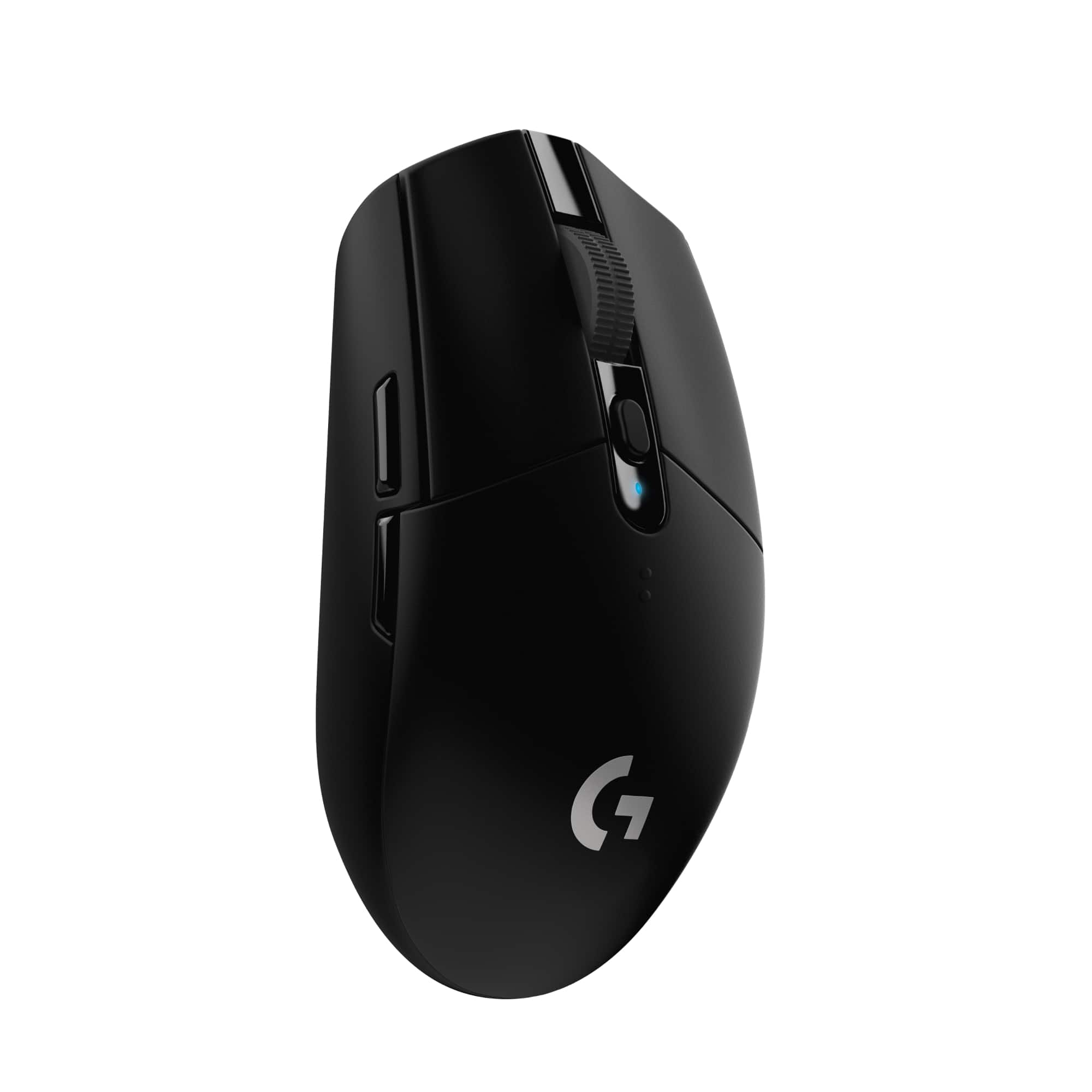
Customers are delighted by the G305 LIGHTSPEED Wireless Gaming Mouse, particularly its balanced weight and long battery life. Users appreciate its overall performance and ease of use, considering it a great value for the price. While some find the side buttons less than ideal and have concerns about the scroll wheel, the mouse is generally praised for its wireless capabilities, suitable size, high DPI, speed, and fast response time.

This summary was generated by AI based on customer reviews.

The vast majority of our reviews come from verified purchases. Reviews from customers may include My Best Buy members, employees, and Tech Insider Network members (as tagged). Select reviewers may receive discounted products, promotional considerations or entries into drawings for honest, helpful reviews.
Page 190 Showing 3,781-3,800 of 3,974 reviews
  • Rated 1 out of 5 stars

    Bad RMB

    |
    |
    Posted .
    This reviewer received promo considerations or sweepstakes entry for writing a review.

    My mouse has a really bad switch in the right mouse button. I can hold down the button and the switch continually deactivates and reactivates just by miniscule differences in the amount of pressure I put on the button, all while holding it down. The only way to "solve" this is to hold the button down with an unnatural amount of force for what is supposed to be a light click. I'm returning mine, this thing is junk.

    No, I would not recommend this to a friend
    • Brand response from Logitech
      Posted .

      Hello Matt. Thank you for taking the time to share your experience with the G305 mouse. I'm sorry to hear that your mouse has a faulty right click. If your mouse was not able to be exchanged due to time, you can start the warranty exchange process here: https://support.logi.com/hc/en-ca/articles/360024914774-Warranty-G305
      -Charlton at Logitech

  • Rated 1 out of 5 stars

    You get what you pay for.

    |
    |
    Posted . Owned for 9 months when reviewed.
    This reviewer received promo considerations or sweepstakes entry for writing a review.

    6 months in, the right click button is almost non-existent. Setting your finger on it is enough to click it, and sometimes it stays clicked. Every other button works as intended. I know they use a beefed up button for the left, but i've never had a mouse do this. It also shuts off and takes a while to power up again if left idle for about 60 seconds and you can't change that in the G-Hub.

    No, I would not recommend this to a friend
    • Brand response from Logitech
      Posted .

      Hi Scott, we're sorry to see you're experiencing a malfunction with the button on your G305 Lightspeed Wireless Mouse. You do have a 2-year limited warranty that can be used to have a replacement sent out to you. You can do that here: https://support.logi.com/hc/en-us/articles/360024914774-Warranty-G305. Hope that helps. -N from Logitech

  • Rated 4 out of 5 stars

    Great mouse for WIRELESS gaming mouse

    |
    |
    Posted .
    This reviewer received promo considerations or sweepstakes entry for writing a review.

    Its very light so if you dont like light mouse do not get it. Center of weight is distributed to back of mouse so its your taste. But nice gaming wireless mouse for the price

    I would recommend this to a friend
  • Pros mentioned:
    Battery life, Weight
    Tech Insider Network Member

    Rated 5 out of 5 stars

    MOUSE of the FUTURE! Best Tech for Price! BUY!

    |
    Tech Insider Network Member
    Posted .
    This reviewer received promo considerations or sweepstakes entry for writing a review.

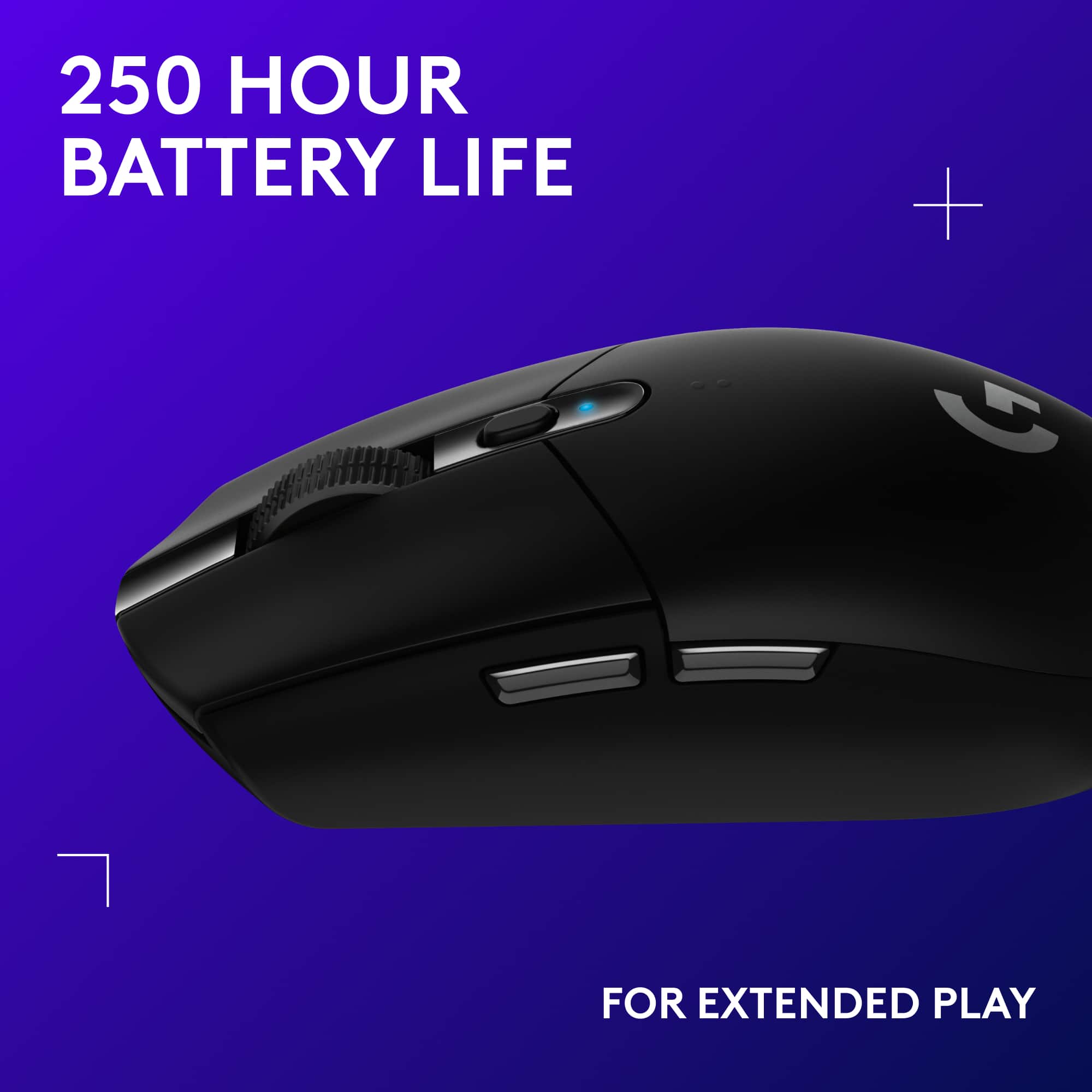
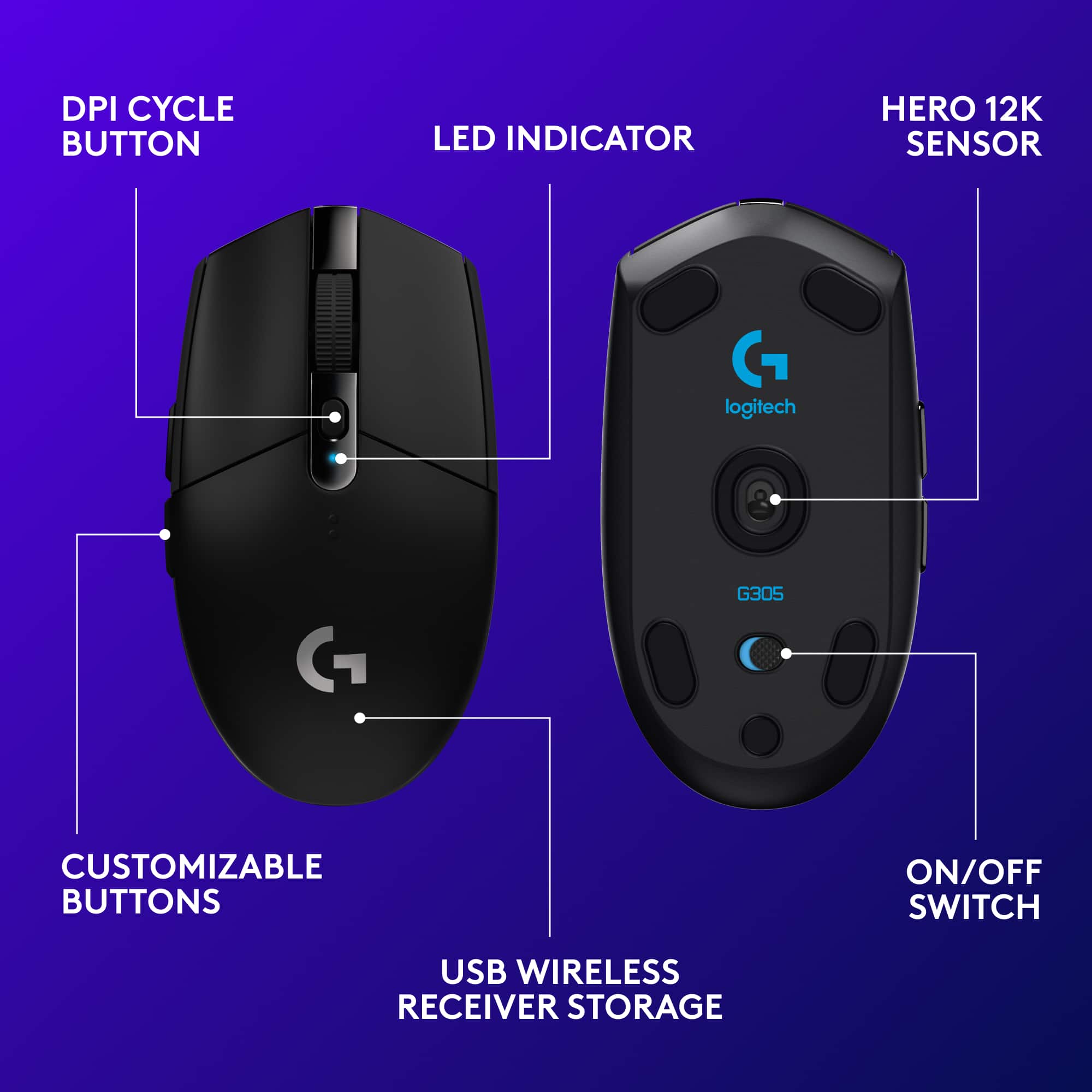
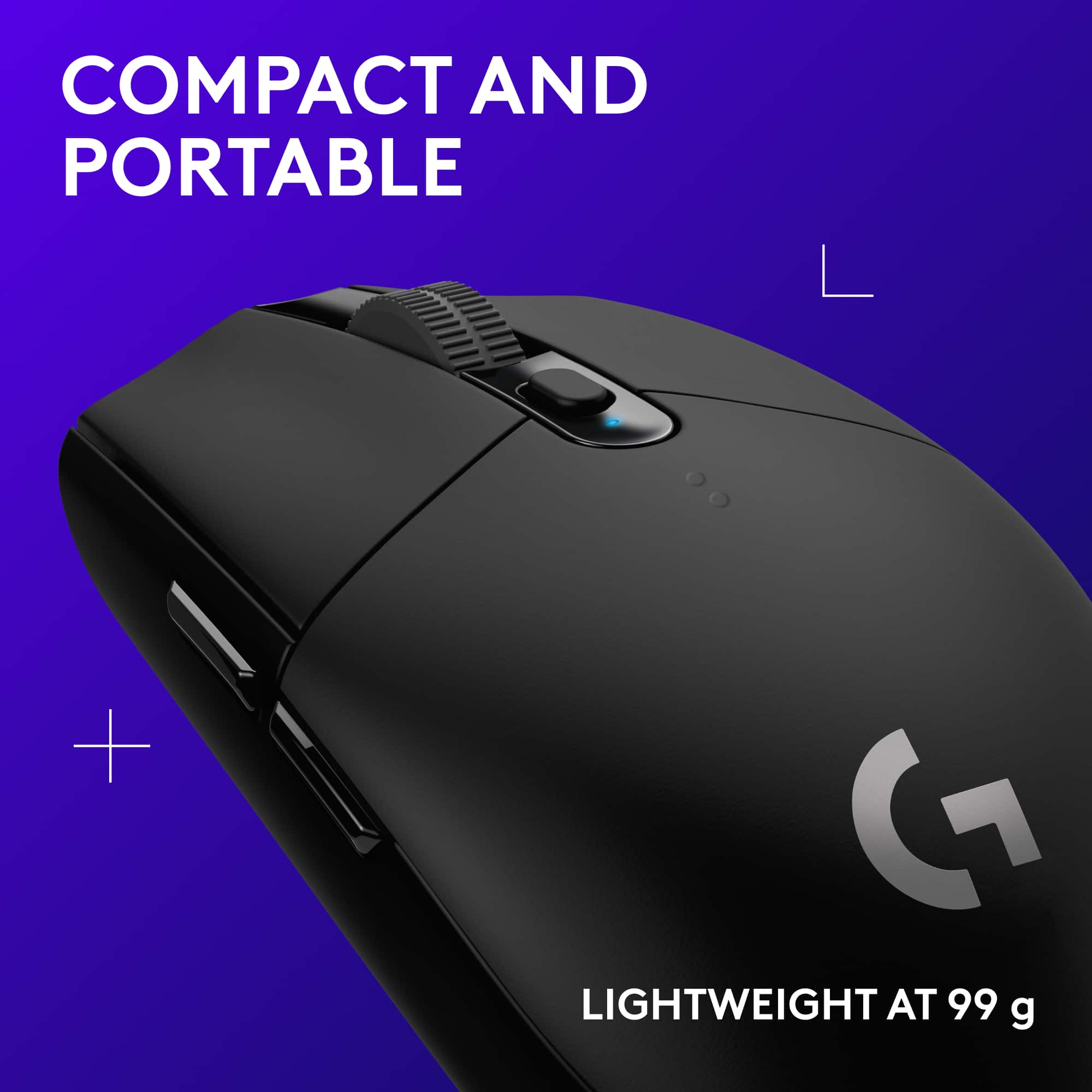
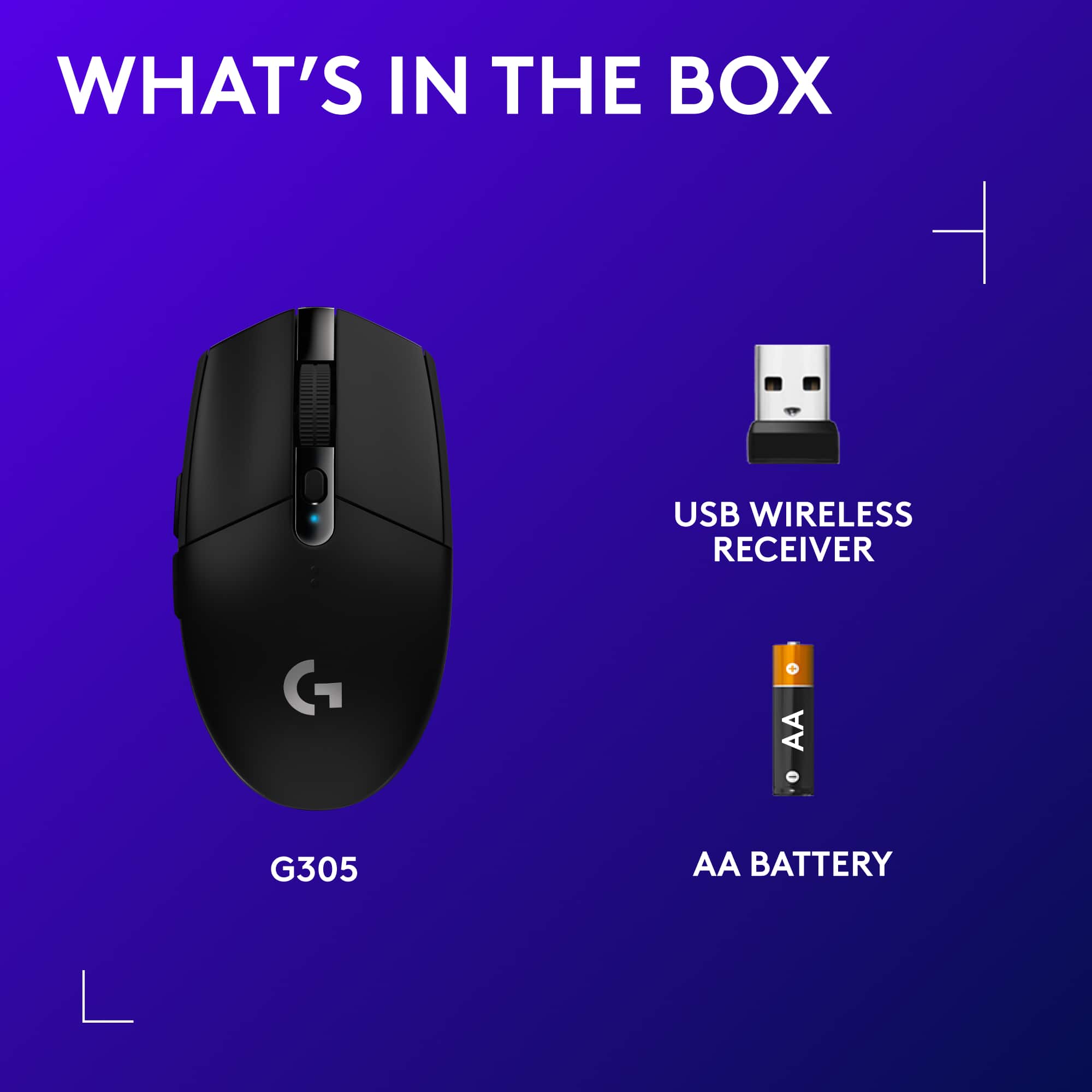
    G305 Black: 910-005280 FOR THE PRICE… NOTHING BETTER! WIRELESS OF THE FUTURE! Wireless mice have had a bad rep for gaming for a really longtime because of their performance. This mouse is going to change that. The Logitech G305 wireless mouse based on the G PRO model and is a great entry into the wireless gaming realm for those on a budget. It is built of a solid matte non-slip plastic for a lightweight mouse with great ergonomics. It also features in-body Nano receiver storage for portability. It doesn't feel cheap while it is very light. The weight distribution is slightly towards the back of the mouse just a little off center with the battery in. With the HERO sensor, I believe this is the best Logitech has to offer as far as that goes at this present time. This mouse is the real deal! I would go as far to say it may be and should be the standard for wireless mice moving forward. It has the subtle G for Logitech branding pressed on the surface with silver stamp that I wonder how long it will last. Let's see how this stacks up from a gamer and video creative standpoint. I can only recommend this mouse for small to medium hands. Logitech and the HERO sensor are the future! Performance I was surprised by how well this thing performed. As a gamer, you know wired is the way to go, but this new technology may change my mind. I could not tell a difference in a wired mouse and this wireless sensor. Not having to drag a cord was a big help. I could get used to this! I could not spot any acceleration or deceleration issues during gameplay. With up to 12,000 DPI performance you will not have the excuse of latency if you die :) You can cycle between 200 - 12,000DPI with the press of the center button once you save up to 5 profiles on the onboard memory. For the tech nerds, it offers zero smoothing/acceleration/filtering and has a max. acceleration of > 40 G1 and max. speed of > 400 IPS1. The responsiveness offered here is based on USB data format 16 bits/axis with a report rate of 1000 Hz (1ms) and it utilizes a 32-bit ARM microprocessor. Durability is listed at 10million clicks for the left/right buttons on the website. Wow! This mouse also sports an indicator light for the 5 stored DPI profiles. Putting it in Performance mode gets you 1ms response time and Endurance mode is 8ms. JITTER and ANGLE SNAPPING are NON-EXISTENT! LIFT-OFF is about the height of a CD before it doesn't register movement. Battery Life Since the HERO Sensor and LIGHTSPEED were engineered to deliver extreme efficiency, battery life is rated at 250 Hours using a single AA Battery. Now that is good. I am guessing that is for alkaline batteries and you could squeeze more life out using a lithium ion battery. I like being able to change batteries rather than having to charge a built-in battery. This also will save you in the long run since it isn't built in to the mouse. I expect around 9-12 months of typical use before needing to change my battery running it in endurance mode. There is also a performance mode for when you need to go all out for responsiveness. This of course will reduce battery life but I bet it is still great. It has an indicator light that notifies you when 15% battery remains. Not too bad! Creatives and gamers alike will appreciate this battery life. Extremely Lightweight It is listed at 99g but after weighing it and changing to an Energizer Li-ion battery it was down to 89g. If you want to shed a bit more weight, it can get down to 81g if you remove the battery door. It still works without the door, but does not feel so ergonomic. Great job Logitech for making a wireless mouse that doesn't feel like your sliding a can of soda on a mousepad! Buttons This mouse can be used by both lefties and righties, but the side buttons are really only usable by the right handers. Because of advanced button tensioning with separated buttons, it helps reduce the force needed to click. Clicks are crisp and reliable for those who depend on it when gaming and creative. The center button on the scroll wheel is rubberized and hard to press as usual. The wheel itself is tight with steps and clicky. The side buttons have more travel than I'm used to which could just take some getting used to. They have a tactile feel to them and are not hard to press or feel mushy. This mouse has 6 individually programmable buttons. Using the Logitech Gaming Software, you get added flexibility and simplicity. The G305 sports 10 million click switches for the two primary buttons. It also has a middle click DPI button and two side buttons that can be programmed to your liking using the software. This is also a good mouse for creatives who do video editing *wink wink*. Customizability is key for us! I only wish there was the option to program a change between endurance mode and performance mode without having to go through the software to do so. The power button is a sliding switch which isn't hard to move. Straight from the Logitech Site: SPECS PART NUMBERS Black: 910-005280 White: 910-005289 WARRANTY INFORMATION 2-Year Limited Hardware Warranty SYSTEM REQUIREMENTS Windows® 7 or later macOS® 10.11 or later Chrome OS™ USB port PACKAGE CONTENTS Gaming Mouse LIGHTSPEED™ USB nano receiver Receiver extender cable AA battery User documentation TECHNICAL SPECIFICATIONS Tracking Sensor: HERO™ Resolution: 200 – 12,000 dpi Zero smoothing/acceleration/filtering Max. acceleration: > 40 G1 Max. speed: > 400 IPS1 Responsiveness USB data format: 16 bits/axis USB report rate: 1000 Hz (1ms) Microprocessor: 32-bit ARM Durability Buttons (Left / Right): 10-million clicks PTFE Feet: 250-kilometers range1 Physical specifications Height: 4.6 in (116.6 mm) Width: 2.5 in (62.15 mm) Depth: 1.5 in (38.2 mm) Weight: 3.42 oz (99 g) OVERALL a BUY! The G305 is a great budget wireless mouse with the best battery life. This mouse is PERFECT for small to medium sized right handed users. For any who are looking for portability and something lightweight without sacrificing performance, this is for you too! It is a great value at this price point for any gamer or creative looking for a customizable mouse. BUY! Best quality is of this mouse is battery life.

    I would recommend this to a friend
  • Rated 1 out of 5 stars

    Don't buy! Waste of money!

    |
    |
    Posted . Owned for 5 months when reviewed.
    This reviewer received promo considerations or sweepstakes entry for writing a review.

    I bought one in January, and now the right button stops working any more. I contacted Logitech customer service, and they just pointed me to a bunch of useless software updates to waste my time and let me lose my patience, while this is clearly a hardware issue.

    No, I would not recommend this to a friend
    • Brand response from Logitech
      Posted .

      Thanks so much for your feedback and we sincerely regret to hear that you've had issues with the mouse. We understand that the support team had provided you with troubleshooting steps. Since the issue is persistent, we'd request you to get in touch with the support team and inform them that you're still facing the issue so that they can assist you further with the warranty options. Any inconvenience is deeply regretted.

  • Pros mentioned:
    Battery life, Weight
    Tech Insider Network Member

    Rated 5 out of 5 stars

    Good entry level gaming mouse

    |
    Tech Insider Network Member
    Posted .
    This reviewer received promo considerations or sweepstakes entry for writing a review.

    The G305 mouse is a responsive and slightly on the smaller side gaming mouse. It’s not as thick as other mice. It uses one AA battery, and the mouse cannot recharge batteries. It has the left, right, middle, scroll wheel, and on the side, forward and back buttons. A button behind the scroll wheel controls your DPI setting. Removing the cover reveals the battery compartment, and wireless dongle adapter. Slide the included battery in, take out the dongle, plug it into a USB port and your ready to go. As soon as the dongle was in, the mouse was recognized and ready to use. You need the Logitech Gaming software to get the most out of the mouse. Here, you can set the DPI from 200-12,000 DPI along with a default DPI and the number of presets you want to use. Mouse Polling rate can also be set here. You can also change the button functions as wanted. As the mouse is a smaller than most, it’s lightweight and moves quickly. The documentation says the one AA battery can last up to 250 hours. That’s a big improvement over other wireless mice I have whether rechargeable or not. The mouse works great, smooth, precise, and responsive at all times. With the various DPI settings, this mouse would be great for gaming or other computer activities. It is lightweight and glides across a multiple surface types fine, from a desktop to a mouse pad. It was comfortable to use. Without a built-in recharger, or lots of extra buttons, Logitech made a good mouse at a lower cost. If you want a mobile gaming mouse this would definitely work too.

    I would recommend this to a friend
  • Rated 2 out of 5 stars

    Pairing or connectivity is poor.

    |
    |
    Posted . Owned for 3 weeks when reviewed.
    This reviewer received promo considerations or sweepstakes entry for writing a review.

    It has a difficult time pairing with the computer.

    No, I would not recommend this to a friend
    • Brand response from Logitech
      Posted .

      Truly sorry to hear about your troublesome experience with the product. Please be informed that It is recommended that the product or receiver is connected directly to the computer and not to a hub, extender, switch or something similar and move the device closer to the USB receiver. Also, keep other electrical wireless devices away from the USB receiver to avoid interference. If the issue persists, contact Logi G support and they will walk you through all the available options, next steps, and best possible solution.

  • Rated 5 out of 5 stars

    Great gaming mouse

    |
    |
    Posted .
    This reviewer received promo considerations or sweepstakes entry for writing a review.

    Sensitive for precise movement making your gaming experience even better.

    I would recommend this to a friend
  • Rated 4 out of 5 stars

    Best mouse ever.

    |
    |
    Posted . Owned for 1 week when reviewed.
    This reviewer received promo considerations or sweepstakes entry for writing a review.

    everything i wanted, great soft war and good price 

    I would recommend this to a friend
  • Cons mentioned:
    Ergonomics

    Rated 1 out of 5 stars

    it broke :(

    |
    |
    Posted . Owned for 3 weeks when reviewed.
    This reviewer received promo considerations or sweepstakes entry for writing a review.

    It broke within the first 2 weeks and I wasn't able to return it.

    No, I would not recommend this to a friend
    • Brand response from Logitech
      Posted .

      Hello, I am so sorry to hear the mouse broke on you after only 2 weeks of use. Luckily, it does come with a 2 year warranty through Logitech, so we can get that replaced for you. Here is the link in order to file a claim: https://support.logi.com/hc/en-us/articles/360024914774-Warranty-G305. I hope this helps! Thank you for taking the time to write this review, we appreciate the feedback.

  • Rated 1 out of 5 stars

    manual instruction STINKS

    |
    |
    Posted . Owned for 3 weeks when reviewed.
    This reviewer received promo considerations or sweepstakes entry for writing a review.

    I could not get all info on how to use it such as middle button

    No, I would not recommend this to a friend
    • Brand response from Logitech
      Posted .

      We apologize that you encountered difficulties with the manual instructions for the Logitech G305 LIGHTSPEED Wireless Gaming Mouse. We understand the frustration of not being able to fully utilize the product's features. Please refer the below link to know more about how to use the mouse and how to customize the buttons
      https://support.logi.com/hc/articles/360024319213-Getting-started-G305-LIGHTSPEED-Wireless-Gaming-Mouse

  • Rated 1 out of 5 stars

    Maybe just for gamers

    |
    |
    Posted . Owned for 1 month when reviewed.
    This reviewer received promo considerations or sweepstakes entry for writing a review.

    Not a fan, I love Logitech products, previously i had the master series mouse and nothing compared to it but this one keep doing funny things every time. Win 11

    No, I would not recommend this to a friend
    • Brand response from Logitech
      Posted .

      That's disappointing to hear and it's surely not what we expect to deliver. We understand your displeasure and apologize for any issues that arise. We value your input, therefore we will forward it along to the appropriate team so they can look into it. Thanks a lot!

  • Rated 2 out of 5 stars

    Left click broke

    |
    |
    Posted .
    This reviewer received promo considerations or sweepstakes entry for writing a review.

    Left click broke within 2 weeks don’t think it’s common but still bad quality for my specific mouse

    No, I would not recommend this to a friend
  • Rated 4 out of 5 stars

    My mouse

    |
    |
    Posted . Owned for 1 week when reviewed.
    This reviewer received promo considerations or sweepstakes entry for writing a review.

    I am not a gamer but the mouse is great for my needs

    I would recommend this to a friend
  • Rated 2 out of 5 stars

    Overrated

    |
    |
    Posted . Owned for 1 month when reviewed.
    This reviewer received promo considerations or sweepstakes entry for writing a review.

    Too small. Overrated mouse........................

    No, I would not recommend this to a friend
    • Brand response from Logitech
      Posted .

      Hi iCloudman, we're sorry to see you're unsatisfied with the G305 Lightspeed Wireless mouse. If you're looking for a bigger gaming mouse, check out the G703 Gaming mouse. Hope that helps!

  • Rated 1 out of 5 stars

    Nope

    |
    |
    Posted . Owned for 6 months when reviewed.
    This reviewer received promo considerations or sweepstakes entry for writing a review.

    Didn’t work but for about 3 weeks. Never returned it will not buy again though

    No, I would not recommend this to a friend
    • Brand response from Logitech
      Posted .

      Hello, Thanks for letting us know about your experience with the Logitech G305 LIGHTSPEED Wireless. We appreciate you sharing that it worked for about 3 weeks. It's unfortunate it didn't continue to function as expected. We strive for long-lasting performance in our products, so your feedback is valuable. To get that issue resolved, we recommend reaching out to our social care team via email at socialcare@logitech.com with your
      - Name:
      - Email Address:
      - Country:
      - Product Name:
      - Brief description of issue:

  • Rated 1 out of 5 stars

    Do not buy if you have Mac

    |
    |
    Posted . Owned for 1 week when reviewed.
    This reviewer received promo considerations or sweepstakes entry for writing a review.

    I wasted many hours trying to use this mouse with my MacBook Pro 2019. It would not sync despite the drivers that i downloaded as they stated in the instructions. I ended up getting a Mac related mouse and it was perfect. So I returned this mouse and was glad that I did.

    No, I would not recommend this to a friend
  • Rated 1 out of 5 stars

    Not smooth at all

    |
    |
    Posted .
    This reviewer received promo considerations or sweepstakes entry for writing a review.

    I can't beleive can bad this mouse is. I bought it for my brother for gaming but he didn't like it as it skips frames when rotating game subjects and not smooth at all. Choose a different mouse instead of this.

    No, I would not recommend this to a friend
    • Brand response from Logitech
      Posted .

      Hi Ahmed, thank you for sharing your experience with the G305 Lightspeed Wireless mouse. I'm sorry that you experienced skipping with the mouse. When using this Optical mouse its important to make sure you're on a smooth surface that doesn't vary in texture or color. That can cause the mouse to skip around. Logitech does offer several mousepad options including the G640 and G440 that would most likely make for a smoother experience with the G305. Thank you for being a Logitech customer. Kristi from Logitech

  • Rated 1 out of 5 stars

    Delay in waking up

    |
    |
    Posted . Owned for 1 month when reviewed.
    This reviewer received promo considerations or sweepstakes entry for writing a review.

    I love the shape of this mouse but that is were the love ends. The mouse goes to sleep quickly and takes a second to wake up. When gaming this can cause delays in your actions and I find that unacceptable for a gaming mouse.

    No, I would not recommend this to a friend
    • Brand response from Logitech
      Posted .

      Hello, we are sorry to hear that you are having issues with your G305 going into sleep mode frequently. In some cases the mouse may be reading the battery levels improperly and attempting to conserve battery by placing itself in sleep mode. We suggest trying a new set of battery for it. If you continue to have issues, you may reach us for support by opening a Technical Support ticket here: https://support.logi.com/hc/en-us/requests/new?ticket_form_id=360000621393

  • Pros mentioned:
    Weight
    Tech Insider Network Member

    Rated 4 out of 5 stars

    Business Up Front, Party In The Back

    |
    Tech Insider Network Member
    Posted .
    This reviewer received promo considerations or sweepstakes entry for writing a review.

    Transitioning from my well-worn Logitech G602 to the G305 LIGHTSPEED Wireless Gaming Mouse was surprisingly more difficult than I expected. The relative simplicity of the mouse was a welcome change from my gamer-oriented gear that preceded it, ditching a large, button-laden, and overstyled mouse for something that would not look out of place in an office or professional environment while maintaining precise tracking and gaming performance. This midsize mouse delivers on its sleeper ambitions, but a couple issues I found in a week of daily use keep it off the top spot on the leaderboard. - Design The G305 is a medium-size, medium-weight, all-plastic mouse that mercifully foregoes full RGB lighting and features a single status LED that only illuminates when the mouse turns on or DPI modes change. The ambidextrous chassis makes it comfortable for both left- and right-handed gamers, though the positioning of the auxiliary function buttons make this favor right-handed players as the two side buttons are positioned to be in easy reach of the right thumb. With a body cast fully in finely textured plastic with a rubberized scroll wheel, the mouse comes across unassuming but lacks a premium feel. The benefit instead is that the mouse has a modestly trim weight, at 74 grams empty plus the weight of a AA battery (typically 25g). Using a lithium-ion battery in lieu of a standard alkaline makes a small but noticeable difference in weight. As with prior Logitech wireless gaming mice, the USB receiver has a compartment inside the mouse for storage and transport. This time around, the palmrest slides off to access the battery and receiver rather than removing a panel on the bottom of the mouse, making them much easier to access. - Setup & Software Logitech has been slowly working towards clean, minimalist packaging and the G305 fits the bill handily. The notecard-size quickstart guide outlines the basics to get you up and running, and the only extra accessory included is a USB extension cable to position the wireless receiver closer to the mouse. Setup was as simple as installing the battery and plugging in the receiver, as Windows will, by default, automatically either recognize and install a generic mouse driver or download a G305-specific driver. Setup is similarly easy on MacOS and Linux devices, but driver choice will be limited and unfortunately button and DPI settings appear to be adjustable only through Windows-based software. Logitech provides the Gaming Software application that opens customization options for most of their devices, including the G305. While I was not impressed by the software’s install size and general bloat, the interface was intuitive and allowed full remapping and macro functionality for every button on the mouse, as well as DPI settings and on-the-fly adjustments, that can all be written to the mouse’s internal memory. Up to 5 DPI setting toggles can be saved to the mouse and toggled between with the push of a button. In essence it is possible to set the configuration once and take it to any other PC without the need to install or run the Gaming Software. - Performance The LIGHTSPEED sensor worked on a wide variety of surfaces I tested, including both soft and hard mouse mats, a wooden desk, and a plastic folding table, with no noticeable variance in tracking quality among them. The feet on the mouse are fairly low friction and glide across all the aforementioned surfaces with ease. Tracking is very precise and can be customized from as low as 200 DPI for intricate graphic design work to as high as 12,000 for...well, maybe I’m not that level of gamer yet. I use from 400 up to 3,200 and at all levels the mouse felt extremely accurate and performed well in each of my use scenarios, with 1,600 being the most well-rounded option. Though everyone’s preference is different, the G305 is sure to suit a wide range of users. The mouse has six buttons plus scroll wheel up/down, which is a basic loadout for a gaming mouse. There are firm stops between each notch on the scroll wheel, making accidental activation difficult (which is a huge plus in games where the scroll wheel is used to change weapons, for example), and it is tricky to accidentally trigger a button in most scenarios. Unfortunately, I found the positioning of the DPI change button meant I would often hit it as I grabbed the mouse in a hurry after typing a chat message and getting back to the action, throwing off my aim and needing a moment to reset myself. This occurred multiple times and is not a disruption that serious gamers will enjoy. The button can of course be remapped or disabled entirely, but losing a button on a mouse that has so few to begin with is troublesome. One area that could use some attention is the signal strength between the mouse and receiver. Logitech’s quickstart guide recommends a range of no more than 20cm (just a hair under 8 inches) between the mouse and receiver which is very short, and in my testing I found major signal degradation can occur in as little as a foot and a half. Even when plugged into the USB port on the right side of my keyboard, keeping the range as short as six inches, I occasionally had signal issues that caused the mouse cursor to jump around significantly. These occurred with battery life at 90% per the Gaming Software, with the mouse sitting at least 6 feet from all other wireless devices I own at all times, making the signal issues all the more peculiar. I do wonder if a firmware update may correct this issue in the future, but at the time of this review the latest mouse firmware (68.0.11) exhibits this seemingly random connection problem. - Bottom Line Mice are subjective, and though the G305 is smaller than my large hands prefer, and barring the random connectivity issues, this is a good all-around mouse with understated looks and solid gaming chops. Its MSRP is reasonable for what you get, and Logitech’s support has historically been great which should bode well for current and future owners. While it may not unseat my preferred mouse, this is a solid contender that many users will undoubtedly enjoy from start to finish. Take it for a spin!

    I would recommend this to a friend