Customer Ratings & Reviews

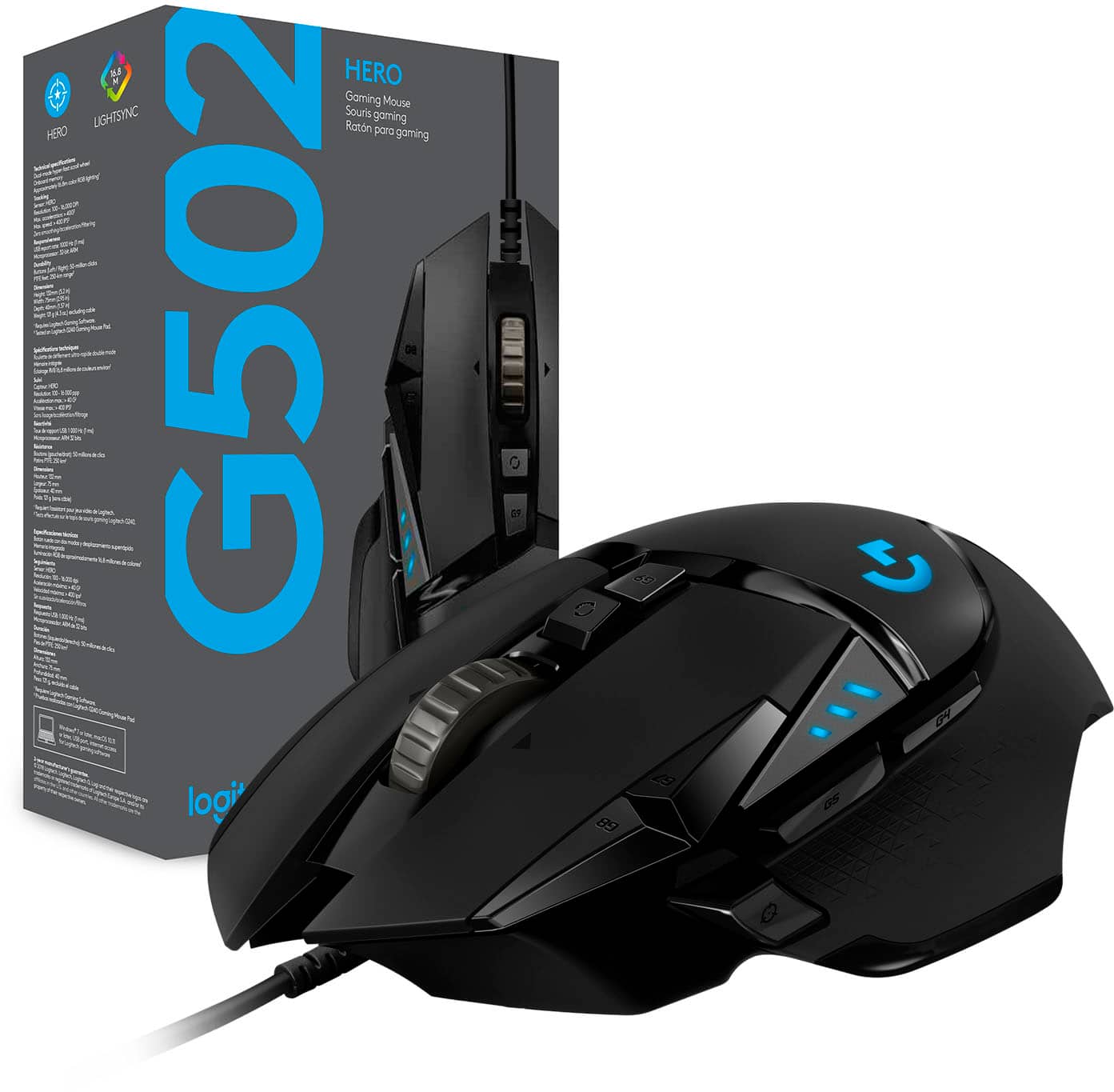

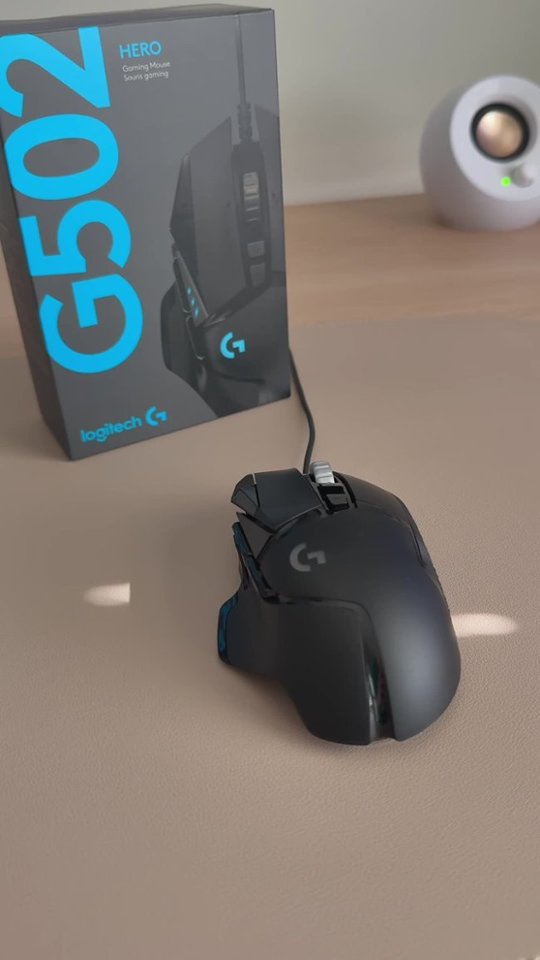
- Model:
- 910-005469
- SKU:
- 10995687
Rating by feature
- Value
Rating 4.7 out of 5 stars
- Quality
Rating 4.7 out of 5 stars
- Ease of Use
Rating 4.7 out of 5 stars
Customers are saying
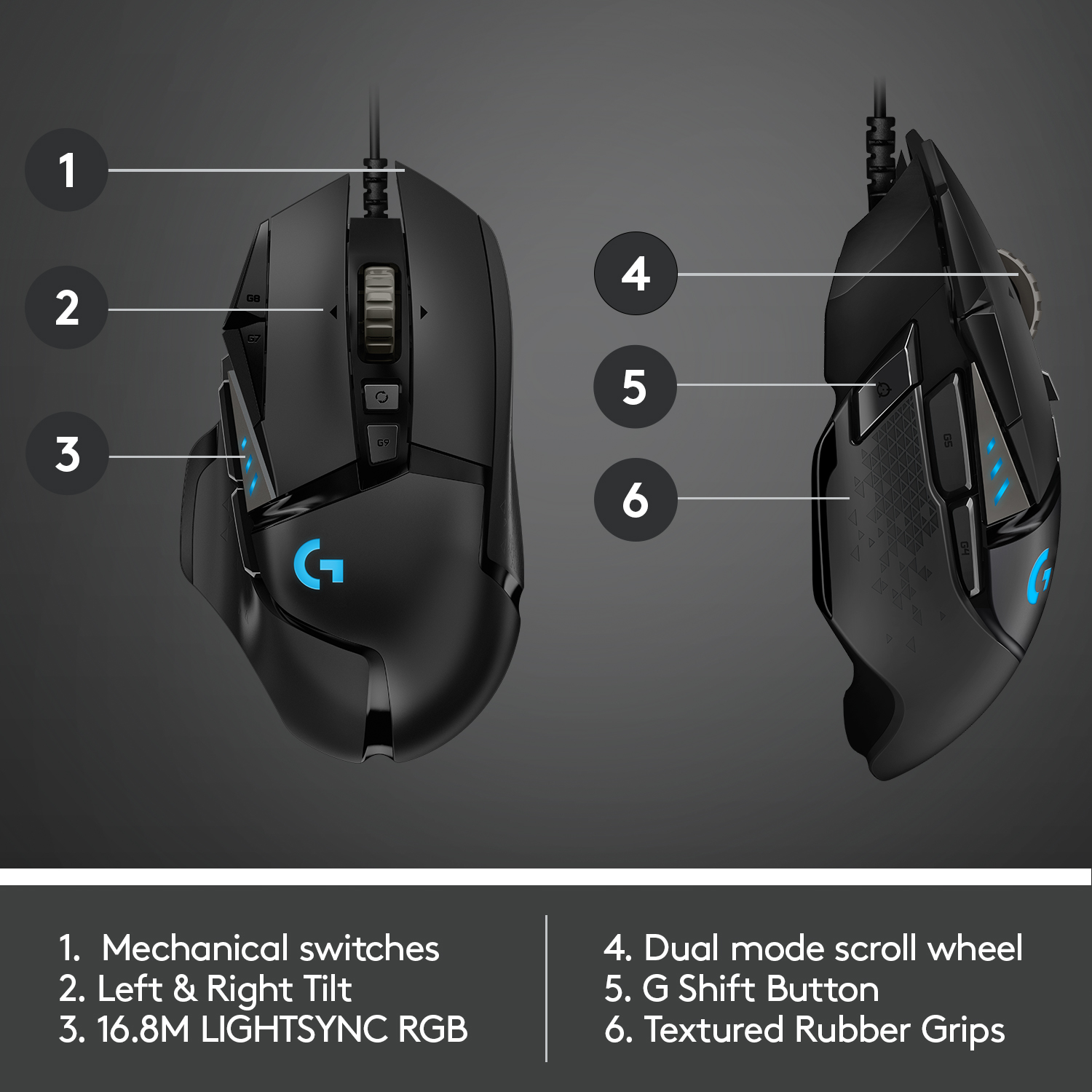
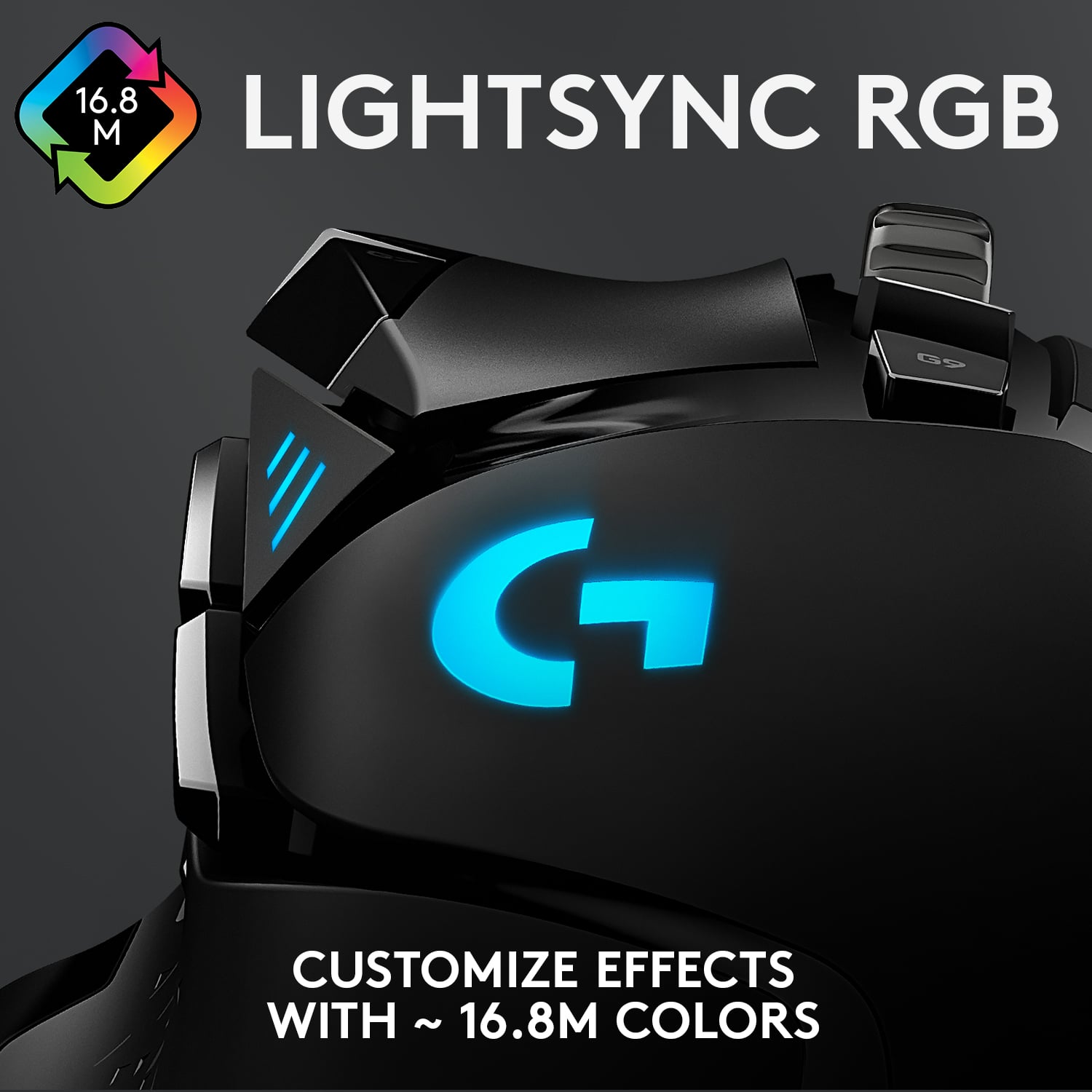
Customers find value in the product's excellent overall performance, adjustable weight, and comfortable feel. They also appreciate its controllable RGB lighting, reasonable price, numerous and extra buttons, adjustable DPI, and functional scroll wheel. Conversely, some customers find its size to be small and its software to be poor. A few also express preferences or concerns regarding wireless functionality.
This summary was generated by AI based on customer reviews.
- Pros mentioned:Weight

Another fantastic gaming mouse!! Homerun!!
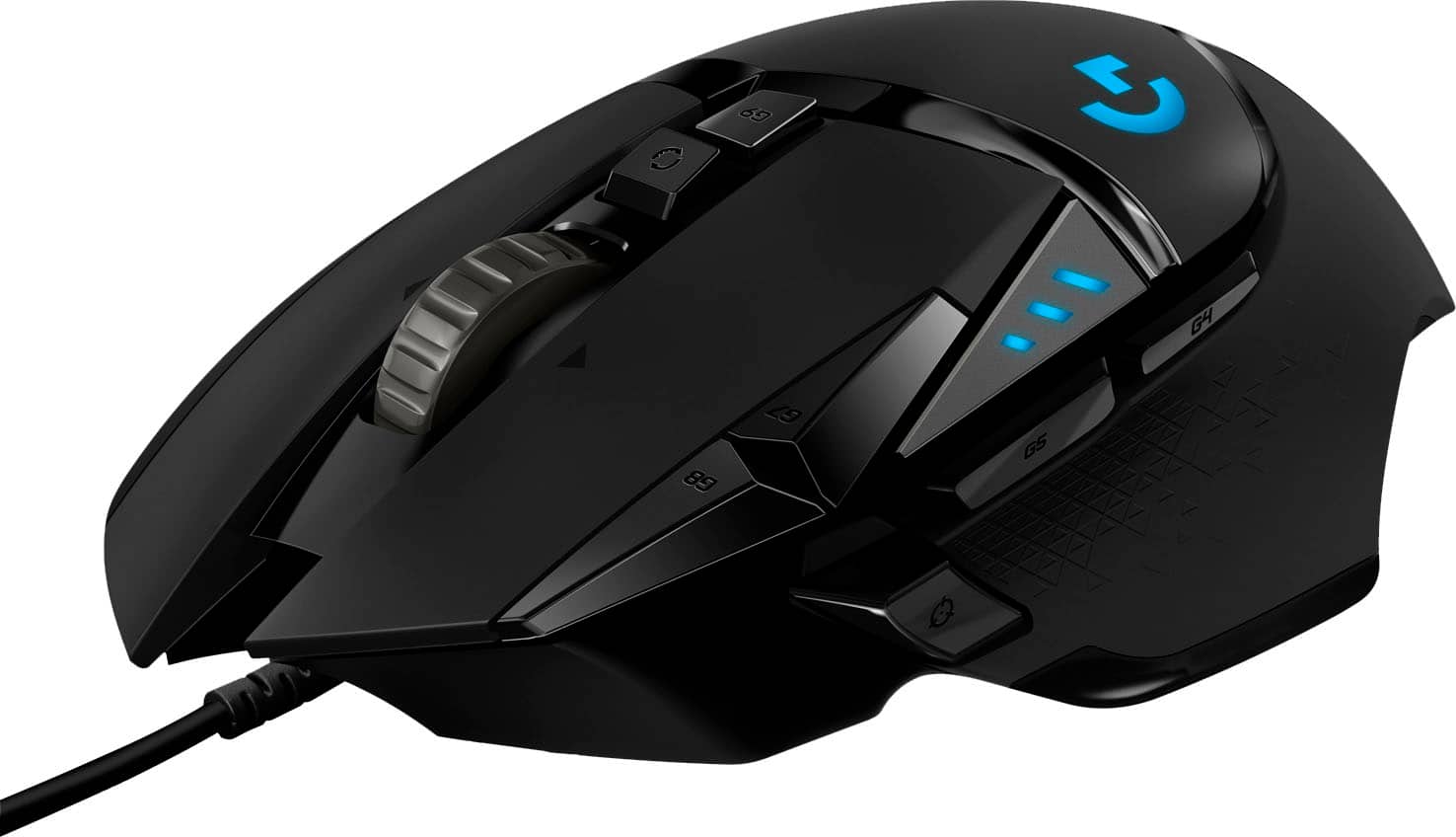
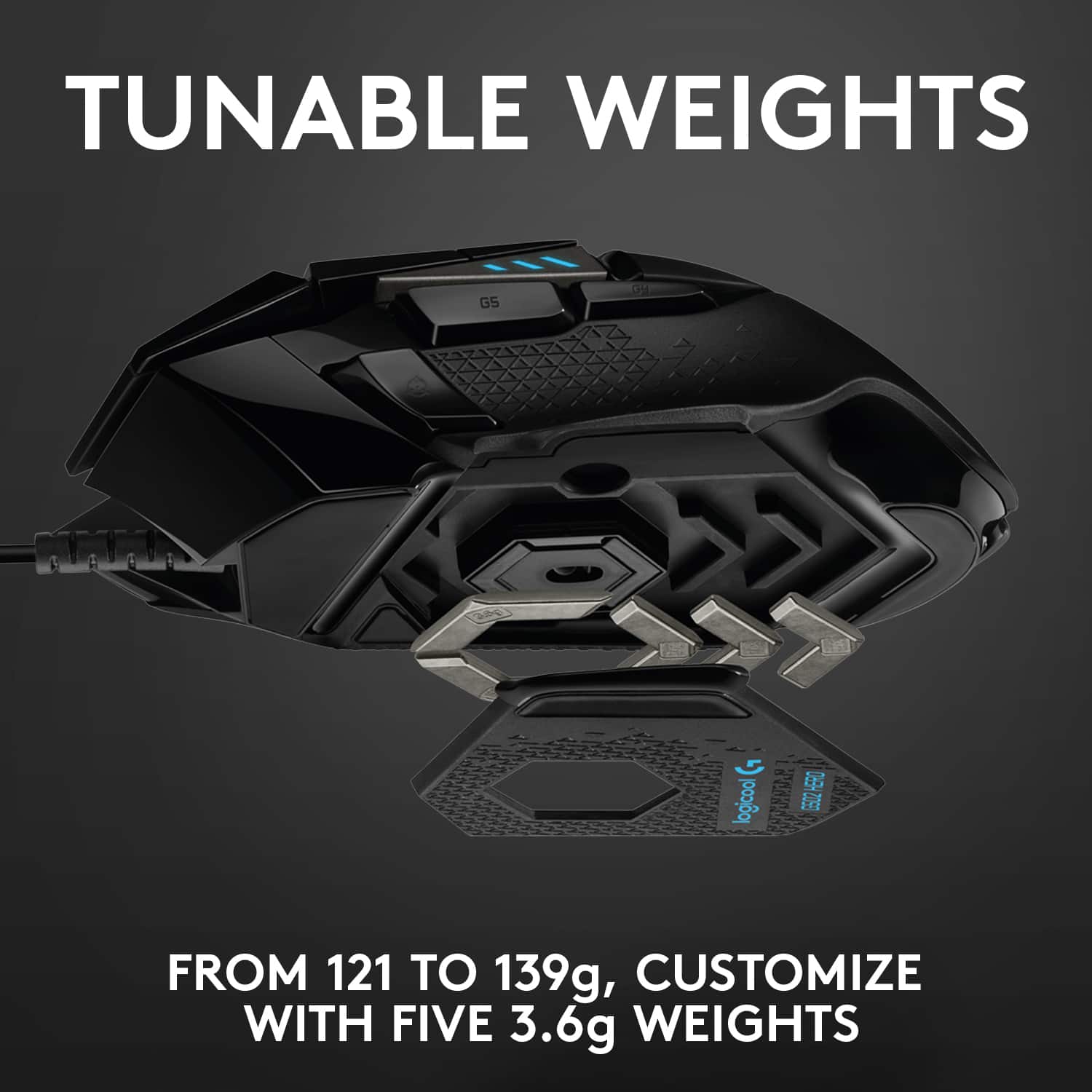
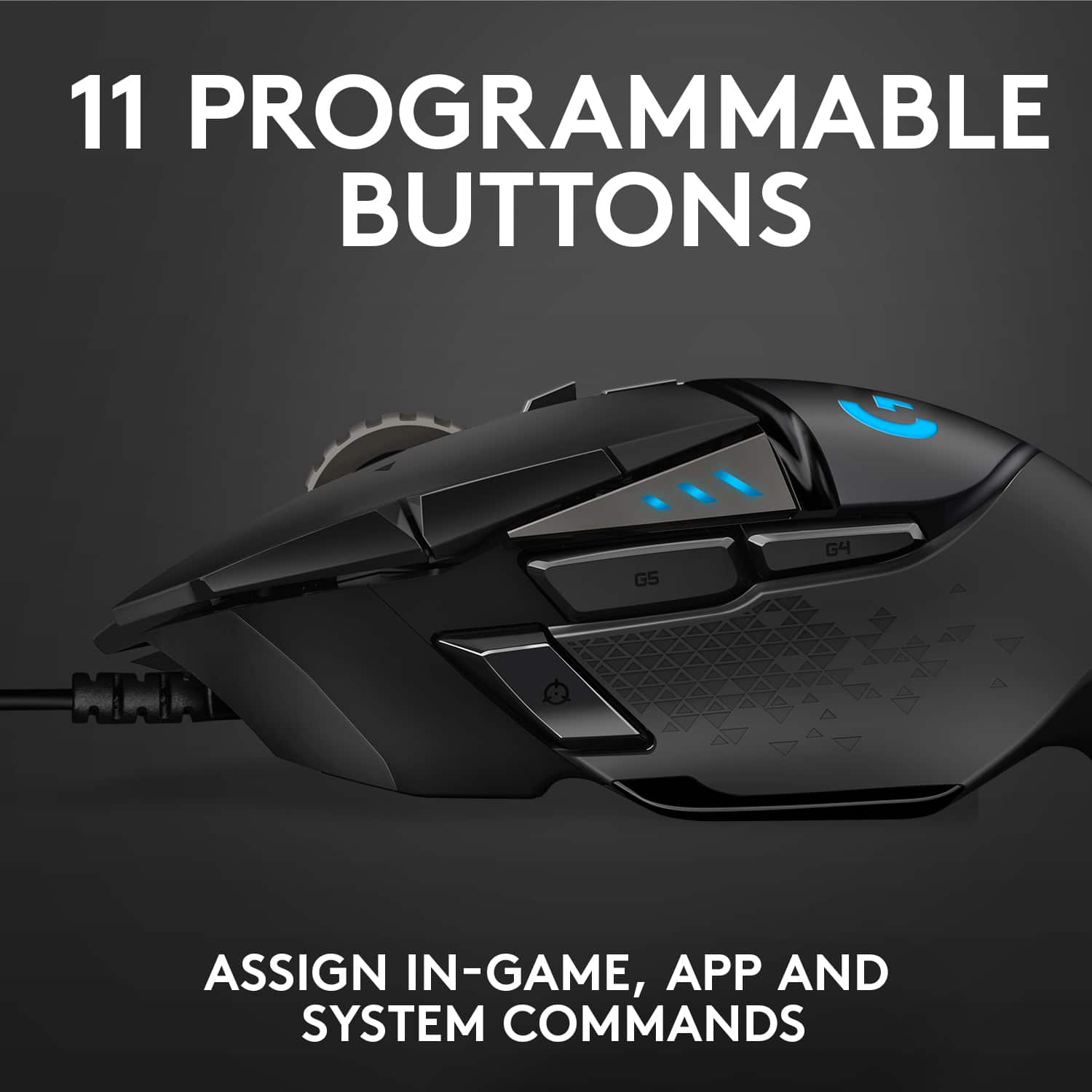
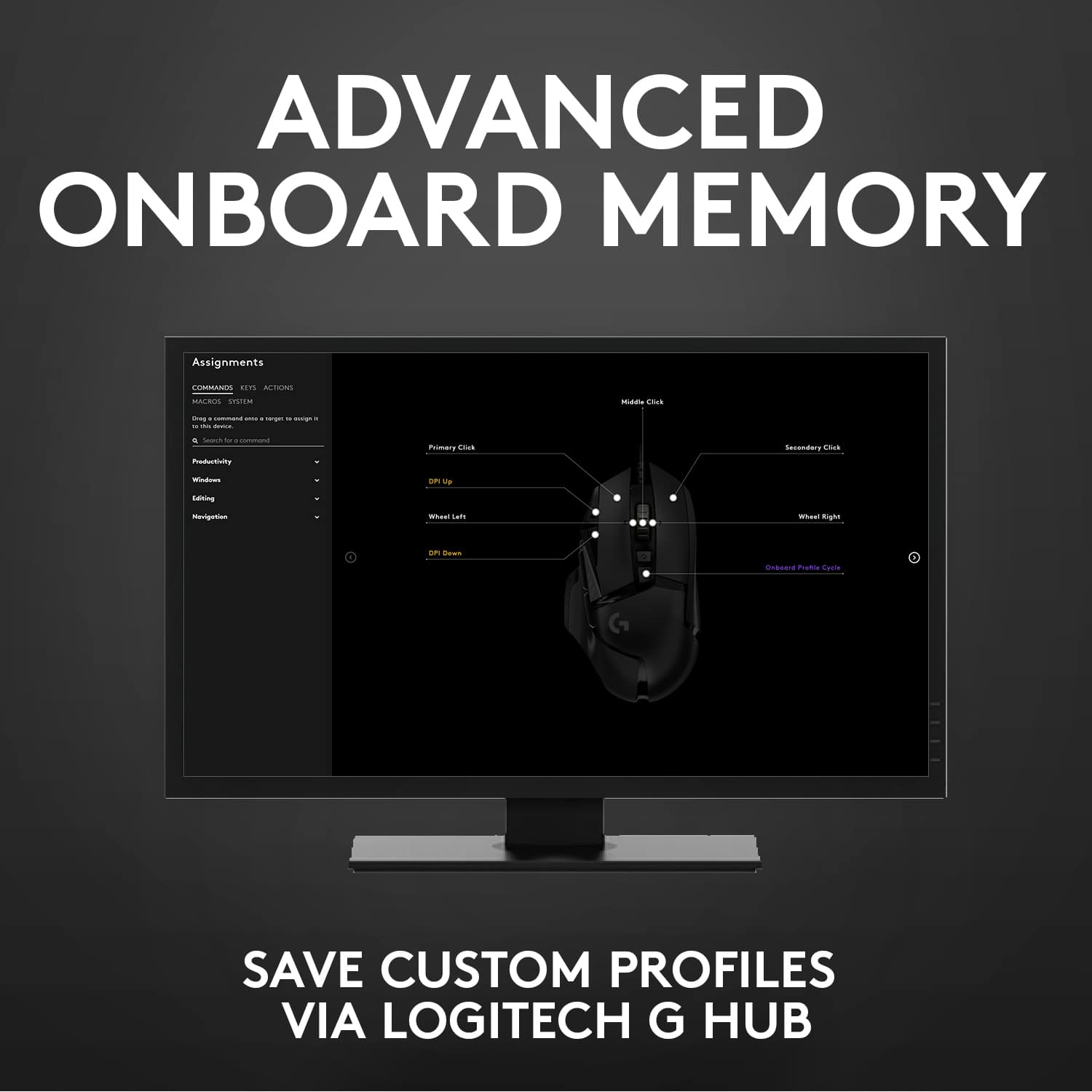
|Posted .This reviewer received promo considerations or sweepstakes entry for writing a review.I have had the original Logitech G502 mouse around 3 years now. Was my favorite mouse in years. Comfortable, sturdy, and very, very well designed. In short, I love that mouse. Just got the new G502 Hero version, and let me tell you, once again Logitech has knocked it out of the park!! Bravo. This mouse upgrades the sensor to an even higher DPI than the original, now weighing in at 16,000 dpi from 12,000. I prefer a slightly heavier mouse, but you can customize the weight to your liking with the included adjustable weight system (just a couple pieces of metal that you can put in, or take out. 11 programmable buttons, several profiles that you can save on board to the mouse itself, including the RGB color setup. The logitech software will control your mouse setup, and any other logitech devices you might have on your PC, including keyboards. It is great looking software too. In short, another great mouse, that will keep me happy! This mouse was so good I decided to buy a second one for my workplace, because The ergonomics are also fantastic! It just feels great in my hand!
I would recommend this to a friend - Cons mentioned:Software
Save your money!
||Posted . Owned for 1 year when reviewed.This reviewer received promo considerations or sweepstakes entry for writing a review.Did the job for a couple of months, then gradually lost roller then buttons then dead. This is a prime example of get what you pay for. Logitech software is garbage also. Trying an EVGA mouse next.
No, I would not recommend this to a friendBrand response from Logitech
Posted .Hello, I am so sorry to hear about the issues you are having with the mouse. It does come with a 2 year warranty through Logitech so we can get that replaced for you. Here is the link in order to file a claim: https://support.logi.com/hc/en-us/articles/360024914754-Warranty-G502-HERO. I hope this helps! Thank you for taking the time to write this review, we appreciate the feedback.
Quality...
||Posted . Owned for 1 year when reviewed.This reviewer received promo considerations or sweepstakes entry for writing a review.Got it less than 1.5 year and my left-click has trouble now. Have been a Logitech fan for 5 years so I disappointed. The quality is not the same as the keyboard and speakers.
No, I would not recommend this to a friendBrand response from Logitech
Posted .Hello Qwerty, Very sorry to hear about the issue you're having with the G502 HERO SE Gaming Mouse. At Logitech, it is our goal to ensure you are completely satisfied with your Logitech purchase. We take pride in the products and services we offer, and want our customers to enjoy them just as much as we do. To that end, the G502 HERO has a 2 year limited hardware warranty. Here's a link to File A Claim: https://support.logi.com/hc/en-us/articles/360024914754-Warranty-G502-HERO. Hope that you found this helpful and that all is going well. Thank you for choosing Logitech. - Richard from Logitech
- Pros mentioned:Rgb lighting, Weight
A mouse that is better than any mainstream mouse
|Posted .This reviewer received promo considerations or sweepstakes entry for writing a review.I'm a beginner to the gaming mouse devices. I've always used standard mice from basic Logitech and Microsoft ones to the bigger laser optical ones from Logitech and Microsoft. This gaming mouse is something else though, and I love how it's customizable in many ways. The fact that you can adjust the weighted feel of a mouse was something new to me, but when I adjusted the weight to what felt best in my hands I was like this is pretty nice. The accuracy of the control and pointer is impressive, as it's super responsive and always on point. Really cool feature was the lighting ability that you can find and make the color you'd like for your lighting effect. This was the feature that just has a cool factor to it, and looks fantastic in a low lit room. So in my opinion, this has a very cool look to it, feel to it, control to it, and just easy to use overall with the plug and play setup. I loved this for just everyday usage, but am positive that any gamer would love this for the accuracy and responsiveness.
I would recommend this to a friend Best Gaming Mouse Got Better...
|Posted .This reviewer received promo considerations or sweepstakes entry for writing a review....but the upgrade was more of a headache than I wanted. First of all, I've been in love with the 500 series since the first model came out and still have my orginal g500 - and it still works perfectly. Few years later I grabbed the g502 proteus which, while it had sharper edges, was basically the same shape as the g500. Less buttons, but I could deal with that. The 500 series seems to be the best to keep repetitive stress injuries from creeping up from long gaming sessions. I don't know if it's because I'm used to the shape or the shape is just right for me. Either way I'm sticking with this series. If you're coming from another 502 then the upgrade won't seem like much at first. Same shape, same buttons, same software... nothing really new. That is until you pump up the DPI. With the hero sensor you're looking at 16000 DPI - 4000 more than the Proteus version. One twitch and you're doing a full 360 in game. While this is just to freaking fast for me the pro's might like the lightning fast speed this mouse brings. Just like the other 502's you can have 5 preset speeds and polling up to 1000/s. Every little edge counts when you're trying to go for the win. Now, I know this is a gaming mouse, but I buy these for the guys at work too. Having 11 customizable buttons with macro ability make a gaming mouse indispensable at work. Being able to assign minimize to a button has save me many a butt chewing when I was "researching" stuff on the web. Having auto program switching to automatically reassign the buttons allows you to have a set for Photoshop, Indesign, Ill, etc and then more for web browsers, games... It's pretty much endless what you can do. if you're passing this mouse over because it's a "gamer" mouse you're missing out on a productivity king. I even use the G710+ keyboard with it's macros daily. On to the headache. I mentioned that I'm coming from an older G502. I was hoping that and export and import of my old macros and game settings would be as easy as a few button clicks. This wasn't the case. While the program presets were there, the actually button assignments didn't get imported. So I had to reconnect the old mouse and manually redo my entire set up by switching back and forth in the software before I could actually use the mouse. This should not have been this bad. They share the same amount of buttons plus the layout is exactly the same. I don't know if there are some internal differences that cause the incompatibilities, but it's something I'd rather not go through again. If you can properly import the saved exports please fix it in the next software update so others don't have to go through this. A hardcore gamer most likely has everything set up just the way he/she wants shouldn't have to go through this recreating the wheel on a upgrade. I know I won't be upgrading at work since we have a lot more macros than I have for gaming and don't want to deal redoing everything. Hoping that when/if my work mice die they have this issue resolved. If you don't have a G502, GET IT! You'll be glad you did. If you already have one, you may wanna wait until you have time to redo all your settings or if they're able to update the program's import feature. Besides, it's not a huge difference, but one that's worth it if you have some money burning a hole in your pocket.
I would recommend this to a friendDoesn’t hold up
||Posted . Owned for 2 months when reviewed.This reviewer received promo considerations or sweepstakes entry for writing a review.Mouse wheel Button stopped working after one month.
No, I would not recommend this to a friendBrand response from Logitech
Posted .Hi Stogie! Sorry to read you're having issues with the Hyper scroll button not working. If the button is sticking, try to push it down to disengage the lock that switches between the two modes the wheel has. If that still isn't helping, please head over to the support website for more tips https://support.logi.com/hc/en-us/articles/360024148914 hope that helps!
- Pros mentioned:Weight
A worthy predecessor to the G502 Spectrum
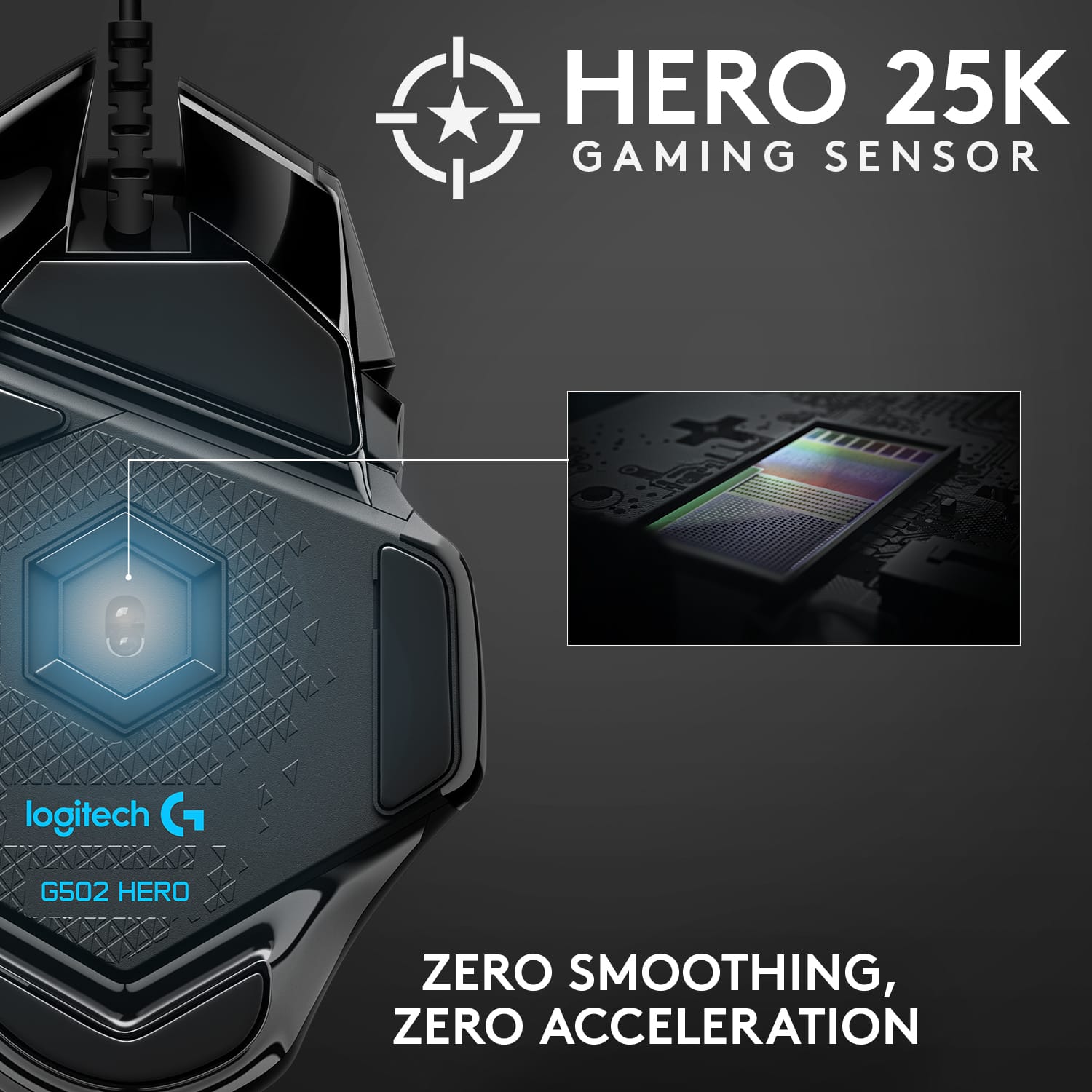
|Posted .This reviewer received promo considerations or sweepstakes entry for writing a review.Is the Logitech G502 Hero a worthy predecessor to the older G502 Spectrum? Not much difference on the outside of the G502 Hero than with its predecessor, the G502 Spectrum. Smart, if the design works there is no need for a re-engineering of the style. The new G502 has the new HERO optical sensor. The Hero sensor now goes down to 100 dpi and up to 16000 dpi; compared to the old Spectrum’s 200 and 12000 dpi maximums. Nice if you are gamer and require spot on control in the heat of the game. The new HERO tracker will additionally now track on glass, you can certainly skip the mousepad. New braided cable is thinner which is a welcome change as it keeps the cable from binding up, which is an issue with the G502 Spectrum. It also comes with 5, 3.6-gram weights to customize the mouse to your own preference. Highly recommend the G502 Hero over its predecessor the G502 Spectrum, price point is the same and tracks more accurately on more surfaces than the Spectrum.
I would recommend this to a friend A great mouse that broke
||Posted . Owned for 3 weeks when reviewed.This reviewer received promo considerations or sweepstakes entry for writing a review.I love the G502. I bought this mouse to replace my original model, and it worked well until right after the return window, when it broke. The mouse wheel started working very intermittently. I'm still waiting for my warranty replacement with Logitech
No, I would not recommend this to a friendBrand response from Logitech
Posted .Hello Beeeeeeeeeeeeeeeeeeeeeen! We're sorry to hear that your G502 broke! We appreciate your patience while waiting for your warranty replacement and for reaching out to our support team to get a replacement. Thank you for the feedback and for shopping Logitech G! - Maggie from Logitech
Good mouse with a bad scroll wheel.
||Posted . Owned for 9 months when reviewed.This reviewer received promo considerations or sweepstakes entry for writing a review.Mouse works ok except for the scroll wheel. Wheel is hard to turn but too easy to click when you are trying to scroll and not click. My second mouse of this type and both have the same problem.
No, I would not recommend this to a friendBrand response from Logitech
Posted .Hello, Ruger! I'm sorry to hear about your experience with the G502 Hero SE's scroll wheel! You may be able to fix this by clicking the button underneath the scroll wheel to turn the wheel style from ratcheting to smooth scrolling. If this doesn't work, I would recommend reaching out to our support team here https://support.logi.com/hc/en-us/requests/new?ticket_form_id=360000621393 to file a warranty claim. The G502 Hero SE has a 2-year limited hardware warranty. Thank you for the feedback! I will be passing this along. - Maggie from Logitech
- Pros mentioned:Comfort, Overall performance
Great mouse
Posted .This reviewer received promo considerations or sweepstakes entry for writing a review.Works pretty well, feels great to move around and i dont get tired after hours kf use which is nice.
I would recommend this to a friendBrand response from Logitech
Posted .We’re so pleased to hear your experience has been positive. Your input helps us build better products for everyone.

double clicking and terrible support from logitech
||Posted . Owned for 11 months when reviewed.This reviewer received promo considerations or sweepstakes entry for writing a review.the mouse is pretty good; however, after 11 month the double clicking problem appear. their customer support is terrible since they wont reply you. for this expensive mouse, i expected about 2 years till it broke.
No, I would not recommend this to a friendBrand response from Logitech
Posted .Hello customer, I'm sorry to hear that your G502 is double clicking. I would recommend cleaning the left click with a can of compressed air, and possibly going into your computer settings and adjusting the double click sensitivity.
Works great until the double-clicking starts
||Posted . Owned for 4 months when reviewed.This reviewer received promo considerations or sweepstakes entry for writing a review.The mouse has worked well until recently, where it constantly double clicks no matter how lightly I push the left mouse button. This is after I already had to return this mouse once because of problems with the wheel. Along with that, my other Logitech mice (G203) that I bought for my laptop has a side button that doesn't always work. So I'm learning that it's best to steer clear of Logitech mice for the foreseeable future until they give a better answer than "Blow out the dust under the mouse to get it to work." That doesn't work as you can read about from multiple people posting online about this problem.
No, I would not recommend this to a friendBrand response from Logitech
Posted .Hello Clark. We're sorry to hear about your experience with the G502 mouse. If you haven't already, you can go into the mouse settings on your computer and click additional options. This will bring you to the mouse properties window. Under the buttons tab, there should be a slider to change the sensitivity. If that doesn't work, we usually recommend reaching out to Logitech Support since you are still under the 2-year manufacturer warranty. Thank you for your feedback, we will be taking this into consideration. - Logitech
Faulty mouse
||Posted .This reviewer received promo considerations or sweepstakes entry for writing a review.This is the only kind of mouse I use, but this one's right mouse button stopped working less than 3 months after use. I purchased a different model g502 hero and it has worked great.
No, I would not recommend this to a friendBrand response from Logitech
Posted .Hello, StepbrotherGreg! I'm sorry to hear that your G502 Hero SE was faulty! I would recommend reaching out to our support team here https://support.logi.com/hc/en-us/requests/new?ticket_form_id=360000621393 to file a warranty claim. The G502 Hero SE has a 2-year limited hardware warranty. Thank you so much for this feedback! I will be passing this along. - Maggie from Logitech G
After 4 Months It Double Clicks When I Click Once
||Posted . Owned for 3 months when reviewed.This reviewer received promo considerations or sweepstakes entry for writing a review.I've owned this mouse for 4 months and loved it the entire time I used it, until now. There is a well known issue with Logitech mice (switches), the double click when you only single click. Also while dragging a window you lose the window while dragging. To "fix" this you have to add a delay macro to your primary click, for me it was 50ms for both click and release. I should not have to be creating macros for my primary click to function properly. It's sad I'm already purchasing replacement switches to solder in
No, I would not recommend this to a friendBrand response from Logitech
Posted .Hello, I am so sorry to hear about the issues you are having with the mouse. It does come with a 2 year warranty through Logitech so we can get that replaced for you. Simply just visit the support page for this item on the Logitech site to file a claim. I hope this helps! Thank you for taking the time to write this review, we appreciate the feedback.
- Pros mentioned:Rgb lighting
Great Gaming Mouse
|Posted .This reviewer received promo considerations or sweepstakes entry for writing a review.Mouse has a great feel to it, and the buttons are very tactile. You will need to download the G502 Hero software to you can customize the RGB lights and button layouts. It also comes with a long braided cable.
I would recommend this to a friend - Pros mentioned:Overall performance
A minor update to a great mouse
|Posted .This reviewer received promo considerations or sweepstakes entry for writing a review.Logitech - G502 HERO Wired Optical Gaming Mouse with RGB Lighting - Black I have been using last years version of the Logitech G502 Gaming Mouse as my primary gaming mouse and I have been very happy with it. This years version is a minor update from last year with the Hero 16K sensor as probably the biggest change. If you put the two side by side it would be difficult to see what's changed. But if you flip it over and compare the optical sensors you can clearly see they are different. I also see the branded USB cable has a minor change and the lighted G logo is slightly smaller. The 16K sensor is rated for 100 to 16,000 DPI. In some games this could be helpful and if you need that level of performance you are a much better gamer than I. All of the buttons are in the same locations and feel the same. Logitech gaming products cover all price ranges and industry leading features. There gaming software is fully featured and the RGB lighting can sync with there other products. If you use there keyboards and headsets you can control them all in the one software which I really like. It is a very mature software package and allows very fine control over there connected devices. I have tested other gaming mice over this past year but I always come back to the G502. What I like best is the comfortable fit for my hand. But I had hoped this year version would have moved the forward and back buttons a little higher from the bottom thumb rest. I find that my thumb can accidently press the forward and back button. If they were just a little higher it would be perfect. For normal desktop use its a non issue. But in the heat of a FPS depending on how you map these buttons you might press them. Since you can set profiles in the software for all of the button mappings I just don’t use those two. There are enough other button to map for any special functions I might need. This is also how the mouse fits in my hand and might not be a problem for someone else. Still this is minor issue that has not kept me from coming back to the G502 as my favorite wired mouse. This is a quality product that comes with great stable software, plenty of customization options and will look nice on anyone's desk, gamer or not. This years changes may be mostly in the higher quality sensor but you can’t go wrong with the Hero G502. As a long time PC gamer I can highly recommend this for its overall performance, comfort and great software. And if you can really use the 16,000 DPI sensor I probably need to stay on your good side.
I would recommend this to a friend - Cons mentioned:Size
Great mouse if your play style suits it.
Posted .This reviewer received promo considerations or sweepstakes entry for writing a review.I've had this mouse for a few days now. I came from the Razer Deathadder Elite so my comparison will be based mostly on using that mouse for the last couple years. My biggest complaint with this mouse is how tiny it is compared to the Deathadder. It's my fault for getting this mouse even though I tested both out side by side in the store and knew it was uncomfortably smaller. It is SIGNIFICANTLY smaller than the Razer so if you like the size of that mouse and have larger hands, this will be difficult to comfortably grip. This is a huge detriment as my hand has room to move around the mouse and not fall back into place where I would expect it to. It's something that will come with muscle memory, but the size of the mouse and the size and location of the side buttons that I've grown extremely accustomed to on the Deathadder, combined with the integral usage in-game of those buttons makes the adjustment fairly frustrating. My second complaint, again, my fault because I knew what I was getting into, is how much heavier it is. With no weights in, it is still much heavier than the Deathadder. I used to use the G9, which is heavier than this, but years of using the lighter Deathadder will require some getting used to with the added weight, not even counting the optional weights. My third, and only real complaint, is the scroll wheel, which I've taken the one star off for. There's a lot of play in the wheel, coupled with the fact that it's metal there is a noticeable rattle when you move it and it is fairly distracting and also makes it difficult to click if you use that often such as in a game. I actually just folded up 2 tiny pieces of paper on either side to "fix" it mostly and I reprogrammed the DPI shift side button to be mouse middle and I'm starting to like that better now. My next "concern" (I call it that because I don't really know if it makes an actual difference in-game, but it is something I do notice because I'm looking for it) is the lack of adjustment of lift off distance. Razer makes is really easy to adjust this setting, Logitech doesn't have this option. The Hero sensor, however, automatically calibrates to your surface but I'm not sure if that takes LOD into account. The sensor itself is phenomenal though as you would expect from any 'gaming' grade mouse today. Doesn't really set it apart, but hey, it's there. Does anyone actually use it up to 16k? Now, on to the reason why I overlooked all of these and still ended up buying this mouse. I dropped my Deathadder and the left click plastic popped out of the case and ended up bending the plastic enough that there was a noticeable gap between where the button was pushed and the switch was activated, making that button spongy and unreliable for multiple consistent button presses and releases at full speed clicking in game. The G502 was highly recommended from a lot of my friends so I decided to do give it a look. I inspected the left click of the Deathadder on display and I noticed it actually wasn't that much different from mine that had popped out of place. The G502 has almost no play between finger press to button actuation to bottoming out the button and resetting. This alone is why I bought the G502. I am getting used to the size and will eventually get used weight and relearn the button locations, but having that minimal gap in the left click is key. So to wrap this up, if you like smaller, heavier mice, and you can look past the things I've stated above then this mouse is a no brainer. If, however, you think anything I've said would be an issue to you as well, I'd look for something else or learn to love this mouse. If you can get your hands on one, I'd definitely recommend doing so.
I would recommend this to a friend Bad service I want my item I need my mouse
||Posted .This reviewer received promo considerations or sweepstakes entry for writing a review.Whoever delivered this package this item came to my place of residence which is Assisted Living he came to the front gate and it was closed and whoever this Dunst was Place was closed I live at Greenbriar at Altamont and is open 24 hours a day 7 days a week so I don't understand why y'all accept the return that I didn't return because this man or woman whoever it was didn't have time to come to the correct entry until this thank you
I would recommend this to a friend- Pros mentioned:Comfort, Weight
Great Gaming mouse
|Posted .This reviewer received promo considerations or sweepstakes entry for writing a review.I really like this mouse! It's very comfortable for my hand and very customizable of course. Being able to add additional weights is a great feature. some of the buttons are very hard to reach due to my hand being small. The software is user friendly and easy to follow. I found there were more easy shortcuts/quick keys than I expected, for example, copy, paste, cut, undo. The trick for me will be remembering these are there and which button holds which shortcut. The reaction time is incredibly fast! it can be adjusted to slow, but I personally like where it's at. it takes a very small hand movement to move across my 3 screens. Overall I think people will be very pleased owning this mouse.
I would recommend this to a friend Bad scroll wheel
||Posted . Owned for 1.5 years when reviewed.This reviewer received promo considerations or sweepstakes entry for writing a review.Scroll wheel had issues out of the box. Logitech makes great mice so I think it was a one off.
No, I would not recommend this to a friend