Customer Ratings & Reviews




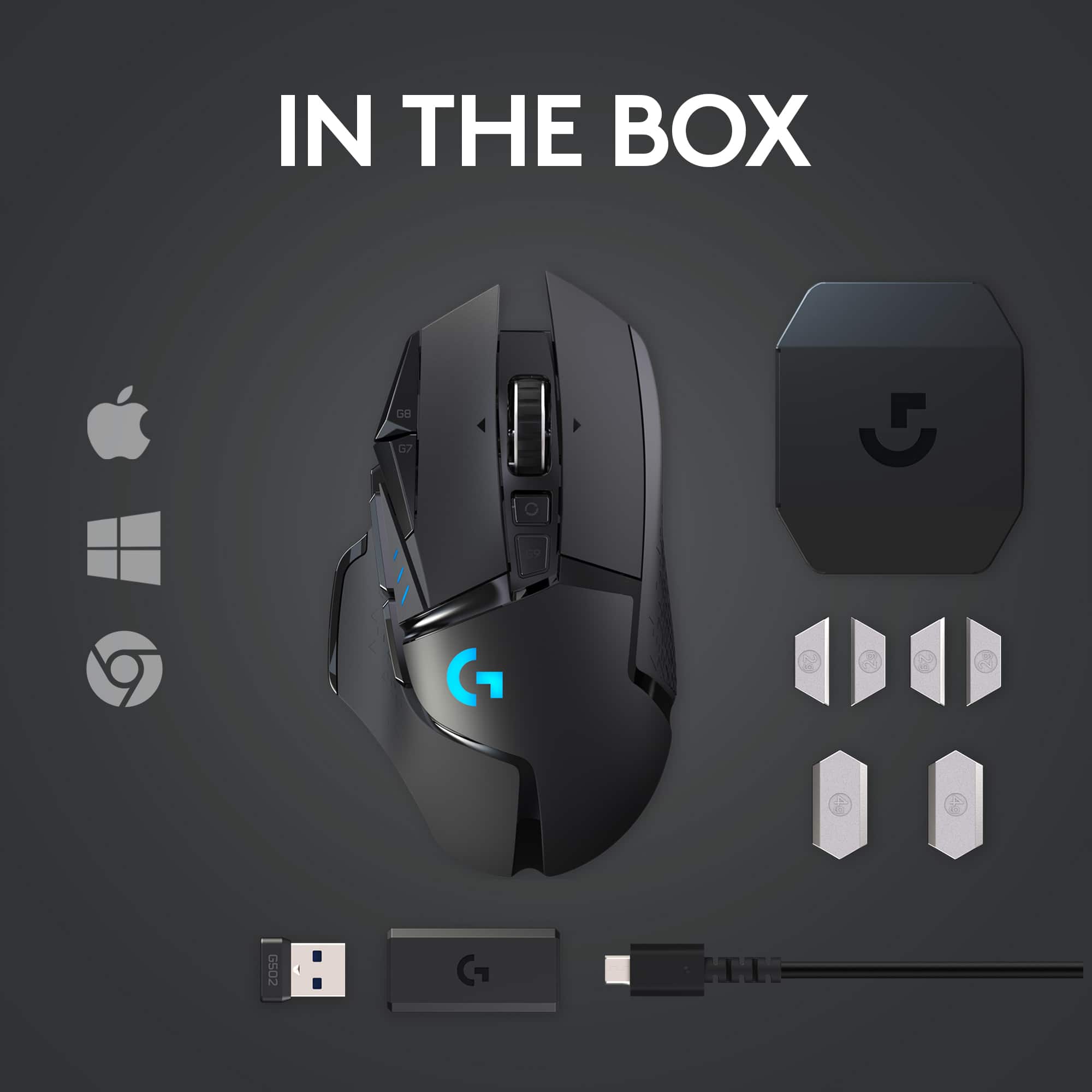
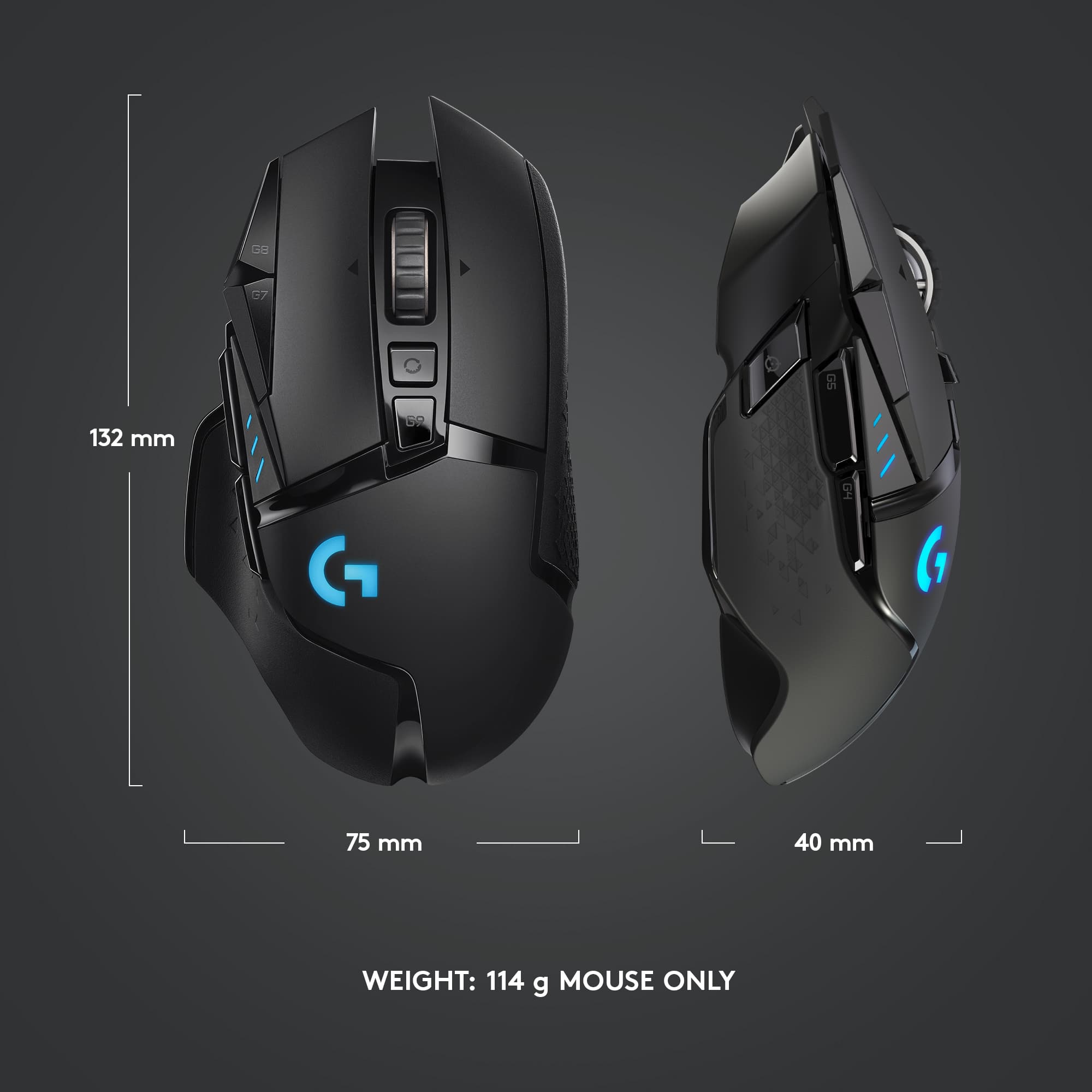

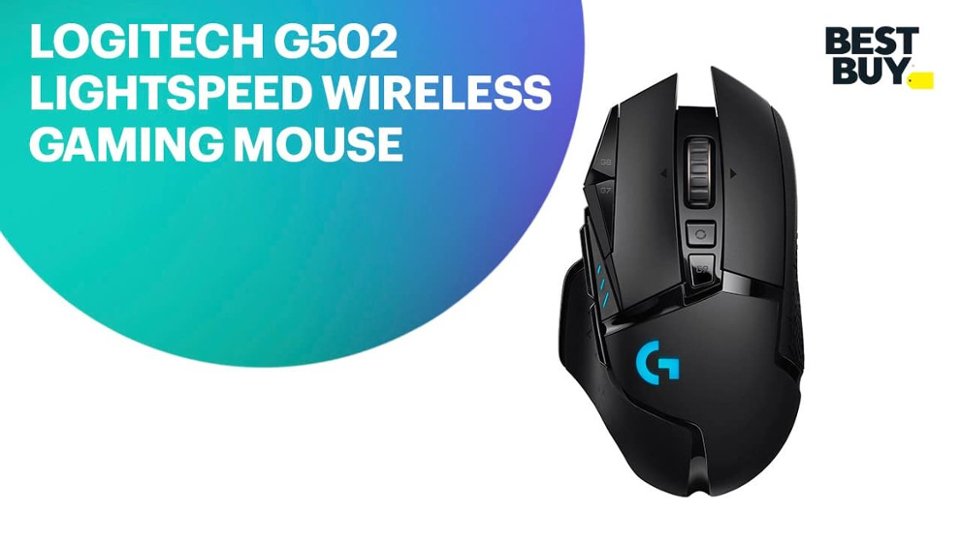
- Model:
- 910-005565
- |
- SKU:
- 10154868
Customer reviews
Rating 4.7 out of 5 stars with 3267 reviews
(3,267 customer reviews)Rating by feature
- Value4.5
Rating 4.5 out of 5 stars
- Quality4.8
Rating 4.8 out of 5 stars
- Ease of Use4.8
Rating 4.8 out of 5 stars
to a friend
Rated 1 out of 5 stars
Not good
||Posted . Owned for 3 weeks when reviewed.This reviewer received promo considerations or sweepstakes entry for writing a review.Battery life poor and bloated software to work with this mouse would not open on my computer. If I could have given zero stars I would have.
This review is from Logitech - G502 Lightspeed Wireless Optical Gaming Mouse with RGB Lighting - Wireless - Black
No, I would not recommend this to a friendBrand response from Logitech
Posted .We deeply regret if our product provided you with a subpar battery and software experience. We understand your displeasure and apologize for any issues that arise. We value your input, therefore we will forward it along to the appropriate team so they can look into it..
Rated 2 out of 5 stars
Okay mouse
||Posted . Owned for less than 1 week when reviewed.This reviewer received promo considerations or sweepstakes entry for writing a review.I thought I’d love this mouse, but there’s a couple dealbreakers for me. The scroll wheel becomes loose and wobbly if you drop it so you have to be very careful with the mouse. Also the clicks on this mouse isn’t good for multi-clicks. The spring for lack of a better word doesn’t come up as fast. The wired 502 was better at this. I really wanted to love this mouse considering how expensive it was.
This review is from Logitech - G502 Lightspeed Wireless Optical Gaming Mouse with RGB Lighting - Wireless - Black
No, I would not recommend this to a friendBrand response from Logitech
Posted .Hello, Chau! I'm sorry to hear about your experience with the G502 Lightspeed mouse. Thank you so much for the feedback on the scroll wheel and the left and right click buttons! I will be passing this along. - Maggie from Logitech
Rated 5 out of 5 stars
Best mouse for a “Right Handed”
||Posted . Owned for 2 months when reviewed.This reviewer received promo considerations or sweepstakes entry for writing a review.My favorite mouse. Buttons in the right place (if your right handed), Full programming available through the software which is downloadable from Logitech makes it the complete best mouse for me.
This review is from Logitech - G502 Lightspeed Wireless Optical Gaming Mouse with RGB Lighting - Wireless - Black
I would recommend this to a friendRated 3 out of 5 stars
Mediocre
||Posted . Owned for 8 months when reviewed.This reviewer received promo considerations or sweepstakes entry for writing a review.Heavy.. the mouse feet glide is subpar....if ur into precision games like cod.rainbow six...avoid this mouse
This review is from Logitech - G502 Lightspeed Wireless Optical Gaming Mouse with RGB Lighting - Wireless - Black
I would recommend this to a friendRated 2 out of 5 stars
g502
||Posted . Owned for 1 week when reviewed.This reviewer received promo considerations or sweepstakes entry for writing a review.the mouse lags on my computer idk why, i tried everything including updating software
This review is from Logitech - G502 Lightspeed Wireless Optical Gaming Mouse with RGB Lighting - Wireless - Black
No, I would not recommend this to a friendBrand response from Logitech
Posted .Hello,
Thank you for choosing Logitech and for taking the time to share your experience. I am sorry that you have experienced lag; I would like to help. If you have not already done so, please check your computer for software updates and also driver updates. Please check if your G Hub software has any available updates (automatic updates are recommended). If you are using this mouse with the PowerPlay Wireless Charging system, the USB receiver will not be needed. Please remove and reinsert the USB receiver to make sure the receiver is making solid contact. If you still experience lag, please try a different USB input. If you have not already done so, you may want to run the "OnBoard Memory Manager" where you can reestablish a connection between the USB receiver and G502 Lightspeed mouse. I hope these suggestions are helpful and that you will enjoy your G502 Lightspeed Wireless Optical Gaming Mouse. I have attached a link to the "Getting Started" support page for your reference, where you will find further support.
Best regards,
John at Logitech
https://support.logi.com/hc/en-us/articles/360024778473--Getting-Started-G502-LIGHTSPEED-Wireless-Gaming-Mouse
Rated 3 out of 5 stars
The mouse itself is great, software not so much.
||Posted . Owned for less than 1 week when reviewed.This reviewer received promo considerations or sweepstakes entry for writing a review.It’s very hard to get g huh or lgs to detect this mouse. After a week of slaving to find the answers I give up. You win Logitech. Congrats...
This review is from Logitech - G502 Lightspeed Wireless Optical Gaming Mouse with RGB Lighting - Wireless - Black
No, I would not recommend this to a friendRated 2 out of 5 stars
High price less functionality
||Posted . Owned for 3 weeks when reviewed.This reviewer received promo considerations or sweepstakes entry for writing a review.This is a high priced mouse that simply isn’t worth it. The prior generation it replaced worked great for years but finally wore out. This unit has software conflicts. Their site states firmware must be updated. That doesn’t work. Their customer support has created a service tag but nothing yet. I would return it but Best Buy says it is past the 2 weeks to return it. So a waste of over $100 and a lost customer for Best Buy.
This review is from Logitech - G502 Lightspeed Wireless Optical Gaming Mouse with RGB Lighting - Wireless - Black
No, I would not recommend this to a friendRated 5 out of 5 stars
Trust worthy
||Posted . Owned for 4 months when reviewed.This reviewer received promo considerations or sweepstakes entry for writing a review.Have used the g502 and gone back to it when needing to upgrade. Think it's just the right amount of buttons for all my needs. This is older so micro USB is annoying
This review is from Logitech - G502 Lightspeed Wireless Optical Gaming Mouse with RGB Lighting - Wireless - Black
No, I would not recommend this to a friendRated 1 out of 5 stars
Do not buy to be honest
||Posted . Owned for 1 month when reviewed.This reviewer received promo considerations or sweepstakes entry for writing a review.I did my research and this looked like the best mouse to buy. I bought one and it was my favorite mouse! It was awesome and never disconnected in wireless mode. Then two weeks after it arrived it I could not hold down right click. It would press once and deactivate with the button still pressed. No big deal, I returned it and got a new one. The new one does not have the click issue but instead will disconnect often in wireless mode and the mouse pointer jumps around the screen. Unfortunately, I hve exceeded the two week period and can not exchange this one so I have opted to go with a different mouse.
This review is from Logitech - G502 Lightspeed Wireless Optical Gaming Mouse with RGB Lighting - Wireless - Black
No, I would not recommend this to a friendBrand response from Logitech
Posted .Hi Strange,
Sorry to hear that you are unsatisfied with your G502. We are always looking for ways to improve our products, so we appreciate your review. If you haven't already done so, try downloading Logitech's G HUB software; https://www.logitechg.com/en-us/innovation/g-hub.html. This may help with firmware updates for your mouse plus any additional custom settings. If you ever have additional feedback or questions regarding Logitech products, feel free to visit https://support.logi.com/hc/en-us
Thanks,
-Logitech
Rated 5 out of 5 stars
Great job, Logitech
||Posted . Owned for 4 months when reviewed.This reviewer received promo considerations or sweepstakes entry for writing a review.This is a great wireless mouth. No lag. No latency issues. I've been using this product for years. I even went as far as buying the wired version for my laptop.
This review is from Logitech - G502 Lightspeed Wireless Optical Gaming Mouse with RGB Lighting - Wireless - Black
I would recommend this to a friendRated 3 out of 5 stars
Eh ok mouse
||Posted .This reviewer received promo considerations or sweepstakes entry for writing a review.Works good, some weird button placements that create unfavorable dpi changes while playing games
This review is from Logitech - G502 Lightspeed Wireless Optical Gaming Mouse with RGB Lighting - Wireless - Black
No, I would not recommend this to a friendRated 3 out of 5 stars
Razer is better
||Posted . Owned for less than 1 week when reviewed.This reviewer received promo considerations or sweepstakes entry for writing a review.Razer basalisk ultimate is basically the new and improved version of this mouse
This review is from Logitech - G502 Lightspeed Wireless Optical Gaming Mouse with RGB Lighting - Wireless - Black
I would recommend this to a friendRated 1 out of 5 stars
Double clicking
||Posted .This reviewer received promo considerations or sweepstakes entry for writing a review.Double clicking issue after a few weeks of use. From what I seen this isn’t uncommon with this mouse. Kinda crazy considering how expensive it is.
This review is from Logitech - G502 Lightspeed Wireless Optical Gaming Mouse with RGB Lighting - Wireless - Black
No, I would not recommend this to a friendBrand response from Logitech
Posted .Hello, I am sorry to hear about the double click issues you are experiencing with the mouse!. This mouse does come with a 2 year warranty through Logitech, so we can get that replaced for you! Here is the link to file a warranty claim: https://support.logi.com/hc/en-us/articles/360025084473-Warranty-G502-LIGHTSPEED. I hope this helps! Thank you for taking the time to write this review, we appreciate the feedback.
Rated 3 out of 5 stars
mouse
||Posted .This reviewer received promo considerations or sweepstakes entry for writing a review.it has connection issues and sometimes disconnect randomly.
This review is from Logitech - G502 Lightspeed Wireless Optical Gaming Mouse with RGB Lighting - Wireless - Black
No, I would not recommend this to a friendBrand response from Logitech
Posted .Hey there Jake, I'm sorry to hear that you're having connectivity issues with your G502. It sounds like your connectivity issue could be caused by something to do with the receiver. The most common issue is probably that your receiver is either improperly seated inside the USB port or the USB port you're using has some kind of connection issue. I would try switching the USB receiver to a port that is either closer to the mouse, or possibly one that has fewer obstructions between the receiver and the mouse.
Rated 4 out of 5 stars
8.5/10
||Posted . Owned for 1 month when reviewed.This reviewer received promo considerations or sweepstakes entry for writing a review.Fantastic mouse for gaming. Not 5 stars because I have seen 2 different mice both have issues with right click after about a year of use. Overall it is great for gaming and the wireless charging(separate purchase) keeps you from worrying about battery life.
This review is from Logitech - G502 Lightspeed Wireless Optical Gaming Mouse with RGB Lighting - Wireless - Black
I would recommend this to a friendRated 5 out of 5 stars
Great
||Posted . Owned for 3 weeks when reviewed.This reviewer received promo considerations or sweepstakes entry for writing a review.Quality of mouse is amazing thought i could get around logitech and buy a cheaper mouse but it broke and found myself owning this which it is amazing.
This review is from Logitech - G502 Lightspeed Wireless Optical Gaming Mouse with RGB Lighting - Wireless - Black
I would recommend this to a friendRated 3 out of 5 stars
Great gaming mouse. Horrible battery life
||Posted . Owned for 3 weeks when reviewed.This reviewer received promo considerations or sweepstakes entry for writing a review.This is a great gaming mouse but the battery life is horrible. I have to charge it twice a day.
This review is from Logitech - G502 Lightspeed Wireless Optical Gaming Mouse with RGB Lighting - Wireless - Black
I would recommend this to a friendRated 3 out of 5 stars
yes
||Posted .This reviewer received promo considerations or sweepstakes entry for writing a review.good mouse that works well and needs battery which is really the worst part
This review is from Logitech - G502 Lightspeed Wireless Optical Gaming Mouse with RGB Lighting - Wireless - Black
I would recommend this to a friendRated 3 out of 5 stars
So so
||Posted . Owned for 1 week when reviewed.This reviewer received promo considerations or sweepstakes entry for writing a review.Good feel not bad at all it would be better if buttons were not press only no hold options
This review is from Logitech - G502 Lightspeed Wireless Optical Gaming Mouse with RGB Lighting - Wireless - Black
I would recommend this to a friendRated 1 out of 5 stars
Can't Recommend
||Posted . Owned for 4 months when reviewed.This reviewer received promo considerations or sweepstakes entry for writing a review.I purchased this mouse as a replacement for my malfunctioning Logitech Performance MX. My Performance MX lasted several years but all the reviews said the G502 Lightspeed was the new hotness. My wife and I both purchased the G502 Lightspeed and within 6 months, my wife started experiencing 2 issues. First her left click would double click items even though she was only clicking once. Second, when she would hold down the right click it wouldn't stay active. It would click and release. I chalked it up to just a defective mouse. My wife submitted an RMA, and it's still working 2 months later. Today, mine stopped working 6 months after the initial purchase . Now, I have to RMA my mouse too. This is NOT the quality I expect from Logitech. I have a Logitech G13 game pad which is still going strong. Unfortunately, Logitech's quality has gone downhill. Until someone in Logitech addresses their quality control issues, I will not be purchasing any more of their products.
This review is from Logitech - G502 Lightspeed Wireless Optical Gaming Mouse with RGB Lighting - Wireless - Black
No, I would not recommend this to a friendBrand response from Logitech
Posted .Hello DShep! Sorry to hear you're having issues with your G502 Lighspeed Wireless Optical Gaming Mouse. The G502 Lightspeed is tested for 50 million clicks, so it should definitely last longer than what you've experienced. The good news is these mice are backed up by a 2-year warranty, so taking that route was the good way to go, and hopefully the new ones you'll be receiving through the RMA will last much more longer, as these are great gaming products! - Mathieu from Logitech