Customer Ratings & Reviews
- Model:
- 910-005565
- SKU:
- 10154868
Rating by feature
- Value
Rating 4.5 out of 5 stars
- Quality
Rating 4.8 out of 5 stars
- Ease of Use
Rating 4.8 out of 5 stars
to a friend
Server lag
||Posted . Owned for 11 months when reviewed.This reviewer received promo considerations or sweepstakes entry for writing a review.Stopped working after a year. Sever lag and lights not working.
No, I would not recommend this to a friendBrand response from Logitech
Posted .Hello Stuart, we are sorry to hear that the G502 wireless mouse is not working properly for you. At Logitech, it is our goal to ensure you are completely satisfied with your Logitech purchase. We take pride in the products and services we offer, and want our customers to enjoy them just as much as we do. Luckily, the mouse comes with a 2 year limited hardware warranty which you can take advantage of. Fill out a warranty ticket with the link at the end of this message. One of our Support Specialists will reach out to get this issue sorted out for you. We apologize for any inconvenience we may have caused. Thank you for being part of the Logitech family, have a great day. -Ricky | Logitech G. https://support.logi.com/hc/en-us/articles/360025084473-Warranty-G502-LIGHTSPEED
Logitech Fumble
||Posted . Owned for 1 year when reviewed.This reviewer received promo considerations or sweepstakes entry for writing a review.Long time Logitech fan. I purchased this mouse to replace my non wireless G502 Spectrum. The upgraded sensor is nice but Logitech changed the button switches to a lesser quality. Felt mushy in comparison to my 4 year old G502 Spectrum; Logitech customer service has also taken a dive as of late.
No, I would not recommend this to a friendBrand response from Logitech
Posted .Hello, I am sorry to hear you are not satisfied with the product. Thank you for taking the time to write this review, we appreciate the feedback.
No usb c in 2024 on a premium product.
||Posted . Owned for 1 month when reviewed.This reviewer received promo considerations or sweepstakes entry for writing a review.100 plus dollar mouse in 2024 with micro usb charging in a location that you need a specific skinny cable head. Wow regret my purchase. Trusted logitech won't happen again.
No, I would not recommend this to a friendBrand response from Logitech
Posted .We sincerely regret for a inferior experience. We understand your displeasure and apologize for any issues that arise. We value your input, therefore we will forward it along to the appropriate team so they can look into it.
Faulty product
||Posted . Owned for 1.5 years when reviewed.This reviewer received promo considerations or sweepstakes entry for writing a review.This was my second Logitech mouse. My first one was a G903 lightspeed which had double clicking issues after a couple of months. Decided to try the G502 lightspeed since I still have a powerplay mouse pad. The G502 also had double clicking issues after a couple months of use.
No, I would not recommend this to a friendBrand response from Logitech
Posted .Hello Louie,
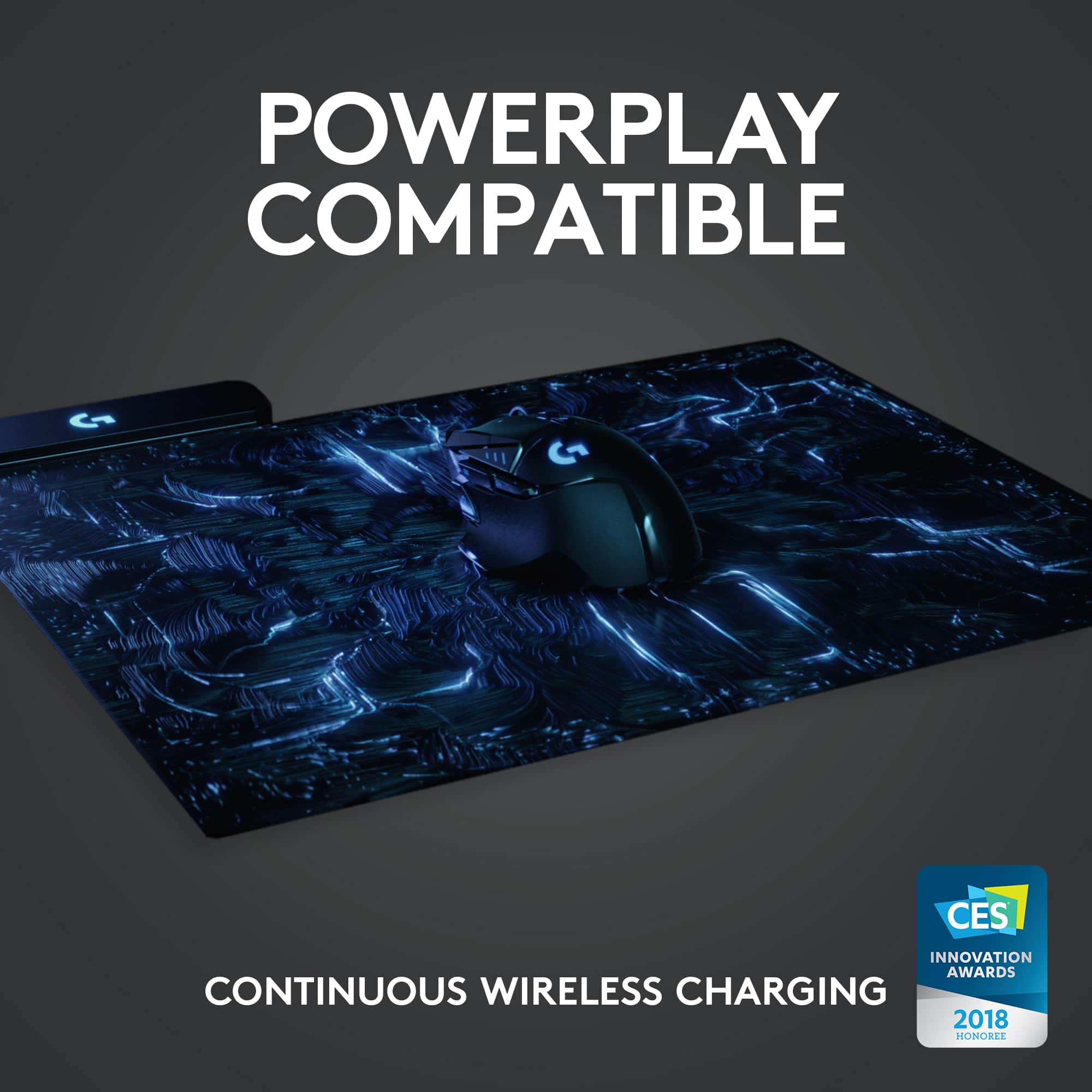
Thank you for taking the time to review the Logitech G502 Lightspeed. I am sorry that you have experienced an issue with the G502 Lightspeed and G903 Lightspeed. I would like to help. If you have not already done so, I recommend downloading the Logitech G Hub software, for customization as well as firmware updates. When using these mice with the PowerPlay charging system, the USB receiver is not needed. If the USB receiver is plugged in, I recommend unplugging it. I have attached a link to the “getting started” support page, please contact Logitech support if you need any further assistance.
Best regards,
John at Logitech
Getting Started - G502 LIGHTSPEED Wireless Gaming Mouse – Logitech Support + Download
Broken Button
||Posted . Owned for 6 months when reviewed.This reviewer received promo considerations or sweepstakes entry for writing a review.Bought for my boyfriends birthday, however didn't even open it until last month, realizing one button wasn't working while in game, we tried uninstalling drivers and reinstalling drivers and with no such luck, found out that the button itself doesn't work. Mouse I was sent was already broken. HIGHLY displeased that i was sent a broken mouse.
No, I would not recommend this to a friendBrand response from Logitech
Posted .Hello, I am so sorry that the mouse came damaged. It does come with a 2 year warranty through Logitech so we can get that replaced for you! Here is the link to file a claim: https://support.logi.com/hc/en-us/articles/360025084473-Warranty-G502-LIGHTSPEED. i hope this helps! Thank you for taking the time to write this review, we appreciate the feedback.
-Danielle from Logitech
Not aging well
||Posted . Owned for 1 week when reviewed.This reviewer received promo considerations or sweepstakes entry for writing a review.I’m sorry but the micro usb kills it for me it’s an ok mouse but micro usb in 2023 it’s just another cable to carry,also the 2.4ghz dongle is stored in a case instead of in the mouse like many other mouses.
No, I would not recommend this to a friendBrand response from Logitech
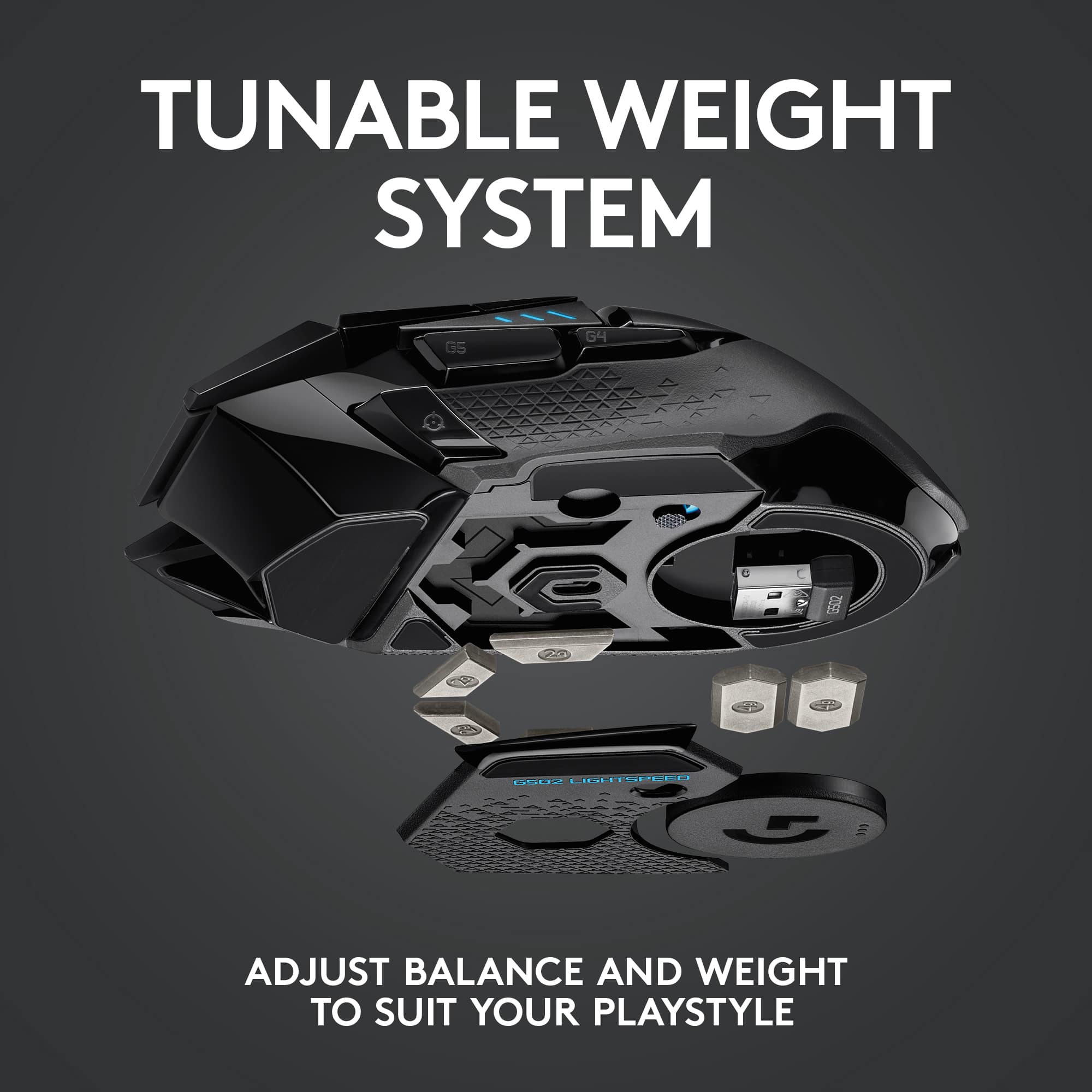
Posted .Thank you so much for your valuable feedback. We truly appreciate it. We regret to hear about your unpleasant experience with the Micro-USB cable and we'll make sure to pass your suggestion to our team. About the receiver, we'd like to let you know that the USB receiver can be stored within the mouse inside of the weight compartment.
Left button double clicking issue
||Posted . Owned for 7 months when reviewed.This reviewer received promo considerations or sweepstakes entry for writing a review.This is a $150 mouse that has the terrible double clicking on single left click problem. Too late to return. Cannot get any support from Logitech.
No, I would not recommend this to a friendBrand response from Logitech
Posted .Hello, I am sorry to hear about the click issues you are having with the mouse. Fortunately, it has a warranty through Logitech. If you would like to file a claim for a new one, please visit the support page for this item on Logitech.com. I hope this helps! Thank you for taking the time to write this review, we appreciate the feedback.
Charged once, won't charge again.
||Posted . Owned for 1 month when reviewed.This reviewer received promo considerations or sweepstakes entry for writing a review.Unit worked great, but only lasted one charge cycle. It worked just long enough that it broke outside of Best Buy's return window. I have been working to get a warrenty replacement from Logitech for the last few weeks, but have been getting the run around.
No, I would not recommend this to a friendBrand response from Logitech
Posted .Hi Disapointed User, sorry to hear that your G502 is not charging. It is unusual, as the mouse is backed with a 2-year limited hardware warranty. For support, please refer to: https://support.logi.com/hc/en-us/articles/360024778473--Getting-Started-G502-LIGHTSPEED-Wireless-Gaming-Mouse or to file a warranty claim, please refer to: https://support.logi.com/hc/en-us/articles/360025084473-Warranty-G502-LIGHTSPEED Thank you for letting us know about your experience. - Will, Logitech G.
Great mouse! Cheap switches :(
Posted .This reviewer received promo considerations or sweepstakes entry for writing a review.Love this mouse. Its a really good mouse, and I really love just about everything about it. The design is cool, but not too aggressive. The mouse is light, but not super light, which I like but you may not. It also has weights you can add to make it heavier if you want. The battery life is amazing, but the charging port is sunken into the mouse a bit and a micro usb which means you cant use any modern cables, and the recessed port means you cant just use any micro usb either. My main complaint at this point, however, is that these were apparently made with fairly cheap switches for the mouse buttons and they are prone to failure. Ive had my mouse for four years at this point, and the switches are going out. It is EXTREMELY obnoxious. Random double clicks, the mouse will stop registering midway into holding the mouse down which is frustrating in many games. Apparently you can open it up and fix it by re soldering some stuff inside, but from what ive seen its pretty involved. Other than the switches giving out on me after four years, I love this thing still. Im going to be buying the g502x plus next as I just love the design. I love that it doesnt have 100 buttons like a lot of gaming mice. The two on this that you can reprogram are enough for me and perfect for the games I play. All in all, I recommend it. Watch out for the switches going out, or buy the next generation of the 502 as I heard they fixed the issue.
I would recommend this to a friendBrand response from Logitech
Posted .Thank you for your detailed feedback on the G502 Lightspeed! We're glad you love its design, weight, and customization. We appreciate you highlighting the battery life and the micro-USB charging port limitations. We're also sorry to hear about the switch issues you experienced after four years. Your insights on the potential switch failure and your recommendation to consider the G502X Plus are valuable. We're pleased to know you're continuing to enjoy the G502 design.

not wroth hassle
||Posted . Owned for 11 months when reviewed.This reviewer received promo considerations or sweepstakes entry for writing a review.it a great game mouse but if you on need warnitty you will have to play for a new 1 to get it replace but off with a diffrent barnd
No, I would not recommend this to a friendBrand response from Logitech
Posted .We sincerely regret if our product provided you with a inferior experience. We understand your displeasure and apologize for any issues that arise. We value your input, therefore we will forward it along to the appropriate team so they can look into it.
bad service
||Posted . Owned for 2 weeks when reviewed.This reviewer received promo considerations or sweepstakes entry for writing a review.never got my order, has been delayed for a month now, really bad service. Have tried everything to get a refund and nothing works.
No, I would not recommend this to a friendBrand response from Logitech
Posted .We're sorry you are going through this. We'd recommend you to report this directly to BestBuy for further assistance.

Customization to a T
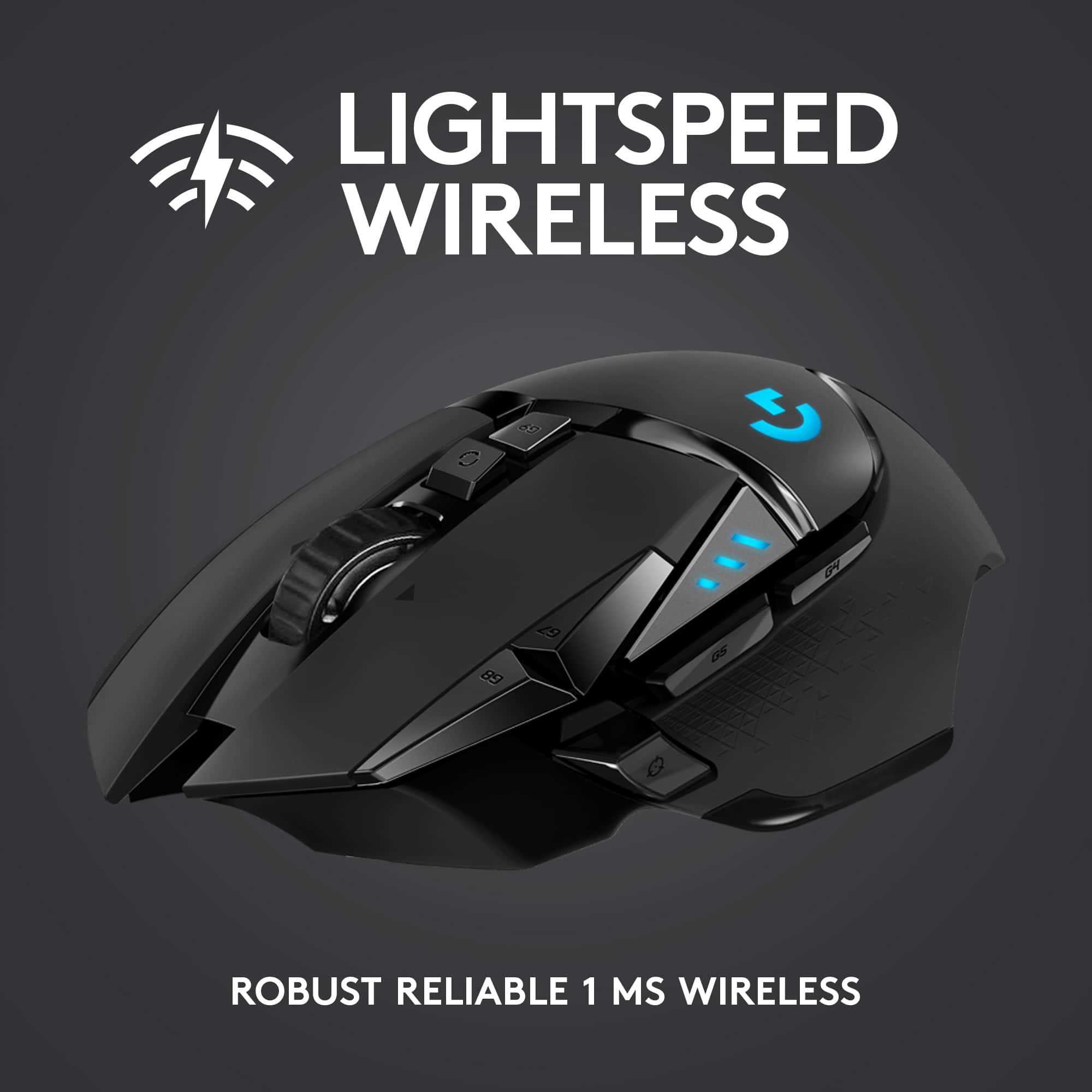
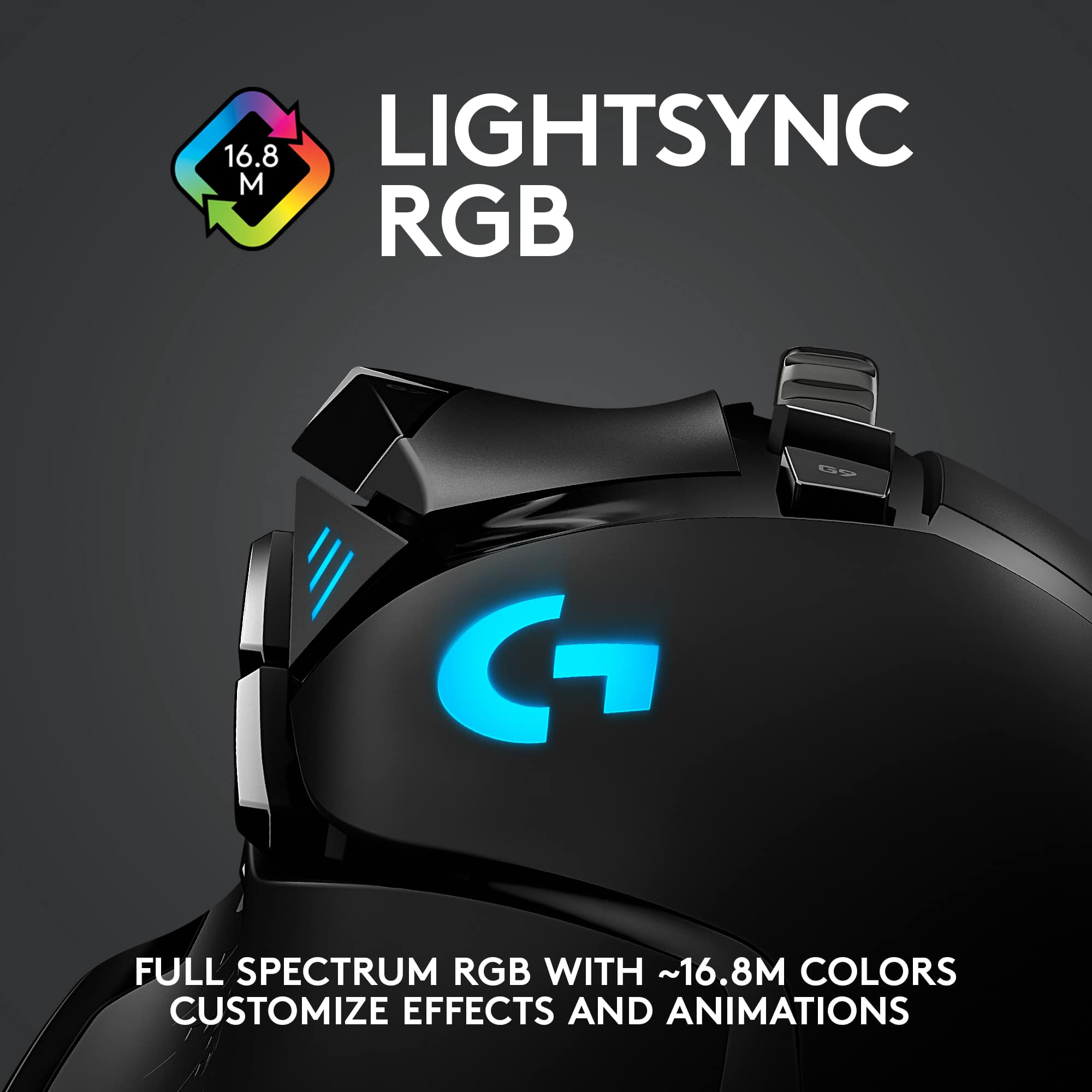
|Posted .This reviewer received promo considerations or sweepstakes entry for writing a review.Looks like the Tumbler from Batman and has just as many gadgets. I am not a great WASD player. Sometimes,I'm great, sometimes I'm terrible. Having the extra custom buttons has been a gratifying experience. Reload near my shoot button...as it should be. This mouse has lots of things to customize...almost overkill. From he weight to the colors, anyone and everyone should be able to find the right combo. Also, for a wireless mouse, the delay is not existent. Just as good as any wired mouse I have ever used. I will admit, I paired it with the combo charging pad for a continuous charge, so I can't speak much to battery life. Buttons are responsive and mouse wheel is smooth. That's the best word for this mouse, smooth. Great addition to the gaming arsenal.
I would recommend this to a friendStick with a wired mouse for gaming.
||Posted . Owned for 4 months when reviewed.This reviewer received promo considerations or sweepstakes entry for writing a review.Frequent disconnects. Fine for everyday use but not for gaming, which is what it is advertised for.
No, I would not recommend this to a friendBrand response from Logitech
Posted ."Hey! We understand your frustration with the Logitech G502 Lightspeed wireless gaming mouse experiencing disconnects. To get that issue resolved, we recommend reaching out to our social care team via email at socialcare@logitech.com with your
- Name:
- Email Address:
- Country:
- Product Name:
- Brief description of issue: "
It's The G502 Re-engineered
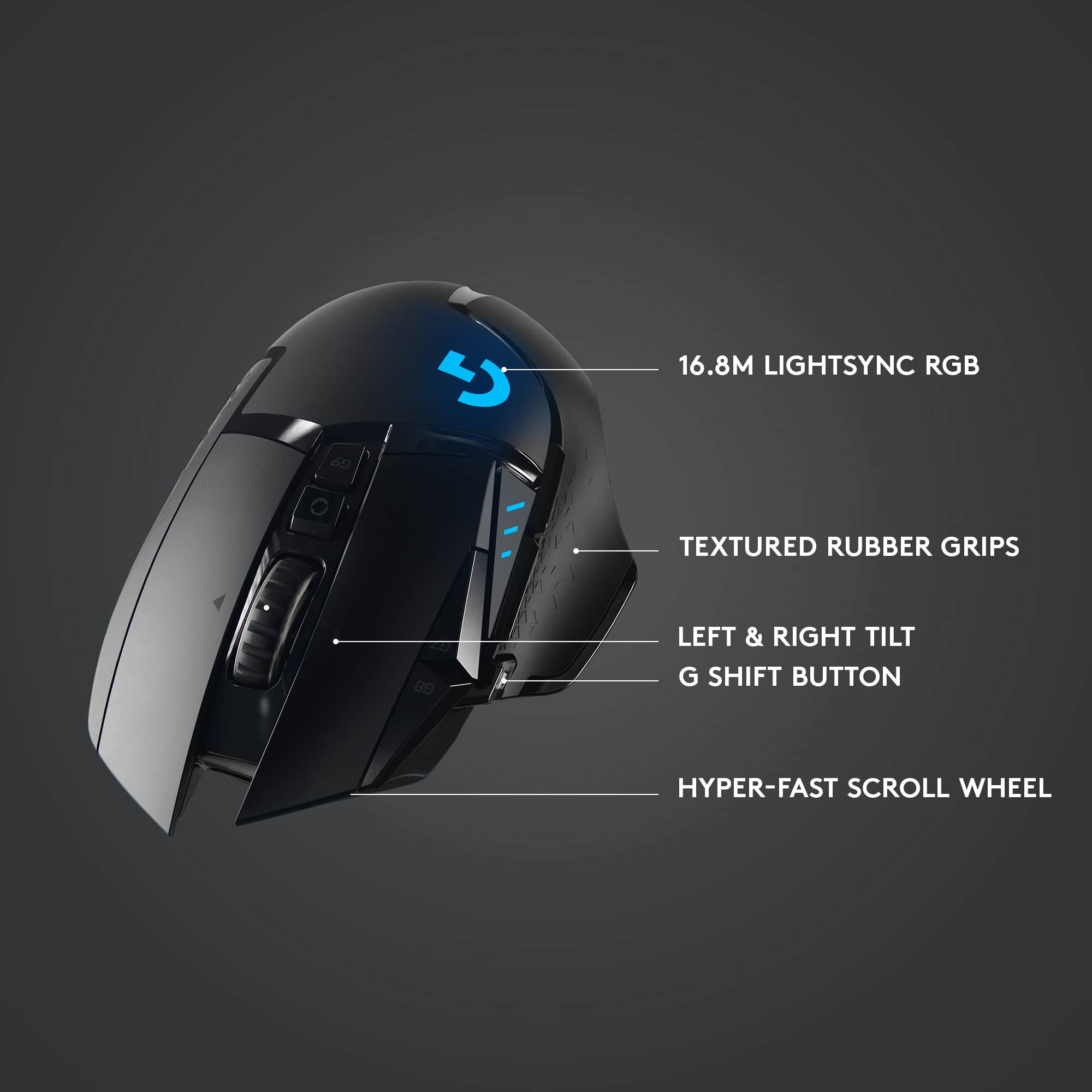
|Posted .This reviewer received promo considerations or sweepstakes entry for writing a review.Disclaimer: Logitech has sent a Powerplay Gaming Mousepad as an added bonus. Due to this, battery life performance cannot be truly measured nor tested. Wireless performance may also be skewed as well. Logitech has released several versions of their G502 mouse over the years. This Lightspeed model is the latest version. However, unlike their previous G502, the Lightspeed model is wireless. The mouse design itself is meant for gamers who play first-person shooters (FPS). There are 6 additional buttons with the current core 5 (left, right, middle, left-scroll, right-scroll). All of them have a good tactile feedback when pressed. While the mouse itself is designed for FPS in mind, adapting it into a MMO game proved difficult. This is by no means a negative aspect. It’s just that the design philosophy is too different to make this mouse viable for MMO play. Other game genre can potentially play well with the mouse. Given time, one can get used to the handling of the mouse regardless of genre type. The mouse is designed for right-handed users. Its mold and shape fits well for my hand. You might say that my hand size is about small to medium. Those with larger hands may find the mouse too small. Since the size is the same, it’s safe to go to a local store that has a G502 on display and hold it in your hand. In terms of weight, despite that they’ve managed to make this mouse lighter than its wired counterpart, it’s still heavy when factoring in the battery. Its weight seems to be a common complaint amongst some users who prefer lighter mice. But personally, I do not see it as a hindrance. Customizing the mouse functions requires Logitech’s “G HUB” software. While the latest version can be found at their website, finding the download link may be confusing at first. The mouse’s support page does not have a download link to the file while the general support page does. The downloaded file is around 35MB but that itself is just a downloader file. After install, the folder which it installed to comes in at around 210MB. This might vary as I have a Logitech webcam and the Powerplay mouse pad also connected. The G HUB software is quick to launch and its interface is easy to navigate. Customizing a button is as easy as click and drag. Clickable UI elements have visual cues to make navigating and tweaking easy to follow. There’s also an option/method to save and sync your settings to the cloud. Unlike a competitor, this step is not mandatory. The software’s UI design is a lot easier to follow than Cosair’s iCue software. Binding a custom command/key to a button is faster and easier in G HUB than iCue. Profile switching linked to a program is also fast. There’s no noticeable delay between the switch, which is good. With the Powerplay mouse pad, wireless signal is never an issue. At the same time, battery life is also never an issue. But I’ll discuss the battery life later. Responsiveness seems to be like they advertised. I never notice any perceivable lag from moving the mouse around or clicking a button. It’s like I’m using a wired mouse. The mouse itself comes with a wireless adapter that is pre-plugged into a micro-USB adapter. The charging cable itself is micro-USB based. One can basically minimize any signal issue by using the cable in conjunction with the adapter to place it closer to the mouse. But with the Powerplay mouse pad, the wireless receiver, micro-USB adapter, and charging cable becomes extras. On battery life, the Powerplay mouse pad eliminates the need to ever charge the mouse. It comes with a Powerplay disc that can be slotted into the mouse as per instruction. This is what enables wireless charging on the mouse itself. This is a very nice perk for Logitech fans and users. But others may not like it. The downside to the Powerplay pad is the number of devices it supports. And if you ever change mouse brand, the charging pad becomes useless. If the Powerplay mouse pad isn’t for you, Logitech rated the mouse for up to 48 hours with lighting effects on (and up to 60 hours without). Using a 3-4 hour of operating use per day, that means you get over a week’s worth of use before having to charge it. Overall, Logitech has come a long way since I last used their mice. The last mouse I had from Logitech was a G5 (with 2 side buttons). The software works very well and the user experience is better than Corsair’s iCue. The mouse is also well designed and works great in a variety of games, except for MMO types. Verdicts: (Mouse) Buy, but avoid if you’re a MMO player. (Pad) Coin flip -- good to have, not missing much you skip. Asking price of $99.99 is a bit much for the complete package.
I would recommend this to a friendRMB dies after 2 years
||Posted . Owned for 1 year when reviewed.This reviewer received promo considerations or sweepstakes entry for writing a review.Yup, read about it. After a year or two, the right mouse button doesn’t register all the time, good luck with playing FPS with this issue. I love Logitech but both of my 502 (wired and wireless) had the same issue.
No, I would not recommend this to a friendBrand response from Logitech
Posted .Hi ilias, thank you for sharing your experience with the G502 Lightspeed Wireless mouse. I'm sorry that after 2 years of use the right mouse button stopped registering all the clicks. I'm sorry that this has happened to you two different times. I hope you are able to find a mouse that works for you and your FPS games. Thank you for being a Logitech G customer. Kristi from Logitech
didnt meet expectations for the high price
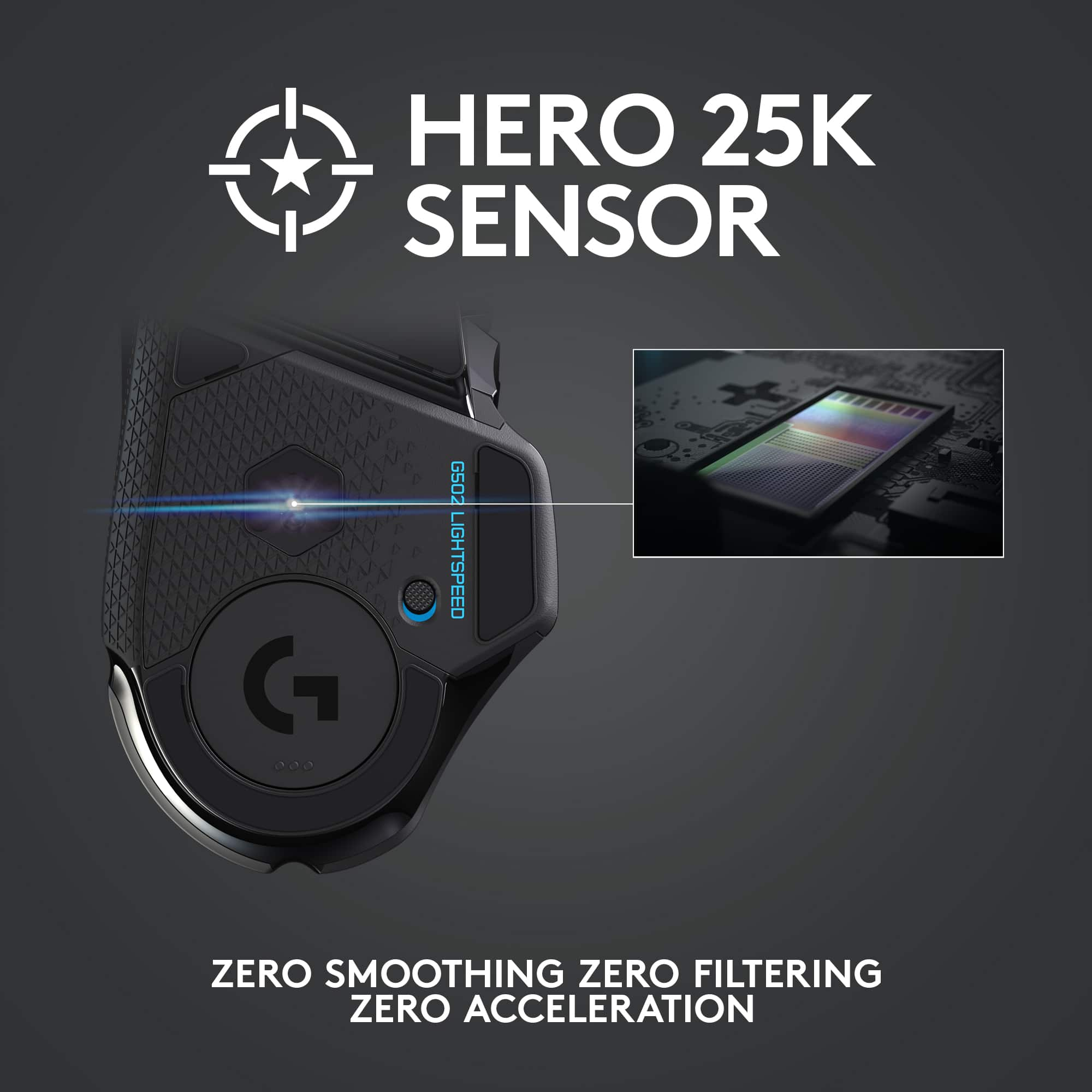
||Posted . Owned for 3 weeks when reviewed.This reviewer received promo considerations or sweepstakes entry for writing a review.doesnt go any lower than 500 DPI I needed at least 250
No, I would not recommend this to a friendMicro USB Charging Port, quick return.
||Posted . Owned for 1 week when reviewed.This reviewer received promo considerations or sweepstakes entry for writing a review.Micro USB Charging port in 2024. Nah man. Returned immediately.
No, I would not recommend this to a friendBrand response from Logitech
Posted .We apologize for the outdated micro USB charging port on the Logitech G502 Lightspeed. Newer Logitech products now feature the more convenient USB-C port.
The best gaming mouse, and the worse software.
Posted .This reviewer received promo considerations or sweepstakes entry for writing a review.The mouse itself is absolutely amazing. 10/10 on comfort, accuracy, wireless delay, battery life, rgb, and practicality. The clicks are responsive and tactile, the buttons feel great to press and work exactly as they should. No issues with the scroll wheel and I love the infinity scroll feature. Glides like a dream even on hardwood. But its only good for people who like a little bit of heft to their mice. Even without the weights and taking off the magnets on the bottom its not as light as most would want if you were looking for a heavy mouse. You really feel like you are in command of whatever website you're navigating or game you're playing. The only con and why I rate it as "Good" is the software. Its usable at best. It looks like, but its hard to navigate, instructions are unclear, and you can expect freezes or the application not even launching. I have had this thing for almost a year, and I have nothing else bad to say about it.
I would recommend this to a friendGreat mouse, very comfortable, highly customizable
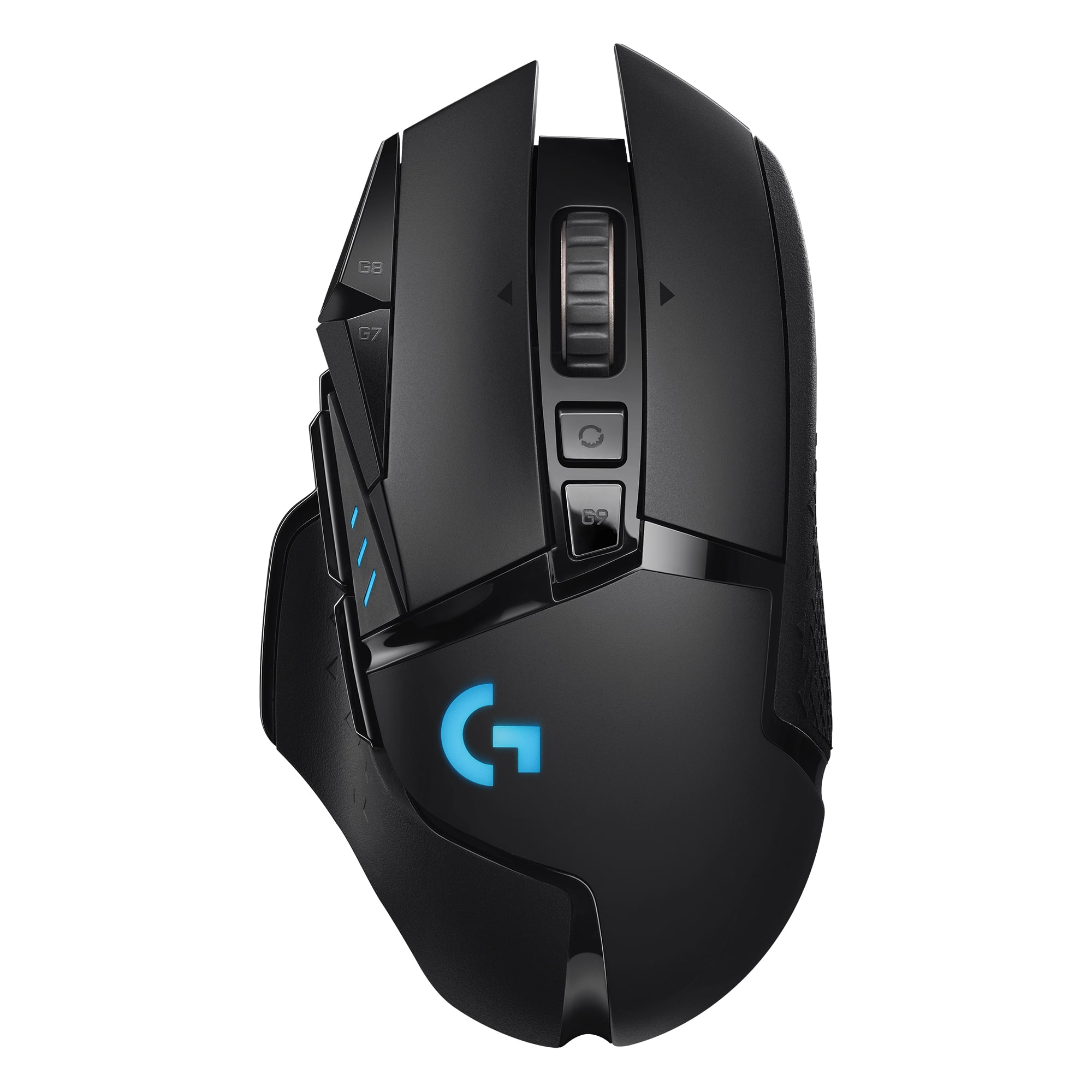
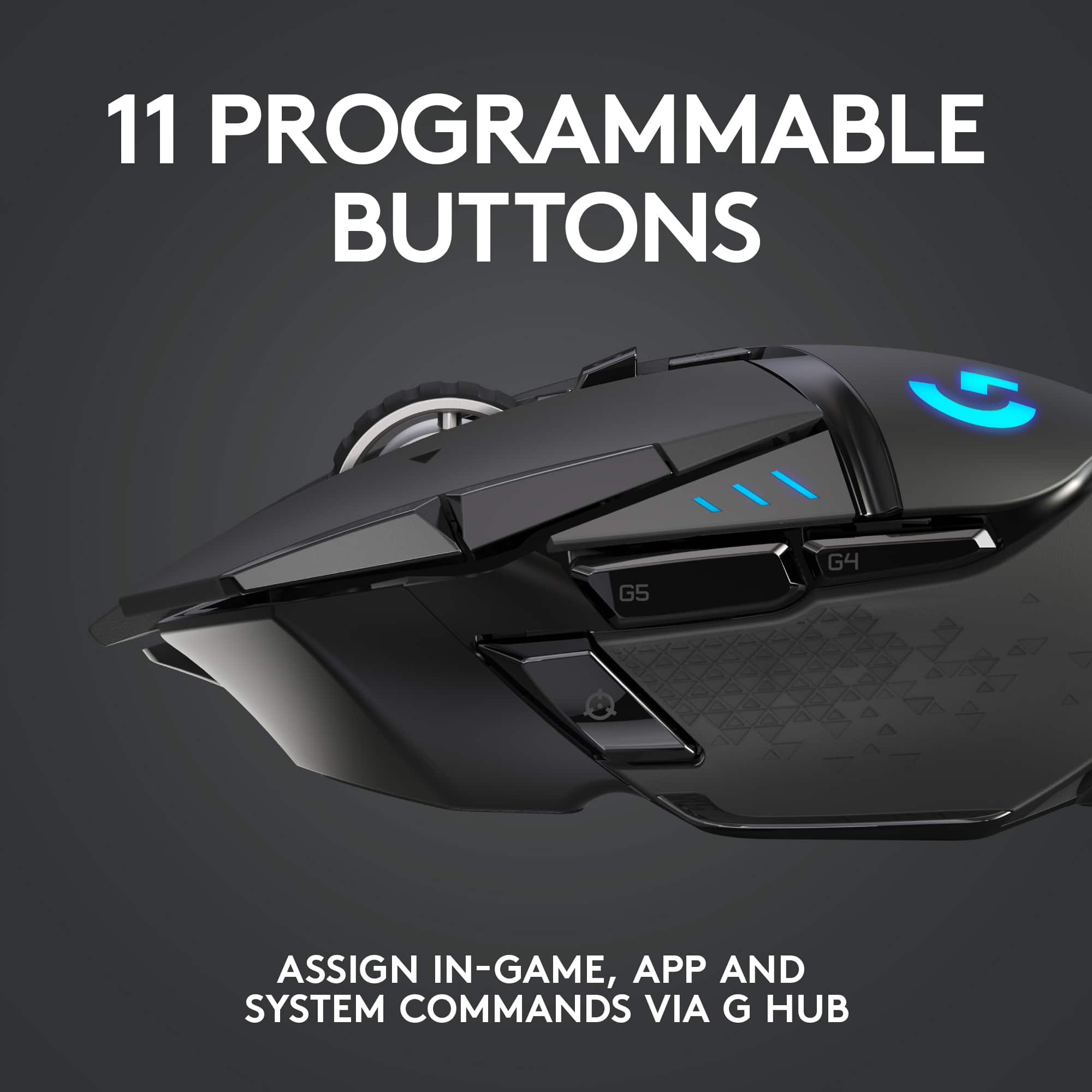
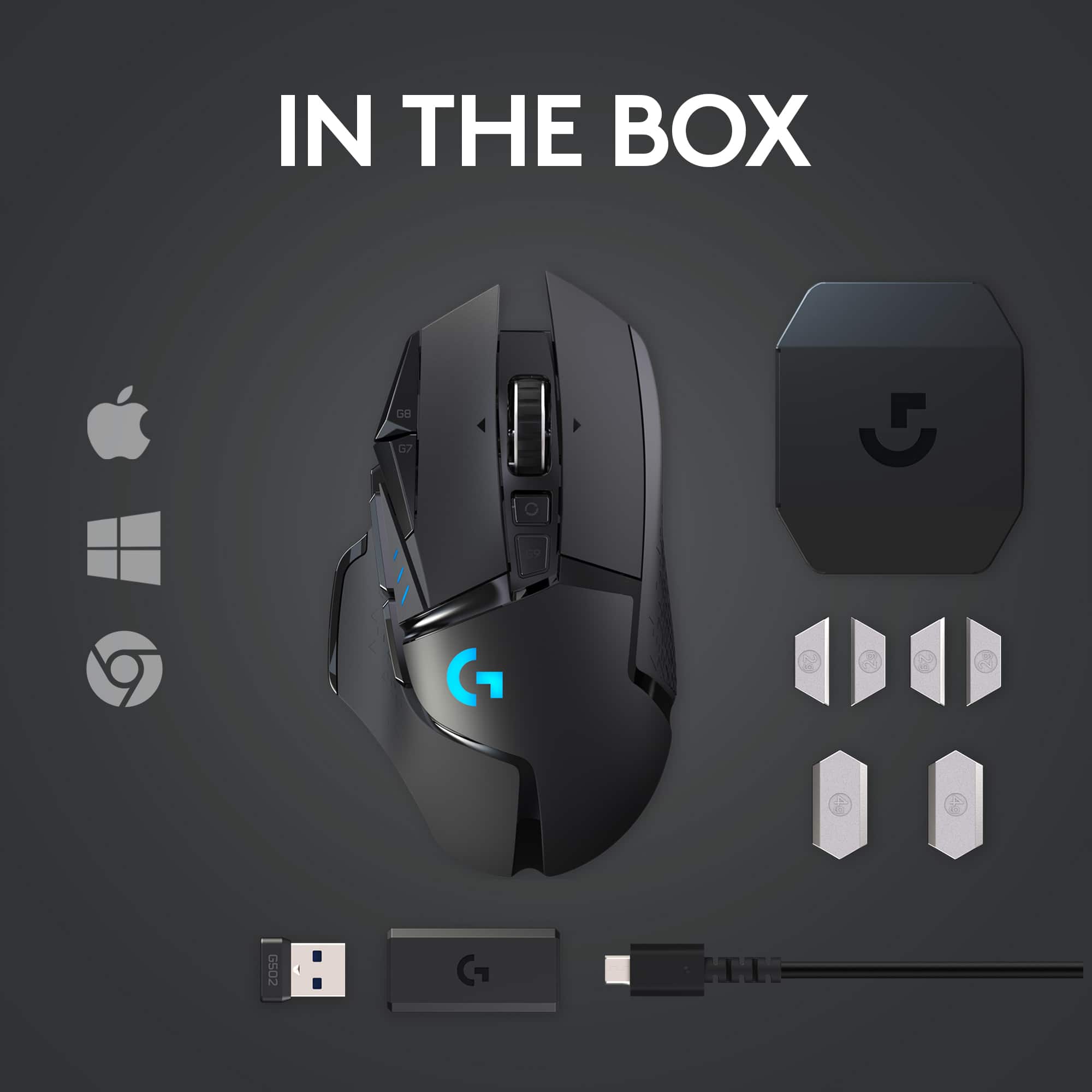
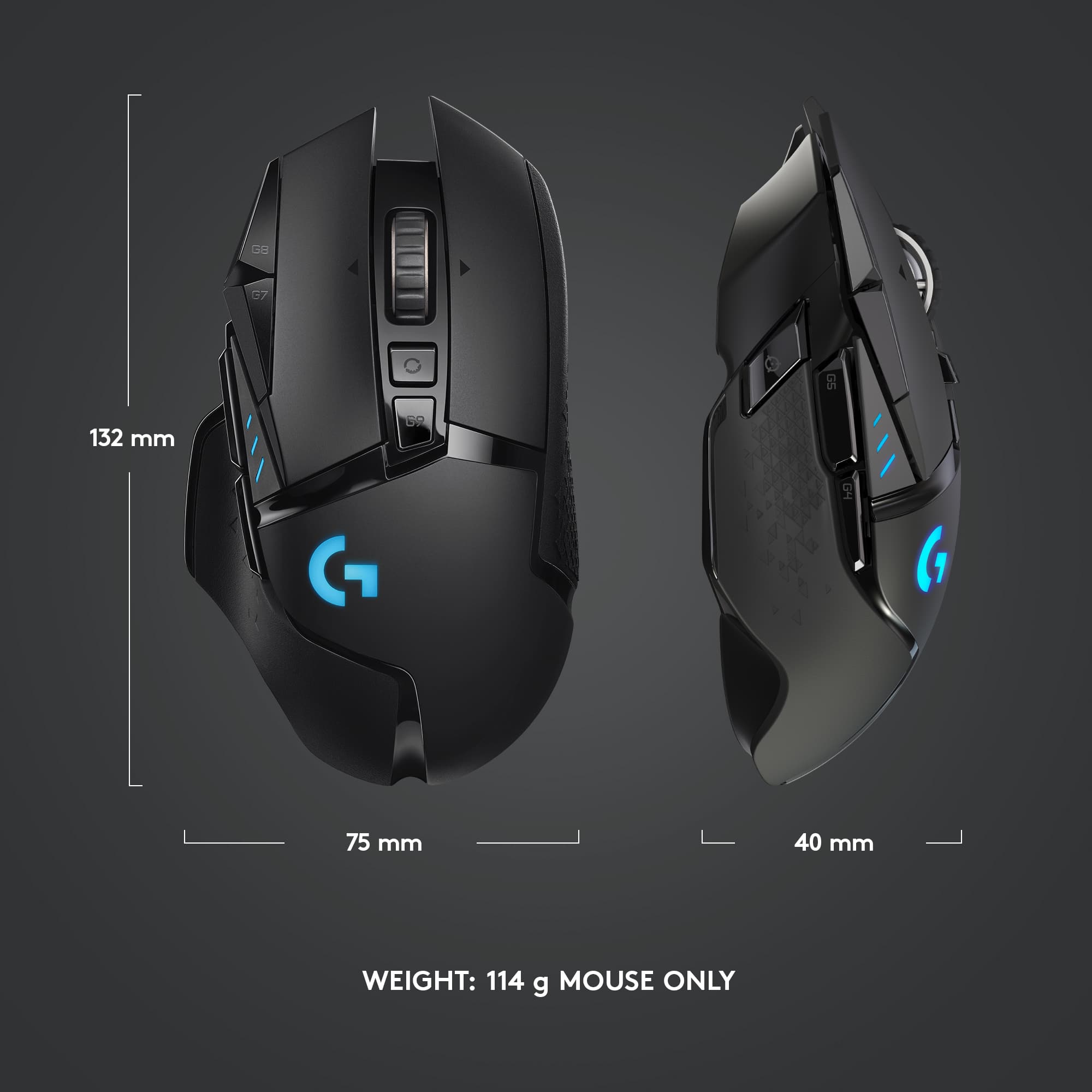
|Posted .This reviewer received promo considerations or sweepstakes entry for writing a review.Overall, the Logitech Lightspeed G502 wireless mouse is a fine mouse for gaming or just general computer use. I have several comments regarding my experience with it. 1. I strongly recommend that, if you buy one of these, you immediately go to the website shown in the instructions and download the full basic user manual, which runs to 30 pages. The box includes one of those pictogram-style instruction sheets which I have never liked because I can never figure out what they’re trying to say, and this one is no exception. You’ll want to download the control software for the mouse, anyway, as through it is how the 11 programmable buttons can be programmed, and that software can be downloaded from the same site. 2. The weight of the mouse is adjustable, and the box includes six weights (two 4-gram and four 2-gram), which can be installed in any combination to give a variety of final weights. Out of box, the G502 mouse weighs 115 grams (about 4.1 oz.), and, with all of the weights added, could weigh as much as 131 grams, depending on your preference. In addition, the four smaller weights can be placed in various positions on the underside of the mouse to vary balance as well as weight. Just for comparison, I have two other Logitech wireless mice, and I weighed those. I have a Logitech M320, which is a smaller mouse better suited for smaller hands but which I like because it fits better in my laptop bag, and it weighs 92 grams. I also have a Logitech M705, which is a beast of a mouse and which I use with one of my desktop computers, and it weighs in at 134 grams, more than the heaviest configuration possible with the G502. Finally, my actual everyday mouse is, currently, a Logitech PRO Gaming Mouse, which is wired, and it weighs in at only 81 grams, lighter, even, than the M320. Of course, being a wired mouse, it does not have any batteries. What I like about the PRO Gaming Mouse and why I use it is the excellent click-feel that these higher-end mice like it and the G502 have. But it is a smaller mouse which isn’t as comfortable in my hand, so I’ll be upgrading to the G502 for both every day as well as gaming use. 4. The G502 has an internal, permanent battery which had some charge out of the box. It charges with an included USB cable which also allows use of the mouse in a wired configuration, so you can continue to use the mouse even if the battery has run low. 5. One of the most significant features of the G502 is its programmable buttons, and the separate downloadable manual describing all the ways the mouse can be configured runs to over 80 pages. As mentioned earlier, you’ll want to download this from the website as well as through this software is how these buttons are configured. 6. My most important concern with this or any mouse, is, of course, how comfortable is it to hold and use. This mouse, as noted, is reasonably heavy even with no additional weights. It is heavily contoured as well and has an excellent feel in one’s hand. I would have no problem holding onto this mouse for hours. As I noted at the top, overall, I am very pleased with this mouse and plan to use it for both gaming and everyday computing. Very highly recommended. As a side note, I also happen to have an accessory for this mouse also available from Logitech, the Powerplay Wireless Charging System. In short, this is a large mouse pad (11 x 13 inches) that connects by USB to your computer and wirelessly charges the mouse battery as you use it. It works well.
I would recommend this to a friendDO NOT BUY
||Posted . Owned for 7 months when reviewed.This reviewer received promo considerations or sweepstakes entry for writing a review.DO NOT BUY. WILL DOUBLE CLICK OR NOT REGISTER CLICKS AT ALL IN ABOUT TWO MONTHS. LOGITECH WONT DO ANYTHING ABOUT IT EITHER. I HAVE A WHOLE MESSAGE THREAD WITH THEM. JUST BUY FROM ANOTHER BRAND.
No, I would not recommend this to a friendBrand response from Logitech
Posted .Hi Sophie, Very sorry to hear about the issue you're having with the G502 Lightspeed Gaming Mouse with it double clicking and/or not registering at all. You mentioned that you've messaged Logitech and that they won't do anything. If you haven't tried this yet, I highly recommend that you download Logitech's G Hub software which will help your mouse run optimally by allowing you to update the firmware. Here's a link to the download: https://support.logi.com/hc/en-us/articles/360024704814--Downloads-G502-LIGHTSPEED-Wireless-Gaming-Mouse. Also, this mouse does come with a 2-year limited hardware warranty. Here's a link to File A Claim: https://support.logi.com/hc/en-us/articles/360025084473-Warranty-G502-LIGHTSPEED. Hope that this helped and all is going better. Thank you for being a Logitech customer. - Richard from Logitech