Customer Ratings & Reviews

- Model:
- 910-005565
- SKU:
- 11961445
Rating by feature
- Value
Rating 4.5 out of 5 stars
- Quality
Rating 4.8 out of 5 stars
- Ease of Use
Rating 4.8 out of 5 stars
- Pros mentioned:ComfortCons mentioned:Price
Nicely customizable
||Posted . Owned for 1 month when reviewed.This reviewer received promo considerations or sweepstakes entry for writing a review.This mouse has a lot of customization available but not so many buttons it becomes unwieldy. I use it mostly in the default settings but the quick dpi buttons and the scroll wheel switch to allow free wheeling is nice. It’s comfortable and maybe a little expensive but I would get it again.
I would recommend this to a friend - Pros mentioned:Battery life
Really nice mouse
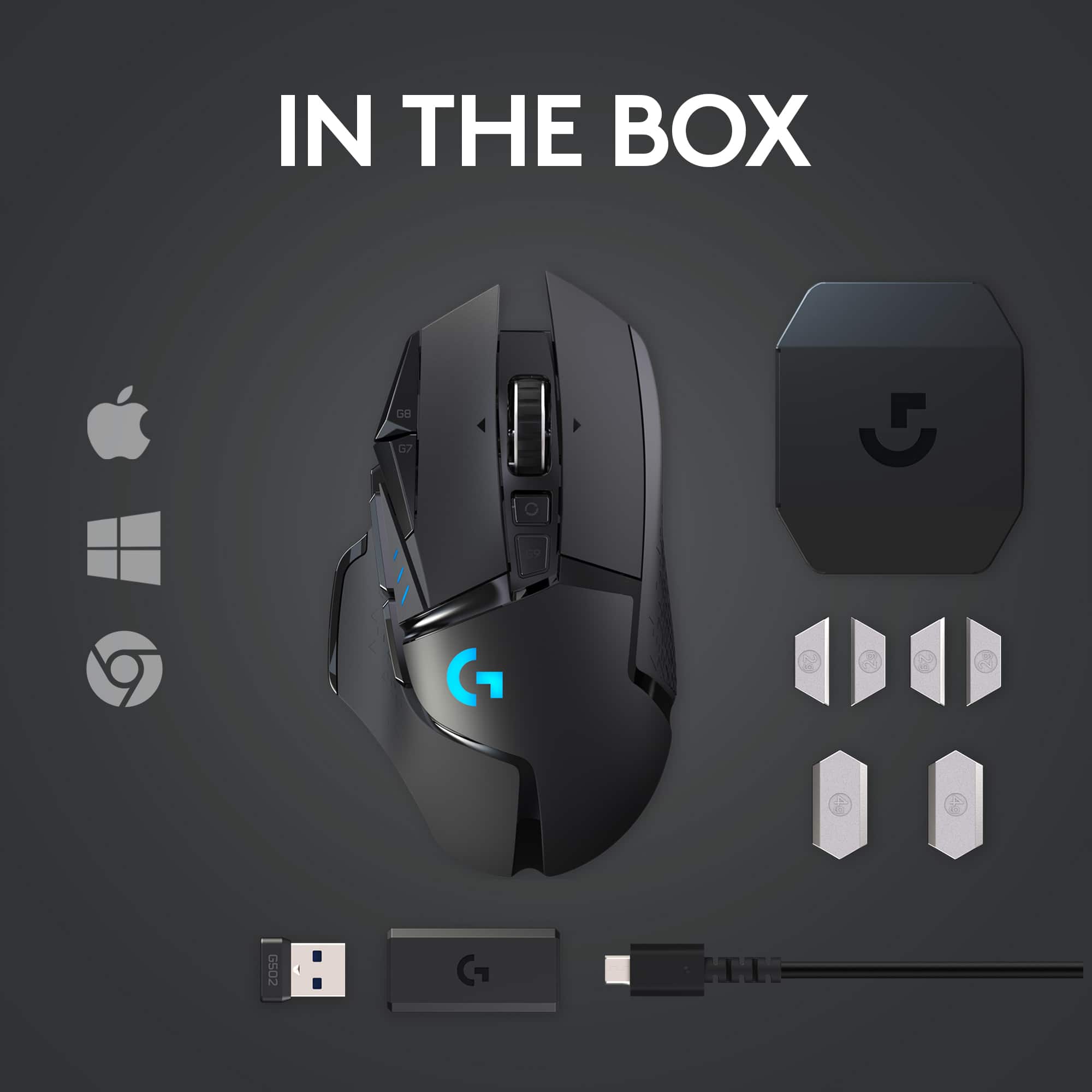
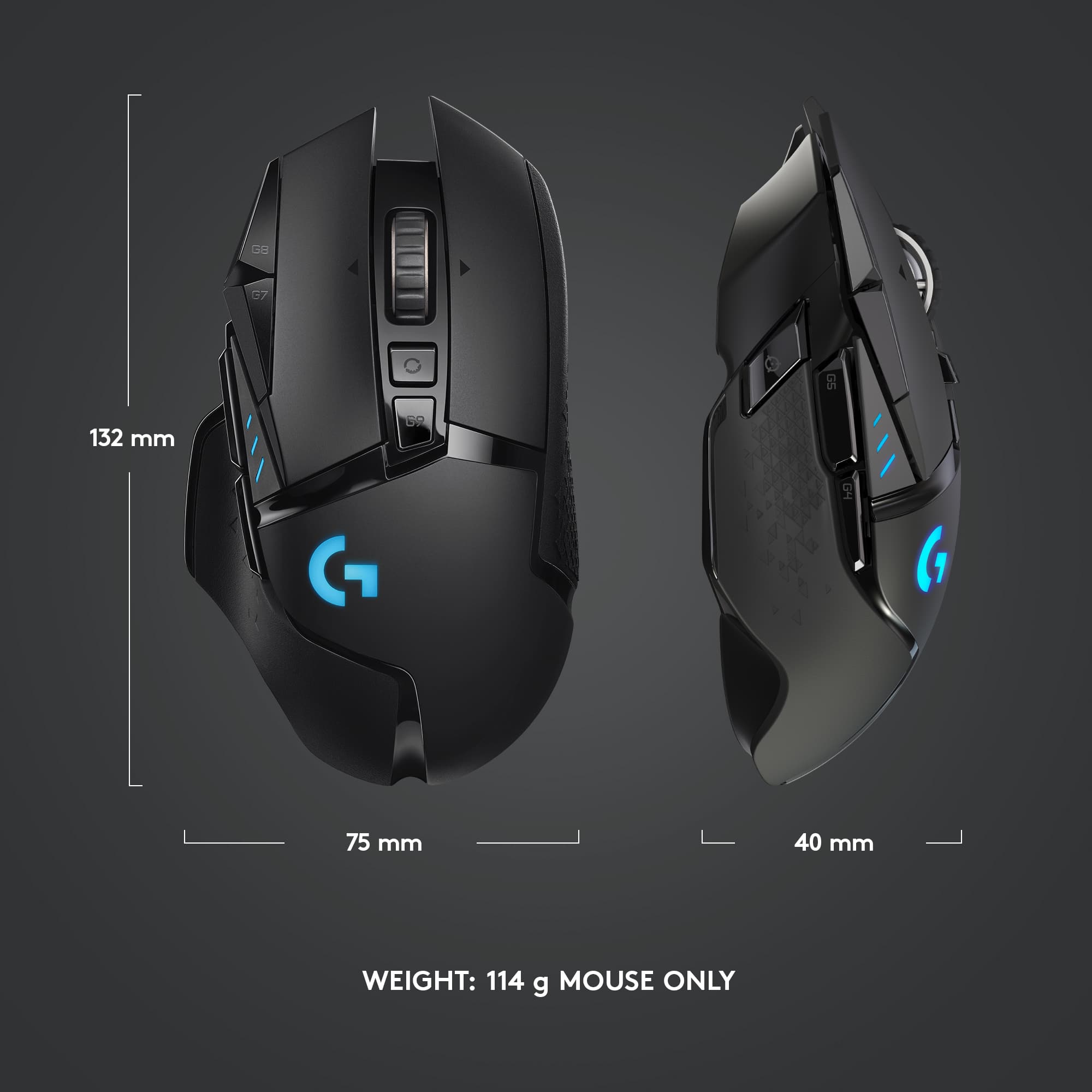
||Posted .This reviewer received promo considerations or sweepstakes entry for writing a review.It's an awesome mouse. You can program the buttons to your liking, it's got an unlockable scroll wheel, a battery display button, and the 3 programable buttons on the left side. It's a lot heavier than my other mice so it was a little weird getting used to but it was all worth it. It also comes with more weights you can add to it too. The only issue I've had with this mouse in the roughly two weeks that I've had it was breaking in the scroll wheel. It's kinda hard to press out of the box but after about a week of use it gets easier to press. Battery life is good. It can probably last around 25 nonstop hours of use with lights on and around 60 hours with it off. And the Logitech software is really smooth. Everything is simple to set up and bind.
I would recommend this to a friendBrand response from Logitech
Posted .We sincerely appreciate your detailed feedback on the Logitech G502 mouse! It's fantastic to hear how much you're enjoying its extensive customization options, including the programmable buttons, versatile scroll wheel, and the useful battery display. We understand that its weight might have been a slight adjustment initially, but we're delighted it ultimately proved worthwhile, especially with the added flexibility of adjustable weights. We also appreciate your candid comment regarding the scroll wheel's stiffness out of the box and are glad to hear it has improved with use. Furthermore, your positive remarks on the robust battery life and the smooth, user-friendly Logitech software are truly valued, confirming our commitment to delivering a superior gaming experience.

- Pros mentioned:Battery life
Amazing overall performance!
||Posted . Owned for 3 weeks when reviewed.This reviewer received promo considerations or sweepstakes entry for writing a review.Honestly, at first I was a bit weary of this purchase. Previously I had a wireless mouse and ran into problem after problem of connectivity issues and power draining performance. So I got this wireless mouse with high hopes of redemption in my eyes. Great quality build overall, it doesn’t feel like it will fall apart in my hands. Has decent battery run time with all lights on and outstanding run time with them off. Speaking of lights, they’re brighter than I expected and even brighter than my wired G402 that I had before. The auto-off feature is a life saver if you’re like me and never bother to switch it off. It has dual connectivity options so you can use it wirelessly or plug it in to charge while using the wired connection. My only complaint is the charging port is oddly shaped so only certain micro USB chargers fit and I can’t use the same charger I use for my G935 headset. (Also I have a personal bias towards micro USB and would take type-C any day but whatever). Besides that, great mouse and it changed my attitude towards wireless mice thinking they were complete garbage :)
I would recommend this to a friendBrand response from Logitech
Posted .Thank you for your detailed review of the Logitech G502 Lightspeed Wireless Optical Gaming Mouse! We're glad to hear it overcame your initial skepticism about wireless mice with its impressive performance, build quality, and battery life. We appreciate you highlighting both the pros and cons, especially the convenient auto-off feature and the slightly odd charging port design.
- Pros mentioned:Overall performance, Wireless
The G502 is a total winner!
||Posted . Owned for 3 months when reviewed.This reviewer received promo considerations or sweepstakes entry for writing a review.I've been using a G502 (wired) for years now, primarily for gaming, but finally decided to upgrade. Seems weird upgrading to almost the same model, only wireless, but oh no, you'd be wrong! This thing is super smooth! Set DPI's to the same as previous for a fair test run and immediately notices a finesse that was lacking in my older mouse... I just didn't know it. The G502 Lightspeed is my new favorite. I've paired it with the Logitech Powerplay wireless mouse pad (no cord drag and wireless charge of the mouse, even when in use) and my only regret is not having done it sooner. Is it expensive for the pair? Yes. Is it worth it? Absolutely! I'm never going back. For reference, I also have a G903 that I use with my laptop, also a fantastic mouse. I don't think you can go wrong with either one, seems more a preference of feel in the hand more than anything, but for me, the G502 Lightspeed is my jam. PS, I'm old and responsible, I don't run out and buy new flashy stuff every time it comes out, but I do appreciate quality products and that's what you have here.
I would recommend this to a friend - Pros mentioned:Battery life, Weight
Amazing mouse
||Posted . Owned for 1 week when reviewed.This reviewer received promo considerations or sweepstakes entry for writing a review.This is the 2nd purchase I've made of this exact mouse -- this one being for my son, who's also a gamer. The ergonomics, plentiful buttons, and adjustable weight of this mouse are great. Despite its model number, this is truly the flagship of the Logitech gaming mice -- It differs from the G903 in that it is designed for right-handed mousers only (whereas G903 is an ambidextrous design). I will say that the mouse does seem to take a surprisingly long time to charge when plugged in (I don't have Logitech's Lightspeed mousing surface, which would charge it continuously wirelessly), however, the mouse also holds it charge for an amazing duration -- 48/60 h (lighting on/off, respectively). If you're a right-handed mouser, this is the one to get (better feel/design than the G903) -- sorry lefties!
I would recommend this to a friendBrand response from Logitech
Posted .Hi Quaksyx,
Thank you for your five-star review! It is greatly appreciated. Continue to enjoy your device. If you ever need assistance, please contact Logitech Support on the website.
LaShonda from Logitech
- Pros mentioned:Overall performance, Weight
Only mouse I ever buy
||Posted . Owned for 1 month when reviewed.This reviewer received promo considerations or sweepstakes entry for writing a review.Just the right weight I need in my hand when gaming. This is my 3rd pickup of this mouse, not because I needed it but because I refuse to get another mouse for my personal computers and work computers. I’ve always loved the weight adjustments you can do with these. Works perfectly.
I would recommend this to a friendBrand response from Logitech
Posted .Thank you for your kind words! We’re delighted the product is performing well for you. Your feedback inspires us to keep pushing forward.
- Pros mentioned:Weight
The best customizable mouse for any play style
||Posted . Owned for 1 week when reviewed.This reviewer received promo considerations or sweepstakes entry for writing a review.This mouse is probably my favorite and best purchase for my gaming setup, The weight of the mouse can be made light or heavy with a little weight that can be put into the mouse from underneath. And there are many other features that can be changed such as the scroll wheel lock and the DPI change on the side of the mouse. I personally disable it which allows me to not fat finger the button and all buttons can be configured to your liking with the software that is compatible with the logitech mouse and other devices.
I would recommend this to a friend - Pros mentioned:Battery life, Weight
Good buy if you can afford -excellent gaming mouse
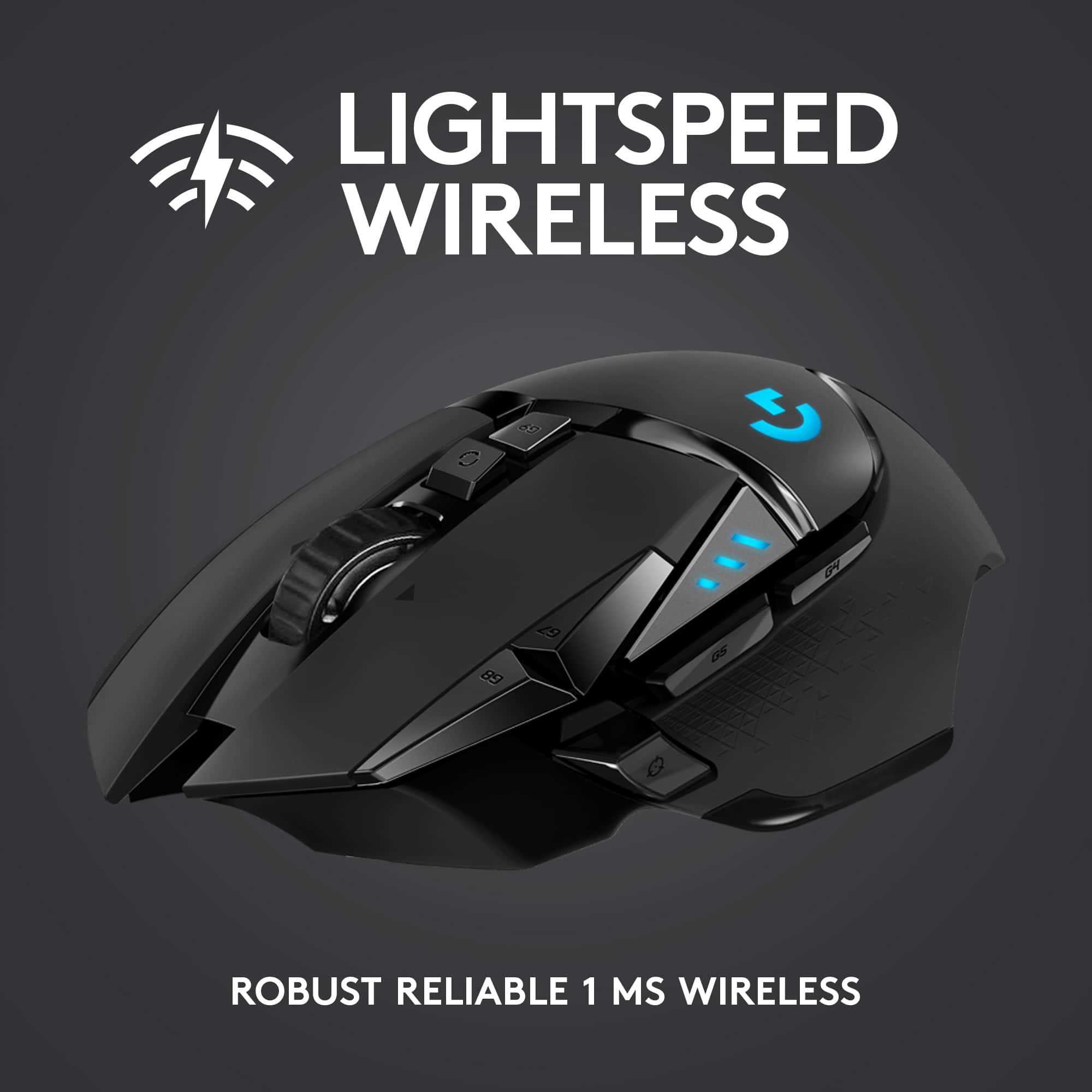
||Posted . Owned for 1 month when reviewed.This reviewer received promo considerations or sweepstakes entry for writing a review.I have used the logitech g502 wired for two years until recently when i purchased the logitech Gpro wireless. The logitech wireless technology is great, it is 1ms response time which is just as good as wired and the battery lasts an incredibly long time and charges very fast. This is true for the gpro wireless and g502 wireless. I purchased a g502 wireless once i realized how much i missed the shape and optional weights of the g502 which the gpro did not have. I use the mouse all the time and even am using it while writing this review. i have had no problems with any logitech mice and this is no different. The ergonomic shape might be a learning curve for some who are used to standard mouse shapes but i love it personally. Would but again, once you go wireless tho, you wont go back i promise! the wire drag from doing hard gamer flicks is really annoying, and like i said the connectivity here (which i will agree i was also concerned about) is very very good.
I would recommend this to a friend - Pros mentioned:Overall performance
Great mouse
Posted .This reviewer received promo considerations or sweepstakes entry for writing a review.Great mouse, super nice build quality and I love how you can customize the weight of it
I would recommend this to a friendBrand response from Logitech
Posted .Thanks for taking a moment to share your experience. We’re so glad the Logitech G502 Lightspeed Wireless Gaming Mouse is working well for you. Your support means a lot and helps us keep improving.
- Pros mentioned:Weight
worth the price
||Posted . Owned for 2 weeks when reviewed.This reviewer received promo considerations or sweepstakes entry for writing a review.got it as a recommendation from the guy who helped me with my computer purchase. he personally uses one and said he has been using it for years. i got it for my husband who designs and is on the computer 8-10 hours a day. he has wrist pain and this fit snug against his palm and made holding it feel natural and not like he needed to hold on to to make it work. the features on it are pretty comfortable to the touch and doesnt feel alien like those otther mouses that seem so abnormal. lightweight. honestly for the price its so worth it. i want to buy one for myself.
I would recommend this to a friendBrand response from Logitech
Posted .Thank you so much for sharing your wonderful feedback! We’re thrilled to hear that the G502 Lightspeed has made such a positive difference in comfort and performance. Your support truly means a lot to us, and we’re glad it’s been a great fit for your husband.
- Pros mentioned:Weight
Excellent Mouse
||Posted . Owned for 2 months when reviewed.This reviewer received promo considerations or sweepstakes entry for writing a review.Hands down the best mouse I've used. Fast response, wireless, light weight witg a pack of weights to customize to your liking, a dpi toggle, and free scroll. All around a great purchase.
I would recommend this to a friend - Pros mentioned:Battery life, Overall performance
Great gaming mouse
||Posted . Owned for 1 month when reviewed.This reviewer received promo considerations or sweepstakes entry for writing a review.Works really well. Charge lasts a while and the customizable weight is really nice
I would recommend this to a friendBrand response from Logitech
Posted .Thank you for the positive feedback on the Logitech G502 Lightspeed Wireless Optical Gaming Mouse! We are glad to hear that it works well for you, the charge lasts a good amount of time, and that you appreciate the customizable weight feature.
- Pros mentioned:Battery life
Ultimate mouse for gaming and functionality
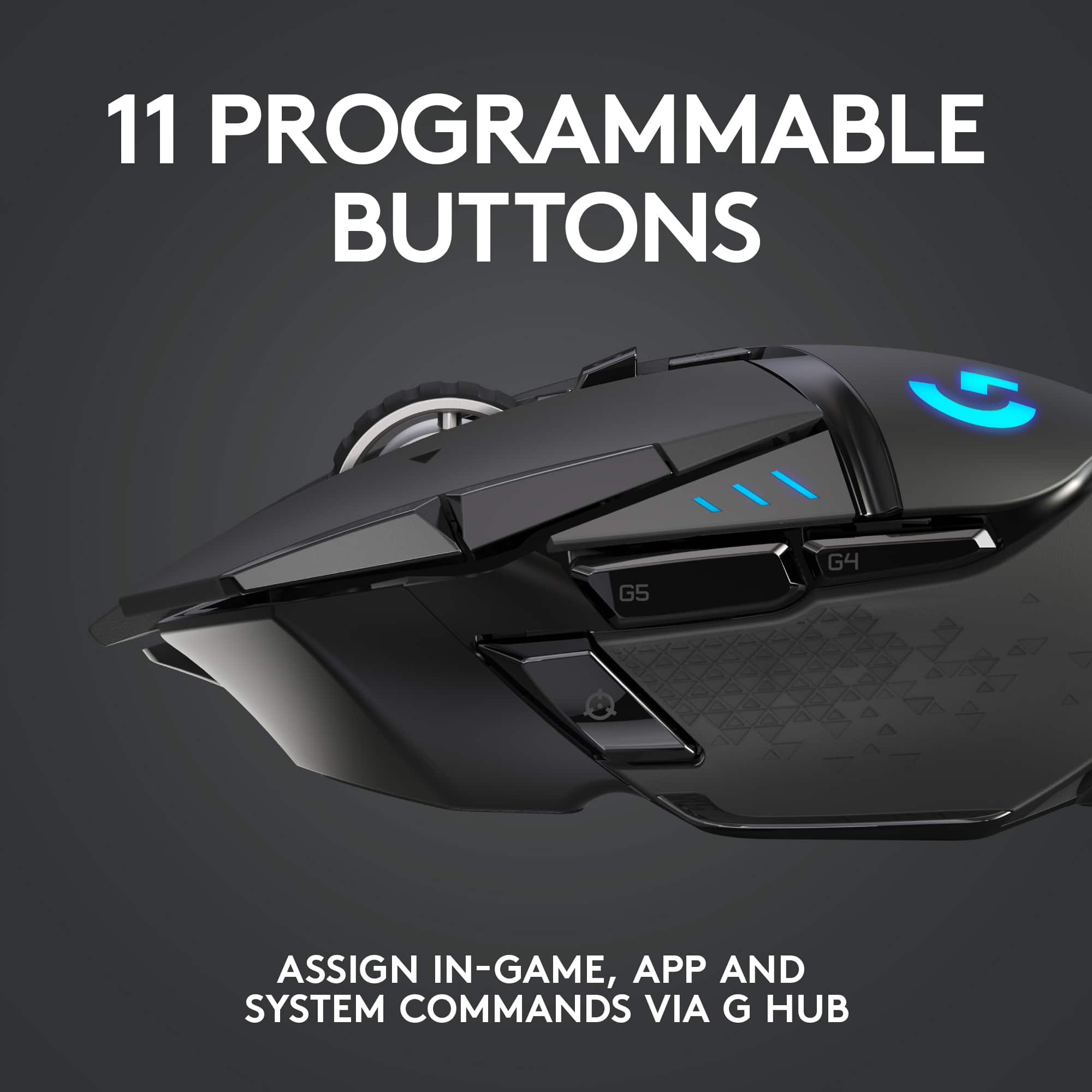
||Posted . Owned for 3 weeks when reviewed.This reviewer received promo considerations or sweepstakes entry for writing a review.Was skeptical about buying this mouse reading other reviews about the double clicking but never ran into the issue the 11 buttons are worth the money the ability to change dpi on the fly is game changing for FPS shooting games or even regular use the infinite scroll wheel is nice for browsing the web and the sniper button on the side to slow down to a lower dpi helps alot when wanting precision the RGB customization is a nice feature and the case for the mouse adapter has weights if you ever want to change the weight of your mouse battery life is great with couple hours of use a day I have to charge it once every 2 weeks even when its plugged in its feels very precise
I would recommend this to a friend - Pros mentioned:Battery lifeCons mentioned:Size
Best mouse everrrre
||Posted . Owned for more than 2 years when reviewed.This reviewer received promo considerations or sweepstakes entry for writing a review.This mouse is by far the best mice I had. Has a comfortable shape to it, the scroll wheel feels amazing. easy to use the program to change and customize settings. The life on the mouse is ridiculous great, I’ve charged it probably 5 times total using it since purchase. I have fairly small hands so I wish it was slightly smaller, but nonetheless feels great in my hand. 10/10 would recommend
I would recommend this to a friend - Pros mentioned:Battery life
Comfy and customizable
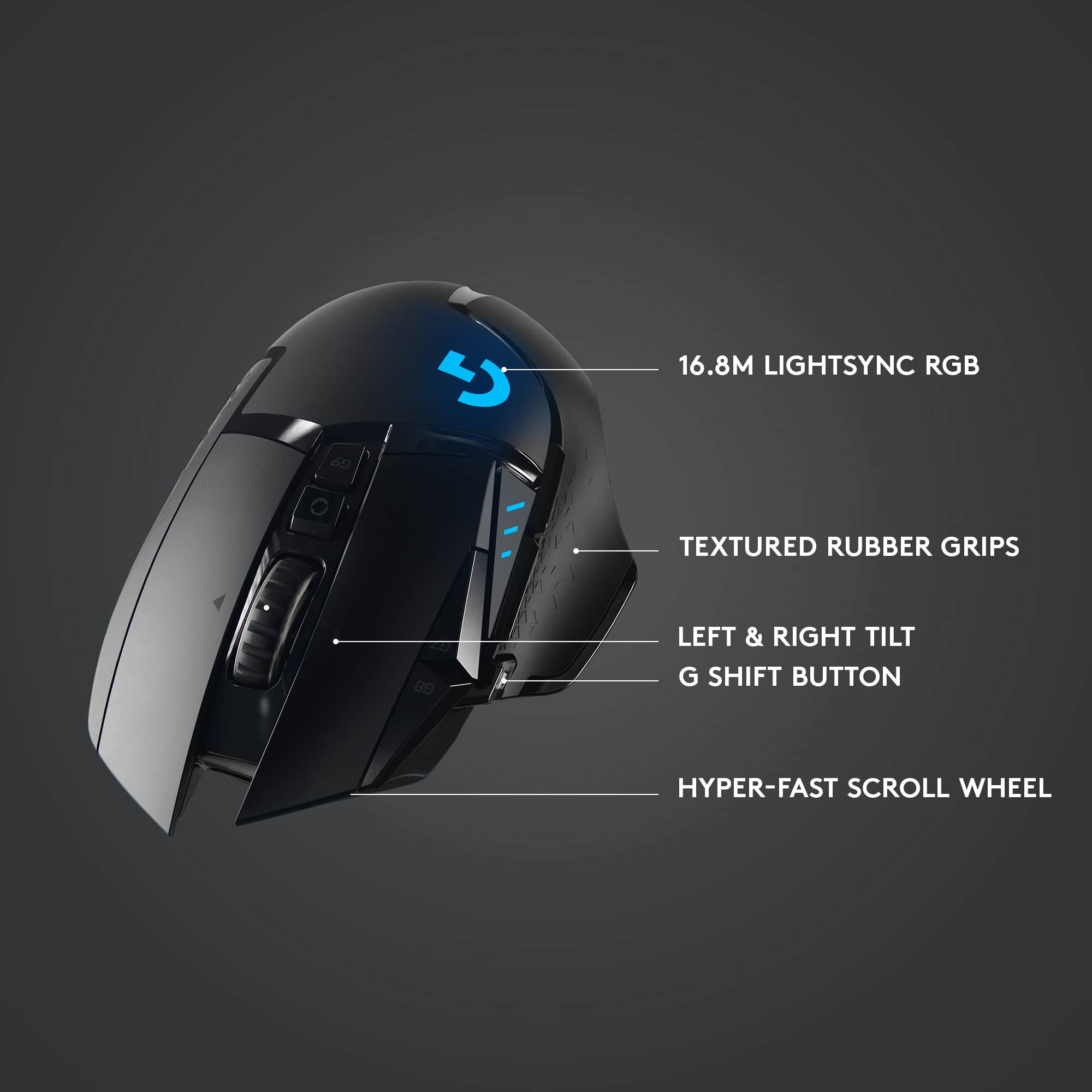
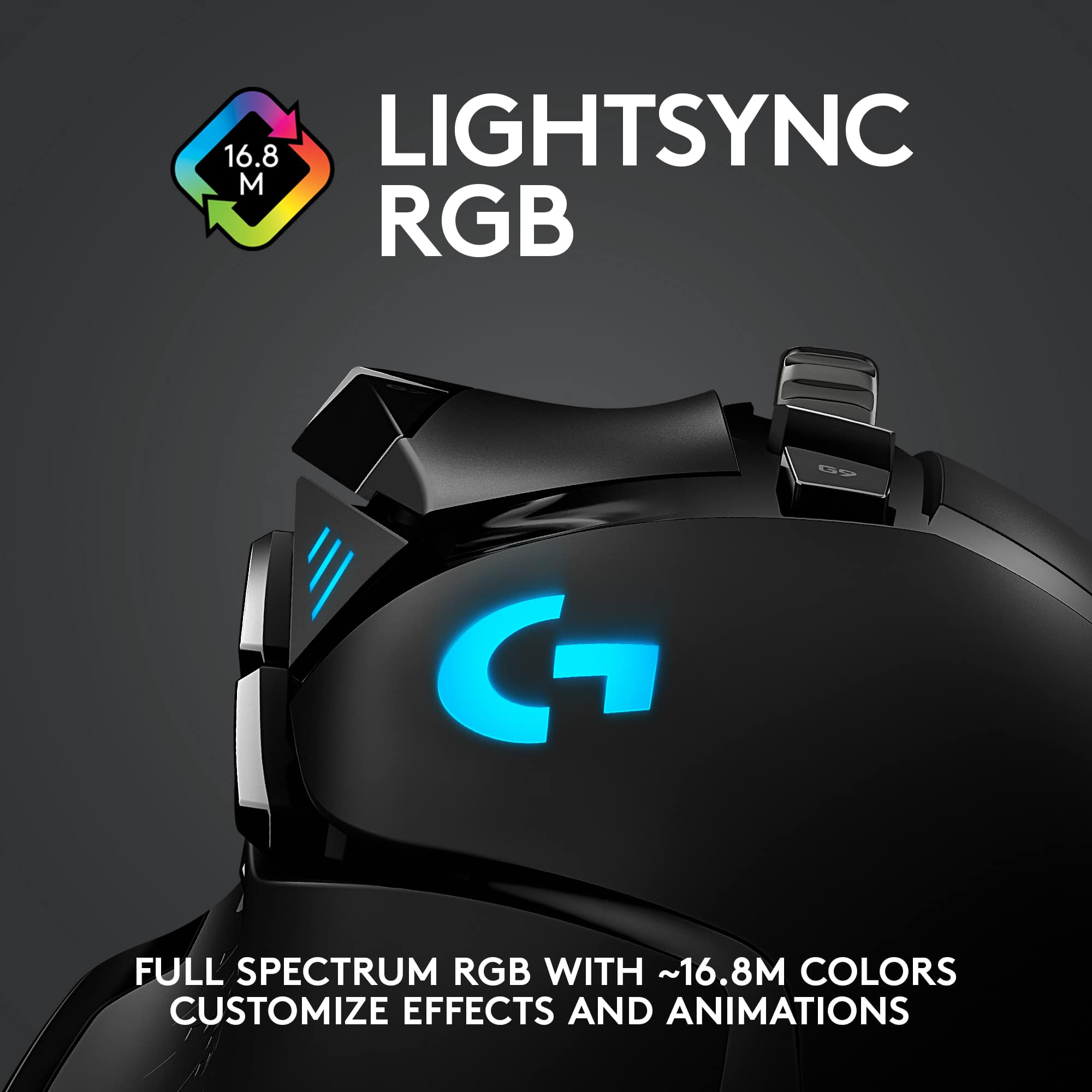
||Posted . Owned for 10 months when reviewed.This reviewer received promo considerations or sweepstakes entry for writing a review.Amazing, best wireless mouse for features, and performance. With 2 customizable RGB lighting zones, dedicated sensitivity switching buttons, an unlockable scroll wheel, and a “sniper button” this mouse feels great in the palm, and has great battery life. Features can be customized in the Logitech G HUB software, allowing for maximum personalization. I’ve used this mouse for almost a year now, and one of my favorite parts is the custom fit USB charging cable, so that it doesn’t get loose over time. Watch my review here for more information https://youtu.be/sNweGkRJMN8
I would recommend this to a friend - Pros mentioned:Battery lifeCons mentioned:Software
Good mouse
||Posted . Owned for 1 week when reviewed.This reviewer received promo considerations or sweepstakes entry for writing a review.Pros. Great battery life and a strong signal. The software is minimalist if that's your thing. Nice understated RGB lighting if you don't like that. Cons. It could be easier to find the options in the software. Uses the old micro-b USB plug. Thinking about getting the mousepad so it is always charged and I can get one more stray charging cable from my setup.
I would recommend this to a friend - Pros mentioned:Battery life
"Logitech G502 Lightspeed Wireless: Precision, Spe
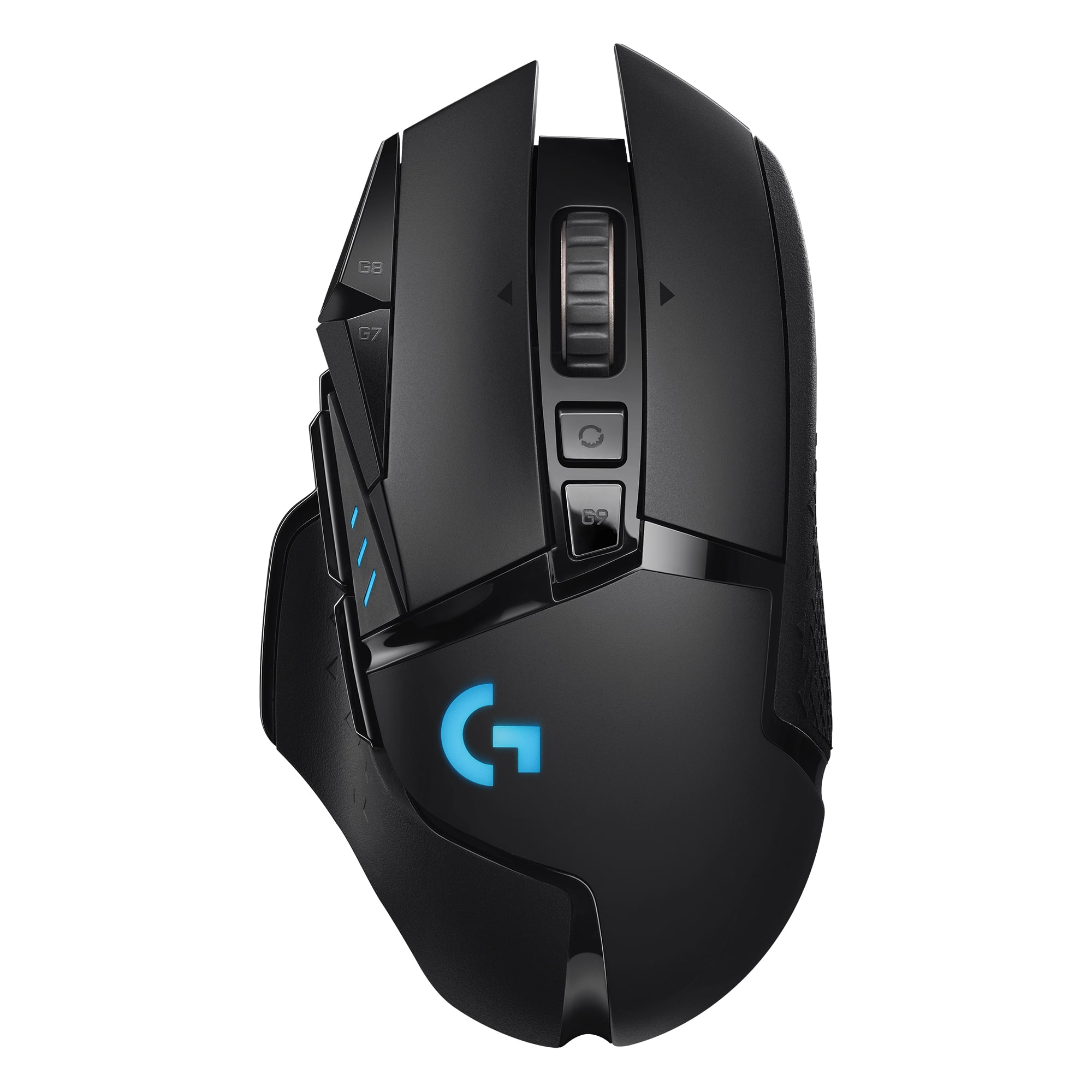
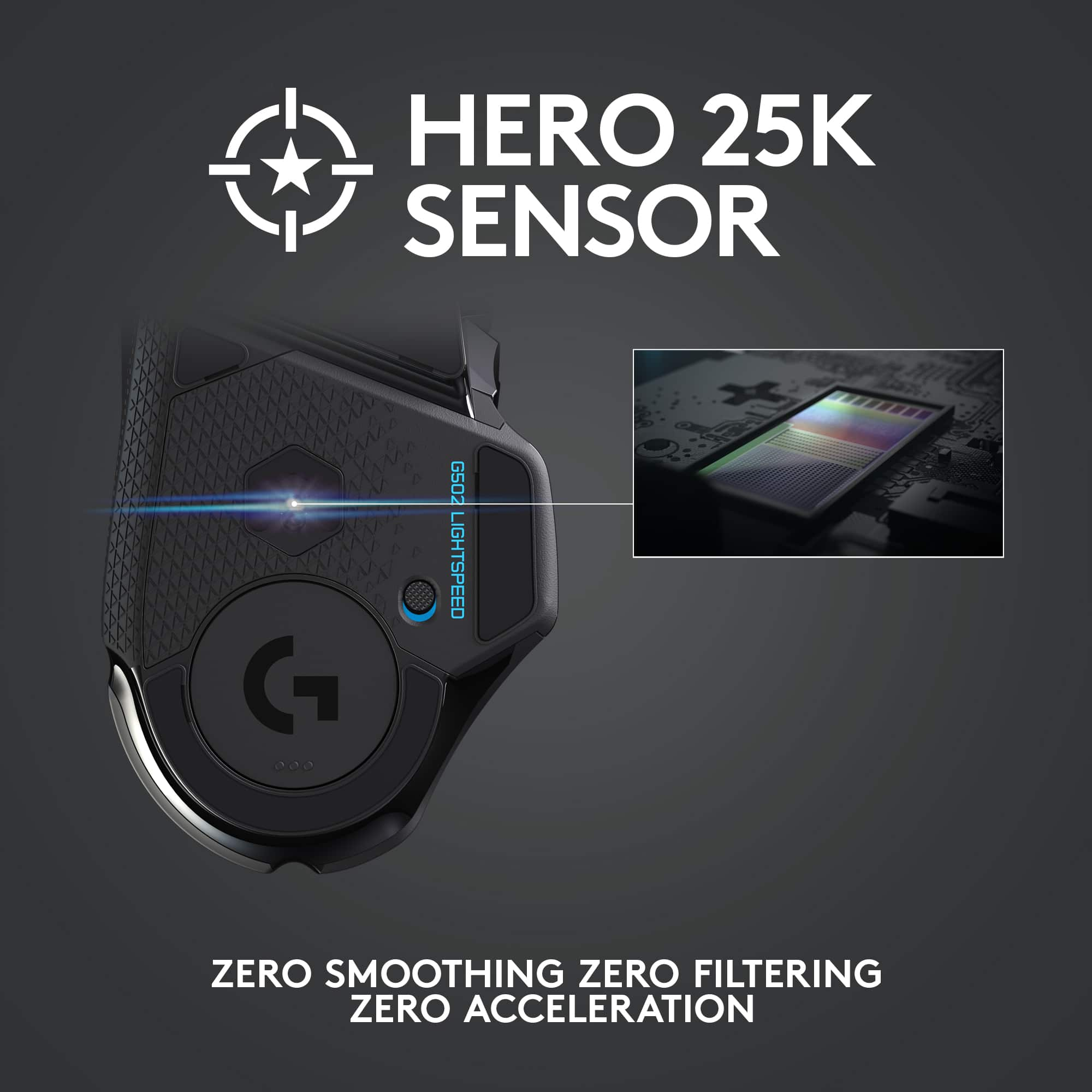
||Posted . Owned for 1 month when reviewed.This reviewer received promo considerations or sweepstakes entry for writing a review.The Logitech G502 Lightspeed Wireless is a high-performance gaming mouse designed for gamers who demand precision, speed, and customization. Here are some key features of the G502 Lightspeed: 1. Wireless connectivity: The G502 Lightspeed uses Logitech's Lightspeed wireless technology, which provides a fast and reliable connection with a response time of just 1ms. It also has a range of up to 10 meters, which gives you plenty of flexibility to move around. 2. High-precision sensor: The G502 Lightspeed is equipped with Logitech's HERO 25K sensor, which is capable of tracking movement at speeds of up to 400 inches per second with pinpoint accuracy. This makes it ideal for fast-paced games that require quick reflexes. 3. Customizable weight and balance: The G502 Lightspeed comes with five 3.6g weights that you can add or remove to adjust the weight and balance of the mouse to your liking. This allows you to fine-tune the mouse to your specific gaming preferences. 4. Customizable buttons and lighting: The G502 Lightspeed has 11 programmable buttons that you can customize using Logitech's G HUB software. You can also customize the RGB lighting to match your gaming setup. 5. Long battery life: The G502 Lightspeed has a rechargeable battery that provides up to 48 hours of gameplay on a single charge. You can also use it while charging with the included USB cable. Overall, the Logitech G502 Lightspeed Wireless is a high-quality gaming mouse that offers fast and accurate performance, customizable features, and long battery life. It is ideal for gamers who demand precision and control in their games.
I would recommend this to a friend My go-to mouse with my work and personal laptops
||Posted . Owned for 1 year when reviewed.This reviewer received promo considerations or sweepstakes entry for writing a review.I thoroughly enjoy using this mouse and appreciate that is is reliable and also versatile. The ability to adjust the way scrolling is experienced so it’s more fluid and quick, or more mechanical and not so easy to scroll too far down to quickly based on you’re needs at a given moment is great. I also like how it can be used wirelessly and wired (great when it needs to charge while using it and how the charging port is located in a place where using it while connected via the cord is not cumbersome or inconvenient, when used wirelessly, the range on the dongle used to connect wirelessly to a device is more than enough; I’ve used mine with my platoon. Connected to a TV across the room from me instead of basically right beside me with no issues or lag. I have used it with my Lenovo Legion 7i Slim and with my previous work issued laptop which was a Dell Inspiron line, and now my newest work laptop which is a Lenovo ThinkPad P1 Gen7 and it has worked flawlessly with all of them. Definitely suited for gaming or daily general/business use. Also like how the usb dongle has a nice storage spot in the bases of the mouse under a magnetic cover that is firmly held in place and doesn’t just pop off at the slightest sudden impact from a fall. Can’t go wrong with this mouse at all.
I would recommend this to a friendBrand response from Logitech
Posted .We’re so pleased to hear you’re satisfied. Your input helps us continue to build products that people love. Thanks for being part of our journey.
- Pros mentioned:Battery life, Weight
An Indulgence, but very worth it
||Posted . Owned for less than 1 week when reviewed.This reviewer received promo considerations or sweepstakes entry for writing a review.This is Logitech's follow up to their very popular wired version of this mouse. I am very happy with this mouse and have it paired with a g915 keyboard (which I also recommend). The battery life is great. The RGB is tasteful and not over done. There are a load of programable buttons on this mouse that you can easily program with the software, which is intuitive and easy to use. It comes with weights that you can optionally put them into the mouse to make it heavier if you like. I personally haven't tried them as I liked the feel of it coming out of the box. I would recommend this mouse to anyone on the fence who is considering it.
I would recommend this to a friend - Cons mentioned:Software

Great hardware ... software is a nightmare
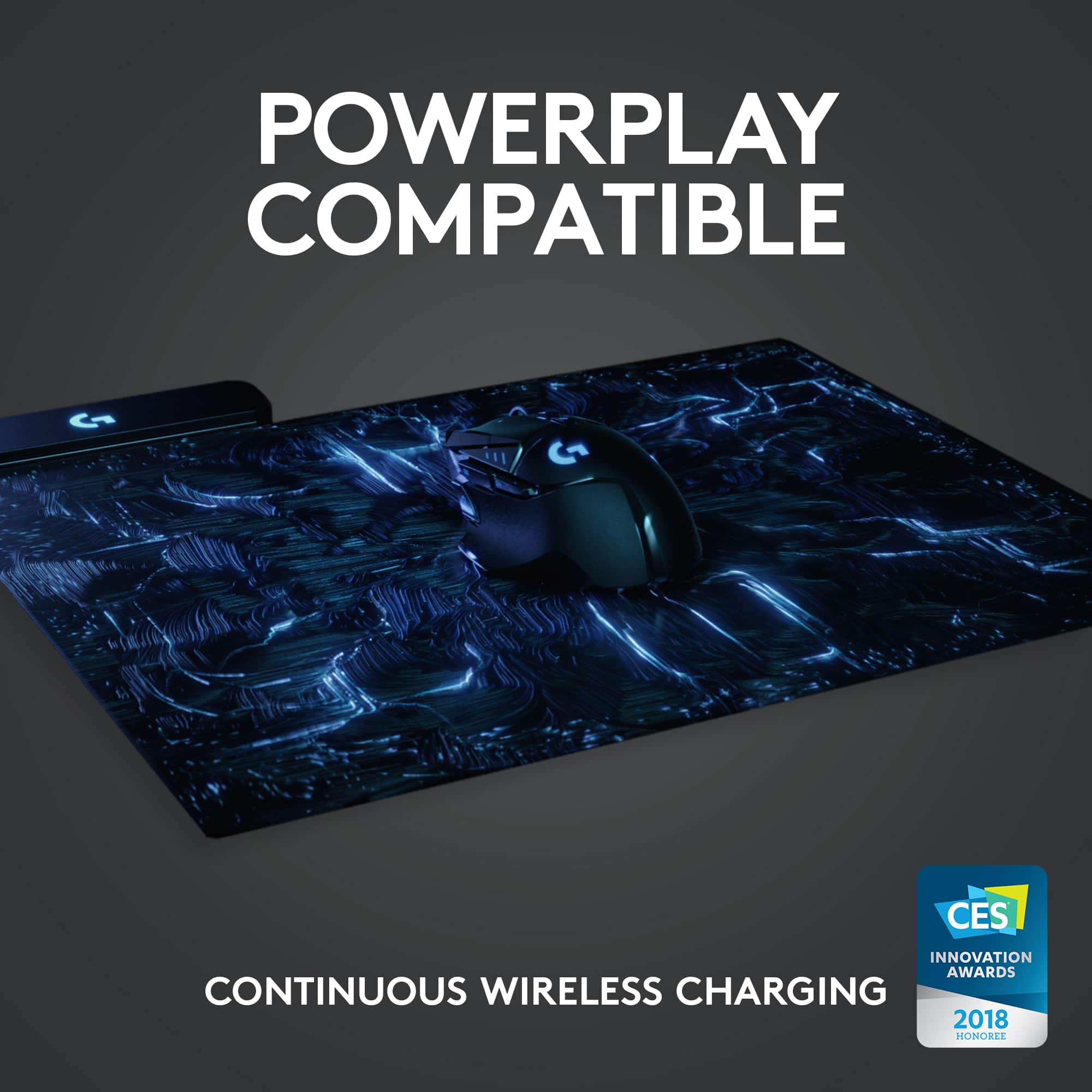
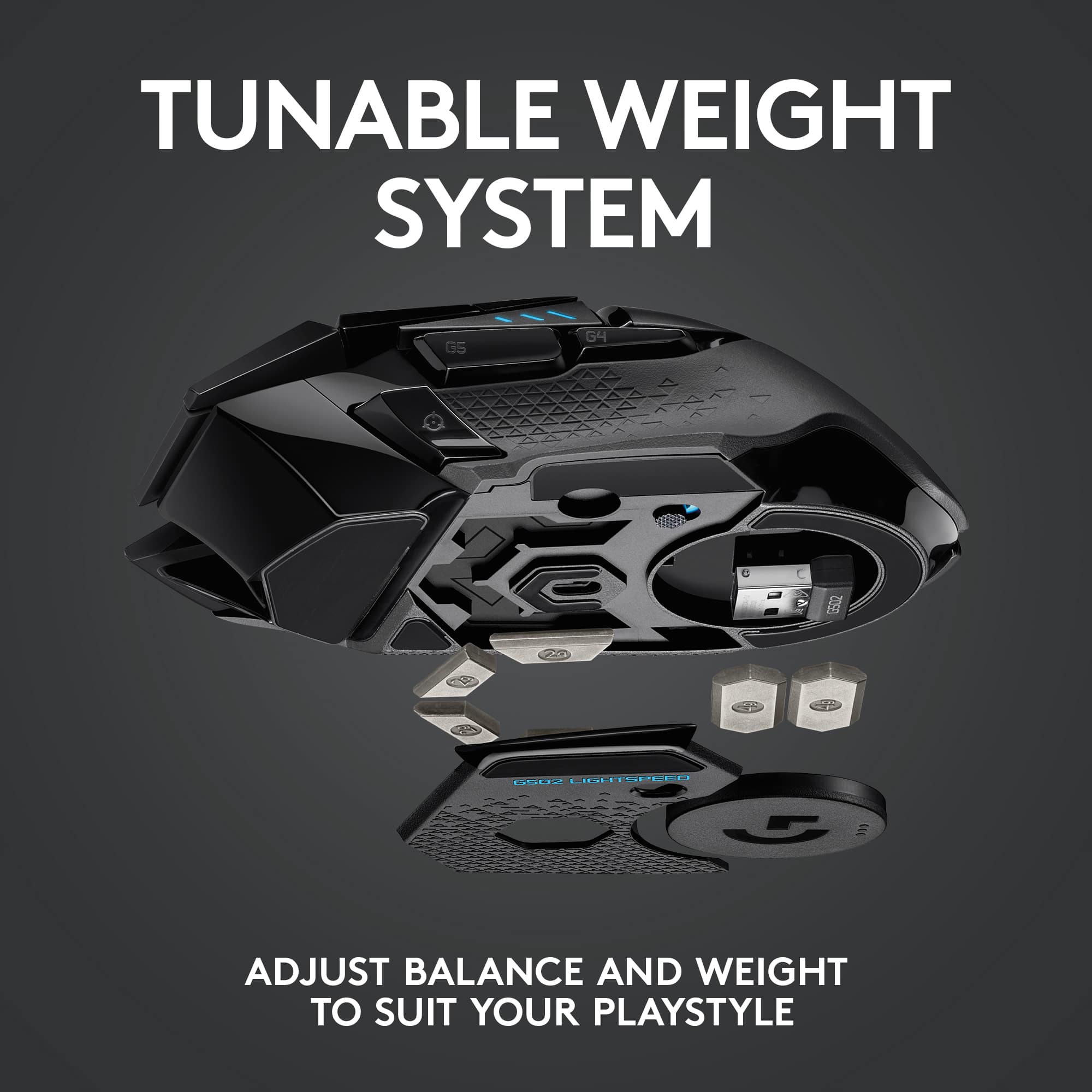
|Posted .This reviewer received promo considerations or sweepstakes entry for writing a review.Preface – I’d like to take moment and discuss some aspects of this Logitech – G502 Lightspeed Wireless Optical Gaming Mouse review that are directly related to the device but considered ‘ancillary” in the bigger scheme of things… My review package came with the Logitech Powerplay RGB, wireless charging enabled mouse pad. And due to the nature of where Logitech is moving with their products, you are now required to convert from the LGS (Logitech Gaming Software) to what is called the G Hub. G Hub provides device control, macro control and profile control. For the newest of hardware, you are required to install this software to initialize, maintain and control your gear. The problem is that this software is fraught with issues. I’ve attached photos below that directly effect the operation and control of the G502 Lightspeed mouse. I’ve confirmed that these issues occur with Windows 10 version 1809 and the newly released ‘Features’ May 2019 update, version 1903. Unless Logitech addresses issues with the software – that glues their new ecosystem all together – there is going to be some major blow-back from the consumer base. I’ve tried uninstalling and reinstalling the software several times and on different machines and Windows error events and device detection issues are easily replicated. There is also a good number of reports on the Logitech community forums that correspond to similar findings. With this out front, I still have a fair amount of info to cover with respect to the G502 Lightspeed mouse… Presentation - The G502 Lightspeed is physically well designed and although the numbering scheme seemed a bit perplexing at the beginning, I think I’ve come to understand why it is what it is. Coming from a G903 wireless mouse, it didn’t seem logical why this lower numbered offering even exists. But when you stop and consider the sensor upgrade plus the weight customization, and the fact that the G502 wired mouse is such a popular model – it all starts to make sense. Where the G903 is an ambidextrous design, the G502 is targeted towards right handed operation. With the G903, you forfeit the extra weight option to install the wireless ‘puck’ needed to interoperate with the Powerplay wireless/charging pad. On the G502, you do lose some of the tail end weight optimization in exchange for the wireless puck (disc) but you get to keep the option for loading (or not) weights located in centered compartment. That’s a big improvement/enhancement over the G903. Other than this, the overall ‘packaging’ is Apple-like and gamer oriented. No complaints there. Initial Setup - So here’s where it gets a little complicated. The G502 Lightspeed comes with a USB cable, so if one prefers, they can skip going wireless all together. You then have the option of running wirelessly by way of using the provided wireless dongle. When I tried to install the G502 Lightspeed using the USB cable, the prior version of G Hub didn’t recognize the presence of the device. When I switched to the wireless dongle – the results were exactly the same. I proceeded to check if there was an update for G Hub from the Logitech website and in fact there was. When I installed it, not only did the software still not recognize the presence of the G502 Lightspeed mouse – but all my profiles from my Logitech “G” Carbon keyboard and “G” gaming headset were discarded even though that installation process acknowledged the existing profiles and asked if I want to import them. So that’s a double-headed monster of failure. No device detected and profiles wiped through the installation process. I finally did a complete uninstall of the G Hub with Revo Utilities and upon reinstallation, the G502 Lightspeed was now recognized. Why? I am not sure. This is NOT how plug & play is supposed to work. Moreover, I’ve been using G Hub for my other Logitech devices pretty much without a hitch for 6+ months. So why this particular mouse is having ‘back end’ issues is beyond me. Two of the other pictures attached show the Windows error event that repeatedly and consistently occurs with the latest version of the G Hub software. These events are not tied specifically to the G502 Lightspeed mouse but are noteworthy in that G Hub is the glue that is supposed to keep the ‘ecosystem’ working together and the previous versions of G Hub don’t exhibit these malfunctions. So it’s really a Catch 22. You can’t skip using their software when you purchase this mouse – but you can’t rely on older versions that were essentially stable. Options disappear and reappear with no rhyme or reason – key features like enabling wireless charging to the G502 Lightspeed on the Powerplay mouse pad and enabling/disabling light features on the G502 Lightspeed itself come and go in the control panels. Something is seriously amiss with this software and ultimately highlighted by the one photo that reports the existence of “Back End Connection Problems”. I’ve not encountered this particular error message on any previous version of G Hub or LGS. Performance - Now that I’ve tried to cover the important software integration side of this product, I will move on to discuss the device performance exclusive of the software issues. The mouse feels well balanced, the range of adjustment to the overall weight from underneath is a big step-up from the G903 – even if you snap in the wireless charging puck. I believe most gamers sensitive to weight control will appreciate the flexibility of this mouse. Glide, surface precision and button feel are all outstanding on this device and perform equally to it’s wired counterparts and the G903. With all four weights installed, I personally feel that the tactile response of the G502 Lightspeed is superior to the G903 – no matter if I am gaming on cloth or a hard game pad surface. I’ve always like the G502 wired counterparts for their ergonomics and can see why Logitech went full wireless on this new release. From a purely hardware point of view vs. other products – it’s a good, customizable, high performance mouse. I also don’t get the increased DPI capability of this mouse because in my experience, pushing DPI response past 6200 results in a rather jumping environment. Summary - It’s hard to avoid the obvious here – but the software integration ruins the experience. I was considering yet hesitant to drive the overall score down to 1 or 2 stars because of it but have since decided that in all fairness – and with the hope that Logitech will resolve the G Hub software issues (which there are many to correct…) – I will award this product 3 stars due to all the compelling upgrade reasons covered in my ‘Performance’ section and due to the mere fact you can go around the software issues via installing, setting up your device, enabling the saving of the device settings to its internal memory and then uninstalling the G Hub... for the interim. Pros: Clean lines and a winning formula in terms of ergonomics. Well balanced footprint, with good range of weight customization – with & without the use of the wireless charging puck. The RGB lighting accents are targeted and not ‘over the top’ like many other RGB designs. Glide, surface precision and buttons all feel premium and perform like you’d expect from Logitech. The dedicated ‘step-down’ DPI button is great for sniping and I prefer the location of the button over that of the G903. YMMV Cons: First and foremost – unacceptably poor implementation of the G Hub software, starting from device installation, to the clobbering of prior profiles and subsequently with repeatably consistent Windows error events and glitchy option panels within the software – something is terribly amiss with this software. I did reach out to Logitech through the provided, product reviewer contact address but only received a response from their general technical support team a few days later. They didn’t provide any helpful information. No-what-I-expected…
No, I would not recommend this to a friend