Customer Ratings & Reviews

- Model:
- 910-005565
- SKU:
- 6333841
Rating by feature
- Value
Rating 4.5 out of 5 stars
- Quality
Rating 4.8 out of 5 stars
- Ease of Use
Rating 4.8 out of 5 stars
Customers are saying
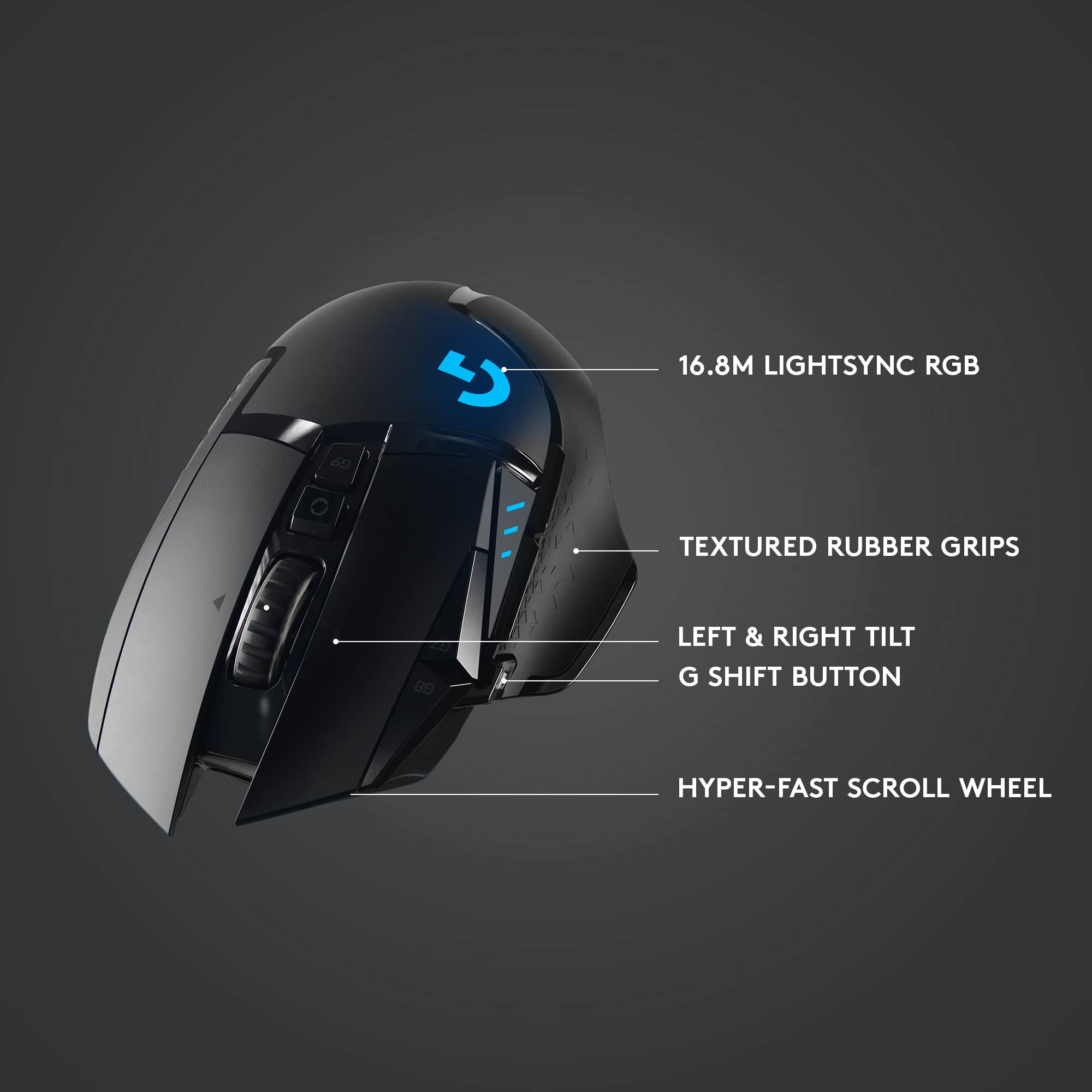
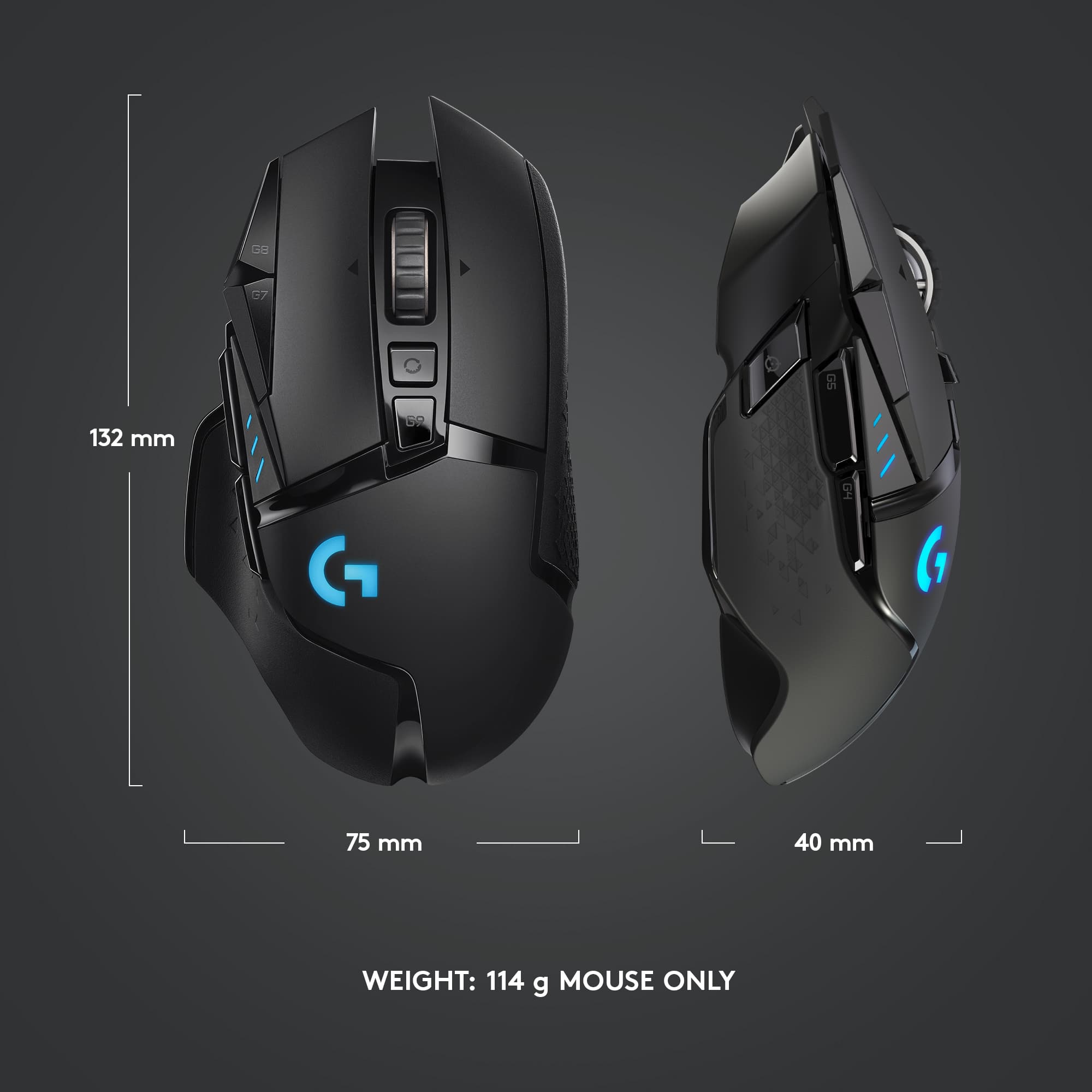
Customers admire the G502 Lightspeed Wireless Optical Gaming Mouse for its excellent battery life, lightweight design, and reliable wireless connectivity. Many users appreciate its overall performance, comfortable feel, and customizable buttons. While some find the price to be a drawback and the software interface confusing, the mouse is generally praised for its responsiveness and features like the infinite scroll wheel. The adjustable DPI and RGB lighting are also well-received.
This summary was generated by AI based on customer reviews.
- Pros mentioned:Overall performance
Logitech g502 wireless review
Posted .This reviewer received promo considerations or sweepstakes entry for writing a review.If you are debating between the razer basilisk and this mouse I would say it is very well made, and a really good mouse. I felt it was a bit better quality (coming from someone who has been using a razer mouse) and am overall happy with the purchase. If it was a bit cheaper it could’ve been a bit more worth it as it is a bit pricey.
I would recommend this to a friend - Pros mentioned:Comfort
Great gaming mouse
Posted .This reviewer received promo considerations or sweepstakes entry for writing a review.One of the best gaming mice I've used. Comfortable, responsive. Would definitely recommend.
I would recommend this to a friend Near perfect.
Posted .This reviewer received promo considerations or sweepstakes entry for writing a review.Let’s be realistic. It’s a fantastic gaming mouse. Revival of the G502 Hero which is many gamers’ favorite grip style and button layout, functional for most conventional gaming. I really wish it was Bluetooth compatible but it’s not. I want this exact mouse with Bluetooth so it can be a true wireless gaming mouse (I’m willing to sacrifice DPI). Software is easy to use. I tried all the mice on display in store. The click and built quality just seemed a lot precise and better with Logitech. Im a razer 15 owner I was drawn To get a matching razer mouse but testing some out in person at the store, Logitech seemed better choice if I was throwing money for a high end mouse. I use Microsoft controller for most PC gaming especially FPS cuz I prefer it that way. This G502 lightspeed is getting me addicted to gaming with a mouse again. Playing with it is extremely satisfying.
I would recommend this to a friend- Pros mentioned:Overall performance
Great Mouse
Posted .This reviewer received promo considerations or sweepstakes entry for writing a review.Very nice mouse. Lots of customization. Great quality
I would recommend this to a friend Great mouse
Posted .This reviewer received promo considerations or sweepstakes entry for writing a review.This mouse has lots of buttons to bind to your gaming settings and very easy to set up, I would recommend buying this mouse if you are looking for a good gaming mouse.
I would recommend this to a friend
A+ on the hardware, Big F- on the software
|Posted .This reviewer received promo considerations or sweepstakes entry for writing a review.If it wasn't required to switch to G Hub for the Lightspeed G502 it would have been a perfect upgrade. But since it's forced it goes from a near perfect execution to a pretty interface that takes more clicks and less intuitive than the "ugly" interface of the LGS. Having a cordless version of what is one of the most popular mice for gamers is something a lot of people have been waiting for. All the goodness of the the G502 Hero but wireless with no lag! Who could ask for more...and to put it bluntly, WHO ASKED FOR MORE???? Logitech ruined a perfect piece of software package to throw a buggy "prettier" version for the newer product models. Since this program is essential to the mouse you're forced to deal with it. First problem: Long time user of Logitech mice so I have a large collection of macros, 5 profiles, multiple custom key combos, etc. G Hub asks if you want to import your settings from the old LGS and, of course, I clicked yes... it didn't import anything as far as I could tell. Maybe it pulled a few custom key combos like Ctrl+Tab and Ctrl+Shift+Tab for switching tabs in browsers since I saw them in the Key Assignments (not sure if they're in there by default). But nothing else was imported. Even the Default setting wasn't the same as my default in LGS. No macros, no profies, NOTHING was imported. In the older LGS you made profiles - I had about 5 for various games and programs - the assign applications/games to each of the profiles. In G Hub you add programs then make individual profiles assigned to the apps/games. So what was previously 5 profiles with dozens of apps assigned is now a long vertical list of apps/programs with profiles assigned to each. There is no way I see to make a profile link across multiple apps/games. Suppose you change what key assignments you want and plan to do it across multiple games. It's not as easy as just editing the profile assigned those groups of games. You have to go to the first game, make changes, drag that profile to the next game, click the profile to make it the default, go back to the profile page (you can't make the profile the default profile with out going the customization page first -automatically does it when you click it to set it as defualt-, then go back to the profile assignment pages). Repeat for every app/game. This used to take one step. Edit the profile, all games assigned the profile are now updated. Each app has its own set of profiles. Any change will not affect the other profiles. In order to easily assign profiles by dragging and dropping you make a clutter of profiles. I have a "Default" (that I can't set o MY PERSONAL DEFAULT PREFERENCES across all profiles to make specific tweaks easier) plus My profile. You'll see the clutter when you edit profiles and see a long dropdown of apps and profiles in the profile editor page. Macros are also not shared between Apps and App Profiles. If you have a macro you want to use in multiple games, you make it in one then drag that macro to the other App, then add it to the profile assignment. Again, another multi-step process that only used to take one. I use my G502 for work and play and some programs (like Adobe CC) have pretty common settings across apps, so having to go through multiple steps to achieve what I used to do it one is a pain, especially since I can't see my old settings and I have to keep going back and forth making changes as I remember them. And talk about buggy! I have an app called "No Longer Installed" that I can't get rid of. Heck I have an app that is installed that I can't get rid of. A game I play had and update and they renamed their EXE so I removed the old app and added the new one. G Hub goes wacky and becomes unresponsive when trying to delete apps from the list. I have to force quit and relauch... I even rebooted to see if it'll fix it but no-go. So I have to deal with the fact that until an update comes around I'm gonna have ghost apps taking up space in my profile bar, which would be so bad if the add new app wasn't the last entry in the profile page. Since now I have dozens of apps in the list I have to scroll to the end of the list to get to the Add App button. Another negative is there is no option to back up your profiles locally. I learned a long time ago to back up my profiles in LGS and G Hub doesn't have the option. There's an option to save to the cloud as long as you create an account, but I don't care about sharing with others. The first time had to spend hours of recreating macros, preferences, etc was the last time I thought I'd have to do it since I could save my profiles locally. G Hub doesn't have that option and since it can't successfully import old settings YOU MAY SPEND HOURS setting your system back up. I did (am still doing). And since you have G Hub installed you can't open LGS to look at old macros and setting to copy them. You're going all from memory. Good thing is that after you spend hours of setting everything up you won't have to worry about having to do it again and (hopefully) they'll address some of these issues in the future. I would have written more about the mouse itself if it weren't for the poor experience on the software. Pretty much, if you love the G502 series you'll love the wireless version, but you gotta deal with a big downgrade in the software. I'm really considering boxing up the Lightspeed because of this, but I've got a feeling we're all going to forced on G Hub eventually. Seeing as they're making Apps the primary list instead of profiles I'd probably not be wrong in assuming it's being done so they can collect data on your game list/habits to resell. Instead of seeing active profiles, now they're getting "analytics" on active games/apps. As much as I love and wanted the LightSpeed G502 it's sad to see how badly they butchered the software. I REAALLLLYY wanted to give this a 5 star review because to mess up the g502 series mouse they'd have to try hard with the goal of messing something up... and they found a way. If you're willing to spend time doing everything over again and no having access to locally back up your settings then go for it. If you're looking for a smooth transition from your old set up to the new, you can forget it. Write down your settings, macros, profiles, etc before you install G Hub or you'll be doing everything from memory like I have been. If LGS was an option this would have been a perfect experience. If you don't customize your mouse much with macros, profiles, custom keys, and such then upgrading may not be as big a deal as it was for me. This is one of the toughest reviews for me. I absolutely love the new hardware, but why, WHY mess with the software??? Maybe the changes are aimed at different gamers. I could see multiple profiles per game could being useful, but in my case no-so-much. Eventually I'll get used to the new way of doing things and I'll whine less. But coming from years of using LGS to this mess is a transition I wasn't looking forward to, especially since my gaming time last night was wasted recreating settings instead of gaming. Here to hoping the software experience improves... even so, it's hard not to recommend a wireless version of the greatest gaming mouse ever made.
I would recommend this to a friendgreat middle price range gaming mouse
Posted .This reviewer received promo considerations or sweepstakes entry for writing a review.bought this mouse 4 yrs ago and its still going strong, worth the investment, if you are a gamer with heavy clicking and mouse use this is the mouse for you
I would recommend this to a friendBrand response from Logitech
Posted .Thank you for your kind words about the Logitech G502! We're thrilled to hear that you're still enjoying the performance of your G502 after all these years. It is designed to withstand the rigors of intense gaming sessions, and we're glad that it's proven to be a durable and reliable companion for you.

- Pros mentioned:Overall performance
G502
Posted .This reviewer received promo considerations or sweepstakes entry for writing a review.Great product. Love it. Still trying understand settings better.
I would recommend this to a friend - Pros mentioned:Weight
Great Mouse
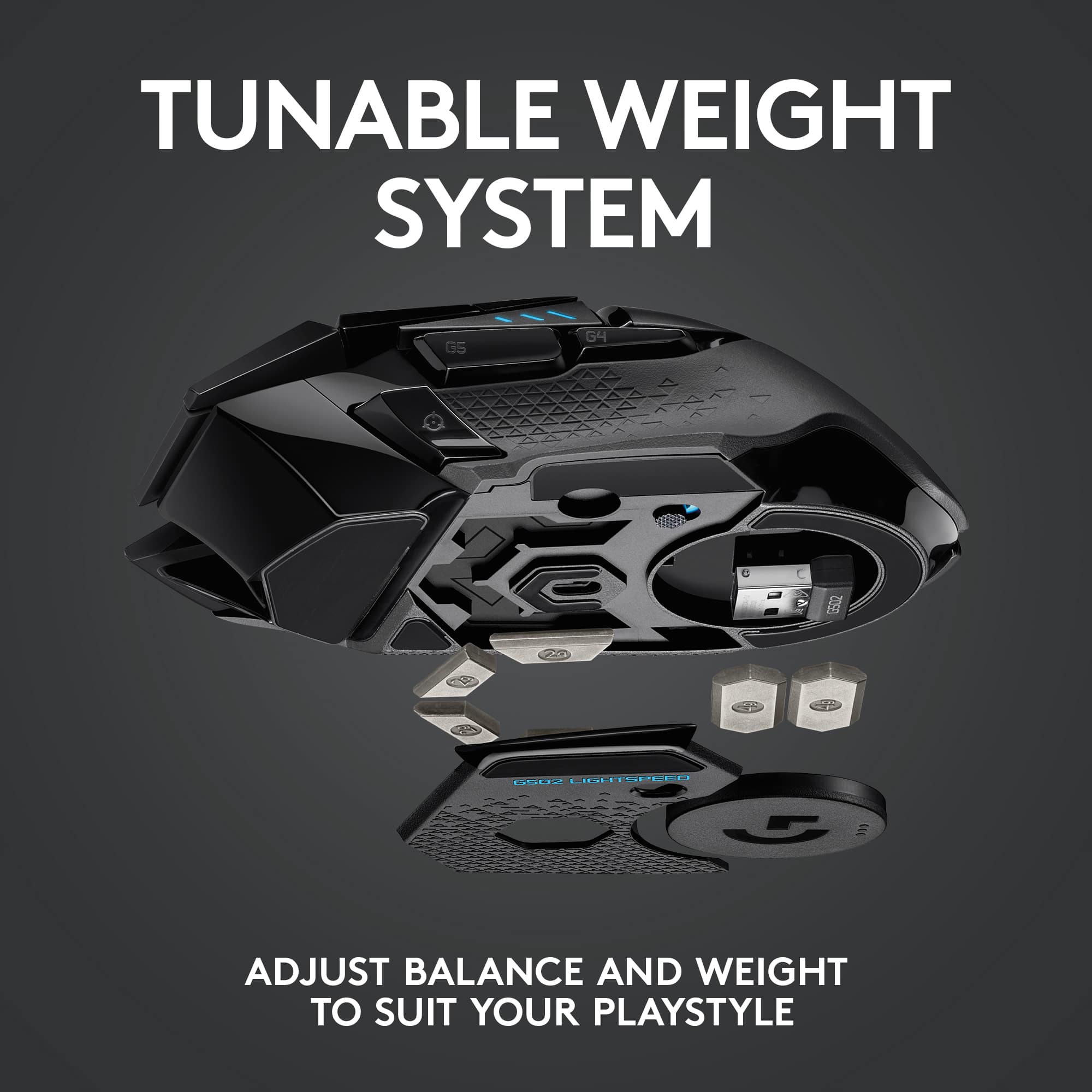
Posted .This reviewer received promo considerations or sweepstakes entry for writing a review.Like this mouse. I generally like all Logi products. This mouse is smooth, has adjustable weights, and is very accurate. Worth every penny.
I would recommend this to a friend Very good
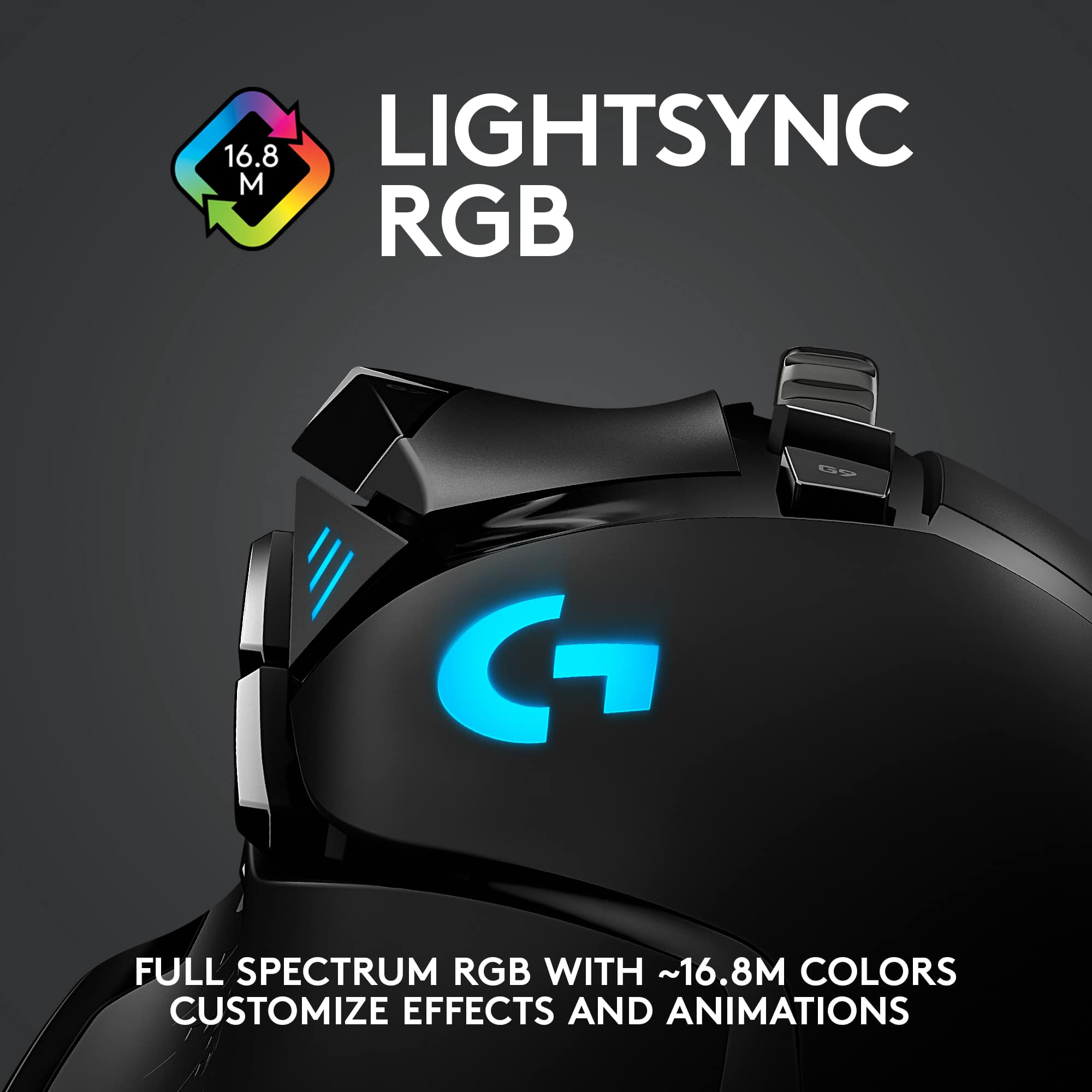
Posted .This reviewer received promo considerations or sweepstakes entry for writing a review.It is very customizable with any color and very fast response time.
I would recommend this to a friendTop of the Line!
|Posted .This reviewer received promo considerations or sweepstakes entry for writing a review.I have been PC gaming since the 90's. I've had tons of gaming mice over the years. This one is hands down the best! RGB, adjustable weights, wireless charging! I'm blown away.
I would recommend this to a friend- Cons mentioned:Size
minecraft
Posted .This reviewer received promo considerations or sweepstakes entry for writing a review.Its a good mouse as it can double click and it has a lot of buttons by butterfly clicking is difficult because the mouse is pretty small
I would recommend this to a friend - Pros mentioned:Weight
G502 Mouse
Posted .This reviewer received promo considerations or sweepstakes entry for writing a review.I like the ghub. The mouse is on the heavier side compared to other mice if tried.
I would recommend this to a friendBrand response from Logitech
Posted .Thanks for the feedback! We love that you like G Hub with the G502 Lightspeed. The weight is a preference, some gamers like a heavier mouse for stability. Enjoy using it!
- Pros mentioned:Overall performance
Great
Posted .This reviewer received promo considerations or sweepstakes entry for writing a review.Good mouse been using ot since like forever, a+++++
I would recommend this to a friend - Cons mentioned:Size
It's a little smaller than I thought.
Posted .This reviewer received promo considerations or sweepstakes entry for writing a review.It is a nice mouse, the only complaint i have about it is that it's not very compatible for people with large hands.
I would recommend this to a friend - Pros mentioned:Wireless
Love it
Posted .This reviewer received promo considerations or sweepstakes entry for writing a review.I had the wired version, and now I finally have cut the cord. The price is steep, but I’m glad i took the plunge
I would recommend this to a friend Good mouse
Posted .This reviewer received promo considerations or sweepstakes entry for writing a review.Great mouse for gaming, a lot of customization, a little on the heavier side but still really good
I would recommend this to a friendBrand response from Logitech
Posted .Thanks for the feedback! We appreciate you highlighting the G502 Lightspeed's customization options. We understand that the weight might be a factor for some gamers. We're always looking for ways to improve our products based on user input.
Mice Of Men
Posted .This reviewer received promo considerations or sweepstakes entry for writing a review.Very responsive, easy to program and like the color options.
I would recommend this to a friendBrand response from Logitech
Posted .Thank you for your positive feedback on the Logitech G502 Lightspeed. We're glad to hear you find it responsive, easy to program, and enjoy the color options. We appreciate you choosing us.
Best mouse.
Posted .This reviewer received promo considerations or sweepstakes entry for writing a review.Best mouse I've ever had. After having it for almost 4 years my kid chucked it across the room and the right click button stopped working.
I would recommend this to a friendBrand response from Logitech
Posted .Thank you for your amazing review of the Logitech G502 Lightspeed Wireless Gaming Mouse! We're thrilled to hear that it's been your favorite mouse for so many years. It's unfortunate to hear about the accidental damage, but we appreciate your feedback and hope you'll consider replacing it with another Logitech product.
- Pros mentioned:Wireless
Top of the line gaming mouse
Posted .This reviewer received promo considerations or sweepstakes entry for writing a review.This is the best l, uncomplicated wireless gaming mouse money can buy.
I would recommend this to a friend