Customer Ratings & Reviews

- Model:
- 910-005565
- SKU:
- 6333841
Rating by feature
- Value
Rating 4.5 out of 5 stars
- Quality
Rating 4.8 out of 5 stars
- Ease of Use
Rating 4.8 out of 5 stars
Customers are saying
Customers are pleased with the excellent battery life, lightweight design, and overall strong performance, along with its comfortable feel and responsive wireless connectivity. They also appreciate its quick buttons, infinite scroll wheel, and the absence of input lag. However, some customers find the price to be a drawback and mention issues with the confusing G Hub software interface and the product's size or grip.
This summary was generated by AI based on customer reviews.
- Pros mentioned:Battery life, Overall performance
Great weighted mouse
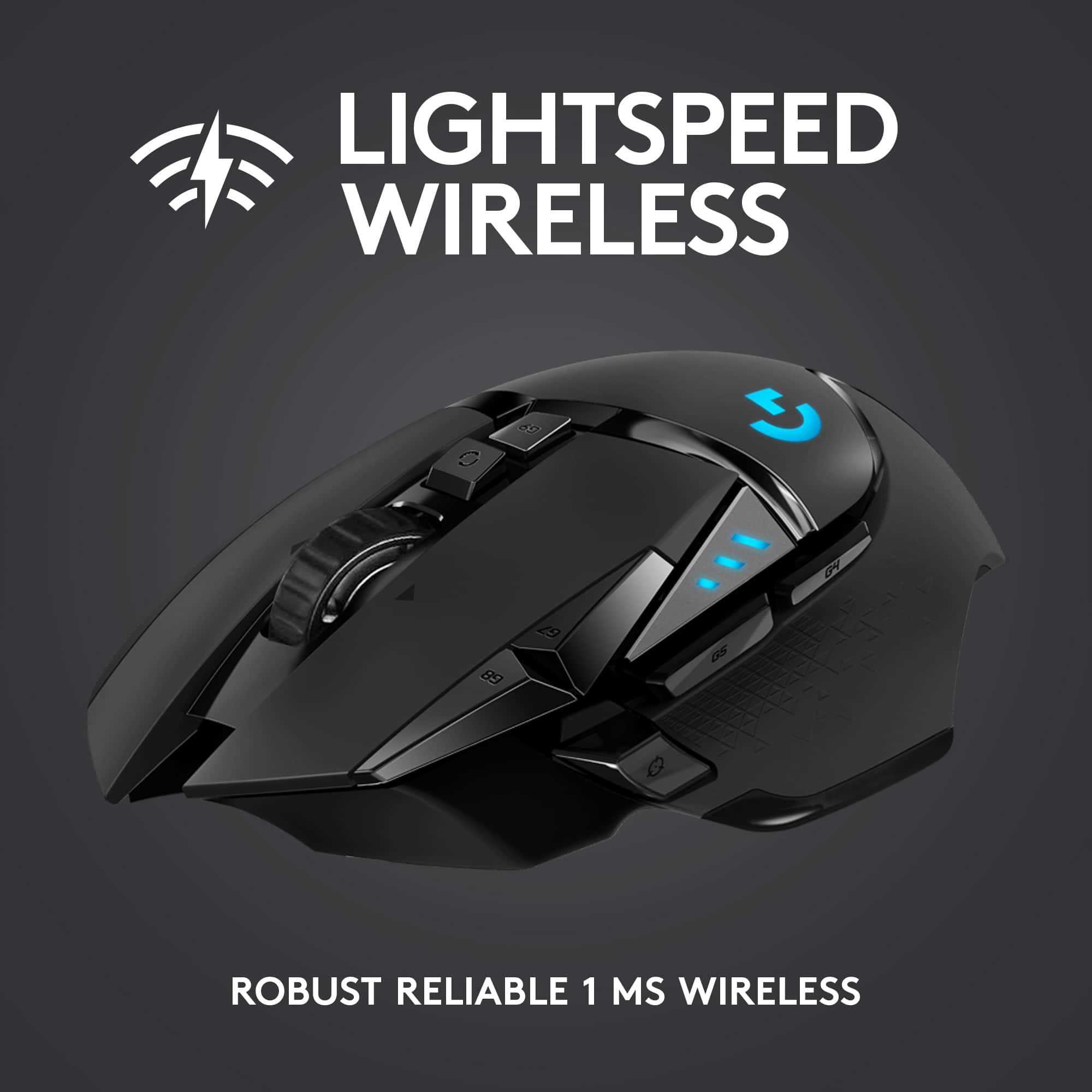
||Posted . Owned for 2 weeks when reviewed.This reviewer received promo considerations or sweepstakes entry for writing a review.If you want a reliable Bluetooth weighted mouse, this is the one. I used my old one which was the exact same model for 2 years. I got it again when I got my laptop and still works just as amazing as my old one. No input lag and super easy to map the external buttons. Its battery life is also a long lasting battery. Need to charge very occasionally.
I would recommend this to a friendBrand response from Logitech
Posted .Thanks for your kind words! We’re proud to know our product is meeting your needs. Your support keeps us motivated.

- Pros mentioned:Comfort, Weight
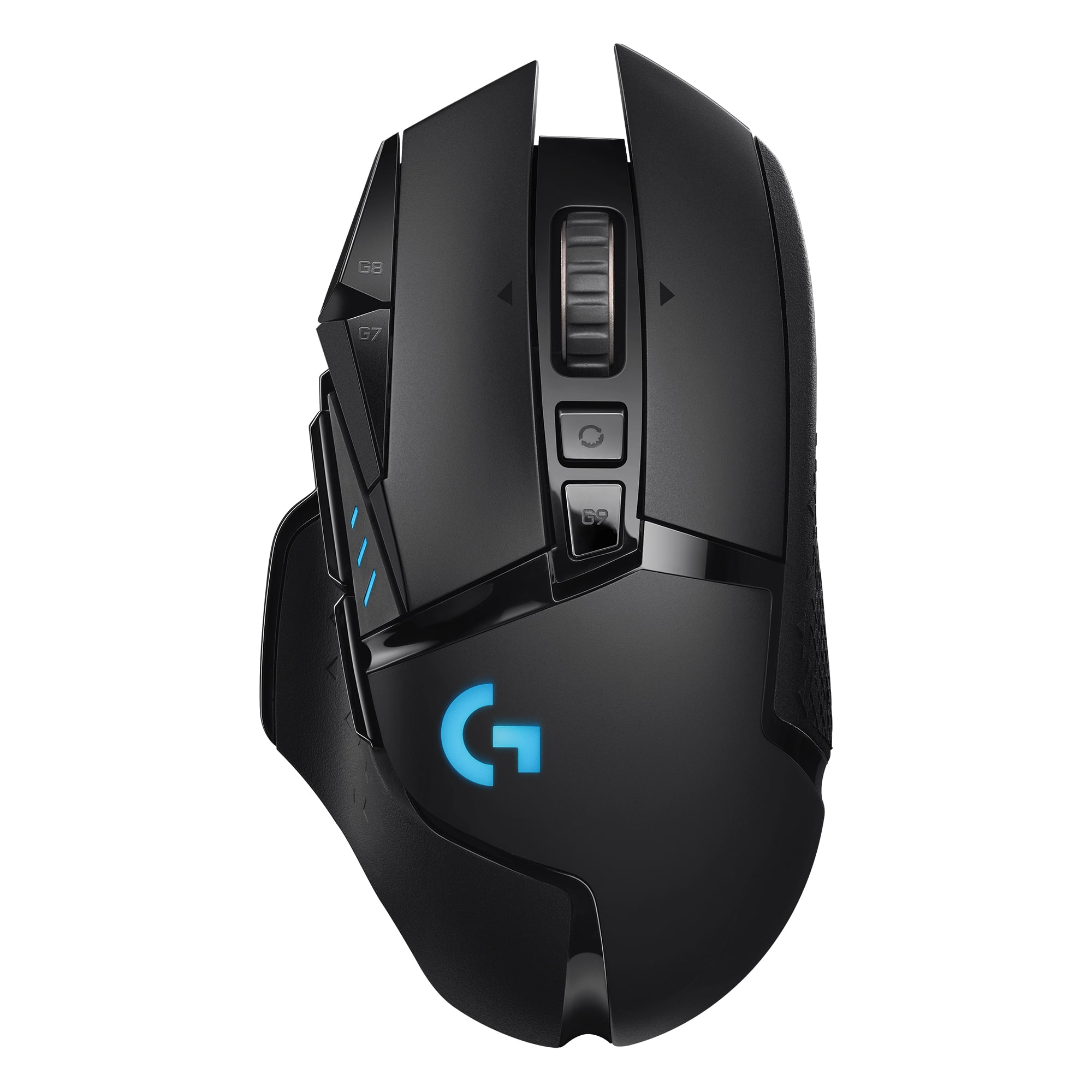
Unmatched Precision and Comfort – The G502 Hero
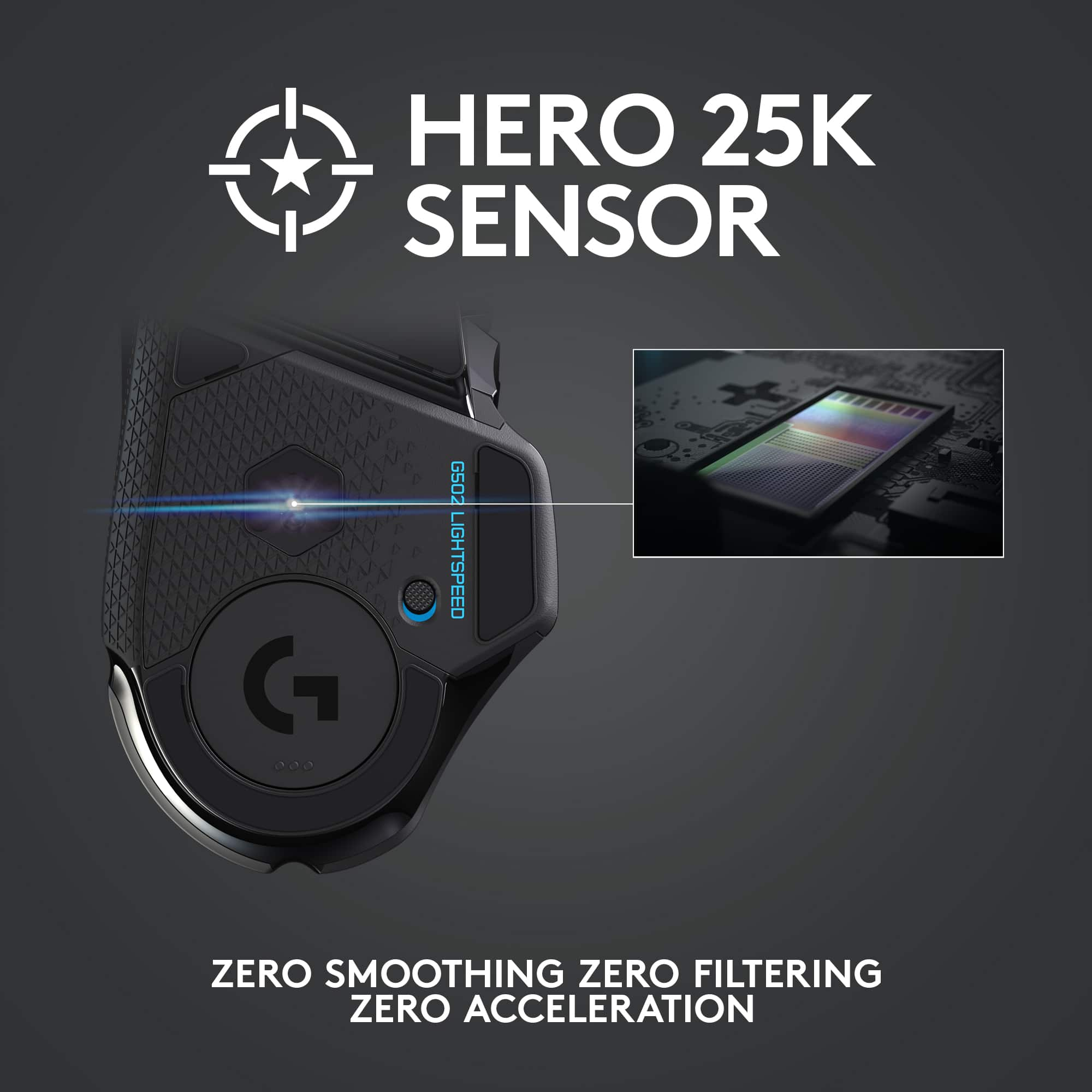
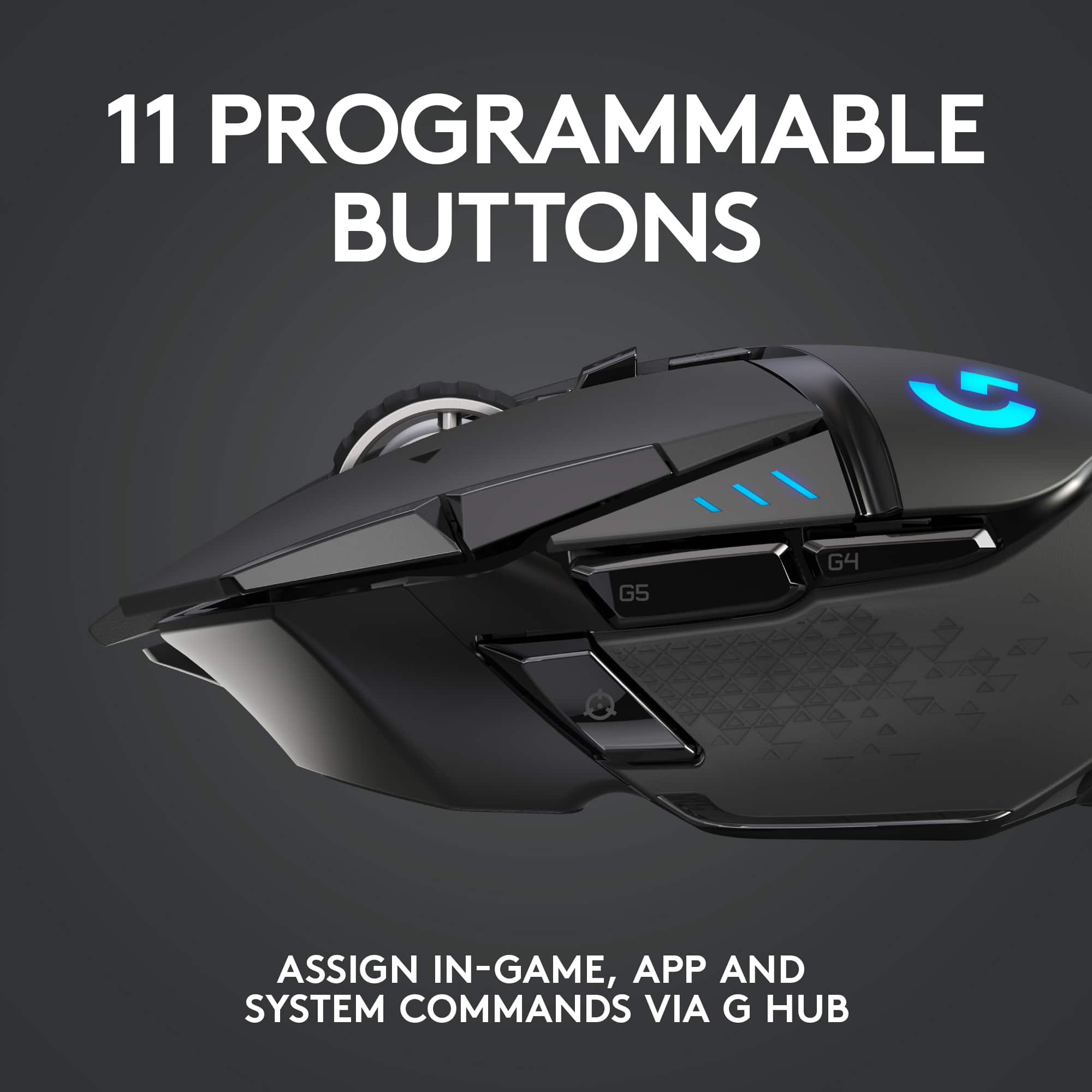
||Posted . Owned for 2 months when reviewed.This reviewer received promo considerations or sweepstakes entry for writing a review.As a competitive gamer and a professional who spends hours on precision-demanding tasks, the Logitech G502 Hero mouse has been nothing short of a game-changer for me. Here's why: Performance The HERO 25K sensor is unparalleled, offering pixel-perfect accuracy with a maximum DPI of 25,600. Whether I’m playing fast-paced FPS games or performing detailed CAD work, the responsiveness and precision make it feel like an extension of my hand. The zero smoothing or acceleration ensures consistent performance every time. Customizability The G502 Hero excels with its 11 programmable buttons, which have made my workflows and gaming macros seamless. I love the adjustable weight system, allowing me to tweak it to my perfect balance. The Logitech G Hub software makes customizing DPI settings, RGB lighting, and macros intuitive and user-friendly. Comfort & Build Its ergonomic design fits perfectly in my hand (even during long hours of use), and the textured grip ensures it stays secure during intense sessions. The build quality screams premium, with durable materials that withstand rigorous use while remaining lightweight. Gaming Features For gamers, the onboard memory for storing up to five profiles is a blessing, especially when switching between games. The ultra-fast scroll wheel lets me breeze through web pages and inventories with ease. Conclusion The Logitech G502 Hero is more than just a mouse—it's a tool that enhances productivity and performance in ways I didn’t think possible. Whether you’re a gamer, a designer, or someone who demands precision, this mouse is worth every penny. If I had to describe the G502 Hero in one word? Flawless. Verdict: 10/10
I would recommend this to a friendBrand response from Logitech
Posted .We're thrilled to hear that the G502 Lightspeed is such a game-changer for you! Thank you for your detailed review and for choosing Logitech. Your feedback is invaluable to us
- Pros mentioned:WeightCons mentioned:Price
Upgrade from G502 Proteus Spectrum
||Posted . Owned for 2 weeks when reviewed.This reviewer received promo considerations or sweepstakes entry for writing a review.The first and only "gaming" mouse I've used was the G502 Proteus Spectrum. For all purposes, that mouse has everything I would want a mouse to have. Multiple re-programmable buttons, on-board or software profiles, adjustable weights, and my favorite part is the scroll wheel which you can change from tactile to free-scroll. The G502 Lightspeed is virtually identical to it's predecessors, so if you want one wireless, here it is. I think a lot of reviews go really into depth which is a great thing, but sometimes it can definitely scare people away. Nothing is going to be perfect, but I think the G502 is definitely the closest to it. If you're like me, playing games casually, using the computer extremely often, and aren't picky, then the mouse is excellent. Overall just nothing to complain about. In conclusion, if you are an easy-to-please, casual gamer, this is definitely a great pick-up. It is a little bit expensive but it's also almost always on sale whether it be here or another retailer.
I would recommend this to a friend - Pros mentioned:Battery life
THE Gaming Mouse for Budget Minded Gamers
||Posted . Owned for 3 weeks when reviewed.This reviewer received promo considerations or sweepstakes entry for writing a review.If you’re looking for a fantastic gaming mouse without spending too much money, this is the one to get. Excellent button layout, nice enough RGB lighting, and overall great hand feel. Can be used either wired or wireless, and setup is quick and easy either way. Has a rechargeable battery, and the battery life seems pretty great. You’ll be able to use the mouse for several days between charges, and if you push it too far and the battery dies when you need it, you can just plug it in and use it wirelessly while it charges. Years ago, I had a different gaming mouse (I think it was also a Logitech, but I’m not certain), and it had a lot more buttons. More buttons was nice, but it took quite a bit of trial and error in games before you developed the muscle memory to actually use that many buttons. This mouse seems like a pretty perfect number of buttons to quickly and easily set up in whatever game you’re playing and then actually get used to your layout. The scroll wheel feels amazing, whether you unlock it for velvet smooth scrolling, or lock it in for a more click type scroll. The button just behind the scroll wheel allows you to switch back and forth on the fly. You can also very quickly and easily change the resolution of the mouse with the two buttons to the left of the left click button. This allows you to snap back and forth between a finer slower movement and a faster bigger movement. The Logitech G hub software is ok. Nothing special, but it gets the job done. Here you can change the lighting of the mouse as well as create and save profiles for the games you play. I would definitely recommend this mouse to anyone looking for a great wireless mouse. Obviously great for gaming, but also great for anything else you use a mouse for.
I would recommend this to a friendBrand response from Logitech
Posted .Your detailed and enthusiastic review of the Logitech G502 Lightspeed is a goldmine for gamers seeking a budget-friendly yet high-performance mouse. Your insights into the button layout, comfortable design, and versatile wireless/wired options are invaluable. The glowing praise for the scroll wheel and DPI switching is particularly helpful. It's clear you've put this mouse through its paces, and your experience-based recommendation carries significant weight. Thanks for sharing your expertise!
- Pros mentioned:Weight, Wireless

Best Wireless Mouse
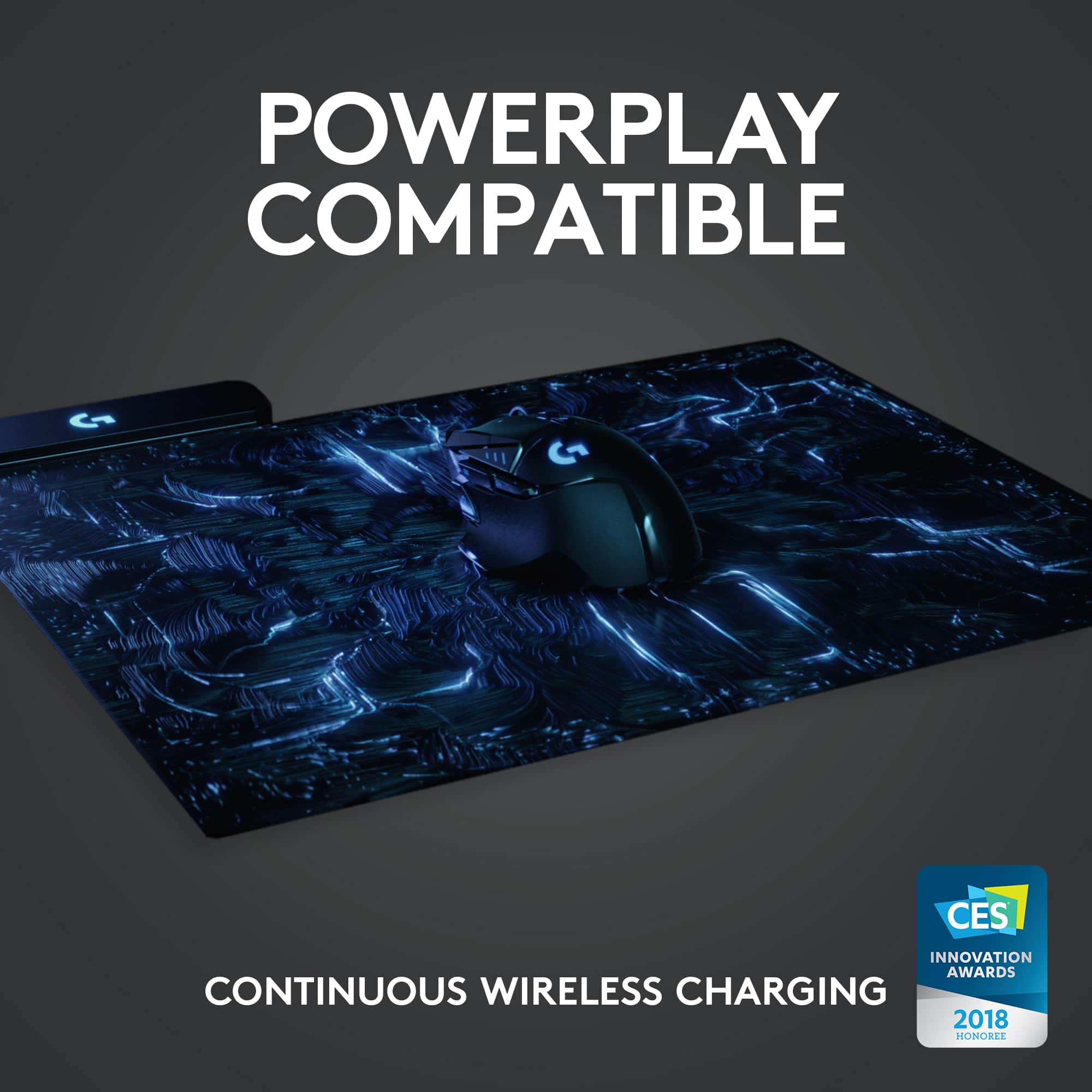
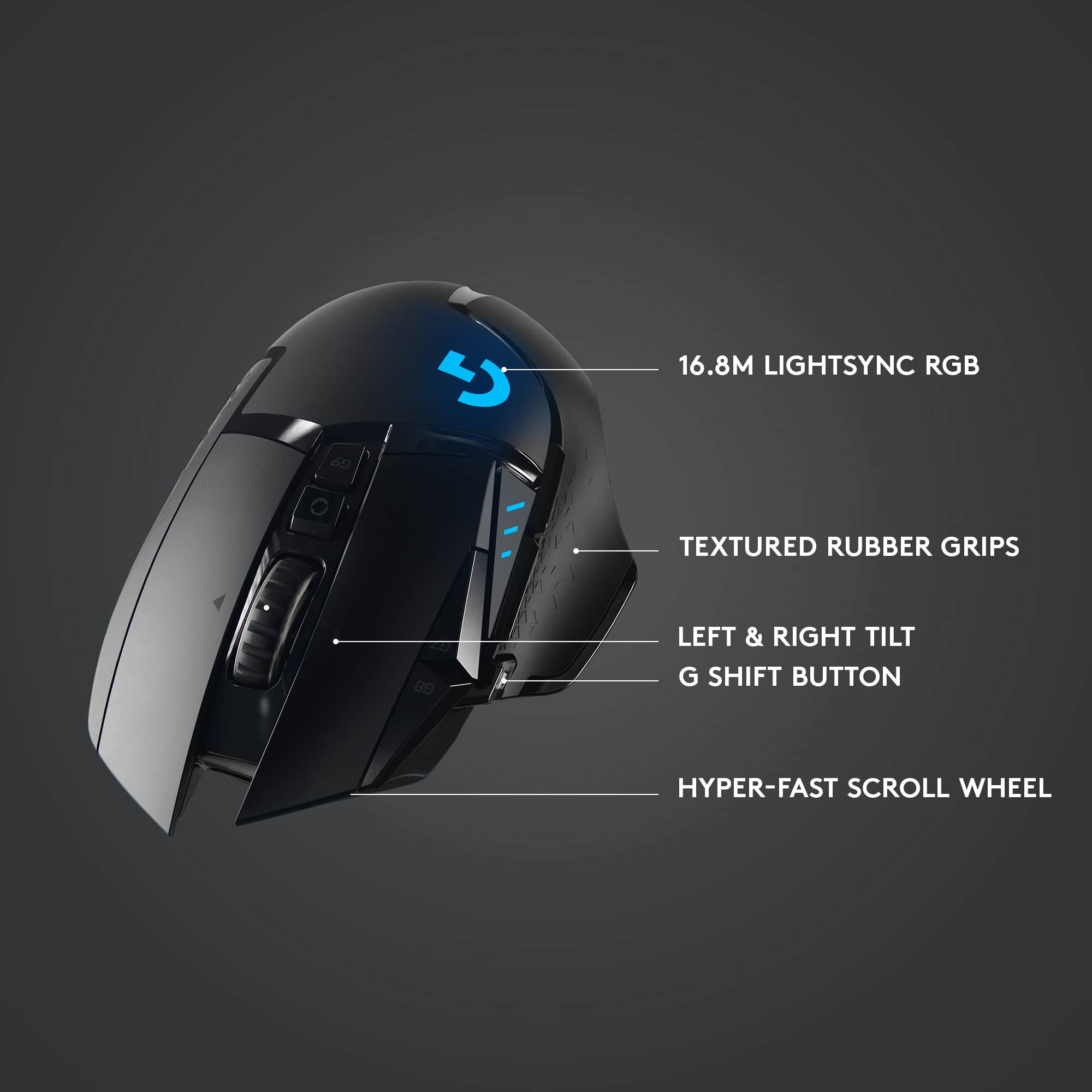
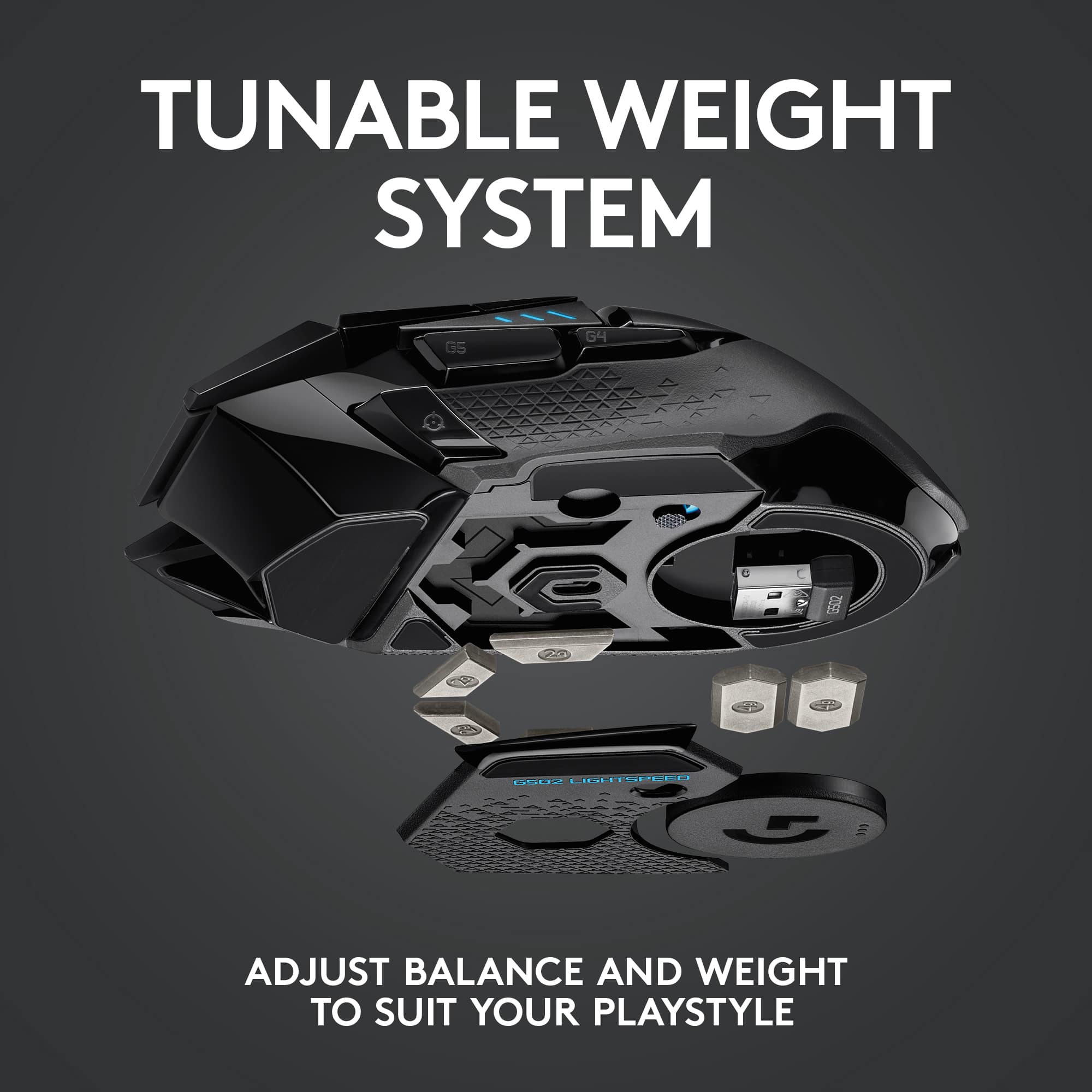
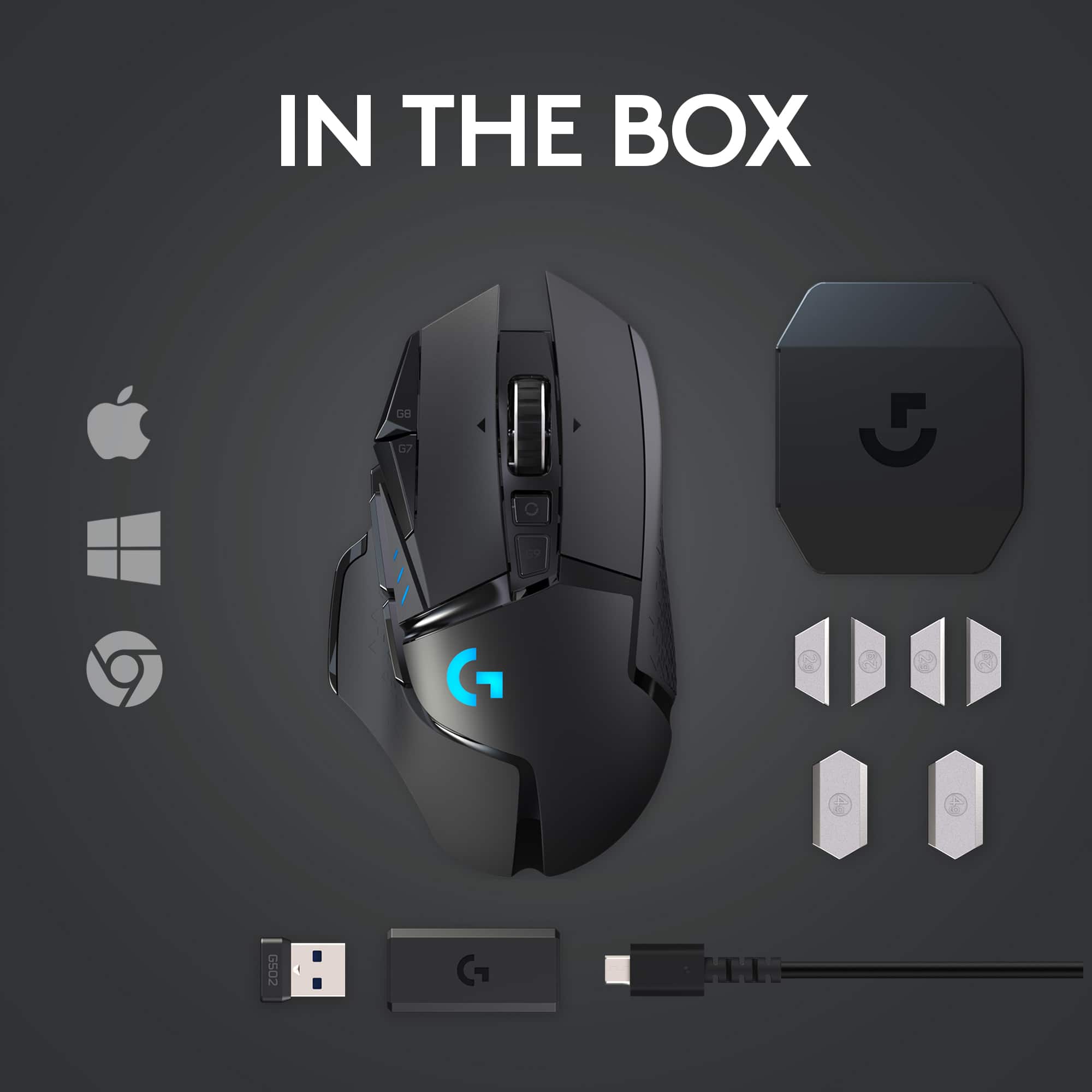
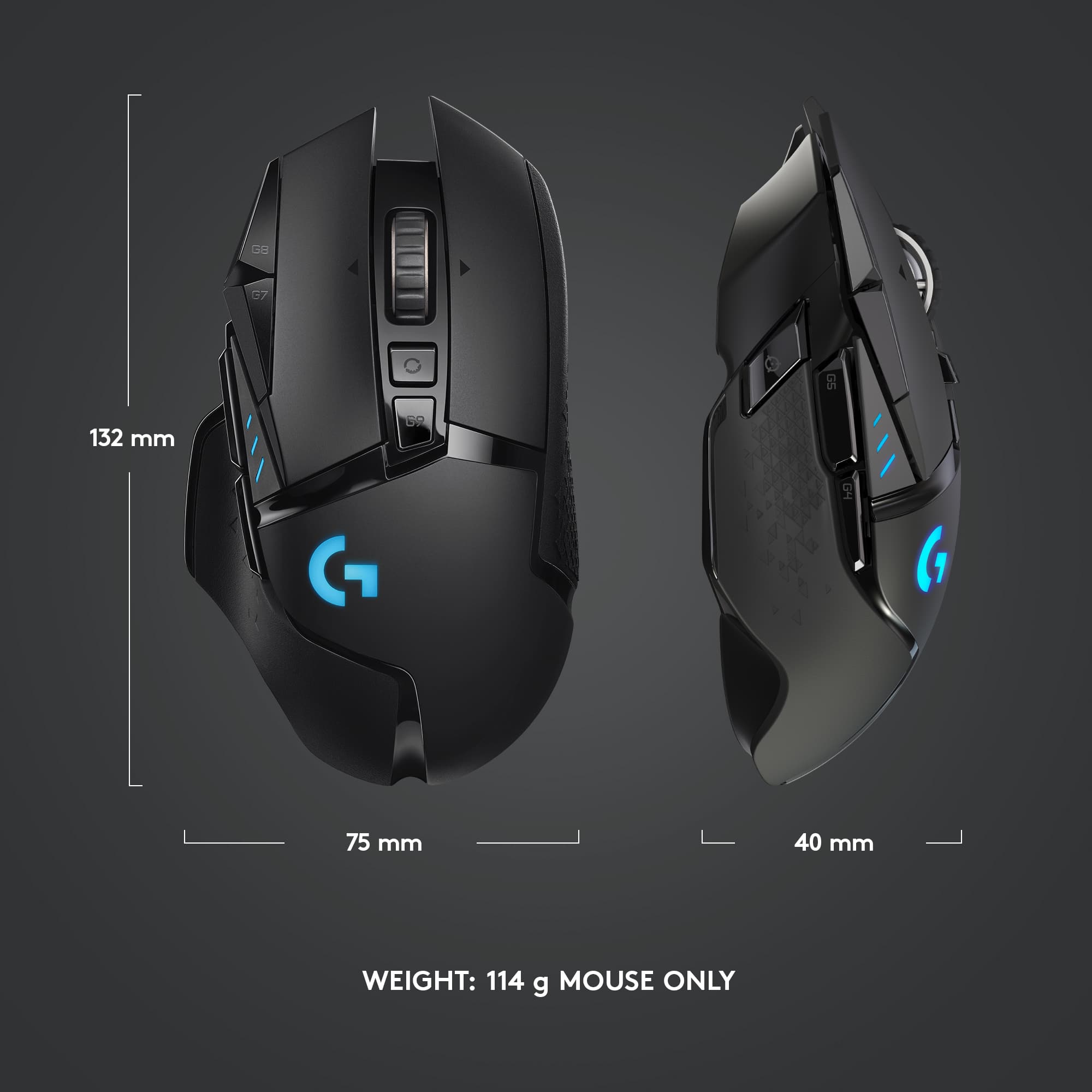
|Posted .This reviewer received promo considerations or sweepstakes entry for writing a review.Logitech G502 LightSpeed Gaming Mouse The Logitech G502 Lightspeed takes one of the company’s most loved gaming mice and makes it lighter, faster and wireless. This is a right-handed gaming mouse with gaming aspects: an angular, matte black design, two RGB light zones (one being Logitech G logo), plus stripes and rubberized accents that are functional, but also give the mouse an edgy look. There’s a rubberized, U-shaped rest for your thumb, a comfortable rounded hump and elongated buttons that feel good in both a claw and palm grip these weighs 114 grams (4.3 ounces), despite the battery inside. The weight, by the way, is customizable. The weight system is on the bottom and highlights some of the biggest changes to the mouse. If you prefer a heavier mouse or want to weigh the mouse more to one side or the other, you can add an additional 16g via two 4g weights and four 2g weights all to your desired customization. The larger weights fit in a pop-out puck design and a plate around the sensor reveals room for the smaller weights, which you can put in four different compartments. The G502 Lightspeed is also compatible with Logitech’s Powerplay wireless charging system, “I happen to have the Powerplay as well and it works great and keeps the mouse fully charged” But if you do opt to use the wireless option, you will need to replace the puck that comes with the mouse with a wireless charging puck. This causes you to lose some weight on the back end. I tested this mouse for PC gaming, and it didn’t disappoint, I was able to have amazing accuracy during popular BR games and MMORPG games. I saw no difference in response times coming from a wired variant. I highly recommend the G502 Wireless Gaming Mouse! It’s a Gamers mouse of choice!
I would recommend this to a friend - Pros mentioned:Battery life, Weight, WirelessCons mentioned:Software
Pretty good for wireless
||Posted . Owned for 3 weeks when reviewed.This reviewer received promo considerations or sweepstakes entry for writing a review.Pros: -It doesn't have any noticable input delay -Its wireless so no cable management or getting snagged on edges -Adjustable weight (depends) -Very long battery life -Charges fast -RGB if youre into that -Dedicated software Cons -Its fairly heavy coming from a wired Razer mouse. -Software isn't super intuitive -Some double click issues -Hit some buttons accidentally -Rattle somewhere even when never used
I would recommend this to a friend - Pros mentioned:Battery life, Weight
Logitech Gaming
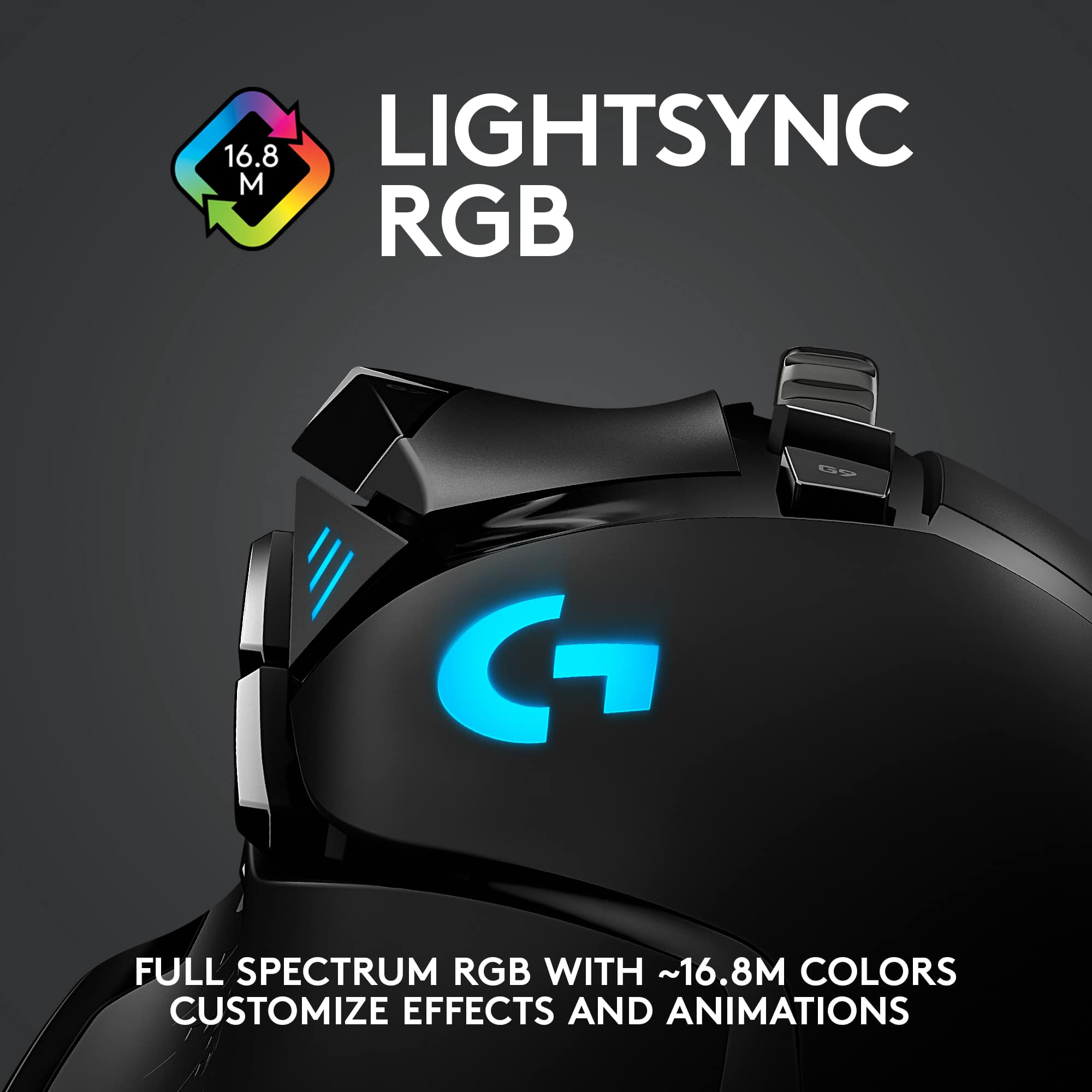
||Posted . Owned for 1 week when reviewed.This reviewer received promo considerations or sweepstakes entry for writing a review.The Logitech G510 Wired/Wireless gaming mouse is a wonderful mouse to work with. The built in battery holds a charge for a couple days worth of use, but you also have the option to use it while it is plugged in and charging. It has plenty of buttons that you can custom assign to your own needs. Even set up custom assignments for each individual game title you play. One special feature that I absolutely love is the included weights that you can add to the mouse to give it a weighted feel. You can also adjust the DPI from 400 to 16000 and everything in between. I found that I rarely use it above 800 because I start loosing the cursor with higher settings. The led lights are a nice touch, though there is only 2... the logo and the three bars on the topside to indicate the DPI levels. You are able to use the new Logitech G software to program the buttons and change the light colors. There are preprogrammed light settings, patterns and animations to choose from, but you can also custom set the colors. If you also buy a Logitech G Series keyboard and/or speakers or headsets, you use the same app to program those as well, all in one place. You can also sync the lighting settings to all Logitech SyncLight devices. Is this a mouse I’d recommend? Yes. My only complaint is the the led lights seem to not be able to color adjust to the exact color you choose if it’s an off color.
I would recommend this to a friend - Pros mentioned:Comfort
Nice comfortable mouse, but underwhelming.
||Posted . Owned for 2 weeks when reviewed.This reviewer received promo considerations or sweepstakes entry for writing a review.Nice mouse. -PROS- PRO - Features: Battery checking button is cool. The RGB is nice and subtle if you are into that type of thing. It can be changed too, which is nice. I also love the extra buttons and the DPI increase/decrease is very cool. PRO - Comfort: Its comfortable and the thumb rest prevents your finger from dragging. Huge benefit for me. The buttons on the side are great too. Feels very fluid and I think that is a huge bonus with this mouse compared to others. PRO - Scroll wheel: Absolutely perfect. Very robust and incredibly nice. The free scroll is amazing, one click and the button spins freely and is very useful at times. -IN BETWEEN- DECENT - Noise: The click is pretty noisy. Not a quiet click by any means, but it didn't claim to be. Doesn't feel cheap, but its pretty loud for the price. The left click is noticeably louder than the right click. Overall feels good for gaming, but can be annoying at times. DECENT - Battery life: It is okay. Coming from a mouse that took 1 AA battery every year, its definitely a big downside having to charge it every week even with all the RGB off. -CONS- CON - Requires software: You need a program to set it up. The sensitivity will change if you don't run the program every single time you turn on your computer as a selected startup program. You also need it to turn off the RGB to save battery. Its a little insane you cant just flip an RGB switch on the bottom of the mouse, and have to download a program just to shut it off to conserve battery life. Since I don't have it set as a startup program, the RGB sets to default every other time I turn on my PC. Also the program just throws ads in your face every time you use it. Incredibly ridiculous that they have this on their program for a $100+ device. HUGE CON - Sensor performance: If your mouse pad has even the slightest pit, or dent, it leads to a dead zone in the mouse for some strange reason. So your mouse will just stop moving when you go over that spot. The dent in my pad is so small you cant even see it, you have to run your finger across to feel it. Its got to be a half a millimeter deep imperfection in the depth of my pad about 1 inch wide and 2 inches tall, and the mouse just flat-out stops moving when you pass over it. For the price I find that to be a bit wild that this mouse's sensor cant detect movement over such a tiny imperfection on my mousepad that my $8 mouse from amazon had no issues with for 5 years. -SUMMARY- I cant say for sure if I fully recommend this product. I am a bit disappointed, but in todays consumer world it is almost expected to never find the perfect product. Consider this review as a my personal opinion. But if you don't have a literally perfectly flat surface or an extremely minor imperfection in your pad, I would consider a different mouse. All in all it's good enough, and subjectively a big upgrade from my old on. But its not the best. I am happy with it, but you may not be.
No, I would not recommend this to a friendBrand response from Logitech
Posted .We appreciate your honest feedback. It helps us identify where we can improve and provide a better experience with the Logitech - G502 Lightspeed Wireless Gaming Mouse
- Pros mentioned:Battery life
2nd one in 7 years, Good quality
||Posted . Owned for 3 weeks when reviewed.This reviewer received promo considerations or sweepstakes entry for writing a review.I originally bought this model of mouse 7 years about nervous about it being wireless and haven't good connection for gaming and photo editing but it has been a great mouse. There are several buttons you can customize and change the DPI and more buttons than what i use. after having the mouse for so long the old one started to wear out and would double click on a single click and it got really annoying so i got a new one. the battery life is great and simple to charge (just plug the usb into the mouse and it acts as a hardwired mouse till it is charged). the feel of it is nice and you can change the weight of it with removable weight so if you want it heavier or lighter you have that option. the feel of the mouse is nice too. Three things I don't love is that it has some kind of battery saver or something where if the mouse isn't moved around for a short time it goes into a sleep mode and when you move the mouse there is a delay before it starts moving. i changed it to the onboard profile so that it doesn't do that dumb delay thing, you do lose out on a few minor customizations features doing that though. I also was surprised that it was still using a micro usb cable vs a usb c given that it has been out for a while now. The last thing is the grips after several years started to pull away from the mouse but i have had the same thing happen with grips on cameras and xbox elite controllers too, so probably happens no matter what but still annoying, but all in all and having used this mouse for many years with my previous one, I can say this is a solid product.
I would recommend this to a friendBrand response from Logitech
Posted .Hey! We're truly glad to hear our product is working well for you. Your feedback helps us understand what resonates with our users. Thank you for being part of the Logitech community and sharing your experience.
- Pros mentioned:Battery life, Weight
Great mouse, will last ages
||Posted . Owned for 3 weeks when reviewed.This reviewer received promo considerations or sweepstakes entry for writing a review.This isn't my first Lightspeed G502, this was a replacement for my first one, which I bought back in 2019. I used that mouse every day for 3 years, for approximately 2-3 hours a night. It's a good mouse, responsive, quick and the battery lasts ages. I was devastated when I had to replace my mouse. It's extremely customizable, I had no issues setting the mouse to my preferred weight with the little removable weights it comes with. Downloading the Logitech Ghub software will allow you to make adjustments to the polling rate, the dpi and the RGB of the mouse.
I would recommend this to a friend - Pros mentioned:Battery life, Weight
As good as the wired version
||Posted .This reviewer received promo considerations or sweepstakes entry for writing a review.The wired g502 Hero is already a great mouse, and I use it for gaming. So, when Logitech made it wireless, I looked at it to replace an older g700s. The wireless 502 is light. slightly lighter than the wired 502 at 114g, and much lighter than the g700s I was using on different computer. The mouse goes to 16,000 DPI as the wired version and feels the same response wise. All of the buttons worked as the wired version and I had no problems. It’s great having the same mouse and setup on multiple computers. All of the buttons and scroll wheel felt familiar and worked the same. The g502 wireless has the same 11 buttons as the wired version and all do the same commands and can be changed. Logitech has a newer software program called GHUB for the mouse (It’s not required for the mouse to work). I installed, and it automatically found the older Logitech Gaming Software (LGS) program and imported my settings at my request. Through the software, lighting control, DPI, ARX Control all still work fine. The setup seems more user friendly, and you can share profiles and lighting setups with other Logitech users. Changing the lighting on keyboards or the mice was easier than LGS. GHUB does not work with older G or regular mice and keyboards, but it worked fine along side LGS. GHUB installation does not remove LGS. The mouse comes with weights so you adjust the feel as wanted. It also comes with a long USB cable for charging/connecting with a USB receiver dongle. The receiver can be plugged directly into a computer USB port, or in an USB micro to USB A adapter included. So, to charge the mouse you'd have to take off the USB dongle if you use the same cord. For best results, they recommend the mouse receiver be 2+ meters away from a wireless router or other 2.4Ghz device, and within 20cm of the mouse. The cord is long enough to get the receiver close, but your setup will vary. The battery came at about 58% and after a few hours of desktop and some light gaming only fell to 54%, so the longevity of use, 48 hours no LED, seems about right. The weights, dongle and receiver all come in a plastic case for easy storage and transport. There is also a slot inside the mouse to hold the receiver too. I did not have a lightspeed mousepad to test wireless charging, but the lightspeed charging device comes preinstalled on the mouse. One caution, the mouse charging port is rather deep in the mouse, so some mirco USB cables heads were to wide and would not fit to charge it. Overall this is a just a g502 Hero mouse without the wires, you won’t know the difference.
I would recommend this to a friend - Pros mentioned:Battery life, Comfort
Great mouse for work and gaming
||Posted . Owned for 3 weeks when reviewed.This reviewer received promo considerations or sweepstakes entry for writing a review.I absolutely love the Logitech G502 Lightspeed. The wireless performance is rock solid and feels just as responsive as a wired mouse. The HERO sensor is extremely precise, and the mouse has a ton of customizable buttons that make it great for both productivity and gaming. The shape is very comfortable for long sessions, and the adjustable weights let you fine-tune the feel. Battery life has also been excellent—I can go days without needing to recharge. Overall, this is easily one of the best mice I’ve used. If you want a high-quality wireless mouse with great performance and lots of customization, the G502 Lightspeed is a fantastic choice.
I would recommend this to a friendBrand response from Logitech
Posted .Thanks for sharing your experience—it’s always a pleasure to hear from happy customers. We’re delighted that our product is serving you well and making a difference in your day-to-day routine. We appreciate your trust in Logitech.
- Pros mentioned:Battery life, Comfort, Weight
Top tier mouse
||Posted .This reviewer received promo considerations or sweepstakes entry for writing a review.It’s a great buy. Extremely comfortable in the hand, heavier for easier mouse movement, and accurate sensor. Battery life solid I charge maybe once every week or two. I like that I can use it while it charges as well.
I would recommend this to a friendBrand response from Logitech
Posted .It’s always a pleasure to hear from satisfied users. Thanks for sharing your experience—it helps us keep doing what we love.
- Pros mentioned:WeightCons mentioned:Software
Mouse feels great but G Hub needs improvement
||Posted . Owned for 1 week when reviewed.This reviewer received promo considerations or sweepstakes entry for writing a review.The mouse has a great feel, with different weight options to fit any personal preference, and 11 buttons that can be programmed for individual games. To my eyes this mouse appears to be just as fast as any wired mouse I have used and I definitely don't feel any lag on movement. The mouse itself is solid and works amazingly. The reason I took off one star would be the mouse requires G Hub to access all the functionality and the software just isn't as polished as it should be. Some functions just dont work requiring you to take extra steps to get what you want out of the mouse. The one thing I wished worked is it's supposed to automatically switching to the presets you set for a specific game but the software glitches on the switch and automatically transitions back to desktop default layout. This makes you have to switch to the onboard memory to prevent it from force switching you which isn't to big but gets annoying if you switch between alot of games.
I would recommend this to a friend - Pros mentioned:Battery life, Weight
The best mouse I had ever got
||Posted . Owned for 1 week when reviewed.This reviewer received promo considerations or sweepstakes entry for writing a review.Very responsive, the battery last a long time, the weights can give you a better experience if you feel it's moving to fast, and specially the wheel that can change speeds is really useful. I have to do research quite often and I have to review 50+ page documents so being able to scroll down so fast is a blessing.
I would recommend this to a friend - Pros mentioned:Battery life, Weight
Happy With This Mouse
||Posted . Owned for 1 week when reviewed.This reviewer received promo considerations or sweepstakes entry for writing a review.This mouse is really nice. The extra weights you can add make it move smoothly across my lap desk and feel balanced. There are more than enough buttons to map for gaming, in fact I haven't even used all of the buttons yet. The only thing I don't like is the scroll wheel. It seems like it can make scrolling too easy to go past where you want on a page. Perhaps there is a setting to change that, but I haven't found it yet if I did. I also like the light that changes color, although I would like this mouse just as much without it. I've had my new laptop about a week and this mouse hasn't needed charged since I originally charged it. So I'm very happy with this purchase.
I would recommend this to a friendBrand response from Logitech
Posted .Thank you for your detailed review of the Logitech - G502 Lightspeed! We're glad you're enjoying the customizable weight system and the versatility of the buttons. Regarding the scroll wheel, you can adjust the scrolling speed in the G HUB software. We appreciate your feedback!
- Pros mentioned:Battery life, WeightCons mentioned:Size
Good mouse, runs a little small
||Posted . Owned for 2 months when reviewed.This reviewer received promo considerations or sweepstakes entry for writing a review.I like this mouse. I think it is a little small for my hands but I have grown more used to it coming from a Razer Basilisk Wireless. GHUB works decent to customize the mouse inputs and add any macros but can be a little wonky when setting the DPI presets. You definitely have to configure the mouse to get it where you want. The scroll wheel is okay. I did like the Basilisk in its regards to be able to add or reduce the tension in the scroll wheel. This mouse just has a button that makes it "free scroll" or not, still the scroll wheel feels good when it isn't on free scroll, which I am not sure when you would ever really use that "feature". The adjustable weight of the mouse is a nice touch as well, so you can make the mouse lighter or heavier based on your preference. Good battery life as well and charges fast. All in all, it is a good mouse but I do think there are probably competitors within the same price range. I would say if you don't like your mouse on the smaller side then this probably isn't for you as it runs just slightly smaller than Razer but not sure of other brands.
I would recommend this to a friend - Pros mentioned:Battery life, Comfort, Weight
Best mouse
||Posted . Owned for 1.5 years when reviewed.This reviewer received promo considerations or sweepstakes entry for writing a review.I have went through atleast five diffrent gaming mouse . And this has been my favorite . And most comfortable . And stays charged for days of non stop playing it super light weight but has weights you can add to it to make it heavy if you like . Cool stuff to do with the app for the mouse . 10-10 recommend if ypur looking dor a new one . Great price !
I would recommend this to a friendBrand response from Logitech
Posted .Thank you for your awesome review of the Logitech G502 Lightspeed Wireless Optical Gaming Mouse!
We're thrilled to hear it's your favorite among the gaming mice you've tried and that you find it super comfortable and lightweight with the option to add weights. It's great to know you're enjoying the long battery life and the cool customization features through the app. Your 10/10 recommendation means a lot, and we appreciate you highlighting the great price! Thanks for choosing Logitech and sharing your experience.
- Pros mentioned:Weight, Wireless
I have to add a title to submit.
||Posted . Owned for 2 weeks when reviewed.This reviewer received promo considerations or sweepstakes entry for writing a review.Okay. Disclaimer time. I'm upgrading from the G502 SE wired mouse to the G502 wireless. I've been using the G502 SE for about a year and love almost everything about it. Almost. Everything. What I really like about this mouse is the rubber scroll wheel. I know it seems petty. That right there is THE improvement over the wired version. Yes, of course, that whole wireless-thing is an improvement, too.,. From what I've read, Logitech redesigned and rearranged all the guts of the mouse. It feels the same, buttonwise, though. Same clickiness. I don't notice any latency from when I click the button and something happens, either. It's solid. I mean, I wouldn't throw it at someone. Okay, maybe I would. Wireless is definitely a bonus there. Trying to throw a wired mouse? that's just comedy gold. But throwing a wireless mouse? that's some brutal intent. It does come with some weights so you can add mass if you're sliding. Or tossing. I'm not sure if it's a big mouse or not. I've got big hands and it's certainly more comfortable than the smaller, claw-grip style mouses. The buttons are all easy to reach without a lot of articulating gymnastics. The thumb button is great. But man, that rubber scroll wheel. That's the cat's knees and the bee's pajamas. Seriously. At least, compared to the wired version's metal scroll wheel. My wife bought the wired G502 but I catch her gazing longingly at my mouse's scroll wheel. There's a tint of jealously. She doesn't bring it up. I don't either. Just to keep the peace. I bought this on sale, which makes the value better if you're looking for a great wireless 'gaming' mouse.
I would recommend this to a friend - Pros mentioned:Battery life, Weight
Perfect Replacement for the G602
||Posted . Owned for 1 week when reviewed.This reviewer received promo considerations or sweepstakes entry for writing a review.For the past 7 years or so I have been using the perfect mouse, the Logitech G602. The fit and function of the G602 was perfect for me, but it's aging technology and lack of software support in G Hub made it time for an upgrade. I tried about 6 mice from several companies before I finally landed on the G502. It was almost instantly my new favorite. After using it for a few hours, it definitely has become my mouse of choice. The design, which is very similar to the G602 works for me very well. It is incredibly lightweight (you can add the included weight if desired). The subtle LED is a nice touch, and the programmable buttons make it like I never left the G602. I didn't think I would like the infinity scroll wheel and first, and frankly I prefer the subtle but tactile scroll wheel on the G602 rather than the infinity scroll wheel or the tactile scroll wheel on the G502. Having to choose between the two, I prefer the infinity scroll option and have become used to that now. The battery life is pretty decent (although adding the battery level LED greatly reduce the battery life). I have the main LED on and report rate maxed and I still estimates I'll get ~49 hours of use. It does have a power saving feature that puts it to "sleep" after a certain period of inactivity and that helps the battery. I did notice that while the mouse responds right away, it may take a second or two to set it self back to your DPI speed after it wakes up. Not a huge deal, just something to know. You can also use this mouse like a wired mouse while it's charging, or opt for the charging mouse pad (Logitech Powerpad $120) for wireless charging while you use it. Yes, it is an expensive mouse, but considering how much time I spent using it every day, it's a small price to pay.
I would recommend this to a friend