Customer Ratings & Reviews

- Model:
- 910-006160
- SKU:
- 10116537
Rating by feature
- Value
Rating 4.4 out of 5 stars
- Quality
Rating 4.8 out of 5 stars
- Ease of Use
Rating 4.8 out of 5 stars
Great
||Posted . Owned for 1 week when reviewed.This reviewer received promo considerations or sweepstakes entry for writing a review.Excellent product, magnificent brand and the sensations are great. The quality is perfect and in the field of games it is the best.
I would recommend this to a friendBeauty and a beast
||Posted . Owned for 2 weeks when reviewed.This reviewer received promo considerations or sweepstakes entry for writing a review.It’s really nice and very easy gliding when using! The scroll is very sensitive after using it for a few weeks though. Honestly that’s disappointing. The rest of it is lovely!
I would recommend this to a friendBrand response from Logitech
Posted .Hello! Thanks for the feedback on the G502 X PLUS! We're glad you find it glides smoothly and enjoy the overall design. We appreciate you letting us know about the scroll wheel sensitivity. We'll definitely pass this feedback along to our product development team.
Game changer
||Posted . Owned for 1 week when reviewed.This reviewer received promo considerations or sweepstakes entry for writing a review.I’m glad this mouse was revived. The feels just the same as the previous ones and really improved on my fps performance. I hope they fixed the mid click issues from the previous model.
I would recommend this to a friendAlmost Perfect Mouse
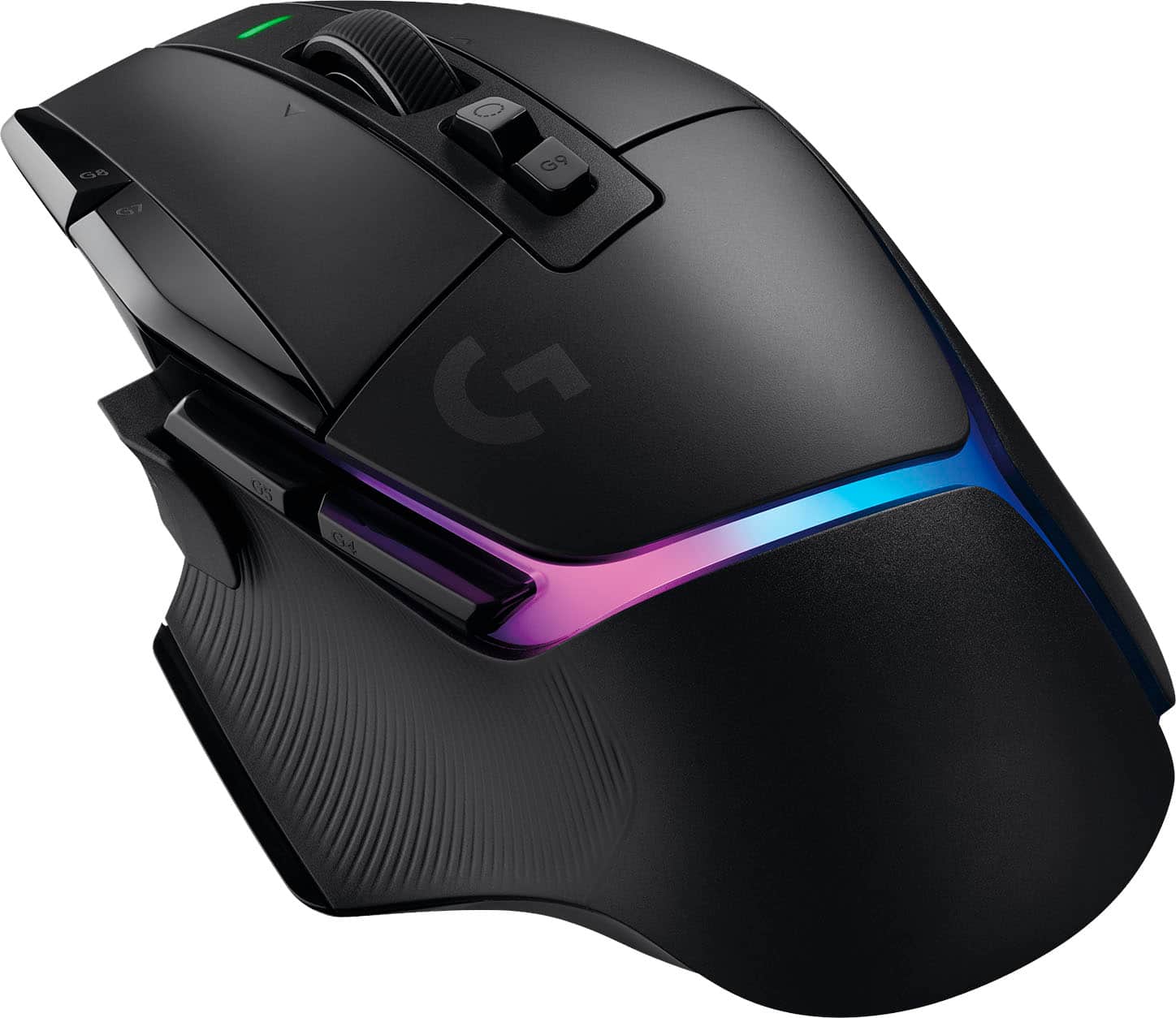
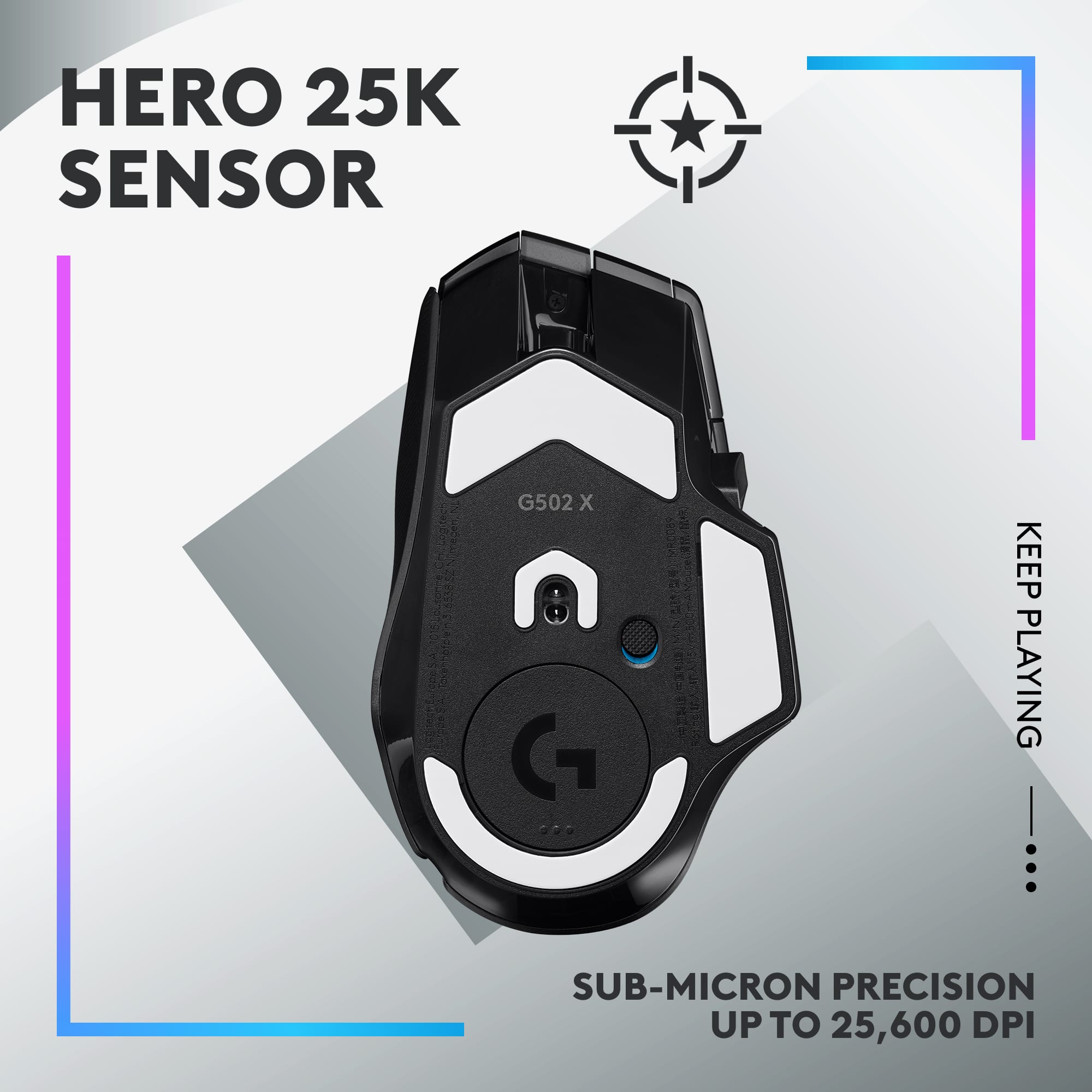
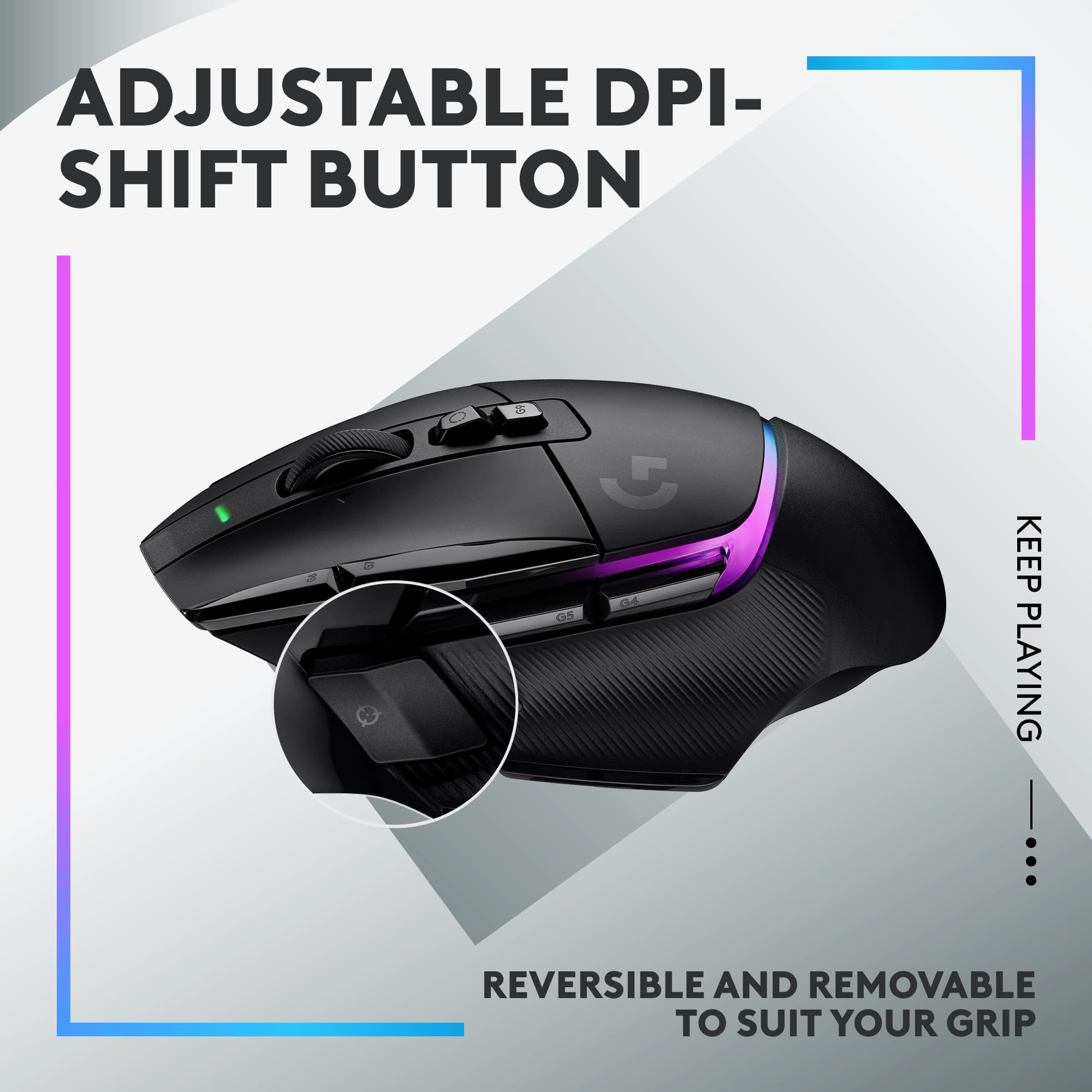
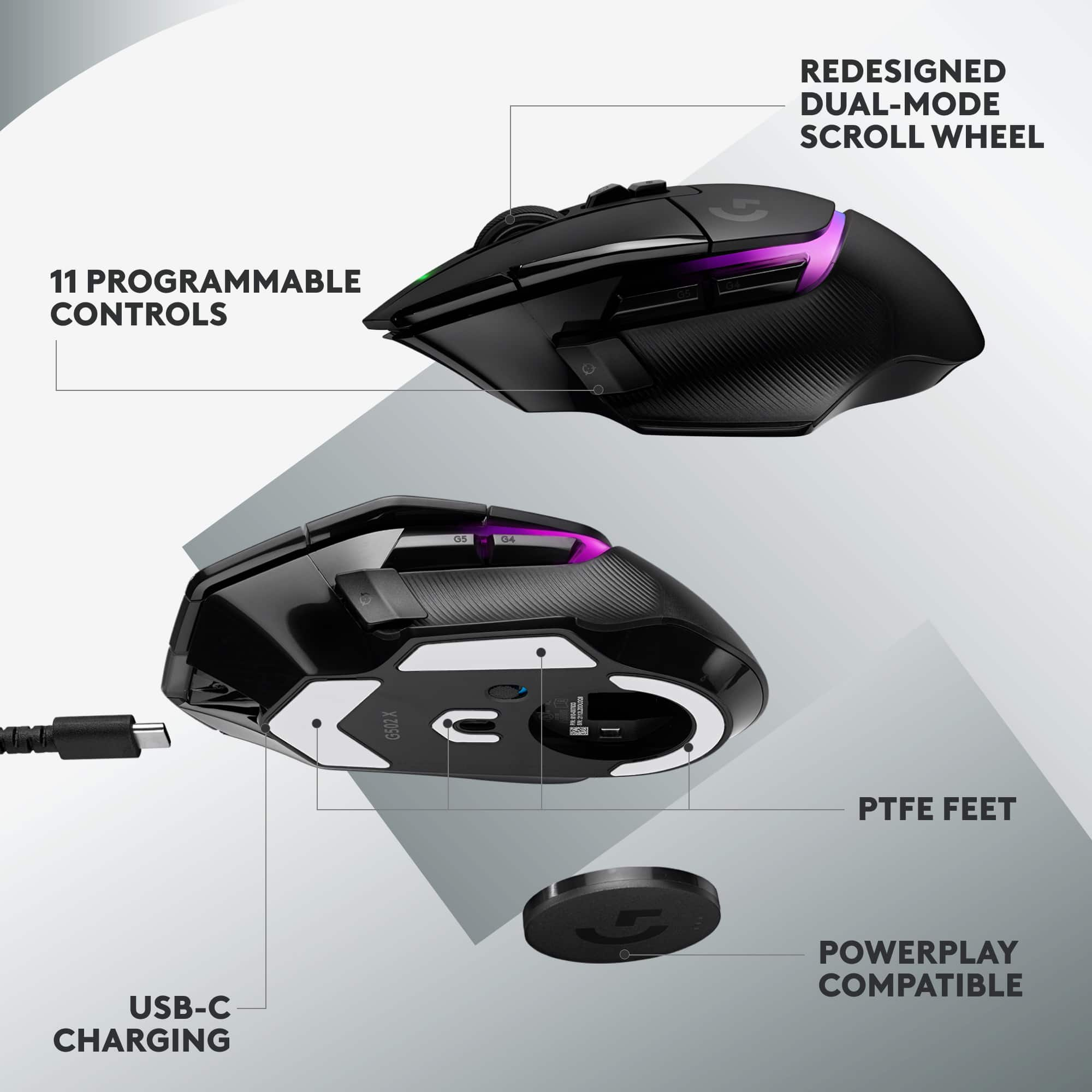
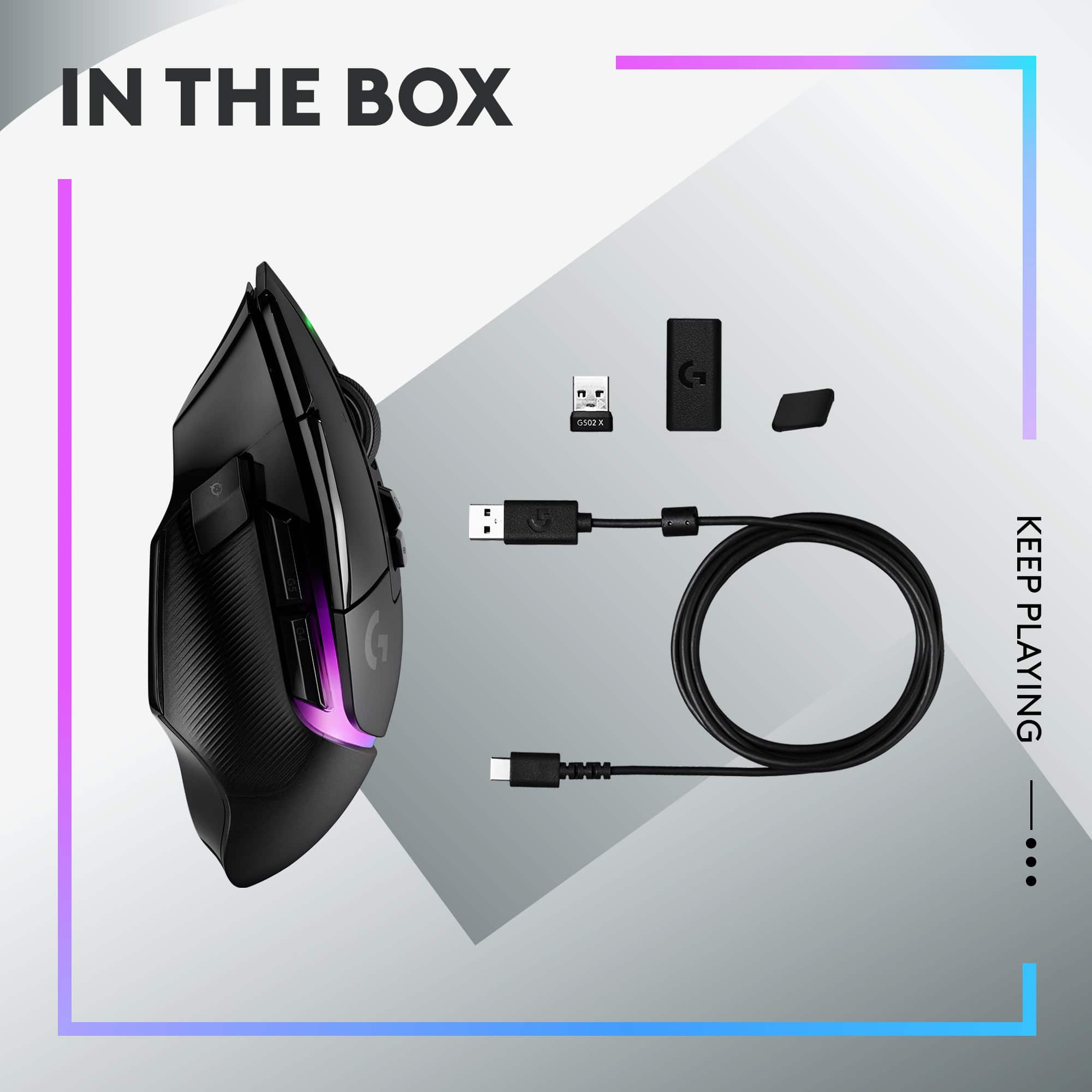
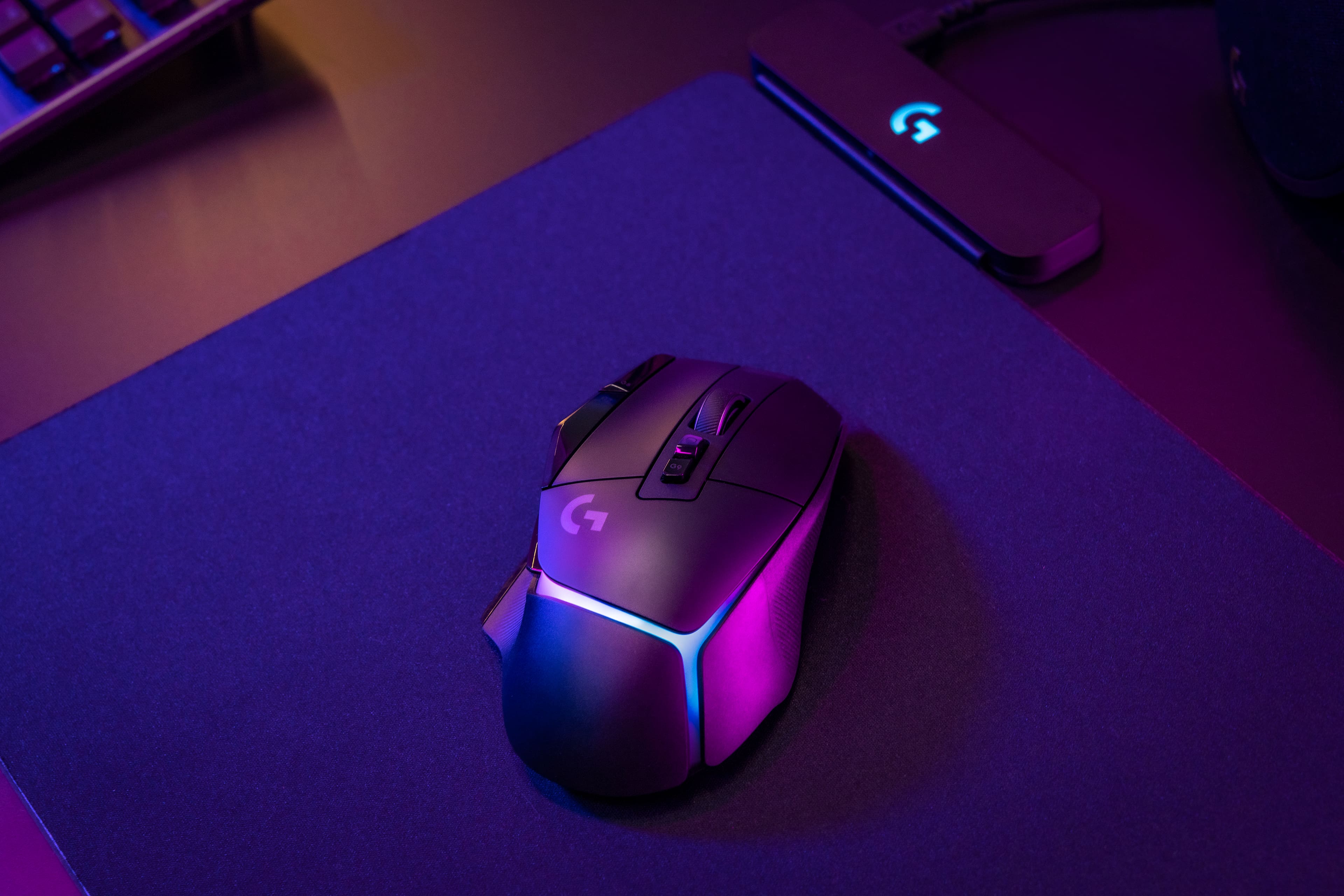
||Posted . Owned for 1 week when reviewed.This reviewer received promo considerations or sweepstakes entry for writing a review.This wireless mouse looks and feels premium. It also includes functional buttons on the body along with RBG lighting. In the box you will find this mouse, USB-C charging cable, DPI-Shift button cover, a USB-A receiver, and a receiver extension adapter (Photo 1). Design The Logitech G502 X Plus thought of almost everything for its design. Across the body and in reach of your fingers are multiple buttons for commonly used features. On the left side you will find a button for DPI-Shift. This is also called “Sniper Button”, because it lowers your cursor movement regardless of what your default DPI is to allow you to snipe more easily. To put this in non-computer terms, it would be like driving 100mph and then going to 25mph in an instant. Next to and slightly above the DPI-Shift is a forward and backwards button. You can use these Instead of having to hit the forward and back buttons on a webpage (Photo 2). At the top of the G502 X Plus is a fully functional scroll wheel with side-to-side scrolling. You can get it to free spin, or you can click the button under it and that turns the free spinning wheel into a notch type of scrolling. Then the 2nd button under the scroll wheel is for switching to different profiles. To the left of the scroll wheel is two buttons that toggle the DPI settings. Unlike the DPI-Switch, these lower it 1 level at a time between 5 ranges: 800, 1200, 1600, 2400, and 3200 DPI. On the bottom there are 4 PTFE feet for smooth gliding along with the power button and battery/storage area (Photo 3). The storage area is meant for the USB receiver, but I use it to store the DPI-Shift button cover. Regarding the battery area, if you do get the powerplay charging mouse pad for this mouse, the powerplay rechargeable battery comes in black only. Quality The G502 X Plus has a plastic body with gloss black around the front half. The wheel is also plastic but wrapped in a ridged rubber. There’s also ridged rubber on each side of the mouse along with a thumb rest on the left side providing this mouse with excellent grip (Photo 2 & 4). It weighs 108g with the Powerplay rechargeable battery and measures 5.3” (L) x 3.2” (W) x 1.5” (H). However, the grip width is only 2.5”, this is the distance on the mouse where your thumb and ring finger sit. Overall, my hand fits comfortably on the mouse (Photo 5). Concerning noise, the G502 X Plus is solid. There is no flex or any sounds coming from the mouse when in use, not even when shaking it back and forth rapidly. However, when pressing buttons or rolling the notched wheel, they do provide a clicky sound. RGB/Software You will find RGB lighting on the palm area of the mouse. The design of the RBG is like a shell slightly cracked with an orb of lights peeking through. There also is an inactive light above the scroll wheel that comes on when changing the DPI. Speaking of DPI, when changing it via the buttons on the top of the mouse, the RBG lighting changes based on the level you set it on. From lowest to highest the colors changes: white (lowest-800DPI), orange, teal, yellow (Photo 6), and purple (highest-3200). In the Logitech software you will be able to change the RBG lighting along with reprogramming any of the buttons on the mouse. The mouse allows you to fully customize it to optimize the best layout for each user. Downsides Due to the design of the mouse this is meant to be used with only your right hand. However, my biggest disappointment is that this device can only be connected to one device at a time. The only available connection is using the USB-A receiver as the mouse does not have Bluetooth to connect to other devices simultaneously. If you have another computer, you will have to either keep switching the USB-A receiver or buy another mouse.
I would recommend this to a friendGreat success
||Posted . Owned for 1 month when reviewed.This reviewer received promo considerations or sweepstakes entry for writing a review.This mouse lives up to its reputation. Only thing I would add is a few more thumb buttons. Love it.
I would recommend this to a friendBrand response from Logitech
Posted .Thank you for your insightful review of the Logitech - G502 X PLUS LIGHTSPEED. We are delighted to hear it meets your expectations for high performance.
Mouse g502x plus
||Posted . Owned for 1 week when reviewed.This reviewer received promo considerations or sweepstakes entry for writing a review.Best mouse so far, the unique problem i found is, i cant install ghub on mac but on windows i has no problems
I would recommend this to a friendLogitech does it again
||Posted . Owned for 1 week when reviewed.This reviewer received promo considerations or sweepstakes entry for writing a review.The G502 in its base form is already an exceptional mouse. This takes that bar and raises it even further with Lightspeed tech and some RGB.
I would recommend this to a friendCould have a better battery life
||Posted . Owned for 1 week when reviewed.This reviewer received promo considerations or sweepstakes entry for writing a review.The only bad aspect about this mouse is a bad battery life and the left edge of the mouse isn't very ergonomic and gets a little getting used to
I would recommend this to a friendBrand response from Logitech
Posted .Thanks for the feedback. We're always looking for ways to improve battery life and ergonomics. Your input helps us design future mice that are even more comfortable and reliable.
Fast gaming mouse
||Posted . Owned for 2 weeks when reviewed.This reviewer received promo considerations or sweepstakes entry for writing a review.My favorite gaming mouse plug and play works great. My favorite feature is how clicky it is.
I would recommend this to a friendOne of the best!
||Posted . Owned for 6 months when reviewed.This reviewer received promo considerations or sweepstakes entry for writing a review.One of the best mice on the market wireless or wired! Super smooth and responsive for any task!
I would recommend this to a friendGreat g502
||Posted . Owned for 7 months when reviewed.This reviewer received promo considerations or sweepstakes entry for writing a review.Love the g502 and this is my 4th one. I just keep buying the updated one they keep throwing at me.
I would recommend this to a friendCool lighting effects
||Posted . Owned for 1 month when reviewed.This reviewer received promo considerations or sweepstakes entry for writing a review.Love it! I can customize the lighting through a program and i can customize the buttons on it
I would recommend this to a friend- Pros mentioned:Battery life, Ergonomics, Rgb lighting

Light-years Ahead of the Competition
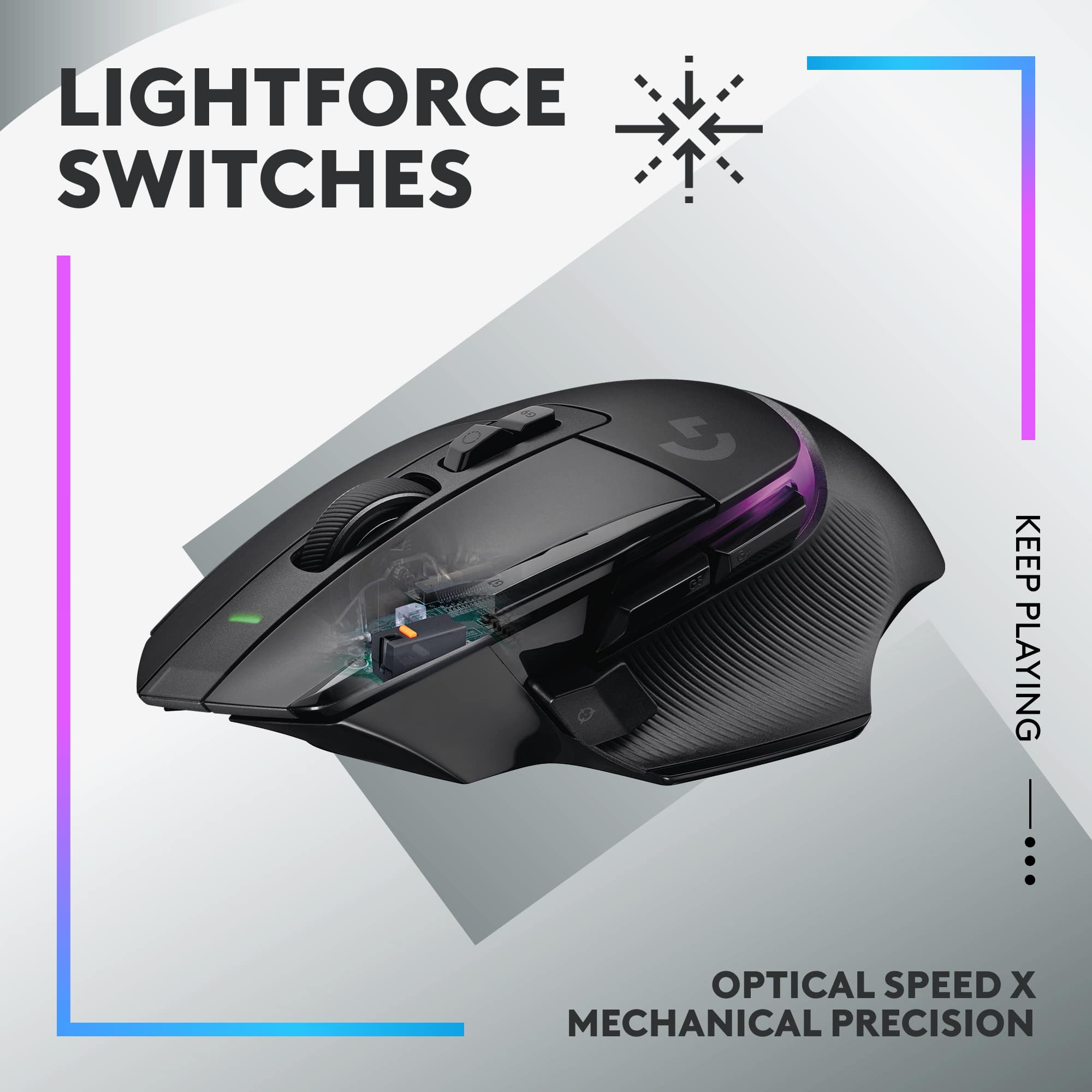
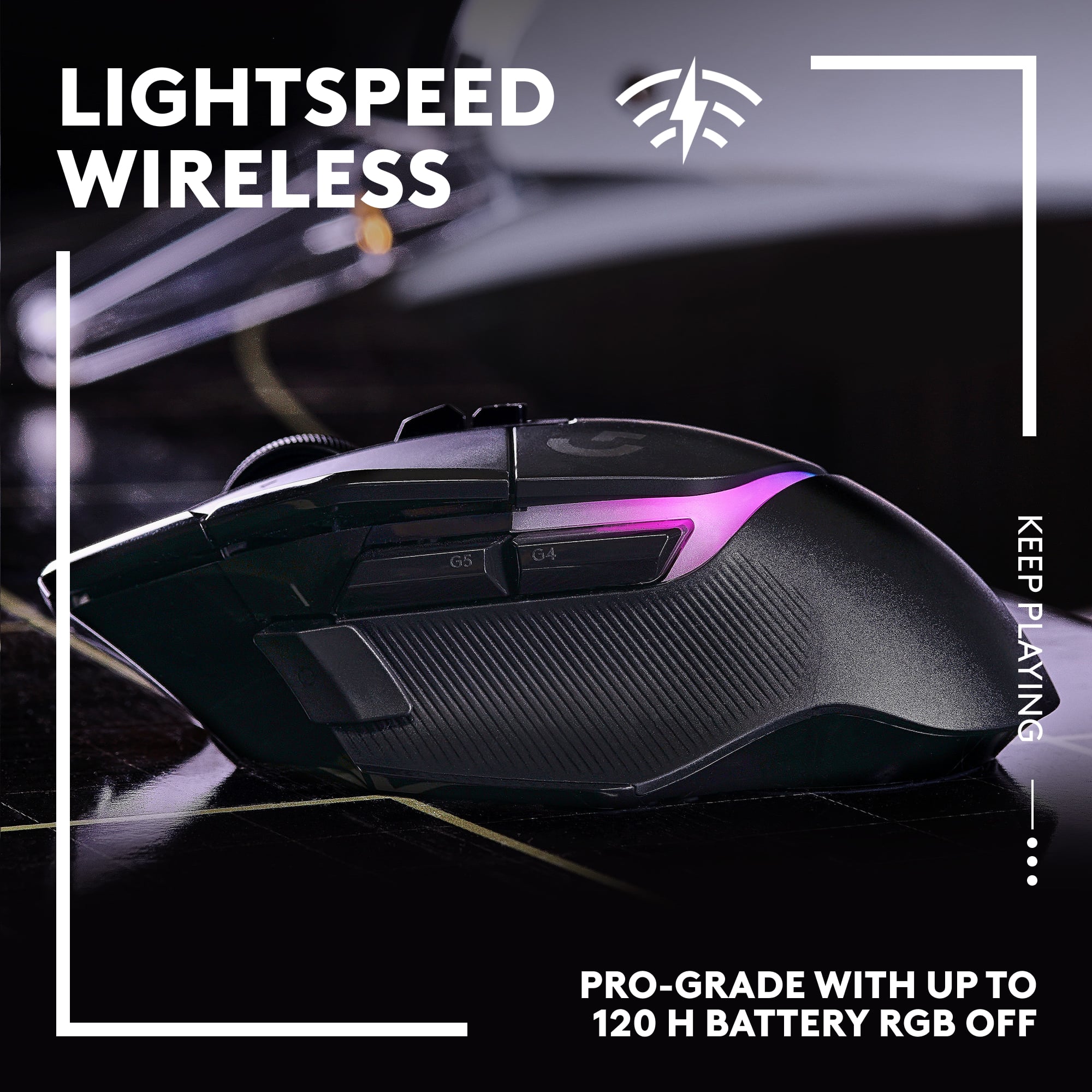
|Posted .This reviewer received promo considerations or sweepstakes entry for writing a review.----- SUMMARY ----- Verdict: There’s a lot to like about the Logitech G502 X Plus. It’s fast, highly customizable, and offers satisfying clicks. You’ll also be happy with the long battery life and comfortable design. The G502 X Plus is an excellent gaming mouse for those who want several customizable buttons and speedy performance that won’t let you down in fast-paced games. Pros: - Appealing and comfortable design - Highly customizable - Crisp and tactile switches - Fast response rate - Long battery life Cons: - No Bluetooth connectivity ----- DETAILS ----- Design & Features: With its curved profile and supportive thumb rest, the Logitech G502 X Plus gaming mouse has an ergonomic shape. There are also a few nice touches like a rubberized, textured grip on the sides and a small indentation in the left click button. It has felt comfortable to use while playing a variety of games or working from home. The front has a USB-C input for charging, but the mouse is also compatible with Logitech’s PowerPlay Wireless Charging System (sold separately). Since I don’t currently have that, I can’t speak to how well PowerPlay works with the G502 X Plus, but it’s nice knowing that feature is available. Battery life is solid, with up to 120 hours when RGB lighting is off or 37 hours when you have the RGB set to always on. A unique design aspect of the “Plus” version of the G502 X is the 8-zone LED lighting area on the palm rest. With that, you also get active play detection which will automatically turn the lighting off when your hand covers it (to conserve battery power). The lighting settings and more can be customized in the Logitech G Hub software. More on that later. All the clicks and button presses feel nice on the G502 X Plus, thanks to Logitech’s new hybrid optical-mechanical switches, which are crisp and tactile. It was a noticeable and satisfying change from my previous mouse. The left side has a removable sniper button that can easily be swapped out with a non-clickable rubberized button (included in the box). The sniper button is also reversible, so it can flair towards your thumb or away from it, depending on your preference or hand size. As for the scroll wheel, you have the choice between hyperfast scrolling or a more precise, “ratcheted” mode. The scroll wheel also allows you to scroll left and right by pushing your finger on the left or right side to tilt it in either direction. On the bottom, you’ll find PTFE feet, which help the mouse glide smoothly across various surfaces. I’m using a leather-like pad on my desk, but I tried the G502 X Plus on a mouse pad and a few other flat surfaces and barely felt any friction. The ergonomic design of the G502 X Plus coupled with its light weight makes this the most comfortable mouse I’ve ever used. It’s also sleek and eye-catching, especially with the RGB lighting on. If you’d rather not have the RGB, the non-plus version of this mouse has all the same features without the lighting, and it’s a bit cheaper. Performance: The G502 X Plus handles each game exceptionally well. For testing, I picked several games across different genres, like Red Dead Redemption 2, Age of Empires IV, The Witcher 3, and Call of Duty: Warzone. The accuracy and responsiveness are fantastic. Having the extra buttons comes in handy, especially since you can customize them to a specific game. The buttons are well-positioned so that they can be easily pressed when needed, but I appreciate that they’re also unobtrusive. The USB-A “Lightspeed” wireless receiver has proven to be reliable, as I’ve not experienced any connection drops or mouse lag. I have zero complaints about the performance of this mouse. I just wish it came with Bluetooth connectivity as well because that makes it a little easier to switch between my desktop and laptop, but that’s not a dealbreaker for me. Software: Logitech G Hub is the home for adjusting the RGB lighting, reprogramming buttons, creating profiles for games and apps, customizing the DPI levels (mouse sensitivity), and monitoring the battery. When I installed Logitech G Hub, it instantly recognized my G502 X Plus mouse and has been working seamlessly with it since. It’s an easy-to-use software with only a few screens to toggle through, but it offers a lot of customization. ----- WHAT’S IN THE BOX ----- 1x G502 X Plus Wireless Gaming Mouse 1 x DPI-Shift Button Cover 1 x USB-C Charging Cable 1 x Lightspeed USB-A Receiver 1 x USB Extension Adapter 1 x User Documentation 1 x Sticker
I would recommend this to a friend 
Wonderful mouse
|Posted . Owned for 2 months when reviewed.This reviewer received promo considerations or sweepstakes entry for writing a review.My favorite mouse depends on your hand shape though really great though.
I would recommend this to a friendAmazing mouse!
||Posted . Owned for 1 week when reviewed.This reviewer received promo considerations or sweepstakes entry for writing a review.Love this thing so much. Very precise and amazing to use. Looks super dope too!
I would recommend this to a friendGOAT
||Posted . Owned for 1 week when reviewed.This reviewer received promo considerations or sweepstakes entry for writing a review.best mouse ive ever used, its like the regular G502 but on steroids
I would recommend this to a friendGood purchase
||Posted . Owned for 1 week when reviewed.This reviewer received promo considerations or sweepstakes entry for writing a review.Makes gaming with bigger hands easier. For this price, i would recommend.
I would recommend this to a friendBrand response from Logitech
Posted .We're glad to hear the G305 is a comfortable fit for larger hands! The HERO sensor ensures smooth, responsive gameplay no matter your hand size. Thanks for choosing Logitech!
- Pros mentioned:Rgb lighting, Weight
Just when you thought it couldn't get better....
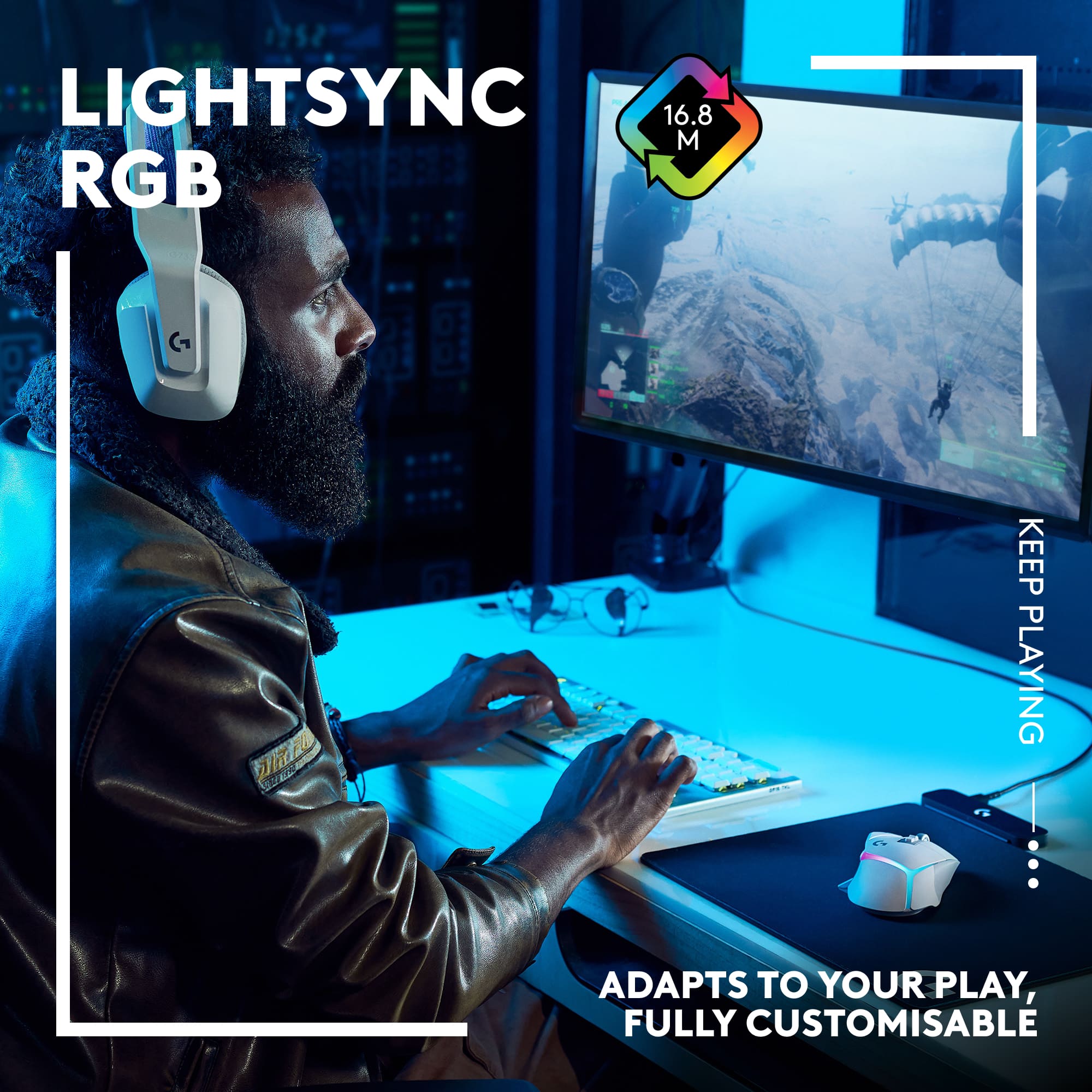
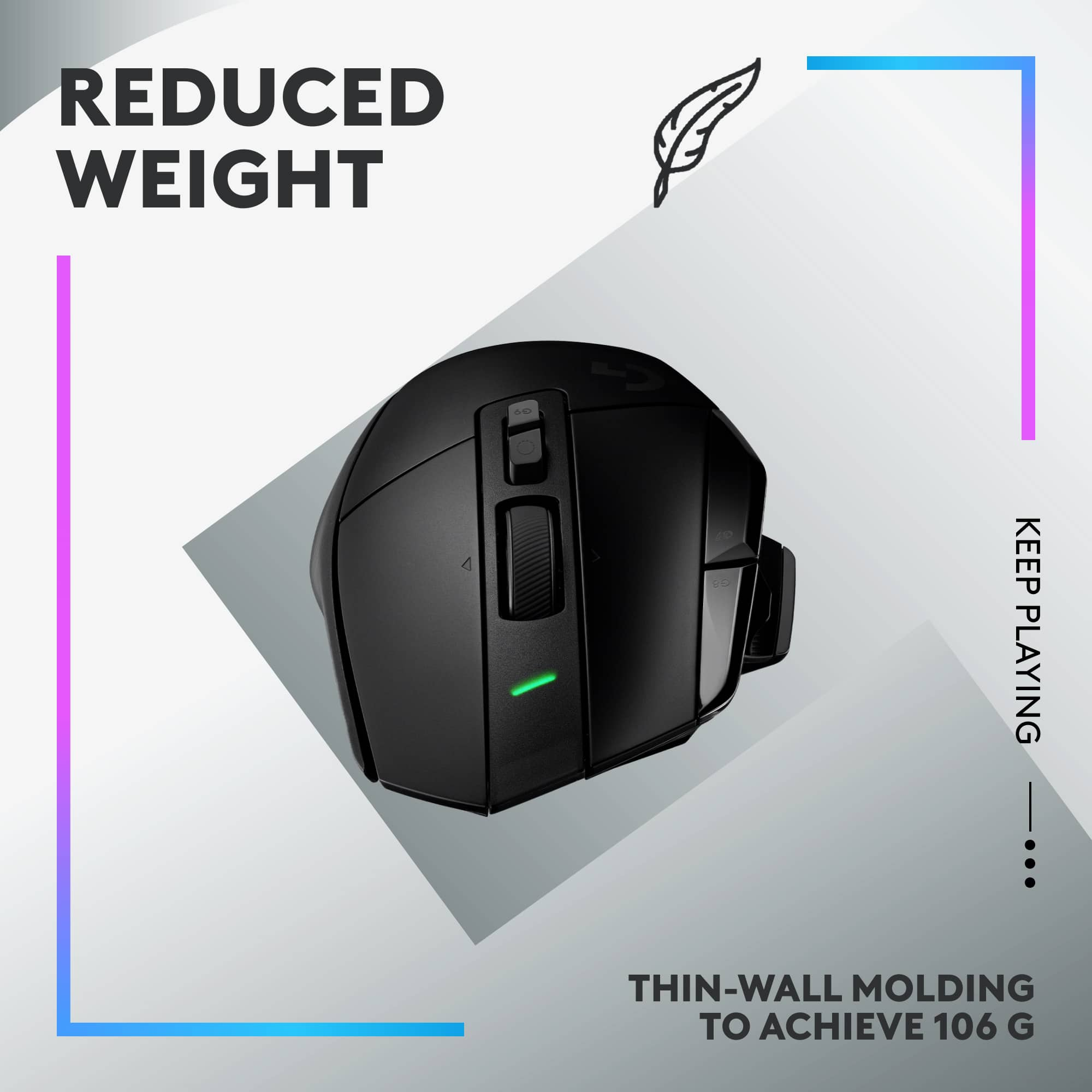
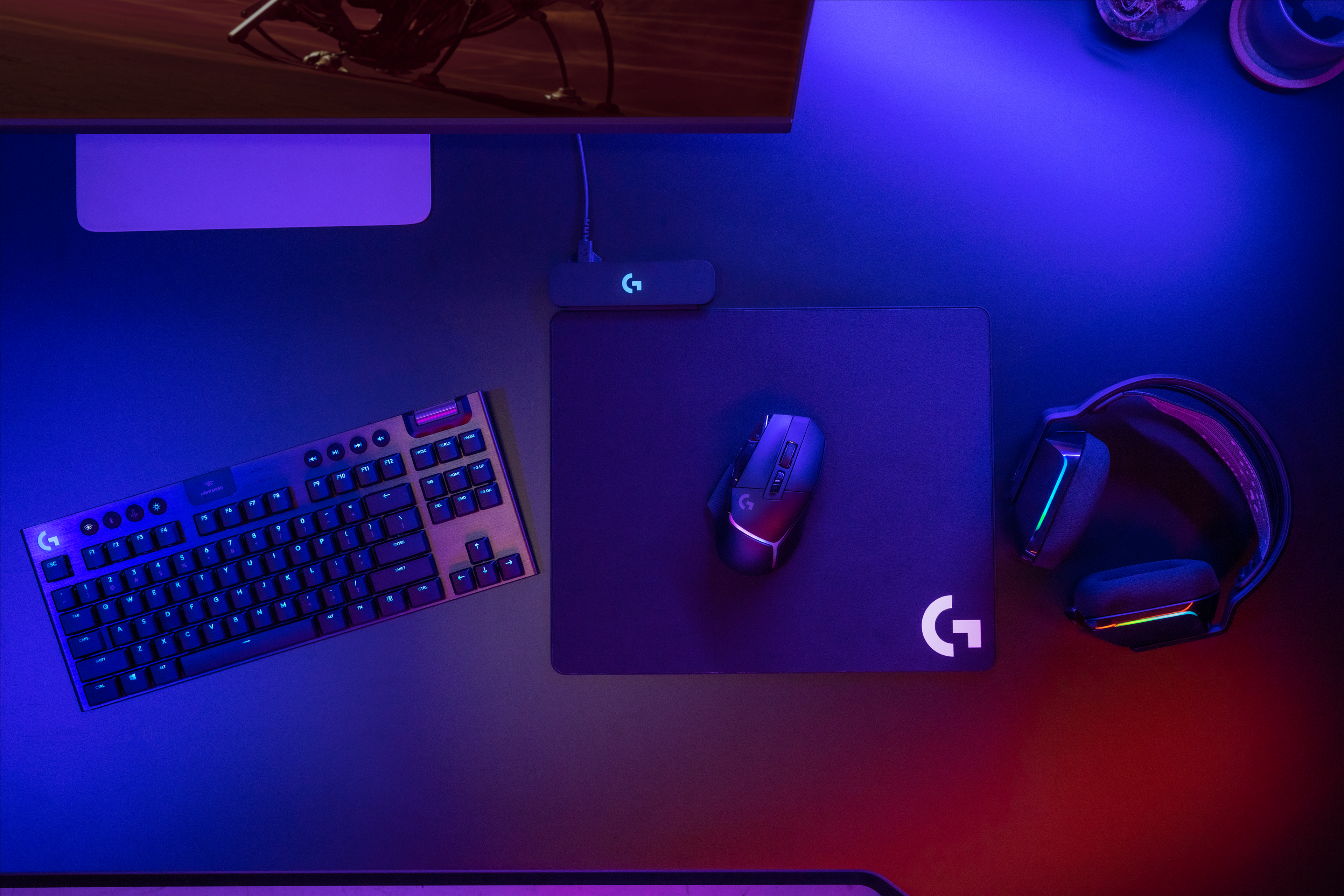
|Posted .This reviewer received promo considerations or sweepstakes entry for writing a review.I’ve been married to the legendary G502 mouse line since 2016: starting with the Proteus Spectrum, graduating to my first Hero in 2018, cord-cutting with the game-changing Lifespeed wireless model in 2019, and now with the newest iteration of goodness…the G502 X Plus. There is always an initial worry when anyone says ‘new and improved’, my fear immediately goes to changes to the form factor. To me, no computer accessory is as intimate to my gaming comfort as my mouse, you take forever to find the one that is perfect fit for you, and once you do you hope it never dies because everything inevitably changes. Logitech has done a superb job of staying true to the classic look and feel that made the G502 model the legend that it is, I was not at all sure how they were going to continue that trend. Why? Because I can see the slightly different ergonomics of the two side buttons, the mouse wheel and the DPI switch. I can tell the thumb rest is elongated, I can feel the new texture on left and right side grips and the confident clicks of the new switches…all subtle changes against the backdrop of the new Lightsync RGB 8-zone lighting area crowning the palm rest. Even with all the easily distinguishable changes to the build, it still rests easy under my grip in that same familiar position, fitting like a glove (or maybe vice versa…). It still feels like home, yet the differences seek attention. Here is what you notice. Still the same old greatness: Buttons: you get more buttons than a non-MMO mouse has a right to have, up from 11 programmable buttons on the old to 13 on the new. Map away to your hearts content Scroll Wheel: same hyper fast scroll potential, it’s a one-button switch between comfortable clicks and free spinning action, swap out to whatever your pleasure is. Wheel remains tiltable left and right Hero 25K sensor – still crushing worlds with sub-micron tracking, zero compromises given when your sensor is among the best out there. Lightspeed wireless – my original experience with first-gen Lightspeed was that it essentially felt like zero-lag- I literally tested it side by side with my Hero wired mouse and felt no compromise in cutting the cord. The new mouse boasts a 68% improvement over the existing Lightspeed, but I’m not sure how you can improve 68% over basically lagless play. Its basically corded, without a cord. Fits seamlessly into the existing Logitech infrastructure – G-Hub software picked up the new mouse right away and assigned a new device profile for immediate customization. I swapped the Powerplay disc from the old mouse into the new and it took to charging immediately off of my Logitech Powerplay base, and which also has a built in Lightspeed wireless receiver the mouse paired to. As with the old model, there is a port at the nose of the mouse (USBC) for charging if you haven’t figured out how to make the Powerplay charging mat a part of your life yet. Do it, it is so worth it to never plug it in. Ever. Raising the bar: Lightforce Hybrid Switches – new optical-mechanical switch technology, while I didn’t consider it a detracting feature on the 2019 version, you can definitely feel a firm difference in the click. Coupling optical speed and mechanical feel rewards you with incredible speed and reliability. Outstanding upgrade. Friction Free gliding - New coating on the bottom of the mouse, looks like white stickers but is a PTFE layer on the feet to reduce friction between the mouse and the pad/surface. Definitely noticeable between last-gen and this model, it glides on the Powerplay mat hard surface. Customizable sniper button – okay, small upgrade, but I like it, the ‘sniper’ button on the left side is on a magnet, and can either be flipped for a better feel, or replaced with an included blank (my choice) to remove it. Nice touch, this button was a bit annoying on the old one as it was built for weird long-thumb people, and not me. Lightsync RGB – the plus model has an 8-zone RGB break on the palm rest, looks awesome alone but in tandem with my Powerplay mat and G915 TKL Lightspeed keyboard, customize your setup eight ways to Sunday. Mine all run in simple cycle, but they look great in unison. Unit weight – I’m torn on this, it isn’t a plus for me but I understand that the trend is towards ultra-light. This unit reduced it’s weight from (I think) 114g in the last-gen wireless unit to 106g on this comparable unit- a feat considering the new LEDs are an added weight- but I do like my mice a little on the ‘more substantial’ side (no weight-shaming here), and I do miss the customization offered with the weight kit in the last model. Making mice intentionally heavier isn’t a thing anymore, and I may be alone on and island with that. What can I say, to each their own. All in, the new G502X Plus weaves great new function into a time-tested familiar form. It somehow reinvented itself without changing what makes it a legend, and added some really great value while cutting weight (and not corners). It comes at a premium price, but it is a premium product with much more to offer if you enhance it with the Powerplay upgrades (do it, really). I said it when I reviewed the 2019 version and it still holds true– this mouse was never a question of if, it was always a question of when.
I would recommend this to a friend Precise
||Posted . Owned for 2 weeks when reviewed.This reviewer received promo considerations or sweepstakes entry for writing a review.Its a lottt better then the razer i had of similar spec
I would recommend this to a friend- Pros mentioned:Battery life, Rgb lighting, Weight
Outstanding Gaming Mouse
|Posted .This reviewer received promo considerations or sweepstakes entry for writing a review.My old G604 has taken a beating over the last couple years, and it was time to look for a new mouse, while it still works perfectly it’s showing it’s age and has held up to many hours of gaming. When I saw Logitech “reinvented” the G502 with the “X Plus” model I had to give it a try. Unboxing and first impressions: The mouse came in a nice “typical” Logitech logoed box, and inside is the mouse, charging / wired cord, wireless receiver, a blanking button for the shift button, manual, and the usual “L” sticker. The body itself is pretty closely shaped to the G604 but more angular, the two main mouse buttons are longer and narrower then the 604s and the two buttons next to the left mouse button are much longer and easier to reach. There are two side buttons which you can program, and a new, side button in front of them that has a little lip that extends back so it’s easy to reach. This button is a preprogrammed as a DPI shift and when pressed it cuts the DPI way down for precise control. The top of the mouse also has a new RGB light strip and looks pretty cool and is programmable through the G Hub software, “all keys are very easily programmed through the software.” Using: The 502X feels great in hand, it’s extremely light, if you like a light mouse for gaming, you’ll love this one. I happen to like a little more heft to my mice and luckily if you happen to have an older mouse that has the “G” 10gram coin you can swap that into the base without a problem and this made it feel just right. The new “Hero” sensor is super sensitive, and you can “if you wanted” adjust it up to 25600, “I tried this once and wow that’s way too fast and sensitive” but you have full control of what you want to set the DPI at just like their past gaming mice. The new lighspeed hybrid switches and seem to be extremely responsive with just the right amount of force needed to activate, “will see how these hold off the static buildup and doubleclicking issues I’ve had in the past with their other mice”. Speed and accuracy while gaming is as good as it gets, and that new shift key really helps a lot when you are using a sniper rifle and want to halve your DPI for precise shooting, “it really helped in Borderlands 3” The scroll wheel has the button for that located behind wheel so you can set the wheel to free spin and behind that is another button that you can cycle through stored onboard profiles saved on the mouse itself. I also like the feel of the white PTFE feet, they are larger than the ones on my other mice and are very smooth sliding on my neoprene mouse pad. Conclusion: If you want a great mouse and do a ton of gaming, “like I do” then you’ll probably love the new 502X Plus. The battery life is outstanding, and their claim of 40hrs is pretty much on. It does have a USB C connector for charging and is compatible with the Powerplay wireless charger “I’ll be grabbing one of those”. So if you are in need a new mouse or just want an extremely good gaming mouse then put the G502X Plus on top of your shopping list.
I would recommend this to a friend