Customer Ratings & Reviews
- Model:
- 910-006160
- |
- SKU:
- 6512122
Customer reviews
Rating 4.7 out of 5 stars with 887 reviews
(887 customer reviews)Rating by feature
- Value4.4
Rating 4.4 out of 5 stars
- Quality4.8
Rating 4.8 out of 5 stars
- Ease of Use4.8
Rating 4.8 out of 5 stars
Customers are saying
Customers find value in the G502 X PLUS LIGHTSPEED's exceptional battery life, lightweight design, and responsive performance. Many appreciate the comfortable ergonomics, customizable RGB lighting, and the ease of use with its software. While some find the price point high, the positive feedback on features like the responsive buttons and precise scroll wheel outweighs this concern for most users. The wireless functionality is also frequently praised.
This summary was generated by AI based on customer reviews.
Rated 4 out of 5 stars
good
||Posted .This reviewer received promo considerations or sweepstakes entry for writing a review.want it to work better with WoW, can't program all the buttons for it
I would recommend this to a friendRated 4 out of 5 stars
good just expensive
||Posted .This reviewer received promo considerations or sweepstakes entry for writing a review.Good just too expensive. Got during black Friday sale so that helps
I would recommend this to a friendRated 1 out of 5 stars
left and right click don't work after a month
||Posted . Owned for 3 months when reviewed.This reviewer received promo considerations or sweepstakes entry for writing a review.right and left click buttons stopped working a month after i bought the device. they only work if its 65 degrees or lower. if its room temperature of above i have to have a fan blowing on my mouse for it to even work. completely unacceptle for the price i payed.
No, I would not recommend this to a friendBrand response from Logitech
Posted .We sincerely apologize for the encountered experience. We would suggest contacting our Logi Support directly to report this matter and seek further assistance.
Rated 1 out of 5 stars
Returned
||Posted . Owned for 1 week when reviewed.This reviewer received promo considerations or sweepstakes entry for writing a review.Not fast enough for CLX Horus gaming Desktop (returned.)
No, I would not recommend this to a friendBrand response from Logitech
Posted .We regret to know that the product did not meet your expectations. We'll make sure to share it with the right team so they can look into it.
Rated 1 out of 5 stars
sub par gaming mouse
||Posted . Owned for 1 week when reviewed.This reviewer received promo considerations or sweepstakes entry for writing a review.wouldn't recomend compared to basilisk v3 pro which is way better and also has bluetooth
No, I would not recommend this to a friendRated 1 out of 5 stars
Worst piece in my recent 5 years
||Posted . Owned for 2 weeks when reviewed.This reviewer received promo considerations or sweepstakes entry for writing a review.Side buttons frequently fail yo respond. Do not get this one.
No, I would not recommend this to a friendBrand response from Logitech
Posted .We apologize for any inconvenience you may have experienced and genuinely appreciate your feedback. Your input is highly important to us and it hasn't gone unnoticed. We will use it to improve our products and services.
Rated 5 out of 5 stars
Well rounded, good looking nouse
|Posted .This reviewer received promo considerations or sweepstakes entry for writing a review.I've had the pleasure of owning a number of Logitech accessories, especially various mice models (703, 604, prox super light) And this this model builds upon many of the things that I like in previous models and will be a stable in my my mice collection for many years to come. Pros Features: about to check as well known for building top quality mice with easily customizable features in this mouse is no exception. The Logitech software is easy to use and configure different profiles as well as switches and RGB. The sensor and responsiveness is very quick and the mouse charges quickly. The CPU fee had a very nice glide as well making this a well-rounded mouse. Style: simply put, this mouse looks very good. It combines many of the styled designs from their multiple button mice with their sleeker designs as well. Cons: Battery life - I have not been super impressed with the battery life thus far on this mouse. It seems to require charging more frequently than some of my others, although Logitech does make this very easy to do as the USB receiver easily plugs off and the USB type-C cable slides into the mouse for charging. Height: okay this might be a weird one but the rest of my Logitech model nice. Have a very satisfying rounded shape to them that seemed to fit my hand well, or at least my hand became very comfortable with it. This mouse and the other hand is fairly flat in comparison and feels as though I am missing part of it. I am sure that I will adjust to this in time, but it is definitely something that I noticed. All in all, this is an amazing mouse and would be a welcome addition to anybody collection who wants the best of gaming as well as multiple function buttons.
I would recommend this to a friendRated 5 out of 5 stars
Best gaming mouse
Posted .This reviewer received promo considerations or sweepstakes entry for writing a review.Easily the best gaming mouse I’ve ever used. The ergonomics and general feel of it are immaculate. Clicks are crispy and buttons are easy to use and map.
I would recommend this to a friendBrand response from Logitech
Posted .That's fantastic to hear! We're thrilled you're finding the G502 X PLUS LIGHTSPEED to be the best gaming mouse you've ever used and that you appreciate its ergonomics, feel, and the crispness of the clicks and button mapping. Thanks so much for the excellent feedback!
Rated 5 out of 5 stars
Light, responsive, and very customizable!
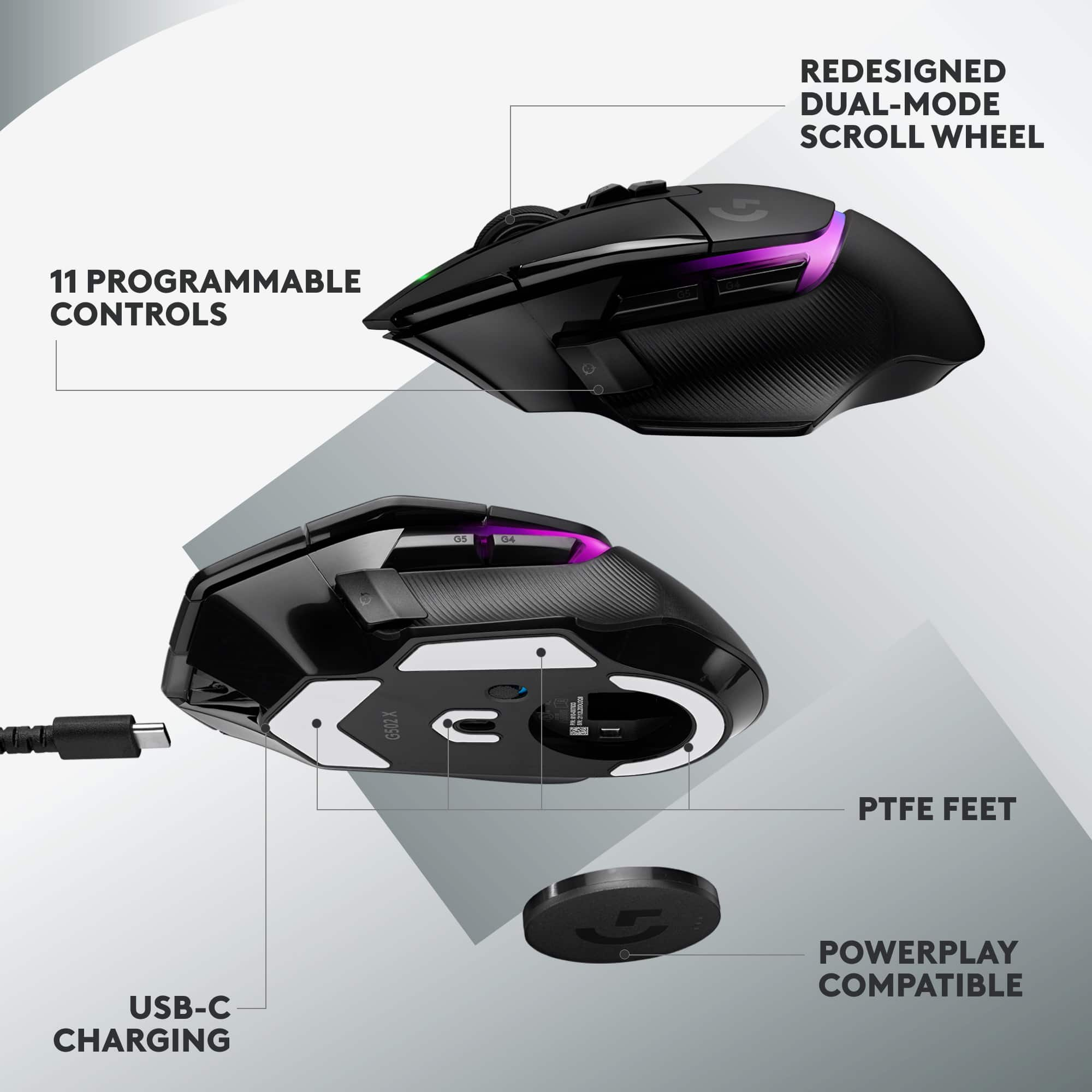
|Posted .This reviewer received promo considerations or sweepstakes entry for writing a review.I have been a Logitech fan for the past 20 years. From mice, speakers, keyboards, to headsets and I’ve happily enjoyed most of them and stand by their products. I have also been a fan the original, and successful, G502 corded mouse which this one was modeled after, and I actually still use part-time. I loved wireless mice so much that I refused to ever go back to wired, until the G502…so long as it was a stationary setup where I didn’t move desk or locations, but I also have a gaming laptop that gets moved around a lot. Corded is nice because of its responsiveness and never have to worry about charging or signal issues. But now I wanted to upgrade the G502 to a wireless option for my gaming laptop, and what better option than a wireless one designed after it. First thing I noticed about this mouse was how light it was. Most wireless mice are a little heavier due to the weight of the battery, but with battery technology improving they have managed to make these things super light while holding a good amount of battery life. Its even significantly lighter than the corded G502! It also comes with an adjustable/replaceable DPI shifter for those who have that preference. The battery takes 2 hours for a full charge which uses a USB C/A cable that is included, you can use this for a wired option or just use the wireless receiver. From a full charge you can get up to 120 hours of continuous use which is pretty wild for how light this thing is. The bottom of the mouse stores the USB wireless receiver when on the go. It’s a nice magnetic cover that’s easy to remove and put back on. The receiver is even labeled G502, so when you’re like me and have multiple older Logitech mouse receivers around the house, you know which receiver this goes to. The receiver fits snug in the little cubby, but it seems like its not very secure if its going get knocked around in luggage. I downloaded the G Hub software for my laptop where I was able to set the LED color mode changing options, see your battery % remaining, DPI settings, buttons settings, profiles, and much more customizations. It also has default profiles for games it detects on your computer. The buttons on the mouse help you cycle through DPI and profiles easily. I play FPS shooters, including latency sensitive multiplayer games such as the COD series, where a tiny bit of lag makes a big difference. In comparison to the corded G502, it felt very similar in responsiveness. Still adjusting to the weight and shape of the new mouse, but it’s a convenient reminder of how nice a wireless setup is. Even the braided cords can catch onto things. One thing that seems off are the battery life readings and the quoted battery life. According to the G Hub software, after I was at a full charge (or nearly full) it read my battery life at just over 55% while on wireless. Then a few minutes later, it went back to 91%. Don’t expect to get anywhere near 120 hours while using lights, your life will drop down to under 40 hours. Currently at the 91% it says I have approximately 35 hours left of use. With the lights off, the software says 137 hours…big difference with the lights (more than whats quoted for the G502 X Plus). I also wish they would still include a charging cradle, would be much more convenient then plugging and unplugging cables. Overall the G502 X Plus seems like a solid runner-up to its predecessor, with even more options. The fact that you can switch between wired and wireless options easily, and get close to 4-5 days while having lights disabled is dang good. If lights are off and I start a game that has its own profile with lights on, the lights will come on just during the game which I think is pretty cool. The Lightspeed feature touts a 68% faster connection than what previous wireless mice use. It seems like Logitech has pulled the best features from their successful products and went all in on this line-up. The settings, customizations, and responsiveness have all been a good experience so far. I’d def recommend trying this mouse out if you are on the fence!
I would recommend this to a friendRated 5 out of 5 stars
Sick DPI settings for a gaming mouse!
Posted .This reviewer received promo considerations or sweepstakes entry for writing a review.This is probably the best mouse I’ve ever used in my life. Love that you can easily switch between DPI settings with a click on a button!
I would recommend this to a friendBrand response from Logitech
Posted .Your feedback means a lot to us, and we’re so glad to hear you’re enjoying your Logitech device. We work hard to create products that make life easier and more enjoyable, and it’s great to know we hit the mark. Thanks again for your support!
Rated 5 out of 5 stars
New favorite gaming mouse
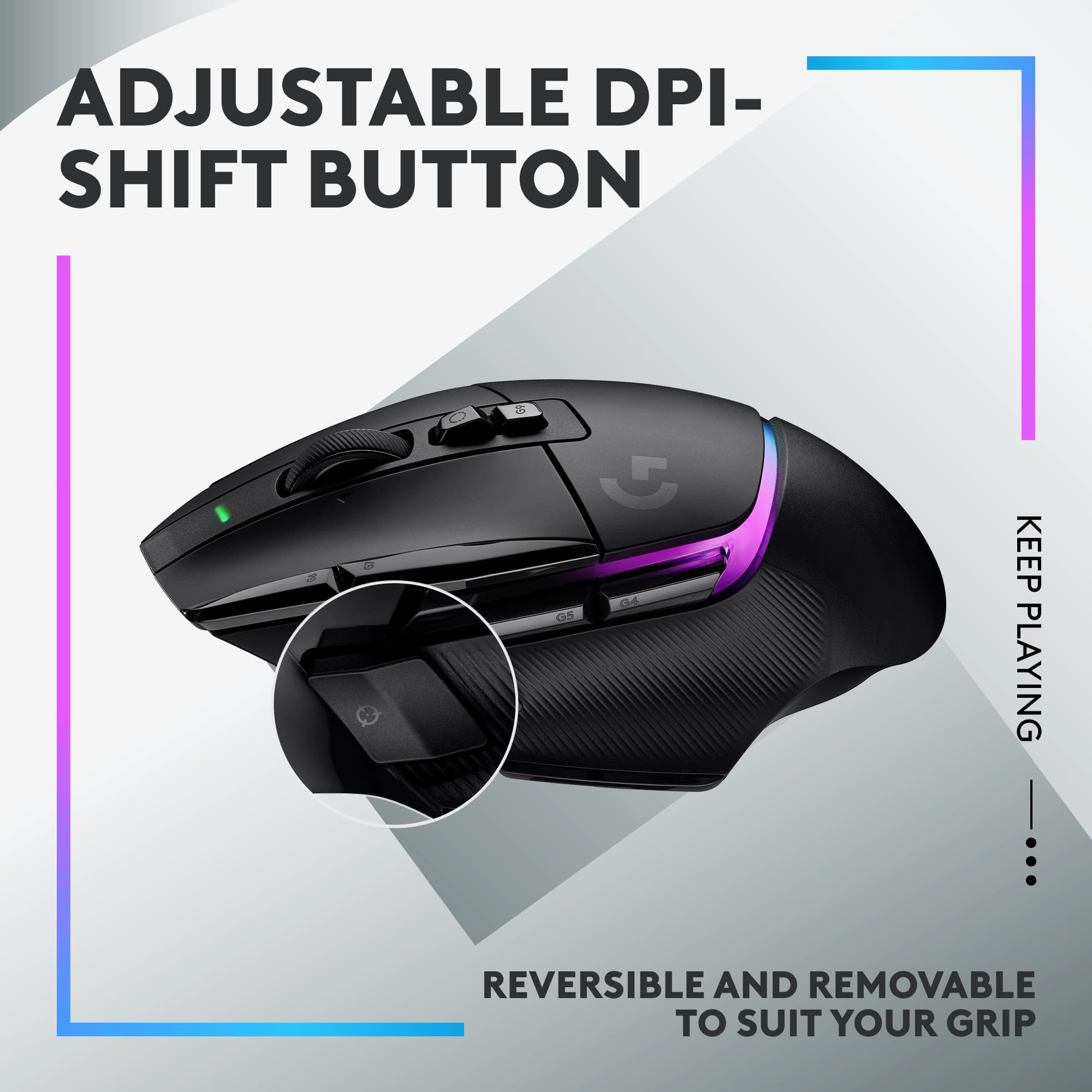
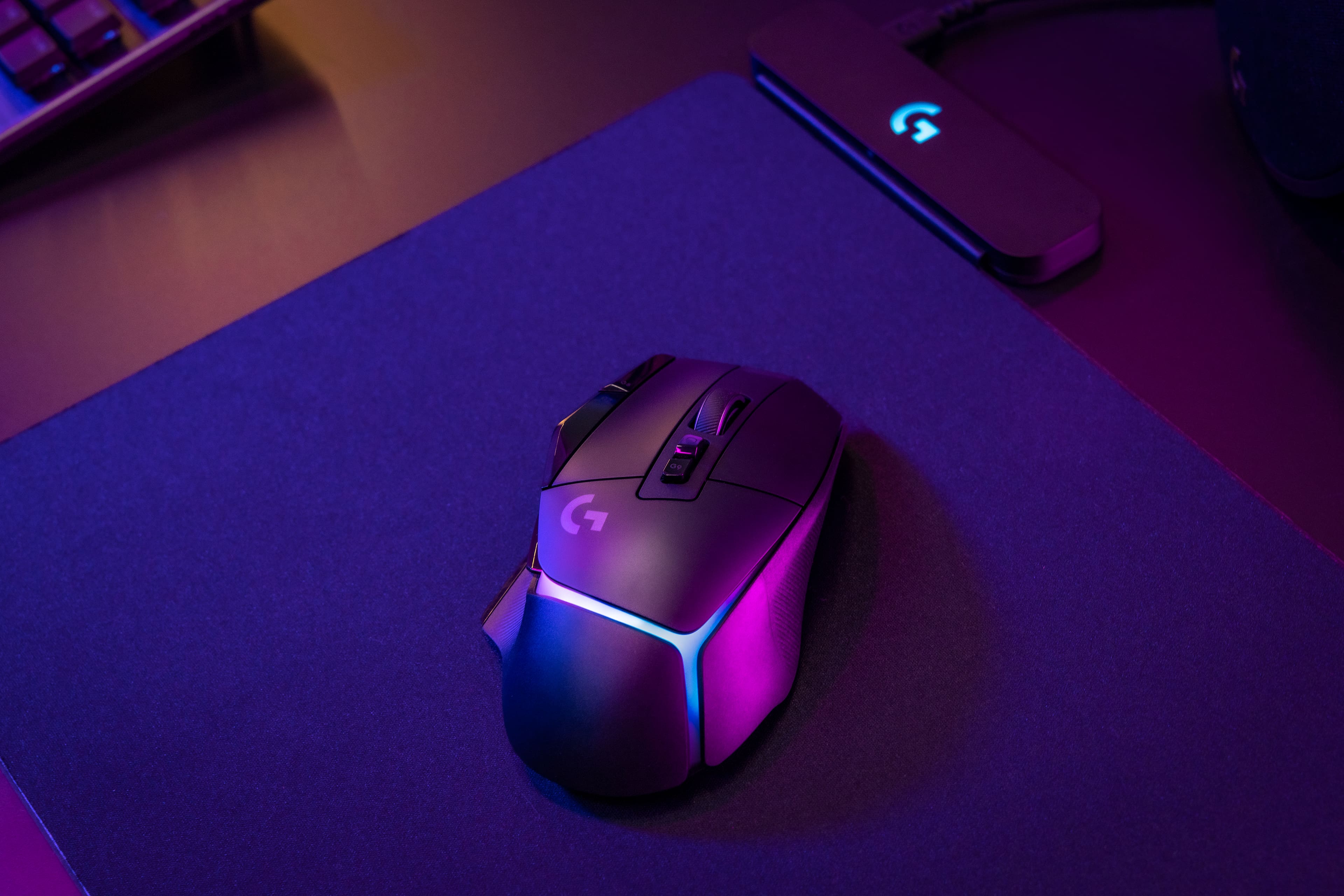
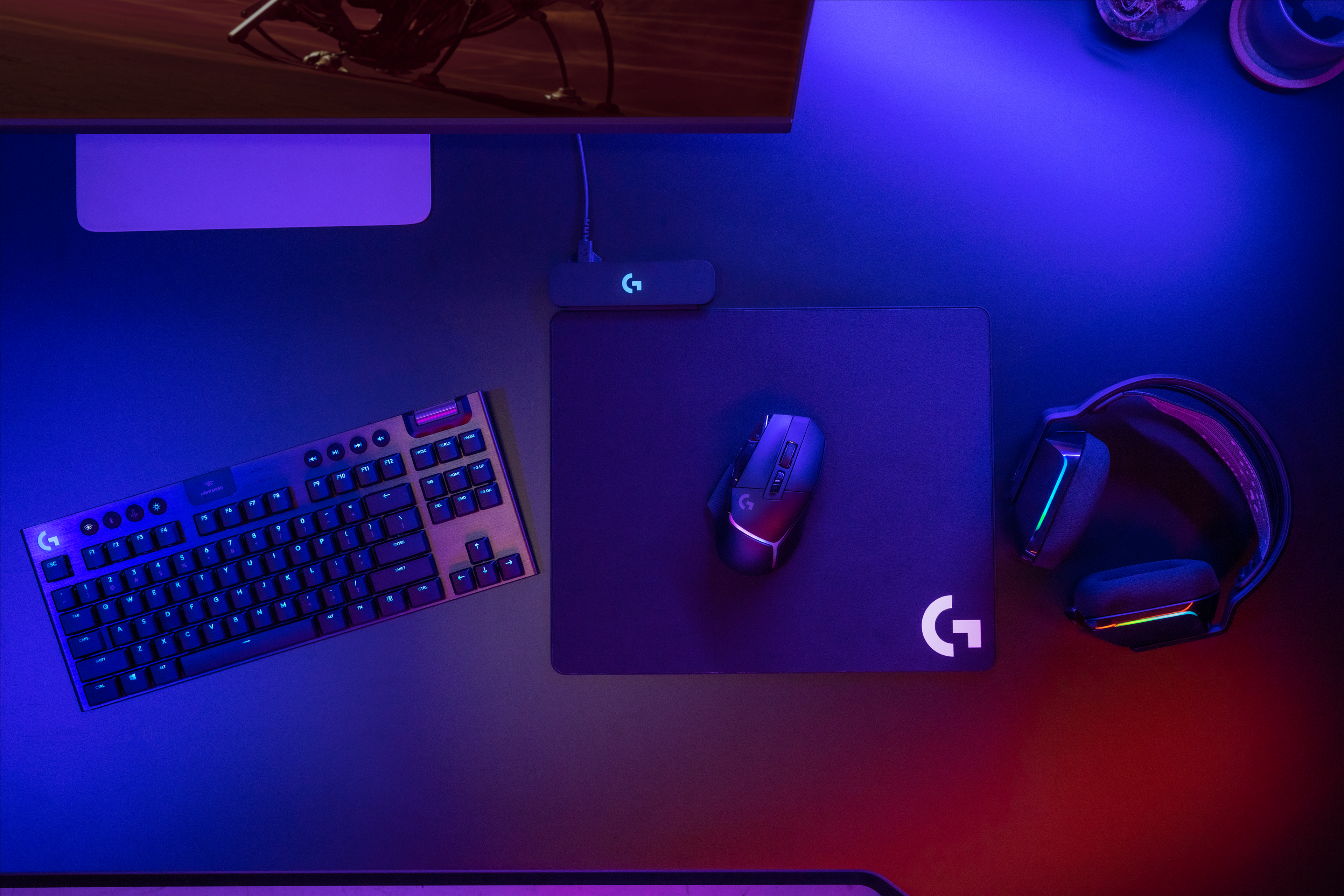
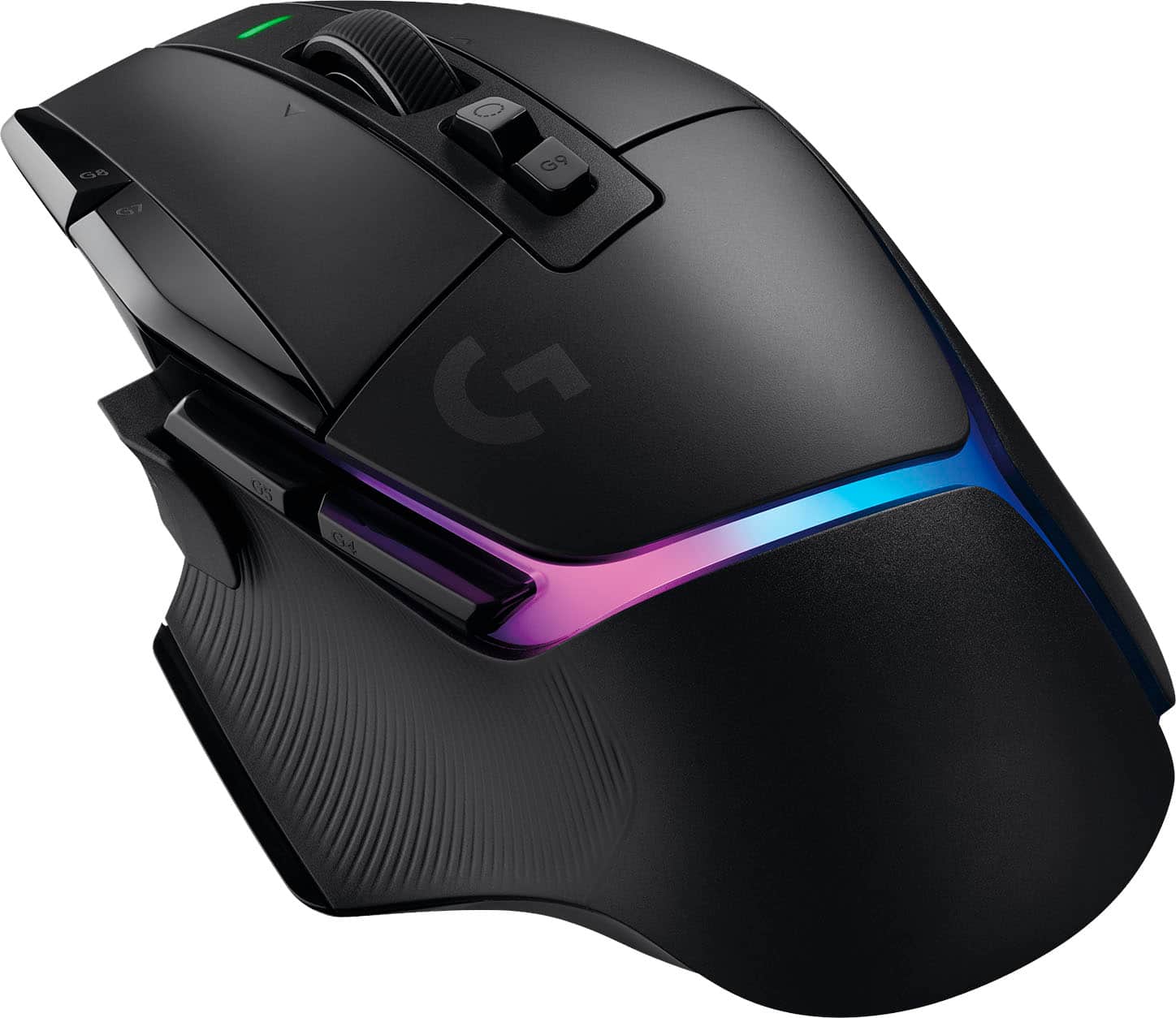
|Posted .This reviewer received promo considerations or sweepstakes entry for writing a review.Honestly, I've always been a Razer fan and have a full compliment of Razer RGB gaming accessories. RGB improves gaming performance and frame rates; it's just science! Lately I have gravitated back to my Logitech G915 and wanted a mouse to pair with it. The G502 X Plus has made me a Logitech believer! Comfort and ergonomics are perfect for me. My hands are on the small side, and I somtimes have problems with the main buttons when my hand is positioned correctly. No such issues here, and this mouse holds my hands in a comfortable position that allows me to play or work for an extended time. Of course it works with the same software I use to set up the Logtiech keyboard. Some of the light settings can be synced between the mouse and keyboard which makes them both pulse at the same rate and time. Pretty slick. The lighting is bright but tastefully muted in a good way. The lighted area is a Y-shaped section near the back of the mouse and looks great. The switches all have a really satisfying click to them with a slight metallic "P-TING!" sound. There's a button on top that toggles the wheel from clicky to smooth. I prefer clicky for gaming and smooth for browsing, so I love having the option. There's a side button to shift DPI on the fly (great for aiming) that can be popped out and mounted the other way to make it easier to hit or harder to accidentally hit, depending on how you want it. It comes with a second longer one that can be swapped out. It's a nice touch, but now I have a tiny button to keep track of if I want to swap it in the future. I LOVE that this is recharged via USB-C and works with any cable instead of the proprietary one with the notch in it that a couple of my other mice take. Sometimes I like to use it with my Steam Deck and I like that i can use the same charger I use with the Deck to charge the mouse. This is a lightspeed mouse, meaning it works with a dongle using Logitech's lightspeed connection. It does not support bluetooth at all, so you will need to keep track of the dongle if you're mobile. There's a magnetic door on the bottom that reveals a magnetic dongle port inside. It will rattle around inside if you don't get it in just right. It will also apparently work with a (not-included) wireless charger. I do wish it would work with the lightspeed dongle for the keyboard so I only need one plugged in. I would love to just use one port. If it's possible to do that I haven't figured it out yet. Great mouse, and a perfect compliment to a Logitech gaming keyboard
I would recommend this to a friendRated 5 out of 5 stars
Improvements on a classic
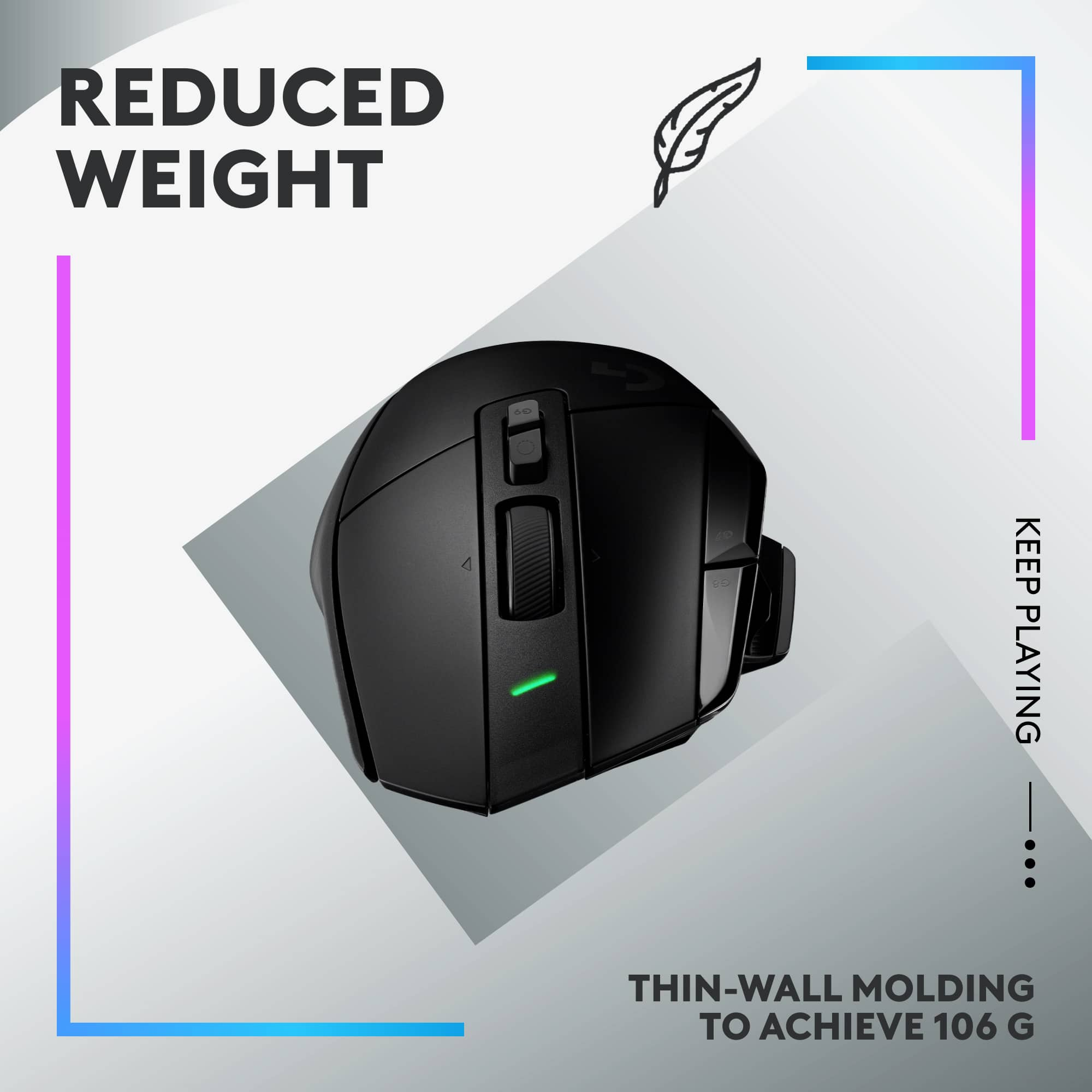
|Posted .This reviewer received promo considerations or sweepstakes entry for writing a review.There’s a reason the overall design (shape) of a mouse hasn’t changed THAT much over the years. Don’t get me wrong, improvements are constantly coming out, whether it’s ergonomic comforts, button position, battery life, weight, etc. BUT think about it, the basic, standard shape of a mouse has not changed all that much, particularly when it comes to a gaming mouse. I work in an office, on a computer, so I use a mouse all day. For that, I do use an ergonomic mouse give my wrist a break, but I go back to that classic design for gaming because it has much better control and allows me to react quicker than I can with an ergonomic side mouse. Now let’s talk specifics on Logitech’s G502 X Plus. I switched to this from the G303 Shroud Edition. The Shroud edition was very lightweight (coming in at 75 grams) whereas the G502 X Plus is 104 grams. Now yes, we’re talking grams here but when you go from something that lightweight to anything that’s heavier, it is noticeable, not necessarily in a bad way but noticeable nonetheless. Lightweight is good to avoid fatigue, but I found I actually liked that the G502 has slightly more “heft”. It felt more balanced and easier to control. However, the biggest and best change I noticed was the contouring of the buttons of the G502 X Plus. It just felt better in my hand, not only for comfort but just a better grip overall. That goes back to my original point that there are small touches that can make the basic shape of a standard mouse stand out. The G502 X Plus has just that. Yes, the foundation of a basic mouse is there, but the contouring allows you to hold the mouse without having to… “hold on tight” if that makes sense. You can have a more relaxed grip, rest your thumb on the bottom contour but not lose any control. If anything, you gain more control but in a much more relaxed way (equaling less hand fatigue). I’ll be honest, I’d kind of forgotten just how much I’ve appreciated that in past mice. This mouse reminded me of what I really want to see. The one drawback was I don’t love the buttons below the scroll wheel. They’re hard to access, not the most logical placement in my opinion. However, there are way more buttons to work with, so it’s not a huge problem in my opinion and not enough to take away a start from this rating.
I would recommend this to a friendRated 5 out of 5 stars
Sick
|Posted .This reviewer received promo considerations or sweepstakes entry for writing a review.I was a super fan of the Logitech MX Master 3 because of its form, function, and design. I am now a super fan of the Logitech G502 X Plus Lightspeed wireless gaming mouse because of all these aspects plus it has a super stylish RBG feature now. First off, the ergonomic design is quite pleasing. The mouse is excellently crafted except for the thumb button, which is interchangeable. The mouse feels good as a fast feather lite or with a Logitech weight it is very quite solid. The thumb action button is interchangeable but of all the qualities of this mouse, it actually feels a bit cheaply made. Either way, I am at least happy Logitech provides a button blank to use to replace the thumb rest button. This would have been my only complaint against the mouse. I would not say that I have large hands, but I am almost six foot two inches. TheG502 X fits comfortably when my hand is at rest, except for that thumb button. I found myself hitting it a ton and quickly replaced it with the blank. The battery life is amazing and on a single charge, I can play for hours and hours. The DPI ability of this mouse hurts my brain. I put the sense at the highest and I am still trying to find my mouse icon. The ability to flick through easily is fantastic. I play a lot of PUBG, and this is extremely useful here and really in any shooter style battle royal or multiplayer. I like to lower the DPI when ADS'ing to ensure a sure shot. Or I like to quickly increase the mouse movement speed within CQC to be able to spin and turn faster. The RGB is slick and clean. The Logitech download software allows for a ton of customizations and color schemes to fit your wants. I love the liquid flow in lieu of the individual lights. My end thoughts are that this is probably the best mouse I have ever used and would highly recommend it to anyone.
I would recommend this to a friendRated 5 out of 5 stars
Great Looking, Smooth, and Ergonomically Designed
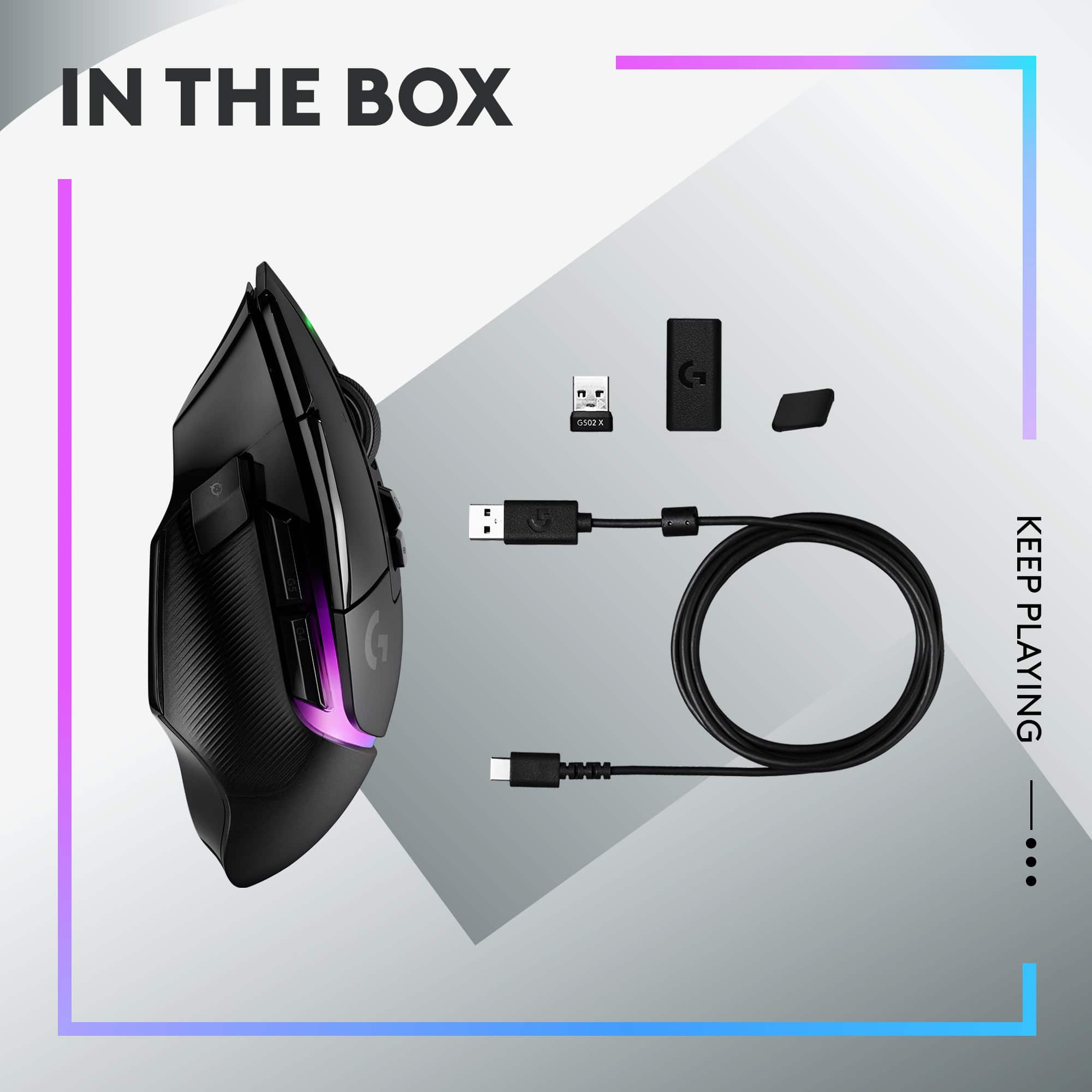
|Posted .This reviewer received promo considerations or sweepstakes entry for writing a review.The G502 X Plus Lightspeed produces very smooth mouse movement. The pads on the bottom are low resistance so moving the mouse around ends up being effortless. It is ergonomically designed and feels comfortable when using it. Logitech added plenty of buttons. There are 9 and the scroll wheel can be move slightly left and right for added functionality. There is a power led light on the front between the main left and right buttons. Also, there is led lighting along the palm rest. The Logitech G Hub app allows you to configure the mouse buttons and led lights. The initial version of the app that I installed was quite limited, but I have since had an update and now the app has many features. So far, I’m liking the app. As far as use of the mouse, as mentioned before it is very smooth and you can quickly change dpi. Button presses though do make a metal like clicking sound and the scroll wheel makes a sound that is like some older style mice. I found a little distracting at first, but on further use it ended up not being something that I noticed when playing a game and general use. You can also see the battery charge level in the app. It comes with a USB-C to USB-C cable, USB-C to USB-A adapter so you can charge the mouse and you get a USB-A receiver so you have the choice of using it wired or wireless. I’ve used it wired and wireless and the precision in both situations is spot on. You can also store the USB-A receiver in the bottom of the mouse. I like that you can use it both wired and wireless, can quickly change dpi on the fly with little effort, and the smoothness of mouse movement. If you are looking for a wireless mouse that is smooth and sleek looking, then the Logitech G502 X Plus Lightspeed is definitely a mouse to consider.
I would recommend this to a friendRated 5 out of 5 stars
Keep coming back
Posted .This reviewer received promo considerations or sweepstakes entry for writing a review.This is honestly the best mouse I've ever used in the past 30 years. Logitech found a winner in the 502 and they were smart in just improving it and not trying to remake the wheel. I've owned a 502 for the last 10+ years, and while I've tried other mice at times, I keep coming back to the 502. Great customization, dpi changes on the fly, the scroll wheel's amazing, and the weight is not too heavy and not too light. Would definitely recommend.
I would recommend this to a friendBrand response from Logitech
Posted .Wow, thanks for the incredibly positive feedback on the Logitech G502 X PLUS! We're thrilled to hear it's the best mouse you've used in 30 years and that you've been a loyal 502 user for over a decade. We appreciate you highlighting the features you love, like the customization, DPI changes, scroll wheel, and weight. We're glad to hear we've improved upon an already successful design. Thanks again for your kind words and recommendation!
Rated 5 out of 5 stars
A great mouse for gaming, but not work...
|Posted .This reviewer received promo considerations or sweepstakes entry for writing a review.I really like the feel of this mouse. It has a very natural feel and the responsiveness it great. The only real gripes I have is the wheel is a little sloppy and I could not get comfortable using this mouse for normal work, coding, or spreadsheets. It was very clear that this was designed the pure gamer and would be recommended for anyone who games with passion for more than a few minutes a day. The DPI controls and including software means you can game at your speed and get it down to the way that is most comfortable to you. I like that I can use it using the USB C cable to allow for charging or take it with me for gaming with my laptop. The Logitech softare lets you manage the colors and settings. I really like that I can store the USB receiver in the bottom of the mouse. The feel is very natural and comfortable, you should not feel hand or wrist fatigue with many hours of gaming. I like the fact I was able to charge it with other USB C cables and it did not complain. I was able to use it without the software just fine and adjust the DPI to get a precision feel or install the software from the Logitech website to adjust and manage the colors. The only negative I had was that for a moble system that I use for work and maybe a little gaming, I would need to have two mice carried around with me. Also the included USB receiver does not work with other Logitech devices and this mouse is not compatible with other USB receivers. That is a slight ding but not enough to even take a star away and I don't take a star away for the work usefulness because it is marketed as a gaming mouse, which it is one of the best available today.
I would recommend this to a friendRated 5 out of 5 stars
Fantastic upgrade!
|Posted .This reviewer received promo considerations or sweepstakes entry for writing a review.This Logitech G502 X wireless mouse has been fantastic and has exceeded my expectations. I have always been a fan of Logitech products and knew the quality would be excellent, but I was unsure how I would feel about using my first gaming mouse, but I have loved every minute of it so far and wish I did not wait this long for one. It is obvious that this wireless mouse is visually appealing, the lights and the design of it make me literally proud to see it sitting on my desk. It is also ergonomic beyond belief. I have chubby but small hands and I have no problems fitting my hand comfortably on the mouse, but there is also plenty of room on the mouse that someone with larger or longer hands would have no problems with. It seems like the light strip areas of the mouse have more than just a visual purpose, it seems like it creates air channels under your hand for air flow, I noticed my hands have felt cooler while using the mouse for so long. I Also love the two different scroll options, and the button to change between the two nearly feels like a brake for scrolling. I use my mouse for hours to edit photos and I have noticed myself switching between the two different scroll methods depending on what I am working on. I also like that I can easily change the cursor speed on the fly with buttons right on the mouse, with having a three monitor setup, I never realized how much I needed that until I had it. I know this mouse will be excellent for gamers, but it will also be great for anyone who spends any sort of time on a computer. It is such a great upgrade from the basic mouse and I cannot recommend it enough.
I would recommend this to a friendRated 4 out of 5 stars
Nice Mouse, with some room for improvement
|Posted .This reviewer received promo considerations or sweepstakes entry for writing a review.I typically do not like using larger style mice and generally go for more compact sizes, but I actually enjoyed using this mouse for gaming, although there are some cons I'll get to later. Most mice this size feel extra heavy, but this one feels as light as a mouse less than half its size, making it more user-friendly for gaming than other mice this size. The amount and placement of buttons (including one that you can switch out to a small or large size) give you great options for personal preferences for gaming. I'm a huge fan of the scroll wheel moving from free-flow to incremental, which happens at the push of a dedicated button just above the wheel. The RGB lighting is delightful, and a storage area below the power switch on the bottom of the device allows you to store the USB dongle for safe keeping. Tracking is superb (as is common on Logitech devices it seems), and I was able to guide the device on literally every surface i could think of or access. I didnt try distance tracking, so I cannot speak to performance in this area. On the down side, this mouse is strictly controlled through the dongle, as opposed to having Bluetooth capability, which is a limitation when compare to some of Logitech's own other wireless gaming mice that can use both a dongle and Bluetooth on any Bluetooth-capable device. The storage area underneath the mouse cannot fit the small or large button alongside the dongle, so there is high likelihood of losing the button if you carry it through other means for preferred switching of sizes between games or productivity work. The biggest issue I had overall was with the downloadable software application for the mouse. It uses the G HUB app, and the app is not intuitive at all, forcing you to go through a demo to get to the RGB controls, which are a separate set of options from the ones you can download and use on a completely different screen; Options loop around repetitively, and require that you basically click on almost every option in order to figure out where to go or what to press to do whatever you are trying to do through the app. I stumbled across how to activate saving settings directly to the device, and then stumbled across how to get to a game profile while trying to figure out how to switch the RGB settings (which appear in two different areas, the least convenient of which is where the main controls are actually located). Not sure what the design team was thinking when they slopped every menu they could think of into random locations, but it needs a TON of work. had it not been for the mouse itself being so fun to use and look at, the menu options alone would have cost this device two stars. Overall, I'd recommend the mouse to others, even if they prefer smaller mice, for both gaming and regular productivity needs, but I would certainly warn them about how disorganized the settings are through the G HUB app if they are intending to use this mouse for gaming.
I would recommend this to a friendRated 5 out of 5 stars
My first and last gaming mouse...for good reason!
|Posted .This reviewer received promo considerations or sweepstakes entry for writing a review.Ok, so in all my years of gaming, this is the first time I've bought a gaming mouse. I have just always been comfortable with two buttons and a scroll wheel and anything else i need is on the keyboard or gamepad/joystick. But that has all changed. At first I was intimidated by all the buttons but after installing the Logitech software for the G502 X Plus, I completely understood the value in all these options. This thing is fully loaded and I can literally customize 13 different buttons on this thing and the primary right and left click has the perfect amount of resistance. In addition to the buttons, the feel of the mouse is great. Its solid and comfortable in the right hand. It feels like it is well built/constructed and not like a cheap standard mouse. In addition, after a full charge the batter lasts forever with heavy use. I've used it for 6 or 7 gaming sessions before needing to recharge it and recharging is as simple as plugging it in to your USB C adapter at the end of the day. The only thing that I will say I wish was a little different is the scroll wheel. I wish it had just a little LESS sensitivity. Just accidently brushing the thing sends the scroll bar flying. However, that is something I can get used to and will get used to as I use this thing for work in addition to gaming. So it's more than "just a gaming mouse"...its the last mouse I hope to ever have to buy.
I would recommend this to a friendRated 5 out of 5 stars
Lite, fast and great looking mouse
|Posted .This reviewer received promo considerations or sweepstakes entry for writing a review.Logitech is known for quality computer peripherals and this gaming mouse is no exception. It is extremely lightweight, fast, configurable and looks great on a gaming desk with its display of moving and changing colors. The response is immediate with no lag and the mouse is configurable with the Logitech Options software. The software makes this mouse great, with options for changing the pointer speed, scrolling, wheel direction, sensitivity, smart shift and wheel mode options. There is even a Logitech Flow option to easily switch between computers by moving the mouse to the edge of a screen. While the default button configurations work well for me, the mouse can be configured to work differently with various applications. I tried a custom configuration for word processing and it is a handy tool to have if one uses a special application. The mouse charges quickly and holds a charge for several days. Connectivity requires the included dongle and does not support Bluetooth connectivity. This is designed as a gaming mouse where speed is a major consideration, so using the dongle makes perfect sense. The mouse feels great in the palm of the hand and is effortless to move and use. It looks great in a dark office with the lighting. Logitech has combined quality with flexibility and produced another great product,
I would recommend this to a friend