Customer Ratings & Reviews
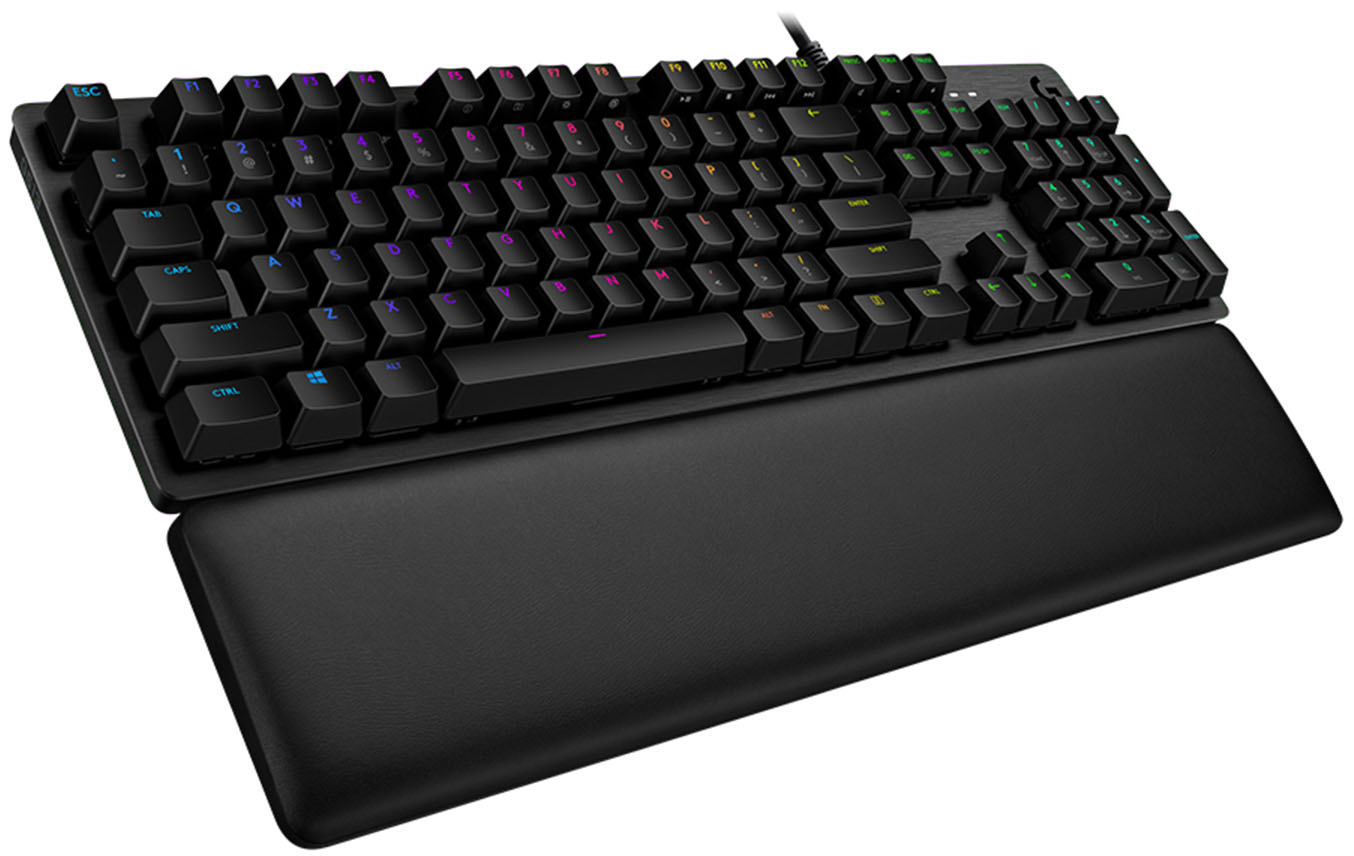
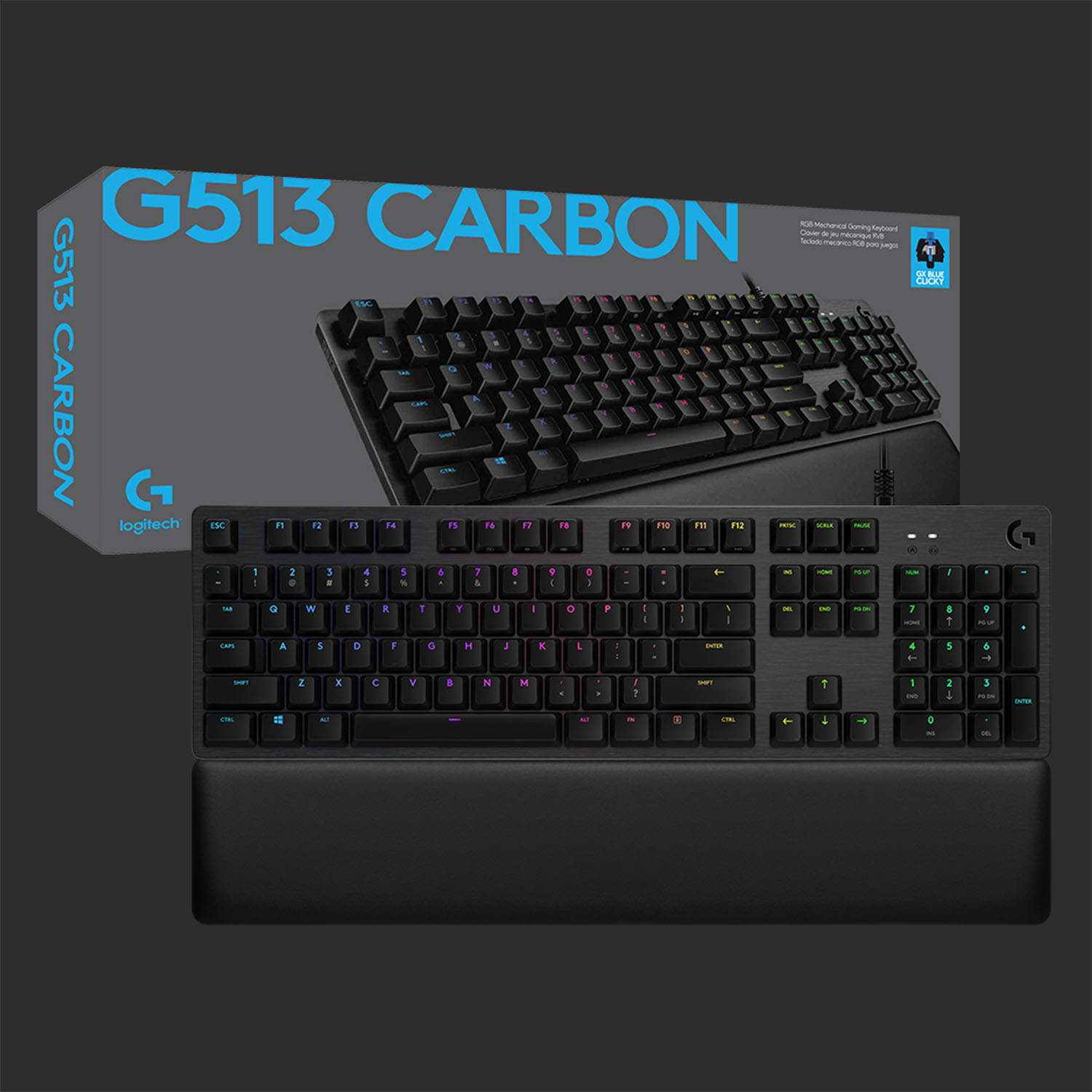
![ESC F1 F2 F3 F4 F5 F6 F7 F8 F9 F10 F11 F12 PRTSC SCRLK PAUSE - - 1 ! 2 3 # 4 $ 5 % 6 A 7 & 8 * 9 ) 0 ) - - INS HOME PGUP NUM / I TAB Q W E R T Y U I O P t { ] I I DEL END PG DN 7 HOME 8 9 PG UP CAPS A S D F G H J K L : : A ENTER 4 5 6 SHIFT Z X C V B N M K > / ? SHIFT T 1 END 2 3 PO DN ENTER CTRL ALT ALT FN CTRL 0 INS DEL](https://pisces.bbystatic.com/image2/BestBuy_US/images/products/6246/6246903_sd.jpg)

- Model:
- 920-008924
- SKU:
- 6246903
Rating by feature
- Value
Rating 4.4 out of 5 stars
- Quality
Rating 4.8 out of 5 stars
- Ease of Use
Rating 4.7 out of 5 stars
Customers are saying
Customers are delighted by the high-quality build, responsive keys, and customizable RGB backlighting of the G513 Carbon keyboard. Many appreciate the comfortable wrist rest and the ease of use, finding the typing experience satisfying. While some users experienced minor issues with the software and the lack of dedicated media controls, the positive feedback on the keyboard's core features outweighs these concerns. The clicky switches are frequently praised for their satisfying feel.
This summary was generated by AI based on customer reviews.
- Pros mentioned:Rgb backlighting

Excellent Keyboard for users who want feedback
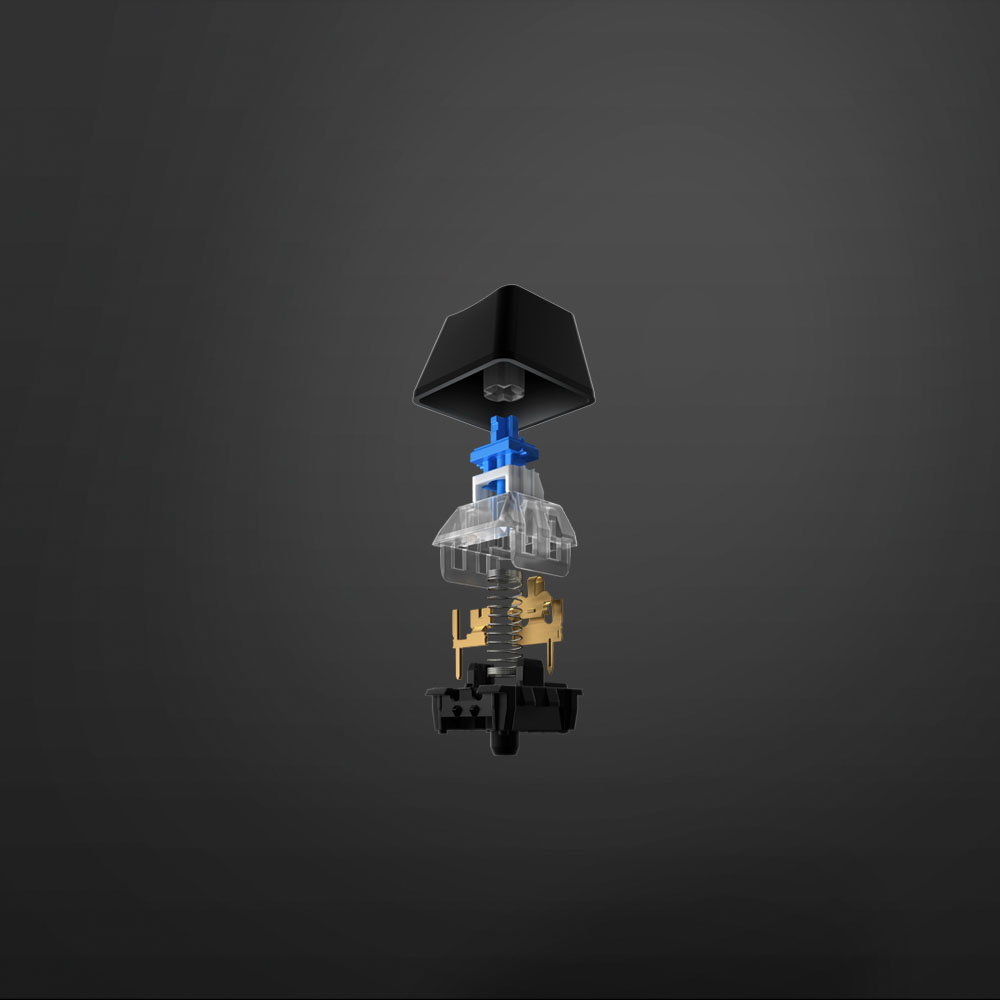
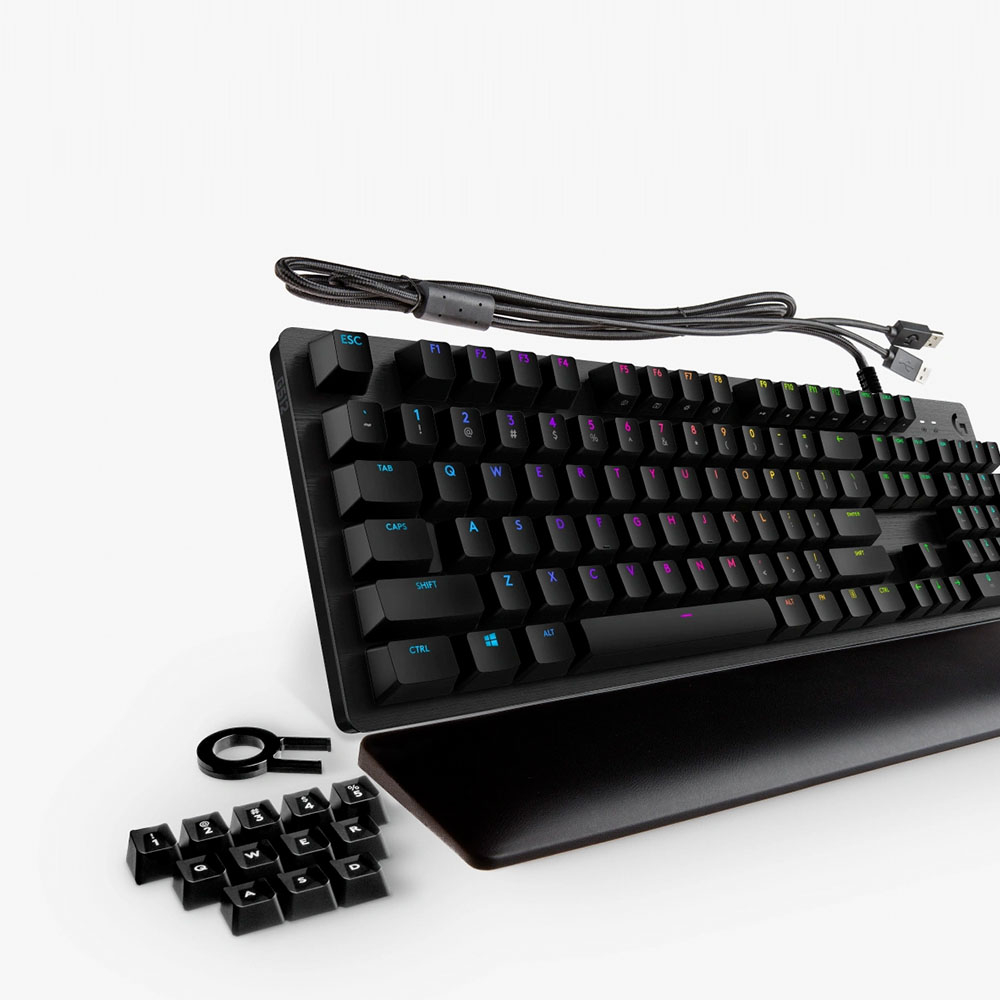
|Posted .This reviewer received promo considerations or sweepstakes entry for writing a review.The Logitech G513 with GX Blue keys is a mechanical keyboard built for gamers or for people who really want a satisfying and noticeable mechanical click and feedback from their keyboard. The keyboard is compact for a full sized keyboard targeted towards gamers – no extra rows of keys on the sides or along the top, which along with the metal deck and raised keys makes this a very clean and non-pretentious gaming keyboard. The RGB lighting is great – vibrant and with a huge number of customization options to meet any gamer or keyboard enthusiast’s style. The keyboard is heavy and sits firmly on your desk surface, perfect for intense gaming and it exudes quality at every turn. The thick braided cable (with a split to optionally connect to your PC to enable the pass-thru port for a gaming mouse or other accessory) should last for lots of LAN parties or just daily use. The keyboard also has swing out feet if you want to incline the deck. The G513 also comes with a memory foam wrist pad and extra keys with a key puller if replacing keys or moving them around is your thing. Both the wrist pad and the key puller/keys are missing from the less expensive G512 – if those are important to you then the G513 is the perfect choice. The keyboard is extremely responsive (Logitech advertises 1ms response time) and I could not detect any issues with inputs using it normally. It is possible when quickly cycling a key to release and actuate it again without the click by not letting the key travel all the way back up – but the results are inconsistent, most presses are registered while a few others aren’t. This isn’t the normal use case for the keyboard but if you are a gamer who likes to very rapidly tap/cycle a key you should be aware that the keys can respond in this way. For gamers, the F keys can be remapped and macro/custom keys assigned using Logitech’s G Gaming software. Just be aware that it has no dedicated G keys, the F keys are the only option. For some this may be a plus – as I mentioned before the keyboard is very clean and sophisticated, but for others who want dedicated keys for those functions there are other options by Logitech and the other keyboard manufacturers in the market. The G513 comes with three key options now – the Romer G keys have a no feedback silent key and a tactile bump feedback key option. The GX Blue keys (which the keyboard I am reviewing has) are new to the G513. They provide both a very solid tactile feedback and a distinct click as they are pressed. This keyboard is loud, there no doubt about it. The key clicks are louder than a mouse click and if you bring this guy to a LAN party or to a gaming convention they might chase you out. If you have housemates in a smaller space the result may be the same. In my den with a door it’s not a problem for the rest of the family, but be aware that this keyboard is loud and mechanical sounding. That said, the feel of the keyboard is great. They tactile feedback and the sound make for a very satisfying typing and gaming experience that has been lost with many cheap membrane keyboards over the years. Gamers should note that the key press force and the travel distance for these keys is higher than the Romer G options – for those who feel that a light key with short actuation distance gives them an advantage then this may not be the best option. Overall, this keyboard is great if a solid mechanical feel and sound is what you are looking for in a keyboard. The features and style are excellent, and I am really enjoying using it.
I would recommend this to a friend Broken
||Posted . Owned for 6 months when reviewed.This reviewer received promo considerations or sweepstakes entry for writing a review.It lasted a week before the space bar broke and had to get a replacement which I was pretty upset about after paying the price I did
No, I would not recommend this to a friend- Pros mentioned:Keyboard quality
Logitech Has Done it Again....
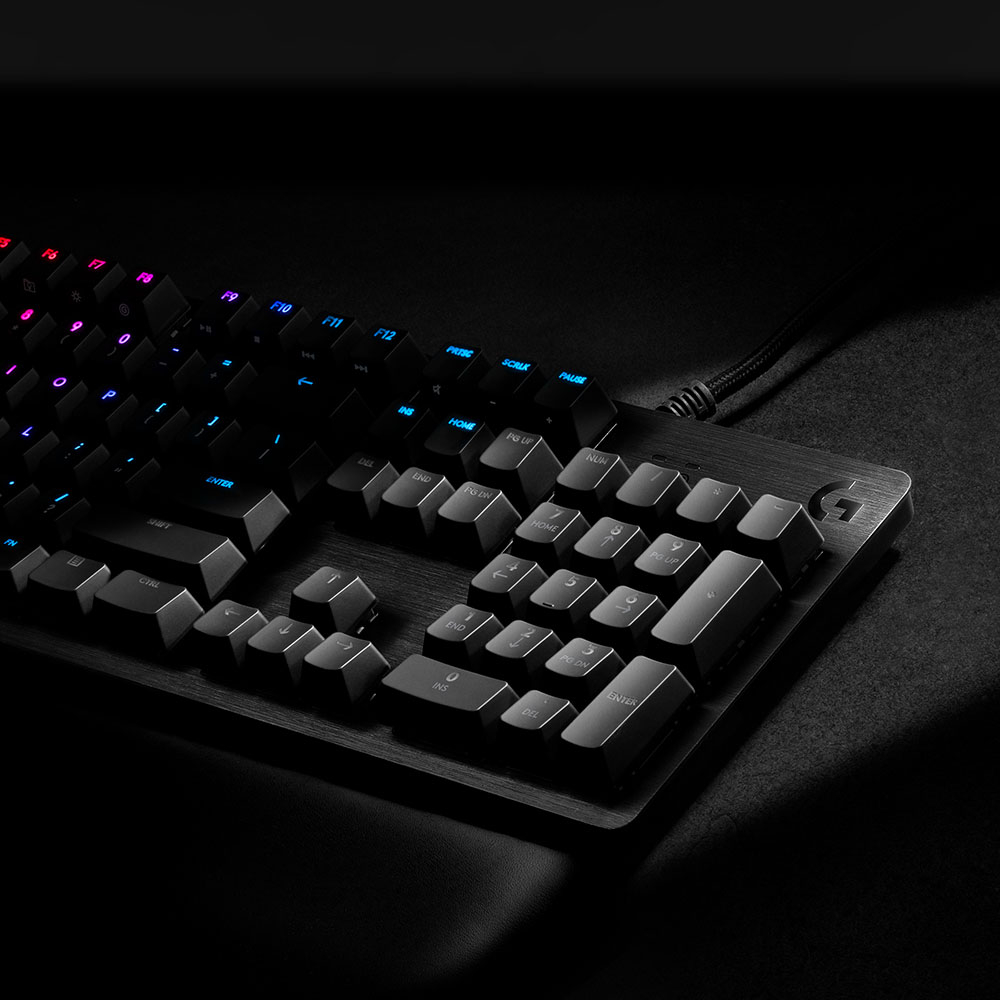
|Posted .This reviewer received promo considerations or sweepstakes entry for writing a review.Okay this review is late due to day-to-day business over the last couple of weeks, but I've finally got a chance to review this keyboard. First off, before opening the package, I wonder as to why the box seemed a little on the heavy side. And upon opening it up, the answer became clear. This keyboard is a solid beast. Excellent build quality. This is the best keyboard I've ever seen made. Very durable, sturdy and tough. A plus for me is also that this is a full-size keyboard with the numeric keypad on the far right. Along in the package with the Carbon keyboard is the usual user documentation, a memory foam palmrest, extra gaming keycaps, and a keycap puller. This thing is monstrous and very well built. Connecting the keyboard to my computer was as simple as plugging in the USB cord to my computer. However, the cable has dual connectors on the end. Took me a couple minutes to figure out why there are 2 connectors, but one is for the keyboard and the other is if you connect anything through the pass-through port above the engraved "G" symbol in the top right corner of the keyboard. My computer quickly identified the keyboard once connected and the keyboard lit up with a beautiful arrays of colors. Coupled with the Logitech Gaming Software (which by the way also works well with the Logitech G305 Gaming Mouse), and the keyboard is opened up to countless settings that the user can customize and tweak to his/her own choosing. This includes existing gaming profiles to customize the light show to customize specific keys on the keyboards to do certain functions. I definitely would recommend this keyboard to any PC gamer that's looking for a solid premium quality built durable keyboard with almost unlimited customization ability. And that awesome tactile clickity clack feedback sound. I love it!!
I would recommend this to a friend - Pros mentioned:Rgb backlighting
Decent enough but missing some features
|Posted .This reviewer received promo considerations or sweepstakes entry for writing a review.This keyboard has great styling and responsiveness. The RGB lighting is customizable using either the Logitech Gaming Software or G-Hub (in beta at the time of this review). You can also program keyboard macros using the Logitech Gaming Software which should be good for anyone that plays World of Warcraft type of games. Gaming replacement keycaps are provided to give you a better feel for finger placement. Some may like the detached palmrest however I am not a fan. Even with the non-skid rubber pads I get movmement while using the keyboard. I would also prefer dedicated mutli-media controls (volume wheel, pause/play, forward and back) and I'm not a fan of the GX Blue mechanical switches. They feel a little spongy to me but I do love the pass-thru USB port on the back of the keyboard making it easy to attach a corded mouse or a wireless mouse USB nano receiver.
I would recommend this to a friend Great look, Great Feel, Great Features
|Posted .This reviewer received promo considerations or sweepstakes entry for writing a review.I used this keyboard to replace the keyboard that came with my gaming pc when I bought it. Although the included keyboard was adequate for what I needed, my eyes have been opened with this keyboard and I will never be going back. The first thing that you notice with this keyboard is the build quality. It looks like a quality piece, it feels like a quality piece, and as soon as you dive into the features (RGB, programming, etc), you know that this is a great keyboard. The feel of the keys is great. There is no doubt when you activate the key, they dont require a great amount of effort to activate, and the flow from key to key is fantastic during gaming. Although I dont understand the "RGB ALL THINGS!" mentality that seems to surround the PC Gaming world, I really wish that I had this keyboard when I first made the transition from console to PC. The individually programmable RGB keys makes this keyboard very inviting, especially to newer PC gamers. I have been able to set up lighting schemes for PubG, Minecraft, and other games that I switch between, grouping like functioning keys into different color groups for quick reference. Although most of my gaming isnt "Hunt and Peck", its still fantastic to be able to quickly reference the lighting and get back on track if I find myself off. On top of that, most of the pre-programmed lighting effects are pretty cool and great to show off to friends or just entertain you as you sit down at your desk. The USB pass though seems to be standard anymore, but I wish they could eliminate the need for a second USB cord going from your keyboard to the tower. I have enough cables running down there, please someone figure out how to minimize what is needed! Logitech, this is a great keyboard, and anyone that uses it will greatly appreciate the time and effort put in to developing this keyboard.
I would recommend this to a friendI love this keyboard!
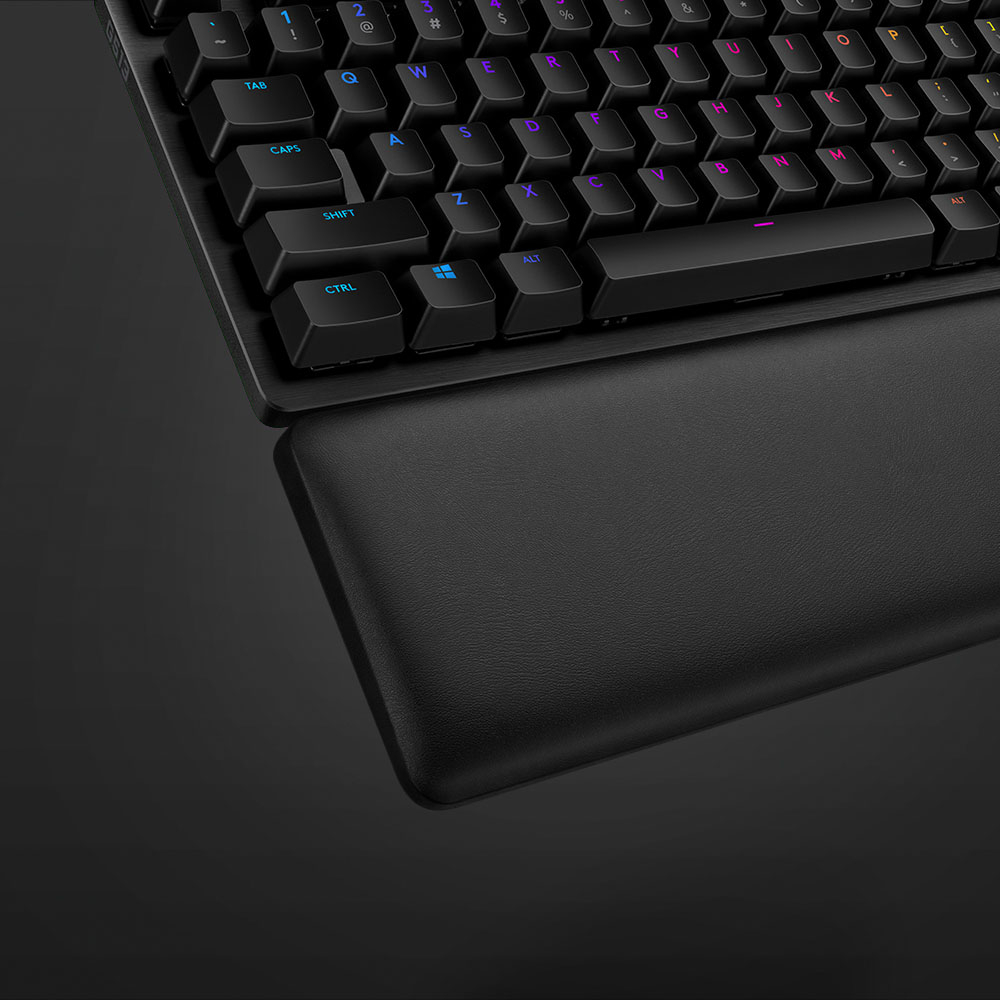
|Posted .This reviewer received promo considerations or sweepstakes entry for writing a review.This keyboard is solid! Just holding it my hands I could feel the quality. It reminds me of the MIL-SPEC keyboard used on some of the Navy Ships in the command consoles etc. When I first powered it up the brightness and how vivid the colors are surprised me, and it had a neat color changing pattern showing off what it can do. After I logged onto the Logitech support website I learned how to control and adjust the colors and display patterns to my liking, and I customized the back light to how I want it. The support website has a PDF download with settings and instructions, and another support site you can go to and customize all sorts of various aspects of the keyboard to however you might want or wish it to be. As far as how the keyboard functions, the clickyness is just right, not to firm, but just enough resistance that you won't click on anything by accident unless you drop something on it. The Auditory "Click" Isn't very loud so it shouldn't drive anyone around you nuts if they have to listen to you type or game etc... The most comfortable wrist rest ever! The rest is about 3.5" in depth, and is as wide as the keyboard, and about an inch high, covered in a soft leather like material and memory foam on the inside. The only gripe I have is that it doesn't attach to the keyboard, it just sits on the desk in front of it. I like the USB pass through, I used it to attach my wireless mouse receiver, but I wish there was a second USB port on the keyboard so I could plug in my wireless headphones receiver as well. Over all I think this keyboard is a home run! The only things I can think of to make it any better would be if it was wireless, had a way to attach the wrist rest, or adding a second USB port.
I would recommend this to a friendGREAT Addition to the Lineup! Nice Logitech!
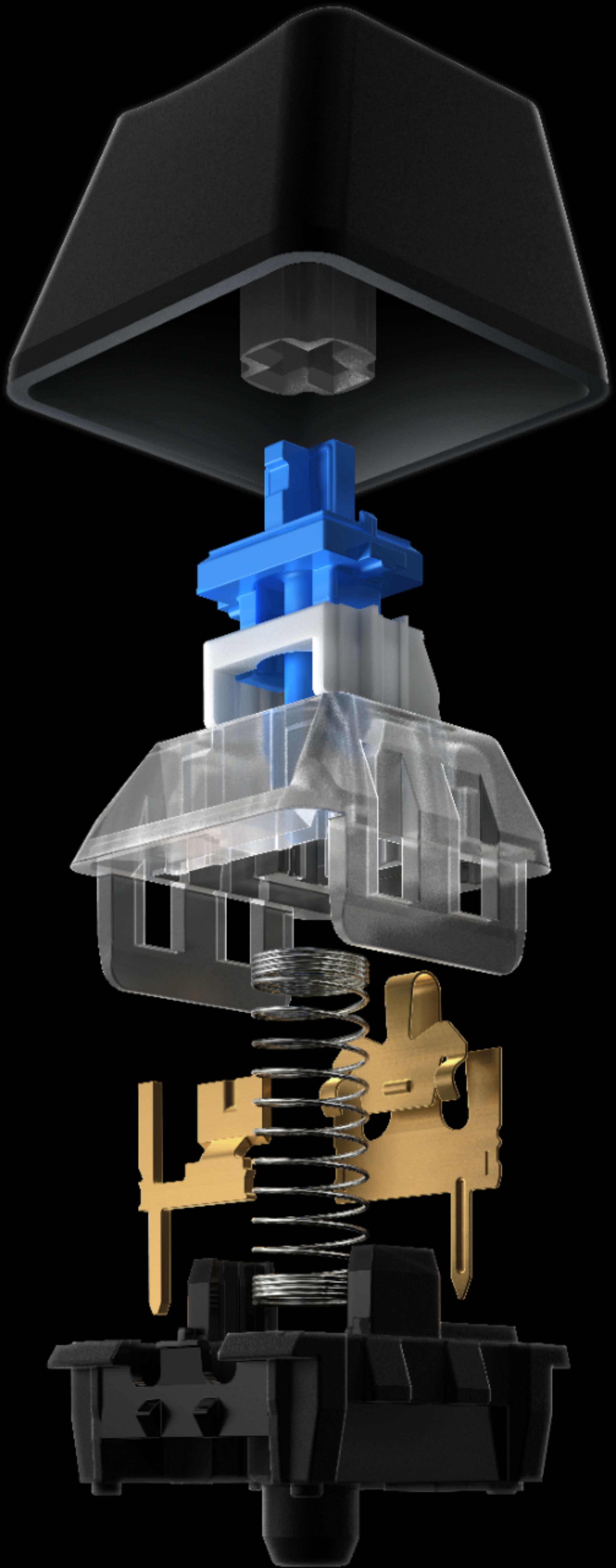
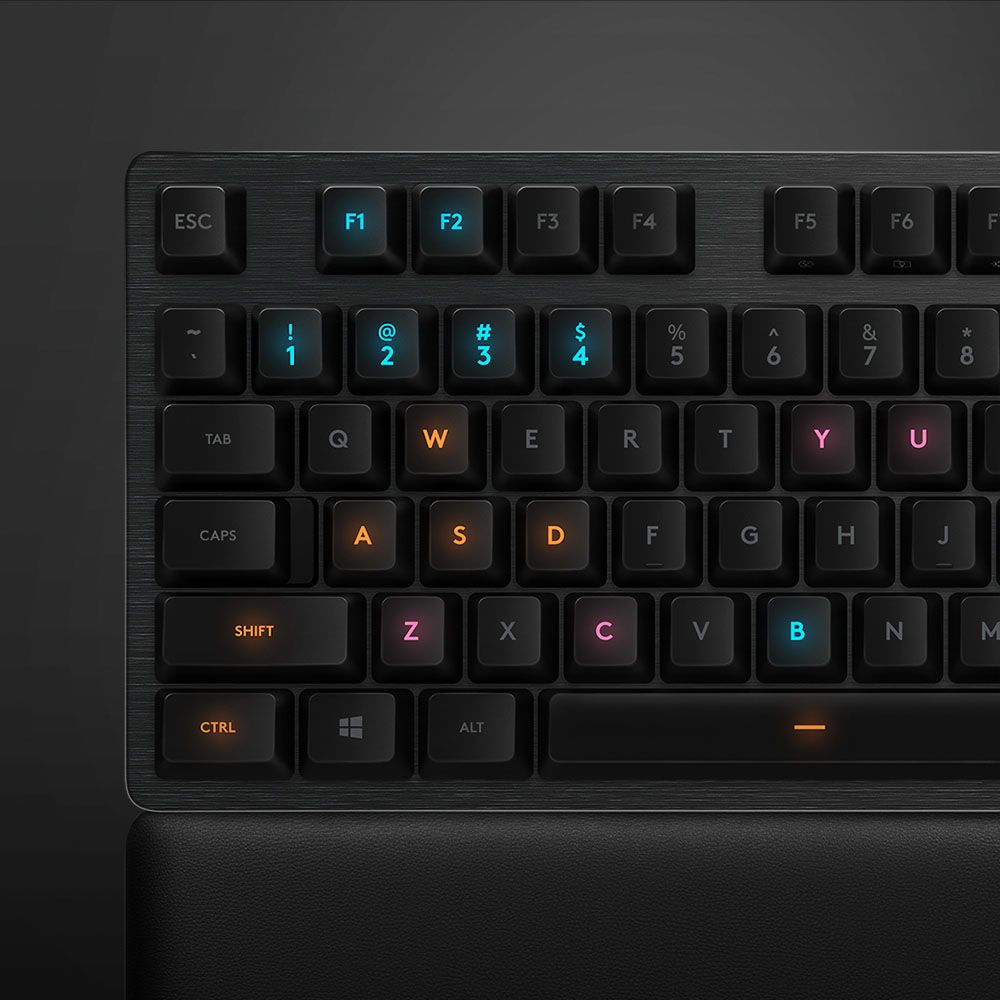
|Posted .This reviewer received promo considerations or sweepstakes entry for writing a review.Carbon, GX Blue Switch: 920-008924 Build Plastic with aircraft-grade aluminum magnesium alloy on top for a solid build. Light bleed is nonexistent with the GX Blue switch. Cables are braided, long, and thick. Wrist rest is THE BEST EVER! It is built out of a memory foam material with a sleek leatherette wrap making it sweatproof and waterproof. GX Blue switch is a mix of a clicky and a tactile switch. This keyboard also supports LIGHTSYNC and has channels for cable routing. USB 2.0 Passthrough With data and power. Great to use with your wireless mouse receiver. RGB Lighting The lighting is very similar to the 512 keyboard but without the light leak. It doesn't leak around the keys due to the redesign of the switch. The color white is a bit too cool with more of a grayish blue hue, but otherwise everything is spot on. All keys are evenly lit with no "hotspots" which make this Logitech's best to date I have used. I only would change the fact the secondary characters are not lit much like Razor keyboards. Keys These switches are the same exact specs and feel of the Razor green switch with regards to travel, actuation, and lifespan. They are made by Kale for those who want to know. I find the keys a little harder to press than other switches but the difference is negligible. I would rather have ROMER-G switches for gaming, but the MX Blue are great for those who just type. Specs state 50g of actuation force with an estimated 70 million presses for durability. Interchangeable and customizable keys are available with 12 gaming key caps provided (1-5 QWER and ASD). The keys have little to no wiggle which affirms the solid redesign of the switches. They "gaming keys" fit the profile of fingers beautifully and are very comfortable. Wrist Rest is the BEST This feels like a memory foam pillow for your wrist. It is wrapped in a leatherette which makes it waterproof and spill proof for those who do dangerous things while using a computer lol. It measures the entire length of the keyboard and ergonomically the best thing made to date. Customizable Keys w/ Software You can assign macros and reassign keys easily through the Logitech Gaming Software. There are profiles you can individually create and assign for various tasks. Logitech Software This is really a strong point for this keyboard. The customizability is endless and function is certainly not lacking. I love being able to down color schemes and key functions on a per application/game basis. With Logitech G Spark, your keyboard interacts with the game. When you do certain moves in an RPG, the keyboard replicates it on the keyboard with RGB lighting. Pretty cool! However, my keyboard wasn't detected for some reason. Support coming soon though! Threaded Hole There is no written explanation for this anywhere, but I can only assume this will lead to other accessories in the future. I can foresee this being used to hold phones, webcams, mics, etc. Overall it's a BUY! Overall this keyboard is a welcomed edition to their lineup. I would only add dedicated media keys and get a softer key switch that requires less force to actuate. Otherwise, the keyboard is a solid buy.
I would recommend this to a friend- Pros mentioned:Keyboard quality
Solid Keyboard, Great Cherry MX Blue Alternative
Posted .This reviewer received promo considerations or sweepstakes entry for writing a review.First off I did not buy this exact keyboard 'bundle', I bought the Logitech G512 Carbon RGB board with GX Blue switches. I felt the need to review this board because it's the same keyboard, the only notable differences between the two is that the G513 comes with a wrist rest, some extra key caps and a key cap removal tool. I don't use wrist rests and can live without the extra key caps so I opted for the cheaper of the two ($99.99 vs $149.99). I am used to Logitech keyboards and their Romer G switches, I like the typing experience and their slight tactile feel. This may not be a popular opinion as a lot of people seem to hate these switches, but they're quiet, tactile (maybe not as much as a cherry brown switch) and get the job done for me in a work setting. However, looking for a change I went into Best Buy looking for a new 'clicky' keyboard for my home gaming setup and honestly didn't find anything I liked as much as the Razer Huntsman; Tactile feedback, nice and clicky and RGB for days! But, I could't justify the $150 ($200 with dedicated media controls) price tag. Saw this on sale for $129.99 and thought I'd opt for this one as the GX Blue switches (re-branded Kailh switches) sounded good and felt great to type on. Went home and found the G512 online for $30 less and ultimately went with that. Now, for those thinking these re-branded switches are something to stay away from, fear not! They have been great so far, feel sturdy, no wobble, sound nice and loud (maybe too loud for some) and this is definitely one of the best keyboards I've used. Also, did I mention they are LOUD? Seriously, my only worry is annoying my neighbors as I type on this thing. If you like clicky boards this thing is right up you alley. Personally, as much as a joy as it is to type on this thing, hearing it in a home setting as opposed to hearing it in store with all kinds of background noise can sometimes be too much for me. Unless I crank my headset volume, hearing the keyboard as I'm playing PUBG or ESO can get annoying during intense battles. I am in no way saying this is a bad keyboard, I really do like it! Just know it is LOUD. The board layout is nice. It's nice and sleek and definitely can make your gaming rig look great! There are no dedicated media controls but you can still utilize the function keys to get the job done. The secondary keys do not light up, can be an issue if you work or game in the dark. Aside from those two things I see no shortcomings in this board. Nice, heavy, I feel it's going to last. The key caps can be replaced if you'd like as these switches allow for customization unlike the Romer G switches. Speaking of customization, the software to control the lights are easy to play with. If you have a Logitech mouse you're really doing yourself a favor here because you can sync the lights across all your Logitech devices to your liking. You can even assign the function keys to whatever you want, if you want to do so. Overall, if you are looking for a board with Cherry MX Blue switches I'd imagine you'll like the sound and feel of this keyboard and you should give these GX Blue switches a try. They're a great alternative to Cherry MX Blues, especially if you can pick this up on sale. RGB lighting is really nice and easy to customize and it's not over the top like Razer products are. As I said earlier the G512 is the exact same keyboard, just without the wrist rest, extra keys and key cap remover so if that's not something you want opt for the G512 to save yourself some money. If you want that wrist rest and have the opportunity to pick this up on sale then grab the G513, you won't regret it!
I would recommend this to a friend Good general gaminng keyboard
|Posted .This reviewer received promo considerations or sweepstakes entry for writing a review.Out of the box this is a fairly heavy keyboard. The aluminum chassis is well made and the keyboard stays put well when in use. For gaming, this keyboard gives you a host of options for key pre-sets and lighting. The Logitech G Hub you set up online gives you some great options. There is a pass-thru USB cable attached to the end so you can utilize the USB jack on the back right side of the keyboard. I've used it to charge my phone and it's a convenient feature. While using for gaming, I noticed no problems with rapid key strokes registering. Some games like the ever popular Fortnite often have you pushing keys very rapidly. The G513 seemed up to the task. For general PC use, the clicky keys may not be for everybody. They can be pretty loud, especially if you are in a quiet environment. Overall, this is a very solid keyboard for gaming and has a lot of customizable options. My biggest complaint would be that the secondary functions on the keys don't light up. I've seen other, similar keyboards that do have this included. The included memory foam wrist/palm rest pad is very comfortable, although it doesn't actually attach to the keyboard. I would recommend this to those gamers who want a quality keyboard.
I would recommend this to a friendNice keyboard
|Posted .This reviewer received promo considerations or sweepstakes entry for writing a review.As a self-proclaimed computer geek, I care a lot about the feel of a keyboard. There is a satisfaction of knowing that keys have actually been pressed. This keyboard gives me that satisfaction. There is no question of whether or not a keystroke was registered. The feel tells me without having to look. Of course beyond the feel of the keys, I love the lighting effects. There are so many options but my current favorite is the audio analyzer. It blows me away at how in time the lighting effects are to the audio content. I have come across two somewhat minor but still annoying details. First, the lighting software does not always load the correct profile when the computer boots. Instead, I have to manually click it in the configuration software. Second, my fingers are used to an "L" shaped return key. This keyboard has a relatively small return key that is actually smaller than the right sided shift key. I have lost count how many chat messages have ended with a backslash because my muscle memory hits that key along with enter. Even with these little annoyances, I am really hooked on the lighting. I love how many options I have.
I would recommend this to a friend- Pros mentioned:Rgb backlighting, Wrist rest
Great keyboard with amazing switches
Posted .This reviewer received promo considerations or sweepstakes entry for writing a review.This keyboard is excellent! I recently had to replace my Razer Chroma V2 (green switches) and was looking to explore brands. This keyboard has some great present RGB lighting and the keys press feels amazing. The wrist rest is also comfortable and I actually use it on this keyboard, in the past I would not use the wrist rests from other vendors. If your looking for a clicky keyboard with great quality keys and a great wrist rest I highly recommend this product.
I would recommend this to a friend - Pros mentioned:Keyboard quality
Buying a second one
Posted .This reviewer received promo considerations or sweepstakes entry for writing a review.My son got heavily into the game fortnite and I'm starting to as well. We did a lot of research and he went with the G513 Blue Clicky keyboard which has different keys switches than the other two G513 keyboards available. I personally hate the idea of spending so much money on a keyboard (I was never a gamer) but I love it so much for using in excel and word, and fortnite, that I'm ordering another for myself since he's building a computer for himself. I'm upgrading from a kensington slim type keyboard.
I would recommend this to a friend Logitech G513 Keyboard
Posted .This reviewer received promo considerations or sweepstakes entry for writing a review.The Item was delivered very quick and in perfect shape
I would recommend this to a friendThis keyboard has severe restrictions
Posted .This reviewer received promo considerations or sweepstakes entry for writing a review.This keyboard basically only shows the keys when the lights are on. Turn the lights off and you basically cannot see the keys at all even in good room light. Once the light ever goes out this keyboard will be useless. Also the other keys such as the number keys and period, comma etc. - you can barely see the alternate symbol on the keys either. I would not recommend this keyboard for anything besides playing a game where you only needs to press 3-4 keys. It types decently but not great, I expected more tactile feel.
No, I would not recommend this to a friendBrand response from Logitech
Posted .Hi Mech1, thank you for your feedback! The G513 is designed to be used with back lighting and it is backed with a 2-year limited hardware warranty. - Will, Logitech G.