Customer Ratings & Reviews
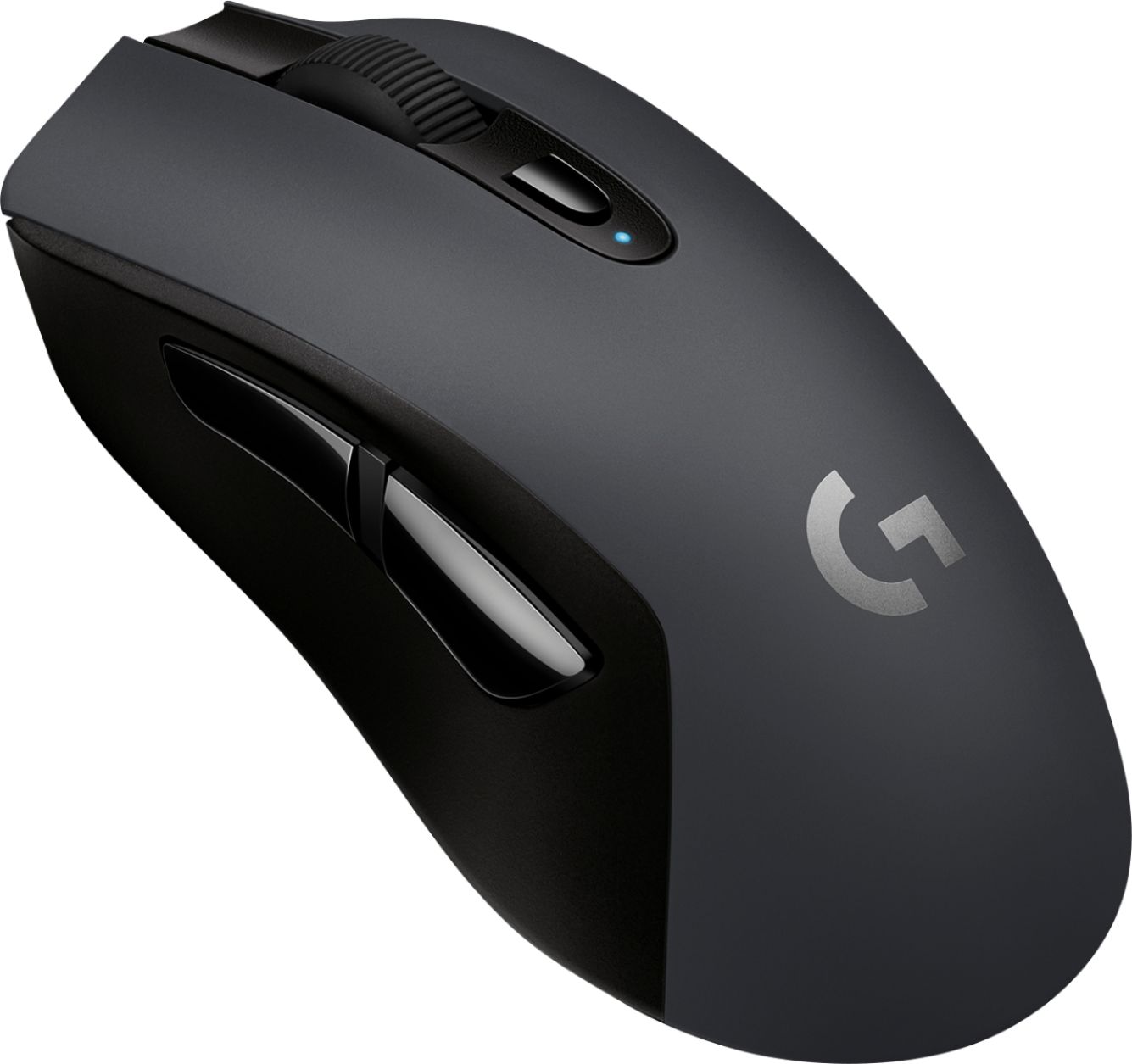


- Model:
- 910-005099
- SKU:
- 6092642
Rating by feature
- Value
Rating 4.5 out of 5 stars
- Quality
Rating 4.5 out of 5 stars
- Ease of Use
Rating 4.7 out of 5 stars
Customers are saying
Customers recognize the G603 Wireless Optical Gaming Mouse's excellent battery life and Bluetooth connectivity as significant advantages. Many appreciate its comfortable design and customizable features, including programmable buttons and adjustable DPI. However, some users experienced issues with the scroll wheel's responsiveness and found the design not perfectly ergonomic for all hand sizes. While lag was rarely reported, it's a factor to consider.
This summary was generated by AI based on customer reviews.
- Pros mentioned:Battery life, Bluetooth

Great wireless mouse for gaming and more
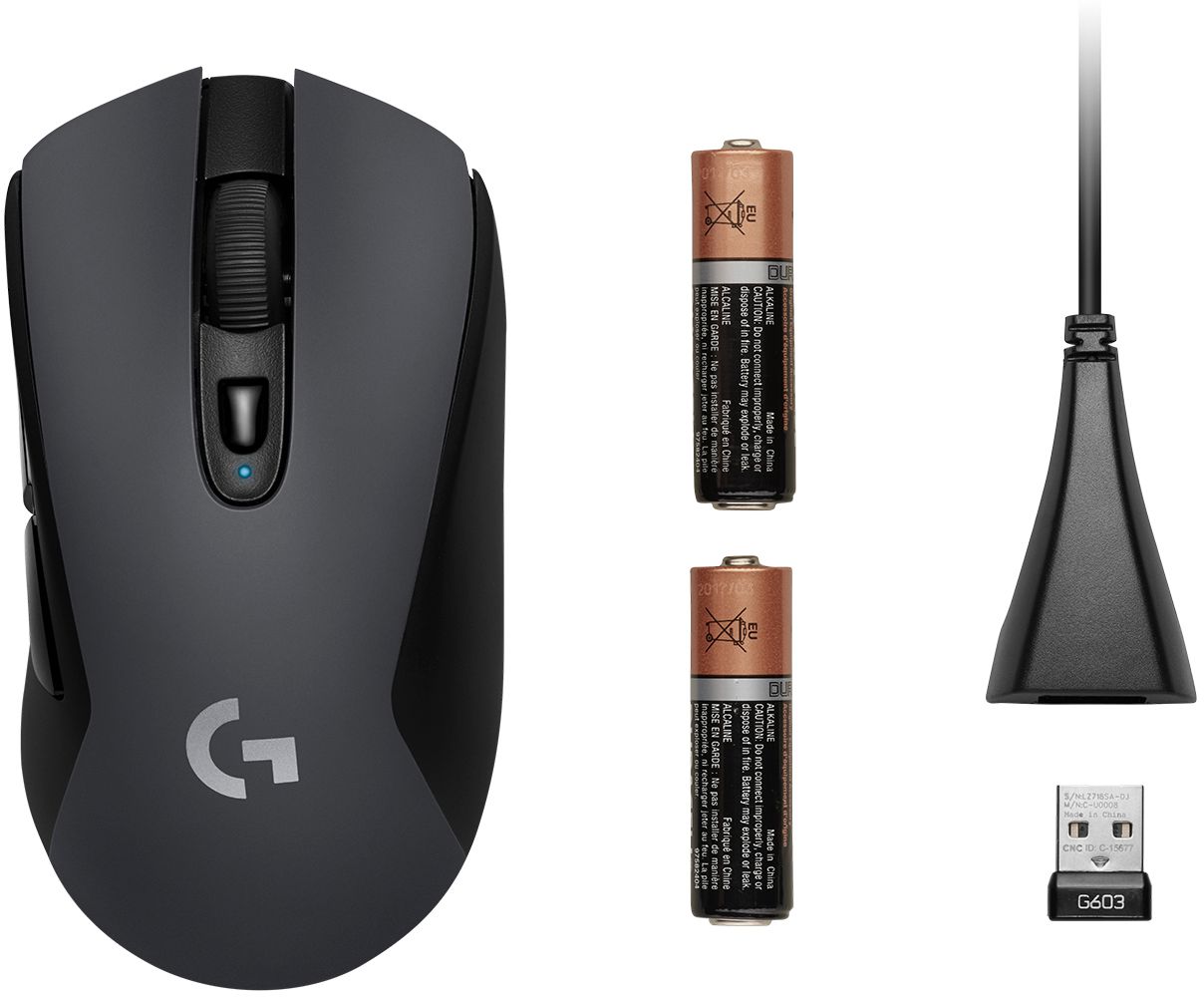
|Posted .This reviewer received promo considerations or sweepstakes entry for writing a review.Installation was plug in the usb receiver and go. Comes with a wired usb extension cable if you want to route the receiver somewhere special. Several dpi settings if you are a fps person. Two side buttons, grip feels firm and nice. Can also be used via bluetooth if you choose (I'm using the usb receiver route.) Overall very happy with this mouse and it will continue to be main go to for now. 2xAA batteries which were included.
I would recommend this to a friend - Pros mentioned:WeightCons mentioned:Lag
I've gone through a number of mice recently...
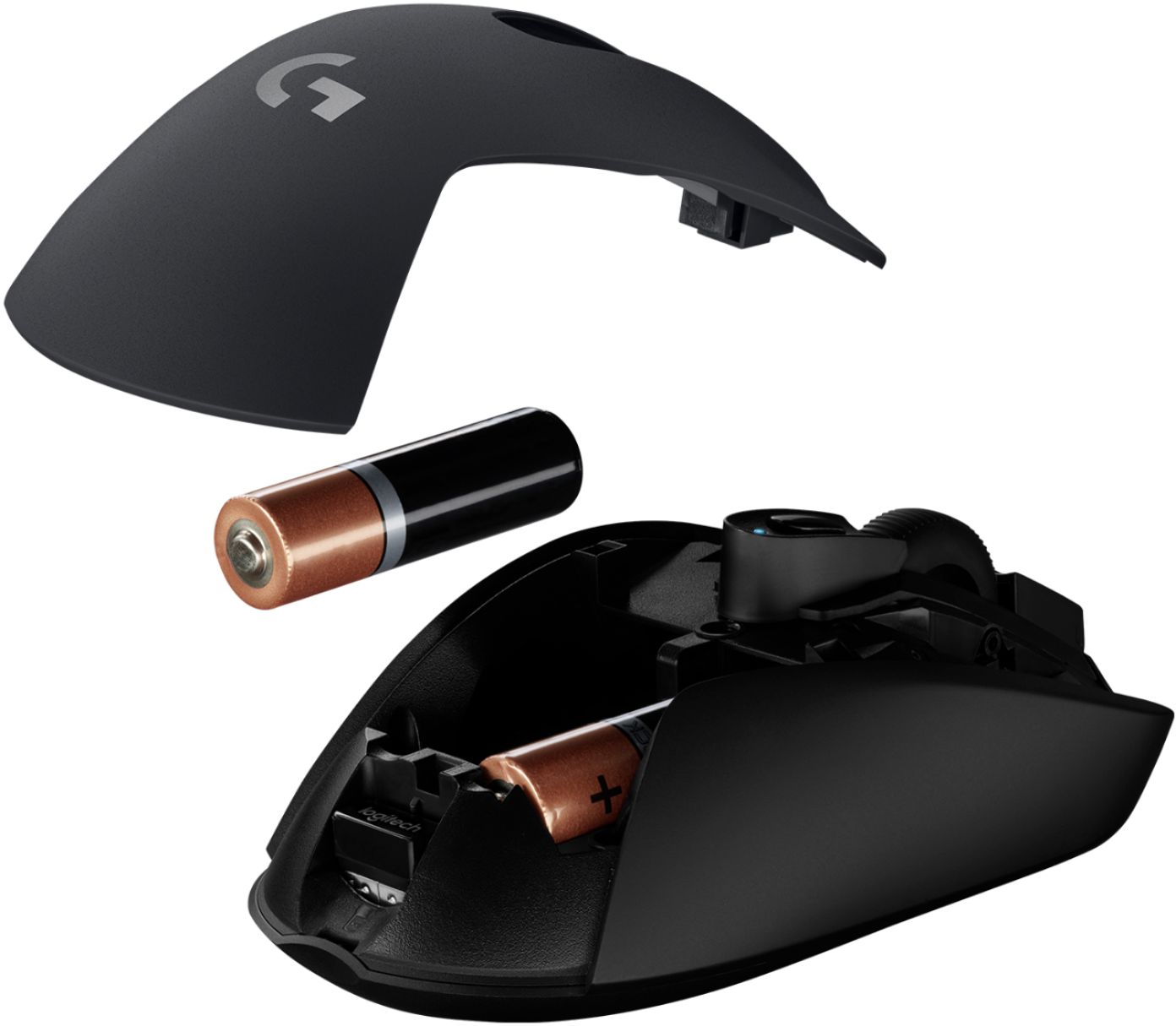
|Posted .This reviewer received promo considerations or sweepstakes entry for writing a review.I've gone through a bunch of mice and nothing seemed to work like I expected it should. Today The G603 arrived and I was hoping it would be what I'm looking for. I've been putting it through it's paces and so far, I'm pretty satisfied. The side buttons are out of the way, but easy to access by thumb. They are programmed back and forward out of the box. The scroll wheel has notches in it as you scroll, so it's not just a smooth scroll but rather a precise scroll, which seems to be to my liking. The top comes off with a slight pull, it's held in place with magnets. There are two AAs, but the mouse can run with just one. With both batteries in, the mouse is a bit hefty, again to my liking, but some may prefer to have it lighter if they lift the mouse a lot. One battery would obviously cut the battery life in half. I haven't tried the hi setting, it came switched in low which is where I've tested it at. There is also an off setting. The mouse is performing well with no lag in low mode and I didn't use the usb extension cord (included). My desktop is sitting to my left on the floor and my mouse is on my right at desk level. I've had so many mice (HP, Logitech, Microsoft) in the last 6 months that lose connections and stop or stutter that I went back to a wired mouse (the cable was driving me nuts) so that at least it cured the lag. If this continues to deliver the performance I've gotten today, I'd recommend it as an entry gamer mouse to anyone. So far, so good!
I would recommend this to a friend Not great
||Posted . Owned for more than 2 years when reviewed.This reviewer received promo considerations or sweepstakes entry for writing a review.Heavy and a little bit too big to hold comfortablely
No, I would not recommend this to a friend- Pros mentioned:Battery lifeCons mentioned:Scroll wheel
This is a fantastic mouse!!
|Posted .This reviewer received promo considerations or sweepstakes entry for writing a review.Gaming or not, this is just a fantastic mouse. Just that I can press a button on it and instantly use it on the laptop I have sitting on my desk along with my PC is just awesome. Been using it for almost 2 weeks now and the batteries are still strong. Would be nice if it was a rechargeable mouse but 500 hours is a long time to not have to worry about batteries. The 4 speeds it runs at are perfect. I use #2 for everyday stuff and #3 for the one game I still play on the PC. Really makes aiming fast and accurate. Only real downside that will take some getting used to, and I already have to some extent, is not having a fast wheel that I can just spin and scroll with. I did like that option with my other mouse but I can deal with it. I'm using the dongle in my PC and bluetooth for my laptop. That allows almost instant switching from one machine to the other and that is really cool!! Highly recommend this to anyone needing 2 mice and multiple cursor speeds that range a perfect distance. A+++
I would recommend this to a friend - Pros mentioned:Battery life, Size
Very Nice Mouse
|Posted .This reviewer received promo considerations or sweepstakes entry for writing a review.I've owned dozens upon dozens of computer mice during my decades of computing. It would be an accurate statement to label most of them as 'meh'. In most cases, a mouse, is a mouse, is a mouse. This Logitech G603 Wireless Gaming Mouse, however, is a cut above the rest. It glides smoothly; it has a very fast report rate; it can connect to two devices, just push the button on top to switch between the devices (if you have a need for that feature, you're doing too much...) it is just the right size for my large hands, but I surmise that it's not too big for smaller hands. Anyone with even the slightest experience in pairing Bluetooth devices should have this mouse up and running in no time at all. And you'll need that experience because the instructions that came with it are a joke. I mean, why even bother at all; a tiny array of uncaptioned drawings on a tiny sheet of paper? Really? However, if the Bluetooth setup is too daunting for you, there is a USB dongle included. I digress... The mouse handles smoothly and accurately. There are two buttons on the thumb side that I use to navigate web pages and desktop folders back and forth (a personal favorite feature) This mouse does go to sleep quickly; like, in seconds of not using it. It is slightly annoying to have to move the mouse to find the cursor on the screen after a mere 15 second rest. But, the mouse does boast 500 hours of peak performance between battery changes (there were two, quality, brand name batteries included), so I assume it hits that 500 hour mark by going sleep as quickly as an octogenarian at the movies. A Bluetooth mouse is nice primarily because it frees up a USB port without compromising performance. Overall, this is a nice mouse. The price point is a little steep, but if you want a gaming mouse that can handle heavy gameplay, here it is.
I would recommend this to a friend - Pros mentioned:BluetoothCons mentioned:Lag
Awesome wireless mouse
|Posted .This reviewer received promo considerations or sweepstakes entry for writing a review.The Logitech - G603 Bluetooth Optical Gaming Mouse is the best wireless mouse I have ever used. Even on the low setting, I haven’t experienced any sort of lag while using the mouse both via Bluetooth and via the included USB dongle. The extra programmable buttons are a nice touch as well. Overall, I am very pleased with this wireless mouse and I highly recommend it!
I would recommend this to a friend Kind of big.
||Posted .This reviewer received promo considerations or sweepstakes entry for writing a review.The mouse is a lot bigger than it looks and it was difficult to use.
No, I would not recommend this to a friendI wouldn't buy it again
||Posted .This reviewer received promo considerations or sweepstakes entry for writing a review.I say this because after about 5 months of normal, not-heavy, use the switches on both the left right and middle click all failed pretty terribly. It feels nice, but I upgraded to the 703 after that.
No, I would not recommend this to a friend- Pros mentioned:Size, Weight
I like it
|Posted .This reviewer received promo considerations or sweepstakes entry for writing a review.I like the Logitech G603 mouse. I was in the search for a wireless mouse and was excited to get this one. The size feels just right to me. It's not too small or hefty. It's really light which caught me a bit off guard. Putting in the batteries does feel better although the plastic feel may seem cheap to some. Setup was easy. I love how accurate the mouse response is. I do know that bluetooth can be a little funky but I didn't find any problems here. It was actually very impressive for a wireless mouse. Unfortunately, there is no customization function for the buttons if that is a dealbreaker for some. The clicking is a little loud. I wouldn't bring this to the library. Overall I think this is a great mouse for the price.
I would recommend this to a friend - Cons mentioned:Scroll wheel
Mouse Wheel Jittery
||Posted .This reviewer received promo considerations or sweepstakes entry for writing a review.The mouse wheel is very jittery. Logitech sent out a firmware update and still mouse wheel is uncontrollable.
No, I would not recommend this to a friend - Pros mentioned:Size
A Robust Mouse!
|Posted .This reviewer received promo considerations or sweepstakes entry for writing a review.This mouse is ROBUST in addition, it has a great feel in hand. I was delighted to know that it will run with the input of 1 battery; however, I elected to use two in order to get the full functionality of its usage. Thus far, it has not disappointed in the ease of usage, movement, and scrolling. However, the 2 buttons on the left side have taken some getting used to for me. I find that they frequently interfere while I am amidst working on something as a result, it takes me away by jumping to a previous page or elsewhere. I think this is a great mouse for gamers as well as everyday users who appreciate functionality from a FULL-sized mouse. As always, great work Logitech!
I would recommend this to a friend - Pros mentioned:Battery life, Bluetooth
Clean Fast Wireless Gaming
|Posted .This reviewer received promo considerations or sweepstakes entry for writing a review.Excellent mouse with speed gaming features and minimalist design. Ergonomic shape. Uses 1 or two AA batteries and can be used with USB or Bluetooth. Unless you are into programming buttons and installing software nice option for a regular mouse with gaming features. Materials are far superior to cheaper Logitech mice.
I would recommend this to a friend Great performance, relatively good value
|Posted .This reviewer received promo considerations or sweepstakes entry for writing a review.The G603 incorporates Logitech's top-of-the-line wireless technology for gaming mice, which they call Lightspeed. In my experience, it's indistinguishable from using a wired connection. However, it's also only been available on mice with rather premium prices. The G603 brings that entry-level Lightspeed price point lower, and even improves upon its higher-priced siblings in one key way. I've had a G703 for a while, and really enjoy it. It's got a great shape and weight, and I have no complaints about the performance (whether wireless via Lightspeed, or wired). Unfortunately, it also is powered from a built-in battery that really doesn't last all that long. The battery life, more than any issues with the wireless technology in it, has resulted in me using it with a cable more often than not. The G603 fits nearly identically in hand to the G703, which is great. On a slightly down note, it's noticeably heavier with batteries installed. I normally don't mind a slightly heftier mouse than the G703, and the G603 doesn't seem heavy, so I'm chalking it more up to the balance of the weight. It's really a minor quibble though, as G603 gets an incredible improvement in battery life running on stock AAA cells. I've already used it for much longer than G703 would have lasted. I don't mean to overly criticize the G703 on this point, but it's definitely nice to not worry about forgetting to plug a mouse in for charging every few days (or resort to using it plugged in all the time, just to not forget). Another perk of the G603 is the Bluetooth support. I'm actually using it between two computers - 1 with the Lightspeed dongle, and occasionally 1 with Bluetooth. It's not a perfect mouse for multi-computer use (Logitech's Triathlon mouse is actually what I'd recommend for that, as it can swap much more conveniently), but it is a nice feature to be able to switch computers temporarily without swapping dongles. For non-gamers (or anyone else that's never sensed their mouse being a source of latency), the G603 is likely overkill. As mentioned, I would otherwise prefer Logitech's Triathlon wireless mouse for seamlessly working with multiple computers, or just a wired mouse. All-in-all, the G603 brings the best of what I love from G703 and adds a lower price point, improved battery life, and fallback Bluetooth support. Unsurprisingly, the batteries make it a little heavier, but I personally accept that trade-off. I won't stop using my G703, but I think the G603 is going to be a better value for most people.
I would recommend this to a friend- Pros mentioned:Battery lifeCons mentioned:Lag
Great mouse, works on glass tabletops!
|Posted .This reviewer received promo considerations or sweepstakes entry for writing a review.This is a great mouse - no lag despite being wireless and it works on a glass (transparent) desk. It also supports multiple computers at once. Another plus is that batteries were included. It also has a good feel to it and I will definitely continue using it.
I would recommend this to a friend - Pros mentioned:ComfortCons mentioned:Scroll wheel
Good Gaming Mouse
|Posted .This reviewer received promo considerations or sweepstakes entry for writing a review.You can't go wrong with a trusted brand like Logitech. The mouse is comfortable even after a few hours of game play and stays perfectly fitted in an average adult hand. The mouse's responsiveness is exactly how it was advertised but on some games, the mouse speed was way too fast and will need some adjustments. The ability to use either Bluetooth or a trans-receiver is a plus in case the batteries run out. Improvements for the mouse would be self-charging (to not need batteries at all) and a better mouse wheel responsiveness (which I thought was quite slowed or delayed when scrolling). I would also like an easier way to learn how to use the middle mouse button beneath the wheel button. I also think that other gaming mouse will have more than just 2 buttons on the side. Overall, I like the mouse and I think it is a good entry level mouse for gaming but also superior for every day use too.
I would recommend this to a friend - Pros mentioned:Bluetooth
Great for wireless
Posted .This reviewer received promo considerations or sweepstakes entry for writing a review.This wireless gaming mouse does not suffer from any noticeable latency using the included USB receiver. The bluetooth mode is also passable for non-competitive gaming. I wish it used a built-in rechargeable battery as opposed to the AA batteries included (can take two but only needs 1 battery to function). My only gripe is the weight of the mouse, as a result of the AA batteries. You can remedy this by using a single battery although then you lose a bit of balance. Note, Best Buy lists this as a G903 but it's really a G603.
I would recommend this to a friend - Pros mentioned:Bluetooth
Great Mouse for the Price
|Posted .This reviewer received promo considerations or sweepstakes entry for writing a review.This is a great mouse for someone who wants a no frills gaming mouse. The mouse can connect via Bluetooth and Logitech’s low latency usb dongle. Either option works great. If I have any complaints, it’s that there is very little in documentation. The software for the mouse needs to be downloaded from logitech’s Website to maximize the features. The batteries are supposed to last 500 hours, but I wish there was a rechargeable battery built in. But the mouse is very responsive. The software does a great job detecting the installed games. In my testing, the mouse performed great and I personally prefer this to the tether of a wired mouse.
I would recommend this to a friend - Pros mentioned:Battery life
Not bad
|Posted .This reviewer received promo considerations or sweepstakes entry for writing a review.I was already using a Logitech gaming mouse prior to receiving this one (G602) so I somewhat knew what I was getting with the G603. This mouse is pretty great. It looks like a normal mouse compared to the sharp design of the G602 and has two programable buttons on the side. It is comfortable in the hand and has as nice scroll wheel. What this mouse is advertising is faster connectivity and better tracking, which it delivers. And although I haven't been able to fully test it, battery life is tremendous for this gaming mouse. If you are looking for a long lasting mouse with great tracking and simple buttons, then the G603 is the one to get.
I would recommend this to a friend - Pros mentioned:Battery life
Great Gaming Mouse
|Posted .This reviewer received promo considerations or sweepstakes entry for writing a review.I have always been a fan of Logitech mice. Finding a good wireless gaming mouse is close to impossibly. The battery life and latency of this mouse is one of the best on the market. For competitive gaming you will still need to use the mouse with a wired connection. Most regular gaming the mouse will work perfectly fine wirelessly. The mouse itself is very simple in design and has very few physical buttons.
I would recommend this to a friend - Pros mentioned:Bluetooth
Fast Mouse!
|Posted .This reviewer received promo considerations or sweepstakes entry for writing a review.I was surprised of the speed this mouse is able to achieve in comparison to my wired mouse. No lag! I also like being able to connect to 2 different computers. I connect to one using Bluetooth, and the other using the USB dongle. I’m able to quickly switch between the two using the button underneath the mouse.
I would recommend this to a friend