Customer Ratings & Reviews
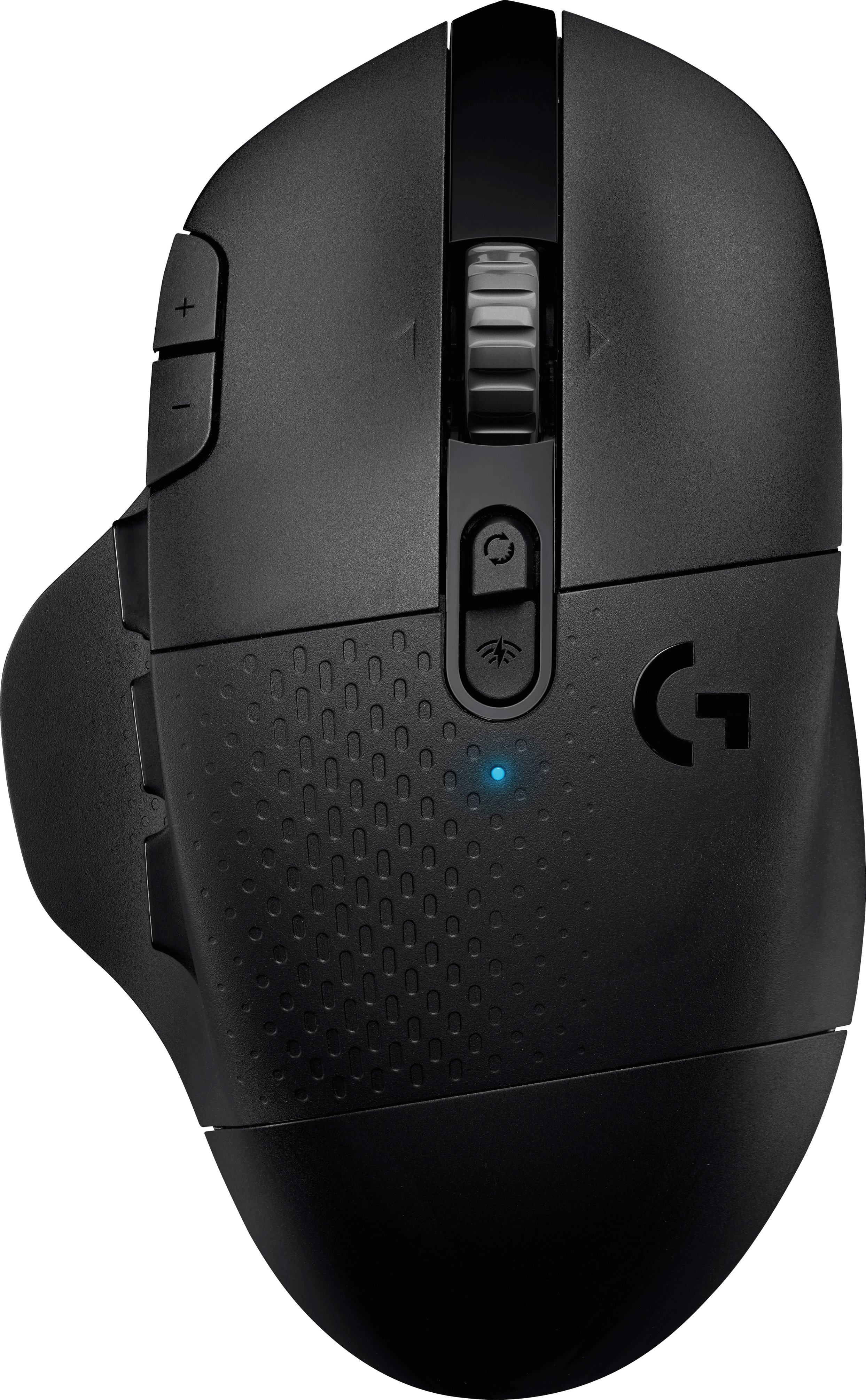
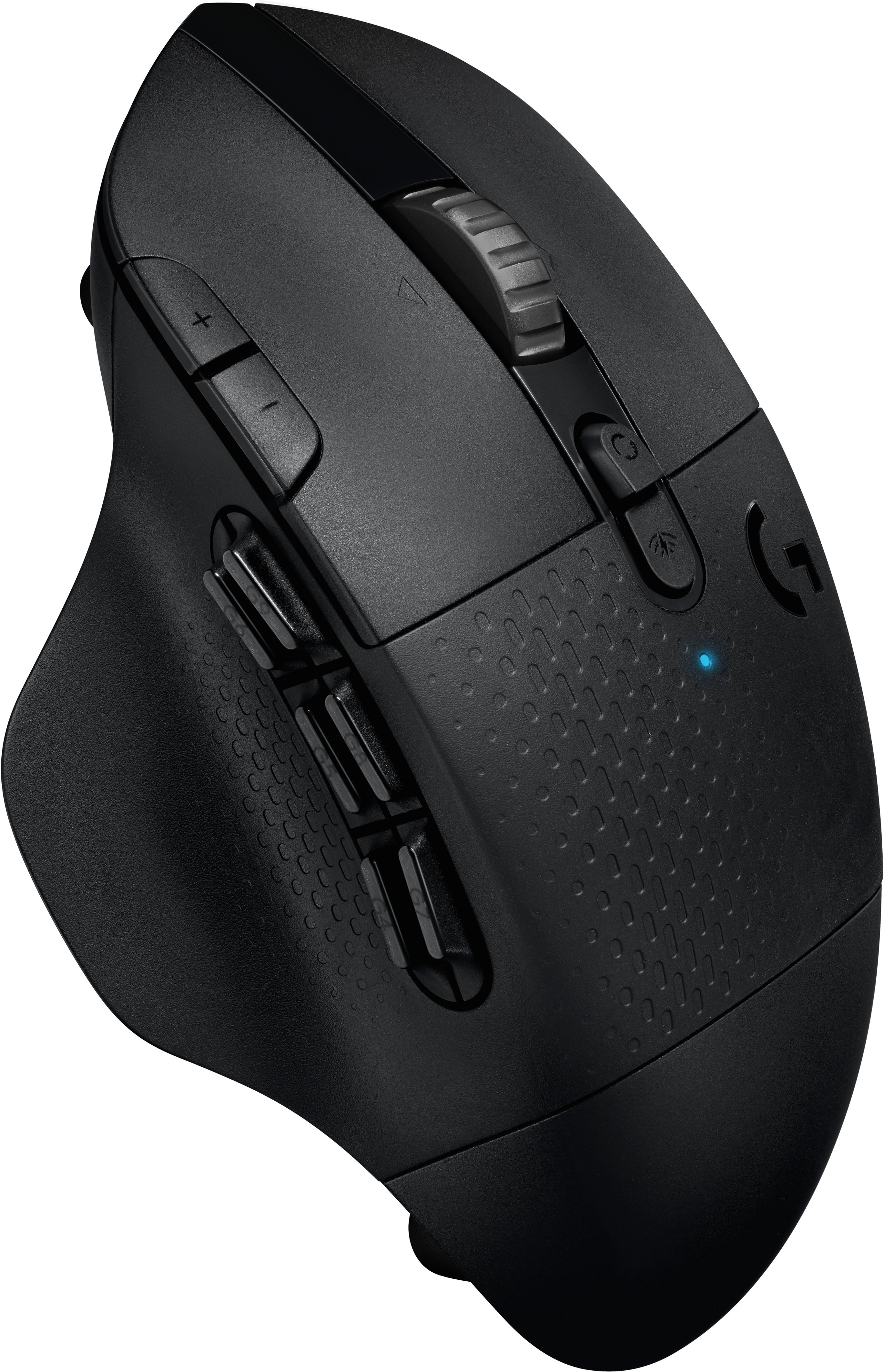
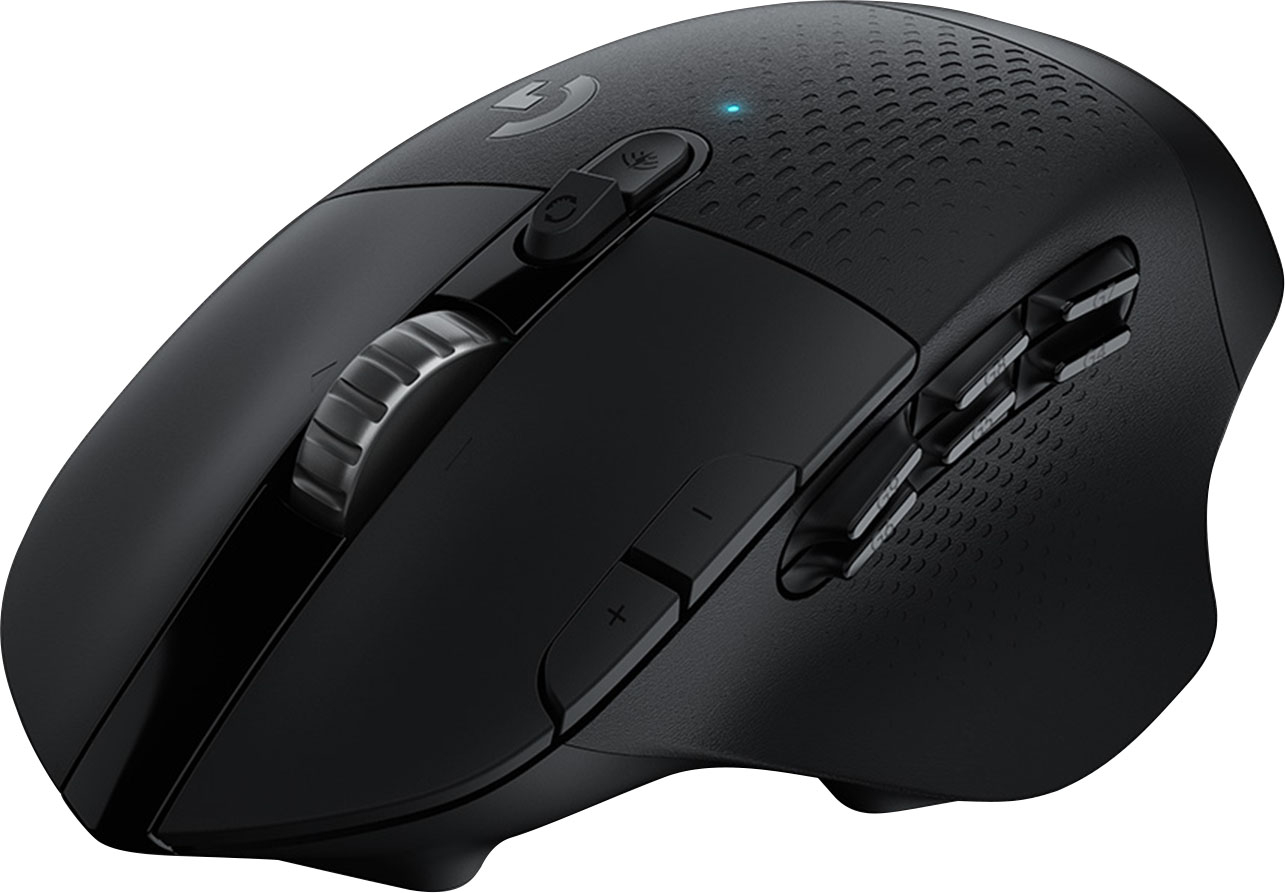
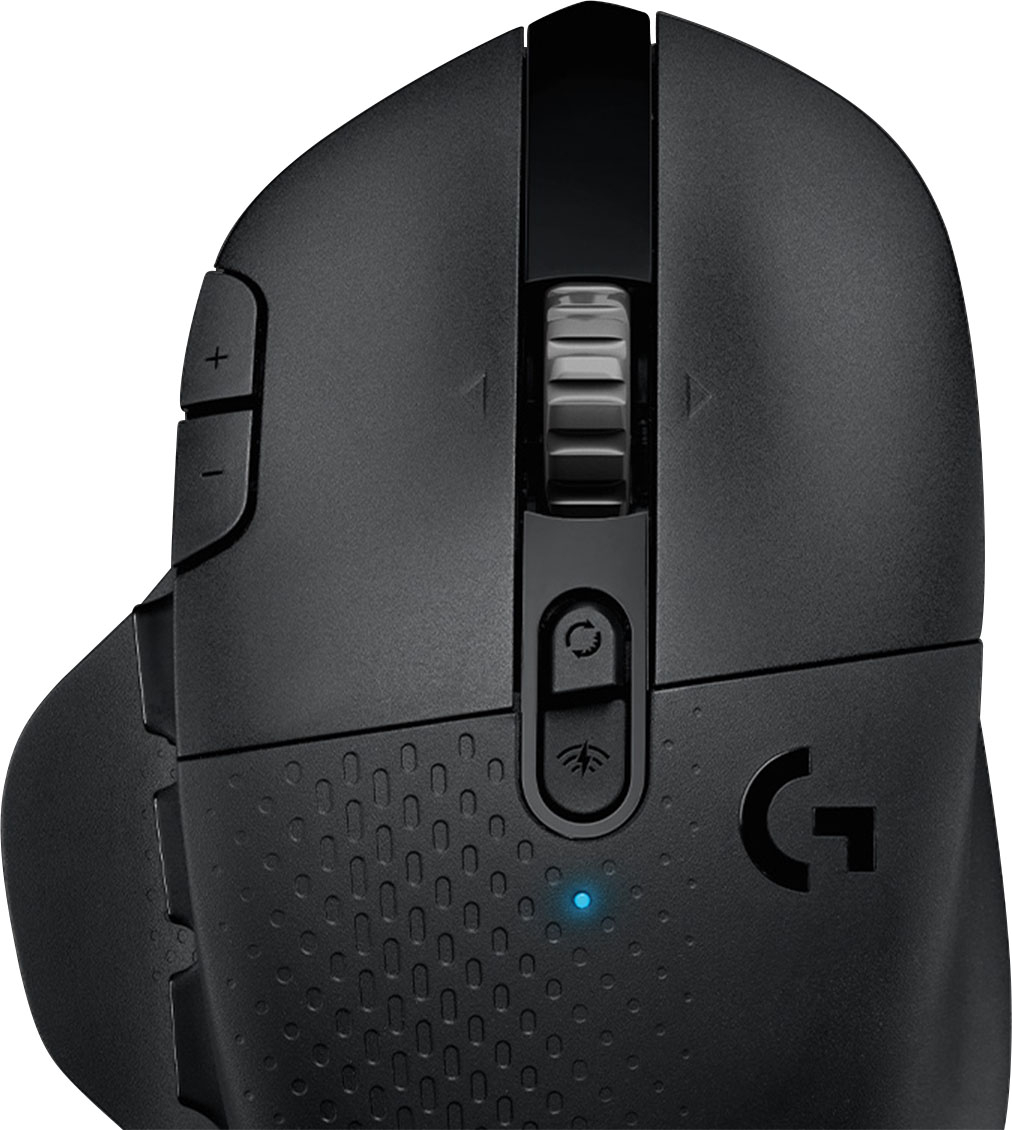
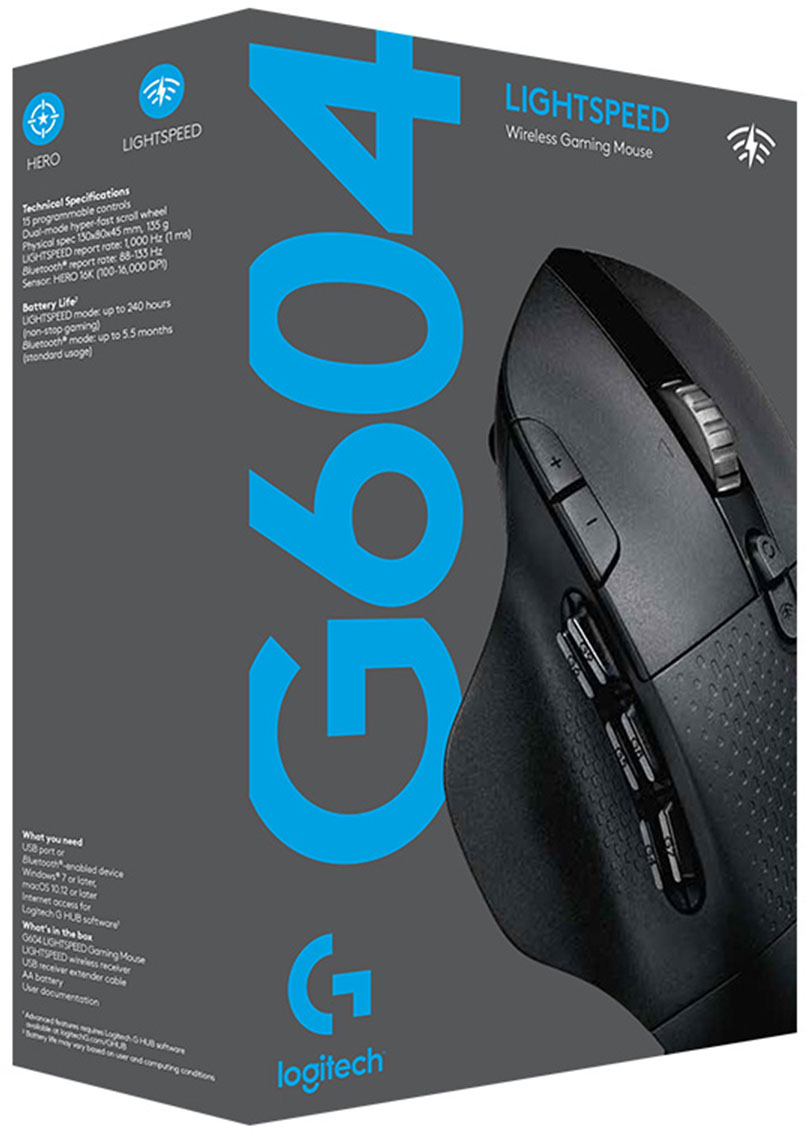
- Model:
- 910-005622
- SKU:
- 6372599
Rating by feature
- Value
Rating 4.5 out of 5 stars
- Quality
Rating 4.6 out of 5 stars
- Ease of Use
Rating 4.5 out of 5 stars
Customers are saying
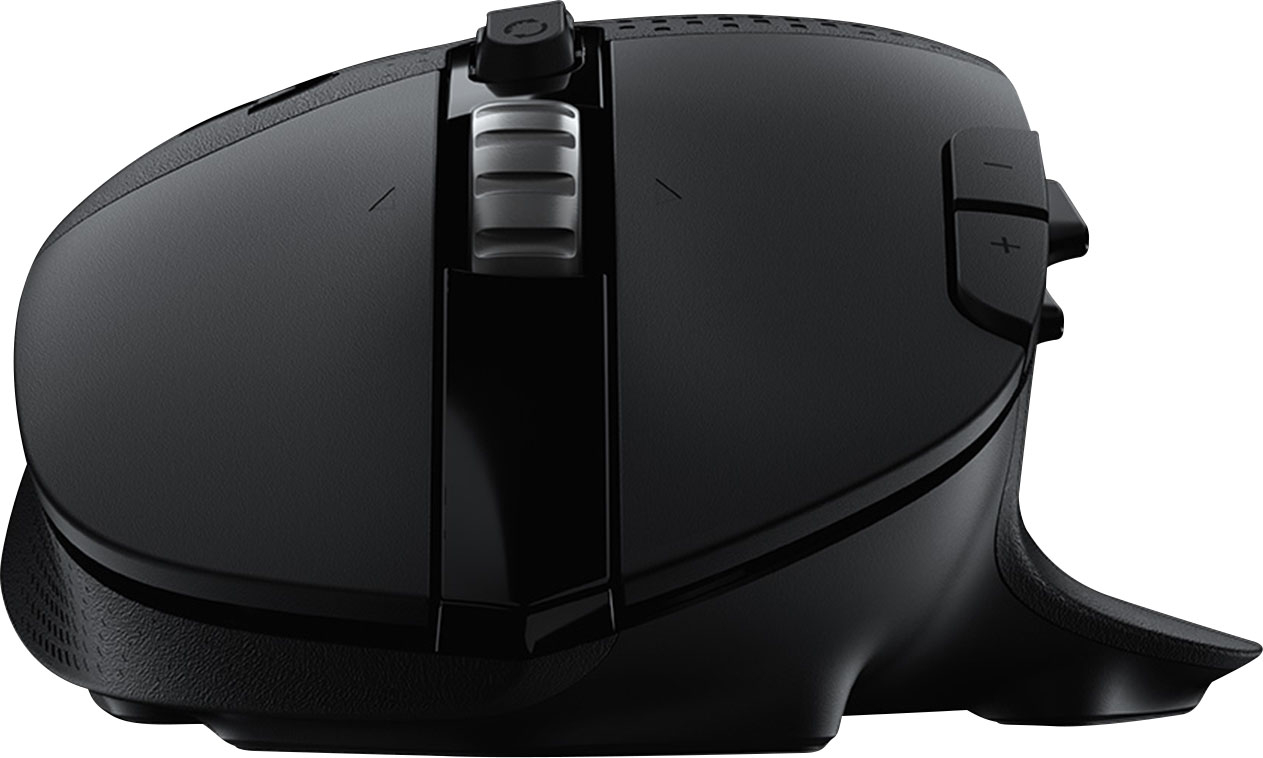
Customers enjoy the long battery life, Bluetooth connectivity, and abundance of programmable buttons on the G604 mouse. Many appreciate its comfortable design and the smooth, precise scrolling offered by the unique scroll wheel. However, some find the mouse too heavy or large, and others have reported issues with the software or occasional double-clicking. The price point is generally considered favorable.
This summary was generated by AI based on customer reviews.
- Pros mentioned:Battery life, Buttons

Precise & Versatile Gaming Mouse & Wireless, Too
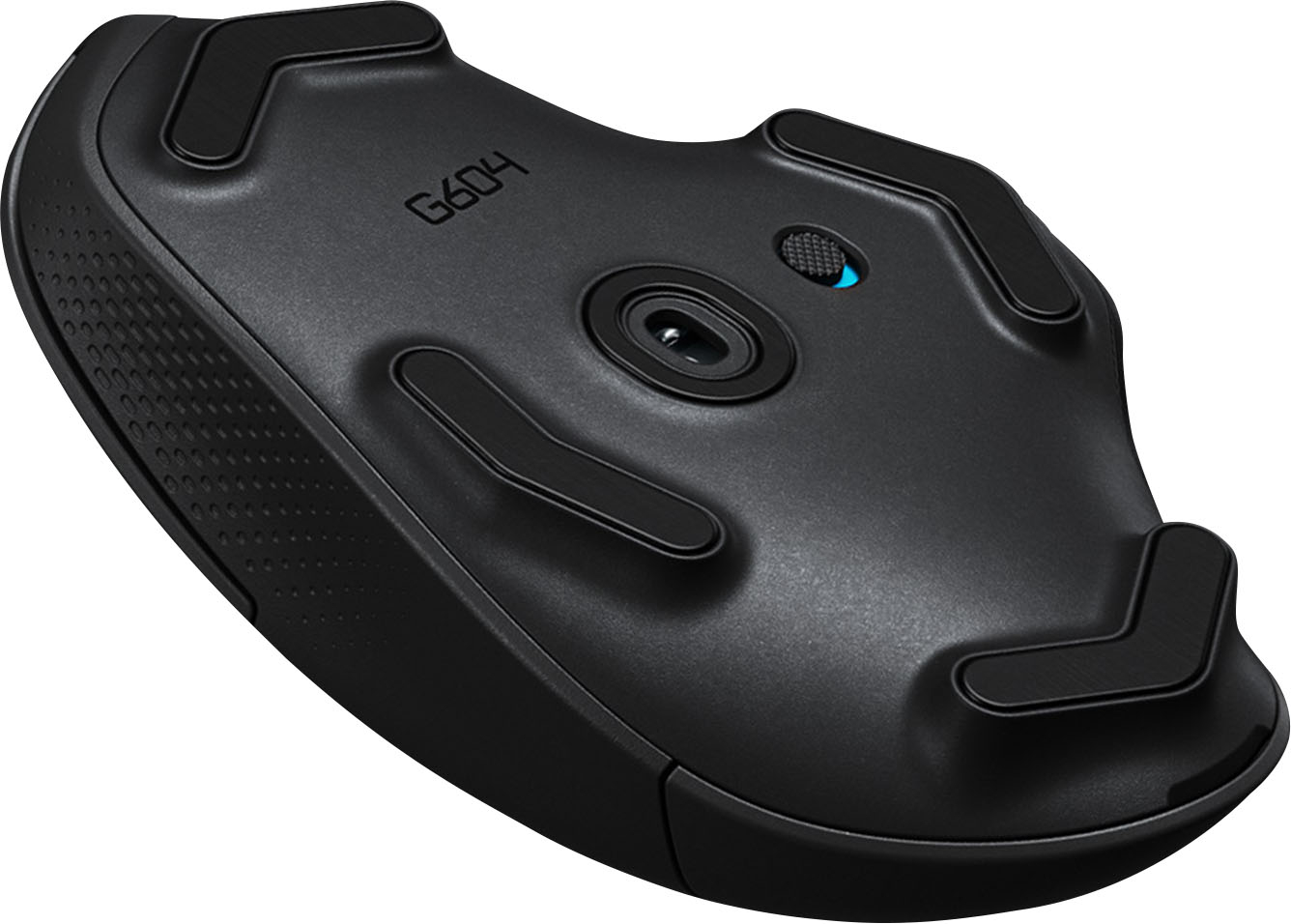
|Posted .This reviewer received promo considerations or sweepstakes entry for writing a review.The Logitech G604 is a precision, no lag mouse that happens to be wireless. It completely blows away the old school rule that a gaming mouse must be wired to eliminate the lag. I am using this mouse on a Mac Pro with MacOS 10.14.6. This mouse is designed to excel in gaming & it exceeds expectations: 0 lag. Incredible responsiveness with HERO 16K Sensor. Comfortable feel. Wheel changes from "Click" to smooth scroll with a dedicated button. Six programmable side buttons. Quality feel. Integral thumb rest. Very long battery life (240 Hrs. LIGHTSPEED (non stop gaming); 5.5 months Bluetooth. Inexpensive quick change AA Alkaline battery. I love the 6 buttons on the side, located just above thumb level. They are completely programmable. I use them for daily Microsoft Office 2019 functions & find them extremely useful for opening pages, highlighting & navigation. There are 15 programmable controls on this mouse! The G604 feels so comfortable, I use it every day for business on my PowerPlay charging mousepad. The only change I would make: I would make the G604 PowerPlay compatible, complete with coin slot on the bottom, like the G604, G703, G903 & Pro Wireless that are in my arsenal (see photos of these mice in use). However, the extended life AA Alkaline battery powers it so long, this is not a major issue. CONCLUSION: The Logitech G604 is Best In Class for Gaming, and is so comfortable, I use it as my "daily driver". It earns my Highest Recommendation.
I would recommend this to a friend - Pros mentioned:Battery life, Scroll wheel
Logitech has created my new favorite mouse
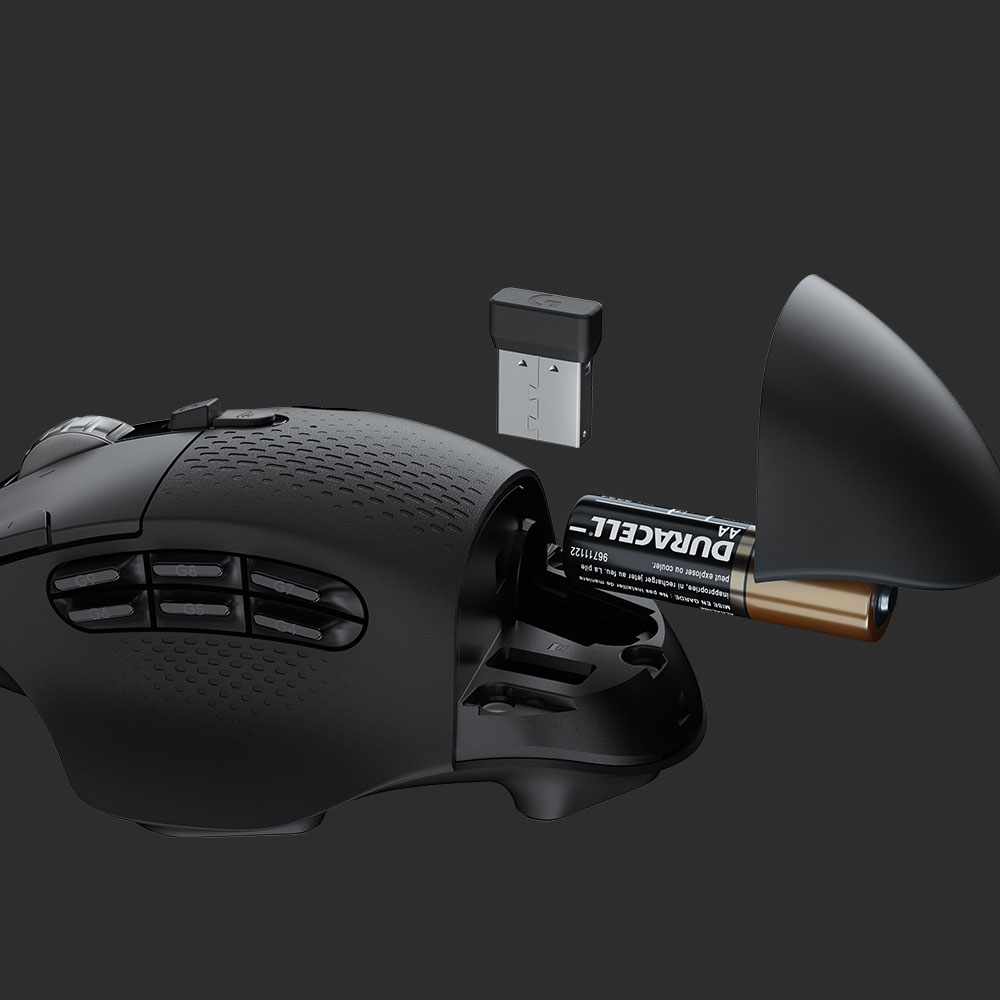
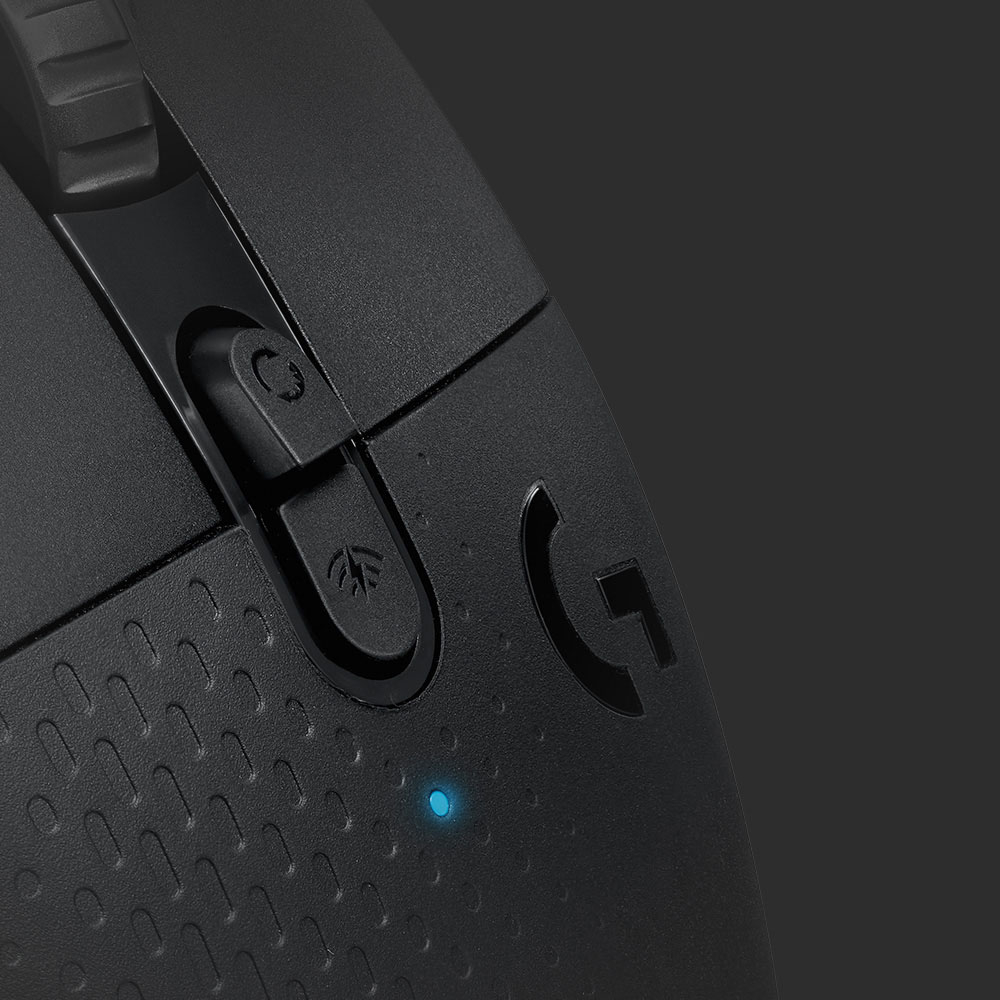
|Posted .This reviewer received promo considerations or sweepstakes entry for writing a review.I’m a fan of Logitech products, some better than other but have always preferred their mice, so I have plenty for comparison. Unboxing: This new G604 comes like all the other Logitech mice lately, well packaged in a nice black Logitech logoed box. Inside is the mouse, single AA battery, manual all neat and ready to set up. The wireless dongle is under the battery door at the rear. Setting up: The first thing you do is open the back of the mouse up, there’s a small cover that opens up on the top back ¼ of the mouse, it’s held on by magnets and comes off very easily. There a compartment for a single AA battery and the wireless receiver is also stored here, nice for travel. I simply took out the wireless dongle, inserted it in an open USB port “fortunately my monitor has 4 USB ports”, plugged it in and inserted the battery, replacing the back cover. The AA battery is suppose to last around a month using the dongle, and I'll be happy with that if that's the case. Getting a month off a single AA is pretty amazing, but will see how it does in real use. I already had the G Hub software installed and it picked up the new mouse right away. There you can set the DPI sensitivity, and program all the buttons for pretty much anything you want. It also has a custom macro section for setting up your macros. After setting up all the buttons the way I liked “never had one with so many buttons” it I was off to using it. Actual use: Logitech really did a great job on this new mouse and it’s going to be my favorite one for sure. Even though I have smaller hands I prefer a heavier larger mouse, small ones just feel too cramped. This one being on the heavier side is perfect, I really don’t like light mice. There’s a button right below the scroll wheel for scroll lock so you can have smooth or notched scrolling of the wheel. Then there’s an additional button right below that for turning on Bluetooth and setting it up. I really have no need for that now so I’ll be using it with the wireless dongle. I’ve been trying this out for everyday use and for playing some Skyrim, Witcher 3 and Fallout 4. And I can say this mouse is accurate, smooth and just feels great in my hand. The other mice are going to get lonely sitting on the shelf as I can’t see myself going back to any of the, even if some have the fancy lighting “which doesn’t do anything for me”. I also have a Logitech Pro wireless “which costs more” but I really don’t care for the feel as it’s made as an ambidextrous mouse, so if you are left handed I wouldn’t consider the G604, all the buttons on the left would just get in the way and it’s not shaped for lefties. Conclusion: This is going to be my favorite mouse, hands down. It fits me perfectly, the programmable buttons are great. The left side buttons may be a little too far forward for me to use the front two of the six comfortably but I still have 4 that I can easily use and setting up some macros for Skyrim worked out great. If you like a lighter mouse then this may not be for you, it will be a personal preference but this one is definitely not on the light side. It’s also pretty large too so again; it’s all going to be personal preference. In the end though this is really a great mouse for gaming and just regular computer use and the added thumb rest on the left make it that much more comfortable and stable.
I would recommend this to a friend good mouse for everyday
||Posted . Owned for 1 week when reviewed.This reviewer received promo considerations or sweepstakes entry for writing a review.good mouse in good size. agile yet with good weight
I would recommend this to a friend- Pros mentioned:Battery life
Precise and Highly Customizable
|Posted .This reviewer received promo considerations or sweepstakes entry for writing a review.This is likely the most customizable mouse I have ever used. From the different DPI settings (which are easily switchable on the fly) to the six buttons on the side. There are so many ways you can make this mouse suit your needs. The software is well-designed and easy to use as well. It even allows for a different profile for the different game or software you're using. I'm even really enjoying this for my work in Photoshop and Premiere Pro. I've set the six side buttons to quickly select tools I use in Photoshop to help speed up my workflow. Very handy stuff. The mouse feels comfortable to use and I really like being able to switch scroll modes quickly and easily. If you're in the market for a new mouse for gaming, or even for work, this is a great option. My only real complaint is that it's not a rechargeable battery, but with the battery life it's getting from a single battery, that's not even really an issue. Pros: Comfortable, Highly customizable, game/app profiles, well-designed and easy to use software, extremely responsive and precise Cons: non-rechargeable battery (though the battery life helps with this)
I would recommend this to a friend - Pros mentioned:Battery life, Buttons
Comfortable and highly customizable!
|Posted .This reviewer received promo considerations or sweepstakes entry for writing a review.I'm loving this wireless mouse. Its super comfy, I love the thumb rest, and the tremendous amount of buttons to configure on the side (6). It's a must for anyone playing MOBAs or any other game that requires lots of buttons. Using Logitech's Ghub software you can customize each button to your bidding, create macros and profiles per game. Customize your DPI's (this mouse supports up to 16k DPI!). I also love you can use and switch on the fly between the included Lightspeed connection (using the provided usb dongle, by the way its stored next to the battery compartment when not in use, great way to have it stored and not losing it) or Bluetooth, thus being able to control two devices with one mouse (I use the dongle when I play on my desktop and bluetooth when I want to use it on my laptop). I did not notice any lag at all. They also include one AA battery and I like the idea of a removable battery. It adds nice weight to the mouse and when it dies (they claim they last long), you can just replace it with a fresh one, easy as opening the flap!
I would recommend this to a friend - Pros mentioned:ButtonsCons mentioned:Weight
A Mouse on Stilts?
|Posted .This reviewer received promo considerations or sweepstakes entry for writing a review.This is a strange mouse. I like Logitech mice. I have been using Logitech mice for decades. This... is a strange mouse. For starters, it has legs, risers that keep it elevated. I'm not sure what this accomplishes. This is also the first mouse I have had in a while that seems to need to be broken in. I use a hard mouse pad, and the Logitech G604 feels like it is constantly scraping against the mouse pad. Instead of a smooth glide, I get a small bit of resistance. It's gotten better (the gliders on the mice seem to be wearing and the experience is gradually smoothing out), but it's nowhere near as smooth as my other mice at the moment. Even on a cloth mouse pad, the G604 isn't as smooth as my other Logitech and Corsair mice. The ergonomics are taking me a bit of time to get used to. It feels like someone saw the ship "Serenity" from the show "Firefly" and said "design a mouse shaped like that!" The back looks like a bird's beak. The more I use it, the more I like it, but the G604 has taken me a bit to get used to. I feel like I am gripping it more than I do other mice. My palm doesn't rest quite as easily. Time will tell how ergonomic this mouse really is, but for the moment I am adjusting. The 1MS response time is great. In my experience, it is near indistinguishable from wired mice. However, don't expect to get that same response time over Bluetooth. Switching between bluetooth and Light-speed Wireless Sensor has been easy enough. It's nice having a mouse that can work on my PC one second and then my Samsung Tablet or my Laptop with a button press. For the most part, the buttons have been responsive. I like how snappy the primary and secondary buttons are. The six thumb buttons are a bit cumbersome, but I am getting used to it. They're a bit mushy, but they work and it's nice having the hotkeys there for office or gaming applications. The DPI switches work easily and the scroll wheel is a bit loud during ratcheted scrolling, but it works well. There is no weight adjustment. I can't say the mouse feels too heavy or too light. But, I know some purists want that level of customization, and the G604 doesn't offer that. Also, should probably point out that this mouse is probably best suited to right handed users. Lefties will be a bit out of luck. GHUB is simple enough and it's highly recommended that you download GHUB to get the full experience. I've never had problems with GHUB itself, however, I have had some conflicts between GHUB and Corsair's iCue in the past. So, in conclusion, this is a strange mouse. It's a mouse with a great response time and the thumb buttons can be easily customized, but the ergonomics and the less than smooth glide, make it hard to call "great". I'm confident it will get smoother as I use it, but this design just doesn't feel as polished as I have come to expect from Logitech.
I would recommend this to a friend - Pros mentioned:Battery life, Bluetooth, Buttons
Great for more than gaming
||Posted . Owned for 2 weeks when reviewed.This reviewer received promo considerations or sweepstakes entry for writing a review.The G604 is everything I could ever want in a mouse. I've had a cheap gaming mouse for a while, so I wanted something more reliable that I wouldn't have to manage a wire for. I looked through almost the entirety of Best Buy's selection of wireless gaming mice, and ultimately settled on this. Boy, am I glad I did the research on this thing. I've listed some pros and cons below. If you want a more detailed explanation of the items on this list, please read further. Pros: Surprisingly quiet for a gaming mouse Optional Bluetooth All buttons are fully programmable in software (even primary and secondary click, be careful) Integration with Discord, OBS and more (content creators rejoice) Per-Game/Application profiles Great battery life on a single AA battery Ratchet toggle for smooth scrolling Scroll wheel has tilt buttons Supremely comfortable ergonomic grip USB receiver storage in the battery compartment Cons: Scroll ratchet can be a bit noisy Ratchet toggle button is LOUD If you're a lefty, you won't like the grip on this unless you use your right hand for the mouse anyway It's a battery mouse. Keep some AAs on hand, but not too many. This thing is resilient. No weights (if you're into that) Starting with the pros, these mouse buttons are shockingly quiet. They're even quieter than some of Logitech's other gaming mice, so I'm surprised they don't advertise this. If you're playing a FPS or other combat game, it may get a little loud with rapid clicking, but overall the noise on this thing is low enough that I'd recommend it for streaming, or even everyday office use. You won't annoy your coworkers (at least with the buttons), and while the aesthetic may whisper "gamer" to someone paying close attention, this is far from their flashiest mouse. It's perfectly acceptable for work, in my opinion. Like Logitech's more office-oriented mice, the only light to speak of on this one is the status indicator. This light is almost always off, unless for example you're swapping between Bluetooth and the wireless receiver. If you hold the signal button in the center of the mouse for a second and release it, it'll quickly swap between these signal types. I love this because I have a PC and an old laptop, so if I'm ever using both at once, I never need to switch mice. I've also never had to switch batteries so far. It's been 2 weeks, I'm still using the included AA battery, and it still looks full in G-Hub. My understanding is it's supposed to warn you if the battery is low, but don't quote me on that. There's a battery indicator in G-Hub and you can program a button to display the battery capacity on the status light. They've accounted for comfort from top to bottom and front to back with this mouse. The ergonomic grip feels great, and all the buttons are easy to reach without moving your hand too much. They even made opening the battery compartment smoother than any other mouse I've owned. The rear plate is magnetically attached, allowing easy access to the battery and the USB receiver's storage slot; props to Logitech for keeping it simple. The Logitech G-Hub software is both a pro and a con. It's optional if you want to just use the mouse in its default state, but to take full advantage of this mouse's features (and more importantly to install firmware updates), you need to install this software. I was apprehensive about this at first because my old system didn't like Logitech's old gaming software, but they've made so many improvements it's hard not to recommend it now. It might take a few minutes to figure everything out, but once you play around with it a bit, you can do just about anything with it. The program even integrates directly with Discord and OBS, so you can program any of the buttons to mute your mic or change stream scenes without setting up a complicated macro. Now, it can get a little tricky to keep track of everything you've programmed when you're switching between applications or games, but you can set a persistent profile if you so desire. I've noticed it only detects a select few games on my system, but if you know where the .exe or application files of your games are, you can manually add them to your profile list. I haven't tested whether the mouse's onboard memory integrates well with systems that don't have G-Hub installed, but I imagine the only functions that will work properly are ones that impact the mouse itself or those native to Windows or macOS. The only real con is the learning curve. Now, you might be wondering why I rated this 5 stars if there are cons on my list. It's a fair question, and the simple answer is this: The G604 fits my needs nearly perfectly. The biggest con I see is the scroll wheel. It's great in my opinion, but your coworkers might not think so if you're using it in ratchet mode and flicking the wheel too fast. Whether they intended to or not, Logitech mitigated this issue by adding a toggle switch that moves the ratchet out of the way and allows smooth, silent scrolling. My guess is they wanted to make web browsing smoother when the user is not actively gaming, but it brings me into my next con. The toggle switch makes a loud click when it actuates, mostly because it's mechanical. There's no way around this, so if you plan to take this mouse to work with you, I advise keeping it in silent scrolling mode until you're safe at home where you can make all the noise you want. The next thing that might make you not want to buy this is the asymmetrical grip. It's great for most people, but if you use your left hand for mice, you might consider getting an ambidextrous mouse. The last two things I'd like to mention really just come down to user preference. Of course, this is a battery-powered mouse, and it will eventually need a new AA battery. Personally, I'm okay with this because I'd rather replace a battery every couple of months or so than recharge my mouse every few days, but if you'd rather charge your mouse, Logitech does have other options that will likely meet your needs. Lastly, this mouse does not have a compartment for weights. In my personal opinion, the battery adds more than enough heft, so you won't ever lift this off your mousepad by mistake, but I know some people do like that level of customization, and unfortunately this mouse does not offer that. If you made it this far, thank you for reading. I hope this helped!
I would recommend this to a friend - Pros mentioned:Buttons, Scroll wheel
Extra buttons edge out MX Master for me
||Posted . Owned for 1 year when reviewed.This reviewer received promo considerations or sweepstakes entry for writing a review.I love this mouse. I use it for computer programming, not for gaming. I wouldn't trust a wireless mouse for gaming anyway, but that's also 1 of 2 reasons this is not 5 stars - the connection is really choppy if the dongle is too far away. And by too far away, I mean more than about 2-3 feet, which I feel is still closer than most computer setups will allow. I got an extra USB extender cable just so that the dongle will sit 1-2 feet away from the mouse. But otherwise, this mouse is outstanding. I love the ability to change between the click wheel and smooth scroll - allows me to scroll thousands of lines in seconds or tighten it up for precision. And the side buttons are great. Copy+paste+enter+shift are all just a thumb click away, and since I use Mac it's also wonderfully convenient for Mission Control. The last issue keeping it from 5 stars is that the G-Shift button I believe is pre-programmed as just another side button, but that makes it inconvenient to hold while pressing another button with the same finger. I changed it to one of the DPI shift buttons (without intense gaming, I've never needed to use those buttons anyway), and alas those buttons are also an awkward press and takes some practice. My greatest wish has been more mice with the extra ring-finger button like the G600 MMO mouse. That's the most convenient button for G-Shift, or even something like Ctrl or Shift that needs to be held down to modify the actions of other buttons to double your capability with greater ease. Also, Logitech and Mac are like friends out of obligation, so the G-Hub software always annoys you till you get used to the nuances.
I would recommend this to a friend - Pros mentioned:Battery life, Scroll wheelCons mentioned:Size
Good mouse with extra buttons
||Posted . Owned for 1 month when reviewed.This reviewer received promo considerations or sweepstakes entry for writing a review.2 month use review. Well built and long life battery. I really love the continuous wheel feature, and extra buttons which can be customized for shortcuts. Glides well and usable on various surfaces. Little big to my hand but still manageable. When using with an iPad via bluetooth there has been a significant stuttering when pointer is being moved (I think it might be due to iPad bluetooth issue.) Bought for $35, the mouse is highly satisfying.
I would recommend this to a friend - Pros mentioned:Buttons, Comfort, Scroll wheel
One of the best I've used
||Posted . Owned for 1 year when reviewed.This reviewer received promo considerations or sweepstakes entry for writing a review.This mouse has just about everything someone would want in a mouse: precise sensor, comfortable feel, additional buttons to use in games, as well as some you wouldn't think of, like a frictionless scroll wheel and being able to connect with either wireless USB or Bluetooth.
I would recommend this to a friend - Pros mentioned:Battery life, Bluetooth, Scroll wheelCons mentioned:Weight
Perfectly balanced mouse for work and gaming
||Posted . Owned for 1 month when reviewed.This reviewer received promo considerations or sweepstakes entry for writing a review.This is a long due update for G602. It is a perfectly balanced mouse for work and gaming. The major improvements are the scroll wheel, connection mode, and battery. The Bluetooth allows it connection and switch between two devices. The scroll wheel now has hyper-fast and normal mode. The hyper-fast mode is helpful for work. It now uses single AA battery to achieve the same battery life as G602 with two batteries. This makes it lighter and better for fast-paced games. Pros: - Bluetooth connection - Switch between two devices (Bluetooth and 2.4G Wireless) - Lighter weight compare to G602 - Hyper-fast scroll wheel - Superior battery life - Comfortable to use. Cons: - Way overpriced, reasonable price is $60. - Still a bit too heavy for fast-paced games (COD), G502 is better for Pro gaming. -The two buttons of the last columns are hard to reach. Would be great if it is on the other side. - Missing charging port. Would be great if can be charged while use. - Would be great if can connect multiple Bluetooth devices. - Good warranty and support (Though it is not as great as before).
I would recommend this to a friend - Pros mentioned:Battery life, Scroll wheel
My new favorite mouse
||Posted . Owned for 2 months when reviewed.This reviewer received promo considerations or sweepstakes entry for writing a review.This replaced my aging Logitech G602's as my go-to mouse. At home, I use the side keys to trigger melee attacks and other hard-to-reach buttons from my keyboard. At work, I use it to trigger keyboard shortcuts and macros to help make the day go faster. The mouse lasts about 2 months when using Eneloop rechargeable batteries. I've never used the bluetooth, only the USB dongle so I can't say how the battery life is on bluetooth. I particularly like the toggleable scroll wheel lets you precisely page or blaze through long documents at the click of a button. This is a feature I missed on the G602 and was happy to see it come back. My only complaint is that the side scroll function uses low quality micro-switches that don't feel as nice as I'd like.
I would recommend this to a friend - Pros mentioned:Scroll wheelCons mentioned:Double clicking
The only mouse worth buying for productivity
||Posted . Owned for 3 weeks when reviewed.This reviewer received promo considerations or sweepstakes entry for writing a review.It’s the only productivity mouse worth buying if you want infinite scroll wheel and onboard memory. Mx series doesn’t have onboard memory, and razer mice limit what macros you can use without the software. Plus razer’s infinite scroll just doesn’t work as well as logitechs, and the naga pro v2 doesn’t actually do infinite scroll. So if you need a mouse for a work computer and can’t install software, this is really the best option. Yes, there is a double click issue which happened to my last one after 2 years. But when this is on sale (around $60), that’s something I am ok buying every couple years. If you are worried just get protection on it and replace if it fails within 2 years.
I would recommend this to a friend - Pros mentioned:Battery life, Buttons, Comfort
Exceptional precision and comfort!
||Posted . Owned for 1.5 years when reviewed.This reviewer received promo considerations or sweepstakes entry for writing a review.Exceptional precision and comfort! The G604 Lightspeed’s versatile buttons and lasting battery life make gaming a joy. A true game-changer for enthusiasts!
I would recommend this to a friend - Pros mentioned:Buttons, Scroll wheel
Hardware upgrade over G602, software downgrade
||Posted . Owned for 3 weeks when reviewed.This reviewer received promo considerations or sweepstakes entry for writing a review.The mouse is fine, it's an iterative upgrade over the old G602. Better design, more efficient, different shaped side buttons, clickier top buttons, and a better scroll wheel. Plus some nice additional features like G-shift and additional macro commands that the old 602 did not have. However, the G-Hub software is way worse. Very hit or miss, constantly having issues with it disconnecting or freezing, or not registering the mouse. Moving the usb port it was connected to helped, but this was never a problem on the old Logitech gaming software. If you can get over the negative G-Hub experience it's a solid mouse, especially since non-MMO mice with side buttons and decent heft are becoming pretty rare.
I would recommend this to a friend - Pros mentioned:Bluetooth, Scroll wheelCons mentioned:Weight
Comfortable mouse, dpi buttons great, ok scroll
||Posted . Owned for 1 month when reviewed.This reviewer received promo considerations or sweepstakes entry for writing a review.This has a comfortable shape, a little heavy. Has lightspeed wireless dongle but i only use bluetooth because i don't use mouse and keyboard for games so far. has a colored indicator light to indicate what dpi is set from the dpi buttons, install logitech hub to set dpi profiles, easy to setup. Scroll wheel is pretty heavy, ball bearing mode is all i use, the clicky mode is clunky on the scroll wheel. another negative is game buttons on side are not all easily reachable, but i doubt i will use them anyways. Paid half price, on sale, for $99.99 i feel it is overpriced but half price is a great price.
I would recommend this to a friend - Pros mentioned:Battery lifeCons mentioned:Double clicking, Software
Not perfect, but one of the best
||Posted . Owned for 1 week when reviewed.This reviewer received promo considerations or sweepstakes entry for writing a review.I upgraded from an old G700s. I'll get the negatives out of the way first. One, the first G604 I got had a double click problem which I heard was a common issue. I exchanged it for another of the same model and it works fine. Two, I'm not a fan of the rubberized coating, the stickiness always feels gross and it will only feel grosser over time as oils, plasticisers, and whatever else solvents they had embedded into the coating to create it seep out to the surface. I prefer no coating at all, and would rather Logitech would just use a more aggressively bumpy plastic mold, but the anti-gunk coating on the G700s was still infinitely better than rubber ones. Three, on the other hand, I wish the scroll wheel was coated with something, the smooth bare metal surface feels too slick and gives you a sense that it's slipping off your finger when you scroll, even when it's not actually slipping off. I can understand not wanting to manufacture an extra part and thus skipping the rubber belt on it that the G700s had, but a knurled surface would have worked wonderfully also. Four, but a minor one, I am not a fan of the G Hub software, it's clunkier than its predecessor. However I only needed to open it once, edit one of the button layout profiles to my liking, transfer it to the mouse's onboard memory, and then never need to use it again... Which leads to the positive points of this mouse, it has onboard memory so you don't always need softwares. The six thumb buttons are also reasonably laid out in reasonably shaped buttons. Unlike the typical 9 button layouts with square buttons, these are extremely rectangular, and thanks to only having 2 rows, it's easy to tell by feel which button you are hovering over without needing to check visually. These buttons are a godsend, even for beyond gaming. I have two of the thumb buttons mapped to the web browser's forward and back buttons, extremely convenient. I also like the extra index finger buttons, it is why I chose this mouse and also why i chose the G700s years ago. The wireless features are also miles ahead of mice from yesteryear. There is no lag, and the single AA battery reportedly lasts for months. All these positive aspects makes this mouse well worth it.
I would recommend this to a friend - Pros mentioned:Scroll wheelCons mentioned:Weight
Great, especially on sale
||Posted . Owned for 2 weeks when reviewed.This reviewer received promo considerations or sweepstakes entry for writing a review.I needed Logitech On Board Memory Manager, and outdated software you can still download from Logitech, but other than that it's great. Buttons all feel good, the free spin wheel is great. It's a heavy mouse but not a problem for me. Worth noting, I wasn't able to figure a way to assign macros, but you can put multiple keystrokes (like Ctrl+C) on one button. These button assignments are saved on the mouse and will work with whatever computer it's plugged into.
I would recommend this to a friend - Cons mentioned:Software
Would have got 5 stars but....
||Posted . Owned for 3 weeks when reviewed.This reviewer received promo considerations or sweepstakes entry for writing a review.Would have gave it 5 stars if i didn't have to take the first one back and wait a week to have one mailed to me over a factory defect. The software is clunky also. Had to install it 2x as the mouse didn't like it the first. But now I've used it for a few weeks i really like it. Best part really was the price. Not worth the full retail but if you are able to grab under 40 bucks go for it, u won't be disappointed.
I would recommend this to a friend - Pros mentioned:Buttons, Scroll wheel
Good buy first upgrade into a more premium mouse.
||Posted . Owned for 1 month when reviewed.This reviewer received promo considerations or sweepstakes entry for writing a review.Good solid mouse. No noticeable latency and smooth drag across the pad. Scroll wheel feels solid click scroll with the option to unlock for free spin. Plus for gamers for the programmable 6 side buttons. Easy to download accompany G HUB software online. Extra space on left makes a good thumb rest for long days of use.
I would recommend this to a friend