Customer Ratings & Reviews
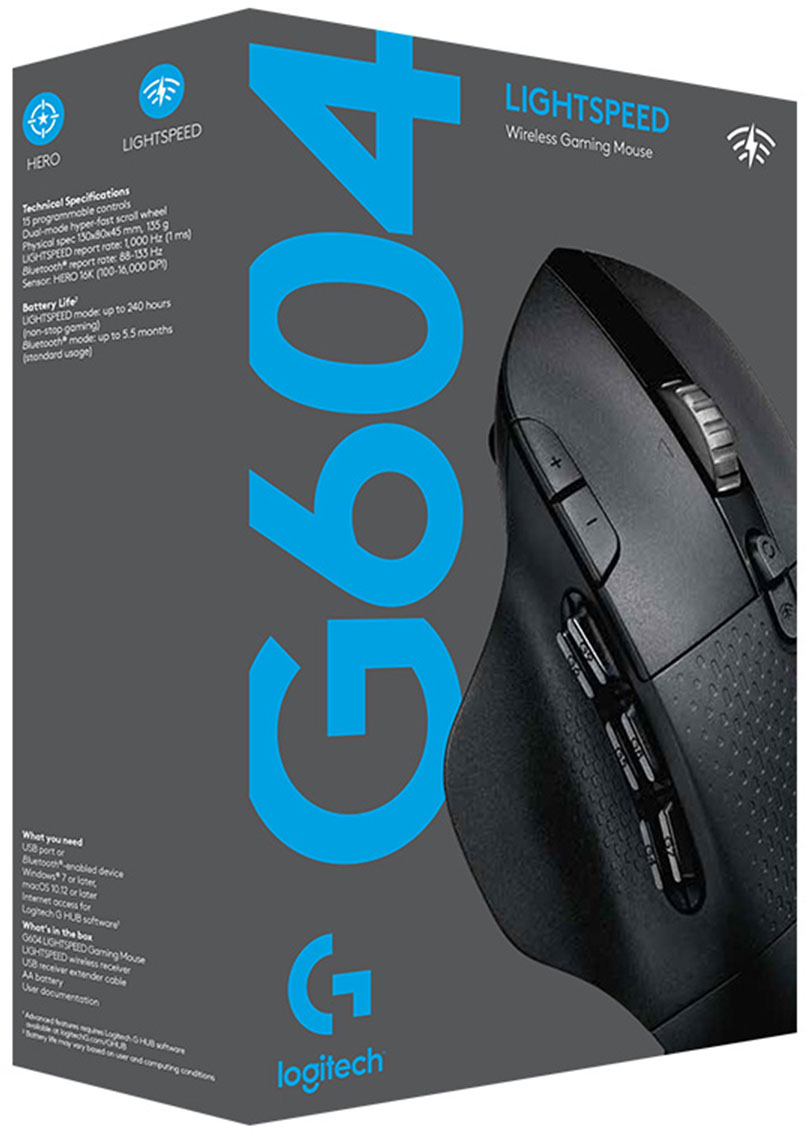
- Model:
- 910-005622
- SKU:
- 6372599
Rating by feature
- Value
Rating 4.5 out of 5 stars
- Quality
Rating 4.6 out of 5 stars
- Ease of Use
Rating 4.5 out of 5 stars
Customers are saying
Customers enjoy the long battery life, Bluetooth connectivity, and abundance of programmable buttons on the G604 mouse. Many appreciate its comfortable design and the smooth, precise scrolling offered by the unique scroll wheel. However, some find the mouse too heavy or large, and others have reported issues with the software or occasional double-clicking. The price point is generally considered favorable.
This summary was generated by AI based on customer reviews.
- Pros mentioned:Battery life, Comfort
Amazing Mouse - Great for Productivity and Gaming
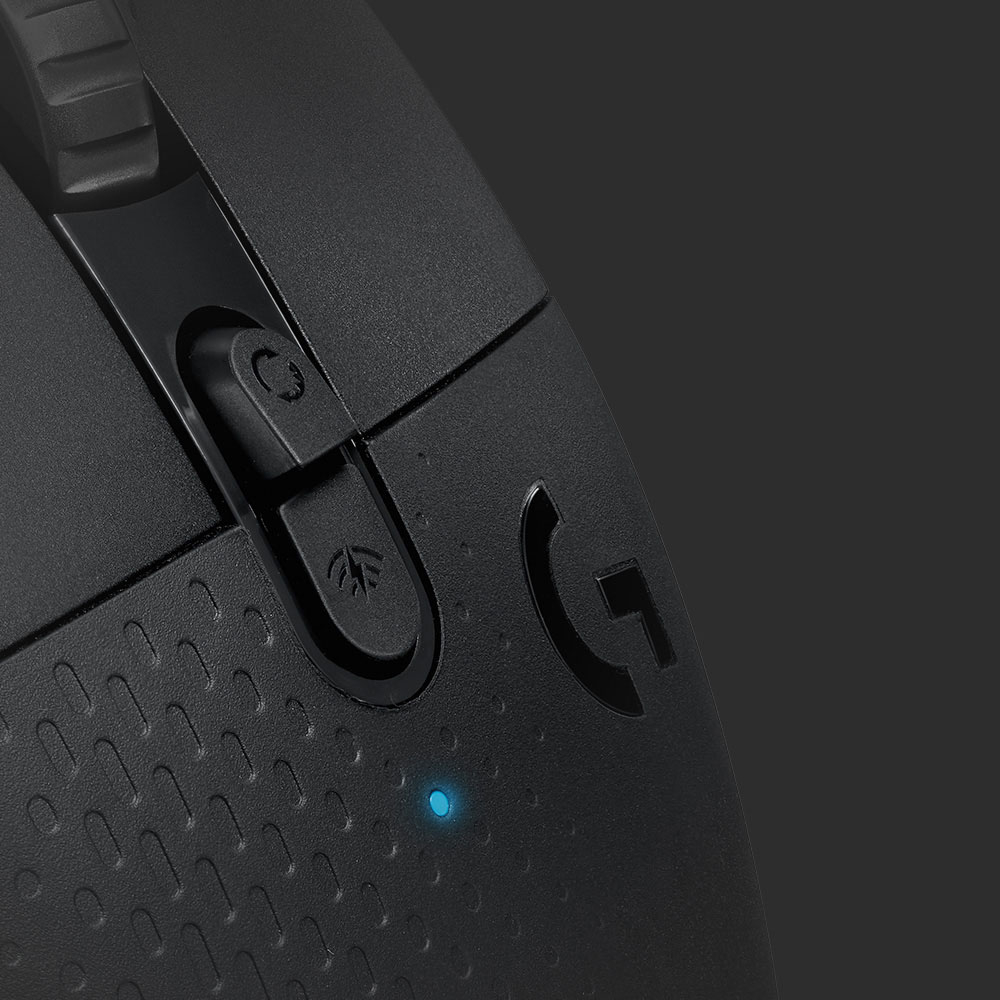
||Posted . Owned for 1 month when reviewed.This reviewer received promo considerations or sweepstakes entry for writing a review.I have been using a G604 Wireless mouse for about a year and a half now. I recently bought another one, so now I have 2. I have gamed with it and used it for work. I primarily use it for work functions as I have a G Pro Wireless, Razer Deathadder V3 Pro, and a Steel Series Aerox 9 that are used for most of my gaming sessions. However, that isn’t a knock against the G604 since I like it a lot for gaming – it just happened to travel with me for work. That’s why I bought a second one in order to leave at work, so I could have one at home full time. I have 3 locations where I work – home, office, and my lab/proto shop. Having to work in 3 different places meant I need/required a wireless mouse. I previously used an M705 Marathon wireless mouse for work because I love the hyperscroll, and I used it constantly. In my experience this is the best work productivity mouse I have ever used – I hope they never discontinue it. Prior to buying the G604 I had owned a G602, which I loved and used to game with. However, it lacked hyperscroll so I really couldn’t use it for work, and I ended up replacing it with a G Pro Wireless. I forgot my M705 on a work trip, so I hit up the closest Best Buy to buy another. I wasn’t aware of the G604 at the time, but I saw it was on sale and it had hyperscroll. Instant buy for me, since I loved the feel of the G602 and the additional buttons for productivity were a blessing. The mouse itself was nicely packed in its box. The mouse comes a single AA battery, a USB extension cable, and the Lightspeed wireless receiver. The mouse worked within seconds of turning it on and having the receiver installed into a USB port – no need for Windows to do any setup. I already had the Logitech G software on my machine, so I pulled it up and went about customizing the button assignments. I work with several CAD platforms (Solidworks, SolidEdge, and CREO), CorelDraw, and other database tools. I setup onboard profiles based on the software I am using and saved my customized buttons there. This is super handy as well if you are moving between devices and want to retain your button settings for games. The G604 can also connect via Bluetooth, so you can have it paired with 2 devices at the same time. You toggle the connection type via a button on top of the mouse. Comfort of the G604 is top notch. I use it 8+ hours a day without feeling uncomfortable or fatigued. All 6 side buttons are easily in reach along with the 2 DPI buttons on top. The thumb-rest makes long sessions more comfortable, and it keeps your thumb from dragging on your mousepad. The grippy sections of the mouse make it easier to hold onto and they are softer to the touch than plastic – again adding to the comfort. Weight of the mouse is up there at 135g, but that’s lighter than the old G602 at 152g. I know some people decry wireless mice for their short battery life, but I am only now about to replace the battery for the 2nd time in 18 months of ownership (6 months of life for a single AA battery). The hyperscroll wheel is fantastic, and honestly much better than the one on the M705. It is smooth and doesn’t bounce at the end of the roll. Switching into normal scrolling is done by hitting the button just above (below?) the wheel. The wheel moves with a nice, chunky cadence that is easy to get used to when needed. For gaming the mouse works great. The side buttons are easy to access and make a nice click. The LMB/RMB have a nice click sound and activation distance – I don’t find myself making any misclicks due to it being too light. You can get the button to click easily no matter where you are pressing, so people with average, long, or short fingers won’t find it hard to use. It glides across the mousepad well, and the optical sensor has no problem working on multiple surface types – I have used it on mousepads, granite counters, and steel shop tables. Overall, I love this mouse. It is worth every penny for my office/productivity needs and has the added bonus of being a solid gaming mouse. I preach its usefulness to my coworkers, and have even converted a few people to buy one for themselves – all with positive results. It has a great number of features – BT or wireless, 6 shoulder buttons + 2 DPI, thumb-rest, battery life, and hyperscroll. Altogether it really is a nice mouse, and I have had zero issues for 18 months of everyday use.
I would recommend this to a friend - Pros mentioned:Scroll wheel
Comfortable and light
||Posted . Owned for 1 month when reviewed.This reviewer received promo considerations or sweepstakes entry for writing a review.I used a large heavy wired mouse for years to play video games with and finally choose to replace it with this wireless mouse. I can’t tell the difference between the wired vs wireless except the wires aren’t in the way! This mouse is a medium size and weight. I added the picture of the Xbox controller for reference. The mouse scroll wheel has 2 settings where it can spin almost freely and where you can easily choose how many times you want it to scroll up or down. This 2nd setting is great when I’m navigating items and want to make sure I only scroll up or down a certain number of times. 6 thumb buttons were overkill for me as I only use two, but the others are there if needed.
I would recommend this to a friend - Pros mentioned:Bluetooth, Buttons
Great Mouse
||Posted . Owned for 1 month when reviewed.This reviewer received promo considerations or sweepstakes entry for writing a review.Great mouse, can connect through usb or Bluetooth, impressive response, multiple programmable buttons. Only negative is there are no removeable weights like on other Logitech mice.
I would recommend this to a friend - Pros mentioned:Battery life
Excellent wireless mouse
||Posted . Owned for 3 weeks when reviewed.This reviewer received promo considerations or sweepstakes entry for writing a review.Love the mouse. It's a fine replacement for my wired G500 which gave me many years of use. It has a similar feel to it and fits nicely in my right hand. The G604 has a few more buttons than the G500, but I was quickly able to adapt to using them by programming them to specific key combinations. I've been using it actively for a month, and the single AA battery is still almost fully charged! Perhaps that's because I am using RF with the USB dongle instead of Bluetooth? Regardless, I'm happy to have found a wireless mouse that performs as smoothly as a wired one.
I would recommend this to a friend - Pros mentioned:Scroll wheel
The (Second) Best Mouse I've Ever Owned
||Posted . Owned for 1 week when reviewed.This reviewer received promo considerations or sweepstakes entry for writing a review.Great mouse. The buttons have great tactile feedback and are the perfect amount of clicky. The programmable buttons are in a comfortable position for my large hands, and the scroll wheel is the second best I've ever used, behind only the Logitech MX Master 3S. I wound up keeping that mouse instead, as it suited my needs better (using it for work). If I was using it for gaming this mouse would've been the winner no question.
I would recommend this to a friend - Pros mentioned:Scroll wheel
Amazing Mouse for Office and Gaming
||Posted . Owned for 1 year when reviewed.This reviewer received promo considerations or sweepstakes entry for writing a review.Had this mouse for over a year now. Really great mouse with lots of programmable buttons and easily switch between multiple devices with a click of a button. The sensor is also amazing on this mouse and the infinite scroll wheel is just amazing for office work.
I would recommend this to a friend - Pros mentioned:Bluetooth
Fully Functional
||Posted . Owned for more than 2 years when reviewed.This reviewer received promo considerations or sweepstakes entry for writing a review.It works perfectly. I’ve had it for 2 years and it’s made my mouse needs convenient seeing how it’s wireless. I’m able to to connect it to my desktop and my MacBook with no problems.
I would recommend this to a friend - Pros mentioned:Battery life
Great mouse with amazing battery life
||Posted . Owned for 1 week when reviewed.This reviewer received promo considerations or sweepstakes entry for writing a review.Extremely light. Uses only one battery versus the olde G602’s two batteries. One battery also works longer than the old two. I recommend using the usb receiver as it allows you to use it without Windows running.
I would recommend this to a friend - Pros mentioned:Battery life
Great mouse for office work!
||Posted . Owned for 1 year when reviewed.This reviewer received promo considerations or sweepstakes entry for writing a review.Great mouse! I use this daily for work. The battery seems to last forever! Highly recommend, it is a great mouse!
I would recommend this to a friend - Pros mentioned:Bluetooth
Very good mouse for the price
||Posted . Owned for 4 months when reviewed.This reviewer received promo considerations or sweepstakes entry for writing a review.Really nice mouse. Lots of features such as switching from usb to Bluetooth with a click of a button. Feels good in hand and is light weight.
I would recommend this to a friend - Pros mentioned:Comfort
Great comfort for long uses
||Posted . Owned for 3 weeks when reviewed.This reviewer received promo considerations or sweepstakes entry for writing a review.I’m loving this mouse so far I use it for gaming and non gaming every day use. I was able to get on special. I have large hands so it’s very comfortable.
I would recommend this to a friend - Cons mentioned:Size, Weight
Big mouse but great
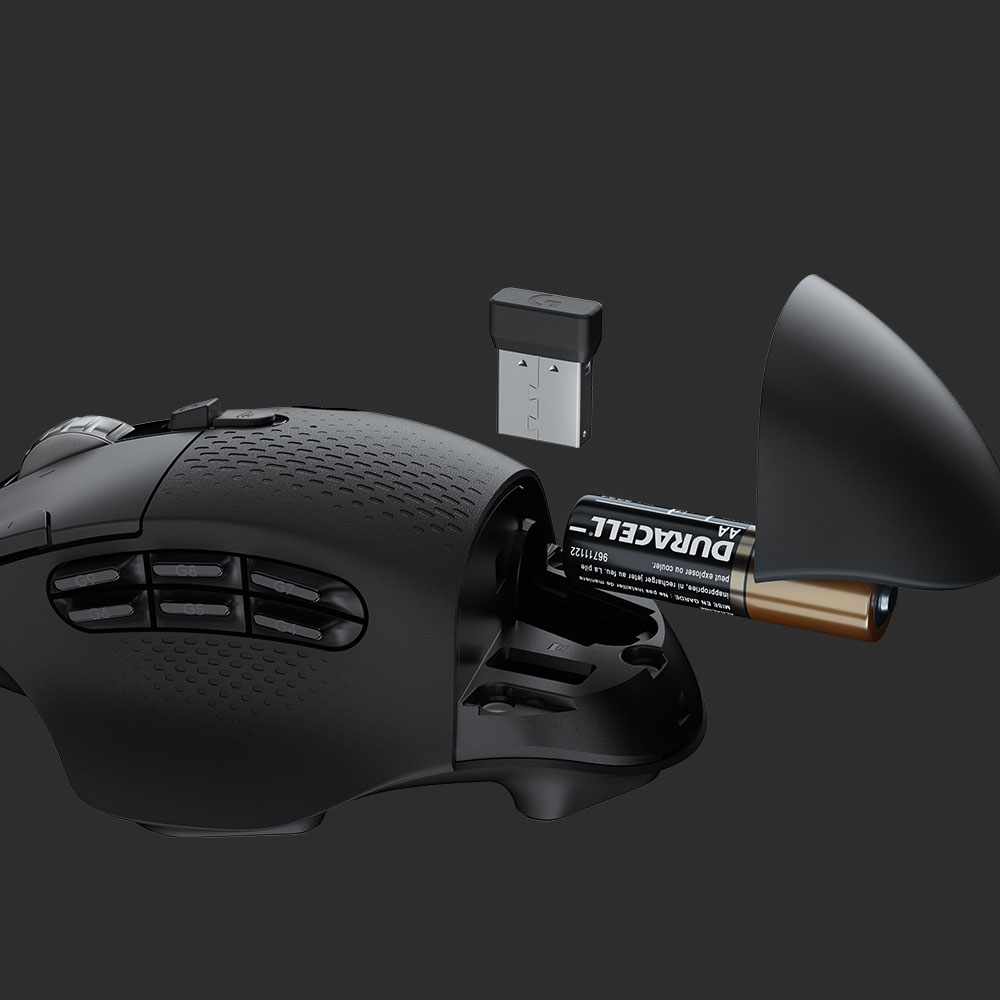
||Posted . Owned for less than 1 week when reviewed.This reviewer received promo considerations or sweepstakes entry for writing a review.Works great for me! Might be a little on the larger side so if you have smaller hands i wouldnt recommend. Overall i love it. Opperates smooth and connects no problem. Usb addapter is inside the back of the mouse where you insert the battery, which i find is a nice touch if you travel with your work. A little on the heavier side too so note that if you plan on gaming with it.
I would recommend this to a friend - Pros mentioned:Bluetooth
8 button Programmable mouse
||Posted . Owned for 4 months when reviewed.This reviewer received promo considerations or sweepstakes entry for writing a review.Wireless gaming mouse thats flexible to work with both my laptop and desktop pairs either with bluetooth or Logitech LightSpeed Dongle.
I would recommend this to a friend Game Changer for Work
||Posted . Owned for 1 year when reviewed.This reviewer received promo considerations or sweepstakes entry for writing a review.This mouse has been my daily driver at work for the past year or two and it's been a game-changer. Love having the custom buttons on the side for repetitive tasks like copying, pasting, backspacing, entering, and anything else I need. And setting the scroll wheel side to side functions as the left-right arrow keys is nice for fixing typos in words or numbers. Very easy to set up too. I've even gifted a couple of these to different people for Christmas because I knew how much it would help them at work!
I would recommend this to a friendBetter than MX Master
||Posted . Owned for 1 week when reviewed.This reviewer received promo considerations or sweepstakes entry for writing a review.Originall I was planning to get the MX Master for coding/productivity. But then I stumbled upon this find and found it to be on sale as well. In my opinion, this is better than MX Master (at-least for the Mac users) since it has a lot of programmable buttons, so I can program them all for the Mac gestures. I've read reviews of G Hub being so bad, I am not a professional gamer so my review probably doesn't matter much on that front but I have found G Hub to be awesome at-least on Mac. Another reason you shouldn't go for the MX Master is due to the higher DPI on this one. Also this is future proof for my gaming endeavors.
I would recommend this to a friendBrand response from Logitech
Posted .Hi, glad to see you're enjoying the versatility of the G604 gaming mouse! A lot of people forget that our gaming mice have such high DPI options and can be used for productivity. But if you have any questions, check out the Logitech support page at https://support.logi.com/hc/en-us/articles/360036534033. Continue to enjoy!
- Pros mentioned:Battery life, Comfort, Scroll wheel

Lag-Free Wireless
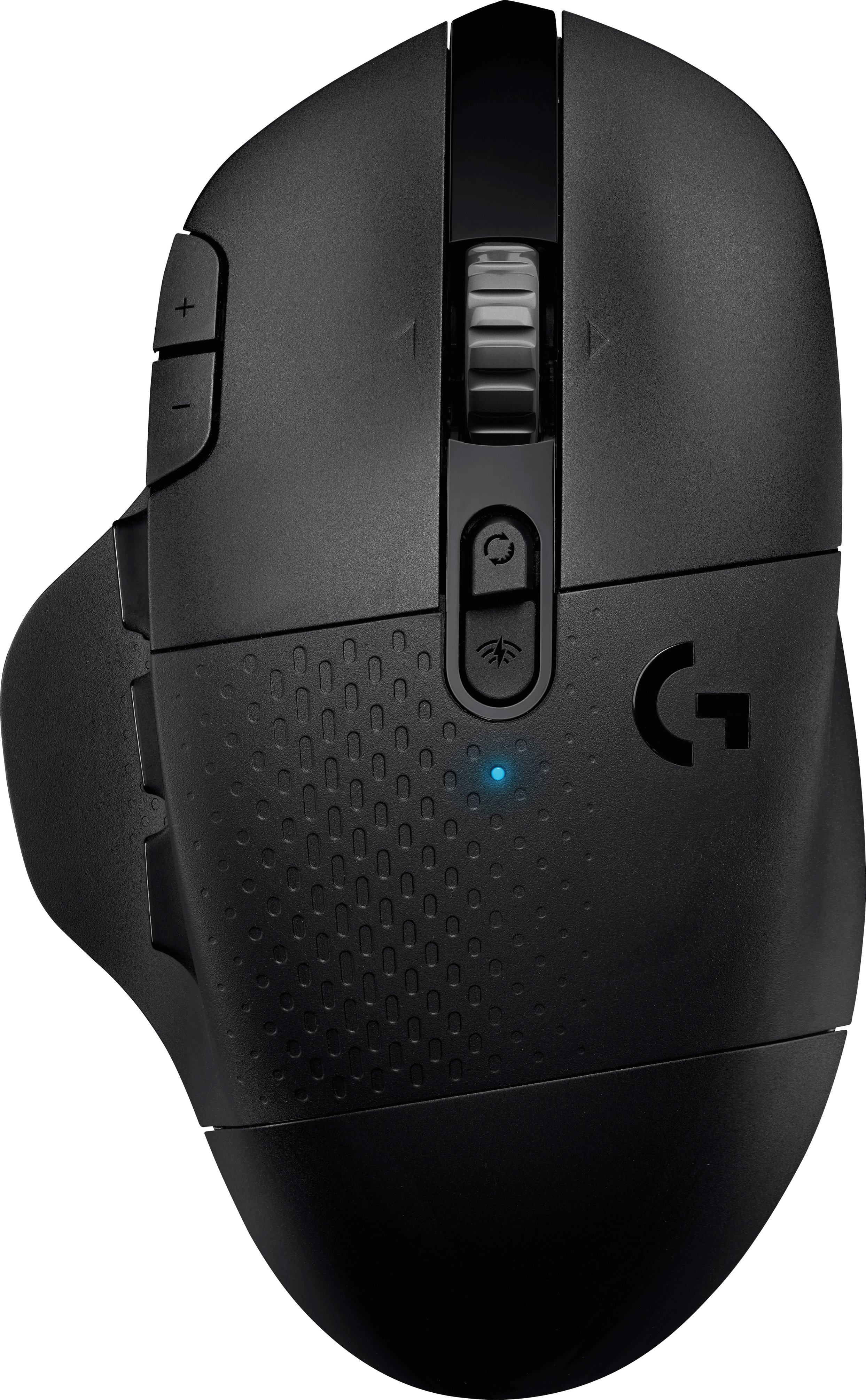
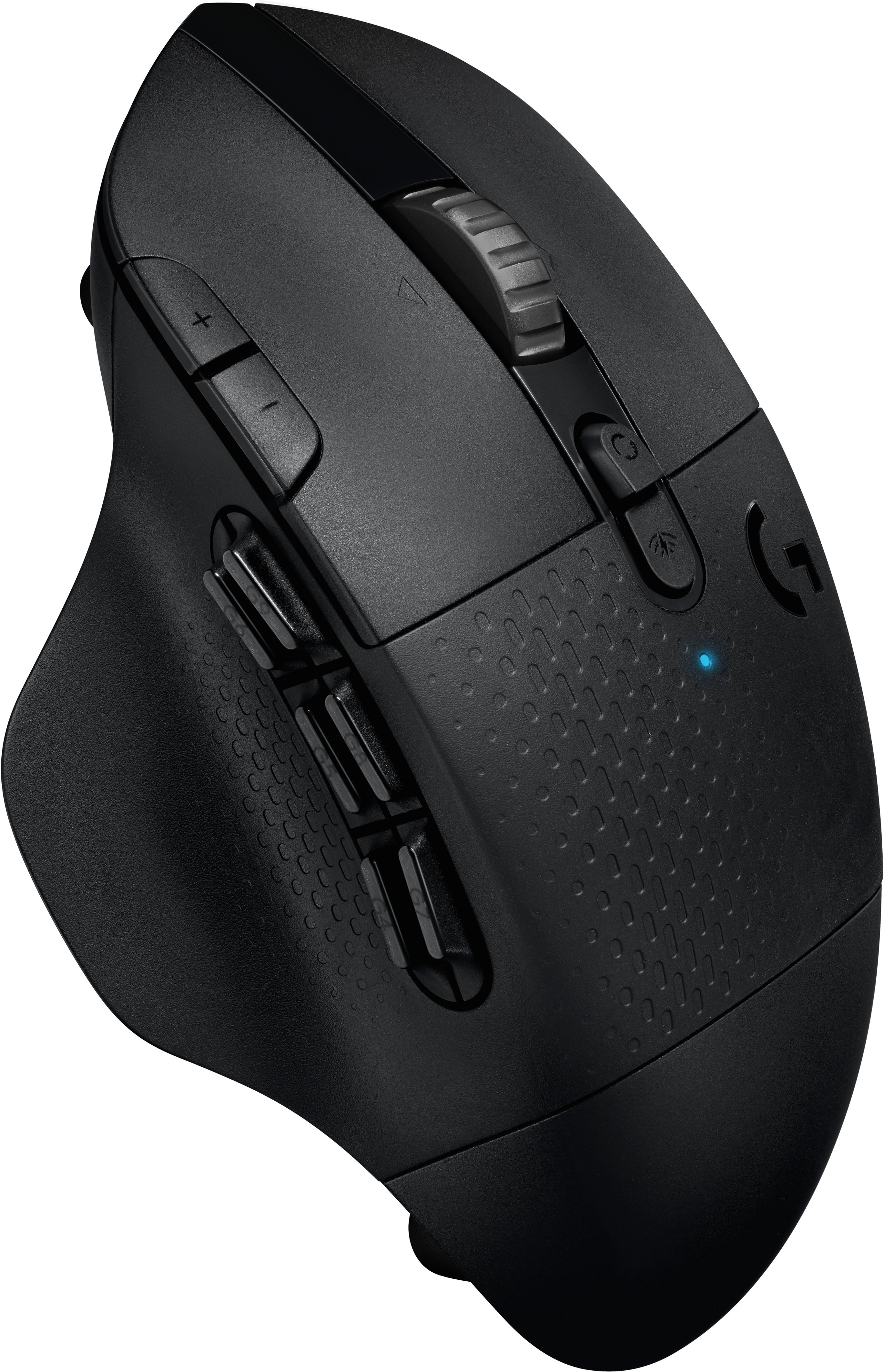
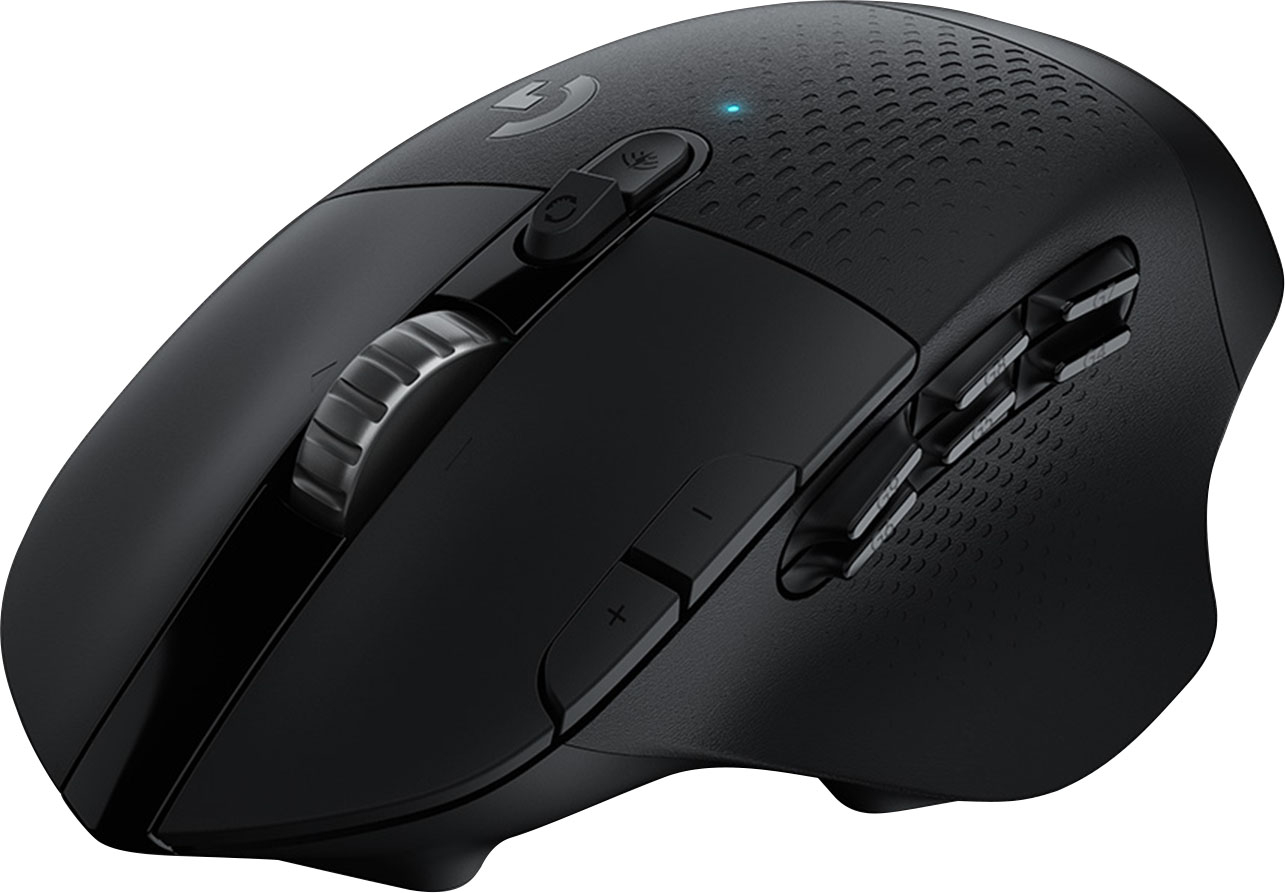
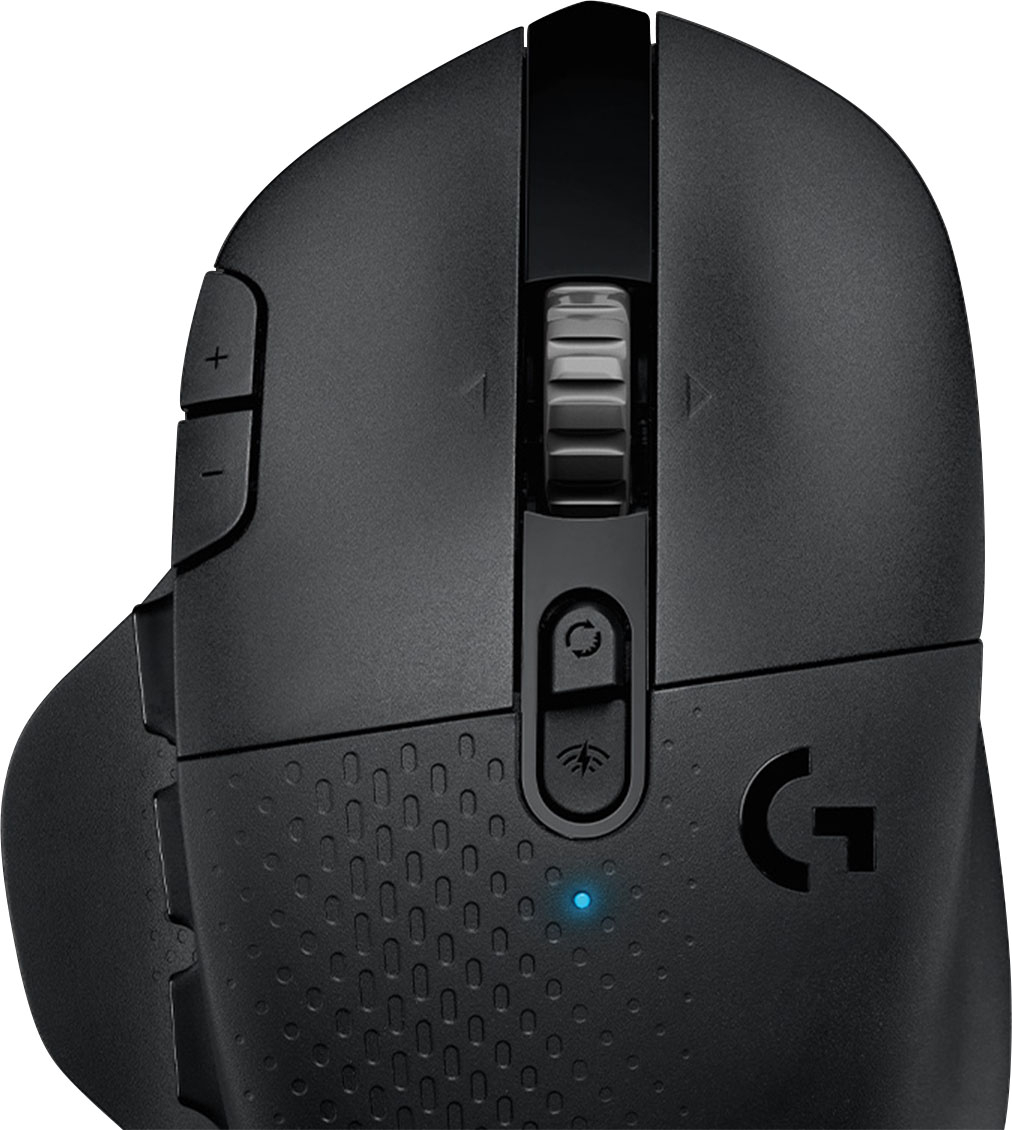
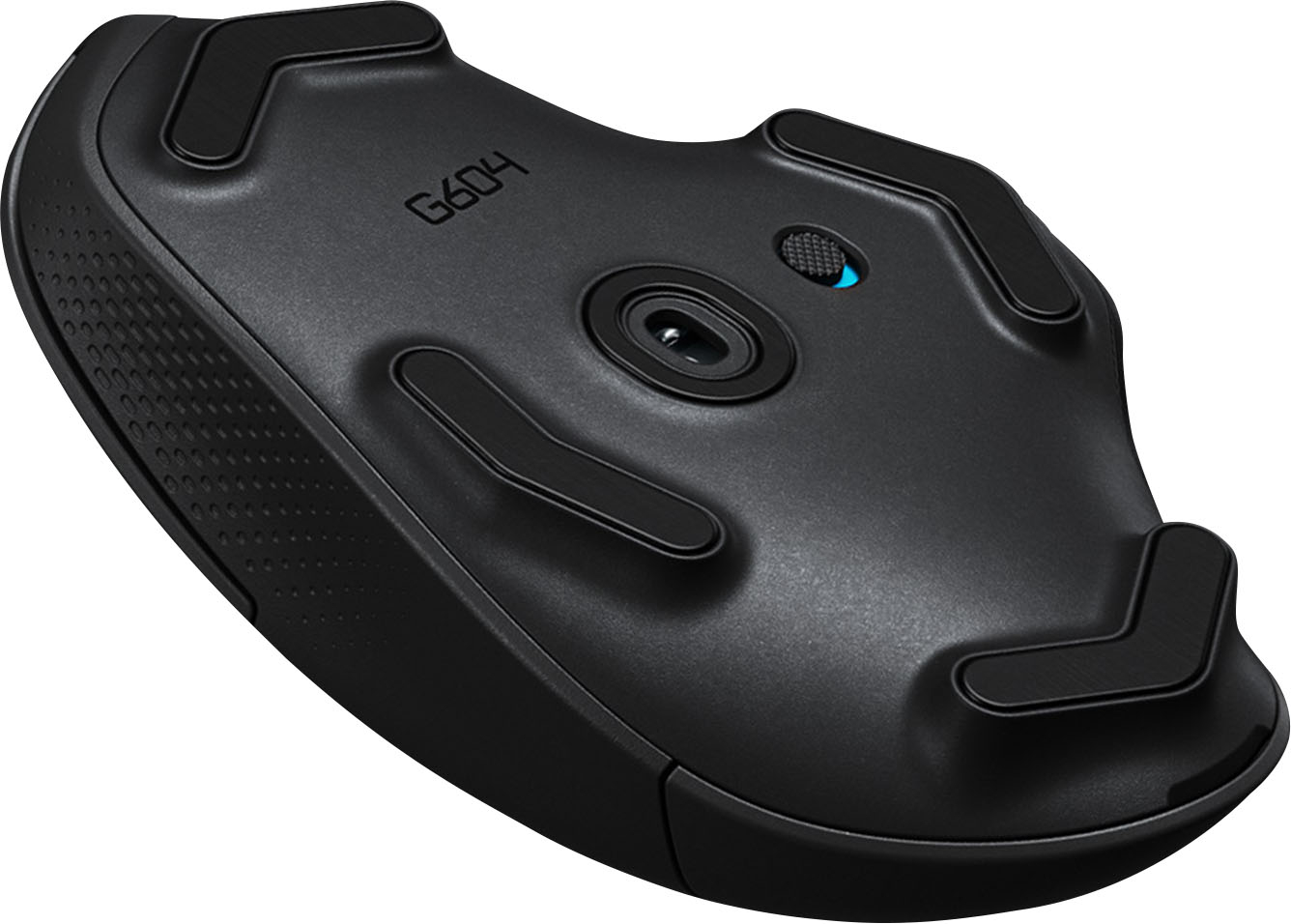
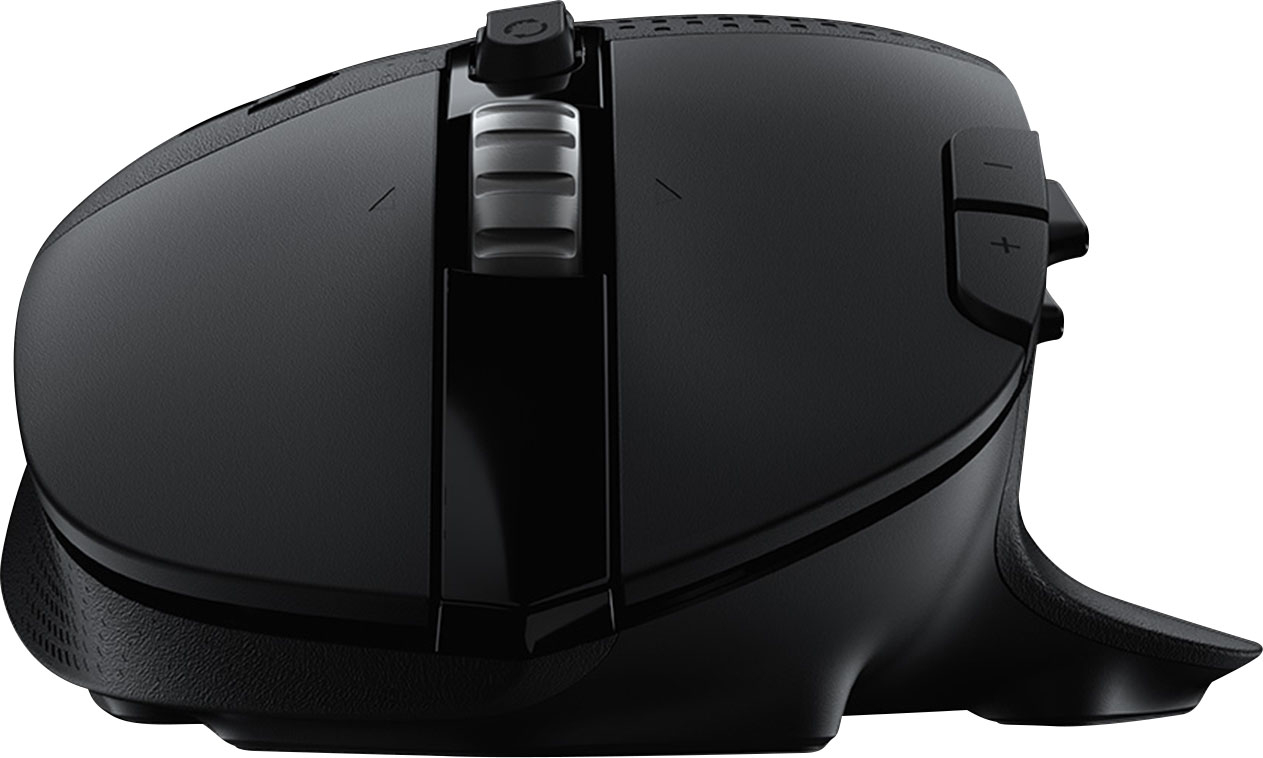
|Posted .This reviewer received promo considerations or sweepstakes entry for writing a review.This is a new addition to the growing list of Logitech G products geared towards Esports and gaming in general. While this mouse doesn't look particularly out of the ordinary, which is good, has some unique capabilities not only for gaming but also for regular desktop use. Unlike the Logitech professional line, these use their own software (G Hub) and wireless receiver that is not compatible with Logitech's traditional 'Unifying' receivers. Design and controls: While not specifically designed as an ergonomic mouse, it feels comfortable to hold. Particularly, the thumb rest on the left is good. The palm rests in a natural position. The scroll wheel has a selectable modes (with a button behind it): Free wheeling and sequential. The difference is that in the fist mode, the wheel which feels like a solid metal, scrolls freely, without inertia. In the other mode, it 'clicks' while scrolling. The scroll wheel can be clicked for a 'middle button' and has left and right movements. Then there is a set of buttons at the index finger, which are by default set for DPI settings, and are configurable. At the thumb, there is a set of 6 buttons (3 in two rows), which are customizable through the G software. These can be reached with the thumb after a short practice. Tracking: Like other gaming mouse from Logitech, it uses the 'HERO' sensor with up to 16K DPI. The mouse has gliders in its four corners and center. As expected, it works on every surface I tried. Connectivity: It connects via either an USB receiver, which is dedicated to the mouse and cannot be shared with other G devices, which is the recommended way with 1ms lag (as stated by Logitech), or via Bluetooth (which would have higher lag). The proprietary wireless connection is also more battery efficient than standard Bluetooth. The mouse can connect to two devices, and switch between the USB adapter and Bluetooth by pressing a button in the middle of the mouse. Opening the rear of the mouse, next to where the AA battery goes, there is storage for the USB adapter. There is no way to use the mouse with an USB cable. It requires an AA battery (Alkaline, not rechargeable), which should last months to a year. The mouse comes with an USB extension cable, so if using a desktop PC, the wireless adapter can be closer to the mouse. Software: Logitech's G hub works across all its G line of products (I'm using it with the G613 wireless gaming mechanical keyboard). Upon installing the software, it upgraded the firmware on the mouse., and then walks you the buttons assignments. The software works on PC and Mac. I tested it on macOS 10.4.6 (Mojave) and works fine, like in Windows. The buttons assignments can be programmed per profile, and the profile can switch based on the running application/game. The mouse can also optionally store up to 5 profiles in its own memory. Also the G Hub can switch between standard macros and 'G-Shift' mode (via a macro on the mouse or keyboard) adds another layer of button assignments. Profiles can be shared (Internet) via the G Hub software, directly, which works like a forum/profile store (Free). There are no lights on the mouse, except for a pairing/status light in the center that usually remains off. Overall: Excellent gaming mouse. I'd prefer rechargeable batteries, but being able to replace the battery using standard alkaline AA eliminates the issues associated with Lithium. Purpose-built wireless interface works as well as wired, with greater convenience and no wires to tangle on. Buttons are easily configurable through G Hub. The mouse feels great to hold and right-sized for 'medium' hands. Right-hand only design. A drawback of the proprietary 'lightspeed' wireless adapter is that it's one per device, even multiple G devices on the same computer require one adapter for the mouse and one for the keyboard. In exchange, it's faster than other wireless technologies, and I can attest that the G keyboard has been on the same pair of AA batteries for over a year with very little drain, and should keep going for at least another year.
I would recommend this to a friend Good mouse
||Posted . Owned for 1 month when reviewed.This reviewer received promo considerations or sweepstakes entry for writing a review.It’s a good mouse and the programmable buttons are very useful. Fits a big hand. The Logitech software was easy to use to program the buttons.
I would recommend this to a friendGreat gaming mouse
||Posted . Owned for 2 weeks when reviewed.This reviewer received promo considerations or sweepstakes entry for writing a review.This mouse had a great weight and feel to it. I ended up returning it but it had nothing to do with the product or quality
I would recommend this to a friendGreat gaming mouse
||Posted . Owned for less than 1 week when reviewed.This reviewer received promo considerations or sweepstakes entry for writing a review.Great gaming mouse. Easy to set up and to use. Highly recommended
I would recommend this to a friendG502 vs G604
||Posted . Owned for less than 1 week when reviewed.This reviewer received promo considerations or sweepstakes entry for writing a review.I currently use a G502 but I bought this G604 for my brother and wow, I will be getting one because the shape is phenomenal it fits my (large) hands perfectly, the contouring on the right side for your ring and pinkie fingers is super comfortable and makes the mouse feel really maneuverable and controlled. It is physically larger and taller with a steeper curve for the palm and for me it feels like it fits much better in my hand and doesn’t cause my hand to lay as flat as it does on the G502. To be clear both are wonderful mice but if you have larger hands and don’t care about RGB get this over something like the G502.
I would recommend this to a friend