Early Black Friday DealsNew Doorbusters every Friday.Shop now

Main Content

Customer Ratings & Reviews

Your price for this item is $176.99
The comparable value price is $219.99

Customer reviews

Rating 4.8 out of 5 stars with 283 reviews

Rating Filter

Rating by feature

  • Value

    Rating 4.7 out of 5 stars

  • Quality

    Rating 4.9 out of 5 stars

  • Ease of Use

    Rating 4.9 out of 5 stars

Pros mentioned filter

Cons mentioned filter

98%would recommend to a friend

Customers are saying

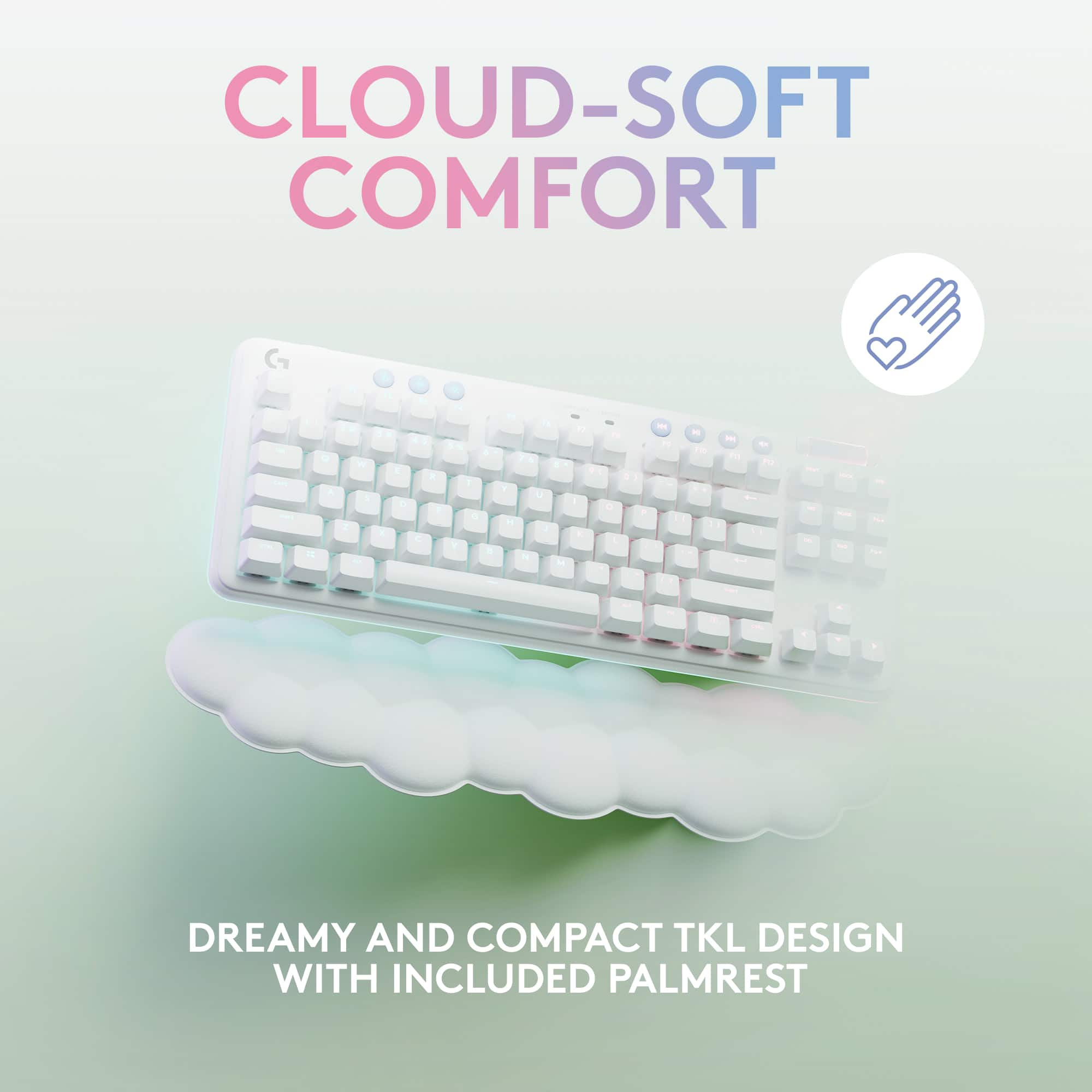
Customers are enthusiastic about the G715 Aurora Collection keyboard's quality and comfortable wrist rest. Many appreciate the long battery life, satisfying key feel, and perfect RGB lighting. The wireless feature and excellent design are also well-received, along with the beautiful pre-set Aurora lighting and ease of setup. However, some find the price to be a drawback, and a few miss having a number pad.

This summary was generated by AI based on customer reviews.

The vast majority of our reviews come from verified purchases. Reviews from customers may include My Best Buy members, employees, and Tech Insider Network members (as tagged). Select reviewers may receive discounted products, promotional considerations or entries into drawings for honest, helpful reviews.
Page 14 Showing 261-280 of 283 reviews
  • Pros mentioned:
    Keyboard quality, Wrist rest
    Tech Insider Network Member

    Rated 4 out of 5 stars

    Nice keyboard

    |
    Tech Insider Network Member
    Posted .
    This reviewer received promo considerations or sweepstakes entry for writing a review.

    Good keyboard especially for wireless but you can also use it wired with the included usb charging cable. Comfortable with full size keys but no numeric keypad for space saving on your desktop. I prefer the no numeric (tkl) style since I have limited space and this one fits well. Mine is the tactile version but they also have linear and clicky versions available. I think I may like the clicky version best but tactile is nice too. It gives you some feedback but is still quiet unlike the clicky which some think is too noisy. I'm sure the linear is nice too if that's your favorite. Good lighting options with pastel colors built in but many other options available with the G hub software. The software also gives you some other options including macros. I personally didn't much care for the wrist pad but I'm kind of spoiled with my old one which works fine with this keyboard. Still the one that comes with it is certainly better than none and may appeal to some users. The full size full travel keys are quite comfortable and have a quality feel. They also sell colored keytops in a couple of colors and two pastel colored panels that go around the keys if you want to customize it. Speaking of colors, the white color though it looks good it doesn't really match any of my other gear which is the main reason I give it only 4 stars. That's not really logitech's fault though and if you want to match it they also sell a matching mouse and headset. It really is a quality keyboard with a lot of features and if the aesthetics appeal to you then by all means give it a try.

    I would recommend this to a friend
  • Pros mentioned:
    Battery life, Key feel
    Tech Insider Network Member

    Rated 5 out of 5 stars

    A responsive Full Featured keyboard

    |
    Tech Insider Network Member
    Posted .
    This reviewer received promo considerations or sweepstakes entry for writing a review.

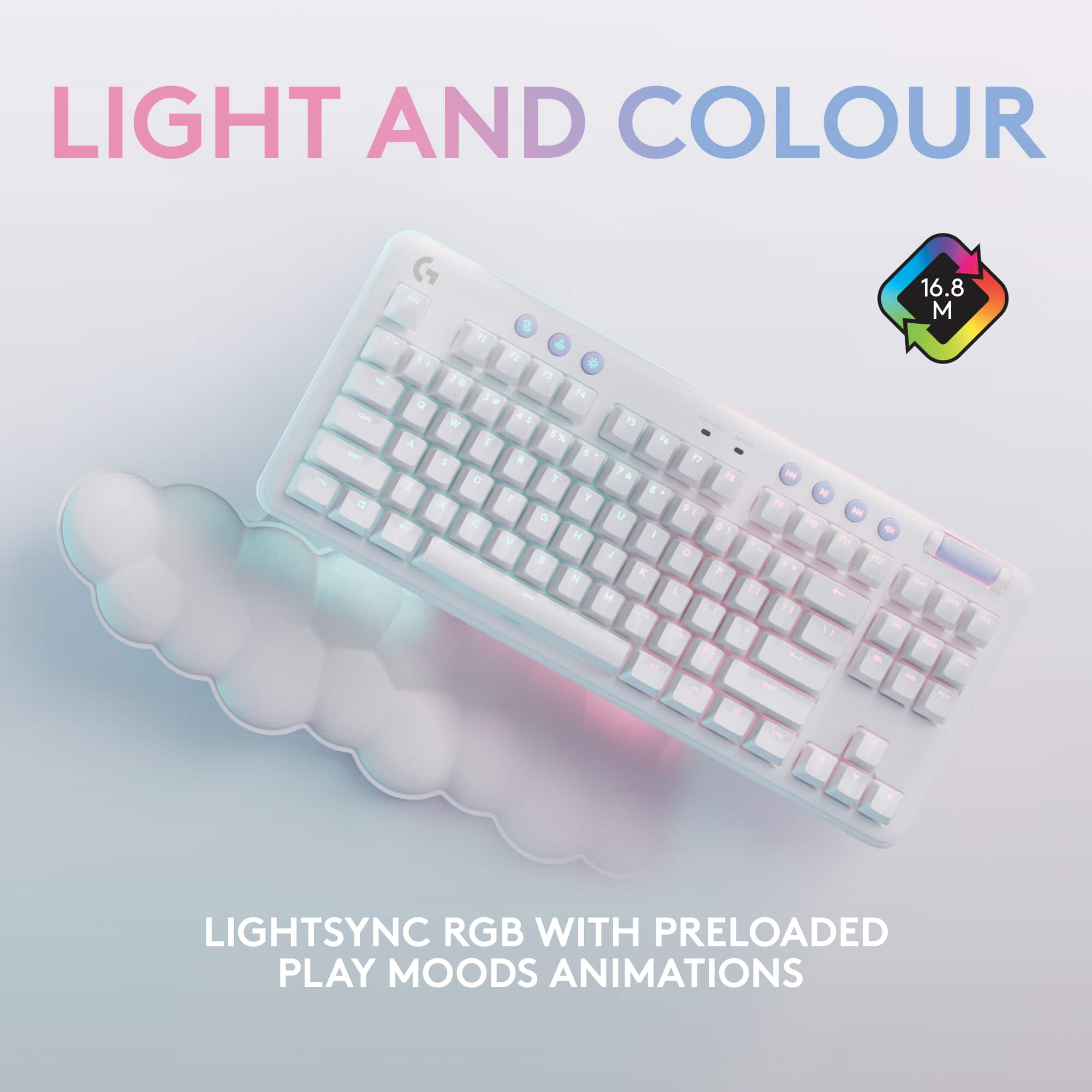
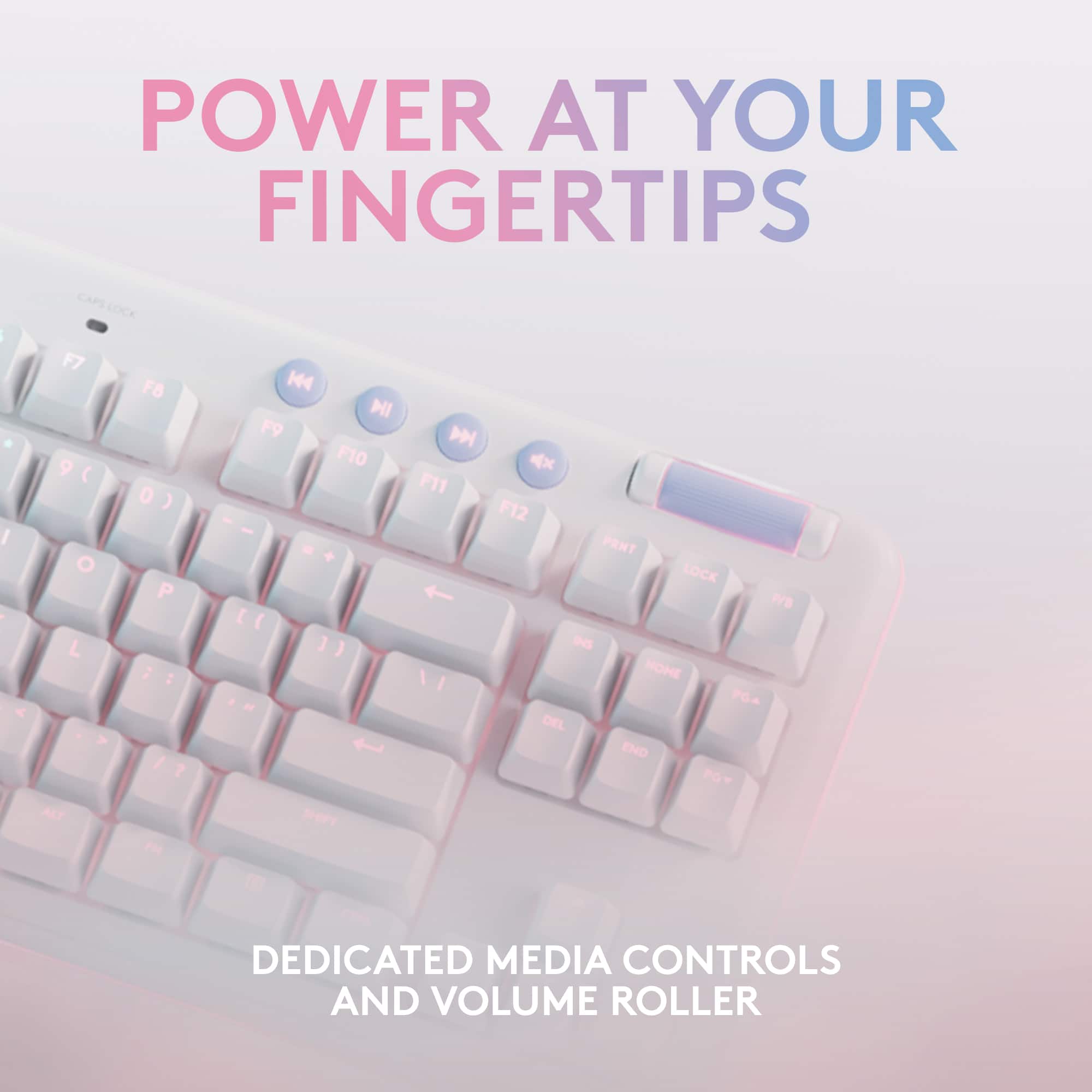
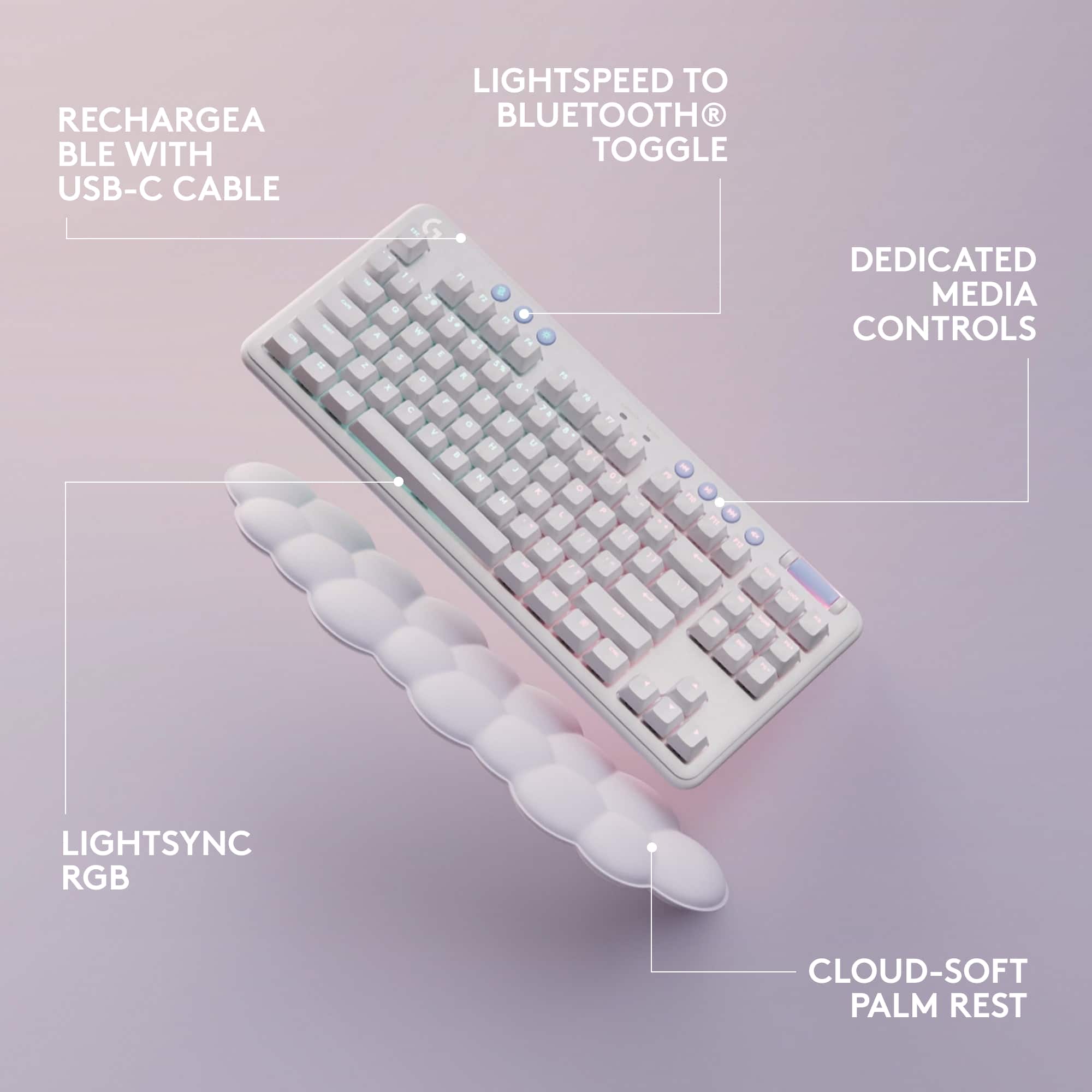
    First impression is another quality Logitech product which is HEAVY. No doubt in part due to the rechargeable Lithium Ion battery which provides about 25 hours of active use with full lighting between charges. There is a USB-C connection on the back edge of the keyboard for charging. An adapter cable that plugs into a standard rectangular USB-A port can be used to charge the keyboard. You can also use this to run your keyboard wired while charging, or some/the time if you wish. A Battery LED on the top of the keyboard pulses green while charging and turns solid green when fully changed. A USB-C to USB-An adapter is included so you can also use the cable as an extension cable for the LightSpeed USB Receiver which is stored on the bottom of the keyboard. Two levels of keyboard legs are also on the volume provide two different angles. The battery is removable for recycling at end of life. Directions are in the manual. No mention of a replacement battery being available if your keyboard is still capable of carrying on when the battery is not. Using the keyboard wired is always an option. The LightSpeed USB Receiver provides a much higher polling rate than Bluetooth, which is also supported. The LightSpeed connection is also less likely to have interfere from other devices. Personally I’ve never noticed a speed problem using Bluetooth or had any interference with it. But not all PC’s have Bluetooth, so it’s nice to have a second option. If you already have Logitech’s GHub Software installed and GHub is not detecting this new keyboard, check that you are using GHub Version: 2022.7.290502 or later. This is the version that adds support for the G715 Keyboard. The notes for this GHub version list also support to pair two Lightspeed devices to one Lightspeed receiver is available. If you have any connection problems, then you may need to use two receivers. The GHub software is where you can find your battery charge level, check and update the keyboards firmware, customize your Keyboard lighting effects with LIGHTSYNC, and set when to turn them on and off. It is very easy to install and use once you download the latest version from the website. They keyboard has some extra controls for special features. • Connection - Choose whether to connect via Bluetooth or LightSpeed. • Game Mode - Deactivate keys that could interrupt play like the Windows and menu keys, and any other keys you choose in the GHub software. • Brightness – Adjust lighting brightness. Pressing this key with a top row number, -, or = lets you choose between 12 Lighting effects stored in the keyboard. • Media controls – include Rewind, Fast Forward, Play/Pause, Mute, and a roller for setting the volume. The roller for volume smoothly when you slide your finger over it, and stays when you lift off. • Power on/off slide switch is on the back edge of the keyboard. They keyboard comes with a white plastic top plate. The plate does not move at all, it is held in place by magnets. Logitech sell different covers, keycaps, and other fashionable accessories for this line of peripherals which also include a Headset and Mouse. You could also paint the one included, apply a vinyl sticker or wallpaper to customize it if you wish. A thinly padded wrist pad in the shape of clouds comes with the keyboard. It’s very light and moves too easily when you don’t want it to. If your hands sweat, it sticks to them and lifts with your wrists. I don’t care for it, I feel style won out over function. The size is perfect. I very rarely ever use the number keypad. Cutting off the keypad for some extra desk/mouse room works for me. If you’re an accountant or otherwise using the number keypad all day, you probably will be better served by a full sized keyboard, or by adding a dedicated number pad. The tactile keys on my model were firm enough, super responsive, and have the right amount of click-clack noise feedback. It has plenty of weight to stay put. Coming from black keyboards, I find the white keyboard much easier to read, even with the lights off. Can’t say that for a black keyboard. I’ve used Logitech keyboards and Mice for decades. One of their keyboards and mice go on every new PC I get. They have held up a baptism of coffee, an Icee, and years of other abuse and hard work. I’ve find them to be a very good value. Logitech never disappoints.

    I would recommend this to a friend
  • Pros mentioned:
    Keyboard quality, Wrist rest
    Tech Insider Network Member

    Rated 4 out of 5 stars

    Logitech's Best Keyboard in non Black/Grey!

    |
    Tech Insider Network Member
    Posted .
    This reviewer received promo considerations or sweepstakes entry for writing a review.

    I love seeing manufacturers like Logitech getting in on the inclusion bandwagon, and this keyboard went over very well in my house with one of my kiddos. Using Logitech's tried and true mechanical mechanisms, and the same setup with a scroll bar, G Hub programmable lights, and getting it down to a ten -keyless form factor, with the arrow keys off to the right, is an awesome combination here! The build is solid and feels well made. A combination of heavy plastics and some metal components make for heavy duty feeling keyboard. The options to be both wired or wireless are appreciated when you want to ensure there are ZERO sources of lag in your system. The included palm rest is.... a design choice for sure. For the most part it matches and works well with the keyboard though. G hub software is easy to get set up and running, and then to apply patterns/syncing with other things to make the lights "your own." This is also the first time I've seen a keyboard with a replaceable face plate like this, and I like the idea. I hope it doesn't come loose, but so far so good!

    I would recommend this to a friend
  • Pros mentioned:
    Wrist rest
    Tech Insider Network Member

    Rated 5 out of 5 stars

    Gaming Keyboard With Cloud Wrist Pad

    |
    Tech Insider Network Member
    Posted .
    This reviewer received promo considerations or sweepstakes entry for writing a review.

    This well made keyboard is wireless with a great look and comes with the keyboard, palm rest, charging cable, toggle and USB-A to USB-C adapter with a range of about 30 feet. The keyboard has very good Bluetooth and wireless connections. I have mine wireless. You just put the toggle into a USB-A port and it works with ease. I have to say that I love the look of the palm rest. It reminds me of a cloud. It is made of a white leatherette type material and is padded. This is a nice touch from the ordinary (especially for us women gamers that like a bit of style). It is very comfortable for your wrists to lay on during longer games. The keys on this keyboard are GX switches and don’t make as much noise as other keyboards. If you aren’t attached to using your number pad, this is a good thing as the keyboard is a bit smaller in size which accounts for this being missing. It didn’t take much to find the numbers once you get using it. Media controls are at the top of the keyboard along with all your F keys. Except for the numbers it is basic for typing, but easier for gaming. Bored with the color of your keyboard? You can get two different color top plates if you decide to change up the color. They come in pastel pink and lime green and easily switch out from the white one this came with as they are held in place with magnets. You can also get a set of colorful keycaps, but both the top plate and keycaps cost extra. You can manage all of your customizable settings with downloadable GHub. This is an app which allows you to set customizable color settings (or change the preloaded settings), and set all your key functions for the games you play. I really like the look and feel of this keyboard. It is different from your typical black gaming keyboard and has a lot of function and style. I highly recommend this Logitech G715 keyboard.

    I would recommend this to a friend
  • Pros mentioned:
    Keyboard quality, Wrist rest
    Tech Insider Network Member

    Rated 5 out of 5 stars

    Game on with clouds

    |
    Tech Insider Network Member
    Posted .
    This reviewer received promo considerations or sweepstakes entry for writing a review.

    Out of the box the keyboard is secured inside the box with nice paper gently wrapping the two main components which are the keyboard and wrist wrest. The wrist rest is not a standard design but looks like clouds. I am not sure if it is any better than the one I was using but it does work well and for my taste looks quite nice. The unit is made of plastic but has a very solid feel and coming in at just over 2 pounds it is very satisfying to hold and partly due to the little non-skid pads stays put very well on my keyboard pull out. The keyboard has a cover plate that can be changed out for other colors. This might be fun for various aesthetic reasons but I cant imagine the colors from the keys being any nicer than when cast against the white. Speaking of which you can customize the color and function of any key to stay in that mode indefinitely. For example, if you are using the A , S, D, F keys but accidently hit the Q you can disable that letter while in gaming mode. The color scenes look great and along with several interesting presets you can, as mentioned above, do your own thing for functional or ascetic reasons. The keyboard has 3 tilt settings, I tend to leave my keyboards flat but you do have a choice and one that does not sacrifice stability. I really like the touch of this keyboard and it works great for banging out correspondence and for the art of gaming as well. You do have choices as to the kind of touch the keyboard has so if you are not inclined to use this type you can still get all the same features with one of the other modals.

    I would recommend this to a friend
  • Pros mentioned:
    Keyboard quality
    Tech Insider Network Member

    Rated 4 out of 5 stars

    Excellent, customizable ten-keyless keyboard.

    |
    Tech Insider Network Member
    Posted .
    This reviewer received promo considerations or sweepstakes entry for writing a review.

    The Logitech - G715 TKL Wireless Mechanical Gaming Keyboard from the Aurora Collection featuring tactile switches is a great ten-keyless keyboard for anyone who is looking for a G715 that offers a bit more customization than the traditional G715. The faceplate and keycaps are all customizable, although this only comes in the White Mist color with additional faceplates and keycaps available separately from Logitech. The addition of Lightsync allows you to customize the colors of the perimeter and under-key lighting allowing you to even further customize your experience. I really enjoy the looks and feelings of this keyboard and I am extremely happy with the customization options that are available for this keyboard. I am not fully certain of the type of keycaps used and I am not too familiar with customizable keyboards, but I would be interested in knowing if it uses proprietary keycaps only available from Logitech, or if it uses a standard size which would allow for even more customization. I typically prefer a full-sized keyboard as I do programming on a regular basis, but the fact that this is ten-keyless but still features the traditional arrow keys as well as the PG Up, PG Down, Del and all those keys make it still useable for me without having to use a bunch of weird key-binds to get around when I am typing. The keyboard works out the box for Mac and Windows using the provided USB Logitech Lightspeed Wireless dongle including the additional media functionality and doesn't require any additional programs or applications unless you want to customize your lighting. For computers or devices that don't have or don't work with the USB Lightspeed dongle, the keyboard also features Bluetooth making it compatible with just about any device that can use a keyboard. On Mac the Windows key of the keyboard works as the Command key and the Alt key is the Option key, I prefer having my keybindings the same as a Mac keyboard and unfortunately the Logitech software only allows you to edit the F1-F12 keys. I use a third-party tool called Karabiner-Elements that allows you to rebind the keys of any and all keys on your keyboard to something of your preference and this allows me to rebind the Command and Option keys to where I prefer them. The only issues that I really have with this keyboard, and they are less an issue and more a preference, are the fact that the faceplate is a bit wobbly as it only attaches by a few small magnets to the keyboard itself and also the tactile mechanical switches are very loud in my opinion. Logitech advertises them as "giving you feedback you can feel and some click", but in my opinion these are louder than "some click" and could be annoying to your partner or coworkers depending on your space. I personally don't mind it, but I have also gotten some comments from others who notice it from quite a distance away so you may want to steer away from these ones if you need a quite keyboard. Other than these small personal issues this is an excellent keyboard that I have really fallen in love with, the smaller footprint is nice and the fact that it still features useful keys makes it a great keyboard for me to use while writing code and I would recommend this to anyone who is looking for a good ten-keyless mechanical keyboard.

    I would recommend this to a friend
  • Pros mentioned:
    Battery life, Key feel
    Tech Insider Network Member

    Rated 4 out of 5 stars

    Make sure you know what you’re getting

    |
    Tech Insider Network Member
    Posted .
    This reviewer received promo considerations or sweepstakes entry for writing a review.

    Be sure you truly want a mechanical keyboard! This one is extremely well built—and I mean solid as a rock. It’s also as heavy as a rock, which is good for a mechanical board because the keystrokes require force and movement. The colors and cloud wrist rest are cute, but this is the real deal for typing. But it doesn’t translate so well to gaming for us. First of all, no number pad. The PC strategy games we play benefit from that pad and it was missed. Programming hot keys is simple, as it should be, and making the colors change is fun. Secondly, the angle of your wrist is completely different for a true mechanical keyboard than what you’re likely used to on a regular desktop rig or gaming laptop. The fatigue built quickly, and this keyboard was shoved away for the “easier” travel of the flatter board. And third, it’s just not practical. It’s touted as super portable, but despite the condensed sized, it’s super heavy. Durable and long battery life, but I’m not throwing it in my bag to use as an alternate on any given outing. Overall—it’s the quality expected from Logitech. High end fit and finish. Easy connectivity. Intuitive to set up and use. If you truly want the mechanical experience, this is a good choice. But I found that despite the allure, I really didn’t.

    I would recommend this to a friend
  • Pros mentioned:
    Keyboard quality
    Tech Insider Network Member

    Rated 5 out of 5 stars

    Finally a high end mechanical that comes in white!

    |
    Tech Insider Network Member
    Posted .
    This reviewer received promo considerations or sweepstakes entry for writing a review.

    Up until relatively recently, "whimsy" is not something that I generally associated with Logitech peripherals. The Aurora collection seems determined to change that. The white styling, cloud shaped wrist rest, and default pastel lighting palette bears none of the brushed industrial aesthetic that I typically associate with the brand, but nonetheless brings all their experience to bear. The first thing I always look at with a mechanical keyboard is overall build quality. And here Logitech earns top marks. The metal top plate is suitably weighty and satisfyingly solid, with no detectable deck flex. The keycaps are all proper double-shot castings rather than relying on paint to produce the legend, so even if you were to type on it with gloves made of sandpaper it wouldn't be enough to wear down the lettering. And their proprietary GX switches are a huge step up over their older Romer Gs, which always felt a little mushy when I used them. The new design is solid, pleasantly tactile, and no louder than the MX browns they're based on. They even use MX compatible keycap stems, so there's plenty of options for customization to be had. And I definitely feel like you are encouraged to customize it as well. While I wasn't able to try them for myself the fact that Logitech has an option to customize the color of the keyboard via a detachable top plate and full sets of custom keycaps is a nice feature to have, if admittedly a little pricey. Fortunately, there's always the lighting. There are not very many wireless mechanical keyboards on the market that can boast full featured addressable RGB lighting, but this one can. Colors are very good, and there are plenty of options for effects (personally I went with a soft blue rain, to match the cloud motif.) Connectivity can be provided via Bluetooth, an included RF receiver (which does come with a little socket to store it in, thank you very much Logitech engineers,) or USB-C. There are a couple downsides worth considering. For one, the inclusion of RGB does cut into battery life. Significantly. It's not going to require multiple charges a day, but I think most will probably find themselves having to charge every other week or so. The volume roller (while stylish) is also very easy to accidentally hit, and features some very smooth bearings that will let it keep going for a little while. I've used keyboards with this style of volume control before and never found it quite so slippery, so I think they must have tweaked it a bit for the newest version. I also am a little disappointed that they don't offer it in a full size, as I rather like having a numeric keypad for entering PINs and the occasional spreadsheet work (I know, it's not fun, but it's practical.) Apart from that though, I don't have any complaints. Ultimately the only thing I see here likely to really turn some people off is the styling, as not everyone can or wants to try to match white peripherals with the still predominantly black and gray cases we get with most gaming machines. But if you think it fits your space, I don't think you'll be disappointed by the performance.

    I would recommend this to a friend
  • Pros mentioned:
    Key feel
    Tech Insider Network Member

    Rated 5 out of 5 stars

    A "Fluffier" Aesthetic, but in a Good Way

    |
    Tech Insider Network Member
    Posted .
    This reviewer received promo considerations or sweepstakes entry for writing a review.

    I’m going to start this review with what got my attention the most about the Logitech G715 Aurora Gaming Keyboard at first. It’s a small thing, but I thought it was very cool. I opened the box to get the keyboard and accessories out. To my surprise, the keys were already GLOWING though the tissue paper it was wrapped in. A silly thing, maybe, but I thought it was awesome. I love little touches like that. It was a cool look. The next thing you'll see is the whiteness of the keyboard. It is a quite noticeable, especially when using it with a black gaming rig. I do hope that there will be more items with this aesthetic for gamers in the future. I don’t mind the black PCs, laptops, etc. There’s something that appeals to me about this lighter – dare I say, fluffier? – aesthetic. For gaming, I know the numeric keyboard is not vital, but I do miss it – mainly because my hands are more used to the size of my keyboard with one. It is an adjustment. The responsiveness and speed of the keyboard more than makes up for it. The keys are comfortable and are quick to the touch. They just feel nicer. You have the “old-timey” clickety-clickety-clackity noise of the older keyboards, with none of the sluggishness they possessed. You can enjoy the time warp without actually BEING in the time warp. The colors are soft and customizable via the Logitech G Hub software (available at Logitech’s web site). The software will also show your battery life and if the keyboard needs a firmware update. I wasn’t thrilled about having to have the keyboard plugged in to update it. On a truly wireless keyboard, that shouldn’t be a thing. The update will prompt you to unpair your keyboard from the computer if using the Bluetooth function. That was the one complaint I had with the setup. I followed the instructions over and over again to connect via Bluetooth and it wouldn’t work. Finally, I tried pushing the button several times fast rather than the holding for 3 seconds as it states in the guide. THAT allowed me to pair the Bluetooth. After the challenge I had, I wasn’t about to unpair the product from the computer. That also seems to defy logic. If this is billed as being usable with Bluetooth, then updates should be able to work with Bluetooth, too. I would rather take a way one half of a star in my rating, but the system does not allow that. I really liked this keyboard. At some point, I’d like to add the mouse and headset to complete the look. Maybe someday they’ll be a PC to match.

    I would recommend this to a friend
  • Pros mentioned:
    Rgb lighting
    Tech Insider Network Member

    Rated 5 out of 5 stars

    A solid keyboard that's extremely well made

    |
    Tech Insider Network Member
    Posted .
    This reviewer received promo considerations or sweepstakes entry for writing a review.

    The first thing you will notice about this keyboard is the weight. Its hefty and feels extremely well built. I like my keyboard to have some weight as i find it help in stopping the keyboard move when gaming or anything like that. It also makes me feel like its built better. The keys are nice to type on, though not cherry they still feel good but you do get some pressure differences, though that may go away over time as it could be down to being new and not broken in yet if that's a thing with keyboards. You can connect with the USB dongle that's provided or you can connect via Bluetooth, they both seem to be the same as far as speed. I see no noticeable delay using either so that's a good thing. The wrist pad looks great but it is more for looks in my opinion, as its not uniform i found it a little uncomfortable and swapped it out for a regular wrist pad, not a deal break by any means and is purely personal choice. No function keys on this so no more having to remember what does what. It does have controls at the top of the Keyboard though and they are nice features to have. This is also the only non 10 key mechanical gaming keyboard as far as I'm aware that's made this way and I do like it. One negative is the lack of being able to use this wired. Wireless only on this so if that's something that concerns you then its likely not for you. Overall I love this keyboard, its feels premium, looks really good with the RGB, feels good to type on and is a good size

    I would recommend this to a friend
  • Pros mentioned:
    Wrist rest

    Rated 5 out of 5 stars

    Great product!

    Posted .
    This reviewer received promo considerations or sweepstakes entry for writing a review.

    The colors are beautiful and it randomly changes colors in many different patterns. The wrist board is comfy and the keys do not make alot of noise. It was very easy to setup!

    I would recommend this to a friend
  • Pros mentioned:
    Battery life
    Tech Insider Network Member

    Rated 3 out of 5 stars

    Compact Design, Good lights and battery

    |
    Tech Insider Network Member
    Posted .
    This reviewer received promo considerations or sweepstakes entry for writing a review.

    The keyboard was easy to setup out of the box. Comes with wireless usb plug and USB A/C cord for charging or wired play. The white light up color is a cool design, but white will look dirty faster and require cleaning. The cloud looking wrist rest pad is cool and provides good support and wrist angle to keep playing longer. The pad is a good quality and should hold up for a long time to play. The compact design makes it easier to reach all keys quickly. However, the tight design does make double key strike an issue and I get some mis-keys as a result. The key in response time is good and quick-works well. The mechanical keys are a little loud and can be noisy if not playing w/ a headset. The keyboard battery life is very good and does not need frequent recharging. The keyboard lighting looks cool and is customizable. Provides a good contrast and can help define keys for easier use and location. All in the keyboard is a very compact, good working wireless model good for gaming. I recommend checking key spacing to see if it works well for you - both ease of reaching all keys and not too tight so you don't mis-hit buttons.

    I would recommend this to a friend
  • Rated 5 out of 5 stars

    Great Quality and Cute

    Posted .
    This reviewer received promo considerations or sweepstakes entry for writing a review.

    I love this Logitech series!! I have the whole set and everything, including this keyboard, are amazing quality. Plus they’re cute!

    I would recommend this to a friend
    • Brand response from Logitech
      Posted .

      Thank you so much for your wonderful feedback on the Logitech - G715 Aurora Collection TKL Wireless Mechanical Gaming Keyboard! We’re thrilled to know it’s meeting your expectations. Your support means a lot to us. Logitech

  • Pros mentioned:
    Rgb lighting
    Tech Insider Network Member

    Rated 4 out of 5 stars

    Bountiful RGB in a solid mechanical keyboard

    |
    Tech Insider Network Member
    Posted .
    This reviewer received promo considerations or sweepstakes entry for writing a review.

    I have a variety of mechanical keyboards in a variety of sizes, several from logitech like the G915 and GPro. Generally I like their keyboards but they do have a few shortcomings in general compared to some other options that are available. The primary being the PCB is not hot swappable, meaning if you ever wanted to change or had to replace any of the switches it must be soldered. Generally not a big deal for most people but still worth mentioning. I also think that the stabilizers could be a bit better. What they do offer is various key cap sets and if im not mistaken their switches are compatible with most cherry style key caps. They also offer various top plates which are fairly affordable due to the plastic construction. The RGB is bountiful on this board with not only RGB for the keycaps but it also has a ring of LED's on the bottom for "underglow" as well. The Logitech G Hub software is pretty solid, I have never had any issues out of it and it allows you to set-up macros and custom key binds, change the RGB style, and sync it with other logitech RGB devices if you have any. Wrist pad is alright, it is like a plastic type material so if you are a super sweaty gamer it may be less than ideal. No complaints about wireless latency, logitech "lightspeed" has always been indistinguishable from a wired device to me. This keyboard has a lot of good things going for it but could certainly do some things better. Overall I would recommend this keyboard to anyone looking for a good out of the box experience with some minor customization available.

    I would recommend this to a friend
  • Pros mentioned:
    Wrist rest
    Tech Insider Network Member

    Rated 4 out of 5 stars

    Responsive and Sturdy

    |
    Tech Insider Network Member
    Posted .
    This reviewer received promo considerations or sweepstakes entry for writing a review.

    Been using this Logictech keyboard for a couple of weeks now. The main drawback for me is the lack of a numerical pad typically on the right side of any keyboard. If it had this, I would gladly give it a five star rating. Otherwise, it functions very well. Starting off with the weight of the unit. This isnt your grandmothers keyboard. Its built very well and definitely has some weight behind it. I chalk that up to the onboard battery that can be recharged. I prefer to plug it directly in to my laptop. The keys can be a bit noisy with the clicking but hardly any real negative drawback. The seemingly endless color selections to light up both the top and underneath the keyboard is impressive. You must download the Logitech app to accomplish this, but for sure well worth it. Set up was a breeze and was up and running in literally minutes. The roller style volume bar on the keyboard was a welcomed upgrade from my previous keyboard. The white color of the keyboard is also appealing. The cloud style hand rest is a real bonus and absolutely helps anyones who is doing significant typing and or gaming. It is a fully capable keyboard and I would definitely recommend picking one up.

    I would recommend this to a friend
  • Pros mentioned:
    Battery life

    Rated 5 out of 5 stars

    Love it

    Posted .
    This reviewer received promo considerations or sweepstakes entry for writing a review.

    Fantastic. Holds a charge, responsive, sounds good. Lighting is nice

    I would recommend this to a friend
  • Pros mentioned:
    Rgb lighting

    Rated 5 out of 5 stars

    Lovely Experience

    Posted .
    This reviewer received promo considerations or sweepstakes entry for writing a review.

    Types wonderfully and the RGB looks so nice with the white keys! Would recommend this keyboard!

    I would recommend this to a friend
    • Brand response from Logitech
      Posted .

      We're delighted to hear that you love the typing experience and RGB lighting of the G715 Aurora Collection TKL! It sounds like a perfect fit for you. Thank you for sharing your positive experience.

  • Pros mentioned:
    Keyboard quality

    Rated 5 out of 5 stars

    Great keyboard

    Posted .
    This reviewer received promo considerations or sweepstakes entry for writing a review.

    Very comfortable keyboard that types very smoothly. Very east to customize the colors. Huge fan.

    I would recommend this to a friend
  • Pros mentioned:
    Wrist rest

    Rated 5 out of 5 stars

    G715 keyboard

    Posted .
    This reviewer received promo considerations or sweepstakes entry for writing a review.

    Easy to connect, love the LED's and the palm rest.

    I would recommend this to a friend
  • Pros mentioned:
    Wrist rest

    Rated 5 out of 5 stars

    I love it

    Posted .
    This reviewer received promo considerations or sweepstakes entry for writing a review.

    Love it, they could’ve kept the cloud wrist rest tho

    I would recommend this to a friend
Sponsored