Customer Ratings & Reviews

- Model:
- 981-000882
- SKU:
- 10735541
Rating by feature
- Value
Rating 4.5 out of 5 stars
- Quality
Rating 4.6 out of 5 stars
- Ease of Use
Rating 4.7 out of 5 stars
Good
||Posted . Owned for 2 months when reviewed.This reviewer received promo considerations or sweepstakes entry for writing a review.Good i like the white sound is a little lacking bass
I would recommend this to a friendNice headphones
||Posted . Owned for 2 weeks when reviewed.This reviewer received promo considerations or sweepstakes entry for writing a review.Bought these headphones as a gift. Giftee is really pleased with them.
I would recommend this to a friendStreaming live
||Posted . Owned for 3 months when reviewed.This reviewer received promo considerations or sweepstakes entry for writing a review.Got for my brother he seem to enjoy this befter than his old set
I would recommend this to a friendWhat a Waste
||Posted .This reviewer received promo considerations or sweepstakes entry for writing a review.I bought these less than 6 months ago, and they just died in the middle of a video, and no one from Logitech support has responded. What a waste
No, I would not recommend this to a friendBrand response from Logitech
Posted .Thanks for sharing your experience—we’re really sorry to hear that your headset stopped working so suddenly, and that you haven’t received a response yet. That’s definitely not the kind of experience we want anyone to have.
Please reach out to our social care team at **socialcare@logitech.com** with the following details so we can help get this sorted:
- Name
- Email Address
- Country
- Product Name
- Brief description of the issue
We’re here to support you and will do our best to turn this around.
Great budget headset
||Posted . Owned for 1 week when reviewed.This reviewer received promo considerations or sweepstakes entry for writing a review.Great headset for a decent price! For a more budget friendly gaming headset you can't go wrong.
I would recommend this to a friendGreat Headphones
||Posted . Owned for 1 month when reviewed.This reviewer received promo considerations or sweepstakes entry for writing a review.Love these headphones. I have not had an issue with them.
I would recommend this to a friendMix drop
||Posted . Owned for 11 months when reviewed.This reviewer received promo considerations or sweepstakes entry for writing a review.This is a absolute game changing headset I love it
I would recommend this to a friendHeadset
||Posted . Owned for 1 month when reviewed.This reviewer received promo considerations or sweepstakes entry for writing a review.Mad decent I like it a lot but my mic quality to my friends on console sounds kinda bad
I would recommend this to a friendGreat Quality Product
||Posted . Owned for 1 month when reviewed.This reviewer received promo considerations or sweepstakes entry for writing a review.Good high quality headphones with a pleathora of different customization options
I would recommend this to a friendGood buy
||Posted . Owned for 4 months when reviewed.This reviewer received promo considerations or sweepstakes entry for writing a review.Great buy would buy again works great no issues would recommend
I would recommend this to a friendblue Headphones
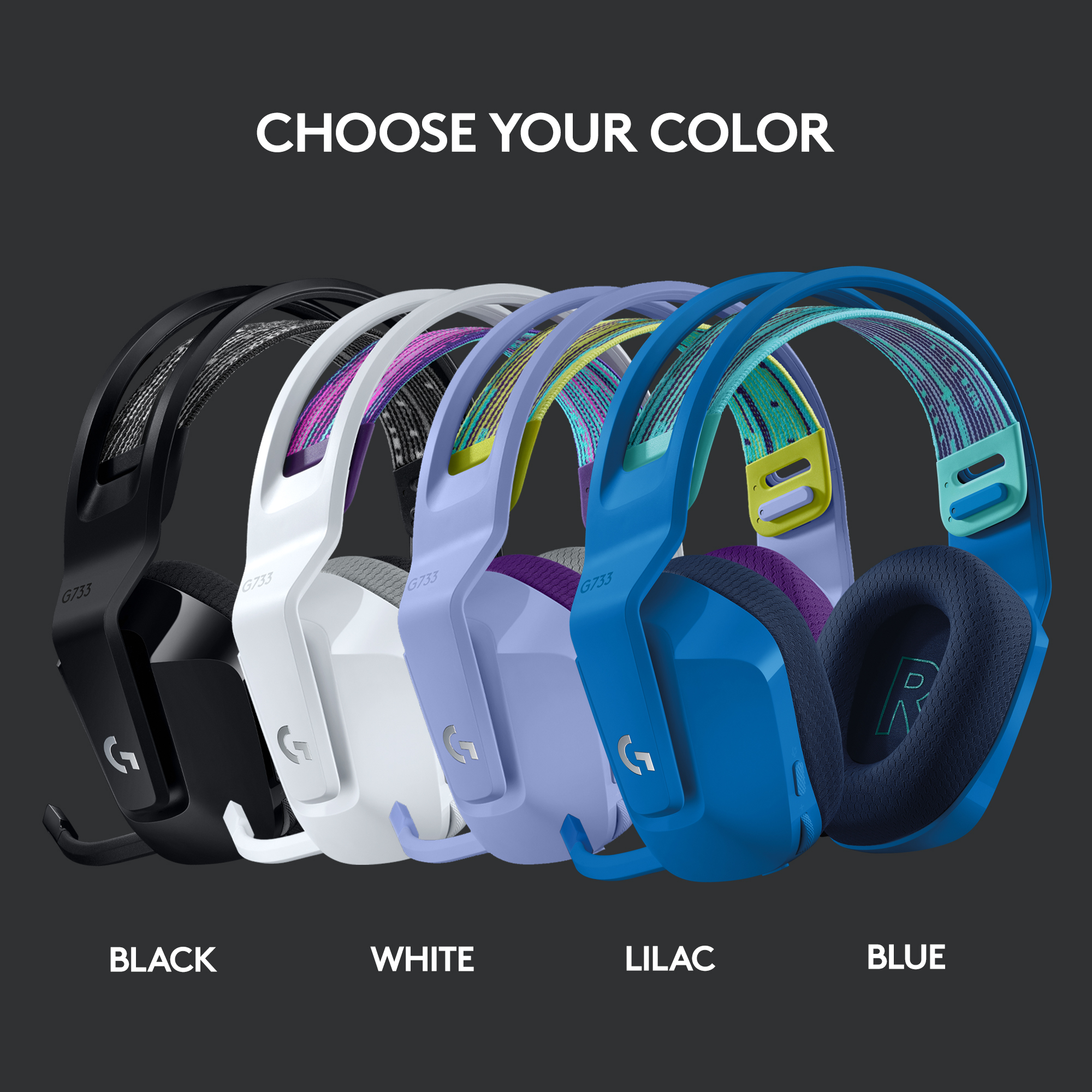
||Posted . Owned for 1 week when reviewed.This reviewer received promo considerations or sweepstakes entry for writing a review.Different colors. Easy to handle. Excellent for kids.
I would recommend this to a friendBest headphones so far.
||Posted . Owned for 1 month when reviewed.This reviewer received promo considerations or sweepstakes entry for writing a review.Bought for my son for gaming He absolutely loves them.
I would recommend this to a friendJust ok
||Posted . Owned for 1 month when reviewed.This reviewer received promo considerations or sweepstakes entry for writing a review.The sound was mediocre. Plus the caused a weird lag with my PS5 controller. I don’t know exactly how but when I switched to a different wireless headset the problem went away.
No, I would not recommend this to a friendBrand response from Logitech
Posted .We apologize for the audio quality and controller lag you experienced with the G733. Our headsets are rigorously tested, but it appears this unit may not be performing as intended. To ensure a smooth gaming experience, please contact Logitech support for troubleshooting or warranty options.
Nice Head phone
||Posted .This reviewer received promo considerations or sweepstakes entry for writing a review.Nice and cheap…………………………………………………………………………………………….
I would recommend this to a friendHead set
||Posted . Owned for 1 month when reviewed.This reviewer received promo considerations or sweepstakes entry for writing a review.Good head set good for work and for gaming, decent value
I would recommend this to a friendHappy Kid
||Posted . Owned for 1 month when reviewed.This reviewer received promo considerations or sweepstakes entry for writing a review.Purchased for my gaming 14 year old daughter. Very happy!
I would recommend this to a friendgood
||Posted .This reviewer received promo considerations or sweepstakes entry for writing a review.very good, cute headphones. love the custom LED settings.
I would recommend this to a frienddecent
||Posted . Owned for 1 week when reviewed.This reviewer received promo considerations or sweepstakes entry for writing a review.you can probably get something better for the price but its lilac so
I would recommend this to a friend- Pros mentioned:Sound quality
Not worth it
||Posted . Owned for 1 month when reviewed.This reviewer received promo considerations or sweepstakes entry for writing a review.Returned shortly after purchase. Better quality sounding headphones with better customization around the same price point
No, I would not recommend this to a friendBrand response from Logitech
Posted .That's disappointing! We understand your displeasure and apologize for any issues that arise. we will forward it as a feedback to the appropriate team so they can look into it. Thanks a lot!
Great gaming headset
||Posted . Owned for 3 months when reviewed.This reviewer received promo considerations or sweepstakes entry for writing a review.Great for gaming! Wish I could use it with my guitar though
I would recommend this to a friend