Customer Ratings & Reviews
- Model:
- 920-009087
- SKU:
- 6360838
Rating by feature
- Value
Rating 4.3 out of 5 stars
- Quality
Rating 4.7 out of 5 stars
- Ease of Use
Rating 4.7 out of 5 stars
Customers are saying
Customers express satisfaction with the G815 LIGHTSYNC keyboard's quality, key feel, and customizable RGB backlighting. Users appreciate its ease of use, design, response time, and convenient volume control. Criticisms include the product's high price, the software experience, the absence of a wrist rest, and the use of two USB ports. Overall, the keyboard is well-received for its performance and aesthetics.
This summary was generated by AI based on customer reviews.
- Cons mentioned:Software
Very Complex keyboard with no instructions
||Posted . Owned for 1 week when reviewed.This reviewer received promo considerations or sweepstakes entry for writing a review.I contacted Ligitech for a manual for this very complex gaming keyboard and none are available. In disgust I returned the keyboard two days after I picked it up via curbside pickup at Best Buy. Perhaps for someone deeply involved in gaming all of the attributes of this keyboard's operation will be intuitive, but for someone not involved in gaming it's a nightmare.
No, I would not recommend this to a friendBrand response from Logitech
Posted .hello, I am sorry to hear about the issues you are having with the keyboard. There is a support page for this item on Logitech.com that should be able to answer all the questions you may have. Thank you for taking the time to write this review. We appreciate all the feedback
Its okay
||Posted . Owned for more than 2 years when reviewed.This reviewer received promo considerations or sweepstakes entry for writing a review.Custom color setting suck. Its kinda annoying. Keyboard still works fine.
No, I would not recommend this to a friendLight function is not good
||Posted .This reviewer received promo considerations or sweepstakes entry for writing a review.It's okay, liked my other keyboard better. The signs under the numbers do not light up! and is a small keyboard, very expensive for me.
No, I would not recommend this to a friend- Pros mentioned:Key feel, Keyboard quality, Rgb backlighting

Fresh, Functional, and Fast - Great Keyboard
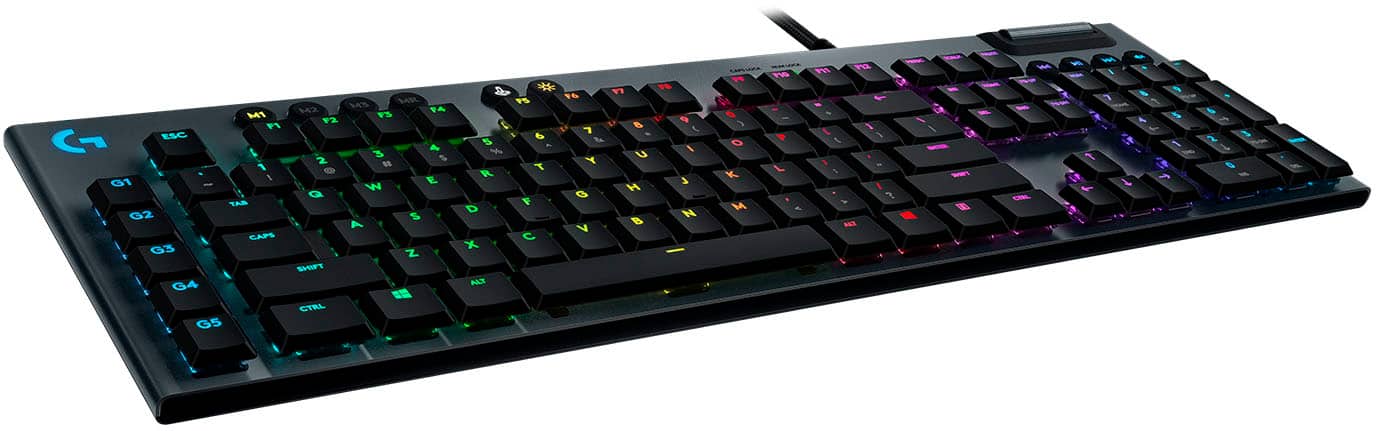
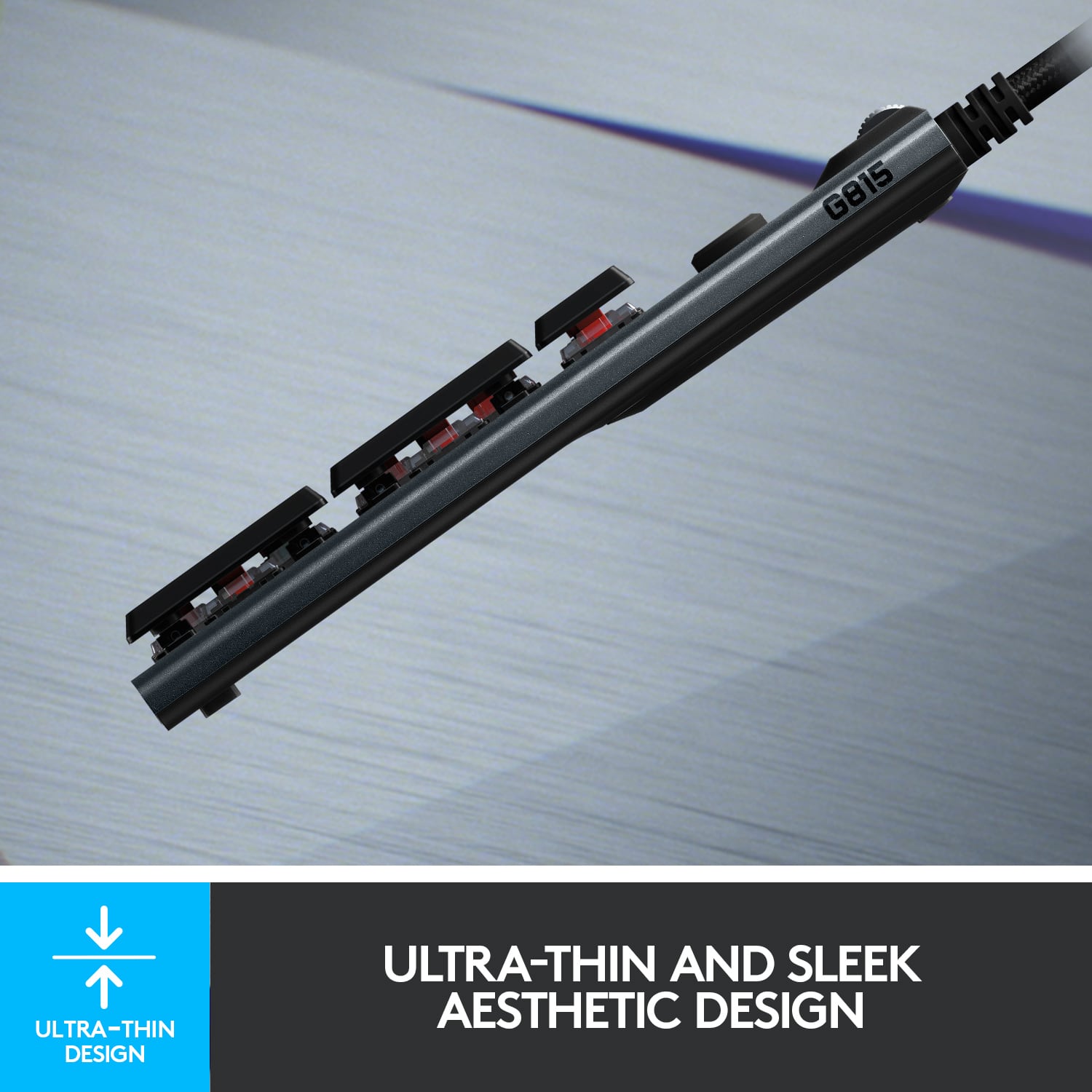
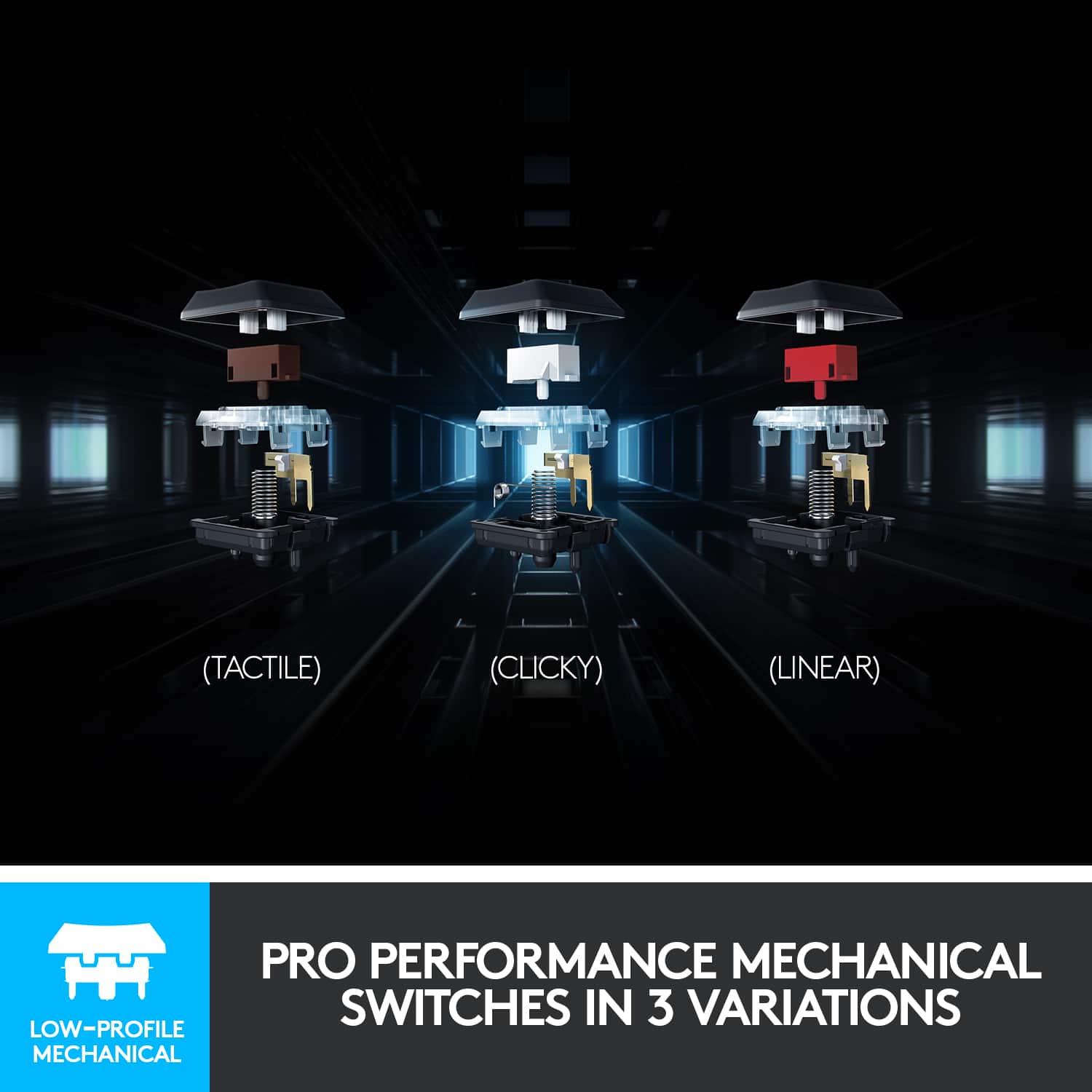
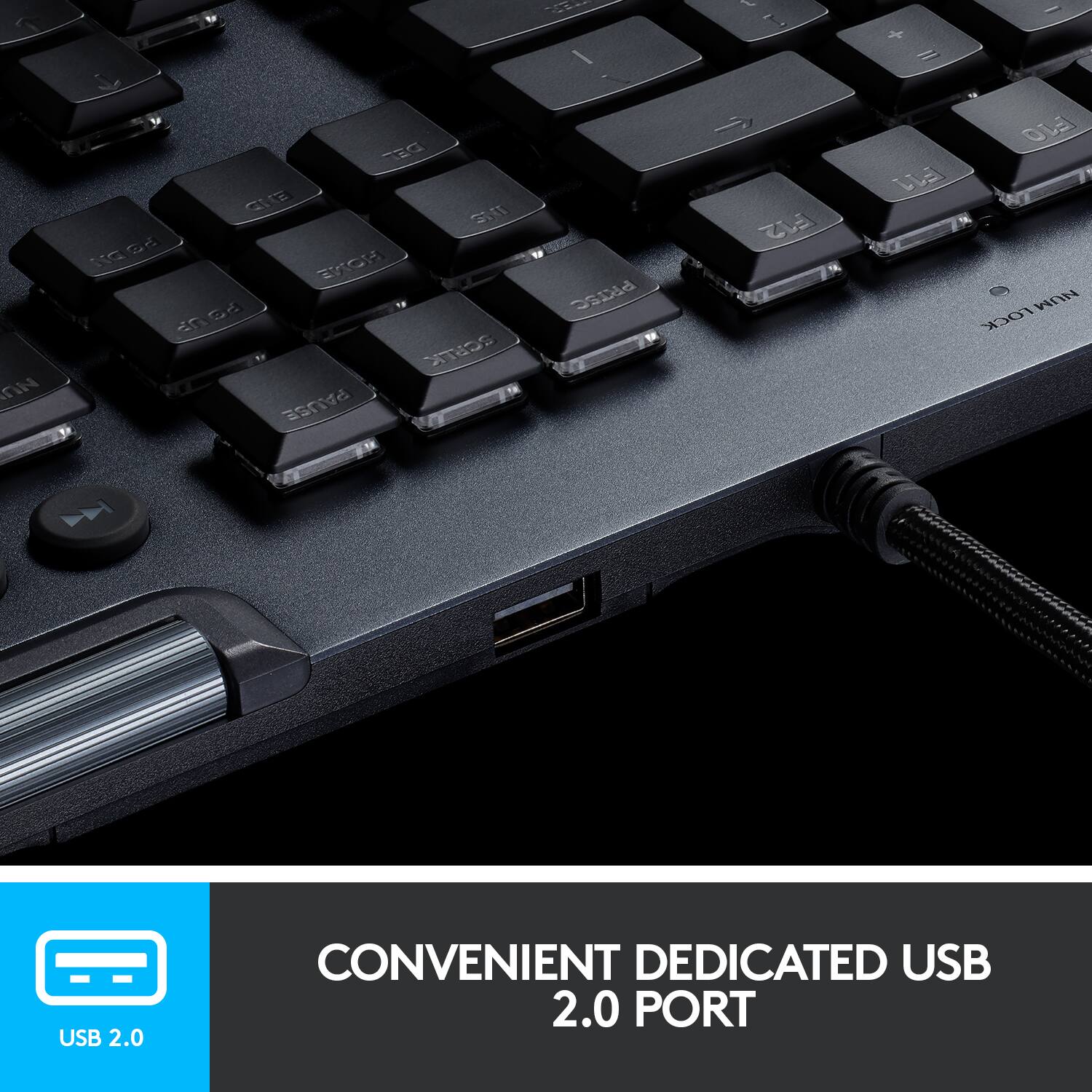
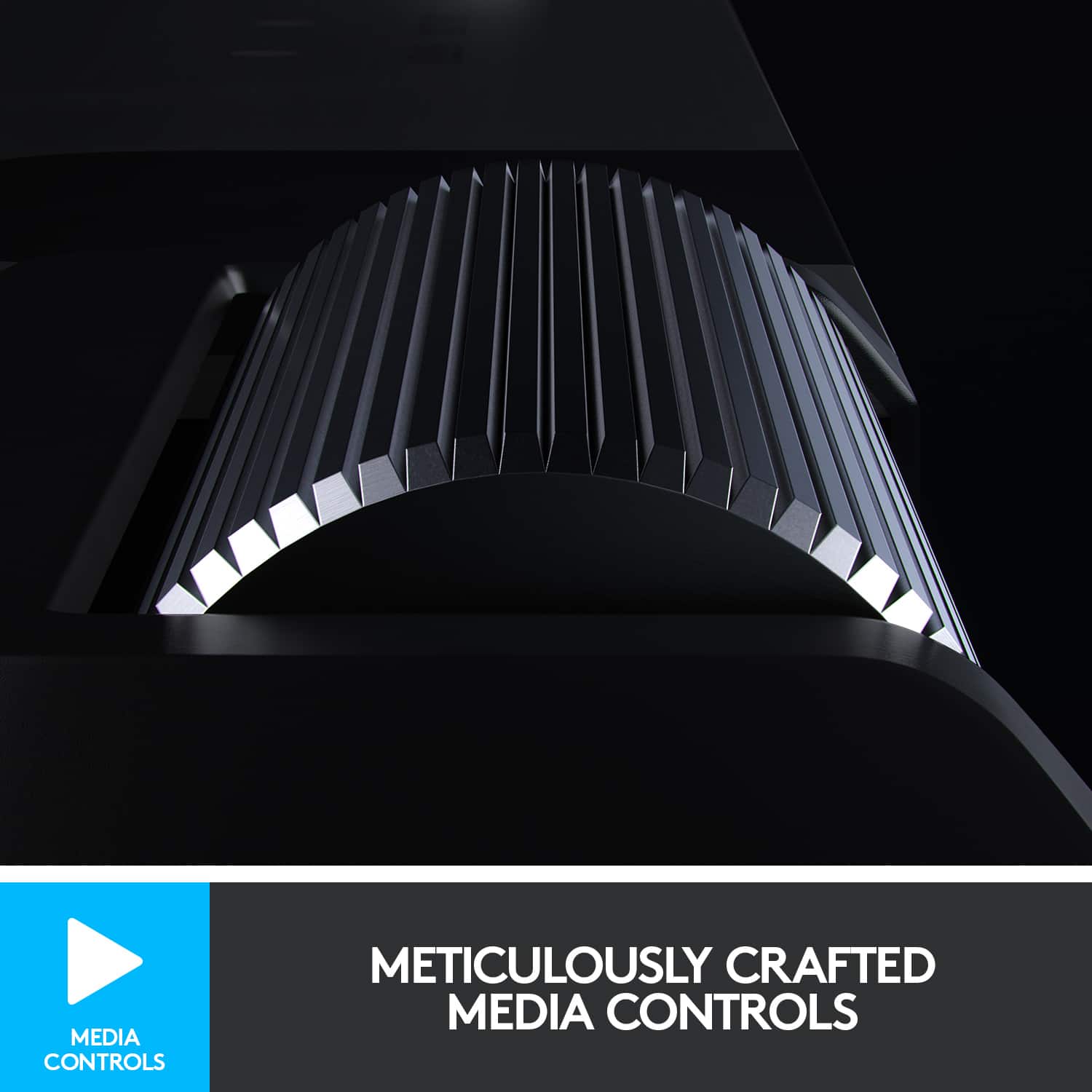
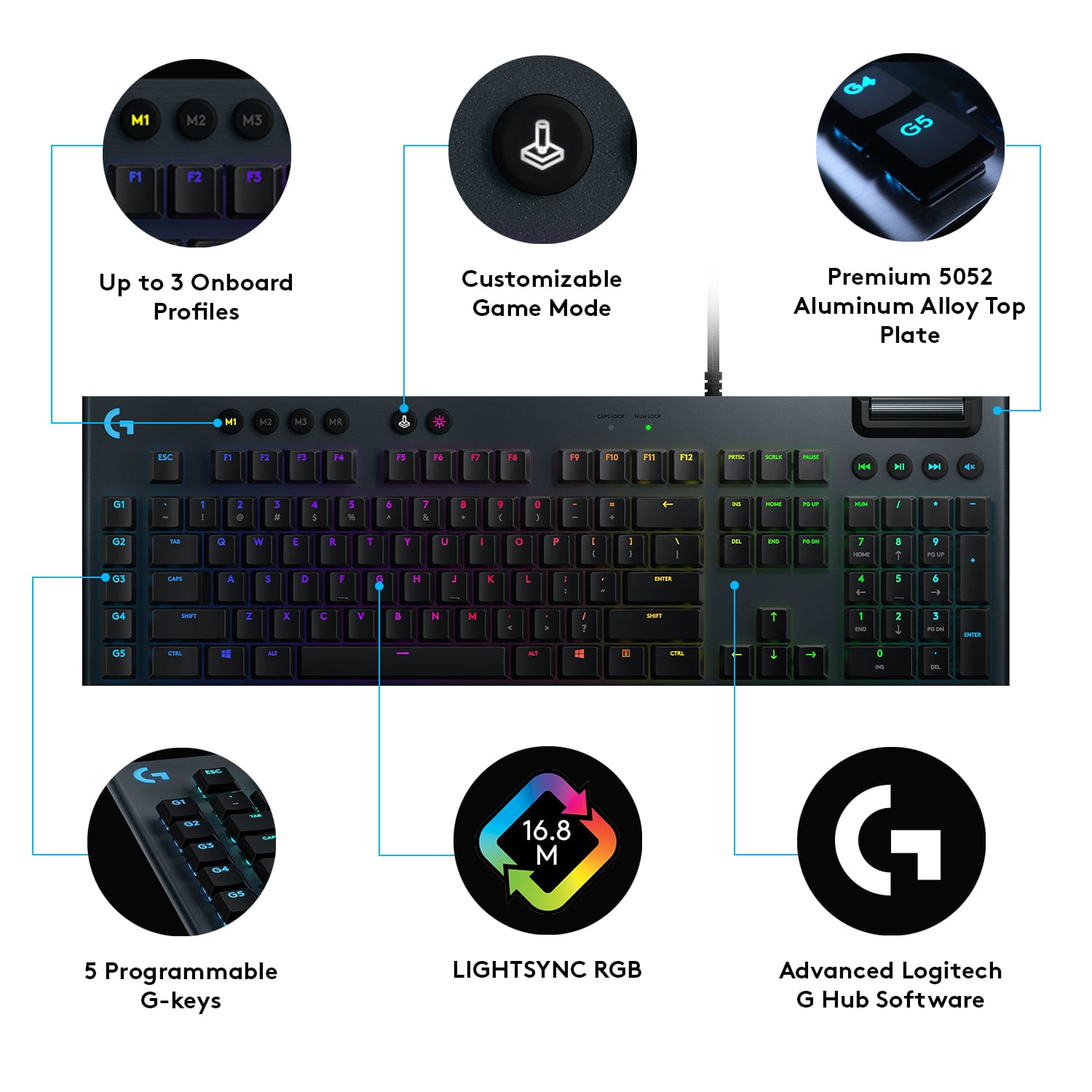
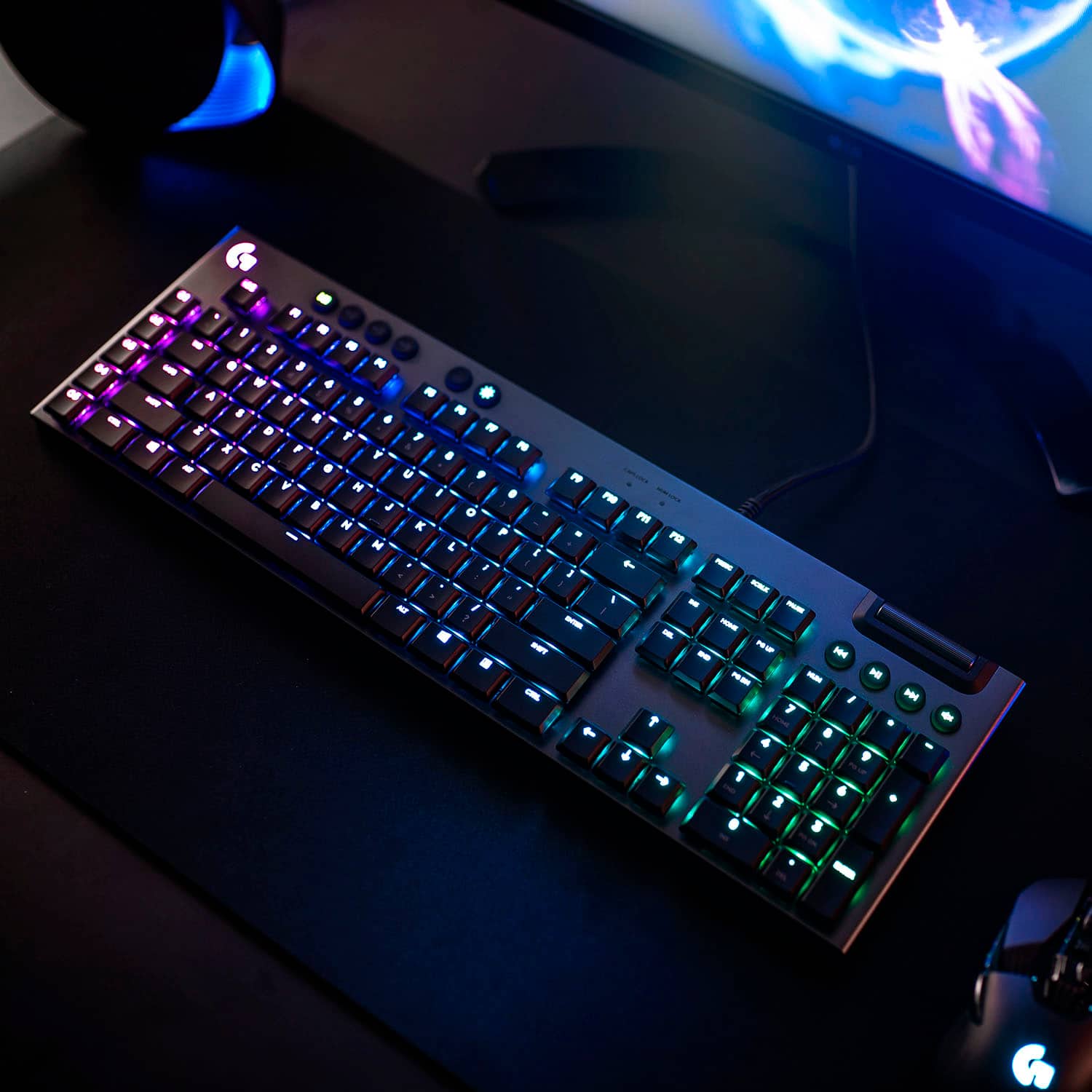
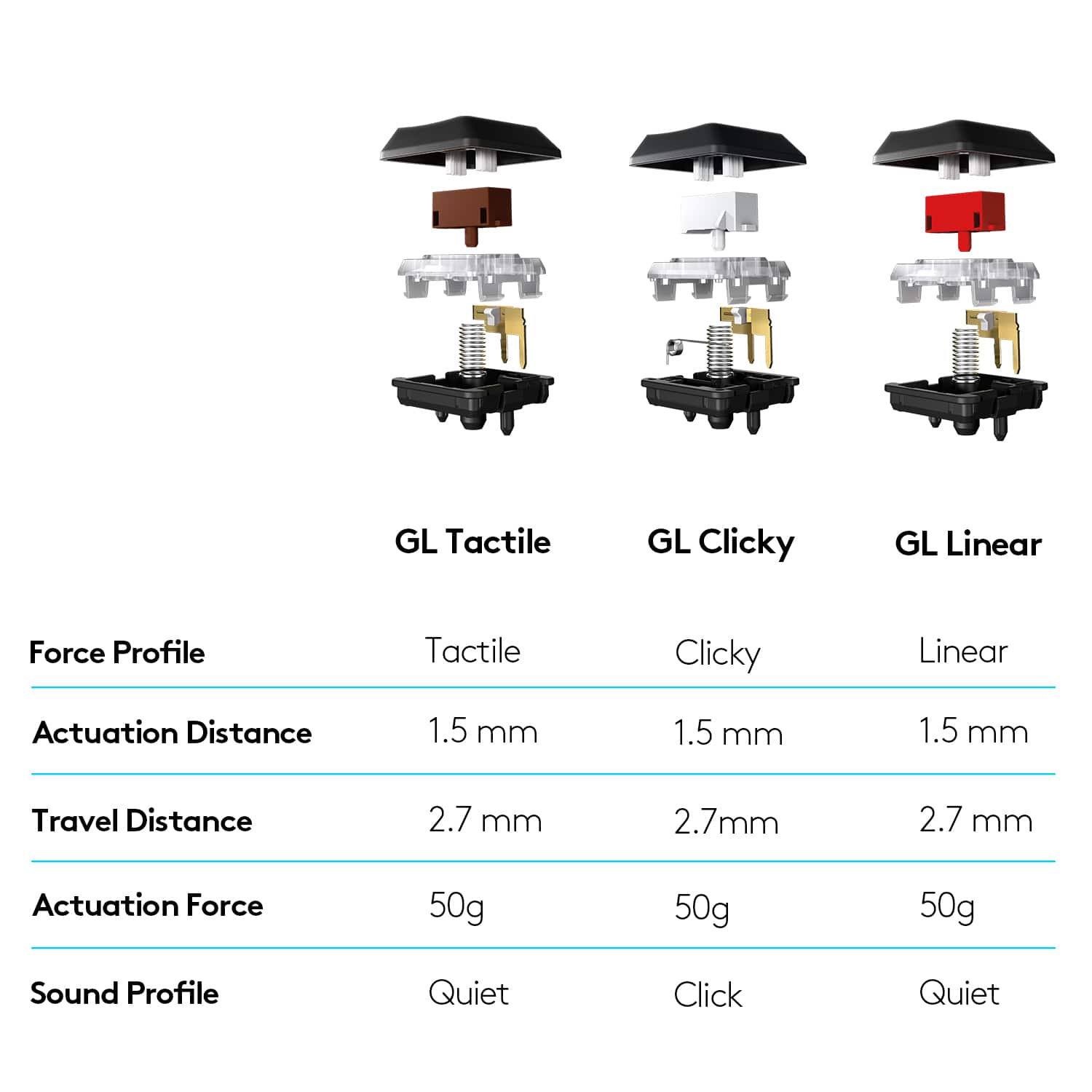
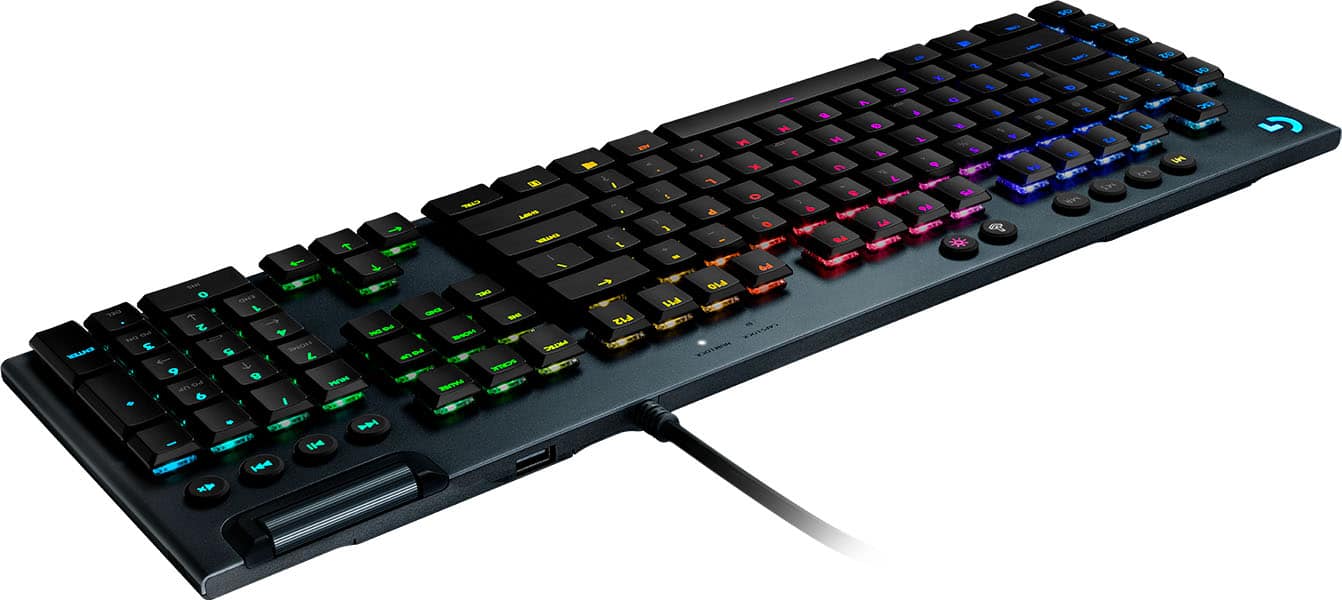
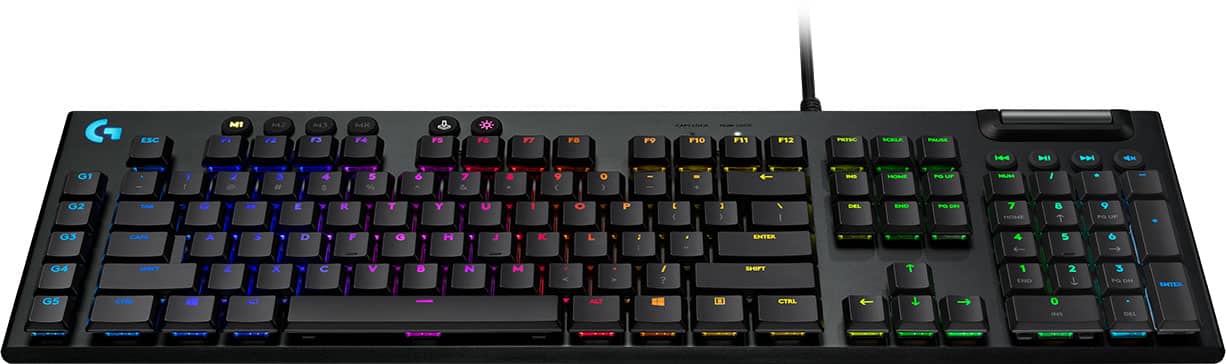
|Posted .This reviewer received promo considerations or sweepstakes entry for writing a review.Logitech’s G815 is a take on the idea of an evolved mechanical keyboard. Combining satisfying, and reliable functionality of a mechanical switch with some of the benefits of scissor switch keyboards to make a modern take on a gaming keyboard, the G815/915 attempt to bring something new to the market. And new this something is. The G815 seems rather nondescript from the feature list. Aluminum case, RGB back-lit, 5 macro keys, ‘gaming’ mode (disable windows key), volume rocker. You could be mistaken for thinking this keyboard is nothing more than a refresh of the venerable G810 keyboard, but you’d be mistaken. Logitech has taken the G815 in a different direction. What separates the G815 from almost any other gaming keyboard are the keys. I’m a bit of a keyboard snob ever since I got my first Cherry based keyboard years ago. I’ve been through almost every type of MX switch from them, red, blue, brown, black, clear - they all have something unique they bring as far as feel and application. When Logitech first arrived on the scene with mechanical keyboards, they too used Cherry. I had an Orion 610 for a while, but when I had the opportunity to jump at a G910, I tried out their ‘Romer-G’ switches and found them wanting. Some may say they are great, but I felt like they were mushy and while there have been revisions since then, I haven’t really come back to Logitech for keyboards since the Orion - until now. The Romer GL - a switch that for me was intriguing. Half height switches aren’t new, but they certainly aren’t mainstream. Compared to traditional switches, which have almost 4mm of travel, the Romer GL clock in at just 2.7mm. Actuation point for each key is 1.5mm, so they aren’t quite as ‘fast’ as say the speed silvers, but the GL actually feels more balanced because of it. This is unlike any gaming keyboard, rather unlike any mechanical keyboard I’ve ever used. So what is it like to type on? In one word, amazing. There is something distinctly satisfying about this switch. I wasn’t sure how I would feel about this keyboard, but as soon as I did a typing test I was more than pleased. Of course any clicky style key is really there to make the keyboardist feel good. Blue style keys have long since been the goto of typist that don’t care about their neighbors ears. The combination of reduced travel distance and a good median actuation point make these keys honestly they best typing key I’ve been on since the IBM buckling spring. The best part is that while these do have an audible click, the noise isn’t accompanied by the hard sound of a bottom out like on traditional keys. Bottoming out seems to have a nice springing effect, and keys you bouncing from key to key - far less harsh than a traditional key. My speed varied a bit, but I found myself slowing down only to realize I hadn’t typed a mistake. Once fully adjusted I was typing about the same or slightly higher WPM than my more traditional keyboard. Interestingly, the key switch mechanism is quite different from the full size Romer G. First of all, one big selling point of the Romer G was lighting. The back-light was positioned directly in the center of the switch and thus offered better lighting. This is different with the GL, with a more traditional position for the RGB LED at the top center of the switch. The leads to keys whose script is found at the top of the switch, and any modifiers are unfortunately not back-lit. For instance, you won’t see an exclamation point illuminated under the ‘1’ key. This is nothing new in the realm of keyboards, but it is a bit of a regression for the Romer line of switches. However one non-regression is the stability of the switch. There is no real key wobble, the larger keys have stabilizers that make them quite solid. In many ways it’s like typing on a laptop keyboard, a really good laptop keyboard. There is no denying these are mechanical switches, but they feel like a laptop keyboard. This is due twofold to the overall flat layout and the key caps whose gentle curve reminds me of some of the better Dell business laptop keyboards. Of course if you’re used to a laptop keyboard, you’ll be right at home. Those used to a traditional keyboard might need some time to adjust, but overall it’s a good experience. Gaming wise, the actuation point and general bounciness I found to be quite a boon. I play a lot of Starcraft, which is a very keyboard heavy game. I found that the layout was excellent, and that my ability to spam keys was excellent too given the audible feedback coupled with short activation distance - consequently my raw APM was higher. FPS games felt pretty good too, but I had a harder time gauging if the keyboard made an impact in my play style. The space bar was solid, and nothing ever felt vague. Nothing sets off the WASD cluster, but I wouldn't hold that against Logitech. Regardless for a clicky keyboard, it gamed extremely well. The layout itself is proper and classic for a windows keyboard. Ctrl, Win, Alt, are all where they should be. There is even a context click button, which simulates a right click. On the far left are G1-5 keys, which are macro keys. I almost never use these keys, but for some they are important. Above the standard number pad are media keys. You get previous, play/pause, next, and mute in flat round rubberized buttons to differentiate them from the touch typing keys. Above these buttons is a volume rocker which is a hallmark feature for many of Logitech’s keyboards. It’s a great feature as it gives a nice analogue control to volume while being both natural and unobtrusive (like say a dial). Above the F row are the M1-3 MR, gaming mode, and back-light brightness buttons. They too are like the media keys which is helpful. Numlock and caps lock LEDs adorn this area as well above the F10 and F11 keys. Construction of the keyboard is super solid. The box lists 5052 aluminum as the metal of choice for the housing’s construction. The base is made from plastic, but the combo provides adequate strength and light construction. The overall look is quite minimalist. With back-light set to solid, it could easily fit into an office environment without invoking embarrassment (looking at you G910). Between the cable connection and volume rocker is a single pass through USB port. It literally is a pass-through as there are two USB connectors on the cable. Going with its half height keys, is it’s half overall height. Logitech doesn’t include a wrist rest. Unfortunately I feel like this is a miss, because I found my wishing for something even with this extremely thin keyboard. Key caps are also a potential downside, as I’m not certain what support these have. They certainly appear to be a derivative of Kailh Choc key caps, but I don’t have one of those to test the key caps with. Certainly even Choc’s aren’t that ubiquitous so your options are rather limited for customization. Back-lighting is good, if not great. The aforementioned LED position means that you only get the primary script illuminated. Brightness is just ok. The media and profile keys are illuminated which is a big plus. You get 3 on-board profiles that can be managed by software. Out of the box the RGB wave is profile one, profile 2 is breathing, and 3 is color cycle. The Logitech G Hub software allows you to create many different effects from predefined effects, or just use the ones defined. You can sync these back to the on-board profile system which is pretty neat. You can control lighting per key if you wish, but there are interesting effects such as caterpillar. The software also allows the macro programming/assignment of the G buttons. You can even expand which keys are disabled by the game mode button. G Hub also allows you to author your customization and then share them with other Logitech users. This isn’t just for back-lighting, but gaming profiles, and even equalizers if you have a Logitech headset. The Logitech G Hub software is a lot more friendly and straightforward than some of there software I’ve had the pleasure of working with. I did have one strange con: My += key cap was a combo back-tick foward-tick key cap. I believe the key cap would be correct on a German layout, but it functioned as +/=, so it was only confusing when I went looking for the equals key. I’m almost certain this is an isolated build issue, but definitely not what you want to see on a $200 keyboard. Just double check your keys during your return period! I would have liked to see a USB-C connector on the keyboard instead of the non-removable cable. Someday I hope that connector means real USB hubs in keyboards, not just pass through. A few additional key caps for perhaps the WASD cluster (this is a gaming keyboard after all) and a thin wrist rest would round out my relatively shallow complaints. Overall there is a lot to like about the G815. The switch profile is definitely something that distinguishes it in a market of gaming keyboards based on Cherry keys. The Romer GL switch seems high quality and fit and finish are excellent. Feel of the keys is excellent and head and shoulders above the original Romer G switch in my opinion. Like any keyboard, you need to try it yourself before jumping on in. The lighting, macro keys, media keys, volume rocker, and on-board programming are all executed well. The G815 brings something fresh to the gaming keyboard market with these switches. I really enjoyed typing on them, and they felt much less harsh than Cherry based keys. If you’re an old mechanical switch enthusiast and want to try something new, the G815/915 might be that something. If you’re new to mechanical keyboards, and grew up on laptops, this may be your nirvana. Either way I’m all for some additional innovation in the mechanical keyboard market, and Logitech’s G815 brings not just something new, but something genuinely good.
I would recommend this to a friend Loved it until smoke smell started
||Posted . Owned for 1 month when reviewed.This reviewer received promo considerations or sweepstakes entry for writing a review.I recently moved into a new apartment that doesnt allow smoking and thought that the tenants underneath me were smoking cigarettes indoors. eventually, I realized the smell is coming from this keyboard. I've never spilled anything near it, it's just defective and while it works fine, it smells like someone is smoking in my unit. I am now forced to use the warranty after just 3 weeks of use.
No, I would not recommend this to a friendBrand response from Logitech
Posted .Hi RNARNA, thank you for your feedback! That is the strangest thing I have ever heard of. I have never encountered a keyboard which put off any odor, and I am also on a G815. Thank you for utilizing our warranty process, if you need any support: https://support.logi.com/hc/en-us/articles/360039334714 - Will, Logitech G.
Faulty
||Posted . Owned for 8 months when reviewed.This reviewer received promo considerations or sweepstakes entry for writing a review.I loved this keyboard. The first one, was my fault it broker, water spilled. So I bought a second one and they aren't cheap. This one has begun typing by itself. I restart the computer and its good for about a day before it starts typing by itself again, making it impossible to game or type. I searched it, and apparently I am not the only one with the problem, there's a thread of people reporting the same problem.
No, I would not recommend this to a friendBrand response from Logitech
Posted .Hello Kristin,
Thank you for choosing Logitech and for taking the time to write this review. We appreciate your feedback. I am sorry that you have experienced issues with your G815 keyboad; I would like to help. I have attached a link to the “Getting Started” page for the G815. There is a downloads tab at the top of the page, where you can find the G Hub software download. If you have not already done so, please download the G Hub software for updates, customization, and best overall performance. If you are still experiencing issues, further assistance can be found on this Logitech support page. I apologize for this inconvenience.
Best regards,
John at Logitech
https://support.logi.com/hc/en-us/articles/360039334714-Getting-Started-G815
It’s ok.
||Posted . Owned for 2 weeks when reviewed.This reviewer received promo considerations or sweepstakes entry for writing a review.It’s a great looking keyboard, but a key fell off shortly after first use.
I would recommend this to a friendToy Quality at a Pro Price
||Posted . Owned for 1.5 years when reviewed.This reviewer received promo considerations or sweepstakes entry for writing a review.So very disappointed with how this keyboard has fared over the last year and a half. Several key caps started peeling months ago. The title says it all. The keys aren't designed to last as long as the mechanical switches. I'm not even a serious gamer. I wouldn't be compelled to write a review if it weren't for the fact that OEM replacement keys are NOT an option. You have to roll the dice with some knock-off "compatible" brand on the internet if you want to outlast the key peeling issue. Not worth half the price I paid, given the outcome.
No, I would not recommend this to a friendBrand response from Logitech
Posted .Hello theSkegg,
I am sorry that the G815 is not meeting your expectations. I will record your product insight and pass it on for further investigation. Logitech appreciates your product review. - Leo from Logitech
Nope
||Posted . Owned for 3 weeks when reviewed.This reviewer received promo considerations or sweepstakes entry for writing a review.Returned for a Corsair K70. Didn't like how loose the keycaps were.
No, I would not recommend this to a friend- Pros mentioned:Keyboard qualityCons mentioned:Software
Another example of beatiful hardware
|Posted .This reviewer received promo considerations or sweepstakes entry for writing a review.First off, like quite a few people, I'm no fan of G-Hub. This is one of the worst software I've used in all the mainstream gaming accessories that I've ever used. LGS, while not as "pretty" was far more functional. When you open the box, you see this beautiful, thin, chiclet style keyboard with low keycaps and a slim profile. Even then it's a pretty heft KB. The unit I have has the GL-Clicky keys. While some might be turned off by the click it's really not that bad. It's about as bad as a brown switch with no gasket to cushion the clack of the keys against the plate. You might annoy co-workers or SO's so make they might be OK with the clickity-clack of typing. I really love the low profile and the low keys. I prefer more of a flat surface with gaming. The G815 doesn't come with a wrist rest, but I think it's low enough that it justifies not having one. The KB raisers on the back raise a little too high in my opinion; somewhere in the better feels more my style. I have a collection of 5 different mechanical keyboards and it includes an "ancient" M series I found at a yard sale. I have to say that this is the most fun to type on. The travel feels a less than on all my other KBs. It's almost like my fingers are gliding as I type this. Sure, this is marketed as a gaming KB but believe me when I say this could be 100% used in an office environment. I actually use Logitech gaming KBs and Mice at work. All those buttons and profiles come in handy. Now, the thing I hate - G-HUB. I really despise it. Lighting is not as configurable as my other main KB, but it does good enough. Customized lighting isn't essential, just fun to play with. What I hate is that I still cannot make one assignment and pick the apps I want to assign to it, like LGS did. Sometimes I make new assignments based on an old one and with GHUB you have to drag and drop profiles then edit. Supposed you decide that you like to have a different function for a button and change it on every game/app the assignment is based on. You now have to edit every assignment or drag, drop, click, delete, select the assignment again to make it default for that game/app. I've recently come across a problem where I can't even drag to the app I want to use an existing assignment with. My list is so long I can't directly drag the assignment to the right. I have to drag to another app, scroll, drag to another app, scroll, go back to the other apps, delete, delete, etc. and this is on an UW 34" monitor so my list is pretty long. I have assignments for apps and games. Like I said these Logitech gaming accessories are great for work and play. And again, I can't ding them much for the shotty software because it can improve. The last two updates and now my profile switching works fine. So I can only hope better things are to come. The G keys to the left can be assigned just about anything from single keystrokes to full macros. Just like previous Logi keyboards there are three memory banks and 5 keys so you can store up to 15 custom assignments. I've always found the gkeys too far out to use in most games, but have come in hand when doing things like crafting in MMO's. That about the most use the keys have gotten in games. The one good thing is that GHub is pretty much left alone after everything is set up and you can get back to enjoying the hardware. And yes, I think this keyboard is worth it. So don't get me wrong I still love Logitech devices and will keep buying them. I'll eventually forget about LGS and just get used to doing things the GHUB way and all will be fine. The G815 is now my main gaming KB and it's well deserved. I swear I can type on this all day without any problems. It's just so incredibly smooth!
I would recommend this to a friend Best quality
||Posted . Owned for 11 months when reviewed.This reviewer received promo considerations or sweepstakes entry for writing a review.I love having a keyboard like this, the sounds when you are typing. I also love the volume bar, it’s not like the regular volume bar.
I would recommend this to a friendGeek Squad need training
||Posted . Owned for less than 1 week when reviewed.This reviewer received promo considerations or sweepstakes entry for writing a review.I assume the keyboard is great, I like the style and look strong. I just wish the guy who ordered it for me in the store got more than one thing I asked for right. I asked for a multi-OS, 10 key, keyboard that, preferably wired but wireless will work, is compatible with my TCL Chrome OS tv, I can use either Bluetooth or IR to control my tv, to get rid of one remote" I get a keyboard that has none of that. Well, it is wired. Returning it due to stupidity not due to problem with the product.
I would recommend this to a friend- Pros mentioned:Key feel, Keyboard quality
A fantastic keyboard for all!
|Posted .This reviewer received promo considerations or sweepstakes entry for writing a review.I'm in love with this keyboard! I've used my fair share of different mechanical keyboards over the years, but this one by far is my favorite for build quality, design, key feel, sound, and more! The build quality blew me away with this keyboard. It's extremely low profile, has a good weight to it, and just feels like it's built like a tank. There's a nice metal plate the runs the entire surface of the keyboard, and the buttons have a great response feel to them and the audible click sound is different from everything I've heard before and is very pleasant to the ears. I found myself wanting to keep typing more and more just to keep experiencing the feel and sound of this keyboard. I'm also a fairly fast typist and find myself making less mistakes on this keyboard since it feels like my fingers are almost just floating above the keyboard and dancing on the keys. It's such a different feeling from all the other mechanical keyboards I've used in the past. You'll definitely get the most out of this keyboard by downloading the Logitech G-Hub software. The software allows you to fully customize the lighting and create as many profiles with macros as you want. This allows you to setup your 5 macro "G" keys on the left hand side of the keyboard relative to the specific task or program at hand, allowing the macro keys to automatically morph to what you're doing at the moment. Gone are the days the keys can only be programmed to do a single thing. You can program each G key to do a specific thing depending on what profile or program you're running, really opening up the options. The software easily updates itself and makes updating the firmware for the keyboard quick and painless as well. Overall, I'm just impressed. There's almost nothing I would change on this keyboard. I prefer a hardwired keyboard, although there is a wireless option if you want that. The media volume roller could use a physical index bump so you knew how much you were scrolling, but it's not a big deal, it's just my preference. In terms of unboxing, one side note there as well was the wire twist ties wrapping the cord. I was unable to untwist with my fingers and needed pliers to get them off. Whatever machine they use to put those on should be a little less aggressive. All in all though, I'm extremely satisfied with this keyboard and can't wait to keep typing and using it moving forward!
I would recommend this to a friend Keycap broke after less than a month of use!
||Posted . Owned for 1 month when reviewed.This reviewer received promo considerations or sweepstakes entry for writing a review.Bought this because I liked the look, size, and the sound of the key presses. After 3 weeks of use, the keycap on my numeric keypad 6 key broke off. The keycaps have 2 very thin legs that they use to connect that are undersized and flimsy. One of them broke off completely, preventing the keycap from going back on. I tried to contact Logitech support and ended up returning this keyboard to Best Buy after 48 hours of no response. Steelseries from now on for me!
No, I would not recommend this to a friendBrand response from Logitech
Posted .Hi SFox, So sorry to hear that your 6 key broke off. This is the same keyboard I use and it is my favorite! The G815 is backed with a 2-year limited hardware warranty. If you needed to file a warranty claim. It is designed to endure, perform and last. Thanks for letting us know about your experience. - Will, Logitech G.
Garbage.
||Posted . Owned for 1 month when reviewed.This reviewer received promo considerations or sweepstakes entry for writing a review.The biggest issue with this keyboard is that when you put your computer to sleep, and then wake it back up, the lights no longer work on the keyboard. Also, some of the keys not being lit (the keys under the numbers ($!@,etc)) is annoying, I have no idea why they did that. I returned this product and do not recommend that you buy it.
No, I would not recommend this to a friendBrand response from Logitech
Posted .Hey Logan, I'm sorry to hear that you've been having some issues with your G815 keyboard. The lighting issue may have something to do with our GHub software, so if you haven't already, feel free to download that. If you have, it may have installed improperly, so I would recommend fully removing it from your computer and reinstalling it.
Horrible brand
||Posted . Owned for 8 months when reviewed.This reviewer received promo considerations or sweepstakes entry for writing a review.I liked this keyboard but after dealing with the customer service of this horrific company I'll never buy from them again.
No, I would not recommend this to a friendBrand response from Logitech
Posted .Hi Sawyer, sorry to hear that you had a unsatisfying experience with customer service. We are always looking for ways to improve our products, so we appreciate your review. If you ever have additional feedback or questions regarding Logitech products, feel free to visit https://support.logi.com/hc/en-us Thanks, -Logitech
Keyboard worked less than 2 months
||Posted . Owned for 1 month when reviewed.This reviewer received promo considerations or sweepstakes entry for writing a review.Keyboard worked less than 2 months, nothing really else to say. Logitech quality isn't where it used to be. Would not purchase another Logitech product again.
No, I would not recommend this to a friendBrand response from Logitech
Posted .Thank you for your feedback on the Logitech G815 LIGHTSYNC keyboard. We apologize for the inconvenience caused by the early malfunction. To address this issue, we recommend reaching out to our social care team via email at socialcare@logitech.com with your
- Name:
- Email Address:
- Country:
- Product Name:
- Brief description of issue:
Keyboard mysteriously returns curser
||Posted . Owned for 5 months when reviewed.This reviewer received promo considerations or sweepstakes entry for writing a review.Worked fine for awhile, then it would auto scroll back constantly so am returning this keyboard
No, I would not recommend this to a friendBrand response from Logitech
Posted .Hi WarrenG, we're sorry to see you're having some performance related issues with your G815 Lightsync Gaming Keyboard. If you haven't already, please check in G Hub to see if your G815 needs to do any firmware updates. Also, you do have a 2 year limited warranty that can be used to have a replacement sent out to you. You can do that here: https://support.logi.com/hc/en-us/articles/360039818293-Warranty-G815. Hope that helps.
Just asking for trouble.
||Posted . Owned for 3 weeks when reviewed.This reviewer received promo considerations or sweepstakes entry for writing a review.Got it home. Got it out of the box. Immediately malfunctioned like many reviews have previously stated. Returned it next day for different brand. I wouldn’t even attempt to mess with this. It is just asking for trouble no matter the cost. I had a G910 and never had any issues with it. However, they seemed to have really screwed up this keyboard.
No, I would not recommend this to a friendBrand response from Logitech
Posted .Hi Me123, Very sorry to hear about your experience with the G815 LIGHTSYNC Gaming Keyboard "immediately malfunctioned" after you got it out of the box. Since you weren't specific about how it malfunctioned, it simply sounds like you got a defective keyboard. The G815 averages a 4.7 rating on BestBuy.com, a 4.6 average rating on Amazon, and has reviewed high among tech publications in general. In any event, so glad to hear that your G910 is working well with no issues and glad that you were able to return the G815. Thank you for giving it a try and hope that you will give Logitech gaming keyboards a try another time down the road. Best Regards, Richard from Logitech
- Pros mentioned:Keyboard quality, Rgb backlighting
Logitech - G815 - GL Clicky
|Posted .This reviewer received promo considerations or sweepstakes entry for writing a review.When I received my keyboard at the front door, the first thing that came to mind was how heavy the box was. The second I opened the box I was hit with how good the keyboard looks in person. It feels and looks solidly well-made. The USB cable on this keyboard shows the same characteristics. When I connected it to my computer with the two USB connectors (one for the keyboard, one for LEDs), the LEDs lit up with a rainbow wave animation, and it was beautiful. I already had the Logitech software on my computer, so getting to it and changing the animations, or even assigning specific colors to each key was a breeze. The software is easy to install from the Logitech site. They give you the URL on the instructions that come with it. The macro keys are simple to configure from the Logitech software. I had no idea that I could turn the LEDs down with the lightbulb key at the top of the keyboard, but have found that to be fantastic when the LEDs get too bright and I don't want to stop my game to turn them down. The volume scroller at the top right feels very solid and rolls freely. This is my favorite keyboard.
I would recommend this to a friend