Customer Ratings & Reviews
- Model:
- 920-009087
- SKU:
- 6360838
Rating by feature
- Value
Rating 4.3 out of 5 stars
- Quality
Rating 4.7 out of 5 stars
- Ease of Use
Rating 4.7 out of 5 stars
Customers are saying
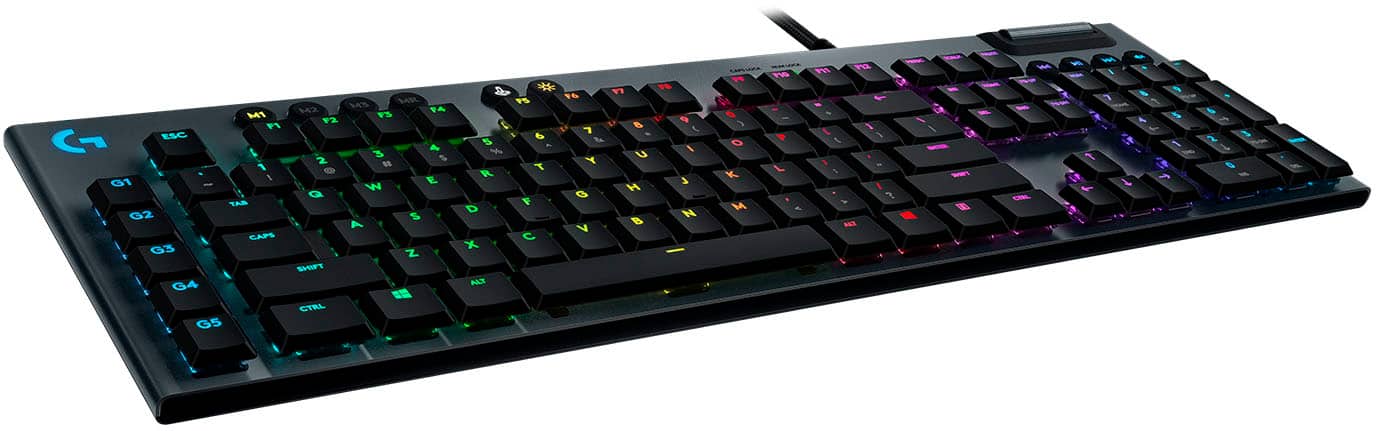
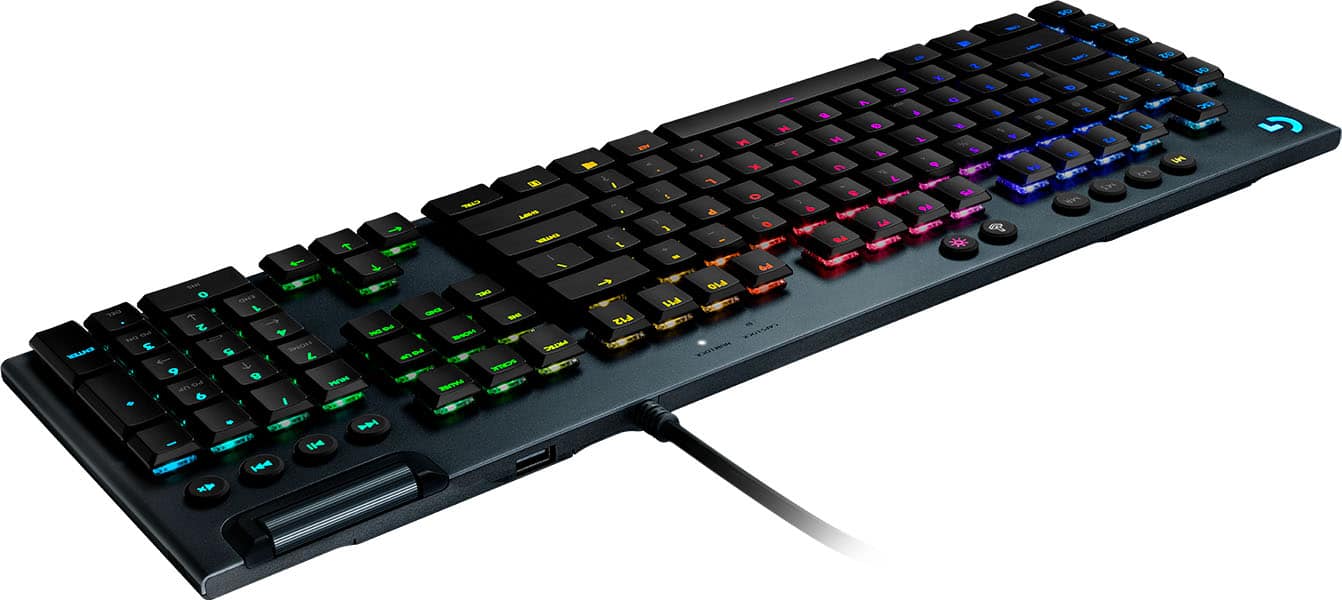
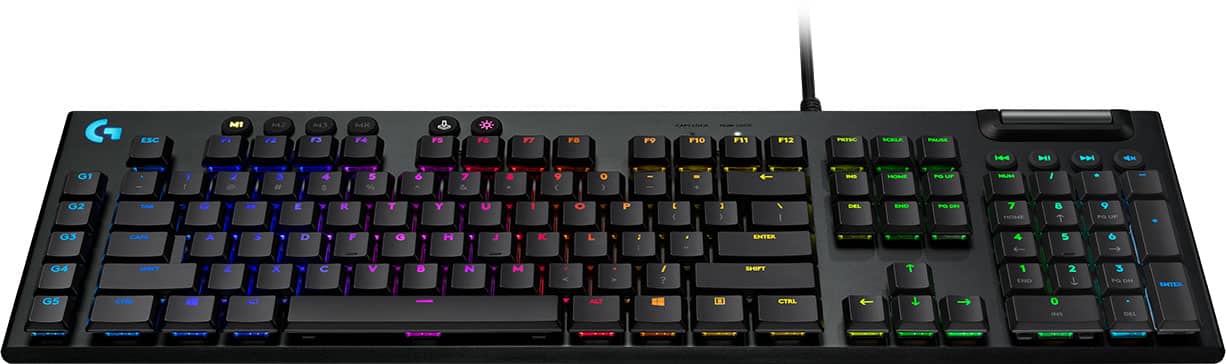
Customers express satisfaction with the G815 LIGHTSYNC keyboard's quality, key feel, and customizable RGB backlighting. Users appreciate its ease of use, design, response time, and convenient volume control. Criticisms include the product's high price, the software experience, the absence of a wrist rest, and the use of two USB ports. Overall, the keyboard is well-received for its performance and aesthetics.
This summary was generated by AI based on customer reviews.
- Pros mentioned:Key feel, Rgb backlightingCons mentioned:Software
Great Keyboard, but Beware of G hub
||Posted . Owned for less than 1 week when reviewed.This reviewer received promo considerations or sweepstakes entry for writing a review.Awsome keyboard with a great clicky sound, feel, and RGB. There is a downside in some slight key wobble. Keep in mind however that Logitech's proprietary software, G hub, is pretty buggy and may give you some issues ESPECIALLY if you delete it and reinstall it. Otherwise, the board itself is amazing.
I would recommend this to a friend - Pros mentioned:Response time, Rgb backlighting
Perfection.
||Posted . Owned for less than 1 week when reviewed.This reviewer received promo considerations or sweepstakes entry for writing a review.The keyboard is absolutely wonderful. There’s a couple of pros most notably being the; tactility of the keys, feeling as well as positioning of the volume wheel, adjust height of the keyboard, response time, look and the RGB lights. There is however one con which is the instant drop off from the back end of the keyboard (the part right behind the space bar). It’s uncomfortable during extended periods of usage since it is a flat edge however I’m pretty sure there’s a couple rounded edge attachments that you can buy to fix this. Otherwise I wouldn’t hesitate to purchase this keyboard, it’s excellent!
I would recommend this to a friend - Pros mentioned:Key feel, Keyboard quality
Great buy for price.
||Posted . Owned for 1 week when reviewed.This reviewer received promo considerations or sweepstakes entry for writing a review.I love how well built this is. My previous razor was all plastic and it was only like 20$ cheaper than this. I will take this all day over that. Keys are smooth amd reaponsive. Well built, kudos to logitech.. I did get it on sale but i think i would have paid full price for this tbh..
I would recommend this to a friendBrand response from Logitech
Posted .Thank you for your enthusiastic review of the Logitech - G815 LIGHTSYNC! We're thrilled to hear that you appreciate its build quality, smooth keystrokes, and overall performance. We're glad you're enjoying your new keyboard.

- Pros mentioned:Keyboard quality
Great low profile clicky mechanical keyboard!
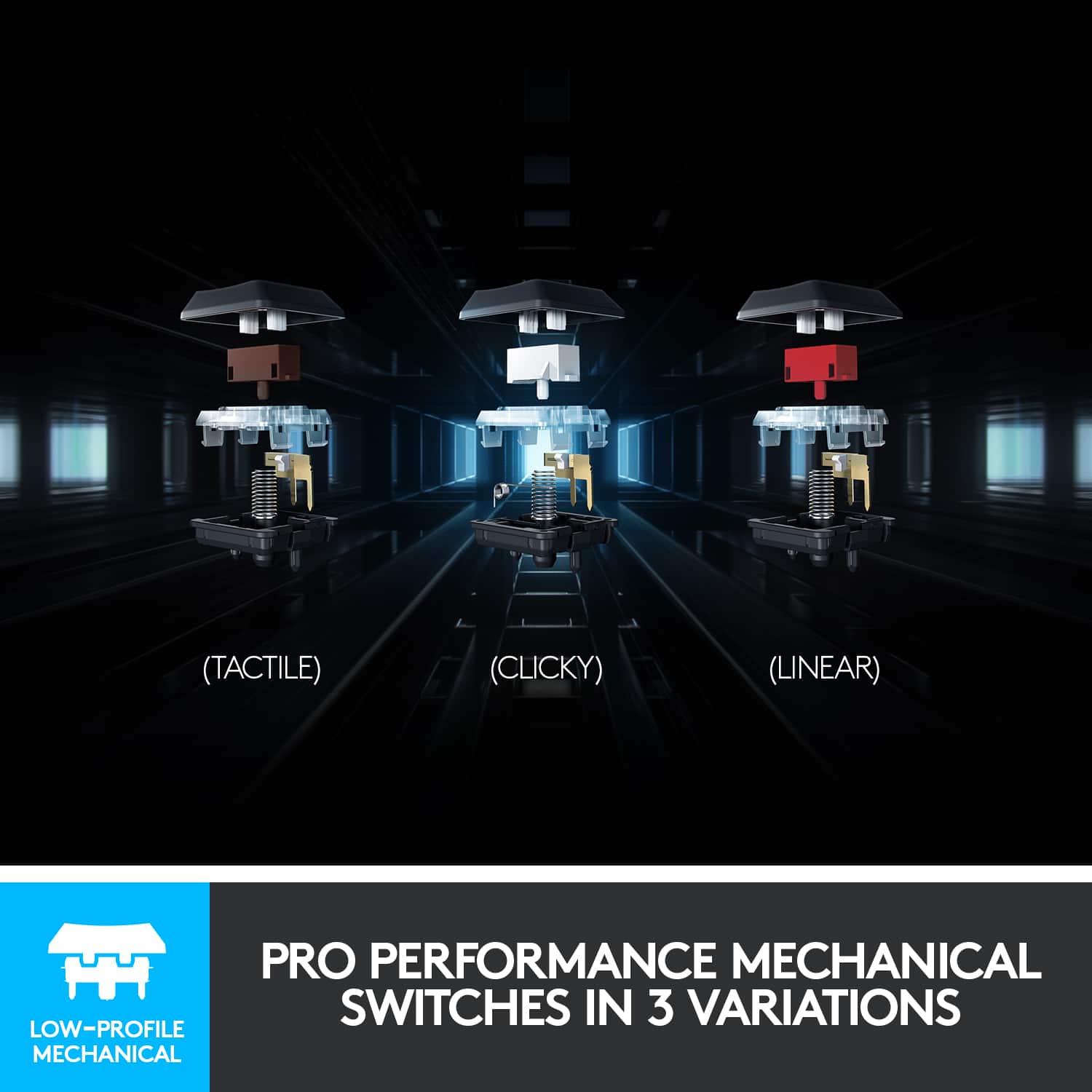
||Posted .This reviewer received promo considerations or sweepstakes entry for writing a review.I bought this on a whim while at the store. I knew I needed to replace my old Razer membrane that was having some issues, and that I wanted a mechanical keyboard. The only issue was finding the right keyboard with the right keys and feel and the G815 didn't disappoint. Some things to mention: -Great typing experience -Low profile keys -Clicky sound -RBG customization The only Cons I can think of is how pricey tech has gotten, but that's a sign of the times I guess and the color scheme setup was somewhat of a pain. I eventually went with loading from the device and gave up on the customization of the app since I was only ever planning on using 1 color. https://www.youtube.com/watch?v=_thRWzIWS84&ab_channel=Someguyonline
I would recommend this to a friendBrand response from Logitech
Posted .Thank you for sharing your experience with the Logitech G815 LIGHTSYNC gaming keyboard! We're thrilled to hear you're enjoying the typing experience, low-profile keys, clicky sound, and RGB customization.
- Pros mentioned:Keyboard quality, Rgb backlighting
Great Keyboard
||Posted . Owned for 1 month when reviewed.This reviewer received promo considerations or sweepstakes entry for writing a review.Love it. Bought it because I wanted a better work keyboard. The feeling of it is amazing and the lighting is cool too, but honestly, typing on this keyboard is great. LG Hub is great too, since you can manage the keyboard, mouse, webcam, and microphone on it. So having different profiles can make it fun, and help leverage for specific work or gaming reasons. It's pricey, but I would still highly recommend.
I would recommend this to a friendBrand response from Logitech
Posted .The Logitech G815 is definitely a popular choice for those seeking a balance of style and performance!
- Pros mentioned:Key feel, Keyboard quality
Little pricy, but worth every penny!
||Posted . Owned for 3 weeks when reviewed.This reviewer received promo considerations or sweepstakes entry for writing a review.Keyboard is a little pricy but worth every penny. I’m glad I chose to spend the extra money because I couldn’t be happier. The build quality and switches are second to none. It’s extremely responsive and there is no latency or delay with each key stroke. I’ve been using this keyboard everyday for about a month now and this is hands down, the best keyboard I’ve ever used. The clicky keys are awesome and I love the tactile feedback. The optional G HUB software is easy to use and loaded with custom RGB profiles. You can also download other custom profiles that other users created and uploaded. I use this keyboard for gaming but its also perfect for standard typing if you do a little bit of both.
I would recommend this to a friend - Pros mentioned:Keyboard quality, Response time
Just as good as the 915
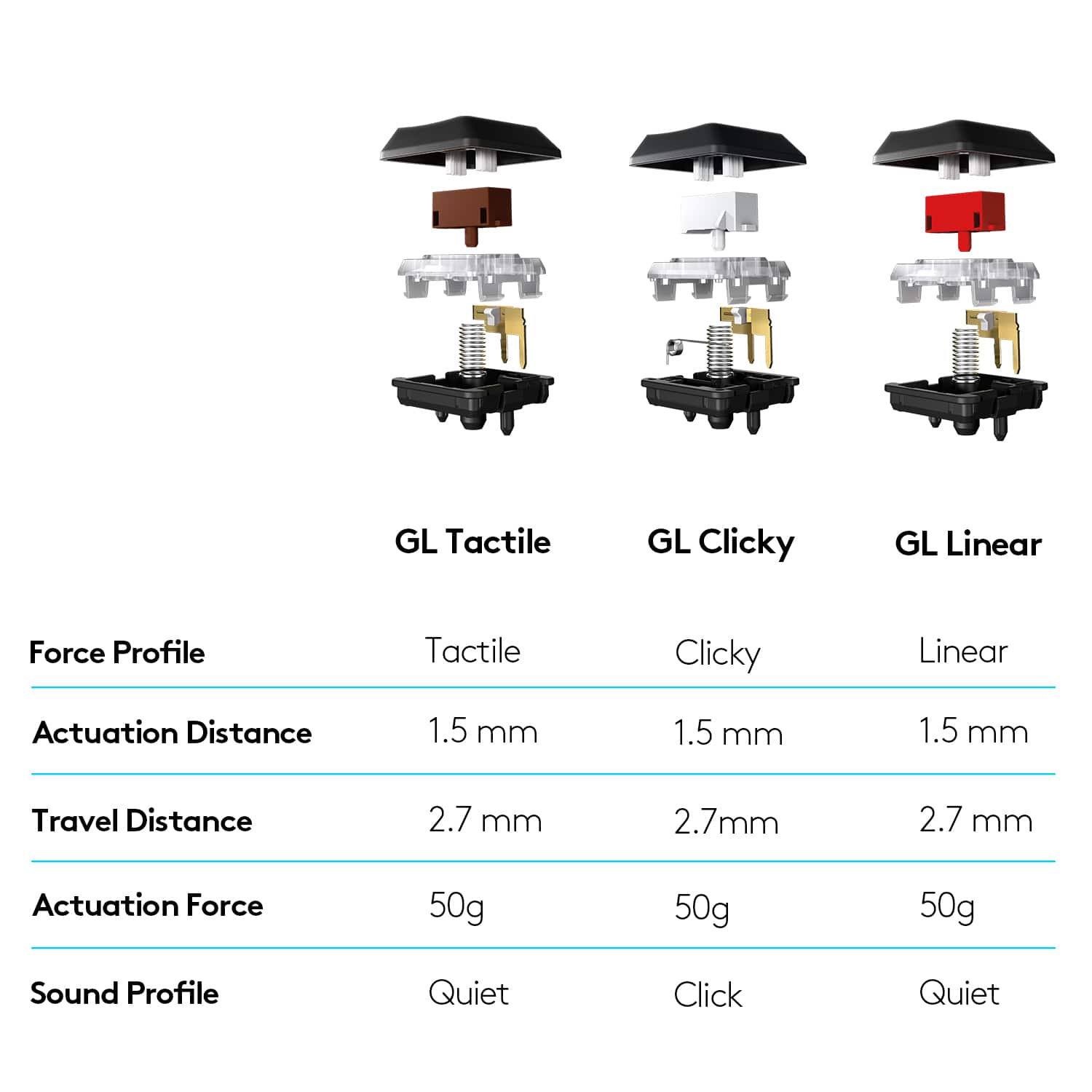
||Posted . Owned for 1 year when reviewed.This reviewer received promo considerations or sweepstakes entry for writing a review.good weight, sturdy build, and a reliable keyboard. allegedly the G915 light sync has a better response time, but i don’t notice the difference. the GL Clicky switch is also a deeply satisfying sound. trying to configure different light modes has proven challenging, and ineffective for some pre-made modes, but it’s probably a user error.
I would recommend this to a friendBrand response from Logitech
Posted .Hey! Thanks for the detailed feedback on the Logitech G815 LIGHTSYNC keyboard! We appreciate you comparing it to the G915 and highlighting the G815's strengths like the weight, build quality, and clicky switches. It's also valuable to know you find the response time sufficient and the lighting software challenging to use in some aspects.
- Pros mentioned:Keyboard quality
Love It
||Posted . Owned for 1 month when reviewed.This reviewer received promo considerations or sweepstakes entry for writing a review.Being so tired of traditional keyboards, I decided to give a mechanical keyboard a try. Never having bought one before, I wasn't sure where to start. Went to Best Buy and there were a small number of them to try out. The G815 was one of them. I knew right away this was the one. I love the low profile, slightly clicky key sound. Not obnoxiously loud. Notice less mistakes. I'm not a gamer. Just use it for routine home use and work from home use. Keyboard feels good, love the lighting. Logitech's hub isn't that great though. The low profile of the keyboard cuts down on wrist fatigue. Nice weight to it. It won't slide around like a light weight plastic keyboard. Really thinking about getting another for in office use.
I would recommend this to a friend - Pros mentioned:Keyboard quality
Great Keyboard for Anyone
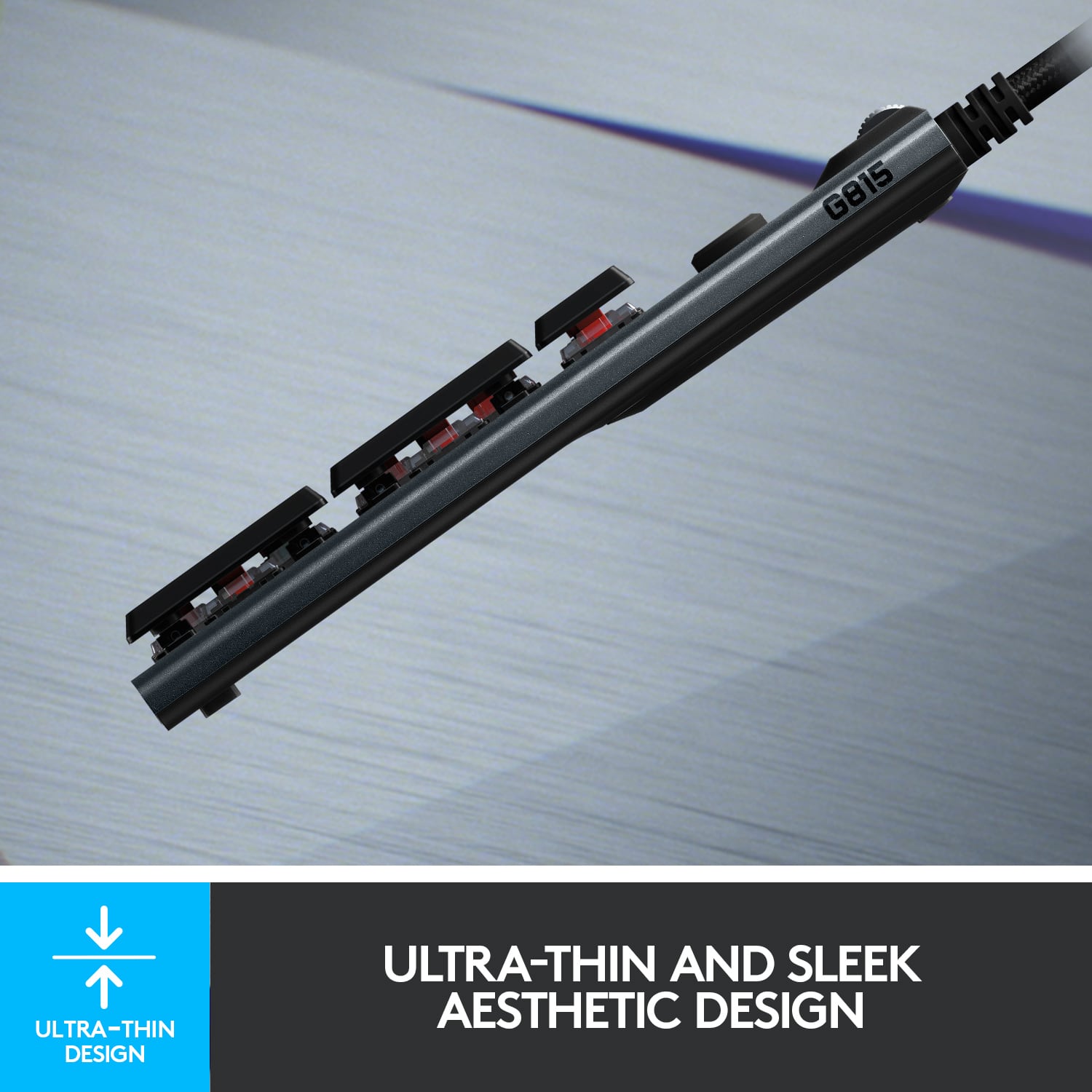
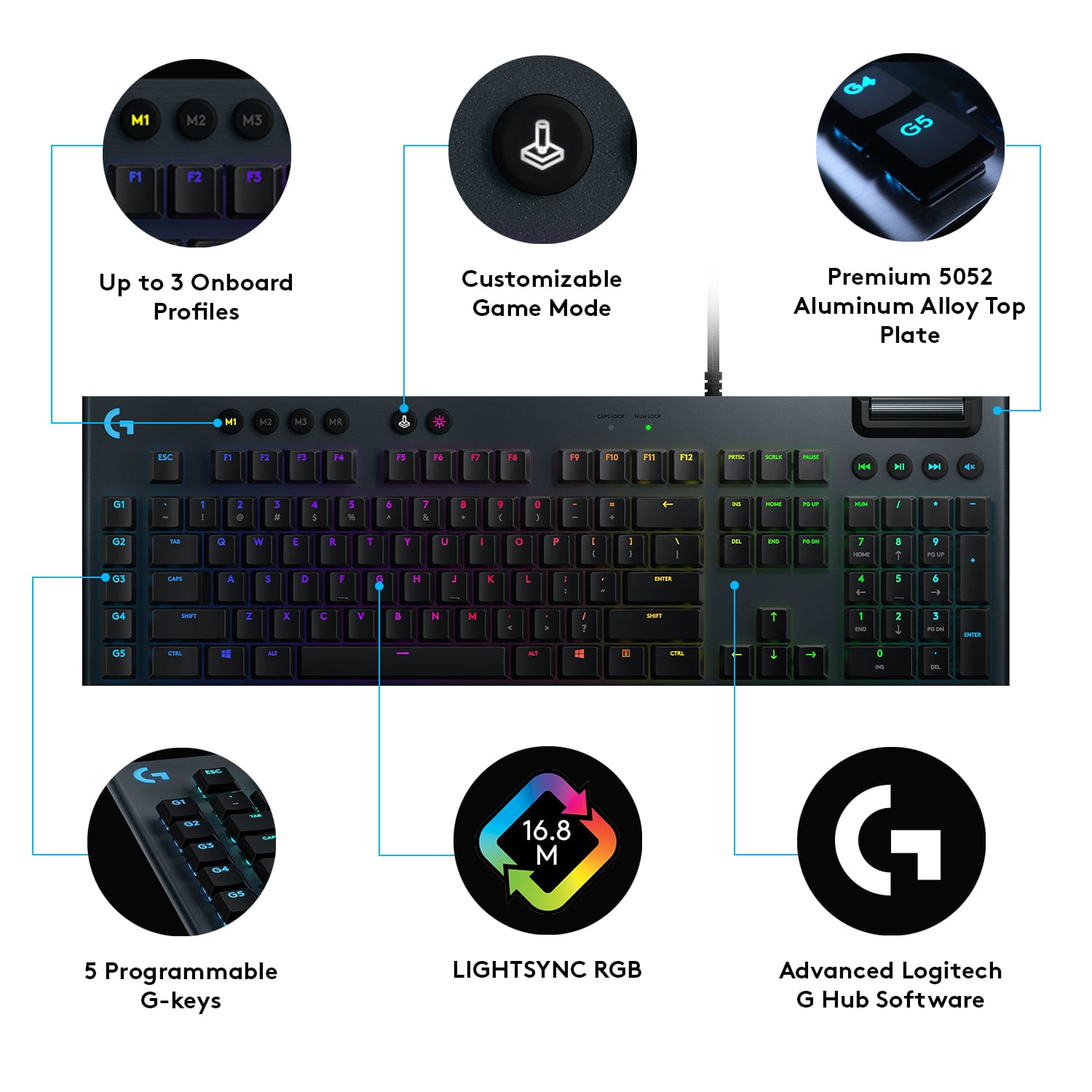
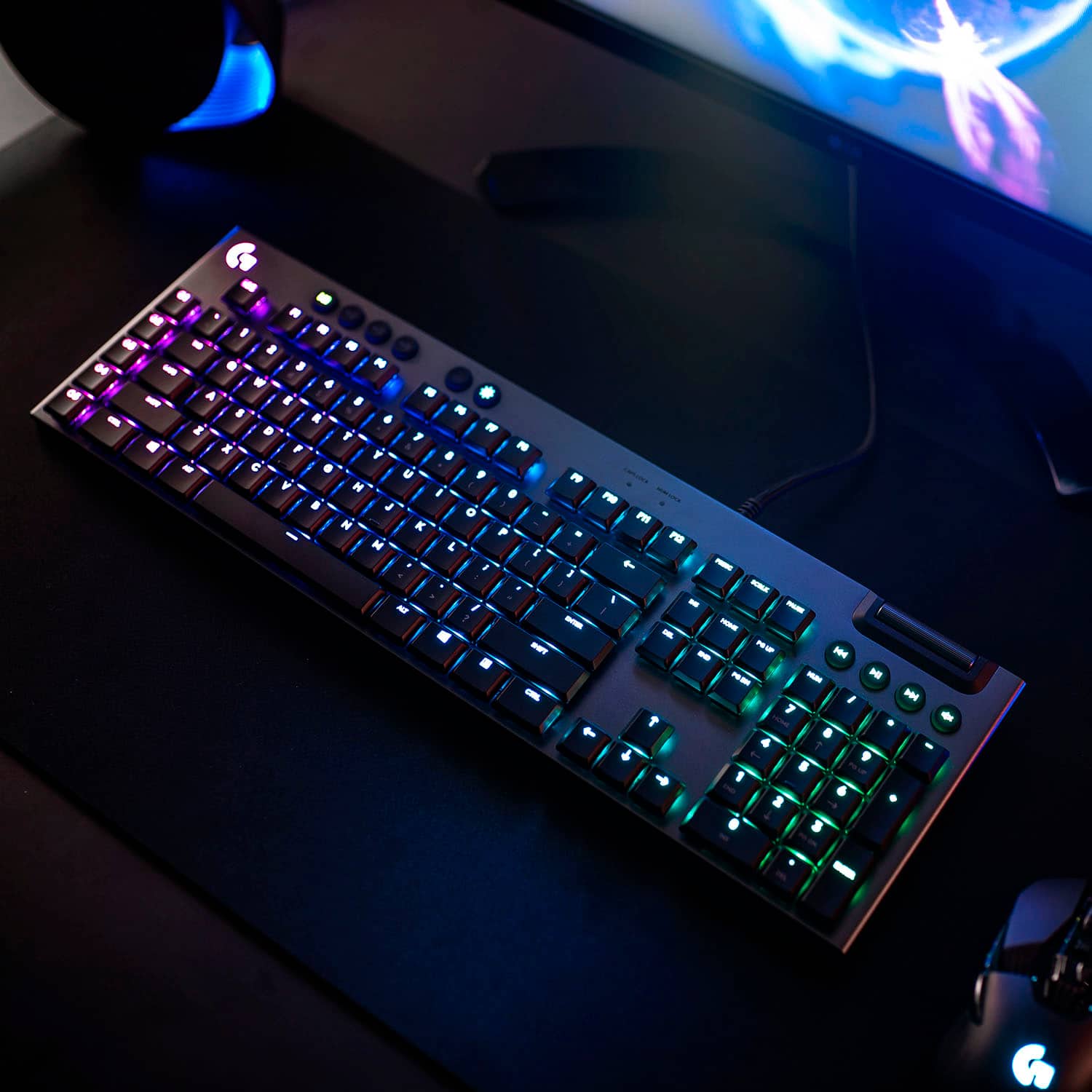
||Posted . Owned for less than 1 week when reviewed.This reviewer received promo considerations or sweepstakes entry for writing a review.This is exactly the kind of keyboard I was looking for. Sturdy, customizable backlighting, mechanical, clicky. The body of the keyboard is aluminum and it has a thin profile. The keys are low profile and sit up above the plane of the keyboard which is probably helpful when trying to clean out debris (food) from under the keys. It also has programmable keys that you can use to record macros for games and this is tied to the Logitech G Hub app. I personally probably won't use this feature, but if it's something you are used to from other keyboards then you'll be right at home with this feature. In fact, this keyboard probably has a lot of features I won't use, but just having the quality construction is the selling point for me. Now a small number of people won't be completely happy with this keyboard if they also hoped to see the secondary symbols on the keys also backlit. If you've been around keyboards a long time you likely wouldn't need this anyway, but there are other keyboards that do have secondary symbols backlit. Each key can be changed do a different color or you can use global color schemes and even have animated effects like rolling color changes throughout each key zone. I'm happy just to have a good backlit keyboard that I can easily change the brightness on so that it's not too distracting when I'm watch video content. Again, great keyboard, loaded with features, really happy with my purchase.
I would recommend this to a friend - Pros mentioned:Keyboard qualityCons mentioned:Price
An excellent keyboard
||Posted . Owned for 5 months when reviewed.This reviewer received promo considerations or sweepstakes entry for writing a review.Pros A really nice keyboard. It feels like high quality and typing on it felt great. The customized lighting and macro keys add value. Cons: Price feels too high for what you get. Try before purchase.
I would recommend this to a friend - Pros mentioned:Keyboard quality, Rgb backlighting
Favorite Keboard ever!
||Posted . Owned for 11 months when reviewed.This reviewer received promo considerations or sweepstakes entry for writing a review.I decided to get this keyboard shortly after seeing it and trying it out at my local store. I loved the look and the way the keys felt to press. This thing feels great to type on. I love that it has the slim, sleek look while still retaining the mechanical feel. I opted for the wired version to save a few bucks and not having to keep it charged. I usually don’t move my keyboard around anyway. The RGB settings for this keyboard seem nearly limitless, although the App required can be a little finicky and needs updates often. I also really like the media controls and volume wheel on the top right. I highly recommend this keyboard!
I would recommend this to a friend - Pros mentioned:Keyboard quality, Rgb backlighting
Keyboard
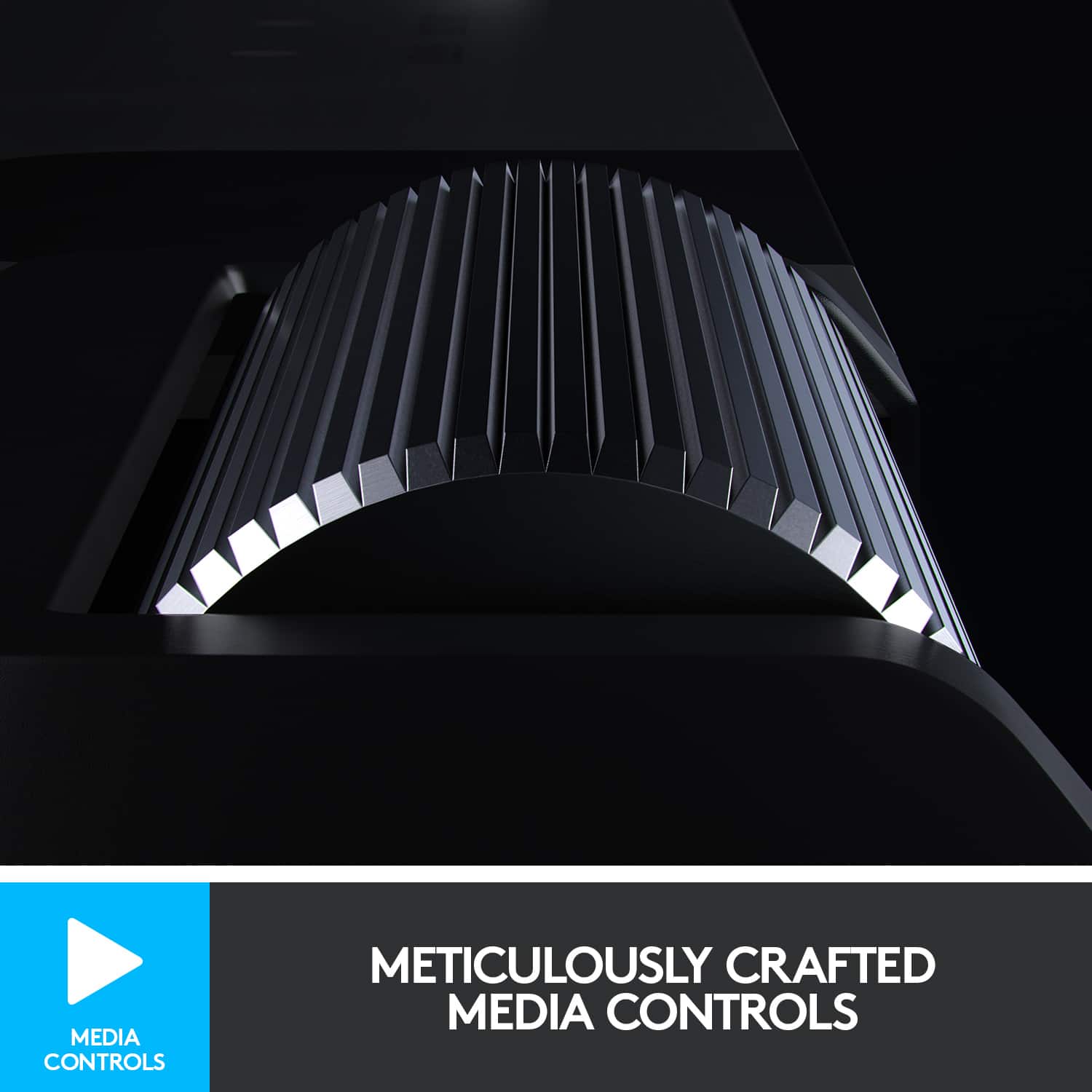
||Posted . Owned for 1 month when reviewed.This reviewer received promo considerations or sweepstakes entry for writing a review.For the time that I been using it has been nothing but praises. The feel and quality of the switches/keys are satisfying. The volume nob is a tube that slide up and down kinda weird to look at but easy to change your volume. The app to switch led lights is easy to set up, most of it just preferences. The G-keys allow you set up keybinds (mute on discord, open apps, etc…).
I would recommend this to a friend - Pros mentioned:Keyboard quality
Low profile keyboard with non-standard keycaps.
||Posted . Owned for less than 1 week when reviewed.This reviewer received promo considerations or sweepstakes entry for writing a review.To begin, I should say that I am a Mac user. As a result, there are not many options for mechanical keyboards that work with a Mac, especially RGB keyboards that require Mac-compatible software to control the lighting. I am also a touch typist that uses the keyboard predominantly for work (not gaming). I really wanted the RGB, however, to add some "spark" to my workstation. To begin, the typing experience on this keyboard is pretty good. I like the clicky keys, although they are a little "soft" for me. I kind of reminds me of typing on a laptop keyboard (although not quite as these keys do have more travel than a laptop keyboard). I like the click, but the key switches are not as robust as Cherry MX keys, in my opinion. The keys are not as "beefy" as I like. Still, they are not bad and the typing experience is still a lot better than membrane or "chicklet" keyboards. Unfortunately, because these are low profile keys of Logitech's own design, they are not compatible with Cherry MX keycaps (which are easy to find). I have not been able to find any keycaps that can be used as replacements for this keyboard. Why is that an issue? Two-fold... As I mentioned, I am a Mac user and would really like to have Mac-centric keys on my keyboard. That includes the top function row as well as the bottom command, option, and other OS-specific keys. These keycaps are easy to take off and switch, which is what I did with the Windows OS key and the Alt keys. Unfortunately, though, the keyboard does not have a feature to twitch the functionality of those keys so that it can follow a more traditional Mac layout. (I had to accomplish that through third party software. Karabiner-Elements works very well for this.) The second issue is, for whatever reason, Logitech only makes the primary character transparent on the keycaps. This means that the special symbols (like !, @, #, $, %, etc.) cannot be seen in the dark with the backlighting. That is the same for the special characters on the right side of the keyboard as well. Luckily, I am a touch typist, so it is not a fatal flaw, but not being able to see ?, ", +, (, ), etc. in the dark seems inexcusable to me. The G Hub software works okay with the Mac. As mentioned previously, it was a little frustrating that keys could not be reassigned (thus allowing me to have a fully Mac-compatible layout without using a third-party software solution). There are several options for color animation with the keyboard. I found out that the keyboard has onboard memory and, when that onboard memory is used, the G Hub software control is disabled (and vice versa). I am still a newbie with this keyboard, though, so time will tell if this is a big deal for me or not. The G1 through G5 keys are nice for storing macros or different functions, but good luck remembering what they all are once you program them. (The M1 through M3 buttons, when used, actually provides up to 15 programmable combinations for the G1 through G5 buttons.) So, in brief, I would have to say it is a great low-profile keyboard. I was looking at a Corsair keyboard, but given the layout of their bottom OS command row, I would not have been able to switch the OS key with the Alt key like I did on the Logitech keyboard to give myself a Mac-like experience. If that was possible on the Corsair, I probably would have purchased that model instead. (The Corsair K100 would have worked, but I did not like the lack of switch options on that keyboard. I want something that is good for typing; gaming on this machine is not my priority.)
I would recommend this to a friendBrand response from Logitech
Posted .Hello customer, thank you so much for this great, and extremely detailed, review of the G815 mechanical gaming keyboard! I'm glad to hear that you had minimal issues with the keyboard. Personally I use the G915, the wireless version of the G815, and I love the low profile as well as the typing feel. If you ever have any future issues, please feel free to visit our support site for troubleshooting tips and tricks as well as warranty information. Thank you for being a Logitech customer!
- Pros mentioned:Keyboard quality
Good gaming and office keyboard.
||Posted .This reviewer received promo considerations or sweepstakes entry for writing a review.Great keyboard, very sleek with the opportunity of solid gaming.
I would recommend this to a friendBrand response from Logitech
Posted .We’re so glad to hear you’re enjoying your Logitech experience. Your input helps us continue to deliver quality and reliability.
- Pros mentioned:Keyboard qualityCons mentioned:Price
Great if you’re okay with the price.
||Posted . Owned for 2 months when reviewed.This reviewer received promo considerations or sweepstakes entry for writing a review.Amazing keyboard feel. Sturdy aluminum chassis and attractive design. A bit pricy.
I would recommend this to a friend - Pros mentioned:Keyboard quality, Rgb backlighting
Best keyboard that money can buy.
||Posted . Owned for 2 weeks when reviewed.This reviewer received promo considerations or sweepstakes entry for writing a review.I prefer clicky after trying tactile for weeks. Clicky works for me as I mostly tape rather than play games. Besides I liked the sound of it. RGB lightning is great, software control works best and macro functions are so cool that you can almost program anything.
I would recommend this to a friendBrand response from Logitech
Posted .We're thrilled to hear such an enthusiastic review of the Logitech G815 LIGHTSYNC! Your appreciation for its clicky switches, RGB lighting, and macro functionality is fantastic. It's clear you've found a keyboard that perfectly suits your needs. Thank you for sharing your positive experience!
- Pros mentioned:Keyboard quality, Rgb backlightingCons mentioned:Price
Great Buy
||Posted . Owned for 5 months when reviewed.This reviewer received promo considerations or sweepstakes entry for writing a review.Love the performance clicky keyboards! Well built unit. Brilliant lighting and love the programming flexibility. But not budget friendly.
I would recommend this to a friend - Pros mentioned:Keyboard quality
Great replacement for my old G801 keyboard
||Posted . Owned for 1 week when reviewed.This reviewer received promo considerations or sweepstakes entry for writing a review.Previously had a Logitech G801 Lightsync full-size keyboard, but after a number of years it started to give me double or triple key strokes (i.e., I'd hit the number "2" and it would give me "222". Tried several things (keyboard settings in windows, software updates, and even dismantled it to give it a good cleaning), but nothing worked. Found this one that has the almost identical configuration, so replacing it was a no-brainer. This one is a little different and will take some getting used to, but it's already working out well.
I would recommend this to a friendBrand response from Logitech
Posted .Thank you for sharing your experience. It's valuable to hear about your previous keyboard and how the G815 is working for you. We appreciate you choosing Logitech again and are glad the new keyboard is meeting your needs. Your feedback on both the past and current models is helpful.
- Pros mentioned:Keyboard quality, Rgb backlighting
Great build quality and dynamic typing experience
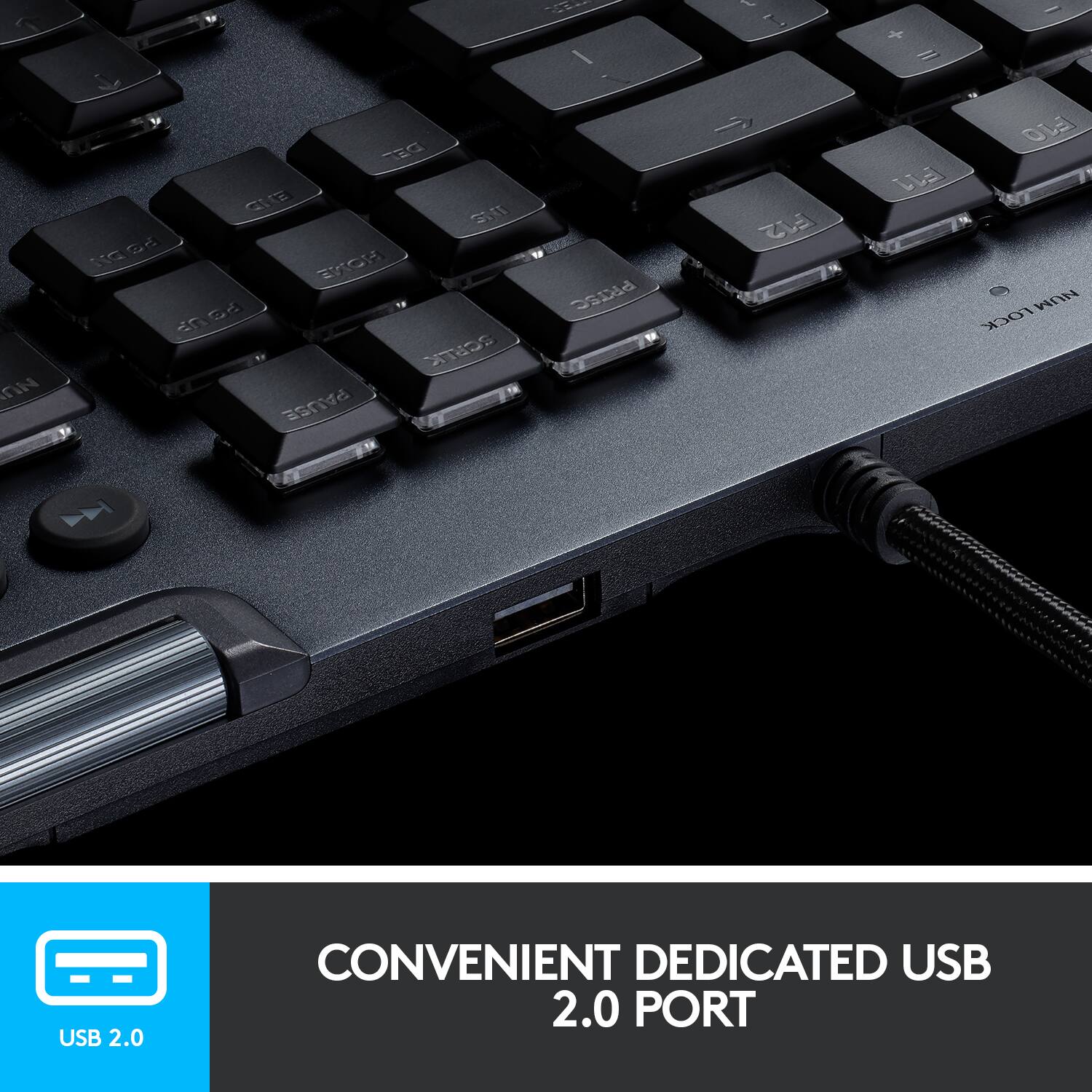
||Posted . Owned for 2 weeks when reviewed.This reviewer received promo considerations or sweepstakes entry for writing a review.Love the quality build and the low profile of the keys. Yet they still click and have a tactile responsiveness that makes productivity fairly high. The downloadable color schemes and customizable G keys are a life saver for work productivity. I don't use it for gaming so I can't comment about that. I also love that I can connect my wireless mouse dongle directly into the USB passthrough input so I don't use up an input in my PC.
I would recommend this to a friend Great keyboard
||Posted . Owned for 1 year when reviewed.This reviewer received promo considerations or sweepstakes entry for writing a review.After a full year using my Logitech G815 Lightsync, I can honestly say I love this keyboard. The typing experience is amazing — super responsive, low-profile keys, and it just feels fast and premium every time I use it. Whether I’m gaming or working, it’s been one of the best keyboards I’ve owned. That said… there is one downside. After about a year of use, the letters are starting to wear off, which is pretty disappointing for a keyboard at this price point. Overall, I still highly recommend it if you care about performance and feel — just wish the keycaps held up better over time.
I would recommend this to a friendBrand response from Logitech
Posted .We’re so glad to hear you’ve had a positive experience! Your feedback is really valuable and helps us continue to improve our products. Regarding the keys fading, we’ll share your feedback with the team to help improve our product. If you need any assistance or want to explore available options, please feel free to write to our team at socialcare@logitech.com. We're always here to help if you need further support!