Customer Ratings & Reviews
- Model:
- 920-011354
- |
- SKU:
- 6515572
Customer reviews
Rating 4.7 out of 5 stars with 1077 reviews
(1,077 customer reviews)Rating by feature
- Value4.5
Rating 4.5 out of 5 stars
- Quality4.7
Rating 4.7 out of 5 stars
- Ease of Use4.8
Rating 4.8 out of 5 stars
Customers are saying
Customers consistently note the high quality of the G PRO TKL keyboard, praising its compact design and customizable RGB backlighting. Many appreciate its ideal size and ease of use. However, some find the price point to be high, the key switches quite clicky, and express concerns regarding the software.
This summary was generated by AI based on customer reviews.
Rated 2 out of 5 stars
Cheap, bad software
||Posted . Owned for 5 months when reviewed.This reviewer received promo considerations or sweepstakes entry for writing a review.The RGB LEDs died after 2 months of use and Logitech’s software is atrocious. The switches feel decent though.
This review is from Logitech - G PRO TKL Wired Mechanical GX Blue Clicky Switch Gaming Keyboard with RGB Backlighting for PC - Black
No, I would not recommend this to a friendBrand response from Logitech
Posted .Hello, I am sorry to hear the RGB lights are no longer working for you. fortunately, this does come with a 2 year warranty, so we can get that replaced for you! Here is the link in order to file a claim: https://support.logi.com/hc/en-us/articles/360059520333-Warranty-PRO-Keyboard. I hope this helps! Thank you for taking the time to write this review, we appreciate the feedback.
Rated 1 out of 5 stars
Connection issues
||Posted . Owned for 3 weeks when reviewed.This reviewer received promo considerations or sweepstakes entry for writing a review.I've had this keyboard for a couple weeks and whenever I move it around or to the side, it disconnects in a weird way. The rgb still works but the keyboard doesn't type. I have to keep plugging the usb cable in and out until it eventually works. Not sure if it's the cable or keyboard at this point. I like the keyboard but this issue is annoying
This review is from Logitech - G PRO TKL Wired Mechanical GX Blue Clicky Switch Gaming Keyboard with RGB Backlighting for PC - Black
No, I would not recommend this to a friendBrand response from Logitech
Posted .Hello Albert, we are sorry to hear about the issues you are experiencing with the G Pro wired keyboard. It sounds like a hardware issue, but luckily, the keyboard comes with a 2 year warranty. If you're still having issues and can't exchange it at the store of original purchase, you can submit a warranty ticket with us on our Support page. I'll attach a link to it at the end of this message. Thanks for being part of the Logitech family, have a great day. -Ricky | Logitech. https://support.logi.com/hc/en-us/articles/360059520333-Warranty-PRO-Keyboard
Rated 2 out of 5 stars
Disappointing
||Posted . Owned for 4 months when reviewed.This reviewer received promo considerations or sweepstakes entry for writing a review.The stand on this keyboard is fragile and broke. Some switches were delayed - I had to swap them out
This review is from Logitech - G PRO TKL Wired Mechanical GX Blue Clicky Switch Gaming Keyboard with RGB Backlighting for PC - Black
No, I would not recommend this to a friendBrand response from Logitech
Posted .Hello, I am sorry to hear about the issues you are having with the keyboard. Fortunately, it does have a warranty through Logitech, so we can get it replaced for you! Please visit the support page for this item on Logitech.com in order to start the claim process for a new one! I hope this helps. Thank you for taking the time to write this review, we appreciate the feedback.
Rated 4 out of 5 stars
Amazing keyboard
||Posted . Owned for 2 months when reviewed.This reviewer received promo considerations or sweepstakes entry for writing a review.Really good keyboard but I wish it came with a wrist rest.
This review is from Logitech - G815 LIGHTSYNC Full-size Wired Mechanical GL Tactile Switch Gaming Keyboard with RGB Backlighting - Carbon
I would recommend this to a friendBrand response from Logitech
Posted .Hey Danny!
Really happy you're enjoying your G815. This is the keyboard I'm currently using and it is definitely my favorite in our family of gaming keyboards. I ended up getting one of our MX Palm Rests to use with mine. Best Buy sells it for $19.99 if you decide want to go that same route. https://www.bestbuy.com/site/logitech-mx-palm-rest/6379615.p?skuId=6379615
-Jonathan from Logitech
Rated 1 out of 5 stars
Be careful
||Posted . Owned for 3 weeks when reviewed.This reviewer received promo considerations or sweepstakes entry for writing a review.I had to return this keyboard because it hurt my hand. My hands are also a bit sweaty and the paint came off certain key caps (wasd shift) I had a razer keyboard for under 2 years before I got this one and they paint never came off. You’d expect a higher quality product for the price you pay.
This review is from Logitech - G PRO TKL Wired Mechanical GX Blue Clicky Switch Gaming Keyboard with RGB Backlighting for PC - Black
No, I would not recommend this to a friendBrand response from Logitech
Posted .Hi Jam760, Very sorry to hear about the comfort and wear issues you experienced with the G Pro TKL Wired Gaming Keyboard. At Logitech, it is our goal to ensure you are completely satisfied with your Logitech purchase. We take pride in the products and services we offer, and want our customers to enjoy them just as much as we do. To that end, the G Pro TKL Wired Gaming Keyboard does come with a 2 year limited hardware warranty. Glad that you were able to return your keyboard and hope that you were able to find something more to your liking. Thank you for giving Logitech a try and that you will give us a try again some time in the future. - Richard from Logitech
Rated 1 out of 5 stars
Douuble key presses on letter "u" key
||Posted . Owned for 1 month when reviewed.This reviewer received promo considerations or sweepstakes entry for writing a review.Have owned this keyboard for just over a month, and the "u" key is being typed twice if I type fast at all. It is not everytime, but, it is happening fairly frequently, and just happened when I just type: "Frequently" for this review...
This review is from Logitech - G PRO TKL Wired Mechanical GX Blue Clicky Switch Gaming Keyboard with RGB Backlighting for PC - Black
No, I would not recommend this to a friendRated 1 out of 5 stars
Keycaps loose, at least on the one i got
||Posted . Owned for 2 weeks when reviewed.This reviewer received promo considerations or sweepstakes entry for writing a review.Infuriated at how often the spacebar comes off when pressing it from the sides and not the center. If i lift it upside down and shake it the spacebar easily pops off.
This review is from Logitech - G PRO TKL Wired Mechanical GX Blue Clicky Switch Gaming Keyboard with RGB Backlighting for PC - Black
No, I would not recommend this to a friendBrand response from Logitech
Posted .Hello samm! Sorry to hear you're having issues with a loose keycap on your G Pro Mechanical Wired Gaming Keyboard. I'll say this is definitely not something that should be, especially with the Pro Keyboard which is used by a lot of eSports players out there, so there might be something broken under the keycap or the switch itself. This product actually has a 2-year warranty on it from Logitech, so might be worth checking the product page https://www.logitechg.com/en-ca/products/gaming-keyboards/pro-mechanical-gaming-keyboard.920-009388.html and contacting the Support on our website. - Mathieu from Logitech
Rated 1 out of 5 stars
its small , its cheep, its clunky
||Posted . Owned for 1 week when reviewed.This reviewer received promo considerations or sweepstakes entry for writing a review.considering the amount of money I spent I felt well ripped off. Yep first time ever I gotten a logitech product I hated. I had no choice I was keyboard down and bestbuy did not have any g1910's in stock.
This review is from Logitech - G PRO TKL Wired Mechanical GX Blue Clicky Switch Gaming Keyboard with RGB Backlighting for PC - Black
No, I would not recommend this to a friendBrand response from Logitech
Posted .Hello madrat,
I am sorry that the G PRO TKL gaming keyboard did not meet your expectations. I will record your product insight and pass it on for further investigation. Logitech appreciates your product review. - Leo from Logitech
Rated 1 out of 5 stars
I missed the return period by one day
||Posted .This reviewer received promo considerations or sweepstakes entry for writing a review.As the title states, i missed it. When i asked if there was a way to fix it, the staff were all very mean even though i missed it by one day. Im very displeased with how unprofessional best buy was.
This review is from Logitech - G PRO TKL Wired Mechanical GX Blue Clicky Switch Gaming Keyboard with RGB Backlighting for PC - Black
No, I would not recommend this to a friendBrand response from Logitech
Posted .Hi Cisco! Sorry to see that you missed the return period for the G Pro keyboard. If you're having any difficulty with the setup or functionality, check out the Logitech support page.
Rated 2 out of 5 stars
Keyboard isn't fully backlit
||Posted . Owned for less than 1 week when reviewed.This reviewer received promo considerations or sweepstakes entry for writing a review.It is a great keyboard,, but it only gets 3 stars because the keyboard is NOT fully backlit. The symbols when using the shift key are only written, so they are invisible when it is dark. Their other keyboards with backlighting light all the letters, numbers, and symbols. I almost returned it, but there wasn't anything else in stock and I needed it for work.
No, I would not recommend this to a friendRated 1 out of 5 stars
Poor lighting
||Posted . Owned for 11 months when reviewed.This reviewer received promo considerations or sweepstakes entry for writing a review.The switches feel nice but sadly the rgb lighting behind them so not last. I had to rma two of these keyboards to Logitech because of burned out lighting.
This review is from Logitech - G PRO TKL Wired Mechanical GX Blue Clicky Switch Gaming Keyboard with RGB Backlighting for PC - Black
I would recommend this to a friendBrand response from Logitech
Posted .Hi Vookie we're sorry to see you're having some performance related issues with your G Pro TKL Gaming Keyboard. Through G Hub, you can adjust RGB features like the lighting, how bright it is, and the lighting patterns. This is also where you can go to program keys to do shortcuts for your favorite games or actions. Hope that helps!
Rated 2 out of 5 stars
Not to my liking
||Posted . Owned for 1 week when reviewed.This reviewer received promo considerations or sweepstakes entry for writing a review.First all, the keys initally trying them in store they did not feel the same on this one even though they were the same model and the keys felt like you had to push them hard to get response out of them, and finally the angle of the low profile keyboard made it seem hard to type on
No, I would not recommend this to a friendRated 1 out of 5 stars
Poor USB connector.
||Posted .This reviewer received promo considerations or sweepstakes entry for writing a review.The USB connector is not connected securely and constantly disconnecting.
This review is from Logitech - G PRO TKL Wired Mechanical GX Blue Clicky Switch Gaming Keyboard with RGB Backlighting for PC - Black
No, I would not recommend this to a friendBrand response from Logitech
Posted .Hello Oleg. I'm sorry you're experiencing issues with your G Pro TKL keyboard. The USB cable should have the wings on it to help secure it in the keyboard. While you can use any Micro USB cable, the one with the wings will give you the most secure connection. Another problem may be that the USB port might be dirty with dust or other small debris. You can try using a safety pin or even an earring to scrape out around inside the port very carefully and then use a can of compressed air to blow out anything that the pin may have scraped loose. The cable should fit much more securely after cleaning out the port.
-Charlton at Logitech
Rated 1 out of 5 stars
Not functioning space key
||Posted . Owned for 1 week when reviewed.This reviewer received promo considerations or sweepstakes entry for writing a review.awful experience, left side of space key is broken.
This review is from Logitech - G PRO TKL Wired Mechanical GX Blue Clicky Switch Gaming Keyboard with RGB Backlighting for PC - Black
No, I would not recommend this to a friendBrand response from Logitech
Posted .Hello Ming,
I am sorry that the PRO TKL Keyboard is not meeting your expectations. It is not a common issue for the spacebar to brake out of the blue. However, contact Logitech customer support to claim your device's 2-Year Limited Hardware Warranty if this is the case. Logitech appreciates your product review. - Leo from Logitech
Rated 1 out of 5 stars
Too Loud
||Posted . Owned for 2 months when reviewed.This reviewer received promo considerations or sweepstakes entry for writing a review.Returned it. ITS TOO LOUD. The keyboard it’s good. Feels very tactile . But the noise is too much.
This review is from Logitech - G PRO TKL Wired Mechanical GX Blue Clicky Switch Gaming Keyboard with RGB Backlighting for PC - Black
No, I would not recommend this to a friendRated 1 out of 5 stars
DON'T BUY !!
||Posted . Owned for 5 months when reviewed.This reviewer received promo considerations or sweepstakes entry for writing a review.ITS STOP WORKING AFTER 5 MONTH !!!!!!!!!!!!!!!!!!!
This review is from Logitech - G PRO TKL Wired Mechanical GX Blue Clicky Switch Gaming Keyboard with RGB Backlighting for PC - Black
No, I would not recommend this to a friendBrand response from Logitech
Posted .Hello LIAT. I'm sorry to hear about your experience with the G Pro keyboard. Thank you for shopping Logitech. - Maggie from Logitech
Rated 4 out of 5 stars
Great keyboard, but a few thoughts on quality...
Posted .This reviewer received promo considerations or sweepstakes entry for writing a review.I'm writing this review four years after purchasing this keyboard to give a fair assessment of the G Pro Keyboard. It's been a great keyboard, but a few things to note: I bought this keyboard in-store during the Pandemic to be used as a gaming keyboard and as a "work from home" keyboard to replace my G513 Silver. I've always liked the clicky switches, so the sound never really bothered me. About six months into ownership, the spacebar began giving some trouble with double spacing. Logitech support was able to replace the keyboard, but one with the red switches. At this point, the switch doesn't matter and the overall typing experience on both is superb. The RGB lighting is great, helps me see in early morning and late night gaming sessions, and has a nice visual on the desk. One thing I'll note... some of the RGB lighting on my keys has been failing. When going through the appropriate troubleshooting, the keyboard still seems to experience the problem. As a result, depending upon what color is active on the key, it will not light up or will display a different color than what is expected. This does not effect the performance of the keyboard. However, this is a big part of the review. I've noticed this on my G513 Silver and G710 keyboards. At some point in their life, the lighting on specific switches just gives up. All of them seem to be happening at different points in their lives, as well. Unfortunately, all have happened outside of the warranty window. Would I buy another one of these? Absolutely, but for the right price. It's a great keyboard for multiple use cases, but keep in mind if RGB is a big part of your purchase reason, you may see some issues down the road.
This review is from Logitech - G PRO TKL Wired Mechanical GX Blue Clicky Switch Gaming Keyboard with RGB Backlighting for PC - Black
I would recommend this to a friendBrand response from Logitech
Posted .Thank you for your in-depth review of the Logitech G PRO TKL Wired keyboard. We appreciate your honesty about both the positive aspects and the areas where you've encountered issues. We're glad to hear that you've been overall satisfied with the keyboard's performance and that you've found it useful for both gaming and work. We'll take your feedback on the RGB lighting and durability into consideration for future product improvements.
Rated 5 out of 5 stars
Logitech makes a huge step up in keyboards
|Posted .This reviewer received promo considerations or sweepstakes entry for writing a review.My very first gaming keyboard was a Logitech G15, which was membrane based with an LCD screen. For years, the combo of the G15 and an MX518 mouse were king of the hill in PC gaming. After at least a decade of use, without any failures to speak of, I felt it was time to try out a mechanical keyboard. At the time, Logitech was not known for quality mechanical boards - they used cheap keycaps and mostly MX Brown switches rather than more popular blues or reds. After a few years with several different brands, I took the chance to review this G Pro Blue clicky keyboard with RGB lighting - and I'm so happy I did. This keyboard is a huge step up in quality from previous Logitech keyboards, and I would also rate it as a step up in quality from higher priced keyboards from competing brands I've used recently. Overall build is just very premium feeling. The keys don't have the hollow sound that I expected at this price point, and compare favorably with much more expensive keyboards I've used. I've read that the switches are a new logitech branded GX Blue switch, and I felt that it compares well with Cherry MX Blues and Razer Greens. While my job is not dependent on my typing ability, I do feel that the keyboard will allow me to maintain the same low error rate and high WPM as other 'clicky' keys. The keycaps have a nice solid sound that may not be quite so annoying on web meetings and conference calls... though any clicky key is not ideal for that scenario unless you're showing off :) The RGB lighting is actually quite a bit more interesting that I assumed it would be. The effects are customizable, from simple solid colors, to wave effects, to an audio spectrum analyzer that is really neat. The 'framerate' on the key lighting is very smooth. It even impressed my wife! About the only thing 'missing' from this keyboard is macro keys, but it's hard to detract from the score when that's pretty much impossible to miss when you're shopping around. Give this Logitech G Pro a chance - you'll be glad you did.
This review is from Logitech - G PRO TKL Wired Mechanical GX Blue Clicky Switch Gaming Keyboard with RGB Backlighting for PC - Black
I would recommend this to a friendRated 5 out of 5 stars
A solid pro keyboard for typing or gaming
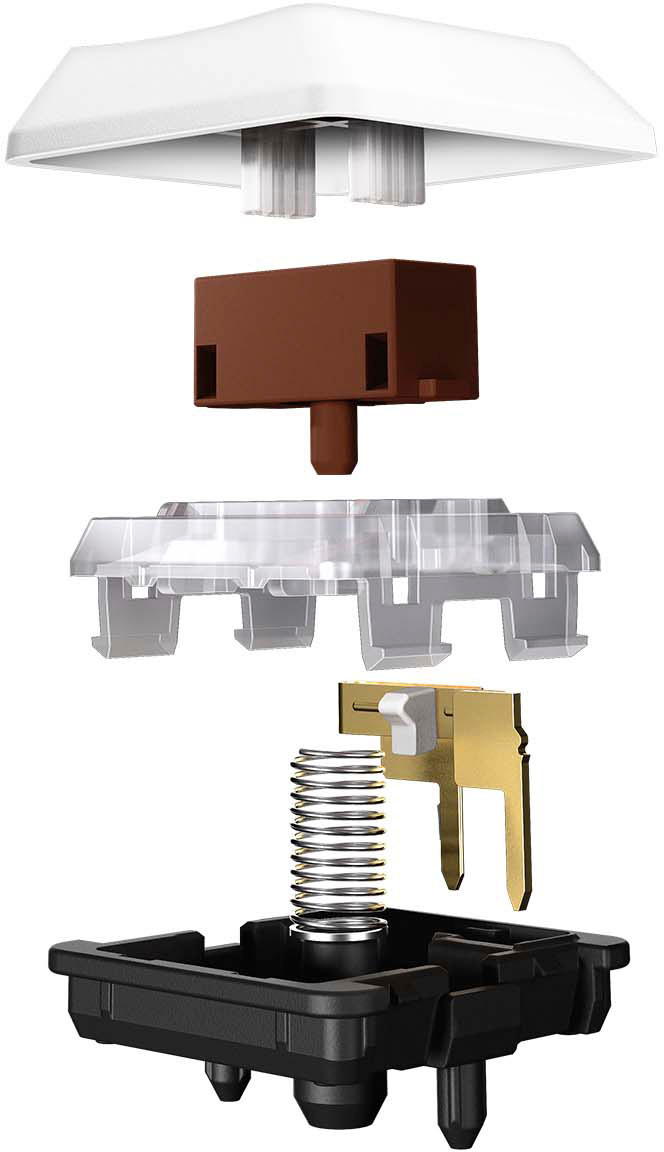
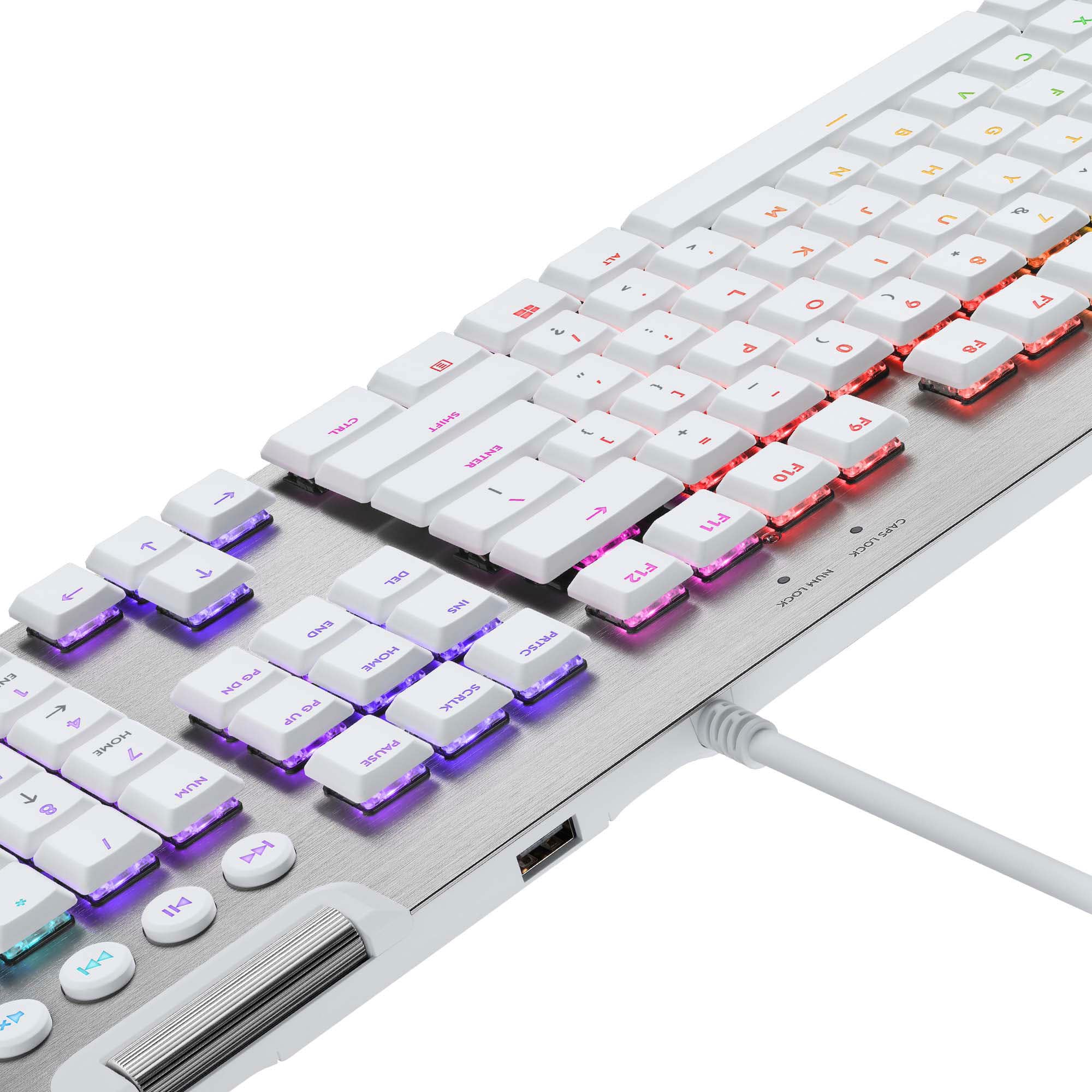
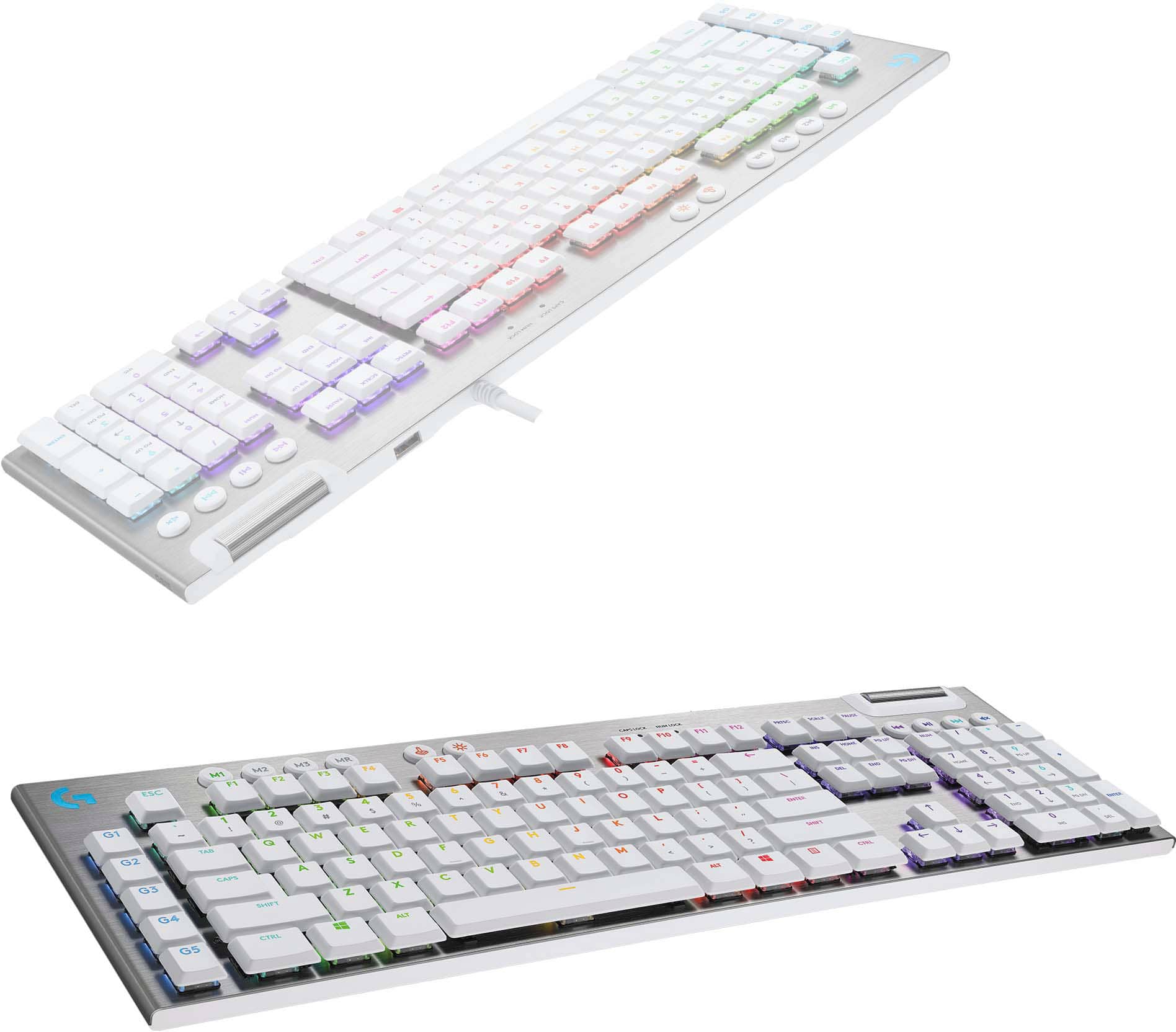
|Posted .This reviewer received promo considerations or sweepstakes entry for writing a review.Logitech’s new G Pro and G Pro X keyboards attempt to appeal to the ‘Pro’ gamer. Featuring RGB lighting, 26-key rollover, a simple TKL design, and blue GX switches - it appeals to the minimalist. Is Logitech’s second go at the ‘Pro’ series worth a look or is this another keyboard to pass on? Logitech’s G Pro line hit the ground a couple years ago, offering a full size and ten-key-less (TKL) design using Logitech’s ‘Romer-G’ switches. Since that time, Logitech has offered Romer-G in many keyboards. Romer-G switches have undergone a few generations and iterations, but they all center around Omron switch designs. Omron makes some of the best buttons/switches in the world, but the Romer-G switch design has run into a few design issues that beset it’s rise in the gamer world. With the second generation G Pro line, Logitech has made the decision to go with their own branded ‘GX’ switches. These switches are essentially Cherry MX clones made by Kailh (you can tell because of the Kailh brand imprinted on the switch). GX switches offer Cherry MX compatible keycaps, and the G Pro keeps a standard layout which makes replacement switches a breeze to install. In the case of the G Pro, the switch design is of the ‘Blue’ variety. This means that you get a loud and satisfying typing experience. The ‘Blue’ switch hasn’t really been associated with gaming, so it’s an interesting choice to offer as the only option on the non ‘X’ keyboard version. The Pro X lineup (not this keyboard) is a bit more expensive, but has one big advantage: swappable switches. Custom designed keyboards with various switch types used to be a boutique offering, but since that time user swappable switches have become a thing. I applaud Logitech for pushing this forward with the new Pro X lineup, but currently they appear to be limited to online only. Worth a look if you’re not a fan on the loud blue switch. So back to our ‘G Pro’ non-x variety keyboard. The layout, size, and design will feel quite familiar to anyone that purchased the Romer-G variety. The feel will be significantly different. I tried to like the Romer-G switch, but like many, I found it just too mushy for my tastes. The tactile variety I heard got a more refined feel, but I never tried one. The GX Blue switches are extremely crisp. I had a Kailh blue keyboard from years ago, and it was a bit of a hot mess. The GX Blue’s are extremely smooth, responsive, and uniform. These honestly feel as good or better than Chery Blues. So being blues they are extremely loud. My wife hates them, my kids want to slam their hands on them (because it sounds cool). They are the bane many an office worker’s existence. That said, they are one of the best if not the best typing experiences. The click gives a decent audible alert that you’ve successfully pressed the key. If you’re like me who bottoms out their keyboards, the increased actuation force (60g) combined with this feedback reduces my tendency to bottom out the keys, thus reducing overall impact. They aren’t as tiring to me as Cherry MX clears (which I have in a Pok3r keyboard). If you can stand the noise, and won’t have objects thrown at you by coworkers, this is a fine typing keyboard. Typing tests appeared to give me at least 4-5 extra WPM, although I found I struggled to keep up with my newfound speed, so give it some time and practice. The design of the keyboard is a no fuss TKL design. It’s plastic, but quite solid. The outer edge is The layout is excellent, dropping the number pad for a more ergonomic experience. If you haven’t tried a TKL, it brings your mouse so much closer, and opens up your desk space significantly. For most gamers, it’s a great tradeoff. If you really want a number pad, you can always key a USB version. The keyboard features a micro-usb connector with stabilizer. The stabilizer is optional, but the included cable has it, and it’s the same cable Logitech uses on many of its wireless mice. It’s an excellent design. Other than that, it’s pretty much a rectangle with 84 keys. There is a lighted G logo, caps and scroll lock LEDs, gaming mode button, and backlight control button up top. Speaking of lighting, there are hundreds of modes, it’s fully customizable, and pretty awesome. There is however limitations compared with other Logitech keyboards. Specifically the lighting has only one brightness, and compared to the Romer G switches, the lighting isn’t quite as good. Where the Romer-G could illuminate the shift mods, and allow the icons to be centered, the icons are pushed up top and subs are not illuminated at all on these GX switches. Still, the lighting is excellent if slightly limited. Another really cool feature of the keyboard is the 3 position feet. The rear feet can swing out to two different positions allowing the height to be customized to the user’s liking. I actually really preferred the slight slant on the first position, and I’ve never had a keyboard offer this before, so it’s really nice. Software wise, Logitech has really improved the feature set. Compared to the old Logitech G software, the new G hub is much more friendly. I really appreciate the ability to share lighting profiles with others, and the overall light control is excellent. Macros and key customization are nice and offer some great flexibility. Of course you can choose and customize both macros and lighting based on the active application. I don’t have a ton of use for this, but if you’re a heavy macro user, it could be pretty awesome. I wish Logitech would go the extra mile and include a travel case. Part of the niceness of the G Pro is the detachable cable, and compact layout. Both features mean toting this keyboard around is a breeze and having a bag/case or other mechanism to protect it in transport would have been a nice addition. Another thing missing that would have been ideal would be a wrist wrest. Something small, detachable could make it even more comfortable for long gaming/typing sessions. I used this keyboard for Starcraft 2 over the past couple weeks. I’ve tried some other Logitech keyboards, and this is my new favorite. I was skeptical of the blue keys at first, but it’s been a great experience and it makes me audiblize my APM, which I like. I found the keys and layout fit light a glove. I can’t say it made me a better player, but I ended up liking the GX blue keys more than I thought. Overall, there is a clear set of pros and cons over the old G Pro, but for true pro use, I believe there are only pros. Compared to the outgoing model the switch choice is more proven, key caps more available, and lighting sufficient. The cons really break down to switch choice (blue may not be your preference). For those that want more flexibility, look into the G Pro X line, as you can swap switches on those and they share the same build. Overall the G pro refresh is refreshing, and worth a look. The blue GX keys make an excellent gaming and typing experience and the lighting is on point. This keyboards look is also subtle and would fit in an office environments.
This review is from Logitech - G PRO TKL Wired Mechanical GX Blue Clicky Switch Gaming Keyboard with RGB Backlighting for PC - Black
I would recommend this to a friendRated 5 out of 5 stars
Great performance and compact for travel
|Posted .This reviewer received promo considerations or sweepstakes entry for writing a review.I’m a lifelong gamer, but a relative newcomer to the PC gaming world. I rely on a relatively budget gaming computer (Acer Nitro) and while the keyboard on it serves its purpose, I wanted something a little better. Especially since I used a mechanical keyboard at work, and once you use a mechanical keyboard you won’t want to go back (most of the time). This Logitech keyboard hits all the right notes: sturdy, high quality, compact size, terrific performance and looks great. I highly recommend it for those who travel (and want to take a keyboard) or those looking for a good keyboard. My only qualm with it in terms of being home desktop replacement is the lack of the numerical keypad. I’m okay with not having it since I travel with my keyboard, but if I were looking to replace my home/work desktop keyboard, it is an essential feature to have that this particular model doesn’t have. PACKAGING Like generally all Logitech products nowadays, they are thoughtfully packaged. Included in the box is the keyboard and a braided micro USB cable (note that this keyboard is NOT wireless). The micro USB part of the cable has a funky end (I can’t explain it, it looks like a trident) that, my guess, is used to help prevent damage to the metal connector in the event it is jerked out on accident. As a plus, for those that own a new USB gaming mouse, it is the same connector so they are interchangeable. But the best part of the packaging is that you can use the box it came with to pack and travel with the keyboard. Some of you may not travel with keyboards, but for us that do, this is a nice convenience. SETUP AND GHUB This keyboard is obviously plug in play. You simply plug it into your computer via USB and voila. You will need to, however, download the G Hub software to take advantage of features such as lighting controls and changing hotkeys, etc. The software is easy to find and download. PERFORMANCE AND USE Before getting into G Hub, I just want to comment briefly on the typing experience as a whole. Most PCs nowadays come up cheap flimsy keyboards. But there is something absolutely satisfying when typing on a mechanical keyboard. It has a satisfying click and it’s super responsive. It really is hard to put into words, but if you spend any amount of time typing (or gaming, which I presume is why you’re even reading this) it provides an amazing experience. I’m primarily a FPS shooter player, or 3rd person action game player. When playing third person games (i.e. Ghost Recon) I generally use an Xbox controller. But when playing FPS games (like Far Cry 5) I use the keyboard. The keyboard is fantastic for FPS. The keys are responsive and have a relatively short travel. I don’t know the exact terminology for it, but it doesn’t take much pressure to register a keystroke. When using the WASD letters to move my character, I find it much easier to be precise than the standard Acer Nitro laptop keyboard I’m using. Again, I’m not well versed on the proper terminology, but as an inexperienced PC gamer I can tell you the difference matters and it makes the playing experience more enjoyable. G HUB Since I’m new to the PC gaming scene, I’m used to just using whatever controller defaults the game developer creates. So I have little experience and knowledge in macro commands or mapping new keys. Sure, I can use the intuitive software in G Hub to change keystrokes and commands, but I personally don’t find a need to do so. That’s simply because I guess I don’t know what I’m missing or maybe I’m too lazy to test different layouts. Having said that, I did navigate the G Hub software to see what it offers and it’s extremely intuitive. You can create different profiles depending on the game you’re playing. And what’s nice is that the keyboard can “turn off” keys while you’re playing so you don’t accidentally hit them. The Windows key between CTRL and ALT is a great example. When playing a game this key is turned off so you don’t accidentally hit it. You can also deactivate other keys should you want to. Like I said, when playing games I don’t generally mess around with the different keystroke layouts, but what I did appreciate is assigning different control profiles for various games to F-key functions so I can switch on the fly without having to open up G Hub. The lighting is also pretty cool. Backlighting on a keyboard is an obvious must (to me). Not all keyboards have them, but they’re essential when playing games at night. What’s even cooler, albeit unnecessary, is having different lighting zones or effects. I’m really fond of the cycle animations. Again it doesn’t improve the performance and I don’t notice it too much when I’m playing, but it’s cool to see nonetheless. You can also assign specific colors to certain keys. I do this for my FPS games, especially for WASD. I make them a different color (as well as other keys I hit frequently) so if my hand gets lost I can look down briefly and see which keys I need to use. Again, a small and unnecessary thing, but it’s a nice touch and a nice feature to have. Plus it adds to the quality of this keyboard. CONCLUSION All in all, this is a fantastic keyboard. I think Logitech hit it out of the park. This is a high quality, heavy in a good way keyboard that’s built to take a pounding. Even if you don’t use the macro commands or change the layouts much like I do using G Hub, it’s still worth having for the typing and playing experience. It really makes the work aspect of my job a little bit better (using nice equipment) and it does improve gaming experiences. Plus, it’s compact and easy to travel with in the packaging it comes in.
This review is from Logitech - G PRO TKL Wired Mechanical GX Blue Clicky Switch Gaming Keyboard with RGB Backlighting for PC - Black
I would recommend this to a friend


![CAPS LOCK NUM LOCK F10 F11 F12 PRTSC SCRLK PAUSE K NII DN x = + INS HOME PG UP NUM I [ { ] / I DEL END PG DN 7 HOME 8 9 PG UP I ENTER 4 5 6 " I ? SHIFT 1 END 2 3 PG DN ENTER CTRL 0 INS DEL](https://pisces.bbystatic.com/image2/BestBuy_US/images/products/6515/6515572cv15d.jpg;maxHeight=54;maxWidth=54;format=webp)