Customer Ratings & Reviews

- Model:
- 910-005670
- SKU:
- 10736127
Rating by feature
- Value
Rating 4.4 out of 5 stars
- Quality
Rating 4.7 out of 5 stars
- Ease of Use
Rating 4.7 out of 5 stars
There’s better options out there
||Posted .This reviewer received promo considerations or sweepstakes entry for writing a review.It’s alright could be better the design is not very friendly
No, I would not recommend this to a friendBrand response from Logitech
Posted .Thank you for sharing your feedback on the Logitech - G903 LIGHTSPEED. We appreciate your honesty and will use your input to improve future products. Please let us know if you have any other concerns or suggestions.
Maybe a bit too much mouse
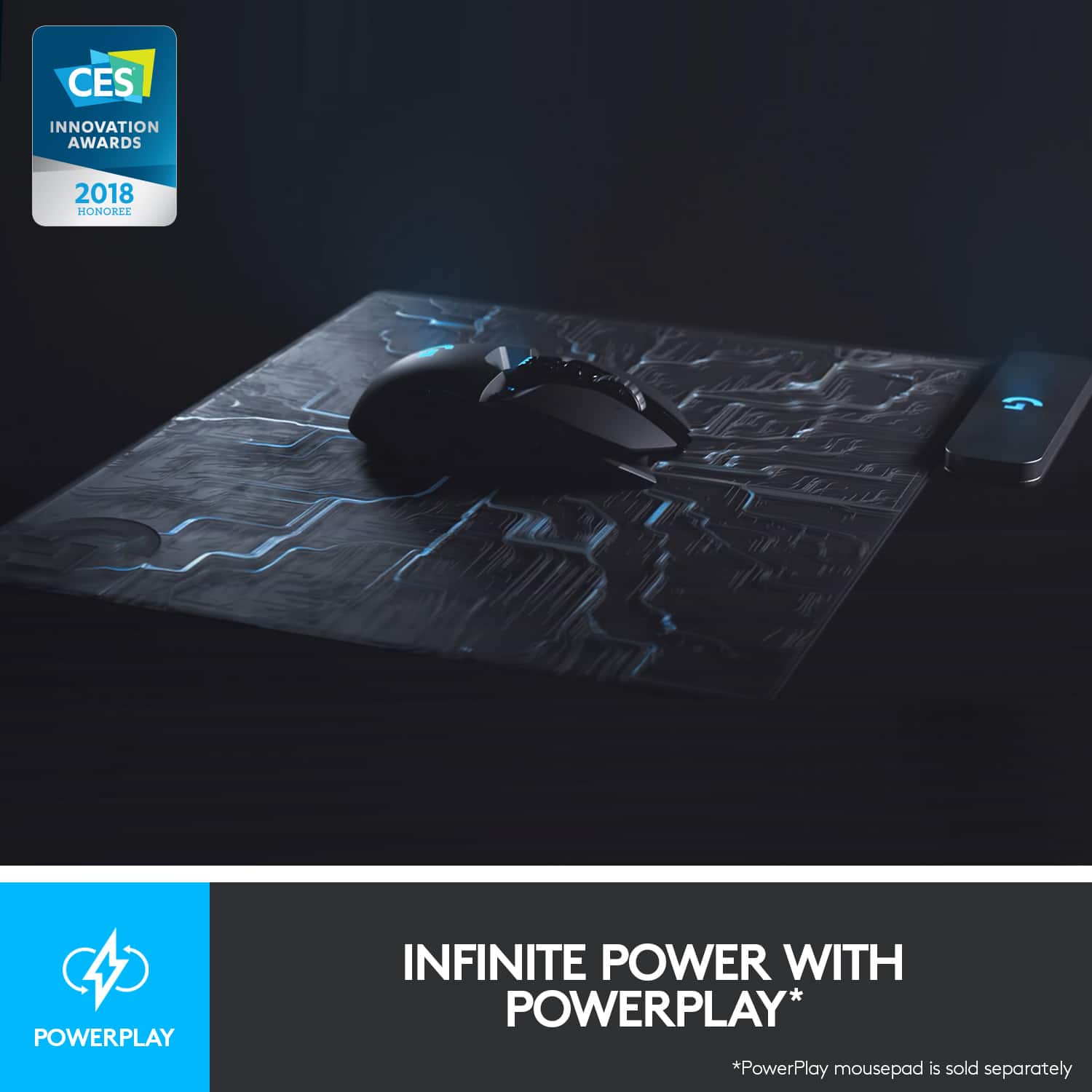
||Posted . Owned for 1 month when reviewed.This reviewer received promo considerations or sweepstakes entry for writing a review.There are loads of features thst i have not learned to use. But the wireless charging and connection are fantastic
No, I would not recommend this to a friendBrand response from Logitech
Posted .We're thrilled you love the wireless charging and connection. The G903 has a ton of features to explore whenever you're ready to take your gaming to the next level. Happy gaming!
- Pros mentioned:Battery life, Ergonomics, Weight

So. Many. Functions!
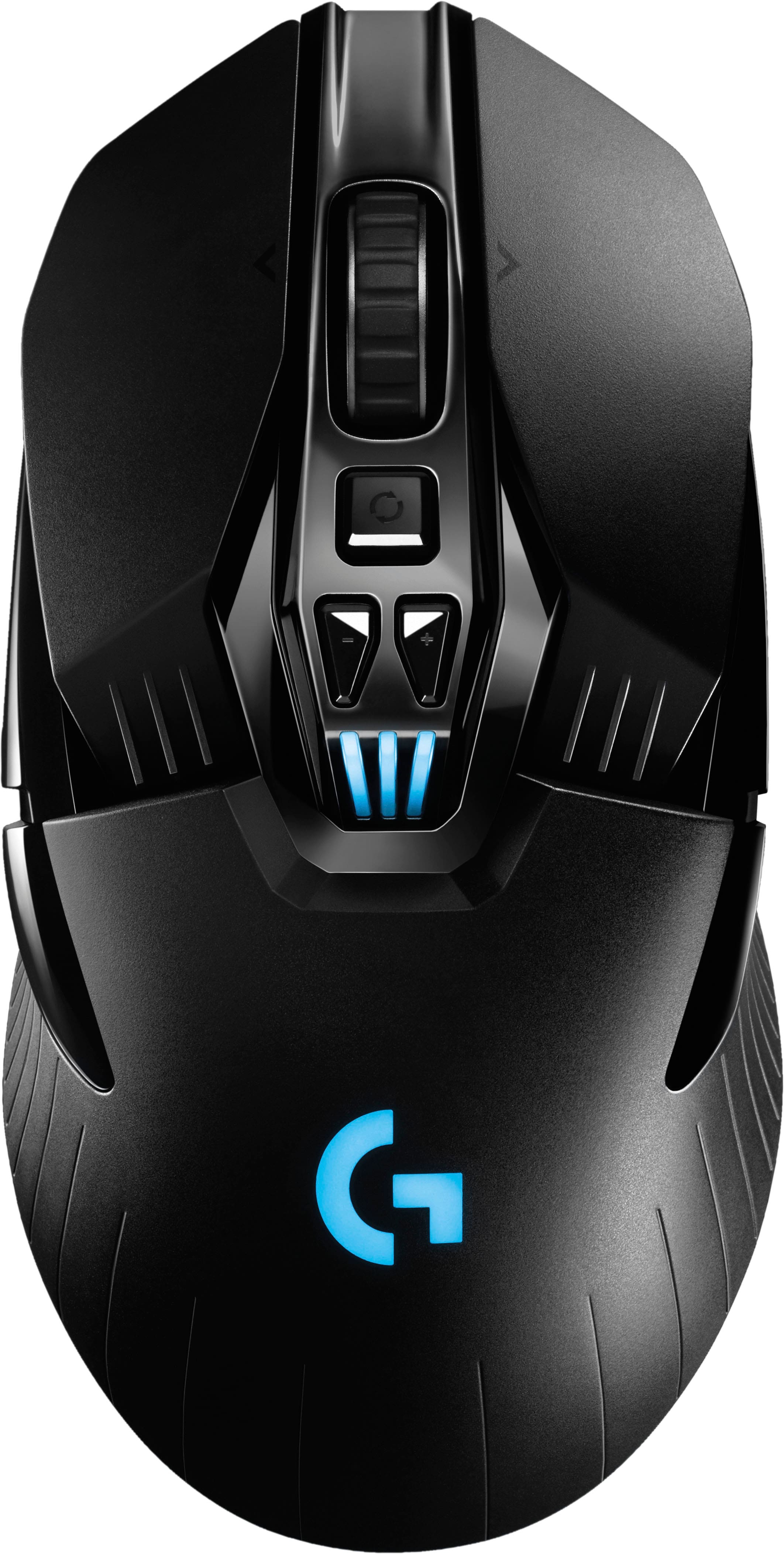
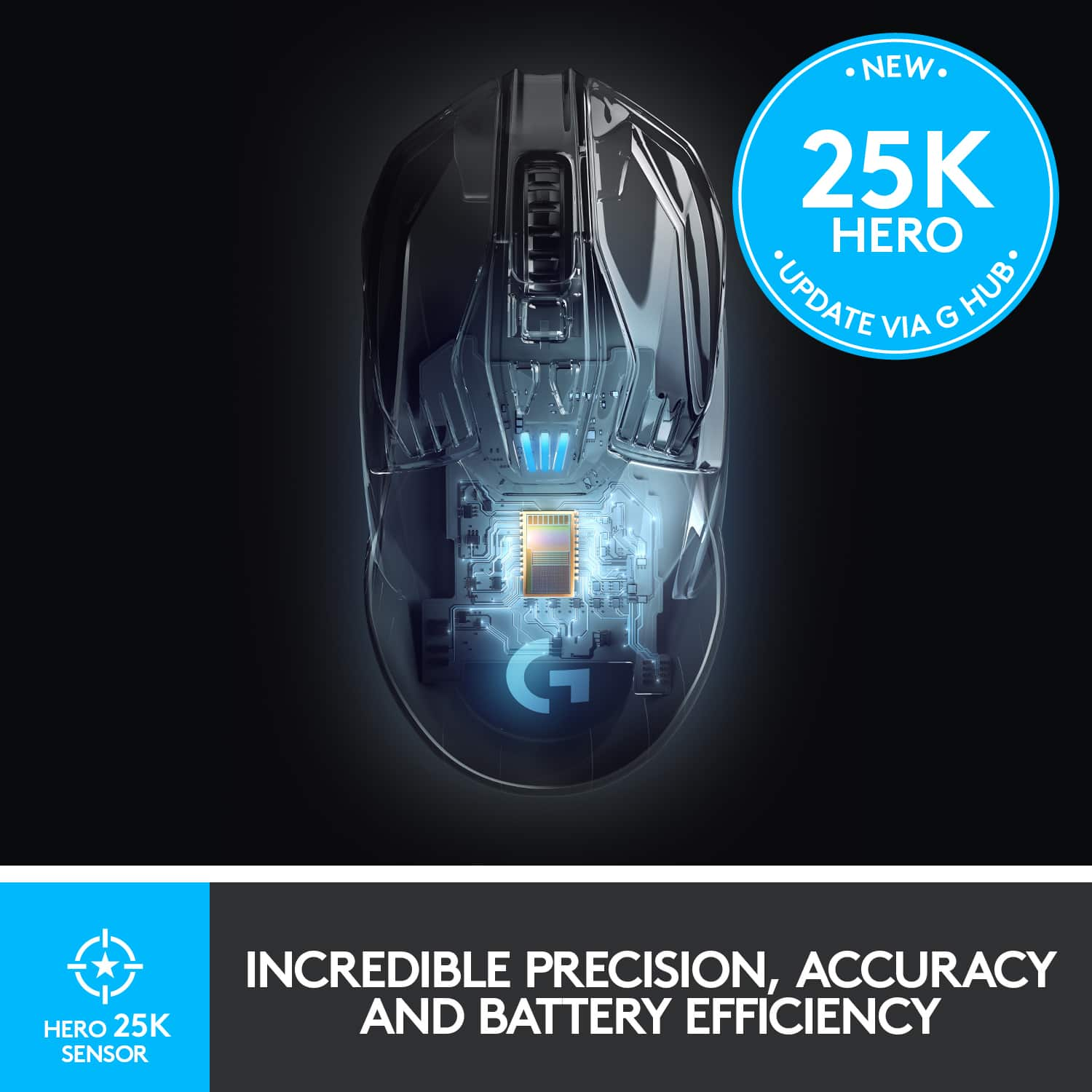
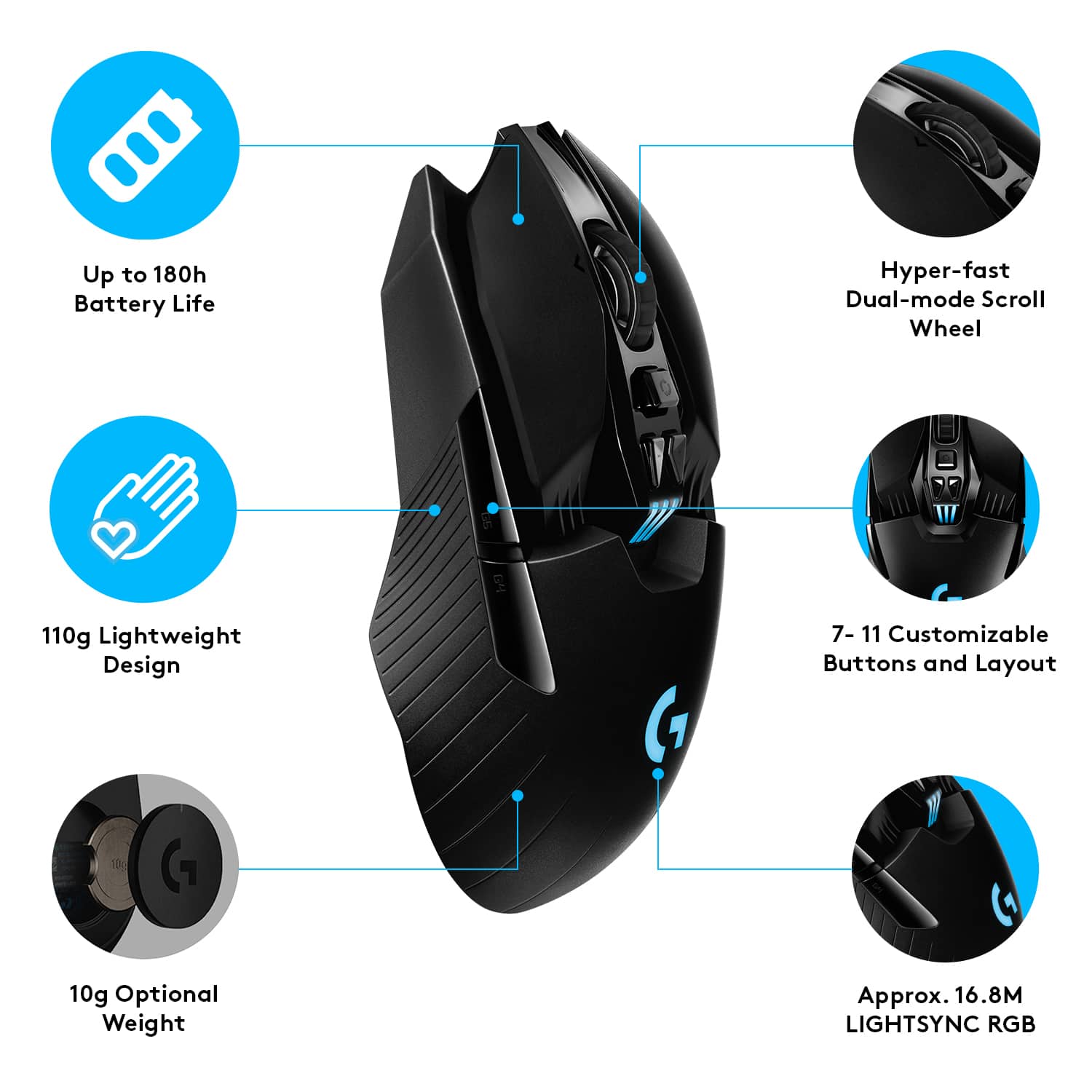
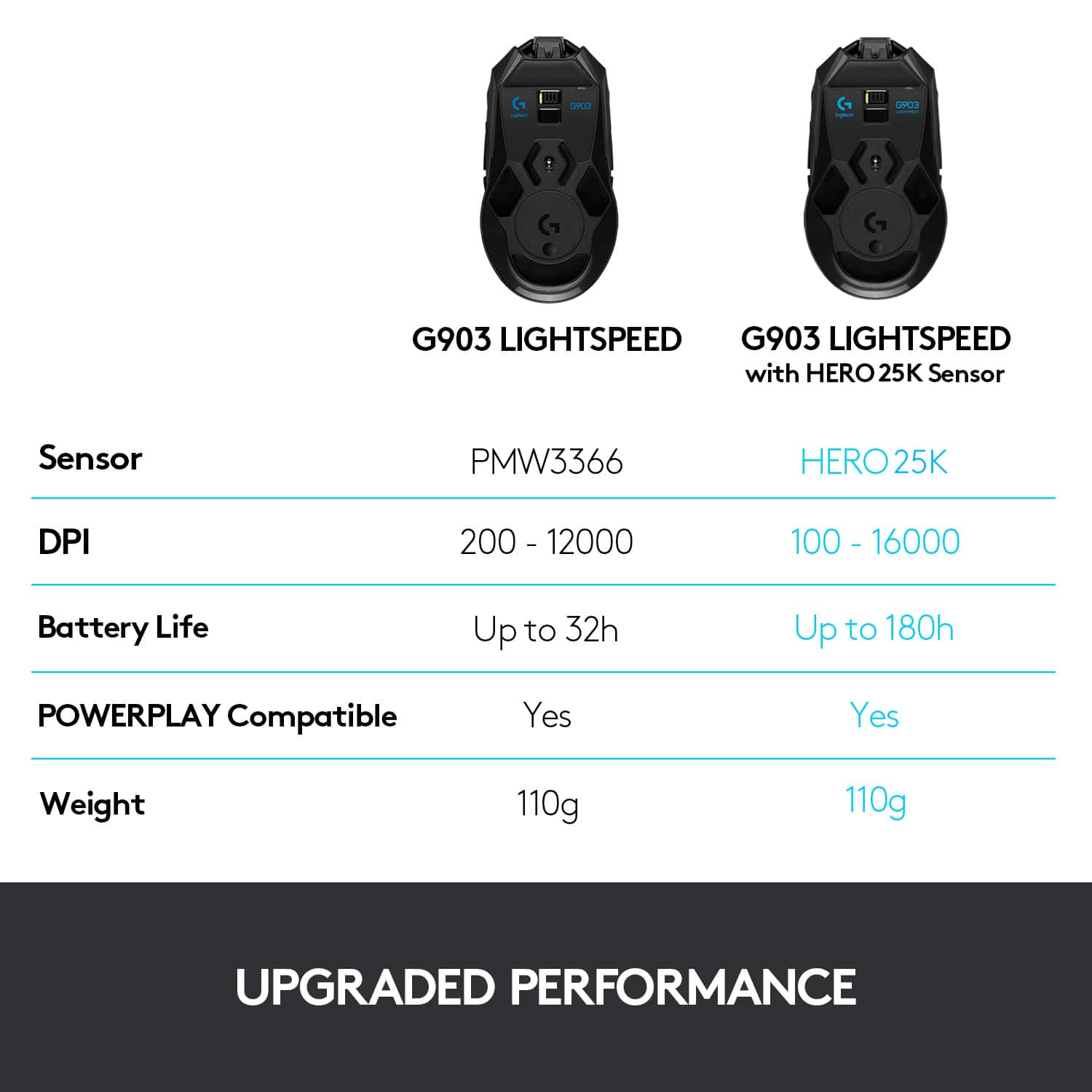
|Posted .This reviewer received promo considerations or sweepstakes entry for writing a review.I’ve been a long-time Logitech mouse owner from the Performance MX to the VX Nano as well as the Master 2S. All have been great devices so I was excited to try out the G903, but I’d have to say that the aforementioned mice had much better names ;) Naming aside, this mouse is has been a joy to use. First up, ergonomics: very good for not being completely sculpted like the Master 2S but it is at least ambidextrous. Left and right main buttons are super clicky and very responsive. The scroll wheel that can change from a notched rotation to a smooth and fast rotation is one of the things I just love about the Master 2S and the Performance MX before it and I’m stoked to see it on this mouse. The customizable side buttons are neat since you can choose whether or not you want to use them - they have dummy inserts if you don’t want them and if you do, they just pop off easily since they’re held in place by magnets. And there is nothing insecure about the magnets - they hold the buttons or the dummy buttons in place extremely well and they are nice and solid. They also include a 10 gram weight that you can use to customize the feel of the mouse which you’ll insert on the bottom without any tools or anything like that. I went with the weight as it felt a bit more stable for me, but that’s obviously personal preference. Of course, the RGB light is super nifty and you can customize it to just your flavor. I found the Hero 16K sensor to be incredibly sensitive and precise. The G Hub Software is really quite robust allowing you to customize pretty much everything on the mouse. But the best thing about the G Hub software is that the customizations are automatic based on your game, so when you play a specific title, the settings change automatically. So cool and another nice touch is that you can create profiles that you can share with others. Only complaint would be the exclusion of a bluetooth connection but I have to say that the wireless connection using the included USB receiver was rock solid. No noticeable latency at all. I realize that having a proprietary wireless connection most likely is why the connection is so stable and super responsive, but even having a secondary connection using bluetooth would be cool if, let’s say, you accidentally left the USB receiver in your desktop but grabbed your laptop to go play elsewhere but still wanted to use this mouse. Shrug, not that big of a deal but thought I’d mention it. One of the craziest things about this mouse though is the battery life with up to 180 hours on a single charge without using the lighting, but even with the lighting it lasts up to 140 hours. That’s nuts. It’s tough to go wrong with the G903. It’s not cheap but you’ll get what you pay for: a fantastic gaming mouse with tons of features and amazing battery life.
I would recommend this to a friend Great quality!
||Posted . Owned for less than 1 week when reviewed.This reviewer received promo considerations or sweepstakes entry for writing a review.Mouse is super nice and also super smooth. Great mouse for gaming!
I would recommend this to a friendGreat
||Posted . Owned for 3 weeks when reviewed.This reviewer received promo considerations or sweepstakes entry for writing a review.Like it alot. Charges itself wirelessly with mousepad
I would recommend this to a friend- Pros mentioned:Ease of use
Logitech G903 mouse
||Posted . Owned for 1 week when reviewed.This reviewer received promo considerations or sweepstakes entry for writing a review.My son loves the way it feels in his hand and the easy use of controls!
I would recommend this to a friend - Pros mentioned:Overall performance
Nice mouse
||Posted . Owned for 1 week when reviewed.This reviewer received promo considerations or sweepstakes entry for writing a review.This was my bf's gift and he's super satisfying with this
I would recommend this to a friend - Pros mentioned:Battery life
Really comfy
||Posted . Owned for 1 week when reviewed.This reviewer received promo considerations or sweepstakes entry for writing a review.Best gaming mouse, long battery life even with RGB on.
I would recommend this to a friend - Cons mentioned:Left click
Crappy quality, abysmal service.
||Posted . Owned for 6 months when reviewed.This reviewer received promo considerations or sweepstakes entry for writing a review.Don't waste your money on Logitech. This one got the double click on the right mouse button after 5 months. It's now sitting next to two other mice with the same issue. I'm, at this very moment on hold for the second time with Logitech. It's been 30 minutes.After an hour last week I gave up and left a voicemail. I've also put in two tickets. No replies. The mouse itself is great right up until it stops working properly. A mouse that costs this much should last longer than 5 months.
No, I would not recommend this to a friendBrand response from Logitech
Posted .Hi Scott, thank you for your feedback! The G903 is built to last, and backed with a 2-year limited hardware warranty. For support, please refer to: https://support.logi.com/hc/en-us/articles/360036533893 - Be sure to check your settings on GHUB gaming software. - Will, Logitech G.
- Cons mentioned:Left click
Double click madness
||Posted . Owned for 7 months when reviewed.This reviewer received promo considerations or sweepstakes entry for writing a review.Honestly disappointed with Logitech on this mouse. I expected for this to last me 2 to 3 years like g502 did, but this mouse started to double click just 2 months into me purchasing it. It wasn’t until 8 months after my purchase it started to double click almost every time.
No, I would not recommend this to a friendBrand response from Logitech
Posted .Hello, I am so sorry to hear about the double click issues you are experiencing with the mouse. This mouse does come with a 2 year warranty through Logitech so we can get that replaced for you! Here is the link to file a claim: https://support.logi.com/hc/en-us/articles/360036533813-Warranty-G903. I hope this helps! Thank you for being a Logitech customer and taking the time to write this review, we appreciate the feedback.
My mouse lost its left click drag consistency
||Posted . Owned for 5 months when reviewed.This reviewer received promo considerations or sweepstakes entry for writing a review.Excellent mouse except after 5 months of daily use the left button stopped responding correctly. When dragging windows or trying to work in applications that require left click + drag it loses its grip often. It's a shame since I really love the mouse otherwise. Nothing online solves it and the Logitech web site is a mess when trying to get an exchange. I wish I got a service plan for the mouse.
No, I would not recommend this to a friendBrand response from Logitech
Posted .Hi! Sorry to see you're having hardware issues with your G903 mouse. You do have a 2-Year Limited Hardware Warranty that comes with your purchase. So if you need to do a warranty claim, head over to https://support.logi.com/hc/en-us/articles/360036533893 Hope that helps!
Its.. fine
||Posted . Owned for 11 months when reviewed.This reviewer received promo considerations or sweepstakes entry for writing a review.It's.. a mouse. The logitech software is terrible on mac, but other than that, it works, it does the job. Its no more precise than any other mouse I've got, but no complaints, it works.
No, I would not recommend this to a friendLogitech issues...
||Posted . Owned for 8 months when reviewed.This reviewer received promo considerations or sweepstakes entry for writing a review.The Logitech haming series seem to have switch issues. Had to return this mouse, twice, because of left clicking issues.
No, I would not recommend this to a friendBad left mouse button
||Posted . Owned for 1 month when reviewed.This reviewer received promo considerations or sweepstakes entry for writing a review.The left button stopped functioning. Not sure what the issue was except just poor craftmanship.
No, I would not recommend this to a friendPretty decent mouse
||Posted . Owned for 5 months when reviewed.This reviewer received promo considerations or sweepstakes entry for writing a review.Bought this to replace a g903 hero that just stopped working. When it does work its a pretty good mouse. I also purchased the charging mouse pad for true wireless charging.
I would recommend this to a friendWorks good
||Posted . Owned for 1 week when reviewed.This reviewer received promo considerations or sweepstakes entry for writing a review.works good for a logitech item. I wouldn't personally buy if I had a choice but due to lack of items in stock near me I had to buy it and it works. Really cheap feel though.
No, I would not recommend this to a friendFailure :(
||Posted . Owned for 2 months when reviewed.This reviewer received promo considerations or sweepstakes entry for writing a review.Let me start by saying the feel of this mouse is great, the precision is great, the weight is great, the fact I can charge it with my Powerplay is great. Very easy to use and set up while being ambidextrous. Now let me say I first bought this mouse less than a year ago. The first one lasted about 3-4 months before the right-click stopped complying. Got a replacement, had it for about 2 months right click doing exact same thing. We're in COVID times during this, reached out to logitech no support. Went to best buy and bought another one. This one broke another 2 months later right-click doing the same thing. Ive followed all of Logitechs instructions that they sent 3 weeks later. TLTR: RIGHT MOUSE SWITCH QUALITY POOPOO.
No, I would not recommend this to a friendBrand response from Logitech
Posted .Hi Lemz,
Thank you for your feedback. It is greatly appreciated. Sorry for any inconvenience. If you ever need assistance, please contact Logitech Support on the website.
LaShonda from Logitech
It's ok
||Posted . Owned for 3 weeks when reviewed.This reviewer received promo considerations or sweepstakes entry for writing a review.The wheel isn't that great or smooth the side buttons feel like there already not as sticky after a month of usage....
No, I would not recommend this to a friend- Pros mentioned:Battery life, Ergonomics, Overall performance
Awesome mouse for experienced and newbies alike
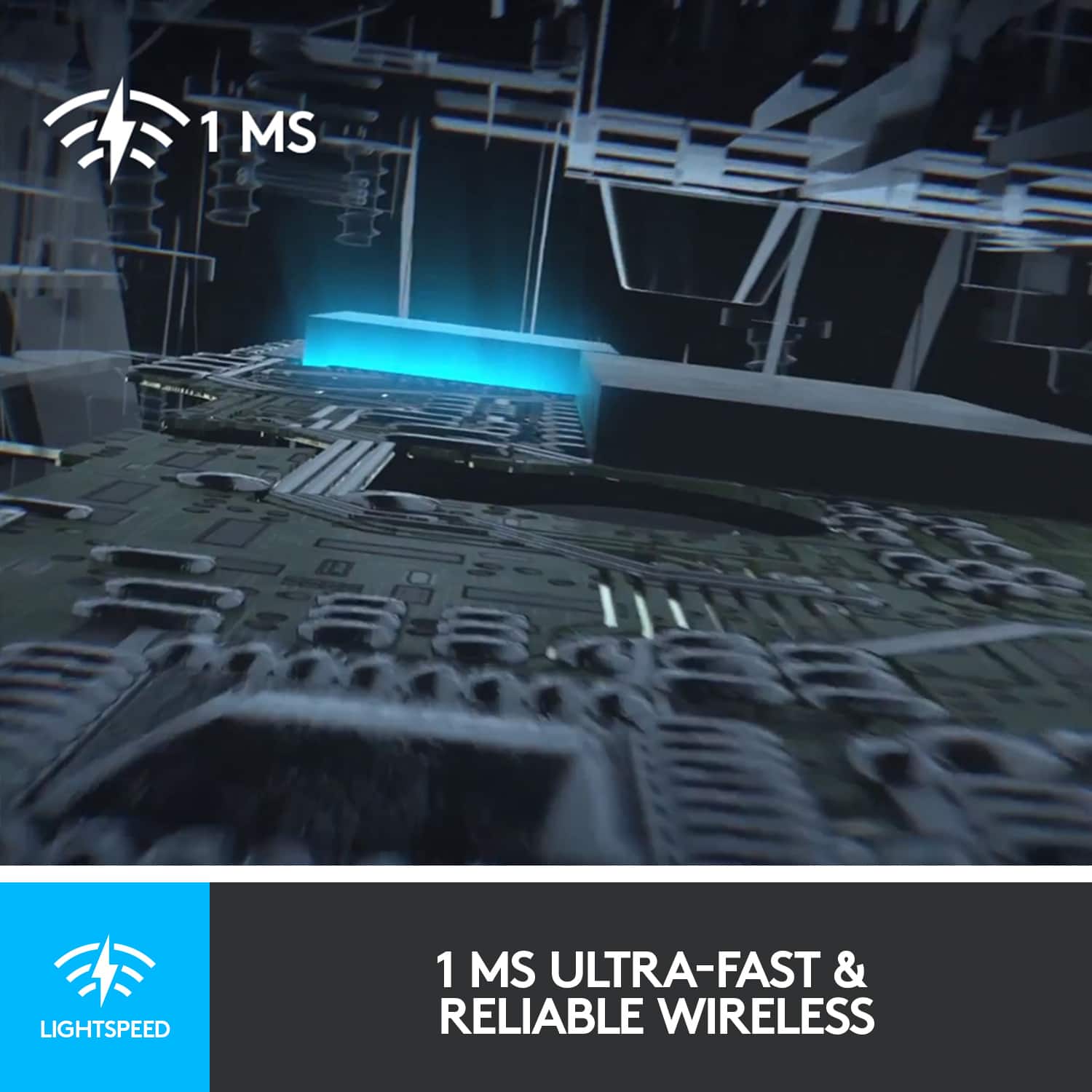
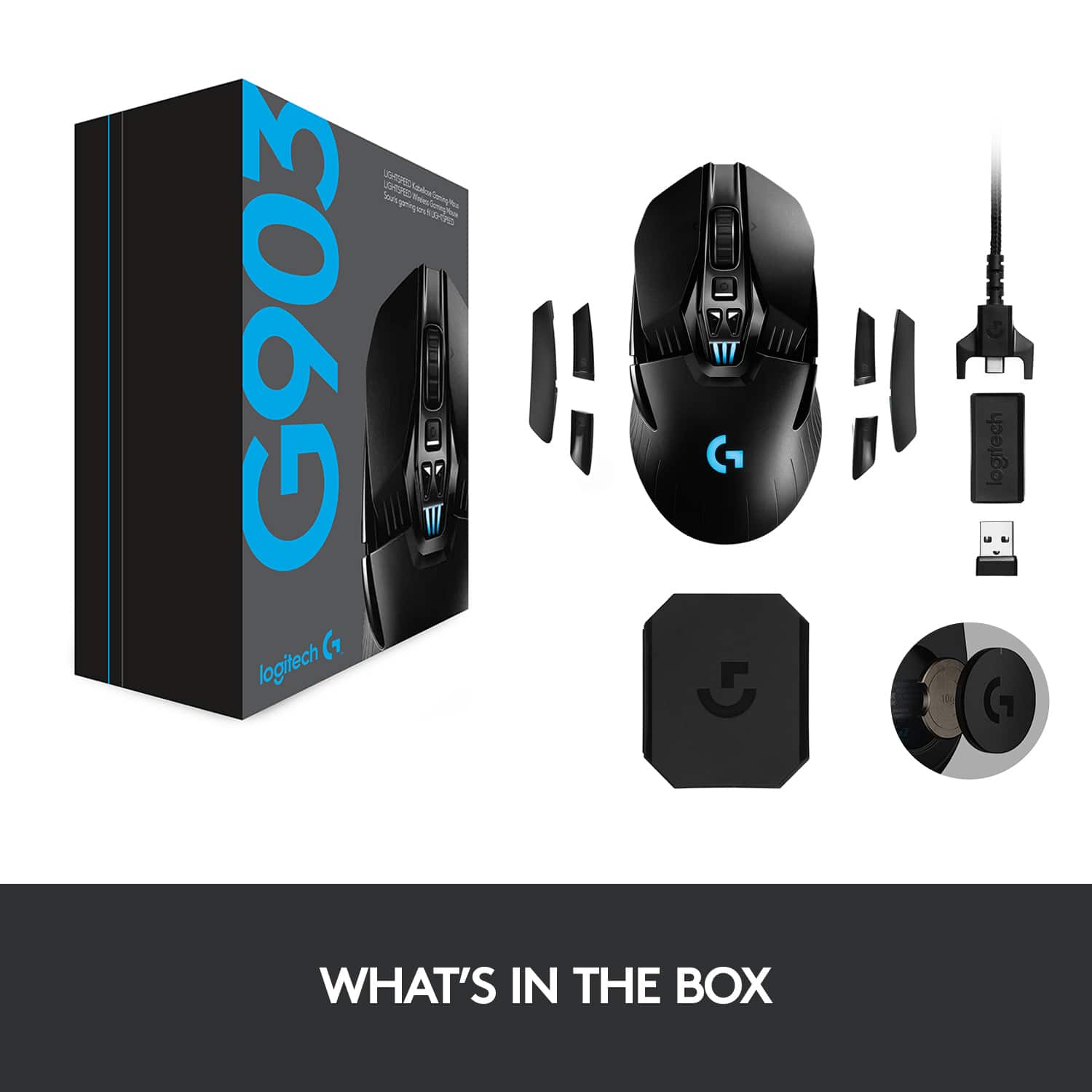
|Posted .This reviewer received promo considerations or sweepstakes entry for writing a review.I am a long time gamer. But until recently it was mostly console gaming. For me, I just like the ease of being able to pop a disk (or cartridge) into a system and it just working. Now, with the cost of prebuilt gaming PCs coming down it became a great time to expand my gaming experiences. The gaming PC I use came with your basic USB corded mouse. Serviceable, sure, but it lacked the bells and whistles of other "fancier" mouses. And it wasn't wireless. The Logitech G903 has been a godsend. Even as a general use mouse, I can't say enough. I work and game on my PC and this mouse does a great job at all tasks. But sticking to the gaming side of things... IN THE BOX and SETUP In the box you get the mouse, a braided USB cable, weight, USB transponder and extra buttons (ambidextrous, so you can switch the buttons from one side of the mouse to the other). The instructions are east to understand (although there's not much for the user to do), but at least they show you where the power button is, etc. But you turn it on, plug in the braided cable (which has the USB transponder attached at the end of it, more on that in a moment) and you download the Logitech G Hub software. Within minutes I was up and running. LOGITECH G HUB SOFTWARE As a PC gaming newbie who understands what DPI means, etc., I find the customization options for most gaming PC accessories and their accompanying software intimidating. On the one hand, the ability to customize is what draws so many people to PC gaming, but at the same time, it takes time to figure out what works best for you if you're just getting started. I mention this because I found the G Hub application difficult to figure out. While it was easy to set the mouse up, I just couldn't figure out how to adjust the settings. Specifically, I couldn't figure out how to change the settings for basic PC use (default) and Far Cry 5. I ended up sticking with default settings and adjusting the controls for Far Cry 5 within the game itself. This might be what most people do, but I got the sense that G Hub allows you to configure say the DPI per game and allow you to change settings on the fly. But that's my experience. Honestly, it doesn't affect my opinion of the mouse at all either way. I used G Hub to set up the mouse (and change the color to match my non-Logitech keyboard lighting) and I haven't opened it since. I'm sure there's more functionality there if you want it, but if you're like me and are more of a casual gamer, you can simply bypass G Hub after the initial setup. I do need to add however, you shouldn't delete the program, if allows you to change the DPI settings from the buttons on the mouse itself. HOW IT WORKS I'm merely commenting on this for those like me who are newbies. The G903 is wireless and while I would have appreciated Bluetooth connectivity to eliminate any need for a "dongle" it doesn't have it. There's some proprietary tech that makes this mouse so responsive. Luckily the USB dongle doesn't stick out from my laptop very far. If you're using a desktop PC, you will need to use the braided cable to plug into the PC and then have the dongle plugged into the other side of the cable and have it sit relatively close to your mousepad. Apparently the dongle can't be too far away from the mouse. DESIGN This mouse looks high tech without being too obnoxious. It has a lot of sharp edges when you look at it, but it's smooth to hold. It's design isn't overstated and I like the battery meter in the middle of the mouse. There's three buttons on top underneath the wheel, one activates smooth rolling vs. "clicking" (I don't know how else to describe it) and the other two buttons scroll through DPI which is an easy way to adjust the speed and sensitivity of the mouse. There's also two buttons on the left side which are convenient even when doing basic stuff such as browsing the web, as they can act as a "page back" and page forward button. The clicks are also satisfying. PERFORMANCE As I alluded to earlier, this mouse rocks. It just works and works well. I primarily play FPS games and I set my DPI to 3200 which allows quick movements. It's always super responsive. There's no lag whatsoever and it gives you great precision in your aiming and movements. While some might prefer performance of wired gaming mice over wireless, I am here to tell you there is no appreciable difference between the G903 and a comparable wired mouse. Even aside from gaming it's a pleasure to use. I only wish I had a protective case for it when I'm traveling with my laptop. I also can't emphasize enough how good the buttons feel. I know that sounds silly to say, but there's no accidentally hitting them, while responsive, they aren't so much so, as they require affirmative presses that give off a satisfying click. I haven't completely drained the battery, but I can say it's gone several days of moderate gaming and it's still at close to full charge. I would imagine with light use you could go several weeks on a single charge. CONCLUSION My only real beefs with this mouse is the fact that you have to have the Logitech dongle (no big deal though) sticking out of your laptop, the G Hub software could be a little bit easier for a newbie. But those are minor quibbles. This is a premium gaming mouse that has no lag, is extremely responsive, has ample buttons and just does everything you need a mouse to do. I love it.
I would recommend this to a friend Mouse is great if you dont need to change pcs
||Posted . Owned for 8 months when reviewed.This reviewer received promo considerations or sweepstakes entry for writing a review.Mouse was great until the USB Dongle went bad 7 months into owning it.
No, I would not recommend this to a friend