Customer Ratings & Reviews

- Model:
- 910-005670
- SKU:
- 6333839
Rating by feature
- Value
Rating 4.4 out of 5 stars
- Quality
Rating 4.7 out of 5 stars
- Ease of Use
Rating 4.7 out of 5 stars
Customers are saying
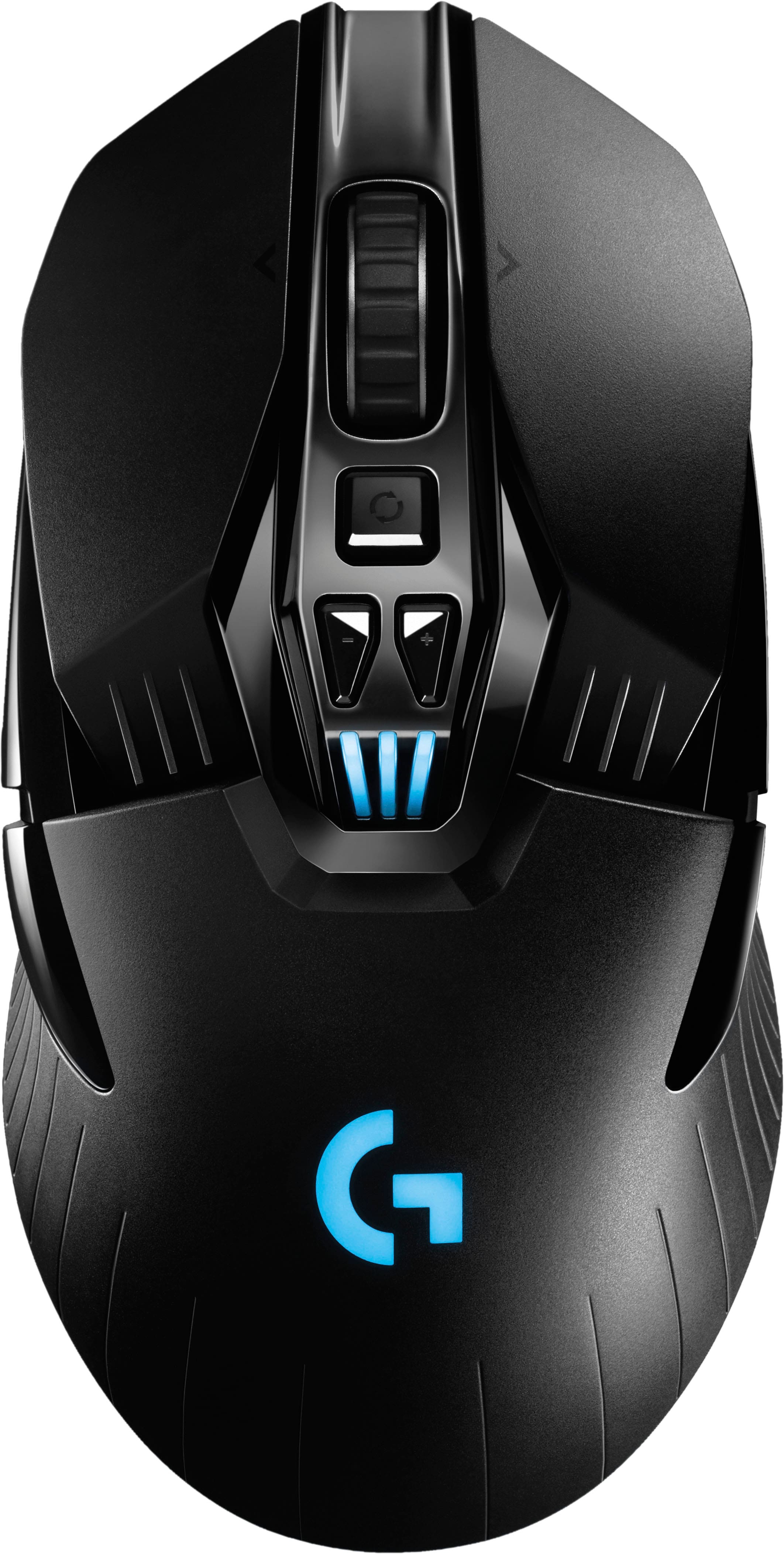
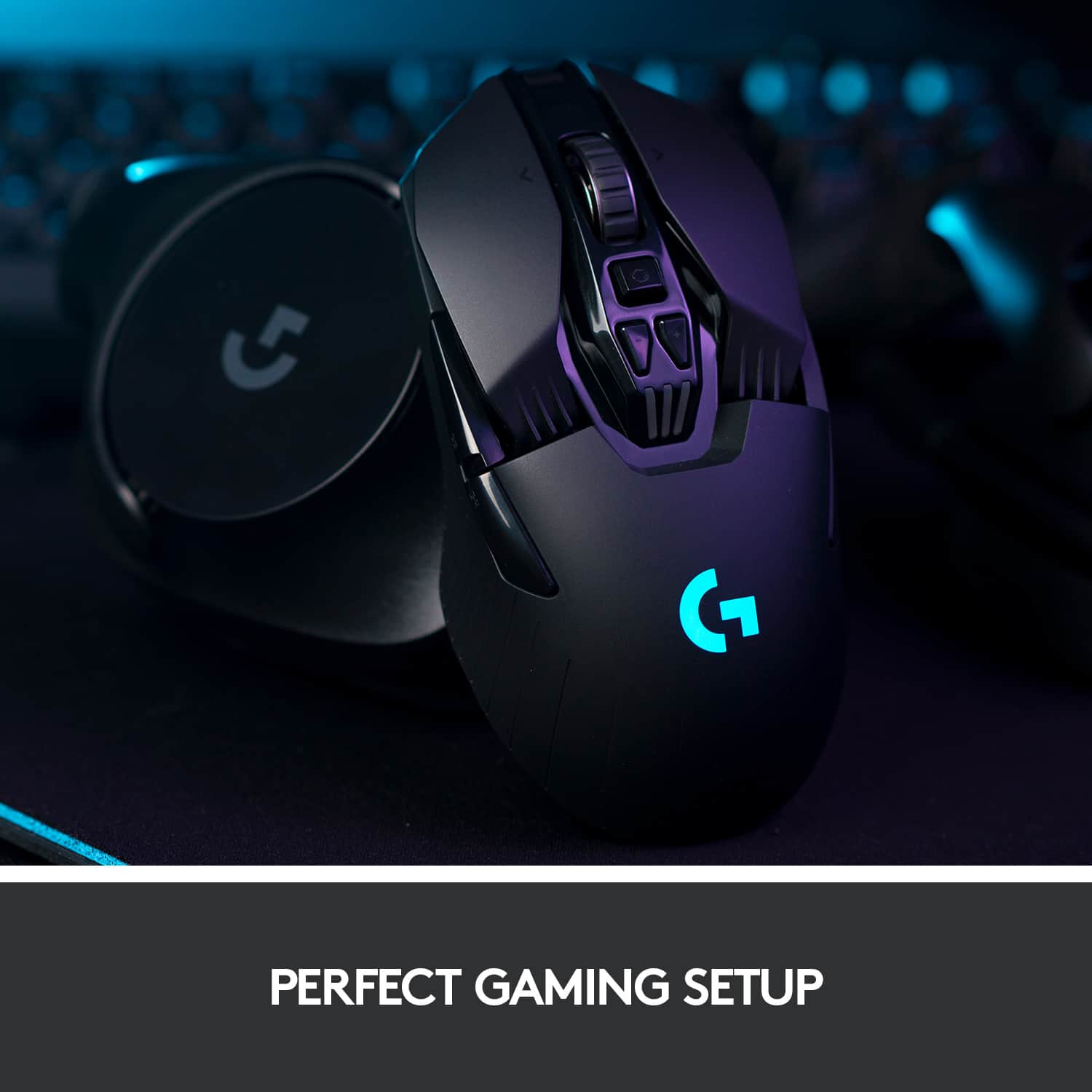
Customers highly value the G903 LIGHTSPEED Wireless Optical Gaming Mouse for its exceptional battery life, comfortable weight, and ease of use. The wireless functionality, ergonomic design, and responsiveness are also appreciated. Some customers have reported issues with the left click button and the size, while others have expressed concerns about the price and software.
This summary was generated by AI based on customer reviews.
One of the worst mouse I've owned.
||Posted .This reviewer received promo considerations or sweepstakes entry for writing a review.Expensive for the quality. Scroll-wheel mode is easily triggered between free scroll and clicking scroll. Mine also developed double-clicking issues a few weeks in where the click buttons randomly double-click so actions like dragging became impossible. The grip form factor is also a bit awkward but maybe this was made for bigger hands than mine. Even before the double-clicking sensor issues, I barely used it because I tended to prefer my MX Master 3 over it much more often and that mouse wasn't meant for gaming but rather productivity. Minus another star for being ABS plastic.
No, I would not recommend this to a friendBrand response from Logitech
Posted .Hello Scotty, I am so sorry to hear about the issues you are having with this mouse. It does come with a 2 year warranty through Logitech, if you would like a replacement. Here is the link to file a claim: https://support.logi.com/hc/en-us/articles/360036533813-Warranty-G903. I hope this helps! Thank you for taking the time to write this review, we appreciate the feedback.
Nice mouse
||Posted . Owned for 1 week when reviewed.This reviewer received promo considerations or sweepstakes entry for writing a review.This was my bf's gift and he's super satisfying with this
I would recommend this to a friendNot worth the money.
||Posted .This reviewer received promo considerations or sweepstakes entry for writing a review.Tiny piece of junk. Doesn't fit your hand. Is not ergonomic. It constantly scrolls by itself. I'm returning. Not worth the money.
No, I would not recommend this to a friendBrand response from Logitech
Posted .Hi Taocat, thank you for your feedback! We have a wide variety of gaming mice to best fit everyone's needs. The G903 is a larger, ambidextrous design with a Hyper-Scroll wheel. Hit the button under the wheel to toggle from ratchet, to free-spin. For support, please refer to: https://support.logi.com/hc/en-us/articles/360036533893 - You may prefer the G703, with its right hand ergonomic design. It is my personal favorite: https://www.bestbuy.com/site/logitech-g703-hero-wireless-optical-gaming-mouse-black/6333840.p?skuId=6333840 - Will, Logitech G.
- Cons mentioned:Size
Too light
||Posted . Owned for 7 months when reviewed.This reviewer received promo considerations or sweepstakes entry for writing a review.Too small for my large hands. Just my preference! Max master 3 is much better
No, I would not recommend this to a friendBrand response from Logitech
Posted .Hello customer, I'm sorry to hear that the G903 was too small and light for your preference. Unfortunately there isn't much you can do about the size, but as for the weight, the G903 actually includes a small weight inside the box that can be placed in the mouse to make it feel a little heavier.
- Pros mentioned:Battery life, Ergonomics, Weight

Great Mouse
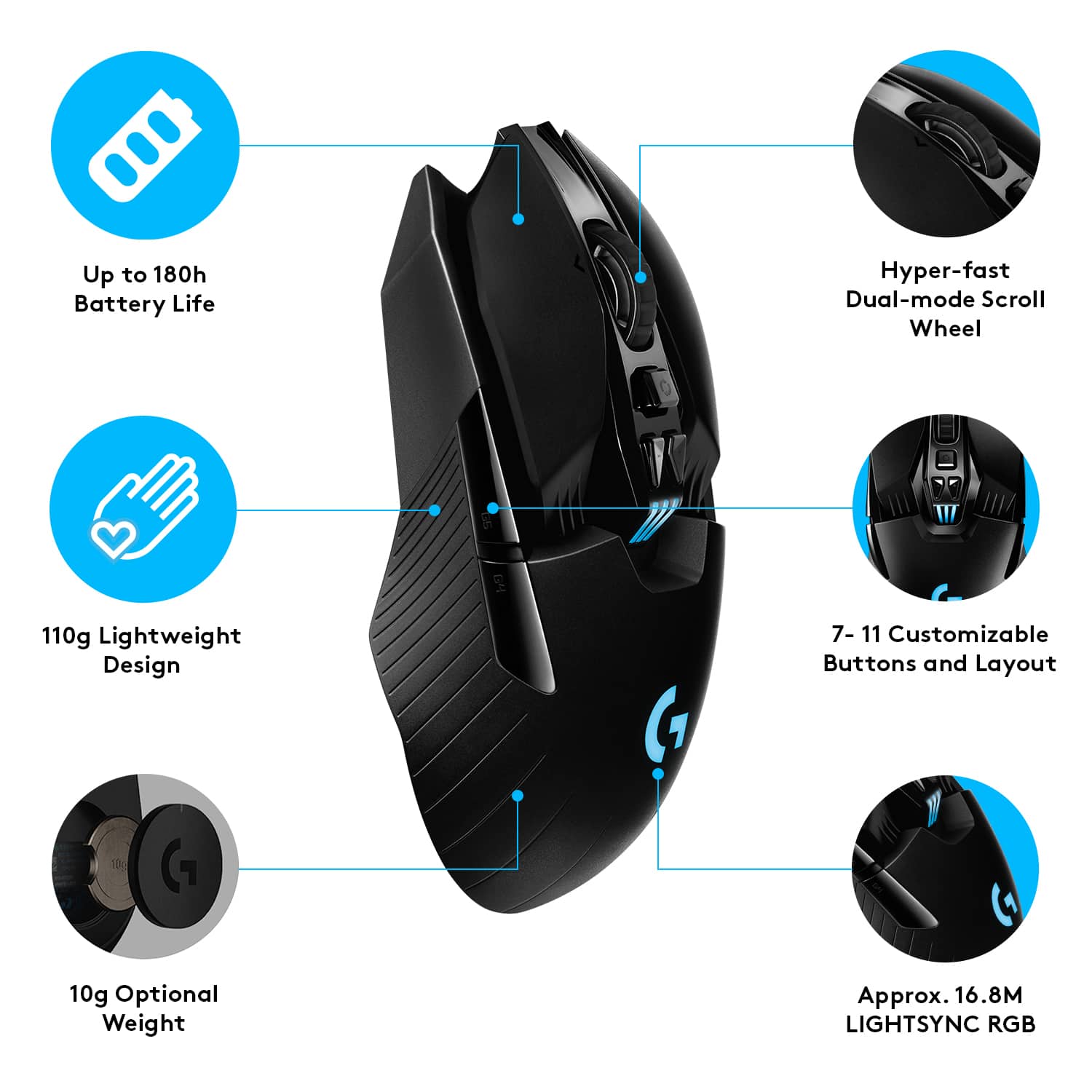
|Posted .This reviewer received promo considerations or sweepstakes entry for writing a review.This is an excellent product. I have been satisfied in most every way except one. The build quality, specs and design are exceptional. Logitech went all out on this one. The mouse is comfortable and flexible, working well for left and right handed players because of its symmetrical build. You can have two auxiliary buttons on the left and right sides of the mouse, but if you prefer a simpler build you can remove them and use the provided plain sidewalls to fill the gap. With the adjustable weight you can have either a featherweight or more substantial movement feel. The software for button and light customization is the best in class. Most buttons fully customizable including full macro custom programing. The software makes it easy to create and switch between several different setups. I have one for media, one for in the office, and several for gaming. Though wireless, latency is imperceptible even on a 75 hertz display with 2 ms latency. It is perfect for my needs. I game on my living room tv so wireless was a must in my case. As an FPS Shooter fan, I would have liked to have a sniper button on the left side. It would arguably have compromised the true left right handed flexibility, but not if they made it removable like the other buttons. The battery life is very good. I would recommend this as a fantastic jack of all trades gaming mouse that can also pass for a respectable office mouse if you set the lights to off in your for the office profile. Do yourself a favor and grab one.
I would recommend this to a friend Great
||Posted . Owned for more than 2 years when reviewed.This reviewer received promo considerations or sweepstakes entry for writing a review.Greatest of the world and I only have it when oops and
I would recommend this to a friendDO NOT BUY.... CRAP!
||Posted . Owned for 7 months when reviewed.This reviewer received promo considerations or sweepstakes entry for writing a review.Do not buy this unless you want to drive yourself crazy!!! It will NOT Click and Drag. Search the internet, they know this is an issue yet they still sell the garbage. Owned it for less than 6 months and they won't refund your money!! I'll be guying from Amazon from here on out as they honor returning garage like this.
No, I would not recommend this to a friendBrand response from Logitech
Posted .Hello Nellie! I'm sorry to hear about your experience with the G903 Hero! Unfortunately, Best Buy has a 15 day return policy unless you have purchased Geek Squad Protection. I would recommend reaching out to our support team here https://support.logi.com/hc/en-us/requests/new?ticket_form_id=360000621393 so that we can deal with the issue since it is past Best Buy's 15 days. Thank you so much for this feedback on the click and drag issue. I will be passing this along. - Maggie from Logitech G
- Pros mentioned:Battery life, Weight
High quality responsive for gaming and...
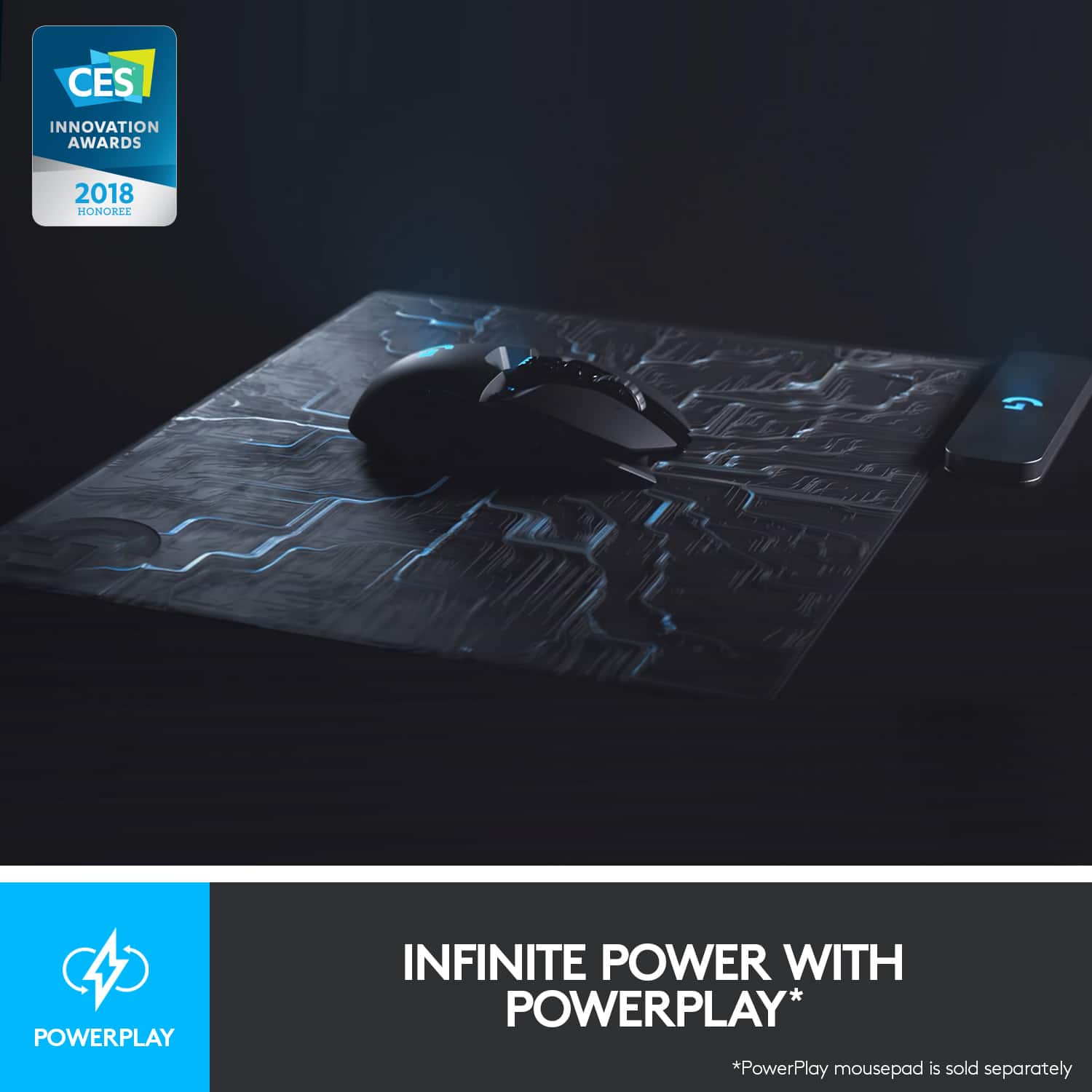
|Posted .This reviewer received promo considerations or sweepstakes entry for writing a review.If you are seeking a great gaming mouse that is highly customizable, then you must consider the G903. From the packaging to the mouse itself, Logitech outdid itself on the quality front. The G903 feels substantial in your hand and is the perfect size for reaching all of the up to 11 custom programmable buttons. Download and use the Logitech Ghub program to help customize your buttons, sensitivity settings, game profiles and colors displayed on the mouse itself. There is also a 10g weight to add to the mouse if you want further balance and feel to the mouse, I added the weight and find I prefer with rather than without. The mouse charges via included micro USB Cable which gives approx 140 hours of game play. The Powerplay Mat is available and this will allow you to have the mouse continuously charge so the battery never runs out which is a pretty cool option (sold separately) With games such as World of Warcraft where buttons are important, this mouse certainly does the trick. Also works well for everyday computing when you aren't gaming.... Overall a great choice in a quality, versatile mouse...
I would recommend this to a friend - Pros mentioned:Battery life
Awesome mouse for experienced and newbies alike
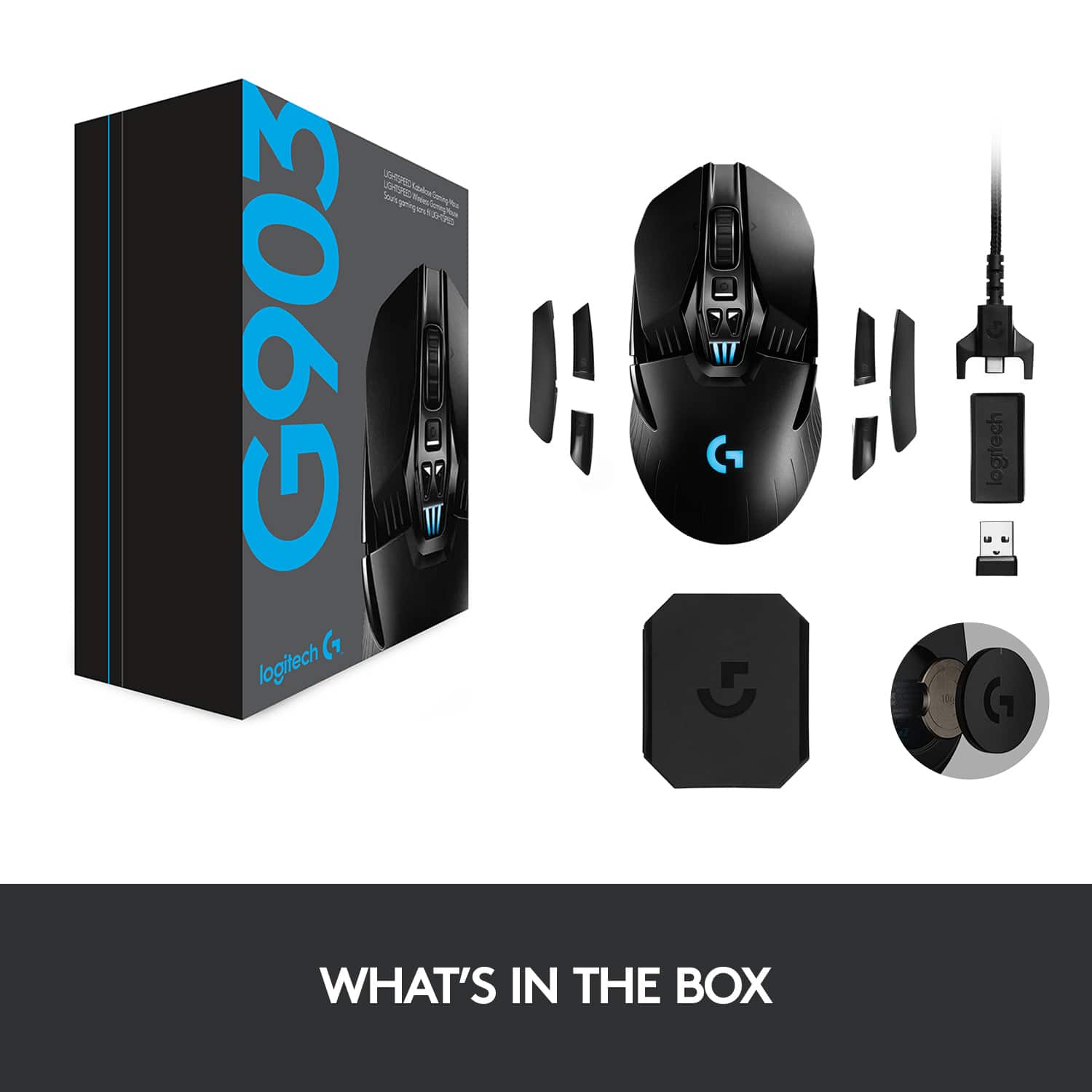
|Posted .This reviewer received promo considerations or sweepstakes entry for writing a review.I am a long time gamer. But until recently it was mostly console gaming. For me, I just like the ease of being able to pop a disk (or cartridge) into a system and it just working. Now, with the cost of prebuilt gaming PCs coming down it became a great time to expand my gaming experiences. The gaming PC I use came with your basic USB corded mouse. Serviceable, sure, but it lacked the bells and whistles of other "fancier" mouses. And it wasn't wireless. The Logitech G903 has been a godsend. Even as a general use mouse, I can't say enough. I work and game on my PC and this mouse does a great job at all tasks. But sticking to the gaming side of things... IN THE BOX and SETUP In the box you get the mouse, a braided USB cable, weight, USB transponder and extra buttons (ambidextrous, so you can switch the buttons from one side of the mouse to the other). The instructions are east to understand (although there's not much for the user to do), but at least they show you where the power button is, etc. But you turn it on, plug in the braided cable (which has the USB transponder attached at the end of it, more on that in a moment) and you download the Logitech G Hub software. Within minutes I was up and running. LOGITECH G HUB SOFTWARE As a PC gaming newbie who understands what DPI means, etc., I find the customization options for most gaming PC accessories and their accompanying software intimidating. On the one hand, the ability to customize is what draws so many people to PC gaming, but at the same time, it takes time to figure out what works best for you if you're just getting started. I mention this because I found the G Hub application difficult to figure out. While it was easy to set the mouse up, I just couldn't figure out how to adjust the settings. Specifically, I couldn't figure out how to change the settings for basic PC use (default) and Far Cry 5. I ended up sticking with default settings and adjusting the controls for Far Cry 5 within the game itself. This might be what most people do, but I got the sense that G Hub allows you to configure say the DPI per game and allow you to change settings on the fly. But that's my experience. Honestly, it doesn't affect my opinion of the mouse at all either way. I used G Hub to set up the mouse (and change the color to match my non-Logitech keyboard lighting) and I haven't opened it since. I'm sure there's more functionality there if you want it, but if you're like me and are more of a casual gamer, you can simply bypass G Hub after the initial setup. I do need to add however, you shouldn't delete the program, if allows you to change the DPI settings from the buttons on the mouse itself. HOW IT WORKS I'm merely commenting on this for those like me who are newbies. The G903 is wireless and while I would have appreciated Bluetooth connectivity to eliminate any need for a "dongle" it doesn't have it. There's some proprietary tech that makes this mouse so responsive. Luckily the USB dongle doesn't stick out from my laptop very far. If you're using a desktop PC, you will need to use the braided cable to plug into the PC and then have the dongle plugged into the other side of the cable and have it sit relatively close to your mousepad. Apparently the dongle can't be too far away from the mouse. DESIGN This mouse looks high tech without being too obnoxious. It has a lot of sharp edges when you look at it, but it's smooth to hold. It's design isn't overstated and I like the battery meter in the middle of the mouse. There's three buttons on top underneath the wheel, one activates smooth rolling vs. "clicking" (I don't know how else to describe it) and the other two buttons scroll through DPI which is an easy way to adjust the speed and sensitivity of the mouse. There's also two buttons on the left side which are convenient even when doing basic stuff such as browsing the web, as they can act as a "page back" and page forward button. The clicks are also satisfying. PERFORMANCE As I alluded to earlier, this mouse rocks. It just works and works well. I primarily play FPS games and I set my DPI to 3200 which allows quick movements. It's always super responsive. There's no lag whatsoever and it gives you great precision in your aiming and movements. While some might prefer performance of wired gaming mice over wireless, I am here to tell you there is no appreciable difference between the G903 and a comparable wired mouse. Even aside from gaming it's a pleasure to use. I only wish I had a protective case for it when I'm traveling with my laptop. I also can't emphasize enough how good the buttons feel. I know that sounds silly to say, but there's no accidentally hitting them, while responsive, they aren't so much so, as they require affirmative presses that give off a satisfying click. I haven't completely drained the battery, but I can say it's gone several days of moderate gaming and it's still at close to full charge. I would imagine with light use you could go several weeks on a single charge. CONCLUSION My only real beefs with this mouse is the fact that you have to have the Logitech dongle (no big deal though) sticking out of your laptop, the G Hub software could be a little bit easier for a newbie. But those are minor quibbles. This is a premium gaming mouse that has no lag, is extremely responsive, has ample buttons and just does everything you need a mouse to do. I love it.
I would recommend this to a friend Stopped working day after I bought it
||Posted . Owned for 1 year when reviewed.This reviewer received promo considerations or sweepstakes entry for writing a review.Worked great for a day. Then I get home from work and it's completely dead ..plug it in thinking it's somehow not charged, nope.. no lights or anything. 150$ and I used it once for an hour.. Refunded bought a Razer online.
No, I would not recommend this to a friendBrand response from Logitech
Posted .Hello, we are sorry to hear about your connection issues with the G903 mouse. Our Logitech G products comes with a two year warranty. If you ever need any help with your Logitech G products, you can reach us for technical support at: https://support.logi.com/hc/en-us/requests/new?ticket_form_id=360000621393
Scroll Wheel is Annoying
||Posted . Owned for 1 week when reviewed.This reviewer received promo considerations or sweepstakes entry for writing a review.The scroll wheel doesn’t work to well when it is freely spinning (e.g. the wheel isn’t balance properly so after you finish scrolling, it will move up and down until it is balanced). I am definitely returning it for the reason alone. A mouse that’s over $150 shouldn’t do that
No, I would not recommend this to a friendBrand response from Logitech
Posted .Hi DarthRevan27, So sorry to hear about the issues you're having with the scroll wheel for the G903 (Hero) Wireless Optical Gaming Mouse. Fortunately, the G903 does come with a 2-Year Limited Hardware Warranty that should cover any defects. Here's a clink to File a Warranty Claim https://support.logi.com/hc/en-us/articles/360036533813-Warranty-G903. Also, if you haven't done so already, download the G Hub software which will allow you to not only customize buttons and personalize settings, but also allow you to update the firmware when updates are available. Hope that you found this helpful and that all is going well. - Richard from Logitech
- Pros mentioned:Weight
Logitech makes great mice
Posted .This reviewer received promo considerations or sweepstakes entry for writing a review.This mouse has enough weight to make it stable and consistent (too light and a mouse moves too easily, moving the pointer with the lightest touch), yet is not so heavy it feels like it's slowing you down. It has a wide array of DPI settings to match how fine you want the resolution to be. The mouse wheel can either be free-spinning or have the "click" feel, and you can easily change that with the click of the button just below the wheel. The LED is configuration through a PC app and can be syncced with a keyboard and powerplay pad. And if you have the powerplay pad, then you never even have to worry about charging it. The pad keeps it charged while you're using it.
I would recommend this to a friend - Pros mentioned:Battery lifeCons mentioned:Lag
Excellent Mouse
|Posted .This reviewer received promo considerations or sweepstakes entry for writing a review.The Logitech G903 wireless mouse has everything one can ask for in a mouse. Not only is the G903 very comfortable to use, it works flawlessly as well. Logitech took their time with this mouse, and it really shows. From the customization options and usability, to the very easy to navigate desktop app. Fresh out of the box, you will notice that there are several attachments and a counterweight. The G903, has the option to place 4 customizable buttons (2 on each side), or 2 blank plates. The choice is totally up to the user. Whether you want to have only 2 left side buttons, with a blank on the right, or 2 right side buttons with a blank on the left. The counter weight is a nice added feature, this makes the mouse easier to control. Again, that all depends on the user. Also included, is a wireless USB adapter that plugs into your PC or Mac. When you first get started, the instructions inform you to download the software to customize your mouse - this is called the Logitech G hub. Through this desktop app, you can customize everything from the lighting on the mouse, to what each button is used for. Logitech did a good job developing this software, as they made it very user friendly. One of my favorite features is the lighting effect you can customize. The G on the top of the mouse is illuminated by an LED light that can be changed to whatever color you desire, as well as set to different rotating colors. The G903 has an onboard memory module stored into it that lets you save your custom settings, incase you want to use it on a different computer or if you ever had to reinstall the software. The functionality of the G903, is right on point. I noticed no lag at all when playing games. It also feels really good in your hand. There are 2 buttons bellow the mouse wheel that act as the sensitivity setting, clicking to the left lowers the sensitivity, while clicking to the right increases the sensitivity. The G903 is made for both left-handed and right handed people in mind. What ever hand you game with, the mouse is compatible with. The mouse requires no batteries, as it comes with a rechargeable battery and the included USB charging cable. The battery is stated to last 140 hours with lighting switched on (on a single charge), and 180 hours with no lighting (on a single charge). I can neither confirm, nor deny this as I haven't had the mouse that long. But I can tell you that I'm about 30 hours into a single charge and it still reads full. This mouse also features wireless charging, which Logitech offers as an add-on - called the Powerplay. This is Logitech's wireless charging mouse pad. Overall, the G903 is fantastic! It has everything a PC gamer is looking for in a gaming mouse, and it does it all wirelessly. It feels very comfortable and looks good at the same time. Not to mention, no more batteries needed! I would definitely recommend this mouse, not just to gamers, but anyone looking for a new mouse.
I would recommend this to a friend Not good
||Posted .This reviewer received promo considerations or sweepstakes entry for writing a review.Shape and feeling really not easy to use Not getting used to 903
No, I would not recommend this to a friendGreat Gaming Mouse For RTS But Not For Me
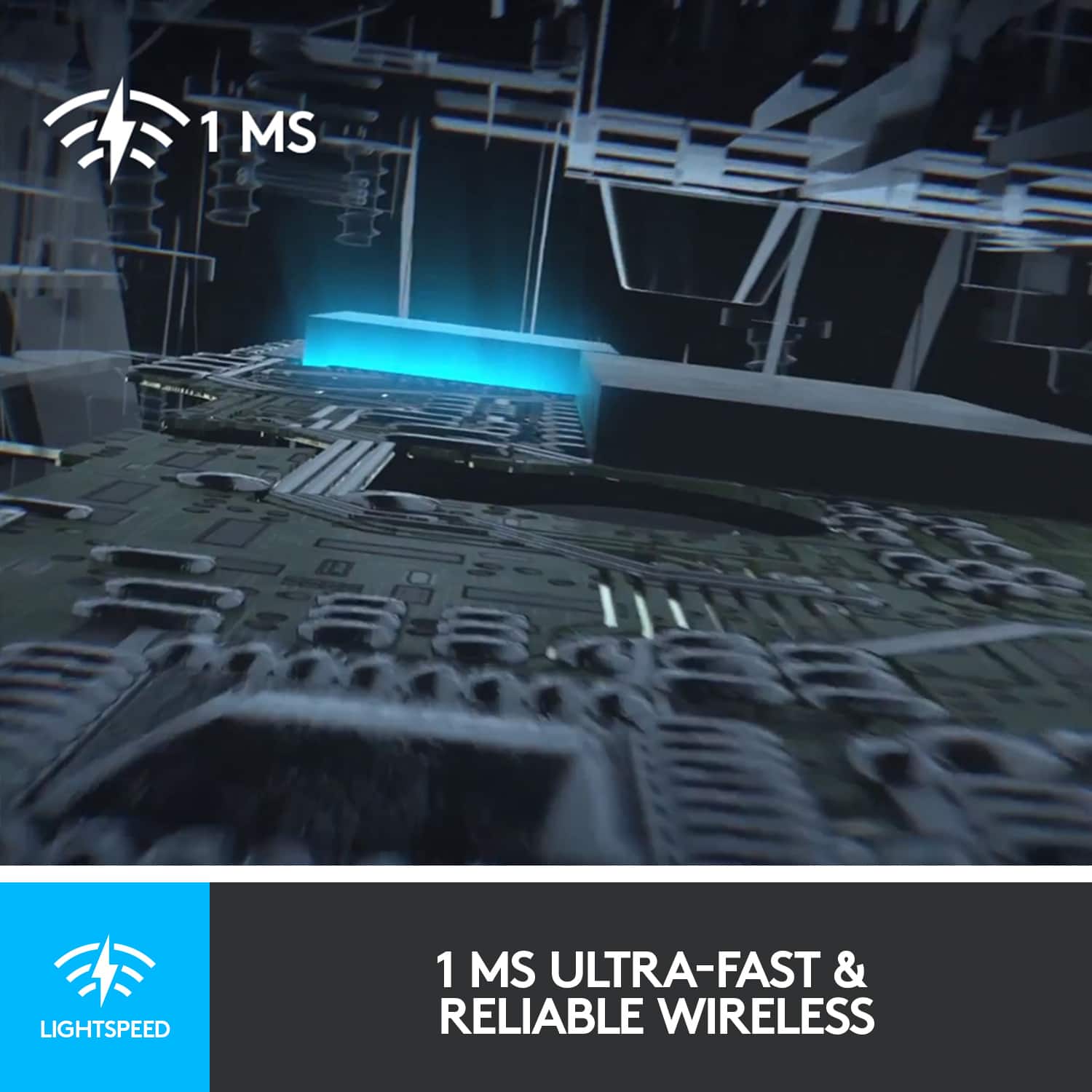
|Posted .This reviewer received promo considerations or sweepstakes entry for writing a review.Let me start off the review with an explanation of the 5-star review. While ultimately this gaming mouse does not meet my needs, Logitech made a very nice mouse which does exactly what they most likely designed it for, so I didn't feel that I could rightly knock them (or the mouse) for that. The G903 Lightspeed is intended for RTS (Real Time Strategy) gamers and competitors, NOT for those who like first person shooters (at least not this one). It all boils down to one thing for me: weight. The G903 is 110g out of the box and 120g with the single 10g weight that you can place inside. I confirmed this on a scale and also weighed my Logitech Anywhere MX mouse which is about 60% of the size of the G903 but weighs an additional 12g. That extra weight and in a much smaller package gives the Anywhere MX a heft that makes it more useful for day-to-day use and even does just fine for many games. The G903, is very well-built and looks great (very stealth-like), with excellent and responsive buttons all around, each with a definitive 'click'. But its lack of 'heft' almost makes it feel like a toy, which it most certainly is not. The bells and whistles under the hood show that the guts of the G903 are state of the art. While you can use it straight out of the box with the included receiver, and you will have access to the four DPI settings that Logitech programs into it out of the factory, you will definitely want to download the Logitech Hub program to really tweak the G903. In the Hub program you can dial in which DPI settings you would like available through the on mouse selectors, change your lighting scheme, and configure button layouts and even change it up to a left-handed mouse with the included buttons that you can swap in. I happen to be left-handed but 30+ years of using a 'normal' mouse under my right-handed overlords has just made that seem more natural for me and I did not swap it out. Perhaps those younger than me who haven't been broken down will appreciate this more. I tweaked the DPI down a few hundred DPI for each of the stock settings and this gave me a range that did a fair job of digitally replicating the precision of a heavier mouse for me but it still couldn't completely make up for the lack of real weight. Also the weight is placed under that palm area which is great but it does make it feel 'unbalanced' to my hand. The only other gaming mouse I have owned had multiple weights that had multiple locations where they could be placed so that you could refine the balance to your liking, but with the G903 you have one place and one weight, take it or leave it. I'm sure this has a lot to do with the fact that the G903 supports the PowerPlay mouse pad that wirelessly charges the G903 while you use it. The induction coils probably would not like having a bunch of metal between it and the charging pad. I ended up returning that previously mentioned gaming mouse because I couldn't stand that it was corded, which used to be required for gaming mice to get proper responsiveness but the G903 does deliver responsiveness in spades. Logitech's Lightspeed technology makes the G903 as responsive as any wired mouse without a cord to get snagged or pulled. All-in-all, the G903 is a phenomenal gaming mouse but it is not for my type of gaming, or at least not what I feel is my type of gaming. The lightweight nature of the G903 probably makes it incredibly nice for those gamers who will be repeatedly picking up and placing down the mouse while scrolling across huge maps but for me and my ancient 46 year old hands and gaming style, it just goes all over the place. For most gamers nowadays though, this is probably one of, if not, THE best gaming mice out there (or at least it will be). That is why I give the G903 Lightspeed 5-stars and would recommend it to anyone who isn't as old as dirt like I am. ;^)
I would recommend this to a friend- Pros mentioned:Weight
Fancy gaming mouse
|Posted .This reviewer received promo considerations or sweepstakes entry for writing a review.This is the first gaming mouse I have ever used. The g903 fits very comfortably under my hand and works really well for long gaming sessions. The buttons are very responsive and the mouse glides very smoothly (I prefer a harder surface). The aesthetics are a nice feature. The different color leds are not distracting and they just look cool. Interestingly enough it comes with a 10 gram weight. I have no idea what the weight does other than make the mouse feel a little more solid while gaming. The charging cable is great. It is designed to allow you to utilize the mouse while charging and protects the micro usb port from bending/movement by locking into place (see picture). This mouse can also be charged without a wire by using the "Logitech G Powerplay Wireless Charging System" which is a mouse pad that charges the g903 while using it. I recommended the g903 if you are a casual gamer and are looking for something a little more "fancy" to enjoy your game time.
I would recommend this to a friend - Pros mentioned:Ergonomics
Best mouse I've ever used
|Posted .This reviewer received promo considerations or sweepstakes entry for writing a review.I've been using Logitech mouse's for years now ever since my first computer. They've always had good quality and last long. This one not only feels great in the hand but the design looks like something from the future. There seems to be barely any latency between clicking and response time. This is excellent for gaming. It's razor sharp response. No drag or delay and like other Logitechs I've had it feels good in the hand. Not cheap or hollow.Definitely for a gamer who is serious about their hobby. This is not for just an average every day usage mouse. Logitech offers other models at a much lower price for general every day use. I would highly recommend this to someone looking who's serious about gaming and wants to seriously step their game up
I would recommend this to a friend GREAT Gaming Mouse…for 'Lefties' AND 'Righties'
|Posted .This reviewer received promo considerations or sweepstakes entry for writing a review.UNBOXING AND INITIAL IMPRESSIONS: First impression – quality product…and, this, just based on the packaging. There are “low-quality” boxes, and “high-quality” boxes, and the G903 is packaged in a “high-quality” box. Of course, with the G903 being one of Logitech’s premiere products, one would expect nothing less. The mouse, itself, has a nice matte appearance, with a rubberized finish. Also included is the 10g weight, buttons & button cover for both sides (it is, after all, an ambidextrous mouse…more on that, later), a USB dongle, and the cord (this is a wireless, as well as wired, mouse). SETUP: Honestly, there’s not much to be said here. You can use the G903 wired, or wireless. If going wireless, simply plug the USB dongle into an available USB port, and it’s recognized (fairly quickly) as a wireless mouse. If going wired, connect the cable to the mouse, plug it in, and you’re good to go. In either case, you will want to install the Logitech software, as this is how you set/change the lighting colors, get your dpi settings, and program/save your user profiles. If you already have a Logitech G-series keyboard, you can even sync the colors between keyboard & mouse. Several manufacturers utilize software for their keyboards & mice, but Logitech can come about as close to perfecting this type of software as any manufacturer has been able to get. COMFORT & EASE OF OPERATION: First, the G903 is on the large side, so, those with small(er) hands might find using the G903 difficult. Also, those who prefer using a “claw” style grip may find other mice, such as Logitech’s G502, better-suited to their style. While I greatly appreciate the higher dpi capability (16K, compared to 12K on the G502), I still prefer the button layout, and overall shape of the G502. For those with larger hands, and those who hold their mice in a more “traditional” way, the G903 could prove an excellent choice. Also, being an ambidextrous mouse, it will be appreciated by ‘righties’ and ‘lefties’, alike. Logitech include side buttons for both sides, as well as “button covers” for both sides. This way, you won’t accidentally press buttons on the “wrong” side. Unfortunately, at least for me, I could never find a comfortable position. I prefer a “claw” grip, plus I’ve gotten extremely used to the shape of the G502. Earlier, I mentioned the 10g weight, for “adjusting” the heft (from 110g, to 120g) of the mouse. While this can be a good idea for gaming mice, it is much better-implemented in Logitech’s G902, which includes 5 3.6g ‘angle-shaped’ weights, which can be placed inside the bottom of the mouse in several different configurations. The G903’s “weight customization” is nothing more than adding an additional 10g of weight to the center of the mouse, whereas the G502 gives you true “weight customization”. This is NOT to say the G502 is better, as the G903 has features that truly shine above almost any other mouse currently available. First…and, most importantly…there’s the inclusion of Logitech’s POWERPLAY technology. For those opting to use the G903 as a wireless mouse, if you purchase the POWERPLAY charging mat, it will keep your mouse constantly charged – no need to plug it in to recharge the internal batteries. Next up, and somewhat less-important (to some people) is the scroll wheel. You might be thinking, “How could they have improved the scroll wheel?” Using my G502 as an example, the scroll wheel is a solid piece of metal (heavier), while both mice have the ability to set the mouse for “clicking”, or “free spin”, the spinning of my (older) G502’s scroll wheel takes more effort, and it’s ‘spinning ability’ feels somewhat “slowed down” because of its weight. The G903, on the other hand, has a somewhat hollow wheel, which makes it lighter, allows it to spin more easily, and allows it to spin for a longer period. Lastly, the two buttons just behind the scroll wheel ‘selector’ switch can be programmed to any function the user wishes to program it for. This might seem like a very minor feature to some…but, to a gamer, this programmability can make the difference between “getting killed”, and being the one to “kill”. CLOSING THOUGHTS: I appreciate Logitech’s interest in giving ‘lefties’ a high-quality gaming mouse, but, in all honesty, they might be better off releasing “right-handed” & “left handed” versions of certain models. Going back to my G502 example, just imagine if Logitech were to release a “left-handed” mirror-image version of the G502, G600, or G602. Again, I’m not trying to “downplay” (no pun intended) the G903. It’s an excellent mouse. If you have both left-handed & right-handed gamers in the house, this is a mouse that both can use (just not at the same time). THE GOOD: • Up to 16K dpi • Ambidextrous • Can be used as a wireless, or wired, mouse • POWERPLAY THE BAD: • Price THE UGLY: • To use POWERPLAY functionality, you need to purchase the (optional) $100 “POWERPLAY Wireless Charging System” FINAL VERDICT: For those gamers with larger hands who are looking for a new top-of-the-line gaming mouse, the G903 will serve you well. For “lefties”, there are few choices available, so the G903 becomes an even better option…especially if you’re a left-handed gamer. Honestly, half of me wants to recommend the G903, and half of me doesn’t. it’s not because the G903 is a “bad” gaming mouse (it’s anything but…it’s excellent), but because it’s not for everyone. If you have smaller hands, it probably won’t work for you. If you use a “claw” grip, it probably won’t work for you. If you prefer to truly customize the front/rear/left/right weight bias, it definitely won’t work for you. But, for those with larger hands, those who don’t utilize a “claw” grip, and those who don’t want/need to fully customize the mouse’s (is “mouse’s” grammatically-correct???) weight bias, the G903 will be one of, if not THE, best gaming mice/mouse you will find. And, because of this last statement, I will recommend it. Disclaimer: This product was provided free, or at reduced cost, for the purpose of reviewing the product. Nevertheless, the above review, be it positive, negative, or anywhere in-between, is a 100% honest review, and the price paid played absolutely no part in my review.
I would recommend this to a friendReally good gaming mouse
|Posted .This reviewer received promo considerations or sweepstakes entry for writing a review.Really fast and reads on almost any surface. It has customs button mapping and removable covers to add more buttons for more use's the RGB light changing is cool and you don't notice too much while using unless you take you hand off. And it works for both left and right handed people. Button clicks are fast and firm. Only con is there are small Parts that can get lost. So keep the box the came in. you can use the mouse wired also while it charges
I would recommend this to a friend- Pros mentioned:Battery life
Lightspeed to HERO done right.
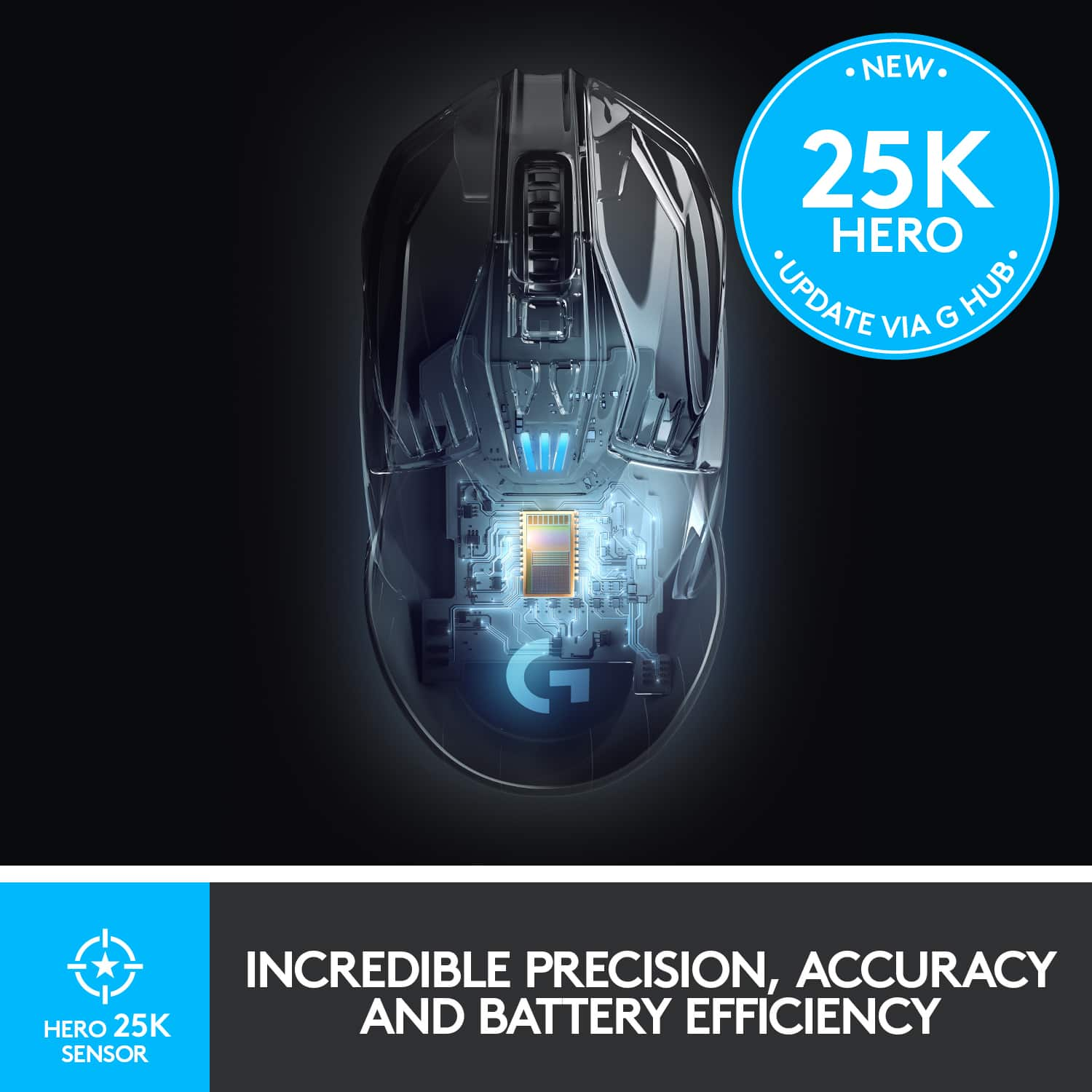
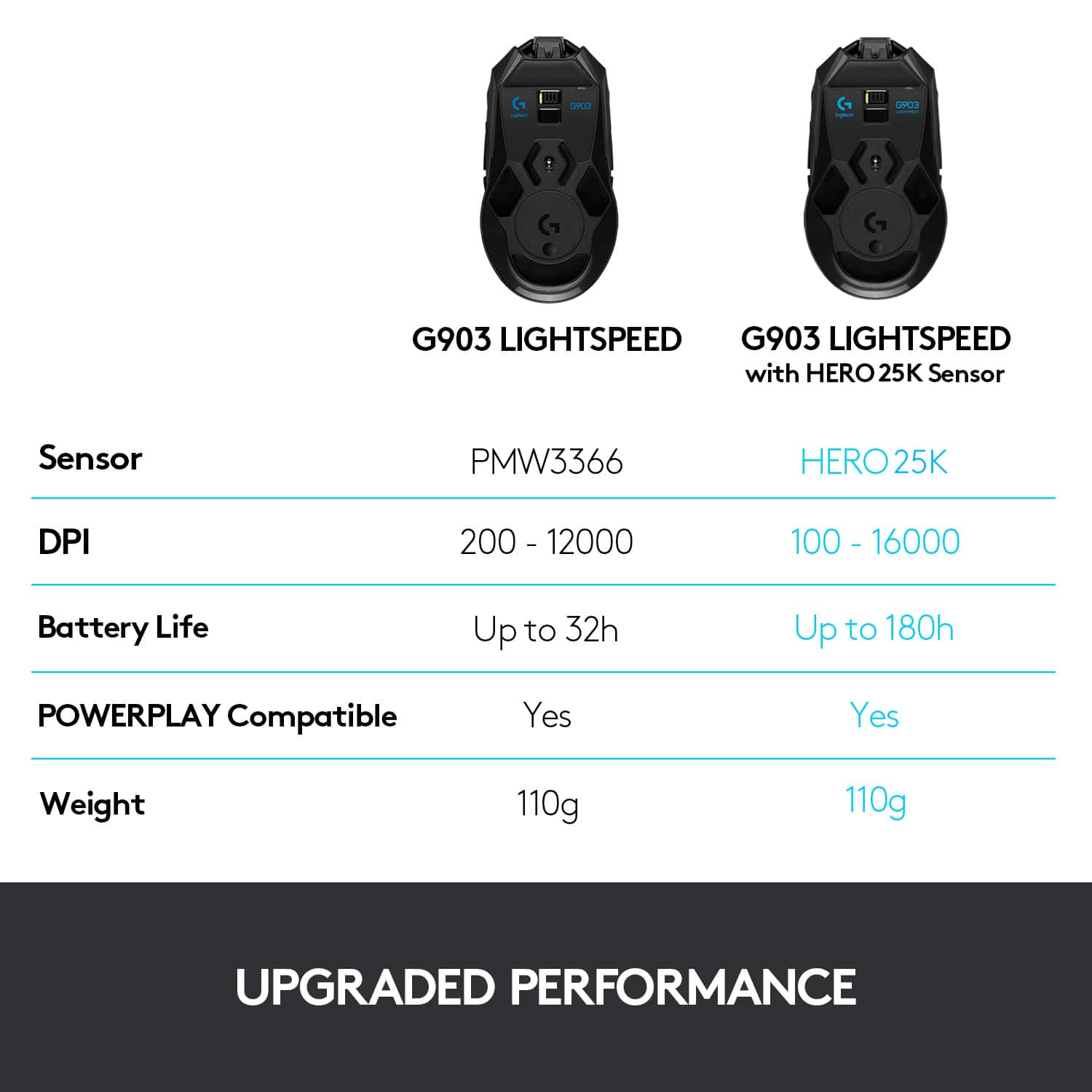
|Posted .This reviewer received promo considerations or sweepstakes entry for writing a review.Wow. This mouse is amazing. It fixes what the Lightspeed failed at which was the double clicking issue. No problems with this at all. Do not confuse this with the Lightspeed model. This has been HEROified. The HERO 16K sensor is a major upgrade with dpi capabilities up to 16000 dpi which is pretty amazing. The 140 - 180 hour battery life is also amazing. Everything about this mouse is pretty much amazing. Logitech did great here.
I would recommend this to a friend