Customer Ratings & Reviews
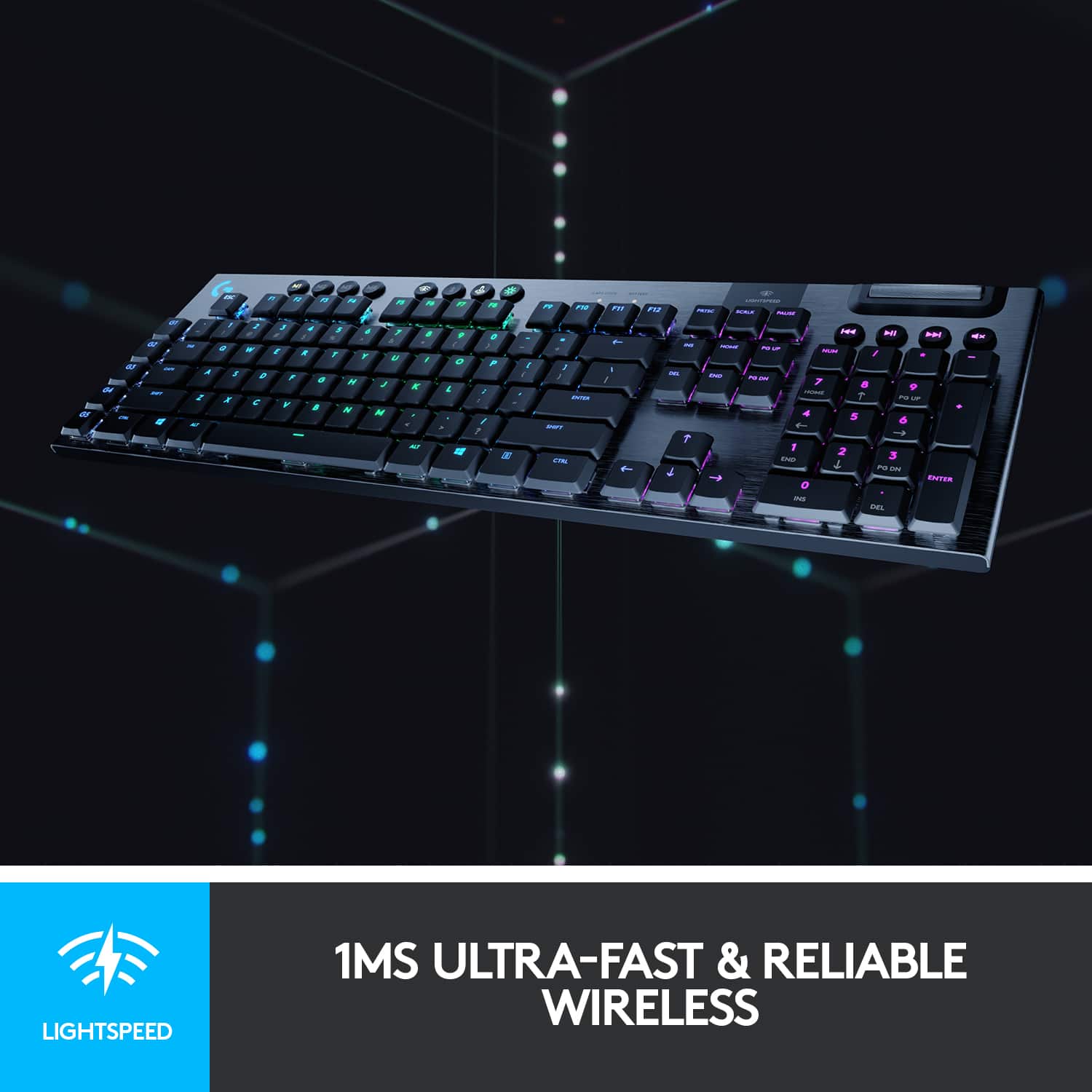
![M1 M2 M3 MR CAP LOCK SATTERY LIGHTSPEED ESC F1 F2 F3 F4 F5 F6 F7 F8 F9 F10 F11 F12 PRTSC SCALE FALA H4 HI H G1 I 1 I 2 3 # 4 $ 5 % 6 7 & 8 9 ( 0 - = + ING HOME PO UP NUM I I G2 TAB Q W E R T Y U I O P I { ] ) / | DEL END PO ON 7 HOME 8 9 PO UP G3 CAPS A S D F G H J K L i 1 a a ENTER 4 5 6 G4 SHIFT Z X C V B N M < A / ? SHEFT 1 END 2 3 PO DN ENTER G5 CTRL ALT ALT 1 CTRL 0 INS DEL](https://pisces.bbystatic.com/image2/BestBuy_US/images/products/6360/6360844_sd.jpg)
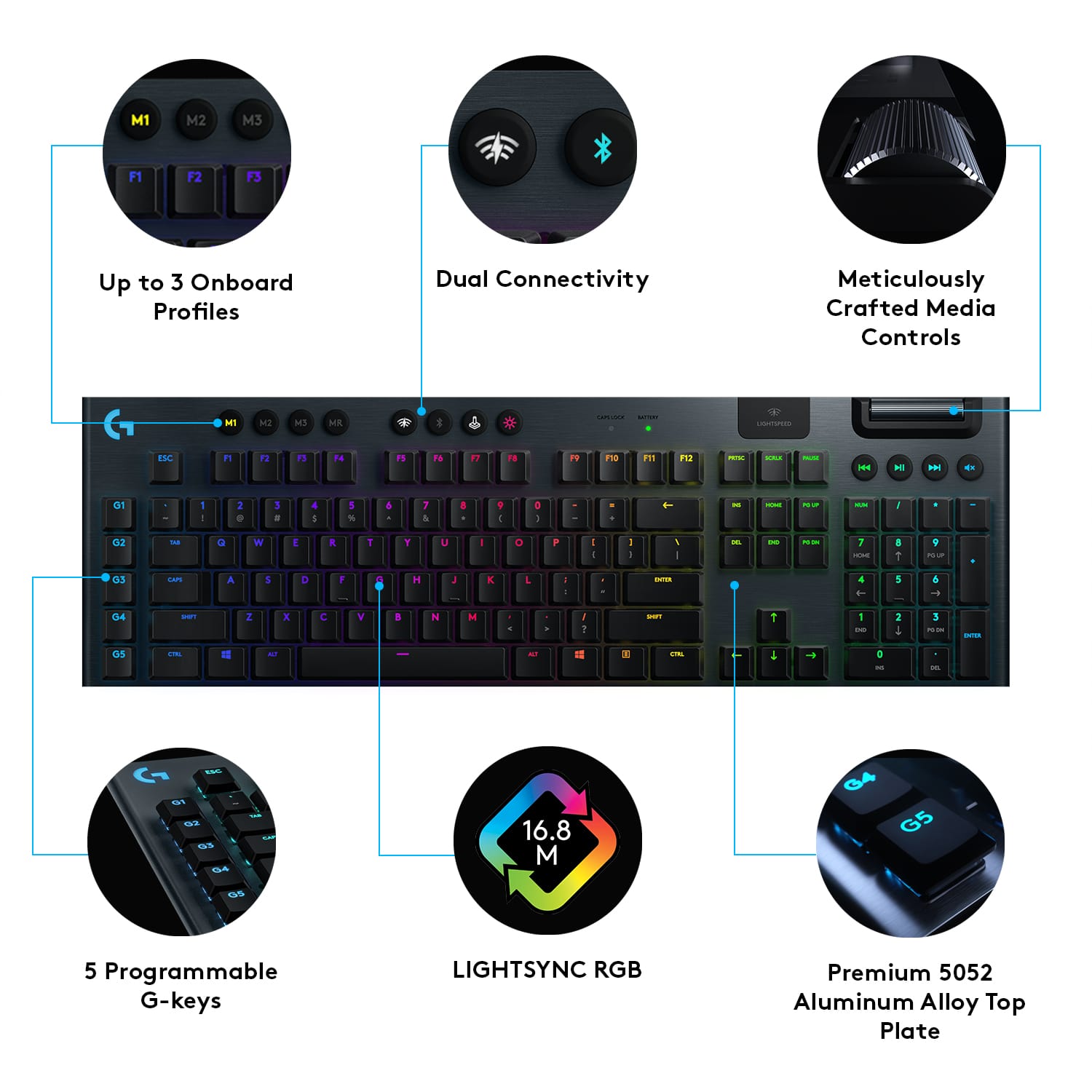
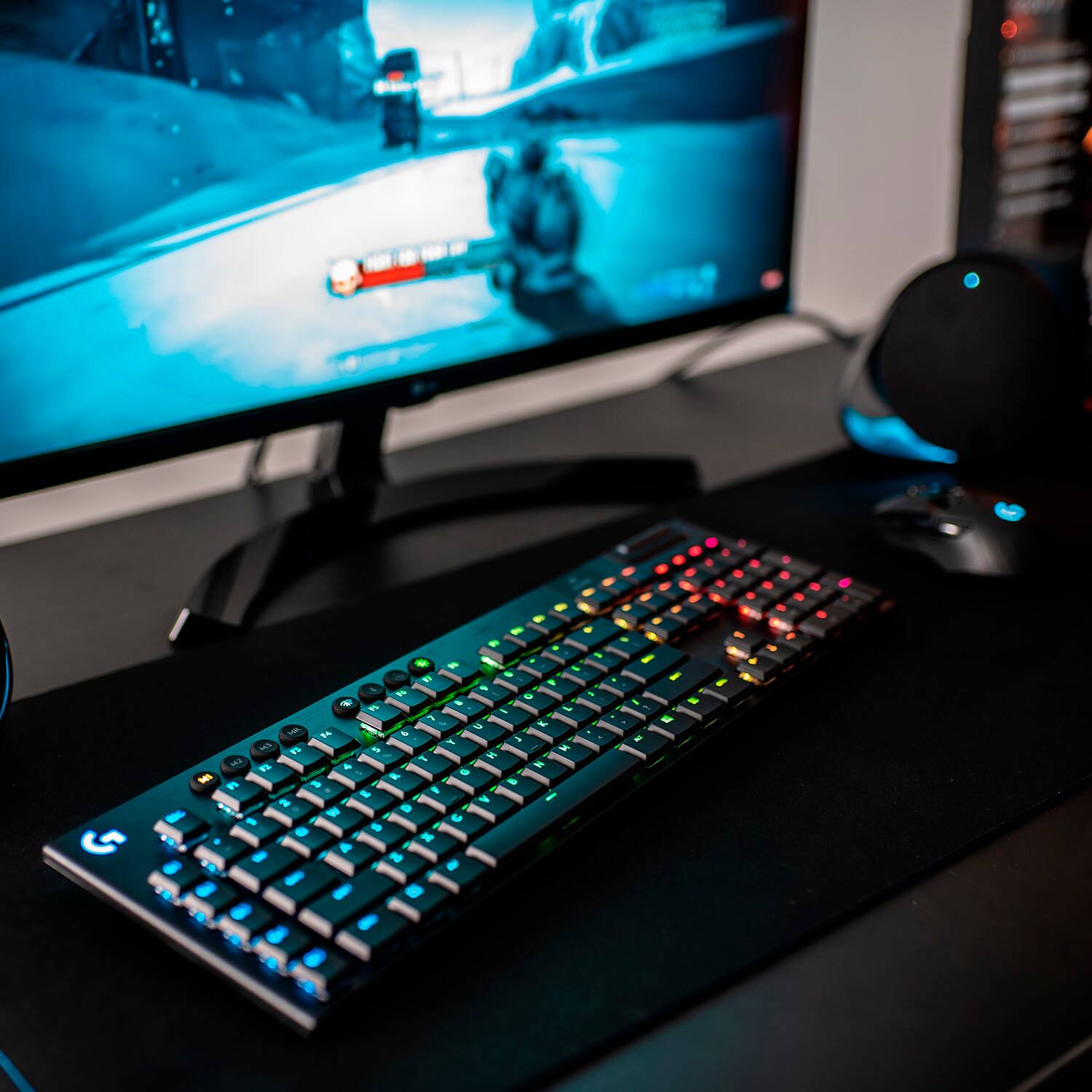
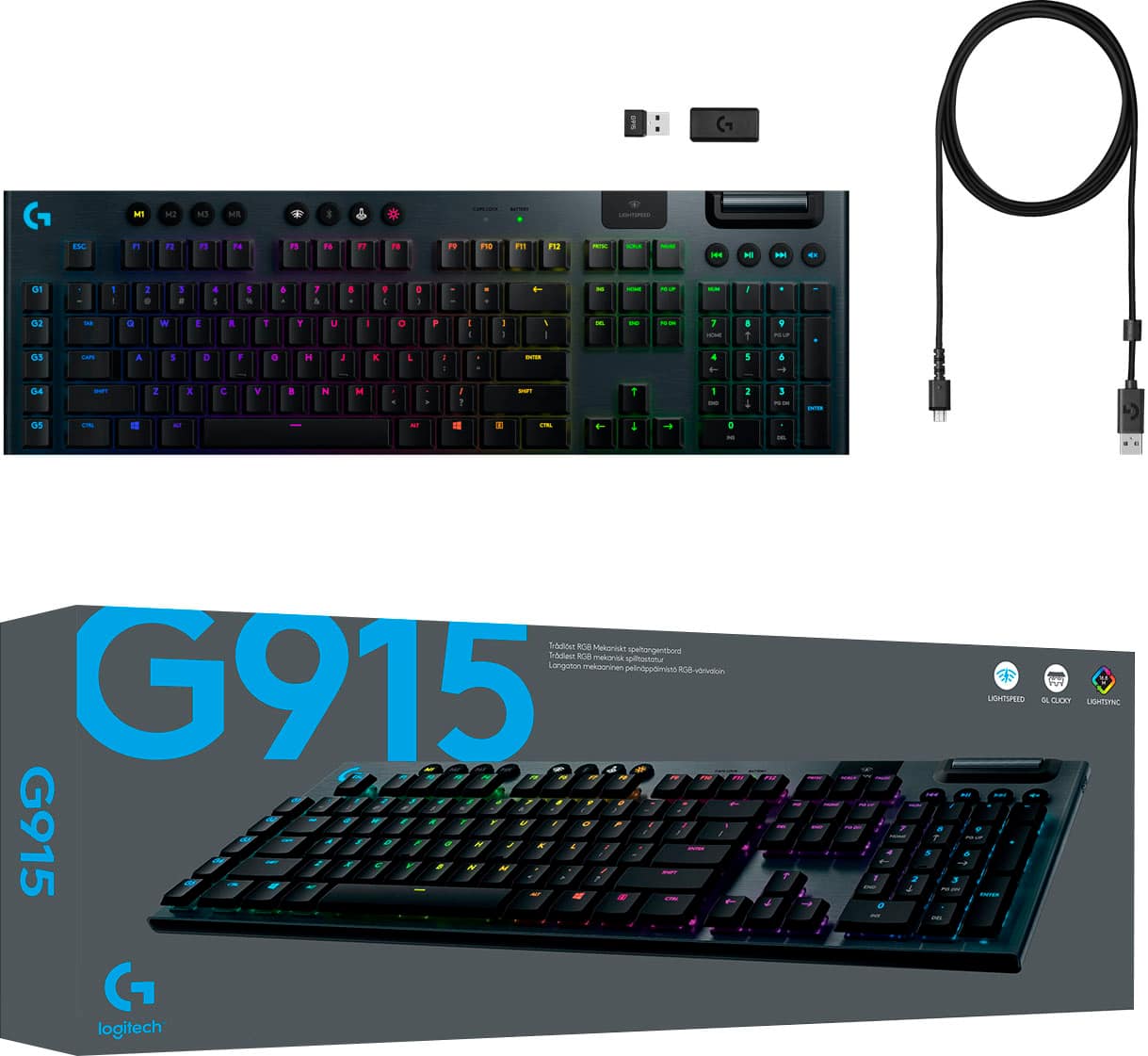
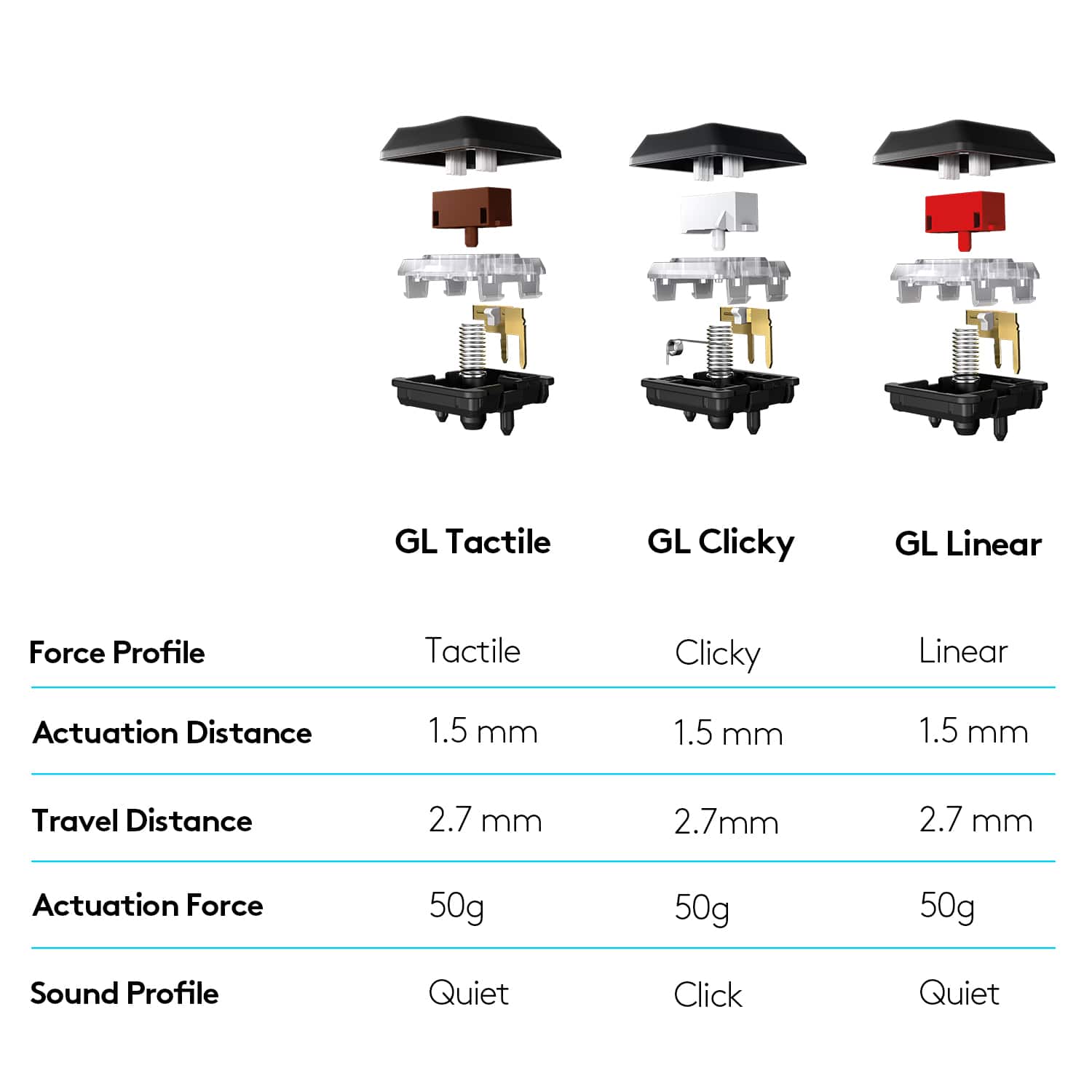
- Model:
- 920-009103
- SKU:
- 6360844
Rating by feature
- Value
Rating 4.3 out of 5 stars
- Quality
Rating 4.8 out of 5 stars
- Ease of Use
Rating 4.7 out of 5 stars
Customers are saying
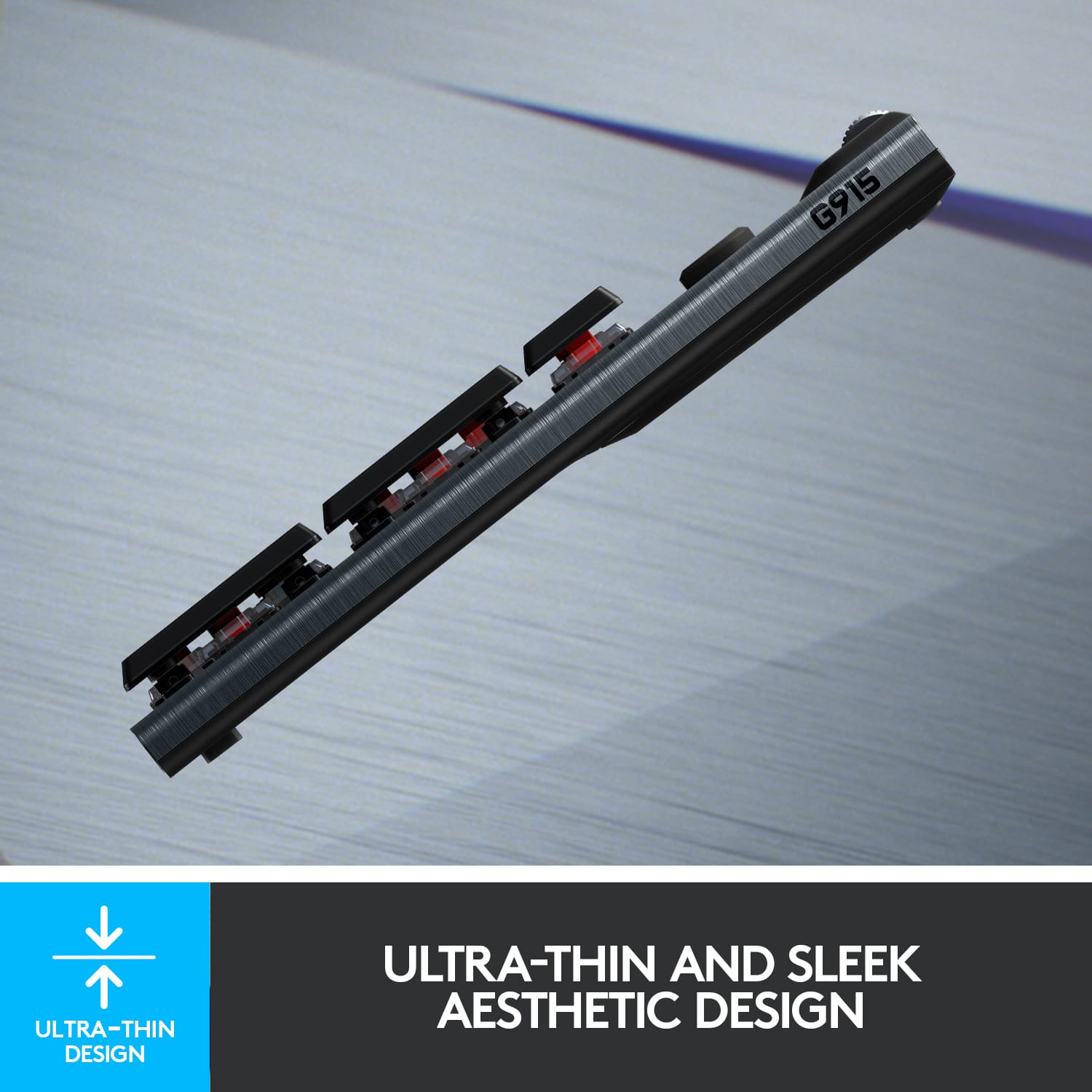
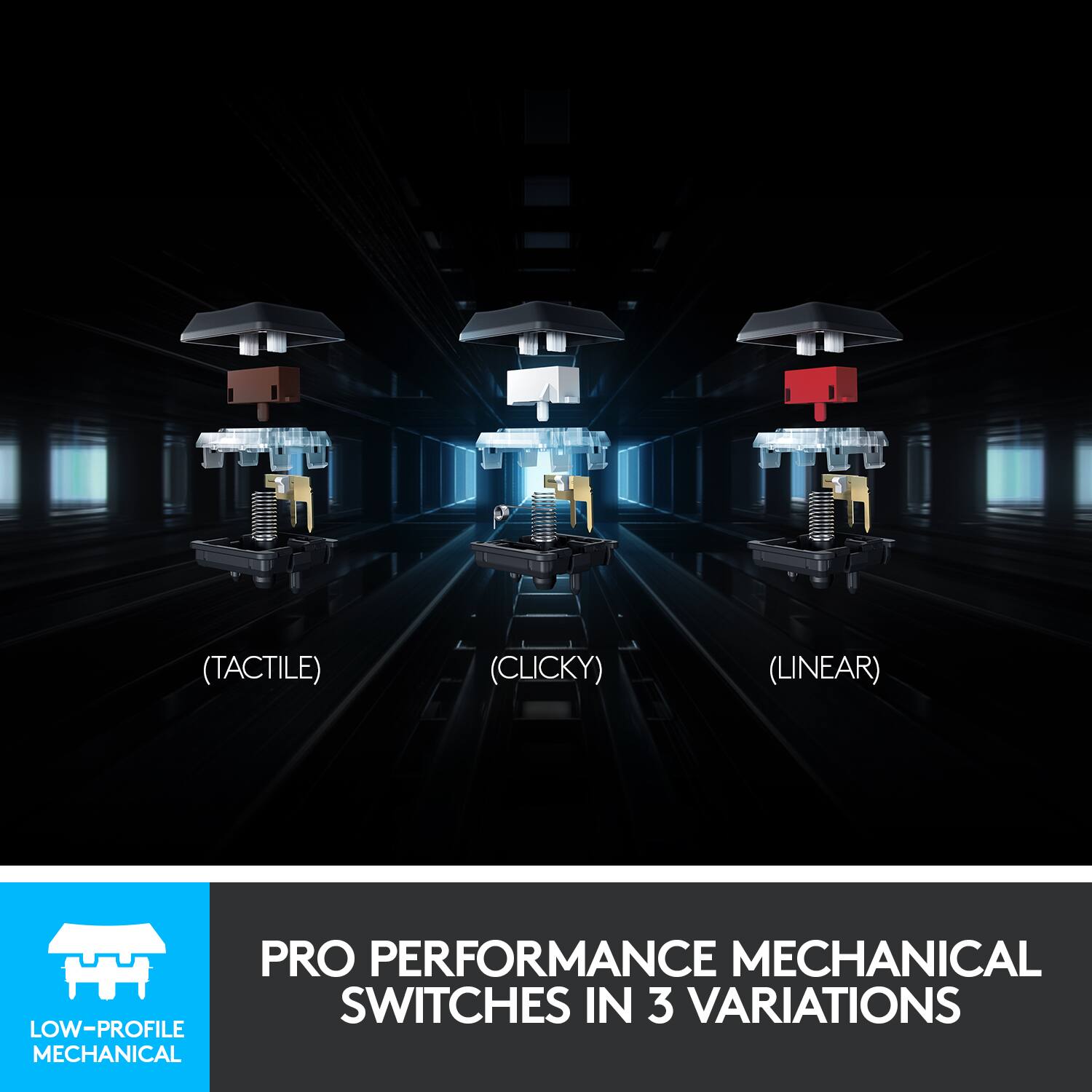
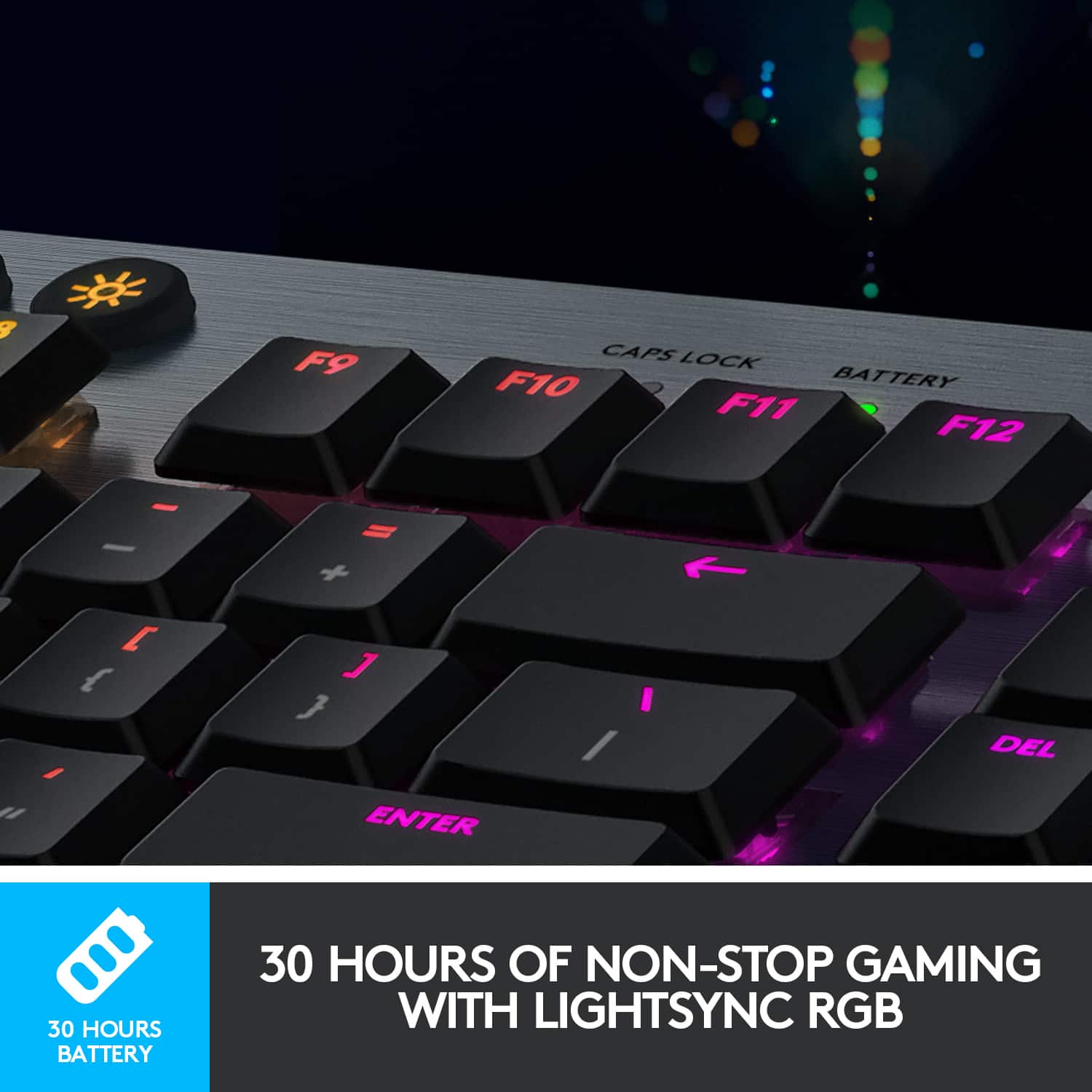
Customers are impressed with the G915 LIGHTSPEED keyboard's high-quality build, excellent battery life, and vibrant RGB backlighting. The clicky key feel and wireless functionality are also frequently praised, providing a satisfying and responsive typing experience. While some find the price point high and the software complex, many users report minimal latency and find the keyboard easy to use.
This summary was generated by AI based on customer reviews.
- Pros mentioned:Key feel, Wireless
Excellent keyboard
||Posted . Owned for 1 week when reviewed.This reviewer received promo considerations or sweepstakes entry for writing a review.Extremely solid keyboard - the keys feel great, and I love that you can use this wirelessly or plugged in. Highly recommend for office use as well as gaming!
I would recommend this to a friend - Pros mentioned:Keyboard quality
Super expensive but would recommend
||Posted . Owned for 3 weeks when reviewed.This reviewer received promo considerations or sweepstakes entry for writing a review.I honestly don’t know what I was thinking buying this at retail price, but now that I’ve had it for almost a month I have no regrets. I used to have Corsair which Is perfect, but I was tired of seeing cables. This is the only mechanical rgb keyboard I found that offers everything that the Corsair did except it’s wireless. I do wish it has a usb in the back like Corsair but I can see why it’s not added. I use this for work and little gaming so the ten key is also a must. If you have the money I’d say this is a buy! If you don’t have the budget there are other alternatives but maybe not wireless. I don’t care for personalizing the colors so I can’t rate the software, but overall love my new keyboard
I would recommend this to a friend - Pros mentioned:Keyboard quality
Amazing gaming keyboard
||Posted . Owned for 3 weeks when reviewed.This reviewer received promo considerations or sweepstakes entry for writing a review.The GL Clicky switches are really good. I wasn't sure of them at first, coming from more traditional keyboards (specifically Das Keyboards). It took a little time to get used to the new feel (a couple days?) since it really does not feel like a traditional keyboard, but now I feel like I can type a lot faster, and it feels very fluid. I would say the only con I've found comes from one of its biggest strength: customization. It has a ton of things to customize, which has been great (I'm sure other reviewers go more into detail on this). However, you have to use the G Hub software. Which is great when it works, but it just freezes up half the time for me. My webcam requires it to change settings, so I keep G Hub working (I really miss its old software), but it would really annoy me if it was just to customize the keyboard. Honestly, it would be 5 stars easily if Logitech would give the G Hub software some reliability. And if the software gets any worse, it'll bring my review of any Logitech gaming gear down to 3 stars max.
I would recommend this to a friend - Pros mentioned:Battery life
Great Gaming and Everyday Keyboard
||Posted . Owned for 1 month when reviewed.This reviewer received promo considerations or sweepstakes entry for writing a review.I've been using this keyboard for about a month now as my daily typer, working from home and gaming. I love the low profile of it and the responsiveness of the keys. I wasn't sure I was going to like the Clicky switches, but I do and the sound they make is very satisfying. The battery and connectivity using the LightSpeed module is very good. Again, have had this for about a month and have only had to charge it twice.
I would recommend this to a friend Amazing for typing
||Posted . Owned for less than 1 week when reviewed.This reviewer received promo considerations or sweepstakes entry for writing a review.I originally had a Logitech G815 and bought this to get rid of the wire. My old one was a tactile G815, this one has clicky switches. The tactile took some getting used to, and I had missed keypresses and double keypresses until I got used to it. The clicky had no learning curve but was noisier. It's not as noisy as some other mechanical keyboards, but might be too noisy for an office environment. I bought both the G815 and G915 after I wasn't gaming much, simply because I liked the feel of typing on them. They really are a dream for typing. Unfortunately, in my particular case, I had to go back to an ergonomic keyboard due to a mild repetitive stress injury from long ago. It's a fine productivity keyboard, particularly once you turn the lightshow down to a softer light. The macro keys have all kinds of non-gaming uses, from inserting commonly-used special characters to launching applications. Just know that if you want to pass arguments to an application upon launch, the "arguments" textbox in G-Hub will not be passed to the launched application. You will have to make a batch file or PowerShell script (note, enabling PowerShell scripts might open a security hole on your computer), then launch the batch file or script via G-Hub. Batch files and scripts can enable all kinds of useful things through those G-keys. If you turn the lights lower, the battery goes from good to amazing. The media keys and volume nob are convenient, but not programmable. If you use the Lightspeed dongle (highly recommended as it has much lower latency), it is suggested that you attach the dongle to a USB hub on your desktop, or use the included dongle adapter to put the dongle on the end of the included USB cable so you can have the dongle on your desktop close to your keyboard. The battery is replaceable (remove screws under the sticker on the bottom of the keyboard). I prefer this over the TKL version of the G915 just because the thought of entering IP addresses without a numeric keypad sounds like a nightmare. I cannot stress enough how the low profile, low key travel, and low spring force on the keys make this a dream to type on. This keyboard is indeed expensive, but if you look at what we paid for mechanical keyboards on the original IBM PCs back in the 1980s, then adjust for inflation, it's still less expensive than what we paid for keyboards back in the day.
I would recommend this to a friend- Pros mentioned:Key feel, Keyboard quality
Great keyboard
||Posted . Owned for 2 weeks when reviewed.This reviewer received promo considerations or sweepstakes entry for writing a review.The keys feel great and it's satisfying to type. It also feels pretty sturdy since I think it's made from aluminum.
I would recommend this to a friend - Pros mentioned:Keyboard quality, Rgb backlighting
Beautiful keyboard that works well for everything!
||Posted . Owned for 3 weeks when reviewed.This reviewer received promo considerations or sweepstakes entry for writing a review.I'm more of a casual user but recently started online gaming with friends and this keyboard really made my experience extraordinary! The colors and themes are beautiful and this thing feels premium.
I would recommend this to a friend - Cons mentioned:Software
A couple key problems that keep it from 5 stars
||Posted . Owned for less than 1 week when reviewed.This reviewer received promo considerations or sweepstakes entry for writing a review.There are good things about this keyboard that you can see mentioned in the other reviews. I thought I would mention a couple key issues I encountered that kept it from being a premium experience for me personally. First, as mentioned, the charging cable is the dreaded micro-usb. Once you have a few devices on your desk using USB-C, adding one that brings a micro-usb cable back into the setup is a hard sell, especially considering the cost of this keyboard. Second, and this is a minor thing, but for me the layout is a little disorienting. The added keys on the left side of the keyboard made me miss hitting keys along the left side because I'm used to them being on the very edge. Not a huge deal but thought it worth mentioning - if you're a creature of habit those keys might mess with your typing. And if you're like me and not planning on using those keys anyway they're just lemons with no possibility of lemonade. My last issue is the software. I was using this keyboard partially for my work setup and wanted to set up a not animated (or at least minimally animated) color profile and found it very unintuitive to do so. I also tried to use the G Hub software to download profiles from the community but the software just didn't work, prompting me to click a browser button to go back to the app but not actually doing anything in the app. Very frustrating. I looked online for help and found lots of others having similar issues but couldn't find a solution. Overall the hardware feels good. I liked the volume wheel and felt like it worked a lot better than the one on my Razer KB, but the software issues made this a return for me. I might look again once they update with USB-C (assuming the software has been updated by then too).
No, I would not recommend this to a friend - Pros mentioned:Keyboard quality, Rgb backlighting
Keyboard
||Posted . Owned for 1 month when reviewed.This reviewer received promo considerations or sweepstakes entry for writing a review.Good keyboard, can type and stuff has colors and lights.
I would recommend this to a friendBrand response from Logitech
Posted .Thank you for your feedback on the G915 LIGHTSPEED Full-size Wireless Mechanical GL Clicky Switch Gaming Keyboard. We're glad to hear that you appreciate the keyboard's functionality, customizable lighting, and overall performance.
- Pros mentioned:Key feel, Rgb backlighting
Smooth
||Posted . Owned for 2 weeks when reviewed.This reviewer received promo considerations or sweepstakes entry for writing a review.The RGB lighting is amazing. The way the keys feel and sound just glides. Happy with my purchase!
I would recommend this to a friend - Pros mentioned:Key feel, Keyboard quality
Best wireless keyboard for gaming
||Posted . Owned for 1 month when reviewed.This reviewer received promo considerations or sweepstakes entry for writing a review.An absolutely amazing keyboard. Love the the feel of the keys and their low profile. Zero latency while wireless. Have had no issues whatsoever. Expensive but you get what you paid for
I would recommend this to a friend - Pros mentioned:Battery life, Rgb backlighting
Awesome Keyboard
||Posted .This reviewer received promo considerations or sweepstakes entry for writing a review.The best keyboard I’ve ever owned by far! Great battery life especially if you turn off the RGB but who tf games without RGB? Price is a little steep but thank God for GME stonks.
I would recommend this to a friend - Pros mentioned:Keyboard quality
My favorite keyboard
||Posted . Owned for 1.5 years when reviewed.This reviewer received promo considerations or sweepstakes entry for writing a review.Absolutely love this keyboard. Love how light it is, it’s a cross between a mechanical and more modern keyboards which was perfect when I got tired of my razor gaming keyboard. Great for productivity and gaming.
I would recommend this to a friendBrand response from Logitech
Posted .We're thrilled to hear you love the G915 LIGHTSPEED! We appreciate your feedback on its lightweight design, the unique feel that blends mechanical and modern, and how it's great for both productivity and gaming.

- Pros mentioned:Battery life, Wireless
Amazing... Expensive but amazing
||Posted . Owned for 1 month when reviewed.This reviewer received promo considerations or sweepstakes entry for writing a review.Exactly what I wanted! Charge lasts longer than I thought. Less loud than my old mechanical keyboard. Love that I can switch from to Bluetooth for my work laptop. So easy to use and set up.
I would recommend this to a friend - Pros mentioned:Battery life, Rgb backlighting
Worth the money.
||Posted . Owned for 1 week when reviewed.This reviewer received promo considerations or sweepstakes entry for writing a review.Amazing keyboard. Very fast and the colors are beautiful. Battery life is also very good, I’d say it lasts about 60-70 hours
I would recommend this to a friend - Pros mentioned:Keyboard quality, Wireless
Best keyboard I have bought
||Posted . Owned for 2 weeks when reviewed.This reviewer received promo considerations or sweepstakes entry for writing a review.I bought this a little while ago and have never regretted it. The keys feel great and responsive. The lightspeed feature is a lifesaver since I don't have many Usb ports on my computer.
I would recommend this to a friend - Pros mentioned:Rgb backlighting, Wireless
Good stuff
||Posted . Owned for 3 weeks when reviewed.This reviewer received promo considerations or sweepstakes entry for writing a review.Good feel, excellent bluetooth and in case your wondering you can connect but via USB directly. Nice color configuration, the only thing is that the secondary key logos don't light up.
I would recommend this to a friend - Pros mentioned:Key feel, Rgb backlighting
I'm cooler than the kids now
||Posted . Owned for 1 year when reviewed.This reviewer received promo considerations or sweepstakes entry for writing a review.Love the tactile feel of this wireless keyboard that I use primarily for work, but the customized lighting is also very fun and entertaining when stressed!
I would recommend this to a friend - Pros mentioned:Keyboard quality, Rgb backlighting
The G915 is great.
||Posted . Owned for 9 months when reviewed.This reviewer received promo considerations or sweepstakes entry for writing a review.Excellent Keyboard! Built like a tank, the G915 is the most impressive wireless gaming keyboard I have come across. Brushed aluminum and vibrant RGB make this one killer for keyboard.
I would recommend this to a friend - Pros mentioned:Battery life, Keyboard quality
Fantastic full sized keyboard
||Posted . Owned for 6 months when reviewed.This reviewer received promo considerations or sweepstakes entry for writing a review.Absolutley love this keyboard, switches are amazing as well ad the low-latency wireless connection. Stays charged for a while as well, even with regular use
I would recommend this to a friend