Customer Ratings & Reviews
![M1 M2 M3 MR CAP LOCK SATTERY LIGHTSPEED ESC F1 F2 F3 F4 F5 F6 F7 F8 F9 F10 F11 F12 PRTSC SCALE FALA H4 HI H G1 I 1 I 2 3 # 4 $ 5 % 6 7 & 8 9 ( 0 - = + ING HOME PO UP NUM I I G2 TAB Q W E R T Y U I O P I { ] ) / | DEL END PO ON 7 HOME 8 9 PO UP G3 CAPS A S D F G H J K L i 1 a a ENTER 4 5 6 G4 SHIFT Z X C V B N M < A / ? SHEFT 1 END 2 3 PO DN ENTER G5 CTRL ALT ALT 1 CTRL 0 INS DEL](https://pisces.bbystatic.com/image2/BestBuy_US/images/products/6360/6360844_sd.jpg)
- Model:
- 920-009103
- SKU:
- 6360844
Rating by feature
- Value
Rating 4.3 out of 5 stars
- Quality
Rating 4.8 out of 5 stars
- Ease of Use
Rating 4.7 out of 5 stars
Customers are saying
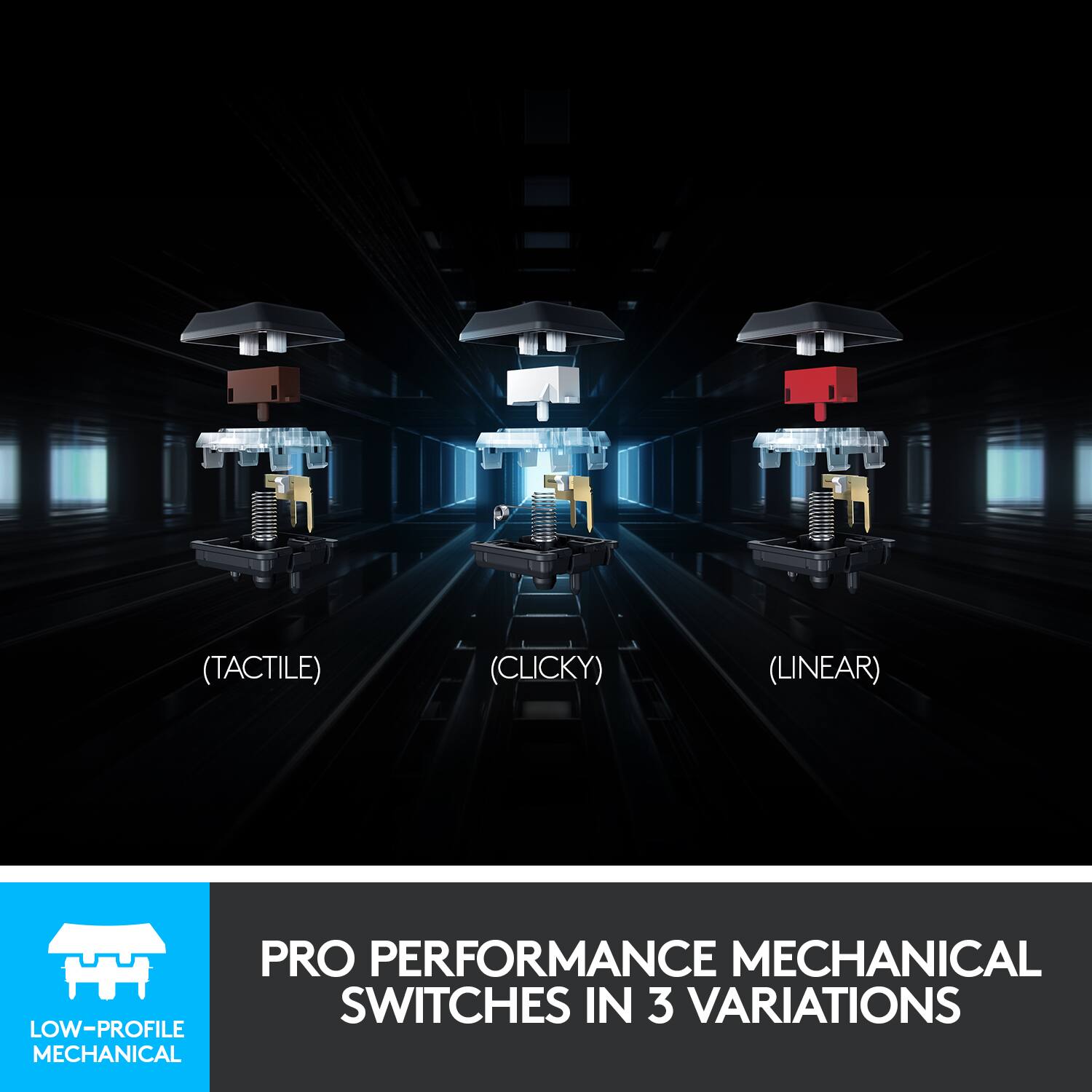
Customers are impressed with the G915 LIGHTSPEED keyboard's high-quality build, excellent battery life, and vibrant RGB backlighting. The clicky key feel and wireless functionality are also frequently praised, providing a satisfying and responsive typing experience. While some find the price point high and the software complex, many users report minimal latency and find the keyboard easy to use.
This summary was generated by AI based on customer reviews.
Don’t buy
||Posted . Owned for 3 weeks when reviewed.This reviewer received promo considerations or sweepstakes entry for writing a review.250$ for a key board and one of they keys doesn’t light correctly . Disappointed.
No, I would not recommend this to a friendBrand response from Logitech
Posted .Hello Dylan, we are so sorry to hear that the G915 keyboard had one light that wasn't working properly. At Logitech, it is our goal to ensure you are completely satisfied with your Logitech purchase. We take pride in the products and services we offer, and want our customers to enjoy them just as much as we do. If you are within the time frame, you can exchange it for a new one at your local Best Buy to get a fully working unit. We truly apologize for the inconvenience. Or, you can also submit a warranty claim on our Logitech Support website to get this issue solved. Thank you so much for being part of the Logitech family. Have a great day and a Happy New Year. -Ricky from Logitech. https://support.logi.com/hc/en-us/articles/360057112773-Warranty-G915-TKL-Clicky
A lighted keyboard that is only half lit
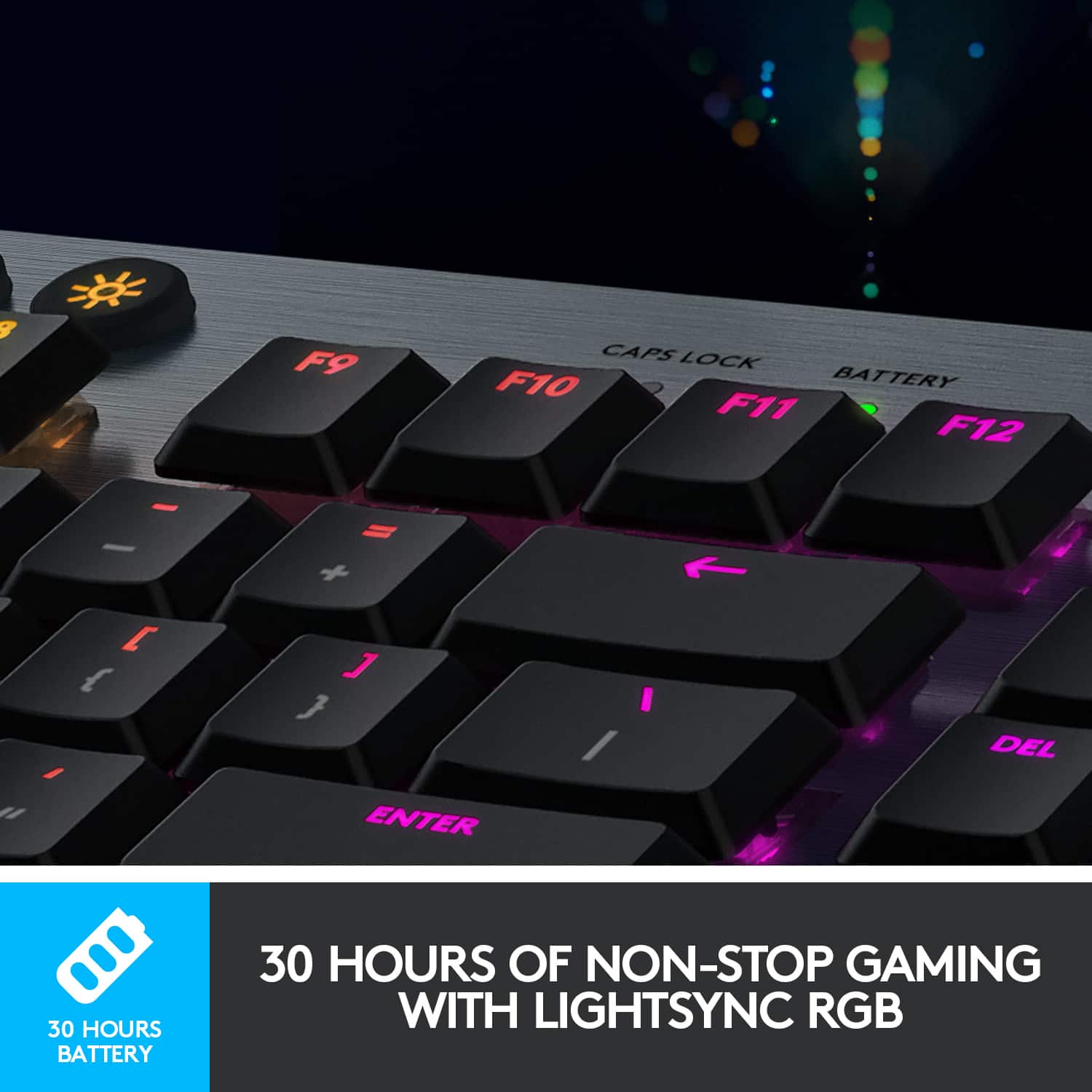
||Posted . Owned for 1 week when reviewed.This reviewer received promo considerations or sweepstakes entry for writing a review.This keyboard is only half lit. The main letters light up but the other symbols do not. My work area is not well lit and I have to hunt for things like the question mark, the parentheses, and the percent symbol. Not only are they not lit, they are grey smudges on the black keys in poor light. Unless you just want a flashy keyboard and don't really need the lights, this is an extremely poor design.
No, I would not recommend this to a friendBrand response from Logitech
Posted .We regret to hear about your displeasing experience with the G915. Compared to membrane keyboards, mechanical keyboards have the switch mechanism located in the middle of the keycap and the LED is at the top. This prevents backlighting from illuminating the entire keycap. We value your feedback and therefore, we'll make sure that this is communicated with the relevant team for future considerations.
left CTRL button gets stuck.
||Posted . Owned for 4 months when reviewed.This reviewer received promo considerations or sweepstakes entry for writing a review.left CTRL button gets stuck. left CTRL button gets stuck.
No, I would not recommend this to a friendBrand response from Logitech
Posted .Hi Nikolai, Very sorry to hear about the issue you're having with the left CTRL button getting stuck on your G915 Wireless Gaming Keyboard. Fortunately, the G915 does have a 2-year limited hardware warranty. Here's a link to File A Claim: https://support.logi.com/hc/en-us/articles/360036029254-Warranty-G915. Hope that this helps resolve the issue and that all is going better. Thank you for being a Logitech customer. - Richard from Logitech
sucks
||Posted . Owned for 5 months when reviewed.This reviewer received promo considerations or sweepstakes entry for writing a review.the keyboard lights stopped working for no reason. terrible.
No, I would not recommend this to a friendNot ps4 compatible
||Posted . Owned for 3 weeks when reviewed.This reviewer received promo considerations or sweepstakes entry for writing a review.Bought to use with my ps4 but can't so a waste of money.
No, I would not recommend this to a friend- Cons mentioned:Price

Beautiful Gaming KeyBoard
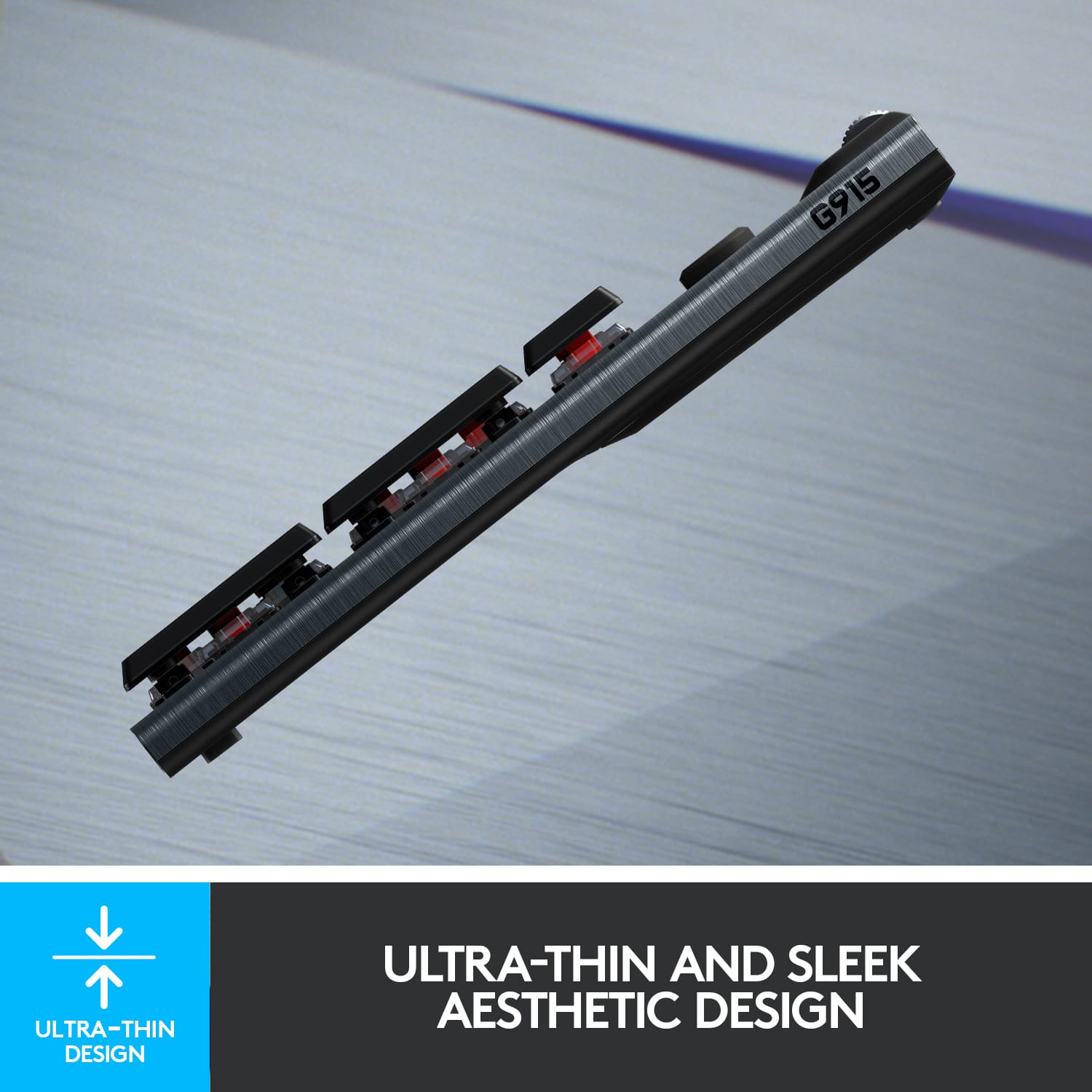
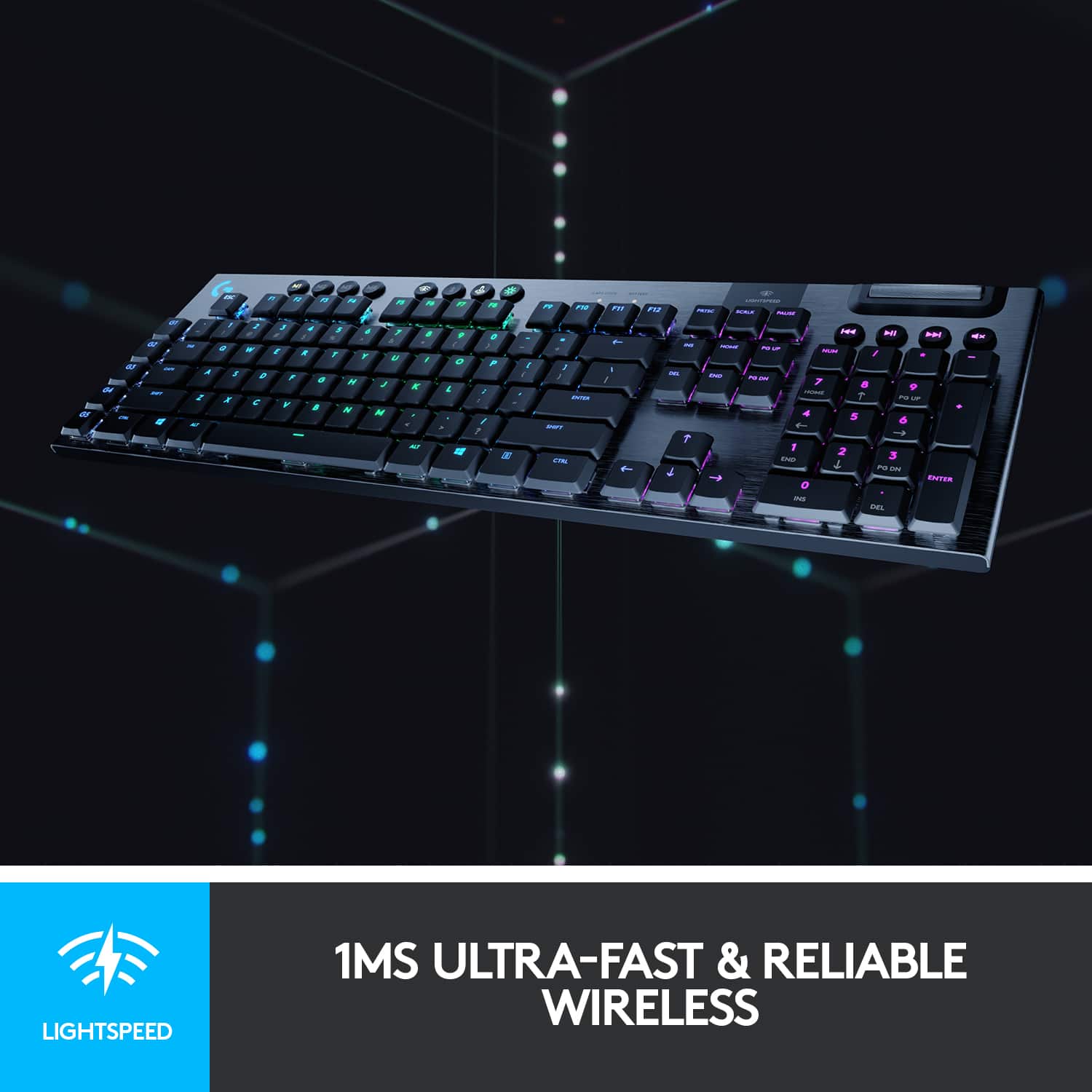
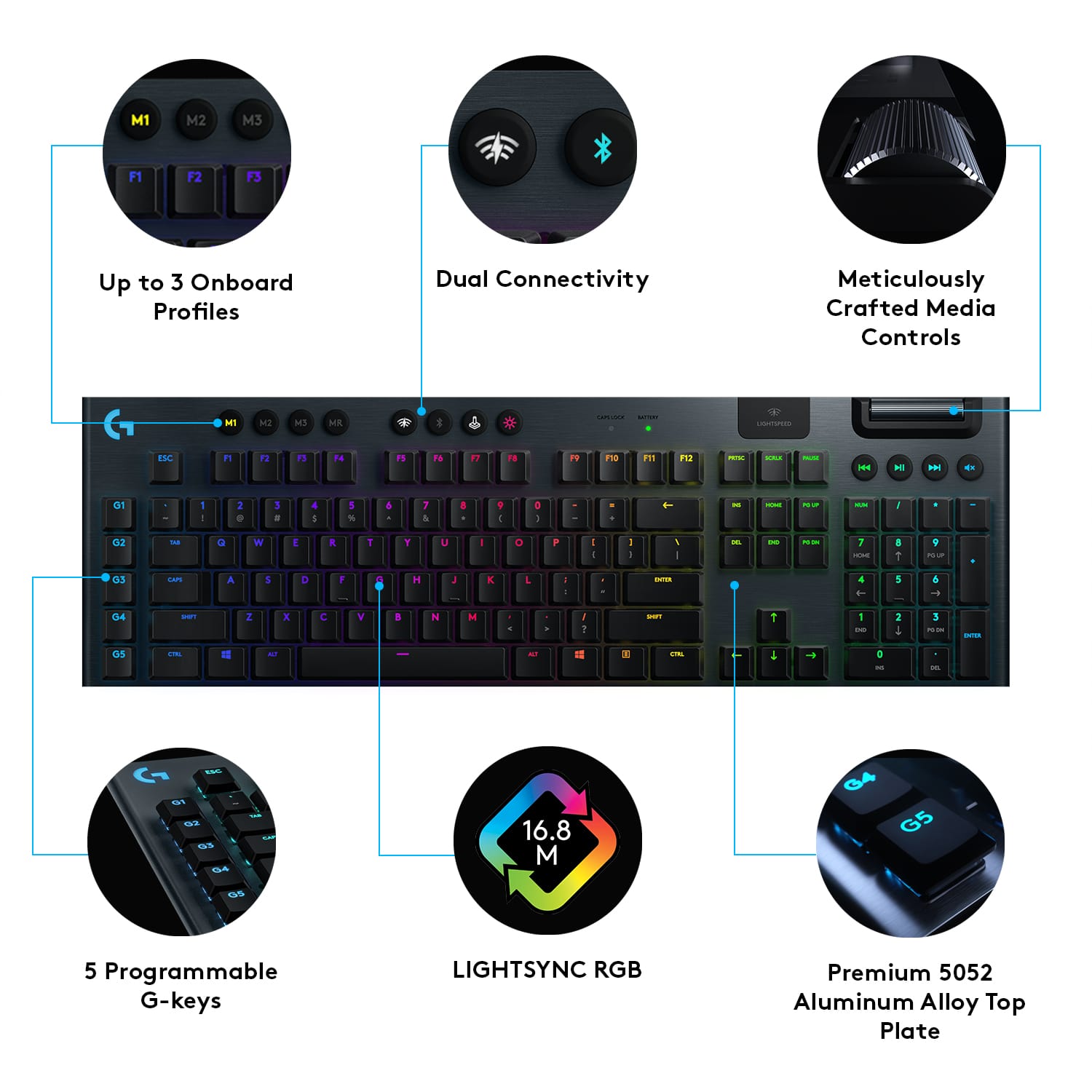
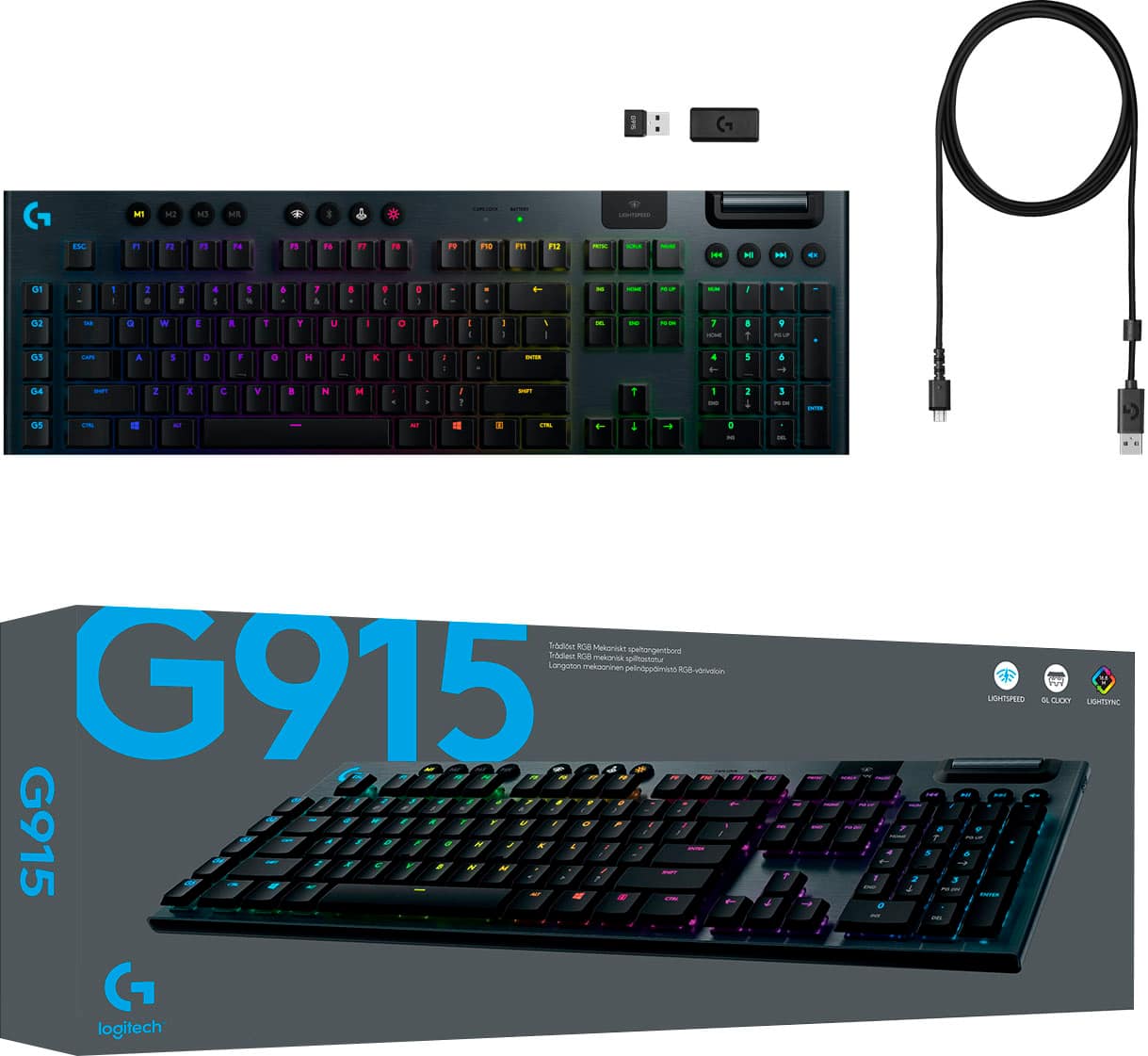
|Posted .This reviewer received promo considerations or sweepstakes entry for writing a review.What's in the box ----------------- 1. G915 wireless keyboard 2. USB cable 3. lightspeed USB connector 4. User Guide Pros ----- 1. Good fit and Great looks with the Brushed Aluminum Back plate and Illuminated G logo on the top left. 2. 2 step extendable leg 3. Bluetooth and wireless connectivity (lightspeed) 4. Super large battery life, 136 days (136x8 hrs per day) without the light on or 12 days (8hrsx12) with the RGB light enabled. 5. G Hub interface for customizing the lighting and macro keys 6. 5 dedicated macro keys 7. Wired mode to charge and play simultaneously. Cons ---- 1. Secondary characters are not illuminated 2. Its Pricey 3. No wrist rest (may be because this is a low profile keyboard) Review ------ DESIGN & BUILD QUALITY This is a major plus point for this keyboard. The top part and most of the side is of brushed aluminium and it can really well built and you can actually feel the quality around the corners. The only plastic piece would be the one under the keyboard which you may not see. The keys are of good quality and they look beautiful when lit. SETUP & USAGE The pairing was pretty easy, you need to use the USB dongle to get lightspeed. I downloaded the G Hub software which i used for setting up the macro keys and customizing the RGB lighting. You can connect through Bluetooth as well but i dont think it will give you lightspeed. I played Doom and Titanfall 2 and the gaming experience was great. I actually enjoyed the clicking of the keyboards. I also wanted to test out the wireless speed as compared to a wired connection. You can actually connect this keyboard through wire to the computer and it will charge and you can still continue to use the keyboard. I was impressed with the battery life of the keyboard, with the lighting on, on paper, it is 12 days with 8 hours of usage per day and without the lighting, the life is 136 days (8 hrs per day). i feel the charge will last forever.... The keyboard also has a low battery warning at 15% and a 3 hours full charge time. This is a good feature because you dont want the battery running out in the middle of the game. price however is a big factor, $249, is it worth it? May be $200 would be a good price?
I would recommend this to a friend - Pros mentioned:Battery life, Rgb backlighting
The Game Has Just Been Changed!!!!!!
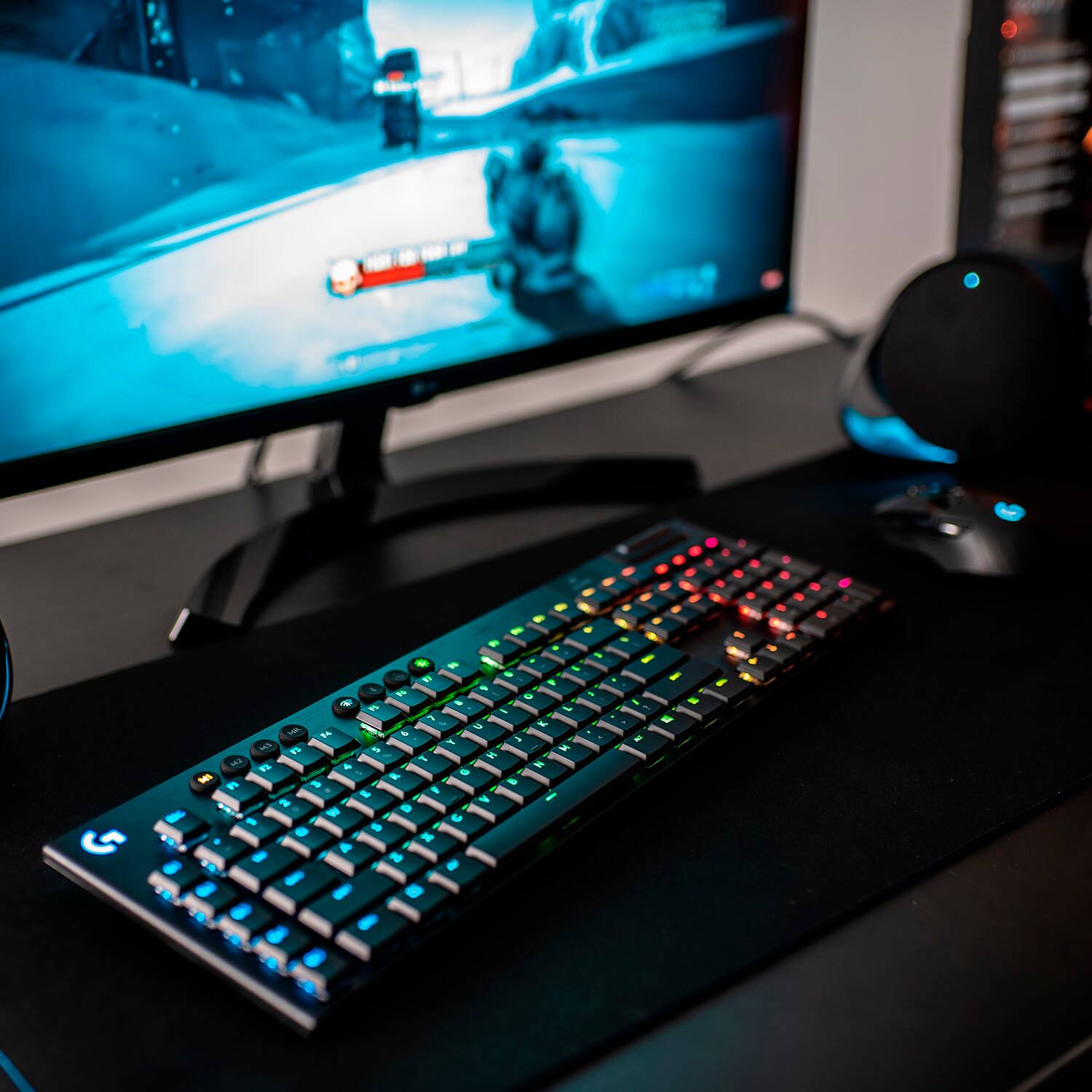
|Posted .This reviewer received promo considerations or sweepstakes entry for writing a review.The G915 LIGHTSPEED is a monster keyboard. The game key placement is perfect. And the backlighting is very fluid, at some points, it appears to be breathing. Lightspeed technology is a major jump from standard Bluetooth. And for a keyboard with a very solid design its ultrathin compared to the usual mechanical. The LIGHTSNC RGB is a very sweet and customizable feature. And all features when synced to the G HUB you Have total control over your gaming experience. The media controls are very well placed, and I love the roller volume control. I was online wirelessly all for 2 days and that's an amazing battery for any level gamer. If you are truly looking to get into the game, this is the keyboard you need to get your hands on. You will love it!!!!!!!
I would recommend this to a friend - Pros mentioned:Battery life, Keyboard quality
Love this keyboard!
|Posted .This reviewer received promo considerations or sweepstakes entry for writing a review.The Logitech - G915 LIGHTSPEED is a really nice and well built key board. I have been playing WoW classic on it and it is so smooth and easy to use. You can customize just about everything on this keyboard as well. The G keys are programmable, you can save different game profiles right on the keyboard using one of the "M" buttons. All this including the lighting is customized using the G-Hub which you will need to download. The hub is very easy to use and you will be up and running in no time. The battery does indeed last around 30 hrs and I have noticed no lag input or delay using this wireless keyboard. Overall, this is a very nice gaming keyboard if you are looking to upgrade and I definitely recommend the G915.
I would recommend this to a friend - Pros mentioned:Wireless
love this keyboard
|Posted .This reviewer received promo considerations or sweepstakes entry for writing a review.man do I enjoy Logitech products, and this was no different. its thin and the keys are thin as well . they do bevel in a little but not to much. I have a G513 and the keys are raised a bit more and a bit more bevel. this G915 I like cause its a lot easier transitioning from different keys. I love that they listen and that they added dedicated media keys. the buttons for those keys are a soft rubber buttons so very nice and easy to tell apart from the rest of the keyboard. has Bluetooth, their lightspeed usb, or wired. the response is great and I did not see any lag from it when gaming. software I had installed already on my pc, so it was just a matter of plugging in the usb piece, and it was picked up. the usb piece can go directly into your pc, or you can plug it into a interface piece they provided and then connect the usb cord into that interface and the other end into your pc and have the adaptor extended. I think so far my only negative to say and its not a big deal, is that I would have liked to see the wireless adaptor include a usb plug so that you can just plug the cord into the back and charge so that you don't use up another usb port. I will post a link to youtube video that I did showing unboxing as well as some thoughts on the keyboard. so you can get a better idea. that link will be at the end of my review. Overall, I love the keyboard and glad that I got it. it responds great, and keeps a clutter free space. link to my video unboxing and review for the G915 wireless keyboard. https://youtu.be/jx5AQqYTiQk
I would recommend this to a friend - Pros mentioned:Battery life, Keyboard quality
G915 Full-size Amazing.
Posted .This reviewer received promo considerations or sweepstakes entry for writing a review.Going from a TKL to the full-size was a learning curve but I have grown to love this new G915 GL clicky switch gaming keyboard. It has a sleek design, great battery life, and nice heavy feel to the keyboard.
I would recommend this to a friend - Pros mentioned:Keyboard quality, Wireless
Best Gaming Keyboard EVER!
Posted .This reviewer received promo considerations or sweepstakes entry for writing a review.Awesome keyboard! The clicks are nice, and easy! It has a bluetooth option also if you prefer to use that. Its really fast connection, almost as if im directly connected to the computer
I would recommend this to a friend - Pros mentioned:Battery lifeCons mentioned:Software
pretty disappointed
Posted .This reviewer received promo considerations or sweepstakes entry for writing a review.tl;dr you don't have to fully press the keys down to get them to register which is a huge problem for the price point, the keycaps are ABS not double-shot PBT, the software included is hit or miss, and the G keys are also hit or miss depending on if you take full advantage of the software please read the full review! let me get the negative out of the way before I get into the positive. 1. Initial impressions? after about 10 days of use I've noticed when I'm playing games or typing on the internet I don't have to fully press down on the keys to get said key to register. I notice it more when I'm typing and it seems like it happens with keys that get used frequently. "W, Backspace, Return, Spacebar." I can press down on the sides of the keycap and it will register as a full compression which is NOT a good look for a $250 price point. Mind you I don't do this on purpose, I'll be getting ready to delete something via backspace and put the SLIGHTEST amount of pressure and it will register as a press. Nothing close to a full compression. 2. another big problem I have with Logitech specifically is they don't give you an in depth manual for ANY OF THE FRIGGIN PRODUCTS YOU BUY. You know what comes with these devices you're paying anywhere from $150 - $250? a very straightforward quickstart guide, a paper talking about the battery, and a packet talking about the safety instructions/warranty in 4 different languages!! You're telling me I'm paying over $100 for both a mouse and a keyboard and the closest thing to a manual you're gonna give me is G HUB. At least there's a manual for G HUB right? *on the internet* 3. a pet peeve that's started to grow as I use this more and more is the keycaps are ABS and not double shot PBT which is INCREDIBLY disappointing especially when you consider the money you're dishing out on this thing. What does that mean? ABS keycaps are fingerprint magnets and they don't tend to wear well. If you're greasy/oily or you're hands sweat while gaming I'd stay away. PBT keycaps? Better material and wears very well. Sure I could go and spend more money and get a few PBT keycaps for WASD, SHIFT, and a few others, but I'm spending more money on a $250 premium keyboard that didn't come with double-shot PBT keycaps. also you must beware if you go to take this thing apart to clean it, the keycap clips are VERY fragile and very well may break when you try snapping them back into the switch. MIDDLE GROUND: G HUB is the software that comes with all the newer Logitech peripherals and it's honestly a blessing and a curse. The sky is the limit with G HUB. you can make macros that do a number of different things, change the RGB/ style to anything you want/ configure the G keys to certain things, and there's on board memory. This is very nifty, but G HUB is the most in depth and confusing software I have ever used. Razer Synapse was way more simple. Not to mention to use the G keys you have to go into the software everytime you turn on your PC, click you're keyboard and activate G shift just so those 5 keys can be taken advantage of IF you have them binded to something. I'm using 1 and 2 for DPI and it gets very annoying to have to open the software, turn on G shift and then be able to adjust my dpi via two buttons on my board. Furthermore G HUB doesn't notify you everytime your mouse changes DPI, only when it initially turns on. It very well could be that I'm 100% using the software wrong and all of the fixes to my issues as far as G HUB goes are right in front of my face and I'm just to foolish to see it, but it is a very complicated software. Finally to the positives! you wont be charging the battery on this baby every other week this thing is rated for 137 hours with RGB on, it feels like I'm playing with a wired keyboard besides the double occasional double clicks. What really drew my to this keyboard in the first place was the 2.4GHz connection via USB dongle. It seems tough to find good keyboards that use 2.4GHz connection via dongle. It's also BT if that's your thing. It has adjustable feet with two different sizes which you don't see very often another nice touch. I really enjoy the media control keys and I really want to enjoy my G keys but I just don't understand G HUB enough to be able to take advantage of those currently. Final thoughts: I've seen a few people say they don't recommend this keyboard and maybe I understand why? I'm not getting the full use out of the G keys Like I wish I was because the software is crazy, the switches actuation level is very sensitive, and the keycaps suck. I'm sure there are other reasons people don't recommend it, but for the price and the reasons I've listed I can't say I'd recommend it to someone in the market for a wireless keeb. There has got to be better keebs out there that are wireless and use a 2.4GHz dongle
No, I would not recommend this to a friendBrand response from Logitech
Posted .Hello AntonioBresciani,
I am sorry that you are not fully satisfied with the G915. Thank you for taking the time to give a detailed product insight. I will record your review and pass it on for further investigation. Logitech appreciates your product review. - Leo from Logitech
- Pros mentioned:Battery life
Good RGB Clicky style keyboard
|Posted .This reviewer received promo considerations or sweepstakes entry for writing a review.I am coming from a G910 keyboard also made by logitech. The keys on the 915 are much louder which doesn't bother me but it should be noted. It comes with a wireless usb received and a micro usb cable for charging or just straight up using it in wired mode. You get around 30 hrs of wireless battery life on it depending on RGB and sleep settings. The RGB software is pretty straight forward and unless this is your first rodeo will be pretty easy to navigate. I had trouble running the keyboard wirelessly and getting it to connect. You have the option of the lightspeed wireless or bluetooth. I ended up just leaving it in wired because the thought of frantically having try to get the cord plugged in mid gaming session sounds awful. Unless you are really needing the portability of a wireless rgb keyboard I'm not sure who they are marketing this too. Rgb is a battery drain so I understand now why the best ones do not offer a wireless option, I would find it annoying have to charge it every couple of days. Battery is a lithium not AA's you would need to replace so definitely rechargeable. Keyboard is a slim type of keyboard where as the 910 took up a lot more space but also had a palm rest, wish this did as well. You get 5 g keys you can record macros on, 910 has 10. The scroll wheel on the keyboard is nice for adjusting volume quickly and easily but nothing earth shattering here its been around for awhile. I like the keyboard but I don't recommend you run out to buy this at the MSRP unless RGB wireless is what you have been searching for. It doesn't feel all that innovavtive past the wireless RGB aspect. If you are like me and are just going to plug it in anyways might as well look for a discounted 910 and get some more comfort with it.
No, I would not recommend this to a friend - Pros mentioned:Keyboard quality
Satisfyingly Clicky!
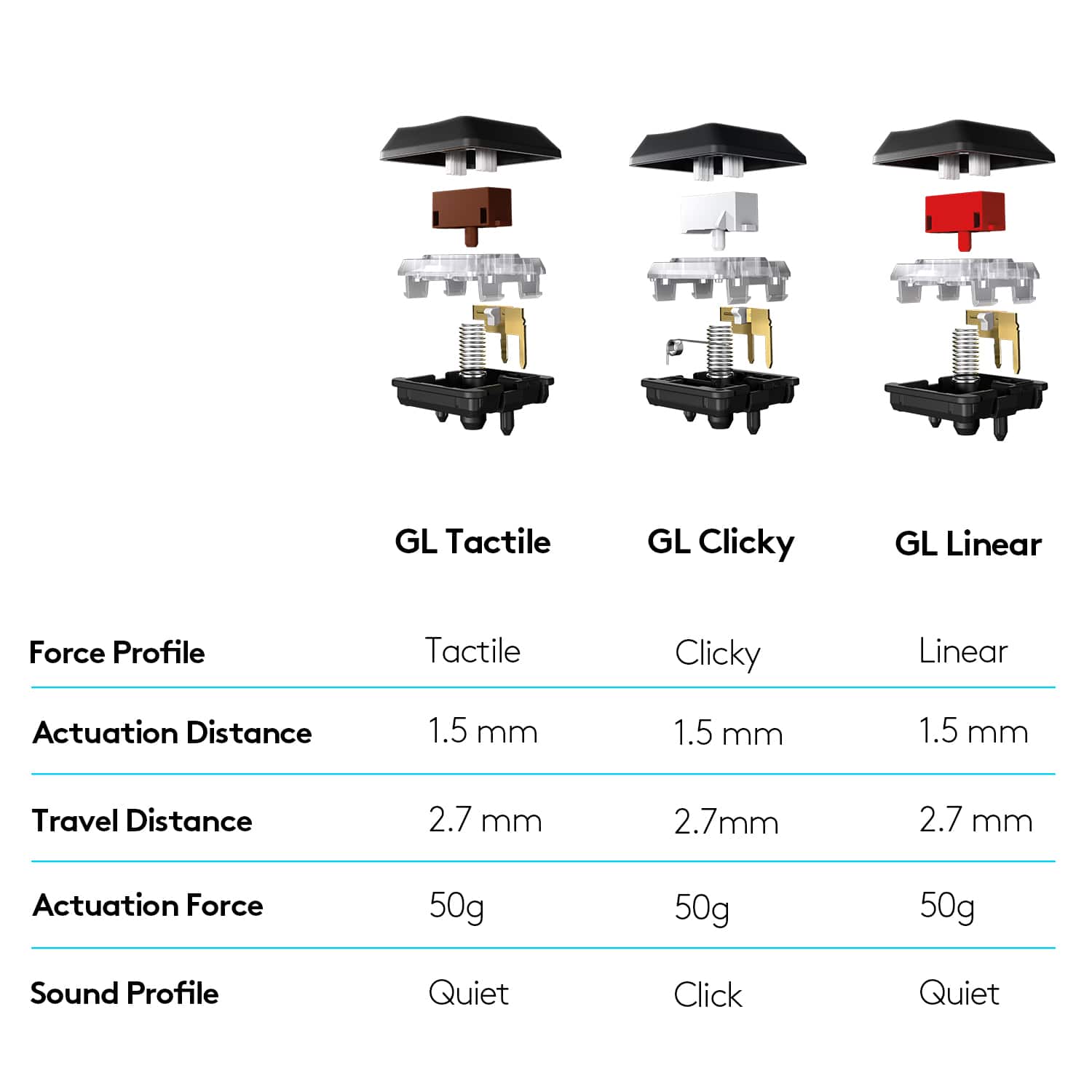
|Posted .This reviewer received promo considerations or sweepstakes entry for writing a review.This is a hefty, sturdy keyboard suitable for both gaming and general use if you're into mechanical keyboards. First off, it looks like a million bucks. The top is a dark brushed metal with dark keys. The volume roller is a matching dark metal and feels amazing. The keys on this model are, as the name implies, clicky and extremely satisfying to type on. When gaming they give a nice amount of tactile feedback but are loose enough to help with quick, twitchy movements. The back has feet that tilt the keyboard to two different angles, or they can be stowed for flat typing. Although the top is aluminum, the bottom of the tray is plastic. On the back is a power switch and a micro USB charging slot. I was a little disappointed to not find USB-C as most of my stuff charges with the new standard. There is a nice USB cable in the box. Also in the box is a Ligitec Unifying Receiver. The keyboard can be paired with the receiver (handy if you have a mouse that also takes one) or through bluetooth. It should be noted that I'm using bluetooth on my Mac and the Logitec G Hub software does not see the keyboard. Using the unifying receiver seems to work though. If you've ever used an RGB keyboard, G Hub allows you to set up the usual breathing, color cycling and raining light patterns, along with keyboard macros and other fun stuff. The key colors are bright and colorful. The letters on the keys might up with just a little soft lighting coming out between keys. Keep in mind that even though this is a mechanical keyboard, the key caps are kind of short and have little travel. If you plan on using your cool artisan keycaps they likely won't work on here.
I would recommend this to a friend - Pros mentioned:Keyboard quality, Wireless
Logitech g915
Posted .This reviewer received promo considerations or sweepstakes entry for writing a review.One of the best keyboards I've had in a long time the quality is pretty amazing and it's extremely nice to be fully wireless now
I would recommend this to a friend - Cons mentioned:Price
Good, and not so good
Posted .This reviewer received promo considerations or sweepstakes entry for writing a review.I bought this keyboard when it was on sale (still EXPENSIVE) to replace a Corsair K70 RGB Pro (HATED IT!!!). This is a nice keyboard but I cannot rate it as a 5 for two reasons. As mentioned, it is EXPENSIVE (even on sale) and the second reason is that the left shift key started sticking just about 5 weeks after I bought it and I had to return it. On top of that, the store didn't have one in stock and I had to wait for one to ship to me. A keyboard this expensive should not have ANY issues, especially so soon. Replacements for defective keyboards should be readily available. And, although a nice keyboard, even when on sale for $90 off, I feel that it is not worth that much.
I would recommend this to a friend - Pros mentioned:Wireless
Very good so far
Posted .This reviewer received promo considerations or sweepstakes entry for writing a review.I have taken on so many keyboards. This is totally good. It feels like what I paid is totally worth it. The response time is just awesome. The wireless makes it even better can use it anywhere not just the desk. Have it paired up with G Pro wireless running on the Powerplay pad.
I would recommend this to a friend Gamers’ Mechanical Keyboard Dream
|Posted .This reviewer received promo considerations or sweepstakes entry for writing a review.IN BOX What comes in the box: Upon opening the box you will find a very sturdy, well made keyboard, a USB charging cable, a dongle (receiver) that plugs into your computer via USB port, Quick Start Guide (very basic instructions) and a cool LG sticker. DESIGN To keep your hands in a comfortable position, under the keyboard toward the top there are two adjustable legs with two different heights which will help save on carpal tunnel problems that could arise from your hands being held at an uncomfortable position for long periods of time. There is a steel bar within the keyboard making it extra sturdy, unlike your cheaper keyboards that are flexible and not as sturdy. FEATURES Keyboard falls asleep if not used after 5 minutes or so. This is a nice feature and saves some of your charging efforts. In case you forget and walk away for lunch and don’t come right back, it will be in energy saving mode. Touching the keys will bring it back to life and brighten up immediately. It takes approximately 5 hours to fully charge the keyboard when the battery is drained. You get up to 30 hours of use on one full charge of the battery, depending on the lighting, etc. that you use. You could possibly get up to approximately 50 days on one charge if you do not use the RGB lighting. For volume on the keyboard, you will find a roller design wheel which you simply (and quickly for gaming) can adjust your volume on the fly. SET UP Step #1: Depending on how you would like to set up your keyboard to communicate with your computer, this step will vary. For direct to computer you simply take the USB charging cable and plug the microUSB end into the keyboard and the other end into the computer. For dongle (receiver) connection simply plug the dongle (receiver) into a USB port into the computer For your final option, go to your Bluetooth settings on your computer and pair the keyboard to the PC. Step #2: Find the power switch (hidden), slide the switch to the right, your keyboard is now turned on. This is probably the most important step because I forget constantly to turn the keyboard on and think something is wrong with it. Something you need to get used to, I guess. SPOILER ALERT: The power switch is located on the left rear side. Step #3: From the Logitech website install the Logitech G Hub program. GAMING This keyboard is made for gaming. It has everything you could want in a gaming keyboard. It is wireless and usually not desirable because it usually slows you down a bit. However, I have found that wired or wireless with this particular keyboard makes no difference to me, the reaction time is always right on. It’s great to cut the cord and still get good performance. Logitech G HUB This program is where you can program all of your keys for macros in gaming. You can select shortcuts, program key remaps or record your own macros. There are three memory slots M1, M2 and M3 keys for which each holds 5 G keys (G1 – G5 keys within M1, M2, M3) for game profiles. The HUB also allows users to set up controls for different purposes, even outside of gaming. The G HUB also works with my Logitech G Pro wireless mouse and my two different Logitech G series headphones which makes for an amazing gaming experience. It's a match made in gamers' heaven.
I would recommend this to a friendCheap, terrible performance, not of value.
||Posted . Owned for more than 2 years when reviewed.This reviewer received promo considerations or sweepstakes entry for writing a review.Terrible keyboard not worth it. Cheap equipment and the performance is terrible.
No, I would not recommend this to a friendGood product
Posted .This reviewer received promo considerations or sweepstakes entry for writing a review.Very good and long lasting - easy to clean and the additional control buttons (volume, lighting, skip, play, etc) are all nice to have
I would recommend this to a friendBrand response from Logitech
Posted .Thank you for the excellent feedback on the G915 LIGHTSPEED keyboard. We're delighted to hear that you appreciate its durability, ease of cleaning, and the convenience of the dedicated control buttons. Your positive experience helps validate our commitment to creating high-quality products.
