Skip to contentGo to Product SearchGo to Footer
Main Content

Customer Ratings & Reviews
Your price for this item is $397.00
The comparable value price is $399.99

Customer reviews

Rating 4.6 out of 5 stars with 1127 reviews

Rating Filter

Rating by feature

  • Value

    Rating 4.4 out of 5 stars

  • Quality

    Rating 4.7 out of 5 stars

  • Ease of Use

    Rating 4.6 out of 5 stars

91%
would recommend
to a friend
The vast majority of our reviews come from verified purchases. Reviews from customers may include My Best Buy members, employees, and Tech Insider Network members (as tagged). Select reviewers may receive discounted products, promotional considerations or entries into drawings for honest, helpful reviews.
Page 54 Showing 1,061-1,080 of 1,127 reviews
  • Rated 1 out of 5 stars

    Never worked . Waist of money

    |
    |
    Posted . Owned for 6 months when reviewed.
    This reviewer received promo considerations or sweepstakes entry for writing a review.

    It worked one evening than never worked again . I bought it for Christmas . It never never worked since . So disappointed, my son was so sad, he was really looking forward to play with it ….

    No, I would not recommend this to a friend
    • Brand response from Logitech
      Posted .

      Hello Mimi,
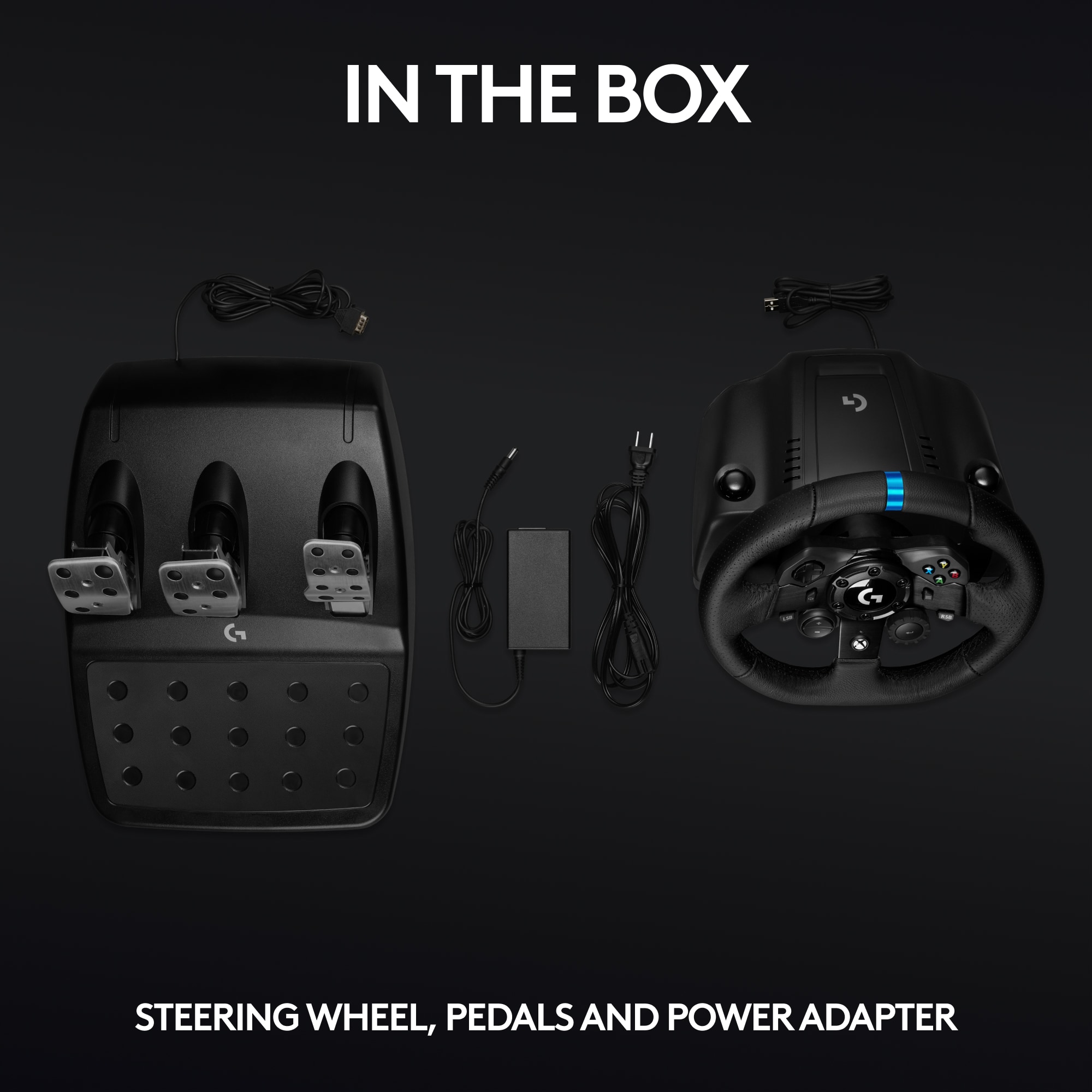
      Thank you for choosing Logitech and for taking the time to share your experience. I am sorry that you have had trouble with your G923 Racing wheel and pedals and I apologize for the disappointment. I would like to help. I have attached a link to the G923's "Getting Started" support page for your reference. If you have not already done so, I recommend downloading the G Hub software for customization and updates, and check for system/driver updates on your computer. Please check the cable with the USB connection. Please remove and reinsert the USB to ensure a solid connection. This USB cable detaches close to the USB tip so please also check this connection. The G923 comes with a power source which is needed for the G923 wheel and pedals to operate. The G923 will respond when only the USB is plugged in but please ensure the G923 is receiving power. I hope these suggestions will resolve the issue that you experienced. For further assistance, please feel welcome to visit the Logitech support page.

      Best regards,
      John at Logitech
      https://support.logi.com/hc/en-us/articles/360052210874

  • Rated 1 out of 5 stars

    Came broken

    |
    |
    Posted . Owned for 2 weeks when reviewed.
    This reviewer received promo considerations or sweepstakes entry for writing a review.

    Came broken the cable for the pedals was bent so I couldn’t connect it to the wheel!

    No, I would not recommend this to a friend
    • Brand response from Logitech
      Posted .

      That's unexpected! In order to help you effectively, please provide your information to our support team by emailing socialcare@logitech.com. Name – Email address – Country – Product name – Brief description of the issue –

  • Rated 1 out of 5 stars

    flimsy, bad clamp, brake pedal is like stupid

    |
    |
    Posted . Owned for 1 week when reviewed.
    This reviewer received promo considerations or sweepstakes entry for writing a review.

    very flimsy and chinese-ish, clamps kinda suck. Its hard to use, and the brake pedal is really hard to push down. I literally drive my car every day and this brake pedal is just crap

    No, I would not recommend this to a friend
    • Brand response from Logitech
      Posted .

      Hello iyiumeni! Sorry to hear you're having issue with your G923 Racing Wheel and Pedals for Xbox Series X|S, Xbox One and PC. In regards to the clamp, the bottom parts should normally grip pretty firmly to the table you're attaching them to. Note that you can remove the tip of the clamps, the little square tip at the end can be removed by using a flathead screwdriver if you need to make more space between the clamp and the base of the wheel. Once hooked properly, make sure to push down on the clamp on top of the wheels, and twist them to secure them both in place. As for the brake pedal, it is a bit sturdy yes, but you can actually adjust the sensitivity of the pedals through our G Hub software which can be downloaded here https://www.logitechg.com/en-us/innovation/g-hub.html on a PC, and on Xbox, it will be done through the individual settings of the games you play. - Mathieu from Logitech

  • Rated 1 out of 5 stars

    boo

    |
    |
    Posted . Owned for 3 months when reviewed.
    This reviewer received promo considerations or sweepstakes entry for writing a review.

    sucks not what i thought it would be would not purchase again

    No, I would not recommend this to a friend
    • Brand response from Logitech
      Posted .

      We deeply regret if our product provided you with a subpar experience. We understand your displeasure and apologize for any issues that arise. We value your input, therefore we will forward it along to the appropriate team so they can look into it.

  • Tech Insider Network Member

    Rated 5 out of 5 stars

    Best entry level racing wheel available today

    |
    Tech Insider Network Member
    Posted .
    This reviewer received promo considerations or sweepstakes entry for writing a review.

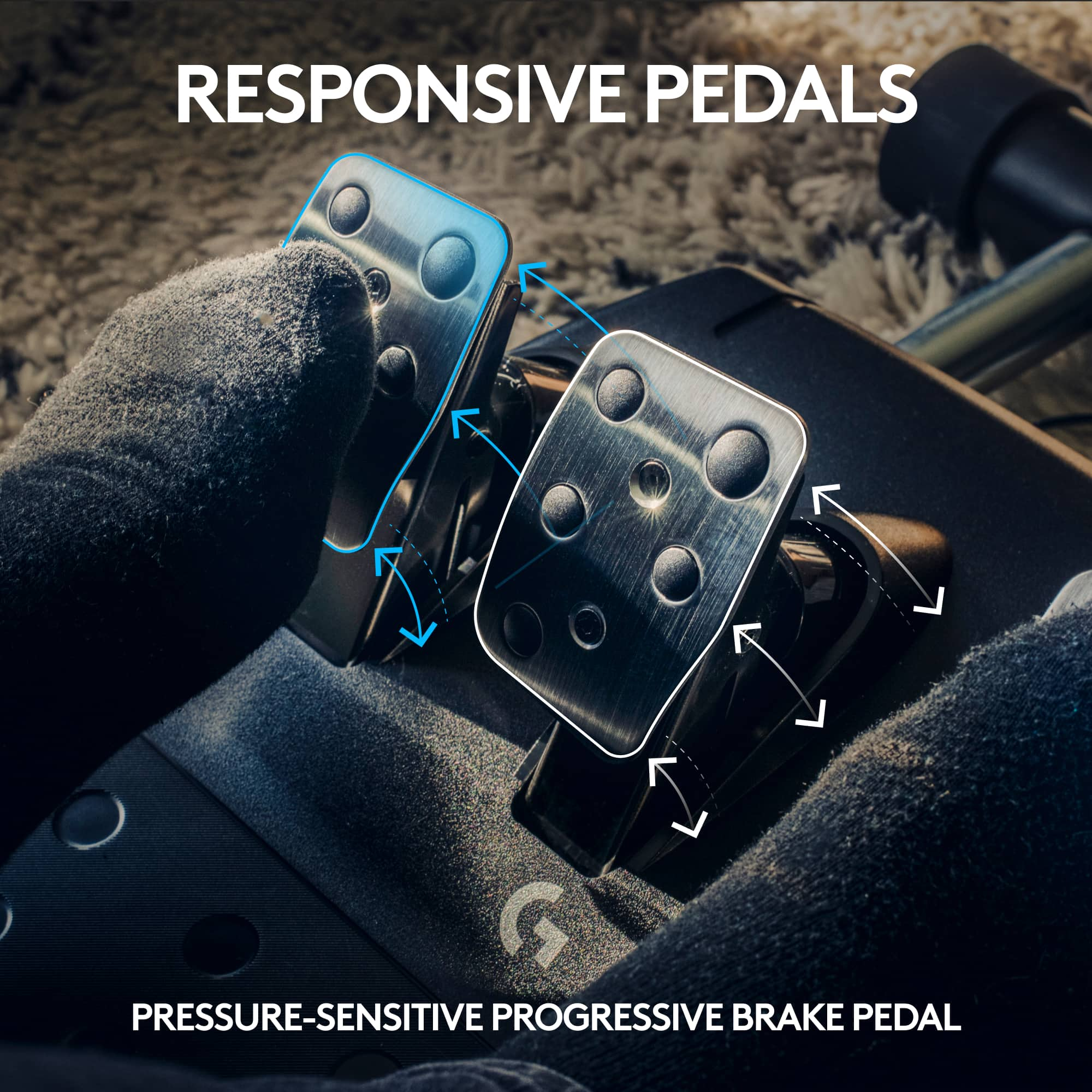
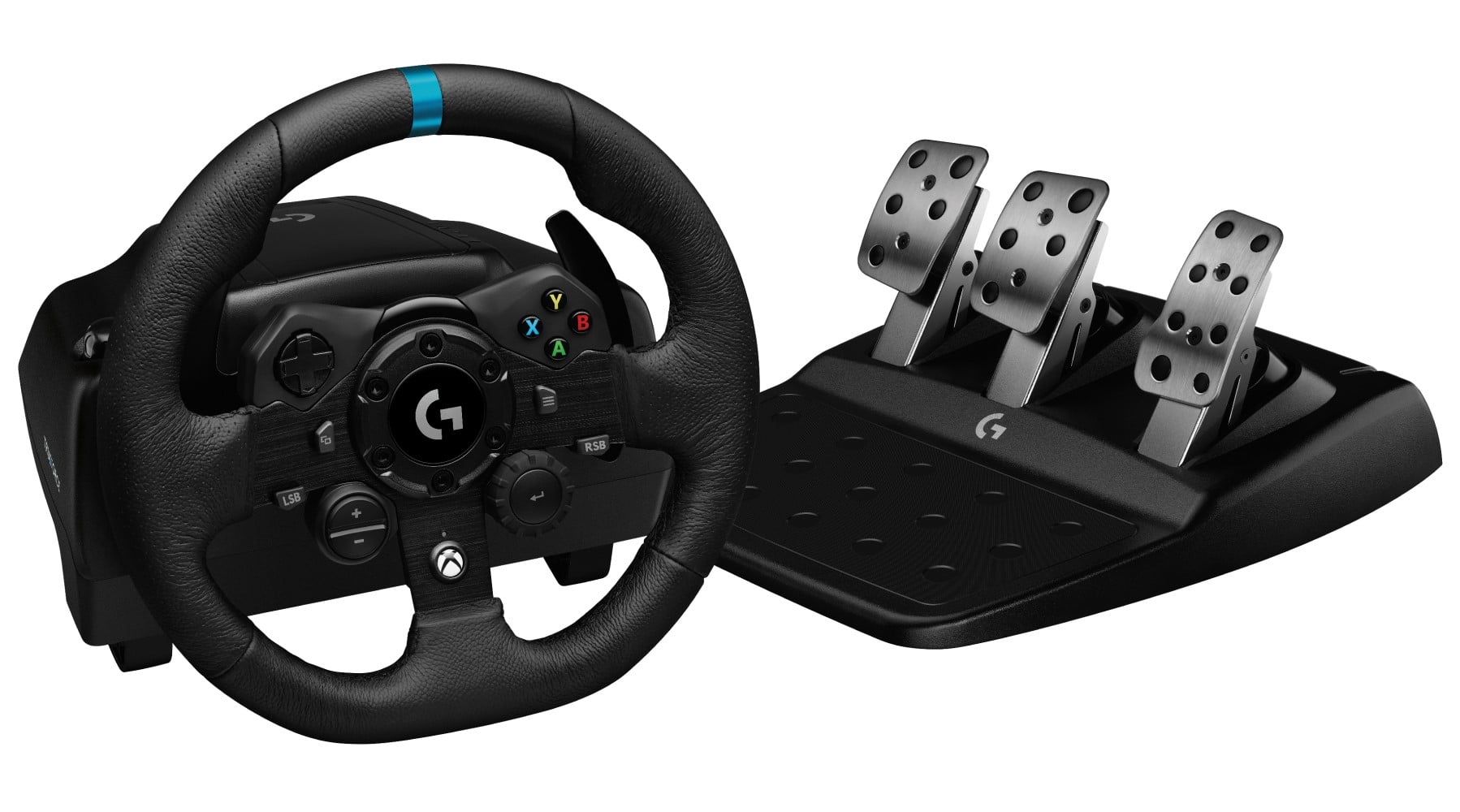
    Logitech - G923 Racing Wheel and Pedals for Xbox One and PC - Black The Logitech G923 Driving Wheel is probably the best entry level driving wheel you can purchase today. There are lower cost driving wheels available but none that provide the overall value and features you find in the G923. It is a very good option for use with both the Xbox and PC and there is also a PS4 version. The primary difference being the button options you would have available on the wheel itself. The build quality is very good with the leather clad steering wheel being especially nice. The wheel and petals are easy to setup and have almost universal support from virtually any driving title you might use it with. This includes simple fun arcade titles to the most serious simulations currently available. The Logitech software support is excellent and fits right in with their G Hub utility. There are a few things about the wheel and petals to consider. I found the TRUEFORCE feedback to be a bit harsher than I expected coming from an older G27 wheel. But it was very good at communicating the road surface and how the car was handling which is what you want the wheel to do. It’s a very small difference from the G27 but it did feel very detailed depending on the driving titles I was playing. I would have liked the wheel to be a little bigger as I felt a bit cramped but that’s a minor gripe. My biggest complaint for the wheel and pedal kit was the way the brake pedal felt. Logitech is claiming a progressive feel for the brake pedal. To me it just never seemed to communicate back to me the way the wheel does. I do think they could have done a bit more here. There are mods you can get to improve the feel of the braking but that shouldn’t be necessary and mostly isn’t. Still if you’re in the market to equip your PC or console with a driving wheel you really cannot go wrong with the G923. I would look to get it on sale since at full price it does start to get close to some other options depending on your budget. You will find that the Logitech G923 is an excellent choice to make any of your driving games or sims a much better experience. For the entry level user this is an especially good value since you can grow and get better and be very competitive. It is amazing how many of the top sim drivers are just fine using the Logitech driving wheels even against drivers using much more expensive setups.

    I would recommend this to a friend
  • Tech Insider Network Member

    Rated 5 out of 5 stars

    Great for bringing racing to life!

    |
    Tech Insider Network Member
    Posted .
    This reviewer received promo considerations or sweepstakes entry for writing a review.

    Back in the early 90's, I had a Thrustmaster wheel and pedal set that was state of the art back then. It was before force feedback but was a pretty good setup for racing on my PC at the time. This Logitech set is amazing in comparison... every single thing about it is better! The adjustability with the app is incredible! The feel of taking a corner just a bit too fast and the wheel getting light is almost as good as being in the car for real. Maybe even better since you can push it all the way without having to worry about costly repairs! I fired up Assetto Corsa and added the wheel and pedals to the game. After a little tweaking, they work so well. I cut over a minute from my best time after only a few laps. There are so many buttons on this thing that it will take me weeks to settle in completely and get used to all of it. As it sits, the paddles are almost natural for shifts and the feel of the wheel itself is amazing. I have yet to use it on an XBox, but it fired right up without any trouble on my Dell G7 laptop. With a 27" monitor, it works well enough to make me want to build a multi-monitor setup to get even more out of it! I'm thinking a racing seat, steel frame to hold a PC and about three monitors as well as adjustments so anyone can set it up for their own comfort! Even on pretty much default settings, this set was a huge improvement. I have been changing things little by little on both the Logitech software and in the game itself and it is getting more and more realistic all the time. I have held on to that old Thrustmaster set for all this time even though I don't have a game controller port on any of my computers... now I can retire it for good without looking back. I can't wait for my grandkids to get old enough to see them beat my lap times! If you love to drive and can't afford to buy that car of your dreams, this sure fits the bill. I love taking the Cobra out on the tracks after running a Ferrari and having that back end flip out so easily, really makes me want to get back into fast, real cars again! It is surprising to me how much this can duplicate the real thing once you get it all set correctly. As usual, Logitech has done a great job combining realism with quality workmanship. This thing is amazing!!!

    I would recommend this to a friend
  • Tech Insider Network Member

    Rated 5 out of 5 stars

    The future of steering wheels

    |
    Tech Insider Network Member
    Posted .
    This reviewer received promo considerations or sweepstakes entry for writing a review.

    Another great Logitech wheel built for the future. Not a whole lot of game support for the TrueForce and rev lights yet but it’s coming. Needed to check out this TrueForce so I bought Grid 2019. Definitely impressive but when I disabled TrueForce in game to see the difference, there was basically no force feedback. Not sure what that was all about. I didn’t make any other adjustments. Just enabled and disabled TrueForce. Can’t wait until there are more games to try this out and feel the difference. Either way, it really makes it immersive. Playing on an Xbox One I’ve also played F120, Nascar Heat 4 and Forza Horizon 4 so far. I’ve loved racing games all my life and have had several wheels over the years. This ranks as the best one I’ve had yet. Solid build, I was using a laptop tray on wheels at first and it clamped right down on it and didn’t budge. The retractable carpet teeth for the pedals is a great touch. The pedals sat firmly on the ground no matter how hard I pushed down on them. I’ve since picked up a dedicated wheel stand and the wheel bolts right down to it. There are bolt holes under the pedals to attach to the metal plate on the wheel stand as well. The brake pedal for me seems a bit too hard to press. Still getting used to that. An adjustable spring would have been a nice addition to lighten that up a bit. But I’ll be getting a nice workout on road courses. I actually remapped my clutch pedal to be the brake and it seems more natural to me. I don’t have a shifter yet so may switch back when I pick one up. The force feedback feels like the real thing to me. I’ve read complaints about not using the belt system, but whatever gears Logitech is using work perfect for me. I’ve never felt so immersed in a racing game before. In Forza Horizon 4, I’ve tried to map the paddles to look left and right but even though I can choose the paddles in the game wheel setup, they do not work in game. I found a few online posts mentioning similar issues with earlier wheels not working for left and right either so I guess I just have to deal with it.

    I would recommend this to a friend
  • Tech Insider Network Member

    Rated 4 out of 5 stars

    Good wheel - Needs broader support

    |
    Tech Insider Network Member
    Posted .
    This reviewer received promo considerations or sweepstakes entry for writing a review.

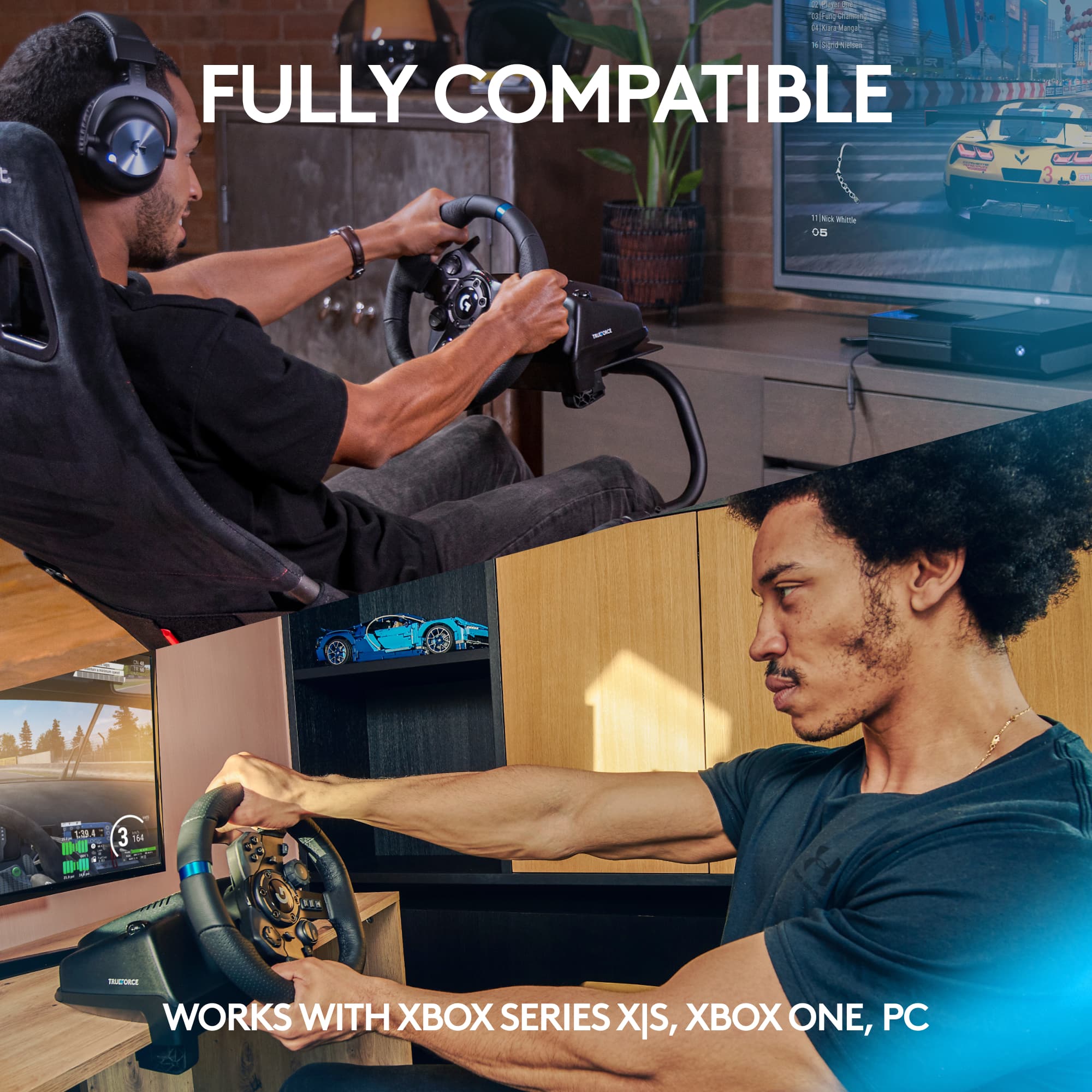
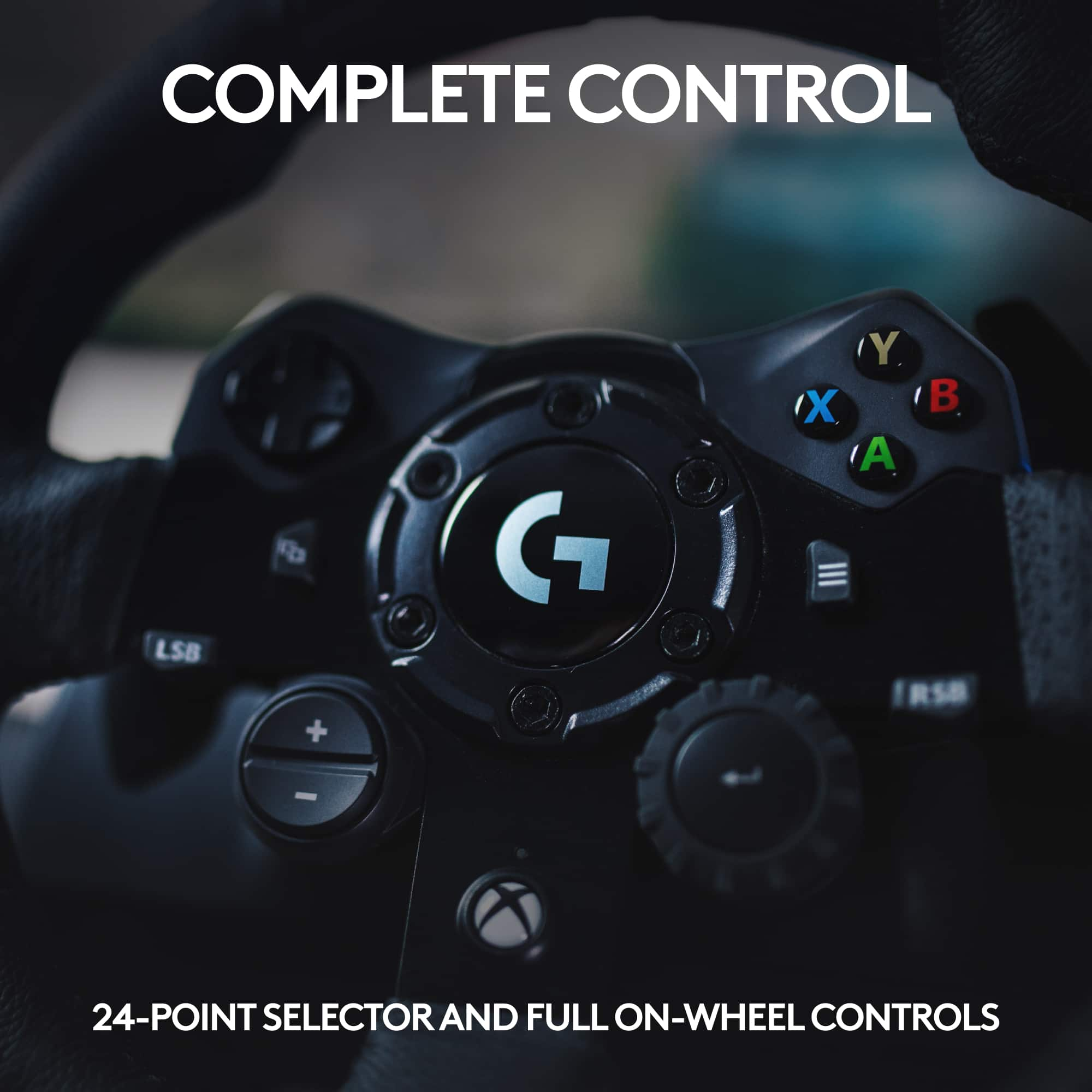
    I have owned multiple Logitech racing wheels over the years and I have enjoyed each one of them. This one was no exception. It's immediately apparent that it is well made, from the metal pedals to the solid steering wheel construction, it's a very good device. Hookup was a breeze. Simple USB connections and a brick to the wall for power (for the force feedback function). Usage was a little bit of a mixed bag through. The Logitech website has a rather large list of racing games that supposedly support it, however only a very VERY small number support the new direct feedback function. While the wheel seems to perform well, in each game I attempted to use it there were some issues with setup. Project Cars 2 supported both the wheel and provided force feedback even though it was not listed as a game that supported direct feedback. It took me multiple attempts to get the wheel to be recognized in Project Cars 2, and only then after restarting the game multiple times. Mapping the controls made it work inconsistently and setting it to a G920 wheel caused problems, but also ended up being the solution through the multiple restarts of the game. I'm unsure if this is an issue with Project Cars 2 or the wheel itself. GRID 2 was listed as supported as well, however support for grid 2 is simply done by mapping the controls, there is no native support for the wheel, and control of the game with the wheel is very poor at best. The middle pedal is extremely tough to push, and while the pedals have a rubberized set of feet on the bottom to prevent slippage, the middle pedal is so hard to push that you're sliding the pedals across your floor anyways. Once I did get past the setup issues, it was very responsive in games. Project Cars 2 was an absolute joy to drive with this wheel. The feedback was sufficient and informative and the car responded well to the wheel. One minor note: The X on wheel for XBox functionality does nothing in Windows. This is interesting because the X on most other XBox controllers brings up the Windows game bar. This feels like a miss to me, especially with the improved integration with the XBox app in Windows 10 and Game Pass functionality. I do not currently own any of the direct feedback games but intend to purchase one after this experience. I hope there can be some support improvements made to available racing games via patches to better support this wheel. Overall despite a few oddities on setup, it's a very nice wheel to use. If there are some broader game patches to support it, This wheel could easily be one of the better ones available.

    I would recommend this to a friend
  • Tech Insider Network Member

    Rated 4 out of 5 stars

    Great Wheel for the beginner

    |
    Tech Insider Network Member
    Posted .
    This reviewer received promo considerations or sweepstakes entry for writing a review.

    This is my first racing wheel for computer or game console (xbox in this case) and I have to say it was a very good experience overall. The first thing I notice is the build quality of the unit is nice, it feels sturdy and heavy even though the outer body is plastic. The only thing I think may not last after prolonged usage might be the little feet that clamp the wheel to your table if that’s how you’re going to secure it. I can’t say for sure, but it seems like the plastic arms might break if you tighten and remove the wheel from your play surface a lot if you don’t have a dedicated place for it. Otherwise everything about the build seems very good. The pedals that come with the wheel also seem very sturdy and are much heavier than I expected. I had no issues with the pedals sliding on either a hard wood floor or a carpeted one. In fact I had more of an issue with my chair sliding when pushing the pedals than the pedals themselves moving. As for usage, overall, the experience was very clean and easy. The force feedback for me as someone who has always used a normal controller was a vast improvement. For the games that support the “trueforce” force feedback it really does make a difference in the way the game feels in your hands vs when that feature is turned off or in a game that does not yet support it. Just a few quirks that caught me off guard to begin with if you have never used a wheel in games before. It’s very likely that the game your playing may require you to map all the buttons (at least for a few of the pc racing games I tried like f1 2020). It was a little confusing at first because I figured it would just work out of the box, but a little tinkering was required. One other hiccup I ran into and this one was a real issue for me was the fact that certain games would not map the wheel properly if I had my wireless Xbox controller dongle plugged in. I had to physically remove the USB adapter before it would recognize the wheel inputs properly. After I figured that out stuff was easier to get working but that took me a bit of time. I’m not sure if this is a bug in the games I was playing or some sort of driver issue, but I figured I would mention it for those who may run into a similar issue. Overall, I would say if your entertaining the idea of getting a wheel for racing games this is a great entry point even for those who have never had one before. It is going to take some practice before I am as good in some of the racing games I play after the switch from a controller, but I feel I am more consistent with the wheel so far.

    I would recommend this to a friend
  • Rated 1 out of 5 stars

    Subpar

    |
    |
    Posted .
    This reviewer received promo considerations or sweepstakes entry for writing a review.

    Not what was expected…. Hopefully next Gen will be more positive

    No, I would not recommend this to a friend
  • Rated 1 out of 5 stars

    OK

    |
    |
    Posted . Owned for 1 week when reviewed.
    This reviewer received promo considerations or sweepstakes entry for writing a review.

    Starting to get disappointed like you have no idea

    I would recommend this to a friend
  • Tech Insider Network Member

    Rated 5 out of 5 stars

    Truly adds to your gaming experience

    |
    Tech Insider Network Member
    Posted .
    This reviewer received promo considerations or sweepstakes entry for writing a review.

    This is the first Racing Sim wheel and pedals I have used, so this is coming from a true novice perspective. Boy, I didn’t know what I was missing! First thing you notice about the G923 is how well built everything seems, the wheel and the pedals have the right “heft“ to them and just convey an overall great build quality. The whole wheel assembly and pedals also just look pretty cool in my opinion. I have a sports car and was looking for something to fill that void on those long winter days when driving a fun car just isn’t feasible, this just might fit the bill. Clamping the wheel down and the system to hold the pedals in place work really well and I had no issues with movement etc during game play. As I wanted to truly get the best results from the TrueForce features, I played GRID. There are only a few games that support this new TrueForce feature but that should change in the near future with the subsequent release of new games or updates to take advantage of this. All I can say is WOW! The sense of realism the G923 setup brings to racing games is spectacular, the way the wheel feels and responds and the pedal feel etc truly add to the enjoyment of racing sims in my opinion. Maybe I’m not jaded as this is my first experience with this type of setup but I will tell you, the fun factor is kicked up a notch when using the G923. While it is a bit pricey, in my opinion its well worth the increase in enjoyment it brings.

    I would recommend this to a friend
  • Rated 1 out of 5 stars

    Doesnt work on PC with Forza7

    |
    |
    Posted .
    This reviewer received promo considerations or sweepstakes entry for writing a review.

    Doesnt work on PC with Forza7......................

    No, I would not recommend this to a friend
    • Brand response from Logitech
      Posted .

      Hi, I'm sorry that you experienced difficulty with the G923 Racing wheel working with Forza 7 on PC. When using the G923 with PC the PC needs to have Windows® 10, 150 MB of available hard disk space, and USB 2.0 port. If you continue to have difficulties with the device working please visit https://support.logi.com/hc/en-us/articles/360052210874 for additional information. Thank you for being a Logitech customer. Kristi from Logitech.

  • Tech Insider Network Member

    Rated 3 out of 5 stars

    Nice quality, but issues with Forza Horizon 4

    |
    Tech Insider Network Member
    Posted .
    This reviewer received promo considerations or sweepstakes entry for writing a review.

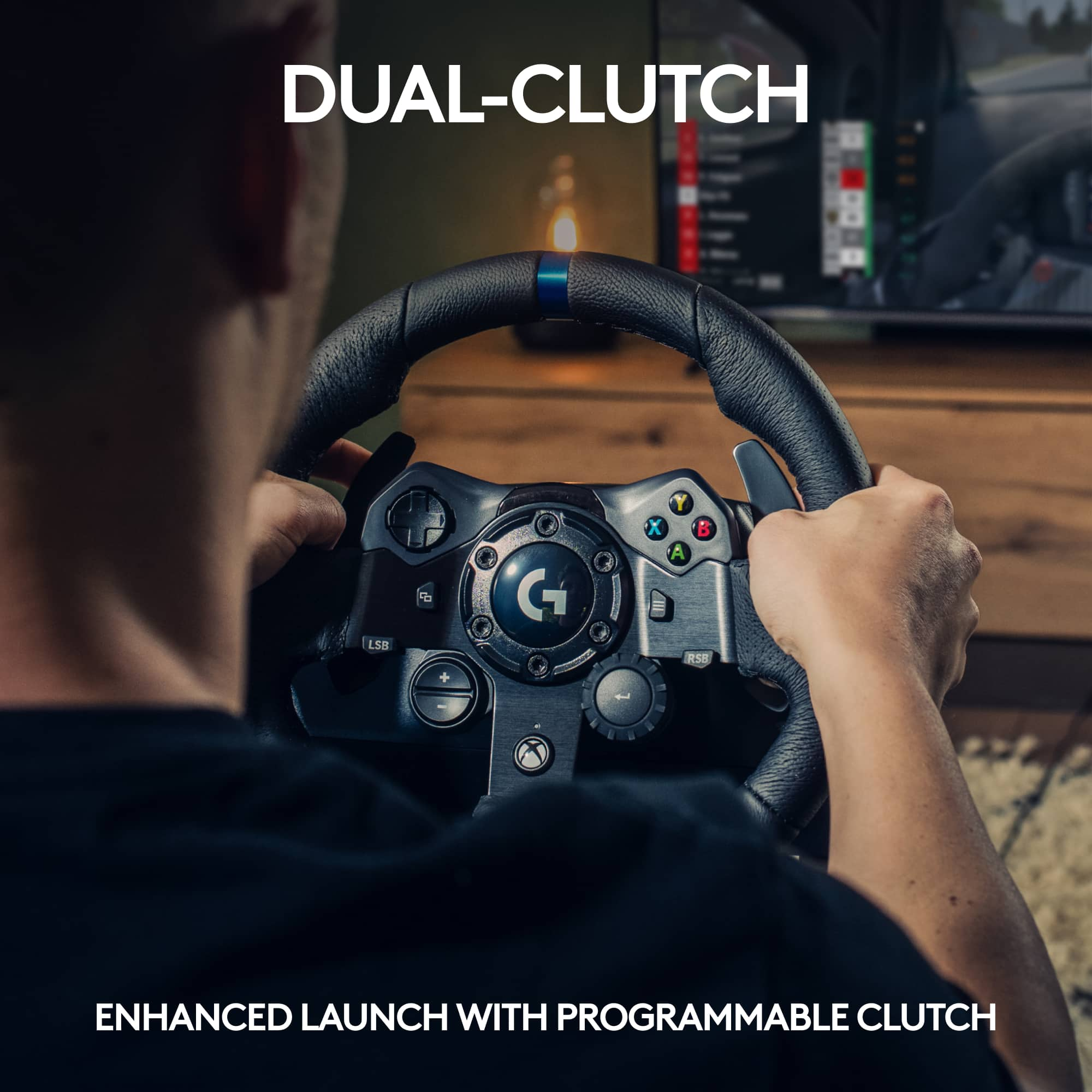
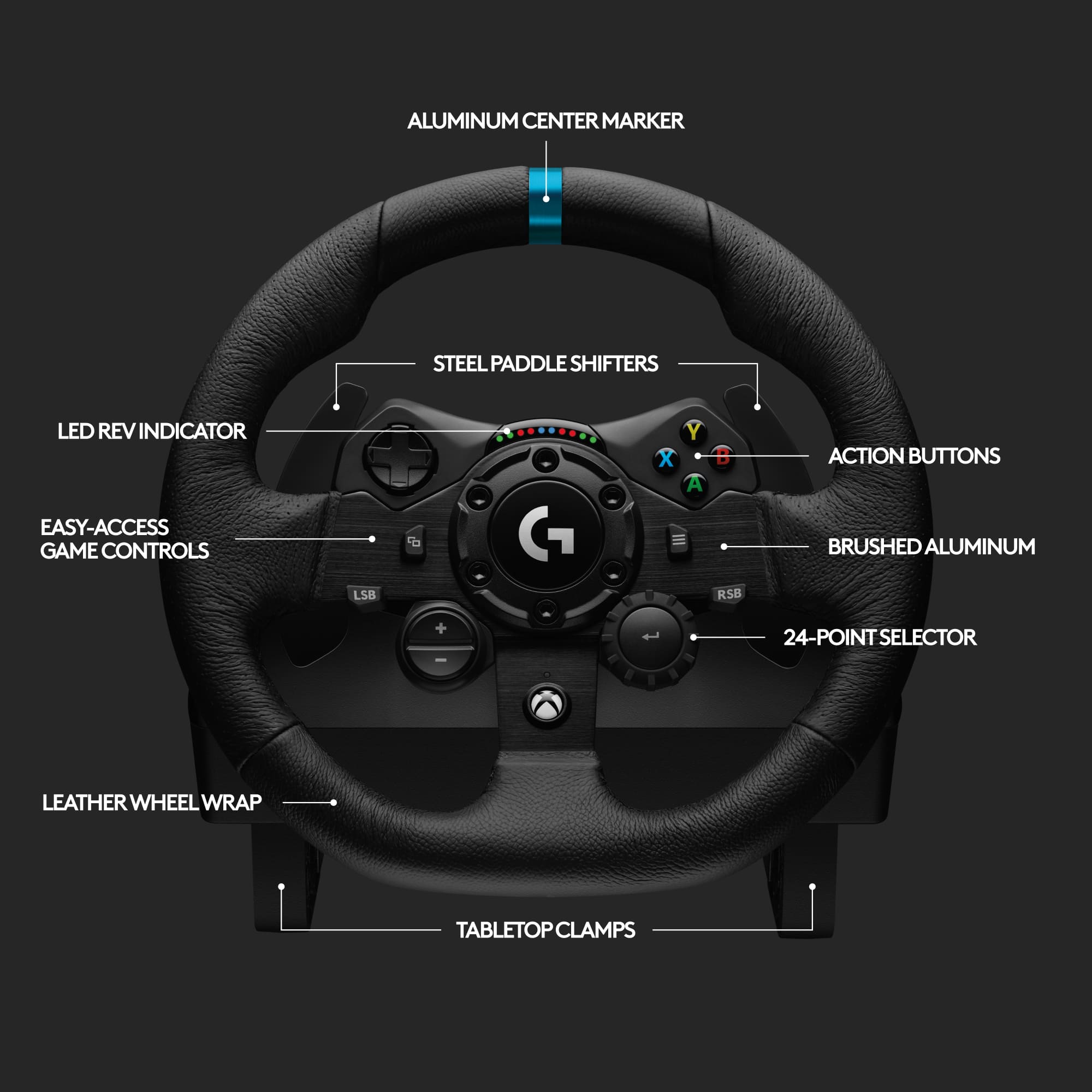
    We were eager to try out the Logitech G923 since we already owned the Logitech G920. It seems our excitement was a bit premature. Forza’s website for the G923 lists all currently compatible games and Forza Horizon 4 is one of them. Our efforts to try out the game were fruitless as it just would not work. After inquiring with Logitech we were asked to confirm if the assignments were blank. In fact, they were blank, so we proceeded to follow their instructions to go to the keyboard/controller tab, select Don’t Save (not yes or cancel) and then go back to the wheel tab. Once you do this you are able to manually input each assignment to the corresponding function on the wheel. Logitech’s GHub gaming software for PC does allow button customization, adjustment of wheel sensitivity and force feedback levels. On-wheel game controls are built in to the steering wheel for Xbox One and PS4. This did allow us to play Forza Horizon 4, but something just doesn’t feel right compared to our same experience with this game using the G920. The driving experience felt very loose compared to the G920 and at times felt very jerky. Also, we tried verifying options in the GHub software to ensure that the centering spring in non-force feedback games was checked and that apply settings from game was checked (even tried it unchecked for grins). It still left us feeling like the game was unusable since a slight turn of the wheel caused the game to force you that direction as the wheel would not go back to center. When we connected our previous model G920 no such problems existed and the racing wheel and game were automatically compatible, the wheel went back to center and worked just as it should. The primary feature one gains with the G923 over the G920 is TrueForce which connects directly to the game engines through integration with a game’s physics and audio engines. This more realist feedback sounds interesting if one can feel the engine rev or changes in the road surface/grip of the tires. Given that we don’t own a game that is currently compatible with TrueForce we were unable to try out this feature. As game developers integrate with Logitech to support TrueForce it will certainly make this particular model more appealing. Some games will also support a programmable dual clutch for maximum traction. As with many other Logitech products we have owned, the quality is very nice with realistic brushed metal wheel and pedals, and the leather steering wheel has a really nice feel to it. In supported games, there is a built-in rev indicator above the center steering wheel that uses colored LEDs to show the RPM range. One other detail worth noting is that the racing wheel clamps allow for a desk thickness of about 2”. This is something to consider since some desks or folding tables are just too thick to attach the racing wheel to. We think in time we will be able to get more use out of the G923 racing wheel as more compatible games are released. Yet, we are left a bit deflated right now that it just would not work as seamlessly with Forza Horizon 4 as our previous model G920 does. Hopefully Logitech will get to the same out of the box, game ready experience with the G923. At this time, we would stick with our G920 due to game compatibility and price differential.

    No, I would not recommend this to a friend
  • Tech Insider Network Member

    Rated 5 out of 5 stars

    Trueforce!

    |
    Tech Insider Network Member
    Posted .
    This reviewer received promo considerations or sweepstakes entry for writing a review.

    This Logitech steering wheel is awesome! I didn't do a lot of looking into it before I got it but I figured it would be something fun for me and the boys to play around with while we are fairly isolated at home. The steering wheel itself has little adjustable hook style clamps to lock onto the edge of a desk, I didn't really have anything that wasn't too thick for them so I picked up an inexpensive party table to use this with. The pedal board also has a little spike strip that you can flip down to avoid it sliding on carpet or rug during use. The steering wheel uses an external power source and USB to communicate to the console, I wasn't really expecting it to have a little motor in it, it was cool to see it spin itself once plugged in. Main racing games I got at this point is Forza, but I really enjoy the arcade style over SIM, so I popped into Forza Horizon 4 and got straight to cruising really quickly. It's a lot of fun to drive around with this wheel, it took a minute to adjust since I have really only played with a controller up until now. The Trueforce feedback is really cool, when driving around you feel the wheel jolting with feedback from the terrain or colliding into an obstacle. You can let it go and spin about, or you can try to control the wheel and do an awesome drift, for me and this point is was mostly losing control and going into a spin haha. Getting a little hang of it now though and really enjoying this steering wheel, and looking forward to using it more. The boys are still not used to it, but they don't have the feel for these sort of games yet, more of a specific Kart racing game. Even though they blame the "engine" for their driving, it's hard to get them to stop playing so that I can drive around some more. All and all I love this wheel, I am going to get in the habit of using this with every compatible racing game, plus the support with the Xbox Series X means I will definitely try this out with the new Forza game as soon as I have the opportunity, this wheel gets me excited to jump on racing games, giving them a good level of immersion with the Trueforce tech!

    I would recommend this to a friend
  • Rated 5 out of 5 stars

    Awesome

    Posted .
    This reviewer received promo considerations or sweepstakes entry for writing a review.

    The force feedback is great, I’m able to play some racing games and really get into it

    I would recommend this to a friend
    • Brand response from Logitech
      Posted .

      We appreciate your support and are happy to hear the product is serving you well. Your feedback helps us improve every step of the way. Logitech

  • Rated 5 out of 5 stars

    Worth it!!

    Posted .
    This reviewer received promo considerations or sweepstakes entry for writing a review.

    Excellent starter for your entry-level racing sim. I was very impressed with both wheel force feed back and the pedals.

    I would recommend this to a friend
    • Brand response from Logitech
      Posted .

      We're thrilled you're enjoying the G923 as your entry to racing sims! The force feedback and pedals are designed to deliver a realistic and immersive experience, perfect for honing your racing skills. Gear up for the win!

  • Tech Insider Network Member

    Rated 4 out of 5 stars

    Great racing controller for experienced gear heads

    |
    Tech Insider Network Member
    Posted .
    This reviewer received promo considerations or sweepstakes entry for writing a review.

    This is my first racing wheel I've had. The build quality of the wheel is excellent. It actually does feel like a racing wheel. For this review I played F1 2020 as well as Forza Horizon 4. I enjoyed the F1 game much more as driving without wiping out was much easier. There's definitely a learning curve with this racing wheel. The pedals feel good, although i do wish they were spaced apart a bit more. The haptic feedback (rumble) is really immersive but also very loose. My 5 year old really enjoyed watching me struggle around turns using this thing. Overall though I enjoy it quite a bit. You will want to invest in/build some kind of a rig for this. You will need to attach this to a desk top of some sort. Luckily it includes mounting clamps on the bottom, but it's still kind of an experience to just sit comfortably with the steering wheel and pedals without mounting them. The pedals are a little awkward but if mounted properly will provide a much better experience. Overall I like this product alot. I think for people that are really into racing sims they will really get their money's worth out of it. I've only docked this review one star due to the length of the USB cable that goes to the xbox is too short as well as the spacing for the pedals. Great product overall though.

    I would recommend this to a friend
  • Rated 2 out of 5 stars

    So much potential, but stopped halfway.

    Posted .
    This reviewer received promo considerations or sweepstakes entry for writing a review.

    I bought this G923 and ended up returning it a few hours later, and this is why. First, I got home and opened the box, started taking the contents out and the steering wheel module already had a rattling piece of plastic inside, which was a huge disappointment even before giving it a go. The setup is really fast as it's mostly plugged and play, and with the G-Hub app already installed on my computer it was easy to customize each key etc. I used it on PC, tried it with Assetto Corsa, Assetto Corsa Competizione, dirt 2.0, Dirt4, F1 2018 so I gave it a fair trial with multiple games. I'm going to split my review with pros and cons. Pros: - It's a very affordable setup in comparison to the bigger brands, so if you want to get started with Sim racing I would say this is your solution but don't expect amazing, the fact that you can snag one at your local best buy is a plus comparing it to the competition. - G-Hub app makes key binding very easy and fast, plenty to customize (if you're playing on PC) - Not bulky as some units, with a decent build quality for the price and ease of set up/removal if you have to secure it to a PC desk. Cons: - The wheel is very small, - The True force is nothing but capturing the sound frequency of the engine of the car, translating it into some weird and unusual feel on the steering wheel. At one point I muted the sound of the speaker to hear how loud the feedback motor was and I could hear the engine revving up/down through the steering wheel, I am not a fan of that. - The pedals are not the worst, but the brake pedal does not come with any sort of adjusting, nor does it have a feedback feature as some other pedals would do. This is a deal-breaker, as you're missing half the "feedback" of the experience (why not add that to the brake pedal? it's just a tiny rumble motor that attaches inside the cylinder.. the wheel has it, why stop halfway?) - THE CLUNKING THIS THING MAKES IS INSANELY LOUD AND ANNOYING!! My wheel came defective as noted above, I thought that was the issue attributed to the rattling but upon searching on youtube before walking into my local BestBuy, I saw many video reviews, with a lot of people on the comment section also describing the same "rattling/clunk" issues. All in all, this is more for a kid under 15 years old to enjoy from time to time, but this is not a good choice if you want to experience sim-racing at a budget, I recommend staying away from it if that's your expectations. Sure, maybe I was expecting a lot more from this but there are far better options considering that for about $500 more you can get a decent (not the best) direct drive set up.

    No, I would not recommend this to a friend
    • Brand response from Logitech
      Posted .

      Hi EdnanoG, thank you for your feedback! The award-winning Logitech G design is reengineered to dial into your game physics, delivering unprecedented realism. Our latest innovation in force feedback technology connects directly to in-game simulation engines and physics to produce higher fidelity, real-time responses. The progressive spring mimics the performance of a pressure-sensitive brake system for a real racing experience. For more, please refer to: https://support.logi.com/hc/en-us/articles/360052210874-Getting-Started-G923 - Will, Logitech G.

  • Rated 5 out of 5 stars

    Best wheel per dollar

    Posted .
    This reviewer received promo considerations or sweepstakes entry for writing a review.

    Best Quality wheel you can get in it's price range by far. Software is great. Pedal feel punches way above it's class, force feedback is great and accurate. Unless you are going Fanatec get this wheel.

    I would recommend this to a friend