Customer Ratings & Reviews


- Model:
- 941-000156
- SKU:
- 12507606
Rating by feature
- Value
Rating 4.4 out of 5 stars
- Quality
Rating 4.7 out of 5 stars
- Ease of Use
Rating 4.6 out of 5 stars
to a friend
Not good
||Posted . Owned for 2 weeks when reviewed.This reviewer received promo considerations or sweepstakes entry for writing a review.Not even close to real car driving, the wheel is way ro small eith extra unnecessary movements
No, I would not recommend this to a friendWheel doesn’t connect + terrible customer service
||Posted . Owned for 1 week when reviewed.This reviewer received promo considerations or sweepstakes entry for writing a review.The wheel is supposed to be compatible with Forza Motorsport 6 on Xbox, but it isn’t. The console won’t recognize it at all in the game. Contacted Logitech support and they sent me instructions for how to connect it with a PC and then nothing else, despite my repeated attempts to get in touch through their online support portal. What a joke. I’ll be returning this wheel and go with Thrustmaster. Save yourself the headache and get a different wheel.
No, I would not recommend this to a friendBrand response from Logitech
Posted .Hi phiro, thank you for your feedback! The award-winning Logitech G design is reengineered to dial into your game physics, delivering unprecedented realism. Feel the pistons pumping, the gravel crunching, and every shift, drift, and hairpin turn like never before. For support, please refer to: https://support.logi.com/hc/en-us/articles/360052210874 - Will, Logitech G.
Feels like an arcade game
||Posted . Owned for 2 weeks when reviewed.This reviewer received promo considerations or sweepstakes entry for writing a review.Super fun - need to purchase games with it. No games come with the console
I would recommend this to a friendMrs
||Posted . Owned for 1 month when reviewed.This reviewer received promo considerations or sweepstakes entry for writing a review.Wish this was more compact and less wires …. Takes up a lot of space
No, I would not recommend this to a friendReturn
||Posted . Owned for 1 month when reviewed.This reviewer received promo considerations or sweepstakes entry for writing a review.Returned product. Not what my son expected. The steering wheel was small. For the price the product seemed cheap.
No, I would not recommend this to a friendBrand response from Logitech
Posted .Hi Grannyipad, Thank you for your feedback. It is greatly appreciated. Sorry for any inconvenience. If you need assistance, please contact Logitech Support on the website. LaShonda from Logitech
For a beginner
||Posted . Owned for 3 weeks when reviewed.This reviewer received promo considerations or sweepstakes entry for writing a review.Absolutely not the set to buy for someone who has a real 500+hp car. This is more made for the 4 cylinder "I think my car is fast" driver. Go with a Thrustmaster if youbown a serious car.
No, I would not recommend this to a friendBrand response from Logitech
Posted .We understand your displeasure and apologize for any issues that arise. We value your input, therefore we will forward it along to the appropriate team so they can look into it.
Do not buy for console
||Posted . Owned for 2 weeks when reviewed.This reviewer received promo considerations or sweepstakes entry for writing a review.The wheel was at too sensitive and the peddlers were stiff
No, I would not recommend this to a friendBrand response from Logitech
Posted .Hello Tae243,
I am sorry that the G923 did not meet your expectations. Try adjusting the G923 using the computer and the G HBUB app. Also, you can adjust the steering and braking sensitivity on the game settings. Feel free to contact the Logitech support team for personalized assistance. Logitech appreciates your product review. - Leo from Logitech
ONLY LASTED 1 YEAR!!!!
||Posted . Owned for 1 year when reviewed.This reviewer received promo considerations or sweepstakes entry for writing a review.Purchased this as a Christmas present one year ago. NOW the wheel is broken!!! It says it is connected to the system but won't anything. And no, this was not due to abuse or overuse. Spent $400 for 1 year of use. Ridiculous!
No, I would not recommend this to a friendNever worked . Waist of money
||Posted . Owned for 6 months when reviewed.This reviewer received promo considerations or sweepstakes entry for writing a review.It worked one evening than never worked again . I bought it for Christmas . It never never worked since . So disappointed, my son was so sad, he was really looking forward to play with it ….
No, I would not recommend this to a friendBrand response from Logitech
Posted .Hello Mimi,
Thank you for choosing Logitech and for taking the time to share your experience. I am sorry that you have had trouble with your G923 Racing wheel and pedals and I apologize for the disappointment. I would like to help. I have attached a link to the G923's "Getting Started" support page for your reference. If you have not already done so, I recommend downloading the G Hub software for customization and updates, and check for system/driver updates on your computer. Please check the cable with the USB connection. Please remove and reinsert the USB to ensure a solid connection. This USB cable detaches close to the USB tip so please also check this connection. The G923 comes with a power source which is needed for the G923 wheel and pedals to operate. The G923 will respond when only the USB is plugged in but please ensure the G923 is receiving power. I hope these suggestions will resolve the issue that you experienced. For further assistance, please feel welcome to visit the Logitech support page.
Best regards,
John at Logitech
https://support.logi.com/hc/en-us/articles/360052210874
Came broken
||Posted . Owned for 2 weeks when reviewed.This reviewer received promo considerations or sweepstakes entry for writing a review.Came broken the cable for the pedals was bent so I couldn’t connect it to the wheel!
No, I would not recommend this to a friendBrand response from Logitech
Posted .That's unexpected! In order to help you effectively, please provide your information to our support team by emailing socialcare@logitech.com. Name – Email address – Country – Product name – Brief description of the issue –
flimsy, bad clamp, brake pedal is like stupid
||Posted . Owned for 1 week when reviewed.This reviewer received promo considerations or sweepstakes entry for writing a review.very flimsy and chinese-ish, clamps kinda suck. Its hard to use, and the brake pedal is really hard to push down. I literally drive my car every day and this brake pedal is just crap
No, I would not recommend this to a friendBrand response from Logitech
Posted .Hello iyiumeni! Sorry to hear you're having issue with your G923 Racing Wheel and Pedals for Xbox Series X|S, Xbox One and PC. In regards to the clamp, the bottom parts should normally grip pretty firmly to the table you're attaching them to. Note that you can remove the tip of the clamps, the little square tip at the end can be removed by using a flathead screwdriver if you need to make more space between the clamp and the base of the wheel. Once hooked properly, make sure to push down on the clamp on top of the wheels, and twist them to secure them both in place. As for the brake pedal, it is a bit sturdy yes, but you can actually adjust the sensitivity of the pedals through our G Hub software which can be downloaded here https://www.logitechg.com/en-us/innovation/g-hub.html on a PC, and on Xbox, it will be done through the individual settings of the games you play. - Mathieu from Logitech
boo
||Posted . Owned for 3 months when reviewed.This reviewer received promo considerations or sweepstakes entry for writing a review.sucks not what i thought it would be would not purchase again
No, I would not recommend this to a friendBrand response from Logitech
Posted .We deeply regret if our product provided you with a subpar experience. We understand your displeasure and apologize for any issues that arise. We value your input, therefore we will forward it along to the appropriate team so they can look into it.
Subpar
||Posted .This reviewer received promo considerations or sweepstakes entry for writing a review.Not what was expected…. Hopefully next Gen will be more positive
No, I would not recommend this to a friendOK
||Posted . Owned for 1 week when reviewed.This reviewer received promo considerations or sweepstakes entry for writing a review.Starting to get disappointed like you have no idea
I would recommend this to a friendBrand response from Logitech
Posted .Hi ZEROSTARS,
I am sorry you didn't like your new Logitech SIM racing wheel. Please, feel free to add details of the issue at hand so Logitech can reach out to you with a solution. Logitech appreciates your product insight. https://support.logi.com/hc/en-us/requests/new?ticket_form_id=360000621393&mID=594
- Leo from Logitech
Doesnt work on PC with Forza7
||Posted .This reviewer received promo considerations or sweepstakes entry for writing a review.Doesnt work on PC with Forza7......................
No, I would not recommend this to a friendBrand response from Logitech
Posted .Hi, I'm sorry that you experienced difficulty with the G923 Racing wheel working with Forza 7 on PC. When using the G923 with PC the PC needs to have Windows® 10, 150 MB of available hard disk space, and USB 2.0 port. If you continue to have difficulties with the device working please visit https://support.logi.com/hc/en-us/articles/360052210874 for additional information. Thank you for being a Logitech customer. Kristi from Logitech.

Very Cool & Fun
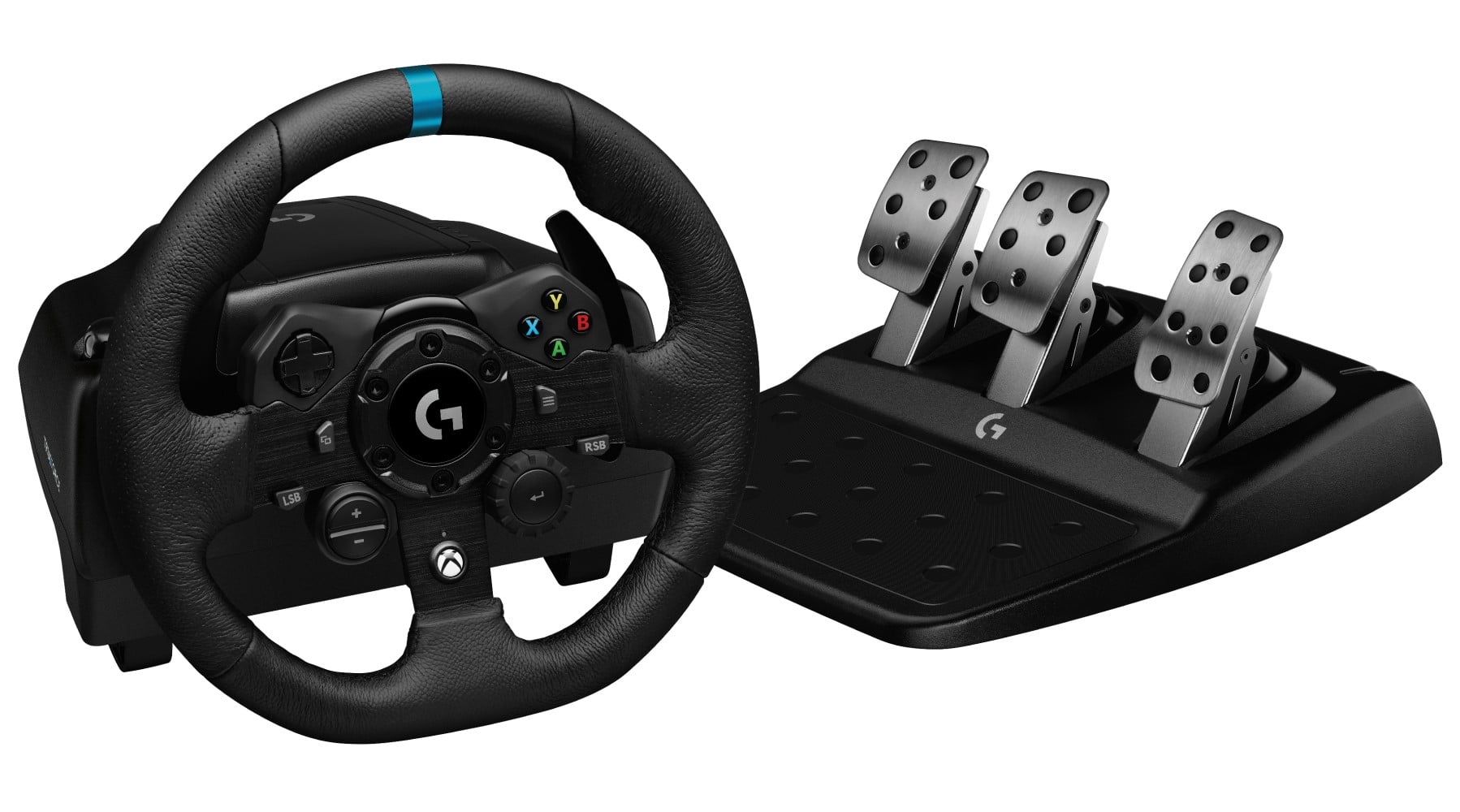
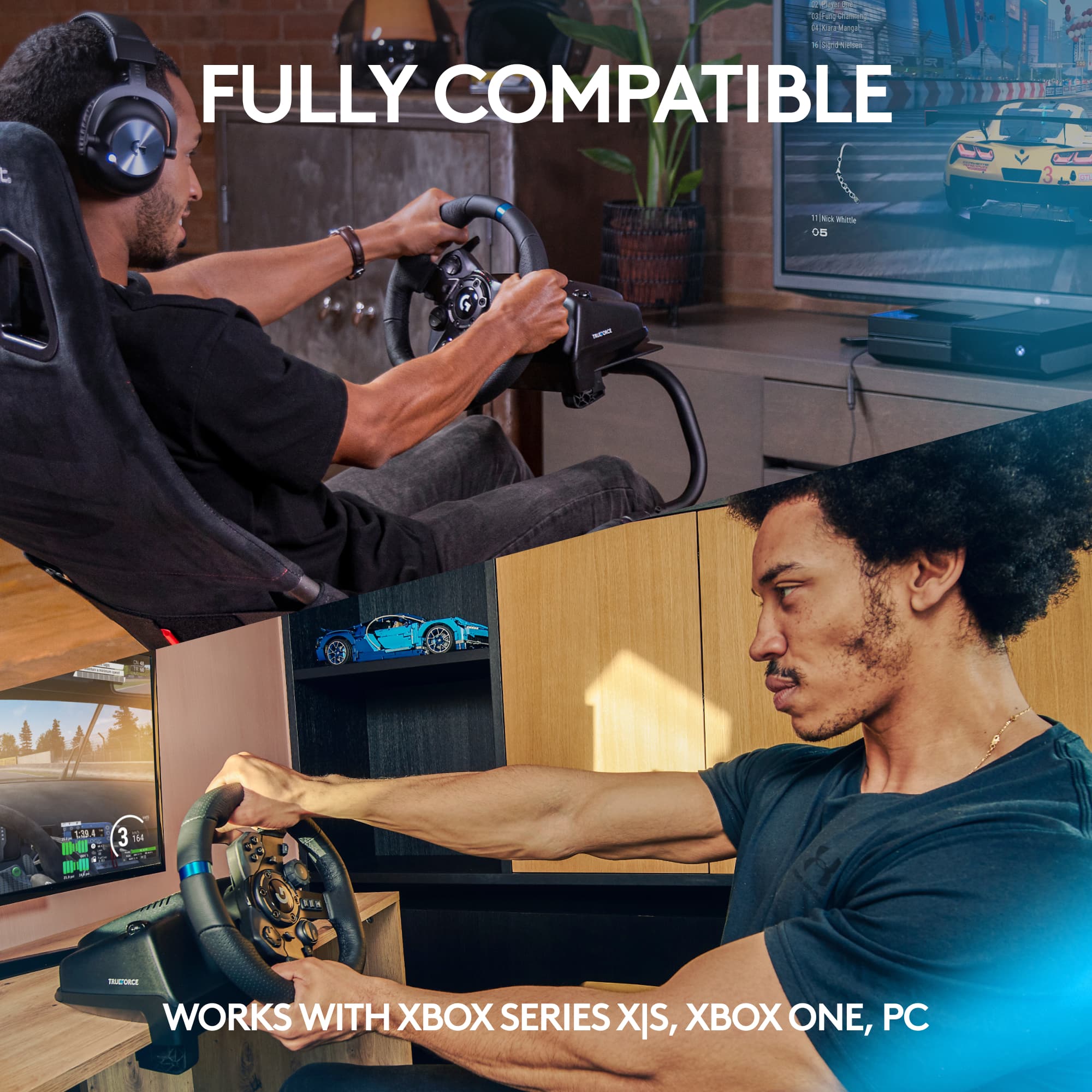
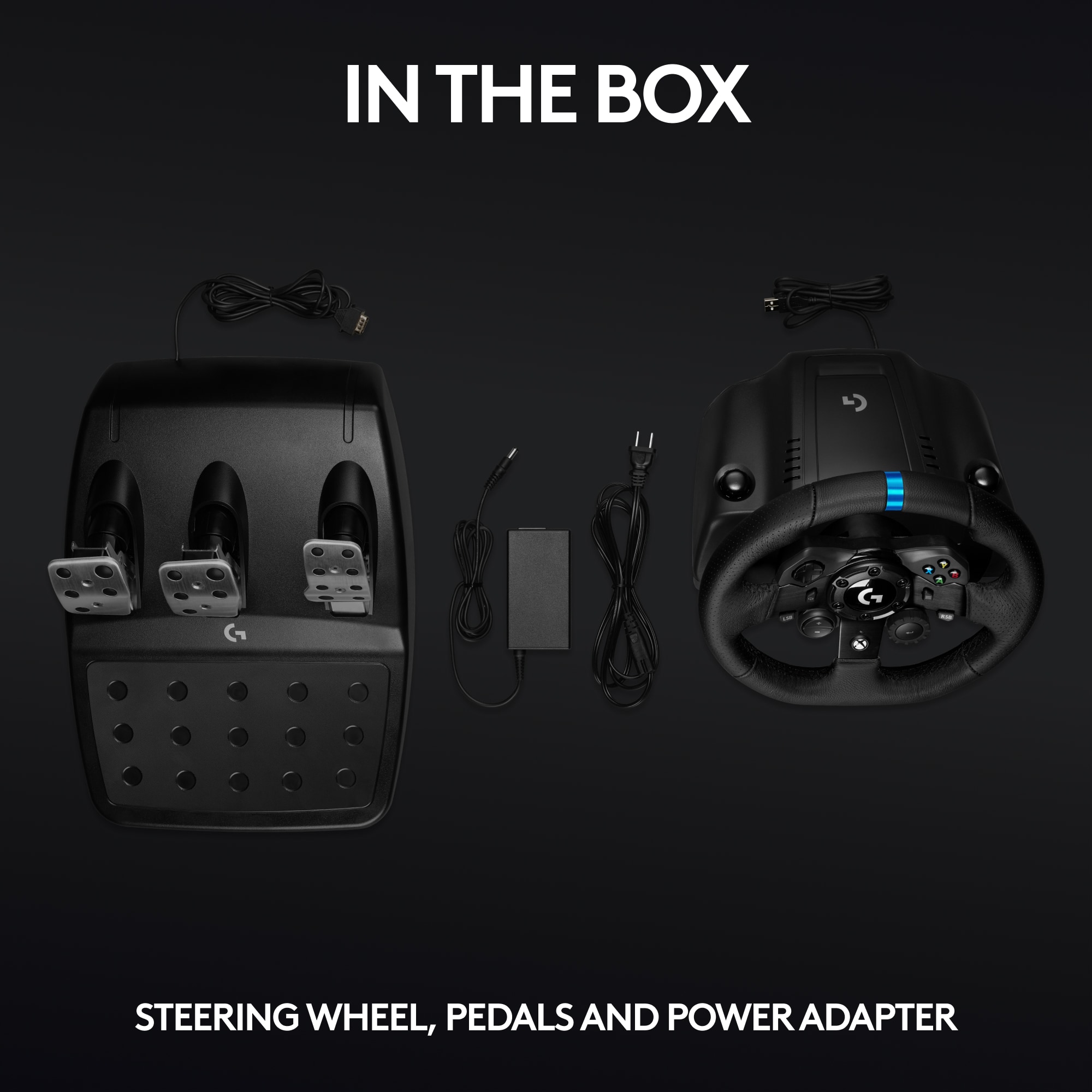
|Posted .This reviewer received promo considerations or sweepstakes entry for writing a review.I always wanted a racing set up for gaming. This is my first time reviewing one. First, I notice how sturdy this product is and is well built. The pedals are as well. The Trueforce is excellent and adds to the experience. The set up was easy. Connect the wires, plug into tv, and done; cables are located at the bottom of the steering wheel. The box comes with the steering wheel and pedals only. The bottom of the steering also has built-in clamps for a better experience. The clamps are not long enough to use for all tables. I could not clamp the steering wheel on my desk. I had to use a school textbook to stabilized the steering wheel. I highly recommend looking into a racing set up if you plan to use this product to get the full experience of the setup. I found it hard to use it without clamping on to something. Another thing I notice is the little racing games its compatible. I was lucky enough that I got a compatible game so I can enjoy the racing set up. I recommend researching what matches are compatible. I am planning to purchase a racing chair now. I understand the price might be a significant factor since it requires additional parts to get the full experience. I am new to racing gaming, but I am enjoying a lot. I recommend.
I would recommend this to a friendSmooth wheel!
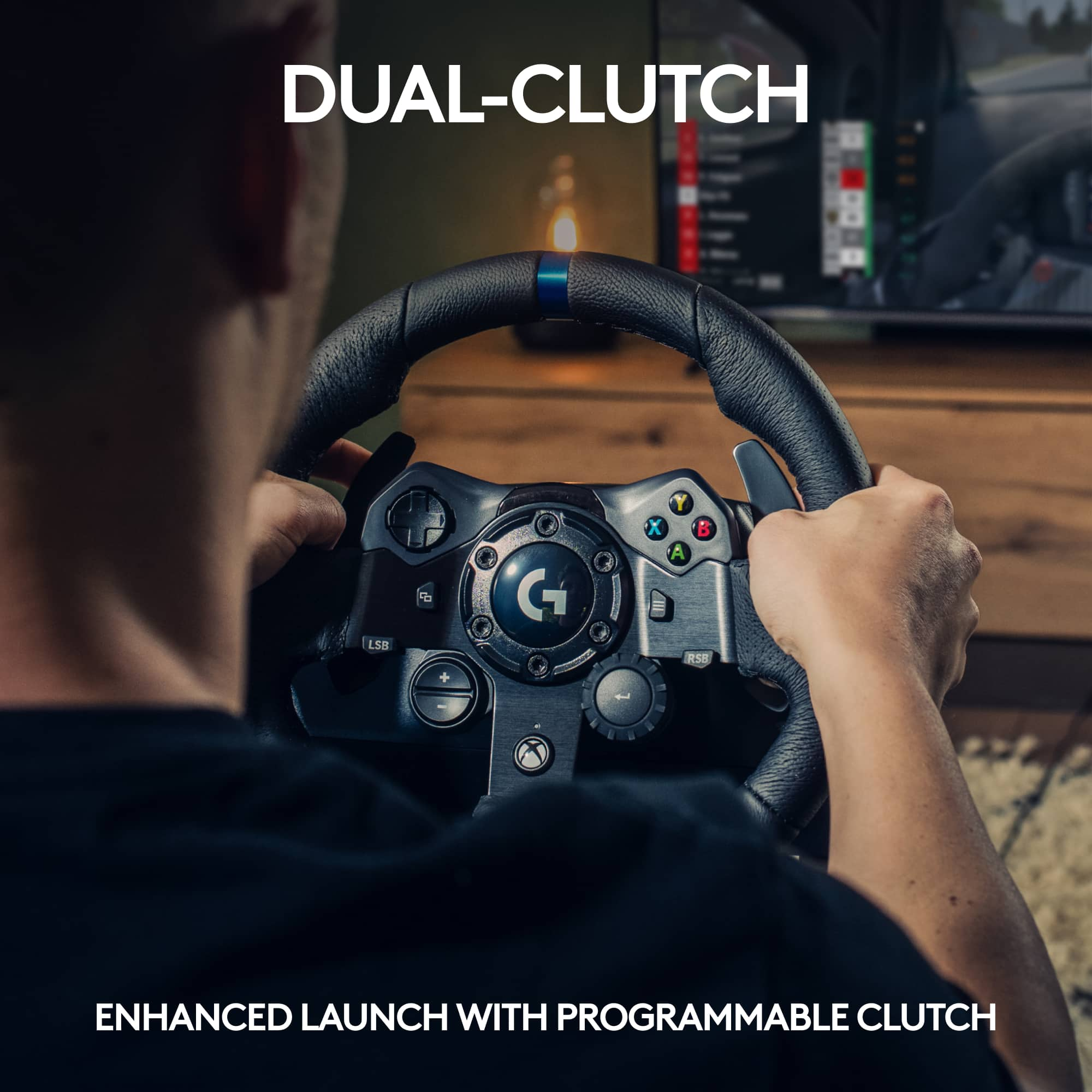
|Posted .This reviewer received promo considerations or sweepstakes entry for writing a review.Having owned Logitech wheels all the way back to the Momo, this is a fine additional to their driving wheel series. I've used it with multiple racing sims and has a better feel than previous hardware versions. The Force Feedback (FFB) gives a more solid feel than previously available and they've added a few new items to this offering. Their new technology, TrueForce, provides a more realistic feel of the vehicle and the FFB seems less jerky than before.This has made the FFB a bit more realistic with the feel of whatever the vehicle is riding on (tarmack, grass, dirt, etc.) and provides a better feel in my hands. Logitech has also added a Dual Clutch capability to provide help with launching on gridded starts. It is fairly simple to set up and works quite well once it is set up properly.
I would recommend this to a friendNice quality, but issues with Forza Horizon 4
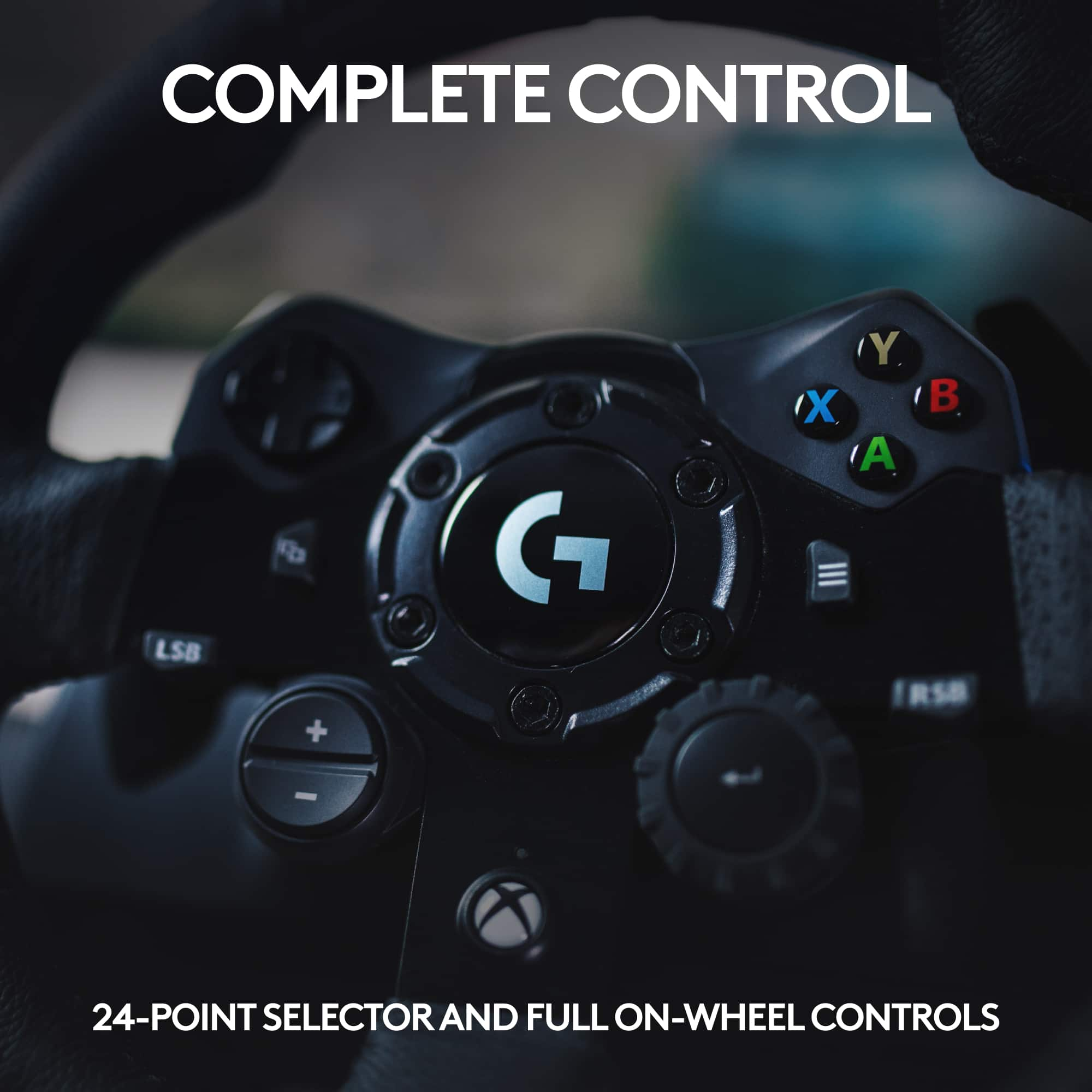
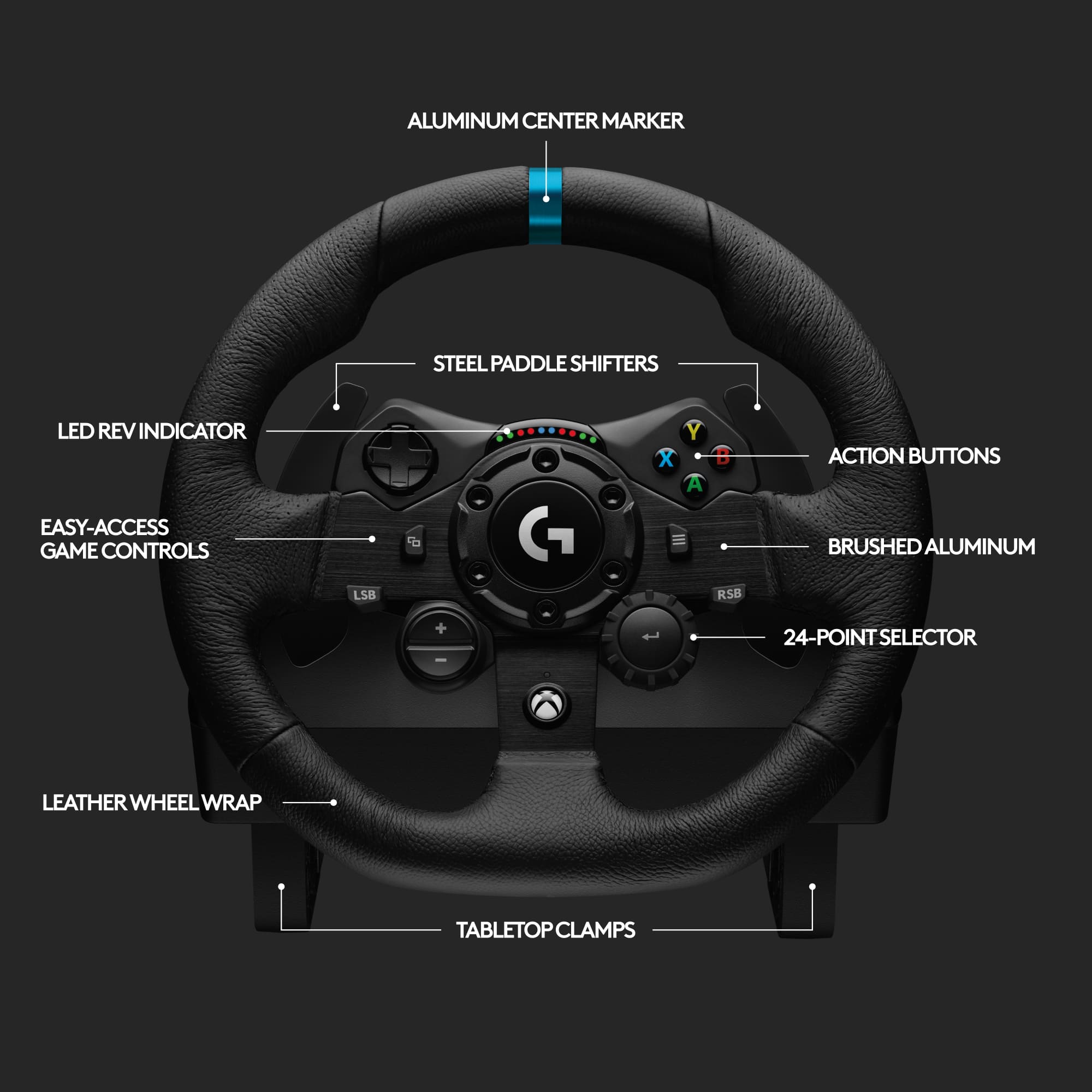
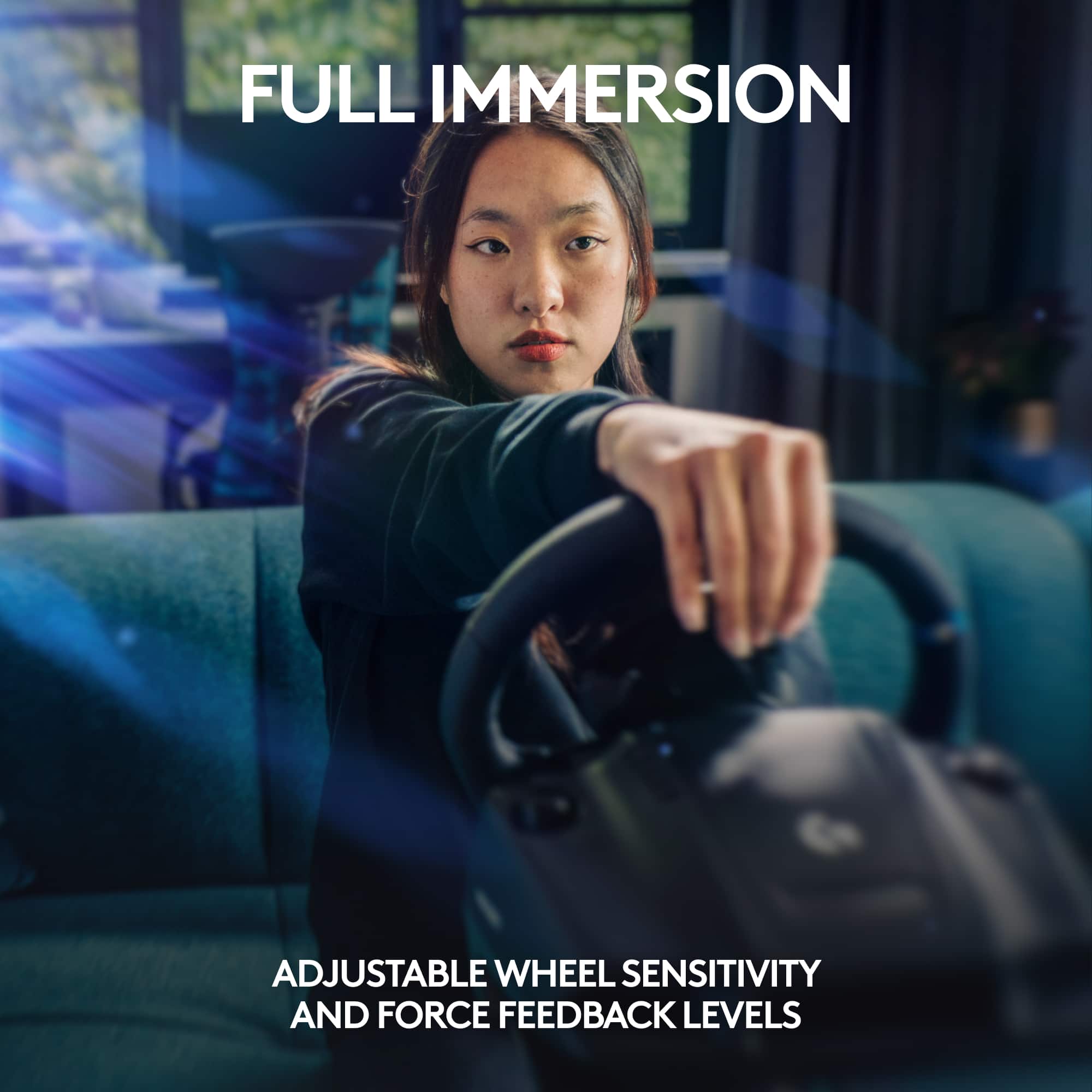
|Posted .This reviewer received promo considerations or sweepstakes entry for writing a review.We were eager to try out the Logitech G923 since we already owned the Logitech G920. It seems our excitement was a bit premature. Forza’s website for the G923 lists all currently compatible games and Forza Horizon 4 is one of them. Our efforts to try out the game were fruitless as it just would not work. After inquiring with Logitech we were asked to confirm if the assignments were blank. In fact, they were blank, so we proceeded to follow their instructions to go to the keyboard/controller tab, select Don’t Save (not yes or cancel) and then go back to the wheel tab. Once you do this you are able to manually input each assignment to the corresponding function on the wheel. Logitech’s GHub gaming software for PC does allow button customization, adjustment of wheel sensitivity and force feedback levels. On-wheel game controls are built in to the steering wheel for Xbox One and PS4. This did allow us to play Forza Horizon 4, but something just doesn’t feel right compared to our same experience with this game using the G920. The driving experience felt very loose compared to the G920 and at times felt very jerky. Also, we tried verifying options in the GHub software to ensure that the centering spring in non-force feedback games was checked and that apply settings from game was checked (even tried it unchecked for grins). It still left us feeling like the game was unusable since a slight turn of the wheel caused the game to force you that direction as the wheel would not go back to center. When we connected our previous model G920 no such problems existed and the racing wheel and game were automatically compatible, the wheel went back to center and worked just as it should. The primary feature one gains with the G923 over the G920 is TrueForce which connects directly to the game engines through integration with a game’s physics and audio engines. This more realist feedback sounds interesting if one can feel the engine rev or changes in the road surface/grip of the tires. Given that we don’t own a game that is currently compatible with TrueForce we were unable to try out this feature. As game developers integrate with Logitech to support TrueForce it will certainly make this particular model more appealing. Some games will also support a programmable dual clutch for maximum traction. As with many other Logitech products we have owned, the quality is very nice with realistic brushed metal wheel and pedals, and the leather steering wheel has a really nice feel to it. In supported games, there is a built-in rev indicator above the center steering wheel that uses colored LEDs to show the RPM range. One other detail worth noting is that the racing wheel clamps allow for a desk thickness of about 2”. This is something to consider since some desks or folding tables are just too thick to attach the racing wheel to. We think in time we will be able to get more use out of the G923 racing wheel as more compatible games are released. Yet, we are left a bit deflated right now that it just would not work as seamlessly with Forza Horizon 4 as our previous model G920 does. Hopefully Logitech will get to the same out of the box, game ready experience with the G923. At this time, we would stick with our G920 due to game compatibility and price differential.
No, I would not recommend this to a friendBest entry level racing wheel available today
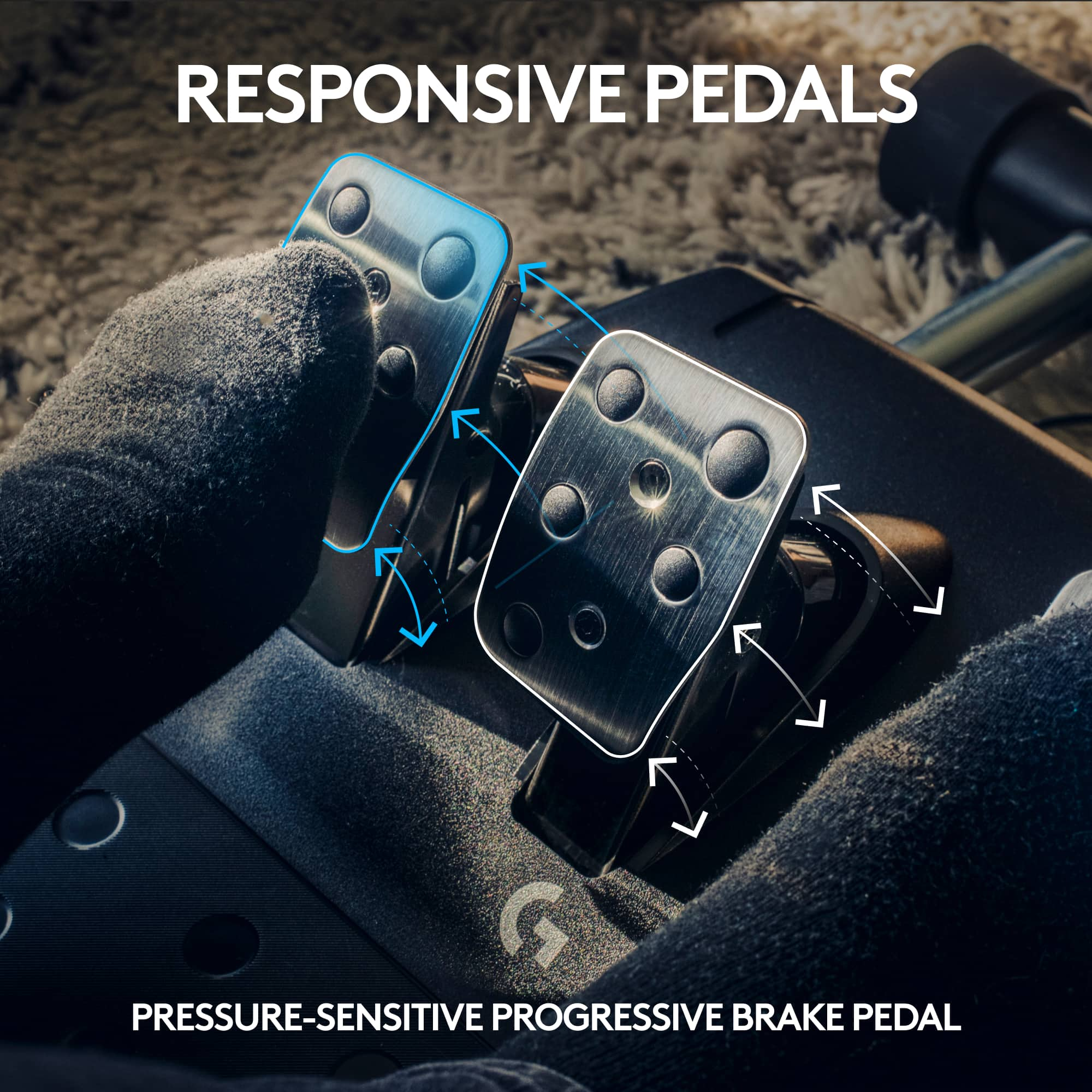
|Posted .This reviewer received promo considerations or sweepstakes entry for writing a review.Logitech - G923 Racing Wheel and Pedals for Xbox One and PC - Black The Logitech G923 Driving Wheel is probably the best entry level driving wheel you can purchase today. There are lower cost driving wheels available but none that provide the overall value and features you find in the G923. It is a very good option for use with both the Xbox and PC and there is also a PS4 version. The primary difference being the button options you would have available on the wheel itself. The build quality is very good with the leather clad steering wheel being especially nice. The wheel and petals are easy to setup and have almost universal support from virtually any driving title you might use it with. This includes simple fun arcade titles to the most serious simulations currently available. The Logitech software support is excellent and fits right in with their G Hub utility. There are a few things about the wheel and petals to consider. I found the TRUEFORCE feedback to be a bit harsher than I expected coming from an older G27 wheel. But it was very good at communicating the road surface and how the car was handling which is what you want the wheel to do. It’s a very small difference from the G27 but it did feel very detailed depending on the driving titles I was playing. I would have liked the wheel to be a little bigger as I felt a bit cramped but that’s a minor gripe. My biggest complaint for the wheel and pedal kit was the way the brake pedal felt. Logitech is claiming a progressive feel for the brake pedal. To me it just never seemed to communicate back to me the way the wheel does. I do think they could have done a bit more here. There are mods you can get to improve the feel of the braking but that shouldn’t be necessary and mostly isn’t. Still if you’re in the market to equip your PC or console with a driving wheel you really cannot go wrong with the G923. I would look to get it on sale since at full price it does start to get close to some other options depending on your budget. You will find that the Logitech G923 is an excellent choice to make any of your driving games or sims a much better experience. For the entry level user this is an especially good value since you can grow and get better and be very competitive. It is amazing how many of the top sim drivers are just fine using the Logitech driving wheels even against drivers using much more expensive setups.
I would recommend this to a friendTrueforce!
|Posted .This reviewer received promo considerations or sweepstakes entry for writing a review.This Logitech steering wheel is awesome! I didn't do a lot of looking into it before I got it but I figured it would be something fun for me and the boys to play around with while we are fairly isolated at home. The steering wheel itself has little adjustable hook style clamps to lock onto the edge of a desk, I didn't really have anything that wasn't too thick for them so I picked up an inexpensive party table to use this with. The pedal board also has a little spike strip that you can flip down to avoid it sliding on carpet or rug during use. The steering wheel uses an external power source and USB to communicate to the console, I wasn't really expecting it to have a little motor in it, it was cool to see it spin itself once plugged in. Main racing games I got at this point is Forza, but I really enjoy the arcade style over SIM, so I popped into Forza Horizon 4 and got straight to cruising really quickly. It's a lot of fun to drive around with this wheel, it took a minute to adjust since I have really only played with a controller up until now. The Trueforce feedback is really cool, when driving around you feel the wheel jolting with feedback from the terrain or colliding into an obstacle. You can let it go and spin about, or you can try to control the wheel and do an awesome drift, for me and this point is was mostly losing control and going into a spin haha. Getting a little hang of it now though and really enjoying this steering wheel, and looking forward to using it more. The boys are still not used to it, but they don't have the feel for these sort of games yet, more of a specific Kart racing game. Even though they blame the "engine" for their driving, it's hard to get them to stop playing so that I can drive around some more. All and all I love this wheel, I am going to get in the habit of using this with every compatible racing game, plus the support with the Xbox Series X means I will definitely try this out with the new Forza game as soon as I have the opportunity, this wheel gets me excited to jump on racing games, giving them a good level of immersion with the Trueforce tech!
I would recommend this to a friend