Customer Ratings & Reviews
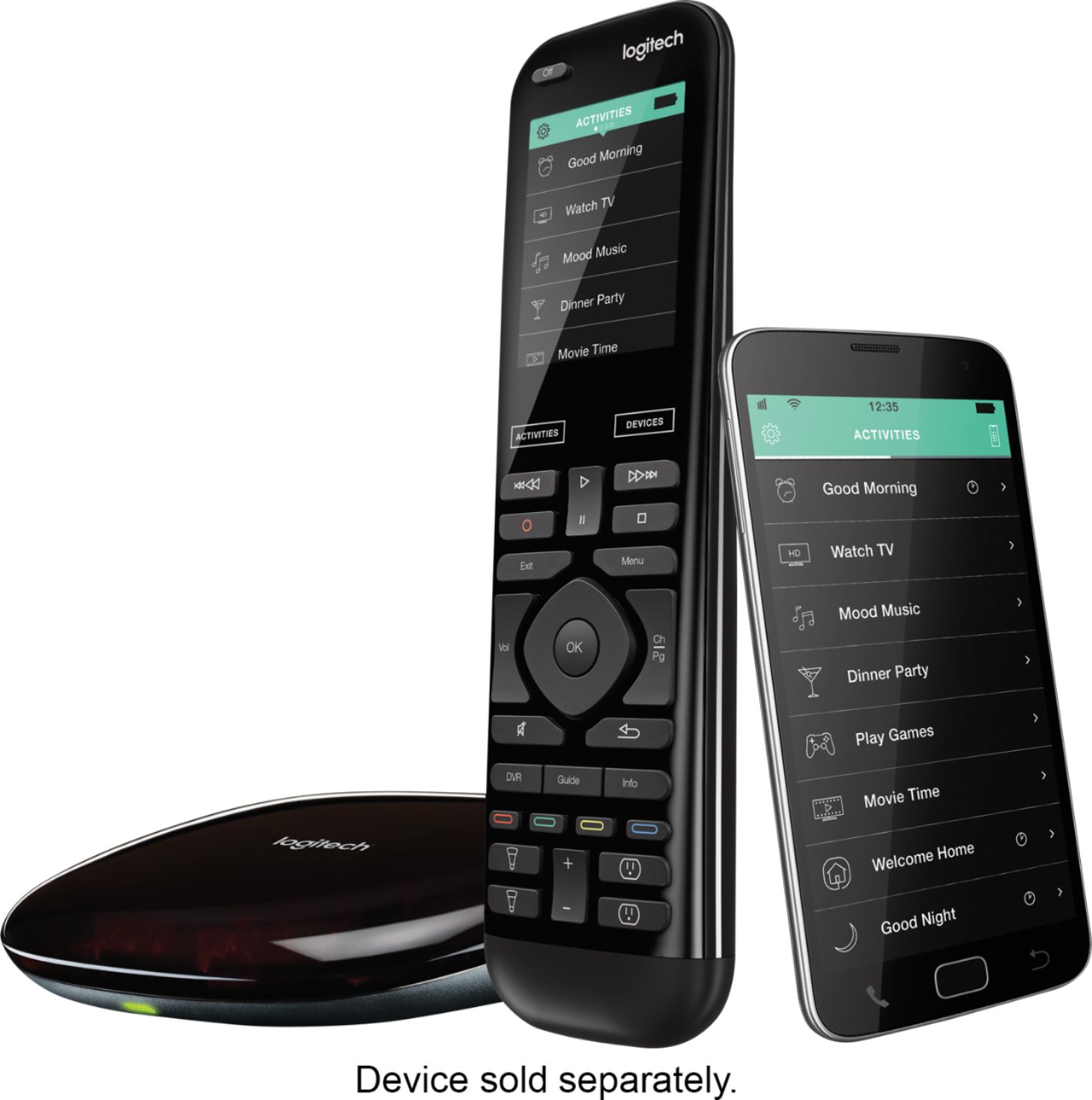
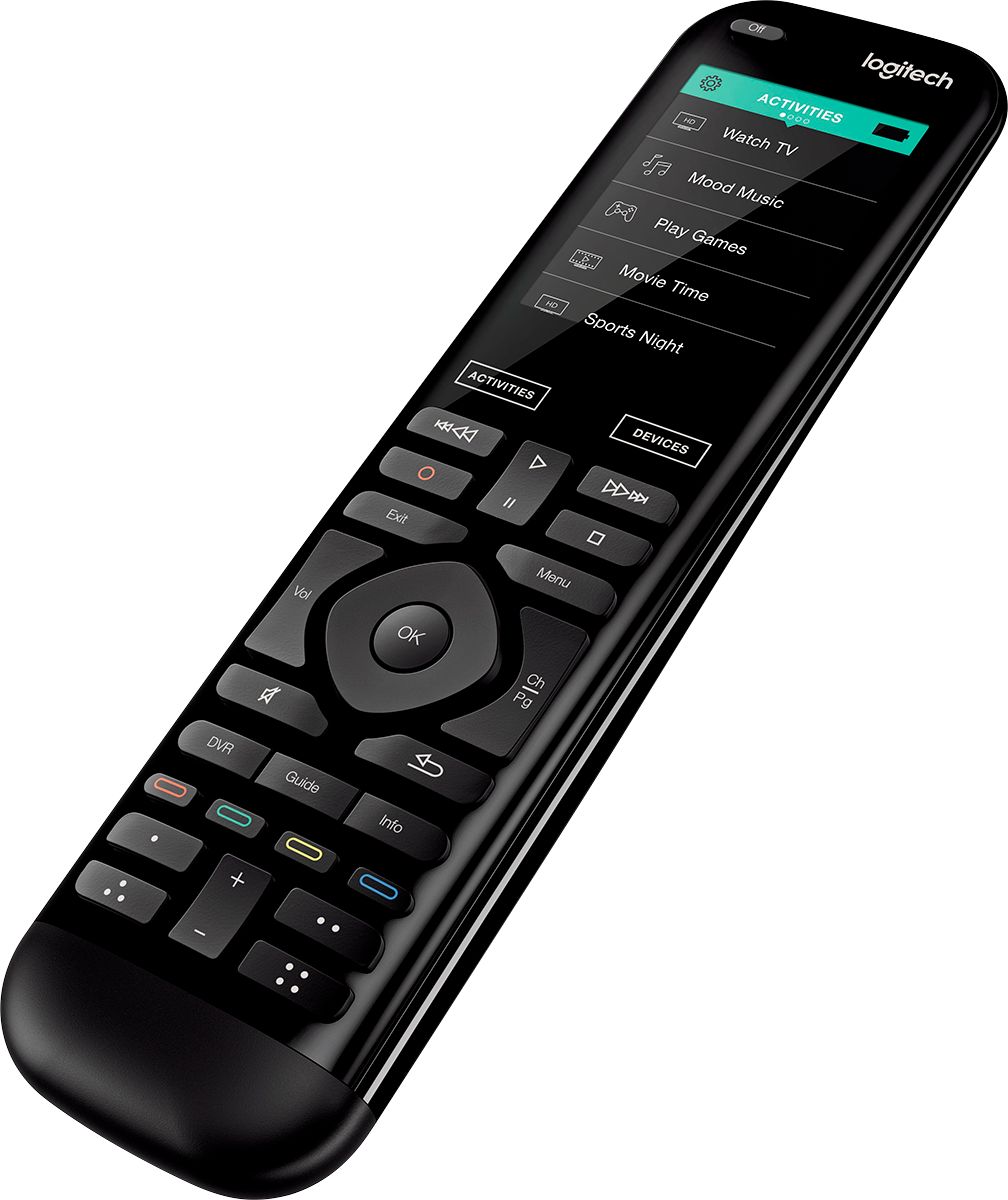
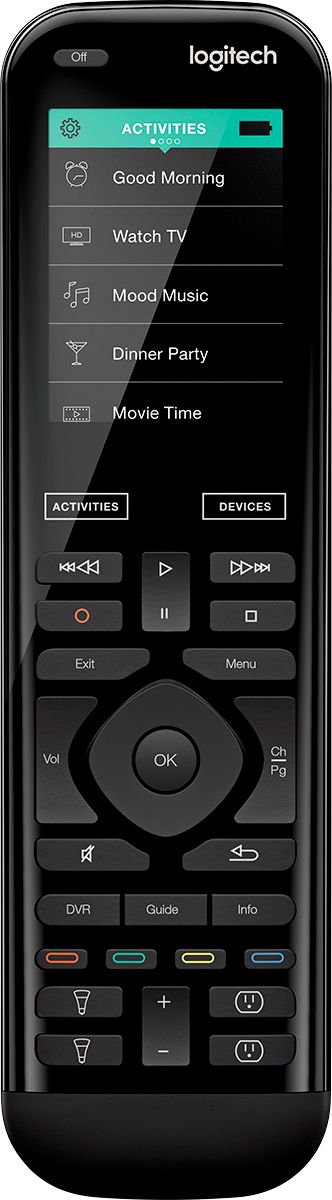


Customer reviews
Rating 4.4 out of 5 stars with 4771 reviews
(4,771 customer reviews)Rating by feature
- Value3.9
Rating 3.9 out of 5 stars
- Quality4.5
Rating 4.5 out of 5 stars
- Ease of Use4.0
Rating 4.0 out of 5 stars
to a friend
Rated 4 out of 5 stars
Harmony Elite my go to
Posted .This reviewer received promo considerations or sweepstakes entry for writing a review.Purchase this six years ago and still have it. First used in the living room with my main entertainment center. Then moved it to my bedroom when I purchased the new version of Elite. You can complete the setup with a PC or the App on your mobile. Once set up controlled my TV, Lights, receiver, game system, pc, and more with ease. All I would wish they add a hard button toggle switch to toggle through the device menu with greater ease. I’m in old school. I like the touch screen, but one button action for somethings are best.
I would recommend this to a friendRated 5 out of 5 stars
Awesome Remote
Posted .This reviewer received promo considerations or sweepstakes entry for writing a review.Upgraded my 9 year old Harmony 890. Loved that remote but the backlight on the screen hadn't lit for a couple years. Been reading the reviews for some time but this remote is expensive so put off getting it. Finally decided if this one would last 9 years it would be worth it. Loved the setup. Plugged in the hub and charger, put them where i wanted, then was able to do all the setup on my phone with the Harmony app without leaving my couch. I was able to import the settings from my 890 and then just had to do a little refining. The hub does amazing at blasting the IR signal and bouncing it off walls etc. It is sitting on my receiver on a low shelf and has no issue getting signals to the equipment on the shelf above or to the TV mounted on the wall. With the app I can control the equipment from anywhere I have an Internet connection, i could control everything from work whilemy daughter watched in amazement at home. To top it off, after a short lesson, my wife and kids were completely competent in using it. Perfect for my setup; Samsung 4k Tv, Sony receiver, xbox one, Channel Master DVR, Wii, and Sony BD Player. I use the receiver for audio for all sources and this remote makes everything work seamlessly. Can you tell I love it? Logitech has made huge improvements over the past 9 years. The 890 was good this one is near perfect.
I would recommend this to a friendRated 5 out of 5 stars
Awesome is all I can say!!!
Posted .This reviewer received promo considerations or sweepstakes entry for writing a review.This is the best remote by far that Logitech has put out in years. I love love love it. No computer needed to copy old remote settings and setup it up. It literally fixes itself. I haven't found any bugs at all. I bought it from Logitech with a 35% discount they gave me just for calling in and talking to them. That means I got it for 232.00! Heck yea awesome deal!!
I would recommend this to a friendRated 5 out of 5 stars
GREAT FOR CORD CUTTERS - Upgraded from Smart Hub
Posted .This reviewer received promo considerations or sweepstakes entry for writing a review.LOGITECH HARMONY ELITE (/ 950) A fantastic upgrade from the Smart Hub (now called Logitech Harmony Companion). Previously (many years ago) I wrote a review for the Harmony Smart Home Hub + Remote. At the time I called it nearly perfect. My minor complaint was that it was not backlit, and although you could assign anything you wanted to nearly any button, the user had to remember everything themselves. (Long Press Button-A means turn on the TV, Short Press Button-B means launch Netflix and so on). As I attempt once again to “cut the cord” from cable video service bundles, I found I have many more entertainment devices and sources attached to my TV and many home automation devices to manage. Increasingly it was hard to keep the long press, short press buttons top of mind to select different devices. My table was once again filling up with multiple remotes. Or, each device also had a custom app on my phone that I had to find, log into, then navigate. It was just a hassle. HARMONY ELITE (950) TO THE RESCUE! MY SETUP / DEVICES TO CONTROL from the remote - TV - TiVo for OTA Broadcasts - ROKU Premiere+ for Sony VUE OTT Content (FX, Bravo) , Amazon, Netflix… - Chromecast for random screen sharing - Playon DVR (recording shows + commercial skip) - Synology Media Server (my library of various media sources) - Lutron Caseta Lights - EcoBee Thermostat - Blu Ray Player - Yamaha Receiver With the Elite/950 I have a scroll list on the remote touch screen to select my activity. - Watch Live TV (TiVo) - Watch “Cable Channels” (ROKU) - Watch Recorded Shows (Playon) - Watch Local Media (Synology) - Watch a Blu Ray Movie - Listen to Music - Turn OFF the Lights - Turn ON the Lights - Adjust Temperature - So on Now, I can select (for example) “Watch Live TV” then I am presented with a screen of Icons for each channel, and I can simply press the ABC logo to watch ABC. Or, I can select the activity “Watch Cable” and the remote (well the hub really) selects the ROKU box and launches Sony VUE or I can press an ICON for “FX” and it launches the FX APP/Channel on ROKU. Because most of the functions I need to use are already there on the remote (directional controls, pause play, volume) I don’t usually need to use any other buttons. At first I was concerned that there were no physical number buttons, but with the ICONs I no longer needed them. If you do need them, then you can get a virtual keyboard to pop up on the remote. Next I was concerned I would have to keep it charged all the time. This sort of forces you to put the remote in the cradle each night, so now I know where to find it each day. Just like I plug in my phone each night, so not a big deal. Finally, I was concerned that I would have to set up all my programming from my earlier hub all over again. Since the Old and New Hubs are identical (confirmed with tech support), I did not need to replace my old hub, I just paired the new remote to the old hub and it kept all my specially crafted “recipes” for controlling my devices. (for example, to get the TV to output in Optical DD 5.1 instead of Optical 2-CH required about 30 button pushes which I have automated fully). CAUTION: This is not your grandfathers universal remote. There are many steps to make a mostly flawless universal remote experience. It is part Setup Wizards, Part Programming, Lots of Logical Planning, it does not happen without a lot of trial and error. Don’t expect to turn it on, enter a 4 digit code for your TV and have it work perfectly out of the box. For advance features, some of the setup is done on the computer, some is done from your phone, some is done from the remote. My original (years ago) nearly perfect setup took about 2-3 days to plan and setup, then about 3 weeks of fine tuning. Though 90% of my setup carried over, I see many weeks of fine tuning with the new features that Elite/950 makes available. This is a lot closer to building your own gaming PC instead of buying a tablet. Just try to get a common answer for yourself AND everyone in your house to the question “what does ‘WATCH TV’ mean”? Does that mean play a game, or watch an Amazon Movie or, Play a DVD? This is more of an art than a science. Logitech has given you the tools to build a 100% custom remote. How you go about doing that is what makes it interesting. Of course, you can select “Sony TV” and just use it as a replacement remote for your Sony TV. I don’t mean to imply otherwise, but you could buy 10-20 replacement Sony remotes for the price of this combo. I’m only in my first few days, but I can tell that I’ll once again be able to push my handful of remotes back into a drawer where they belong. There are many more features that I’ve not experimented with yet, but I look forward to testing them out. (Gesture Controls, and more). Negatives? Nothing comes to mind yet. Be patient, Experiment, Read lots of online tips.
I would recommend this to a friendRated 4 out of 5 stars
It may take time to program based on your setup
Posted .This reviewer received promo considerations or sweepstakes entry for writing a review.I did a lot of reading and talking with BB employees before purchasing. I saw the new Savant remote and loved it. So my choices were the following; Savant (not pro, too $$), Harmony Elite or Control 4. The pricing broke down as follows: Harmony Elite - $350 Savant - $499 Control 4 - $1200 (very approximate) The Savant was what I really wanted, and if you haven't seen it you really should check it out. What a beautiful piece of hardware. And what really brought it over the top was the voice control. But after doing some research I came to the conclusion that they aren't going to expand the line to include lighting control (or other like shades etc...) and the only thing I could control is a lamp if I purchased the plug-in lamp hub for an additional $100. The control 4 seems to do a nice job of controlling things but has no WoW factor. Just a plain Jane remote. And anytime I swap out a component I have to call geek squad to come program it. That's just not a great option for me. When I spoke to someone in Magnolia about the Harmony he really had nothing positive to say. He told me the delay was terrible and they get a lot of returns. He also told me their was no ir blaster on the remote itself (not true btw) so I was skeptical. Also, I had read many reviews of people not liking the functionality of the remote. But because of the return policy and the fact that it went on sale for $299 I decided to give it a chance. First Impressions - nice piece of hardware. Well built with a nice screen (nothing great about the screen). Comes with a hub and 2 ir blasters that connect to the hub. A charging base and 2 power adapters/cords. Because I was using a Harmony remote previously I thought I would simply swap them and let the software do all the work. But it didn't work very well. The software is different for the new line of remotes. So just plan to start from scratch. I had a PC handy so I used it. People who are saying you have to do it from a mobile device are not correct. You can do 95% of it from a PC. I then moved the hub to where I wanted it (or thought I did) sunk into my theater seats and began testing the remote. I found issues with certain components. So I downloaded the android app on my tablet and used that (mostly out of laziness, didn't want to get up) to make the tweaks. A few pointers - THERE IS AN IR BLASTER ON THE REMOTE!! And you can go into the settings for each device and choose what controls it (hub, plug in blaster#1, plugin #2, all 3 of those, or remote only). This is such a vital part of getting this remote to work for you. I spent HOURS tweaking it. I ended up moving the hub and running the plug in blasters to 2 of my more stubborn components (Yamaha AVR and xboxone) and I use the remote only for my FIOS box because I already had an ir repeater set up. Take the time to customize it to your setup. Tip#2 - Amazon firetv syncs as a game controller. The instructions in the app are terrible for this and calling Logitech support didn't help much. (or at all...) Any Bluetooth device needs to be sync'd to the hub in order to work with the remote. But once I got is working it's been flawless. Bottom Line - If you have a lot of devices this is going to take some time to be set up optimally. You can try to shortcut it and hope it works well for you but you will likely be disappointed. Take your time, be patient. I would say I spent almost 4 hours setting this up, and I'm fairly tech savy. The end result is well worth it. Works like a dream, and I'm getting faster response than I did from the previous remote. I also have it linked to my nest thermostat and that works well. Next is lighting.
I would recommend this to a friendRated 5 out of 5 stars
Best Universal Remote I've Owned
Posted .This reviewer received promo considerations or sweepstakes entry for writing a review.This is my second Logitech universal remote. Was able to trade in my old one for $100 towards this version. Worth it! There is no issue with using this with my all wood cabinets doors closed. The remote is soild, software is first notch, no issues with the setup. I've ran into some issues with pairing issues with the PS4. Also off option for the PS4 will only put it into standby mode, this can't be changed right now...perhaps a firmware update can fix this. You can review Logitech forums on the status of this. While it's pricey it's totally worth it!
I would recommend this to a friendRated 5 out of 5 stars
Must have remote!!!!
Posted .This reviewer received promo considerations or sweepstakes entry for writing a review.This is an awesome remote! I can't say nothing but good things about it. This eliminates the stockpile of remotes that I had for my theater room. This controls my projector, tv, yamaha cxa5000 yamaha bd1040 blue ray, ps3, even connects to my Bluetooth on pc. Adding activities is so easy and itsimple awesome one click and ur set for tv movies games pc. One off button everything goes off. It lookshouldn't great and the touch screen is awesome. Haven't been this excited about a product in a while lol.
I would recommend this to a friendRated 5 out of 5 stars
Does everything you want
Posted .This reviewer received promo considerations or sweepstakes entry for writing a review.This remote does everything as advertised and does it well. I had a Harmony One for many years and when the battery recently stopped holding a charge I decided to upgrade. Setup could not have been any easier as it imported all of my previous settings. The smartphone/tablet app is a great companion to this allowing you to not only program the remote but to use the app as a remote as well. I have had this for a week now and could not be more pleased with it.
I would recommend this to a friendRated 5 out of 5 stars
Amazing remote!
Posted .This reviewer received promo considerations or sweepstakes entry for writing a review.We had two Harmony 1100 RF remotes and had grown accustomed to their ease of use and having hidden components. The only problem was programming. It broke before a big upcoming TV weekend festivity, so I looked online. The Logitech Elite is as advertised. Works better than my 1100s (which we loved) and I was able to set it up, glitch free, in under an hour - no Geek Squad, no third party to help! I was and am still amazed at this remote.
I would recommend this to a friendRated 5 out of 5 stars
impressive
Posted .This reviewer received promo considerations or sweepstakes entry for writing a review.My stack is Sony 4k, Apple TV gen 4, comcast x1, and yamaha sound bar. I was able to get this up and working within 40 min. The app is super easy and the logitech hub is very responsive. When you finally get this working correctly with your setup, make sure you configure the hub and the sensors adequately with the remote. If not, your wifi bandwidth will be worthless. Very happy I bought this, we are now a 1 remote entity.
I would recommend this to a friendRated 4 out of 5 stars
Great Remote - Big Price Tag
Posted .This reviewer received promo considerations or sweepstakes entry for writing a review.This Logitech Harmony Elite remote is awesome. Easy to use, easy to update, easy all around. The ability to update right from your smart phone is so easy, and allows you to customize while you are watching the TV so you know exactly how to set up your buttons. The options you can set up are great and switching between activities is a breeze. I love having the full-color screen and the option to set up my 50 favorite channels. Just press the touch screen and the channel gets input. Nice to have the logo view too. My only complaints - for the four star review: 1. The price is crazy. Way too expensive. If you are using just for TV and some lighting, there are cheaper options that will work just as good. If you max out its potential, then maybe it is worth the price tag - but I do not have a nest system or fully automated house (yet) - so feel it is a little too high. But I love the Harmony interface and wanted something that will run Bluetooth (for fire stick & speakers) and not just RF products. It is nice to have multiple input areas so you don't have to be pointing directly at the TV and can use in multiple places in the house. 2. Some of the buttons are way too sensitive. I continually pick up the remote and I will go from watch TV to playing a video game because I hovered over (and touch) the activity on the touch screen. Other times, I will change stations by being too close to a button when I pick up the remote. No major problems, and the remote really is great. Best remote I have ever had. If you can afford the $350 price tag go for it because it will be tough to beat. If you are on a strict budget, you can use one of the lesser Harmony's or something else.
I would recommend this to a friendRated 5 out of 5 stars
Fantastic!
Posted .This reviewer received promo considerations or sweepstakes entry for writing a review.Bought the Elite to replace our very old Harmony 890. The set-up for the Elite was so easy using the phone app. The Harmony Elite works with all of my HT equipment from my old DVD player to our new 4k TV. Love the feel and the lighted buttons and display. One touch turns on everything for watching Blu-Ray, playing games, Smart TV features and Netflix. Great product that works as advertised.
I would recommend this to a friendRated 5 out of 5 stars
Bought to replace aging universal remote
Posted .This reviewer received promo considerations or sweepstakes entry for writing a review.My wife bought this for me to replace an aging universal remote and I couldn't be happier. This remove was so easy to setup and use. I can control everything I have with it. I replaced 5 remotes. I love that I can just select an activity to it works. Ready to play the Xbox, just select the activity. Everything is turned on and inputs are changed. Love it.
I would recommend this to a friendRated 5 out of 5 stars
Harmony Elite with Harmony Hub work seamlessly
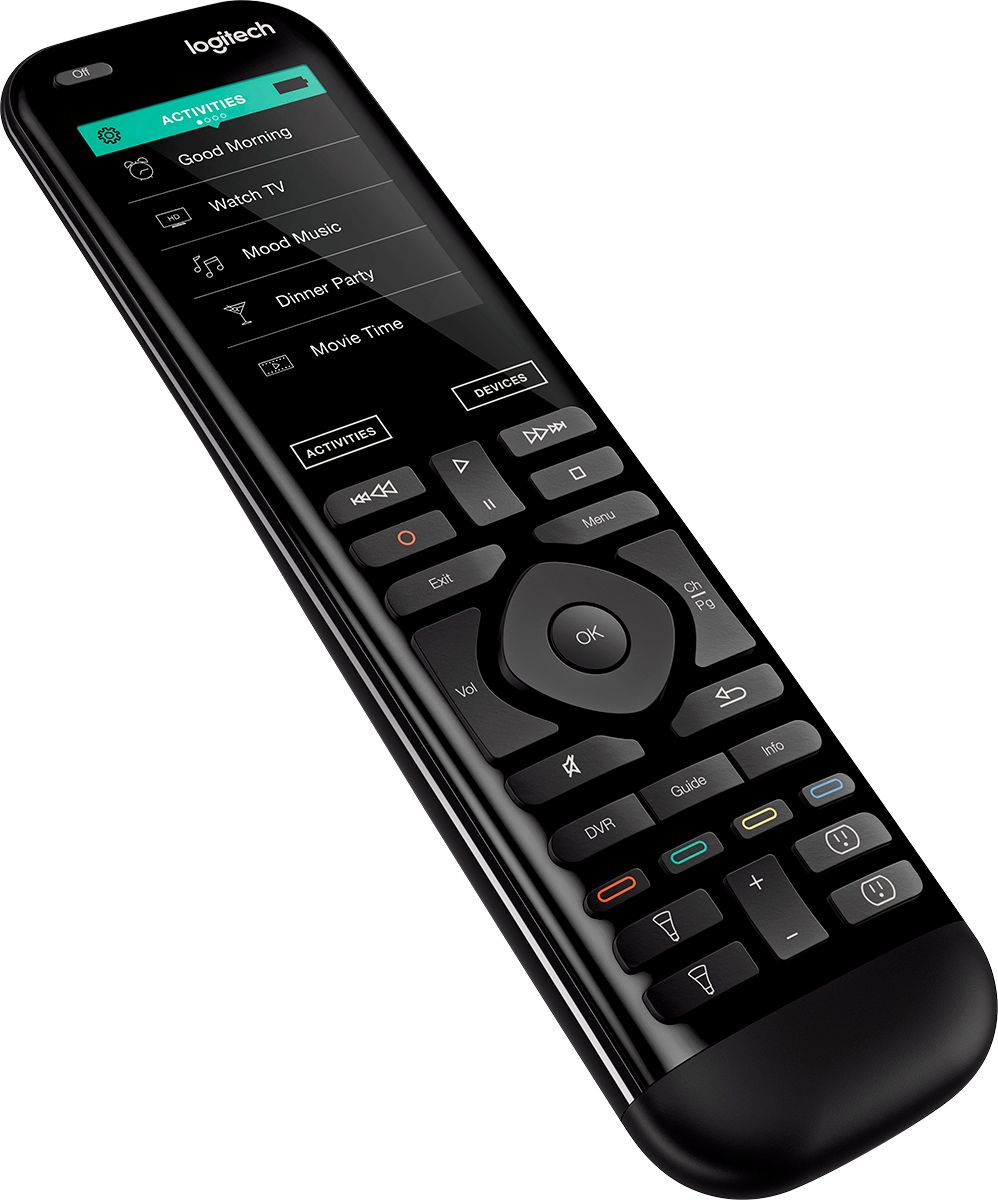
Posted .This reviewer received promo considerations or sweepstakes entry for writing a review.Please bear in mind I have not explored all the capabilities of the Harmony and Elite and Harmony Hub. I have owned the Harmony Elite Universal Remote control bundled with the Harmony Hub for a few weeks. I have been setting up a cabinet so all AV, computer and peripherals will be out of sight and the Harmony Hub with it's built in IR blaster, in combination with the 2 IR mini blasters supplied, will is able to control all my devices (including my 5 port HDMI hub) without line of sight since the remote uses my wi-fi network to send commands to the hub. I originally purchased just a Harmony Hub figuring control of the hub via the Harmony app on my IOS devices would be fine. Well I was wrong. The Harmony app for iPhone and iPad is well designed but using them provides no tactile feedback and unless your brain/finger and recall where each button is on the mobile device screen you must constantly refer back to the screen for buttons presses. Add to the fact that a touch screen is not as accurate at buttons you press (as on the Elite remote) and the power drain on the IOS devices while using the Harmony app I bit the bullet and purchased the Elite Remote which is bundled with a hub and 2 mini IR blasters. If you have never owned Harmony remote controllers set up of the remote require you set up a free online account at Logitech Harmony which you use to add devices which you wish to control and activities to your control system. It is simple to use. Harmony has a large database of AV, home automation and peripheral devices so remote setup is a matter of following the prompts for device type, brand and model which will be recalled in your profile. If you encounter a device that is not in their database it can be setup using the learning function. The Elite remote does not have to be pointed at either the Harmony Hub or any equipment you wish to control. I hands and find the feel of the remote good in my hand. Some have commented that it is a bit unbalanced since the battery compartment is enclosed in the lower half of the unit but I have not found this an issue for me. The elite remote has a good assortment of direct access tactile buttons on it including several for controlling Philips Hue lighting system or other home automation devices. The touch screen is sharp and easy to read. The spacing between commands lines on the touch screen is just fine for my larger fingers. Feedback of selected commands is provided by a vibration device built into the remote and prompts and help can be displayed on the touch screen for assistance if you wish. Selecting an activity (i.e.: "Watch TV") turns on the equipment you have programmed for that activity as well as selecting the appropriate inputs for any given device. Note that you can include automatic control of automated lighting, blinds and more to be activated with that single request to "Watch TV". For those with bluetooth controlled Sony Playstation the Harmony system can transmit bluetooth commands to that device. There are Harmony blogs and forums for those who wish to really get into complicated system setup or just wish to learn more about the Harmony system and it's capabilities and limitations. I have owned 2 Harmony remote controllers in years past but none came close to the capabilities of this new system.
I would recommend this to a friendRated 4 out of 5 stars
An excellent remote, with just a few problems
Posted .This reviewer received promo considerations or sweepstakes entry for writing a review.I have had several universal remotes- from previous logitech models to my last one which was a high-end dealer issued Pro-Control Studio. Out of all of those, this Logitech Harmony Elite control is by far the best. It easily handles controlling all of my different components (Nest, Sonos, Lutron, Smart TV, Amazon Fire, PS4, PS3, DirecTv, Google Home, MonoPrice HDMS Switch) and allows me to set up macros so that my wife can use them too without any problems or confusion. The best part is that since it utilizes RF\IP rather than IR for all of the components, it is a lot more reliable and not restricted by line of sight. I also love the customization available through the pc\android interface so that I can set the buttons and favorites up to my liking. The only complaint I have is in initial set up. Trying to set up with the mobile app is plain unreliable and frankly a waste of your time. The Hub will connect, disconnect, reset, stop responding and I spent about 3 hours trying before I gave up and went to the PC setup. Once I did that, setup was a lot easier and now that it's configured I have had few other problems with the Hub. The only other thing that I'll mention is that they need to update the documentation for some of the device set-ups, because it doesn't correspond to what you actually have to do (Amazon Fire TV Blu-Tooth connectivity to be specific). I would definitely recommend this to anyone who has more than just the simplest of home entertainment setups, and especially to anyone who has smart home components set up in their home. Logitech has been in the remote game for several years (I got my first logitech remote more than 10 years ago) so they have built relationships with all of the major electronics companies and therefore have integration with over 270,000 different devices.
I would recommend this to a friendRated 5 out of 5 stars
My First Harmony But Not My Last
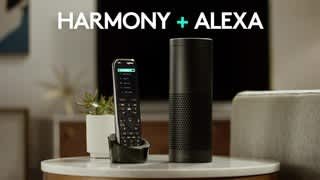
Posted .This reviewer received promo considerations or sweepstakes entry for writing a review.I got this remote on sale at Best Buy at $100 off the price. After reading many reviews and hearing about many customers having troubles setting up the remote, I played it smart and spent the money I saved by having a Best Buy Geek Squad guy come to my house to set it up for me. I asked him to do it slowly and let me watch everything, which he did, and I actually saw that it was a very simple process to set it up to do everything I wanted on my home theater. He first found the ideal locations for the hub and two IR blasters to control all pieces of equipment. He then plugged the remote into his laptop computer, created a Harmony account for me, and went to the web site for programing the remote. I followed everything he did and it was very very simple. All of these people who wrote reviews and gave one and two star ratings because of the difficulty just didn't bother to do their homework before hand. I searched the Harmony website and read all of the instructions for setting up the remote before I ever bought it and I'm sure I could have set it up easily enough myself but just didn't want to bother. Everything I read about setting up the remote said to use a laptop or desktop computer and use a smart phone only as a last alternative. As soon as the Geek Squad guy started to plug the remote into his laptop, I asked him about this and he stated that only an idiot would use the app on the smart phone if they have a computer available because the computer is so much easier. After watching him, I agreed completely. He completely set up everything before he even disconnected it from his laptop and when he tried it on my entertainment system, he only had a few tweaks to make. A few days before his scheduled arrival at the house, I did him a big favor by rounding up the make and model numbers of all my equipment along with listing all of the HDMI inputs on my A/V receiver and what was connected to each. He loved this because he told me that most customers just say "make it work" and he has to get all that information. I simply followed the example worksheet on the Harmony website. After he completed the setup with my home theater, he set the remote hub to work with Alexa so now I can control my entertainment system with my voice through my Amazon Alexa. To work with Alexa, it has to be a hub based remote control. A few days after this, I was back in Best Buy looking around and I saw they had the Harmony 650 remote on sale. It was $41 off the price and I also had a $10 rewards certificate so it only cost me $39 and worth every penny. I bought it to use with my smaller home theater in my master bedroom. It is not a hub based remote so I can't use it with the Echo DOT in my bedroom but who cares. Other than that, it works the same as the Elite in that you can set up activities like "watch TV' or "watch a movie" and it will turn on and off whatever equipment is necessary for that activity. I plugged this one into my laptop and programed it myself because I had watched the Geek Squad guy do it with my Elite and I had no problems whatever. Both remotes are fantastic and I would recommend them for anyone who has an entertainment system with separate components.
I would recommend this to a friendRated 4 out of 5 stars
As good as you can get
Posted .This reviewer received promo considerations or sweepstakes entry for writing a review.Unfortunately Logitech is one of the only companies that makes a universal remote with these capabilities at this price, however, they do a good job. I wish some other companies would give some competition to help push design, functions, cost. I hesitated for a long time from upgrading from my Harmony One to the Elite due to the wide range of reviews, a lot of them bad. So far I have been pleasantly surprised and I really like a lot of the newer features over the One. Positives: -nice size, weight, balance - love the channel favorites. I only have 13 so it is nice. Way easier to setup than the previous model -app setup. Easier than always having to plug in with the previous model to update anything. -works well with Alexa...at least with turning on/off the TV and turning up the volume. Haven’t tried anything else. Negatives: -No removeable battery -would have been better if they flipped where the volume/directional/channel buttons are with the rewind/play/fast forward buttons. It isn’t bad now but would be a little more ergonomic if it was flipped. -had and issue updating firmware over wifi. I had to plug in to a computer to complete it I have a Samsung plasma, Roku, and FIOS DVR, Bose SoundTouch soundbar and had it setup in about 10-15 mins. The app figured out everything, I just had to tell it model numbers and the ‘activity’ was setup. It seemed much easier than the old software. There are a couple other things I want to try setting up to work with the remote but so far I like it. While it has a few small flaws it is the best option out there to get rid of multiple remotes at a ‘reasonable’ price. I would recommend it for sure, it isn’t perfect, but it is close
I would recommend this to a friendRated 5 out of 5 stars
Best Harmony Remote after Harmony One
Posted .This reviewer received promo considerations or sweepstakes entry for writing a review.I have been using harmony remotes for a long time now, After harmony one logitech have the right direction as far as setup and software is concerned but the remote design was not good, the position of main DVR button was awkward and it took long to get used to it, i own harmony ultimate. Setup: iPhone app will set the remote hub via bluetooth and connects it to your wifi router, rest of Setup is very easy if you own a harmony remote, it will ask to copy details from older remote and you are done, first time syncing is long because you hub and remote all need to be synced. for first time use all you have to do is add all devices and activities are setup by assigning inputs for each device, This remote has dedicated button for your home automated devices like Philips hue, nest and some other popular ones. these buttons could be used to control these devices, i use philips hue ambient light, it is easy to add to it activities, you can use on when required like after sunset only. Favorite channels are very easy to add, setup took my direct tv channel line up all i had to do it pick the one i need. Setup could be done on phone and on Mac/PC, it is very easy on iPhone not sure how it is on Android. HUB has two IR blasters it helps sending IR signals to devices, i never had any problems with old hub or this hub.Fit finish is top notch, button feel is better than touch, screen is good quality, Only problem i faced is when i copy my setup from ultimate it did not take Samsung UHD BD player, the annoyance was when i tried to add UBD-K8500 it did not recognize the samsung model number, it did on harmony ultimate home, i had to make the IR command learned into remote, it does not make any sense why the database are not similar for each remote, Samsung player is out for two months now. Conclusion: This is best remote Logitech has made. Price of $300 is high i think, $200 be a decent price which it will sell eventually like the ultimate, most people who are harmony owners will buy this remote even with high price but most people will stick to touch models for price reason.
I would recommend this to a friendRated 4 out of 5 stars
Best Harmony Has to Offer
Posted .This reviewer received promo considerations or sweepstakes entry for writing a review.I sold my Harmony Ultimate One because I didn't like the placement of the touchscreen. It was above and below the buttons I had to press for functions and would always accidentally press the touch screen causing commands to be accidentally sent causing my frustrations. Logitech Smartened up on this one and put the LCD at the far top with no other buttons above it so I'm not accidentally pressing unwanted commands. It's very fast and responsive too. This remote can control everything that has a wireless, wifi, bluetooth or RF connection including your fridge or philips color lights. For $350 unless you can burn money I would wait for a sale price.. Right now its on sale $289 with a $100 remote trade in is a great deal for this remote. Offer can't be beat! Very happy with my purcahse and best buy is always friendly and helpful when I go into my Westminster store.
I would recommend this to a friendRated 4 out of 5 stars
Amazing...
Posted .This reviewer received promo considerations or sweepstakes entry for writing a review....But you'll have to work for it before it works for you. Notes : - If you like to tinker you'll love it, if not you'll hate it - Interface is clean and attractive - Software is (expletive)
I would recommend this to a friend