Customer Ratings & Reviews



- Model:
- 915-000256
- SKU:
- 4314901
Rating by feature
- Value
Rating 3.9 out of 5 stars
- Quality
Rating 4.5 out of 5 stars
- Ease of Use
Rating 4.0 out of 5 stars
to a friend
Remote
Posted .This reviewer received promo considerations or sweepstakes entry for writing a review.Dissatisfied. Returned. The techs were unable to set it up . Difficult to operate
No, I would not recommend this to a friendNot repairable, no support, not recommended
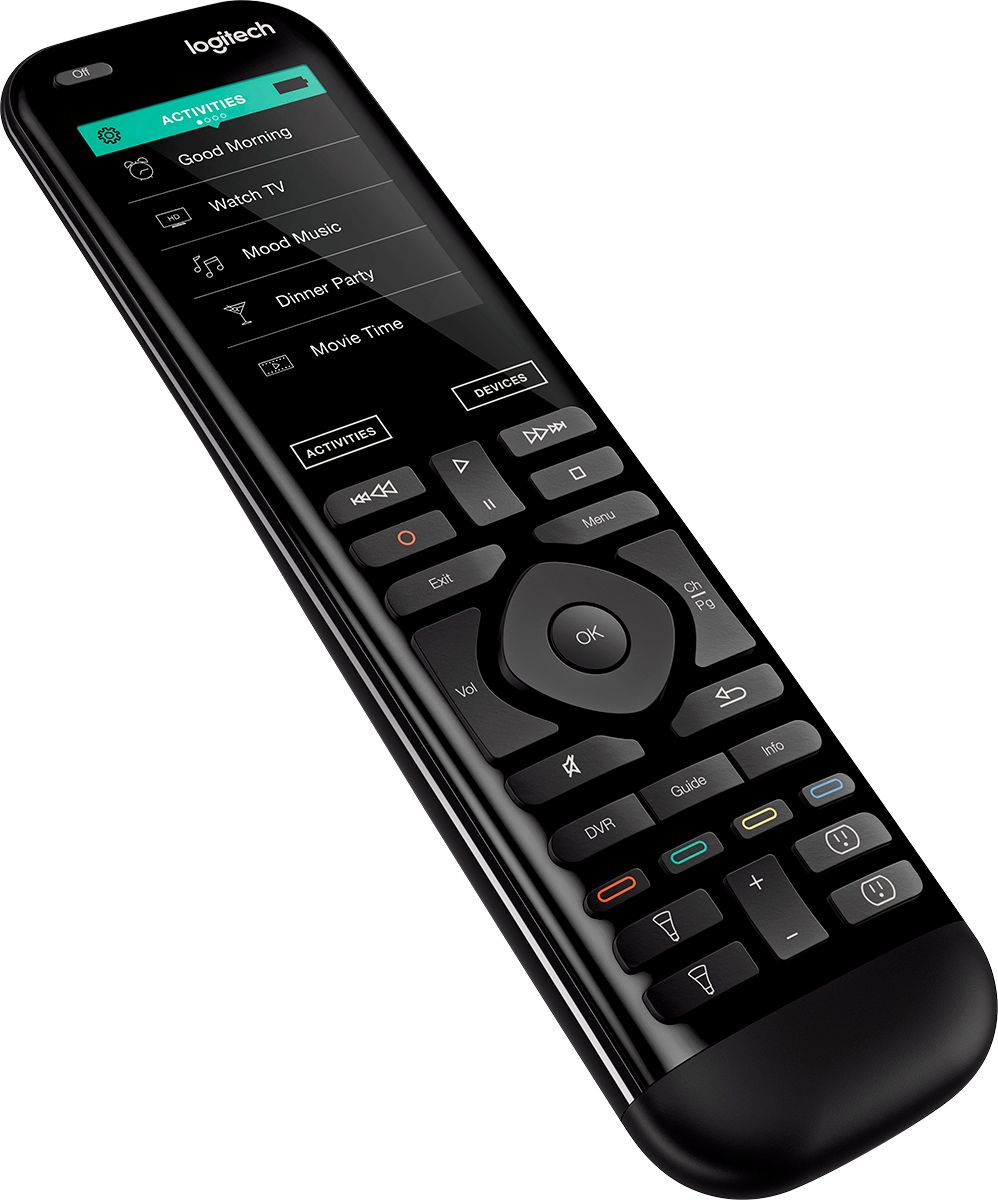
Posted .This reviewer received promo considerations or sweepstakes entry for writing a review.I dunked the remote in an inch of ice water. Afterwards, the device did not power on and was completely unresponsive to charging. Logitech support indicated that the device is not repairable, and since it was out of warranty, no solution was available. I did purchase and install a replacement battery (available on the Logitech website, curiously). The device appeared operational but did not charge when connected to an AC charger - meaning that it would only charge off a power bank. Even then, it was inoperable when disconnected from power. There are many anecdotes of Logitech Harmony users whose Hub was intentionally bricked due to it no longer being supported; as a remedy, Logi provided the owners of these devices a 30% discount off the purchase of a new device. The device functions mostly well. The UI for activities - however - leaves much to be desired as common functions are left out or placed out of reach. For example, on the Harmony app, the first screen for the soundbar shows a 4-point directional pad, which my soundbar has no use for. This control screen cannot be removed. Another example - the system does not recognize device power on or power off states. When the TV powers off after inactivity, the Harmony system keeps the activity open, requiring specific control of the devices involved in the activity in order to reset. If this sounds confusing, know what you're signing up for. The device often loses connection to the Hub, even though it is right next to the router. I thought that $250 for eliminating 5 remotes was worth it. In the end, no it wasn't. I did find myself on occasion reaching for the TV or cable remote. Logitech also has a well-documented history of bricking their products in order to force an upgrade purchase. Finally, the device is not repairable and if it becomes damaged, you just lost $250. I cannot in good conscience recommend the Logitech Harmony Elite remote and hub.
No, I would not recommend this to a friendGet one. It is very easy to set up
Posted .This reviewer received promo considerations or sweepstakes entry for writing a review.Get one. It is the best remote. It lets you control everything in your house.
I would recommend this to a friendGreat product
Posted .This reviewer received promo considerations or sweepstakes entry for writing a review.One of the best in market easy to install and works all my electronics
I would recommend this to a friendGreat remote
Posted .This reviewer received promo considerations or sweepstakes entry for writing a review.This is an awesome remote has so many features. Works everytime
I would recommend this to a friendReview Update
Posted .This reviewer received promo considerations or sweepstakes entry for writing a review.My earlier review was in error. I would recommend this to a friend.
I would recommend this to a friendDecent Product but Shady Practices by Logitech
Posted .This reviewer received promo considerations or sweepstakes entry for writing a review.This would have been a 4 star review, but it has been knocked down to 1 star because of recent actions taken on the part of Logitech. The latest update to the firmware removed all local control from the hub without notifying the users or providing a work around. Instead all traffic must now be routed through the cloud and Logitech's servers. One reason for this product line's popularity was its local API for home automation. Logitech removed that functionality in silence and then claimed unspecified "security reasons" when confronted by their user base. Many users are recognizing the writing on the wall and believe that Logitech may be taking this product down the same road they did with their Link in which they effectively bricked the device a little over a year ago to force users to the Harmony Hub.
No, I would not recommend this to a friendUnbelievable Remote!
Posted .This reviewer received promo considerations or sweepstakes entry for writing a review.OMG, there are no words, this control is amazing!!!!!!!!
I would recommend this to a friendAwful You'll Miss Number Key Pad And Help Button
Posted .This reviewer received promo considerations or sweepstakes entry for writing a review.I have used Harmony remotes from day 1 and always liked them and continued to upgrade as they improved. I read all the reviews about this remote and the Harmony Home Hub and was excited to use voice control with my Amazon Echo. Well it was fun for about 5 minutes. First the Harmony Hub only works on the crowded 2.4ghz frequency which is awful. Second this remote is designed to consolidate most of the buttons that are normally used to the small touch screen. Let me tell you it's executed poorly. The help button is now a gear on the small screen. There is a gesture screen option that gets executed buy accidentally swiping the screen. There are no number buttons and you never realized how much you want them until now. Honestly there is so much I don't like it would take an hour to elaborate. Picking up the remote can execute a command because it's so small. I have not been able to get it programmed to consistently execute activities correctly. I'm sorry I could go on and on. Take my advice it's not worth it. The smaller size eliminates physical buttons that have always been present and for a reason. I'm going back to my harmony One
No, I would not recommend this to a friendEasy setup, but inconsistent after setup
Posted .This reviewer received promo considerations or sweepstakes entry for writing a review.TV, Receiver, DVD player and TW cable DVR programmed in and initially worked for the first 30 minutes. After that the remote lost it's programming and kept updating itself and wouldn't control the devices. The app on my ipad seemed to hold up but being inconsistent I had to return this and go back to my old options. Also the response time when pushing a button on the remote is delayed when it did work. Had big hopes for this DIY remote but seems the technology is not quite there.
No, I would not recommend this to a friendGood hardware, mind-bafflingly terrible software.
Posted .This reviewer received promo considerations or sweepstakes entry for writing a review.The remote, when working, is great. Controls a wide array of devices. But getting it to that point is a stressful, frustrating, heart-attack inducing ordeal. The Harmony mobile app might be the worst major app ever developed - and I'm not exaggerating. Nothing works properly, everything takes infinity-long, and it is constantly throwing new bugs out at the customer.
No, I would not recommend this to a friendBrand response from Logitech
Posted .Hello Dennis. Thank you for taking the time to review the Harmony Elite remote control and hub. I'm sorry to hear that you had trouble with the set up software and app. Please visit our Harmony-specific support site for answers and tips and tricks with your new remote: https://support.myharmony.com/en-us/
-Charlton at Logitech
Hot Garbage
Posted .This reviewer received promo considerations or sweepstakes entry for writing a review.After a long setup process, and needing to use mobile apps that haven't been updated in a while. I finally got this thing running. For one evening, it worked, and it did what I wanted in what seemed like an overly complicated manner. You need to setup 'activities' to control multiple components simultaneously. If I were designing, I'd use a profile that allows volume to control an external amp, and channel to control the TV and power turning them all off and on. NOPE, you have to setup activities centered around the task eg turn on, watch tv, etc. I don't think this is explained properly in documentation and I had to go to reddit to figure that out. This morning, I'm now confronted with "Pair through the harmony app to use this device". If I wanted to use an app almost everday, I'd use the god awful built remote app on my samsung phone to control my samsung tv, samsung amp, and nvidia shield. Returning this today. DON'T BUY THIS REMOTE! Or, gift it to someone you hate.
No, I would not recommend this to a friendBad software and support
Posted .This reviewer received promo considerations or sweepstakes entry for writing a review.Update: Don't buy - Doesn't support Mac Catalina OS - They wrote they would update the software months ago and now they don't know what's going on. Just another example of good hardware but VERY poor support and software. Buggy software that hasn't been updated for the mac or for the remote or hub in months. It's like the engineers just stopped working. Sonos integration is horrible. Syncs get frozen at times. The mac software pops up with a "this software needs to be updated" because they haven't updated it for awhile. Customer service is good, but feel sorry for them because they have to help use a really buggy horrible system that even they are frustrated with using. At the end of the day, though, it is the only hub that does what it does
No, I would not recommend this to a friendBrand response from Logitech
Posted .Hi, sorry to see you were having some compatibility issues with your Harmony Elite remote. The Harmony App is compatible with: Harmony App: Download from the App Store® or Google Play™
iOS: iPhone® 4S or later, iPad® , iPad Mini™, iPod touch® (5th generation or later) device with iOS 8.0 13rd generation or later
Android: Wi-Fi enabled smartphone with Android 4.2
Bluetooth Smart technology-enabled iOS or Android device
A supported mobile device is required for setup and control of some home automation devices.
If you're looking to setup on the computer: Windows® PC: Windows 10, Windows 8 or Windows 7
macOS® computer: macOS X 10.7 - 10.14. Hope that help
Don't buy this if you own a Mac
Posted .This reviewer received promo considerations or sweepstakes entry for writing a review.I've always loved Harmony remotes for their simplicity and ease of programming. But with the upcoming Catalina software for Macs, Logitech will no longer support Hub-based Harmony remotes, only their older legacy IR remotes. That means all their high-level remotes will no longer be supported or programmable via your Mac. This is due to Apple no longer supporting 32-bit programs and although Logitech/Harmony has known this for years, they have done nothing but leave their top-paying customers hanging in the wind. They say you can still use the phone app, but it is very limited in the capability when compared to the software on a Mac. I'm so disappointed in this and the absolute slap in the face from this company.
No, I would not recommend this to a friendHad a lot of trouble
Posted .This reviewer received promo considerations or sweepstakes entry for writing a review.I really wanted to like this remote but I had several problems trying to set it up. Here they are: 1: unable to setup on phone trying to use a previous remote. It found way too may devices and was confused. 2: Unable to log in on Mac computer. It would not let me type in the @ symbol in my email address. So had to use a Windows computer. 3: When trying to setup my devices and activities, the software crashed on me at least 6 times. 4: Once I finally got things setup, it would not pair with my Fire TV. I tried all suggestions I found on the internet, but it would just not pair. 5: I was not able to have the options for keeping my AV receiver to go to a particular input when shutting down my activity. (a feature I use for iTunes 6: It's slow to turn on activities.
No, I would not recommend this to a friendJust disappointing!
Posted .This reviewer received promo considerations or sweepstakes entry for writing a review.I've had this remote for 6 months or more. Worst buy in a long time. The remote constantly glitches out. I can press a favorite channel and everything turns off. I definitely don't recommend. In fact, I'll just about give this thing away for free!
No, I would not recommend this to a friendAvoid the HUB
Posted .This reviewer received promo considerations or sweepstakes entry for writing a review.If you have multiple remotes in your house, this is NOT the remote for you. You are better off juggling 72 remotes than using this. If you setup or change a previous remote after attaching this thing to your account, it wont let you until it pairs the hub to this remote, then once it does the other remote stops working. You have to jump through a bunch of hoops to get this thing to even work without the hub ir blasters. It shouldnt be this hard to setup a remote. The old days of entering codes and aiming remotes at eachother was better than this.
No, I would not recommend this to a friendRandomly loses programming, hard to use software
Posted .This reviewer received promo considerations or sweepstakes entry for writing a review.Great functionality, but keeps randomly un-programming some functions. As a user interface designer I find the programming software difficult to use.
No, I would not recommend this to a friendBrand response from Logitech
Posted .Hello, we are so sorry to hear that the Harmony Elite did not work properly for you. We understand that the Elite controller can be a bit overwhelming when setting it up. I have attached a link at the end of this message to help you with troubleshooting your controller. We apologize for the inconvenience. Thanks for being part of the Logitech family. Have a great day. -Ricky | Logitech. https://support.myharmony.com/en-us/elite?utm_source=logitech.com&utm_medium=global%20support%20link&utm_campaign=getting%20started%20-%20elite
Horrible Remote and worse Customer Service
Posted .This reviewer received promo considerations or sweepstakes entry for writing a review.This is absolutely the worst product I have ever owned. I have a very complex system with lights and 18 Sonos speakers comprised of 9 rooms and this remote does not work as advertised. But here is the best part, Logitech has locked me out of the remote that I purchased on several different occassions. The only explanation I have received is I made too many changes in a short period of time. Wow, I was under the impression I owned and paid for this remote. I have literally thrown this remote in the trash and no longer own it.
No, I would not recommend this to a friendDecent product, worst support.
Posted .This reviewer received promo considerations or sweepstakes entry for writing a review.The Elite setup correctly listed command values for my Sony AV receiver. However, when editing the command sets, it displays my TV device choices not the receiver. No help on issue on the forums. Called support line twice, waited on elevator msg for 20 minutes then disconnected. Tried issuing a help request via email and that does not work. I've setup a few Elites but this is a bug that can't be worked around and needed support and theirs none to be had. Must return them.
No, I would not recommend this to a friendBrand response from Logitech Customer Care
Posted .Hi Tigger, please accept my apologies for the inconvenience caused. Could you please email your problems to [email protected] from your Harmony login id and provide more information on your problem. We will work with you to resolve it. Best Regards, Peter (Harmony Remotes, Logitech).
