Customer Ratings & Reviews
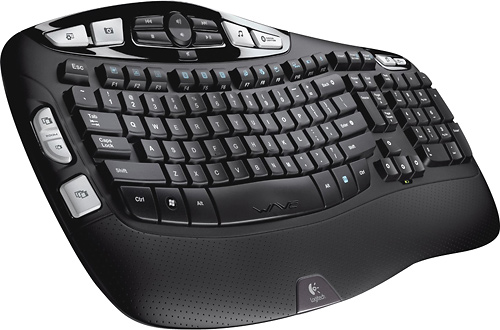
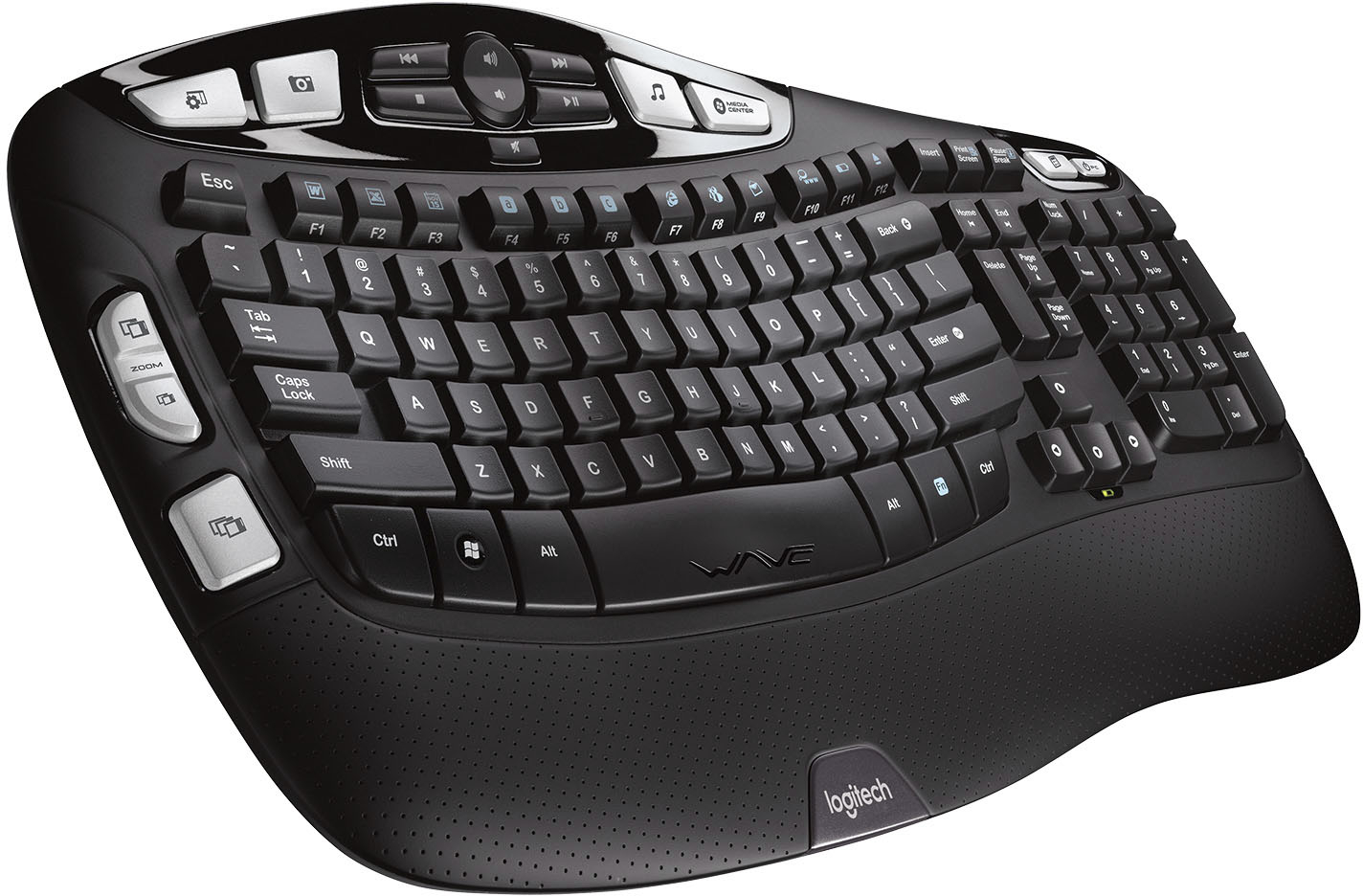
![The text on the image reads:
H4 H4 I MEDIA CENTER Insert Print Screen Pause Break IC MOOS Esc ~ . Tab N Caps Lock Shift ! 1 W F 2 Q A X F2 # 3 W S Z 17 F3 $ 4 E D x R C a b C F4 FS F6 % A & 5 6 7 T Y U F G H V N F7 * ( 8 9 I J K M FB ) 0 o L < , www F12 F11 F10 FD + Back - = - I } I { ] P [ u Enter E 3 ? Shift > I Home H Delete End H Page Up A Page Down Num Lock 7 Home 4 - 1 End 0 Ins / 8 t 5 2 I * 9 Po Up 6 3 Po De Del - + Enter Ctrl Alt Alt Fn Ctrl WAE logitech
The text is a list of keys on a keyboard, including function keys, arrow keys, and other special keys.](https://pisces.bbystatic.com/image2/BestBuy_US/images/products/9613/9613864_sd.jpg)

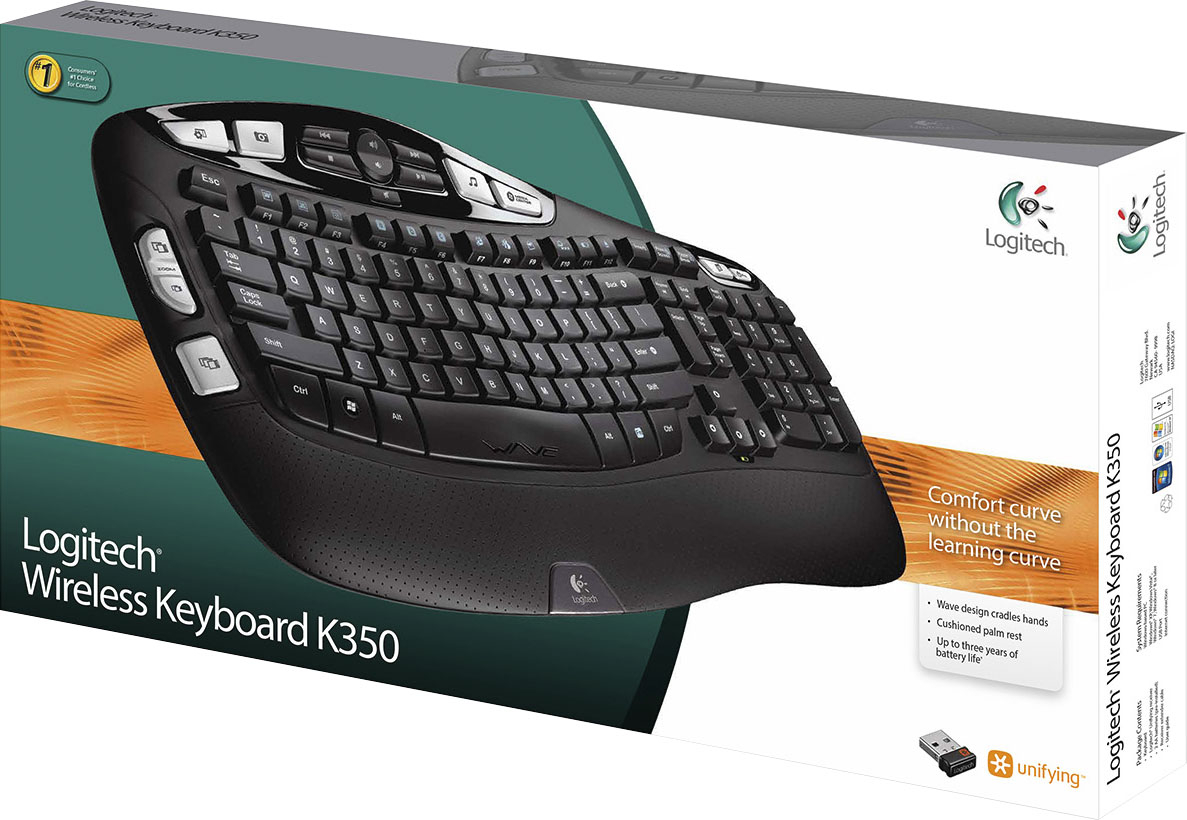
- Model:
- 920-001996
- |
- SKU:
- 9613864
Customer reviews
Rating 4.6 out of 5 stars with 485 reviews
(485 customer reviews)Rating by feature
- Value4.5
Rating 4.5 out of 5 stars
- Quality4.5
Rating 4.5 out of 5 stars
- Ease of Use4.5
Rating 4.5 out of 5 stars
Customers are saying
Customers praise the K350 Ergonomic Keyboard for its quality, ease of use, wireless functionality, comfortable wrist support, and long-lasting battery. Some customers have noted concerns about the absence of a Caps Lock indicator, its size, and compatibility issues.
This summary was generated by AI based on customer reviews.
Rated 1 out of 5 stars
Loud and Clunky
||Posted . Owned for 2 months when reviewed.This reviewer received promo considerations or sweepstakes entry for writing a review.The keyboard is loud and clunky. I regret purchasing
No, I would not recommend this to a friendBrand response from Logitech
Posted .Your feedback about your product experience is significant to us, and we're sorry to hear it wasn't as expected. Rest assured, we'll relay your comments to the appropriate team.
Rated 2 out of 5 stars
Nasty Wifi but very comfortable
||Posted .This reviewer received promo considerations or sweepstakes entry for writing a review.The keyboard had to be touching the tower for the wifi to be detected. I'd type and the letters wouldn't register with the tower as was evident when nothing showed up on the document or website I was working on. I bought a corded keyboard with similar shape and am much happier now and do not have delays in trying to get my work done. Best Buy granted an in-store credit for the return.
No, I would not recommend this to a friendBrand response from Logitech
Posted .Hello Diane, I'm sorry to hear that you have been having some issues with your K350 in regards to the connectivity of the device. I would recommend trying a different usb port for the included dongle, one with fewer obstructions between the keyboard and the tower, or one that is closer to the keyboard.
Rated 3 out of 5 stars
jack of few trades
||Posted . Owned for 3 weeks when reviewed.This reviewer received promo considerations or sweepstakes entry for writing a review.too many options, it is good for desktop but then there are better options, for Laptops i wont recommend this
No, I would not recommend this to a friendRated 2 out of 5 stars
Not Ergonomic Enough
||Posted . Owned for 1 year when reviewed.This reviewer received promo considerations or sweepstakes entry for writing a review.Had to go back to the one from Microsoft with the worn off numbers & letters because the angle of hand/wrist/arm positioning was too shallow; could not type at speed, spacing of keys not good for my hands, and it too now sits on the shelf.....
No, I would not recommend this to a friendRated 3 out of 5 stars
Letters wear off of keys
||Posted . Owned for 5 months when reviewed.This reviewer received promo considerations or sweepstakes entry for writing a review.I purchased this on 5-19-2019. It is now 11-12-2019 and the letters are starting to wear off the keys.
No, I would not recommend this to a friendRated 3 out of 5 stars
Average keyboard for an average orice
||Posted . Owned for less than 1 week when reviewed.This reviewer received promo considerations or sweepstakes entry for writing a review.Average. Keys are a bit tall and are very noisy. Decent price
No, I would not recommend this to a friendRated 3 out of 5 stars
Disappointed
||Posted .This reviewer received promo considerations or sweepstakes entry for writing a review.Letters are rubbing off had not had it for a year no response from Logitech.
No, I would not recommend this to a friendRated 3 out of 5 stars
Average keyboard
||Posted . Owned for 3 weeks when reviewed.This reviewer received promo considerations or sweepstakes entry for writing a review.Action of the keys is a bit rough and sometimes misses a keystroke
No, I would not recommend this to a friendRated 3 out of 5 stars
It’s ok!
||Posted .This reviewer received promo considerations or sweepstakes entry for writing a review.Not the best keyboard! The keys were a little wobbly.
No, I would not recommend this to a friendRated 1 out of 5 stars
Maybe for Some People; Vastly Inferior
||Posted . Owned for 3 weeks when reviewed.This reviewer received promo considerations or sweepstakes entry for writing a review.My wife and I have been using Microsoft 4000 Ergonomic keyboards for years, even wore through a couple of them after a large amount of use. However, this keyboard looked ergonomic and I thought we would give it a try. My wife said it hurt her wrists. Then I tried it and realized that other than the wave shaped hand rest, it is not ergonomic at all. If you spend hours per day typing, bypass this and get the real deal with the Microsoft 4000. The 4000 hasn't been changed in years...and trying this keyboard made me decide that was okay.
No, I would not recommend this to a friendBrand response from Logitech
Posted .Hi BB9SilverSpring, we're sorry to see you're unsatisfied with the K350 Wireless Keyboard. While this keyboard may not be the most ergonomic, Logitech does make the ERGO K860. Not only will your wrist thank you, but it can also pair with up to 3 devices! Here is the link: https://www.logitech.com/en-us/products/keyboards/k860-split-ergonomic.920-009166.html. Hope that helps. -N from Logitech
Rated 2 out of 5 stars
not very comfortable typing
||Posted .This reviewer received promo considerations or sweepstakes entry for writing a review.The typing experiecne on this keyboard is very uncomfortable, i keeps on missing the keys i want to press from the natural position of my hand. coming from microsoft natural keyboard, this is definately not for me, i end up returning it.
No, I would not recommend this to a friendRated 2 out of 5 stars
Keys stick
||Posted . Owned for 10 months when reviewed.This reviewer received promo considerations or sweepstakes entry for writing a review.I have been using this for a while and keep telling myself to go buy another keyboard. This one has sticking keys, loud keystrokes, cost more than it is worth. I wouldn't buy it again.
No, I would not recommend this to a friendBrand response from Logitech
Posted .Hello jonesje54! Sorry to hear you're having issues with your K350 Wireless Keyboard. This model is usually pretty durable, and is actually backed by a 5-year warranty from Logitech, so might be worth checking the product page https://www.logitech.com/en-us/product/wireless-keyboard-k350-business and contacting the Support on our website if the keys are giving you some trouble with your typing. - Mathieu from Logitech
Rated 2 out of 5 stars
Space bar sticks very quickly
||Posted . Owned for 5 months when reviewed.This reviewer received promo considerations or sweepstakes entry for writing a review.Space bar started sticking a little after 2 months (very rarely used - nothing spilled), now I can barely use, it just sticks on almost every press. Uhhhh
No, I would not recommend this to a friendBrand response from Logitech
Posted .Hello RedCardinal, Very sorry to hear about the space car sticking on the K350. Fortunately, the K350 does have a factory warranty. Here's a link to File A Claim: https://support.logi.com/hc/en-us/articles/360024926134-Warranty-Wireless-Keyboard-K350. Hope that you found this helpful and that all is going well. Thank you for choosing Logitech. - Richard from Logitech
Rated 2 out of 5 stars
Poor performance for the price
||Posted .This reviewer received promo considerations or sweepstakes entry for writing a review.Brand new and multiple keys stick. Logitech customer service took a week to address the warranty claim and then it was just generic troubleshooting drivel. Just exchange it or issue a refund. Simple.
No, I would not recommend this to a friendRated 2 out of 5 stars
Returned
||Posted . Owned for 1 month when reviewed.This reviewer received promo considerations or sweepstakes entry for writing a review.I am a split keyboard user. The keyboard was overall descent, however, I returned and purchased a split keyboard.
I would recommend this to a friendBrand response from Logitech
Posted .Hello RLG1,
I am sorry that the MK350 did not meet your expectations. I suggest the K860 if you are looking for a split keyboard. Logitech appreciates your product review. - Leo from Logitech
Rated 2 out of 5 stars
NO cap lock
||Posted . Owned for 2 months when reviewed.This reviewer received promo considerations or sweepstakes entry for writing a review.Would NOT recommend - has no illumination cap lock-which was the main reason I purchased it.
No, I would not recommend this to a friendBrand response from Logitech
Posted .Hi Lucia717, Thank you for your feedback. Sorry for any inconvenience. If you ever need assistance, please contact Logitech Support on the website. LaShonda from Logitech
Rated 2 out of 5 stars
I dislike the feel of this
||Posted . Owned for 3 weeks when reviewed.This reviewer received promo considerations or sweepstakes entry for writing a review.The keys seem wobbly and the “wave” or “curve” is just weird. Feel cheap and it’s also too big.
No, I would not recommend this to a friendRated 2 out of 5 stars
Clunky keyboard
||Posted . Owned for 3 weeks when reviewed.This reviewer received promo considerations or sweepstakes entry for writing a review.Clunky, noisy, bulky, to big. Did not like it at all. although it was easy to install.
No, I would not recommend this to a friendBrand response from Logitech
Posted .Hello Hatun! I'm sorry to hear the K350 wasn't the right fit for you. Thank you so much for the design feedback! I'm glad to hear it was easy to install, though. I will definitely be passing the design feedback along. Have a great day! - Maggie from Logitech
Rated 2 out of 5 stars
Ergo is good, quality not so much
||Posted .This reviewer received promo considerations or sweepstakes entry for writing a review.Ergo is good, button labels wear off quickly and battery icon is not accurate.
I would recommend this to a friendBrand response from Logitech
Posted .Hi RB2020, I'm happy that the comfort of the keyboard was good. The battery life indicator is just an estimate as it is difficult to get an accurate percentage of replaceable batteries. I'm sorry to hear that over time the letters wore off. To help improve the longevity of the letters on the keyboard its best to wipe them down once a week to get any dirt and residue off. Kristi from Logitech
Rated 2 out of 5 stars
is ok
||Posted . Owned for 1 month when reviewed.This reviewer received promo considerations or sweepstakes entry for writing a review.after 1 1/2 months the letters on the keys chip away.
No, I would not recommend this to a friendBrand response from Logitech
Posted .Hi Star517,
Thank you for your feedback. It is greatly appreciated. . For further assistance, please contact Logitech Support on the website.
LaShonda from Logitech