Customer Ratings & Reviews
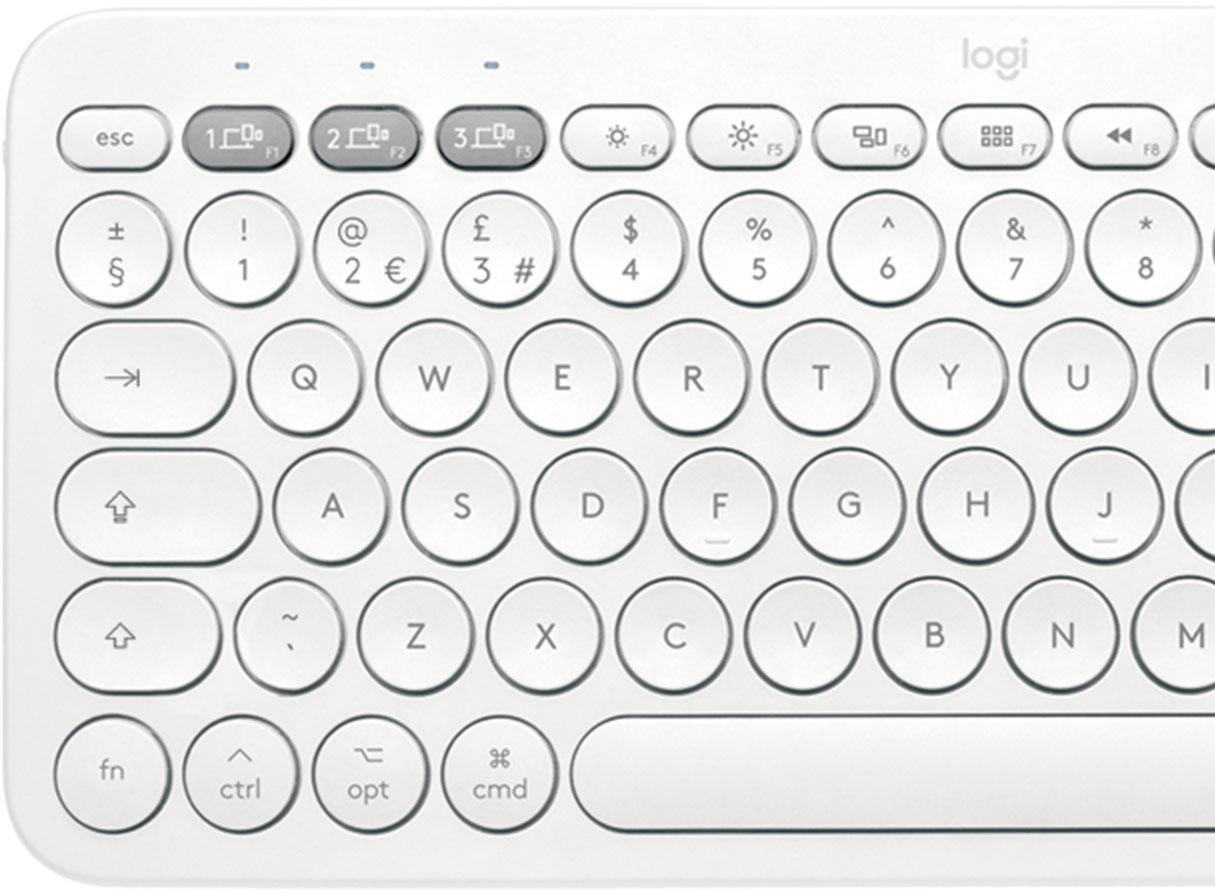
![esc 4 4 1 4 P delete W at + logi MI W " 4 18 / I I BSE 17 I 0 } I 0 6 1 9 1 1 PS & 8 P ] return * TA O . 3 3 15 % 6 / : 1 2 12 $ 5 U : 1 F1 # 4 Y L 3 T K ? @ J > I ! 2 R I < 1 E H - W G M t - F 3 opt Q D - cmd tab S V A C lock X caps Z H shift t cmd opt ctrl fn shift](https://pisces.bbystatic.com/image2/BestBuy_US/images/products/6404/6404200_sd.jpg)




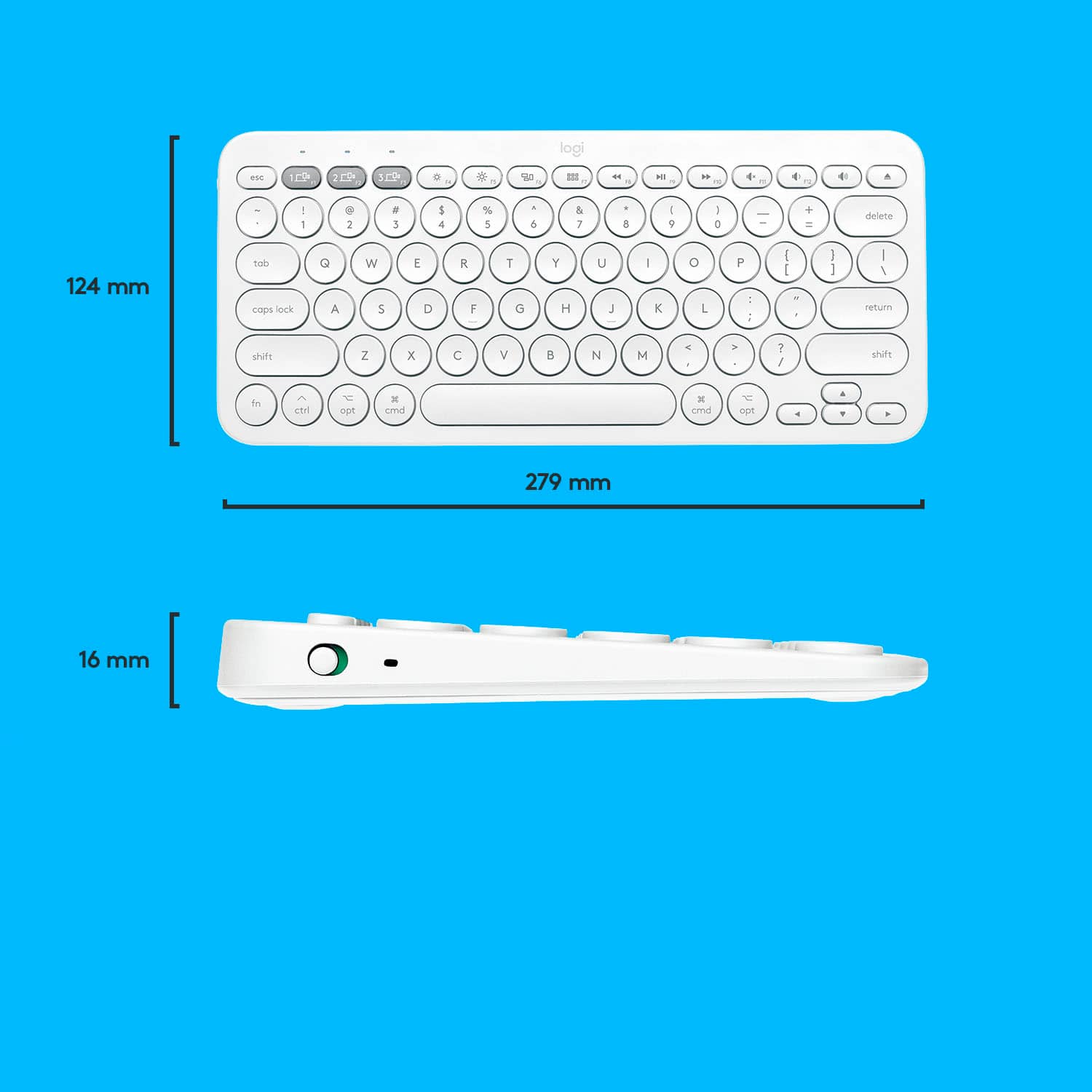
![The text on the image is in French, so I will provide the corrected text in French.
MULTI-DEVICE K380 for Mac Portable typing for ac, iPhone and iPad Clavier portable pour c, iPhone et iPad 1W 2C0 3C0 - a00e sto logi F - i ae 4 PA 4 A - 1 7 e 2 & 3 $ a % 5 A & 7 a y o + delete fols Q W E R T Y U O P ( ] ] ] 1 I caps lock A S D F G H J L . return shift Z x C V N M < A ? / shift fn ctri - opt 3 cmd D cmnd - opt logitech logi esc m 2 210 1 FO TN 0 N 121 " HI 1 2g 4 Fn 1 2 a 3 S 4 % 5 6 & 7 8 I 9 3 0 + - delete der Q W E R T Y U o P i I I I I / caps lock A S D F G H J K L return shift Z x C V N M < ? / shift fn ctri - opt x cmnd x cmd C opt](https://pisces.bbystatic.com/image2/BestBuy_US/images/products/6404/6404200cv16d.jpg)

- Model:
- 920-009729
- SKU:
- 6404200
Rating by feature
- Value
Rating 4.7 out of 5 stars
- Quality
Rating 4.7 out of 5 stars
- Ease of Use
Rating 4.7 out of 5 stars
Customers are saying
Customers love the ease of use, lightweight design, and high quality of the K380 TKL Bluetooth keyboard. Many appreciate its compact size, compatibility with multiple devices, and long battery life. Positive feedback also highlights the attractive color options and sleek design. While some minor issues with key feel and the lack of a caps lock indicator were noted, these were less frequent concerns.
This summary was generated by AI based on customer reviews.
- Pros mentioned:Battery life, Keyboard quality
Excellent Keyboard for the iPad.
||Posted . Owned for less than 1 week when reviewed.This reviewer received promo considerations or sweepstakes entry for writing a review.Unboxing: This comes with the keyboard and already installed AAA batteries with an insulation paper. These batteries are estimated to last 2 years according to the Logitech. There are also some paperwork of course. I would have preferred some velvet cloth in the box so that the keyboard would be properly protected from scratches while in your bag. Build: Great. I bought the white and its looks so beautiful in person. It feels solid, has some weight to it. This weight and the attached rubber feet prevents it from sliding around while you type. Typing Experience: Keyboard travel is ideal. I type much faster than using the on-screen keyboard on my iPad. I am actually typing this review with this keyboard. Connectivity: Easy. Just long-press the connection number you want to connect your device to and it puts the keyboard in connection mode. Put your device in connection mode, select “K380 For Mac” from the available devices list. Enter the number you see on the screen using the keyboard and press “RETURN”. You also don’t get the notification: Using “K380 For Mac” may affect Wi-Fi and Bluetooth connectivity as you get with most Bluetooth devices that connect to the iPad. I got this notification on the other Logitech 380 keyboard for Windows and the non-apple Bluetooth mice I used. Flow (Switching between devices on the fly) also works beautifully. Other Devices: It works on my Samsung Galaxy Note8. It also works on my Windows computer and my FireTV Stick 4K. I actually tested both K380 types. However, on Windows, the “Start” button becomes “Command” and some other slight changes. Once you get a hang of it, it works well. On Android, the commands are basically unchanged. The function keys also work well on both Windows and Android. Windows also has the capability of changing the assigned functions of some 4 function Keys using the “Logitech Options” software. Conclusion: If you want an external keyboard and you own an Apple device, this Keyboard is for you even though you own Android and Windows and you use a FireTV stick. This is an excellent keyboard for the iPad. Thanks for reading. Peace!
I would recommend this to a friendBrand response from Logitech
Posted .Hi Davoncci,
Thank you for your five-star review! It is greatly appreciated. Continue to enjoy your device. If you ever need assistance, please contact Logitech Support on the website.
LaShonda from Logitech
- Cons mentioned:Key feel
Good for the price tag
||Posted . Owned for 1 year when reviewed.This reviewer received promo considerations or sweepstakes entry for writing a review.The keyboard is worth the money. You won't get an Apple keyboard alternative or direct analog for the money, but a basic wireless keyboard with awkward round keys and a lot of pressure resistance. Uncomfortable. Giving 5-stars only due to a price.
No, I would not recommend this to a friend - Pros mentioned:Compatibility, Ease of use, Keyboard quality
Amazing Keyboard
||Posted . Owned for less than 1 week when reviewed.This reviewer received promo considerations or sweepstakes entry for writing a review.I love this keyboard! It's heavier than you'd expect, and the build quality is excellent. It connected right to my iMac without any issue-- the setup was a breeze and I love that I can switch it to my iPad with just a tap of the button! I will admit I was worried the keys would be awkward, and at first they were, but after an hour or so my hands adjusted to the form factor and now it feels just as natural as square shaped keys! There's nothing to dislike about this keyboard, really. It's a great piece of hardware and I'm looking forward to having it for a long time!
I would recommend this to a friend - Pros mentioned:Ease of use, Keyboard quality
Logi K380 paired with 2 apple devices and fire tv!
||Posted .This reviewer received promo considerations or sweepstakes entry for writing a review.Great for my iPad mini6 , iPhone 13 pro max, and surprisingly my Amazon fire tv! Wow, this pairs once and has 3 grey buttons to switch instead of repairing each time. Searching for streaming shows is so quick now and has all the features plus more on the keyboard, for play, fwd, pause, and much more. This really works well with my IPad mini 6 and Typing much more efficiently and effective. Lastly, currently I’m typing this review on my iPhone, and the process took less than half the usual time. Couldn’t have asked for a better product to sync with all my electronic devices. I would say this would be on everyone’s list, and for $15 off regular price, $36, it’s become my favorite purchase since my IPad. Go get yours now, if you can relate . And I imagine connecting only 2 devices, would be more than worth it! Very satisfied!!!
I would recommend this to a friend - Pros mentioned:Battery life, Size
AMAZING keyboard! Works with MacBook perfectly!
||Posted . Owned for less than 1 week when reviewed.This reviewer received promo considerations or sweepstakes entry for writing a review.I love this keyboard! I thought I may run into the connectivity issues with the MacBook Pro being that Apple products tend to just work seamlessly with one another, but the bluetooth connection is always INSTANT with this keyboard (and matching Pebble mouse). Turning on the keyboard it really does work immediately and there is no lag. Battery life so far seems great, I've had it on for an entire day and have had no connection or battery issues. The keys also click really nicely, it is really pleasant to use. Good size, I didn't need the 10 keys/number pad so this was perfect. The key shapes (circle) are cute. You can program and switch up to 3 different devices (MacBook, iPad, iPhone, etc) and switch between them. Overall, this keyboard is GREAT.
I would recommend this to a friend - Pros mentioned:Ease of use, Size
Great little Keyboard!
||Posted .This reviewer received promo considerations or sweepstakes entry for writing a review.Pleasantly surprised with this keyboard. I got this for my Mac mini. I usually go with apple branded, but this looked good for the price. I love it immediately! I like the round keys, ts quiet and small. Bluetooth for 3 devices is a cool option if you need for iPhone/iPad too. I may get the matching mouse. It is a quality, sturdy build. Feels modern and easy to type. Recommended.
I would recommend this to a friend - Pros mentioned:Ease of use
Highly recommend this product
||Posted . Owned for 1 month when reviewed.This reviewer received promo considerations or sweepstakes entry for writing a review.I was looking for a Bluetooth keyboard for my iPad but wanted it to also connect to my laptop so I bought this one. Since I already have the Logitech Pebble mouse, this keyboard seemed like the perfect combination with it. It is lightweight, portable and it doesn’t make that much noise when typing. Highly recommend.
I would recommend this to a friend - Pros mentioned:Ease of use
Great for anyone with multiple devices
||Posted .This reviewer received promo considerations or sweepstakes entry for writing a review.Light weight, easy to carry and pair. It’s a quiet keyboard with light click sounds. My one complaint would be the lettering on the keyboard. The letters are not printed on the buttons; they’re stickers. I’m concerned they’ll rub off/fall off with time. I got a cover in hopes of preventing that.
I would recommend this to a friendBrand response from Logitech
Posted .Hello Michelle! I’m happy to hear you’re enjoying the K380 keyboard! Feel free to reach out to our support team here https://support.logi.com/hc/en-us/requests/new?ticket_form_id=360000621393 if you ever need any assistance or if something happens in the 1-year limited hardware warranty. Thank you for the review and for shopping Logitech! – Maggie from Logitech
- Pros mentioned:Keyboard quality, Size
Very nice just no directions
||Posted .This reviewer received promo considerations or sweepstakes entry for writing a review.Very nice keyboard. Works good with my small hands. Some of the keys do lag a bit which i did not expect to happen. But, it connects great to my Ipad Pro, the bluetooth sets up fast. There’s no directions that come with it, so just had to figure out how to configure the bluetooth.
I would recommend this to a friend - Pros mentioned:Ease of use
Easy to use and switch between devices
||Posted . Owned for 1 week when reviewed.This reviewer received promo considerations or sweepstakes entry for writing a review.OMG!!! I really like this Bluetooth keyboard. Looks good, good price and easy to use. It’s very convenient for me switching between different devices.
I would recommend this to a friend - Pros mentioned:Keyboard quality, Size
Great keyboard
||Posted . Owned for 3 weeks when reviewed.This reviewer received promo considerations or sweepstakes entry for writing a review.Amazing keyboard connects easily and the switch over to a new device is excellent! Also pretty thin for travel purposes
I would recommend this to a friend - Pros mentioned:Keyboard quality, Size
Very cute keyboard
||Posted . Owned for less than 1 week when reviewed.This reviewer received promo considerations or sweepstakes entry for writing a review.Very nice keyboard. Got it for my MacBook Air. Does the job and is super cute
I would recommend this to a friend Good purchase good quality
||Posted . Owned for 5 months when reviewed.This reviewer received promo considerations or sweepstakes entry for writing a review.Using this one with my MacBook connected to my 52” led tv screen
I would recommend this to a friend- Pros mentioned:Keyboard quality
Have been looking for this color for months
||Posted . Owned for 2 weeks when reviewed.This reviewer received promo considerations or sweepstakes entry for writing a review.It’s finally available in the U.S. I have been looking for this keyboard in this color for months to match my Logi mouse. Absolutely love it. It’s super quiet when typing. The keyboard buttons are quite small compared to Apple’s keyboard. It’s also heavier than Apple keyboard. Other than that, this is a super cute keyboard.
I would recommend this to a friend Super cute and aesthetically pleasing
||Posted . Owned for 1 month when reviewed.This reviewer received promo considerations or sweepstakes entry for writing a review.Bought this keyboard cause the Apple one is just too expensive. The color is so pretty and matches with my rose gold iPad case and the pink mouse (also from Logitech). The sounds the keyboard make are really nice and makes me want to write a whole essay. Pairing it was extremely easy and so far loving this purchase!
I would recommend this to a friendGreat!
||Posted . Owned for 1 month when reviewed.This reviewer received promo considerations or sweepstakes entry for writing a review.Light weight keyboard with cute color. The keys work great!!
I would recommend this to a friend- Pros mentioned:Battery life, Compatibility, Keyboard quality

Good budgeted keyboard
|Posted .This reviewer received promo considerations or sweepstakes entry for writing a review.This is a great keyboard, specially if you have an iPad or an iMac. It works with macbooks and iPhones as well but I won't be using it for these devices as macbook pros have their own keyboard and I don't need one for my iPhone anyways. However, I did connect it with my macbook just to try it out. In fact, I'm writing this review with this K380 keyboard. It works great and I don't see any issues so far. It can be connected to three different devices and is very easy to switch between all three devices. My main purpose of getting this keyboard was to use it with my Apple TV 4K but unfortunately, it doesn't work with that as the Apple TV 4K is 5th generation and this keyboard only works with 2nd & 3rd generations. This was very disappointing. Typing on apple tv is horrible and not very user friendly. People of own apple tv or have owned will definitely agree with me on this. Now I'm not sure if this is logitech's incapability or just apple tv's 5th generation doesn't support any bluetooth keyboard. I wasn't aware of that first and tried to pair the keyboard with my Apple TV. I went into Settings > Remotes and Devices > Bluetooth. Apple TV does recognize this keyboard as "K380 Keyboard for MAC" but when I click on it to connect, it tries and ultimately spits out the error that it failed. I tried at least 10 times using different pairing options before giving up. Tried searching online as well but there wasn't much support. That's when I found out it only supports 2nd & 3rd gen. It would have made life so much easier if it was compatible with 5th gen as well. Hence the reason for deducting 1 star. Apart from this issue, I didn't find any other problem with this keyboard. It comes pre-installed with two AAA batteries and logitech claims to have two years worth of juice in them, of course that will also depend on your usage. The keyboard is budget friendly, specially if compared with Apple's own magic keyboard. Now, I've never used magic keyboard, so I'm not aware of its advantages over 3rd party keyboards but I've no complaints with this logitech keyboard so far (apart from the above mentioned one). The quality seems great. It doesn't look cheap like some other keyboards available in the market. Keys are quiet and have a good feel to them. I received this keyboard and my new macbook pro on same day (yesterday) and was very excited to use them. I treat any of my new devices as if they are going to break with a slight touch. They trigger my ASMR very easily. The keys on this keyboard are same. It feels so good to press them. Overall, I'm in love with this keyboard and would recommend it.
I would recommend this to a friendBrand response from Logitech
Posted .Hello, I am so glad to hear you are mostly satisfied with the keyboard! Thank you for being a Logitech customer and writing this very informative review. We really appreciate it!
Really good
||Posted . Owned for less than 1 week when reviewed.This reviewer received promo considerations or sweepstakes entry for writing a review.The products arrived in excellent conditions. I bought it to use for my tablet but it’s really amazing that I am able to connect it up to three devices. At first it lagged when typing on it, however after a few minutes it was running really smoothly. I find it amazing that they also included batteries since I didn’t even check if I needed to buy some for it. The noise level is not that loud. It’s really obvious if you are pressing the keys really hard but other then that it can be really quiet. I would recommend 100%
I would recommend this to a friendGreat keyboard
||Posted . Owned for less than 1 week when reviewed.This reviewer received promo considerations or sweepstakes entry for writing a review.The color was cuter then I thought, great addition to my iPad Pro 11inch. Better then the Apple Smart Keyboard personally. My husband has the Apple version and I like this one better. Love how the keys feel.
I would recommend this to a friend- Pros mentioned:Ease of use
Surprised
||Posted . Owned for less than 1 week when reviewed.This reviewer received promo considerations or sweepstakes entry for writing a review.I bought this keyboard to help my daughter for homeschooling using her Ipad. The keyboard is very comfortable to use and you can connect easily to the Ipad.
I would recommend this to a friend