Customer Ratings & Reviews



- Model:
- 920-011131
- |
- SKU:
- 6516296
Customer reviews
Rating 4.7 out of 5 stars with 846 reviews
(846 customer reviews)Rating by feature
- Value4.7
Rating 4.7 out of 5 stars
- Quality4.7
Rating 4.7 out of 5 stars
- Ease of Use4.7
Rating 4.7 out of 5 stars
Customers are saying
Customers love the ease of use, lightweight design, and high quality of the K380 TKL Bluetooth keyboard. Many appreciate its compact size, compatibility with multiple devices, and long battery life. Positive feedback also highlights the attractive color options and sleek design. While some minor issues with key feel and the lack of a caps lock indicator were noted, these were less frequent concerns.
This summary was generated by AI based on customer reviews.
Rated 1 out of 5 stars
Great keyboard when it works.
Posted .This reviewer received promo considerations or sweepstakes entry for writing a review.I bought this keyboard last year and saw reviews about how the bluetooth connection was bad. I decided to disregard the reviews and buy it anyways. I have used Logitech products for as long as I could remember. I love the unifying reciever connection and decided to give the Bluetooth a shot. I've use this keyboard fpr almost a year to give and the experience hasn't been great. The keyboard loses BT connection multiple times a day. I'm not sure if it's the keyboard, but I also have a pebble mouse that be connected via bluetooh and a unifying receiver. The mouse works like a dream with the unifying reciever, but I had to use the BT connection a couple of times since I had forgotten the reciever and again, it was terrible. Constantly disconnecting and needing to be reconnected. I ended up buying a different Logitech keyboard that can connect via unifying reciever and it's been great.
This review is from Logitech - K380 TKL Bluetooth Scissor Keyboard for Mac with Compact Slim Profile - Rose
No, I would not recommend this to a friendBrand response from Logitech
Posted .Thanks for your valuable feedback and inputs. We regret to know that the product did not meet your expectations. We'll make sure to share it with the right team so they can look into it.
Rated 2 out of 5 stars
Keeps saying Batteries Very Low...
Posted .This reviewer received promo considerations or sweepstakes entry for writing a review.I bought this keyboard in January. Before it was 6 months old it began giving me the "batteries very low" alert. Changed the batteries. Still got the alert. Bought new batteries. Put them in. Still got the alert. Returned to BestBuy a week ago and got another one. Two days ago it began giving the "batteries very low" alert.
No, I would not recommend this to a friendBrand response from Logitech
Posted .Sorry for the disappointing experience you had with the keyboard. We'd recommend to get in touch with Logi support team and check for troubleshooting or warranty options in this case.
Rated 5 out of 5 stars
Great
Posted .This reviewer received promo considerations or sweepstakes entry for writing a review.Bought this keyboard because it was pink but keep in mind the actual color is more muted rose than the color shown online. I love that you can connect multiple devices so I switch between my computer, ipad and phone to type. Very portable size. Doesnt take a huge amount of space on my desk, Also very well priced.
This review is from Logitech - K380 TKL Bluetooth Scissor Keyboard for Mac with Compact Slim Profile - Off-White
I would recommend this to a friend- Pros mentioned:Keyboard quality
Rated 2 out of 5 stars
Poor Quality
Posted .This reviewer received promo considerations or sweepstakes entry for writing a review.I purchased this keyboard at my local store on July 12, and have used it regularly since then. I wouldn't say I've used it in any exceptional manner, but in typical school/work use at my desk. This past Sunday, August 30, the spacebar came off the keyboard during use. It has not traveled anywhere or been dropped or otherwise put in a situation that could be reasonably expected to cause damage or weaken the structure. It just came off after 6 weeks of normal use. I'm pretty disappointed as I have known Logitech to be a quality company and the keyboard felt solid enough that I expected it to be more durable. Especially since I paid a little over $40 for a keyboard, I expected it to at least last longer than it has. I'm pretty irritated with this purchase and will be contacting Logitech to see if I can get a refund or replacement (as they offer a one year warranty and best buy only has a 15 day return policy) otherwise I am out $40 and still need a new keyboard
This review is from Logitech - K380 TKL Bluetooth Scissor Keyboard for Mac with Compact Slim Profile - Rose
No, I would not recommend this to a friendBrand response from Logitech
Posted .Hello Sami, I am sorry to hear about the issues you are having with the keyboard. This keyboard does have a 1 year warranty like you stated above. Just simply visit the support page for this item on Logitech.com in order to start the warranty claim for a new one. I hope this was helpful! Thank you for taking the time to write this review, we appreciate the feedback.
Rated 1 out of 5 stars
Not Recommended for MacBook
Posted .This reviewer received promo considerations or sweepstakes entry for writing a review.Does not connect to MacBook, was on a call with support for 2 hours, and they were still unable to do anything. I would not recommend this to anyone. Logitech support said I might be an issue with the new Big Sur update, and got me to download some other applications to get the keyboard to connect, but it was still not possible. I also tried it on another MacBook that was using Catalina, and that also did not work. I can not stress how much you should not buy this product for your MacBook. I tried this product on two separate 2019 MacBook Pro, one on Big Sur and the other on Catalina.
This review is from Logitech - K380 TKL Bluetooth Scissor Keyboard for Mac with Compact Slim Profile - Off-White
No, I would not recommend this to a friendBrand response from Logitech
Posted .Hi Gracie, I'm sorry that you had difficulties with pairing the K380 for Mac to your MacBook. Thank you for reaching out to our Support Team for assistance, I'm sorry they were not able to resolve the issue. In many cases when Operating Systems get an update it does impact how other devices can work with it. I hope that you were able to find a solution that does work. Thank you for being a loyal Logitech customer! Kristi from Logitech
Rated 1 out of 5 stars
Special characters don’t match the keys
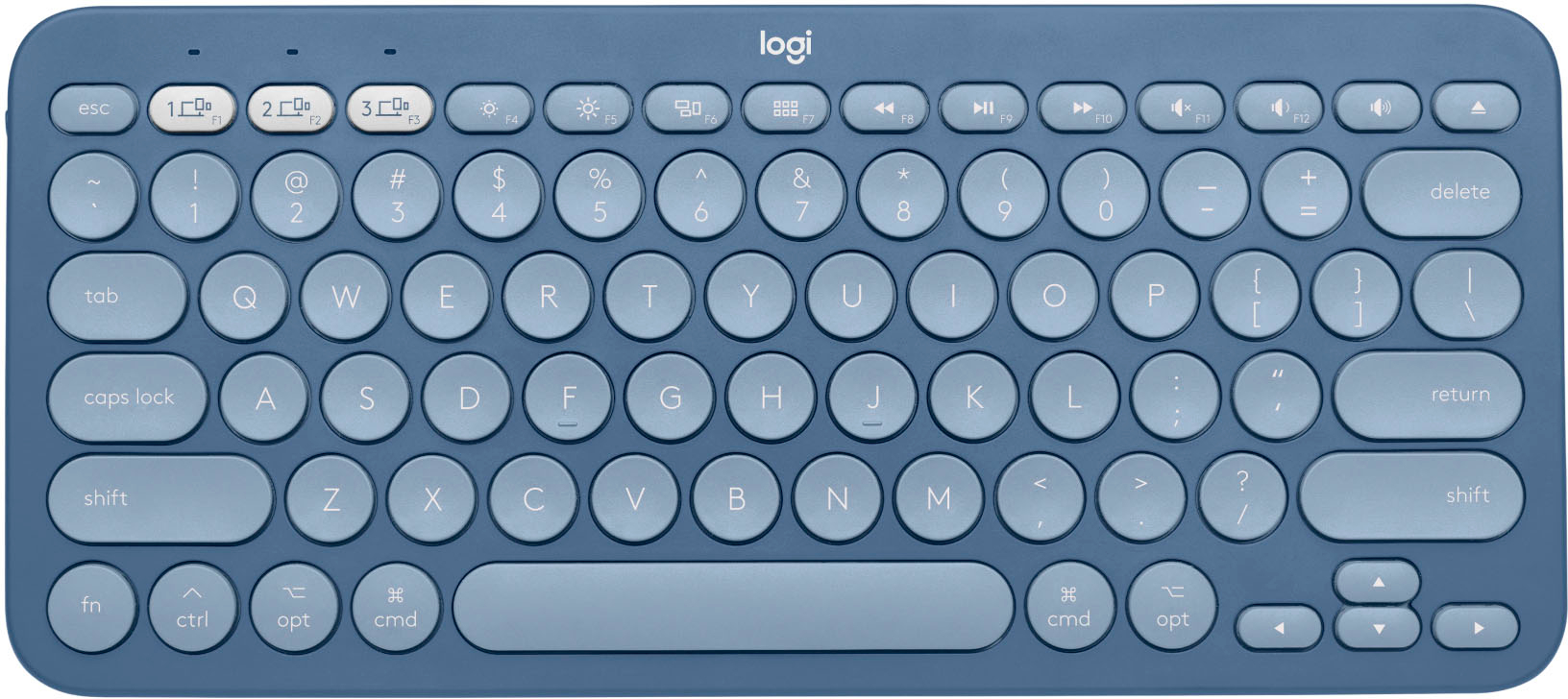
Posted .This reviewer received promo considerations or sweepstakes entry for writing a review.Would be great if the special characters or keys actually worked. I cant use any of them, if i need the email symbol it actually types out the left quotation mark instead. The keys are sort of crammed to the right side of the keyboard. Very disappointed as a cheaper Bluetooth keyboard from amazon works better.
This review is from Logitech - K380 TKL Bluetooth Scissor Keyboard for Mac with Compact Slim Profile - Off-White
No, I would not recommend this to a friendBrand response from Logitech
Posted .Hi Taen1, thank you for your feedback! For support, please refer to: https://support.logi.com/hc/en-us/articles/360051435873 - Will, Logitech.