Customer Ratings & Reviews
- Model:
- 920-009270
- SKU:
- 6373452
Rating by feature
- Value
Rating 4.3 out of 5 stars
- Quality
Rating 4.5 out of 5 stars
- Ease of Use
Rating 4.3 out of 5 stars
Customers are saying
Customers are delighted by the keyboard's quality, ease of use, and long battery life, frequently praising its slim design and responsive keys. Many appreciate its multi-device compatibility, allowing seamless switching between computers and other devices. However, some users found the lack of a traditional caps lock key and the phone cradle inconvenient.
This summary was generated by AI based on customer reviews.
HARD TO READ KEYS
||Posted .This reviewer received promo considerations or sweepstakes entry for writing a review.I type with 2 fingers. So I find the keys are difficult to read because 1. they are not CAP lettering 2. The font isn't bold and and the ink is faint.
No, I would not recommend this to a friendBrand response from Logitech
Posted .Hello JUDIE,
Thank you for choosing Logitech and for taking the time to review the K580 Wireless Keyboard. I am sorry that you are not pleased with the lettering of the keycaps. I have attached a link to the "Getting Started" support page for your K580 keyboard. Please feel welcome to visit the Logitech website for product support.
Best regards,
John at Logitech
https://support.logi.com/hc/en-us/articles/360036966594
Not for Chrome OS on Non-Chromebooks
||Posted . Owned for 1 month when reviewed.This reviewer received promo considerations or sweepstakes entry for writing a review.I returned this unit because it does not work with non Chromebooks running chrome OS. It did work fine with my pixelbook go.
I would recommend this to a friend- Pros mentioned:Key feel, Keyboard qualityCons mentioned:Phone cradle

Good keyboard, limited appeal.
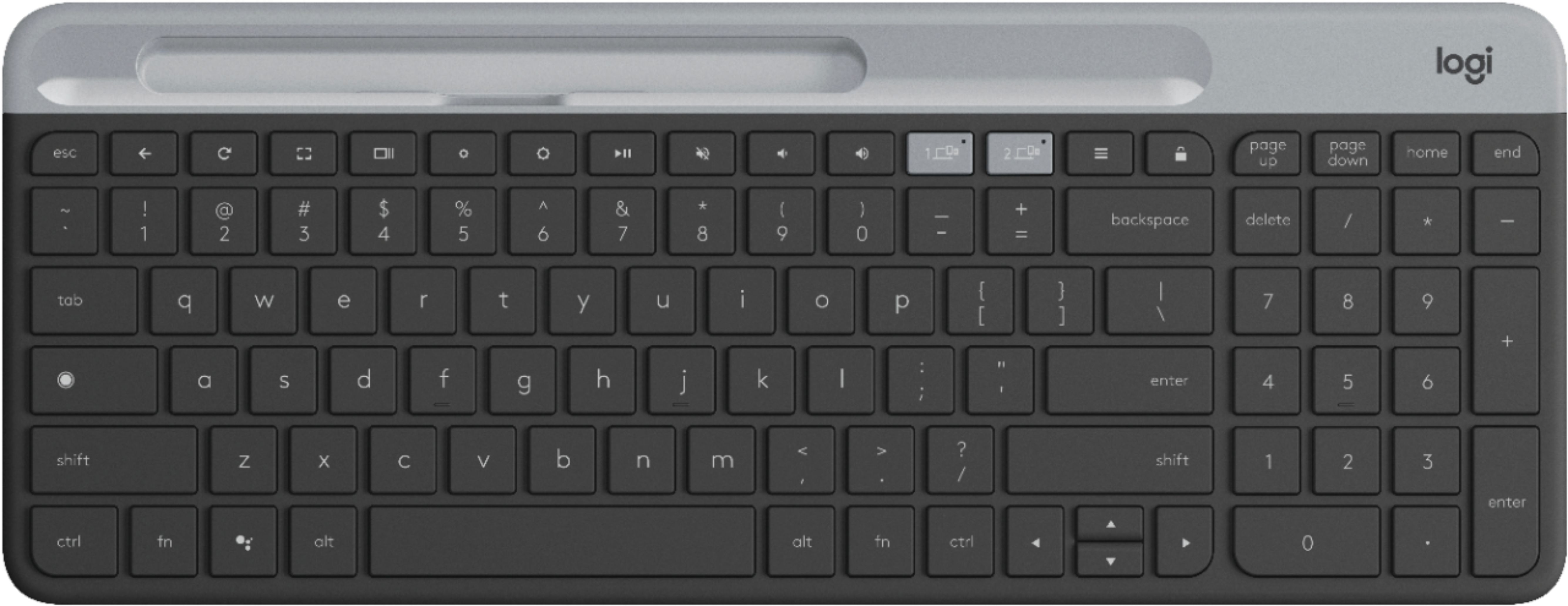
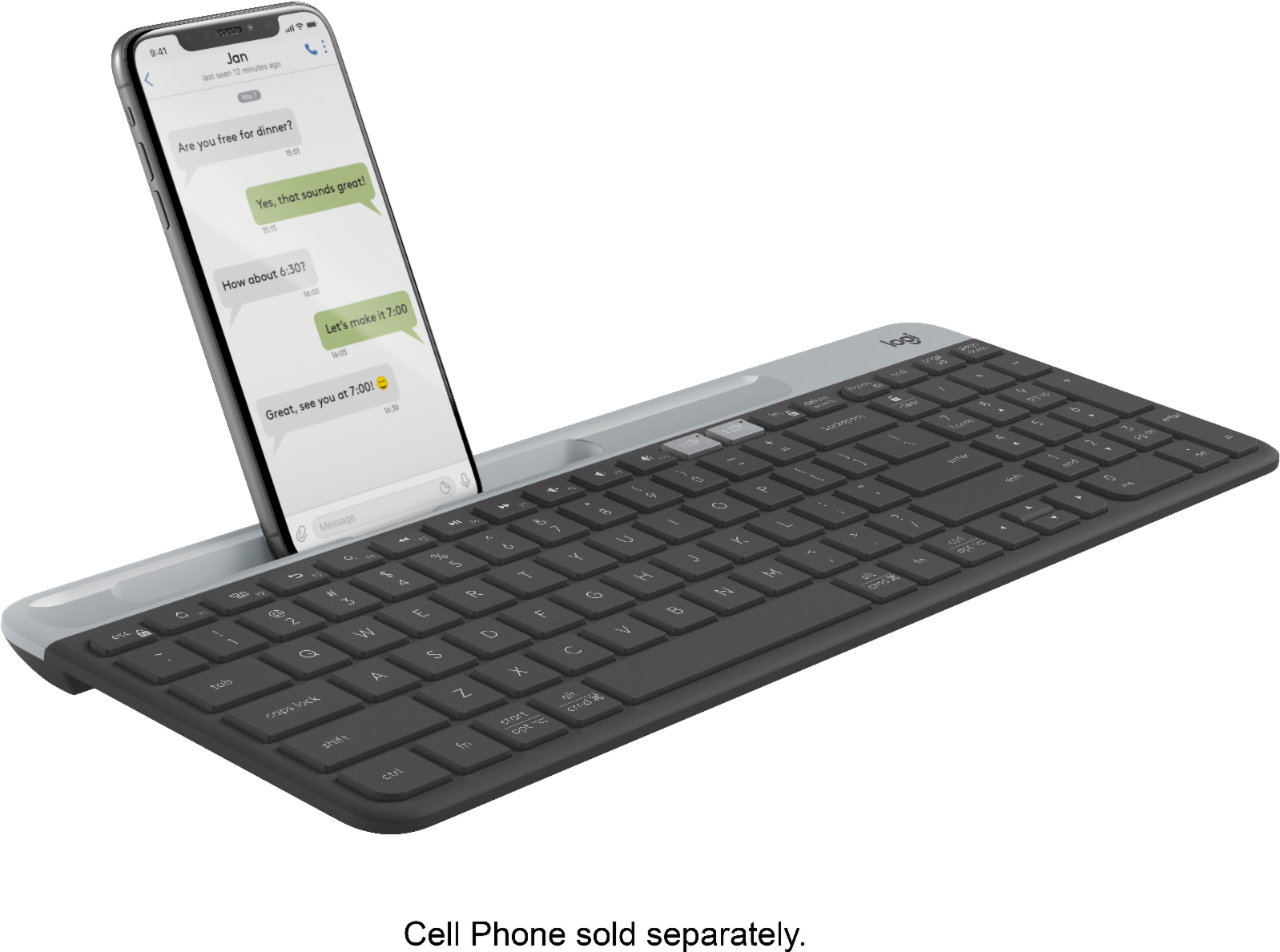
|Posted .This reviewer received promo considerations or sweepstakes entry for writing a review.I’ve always been a fan of Logitech products. They are always well thought out, ergonomic and built well. The Logitech K580 is no different. First thing to recognize is this keyboard is designed to work with Chrome O/S. That does not mean you cannot use it for Windows or any other operating system, it just means that the buttons are optimized for Chrome O/S and Android . For example, instead of the F Keys you will see full row of dedicated Chrome OS shortcut keys. Additionally there is a dedicated button for Google Assistant and two buttons that let you switch between active connections ( if you want to switch between a desktop and tablet or tv. ) So how does it work? Pretty good for the Chrome O/S and Android. Everything works as advertised. I’ve used PC keyboards for Chrome OS before and it is confusing. And the vice versa is the case here, if you use this keyboard for Windows, it is not a great experience. Pros – Full size keyboard Storage in battery compartment for USB receiver and extra batteries. Slim line, solid and responsive. Key travel and tactile response it very good for for $50. Inexpensive. Cons – No backlight. Not reachargeable Slot for cell phone really serves no practical purpose. You cannot easily look at the screen on the phone and will not fit larger phones or ones with thicker cases. Who is this for? While this is a good keyboard for the money, I question who the target audience is. It is a Chrome centric keyboard. So how many people are using a dedicated Chrome OS machine? I have Chrome as a virtual machine on my Macbook Pro but that was more because I was curious and not an everyday use. I have a Chromebook but found that I really never will use this keyboard for it because I would not use an external monitor. I also use a Pixel phone but would never see the need to an external keyboard. So who is the target audience? People who own Chromebox’s? There are some Chromebox users but that is a very tiny segment. I did plug this into my Hisense Android TV and it worked great but any wireless keyboard would have done the trick. This is a good keyboard for the money, a solid performer and all in a slim package. On that merit alone I would recommend it for those that have a true need for a Chrome OS keyboard.
I would recommend this to a friend - Pros mentioned:Battery lifeCons mentioned:Phone cradle
Not Quite My Type
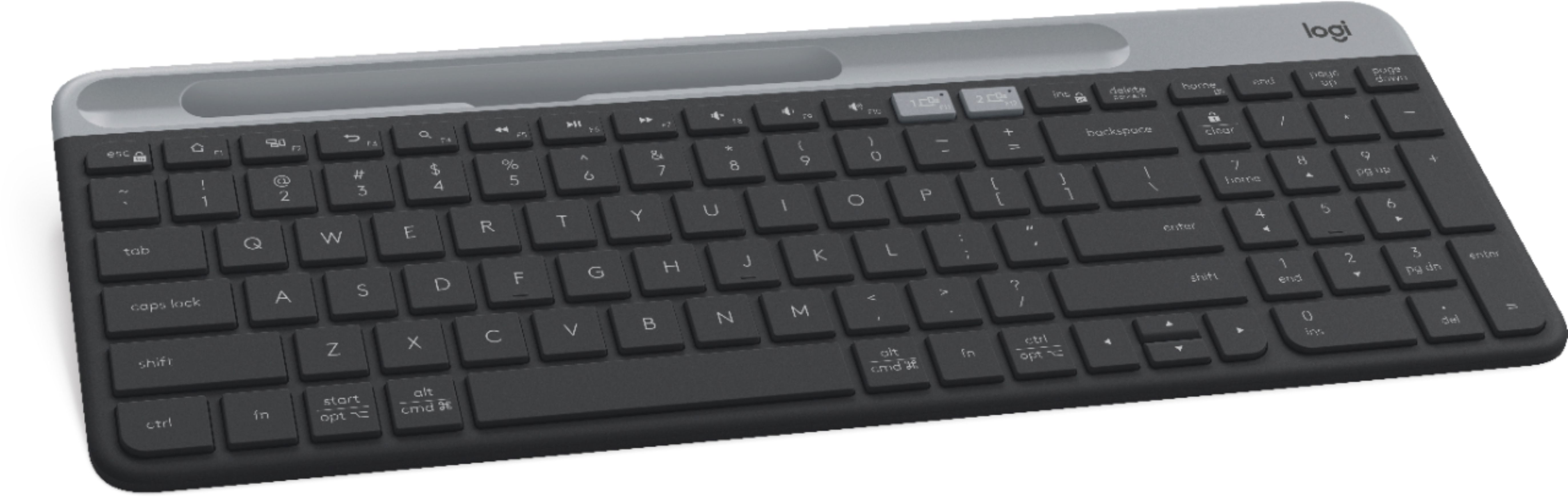
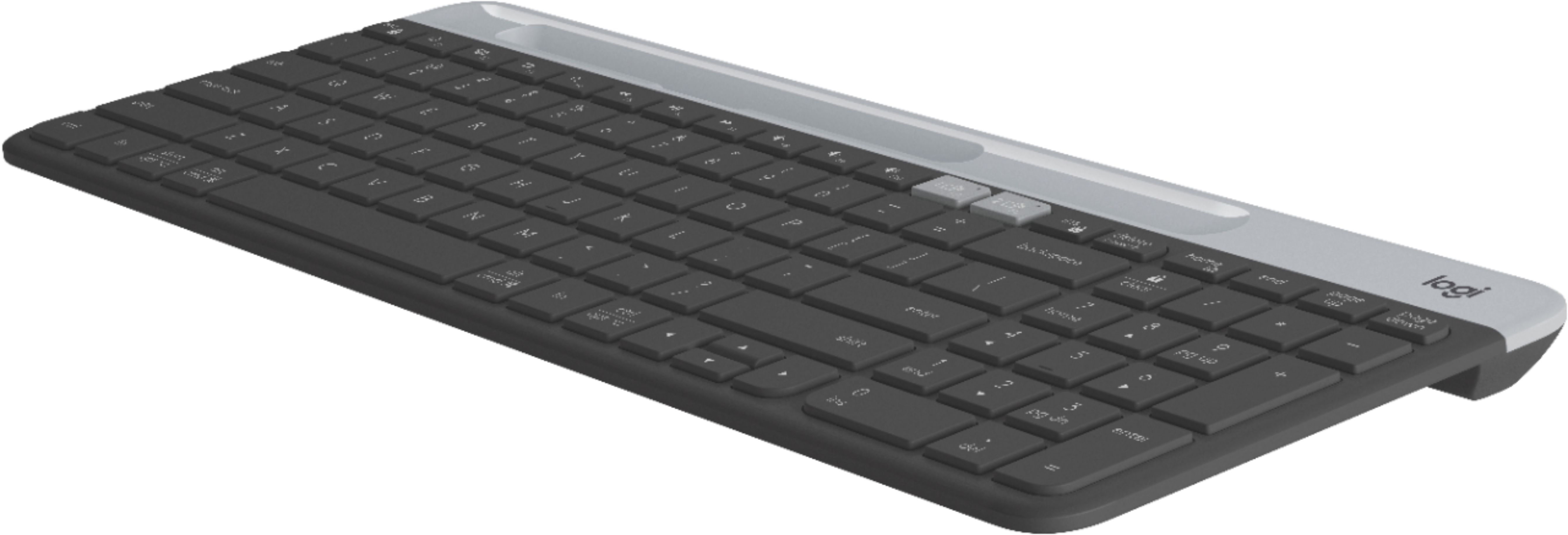
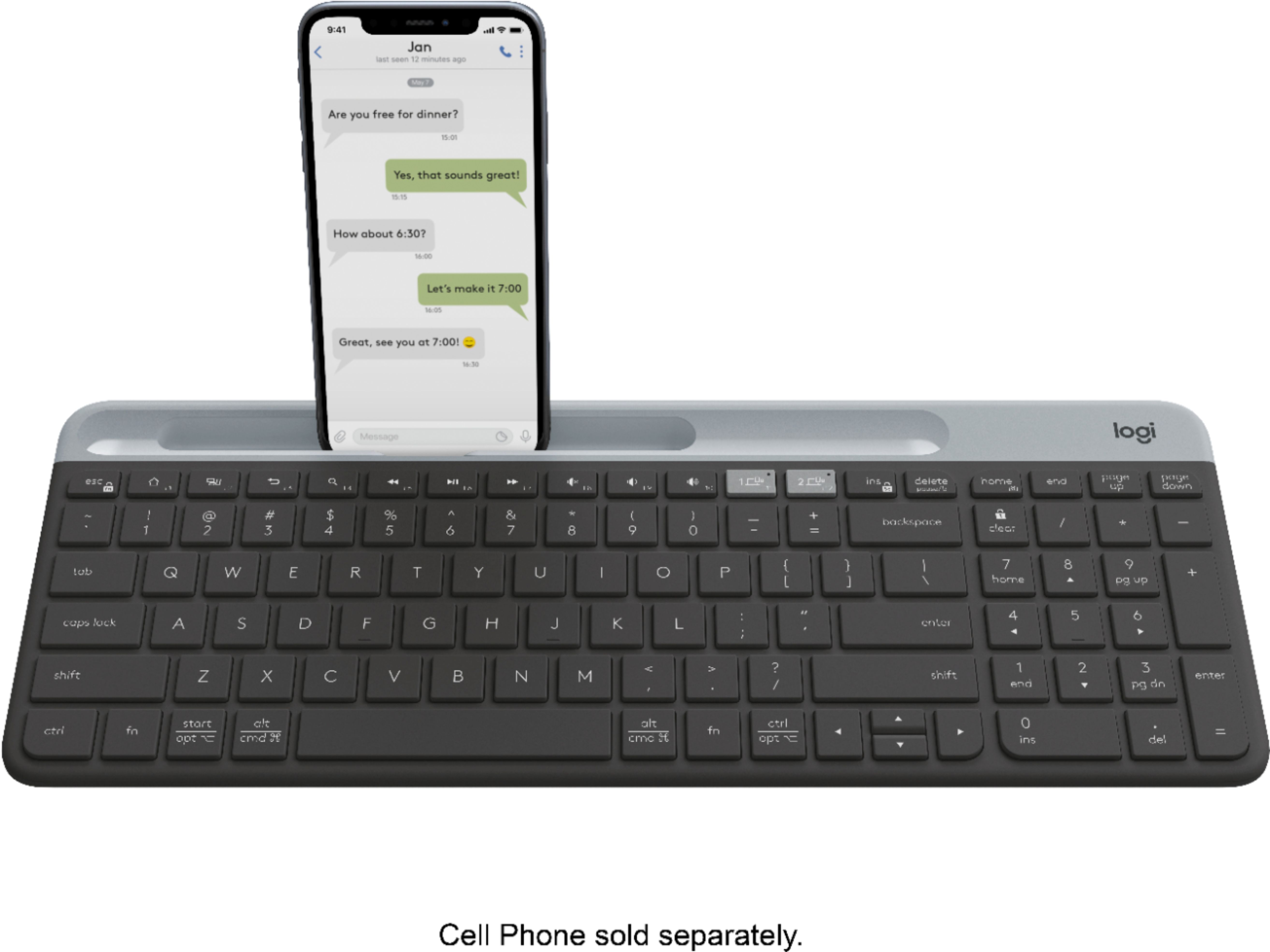
|Posted .This reviewer received promo considerations or sweepstakes entry for writing a review.I’m a big fan of Logitech products. I actually do own several of their other keyboards, and for the most part, I’ve been a happy consumer. This model, the K580 Multi-Device Chrome OS Edition Wireless Membrane Keyboard, was made to be used with Chrome OS in mind, right down to its dedicated shortcut keys. Pairing the keyboard to my mobile devices was a breeze. Being able to switch between devices effortlessly by a simple press of the “Easy-Switch” key, is quite a useful and handy feature, particularly for those of us who routinely make use of various devices throughout our day, in both work and play. *(The included USB unifying receiver can be found in the topmost area of the keyboard, where the battery compartment is located. To access them, just gently slide the gray plastic part upwards, and voila!) K580’s slim, low-profile keypads are matte textured and spaced apart well, and while typing away, they barely make any sound; it’s almost soothing, the gentle ‘clack clack.’ As for the slot they’ve designed to cradle your mobile phone ... it is sized large enough to fit, I assume, all the various makes and models available, and there are two ‘slats’ in that slot, which are meant to hold the phone securely in place at a viewable angle. However, I could not put my cell phone in there with its protective case on - my phone’s case only covers the back and sides of the phone; there is not a front faceplate. This is a huge downside. I’m guessing it would be for others, too, since I’m pretty sure the majority of people also have some sort of cover or case to protect their cell phone investment, and would not be wanting to have to remove said case, every time they wanted to use this keyboard. I’m also confused as to what the elongated concave area is for that extends beyond the slot where your phone is supposed to go. It seems to have no discernible purpose other than to look nice. I did try placing my tablet vertically in portrait mode within the cradle slot, but it was not secure in that position and could conceivably flop out. Of course, this keyboard isn’t designed for that, so that’s not a ‘Con’. I just wanted to try it. The size, or slimness, of this Logitech keyboard isn’t an important factor, for me at least. This isn’t a ‘take everywhere’ portable typing device, so that doesn’t seem to matter as far as use and function goes. Keyboards, in general, have been getting more user-friendly, and slimmer, as years go by, and as electronic tech improves. So, this didn’t really impress me, mainly because what the keyboard lacks in thickness, it adds to itself in length. Although useful to some, I always find the addition of a ‘number pad’ on the right-hand side, to be rather redundant, since there are number keys right “there” above the letters. But, I suppose the easily accessible number key pad is useful, especially for people using it for work or business. Now the auto-sleep feature, is a definite ‘Pro’ in my book. As someone who uses multiple keyboards for my writing, all day long, not having to remember to keep shutting off the keyboard when I am ‘done for now’ is a real plus. This saves battery life, though the keyboard’s purported “24-months without changing batteries” will remain to be seen. Bottom line, this K580 is a well designed Logitech keyboard.
I would recommend this to a friend Good for money paying.
||Posted . Owned for 1.5 years when reviewed.This reviewer received promo considerations or sweepstakes entry for writing a review.Good keyboard with keys located like a typewriter for easy typing.
I would recommend this to a friend- Pros mentioned:Key feel, Keyboard quality
Logitech K580 slim keyboard makes sense!
|Posted .This reviewer received promo considerations or sweepstakes entry for writing a review.The Logitech - K580 Multi-Device Chrome OS Keyboard is a really nice keyboard. Bluetooth and wireless connectivity adds versatility. I easily connected via Bluetooth to my 2 in 1 laptop which offers me a larger more convenient keypad than the laptop offers. A huge plus for me is the addition of a numeric keypad, which I miss on the smaller laptop/tablet. Larger, soft touch keys add convenience and great typing feel. More space between the keys is great so I don't have to hit 2 keys at once. It has a nice sturdy feel to it and rubber feet to keep it from sliding. There is a convenient on/off switch and if you forget, there is automatic shut-off to save battery life. They claim the battery life is 2 years but mine came in at 90%, so I don't know how reliable that estimate is. But it's just 2 aaa batteries, so it's not a huge concern to me. I like how the mini USB dongle is hidden away in the battery compartment for storage. I also like the slot in the cover of the battery compartment that I use for my iPhone. It fits nicely sideways and is a very convenient and easily switched 2nd device. Just the press of a key switched from the tablet to the iPhone for easy typing on both. This is slim, well made keyboard with nicely spaced, low-profile keys. I would recommend this to anyone.
I would recommend this to a friend Lock Key too close to Backspace Key
||Posted . Owned for 2 months when reviewed.This reviewer received promo considerations or sweepstakes entry for writing a review.This keyboard is actually not bad, except the fact that the Lock Key is directly over top of the Backspace key. At least 5 times I day, I lock the keyboard instead of hitting the Backspace key. This keyboard is highly frustrating to use. There is no way to reassign the Lock Key.
No, I would not recommend this to a friendBrand response from Logitech
Posted .Hi Dave J,
Thank you for your feedback. It is greatly appreciated. Sorry for any inconvenience you have with your device. If you ever need assistance, please contact Logitech Support on the website.
LaShonda from Logitech
- Pros mentioned:Keyboard quality
would not stay connected
||Posted . Owned for 3 weeks when reviewed.This reviewer received promo considerations or sweepstakes entry for writing a review.looked like a decent keyboard, but would not stay connected to my pc or laptop (tried laptop to make sure it wasn't just my new pc having issues). Otherwise it would have been a great quiet keyboard
No, I would not recommend this to a friendBrand response from Logitech
Posted .Hello Denye, we are so sorry to hear that the K580 keyboard is not working properly for you. At the end of this message, I have attached a link to some FAQ's that will help troubleshoot your keyboard. If the issues persists, you can reach out to us on the same link and submit a warranty claim to get things sorted out.We extremely apologize for any inconvenience. Thank you for being part of the Logitech family. -Ricky | Logitech. https://support.logi.com/hc/en-us/articles/360036966514-FAQ-Stub-K580-Slim-Multi-Device-Wireless-Keyboard-Chrome-OS%C3%A2-Edition
- Pros mentioned:Battery life, Keyboard quality
Capable Bluetooth/Wifi Keyboard
|Posted .This reviewer received promo considerations or sweepstakes entry for writing a review.Review ------ This is a great lightweight keyboard which pairs with almost anything. Although it is customized for chrome OS and Android, i have tested with Windows, Max, Ipad and Samsung S9 phone and the keyboard functions very well. SETUP The keyboard setup is very straight forward. Just pull down the black tab and the keyboard turns on. The keyboard can be used as a Bluetooth or a USB/Wifi keyboard with the already included USB receiver in the battery department. Pairing is very easy, hold down one of the devices and then on your device turn on Bluetooth pairing and put in the numbers that is provided with your keyboard and the keyboard should pair. The keyboard can toggle between 2 devices using the 2 keys which can be used for toggling. The keyboard can be adjusted to make sure that it can follow custom keys from different operating systems. Fn+8 is for Chrome OS and Fn+9 is for android operating system. USAGE I have used the device as both in Bluetooth and wifi mode and works great. Wifi mode will require the unifying USB dongle to be connected to the USB port of the computer. I connected the keyboard to the windows PC and the keyboard immediately connects to the USB receiver/computer. I also connected to the Ipad/Samsung S9 and both these devices fits nicely in the groove (Ipad in portrait mode). I wish though that the iPad actually fit in the landscape mode as well so that i can use it almost like a computer. I somehow feel that the number pad is not needed and could have been easily replaced by a integrated mouse-pad like the K400r remote. The keys itself is very silent when typing which is great. The batteries are rated to last 24 months and that's substantial amount of battery life. PROS 1. Long Battery life (24 months) 2. Wifi (2.4ghz) and Bluetooth connections 3. Soft/silent keys 4. Groove for placing Ipad/Phone 5. Connects to Windows, Android, Mac, Ipad 6. Lightweight 7. Cheap CONS 1. No Touch pad/Mouse, Why not remove the number pad and replace with touch pad 2. No back lit
I would recommend this to a friend - Pros mentioned:Battery life, Key feel
Wireless keyboard
|Posted .This reviewer received promo considerations or sweepstakes entry for writing a review.This wireless keyboard is easy to use. It's portable, light and compact, but the keys feel full sized. There's very little border around the keys and it's so thin, allowing it to seem small while remaining very comfortable to type with. It connected via bluetooth to both my phone and my laptop with out any hesitation. It also has a USB receiver, tucked inside the battery cover. This cover has a place to sit a phone or small tablet. My phone was too big to fit in its case, but my tablet fit. I tried my larger iPad in the upright position, but it was too heavy and tipped it back. This isn't a flaw in the keyboard, since it's meant to sit your phone in. It has really long battery life, partly because it automatically goes to sleep when not in use. I haven't had it long enough to know if it lasts the full amount stated, but such long battery life is nice to have. Most devices would need regular charging or battery changes, and I'm expecting to avoid this with this Logitech keyboard. It can be used with other operating systems, but is designed specifically for Chromebooks, with Chrome shortcut keys built into the keyboard. One of the best features is the Easy Switch button, which lets you stay connected to two devices and move back and forth just by clicking this switch. It's not as small as the keyboard for my iPad, but this includes the number keypad on the right, and function keys, so I can do more with it. There's really nothing to set up, just pull out the tab under the battery cover, and connect to your devices. I really liked being able to type on my phone with an actual keyboard, and found it very comfortable. If you get tired of typing with a finger or thumb, this makes it easier to do a lot more typing, especially since I use my phone more for work these days. For that reason, and for the Chrome specific features, I highly recommend this keyboard.
I would recommend this to a friend Keyboard
||Posted . Owned for 3 weeks when reviewed.This reviewer received promo considerations or sweepstakes entry for writing a review.Love the phone holder concept, but keyboard was too small and really spotty trying to connect to PC when 1st powering on after 1st initial Bluetooth connection
I would recommend this to a friend- Pros mentioned:Keyboard quality, Size
The keyboard chrome books were meant to have
|Posted .This reviewer received promo considerations or sweepstakes entry for writing a review.Chromebooks have their place. Most are compact with similarly compact keyboards. This keyboard brings desktop options to a compact market. The keyboard is a nice upgrade from the K480, Logitech’s previous Bluetooth offering. This is thinner and lighter. It also has more muted colors. Functionally, it’s significantly ahead. The keys are smoother with a standard distance between them. Typing was very comfortable the slightly sloped surface. The K580 also adds a numeric keypad which goes hand in hand with Google’s new ability to edit Excel workbooks. This keyboard was clearly designed for Chrome OS. Just like on the chrome book, there is no caps lock key (a glaring omission), but instead you get shortcut keys which mimic the standard chrome book layout. You can connect up to two devices at a time. I have a chrome book and an Android phone which worked out nicely. Logitech has an app for your phone which will prevent the on-screen keyboard from popping up when you are using this Bluetooth one instead. Switching back and forth is as easy as pressing a button. I would call this keyboard a must-have for those using a chrome book as their primary machine. In particular, those with 11 inch screens will appreciate the full-sized keyboard when touch typing. Despite its size, it is still small and light enough to justify carrying around. Overall, a very good product.
I would recommend this to a friend - Pros mentioned:Battery life, Keyboard quality
Just what I expect from Logitech!
|Posted .This reviewer received promo considerations or sweepstakes entry for writing a review.I was excited to get a chance to use this keyboard, I have been spending much more time with my Chromebook Plus and my phone lately and miss the full keyboards of my normal desktop and laptop. As a teacher, I spend a good amount of my time typing on the ten-key pad and really miss it when I have to go hunting along the top or long-pressing on my phone. This fit the bill almost perfectly! The only drawback I can find is that the phone slot doesn't fit my phone very well since my case is pretty thick - the phone sits up so straight, that I can't hardly read the screen! My solution is to leave the phone resting against something at a comfortable angle and then I can type away easily. I was surprised at how useful the keyboard is without a mouse. I rarely have to touch the screen, using the tab key and enter gets me around the screen very well. Reminds me of using the Tandy Deskmate software so many years ago! The feel is top-notch, as I have come to expect from Logitech and it fits into my laptop bag perfectly. I can switch between the two devices easily with the dedicated buttons and the keys feel amazing for such a small and shallow keyboard. I am so happy to have "end" and "delete" keys again! I am amazed that Google doesn't include those on the larger Chromebook keyboards like on the Plus. I am now one step closer to replacing my desktop and laptop for all but games. We recently had power off for almost a week and this came in very handy since my laptop couldn't hold a charge all day. This thing filled the need very well.
I would recommend this to a friend - Pros mentioned:Battery life, Keyboard quality
thin & lightweight BT KB
|Posted .This reviewer received promo considerations or sweepstakes entry for writing a review.When first using this keyboard, I couldn't find the Logitech adapter in the box. At first I thought it was mistakenly not put in box. To my surprise, the front top part slides off, unveiling the adapter and where the batteries are located as well. Seeing how slim this KB is, I thought it would be really flimsy and move around alot when I type on it like other BT small KB's I have used previously. The rubber stoppers do a good job of keeping placement to keep typing. So far, I have used the bluetooth to connect to my Samsung tablet and phone. I only had an issue pairing with the tablet initially, but now, no problem. I am also currently using the adapter in my PS4Pro during matches of Modern Warfare that also has not been an issue. My only minor complain is that the light on the button to show what is connected to does not stay on for long. Otherwise, I only wish the keys had LED lights as an option, but I think Logitech wanted to brag about battery longevity instead. The indent for phones is nice but when my phone is sideways, is a bit too deep and wish the indent would hold my tablet sideways at 10.5" but oh well. Again, nitpicking as this kb is a good pick up. Overall, I would recommend this keyboard
I would recommend this to a friend No cap key - useless for my work
||Posted . Owned for 3 months when reviewed.This reviewer received promo considerations or sweepstakes entry for writing a review.The keyboard seemed great for a few weeks hacking around at home until I brought it in to do some real work at the office, It wasn't until then I realized, trying to accomplish something useful - THERE'S NO CAP LOCK KEY and no way to adjust for that function! If your job or hobbies entails professional writing, formatting, titles, this keyboard is just a Pain in the A - and unnecessarily so. Shame on logitech.
No, I would not recommend this to a friendBrand response from Logitech
Posted .Hello ascotta,
I am sorry that the K580 is not meeting your expectations. You must download the Logitech Options + app to access all the device's features, including the Cap Lock indicator. Logitech appreciates your product review. - Leo from Logitech
- Pros mentioned:Battery life, Keyboard quality
Everything Needed in a Keyboard in a Slim Package
|Posted .This reviewer received promo considerations or sweepstakes entry for writing a review.The Logitech - K580 Multi-Device Chrome OS Edition Wireless Membrane Keyboard really optimizes your typing experience across a variety of platforms. This Logitech keyboard supports a pretty generous wireless range of up to 10M (33ft) between the keyboard and linked device. In addition, it features several keyboard shortcuts for music apps, photos, email, folder/directory search, and volume control. Not only is this keyboard efficient, it offers an extremely robust battery life. Up to 36 months on the keyboard and 18 months on the mouse. Simply outstanding! Pros: The keyboard is slim, light weight, and mobile. Making it easy to carry in a bag or backpack. Long battery life ensures you will not run out of juice in the middle of work. I love design, the physical structure as well as the cosmetic elements. The keys are amazingly quiet! They're also super responsive. There are no cons for this keyboard & mouse combo in my opinion. It simply does everything well. I highly recommend the Logitech - K580 Multi-Device Chrome OS Edition Wireless Membrane Keyboard.
I would recommend this to a friend - Pros mentioned:Key feel, Keyboard quality
simple design and reliable
|Posted .This reviewer received promo considerations or sweepstakes entry for writing a review.First and foremost, Logitech makes a great product. I have owned many computer related accessories over the years and Logitech is by far the most reliable and best quality on the market in my opinion. I will continue to buy their products with confidence. That being said, this is yet another product that I am satisfied with. The build quality is what I would expect. The keyboard is light but has a sturdy feel to it. The keys are quiet, slim, and soft to the touch. Your fingers move easily over they keys and have a good but not over bearing bounce to them. I really like that it has the number pad on the right. It doesn't have any of the F keys at the top of desktop keyboards but does have other buttons for shortcuts. Connectivity is quite easy. Very portable. Has a USB dongle (which can be stored in the keyboard) or can connect via bluetooth. Also comes with 2 AAA batteries. It says its for Chrome devices but actually will connect to anything. The only complaint I have is that there isn't any little risers on the bottom to angle the keyboard.
I would recommend this to a friend - Pros mentioned:Keyboard quality
Facilitates Switching Between Cell and PC
|Posted .This reviewer received promo considerations or sweepstakes entry for writing a review.This full-function keyboard is solid and has some features that make it standout from other membrane keyboards. It can be used with Chrome OS or Windows or Android. I paired it with both a laptop and my cell phone easily – and its Bluetooth connectivity was smooth and reliable. It has a couple keys on the upper right that can be used to switch quickly between your cell phone and your laptop or desktop – I had not seen that before. You can use function keys to handle your laptop’s or phone’s brightness and volume and other functions. In addition, the battery cover has an indentation that is designed to hold your cell phone. My cell phone did fit, however if you use even a thin case, it will not fit with the case on; they should have made the slot wider. A USB dongle is also included for attaching using a USB port. I would highly recommend this keyboard, especially if you have a situation where during your work, you often type on your cell phone as this makes typing on a cell phone much more convenient.
I would recommend this to a friend - Pros mentioned:Battery life, Keyboard quality
Another Solid Performer from Logitech!!
|Posted .This reviewer received promo considerations or sweepstakes entry for writing a review.I am super excited to discover that Logitech, who continues to dominate the computer accessory market has come out with a keyboard that caters to Android and Chromebook users. I have an Android phone that I immediately synced to this keyboard and the process was instant as I was given a code to input and from there, I was texting away. The big pluses in this keyboard are that it multi-functions with both Bluetooth and USB; the keys are pleasantly quiet; the longevity of battery life; its integration with Google Assistant search and launcher keys; and the phone tray, which is a big bonus for me as I will employ its usage on a regular basis. I text and E-mail frequently; however, I don’t talk on the phone much. In summary, I am thrilled to add this keyboard to my Android phone and Chromebook as I know that it will serve me well for its multiple usages.
I would recommend this to a friend Doesn't have F keys
||Posted . Owned for 1 month when reviewed.This reviewer received promo considerations or sweepstakes entry for writing a review.When I attempted to get additional support information from Logitech website this product has none.
No, I would not recommend this to a friendBrand response from Logitech
Posted .Hello, I am sorry you were unable to reach the support page. here is the direct link https://support.logi.com/hc/en-us/articles/360036966594. I hope this helps! Thank you for taking the time to write this review, we appreciate the feedback.