Customer Ratings & Reviews



Rating by feature
- Value
Rating 4.6 out of 5 stars
- Quality
Rating 4.6 out of 5 stars
- Ease of Use
Rating 4.6 out of 5 stars
Customers are saying
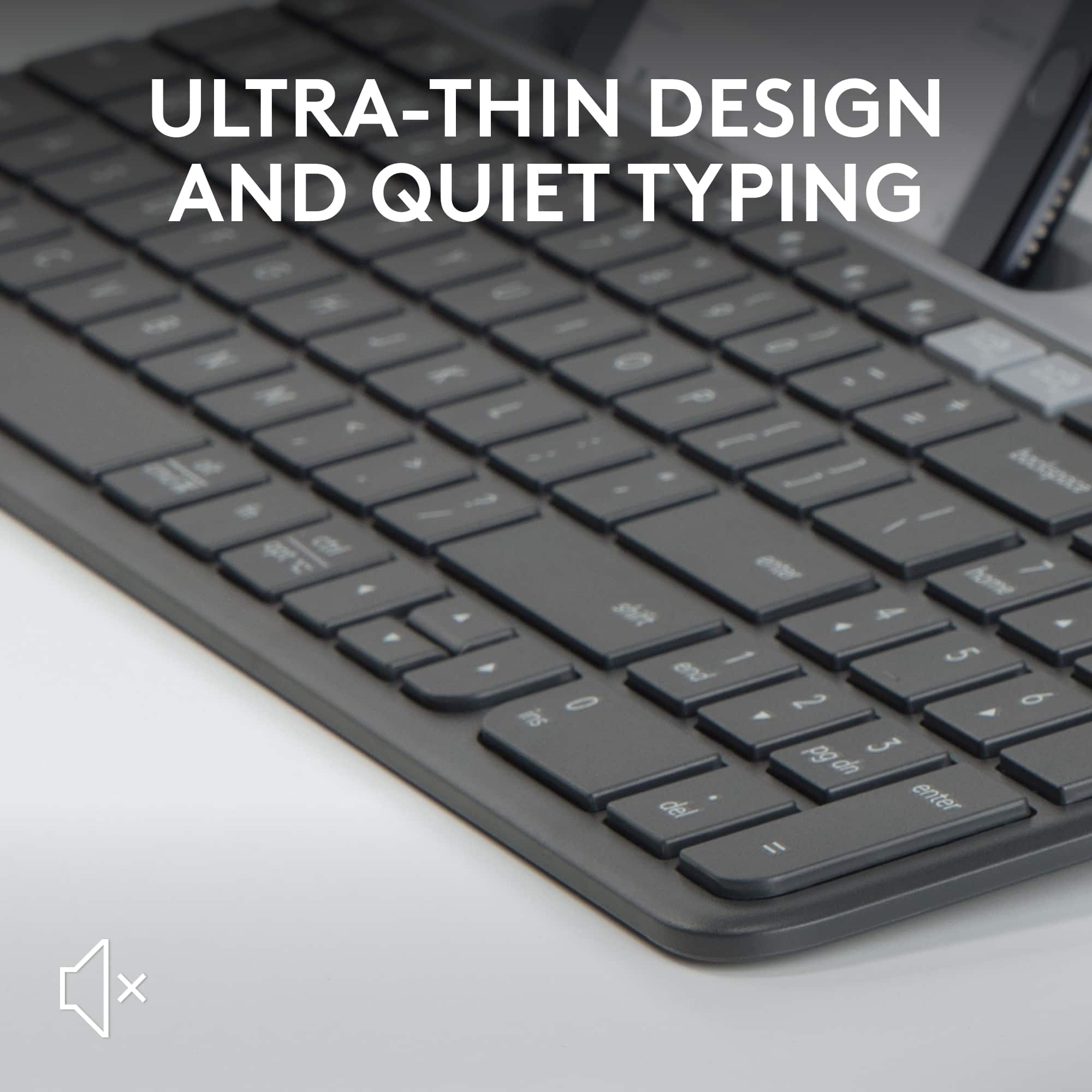
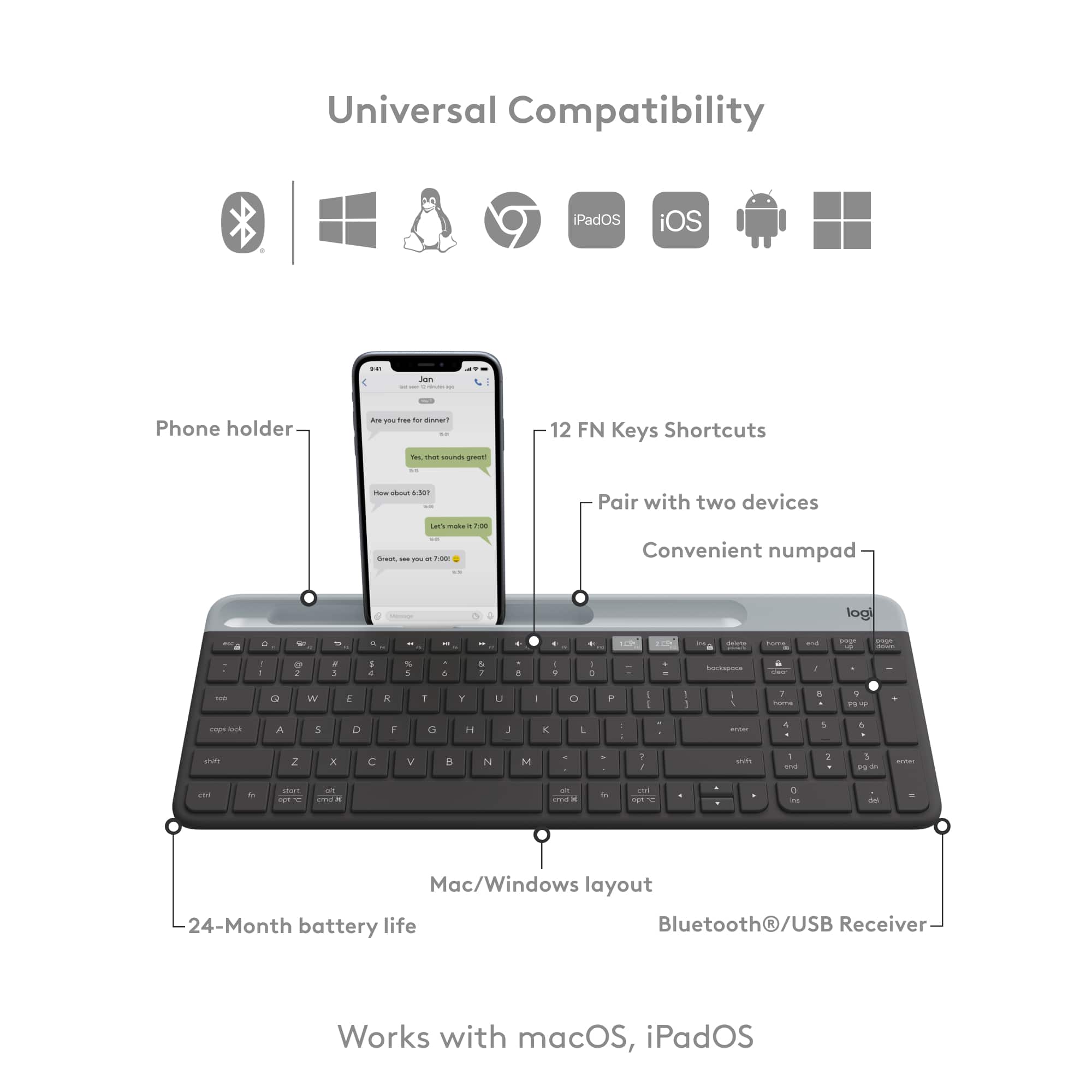
Customers appreciate the K585 full-size wireless scissor keyboard for its quality, ease of use, and comfortable size. Users find the keys quiet and enjoy the solid feel of each key press. Connectivity is reliable, and the keyboard's lightweight design and long battery life are also well-received. However, some customers have noted issues with the phone cradle's thickness.
This summary was generated by AI based on customer reviews.
Do not buy this
||Posted . Owned for 3 weeks when reviewed.This reviewer received promo considerations or sweepstakes entry for writing a review.The keyboard keeps randomly lagging and it’s driving me nuts. Tried new batteries, uninstalling and reinstalling and nothing works. Wasted money. Note: I bought to use it with a pc. Not sure if it works better with tablet/other devices.
No, I would not recommend this to a friendBrand response from Logitech
Posted .We are sorry about the experience. Please verify the product or receiver is connected directly to the computer and not to a hub, extender, switch or something similar. Also, move the device closer to the USB receiver. If the issue persist, contact Logi support for further assistance.
Tipping on FoFos….Well Not Exactly But It’s Tipsy
||Posted . Owned for 1 month when reviewed.This reviewer received promo considerations or sweepstakes entry for writing a review.I got this as an alternative to having to buy a computer while I work from home this summer, terrible idea. My iPad is too heavy for this and it keeps tipping backwards.
No, I would not recommend this to a friendBrand response from Logitech
Posted .Sorry to hear about your experience! We'll be sure to share this feedback with the right team and will do our best to make your future experience with us even better.
not working
||Posted . Owned for 2 months when reviewed.This reviewer received promo considerations or sweepstakes entry for writing a review.It only worked for a month,I do not recommend it, it is very poor quality
No, I would not recommend this to a friendBrand response from Logitech
Posted .That's unexpected! To help you effectively, please email your information to our support team at socialcare@logitech.com. Name – Email address – Country – Product name – Brief description of the issue –
- Pros mentioned:Key feel, Keyboard quality

High quality, slim, multi-device keyboard
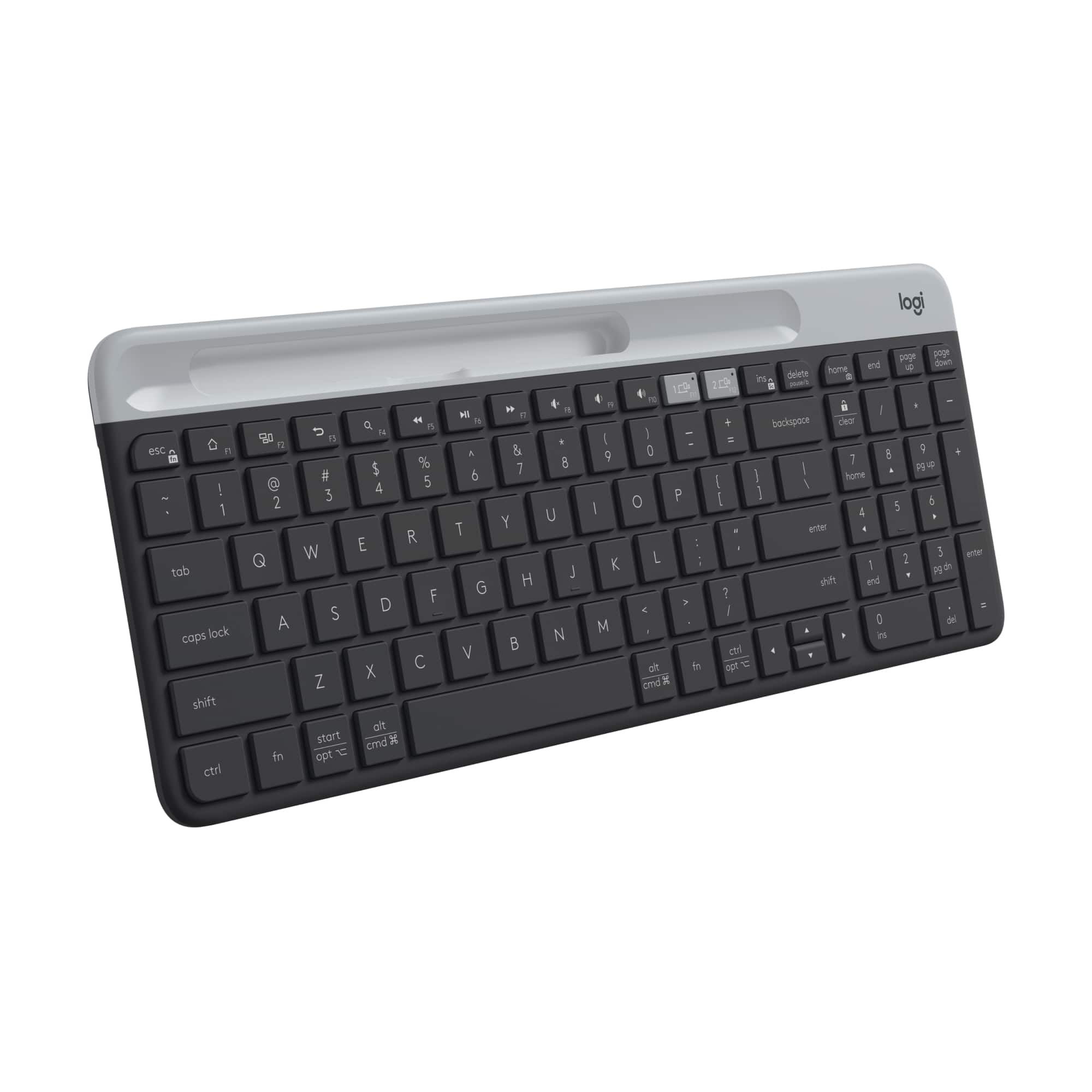
|Posted .This reviewer received promo considerations or sweepstakes entry for writing a review.The slim Logitech - K585 Full-size Wireless Scissor Keyboard for Windows, Mac, Chrome, and Android with Built-in Cradle is a very nice and convenient sized wireless keyboard. The Logitech brand is synonymous with quality PC accessories and this K585 met the expectations I had given that it is a Logitech keyboard. The slim design is very nice but it still feels like a sturdy, high-quality keyboard despite its size. One of the coolest features this keyboard has is the built-in phone cradle. Being able to seamlessly switch from typing on my computer to texting or making notes on my phone is very handy and something I had not previously even thought about let alone experienced but now I use it very often for these purposes. The other thing I really like about this keyboard is the feeling of the keys when typing. They are not very loud and to me, take just the right amount of pressure to press each key. The only slight drawback I can come up with is the fact that this keyboard does not have the traditional insert, delete, home, end, page up, and page down keys in-between the number pad and the right edge of the other standard keys. Instead, these keys are across the top of the standard keys and number pad which is a little difficult to get used too since I often use the delete key on a traditional keyboard but with time, I’m sure I’ll get used to the new placement and it won’t be an issue. I believe the space saved by how small this keyboard is more than makes up for this slight drawback. Overall, I really like the Logitech - K585 Full-size Wireless Scissor Keyboard for Windows, Mac, Chrome, and Android with Built-in Cradle and I highly recommend it!
I would recommend this to a friend - Pros mentioned:Connectivity
80% of what I was expecting.
|Posted .This reviewer received promo considerations or sweepstakes entry for writing a review.To explain the title of this review. I mean it is smaller in size then what I was expecting. Not smaller keys or smaller/cramped typing surface, but all the un-needed framing. Here is my take on this fantastic keyboard. Likes: Size (dimensions) Key size (full sized) Key travel (medium press) 10 key ( lord knows, sometimes you need to quickly lay down some digits) Weight ( light enough to carry, yet heavy enough not to slide around much) Multi-point connection (ability to switch between my laptop and tablet easily) Ability to either use Bluetooth only or the supplied dongle for "toothless" computers Spacing on keyboard it like a laptop, so they are less likely to get pressed by accident Dislikes: It uses batteries instead of being rechargeable. so more landfill waste IMHO Slot for "device" is too slim to fit anything but a naked phone. Also it did not really fit my iPhone as the weight would be too much for shallow depth to hold. Unless you have a really small tablet, it will not fit either. Angle of legs are not high enough for me. I know everyone is different, but I like mine with more adjustability Depending on how quickly or intently I type, it is not as quiet as I was hoping. Still better then most, but not as quiet as a full size scissor keyboard. All in all, I am glad I got this. I use one setting for laptop and the other for my smart tv (cause click typing is annoying)
I would recommend this to a friend - Pros mentioned:Key feel, Keyboard quality
Good solid feel on the keys!
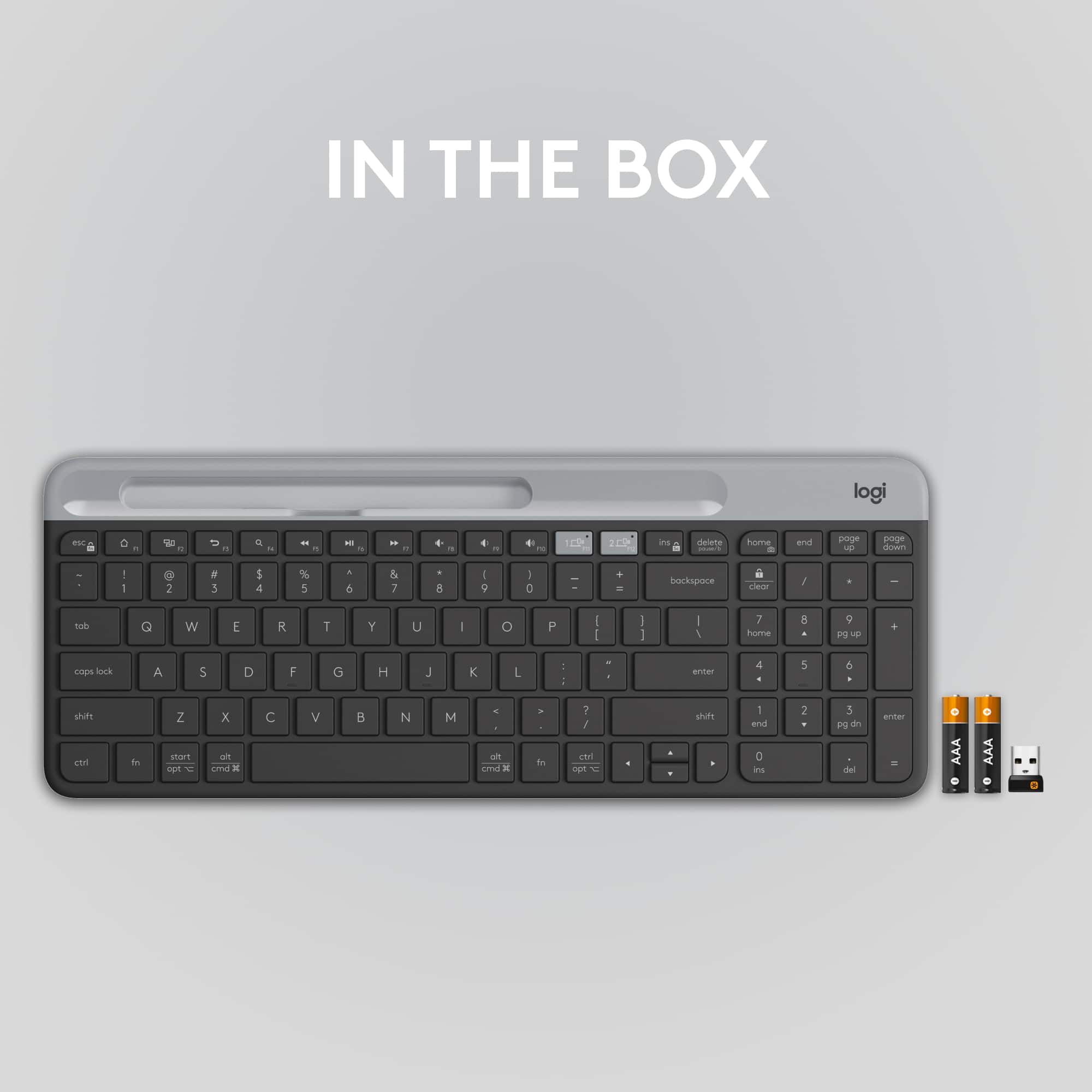
|Posted .This reviewer received promo considerations or sweepstakes entry for writing a review.Good solid feel on the keys! After all, that's why one buys a particular keyboard. In the box, there are a pack of batteries (AAA x 2), a quick start card, and the keyboard itself. The keyboard comes with a tray in which to place a phone or tablet. The tray is actually part of the cover which hides, among other items, the USB dongle and the keyboard's serial number. Having both a Mac and a PC, I connected it to both using the handy selector buttons at the top. Both connected easily using Bluetooth and I was up and running quickly. The dongle worked as expected after downloading the Logitech Unifying Software. The tactility of the keyboard is similar, though a small step down in my opinion, from the MX Keys keyboard. As a full sized keyboard, the key layout for the letters and associated keys are all in their standard spots. The number pad is easy to access. The insert, delete, home, end, page up and down keys are all located across the top, above the numeric keypad. The arrow keys, are down below the right-hand shift key. My fingers do not feel cramped moving around the keys. I would highly recommend this keyboard to anyone looking to upgrade to something that feels well-built and sturdy, yet with good touch.
I would recommend this to a friend - Pros mentioned:Key feel, Keyboard quality
Logitech - K585 Full-size Wireless scissor kybrd
|Posted .This reviewer received promo considerations or sweepstakes entry for writing a review.The Logitech - K585 Full-size Wireless Scissor Keyboard is a very good keyboard. I connected the keyboard to my laptop through bluetooth. Hardware is pure quality - durable and like the pocket so you can hook this to your tablet or phone. Switching between two devices is very easy. Keys are solid yet soft easy to type on this keyboard. Connectivity - wireless or bluetooth - connects quickly and easy to devices. I would highly recommend this keyboard for daily use. I enjoy sitting down each time to type and make words come to life with this hardware. Logitech software assists in so many ways. Ease of use, ease to setup devices and quality is all included in this keyboard. Build quality is so far above so many keyboards. I have used several different ones and this one blows all of them away. Its simplicity yet its flexibility is priceless. I am so glad that it's versatile as a bluetooth device or a wireless device. The component for storing batteries is also used to store the wireless usb so you don't lose it. I highly recommend this keyboard to anyone who needs a good solid device to use with any of their bluetooth devices.
I would recommend this to a friend - Pros mentioned:Ease of use, Keyboard quality
Great little keyboard
|Posted .This reviewer received promo considerations or sweepstakes entry for writing a review.The k585 is a sleek little keyboard. The keys are very quiet. Having a few keys moved around due the smaller form factor took a little getting used to. I really like this keyboard, it takes up no space, sits a comfortable height and has a really nice finish. Batteries are required, although i'm not sure what the battery life is like. At the top of the keyboard is a tray, probably for a pen or some kind of digital writing device. The portability of this keyboard makes it easy for me to pack it up with my laptop when needed. Set up was very quick and easy with the logitech all in one usb receiver. Packaging was very good and what I would expect of this product/brand. The build quality of this keyboard also seems really well put together. The keys have the right amount of give when typing. It just feels like a sturdy little keyboard. I would almost dock this a star for not having a windows key but at the same time that would be silly of me to do. This is a great keyboard if you're trying to eliminate clutter from your desk. I'd love one in orange.
I would recommend this to a friend - Pros mentioned:Ease of use, Keyboard quality
Excellent Multi-Device Keyboard
|Posted .This reviewer received promo considerations or sweepstakes entry for writing a review.This keyboard is very easy to type with for every day office use. The keys are very quiet for those of use who can’t stand clacking keys (so this is definitely not for gamers). Easily switches between devices, from one PC to the next to my phone and back again at the push of a button. I have two laptops that I use on a regular basis; one for work and one for gaming (I use a controller to actually play the games). So this keyboard is great for multiple devices and allows less clutter on my desk. I was worried about the size. I though it may be too compact and the keys too narrow but this is not the case. I actually appreciate how compact the keyboard is as it takes up less space than my old keyboard. The only thing I wish this keyboard had are flip up stands so the height of the back is adjustable. I would like just a bit more height to make typing slightly more ergonomic. I highly recommend this keyboard for anyone looking for a simple, quiet, low profile keyboard that can be used with multiple devices.
I would recommend this to a friend - Pros mentioned:Connectivity
An OK multi-device keyboard; setup is cumbersome
|Posted .This reviewer received promo considerations or sweepstakes entry for writing a review.If you have ever wondered why no one has ever built a wireless PC keyboard that will also work with your smartphone, you can stop wondering. Say hello to Logitech's Slim Multi-Device K585 Keyboard. It does what its name suggests, functioning as a standard keyboard for Windows of Apple PC and doing the same thing with your phone (or newer iPad or Chromebook.) Setup is not entirely painless (more on that later) but once you get it up and running, it does exactly what it is designed to do without much drama. And without much glitz or glamour either. Aside from doing double duty on the device front, the Logitech K585 is a pretty basic tool. There is no rechargable battery (although the ones installed on the keyboard are supposed to last 24 months) And no backlight, perhaps the biggest shortcoming for this otherwise capable keyboard. It is just you basic, compact chiclet style keyboard. Pretty sturdy and well made, as you would expect from Logitech. The lightweight compact design makes it a bit tight for touch typing, but it works. Very quiet on the typing front. But nothing else about the design is out of the ordinary. The setup process was, however, and not in a good way. Job 1, trying to decipher the skimpy pictograph laden instruction sheet that comes with the keyboard. (Very good eyesight or magnifying glass required) Let's see, the USB transceiver is hidden inside a little compartment along the top of the keyboard. OK. Plug it into a USB port on the PC and, uh, nothing happens. Unless you happen to know, as a Logitech user, to turn the keyboard on and off to pair it. OK, now it's working. Sadly, a Logitech wireless mouse that I already owned did not. At least not in the beginning. I had to use a second USB transceiver intially, which was quite annoying. (Multiple Logitech devices usually work off a single "unified transceiver.") But a later update of the Logitech software fixed the problem and both mouse and keyboard now work with the transciever that came with the keyboard. OK let's pair the phone. That's different because the phone communicates with keyboard via low power Bluetooth. So go to your phone settings, go to bluetooth, scan for new devices.... ahhh, there it is, but it wants me to enter a long number (which does NOT display on the phone for some reason) to pair it. OK. If you type it correctly, you are in business. And yep, typing text messages (or anything else) is a lot easier and faster, at least for me, on this keyboard (I never have mastered that two thumb method using the phone virtual keyboard) I do not own an iPad or Chromebook so cannot speak to any setup issues there. A long indentation built into the top of the keyboard allows you prop up your phone there so you can see what you are typing. This "cradle" works well if the phone is on its side but is a bit unstable (or might not work at all) if the phone is in the vertical configuration. Especially if the phone is in a case. Even my very slim case barely fit into the cradle so a bulky one would be a no-go for sure. Now, about switching back and forth: There are two special buttons on the keyboard for that. The first one is for the PC, the second for the phone (or other bluetooth devices) . Press and hold the button you need for 3 seconds to use the one you want. It works but I found that when switching back to PC, I had to turn the keyboard on and off again to get it come back up. A step I wish I did not have to take. So, the bottom line: This is a good basic wireless keyboard that seems well-built and works well with both PCs and phones.... once you get through the somewhat cumbersome setup process. But the compact design makes typing a bit cramped for touch typists, and, the process of switching back and forth between devices is a bit clunky. The lack of a backlight also means it is not a good choice if you working in low light situations. And the narrow cradle built into they keyboard may be too small for phones with bulky cases.
I would recommend this to a friend Versatile & cheap option for multi-device keyboard
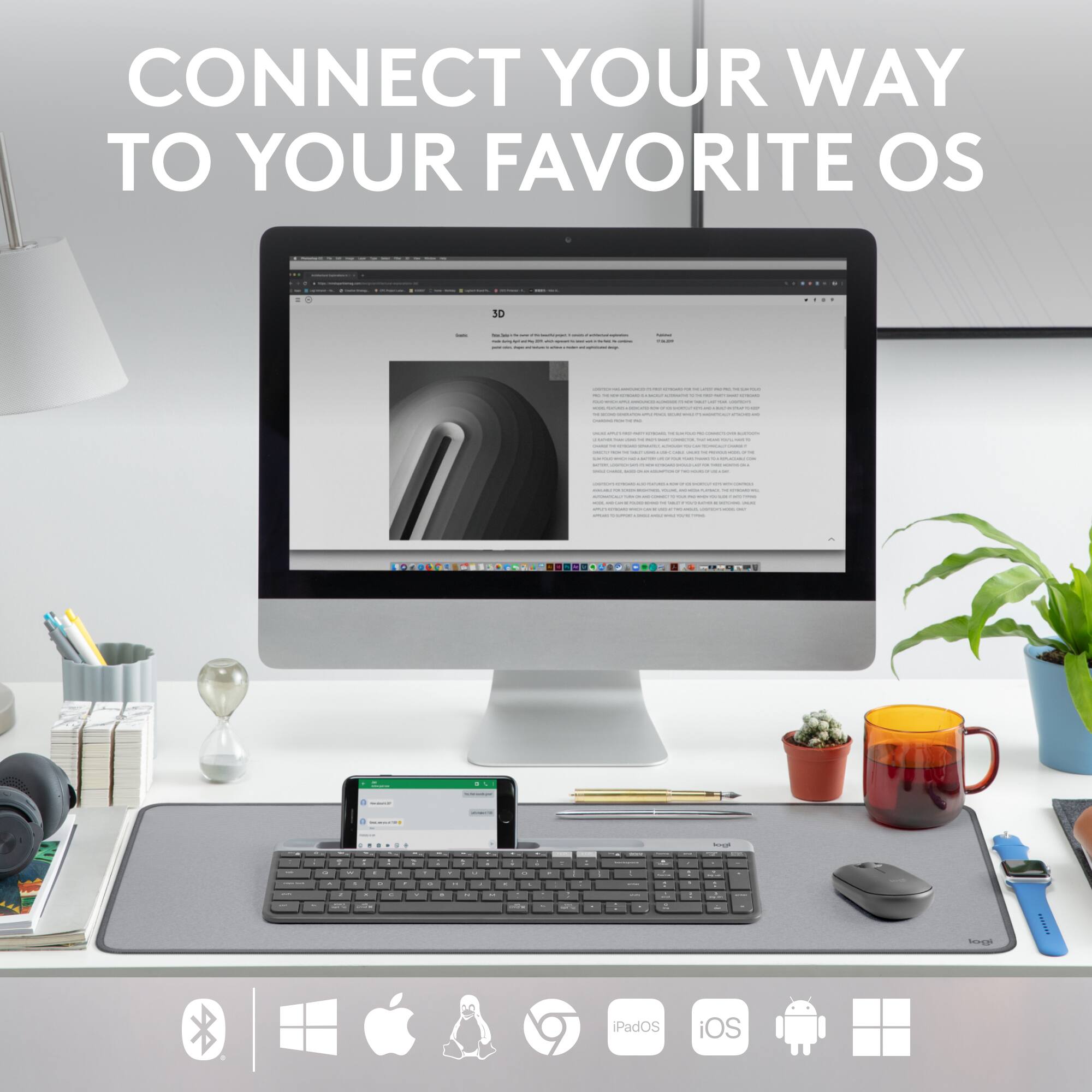
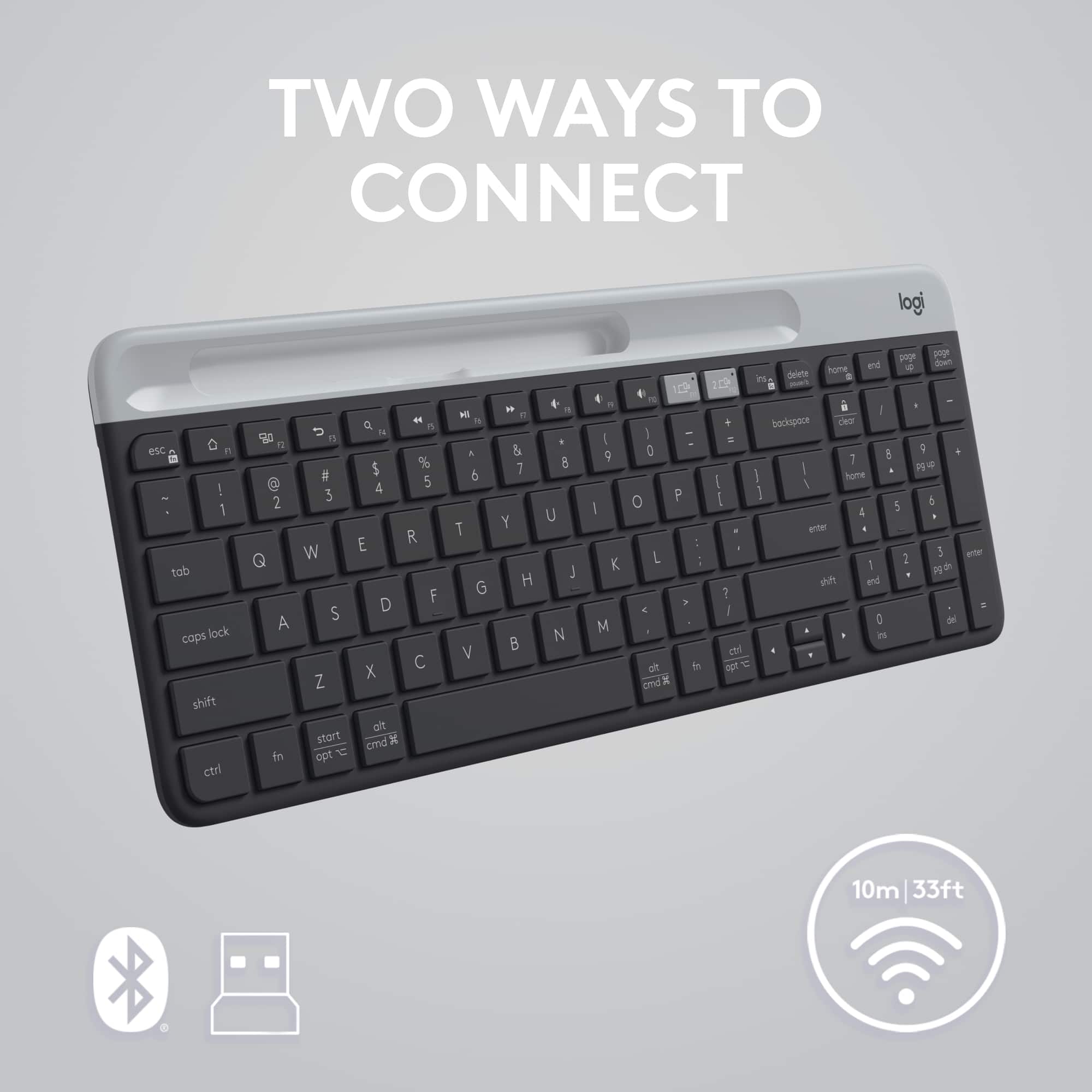
|Posted .This reviewer received promo considerations or sweepstakes entry for writing a review.GOOD - Molded in riser - Storage compartment for USB dongle - USB wireless and Bluetooth operation - Can switch between Windows and Mac modes - Decent keystroke feel for a chiclet keyboard - Good, solid frame BAD - Keys aren't backlit - No integrated rechargeable battery - Slot for holding mobile devices is too small for many tablets and phones TL/DR It's hard to go wrong with this keyboard for only $50. It can operate over two modes of wireless and will work with personal computers (Windows, Linux, and Mac), tablets, phones, and even gaming consoles. It can also switch between multiple devices on the fly. Construction feels solid, it doesn't bounce or flex under typing, and it has a compartment to store the USB dongle. The major letdown is the notch to hold your mobile device won't work with a lot of phone cases and is too small for many tablets. EXTRA DETAILS About the ways the K585 can connect, it has a wireless USB dongle that will work with just about any device that has a USB type-A port. Desktop and laptop computers, some larger tablets, even game consoles. The keyboard can also switch between standard modes for Windows/Linux, MacOS, iOS, Android, and ChromeOS. The K585 also has two keys that quickly switch it between the two devices you use most. The keys feel ... OK. They're not quite as light and crisp as a good laptop keyboard, certainly nowhere near as nice as a desktop mechanical keyboard. But they're lighter and not as squishy as older Logitech keyboards, or a lot of other cheap models. Under the top grey tray is housed the batteries and a compartment to hold the USB dongle when not in use. For better or worse, the batteries are normal AAA instead of an internal rechargeable battery. So while you can't just plug the keyboard in to charge it, the batteries should last for months. Logitech claims up to 24 months, but that seems a little dubious for any kind of regular use on the keyboard. Logitech also makes a big fuss about the notch in the top of the keyboard meant to hold a phone or mobile device. The feature is exaggerated at best. The slot is about 6.5 inches long and 0.5 inches thick. On the inside lip are two molded bumps meant to help prevent a phone or tablet falling out backwards. These bumps, along with the backward tilt of the slot, make the effective width only 0.4 inches. Being less then 7 inches long means it's too short to fit most tablets, and those that can fit can only be held vertically. It will hold an iPad Mini, but no other current iPad model. Android tablets mostly use a 16:10 or 16:9 display ratios, so some 10" tablets might just squeeze in, but not all of them will. Also, the slot being only 0.4" wide limits what kind of phone cases can fit in it. While the K585 can hold my previous two phones ( with cases ), my current Pixel in a Spiegen case is a tight squeeze. I have to carefully curve it around the retention lips to get it in. If you have a wallet-type phone case with card slots, forget about it. Also, many current phones have bulges on the back for cameras and multiple lenses. Depending on your particular model, and whether the camera bulge goes across the entire width of your phone, you may not be able to rest your phone horizontally in the slot, with or without a case. As a basic mobile-friendly keyboard, the K585 is pretty good. The phone slot could've been bigger to accommodate more devices, and there's plenty of extra space that could have been used. The other minor gripe is the lack of backlighting on the keys. But other than that, it seems a solid option.
I would recommend this to a friend- Pros mentioned:Keyboard quality
I wish I had found this sooner
|Posted .This reviewer received promo considerations or sweepstakes entry for writing a review.I got this keyboard for my current at home office set up. With changes that were made during the pandemic I started working from home more and found myself at times using 2 to computers simultaneously for work. I have been making 2 keyboards and 2 mice work forever and then I saw this item and thought "Why didn't I look for something like this before?". I paired this with another logitech mouse that I have that does the same. This saves a lot of hassle and clears the desktop a bit. The thin design and full size keyboard are easy to use, but one thing I didn't notice until I got it home was they crammed the 4 arrows below the right side enter key. Being right handed I hit the space bar more with my right hand and they made the space bar shorter to accommodate, so my fingers have to relearn the layout a smidge from the home line. It's like my laptop's keyboard, so I have some muscle memory for it, and I fall I line in a short while. I like the thin design, stylish, but doesn't effect function, the angle it sets at is good. The typing is quiet and responsive. The built in device tray is ok, but I have a large Samsung galaxy note 20 ultra with a case on it and it just barely fits there. That's OK, because I don't need my phone like that in front of me, but I have tested it. That slot will likely be my pen slot, which will work good. I'm prone to lose them if I don't have a designated spot, and that is front and center handy. The dongle also worked well, no issues when I tried it. I use windows based systems for work, but I do have a chromebook I could try this with, and an iPad, and I'm sure it would work well with them also, I just havn't tried because I have this on what I'm going to use it for. This appears in the ballpark cost wise with comparable keyboards, and I chose this because logitech has been my standard mouse/keyboard supplier since the 90's. So I do reccomend this. I give it 5 stars, because like I noted above, the only fault is retraining my fingers to fall right with the moved arrow keys vs full standard keyboard.
I would recommend this to a friend - Pros mentioned:Keyboard quality
Great multi-device keyboard with soft touch keys
|Posted .This reviewer received promo considerations or sweepstakes entry for writing a review.The Logitech Slim Multi-Device K585 keyboard has a nice sleek form function with low profile soft touch keys and laptop-like feel. Along the top edge is a cradle to put your phone into, I used my iPhone 12 in it with no issues at all. Connected via bluetooth by simply pressing and holding the grey device button on the top row for a few seconds until it starts flashing and then look for the keyboard on your device. The keyboard is quick and responsive when connected. I tested it with an iPad, it connects and functions just fine as well, but does NOT fit in the cradle, without tipping over the keyboard. I also connected to a Macbook Pro via bluetooth and it performed flawlessly as well. The full flunction keyboard with numeric pad as well was able to seamlessly switch between my Macbook Pro and my iPhone 12 instantly, making it easy to multi-task as a I work, and not having to pick up my phone, and be taken away from what I was working on. To be clear, I also connected to my Macbook via bluetooth, and not the included USB dongle that is located under the battery panel. That might be the one oversight by Logitech, to include a USB-C dongle as well as the USB-A dongle that comes with it. However, bluetooth has worked just fine. Typing on the keyboard is quiet, like a laptop, and according to Logitech, suggests that with normal use, the battery will last 24 months. That sounds like quite a stretch to me, even with the included Duracell batteries, but time will tell. I've only had the keyboard a week, and not 24 months! The compact form, while I have used it with Apple products, is designed to work with Windows machines as well and has dual printed markings on it as well. Overall, very happy with the keyboard and it will be integrated into my day to day use. I have been successfully using a previous Logitech keyboard without issues for about 3 years now, so see no reason why this one won't provide the same performance!
I would recommend this to a friend - Pros mentioned:Keyboard quality
Soooo close to being perfect!
|Posted .This reviewer received promo considerations or sweepstakes entry for writing a review.The K585 Full-size Wireless Scissor Keyboard for Windows, Mac, Chrome, Android with Built-in Cradle for device (in Graphite) is a solid offering from Logitech. I have long been a fan of the company's products and currently use several as daily drivers. The build quality is quite nice. It does not feel cheap in any way. Not a whole lot of flex to the plastics either which is a huge plus for me. I tend to be a bit heavy-handed when I type and I am not worried that I'll be damaging this one over time. Setting up and switching between devices has worked really well. I have my work and personal laptops side by side on my desk and switch between them with ease. It's so much better than having things plugged into a physical USB hub and moving that plug from one device to the other when I want to switch. I haven't used it a ton with mobile devices like cell phones or tablets, but I have done it and it works great as an external keyboard. Having the channel for devices to rest in isn't so great though. It's very narrow, so if you have a case on your device it probably won't fit. I have a magnetic arm for my iPad so that wasn't really an issue. Your mileage may vary, however. All in all, this is a solid pick for a decently priced multi-device keyboard from a reputable name in the tech accessory business and I will gladly continue to use it.
I would recommend this to a friend The keyboard I've been waiting for!!
|Posted .This reviewer received promo considerations or sweepstakes entry for writing a review.The perfect keyboard for me just doesn't exi…… With working from home for the past 3½ years, I've been looking for a multi-device keyboard with keypad in a more compact design from Logitech (my favorite keyboard and mice brand) to keep from having to either switch the USB receiver between my work laptop and home computer or switching between two separate keyboards. The closest ones that they have had were the K780 with 3 device connections available, but no separate home/end/page up/page down keys (which are a critical must-have for me), or the K580 Chrome OS edition, which I do have, but as the name states, the layout and main key functionality is primarily for Chrome OS (and Android as well), but doesn't work in the way I need it for Windows with having the Delete key moved to the Num Lock, and a device lock key where the Delete key is supposed to be (nothing like continuously locking the computer when trying to delete). So, I have been using my favorite Logitech keyboard design, a Logitech K470 (from the MK470 bundle), during that time, at first with switching the USB Receiver between the two computers, then with 2 of the same K470 keyboard, with switching them out at the beginning and end of the workday. I have been waiting for Logitech to come out with a multi-device version of that design to work with Windows. Well, FINALLY they have!!! The Logitech K585 is a nice, low-profile, "full-keyed" somewhat compact keyboard. It is compact in the way where it is not fully wide like normal full size keyboards, but still has the keypad (which is extremely important to me). Think of how a 15.6" laptop keyboard with a keypad is designed, with the keypad just to the right of the right edge of the main keyboard, the arrow keys below the right shift, Insert and Delete above the Backspace and Home/End/Page Up and Page Down moved above the keypad. The main body is about as thin as it can get with a slight, non-adjustable angle to it, and the keys are flat with not much rise to them, which for me, that is the way I prefer. If you've ever used a Logitech K360 (which is what I used to use prior to the K470), it is very similar in size and key layout, with a slight adjustment to the arrow key location and little different configuration (up and down are half-key sized). Since I am a programmer and am typing pretty much all day, I really like being able to somewhat glide between the keys, along with the shorter keystroke, and I also really prefer the quietness of the keys (they are very quiet!). If you like the clickety-click of some keyboards, you would be a bit disappointed in the near silence. At the top of the keyboard, there is a not too big slot available for setting your mobile device in. While I don’t plan to use it, it is a kind of nice to have feature, as long as your mobile device fits. Strangely, my 10.1" tablet actually fits better in it (even if it is a little too top-heavy to leave it in there) than my new Samsung S23 Ultra that doesn’t have a very thick case on it. To connect to your devices, it comes with one of their normal Unifying USB receivers (which is a return to normal from the K470, which was a single device group receiver tied only to the keyboard and mouse it came with). Connecting the second device is fairly simple. You'll press and hold the #2 device switcher button until it starts flashing (a little over 3 seconds or so), then it is ready to connect to Bluetooth or another Unifying receiver (if you happen to have any extras like I do from all the Logitech keyboards and mice we have been/are still using for many, many years). To connect with any additional Unifying receiver, typically it would still be done with using their older, but still functional Logitech Unifying Software, even when going through the Logitech Options software (that is also used to configure the keyboard, and mice if you have/get one of their latest ones). But, while downloading an updated version, I noticed that they have a newer configuration application called Logi Options+, which has a redesigned interface (which is a well-done upgrade over the original Options app, in my opinion), as well as being able to add devices to the Unifying receiver from directly in the app. In addition to the USB receiver, it can also be connected via Bluetooth, which is done in the computer's Bluetooth settings. To finish pairing, a code must be typed in using either the top number or the keypad, then Enter. While I will be using this mainly on PC's, I did do a quick connection test to my Tablet, which it works great just as well. There is a keystroke set that can be performed to change the layout from Windows/Android to Mac OS or iOS, which reassigns the function of a few keys. Also, if wanting to use the Function/shortcut keys as default Function keys (F# keys) like I do, there is a setting in Options(+) to set that default "function"ality…. One thing that you may notice, at least as of the time I submitted the review, is that the keyboard still presents itself in the Bluetooth pairing and in the Options(+) apps after connecting as a K580 (Chrome OS version from a few years ago that this seems to be based on) instead of K585, although the image of the keyboard in Options apps is actually correct. This doesn't affect how it works or is configured. I'm guessing that will eventually get updated (via a software update or a firmware update). Although it isn't specifically a "gaming" keyboard, I find it responsive enough while playing to still use it with no issues. So, having this new K585 keyboard alongside the multi-device M720 mouse I have used for years (which is great itself with 3 device connection available), switching from working on my laptop to my personal computer for evenings/weekends has now gotten a lot more simple!! If you are looking for a multi-device keyboard and are good with it being flat-keyed, quiet, and somewhat compact, definitely take a look at this one!
I would recommend this to a friendDecent portable keyboard, better than previous
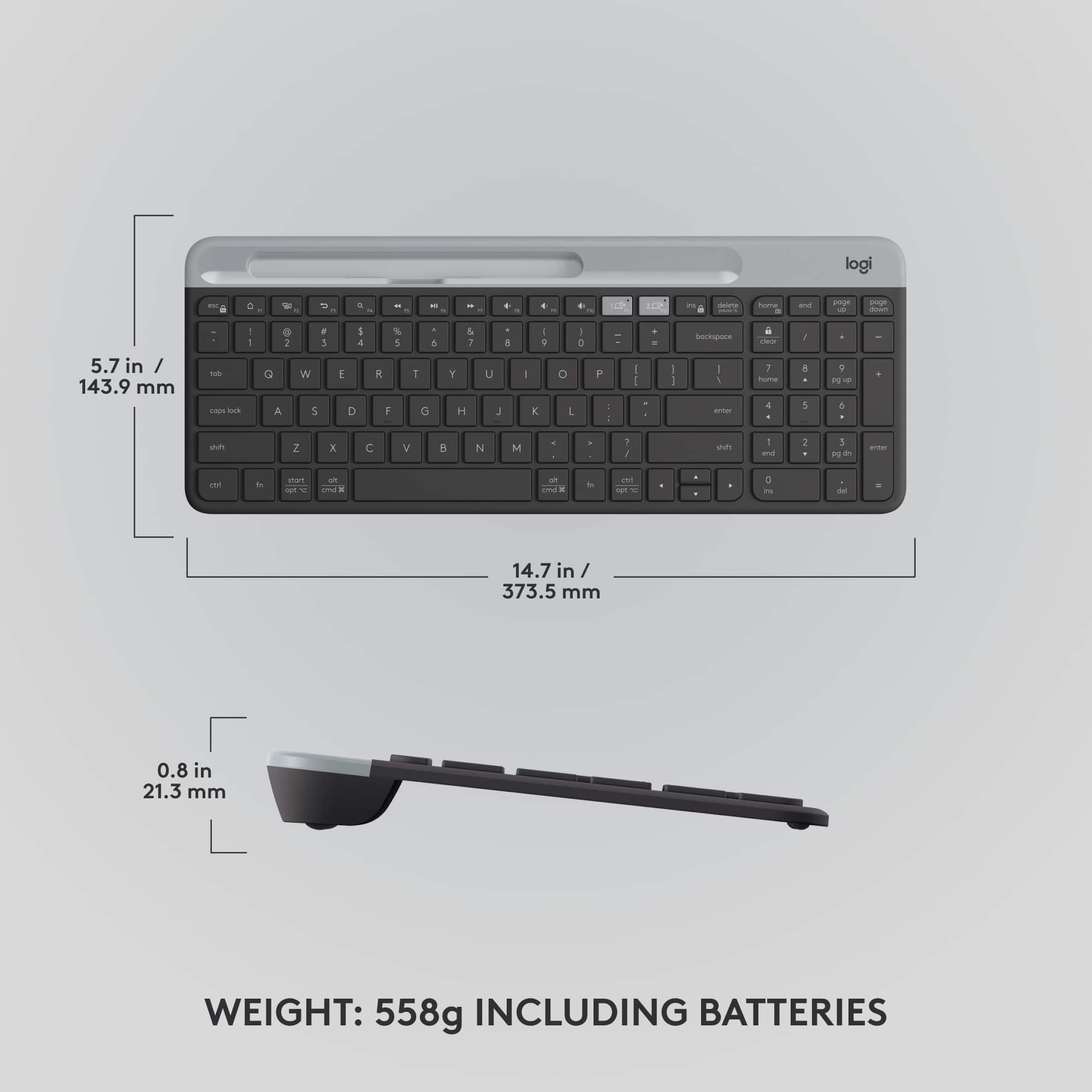
|Posted .This reviewer received promo considerations or sweepstakes entry for writing a review.I previously owned an MK470 keyboard and mouse combo. This K585 keyboard is very similar to the keyboard included in the MK470 combo. The thinness of the keyboard is still quite impressive. It's about 4.5mm thick for most of the keyboard, at the top of the keyboard is the battery compartment, USB dongle storage and additional slot. The K585 runs on two AAA batteries that are included. The compartment measures about 19mm thick without the rubber feet. This gives the keyboard its tilted angle. There must be a steel plate to give the keyboard its rigidity and weight. This weight is useful when using on a table so that the keyboard doesn't move away from you as you're typing. The weight is distributed very well, but it does weigh just a little more than most full size keyboards. One of the things that irked me about the MK470 keyboard was a void just under the cover. I thought that Logitech could do better back then by adding a slot on the cover for a pen. Logitech came back with the K585 and did one better. Yes it can fit a pencil/pen, but it's actually to hold a tablet/phone. While it does a decent job with either mobile devices, if you have a decent case, it's not going to fit in the slot. The slot is only about 12mm thick. You can connect this keyboard via the included USB dongle or via Bluetooth. It has two buttons in lighter color gray so you can toggle between two devices. What I find strange is that the K585 is a newer product so I was expecting it use the Logitech Bolt dongle. But it's still the Unifying receiver. Typing on the keyboard is pretty comfortable. The keys have a travel distance of about 1.5mm. The overall angle is something I'm comfortable with, but the K585 does not have any flip down legs to adjust the typing angle. Unfortunately, the tradeoff for a compact keyboard is that some of the keys and the key spacing has to shrink. Most of the keyboard is fine, but the function keys, and the arrow keys have been shrunk. The up and down arrow keys bother me the most, both of them combined is equal in size to either of the left or right arrow keys. I use the up and down arrow keys more than the left or right so I would like them larger. The footprint of the arrow keys is about the size of the shift key and are located just under the shift key with not enough separation from the rest of the keyboard. I do, however, like that the K585 has a numeric keypad. Another improvement over the MK470 keyboard is that the K598 now has a power switch. But it is still lacking indicator lights for the Caps, Scroll and Num locks. Overall, the Logitech K585 slim keyboard does a decent job as a portable keyboard. It corrects most of my complaints over the MK470 keyboard. It connects to my computer via the Unifying receiver, but it can connect to my mobile devices via Bluetooth. But I have to dock 1 star because of the small arrow keys.
I would recommend this to a friendLove it Can I get it In Purple?
Posted .This reviewer received promo considerations or sweepstakes entry for writing a review.I'm not a 5 Star kind of girl but this keyboard deserves it purchased it for work needed something low profile that could be relocated for more counter space when needed but I also wasn't trying to break the bank... love that phone prop and the added bonus of swapping between devices (and it's a simple process.) its light weight, the key stroke isn't loud, and I can still type when I have my nails done, work doesn't stop when I'm in Diva mode. the only drawback or negative remark I must make is that you can't adjust the angle height but that's not worth a star deduction.
I would recommend this to a friendCradle Does Not Fit Smartphone Even With Slim Case
|Posted .This reviewer received promo considerations or sweepstakes entry for writing a review.I used this wireless keyboard simultaneously with my iMac (24-inch 2021 version) and iPhone (14 Pro Max). If you like the thinness, chiclet-style keys, and overall profile of the typical Apple branded wireless keyboards, you'll like this because it feels quite the same. It takes two triple A batteries instead of having a rechargeable battery, and has an overall lower-quality plasticky feel versus Apple wireless keyboards, but it is also at a very different price point so that's understandable and acceptable. I paired this wireless keyboard via its USB receiver to my iMac, while at the same time pairing it via Bluetooth to my iPhone. The cradle situated at the top of the keyboard which is for placing one's smartphone may be convenient, but my iPhone (which has a slim case, not bulky at all) would not fit in it. It's wide enough to fit my iPhone Max in landscape mode (and most probably other larger-type smartphones) but only if I take off the case. While I do like the parallels to Apple branded wireless keyboards (in functionality especially), the easy switching between typing on my iMac and typing on my iPhone, the numeric keypad, and the overall typing feel--the keys have a good travel and soft, quiet clicking--I cannot get over the fact that I have to take off my iPhone case every single time I would want to place it in the cradle that's supposed to be a convenient "stand" for the iPhone (or any smartphone). It basically defeats one of the main purposes of this particular keyboard. I, like most others, tend to use my iPhone with a case on it. And as I mentioned previously, I have quite a slim case on my iPhone and it still did not fit. For this reason alone, I docked my review rating to 3/5 stars.
No, I would not recommend this to a friendNope, Bluetooth is buggy
|Posted .This reviewer received promo considerations or sweepstakes entry for writing a review.I have been on the hunt for a keyboard that would offer me the ability to quickly swap between two computers and this one fit the bill. The first keyboard I received would not go into bluetooth pairing mode no matter what I did. I did try on multiple computers as well as my iPhone and no bluetooth signal was ever emitted from that keyboard. Logitech was nice enough to send me a replacement very quickly though and on the second keyboard the bluetooth did work but seemed a bit erratic. If you want this keyboard simply to use with one computer via USB then I think you will be happy, so long as the style of keyboard with short, very snappy but somewhat mushy feel that many laptop keyboards have, then you will be just fine. However, if you want to use the bluetooth and/.or the easy switch mode between two computers, then maybe wait to see if this one gets a firmware update and/or simply gets to working better. Out of the box it's a very quick and easy setup with minimal documentation. I realize that now everything is online so documentation is very minimal. The trend towards only using pictures though to get over the language barrier is sometimes difficult to understand what is meant. The documentation for this keyboard is just fine, however when you have problems you wonder if you're interpreting the picture correctly or not. A search online did not find much in the way of support with actual words but I think, in my case, I overthought the process a little. First, the second computer I was trying to attach the keyboard to is a new Alienware laptop and it has some real bluetooth issues, as in the bluetooth shows connected to various items but there's no ability to add a new item. This, of course, muddies the waters greatly but after figuring out that computer was not going to ever work I did try this product on another computer, as I have several. The same issue was present in all computers that I tried it on, the bluetooth is just unreliable and slow to connect. There is no "quick switch" at all. Instead you hit the button for PC 1 or PC 2 and hold for 3 seconds, which is what my picture shows me. Then maybe, or maybe not, you can type. I tried just hitting the button without holding it for 3 seconds and nothing happens. But 3 seconds seems to send it into a pairing mode. I did have it working briefly, after hours of messing with it with various computers. It was fantastic. I was able to switch between two computers with relative ease. Unfortunately that only lasted about 10 minutes, then when I came back from a snack I found that the keyboard would not type on my Mac at all. I went into the bluetooth area and saw that it was listed but not connected. I imagine this is due to some sort of energy saver feature on the keyboard. I thought, ok, well just re-pair it. I tried and it was another 5 to 10 minutes of nonsense and finally this morning I came in after having it paired last night, go to type and it's not paired again. I gave up and swapped it out. I really am used to gaming keyboards so I do not like this keyboards chiclet type keys at all. However, I can tolerate it if the switch between two computers actually worked as advertised. It does not though and it seems that this product just needs to get a refresh to figure out how to better make the switching between two PC's work. I gave this 2 stars instead of 1 because it does have potential. It also has a very good company in Logitech standing behind it and so I am sure they will fix the issues in the near future. Right now I could only recommend this if you enjoy this style of keyboards keys/typing and you only need to use it through the USB dongle. P.S. It is not in the documentation written but as a picture instead. To get to the USB toggle you pull the top of the keyboard grey area off gently and reveal an internal opening which has it. I suppose if you wanted you could store some other small items in this area ;)
No, I would not recommend this to a friendBrand response from Logitech
Posted .We appreciate your detailed feedback and apologize as the product did not meet your expectations. We take product design and quality very seriously, and we apologize for falling short in this area. Your feedback is instrumental in helping us improve our services and products.
Great Price, Cool Feature
Posted .This reviewer received promo considerations or sweepstakes entry for writing a review.Pretty good keyboard. A little small. I like that you can connect to 2 devices and switch with the click of a button. pretty cool feature.
I would recommend this to a friend