Customer Ratings & Reviews
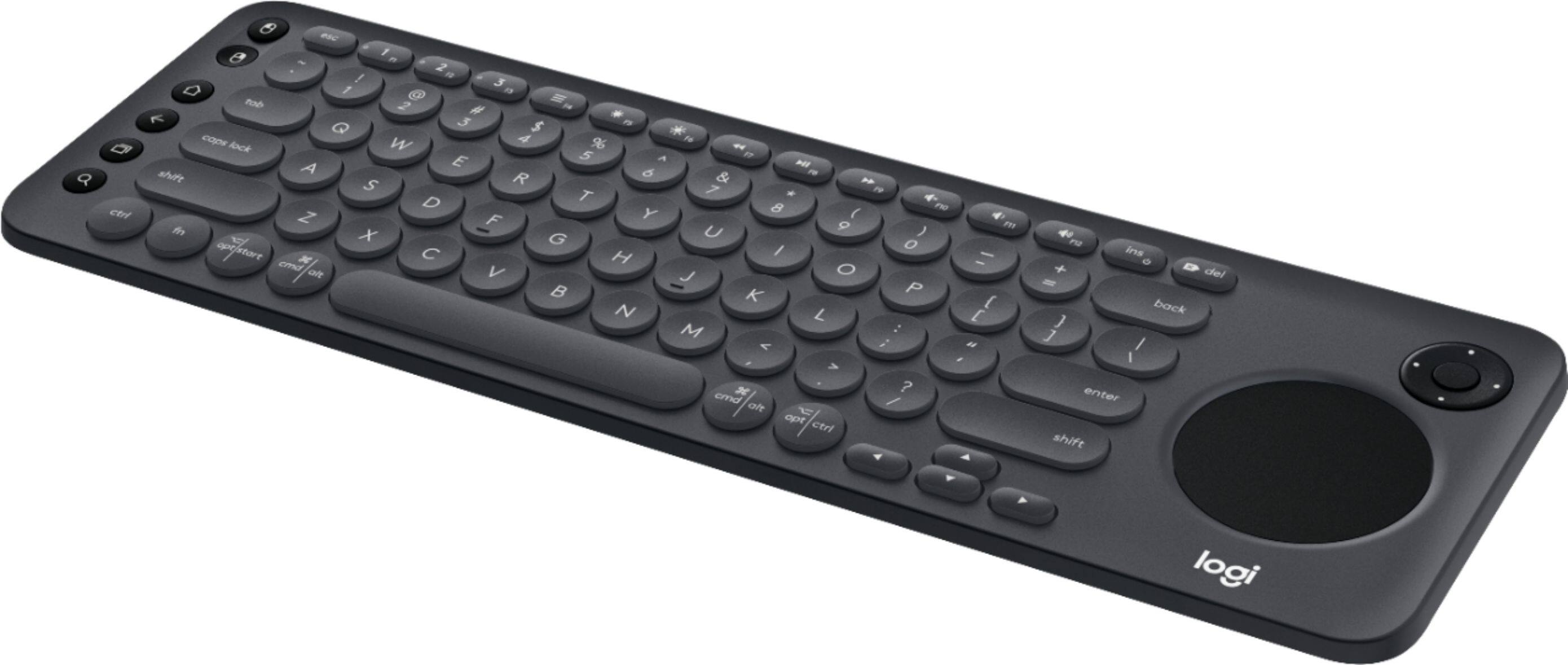
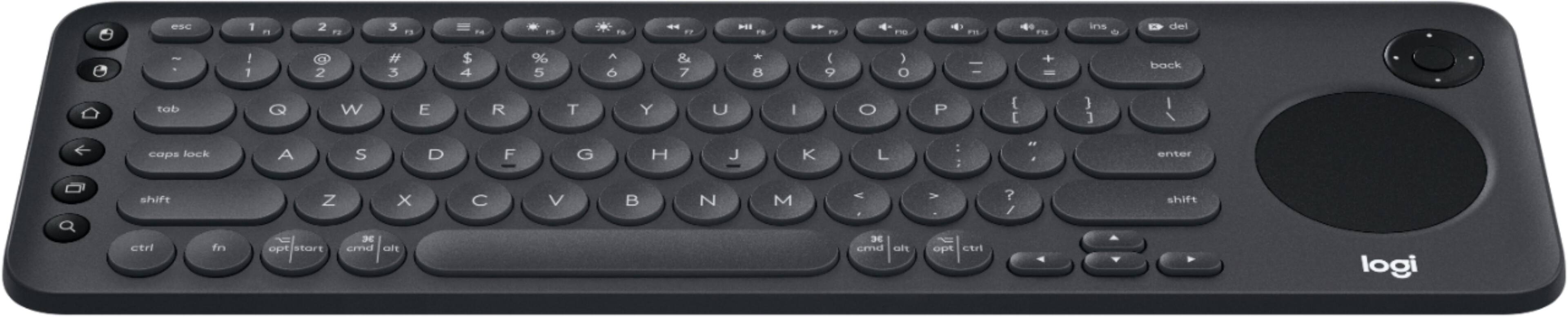
![The image shows a close-up of a keyboard with the text "esc 1 F 2 P2 3 F3 M4 P5 F6 4 F7 I F8 4 P9 F10 FI! F12 ins O * del ! 1 2 # 3 $ 4 % 5 A 6 & 7 * 8 ( 9 ) 0 - - + = back tob Q W E R T Y U I O P { [ ] ] I / caps lock A S D F G H J K L : ; < . > ? / shift ctrl fn opt start x cmd alt x cmd alt opt ctrl logi" written on it. This text is likely a description or instructions for using the keyboard.](https://pisces.bbystatic.com/image2/BestBuy_US/images/products/6282/6282604_sd.jpg)

- Model:
- 920-008822
- |
- SKU:
- 6282604
Customer reviews
Rating 4.4 out of 5 stars with 631 reviews
(631 customer reviews)Rating by feature
- Value4.3
Rating 4.3 out of 5 stars
- Quality4.6
Rating 4.6 out of 5 stars
- Ease of Use4.4
Rating 4.4 out of 5 stars
Customers are saying
Customers are positive about the K600 TKL Wireless TV Keyboard's ease of use, convenient touchpad, and compact size. Many appreciate its wireless functionality, compatibility with smart TVs, and lightweight design, making it easy to transport. However, some customers find the price to be a bit high and have experienced compatibility issues with certain TV models. The overall user experience is largely positive, focusing on the keyboard's usability and convenience.
This summary was generated by AI based on customer reviews.
Rated 5 out of 5 stars
I love it
||Posted . Owned for 1 year when reviewed.This reviewer received promo considerations or sweepstakes entry for writing a review.Bought this to use with my Samsung smart tv. It works through wireless connection to the tv. You can use it with netflix, hulu, you tube, amazon etc. It makes typing a title for a search so much easier!
I would recommend this to a friendRated 5 out of 5 stars
great keyboard that works with my smart TV
||Posted .This reviewer received promo considerations or sweepstakes entry for writing a review.i love that this keyboard works with my samsung smart tv and i can type in my shows and navigate with the arrows through the UI of my smart tv definitely a huge plus to use when i need it and works great with my computer and laptop switching between each flawlessly
I would recommend this to a friendRated 5 out of 5 stars
Grandson says it is awesome
||Posted . Owned for 3 months when reviewed.This reviewer received promo considerations or sweepstakes entry for writing a review.I bought this for my grandson for his birthday. He tells me it is awesome, I don't use it so I have to rely on him. Easily portable as he moves it back and forth between mom and dad's places. Appears to be durable with all the movement.
I would recommend this to a friendRated 5 out of 5 stars
Pretty good
||Posted .This reviewer received promo considerations or sweepstakes entry for writing a review.Nice to have the ability control mouse pointer from this small portable keyboard. Only downside is the unconventional key layout that can be hard to use in the dark.
I would recommend this to a friendRated 4 out of 5 stars
LogitechK600
||Posted . Owned for 1 month when reviewed.This reviewer received promo considerations or sweepstakes entry for writing a review.I like it, but would love it if the mouse pad would work - that's part of the reason why I bought it. If someone can call and show me how to do it, that would be great. I'll be waiting...
I would recommend this to a friendRated 5 out of 5 stars
Fantastic Multitasking Tech
||Posted . Owned for 1 month when reviewed.This reviewer received promo considerations or sweepstakes entry for writing a review.A very helpful keyboard that effortless connects to your TV to browse, than switch to answer a message on your phone with the keyboard with a smooth transition. Can connect up to 3 devices at the same time. Highly recommend!!!!!
I would recommend this to a friend- Cons mentioned:Price
Rated 3 out of 5 stars
It's okay...way over priced....
||Posted . Owned for 2 weeks when reviewed.This reviewer received promo considerations or sweepstakes entry for writing a review.Like the thought of it but too big and too pricey for what it does. Sadly, you can get something similar and way cheaper on any competitors site.
No, I would not recommend this to a friend Rated 4 out of 5 stars
Actually Works
||Posted . Owned for 3 weeks when reviewed.This reviewer received promo considerations or sweepstakes entry for writing a review.Actually works with Netflix. I don't have to use the remote to type my search, the keyboard works with the program! Reduced my search time from 45 minutes, down to just seconds, LOL!
I would recommend this to a friendRated 4 out of 5 stars
As expected
||Posted . Owned for 7 months when reviewed.This reviewer received promo considerations or sweepstakes entry for writing a review.Works good with our Samsung smart tv. However, not all apps on the tv are compatible with a keyboard. That was disappointing. But I think that’s on the app, not the keyboard.
I would recommend this to a friendRated 5 out of 5 stars
awesome
||Posted . Owned for 3 weeks when reviewed.This reviewer received promo considerations or sweepstakes entry for writing a review.love the versitility of this keyboard. hooked up to an lg oled tv or i can use it on any computer if i so choose to do so. highly reccomend for anyone needing a new keyboard!
I would recommend this to a friendRated 5 out of 5 stars
As expected
||Posted . Owned for 1 month when reviewed.This reviewer received promo considerations or sweepstakes entry for writing a review.Works flawlessly, they just messed up by not installing usb charging tech. Their battery's supposed to last a year, and then what? Otherwise good product, I use it on android phone paired to a tv with miracast
I would recommend this to a friendRated 5 out of 5 stars
Works with my Mac mini media center set up
||Posted .This reviewer received promo considerations or sweepstakes entry for writing a review.I didn’t want to spend a million dollars on the Mac trackpad and keyboard for my Mac mini I’m using as a media hub. This works perfect. But if I used the computer daily for several hours, I would want a separate mouse.
I would recommend this to a friendRated 5 out of 5 stars
Works like it should
||Posted . Owned for 10 months when reviewed.This reviewer received promo considerations or sweepstakes entry for writing a review.We use for our smart tv in living room since our dog has eaten every remote. Works great, just wish it had a backlit keyboard so you could see keys in the dark
I would recommend this to a friendRated 4 out of 5 stars
Good, but trackpad is bad
||Posted . Owned for 3 weeks when reviewed.This reviewer received promo considerations or sweepstakes entry for writing a review.Got this for my samsung smart TV. Its good that I can connect to 3 devices and switch between then easily and fast. Not giving five starts as the trackpad could have been better.
I would recommend this to a friendRated 5 out of 5 stars
Great TV/HTPC Keyboard.
||Posted . Owned for less than 1 week when reviewed.This reviewer received promo considerations or sweepstakes entry for writing a review.Really love this keyboard for our HTPC. The fit and finish is what I expect from Logitech and the layout of the buttons is nice and perfect for using while on a couch or bed.
I would recommend this to a friend- Pros mentioned:Ease of use, Touchpad
Rated 1 out of 5 stars
It's small and easy to use but acts weird
||Posted . Owned for 5 months when reviewed.This reviewer received promo considerations or sweepstakes entry for writing a review.This keyboard s easy to use. has a great look to it. However, it does not have the caps lock light so you do not know whether is off or on. Additionally, it manually goes from one place to another while you are typing, is kinda strange so you will find yourself typing somewhere else on the doc and not at the same place you were at before.
No, I would not recommend this to a friend Rated 5 out of 5 stars
Great couch keyboard, good battery life
||Posted . Owned for 10 months when reviewed.This reviewer received promo considerations or sweepstakes entry for writing a review.Great couch keyboard. Good on power and function. One issue is the function key row: Hard to know when you are hitting the right key. Takes some getting used to.
I would recommend this to a friendRated 5 out of 5 stars
Nice keyboard for Smart TV
||Posted .This reviewer received promo considerations or sweepstakes entry for writing a review.After spending $$ for a new TV, I didn't want to use the remote to slide left/right/up/down for inputting text. This was a decent price and is customizable to different manufacturers/models. Works great with my TV!
I would recommend this to a friend- Pros mentioned:Touchpad
Rated 3 out of 5 stars
Good product but confusing set up
||Posted . Owned for 2 months when reviewed.This reviewer received promo considerations or sweepstakes entry for writing a review.Works well now, good quality but the set up leaves you on your own and was not user friendly
No, I would not recommend this to a friend Rated 5 out of 5 stars
What does greet with my Samsung smart TV
||Posted . Owned for 3 weeks when reviewed.This reviewer received promo considerations or sweepstakes entry for writing a review.This hooked up with my Samsung smart TV in a snap Ology it was plugged in the dongle into the USB port and it was recognized immediately. For me the trackpad on the keyboard works great I didn’t need a mouse
I would recommend this to a friend