Customer Ratings & Reviews
![The image shows a close-up of a keyboard with the text "esc 1 F 2 P2 3 F3 M4 P5 F6 4 F7 I F8 4 P9 F10 FI! F12 ins O * del ! 1 2 # 3 $ 4 % 5 A 6 & 7 * 8 ( 9 ) 0 - - + = back tob Q W E R T Y U I O P { [ ] ] I / caps lock A S D F G H J K L : ; < . > ? / shift ctrl fn opt start x cmd alt x cmd alt opt ctrl logi" written on it. This text is likely a description or instructions for using the keyboard.](https://pisces.bbystatic.com/image2/BestBuy_US/images/products/6282/6282604_sd.jpg)

- Model:
- 920-008822
- SKU:
- 6282604
Rating by feature
- Value
Rating 4.3 out of 5 stars
- Quality
Rating 4.6 out of 5 stars
- Ease of Use
Rating 4.4 out of 5 stars
Customers are saying
Customers are positive about the K600 TKL Wireless TV Keyboard's ease of use, convenient touchpad, and compact size. Many appreciate its wireless functionality, compatibility with smart TVs, and lightweight design, making it easy to transport. However, some customers find the price to be a bit high and have experienced compatibility issues with certain TV models. The overall user experience is largely positive, focusing on the keyboard's usability and convenience.
This summary was generated by AI based on customer reviews.
Works as expected.
||Posted . Owned for 3 weeks when reviewed.This reviewer received promo considerations or sweepstakes entry for writing a review.The keyboard works well; however, it is very large for its purpose. I used it a few times but considering returning it.
No, I would not recommend this to a friendMeh
||Posted . Owned for 1 year when reviewed.This reviewer received promo considerations or sweepstakes entry for writing a review.I learned that I’d rather use a mechanical keyboard in all situations. Too lightweight. Returned.
No, I would not recommend this to a friendNot what was expected
||Posted .This reviewer received promo considerations or sweepstakes entry for writing a review.Not what was expected & set up was more complicated due to not being able to access the website on some browsers.
No, I would not recommend this to a friendNeeds more improvements on keys.
||Posted . Owned for 8 months when reviewed.This reviewer received promo considerations or sweepstakes entry for writing a review.I love the idea of this product but the keys aren’t good enough for me.
I would recommend this to a friendBad
||Posted . Owned for 1 year when reviewed.This reviewer received promo considerations or sweepstakes entry for writing a review.Horrible compatibility hard tu use and difficult to connect
No, I would not recommend this to a friendSoftware issue
||Posted . Owned for 11 months when reviewed.This reviewer received promo considerations or sweepstakes entry for writing a review.Keyboard set up for two finger scrolling disabled but still active. I gave up.
No, I would not recommend this to a friendDoesn't type on most apps
||Posted .This reviewer received promo considerations or sweepstakes entry for writing a review.Doesn't type on most of my TV apps, like Netflix and Amazon, for instance. Not sure why. But it's kinda useless if I can't type with it. Sometimes just does 1 letter of 2, but never let's me finish. May be returning it.
No, I would not recommend this to a friendBrand response from Logitech
Posted .Hi JsrTx,,
Thank you for your feedback. It is greatly appreciated. If you ever need assistance, please contact Logitech Support on the website. LaShonda from Logitech
not good for entertainment tv
||Posted . Owned for 3 weeks when reviewed.This reviewer received promo considerations or sweepstakes entry for writing a review.trackpad sucks, compared to my other trackpads. Should have took it back.
No, I would not recommend this to a friendGreat Product
||Posted . Owned for 2 months when reviewed.This reviewer received promo considerations or sweepstakes entry for writing a review.Stylish and reliable. Great alternative buy compared to the more expensive ones.
I would recommend this to a friend- Pros mentioned:Touchpad

Solid Media Laptop for PC, SmartTV or Phone
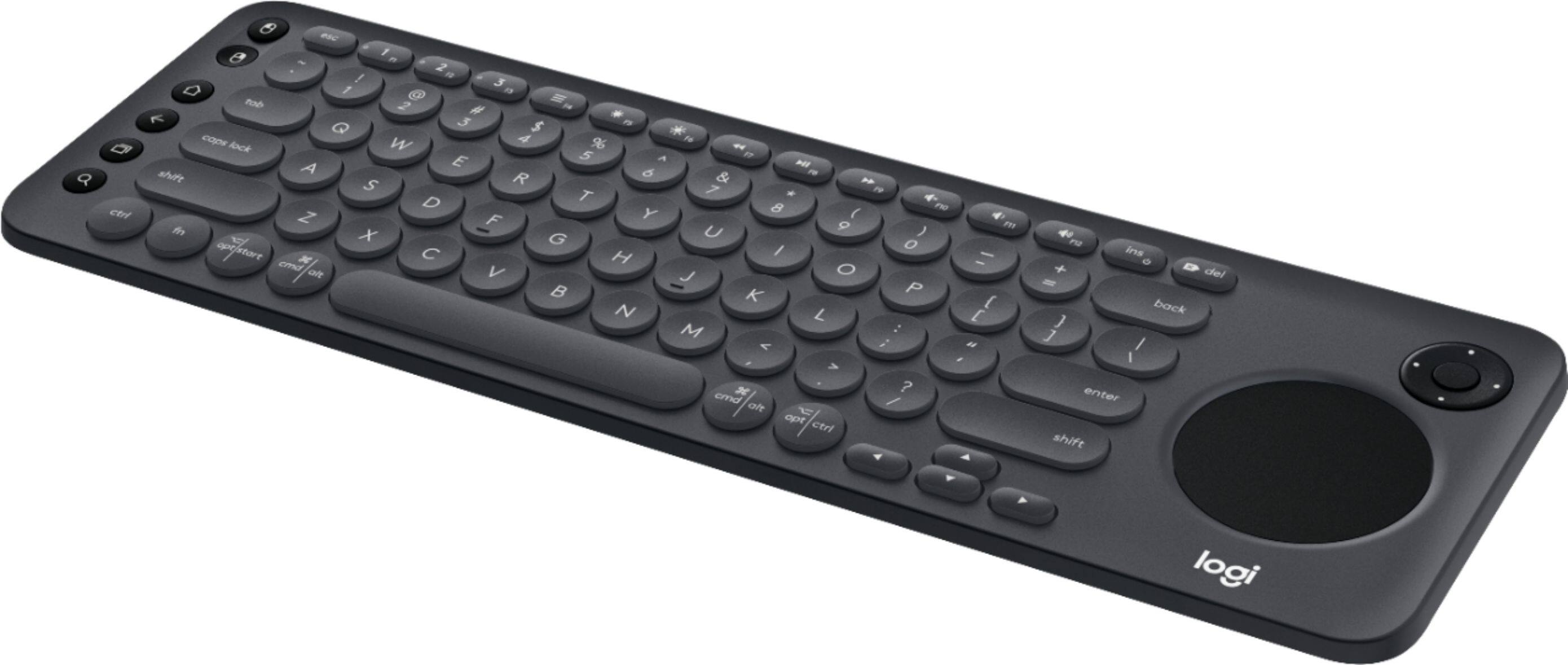
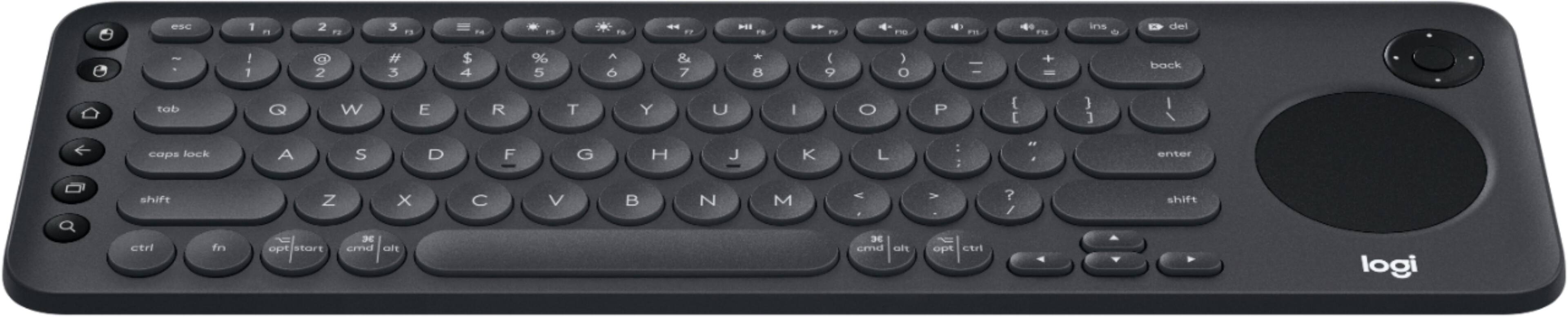
|Posted .This reviewer received promo considerations or sweepstakes entry for writing a review.I love Logitech products in general for their ease of use and innovative design for all of the technology gadgets that we use in our day to day. For a few years I've been using the Logitech K830, which was a nice upgrade for my HTPC from the more basic Logitech K400/plus. The K600 looks to be an intermediate keyboard in terms of both price and build quality, but it does offer additional functionality in the form of bluetooth connectivity for smart devices like phones and tablets. Here's some positives: +Compact and sturdy design. Its rigid plastic so it doesn't feel cheap to hold and doesn't creak or make any cheap plastic sounds. +Solid typing, trackpad, and dpad. The addition of the dpad nicely replaces the remote control dpad, and while the trackpad isn't as good as the K830 it certainly works fine. The typing takes a bit of getting used to with the circular buttons, but they actually feel a bit more solid than the K830 which was pretty spongy. +Pairing over bluetooth is simple, just go to your bluetooth settings and choose the K600, enter the 6 digit pin and ENTER on the keyboard. Pairing with smart TVs and PC is easy with just using plug and play using the USB receiver. Switching between applications is easy as well using the opt/start key. Overall the K600 feels a lot more quality than the K400/+ as you would expect. It also doesn't have the shared/truncated arrow keys and right Shift key that folks complained about on the K400/+. In terms of negatives: -No LED illumination. K830 has light up keys which helps a lot for a HTPC/Smart TV laptop. -Cheap battery casing, no built-in battery. The K830 has a built-in battery and can be charged using micro-USB which gives it a much higher quality feel. The housing for the batteries (2xAAA) is also flimsy and while the plastic isn't cheap in build quality, it doesn't feel like a very high quality device. Overall a solid wireless keyboard option from Logitech that won't wow you in looks or build quality, but definitely works great in function. A step-up in every way over the cheaper and popular K400/plus but not an improvement in build quality over the K830.
I would recommend this to a friend Works
||Posted .This reviewer received promo considerations or sweepstakes entry for writing a review.Like the touch mouse option. Also good since it’s mac/pc compatible.
I would recommend this to a friendBetter have a new tv
||Posted .This reviewer received promo considerations or sweepstakes entry for writing a review.Doesn’t work with my tv. Needs to be with a brand new television.
No, I would not recommend this to a friendgood for computer, not for your TV.
||Posted .This reviewer received promo considerations or sweepstakes entry for writing a review.Setup was a little difficult & does not always sync up with device.
No, I would not recommend this to a friendok. should have went wirth cheaper mode;l
||Posted .This reviewer received promo considerations or sweepstakes entry for writing a review.average at best. Does not work with most smart tv's. Nice form factor
No, I would not recommend this to a friendRemote
||Posted .This reviewer received promo considerations or sweepstakes entry for writing a review.Got it so I can use with my tv from my couch. Great!
I would recommend this to a friendNot too impressed
||Posted .This reviewer received promo considerations or sweepstakes entry for writing a review.Average system, I expected a lot more for this system!!!
No, I would not recommend this to a friendIt’s the best they got
||Posted .This reviewer received promo considerations or sweepstakes entry for writing a review.It needs a scroll button as well but otherwise ok.
I would recommend this to a friend- Pros mentioned:Touchpad
No backlight, but still a great keyboard
|Posted .This reviewer received promo considerations or sweepstakes entry for writing a review.The Logitech K600 keyboard is an easy way to type on my smart TV. I have a LG UH8500 series TV with WebOS installed and trying to enter passwords or searches using the remote is always cumbersome. This keyboard allows you to just type normally and it is fast and responsive. The included touchpad and D-pad function as a mouse would, and the onscreen cursor will move to where you want it to. Installing it on my TV was also a breeze. I just plugged in the USB dongle, opened a web browser on my TV and visited the Logitech set up page and followed the instructions. I was also able to set up the keyboard to work with my Dell laptop (connected via BT) and to my Note8 as well for a total of 3 devices. I can quickly switch between the three devices with the 3 connection buttons on the top row of the keyboard. It is a QWERTY keyboard, so typing is familiar, but it is a little small so typing for a while is not what it is designed for, but it does work great for those quick things you need it for. It takes two AAA batteries to function and in the battery compartment it does have a spot to store the USB dongle, so you won’t lose it. My only gripe with the keyboard is that it does not have a back light. It would have been nice to have that feature since most of the time I am watching TV my living room is a little on the dark side. Other than that, I really like using this and it’s a much better option than using the magic remote that came with my TV.
I would recommend this to a friend Keyboard doesn’t work as I thought it would.
||Posted . Owned for 1 month when reviewed.This reviewer received promo considerations or sweepstakes entry for writing a review.Disney + and CBS All Access don’t work with Smart TVs. I can’t make it work with You Tube search either. This may not be the keyboard’s fault. But, the instructions are scant and I’m technical.
No, I would not recommend this to a friendBrand response from Logitech
Posted .Hi, sorry to see you're having some functionality issues with your K600 keyboard. You do have a 1 year limited warranty that can be claimed to get a replacement sent to you. But if you have any questions, check out the Logitech support page at https://support.logi.com/hc/en-us/articles/360023300214. Hope that helps.
Disappointed
||Posted . Owned for 1.5 years when reviewed.This reviewer received promo considerations or sweepstakes entry for writing a review.It is a sad entry into a history of fun keyboards. It has a slipper back for something meant to be held. And the touch pad died. I am going to pretend that is just bad luck
No, I would not recommend this to a friendBrand response from Logitech
Posted .Hello, I am so sorry to hear about the touch pad dying on you. I am not sure how long you have had the device but it does come with a 1 year warranty. So, we can get it replaced for you if it is in that time window. Here is the link in order to file a claim: https://support.logi.com/hc/en-us/articles/360025079913-Warranty-K600-TV-Keyboard. I hope this helps! Thank you for taking the time to write this review, we appreciate the feedback.