Customer Ratings & Reviews
![The image shows a close-up of a keyboard with the text "esc 1 F 2 P2 3 F3 M4 P5 F6 4 F7 I F8 4 P9 F10 FI! F12 ins O * del ! 1 2 # 3 $ 4 % 5 A 6 & 7 * 8 ( 9 ) 0 - - + = back tob Q W E R T Y U I O P { [ ] ] I / caps lock A S D F G H J K L : ; < . > ? / shift ctrl fn opt start x cmd alt x cmd alt opt ctrl logi" written on it. This text is likely a description or instructions for using the keyboard.](https://pisces.bbystatic.com/image2/BestBuy_US/images/products/6282/6282604_sd.jpg)
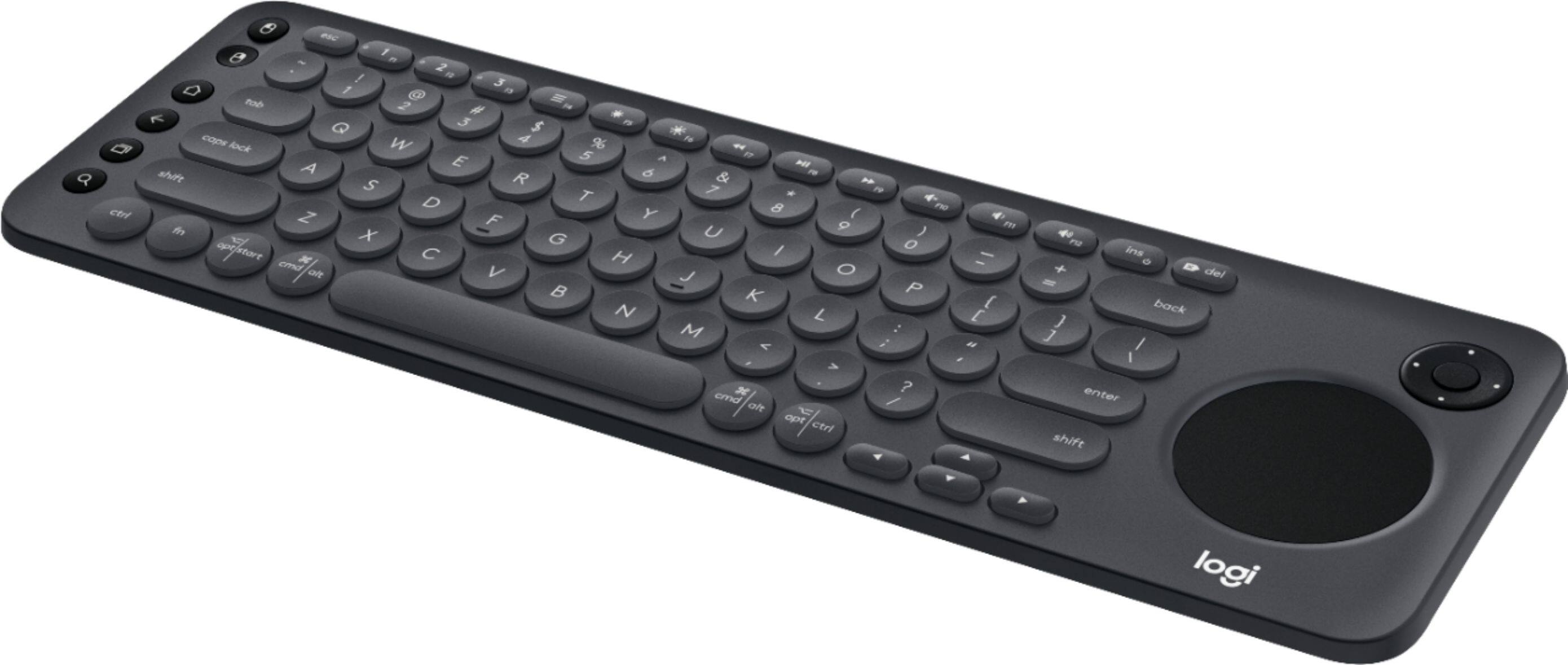
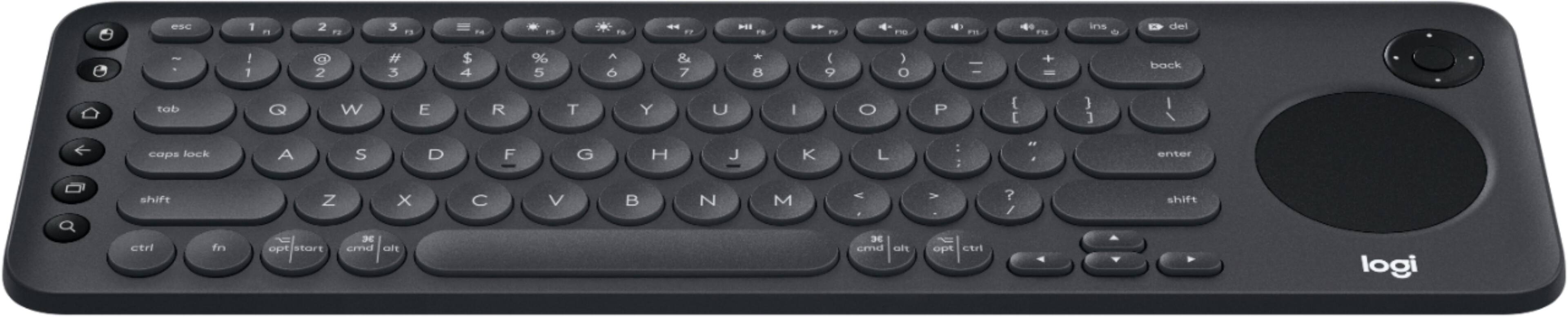

- Model:
- 920-008822
- SKU:
- 6282604
Rating by feature
- Value
Rating 4.3 out of 5 stars
- Quality
Rating 4.6 out of 5 stars
- Ease of Use
Rating 4.4 out of 5 stars
Customers are saying
Customers are positive about the K600 TKL Wireless TV Keyboard's ease of use, convenient touchpad, and compact size. Many appreciate its wireless functionality, compatibility with smart TVs, and lightweight design, making it easy to transport. However, some customers find the price to be a bit high and have experienced compatibility issues with certain TV models. The overall user experience is largely positive, focusing on the keyboard's usability and convenience.
This summary was generated by AI based on customer reviews.
- Pros mentioned:Keyboard size, Touchpad

It's nice
|Posted .This reviewer received promo considerations or sweepstakes entry for writing a review.Received the keyboard pretty quickly once it was shipped. Once out of the box, the keyboard feels sturdy and it's quite compact. I have two 4K TVs so I tested on both of them. The first TV is a LG and it's on the compatibility list that works with the keyboard. Completed the setup on the Logitech website and no issues for the most part. It works fine on a website and mostly works on YouTube. The main issue is the keyboard not working with a Fire Stick. Second TV is a HiSense and it's not on the compatibility list. To my surprise, when I when to the Logitech page, it found the TV and listed the HiSense as a Windows TV. Considering everything I've known and read about HiSense (including the website and the actually TV box) states it's an Android TV, I automatically assumed the keyboard wouldn't work. It works just as well as with the LG TV. Great on actual websites, but lacking on YouTube and Fire Stick. It works great so far, but it would be better if it worked with everything.
I would recommend this to a friend - Pros mentioned:Touchpad
Great keyboard for any media device!
|Posted .This reviewer received promo considerations or sweepstakes entry for writing a review.Very good keyboard, that makes it easier to type in movie names, web addresses compared to using a remote control or a gamepad. It's compatible with mobile devices, PC's, Smart tvs and others. I has integrated bluetooth, but it also comes with an usb receiver. I'm currently using it with my Nvidia Shield TV android box, and boy, it makes it super easy to type movie names, web addresses, logins and passwords and anything that would take some time to do so using a regular control. It was easy to setup, just plugged in the usb receiver into the device and it was recognized. The integrated touchpad and dpad make it easy to navigate. Only caveat, is I wish it was back lit, I like watching movies in a dark room, and I usually find myself looking for my phone for lighting. Other than that, its a great media keyboard! Range was good, I seat about 9 feet from my tv console and reception was flawless.
I would recommend this to a friend Needs improvement.
||Posted . Owned for 1.5 years when reviewed.This reviewer received promo considerations or sweepstakes entry for writing a review.This keyboard is a little difficult to use. Maybe it's my TV. I find I don't use it much. Kinda sorry I made the purchase.
No, I would not recommend this to a friendBrand response from Logitech
Posted .Hello we are sorry to hear about your issues with the K600. We have a site that can help you with setup and optimization of your keybaord: https://secure.logitech.com/en-us/k600.html#/
If you ever have any feature/settings questions, please visit us for support at https://support.logi.com/hc/en-us
Bluetooth Keyboard
||Posted . Owned for 1 month when reviewed.This reviewer received promo considerations or sweepstakes entry for writing a review.This could not be set up with my new Sony TV. Magnolia Control 4 guys set up another way to maneuver the apps on the TV.
No, I would not recommend this to a friend- Cons mentioned:Tv compatibility
Limited Compatibility Keyboard
|Posted .This reviewer received promo considerations or sweepstakes entry for writing a review.I was excited to order the Logitech K600 Keyboard to use with the TVs in my house, for when I'm using onscreen menus, using Netflix etc. Seeing that the keyboard is compatible with Sony Bravia TV's (of which I have two) this seemed like a great product for me to ditch the remote and have a sleek, nicely designed and well laid out keyboard to use instead. Opened the keyboard to set it up, and looked at the instructions, seemed easy enough, 1, 2, 3 and you're done. Numbered stickers on the keyboard helped you along the way. Set up the keyboard and plugged in the USB receiver into my TV. Nothing. Then a message, this USB product is not compatible with this device. Come to find out that the keyboard is only compatible with Sony Bravia TVs from 2016 onwards. So, that counted out the 2014 Sony Bravia TV in my living room. I relocated upstairs to my 2016 Sony Bravia TV in a playroom. Same result, not only does the keyboard not work with Bravia TVs before 2016, it also doesn't work with Bravia LCD TVs, but only the OLED or Ultra HD TVs. Therefore in my experience, the keyboard has limited smart TV capability, for those who don't read the small print or impulse buy, just reading 'Sony Smart TV Comaptability'. So, moving on, I next connected to my cell phone using he bluetooth settings, pairing was smooth and easy and worked nicely. I was able to open Apple Notes, and instantly start typing notes. The keyboards great at being able to switch between my iPhone and my Macbook, that worked seamlessly. Logitech have done a nice job with the design of the keyboard, it's nice looking, it feels good and has a nice weight to it. The key travel is nice with a firm feel to them. No complaints there. But these aren't the reasons I picked up the keyboard, not to attach to my iPhone, iPad or Macbook, but to use it with my TVs, to be able to have another way of browsing through the menus, and it just didn't work for me. I wanted to love the keyboard, but I can't.
No, I would not recommend this to a friend Nice keyboard but overpriced
||Posted .This reviewer received promo considerations or sweepstakes entry for writing a review.There were cheaper keyboards out there that had the same functions that worked well with my TV and various other applications.
No, I would not recommend this to a friendbeaware your bluetooth capabilities
||Posted .This reviewer received promo considerations or sweepstakes entry for writing a review.didnt work with my Mi Box andriod. this keyboard only works with ultra low power VBE bluetooth not surported by all devices.
No, I would not recommend this to a friend- Pros mentioned:Keyboard size, Touchpad
K600 Bluetooth keyboard does Double-Duty
|Posted .This reviewer received promo considerations or sweepstakes entry for writing a review.I first got the Logitech K600 keyboard to work with my LG SMART TV. I plugged in the included USB dongle ( found out later my LG has built in Bluetooth) ran through a simple LG-TV OS setup and was using the keyboard. So nice to have a mouse pad and Left-Right mouse button included on the keyboard. If you ever tried setting up or typing with the factory remote, you'll quickly appreciate the good old QWERT Logitech keyboard. I have nothing to complain about except I do not see a true ON/OFF switch or button. But that's it. I even paired the keyboard with my google pixel android phone. Worked perfectly. Love the round keys that ,mimic the round touch-pad! Neat style. Very light and thin so I can take it anywhere I need a real keyboard for my android touch-pad or cellphone. That's what I call getting your monies worth. (Double-Duty)
I would recommend this to a friend Not compatible with macOS Big Sur (11.x)
||Posted .This reviewer received promo considerations or sweepstakes entry for writing a review.This device will pair over Bluetooth as long as your Mac is booted. But after you restart, your mac will be bricked because it can't find an input device that was previously paired. Followed all of the awful instructions with and without the dongle. Tried getting help via Logitech support and got the runaround. An awful experience...
No, I would not recommend this to a friendBrand response from Logitech
Posted .Hi Scenerio, thank you for your feedback! The Logitech K600 is compatible with macOS® 10.12 and above. For support, please refer to: https://support.logi.com/hc/en-us/articles/360023300214 - Will, Logitech.
Some keys don’t work w smart tv
||Posted . Owned for 1 month when reviewed.This reviewer received promo considerations or sweepstakes entry for writing a review.Somewhat better than the remote however all keyboard functions don’t function. Disappointed.
No, I would not recommend this to a friendBrand response from Logitech
Posted .Hello, I am sorry to hear about the issues you are having with the keyboard. Please make sure you have set up your keyboard here, in order to optimize it for your system: k600setup.logi.com. Some keys will not work if you have not done this step. I hope this helps! Thank you for taking the time to write this review, we appreciate the feedback.
Very dissatisfied
||Posted . Owned for 1 month when reviewed.This reviewer received promo considerations or sweepstakes entry for writing a review.Caps lock has no light when turned on . Track pad awful . Not a good product at all .
No, I would not recommend this to a friend- Pros mentioned:Keyboard size
Logitech does it again.
|Posted .This reviewer received promo considerations or sweepstakes entry for writing a review.I’ve owned a few keyboards for TV’s over the years and was never happy with any of them. They were too small, the TV just did not work well with them or apps were not designed to work with keyboards. The last one I had was a Samsung for a 2013 Samsung TV and even that did not work well. However, the Logitech K600 does address the problems of old and solves a lot of them, for the most part. Let’s look at the overall construction: I know, keyboards are keyboards. Not the case. One of the things I did not like about prior smart TV keyboards, and bluetooth keyboards in general, is they were too light. Not the Logitech K600, it has some heft to it. If you are going to be moving a keyboard from surface to surface ( including the living room couch, ) you want some weight to keep it in place while you type. Logitech definitely took the weight into consideration and I think you will like the solid feel. The keys are responsive with a good tactile feel. The keys are round and I do not particularly care for that, I am too used to hitting the edge of a rectangularly shaped key. That is more a personal preference, I doubt most people would notice it. The layout of all the keys is well thought out and the TV remote buttons on the left hand side works nicely. However, I was not thrilled with the touch pad. The touch pad is a hard plastic that feels like the the rest of the keyboard. I would have made it a different material and gave it a more matte type of finish. It also feels a bit weak when clicking with it. How does it function ? The Logitech K600 gets high marks on function. It just does what it says it does. That is provided you have the right TV and use it for the right apps. For the most part, you must have a 2016 or later smart TV that is Samsung, LG or Sony. That is not to say Logitech may add other brands or that it may work, Logitech is clearly stating that the keyboard is designed to only work with the above right now. I have a 2016 Samsung 8000 series and everything worked well. I could use the keyboard as a remote and cycle through all the various functions and apps. Netflix and Youtube worked fine . I was surprised to learn that the touch pad only works while browsing the web ( who really browses the web with their TV ?) One odd thing, there is not off switch that I can find. Conclusion : Keep in mind that the Logitech K600 is a niche product. You should not be buying this to replace your remote. Even with all the built in functions , it still is a poor replacement for a remote. What you are buying it for is a better way to use Netflix, Youtube, Hulu and similar apps that are a pain to use with a remote. The remote functions that are built in are a nice to have at your finger tips while using the built TV apps. I like the keyboard, it is just the right size and weight and has what I need for using it with my Smart TV. Don’t buy it as a regular PC keyboard nor a remote replacement, buy it for the best keyboard for a smart TV.
I would recommend this to a friend - Pros mentioned:Ease of use, Keyboard size
Does what is it is supposed to but do you need it?
|Posted .This reviewer received promo considerations or sweepstakes entry for writing a review.This logitech TV remote is an interesting piece of tech. In an age of voice control & streaming from mobile devices to smart TVs, Logitech introduces a "remote" for your TV larger than any other I have ever seen. In it's defense, it does everything it is advertized to do and does it well. The question then becomes whether or not it will make your life easier. PROS: - Ease of use: This keyboard is a breeze to set up with a compatible TV (make sure to check in advance) and intuitive to use when it is up and running. - Ability to use multiple devices: The fact that you can quickly switch between up to three paired devices with hot keys is a nice touch. I currently use this keyboard at work and will occationally swap to reply to a text on my phone if I don't feel like lifting it from it's docking station CONS: - DO YOU NEED IT? The question littering this review. What will this device actually do for you? As a smart tv remote, it is significantly larger than most remoted provided with TVs (many even have applications that you can use your smartphone to control the TV) and many TVs have designed their interfaces to work well with the provided remotes (intuitive on-screen keyboards, voice typing, etc.). The only big benefit I could theoretically see is if you are someone who browses the internet via their TV or frequently types in long searches or passwords. The true home I have found for this keyboard is actually at my office. I really like the layout of the trackpad on one side and the mouse-click buttons on the other as well as the programable hot keys. As a traditionaly keyboard it actually has a nice, small form factor and I may even bring it with me on some extended work trips. However, this is marketed squarely as a TV keyboard. I wanted to, but simply couldn't identify a solid enough use case to vaildate recommending it's purchase.
No, I would not recommend this to a friend - Pros mentioned:Compatibility, Ease of use
Tricky to start but...
|Posted .This reviewer received promo considerations or sweepstakes entry for writing a review.Once you get the hang of it, it’s a really cool addition to actually use a smart tv like a smart tv. I’m using this on an new insignia fire tv which on the Logitech site isn’t listed as supported but it absolutely is. They prob need to update that. I had difficulty learning what keys did what on my tv so a user guide would be helpful but thankfully I’m pretty techy. It is so much easier being able to type like normal on the tv instead of pointing to click at anything. I feel like I have a large screen laptop hanging on my wall now now that I can use my smart tv as it was intended thanks to this keyboard remote
I would recommend this to a friend Worthless junk
||Posted .This reviewer received promo considerations or sweepstakes entry for writing a review.Absolutely worthless. First, it is marked and advertised as a "Bluetooth" keyboard. It's not. It requires a stupid dongle just like every other wireless keyboard. Second - it doesn't work and the installations are as worthless as the keyboard.
No, I would not recommend this to a friendBrand response from Logitech
Posted .Hello, I am sorry if there was any confusion about the keyboard. But it does have the ability to be connected via Bluetooth or by the USB dongle. Here is the support page to help you further: https://support.logi.com/hc/en-us/articles/360023300214. I hope that helps! Thank you for taking the time to write this review, we appreciate the feedback.
- Pros mentioned:Compatibility, Ease of use
This keyboard does it's job
|Posted .This reviewer received promo considerations or sweepstakes entry for writing a review.This keyboard is very easy to setup. You plug in the USB dongle to the back of the TV, go to a website on your browser and you are good to go. I am using this on my Samsung smart TV and I love it. I can now browse the web on the big screen. I use this when the family is doing something online together. We were shopping for cars and everyone had their input while i effortlessly scrolled and typed using the keyboard. It even controls other functions of the TV perfectly so this is even easier to use. I recommend this to anyone who wants to fully utilize their compatible smart TV.
I would recommend this to a friend Waste of money
||Posted . Owned for 1 month when reviewed.This reviewer received promo considerations or sweepstakes entry for writing a review.Total waste of money!! Didn’t work with any of my TVs. Not 1. I guess it came in handy since I spilt juice on my computer keyboard and ruined it. Had I opened it sooner, I definitely would’ve taken this junk back
No, I would not recommend this to a friend- Pros mentioned:Touchpad
Not just good for TV
|Posted .This reviewer received promo considerations or sweepstakes entry for writing a review.Logitech makes great products when it comes to keyboards. This is one of them, not only it works for newer TVs but it also works as just a great basic keyboard to have on hand. I'll layout the features that you'll most likely buy this for but don't count this out as just a keyboard/mouse combo either. First, off it is comfortable to use and hold, I don't know its something about the way this keyboard feels in the hand that makes this really nice to type on. The ergonomics of it is comfortable for your hands to reach all the keys it needs. I'm really pleased to feel int he hand. Your thumbs softly touches the sides of the sides of the keyboard on the left you have quick function and left/right click keys. These work for/on a Smart TVs (that support them which is mostly from 2016), Android, Android TVs, PC, and iOS. On the right is the amazing feeling trackpad and arrow directional keys for TVs. K600 TV is lightweight and feels like holding a remote in the hand but a keyboard. Trackpad works as you expect and smooth scrolling and have the press-in click so you don't have to use Left/Right click buttons on PCs if you don't want to. You no longer need a separate mouse; I love this K600 personally. There is easy device pairing in which you can change from TV keyboard to BT keyboard on the fly. The Bluetooth range goes far about 50 feet so you won't have any problem with range. It's just a great TV keyboard, but I've also used it for a PC/TV living room setup and on iOS which was a delightful living room experience. Not much to say about it its just a delightful nice keyboard that can work for TVs with cumbersome web browsers but its much better outside of just a TV keyboard. This thing is versatile to use on almost any device that supports Bluetooth keyboards.
I would recommend this to a friend NOT COMPATBLE WITH MY SMART TV
||Posted .This reviewer received promo considerations or sweepstakes entry for writing a review.VERY FEW SMART TV MODELS ARE COMPATIBLE. I WILL LOOK TO SEE MORE CHOICES IN THE FUTURE. I WOULD CONSIDER BUYING A COMPATIBLE PRODUCT IN THE FUTURE
No, I would not recommend this to a friendBrand response from Logitech
Posted .Hello, we are sorry to hear that you did not have a compatible TV. We are constantly updating our compatibility list, you can check that out here: https://www.logitech.com/en-us/promo/k600-tv/smart-tv-compatibility-checker.html
- Pros mentioned:Battery life
Nice upgrade from the k400r for office work
Posted .This reviewer received promo considerations or sweepstakes entry for writing a review.Using the keyboard for work (coding, checking checkboxes, excel etc.). It's a nice upgrade from the k400r for that purpose. The best part is still the reduced distance for the right hand when moving between mouse and keyboard. With a full size keyboard, my right hand has to move about 10 inches to grap the mouse, then move 10 inches back to the keyboard, and it happens quite frequently. Didn't feel like a problem all the way through college, it only began to drive me nuts after a few years at work. Having the touchpad to the right on a smaller keyboard reduces that distance to just 3 inches. Even shorter than 3 inches if I only need to make small adjustments and can do it with my pinky. Of course the distance is even shorter if the touchpad is on the bottom instead, but that proved to be trouble because I tend to accidentally touch it and things go haywire. Having it on the right is a perfect position. Tap to click also addressed my index finger's pain from clicking the mouse. I tried alternating between my left hand and right hand's index finger instead, but I knew it's just time until those fingers starts to hurt too. Tap to click on a touchpad solves that problem. I've also tried the mouse grid navgiation scripts before, still can't beat a touchpad, because I need to click those really small checkboxes and buttons from time to time. Hard to locate with a 3x3 grid. all that aside, whats different from the k400r: 1. Touchpad is smaller. diameter ~2.2 inches, the k400r is 3 inches wide. The total area is much smaller and I was disappointed in the beginning, but after adjusting settings and using it for a few days, it feels more accurate than the k400r's touchpad. Details on that: I increased the mouse sensitivity in both Logitech Options and the system interface / control panel. After adjustment, was able to move the mouse across the screen on one swipe and still remain reasonably accurate (looks like Logitech Options have built in mouse acceleration and you can't turn it off - your normal mouse still moves without acceleration but the touchpad will have acceleration no matter what, unlike the k400r Setpoint where you can turn off the acceleration. I'm fine either ways.) Also those fat cap Capacitive Stylus for iphone works on this touchpad too, like the k400r. Spending 8 hrs a day on the k400r touchpad hurts the skin on my fingers (switching among 5 fingers - eventually all of them started to hurt) so I resorted to the pen for it. Though it doesn't hurt with the k600's touchpad. maybe the touchpad is better or it's a placebo effect 2. Touchpad is clickable (left click) Not that I need it, occasional click is fine but it's too hard to click. Finger hurts after just a few click. Probably a job for the thumb instead Tap to click / two finger tap to double click still works, I'd continue to use that. There are also left click (also in the k400r) and right click (not in the k400r) buttons on the top left corner. Useful if need to click a bunch of checkboxes in succession. 3. no delay on touchpad double tap the slight delay on single tap to click is still there, same as the k400r. but the delay on double tap (e.g. to drag item or select text) is no longer there, which is great. with the k400r. if you try to doule tap & drag too quickly, it won't begin to work until after a second or so. this one works immediately. eventhough on the k400r it was something I got used to, I'm happy to drop that habit. 4. Shorter key travel distance & easier to press (important) Feels like a laptop keyboard. Unlike the k400r where if you are typing too fast it feels like running in mud. Pretty much my entire reason for this upgrade For the k400r, I also had learn to press the left ctrl really hard and square in the middle for it to register. Pressing it on the side or too soft just turns a ctrl+c into a letter c. Not a problem with k600. The keys are either pressed down and registered or not pressed. With the k400r you can get into a middle state if you don't press the key properly or don't press it hard enough. 5. Heavier you can hold the k400r by the edge and wave it in the air comfortably. If you try it with this one it might just fly off Almost as heavy as a full sized keyboard despite being much thinner and smaller overall 6. Strange directional keypad on the top right corner up down right left and an enter key in the middle, looks like it's sending the same key code as the direction / arrow keys on the main keyboard to the PC. Pressing FN with those keys sends the approriate alternative keys too (FN+left = HOME, FN+down = Page down etc.) Haven't found a use for it yet, don't exactly mind it being there either. 7. no home/end/pg up down label ...but the functionality still exists and is the same as the k400r. FN+left = home, FN+down = pg down etc.. no worries there. 8. configurable macro buttons on the left (insetad of the k400r on the top) Easier to press than those buttons of the k400r located on the top of the keyboard, liking this change. 9. round key caps Was afraid it might be a problem, but no it feels just fine. Did some typing test for common scenarios (writing emails, googling keywords etc.), similiar speed and accuracy with a full sized keyboard. don't feel my typing speed is limited at all (around 80 wpm), where on the k400r there was that muddy feeling Again the keys feels great, much better than the k400r. quiet and easy to press. The larger spacing between the rounded keys also prevents fat fingering, something not on the usual keyboards 10. Touchpad location The k400r had the touchpad located on the upper part of the keyboard, this touchpad is in the middle. Will take some time to get used to, but I like this position better because it doesn't take my finger off the ASDF row horizontally. 11. Smoooooooth scrolling The smooth duration is so long it feels like waiting for a train to stop still at a train station lucky you can turn it off with Logitech Options 12. Key layouts a. Have the left right click buttons on the top left. The k400r only have the left click button b. The right shift key is different from k400r, it's in the approriate length instead of blending in with the arrows keys c. The menu button (fn+right ctrl) from k400r is moved to F4 (fn+F4) d. The brightness toggles doesn't work on Win10/HP 27es (F5-6). Try rebinding it to ControlMyMonitor (by NirSoft) 13. Auto sleeps. Takes some milliseconds to boot up if left untouched. Not an issue, would hit the left ctrl key first and take a moment to think about my life before starting work...like how I deal with the monitor sleeping too. Also the LED light on F1 lights up whenever I press the FN key (even using it to modify the other keys), probably to show you which device it's connected to. Not that it's a problem. 14. Rollover Doesn't register two arrow keys at the same time. Same for the set of arrow keys on the top right. Rebinding to the letters instead will work though if needed for games. Was able to press 6 letter keys at most. I don't know how to do a thorough rollover test but even the arrows keys is not a problem for office work. Don't think I ever needed to press two arrow keys and expected it to go diagonal. 15. Unified reciver Didn't come with a unified receiver like the k400, but that receiver I got from k400r still works with this k600's adapter. 16. No more weird touchpad behavior With the k400r, if you place two fingers too far apart, the cursor sometimes slides slowly across the screen and you have to sit there and watch it until it completes. Doesn't happen with k600. Instead it moves much quicker between two positions. It's still not a precision touchpad supporting 3 finger gestures and etc, but I don't really mind. The accuracy improved from the k400r and it's more than suffcient for my daily work (even the k400r's touchpad was good enough for my standard). At last, was debating between this and the k830. Decided to go with this instead because I found out the k830's backlight cannot be toggled off permanently, which means I have to recharge probably too often, and I'd rather plugin in the battery and not care about that for a few months. (btw the k400r's batteries lasted ~6 months). That aside, I'd trade the multi-device connection for the backlight anytime. My neck would be long gone if I had to look down to the keyboard everytime I started typing.
I would recommend this to a friend