Customer Ratings & Reviews
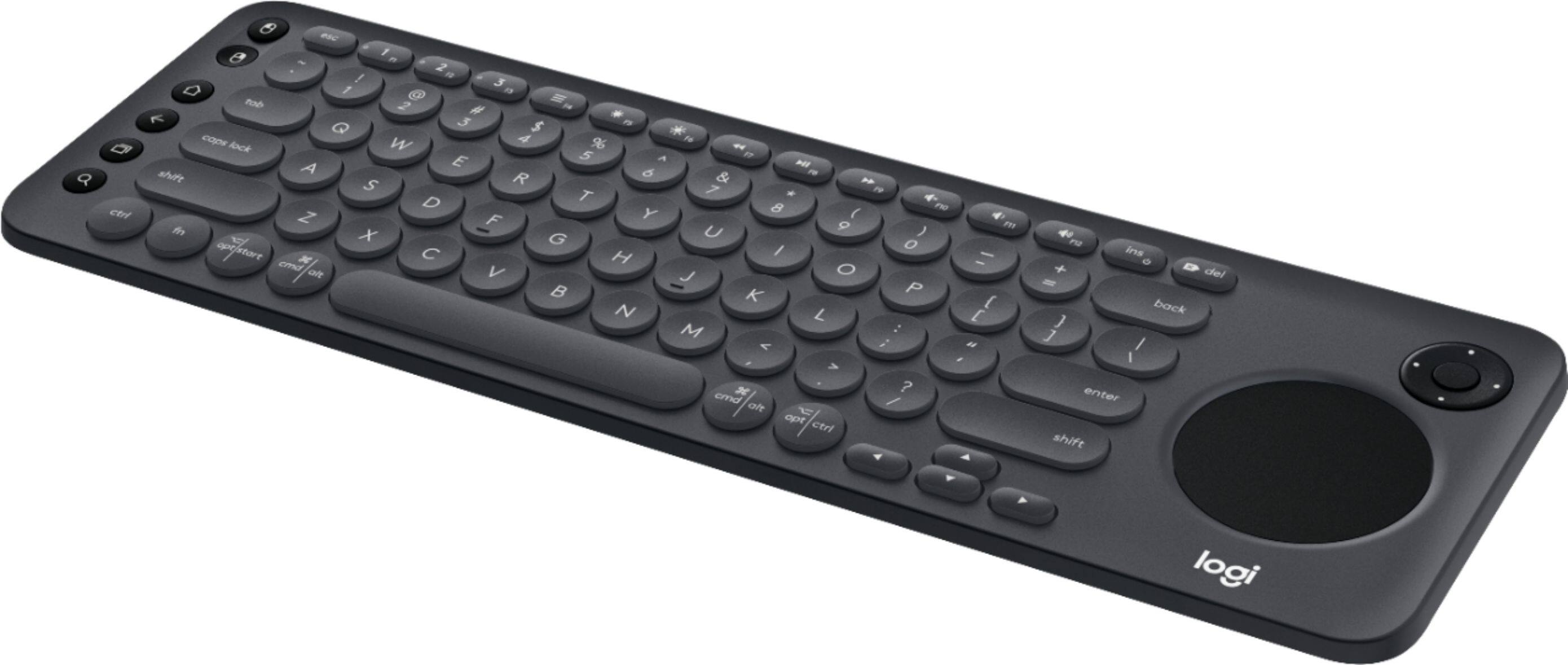
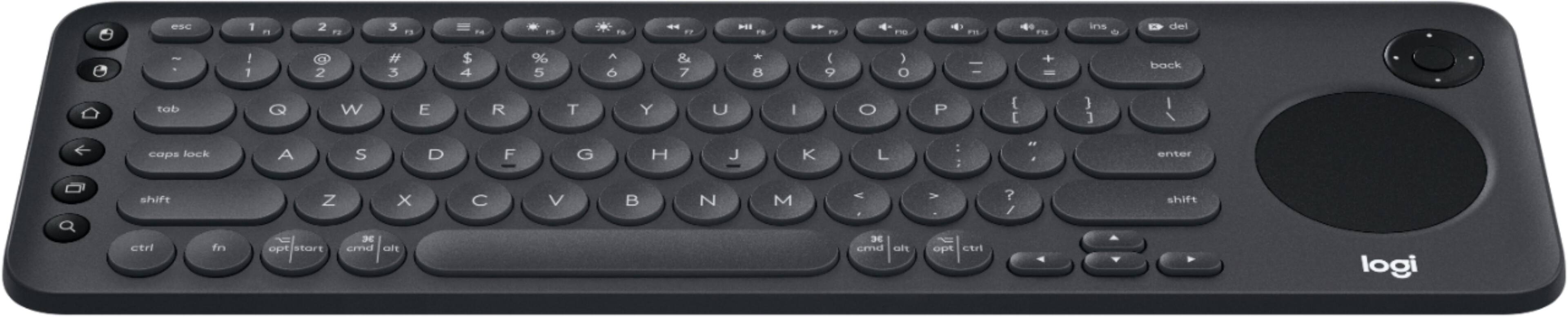
![The image shows a close-up of a keyboard with the text "esc 1 F 2 P2 3 F3 M4 P5 F6 4 F7 I F8 4 P9 F10 FI! F12 ins O * del ! 1 2 # 3 $ 4 % 5 A 6 & 7 * 8 ( 9 ) 0 - - + = back tob Q W E R T Y U I O P { [ ] ] I / caps lock A S D F G H J K L : ; < . > ? / shift ctrl fn opt start x cmd alt x cmd alt opt ctrl logi" written on it. This text is likely a description or instructions for using the keyboard.](https://pisces.bbystatic.com/image2/BestBuy_US/images/products/6282/6282604_sd.jpg)

- Model:
- 920-008822
- SKU:
- 6282604
Rating by feature
- Value
Rating 4.3 out of 5 stars
- Quality
Rating 4.6 out of 5 stars
- Ease of Use
Rating 4.4 out of 5 stars
Customers are saying
Customers are positive about the K600 TKL Wireless TV Keyboard's ease of use, convenient touchpad, and compact size. Many appreciate its wireless functionality, compatibility with smart TVs, and lightweight design, making it easy to transport. However, some customers find the price to be a bit high and have experienced compatibility issues with certain TV models. The overall user experience is largely positive, focusing on the keyboard's usability and convenience.
This summary was generated by AI based on customer reviews.
- Pros mentioned:Ease of use

Buttery Smooth!
|Posted .This reviewer received promo considerations or sweepstakes entry for writing a review.For the simple review I'll say this, for those of you who truly take full advantage of your smart tv's and appreciate small attention to details. This is by far the best TV Keyboard you can buy! For the extended review let's start with what you get in the box which is pretty straight forward. You get the keyboard itself and some batteries to use it. For some not having a way to recharge it is a miss but for someone like me who already has so many cables to everything I actually prefer this and I think it would be easier for customers who perfer instant gratification. Next we go to my favorite topic, performance! This keyboard makes it simple to sink almost all of the buttons to your type of internet connected smart experience. I am using a high end brand new Samsung Tv with Tizen and it programmed in seconds using the website and gave me more functionality than my remote that came in the box did. Though my absolute favorite feature is....it's so quiet. The keyboard types with little to no noise so it will never distrub anyone when you're typing away on it. Even now I'm writing this review on my television because when I type on my laptop it's annoyingly clicky. Last thing I want to say talking about performance is Logitech definetly took their time on this with every button and control designed for any and all experiences. This not a compact keyboard you are just using for the tv but a real proper smart remote to your viewing experience. I hope my review helped you choose and to me this is an easy YES! Buy this and you will not be upset.
I would recommend this to a friend - Pros mentioned:Ease of use, Touchpad
Easy Setup on TV
|Posted .This reviewer received promo considerations or sweepstakes entry for writing a review.I have a Sony Bravia TV and the setup was incredibly easy. Simply plug in the bluetooth USB adapter on the TV and it basically started working. One of the most annoying things about doing input on a TV is having to type with a remote. This keyboard solves that and has nice features specific to the TV. I would recommend this for use with a TV.
I would recommend this to a friend Why was this invented
||Posted . Owned for 1 year when reviewed.This reviewer received promo considerations or sweepstakes entry for writing a review.Don’t buy this, no mice buttons. Good luck right clicking on anything or dragging anything.
No, I would not recommend this to a friendNot compa
||Posted . Owned for 2 weeks when reviewed.This reviewer received promo considerations or sweepstakes entry for writing a review.Did not work with my tv. Said it did till after i purchased it and then after contacting logitech, Found out it didn't.
No, I would not recommend this to a friendBrand response from Logitech
Posted .Hey there. I'm sorry for any inconvenience or confusion that this may have caused you. In the future, if you want to know if you TV is compatible with the K600, follow this link to the compatibility check on Logitech.com:
https://www.logitech.com/en-us/promo/k600-tv/smart-tv-compatibility-checker.html
terrible
||Posted . Owned for 3 weeks when reviewed.This reviewer received promo considerations or sweepstakes entry for writing a review.Awful...doesn't work half yhe time . Poorly made.. waste of money.
No, I would not recommend this to a friendBrand response from Logitech
Posted .Hi Mack,
I'm sorry to hear you're having troubles with your K600 keyboard! This is one my personal favorites in our lineup, so I want to make sure you have the best experience possible. The K600 is built to fully function with select models of Samsung, LG, Sony Bravia, and Philips TVs. Please visit us here to check that your TV model is fully compatible with the K600 keyboard https://www.logitech.com/en-us/promo/k600-tv/smart-tv-compatibility-checker.html
-Jonathan from Logitech
SUCKS. SHORT, SWEET, TO THE POINT. SUCKS!
||Posted . Owned for 7 months when reviewed.This reviewer received promo considerations or sweepstakes entry for writing a review.IT IS RIDICULLOUS. YOU COULD (AND I HAVE) USED ANY OTHER LOGITECH KEYBOARD FOR THE SAME THING. THIS THING IS JUNK.
No, I would not recommend this to a friendjust no
||Posted .This reviewer received promo considerations or sweepstakes entry for writing a review.hard to connect to tv. doesn't stay connected to tv. just a waste of money.
No, I would not recommend this to a friendBrand response from Logitech
Posted .Hello, we are so sorry to hear that the K600 keyboard did not meet your expectations. At Logitech, it is our goal to ensure you are completely satisfied with your Logitech purchase. We take pride in the products and services we offer, and want our customers to enjoy them just as much as we do. At the end of the message, I have attached a link that will help you optimize your keyboard to your tv. Have a great day. -Ricky from Logitech. https://www.logitech.com/en-us/k600.html#/
Spam
||Posted .This reviewer received promo considerations or sweepstakes entry for writing a review.I'm writing this became best buy has a so campaign to get free reviews.
No, I would not recommend this to a friendBrand response from Logitech
Posted .Hi, hopefully you're enjoying the K600 keyboard and come back to rate it higher in the future! if you have any questions, check out the Logitech support page at https://support.logi.com/hc/en-us/articles/360023300214. Continue to enjoy!
didn't work on my TV
||Posted . Owned for 1 month when reviewed.This reviewer received promo considerations or sweepstakes entry for writing a review.Could never get this to connect to my TV so returned it to the store the next day.
No, I would not recommend this to a friendBrand response from Logitech
Posted .Hello, I am sorry to hear this keyboard was not compatible with your TV. Thank you for your review.
Paid 80 Dollars Only used it for 3 Months
||Posted .This reviewer received promo considerations or sweepstakes entry for writing a review.I can't even return or exchanged it here at bestbuy. I don't know what to do.
No, I would not recommend this to a friendBrand response from Logitech
Posted .Hi, sorry to see you're unsatisfied with your K600 keyboard. You do have a 1 year limited warranty that can be claimed to get a replacement sent to you. But if you have any questions, check out the Logitech support page at https://support.logi.com/hc/en-us/articles/360023300214. Hope that helps.
Scrap It
||Posted . Owned for 4 months when reviewed.This reviewer received promo considerations or sweepstakes entry for writing a review.This keyboard is a piece of scrap, broken keys brand new out of the box.
No, I would not recommend this to a friendBrand response from Logitech
Posted .Hello, we are sorry to hear that you are having issues with your K600 and its keys out of the box. You may reach us for support by opening a Technical Support ticket here: https://support.logi.com/hc/en-us/requests/new?ticket_form_id=360000621393
Easy Setup, works great with Android TV
|Posted .This reviewer received promo considerations or sweepstakes entry for writing a review.This is by far, the easiest setup for a TV keyboard you can get. Simply plug the included USB dongle to your TV set, use the quick setup site to select the appropriate button combo to hit on the keyboard, and you're ready to go. I paired this with a Sony XBR55X900F, on the most recent software update, and it immediately started working. The touch mouse even works for browsing the Android TV menus, and even controls devices connected over HDMI, using CEC. It easily controlled my Apple TV over the TV. Overall, this is a great addition to the Logitech wireless multimedia keyboard line, and an easy recommendation to buy. The only thing I could complain about, was why they didn't just stamp the setup instructions on the bottom. The setup process simply has you picking the type of use, and then just tells you what button combination to hit.
I would recommend this to a friendDid NOT work with my Samsung Smart TV at all.
||Posted . Owned for 6 months when reviewed.This reviewer received promo considerations or sweepstakes entry for writing a review.This keyboard was not compatible with my Samsung Smart TV. Had to return it.
I would recommend this to a friend- Pros mentioned:Ease of use
Has potenital, but limited access for TV Models
|Posted .This reviewer received promo considerations or sweepstakes entry for writing a review.The Logitech - K600 TV Wireless Keyboard is a great attempt at improving your Smart TV user experience. Rather than having to click your way through set up or WiFi passwords, this wirelessly connected TV keyboard seeks to simplify the user interface. Featuring a typical keyboard and a D-pad, this keyboard turns your Smart TV into a computer-like experience. You can surf the web or input the name of your favorite show to binge watch with ease. Its small design makes is easy to place in your lap or along side your remote control pile when not in use. PROS - Great concept and ease of use once connected and synced - Quality build and feel - D-pad offers a laptop mousepad experience if your TV supports it - Logitech quality and warranty - USB or Bluetooth connectivity CONS - Limited Smart TV access (only 3 brands work at the time of this review) 2016 or newer, limited models - May be cumbersome to use if you are adept at using your remove to click your way through typing on your TV This keyboard has potential, however, due to the current limited Brands and Models that it works with, I would not recommend it to most people unless you research your TV to ensure it is fully compatible!
No, I would not recommend this to a friend Good for HTPC/Android TV
|Posted .This reviewer received promo considerations or sweepstakes entry for writing a review.It's a very good keyboard for use with an HTPC and Android TV. I do have a smart TV but disable its connection since the PC and Android TV (Shield) works far better. I kinda like the circular touchpad. I makes more sense being that your reach with you thumb would be in a round area, but it just doesn't match up with the shape of the TV so it's hard to no multi-swipe unless you set the mouse to be super sensitive. The entire pad is left click or tap to click left/ 2finger right click. The two finger is cumbersome when holding so they included a left and right mousebutton on the left of the keyboard. You can do 2 finger scroll, but that's not practical when holding the device. What they've done to remedy by pressing the fn button on the left turns the pad into a scrollwheel. Great work there! With the touchpad being a circle and smaller than their older k400 it allows the the keys to be spread apart more making mistypes less of an issue for me. I didn't weigh the devices, but the k600 is definitely heavier but also sturdier than the older keboard so it flexes less when typing in your lap. You can set up 3 devices, one via the Unifying Receiver and two with Bluetooth. Switching between the three is just a thee second push away. The logitech software detected that I had two receivers and asked if I wanted to use just one. I took the K600's receiver out and tried to pair it with the old k400 receiver. It failed. I shelved the k400 for now anyways. The k600 just offers more for me than the older unit. One feature I love is the directional pad in the upper left. If you use Kodi or Plex on an HTPC using a d-pad is the way to go. The pad works as expected on the Android TV. Couple features that would have been nice, but not included are backlit KB - every htpc needs it! - and set up options that didn't require you to visit a website. A printed single sheet quick-start manual could have said almost everything on the website. Other than that there's no reason not to get this version, especially if you have multiple devices.
I would recommend this to a friend- Pros mentioned:Ease of use
Interesting item, works well on my SmartTV
|Posted .This reviewer received promo considerations or sweepstakes entry for writing a review.Wasn't too sure about this when I ordered it, but sure glad I did. Sometimes navigating the menus on a SmartTV isn't very intuitive or smart, but this keyboard makes it a lot simpler. Granted, it cannot be all things for all people and some of the commands for my smart TV are 'hidden,' but with a little searching and perseverance everything works out fine. Very easy setup -- plug and play on my TV. I think with a little more experience with this, I'll wonder how I ever did without it.
I would recommend this to a friend - Pros mentioned:Keyboard size
Nice concept, poor execution
|Posted .This reviewer received promo considerations or sweepstakes entry for writing a review.The Logi 600 smart TV keyboard is a good idea, but poor execution. It’s wrapped very well, with step by step instructions on each layer or level of unwrapping. In all, there are only 3 steps to take, but somehow it’s confusing as it involves needing to be online to activate and register, while being in front of the TV in order to get it synced. Once unwrapped, registered, and synced, it’s (probably) ready to go. I liked that it fits neatly in 2 hands, with the majority of the controls used on a regular basis in reach of both thumbs, much like a game controller. There are a few controls that are slightly out of reach, and that’s saying something because I have big hands. Be aware, the keyboard controls the smart TV itself, not any streaming device, like Roku, Fire Stick, or anything like that. It *will*, but it takes a lot of configuration for it to do so. Use isn’t intuitive. I kept tabbing between apps, like Hulu and Netflix, without actually being able to select anything. Using the search tool also gets a thumbs down. Overall, I like the idea, but, until it becomes more user friendly, I wouldn’t recommend it.
No, I would not recommend this to a friend - Pros mentioned:Touchpad
Love this keyboard
|Posted .This reviewer received promo considerations or sweepstakes entry for writing a review.I have been looking for a keyboard to use with our Samsung tv. My kids are often searching Netflix for items and this is so helpful. I love the side keys that let you left click or right click. There is a home and escape feature. But the trackpad is awesome. Sometimes you just need to swipe up or down or left or right and having the track pad is a great feature. I also like that I can use this with my laptop when I am on the go too.
I would recommend this to a friend - Pros mentioned:Touchpad
Intuitive device that works with any Smart TV
|Posted .This reviewer received promo considerations or sweepstakes entry for writing a review.I needed something to work with my Sony Bravia Smart TV instead of a remote and this came in handy to be able to search and type into searches and even use applications. It is a keyboard with a finger touchpad mouse and it syncs through bluetooth and is pretty neat. Is worth purchasing so you dont have to type into a remote.
I would recommend this to a friend Great TV Companion
|Posted .This reviewer received promo considerations or sweepstakes entry for writing a review.This device is like an all around remote for my TV. Though it does have the convenience of the keyboard--- you know what it really does is it almost converted my TV into a PC. It has mouse controls and direction pad on top of it being a keyboard. It is plug and play too on my Sony android TV (it does ask to be connected online to get the full features but it did not make a difference from it being simply plugged in-- so it is plug and play for me!). It I also tried in on the PS4-- tadaa-- it works too! Now I dont have to use the weird pad to type in stuff while chatting on the PS4 because this device works as well-- plug and play! My only concern is that I always hit the caps lock button on the left to type in exchange for the "a" character. Either the caps lock button is too big or the keyboard itself is a little cramped. Other than that, it's a great TV and console partner. I know I could probably live without it because I can just use other forms of SLOW typing when i need to do my Netflix searches or my console chat-- but now, after discovering that you can have it all, this device is a mainstay by my TV!!
I would recommend this to a friend