Customer Ratings & Reviews
![esc 1 2 3 F F2 F3 F4 F5 U F6 44 F I F8 > F 0 11 F12 ins del logitech ~ ! 1 @ 2 # 3 $ 4 % 5 A 6 & 7 * 8 ( 9 ) 0 - - + = back num lock cleor / . - tab Q W E R T Y U I O P { [ } ] I I 7 home 8 A 9 g up + cops lock A S D F G H J K L : ; " enter 4 5 6 shift Z X V B N M < , > ? / shift 1 end 2 Y 3 PG pg dn enter ctrl fn start alt opt alt cmd x alt cmd x ctrl alt opt A Y 0 iins del](https://pisces.bbystatic.com/image2/BestBuy_US/images/products/5592/5592420_sd.jpg)


- Model:
- 920-008149
- |
- SKU:
- 10837523
Customer reviews
Rating 4.6 out of 5 stars with 2998 reviews
(2,998 customer reviews)Rating by feature
- Value4.6
Rating 4.6 out of 5 stars
- Quality4.7
Rating 4.7 out of 5 stars
- Ease of Use4.7
Rating 4.7 out of 5 stars
Customers are saying
Customers highly value the product's excellent keyboard quality and ease of use. Many users praise its comfortable key feel, reliable connectivity, and broad compatibility across devices. They also appreciate its compact design, good battery life, and suitable weight, though some find the price to be a drawback.
This summary was generated by AI based on customer reviews.
Rated 5 out of 5 stars
Great keyboard!
Posted .This reviewer received promo considerations or sweepstakes entry for writing a review.Works very well with our new iPad, plus we may use it with some other Bluetooth enabled devices. Recommendation from sales associate sealed this deal, he loved this keyboard and was using it just like we planned to.
This review is from Logitech - K780 Full-size Wireless Scissor Keyboard - Graphite
I would recommend this to a friendRated 2 out of 5 stars
F Keys don't work like they do on most keyboards
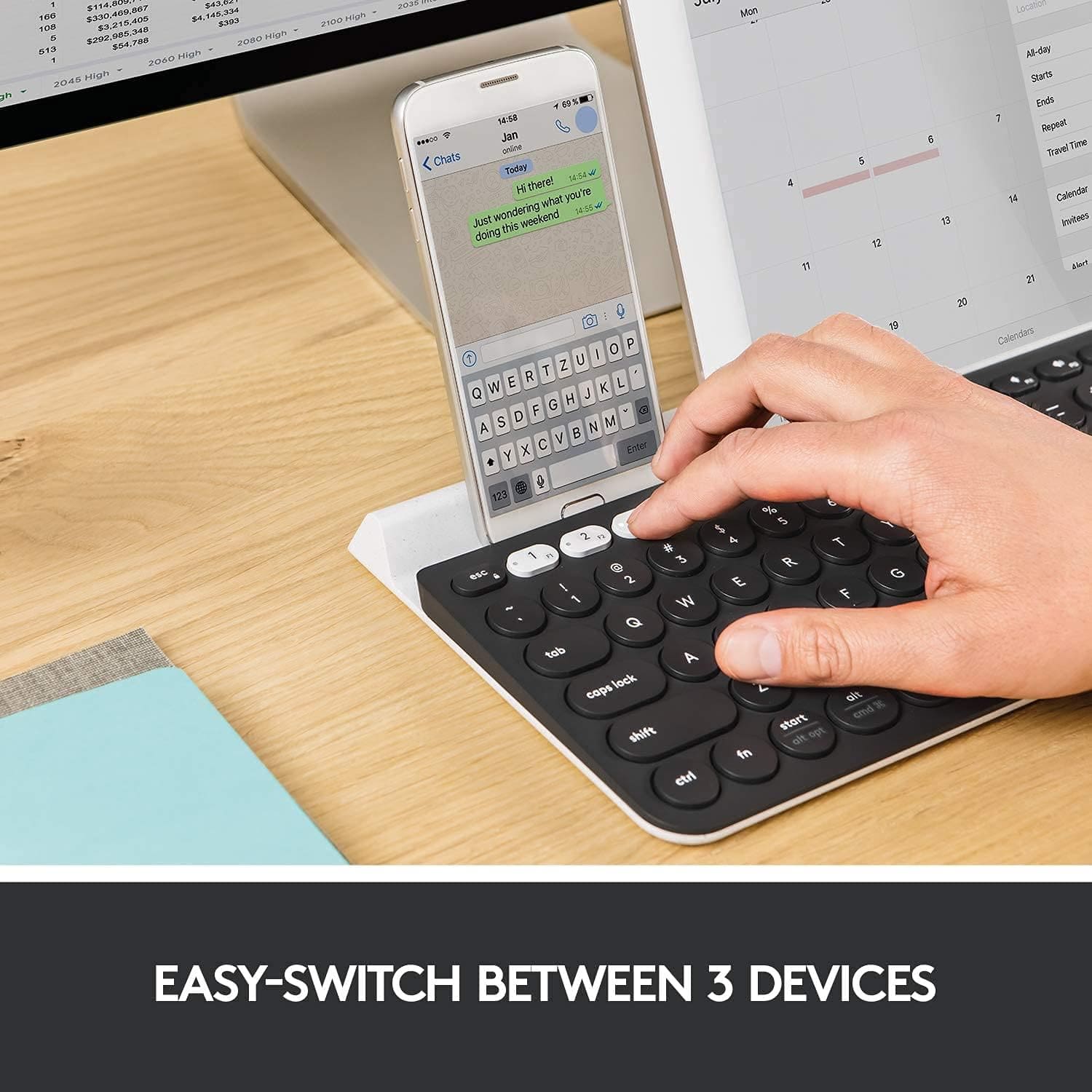
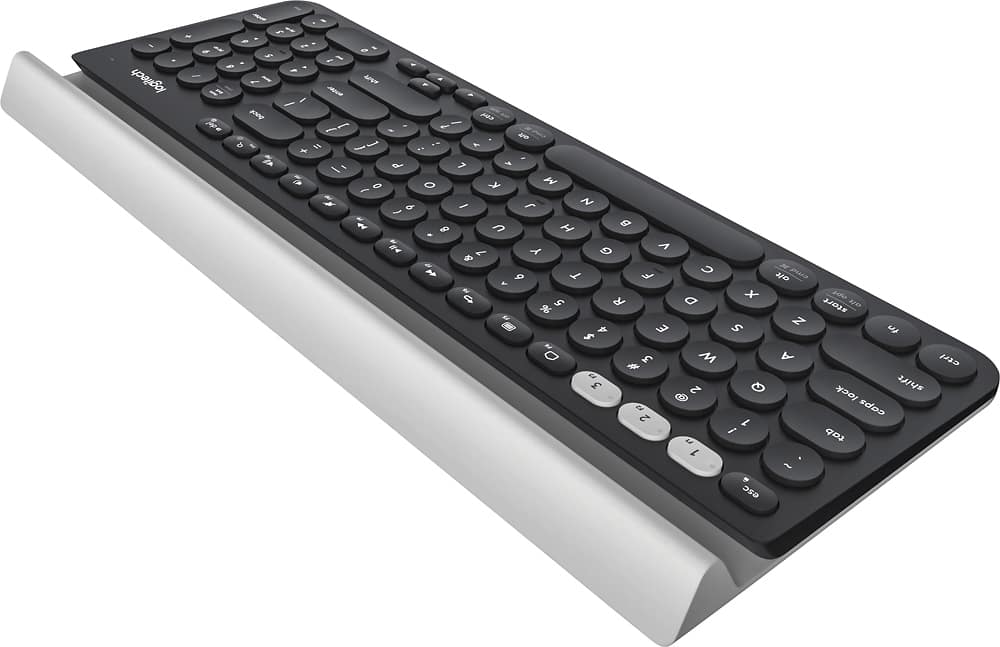
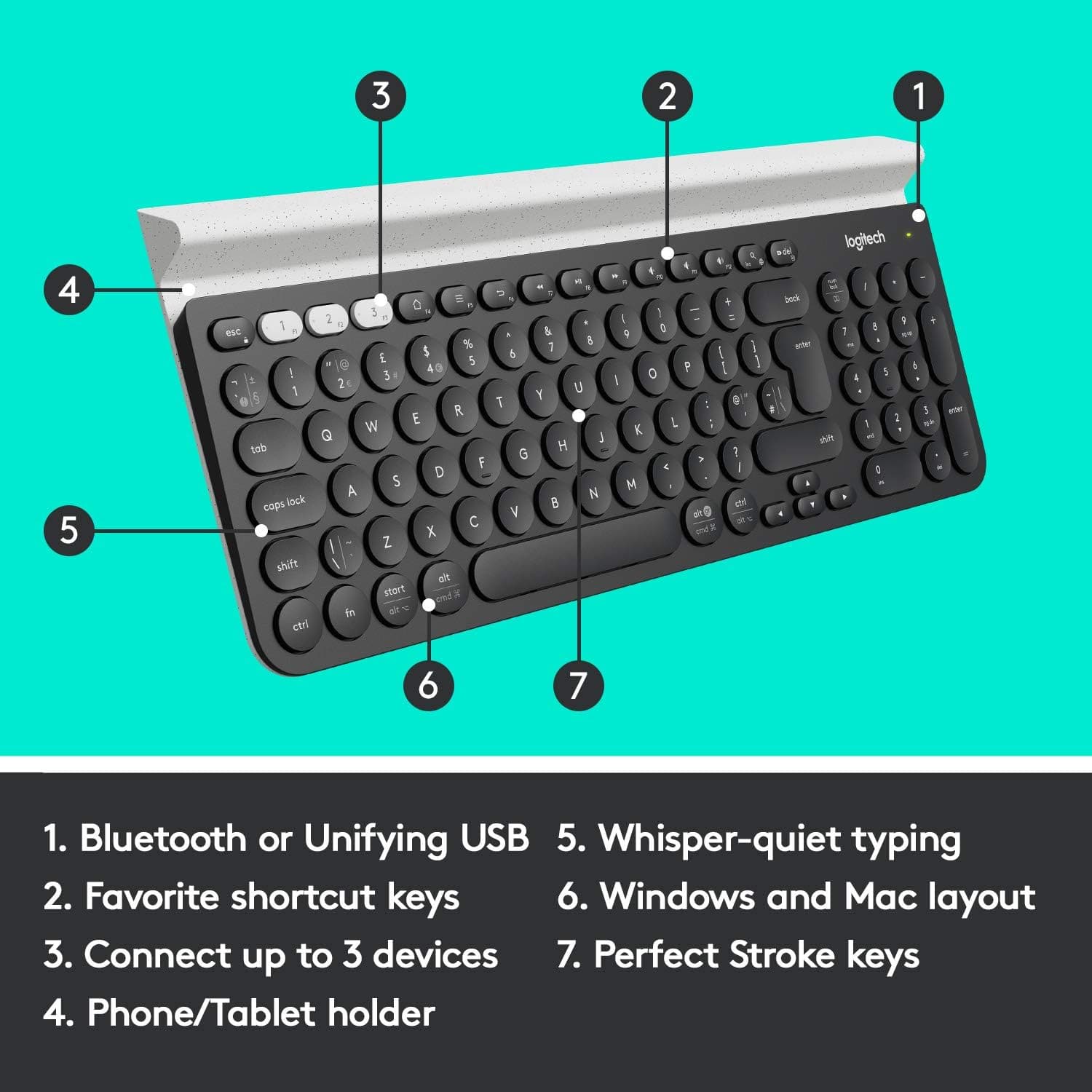
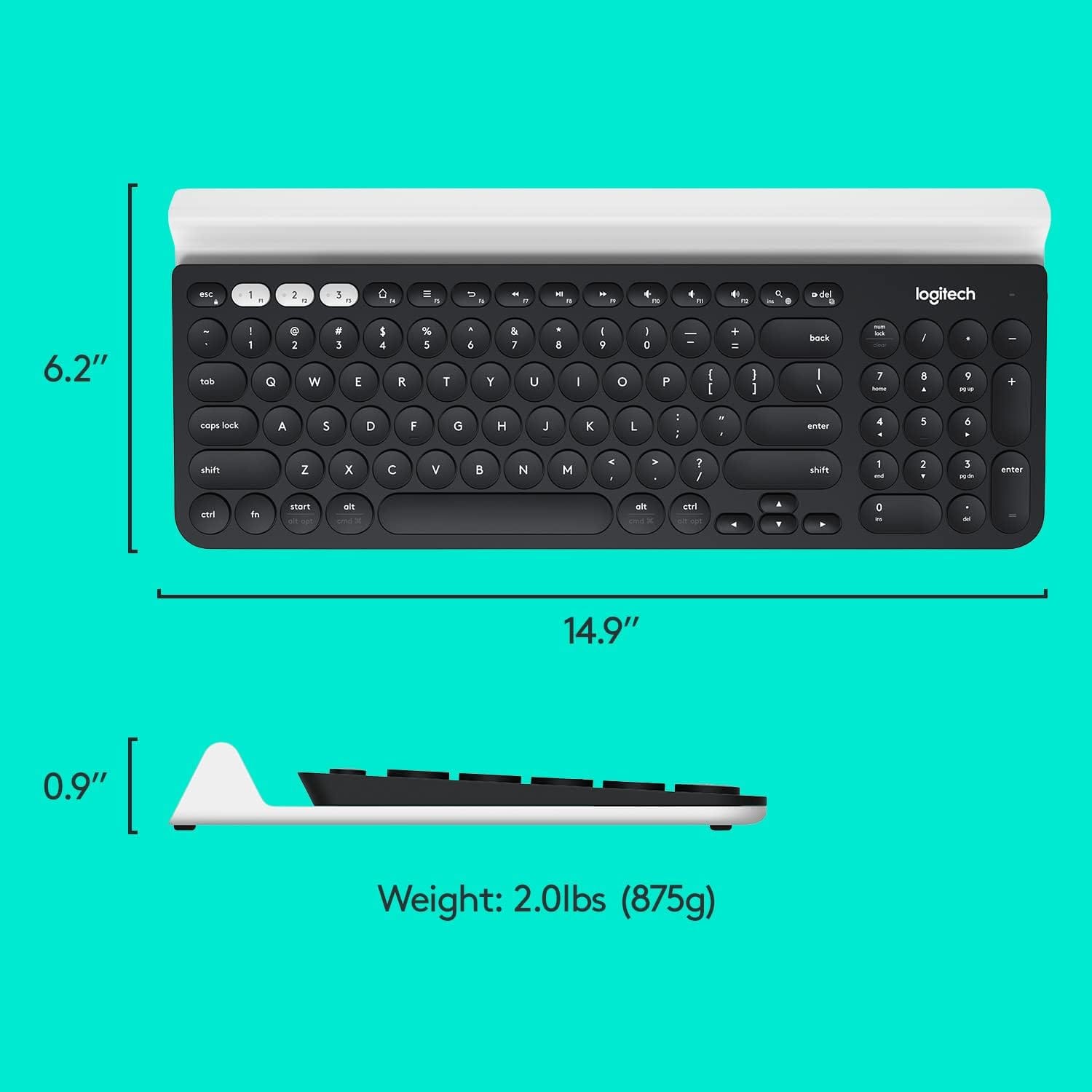
Posted .This reviewer received promo considerations or sweepstakes entry for writing a review.A lot of the things I thought would be "pros" for this keyboard aren't. For example, the tray for holding other devices only works if you don't have a case on it. My Kindle Fire would only fit standing perfectly straight and would fall over if I bumped the keyboard. I tried taking it out of the case but that wasn't much better. The 3 white keys at the top of the keyboard are great as long as you only plan to use them to switch between devices. If you want to use them as F keys (F1, F2, F3) you have to press the FN key while pressing the F key. That's true for ALL the F keys. It should be the opposite; you should have to press the FN key to switch devices and all the other stuff. If I press the F5 key it gives a context menu instead of refreshing the webpage. You have to hold the FN key while pressing F5 to reload. There isn't a dedicated page up key. You have to press FN and the 9 key on the number pad (not the 9 above the letters) to go to the top of the page. Same for Home, End, page down, and insert. There is a Delete key at the end of the F key row. I've used Windows keyboards for 25+ years and never had a problem. I've even used several Logitech keyboards and loved them. This K780 is making me have to relearn things I've always done. I'm constantly hitting F5 and getting the stupid context menu. I've started doing CTRL+R to refresh the screen. That's still something I have to do differently than I have for over 2 decades! I really wanted to love this keyboard. If it's your first keyboard you've ever used then you probably won't have a problem since you won't have to relearn basic things. If you have used keyboards before you may want to consider a different one. If you really want the multi-device option then I hope you can learn to use the F keys again.
This review is from Logitech - K780 Full-size Wireless Scissor Keyboard - Graphite
No, I would not recommend this to a friendBrand response from Logitech
Posted .Hello deborahbates, So sorry to hear that your adjustment to the K780 hasn't been a good one. In regards to the F keys, I highly suggest using Logitech's Options software which allows you to customize keys to your liking, especially the F keys. Here's a link to the download: https://www.logitech.com/en-us/product/options. Hope that you found this helpful and that all is going well. Thank you for being a Logitech customer. - Richard from Logitech
Rated 5 out of 5 stars
cool keyboard, very silence and works well
Posted .This reviewer received promo considerations or sweepstakes entry for writing a review.nice keyboard, very silence and works well with my iphone X and ipad pro. I got it on the next day, best buy online shopping is the best.
This review is from Logitech - K780 Full-size Wireless Scissor Keyboard - Graphite
I would recommend this to a friendRated 3 out of 5 stars
Average
Posted .This reviewer received promo considerations or sweepstakes entry for writing a review.Overall a pretty good typing keyboard. Keep in mind the tablet slot on the keyboard isn't adjustable. I have a Tab S7+ w/ a case and it doesn't fit. There isn't any LED indicators for "Caps Lock and Number Pad" keys. It's little annoying at first, and for the price I just don't know why Logi didn't include this feature.
This review is from Logitech - K780 Full-size Wireless Scissor Keyboard - Graphite
No, I would not recommend this to a friendRated 5 out of 5 stars
This Keyboard is Awesome Except...
Posted .This reviewer received promo considerations or sweepstakes entry for writing a review.This thing is amazing, I love having the place to prop my phone up and the bluetooth that switches from my phones, ipad, and desktop is a dream come true. The only issue is that I use the "F" keys (F2, F3 ect) a ton because I'm in excel my whole day. The switch that changes devices is linked to the "F" keys so I keep switching devices by accident. I am going to swap this out for the MK850 since that has special buttons for the Bluetooth device selection. It doesn't have the stand for your phone though so I'm still torn on which one to keep. I recommend this to anyone who is normal and doesn't live in excel which is most of the population. I am sadly the anomaly..
This review is from Logitech - K780 Full-size Wireless Scissor Keyboard - Graphite
I would recommend this to a friend- Pros mentioned:Keyboard quality
Rated 1 out of 5 stars
Well built, but limited support
Posted .This reviewer received promo considerations or sweepstakes entry for writing a review.The keyboard is robust, so I selected it. It has nice weight, the design gives it a very stiff back, and it has this nice, rubbery feel to the sides. I brought it home and it's 1 for 5 devices I tested it against. It does not work with older Bluetooth supporting computers. So no, it really doesn't work with any version of OS X before 10.10, nor the older Android devices I have. Playstation 3: No AppleTV: No ...despite all of those having Bluetooth as their primary means of communication. I don't generally expect big backwards compatibility, but this was pretty egregious.
This review is from Logitech - K780 Full-size Wireless Scissor Keyboard - Graphite
No, I would not recommend this to a friend Rated 2 out of 5 stars
Great until it stops working
Posted .This reviewer received promo considerations or sweepstakes entry for writing a review.Keys are comfortable spaced and typing on it is very easy for a guy with big fingers like me. Pairing between multiple devices if also awesome and the tray in the back is very handy for letters and documents. 2 star review unfortunately thought since this keyboard only lasted me about a year. the keys got broken in too quickly and one day it just suddenly stopped working. switched the batteries and did all the trouble shooting I could but It would not turn back on. A troubling trend I have been having with Logitech over the recent years. My last 2 mouse's from them didn't last past a year along with a headset and a now this keyboard.
This review is from Logitech - K780 Full-size Wireless Scissor Keyboard - Graphite
I would recommend this to a friendBrand response from Logitech
Posted .Hello Peter,
Thank you for choosing Logitech and for taking the time to share your experience. I am sorry that you experienced issues with your K780 keyboard; I would like to help. If you have not already done I recommend downloading the Logitech "Options" software for customization. If you are using the USB connection you may want to run the "Firmware Update Tool" software to ensure your USB receiver has the latest updates. For further support, please visit the Logitech website.
Best regards,
John at Logitech
https://support.logi.com/hc/en-us/articles/360024317593
Rated 2 out of 5 stars
Annoying Sleep Mode
Posted .This reviewer received promo considerations or sweepstakes entry for writing a review.Love the multi blue tooth feature. Love that it's small and with a 10-key pad and doesn't consume desk space. The feel when typing is nice. Can't tell if you have the Num/Cap locks on. What I REALLY DON'T LIKE and is quite annoying is when I leave my computer and it goes to sleep and when I return to type, the keyboard doesn't immediately respond. I don't know if its a defect or what but I have to wait at least a minute or two or press several keys before it respond which is quite annoying. I gave it a few days but now I think I'm going to return it because I'm not a very patient person and when I set down to work at my computer, I want it to work, including the keyboard and mouse, and if it doesn't, I have no use for it, it has to GO...
This review is from Logitech - K780 Full-size Wireless Scissor Keyboard - Graphite
No, I would not recommend this to a friendRated 3 out of 5 stars
Not Backlit
Posted .This reviewer received promo considerations or sweepstakes entry for writing a review.Keyboard has great (not just good but great) tactile response. It's a chicklet type but not springy. However, it is missing one important feature: no backlighting at all.
This review is from Logitech - K780 Full-size Wireless Scissor Keyboard - Graphite
No, I would not recommend this to a friendRated 2 out of 5 stars
It's useable, but bery much overrated.
Posted .This reviewer received promo considerations or sweepstakes entry for writing a review.Instruction manual is substandard. The battery door hinges broke the first time I opened it. Not sure if it was broken already or not. Not very intuitive compared to a regular keyboard. I need to use the function keys quite a bit, and it's very awkward with this keyboard. The key buttons are easy to press, which is good.
This review is from Logitech - K780 Full-size Wireless Scissor Keyboard - Graphite
No, I would not recommend this to a friendRated 1 out of 5 stars
Worst Wireless ever
Posted .This reviewer received promo considerations or sweepstakes entry for writing a review.Whether it is connected using WiFi or the logitech receiver, this thing will not stay connected to my Lenovo. It loaded up my computer with a ton of software, yet cannot simply connect and act like a keyboard.
This review is from Logitech - K780 Full-size Wireless Scissor Keyboard - Graphite
No, I would not recommend this to a friendRated 1 out of 5 stars
Force installing proprietary software is a joke
Posted .This reviewer received promo considerations or sweepstakes entry for writing a review.I just purchased the keyboard and when I came home went to switch the "F" function keys to function lock. Well, you need to install the logictech software which asks to log all keystrokes in other apps, on my mac. This is getting returned tomorrow. Time to build hardware that doesn't force users to install software to function. This very well be my last logitech devices as I can't imagine this isn't force from company leadership.
This review is from Logitech - K780 Full-size Wireless Scissor Keyboard - Graphite
No, I would not recommend this to a friendRated 1 out of 5 stars
disappointing lack of product description on box
Posted .This reviewer received promo considerations or sweepstakes entry for writing a review.What is the point of buying a Bluetooth keyboard for wireless connectivity when it has to be plugged in to charge. The box doesn't specify that it's a rechargeable keyboard, just battery. I was expecting it to use AA or AAA batteries like my previous Bluetooth keyboard.
This review is from Logitech - K780 Full-size Wireless Scissor Keyboard - Graphite
No, I would not recommend this to a friendBrand response from Logitech
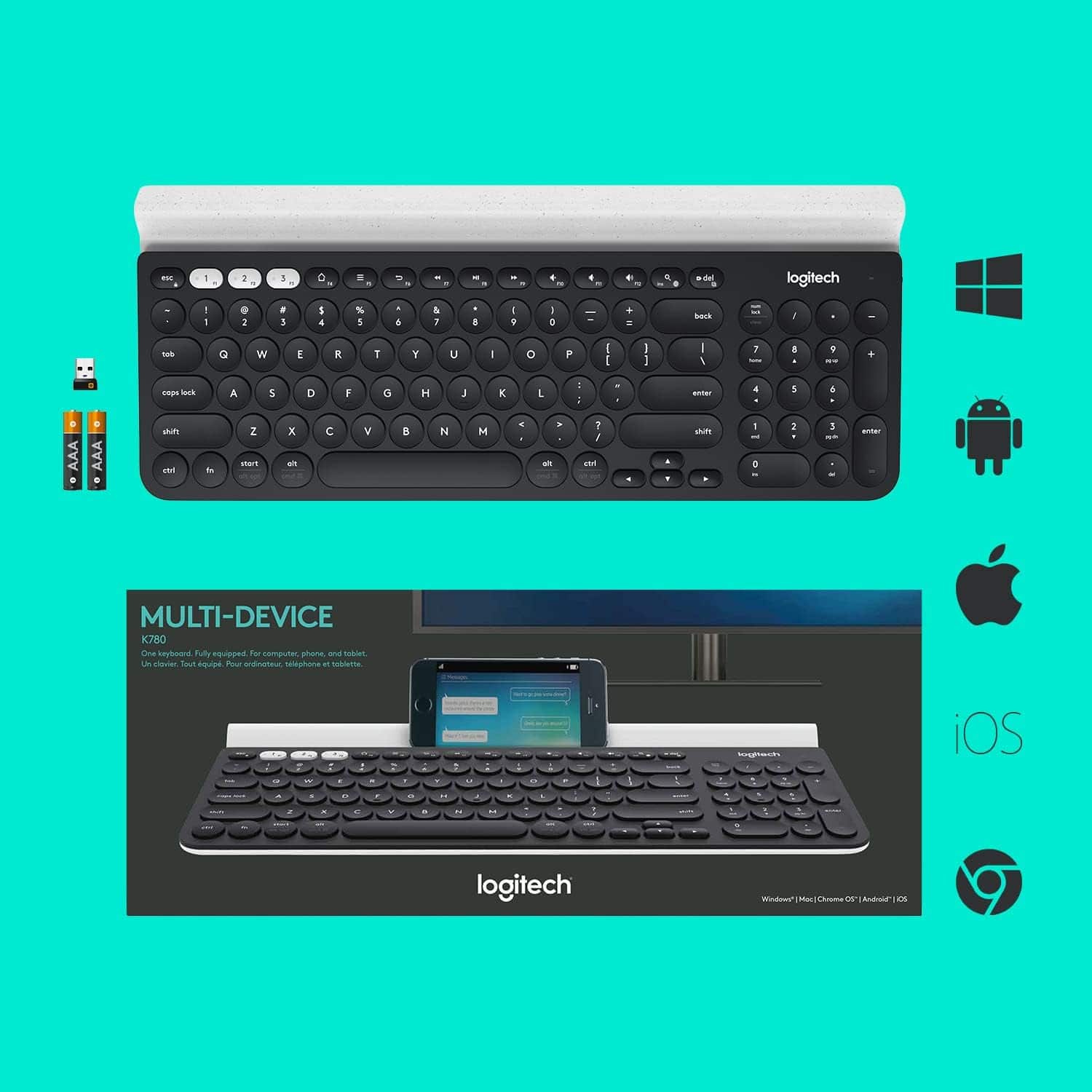
Posted .The K780 keyboard comes with 2 AAA batteries (pre-installed) and uses replaceable batteries. This device is not rechargeable.
Rated 1 out of 5 stars
Breaks after a year
Posted .This reviewer received promo considerations or sweepstakes entry for writing a review.Avoid this keyboard. It has serious problems maintaining a connection after about a year and a half. It's pretty much unusable at this point.
This review is from Logitech - K780 Full-size Wireless Scissor Keyboard - Graphite
No, I would not recommend this to a friendBrand response from Logitech
Posted .We apologize for the inconvenience you've experienced with the Logitech K780 keyboard. We understand how frustrating it can be when a product stops working as expected, especially after a year and a half. To address this issue, we recommend reaching out to our social care team via email at socialcare@logitech.com with your
- Name:
- Email Address:
- Country:
- Product Name:
- Brief description of issue:
Rated 1 out of 5 stars
Extremely disappointing purchase
Posted .This reviewer received promo considerations or sweepstakes entry for writing a review.Purchased this 3 months ago and having been using it daily since and loved it. However, it decided to just not respond. Couldn't get in my computer since it refused to type in the password. Thought batteries were bad so I changed it but same dead, unresponsive keyboard. No way to return it since the box was already discarded and the return time lapsed. Frustrating and disappointing.
This review is from Logitech - K780 Full-size Wireless Scissor Keyboard - Graphite
No, I would not recommend this to a friendBrand response from Logitech
Posted .Hello, we apologize for the inconvenience you have had with your keyboard. Please reach us on our Logitech support website for further assistance with your matter. We want to help you get back up and running.
Rated 1 out of 5 stars
not sure how this got such good reviews
Posted .This reviewer received promo considerations or sweepstakes entry for writing a review.I used this keyboard for about 6 hours and within that 6 hours, I had to reset the setup for the F buttons twice. It kept reverting to their standard which was using them as Bluetooth. Seems to me that should be the special setup and the regular F button usage should be the fallback mode.
This review is from Logitech - K780 Full-size Wireless Scissor Keyboard - Graphite
No, I would not recommend this to a friendRated 1 out of 5 stars
Terrible Product
Posted .This reviewer received promo considerations or sweepstakes entry for writing a review.Terrible. Should be 0 stars. Spent two days trying to pair my iPhone 12 Pro Max via Bluetooth. Never paired. Wouldn’t pair with my iPad either. Zero product support. Returning for refund.
This review is from Logitech - K780 Full-size Wireless Scissor Keyboard - Graphite
No, I would not recommend this to a friendBrand response from Logitech
Posted .Hi ThomasMac, thank you for sharing your experience with the K780. I'm sorry you were unable to connect the K780 to your iPad or iPhone and that there was no support or instructions. The K780 has the ability to pair with 3 devices using the White 1-2-3 buttons on the top left. You will want to press and hold the 1-2-3 until it flashes rapidly. This puts the keyboard in search mode. While the keyboard is in search mode you go into the Bluetooth settings on your iPad or iPhone and select the K780. There will be a code that shows up on your screen. You will use the keyboard to enter that code and press enter. Then the devices will be paired. Make sure you assign the iPhone and iPad to its own white key that way it doesn't override the connection. You will be able to seamlessly switch between the devices by pressing the assigned white key. I hope this helps with the set up process. Thank you for being a Logitech customer. Kristi from Logitech
Rated 1 out of 5 stars
Keyboard that can't stay connected
Posted .This reviewer received promo considerations or sweepstakes entry for writing a review.It is a great keyboard when it is connected. The problem is the keyboard constantly disconnects from the PC. I have a bluetooth mouse that has no issues staying connected. I would not buy this again.
This review is from Logitech - K780 Full-size Wireless Scissor Keyboard - Graphite
No, I would not recommend this to a friendBrand response from Logitech
Posted .Hey there, it sounds like you're having some connectivity issues. I would recommend making your computer "forget" the keyboard, then trying to reconnect, as this can often times solve the issue of a poor Bluetooth connection.