Customer Ratings & Reviews
- Model:
- 920-009863
- SKU:
- 6425032
Rating by feature
- Value
Rating 4.6 out of 5 stars
- Quality
Rating 4.7 out of 5 stars
- Ease of Use
Rating 4.7 out of 5 stars
to a friend
Customers are saying
Customers love the high-quality build and satisfying tactile feel of the K845 keyboard, frequently praising the clicky keys and ease of typing. While some users found the font unconventional, the majority of feedback focused on positive aspects of the typing experience. A small number of users noted the keyboard's audible clicks, and some expressed a preference for different switch types.
This summary was generated by AI based on customer reviews.
Not so good
||Posted . Owned for 9 months when reviewed.This reviewer received promo considerations or sweepstakes entry for writing a review.Not good fsiled to wrk and sticky keys, to top it off they have 3 differant type on keyboards with the same part @
No, I would not recommend this to a friend
A Real Mechanical Linear Keyboard at a super price
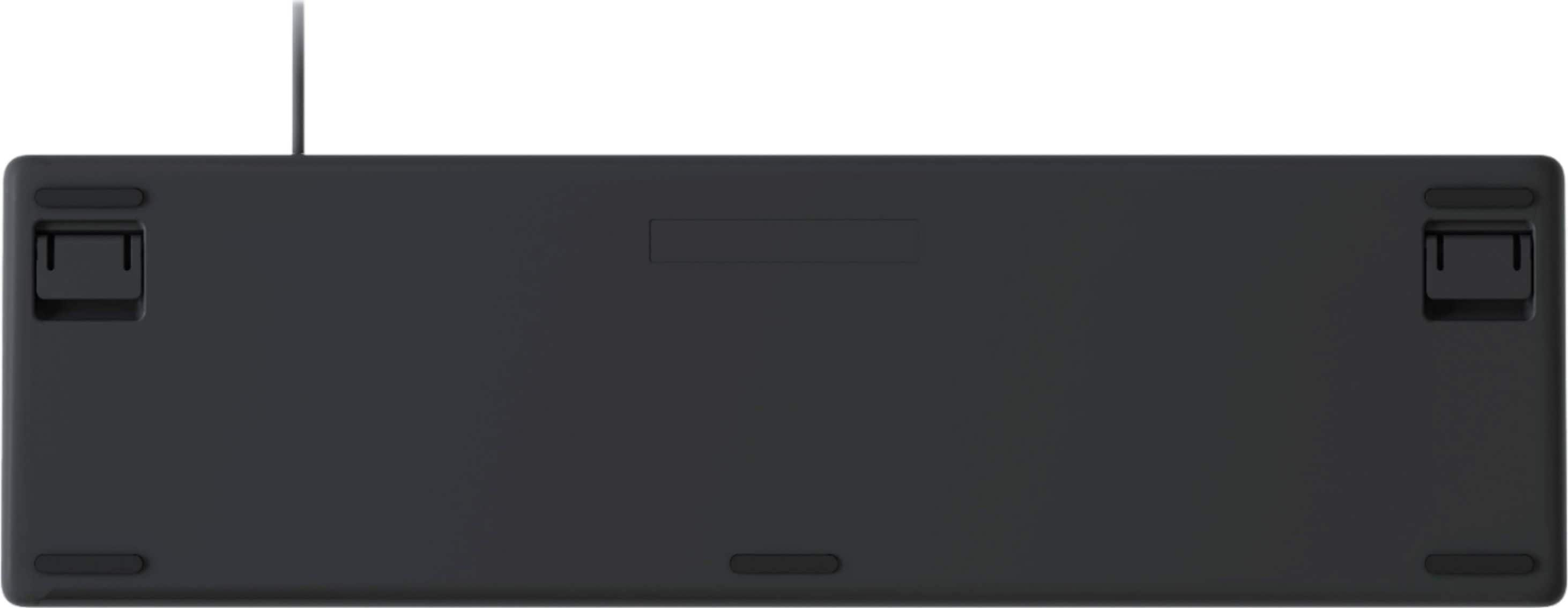
|Posted .This reviewer received promo considerations or sweepstakes entry for writing a review.My favorite keyboard right now is the Logitech G513. It has great feel and keyboard travel, much like the vaunted old IBM keyboards. But like the IBM keyboard, it’s a very loud ‘clicky‘ sounding keyboard. I wanted that feel for my work PC, but without the gaming keyboard price. The K845 Mechanical Linear Keyboard meets the need. It has much of the same feel of my beloved G513 clicky keyboard without breaking the bank. Yes, this K845 has real mechanical switches at this price. A great deal. The mushy pillow feeling most OEM keyboards have just don’t cut it when you type fast and need that precision feel to keep typing fast. This has the same full size keyboard spacing, keycap shape, key travel, and feel of my favorite keyboard. If you ever used a typewriter, this keyboard will feel comfortable, not at all like the basic keyboards that ship with PC’s. This keyboard is well made. The aluminum top provides a good solid base that resists flexing. It has a minimal footprint, barely larger than the keycaps. To get any smaller, the keycaps and spacing would need to shrink. That’s a hard adjustment for heavy typist. The keyboard legs let can choose between a 4 and 8 degree keyboard angle. The mechanical keys are tall, taller than most OEM keyboards to allow for keystroke travel. The feel of these tall keys is so much better. The thin cable is about 6’feet long. Setup is plug and play on Windows 7 and above. There is no software available from Logitech, all features such as lighting are controlled solely by using the FN keys. The letters should not wear off and the keycaps are not printed with the font. The fonts are more translucent so that they let the LED backlighting light them up. When not lit, the font appears grey on a black keycap. A bit hard to make out, but not a concern since the keys light up. The keyboard has three levels of LED lighting adjusted using the FN keys. Not only is the font on the keycaps lit, but there is also a glow from the bottoms of the keycaps that light the base with a pleasant even background glow. The intensity of the background glow adjusts with the light level chosen so that it does not detract from the keycaps lighting. Unlike my gaming keyboard, lighting is limited to white, which suits office work. But it’s not bare bones work. In addition to having all keys remain evenly lit (static), there are four other lighting affects you can choose from. • Random: The keycaps can be set to twinkle randomly regardless of your typing. If you wish to break yourself of looking at the keyboard and being more a touch typist, this can help break that habit. Or you can torture any visual typist using your keyboard. • Reactive: Set the keyboard lighting to a very low light level and then momentarily brightly light the keys as you press them with a bit of trailing light after you release them. • Serpent: Set the keys to light in sequence with the lit keys snaking its way down and across through all the keys. • Breathing: The keyboard lights be set to slowly fade in and out as if it is ‘breathing’. There are also FN keys to launch Calculator and start a media program; go forward/back a track and adjust volume. The K845 is a solid and attractive keyboard for the heavy or precision typist. You great the great feel of a mechanical keyboard at a very attractive price. The keyboard and mouse are the tools you use to interface with your PC. It’s worth upgrading these to make the most of your PC. At this price, the decision is a no brainer.
I would recommend this to a friendStreamlined Comfort and Performance
|Posted .This reviewer received promo considerations or sweepstakes entry for writing a review.I use my computer a lot for both work and gaming. I started noticing that using the same keyboard for both gaming and work (which is a lot of typing) was exhausting on my hands and wrists since I have to hold my hands differently when I type compared to gaming using a keyboard and mouse. I decided that I need a keyboard that would be dedicated to typing. I opted for the Logitech K845 Mechanical Keyboard. It’s a night and day difference! Appearance: The Logitech K845 is pretty much a streamlined keyboard that doesn’t have a bunch of bells and whistles that are seen in other keyboards and might be overwhelming for some users. The Logitech is a clean aluminum design and is ready right out of the box without having to download the software needed for configuration. This keyboard isn’t cumbersome and should not upset your current desk space. Upon plugging in the keyboard, it lights up with a wonderful pattern of illumination. Changing the light patterns is EASY with the press of the Fn button and then cycling through with the F12 key. The five backlight pattern choices are Breathing, Serpent, Random, Reactive, and Static. I personally like Reactive. The backlight of the Logitech is soft and subtle and won’t overwhelm your office or gaming space. Response: Typing on the K845 is wonderful as I can feel each of the mechanical clicks with each stroke of the keys. This something that is comforting to someone such as myself. Little pleasures and all. The keys feel strong with each use and won’t be wearing down anytime soon. You feel the ‘connection’ with each stroke. There are two feet located underneath that you can flip down and have the keyboard be angled. With the feet activated, I found that my wrists were not being strained as much as my previous keyboard. Gaming: Yes, the K845 keyboard can satisfy your gaming needs because of its mechanical keys that let you know that you’ve executed those important keystrokes that can be ever so important in your gaming moments. Though I had intended this Logitech keyboard to be for work/typing only, I don’t feel compelled to switch it out when I decide to play a few sessions of some games that require precise access to a hotkey command. I think extending the back feet/legs alleviated the strain that I was enduring with the other keyboard that I was using. The Logitech K845 surpassed my expectations. It’s on point with its mechanical key responses, it has a slick design that provides comfort for several hours, and offers fun options for illumination. I think that users will truly embrace this computer tool.
I would recommend this to a friendA Nice Keyboard to Type On
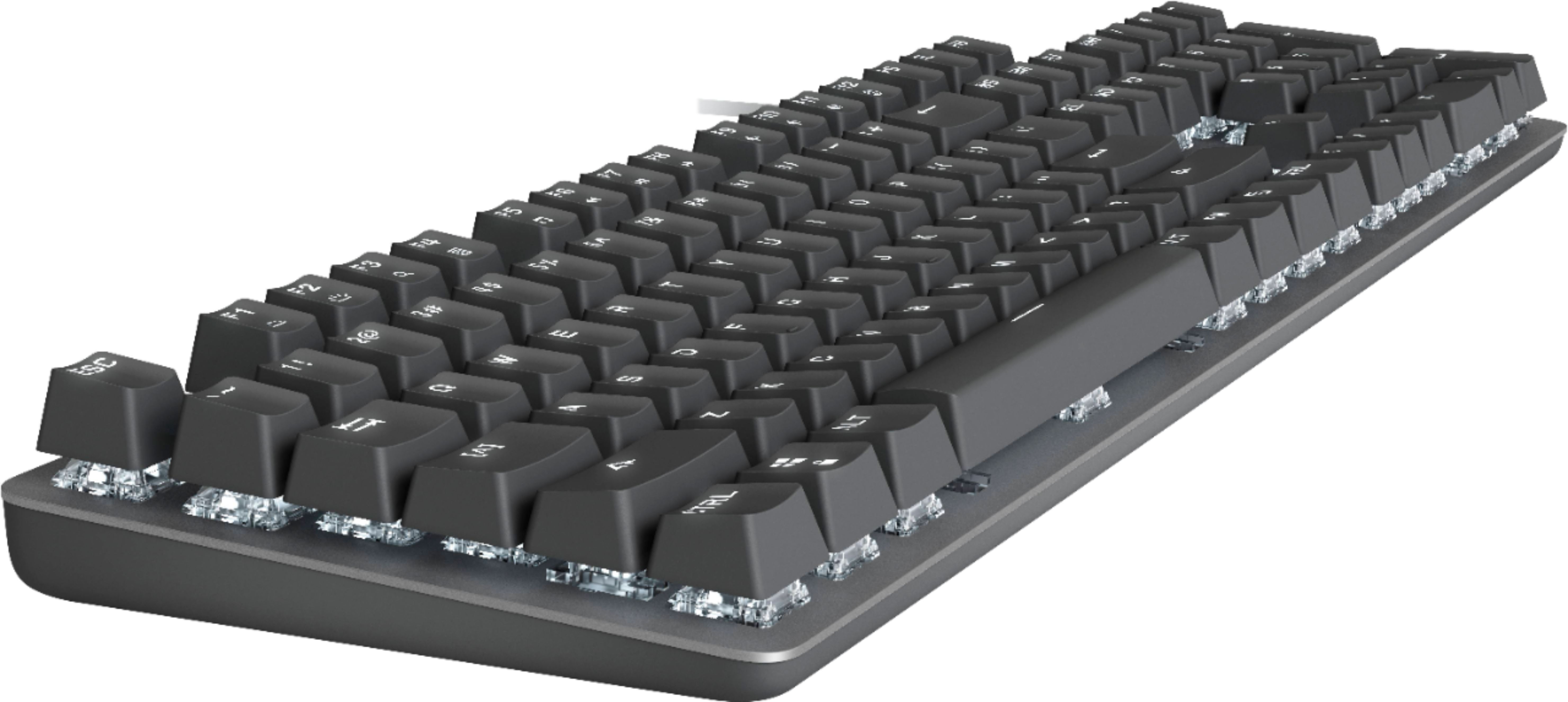
|Posted .This reviewer received promo considerations or sweepstakes entry for writing a review.The keys are small. Almost like keyboards from the 90's. There seems to be more space between the edges of the keys vs a taper of the key's edges like on many other keyboards. It might take some getting used to if you have been using a laptop or larger key keyboards. The keys have a nice shape on their tops and there are locator points you can feel so your fingers naturally find the location. Key action is good. Not too much resistance so easy to press. It doesn't have the positive click at the end of the keystroke like some other keyboards. This makes it quieter to type on and doesn't tire your fingers out from heavy key presses. The key travel is longer, like it was on older keyboards so that's another thing you have to get used to. The longer travel is a welcome feature to those who learned on older keyboards and typewriters. The key font is a little odd. Numbers and letters that have circles inside them have a line going out to the edge. I'm not sure if this was a design choice or a side-effect of molding the translucent keys. Not really a problem, it's just different. The keyboard feels solid. The aluminum plate under the keys gives it some weight and there is no flex in the keyboard itself. The weight of the keyboard really keeps it in place on the desk, nice benefit. It has the ability to lock out the Windows key. Whether you're gaming or working, hitting the Windows key accidentally can be annoying. So being able to lock that out is nice. The backlighting works well. The switches under the keys are translucent and let the light shine around the keys. All the letters and numbers on the keys let plenty of light through to read them in the dark. There are 3 levels of brightness available. There are also 4 "modes" that create different patterns of light on the keyboard. A zig-zag light pattern, increasing the brightness of the key you press, a random flickering of lights and a slow fade up and down of the brightness of the whole keyboard. All the switches are on top of the aluminum plate which raises the keys up and makes it easy to clean around the keys. The cord and USB plug are of high quality as is the entire keyboard construction. It looks and feels expensive. All around a nice keyboard to use. I'd recommend it.
I would recommend this to a friendhave problem after 9 month of usages
||Posted . Owned for 8 months when reviewed.This reviewer received promo considerations or sweepstakes entry for writing a review.At first it is good, but after 9 month of usage, there are some keys does not performs
No, I would not recommend this to a friendProfessional Keyboard With Soul of a Gamer
|Posted .This reviewer received promo considerations or sweepstakes entry for writing a review.The Logitech K845 Mechanical Keyboard is an ideal choice for serious typists. Right out of the box I noticed the keyboard’s sturdy construction with an anodized aluminum top with a high-quality plastic casing. This means absolutely no deck flex even when pushed to extremes. The keycaps have a nice feeling texture and a bold font which pairs well with the per-key backlighting. The soft white backlight has 4 adjustable levels including off. Found this especially useful when typing in dark environments. Additionally, there are 5 different lighting effects easily toggleable through a function shortcut. The Cherry MX-Red switches in the keyboard are buttery smooth with a perfect actuation weight. With 5 different choices of keys, this keyboard will suit any typist and all keys are rated by Logitech for over 50-million presses. Another feature which was immediately apparent is the ergonomically curved profile and angled keys. I was able to type for long sessions without experiencing fatigue. While being a full-sized keyboard, it still has a small footprint and function key shortcuts which I find particularly useful for quickly skipping tracks and adjusting the volume. The Logitech K845 is an excellent choice for typist, the K845 keyboard is sure to suit your needs with key features to take your typing to the next level comfortably. If you enjoy Game Play during breaks from typing the K845 delivers “with all the mechanics of a gaming keyboard.” Icing on the cake, the K845 performs solidly at the level of other professional keyboards at half the price.
I would recommend this to a friendBrand response from Logitech
Posted .Hello and thank you so much for the 5 star review! We appreciate your honest feedback on the K845 keyboard. At Logitech, it is our goal to ensure you are completely satisfied with your Logitech purchase. We take pride in the products and services we offer, and want our customers to enjoy them just as much as we do. Thanks for being part of the Logitech Family. Have a great day. -Ricky from Logitech
Solidly built, simple design, great for business!
|Posted .This reviewer received promo considerations or sweepstakes entry for writing a review.This keyboard is a very welcome additional to the never-ending line up of mechanical keyboards! Almost every single design out there is tailored directly towards gaming, nothing fit very well in the business casual market, let alone have a decent entry price. The compact, sleek design of this mechanical keyboard is a refreshing choice and fits perfect in that market. Overall build quality is very solid for the price, you have flagship Cherry MX Red switches, an aluminum bezel that really enhances strength and gives it a good weight, and it’s packaged in a nice size. While it doesn’t have dedicated media keys, the FN function key will shift the top row of function keys into media keys you’re used to seeing on a lot of laptops. I prefer dedicated keys for this, but it works well for this design as that’s not something I usually need much at work. The built-in backlight can be adjusted through a few different presets and brightness settings using the function keys. The font use is unique, but I didn’t find an issue with it. I know where all the keys are on the keyboard without looking so, I don’t rely on the visual reference of the labels. The Cherry MX Red switches are more linear and don’t have a tactile bump at the bottom of the travel, so depending on how you type, the keyboard can be loud or fairly reserved for a mechanical keyboard. If you can learn how to “float” the keys as you type, the volume will greatly decrease as there’s not a physical click you need to actuate to trigger a key press. The actuation point is part way down the travel, so you don’t need to fully bottom out the keys, you can almost dance on the keys as you type. This takes a little getting used to but works well once you master the feel of these switches. Overall, this keyboard is a huge improvement over “stock” or retail basic plastic keyboards. If you’re looking for an inexpensive, solidly built mechanical keyboard, look no further! This is a great office/casual/business use keyboard and you won’t regret it! If you’re looking for some additional functionality, just look further up the line of Logitech’s offering. They have a great selection of mechanical keyboards.
I would recommend this to a friendGreat Mechanical Keyboard!!!
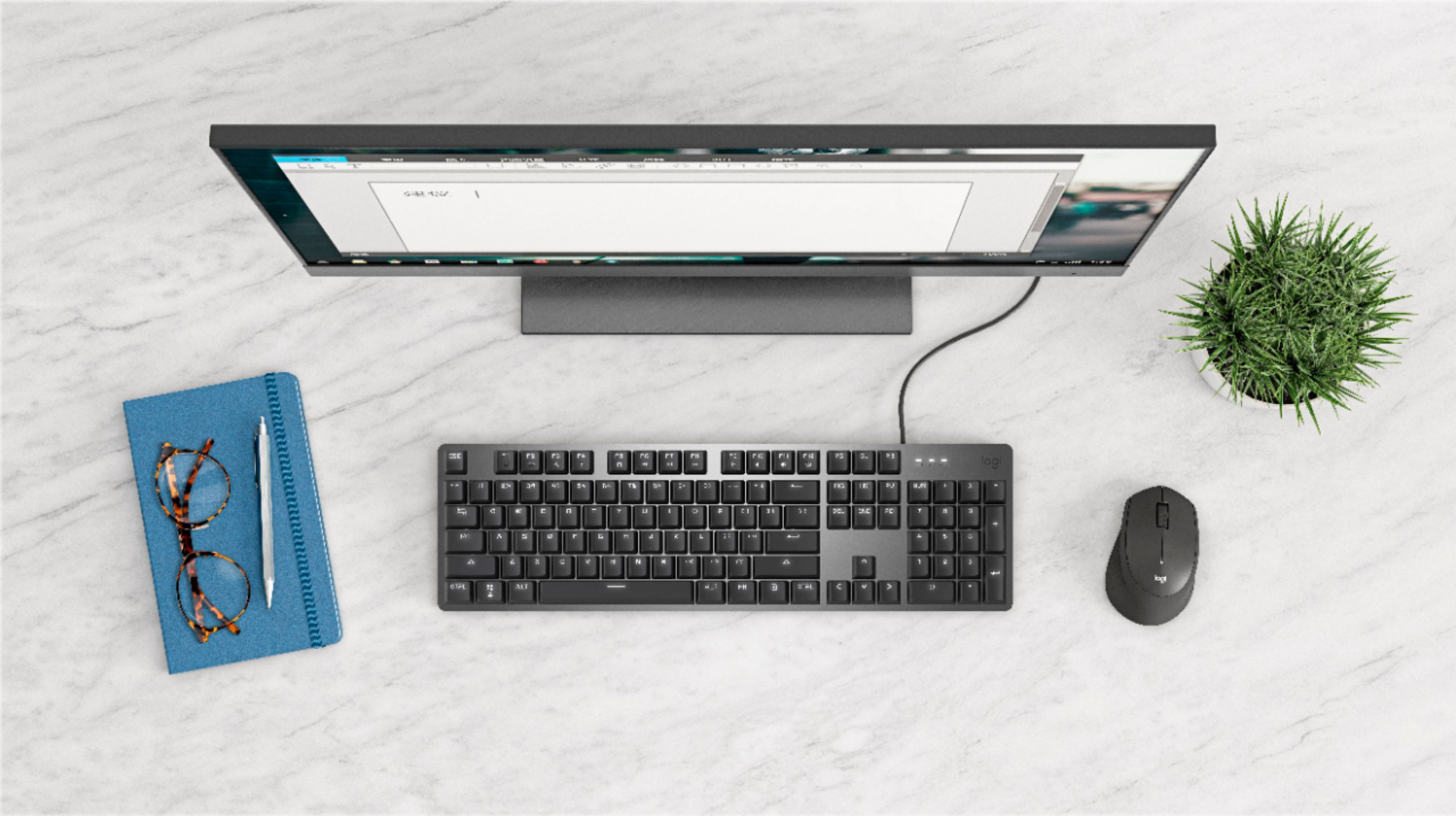
|Posted .This reviewer received promo considerations or sweepstakes entry for writing a review.It is well known that Logitech has focused its efforts on creating a line of very good quality products at an excellent price and this keyboard is no exception, this review is being written with the Logitech k845 keyboard :) First of all, I want to address the issue of aesthetics since from the moment you take the keyboard out of its box, the aesthetics are impressive, serious but attractive colors, black and silver a perfect combination and with the placement of the keys in a relatively small space, makes this keyboard look very elegant. It has a balanced weight, in addition to non-slip rubbers that actually have a good grip since at least for me it is important that my keyboard remains in the place I want even though I use it to type or play. The lighting is a one of the functions that I appreciate a lot, despite being only white, it gives you the option to choose the type of lighting or simply turn off the light, in places with low light it looks great and does not hurt the sight, it has Red Linear keys which facilitate writing since there is no need to press hard and all the way down to each key and, together with the spaces between each one, makes it less frequent to make the mistake of pressing two keys at the same time, that usually happens with the regular keyboards that the desktop pc comes by default. I must say that the experience of using a mechanical keyboard is superior to that of a conventional keyboard, the sound that the keys emit with each click is very rewarding, of course it depends on the tastes of each person, it fascinates me. The precision is very good and I believe that it makes typing much easier. The keyboard can be raised a little for greater comfort, the elevation is not much but enough, the cable to connect it to the pc is thick and resistant, the same color as the keys ... good detail Logitech. In summary, I could say that it is very enjoyable and if you are looking for a mechanical keyboard at an affordable price, of good quality and with (white) lighting, this is a very good option, highly recommended.
I would recommend this to a friendGreat Well Built Keyboard
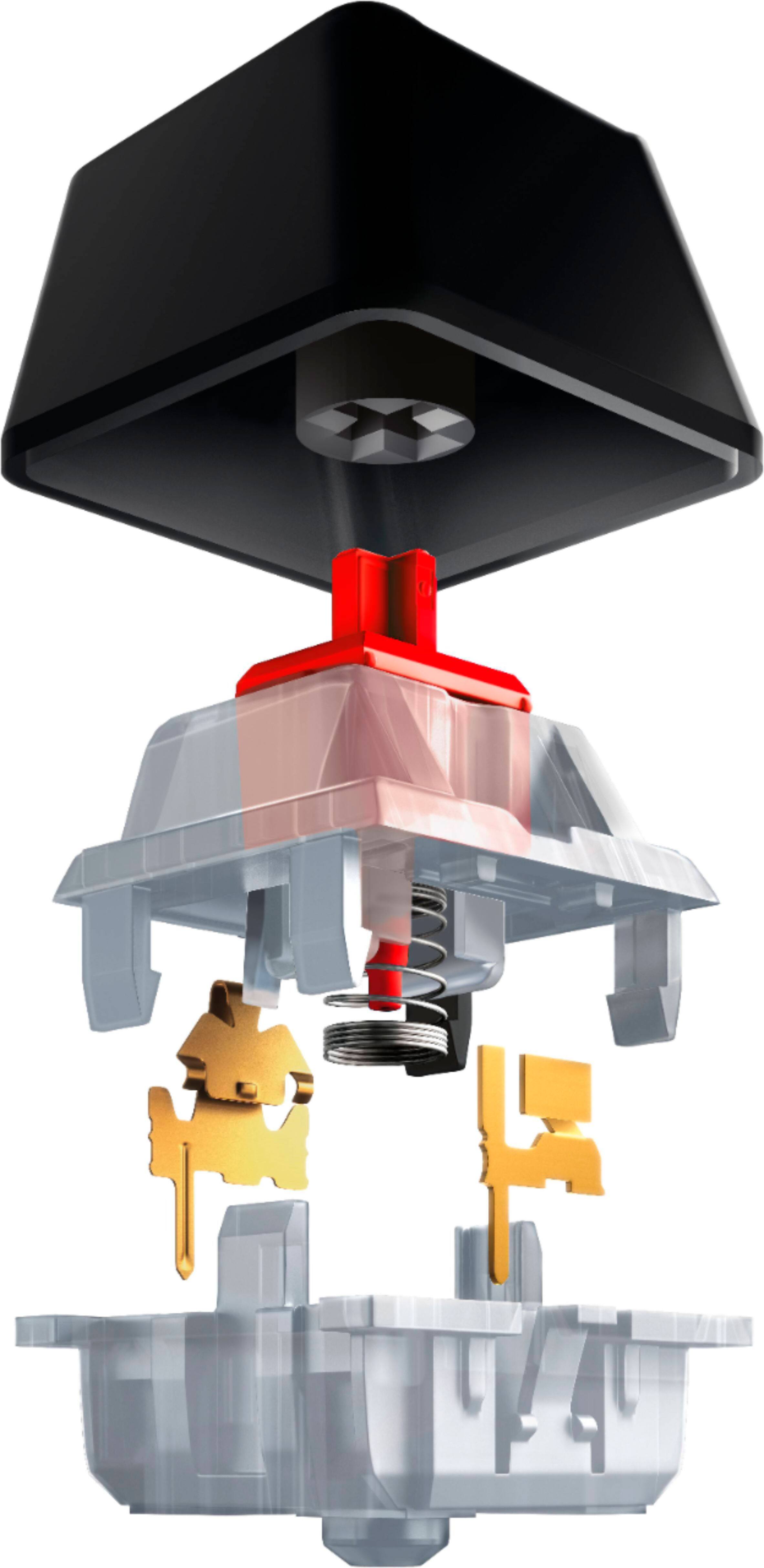
|Posted .This reviewer received promo considerations or sweepstakes entry for writing a review.This is a really nice keyboard. It has a solid feel and good weight to it and everything about it just feels high quality. In case there was any confusion from the description, the keyboard itself is a grey aluminum color. The cherry red (on my model) refers to the plastic under the keys, which you can only barely see if you look at an angle. If you choose a different feel for the key-presses, its distinguished by a blue color instead of red. The lights are just a white color but are easy to brighten or dim. No software is needed for the keyboard and its truly plug and play. This does mean that you are limited to just 5 lighting modes (on, breathing, a snake pattern that starts at the top and just goes back and forth to the bottom, reaction - which just lights up where you type and slowly fades, or a random twinkling effect). It’s easy to switch between modes with a few clicks and fun to add the the typing experience, but don’t expect the intricate color and lighting options of a keyboard that requires you to download a software to run. The real test for me was letting my daughter use the keyboard. For some reason she decided to get really good at typing and can type more than 90 wpm. She says the feel is really nice and the keys just work better. Trying to get her to explain why, she just likes the way they feel and that you can really tell when you’ve pressed the key or not, and it pops back into place quickly enough that you don’t feel like you may have missed a letter (like when typing the word letter that has two ‘t’s in a row). She loves the keyboard and won’t give it back. This is a fairly basic keyboard, but just really well built and I’m very happy with it.
I would recommend this to a friendNice quality, keyboard font a bit different
|Posted .This reviewer received promo considerations or sweepstakes entry for writing a review.I’ve used quite a few Logitech products and have appreciated the quality and durability they offer. In using this K845 keyboard with Red Linear Switches I feel it hits a happy medium between the cheaper keyboards that come with a computer and the more expensive options that exist for gaming and general computer use. Someone who games a lot will want to invest in a more expensive keyboard option that allows for features such as macro keys, more lighting options, etc… I really like Logitech’s line of keyboards that offer an aluminum frame. Aesthetically they are much better looking than a plastic keyboard and offer a durability that is going to last. The mechanical switches are tested for 50 million clicks and the keyboard design is comfortable to use with a curved profile, slim front and 4 to 8 degree tilt options. For at home use, I prefer this corded keyboard option over previous cordless keyboards I have utilized. The twelve function keys offer plenty of choices including backlight brightness, search, calculator, media, and volume controls. Hit Fn + F12 to toggle through 5 lighting patterns including Reaction (lights up keys as you type), Breathing (lights pulse), Random (twinkling effect), Greedy Snake (lights slither across keyboard) and Static. For me, Static is the best option for my room lighting conditions. For $59.99, the K845 Mechanical Illuminated keyboard has a lot of nice features and I can easily recommend it. If you are in a super quiet office or setting the red linear switches may still be a bit noisier than one may prefer. Also, the font on this keyboard takes a bit of getting used to. Perhaps it is intended to be current or different, but some symbols are just a bit annoying since it puts a gap in the curve on the “@” and “&” keys. I’d prefer the gaps didn’t exist on the graphics for these symbols. Also, perhaps it wasn’t in line with the minimal footprint of this keyboard, but I would love it even more if it had a scroll wheel for volume. The K845 keyboard is a good option; the hard part is just deciding which of the 5 switch choices is best for you.
I would recommend this to a friendgreat keyboard but took some getting used to
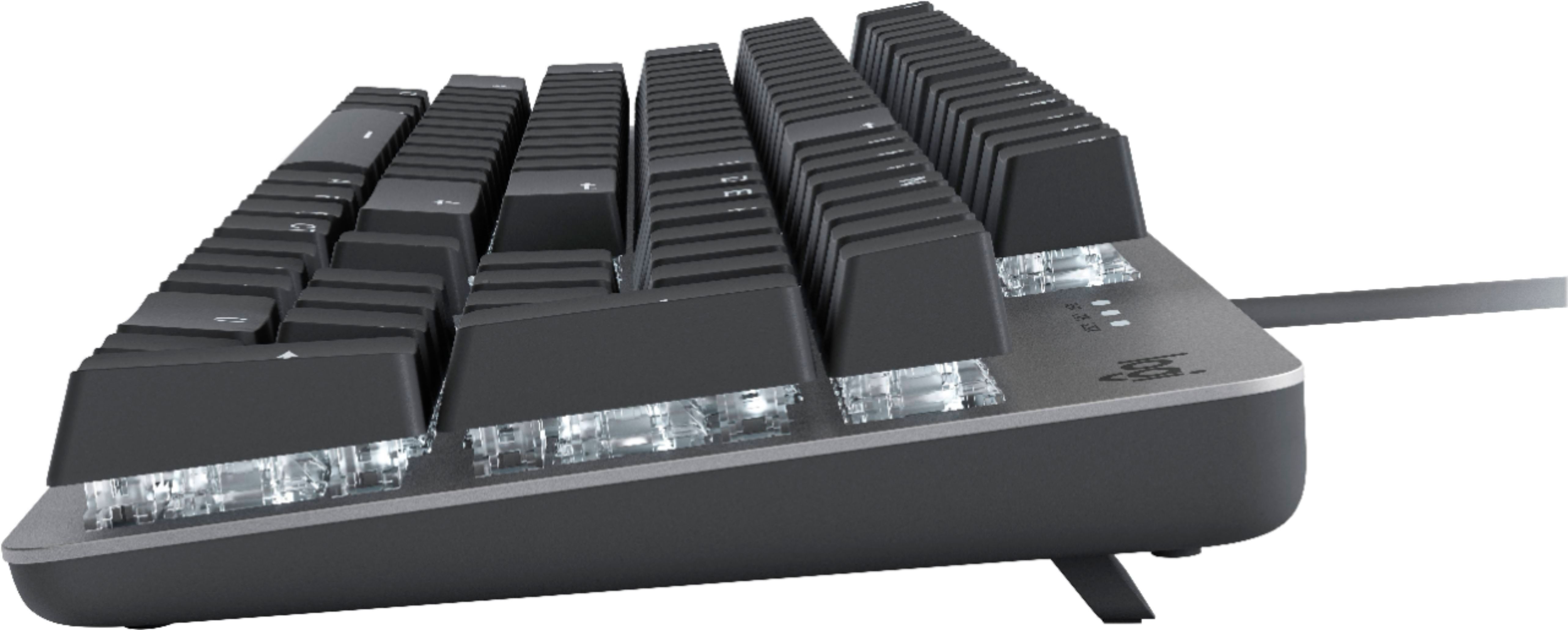
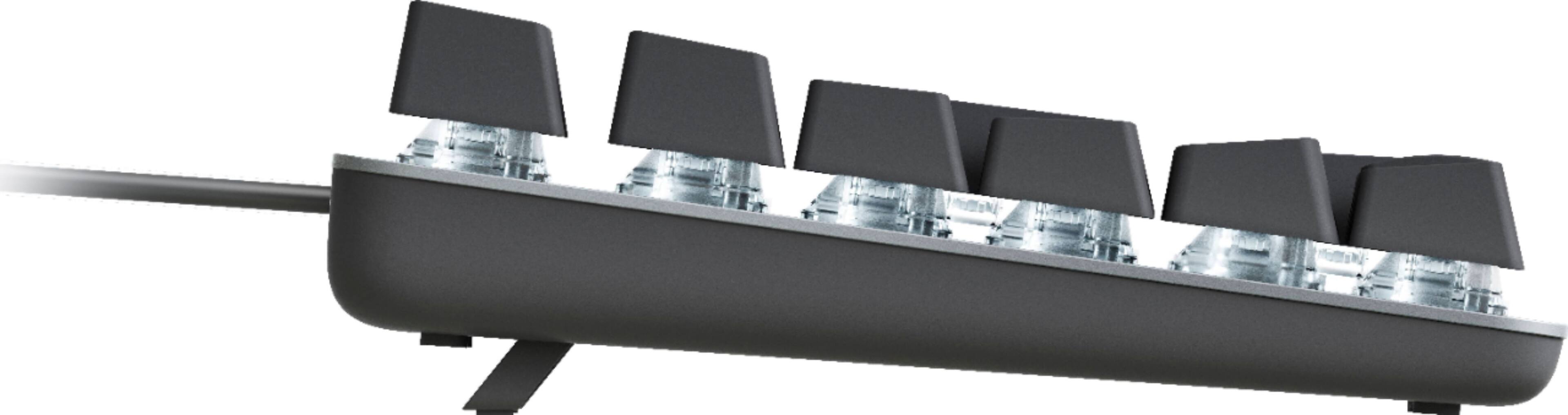
|Posted .This reviewer received promo considerations or sweepstakes entry for writing a review.The Logitech K845 is beautiful and modern looking. I love the steel grey color and look of the board and keys. The keyboard feels very strong and well built. Logitech claims that it has been tested to last 50 million clicks. Seems Legit. This keyboard feels like it will definitely outlive your computer. It has kickstands so you can tilt it up, they are stable and have rubber feet to keep the keyboard from sliding. The keyboard backlight has a nice glow that lights up the keys well without being too bright. The keys are pretty big, raised and well spaced. They have very good travel with a satisfying click. The sound honestly reminds me of the good old fashioned keyboards I learned to type on in school. It was very simple to set up, literally just plug it into a usb port and it's ready to go in seconds. No drivers to download. I was pleasantly surprised by the different lighting effect options. You can toggle through different settings by pressing the FN key and F12. My personal favorite is the setting that lights up the keys are you press them.. lol Its a gimmick but it made me smile. Be patient with it when you first start using it. You'll have to find a typing position that works for you. I made so many errors and miss clicks for the first 5 minutes of use with this keyboard. I think that mostly has to do with the fact that I am used to typing on a flat laptop keyboard. You have to adjust to the high keys and not having a palm rest. I did not try gaming with this keyboard because my desktop computer honestly can't run anything other than minecraft and solitaire so I can't comment on gaming with this. I think most people would be pleased with this keyboard after taking the time to get used to it. I like its compact form , large keys and it has been comfortable to type on.
I would recommend this to a friendPrint already coming off the keyboard
||Posted . Owned for 8 months when reviewed.This reviewer received promo considerations or sweepstakes entry for writing a review.The keyboard works fine except in the 8 months I had this, the print on the letters has eroded. I had my last keyboard for years without this happening. Also the letter S has to be pressed hard otherwise it skips the S.
No, I would not recommend this to a friendBrand response from Logitech
Posted .Hello, Greenbrit! I'm sorry to hear about your experience with the K845 keyboard! I would recommend reaching out to our support team here https://support.logi.com/hc/en-us/requests/new?ticket_form_id=360000621393 to file a warranty claim. The K845 has a 1-year limited hardware warranty. Thank you for the feedback! I will be passing this along. - Maggie from Logitech
Love the feel of this keyboard
|Posted .This reviewer received promo considerations or sweepstakes entry for writing a review.Just got it a day ago. Often times when you get a new keyboard it takes some adjusting since you've been so used to using your old one, so I'm still in the adjustment phase but I really like it so far. Love the feel of the keys, I have the red linear mechanical switches and they keep up with my typing (which is pretty fast) perfectly without missing a beat. My last keyboard couldn't keep up, often had to backspace and retype letters, but not with this one. Since my office is in my basement and kind of dark I needed illuminated keys so love this feature as well. You can vary the illumination pattern to your liking, another nice feature. The overall layout of the keyboard is pretty small, no wasted space at all, and I like its smaller form factor. It is wired so keep that in mind if you're looking for wireless. Overall, although I'm still adjusting to its size and spacing of the keys, I'm really enjoying its usability and precise responsiveness. 5 stars for this price point!
I would recommend this to a friendprecision in a modern design
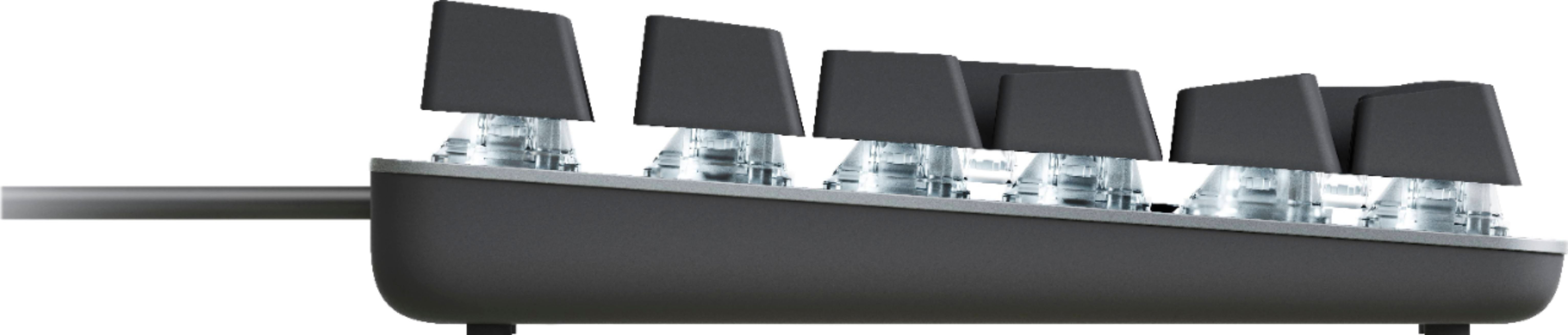
|Posted .This reviewer received promo considerations or sweepstakes entry for writing a review.The K845 can be ordered with one of five different key switches. Red--linear, fast and smooth, minimal feedback Blue--tactical loud clicky switch ,ample feedback Brown-- tactical quiet, accurate and fast, ample feedback Cherry MX Blue--industry standard- linear, fast and smooth, minimal feedback Cherry MX Red-- industry standard - clicky ,loud accurate with ample feedback Even though Logitech offers 5 different switch options for this keyboard, the switches are not Hot Swappable, and changing the switches after purchase will result in voiding the warranty. This model comes with the Cherry MX Red switches. Cherry has been the industry standard of quality since 1973, and claims to be the oldest keyboard manufacturer still in the business. The Cherry MX Red switches in this Logitech keyboard work great, they have a very comfortable feel, and press down with ease. The click associated with the MX Red is light, but still loud enough to be heard. The keys were very accurate, as there was no need for me to repress any key for missed letters. Plus, it didn't matter how fast I was typing, the keyboard was able to keep up. The Cherry MX switches are also some of the most durable in the business, thanks to high-quality materials and Gold Crosspoint technology. The MX switches can easily last over 50 million presses/actuations without any loss of performance. The keys on the K845 are all moulded with cut out characters for easy key illumination and wear ability. The website says the moulded characters will not fade or wear off. There are also LEDs under each key, for a full keyboard illumination. The 5 illumination patterns available can be easily changed by pressing the FN and f12. I was not able to find out what material these keycaps were, but it's been said that Logitech uses ABS plastic for a lot of their keyboards. The keyboard casing is anodized aluminum, which is a pretty durable lightweight material. The connected USB cable is pvc. This keyboard is plug and play.Currently, none of Logitech's software works with this keyboard. I was not able to get an answer from tech support about any future softwarecompatibility. Logitech really tried to make this keyboard stand out in quality and comfort. With that said it can easily be used in the office or for video games. The keyboard itself has a concave layout (from the side view) , making typing a little more accurate, without stumbling across other keys, to touch the ones you want. Plus the included pop out feet add an even nicer angle to it. For those that need taller feet, Logitech has 2 more options for that to increase to 4 or 8 degree angles. Overall the keyboard is very comfortable and enjoyable to use. I am very satisfied with the slim design, and backlit keys. The lighting effects are really cool as well, I particularly like the reactive lighting, the highlights whatever key is pressed.
I would recommend this to a friendBrand response from Logitech
Posted .Hi Aaronxx7! Glad to see you're enjoying the versatile and comfortable K845 Mechanical keyboard! It's great to know that Logitech has a Core keyboard with the option to be used as a gaming peripheral as well. Continue to enjoy!
comfortable, but takes a little getting used to
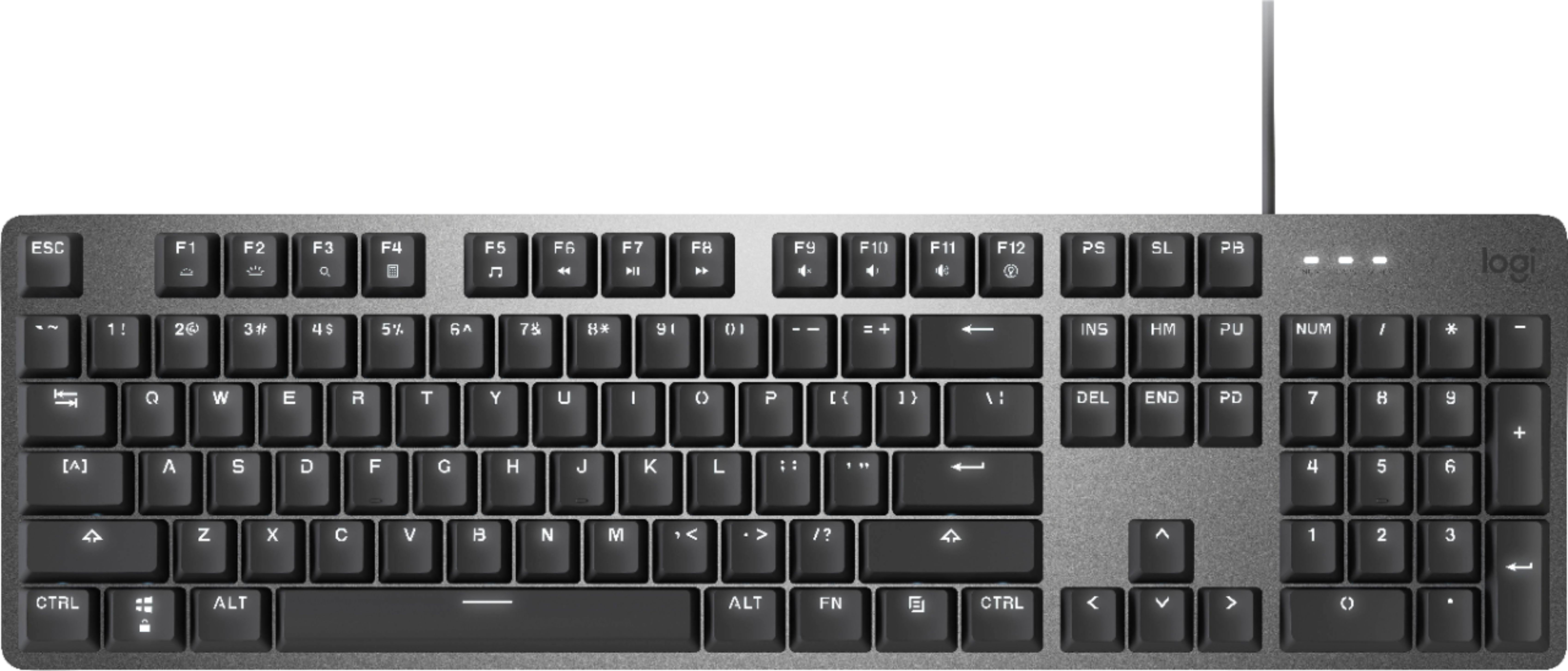
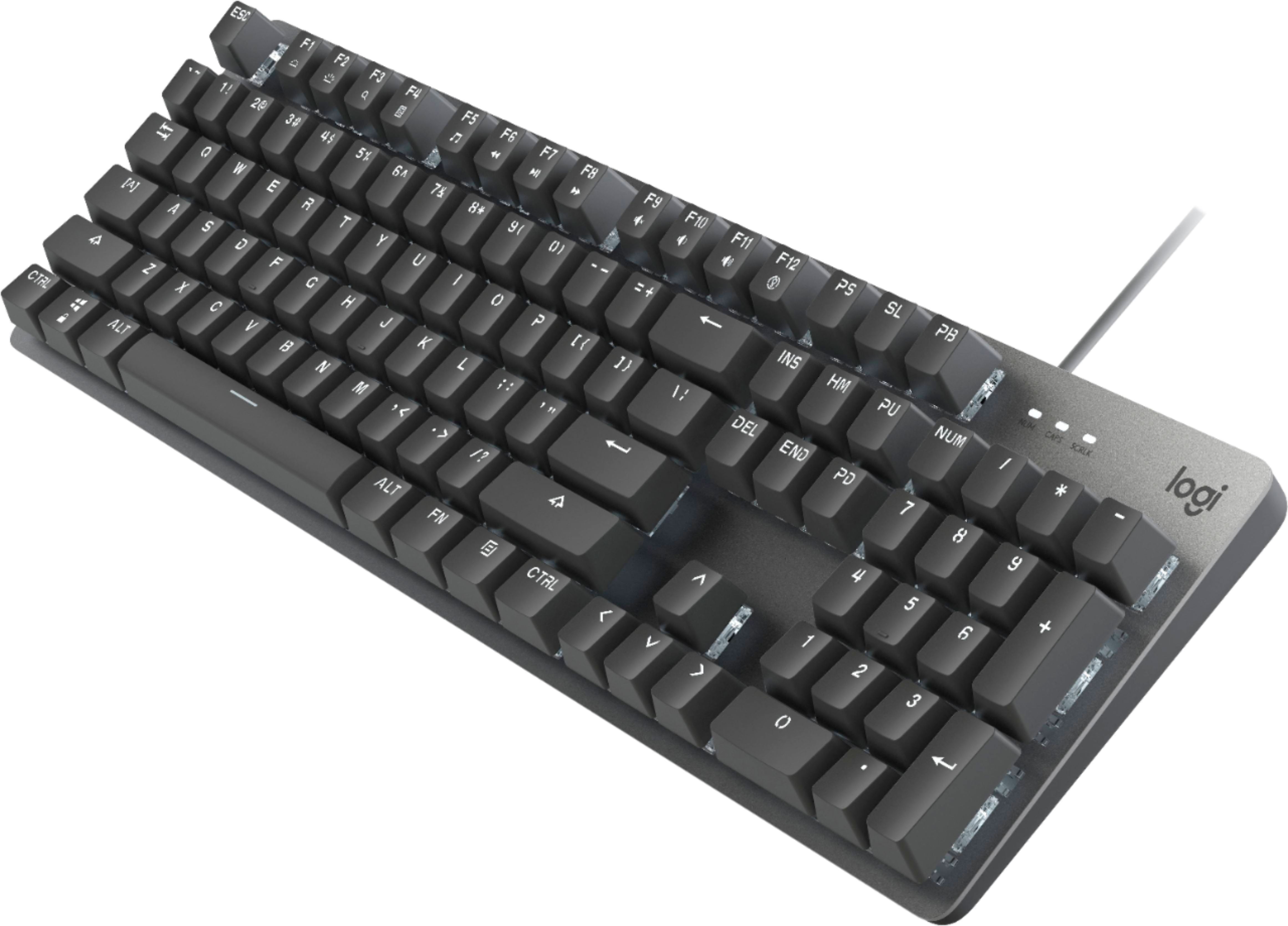
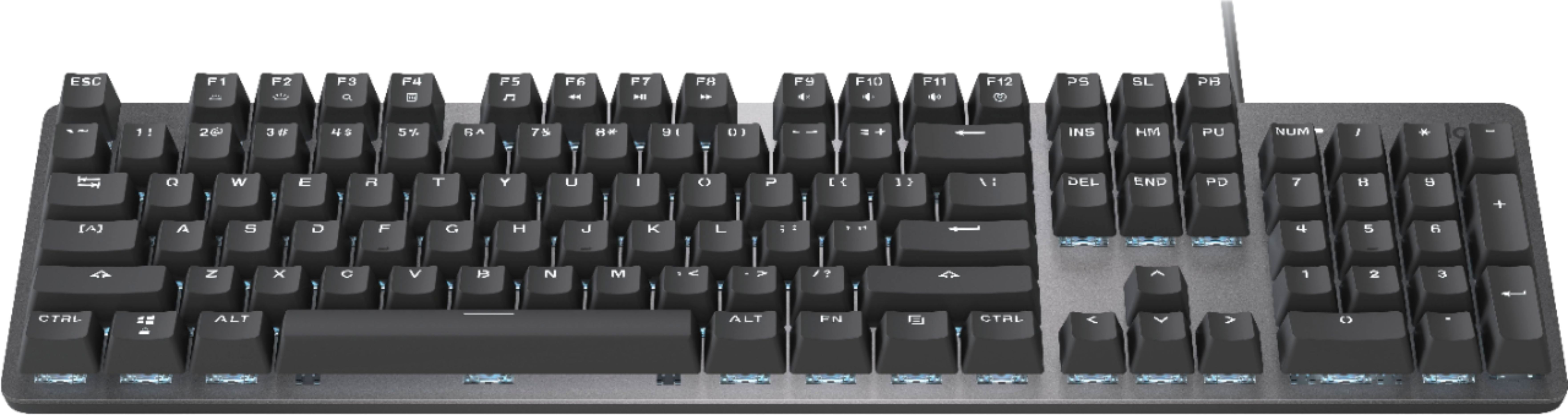
|Posted .This reviewer received promo considerations or sweepstakes entry for writing a review.I love trying new keyboards. I buy a new one probably every four months just because I see something new out there. My all-time favorite is the IBM “clicky-key” keyboard of the 1980s with its wonderful, spring-click sound. I do also like the quiet, soft-press keyboards like the Dell “ Quiet Key” that seemed to be everywhere for a time. My most recent keyboard before trying this one is described as a “soft and cushioned” gaming keyboard. To me, it feels much like a Dell Quiet-Key. Pressing a key feels like you’re pushing down on a small pillow. You do feel the key bottom-out, and I’ve enjoyed typing on it. This keyboard, a Logitech K845 Mechanical Cherry MX Red Linear gaming keyboard, is very good. For the record, it is a wired keyboard with no pass-through USB ports. It has a much more mechanical sound and feel to it, and it is very comfortable to use. It has an aluminum, rather than black or some other color plastic, finish. I’ve been typing with it for about a week now, and after a little getting used to, which I’ll discuss below, I’m planning on keeping it for a while. Like many gaming keyboards, this one does have some bells and whistles. It is illuminated, but only in white. There are five levels of brightness to select from ranging from no illumination at all to quite bright. It can also be programmed to have the key you press flash. Things like this are all secondary to me. What matters most is how the keyboard responds to my key presses. As far as getting used to the keyboard that I mentioned above, there are several things about it. First, it’s a small-footprint keyboard. It measures 17 inches by 5 inches. The keyboard I had been using is more full-sized, measuring 18 inches by 7 inches. The smaller size is achieved by having a very small border around the keyboard. For example, the distance from the edges of the keys on the top and bottom edges of the keyboard to the edge of the board itself is only about one-quarter inch. By contrast, the top and bottom “margins,” if you will, on my previous keyboard measured 5/8" and 1.25," respectively. Because of this, the keyboard “feels” small. I measured the sizes of the tops of several keys on both my old and new boards, and they’re pretty much the same. It’s just an optical illusion that the keys on this board are smaller. It took a little while for me to get used to this, but I type quite comfortably now. Another thing about this board is the labels on the keys. They’re not conventional in all cases, and the way they’re not conventional also conveys a sense of smallness. For example, on the right side, on most keyboards, the Page Up and Page Down keys are labeled exactly that way. On this keyboard, the Page Up key says “PU” on it and the page down key says, of course, “PD” on it. The Home key says “HM.”. The Print Screen, Scroll Lock, and Page Break keys say on them, respectively, PS, SL, and PB. Not that you use these latter three keys that often, but you still might glance at them and wonder what they are. You get the sense that the reason these keys are labeled this way is because the keys themselves are too small to fit the full words on. As I said earlier, the keys are not actually smaller. But this way that they’re labeled makes them SEEM smaller. The worst offender is the number pad at the far right. The number keys have only numbers on them, but they DO offer the other functionality that you expect. They’re just not labeled. For example, the 7 key is also a Home key. But the word “Home” is nowhere on the key. The same is true for the 9 key, which is also a Page Up key, the 1 key, which is also an End key, and so on. If you’ve used computer keyboards for any length of time, you’re likely used to what these keys do, and the presence or absence of labels is a non-issue. But this would not be a keyboard for someone new to computers to use. Too many common key functions are not labeled. Another non-convention key-label scheme with this keyboard is how what you get when you press the SHIFT key is labeled. For example, you press the 5 key unshifted, and you get a 5. Press it SHIFTed, and you get the percent symbol, %. Convention is to put the % symbol above the 5 on the key. Keys have been labeled this way since typewriters were invented more than 150 years ago. On this keyboard, by contrast, what you get when SHIFTed is placed to the right of what you get unshifted. This is true for all keys, so the colon symbol is the right of the semicolon symbol, not above it. The question mark symbol is to the right of the forward slash symbol. And so on. Again, you get used to this, but not immediately. One last comment about the keys is that there is a crude-ness to the labeling. They almost look like stencils. This is more a do-you-like-it-or-not design thing than anything else, and I got used to it quickly. But it is different. Having said all of the above, I enjoy typing on this keyboard, and I will use this keyboard until something better comes along.
I would recommend this to a friendDefective Keyboard
||Posted . Owned for 11 months when reviewed.This reviewer received promo considerations or sweepstakes entry for writing a review.I like the feel of the keyboard but it has been periodically reinitializing ever since I got it. When it does this it momentarily doesn't respond and partially interrupts other processes on the computer as it is recognized. I was hoping there would be some sort of firmware update for it, but there hasn't been. Going to return this one and get something else.
No, I would not recommend this to a friendBrand response from Logitech
Posted .Hi SgtMac,
I am sorry that you are not happy with your new Logitech keyboard. The K845 should be fully compatible with Windows 10 & 11, and the type of connectivity issue you are describing is not typical product performance. Please, reach out to Logitech's support team for personalized assistance on this issue. https://support.logi.com/hc/en-us/requests/new?ticket_form_id=360000621393&mID=13260
- Leo from Logitech
Bulky and overpriced
||Posted . Owned for 4 months when reviewed.This reviewer received promo considerations or sweepstakes entry for writing a review.Fine for a Wired keyboard. Bulky and large, a little expensive for not being wireless, wouldn’t recommend or l buy again.
No, I would not recommend this to a friendBrand response from Logitech
Posted .Hi Stephanie, thank you for your feedback! The K845 is a wired mechanical keyboard with back lighting. We have a wide variety of keyboard designs, to best suite your needs. Here are our wireless options: https://www.logitech.com/en-us/keyboards?filters=3939 - For the best of all features, check out the MX Keys. - Will, Logitech.
Great mechanical/gaming keyboard
|Posted .This reviewer received promo considerations or sweepstakes entry for writing a review.The K845 mechanical keyboard. I opened up the box and it’s exactly as I expected. A keyboard, a warranty card, and nothing else. This isn’t my first Logitech mechanical keyboard, so most if not all my PCs and OsX machines have G Hub installed. No biggie, right? Well… I fire up an older Windows 10 I5 desktop as it needs a better keyboard. I open G Hub, expecting it to need updated because it’s been a while since I’ve used that unit. Nope, I can open the application and as I click the icon in the taskbar, I can see it ghost off-screen and back to minimize. So, I uninstall the app and download the latest one from Logitech. Tada, it fires up and I good to go…nope, G Hub doesn’t see the keyboard. I’m guessing it’s too new and not in the latest update. That wouldn’t have been an issue, but I wanted to change the backlight color. It’s white and I prefer something else. So, I do what everyone does, I Google it. Seems the K845 doesn’t change colors. It only has white. Huh, so what does it do. I can’t find the keyboard instructions from the support site only the product info. So, Google some more and I see that I have 5 choices of lighting. I can watch it scroll each row, have it light various keys in a pattern, watch them fade from bright to dark, off or as a default, lit. I’ll stay with the default. What else does it do? Well, I can control the brightness with the FN key and F2. Eh, I leave it at full brightness. So that’s really all the lighting features. What I like about the keyboard. It has height adjusters and I like mine with legs fully extended. You can also go halfway and have more of an incline if you prefer. The keys. I love gaming/mechanical keyboards. I’m older and learned to type on old IBM electric typewriters and most people that see me type mention I bang the keys. It’s just the way I was taught. Doing that on a regular PC keyboard is unfulfilling and doesn’t give me the response I look for. I’m typing this review on a Logitech G513 and I love it. It’s my main keyboard. That may change though, as the K845 feels more like an old school keyboard. I make fewer errors on it and the keys just seem more responsive. They also seem more blocky (is that a word) or not so round and soft. Lastly, I like that the numbers row has backlit the shift options, something the G513 lacks. It has the icons, but only the numbers are backlit. What I dislike about the K845. It doesn’t have a pass-through USB. I like to have that available for either my mouse or as a quick open hub. That’s it. The keyboard works for me and if you like the feel of a spring-loaded keyboard, then this is a pretty decent choice. I’d recommend it to my friends.
I would recommend this to a friendGreat mechanical keyboard featuring Cherry MX Red
|Posted .This reviewer received promo considerations or sweepstakes entry for writing a review.I have received this keyboard from Logitech for the purpose of this review. This keyboard offers Cherry MX Red switches for its keys. These are linear keys that provide a nice feel to the typing experience. There are 5 key switch types to choose from when looking at this keyboard. There are three of Logitech's own switch types Linear(red), Clicky(blue) and, Tactile(brown) as well as those switches offered by Cherry, the MX Red (linear) and the MX Blue (clicky) The linear switches offer feedback only when fully depressed as the others there is a bump feel partway through the keypress. As far as backlight this keyboard only lights up white, not a fan of this as it has an odd glare at the bottom of my glasses. You can, however, lower or raise the brightness of the backlight with three levels of brightness. I found the lowest level to be the most comfortable. There are also 5 patterns of lighting static, serpent, reactive, random, and breathing. Static keeps the keys at the same level of brightness, serpent Has a lower level of brightness with a slightly brighter pattern that moves from left to right across each row of keys, reactive is similar with a low level of light until you start typing and the keys you press get brighter after you press them then dim again, random again had a low level of brightness until the random keys are lit, finally, there is breathing which cycles from low to the highest level of brightness the key is set for. This is not a nice as a color like red or blue or even full RGB lighting, but it does help in dim-lit or dark rooms. The keycaps themselves are very similar to those found of keyboards from the early PC days and most modern gaming keyboards, curved with a slight concave shape to them so that your fingers come to rest in the center of each key that is pressed. The home row keys f and j have slightly raised lines that allow you to find them when not hunting and pecking for the keys. This is found on almost all keyboards that I have used. Although this is not marketed as a gaming keyboard, it is built similar to other gaming keyboards I have used. Not sure how well it will perform in a gaming scenario because I have not tested it out in that aspect. This has to be one of the smallest full-size keyboards that I have used. The design is very compact. The key switches are all above the top of the keyboard as opposed to recessed. This feature allows for easier cleaning between the keys. The top of the keyboard is aluminum with a silver finish to it. The function keys are all dual-purpose and use the Fn button of their second function. It is nice that Logitech has done away with all of the excess material of keyboards gone by and produced a compact full-size keyboard that does not feel compact when typing. Pros: Compact full size (104 keys) keyboard Several key switch options Raised key switches that sit on top of the keyboard top Backlit keys (with an exception, see cons) Cons: Glaring white light for a backlight Num lock, Scroll lock, and Cap lock indication that is non-dimmable and harshest of all lighting on the keyboard The backlight is only in white 9 keys that are used for Print screen, scroll lock, pause/break, insert, home, page up, delete, end, and page down are all odd abbreviations. Why not just etch out the full words so that those keys are easily understandable as to what they do? More specifically the PS, SL, PB, HM, PU, PD keys. Unless you have been around PCs for many years or decades these do not make sense. Unless your workspace is of the silver aesthetic this would have been better in black for the top. The overall impression is that this keyboard is built to last for some time. The build quality is very professional and unlike others in this price range. It has a nice feel and good weight to it. If you can overcome the cons that I listed, then this is the keyboard for you. This keyboard would have gotten 5 stars if not for the cons that I have listed. Although the backlight does take some getting used to as I have used this keyboard to type this entire review the lighting has now blended and become less of a distraction.
I would recommend this to a friendMechanical keyboard
|Posted .This reviewer received promo considerations or sweepstakes entry for writing a review.The Logitech K845 is a Mechanical Illuminated keyboard. By going with a mechanical keyboard, there are five key switch options, so the user can select the one that fits their typing preference. The Red Linear is the most commonly used switch, allowing for smooth typing and a fast response time. I can type quickly with this and it feels comfortable to use. The switches and the metal base they sit in are sturdy and seem like this keyboard will last for a long time. It seems taller than some, but it is more the impression given because it has no extra space around the keys, just what it needs to hold them. It takes up less space on my desk, which is great; there is never enough room for all the peripherals and other items needed for work. My previous keyboard is much bigger, and I like that this gives me the extra space. It is wired, so there’s no need to worry about connection issues. I just plugged it in and it worked right away. While it is not much bigger than a compact keyboard, this one still has full size keys and the ten key number pad on the side, with feet that can be used to lift it a little. It has little pads that seem to grip the desk. This enables faster typing because it won’t slide around. A feature that is for show rather than functionality is the illumination. It doesn't help me type any faster, but I like the option for backlit keys. The F12 function key lets you choose between five different backlighting patterns, and the F1 and F2 can lower or increase the brightness of the lighting. It doesn’t have other colors, but it’s nice to have a little fun with the illumination, especially if I’m using it in a lower light setting. The function keys can be used for other things, like watching videos or listening to music. I’d say this is 4.5 stars, it’s solidly built and does what it’s meant to, but a little clicky for me. I would probably get the Brown Tactile Switch version of the K845 if I had it to do differently, as the description says it’s quieter. My recommendation is to think about (and read about) which one fits you, and select the switch based on that. It’s light on frills and additional features, but I like that it is illuminated, doesn’t take up a lot of space, and is solidly made.
I would recommend this to a friend