Customer Ratings & Reviews
![ESC F1 F2 F3 F4 F5 F6 F7 F8 F9 F10 F11 F12 MI FB 44 PS SL PB logi 1! 1 26 3# 4$ 5% 6^ 75 8 91 01 I = + INS HM PU NUM / * - Q W E R T Y U I O P [ { ] \ : DEL END PD 7 8 y + [A] A S D F G H J K L : 4 5 6 Z x C V B N M /? 1 2 3 CTRL ALT ALT FN CTRL](https://pisces.bbystatic.com/image2/BestBuy_US/images/products/6425/6425032_sd.jpg)
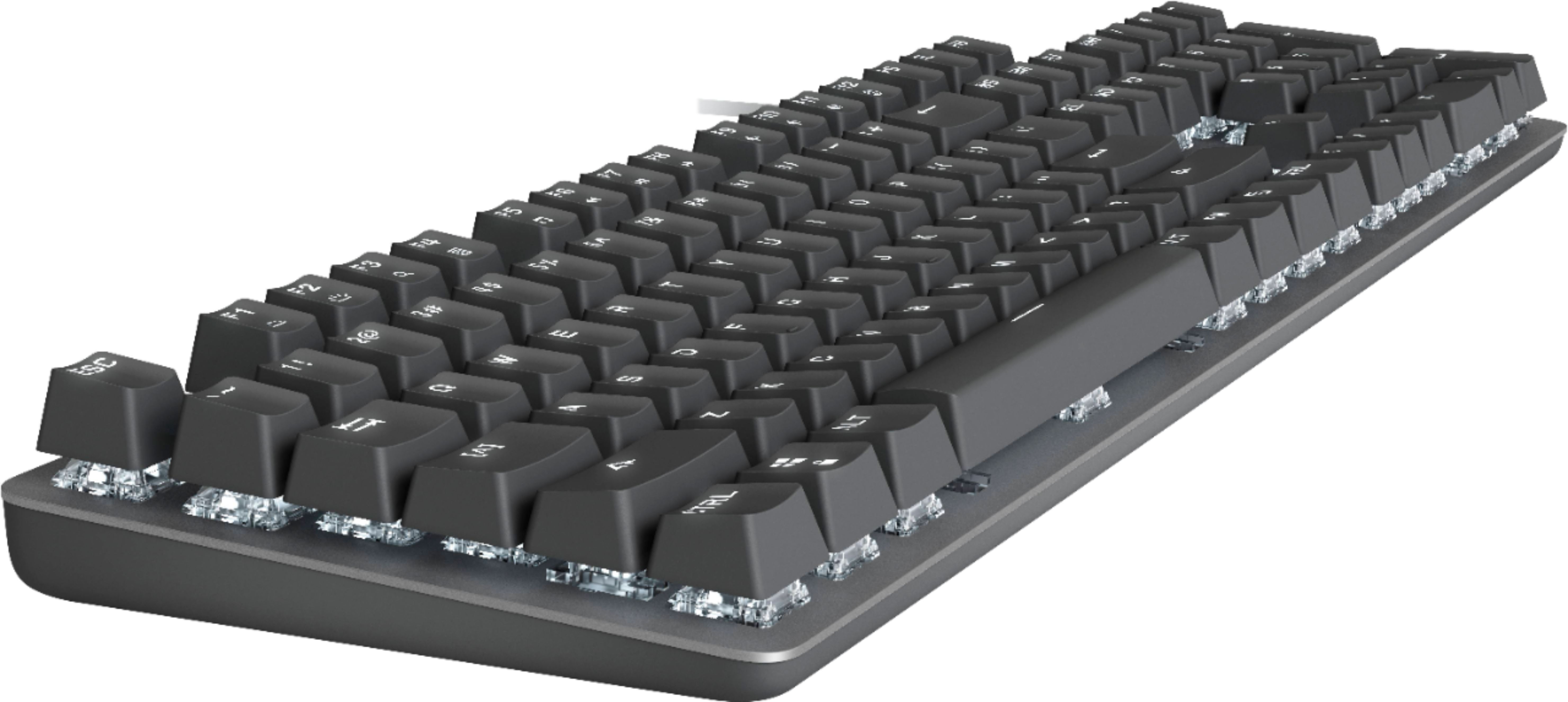
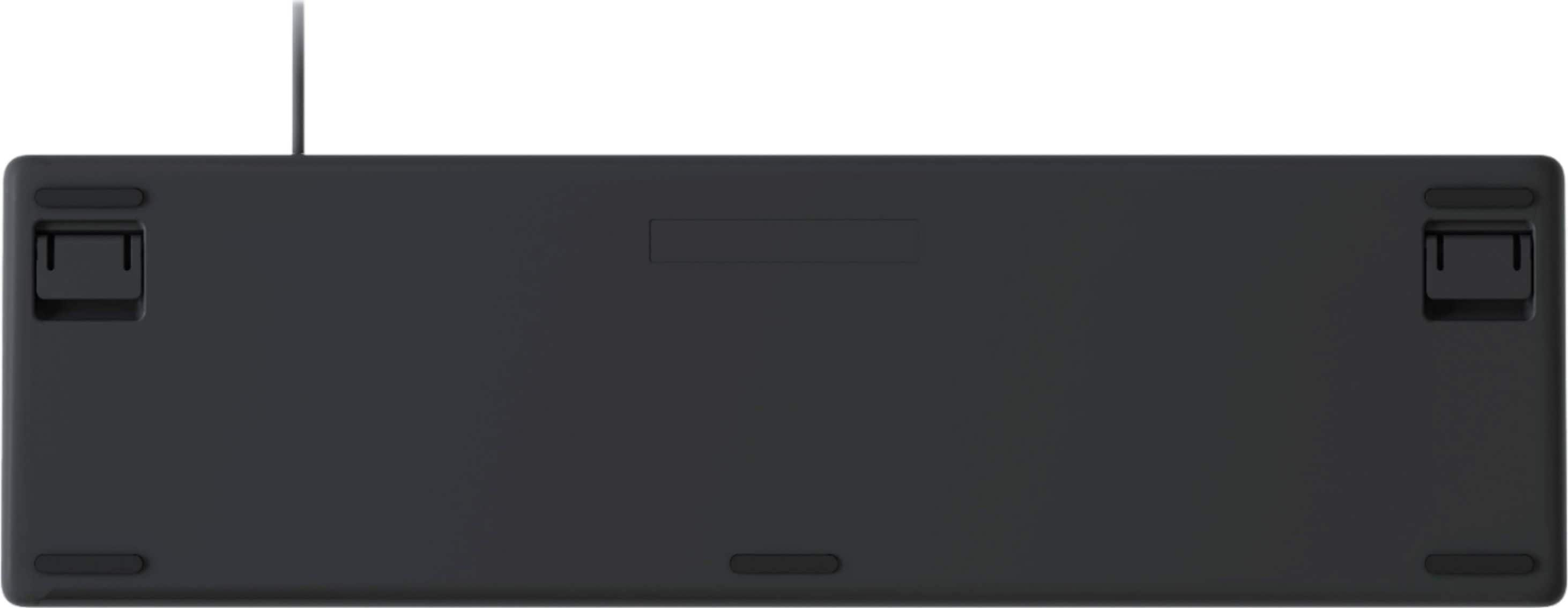
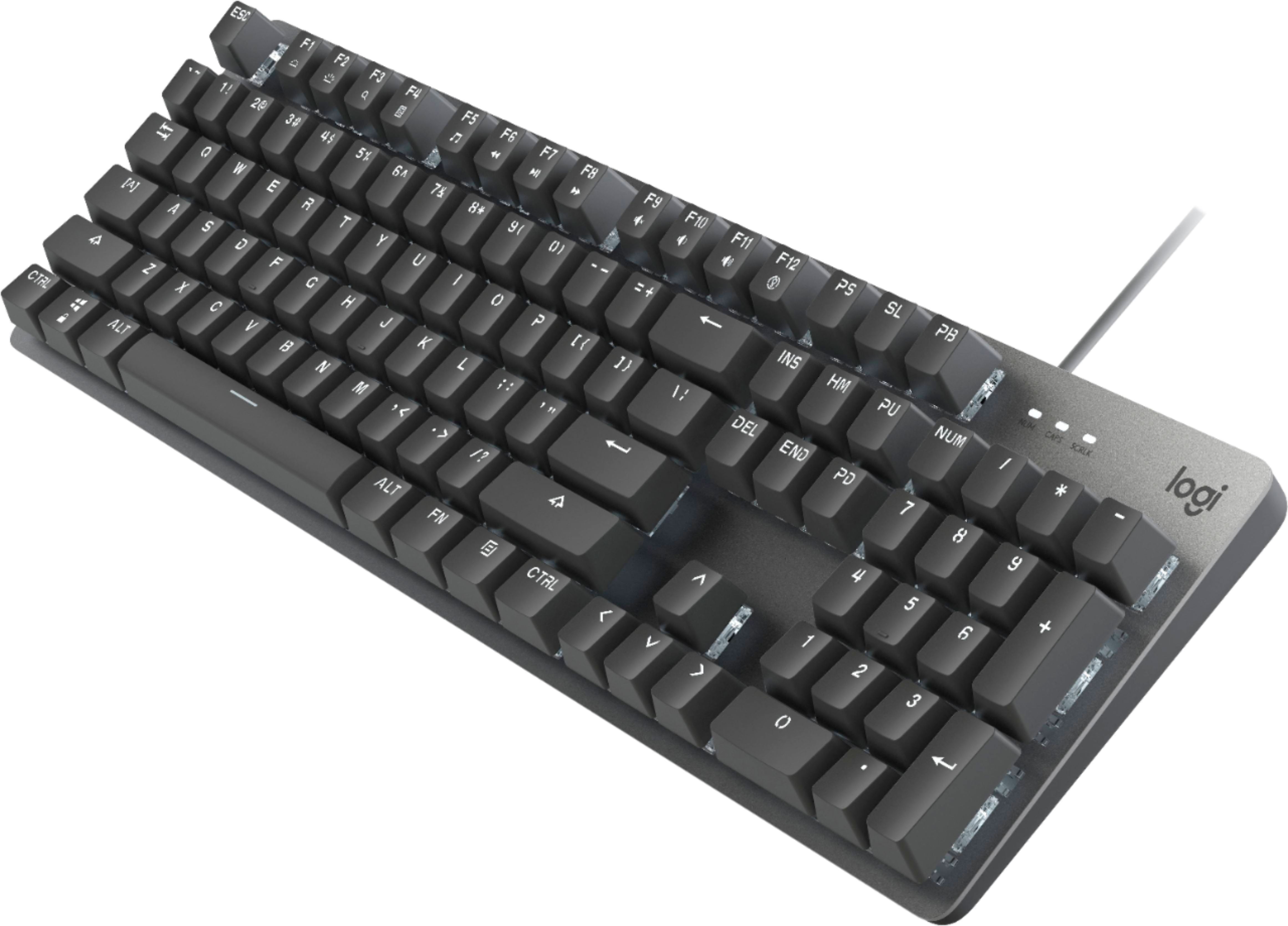
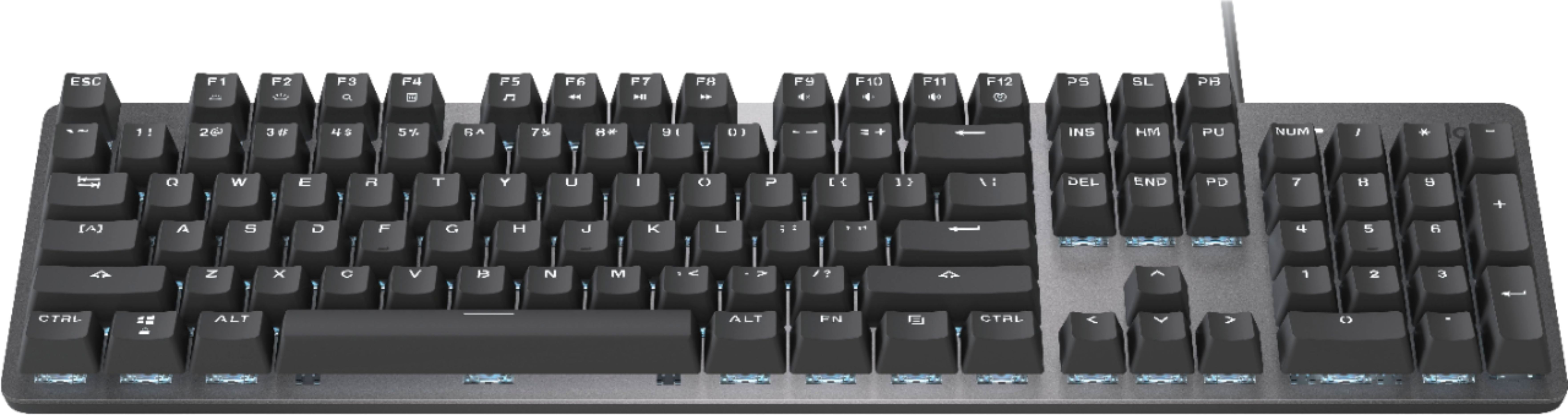
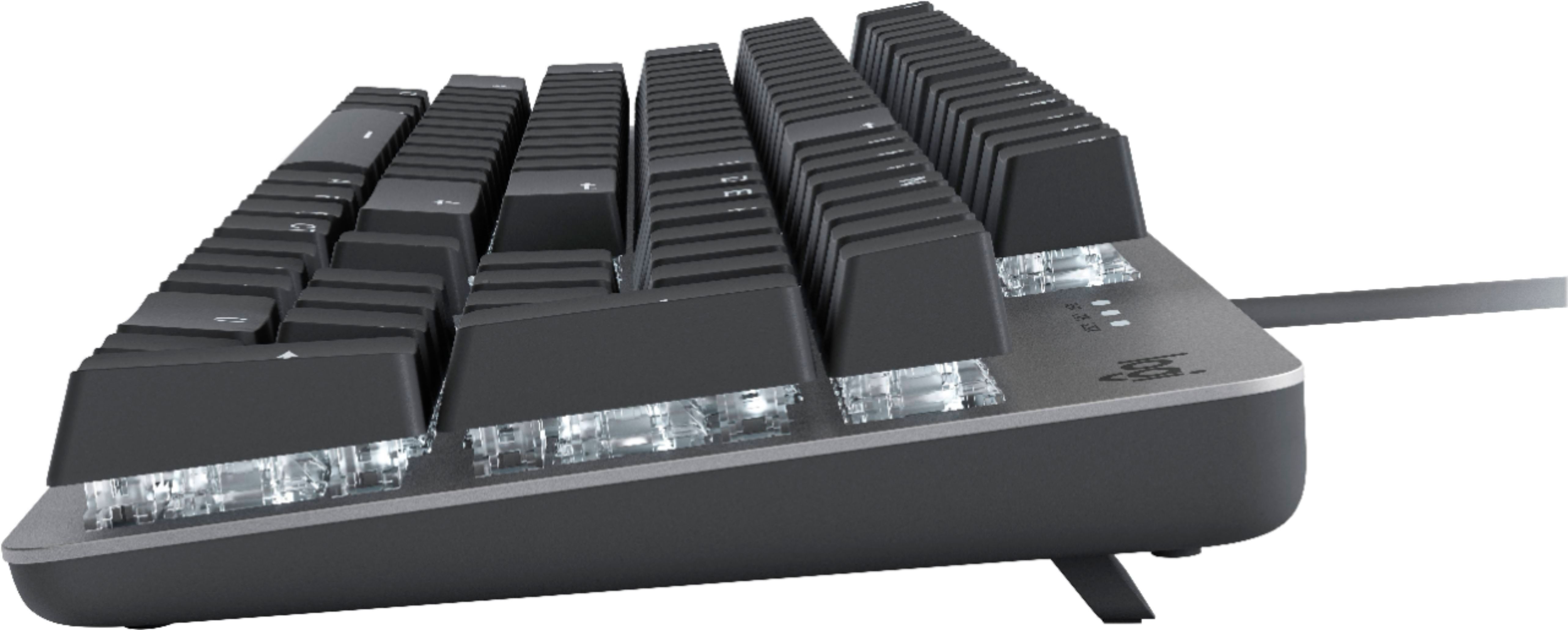
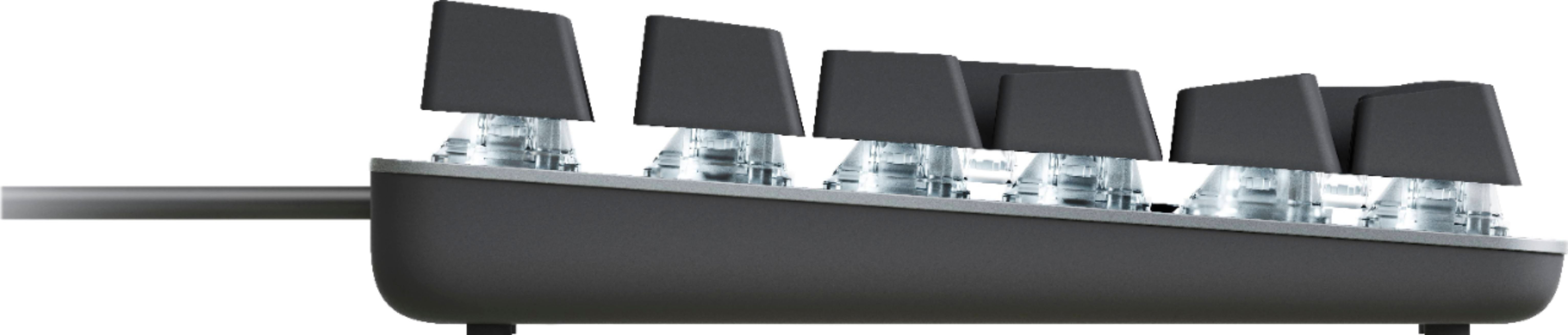
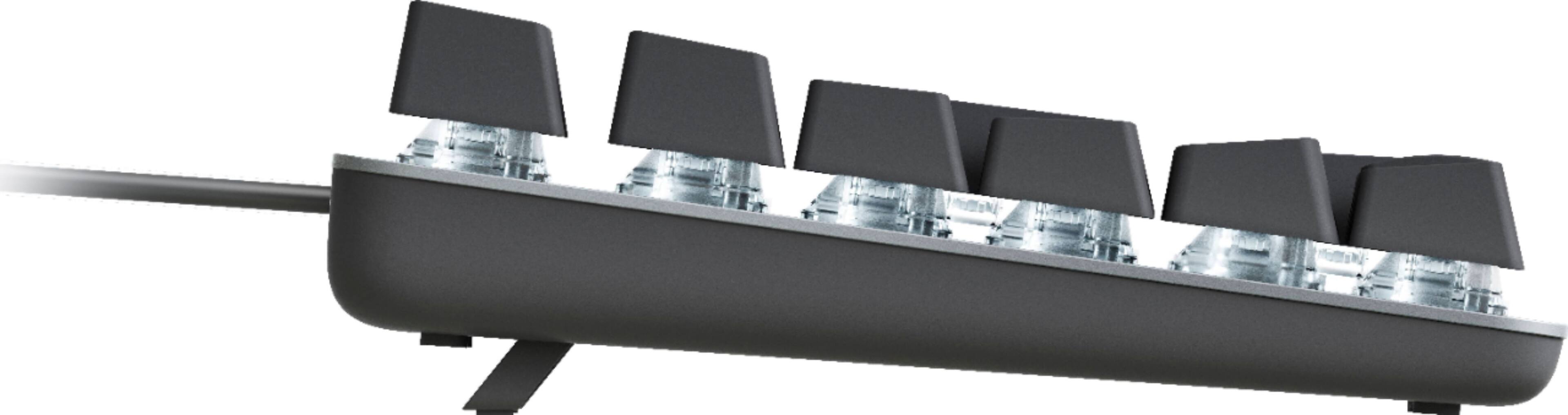
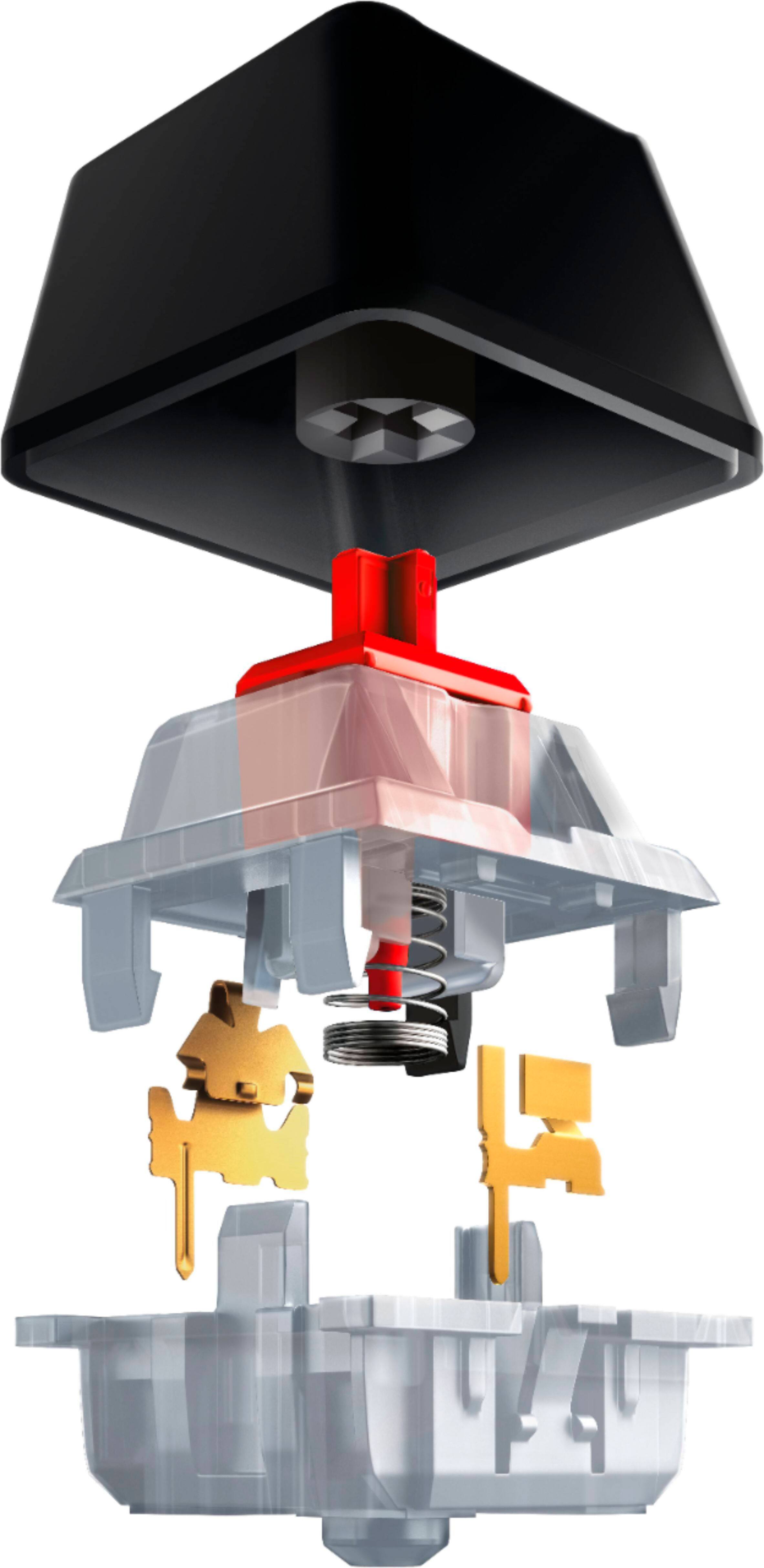
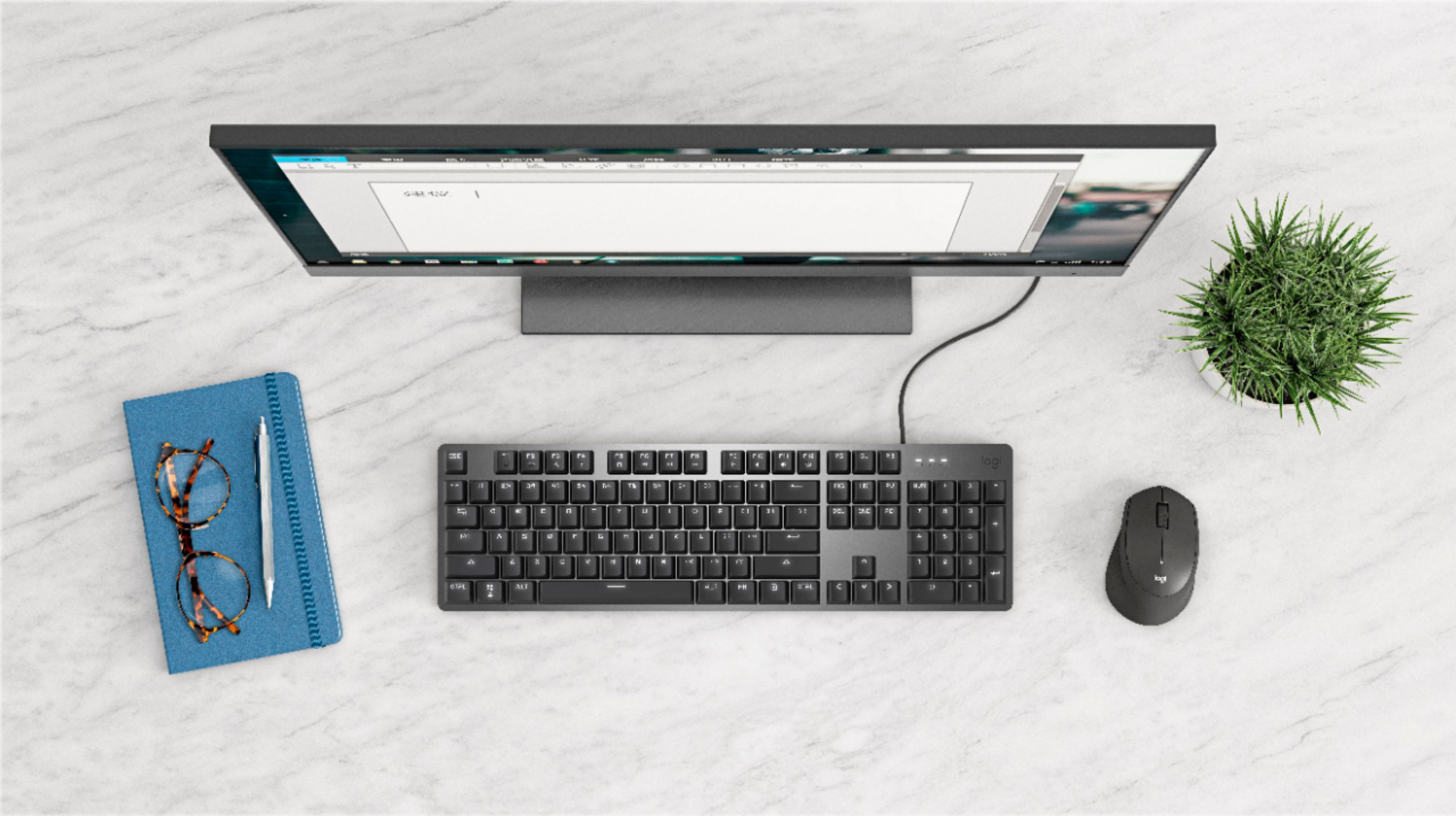
- Model:
- 920-009863
- SKU:
- 6425032
Rating by feature
- Value
Rating 4.6 out of 5 stars
- Quality
Rating 4.7 out of 5 stars
- Ease of Use
Rating 4.7 out of 5 stars
to a friend
Customers are saying
Customers love the high-quality build and satisfying tactile feel of the K845 keyboard, frequently praising the clicky keys and ease of typing. While some users found the font unconventional, the majority of feedback focused on positive aspects of the typing experience. A small number of users noted the keyboard's audible clicks, and some expressed a preference for different switch types.
This summary was generated by AI based on customer reviews.

Love it
|Posted .This reviewer received promo considerations or sweepstakes entry for writing a review.The Logitech - K845 Wired Mechanical Linear Keyboard is a great addition to a computer or laptop. Tested the keyboard on my computer and two other laptops. What I love about the Logitech Keyboard is the ability to keep up with my typing speed. Typing around 110 wpm, some keyboards lag behind. Not so with the Logitech. When typing reports, creating presentations, and doing data entry, no lag time is experienced. The keyboard was comfortable and has a background light for nighttime use. I tested the keyboard on an older laptop that had Windows 10 and a new laptop I have with Windows 10. Both worked great. This made me excited as I work in the field. I recently took the keyboard with me at an assignment and was excited at how simple it was to just plug the USB into the laptop and not have a bunch of complicated download instructions. Just plugged it in and was good to go. Now, I carry it with me in my laptop case. For some, this may be inconvenient due to the size. However, for what I do, it makes my work life easier. The keyboard also appears to be pretty durable. I like that as well. PROS: Backlit Light Portable for Me No lag time Quick Setup CONS: Non experienced Lastly, thank you Logitech. Often purchase your products. Please make a backlit light in multiple colors (especially purple) lol My favorite color.
I would recommend this to a friendA great mechanical keyboard for home or office use
|Posted .This reviewer received promo considerations or sweepstakes entry for writing a review.With a much larger selection of mechanical keyboards coming from various manufacturers, you tend to get the same complaint. It's too loud for those working in the office, becoming a distraction for many, or it's just too loud to use during a conference call. You then find yourself needing to mute yourself to take proper notes, as it becomes too noisy for the rest of those working on the same call. This keyboard strives to give you the keyboard experience you want, without the distraction! In the box, you'll find the K845 keyboard, with an attached USB A cord, providing enough length for most office set ups. It features a full 10 key, with adjustable legs on the bottom for extra angle for your preference. You'll find that the keyboard is quite functional, while being comfortable for everyday use. I can confidently say that this keyboard provides you with the keyboard you would want, with the satisfying typing, without the louder noises of others. The Logitech K845 might say "Cherry Red," but the keyboard is a well designed aluminum, with Cherry Red switches to signify the "quiet typing with a light touch." If you're looking for a stronger click sound and feel, take a look at the cherry blue model, which looks the same but provides for that experience. The lighting system included is fairly simple to toggle, using the function key located on the lower right side of the keyboard near the ALT key, and can be set through the F12 key. It provides 5 different lighting settings such as "Reaction" which simply lights up the key being pushed, a breathing light, a snake like scanning mode, static lighting, or a random setting which provides a twilight like experience across the keyboard, like a twinkle effect. There is no RGB controls on this keyboard, so it's just a nice bright white, with brightness being controlled using FN F1+F2. There are also media keys for the various multimedia functions found on many, using the Function keys for volume, skips, and play/pause functions. While Logitech is generally known for their great gaming keyboards and accessories with the need to install the Logitech app for use, this is really just a plug and play device. I found this worked well with both Windows based OS machines and also worked on my Mac. As of the writing of this review, the Logitech G Hub app doesn't recognize the keyboard, or adjust any settings. With the greater focus on work from home, this makes a great addition to your every day use needs, while providing you the Mechanical Keyboard experience you've come to expect from Logitech. If, on the other hand, you're looking for a more gaming focused keyboard, there are other great options provided by Logitech to satisfy your needs. For a plug and play keyboard, though, this is a wonderful option for many users!
I would recommend this to a friendSurprising Quality Keyboard
|Posted .This reviewer received promo considerations or sweepstakes entry for writing a review.When I received the Logitech K845ch Mechanical Keyboard with the Cherry Switches, it was to replace a gaming keyboard with many features and a lot of programmable color ranges. When unboxing this keyboard, my first thought was that I would try it out for a while and then go back to my gaming keyboard. However, after spending a week with this keyboard, I have decided to make it my primary keyboard. As a writer, developer, and gamer, I am finding that this device's simplicity, along with the quality and feel, makes this the perfect fit for my needs. I don't need a bunch of fancy colors and color-coded layouts. Pros • Small footprint is perfect for space-deprived desks. • Curved profile of the keys for reducing strain and effort while typing. • Heavy enough to prevent desktop creep without being too heavy. • 4 Degree normal and 8-degree angle with the legs extended. • Adjustable white illumination with FN F1/F2. • Five built-in lighting patterns with FN F12. • Works with both Mac and Windows. • Red mechanical switches are smooth without the heavy click of other switches. • Textured keycaps. • Clear and descriptive font. • Quality construction with brushed aluminum top and plastic base. Cons • Does not work with the Logitech G-Hub software. • Only one lighting color - white. Summary The quality and simplicity of this keyboard surprised me. It's the perfect keyboard for my range of writing, programming, and gaming.
I would recommend this to a friendBrand response from Logitech
Posted .Hello TimothyTrimble! We're happy to hear you're enjoying the K845 keyboard! While the K845 doesn't work with G Hub, as it is not part of our gaming line, it does work with Logitech Options https://support.logi.com/hc/en-us/articles/360025297893 . Feel free to reach out to our support team here https://support.logi.com/hc/en-us/requests/new?ticket_form_id=360000621393 if you ever need any assistance. Thank you for all of the feedback and for shopping Logitech! - Maggie from Logitech
5 Stars, love this keyboard!
|Posted .This reviewer received promo considerations or sweepstakes entry for writing a review.I specifically like to hear a nice snap or click when I am typing. So when I saw that this mechanical keyboard specifically mentions how nice the keys feel and click I had to give it a try. I am currently working from home and have been using a nice Logitech keyboard with a lot of hot keys for shortcuts. But it feels mushy at times and some of the keys are starting to wear out and stick. I have cleaned it a few times but it is just old already. I got this new Logitech K845 and have never looked back. It does feature some hot keys that you use with the function F keys, like volume, brightness, and calculator. The only thing I really miss was a button I had assigned on my old keyboard to open a specific file path. But other than that I have no issues. There is a full numeric pad and the keys light up. The lights can range from solid, to patterns with a function F command. It is very cool, but I usually just keep it lit up solid as the patterns are a bit distracting for me while I am working. Now for the best part, the feel. The keyboard is aluminum and plastic with a very high quality look and feel. It is nice and heavy and just feels great compared to every other keyboard I have ever used. The buttons are plastic but are mechanical, meaning the moving parts are metal and of higher quality meant to take more abuse. When I am typing there is no mistaking if you pressed a key or not, you hear and feel it. I love it! I can pound away at the keys and it just flows with a nice clicking that is so satisfying. In fact, I am typing this very review using it. The keyboard is also wired so no need to worry about changing batteries. I am always at a work station so a wireless keyboard has never been an essential for me. Plus with the lights, you would probably go through batteries rather quickly. Overall, I cannot say enough good things about this keyboard. Once you start using it, all other keyboards will feel like toys.
I would recommend this to a friendNice Keyboard, Choice of Key Feel
|Posted .This reviewer received promo considerations or sweepstakes entry for writing a review.My beloved long throw 15yr old Dell keyboard died a couple of weeks ago and I needed a replacement. The chiclet style keyboards may be cute and low real estate, but they just don't cut it for lots of typing. I also find them useless for keyboard gaming. Enter the Logitech K845 Mechanical Switch Keyboard! The K845 comes with a choice of three types of keys: linear throw, tactile-quiet, and tactile-clicky. I chose the linear throw, as it seemed the closest to my old keyboard. The K845 keytouch is light, lighter than my older keyboard, but it still has to travel the entire stroke, which makes for (as least for me) very fast accurate typing. Gaming is also very fast because the key return time is also very fast. The linear keys are a little 'clicky', which I don't find objectionable, but it may not be to everyone's taste or office environment. Construction is quite solid, with a metal top and good heft, it won't slide around. The keys themselves are rated for 50 million clicks, so it should last a long time. The backlight is a nice touch. There are five lighting patterns, although there is really only one that you can use while at the keyboard. The others are just distracting while you're actually working. Too bad they didn't make it programmable. Layout is standard 102, with one extra key for additional functions (calc, music, play, next, last, etc) from the F1-12 keys. Fortunately, Logitech resisted the temptation to add extra keys (and additional real estate) to include these functions. All-in-all, the Logitech K845 is a good, solid replacement keyboard with excellent touch. Definitely recommended, especially since you can choose the key feel you want for your own taste and needs!
I would recommend this to a friendAnother Great Product from Logitech!
|Posted .This reviewer received promo considerations or sweepstakes entry for writing a review.I have been a Logitech fan for many years and I am pleased to see that the company is still striving for perfection! This Logitech Keyboard feels and looks very high quality and is a joy to use. I have quite a few keyboards and this one seems to be built better than any of the other ones. Not that they are all bad this thing just feels very solid and at the same time smooth and responsive while typing. From the Aluminum frame to the keys everything about the Logitech K845ch build quality is top-notch. I also appreciate the backlighting and while the choice of lighting effects is cool I prefer full brightness and normal lighting mode. By pressing FN and F1 simultaneously that decreases the brightness and by doing the same with FN and F2 that increases the brightness while FN and F12 together rotate you through the different lighting effect choices. Also, built into the F keys FN+ F5-F10 are secondary multimedia controls for play pause volume etc. as well as F3 being a shortcut to search and F4 a Windows Calculator shortcut. The only improvement I would like to see is backlighting for the secondary functions of the Fn keys however I am sure they will be stored in your memory over time if used periodically. If you are a person that is looking for a high-quality mechanical keyboard this Logitech cherry mx red linear keyboard offers a smooth and quiet experience. I honestly do not think you could do better than this Logitech especially in the price range of around $80. Additionally, I also feel like that it is a good deal for that price when you consider the quality and build of what you are getting! .
I would recommend this to a friendNear ultimate keyboard for the office
|Posted .This reviewer received promo considerations or sweepstakes entry for writing a review.Right now I may own as many keyboards as I do pairs of footwear (unlike the wife) and have brought many to the corporate office when upgrading my home gaming PC(s). All thats over now being I have this beauty! Aesthetically - this is a 10/10 Key movement/feel/tactile touch - 10/10 Lighting - 10/10 Chassis & Weight 10/10 I have not a single gripe, only just a suggestion where the cord attached to the keyboard should be done via USB-C. It is so helpful, especially in the office with heavy desks with silly slots to try to snake through. Gold plated USB is nice though! I can hammer away and type fast on this too. We'll tell the boss it makes me more productive on top of looking awesome. Very nice product logi!
I would recommend this to a friendBrown Switches worked for me
||Posted . Owned for 1 week when reviewed.This reviewer received promo considerations or sweepstakes entry for writing a review.This keyboard did exactly what I wanted. Replaced an old Dell keyboard, but I wanted the same button layout, spacing and footprint so that I had a seamless transition. Logitech had a great website for the various types of mechanical keys, the sounds they make and the resistance required with each keystroke. Based on that information, I selected the keyboard with brown switches. Backlighting is only in white, but has various modes. I just keep it on the standard setting because I really don't care about lighting, but can't see the letters on the keys well without the lighting on. The only downside to the keyboard is that the font used is a little hard to read on the keys for letters, numbers and symbols. Some are fine to read and look normal, but then things like the ampersand are just stupid.
I would recommend this to a friendI Love This Keyboard
||Posted . Owned for 3 weeks when reviewed.This reviewer received promo considerations or sweepstakes entry for writing a review.I am a programmer so I have been using keyboards for work for decades. My kids are into mechanical keyboards and I appreciated the feel of them. I used computers back in the 80s and mechanical keyboards feel the most natural and nostalgic to me. Killing time one day, I was looking over what they had at Best Buy in the gaming peripherals section and couldn't find something that felt quite right. I think most of them were either too clicky or didn't have the full 101 keys etc. Plus they were pretty dang expensive. I think there are other options you can order but they weren't in stock. So I kept strolling along and found Logitech stuff in the regular peripherals section. I didn't have much hope but wow, as soon as I felt this one I knew it was the one for me. It's nice and heavy. The key switches are 'brown', which means a specific thing in the mechanical keyboard world about how they sound and feel. They are super smooth and quick and light. No mushiness at all compared to the Dell, HP, and MS keyboards I've been using for years. I've only had it for a couple weeks now but I feel a little bit of joy every time I sit down to use it. Seriously. One caution I would put out there is that when I was first using it I kept accidentally hitting other keys. I think my previous keyboards were less sensitive to 'side-swipes' compared to this. It forced me to be a bit more accurate in my typing which I appreciate anyway. Even though it doesn't have the specific click sound of other switches, it does knock on each keystroke. So it's definitely louder than what I've been using for years. If you're going to be using it around other people you'll need to take it into consideration. It uses F(unction) keys for media control I wouldn't have complained if there were dedicated media control buttons over the numpad or something like that, but otherwise it's fine for me. The switches are backlit in white. There are 3 degrees of brightness, and a few patterns you can choose from. With so much to like about it I was quite fine with the purchase price.
I would recommend this to a friendBrand response from Logitech
Posted .Hi Louisk1,
Thank you for your five-star review! It is greatly appreciated. Continue to enjoy your device. If you ever need assistance, please contact Logitech Support on the website.
LaShonda from Logitech
GREAT PRODUCT
||Posted . Owned for 1.5 years when reviewed.This reviewer received promo considerations or sweepstakes entry for writing a review.great product -- eveything about this keyboard is awesome, had many people comment they like the old school clicking when you press a key
I would recommend this to a friendBetter after some use
||Posted . Owned for 1 year when reviewed.This reviewer received promo considerations or sweepstakes entry for writing a review.If you want a "clicky" keyboard for an OK price this isn't too bad. It has been feeling better after some use. "Break-in period??" The hardest part was just getting used to a full size keyboard again after so many laptop and membrane keyboards. Like so many others, not sure what they were thinking with the lettering on the key switches but have got used to it. The backlighting is nice since where I usually type is not well lit. Is it like an old IBM Selectric - no. Is it like an old IBM keyboard - no. Would I buy another one for another system if needed - very likely. It's been awhile since purchase and has been doing well - no complaints there.
I would recommend this to a friendGood feel, good backlighting, nice linear keyboard
||Posted . Owned for 1 month when reviewed.This reviewer received promo considerations or sweepstakes entry for writing a review.I am not a gamer, but prefer a backlit keyboard for the many hours of work I do on my computer each week. I also prefer mechanical keys to the membrane keys of most "standard" keyboards. For many years I used a Razer Black Widow (an earlier version fitted with green LED backlighting). But I simpoply wore out several of the keys and did not want to take the time to replace them. If you have spent much time studying keyboards you will quickly realize that a preference for mechanical keys and backlighting tends to "push you" into looking at gaming keyboards. But.... The big "negative" of gaming keyboards is the software that is required to control the backlighting. If you want a single color backlight on your keyboard you almost always have to run the software. (I'll let you come to your own conclusions about the pros and cons of gaming keyboard software.) It is just not for me. I decided to try this Logitech K845 keyboard (I prefer a wired keyboard, too). I really wanted the version with the "clicky" keys (love the tactile feedback) but, at the time I wanted to buy, both versions of the "clicky" 845 were out of stock nationwide. So, I chose this linear version with Logitech (as opposed to Cherry brand) keys. This is a good keyboard. The feel of the keys, their spacing, and their linear travel are pretty impressive for a keyboard at this price point. I find the backlighting to be right on point. At first I was concerned I would not care for white backlighting, but I am now a fan. I find I prefer it to the green of my old Black Widow. The only thing about this keyboard I don't care for is the way the keys are labeled. For some reason Logitech chose to label the keys with a "stencil look". Looking through my bifocals, especially when I've been working for several hours, it is difficult to read many of the key caps. A more traditional method of labeling would feel a whole lot better to me. This is a very nice keyboard. If I decide I just have to go back to "clicky" keys I will likely stay in the 845 lineup.
I would recommend this to a friendLove it!!
||Posted . Owned for 1 year when reviewed.This reviewer received promo considerations or sweepstakes entry for writing a review.Love it! Sounds nice, feels good, and looks brand new even after a few years of relatively active use.
I would recommend this to a friendGreat keyboard
||Posted . Owned for 1.5 years when reviewed.This reviewer received promo considerations or sweepstakes entry for writing a review.I love the feel, action, and backlighting of this keyboard. The keystrokes have a satisfying click, which I actually like, because I do some transcription over the phone, and the person dictating can hear when I am typing to wait for me to catch up. If you are looking for a silent keyboard, this one won't cut it, but if you want a sturdy, solid keyboard, this is the one.
I would recommend this to a friendGreat Minimalist Board for Windows and Linux
||Posted . Owned for less than 1 week when reviewed.This reviewer received promo considerations or sweepstakes entry for writing a review.First of all, we can all do perfectly fine with a cheap $15 key membrane keyboard. But mechanical keyboards are nicer, look cooler and feel more analog and old school. I use this keyboard for coding, gaming, writing and creating. I was going to get a Bluetooth keyboard but didn't want to deal with driver problems, batteries going bad and not being able to use the keyboard in the BIOS. The white backlight is also really convenient and there is no RGB or specialized software to worry about. The keys aren't too loud as long as you get the Linear Red keys ($60 version), and it doesn't take much effort to press the keys. Also I like the minimalist non-gamer look of this keyboard. The aluminum top panel will hopefully be more durable and also looks good. So in summary, it's a functional mechanical keyboard that just works and has a convenient backlight. It's minimalist and has everything you need without unnecessary bells and whistles that can break or malfunction or require extra software. Because there is no software or fancy RGB, this will work fine for Linux users or people who deal with the BIOS or random niche systems a lot. There are cheaper mechanical keyboards out there like the Red Dragon, but the Logitech one is still great, from a well-known company, and I can actually buy it inside a physical store.
I would recommend this to a friendReally nice backlit RED mechanical key keyboard
||Posted . Owned for 2 months when reviewed.This reviewer received promo considerations or sweepstakes entry for writing a review.This is a great backlit mechanical key mechanism keyboard. Bear in mind there are two major manufacturers of mechanical key switches, and they sell three different varieties which are categorized by color: blue, brown, and red. This keyboard uses the red keys, which in theory are the quietest option. However, mechanical keys have always been "noisy" even back in the day when that was the only kind of mechanism produced, and this keyboard offers no enclosure around the key switch mechanisms, so to whatever extent such a case would have a muting effect, this product is just that much louder. Mechanical keyboards are really oriented and marketed towards two specific groups of people (and sometimes these overlap): those who type a lot (perhaps for work, perhaps they write a lot of code) and gamers, who want the best possible response time and the knowledge that no matter how much they bang away on any of the keys, they won't wear them out overnight. Ultimately, I returned this keyboard because I don't fit either of those use cases, and frankly I found the noise to be really irritating and distracting. However, I wrote this review with all the positives first because it would be wrong to simply say "Oh, it's soooo loud! I couldn't stand it!" If you need or want super longevity in a keyboard, then this is the kind of keyboard you should get. As long as the sound it makes isn't a bother, then you'll probably love it and keep it forever.
I would recommend this to a friendGreat value despite the odd font
||Posted . Owned for 1 month when reviewed.This reviewer received promo considerations or sweepstakes entry for writing a review.This was the least expensive mechanical keyboard in stock at the local store. It feels solidly built and the red key switches work well. I would've preferred a brown switch model but needed it immediately due to the old keyboard failing. If you're used to a keyboard with the built-in USB hub you won't find that here. The font choice is a little odd but the backlighting is a nice touch.
I would recommend this to a friendGood Mechanical Keyboard
||Posted . Owned for 3 weeks when reviewed.This reviewer received promo considerations or sweepstakes entry for writing a review.Good quality, good feel, I just wished it was a little harder to press the keys, but I did not try other options from Logitech before purchasing. But it is fine. You should go somewhere where they have the different key options for the same model keyboard, but it is difficult. What might be a soft key for one person, maybe too hard for other. At the end it is better than regular non mechanical switches.
I would recommend this to a friendLogitech K845 Wired Mech./Tactile Keyboard review
||Posted . Owned for 3 weeks when reviewed.This reviewer received promo considerations or sweepstakes entry for writing a review.This keyboard was a good fit for me. The keys are high-relief, provide the typical clicking sound for a mechanical keyboard, and the white back-lit keys really make them easy to see. These are all attributes I was looking for. Pressing the 'FN' key in combination with any of the 'F' keys such as F1, F2, etc., provides alternate functionality, primarily media player navigation keys, speaker volume keys, and shortcut keys. The outside of the box that the keyboard comes in identifies each key's alternate function. In addition, a small symbol for each 'F' key's alternate function is shown displayed on the key itself under the lit 'F'. However, these symbols are not lit so you really have to look close to see them. I would have liked to see these symbols lit as well, but since I use them infrequently it's not a big deal for me. Overall, I'm very happy with this purchase and would buy it again.
I would recommend this to a friendIt's good keyboard
||Posted . Owned for 1.5 years when reviewed.This reviewer received promo considerations or sweepstakes entry for writing a review.One of the better keyboards I have used. Feels nice to the touch, the back lit keys are good for late night use. Been using at home and one at work for over a year.
I would recommend this to a friend