Customer Ratings & Reviews
![Keys-To-Go - % 2 # ! 3 1 2 W tab caps lock shift A $ % 5 6 4 R T E D F S - X C Z 88 t cmd control option MI a * & 7 8 Y U G H V 4. I 9 / J 4 0 O K M 4) e + delete - - \ / 1 / P ] 1 H return . L ; shift V ? < I y A t Y 96 opt 1 crd 4](https://pisces.bbystatic.com/image2/BestBuy_US/images/products/c6fda7e7-dd6d-4ac2-8a86-3c7696028a33.png)
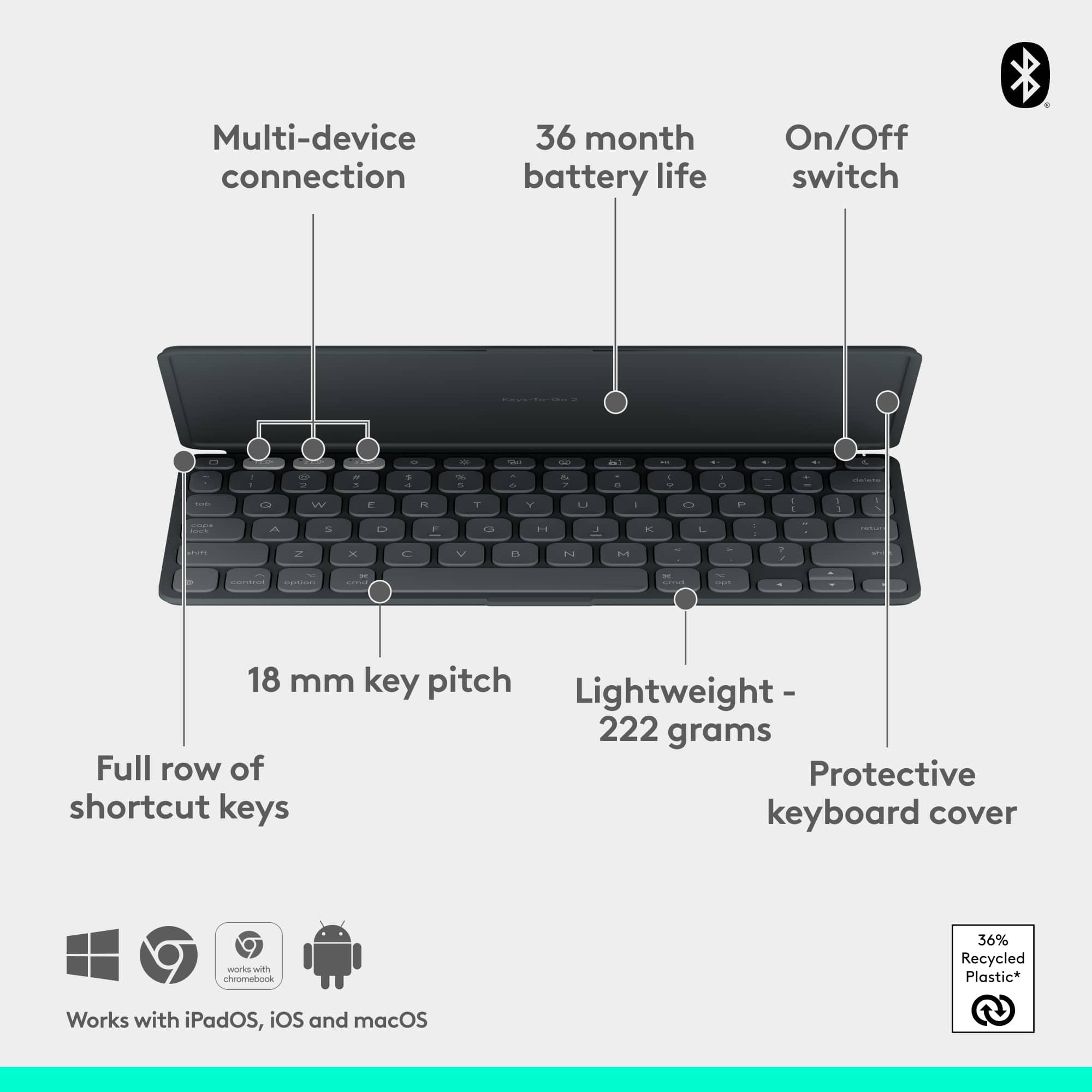

![Full row of shortcuts:
1. 10P
2. 209
3. 1 E
4. 0
5. HI
6. 4
7. 4 & I
8. 1
9. 2
10. #
11. 3
12. $
13. 4 %
14. 5
15. A
16. 6
17. 7
18. A
19. 8
20. I
21. 9
22. )
23. 0
24. I
25. +
26. -
27. delete
28. tab
29. Q
30. W
31. E
32. R
33. T
34. Y
35. U
36. I
37. |
38. O
39. P
40. I
41. [
42. ]
43. I
44. caps lock
45. S
46. D
47. F
48. G
49. H
50. J
51. K
52. L
53. :
54. -
55. a
56. return
57. shift
58. control
59. option
60. cmd
61. cmd
62. T
63. opt
64. Total control at your fingertips](https://pisces.bbystatic.com/image2/BestBuy_US/images/products/2997a37c-adb7-4df9-9a04-dba3615b444a.png)

- Model:
- 920-012866
- SKU:
- 6585254
Rating by feature
- Value
Rating 4.4 out of 5 stars
- Quality
Rating 4.4 out of 5 stars
- Ease of Use
Rating 4.6 out of 5 stars
Customers are saying
Customers admire the excellent keyboard quality, portability, and solid protection offered by the product. They also appreciate its compact and precise kickstand, light weight, quick Bluetooth connectivity, and excellent battery life. However, some customers have noted compatibility issues with their devices. Additionally, a few find the product to be a bit pricey.
This summary was generated by AI based on customer reviews.
DON'T BUY: Quality degrades
||Posted . Owned for 1.5 years when reviewed.This reviewer received promo considerations or sweepstakes entry for writing a review.This was a great item, initially. I enjoyed the keyboard feel and also the detachable feature that allowed me to use the iPad with or without the keyboard. However, after about 16 months the rubberized outer shell started separating from the rigid frame along the left, right, and lower edges. The separation was not too bad in the beginning but eventually it became a lot. I contacted support and got the standard "we are sorry but you're out of warranty" answer. I expected a lot more out of a $200 item. Not replacing it with another Logitech product.
No, I would not recommend this to a friendBrand response from Logitech
Posted .We apologize for the inconvenience caused with the Logitech Combo Touch for iPad Pro 11-inch. Your feedback regarding the outer shell separating from the frame after extended use and the lack of support beyond the warranty period is noted. We regret that the product did not meet your expectations and appreciate you sharing this experience to help us improve.

Excellent case and keyboard
||Posted . Owned for 1 month when reviewed.This reviewer received promo considerations or sweepstakes entry for writing a review.Excellent case, perfect fit / function. Only possible improvement wiuld be to add protection to hold apple pencil on to charger better. I purchased dedicated apple pencil protector and it fit well with this case on.
I would recommend this to a friendBrand response from Logitech
Posted .Thank you for your feedback on the Logitech Combo Touch for iPad Pro 11-inch. We appreciate your suggestion about the Apple Pencil protection. We'll continue to work on improving our products to meet the evolving needs of our customers.

iPad keyboard for iPad Pro M4
|Posted . Owned for 3 weeks when reviewed.This reviewer received promo considerations or sweepstakes entry for writing a review.[Employee of bestbuy] I use this everyday and it makes using my iPad so much more user friendly
I would recommend this to a friendBrand response from Logitech
Posted .Hey! Your review helps us build better products. We’re glad our product is serving you well. Thank you for being part of our journey.
- Pros mentioned:Keyboard quality, Kickstand, Protection

Great protection, and increased productivity
|Posted .This reviewer received promo considerations or sweepstakes entry for writing a review.At the outset: I am primarily a Windows user - and Android - who recently got an iPad Pro M4 for work for specific uses. Point is, I’m not a wizard with Apple products, although I have owned an iPad before and am generally familiar with how to operate them. In my mind, iPads were designed to be used by children and are extremely intuitive and easy to use. However, as they’ve gained new features and capabilities, I’ve found myself wanting to replace my laptop - to handle emails, etc. - to reduce the amount of devices I feel like I need. But I’ve always hated typing on any touch screen (phones included). Apple of course sells a Magic Keyboard, but I was immediately turned off by the price. In comes Logitech with its Combo Touch. It’s not “cheap” but at the end of the day I think it’s a great value for what you get. IN THE BOX AND SETUP Quickly, inside the box you’ll find two pieces, the keyboard (which is very similar to the Surface keyboards) as well as a case for your iPad. Note that the case itself only covers the back, but all the edges. The keyboard attaches magnetically and when closed, serves to protect your screen. Set up is as easy as snapping your iPad into the case, and then attaching the magnetic keyboard. Note that you will be prompted to download the Logitech Control app. Best I can tell, you don’t do anything with this app, it just keeps your keyboard up to date and I’m confident allows the keyboard/trackpad communicate with the iPad. DESIGN/PROTECTION Any case, whether it has a keyboard or not, first and foremost must be able to protect your expensive iPad. Of course, you may be a purest and prefer no case, but I digress. With the keyboard and case attached, you get 360 degree protection. Obviously if you don’t have the keyboard attached and you’re carrying the tablet around, the screen doesn’t have protection, but the case that covers the iPad itself does have a little bit of a lip, meaning if you set it down face down, the screen isn’t touching the surface. I love the feel of the case itself, it feels like a durable rubber. The downside is that it shows smudges - and smudges easily. Taking it out of the box for the first time, I could see smears from my hands at the outset. So if you want to keep it clean, it will require constant wiping. The case itself is light, and obviously the iPad is too, but it feels much heavier when inside the case. Don’t get me wrong, it’s by no means too heavy to carry around, its still lighter than most laptops, but the feathery weight of the iPad itself is gone. But the case looks good and looks very professional when shut. My biggest gripe about the case, and this is only because of my other Spigen case, is the spot for the Apple pen. The case has a cut out on the edge where the pen attaches and charges to the iPad, but it can be easily knocked off. My Spigen case, on the other hand, has an insert for the pen which I much prefer (even though it makes the case wider) so I know the pen won’t fall out when I’m pulling it out of bag or otherwise on the move. When typing, you simply flip out the kickstand from the case. It’s very much like a Microsoft Surface. And like the Surface, it’s not the best typing experience on your lap as the keyboard tends to wobble. But I like having the kickstand when I just want to watch movies (detaching the keyboard). The kickstand and keyboard part of the case stay close (thru magnets I suppose) when it’s all closed up so there’s little concern of the keyboard flipping open by itself (except when dropped or something like that). There’s simply a little slot where you can insert your fingernail and pull the kickstand out and open the keyboard part of the case. The trackpad is extremely responsive and works well, but it does have a hollow sounding click noise. It feels cheap for lack of a better word and makes me wonder how long it would hold up. I prefer tapping on my trackpads but I couldn’t get much of a response when tapping. TYPING EXPERIENCE I mentioned my experience with Windows because I’m a Mac newbie. So the keys specific to Macs and iPads are a little bit foreign to me. It’s a learning curve, but not a big one. It didn’t take long before I was switching between apps. The keyboard otherwise is very nice. I really enjoy the typing experience but it’s a bit cramped. Not unlike a Surface I used to own. The keyboard is backlit which is very nice and there’s a nice subtle clicking sound that at least to me, is satisfying (and not too annoying to those around you). Theres’s shortcut keys above the number row which is welcome, where you can easily adjust playback, screen brightness, activate Siri and take screenshots. They’re nice to have for those who don’t know all the shortcuts on the keyboard and it allows you to keep your hands on the keyboard. The downside of the cramped keyboard is that some of the keys, like delete, slash, quotation marks are REALLY small. Thankfully I don’t use them all that much, but my finger tends to hit 2 keys given their small size. BATTERY LIFE Good news is that you do not need to separately charge your keyboard. It draws battery straight from your iPad. I haven’t used my keyboard for hours on end so it’s tough to say how much it affects the battery life, but I can say anecdotally that the battery percentage went down 3% points while I was typing out a few emails. I have zero complaints with the iPad Pro’s battery and while the keyboard by definition has to draw some of that power, in my experience it doesn’t seem to be that big of a drain. So not much concern there. CONCLUSION I’ve grown accustomed to using my iPad more and more to replace taking my laptop with me on trips. It’s lighter, easier to use and allows me to have more “fun” when I’m not working. The only downside was always the keyboard issue. The Logitech Combo Touch really allows me to use the iPad to its fullest extent without sacrificing size and weight. Sure it’s a little bit thicker and little bit heavier, but not so much as to bother me. I think it’s a great alternative to the Apple keyboard, and while still pricey it’s a better value in my opinion. It offers comprehensive protection and I really like the built in kickstand - even when not typing. The typing experience really allows someone to get more done, assuming you need to type. If you don’t plan on typing much on your iPad, you could probably skip past this product. But even if you think you’ll use a keyboard, I’d highly recommend this keyboard over the competition.
I would recommend this to a friendBrand response from Logitech
Posted .Thank you for your amazing review of the Logitech Combo Touch for iPad Pro 11-inch (M4 chip) Keyboard Case! We're thrilled to hear that it's transformed your iPad into a versatile laptop-like device and exceeded your expectations. Your positive feedback means a lot to us as we continue to create exceptional products that elevate your iPad experience.
- Pros mentioned:Keyboard quality, Kickstand, Portability
Quality, portable typing - Not ideal for sketching
|Posted .This reviewer received promo considerations or sweepstakes entry for writing a review.With my thin and light (and powerful) M4 iPad Pro in hand, I was excited to see just how far it could go with a quality keyboard. Traditionally, I haven’t needed one - I own several MacBooks and have always treated the iPad in a class of its own. I sketch on it and otherwise consume media with it while traveling. But enough about that bit of context, let’s talk about this case. First off, it feels very high quality. The kickstand are compact and precise, the metal back is sleek, keys are solid and feel great to type on. Even the magnet holding the keyboard on is strong. When closed it forms a nice rounded ‘pebble’ form that slides easily in and out of my backpack sleeve, despite having flip-out components like the kickstand, I might add. Nothing is loose, it all just fits. __ Small Tradeoffs __ Sometimes it almost fits too well. The case portion is solid and will provide good protection, but it’s also fairly hard to get the iPad into. The rubber edges that envelop the iPad are significant and add a little bit of bulk around the screen, mostly so that the keyboard can nest into it perfectly when closed (matching its edge contours, etc.) Similarly, this nearly perfect closed state also meant that the kickstand is super thin. That’s not bad, per se - it’s made of strong sheet metal, but it leaves very little of an edge to gain friction from and causes a bit too much flex when kicked out to an extreme angle (more on that below.) For productivity and typical kickstand angles, this isn’t an issue, but for drawing it can be. __ Springy Sketching __ Drawing while using the kickstand is just not great. The combination of the hinge strength, flexibility of the metal, and minimal friction at the kickstand’s edge causes it to slide itself outward, going ever-flatter. At the same time, it becomes very springy. This is not the best combo when drawing. You need your ‘paper’ to stay still. The good news is that if you don’t need to prop your iPad up to draw, it’s pretty great for sketching flat. The keyboard can be fully removed, or it can be attached upside down. This allows you to have a sturdy platform that both protects the keys and feels compact. With the keys sandwiched, you don’t feel them on the back when holding the iPad either. It’s a great solution. __ Fantastic Keyboard & Big Trackpad __ Drawing and protection aside, the real draw in this combo is the keyboard and trackpad. Keys are high quality, backlit, easy to find with fingers and have great travel. It’s a pleasure to type on! The trackpad is similarly large and responsive. Clicks are physical, feel good and there are no dead zones (even click travel all around.) - I will note, however, that there is a small gap around the trackpad that could collect dirt or crumbles if not careful. The surrounding base plate is slightly rubberized and meets up with a molded edge component - it’s not a flexible, glued seam like so many folios have. __ Summary __ Overall, Logitech has created a great protective keyboard case. It’s nicely portable and relatively light, while offering a top-notch keyboard and trackpad experience. The type of person who’d enjoy this combo is someone who wants a keyboard + full wrap-around protection of their device, while not being particularly into sketching. (Hinge gets too springy!) The kickstand is more than adequate for holding the device at typical typing angles and almost disappears when not in use. ----------- *** Good Stuff *** - Full wrap-around protection of your iPad - Great keyboard and key-feel - Large trackpad that is very responsive, physical medium-quiet clicks - Nice color match to black iPad - Recess for Apple Pencil charging *** Less than Good Stuff *** - No additional USB port for passthrough or better charging placement - Back metal plate is very finger print prone - Added weight detracts from appeal of new thin and light M4 pro when using as a tablet - Case portion not designed to be easily removable. Front edge adds some visual bulkiness. - Not the best option for sketching. Kickstand is quite springy at low angles. - Kickstand hinge is a bit weak and can slide outward smooth surfaces, has trouble holding low angles without flattening. - Some unevenness in material creasing at middle of kickstand hinge line (due to hinge mechanism below)
I would recommend this to a friendBrand response from Logitech
Posted .Thank you for your detailed review of the Logitech Combo Touch for iPad Pro 11-inch (M4 chip) Keyboard Case! We appreciate your insights into the product's features and your comparison with other options. We'll continue to work on improving our product offerings to address potential limitations and cater to diverse user preferences.
- Cons mentioned:Compatibility
No good for M4 Pro
||Posted . Owned for less than 1 week when reviewed.This reviewer received promo considerations or sweepstakes entry for writing a review.Does not fit the M4 iPad Pro. It was seemed that the dimensions for that years model are slightly larger.
No, I would not recommend this to a friend - Pros mentioned:Keyboard quality, Kickstand, Protection
Best keyboard/case combo for iPad Pro
|Posted .This reviewer received promo considerations or sweepstakes entry for writing a review.Part of what makes an iPad Pro, a pro model is its productivity. For most, this productivity is achieved with peripherals such as a quality keyboard. When it comes to high quality keyboards there are only a few options. I believe the Logitech combo touch offers some great features that make it ones of the best keyboard case combos on the market for iPad Pro. One thing that sets this keyboard/case combo above others is that the case offers the best protection for the iPad even when the keyboard is not connected. Unlike other keyboard cases, you can detach the keyboard from this one and still have a great iPad case. Starting off with features of the case, it has a kickstand which offers unlimited angles for all viewing and creative needs. The material is a silicone material and offers a good amount of protection against scratches and drops. On one side of the iPad there is a cut out which allows the Apple Pencil to magnetically attach and charge. The keyboard magnetically attaches to the case and it does not require batteries or charging. It runs off the power and connection port on the site of the iPad. The only downside in my opinion is the material on the bottom of the keyboard. It is a shiny metal like material that is a finger print magnet. It reminds me of a stainless steel fridge. So far it has held up against scratches though (which was my other worry). For being an 11in iPad the keyboard and trackpad are both spacious. I was able to type this entire review on it with ease. The trackpad is a much welcomed features which is great when using the iPad as more of a computer than a tablet. The top function row allows you to do multiple things such as adjust screen brightness, return to the Home Screen, adjust volume, options for music playback, and more. The best feature is the backlit keyboard! I spend a lot of time in darker environments and being able to see the keys is a major bonus. If you have an iPad Pro and want the best keyboard and case combo then this one is a must. I believe this is the best keyboard option on the market. Although that is my opinion, I highly recommend this for both students and working professionals. Although it has been a while since I was in College, I wish something like this existed when I was. Now i use it daily in my professional life.
I would recommend this to a friendBrand response from Logitech
Posted .Thank you for your amazing review of the Logitech Combo Touch for iPad Pro 11-inch (M4 chip) Keyboard Case! We're thrilled to hear that it's your favorite iPad case and that you appreciate its versatility and features. Your positive feedback means a lot to us as we continue to create exceptional products that elevate your iPad experience.
Defective Case
||Posted . Owned for 2 months when reviewed.This reviewer received promo considerations or sweepstakes entry for writing a review.Purchased this case on 6/11/25 and the rubber on the bottom edge is already beginning to separate.
No, I would not recommend this to a friendBrand response from Logitech
Posted .We sincerely apologize for the inconvenience caused by the defective case you purchased on 6/11/25. Thank you for bringing this to our attention. To address this issue, we recommend reaching out to our social care team via email at socialcare@logitech.com with your
- Name:
- Email Address:
- Country:
- Product Name:
- Brief description of issue:
- Pros mentioned:Keyboard quality, Kickstand
Great premium feel, Logitech doesn’t disappoint
|Posted .This reviewer received promo considerations or sweepstakes entry for writing a review.So having owned the previous generation iPad Pro 11” and also the Logitech combo touch keyboard case for that previous model; there is one significant change I can think about and that’s pretty much doing away with this fabric type material look/feel. It’s now just a smooth type of plastic or hard rubber like how it is on an Apple Smart Cover. That’s one significant change while overall you have a slight bigger trackpad and the case seems a bit more low profile and conforming to the iPad, it doesn’t add much thickness to my newer 11” m4 iPad Pro. One caveat about the case, it is a fingerprint magnet. So depending if you have a bit of wet, oily hands (unless otherwise you wash your hands thoroughly), it’s bound to catch fingerprints. You’ll have to keep some sort of wipes or polishing cloth to rid the case of fingerprints if that is your preference to avoid a whole buildup. Asides from that, functionality is great with the Smart Keyboard that integrates with the case utilizing Apple’s proprietary magnetic Smart Connector that connects with most iPad Pros. It is just Apple Case Keyboards and so far Logitech Case Keyboards that have the Smart Connector, and draws power from the iPad so there isn’t a battery. The keyboard detaches from the case easily from the magnetic port connector , using the case alone. Case also has a kickstand for different viewing levels. The trackpad is responsive and adds the dot being your mouse cursor on the iPad screen. Though I’m often on my MacBook for working, my iPad Pro is more of free time and other means of productivity, it gets a bit used to the keyboard size and I do have some big hands. However if you’re a professional or a student even, that works on an iPad Pro (the current model) and often on the go and need an integrated keyboard case, this Logitech one is the way to go.
I would recommend this to a friendBrand response from Logitech
Posted .Thank you for your detailed review of the Logitech Combo Touch for iPad Pro 11-inch (M4 chip) Keyboard Case! We appreciate your insights into the product's design, features, and performance. Your feedback is valuable as we continue to improve our product offerings to cater to diverse user preferences and needs.
- Pros mentioned:Keyboard quality, Kickstand
Absolutely Prefer This Over the Magic Keyboard
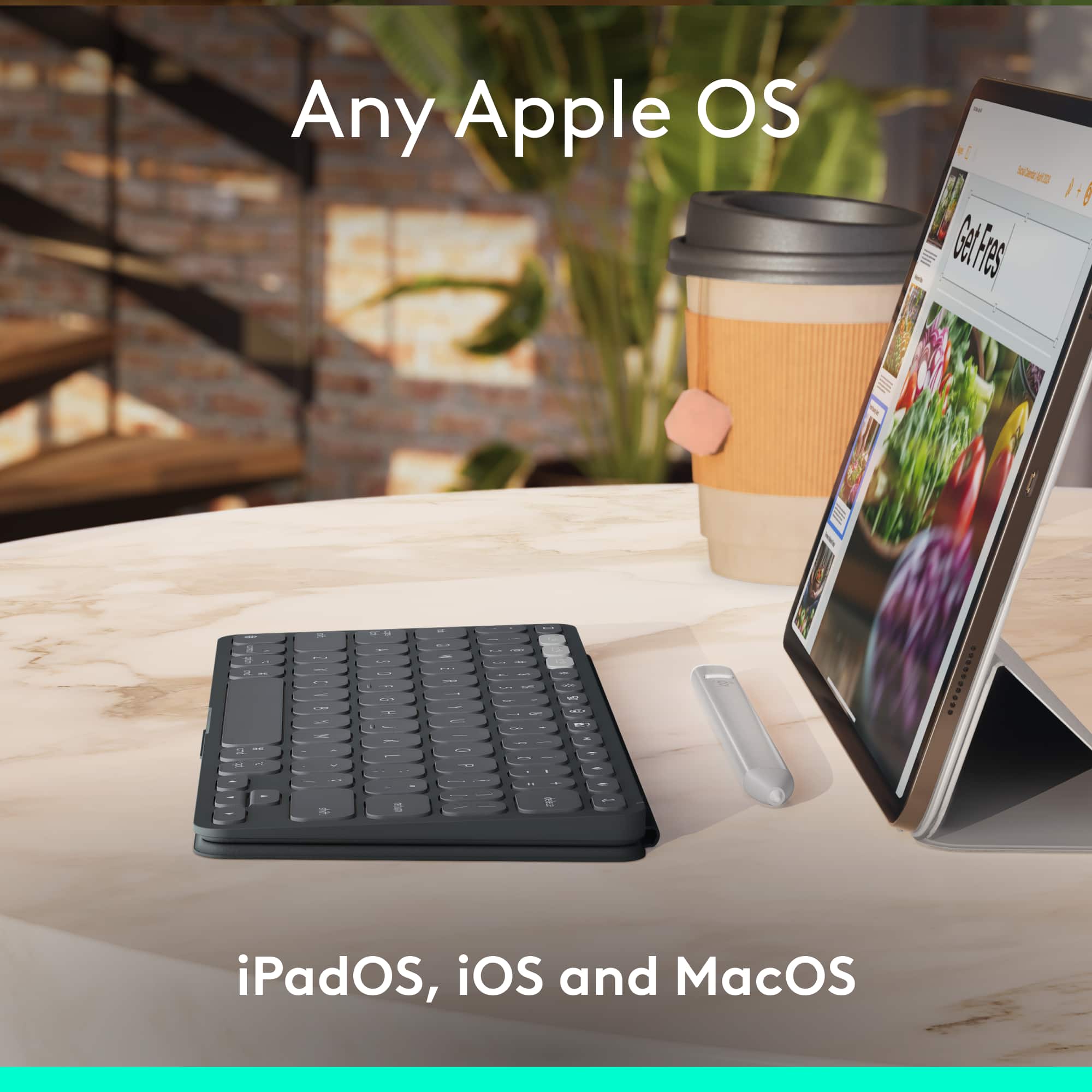
|Posted .This reviewer received promo considerations or sweepstakes entry for writing a review.I am a big fan of Logitech and their products. I am always impressed with their ability to create new peripherals for all of my tech. I recently upgraded my iPad Pro to this year’s M4, 11-inch model and had originally bought Apple’s Magic Keyboard to go along with it. After using that one with my iPad for a couple of weeks, I decided to return it. Although it is a high quality keyboard case, the limitation of not being able to turn my iPad to portrait mode and hide the keyboard in a compact way was a show stopper for me. Logitech once again saves the day with their latest Combo Touch Keyboard Case. It comes packaged very nicely with a quick start guide. Once unboxed, you’ll quickly discover that it is two pieces, one that attaches to the frame and back of your iPad and the other part that is the keyboard which, when fully setup, magnetically snap together creating the closable case that fully protects your device. The connectivity of the keyboard is via the iPad’s smart connectors on its back so you don’t have the need for a cable to charge it. Also, if you have an Apple Pencil, there is a perfect space on the top for it to attach to and charge while not in use. Opening the case up for use is easy and when the keyboard is attached it works in landscape mode. There is a fully adjustable kickstand on the back to hold it up in whatever position or angle you prefer. The keyboard is as expected with all the regular keys and along the top is a full complement of iOS shortcut buttons. The large trackpad is great for using it just like you would on a laptop and is very precise in my experience so far. It also allows you to control your screen as you would on a MacBook with the normal finger gesture combinations. While in the landscape configuration, you can remove the keyboard, turn it around and reattach it to the case so that you can use the iPad’s screen like you would without anything else attached. This is helpful when you want to save room on your lap or perhaps while on a plane and watching a movie or, in my case, when you want to turn it to portrait mode. In portrait mode, some apps work better or default to that direction so being able to remove the keyboard is important. Flipping it around and reattaching it, helps to hide and disable the keys so you are not accidentally typing or using the trackpad. Overall, this is a great addition to my iPad and the overall experience. I can seamlessly use my iPad with this keyboard case in conjunction with my other gear and not miss a beat. Thank you Logitech for yet another great product!
I would recommend this to a friendBrand response from Logitech
Posted .Thank you for your amazing review of the Logitech Combo Touch for iPad Pro 11-inch (M4 chip) Keyboard Case! We're thrilled to hear that it's the perfect accessory for your iPad and has transformed your productivity. Your positive feedback means a lot to us as we continue to create exceptional products that elevate your iPad experience.
- Pros mentioned:Keyboard quality, Portability
The best portable travel keyboard I have ever used
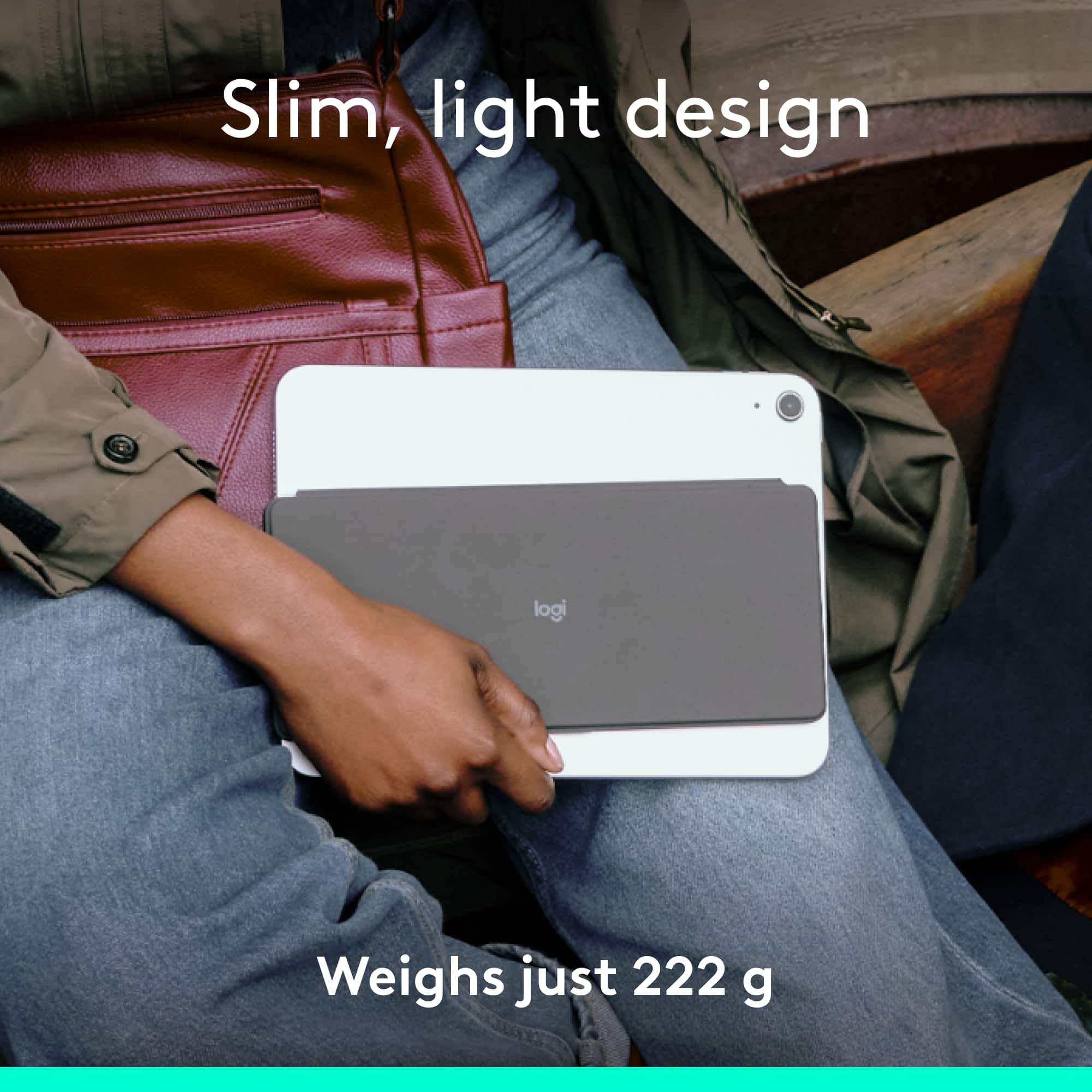
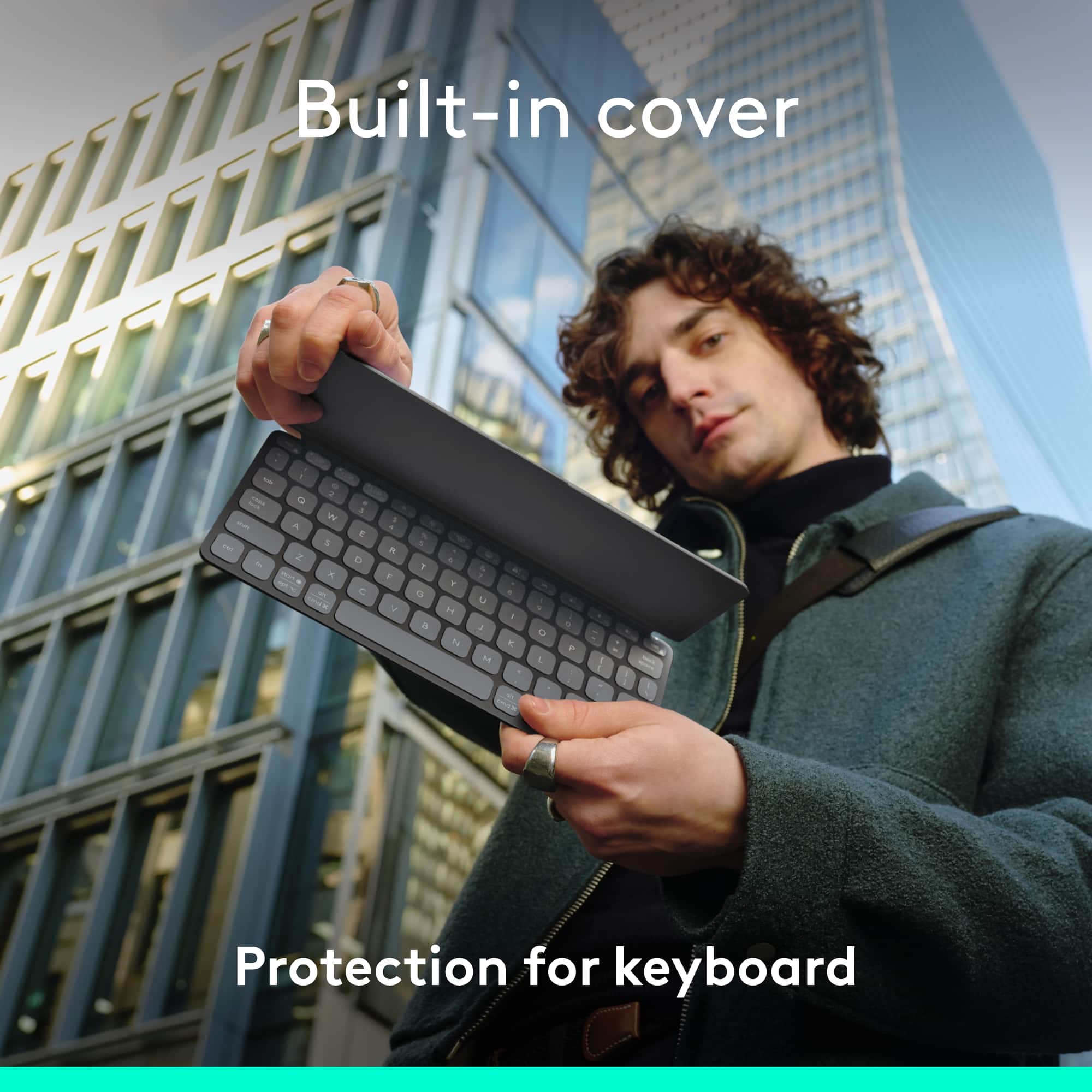
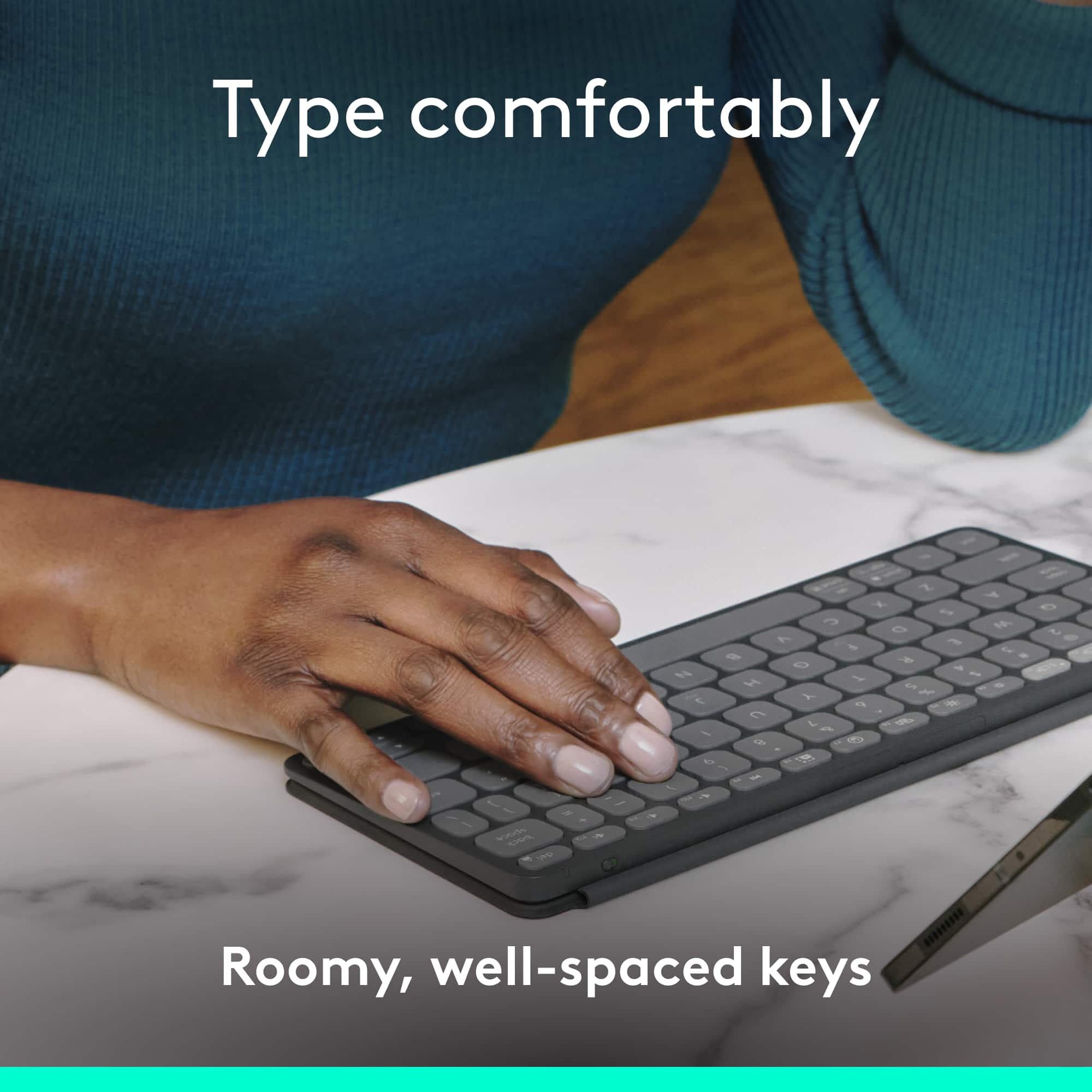
Posted .This reviewer received promo considerations or sweepstakes entry for writing a review.By far the best portable travel keyboard I have ever used. I am a lifelong Logitech user. I have been using the MX Keys for years now and their mice. I associate their product with quality. The Keys-to-Go 2 fits that category. I have used the Apple Keyboard and while they have a different build quality. I would have to say the Keys-to-Go 2 is equally just as functional. The build quality is up to par. I like it because of it's portability. I like that the cover protects the keys from dust and other potential debris that can interfere the functionality of using the keys. This offers protection for the long-term and that to me is an added value. I have only been using this keyboard for two days now and I have to say, I am really impressed. It is quiet, the key placement is suitable and convenient, pairs to three other devices. For the price point, it's solid and I am glad I made the purchase. I hope over time, the letters won't fade. Too bad the same materiels used for the MX keys wasn't used for this model. I presume in doing so, it would have increased the weight. But overall, I highly recommend this keyboard. I am using it paired to my Lenovo Tab Plus. These two are a perfect combination. Thanks Logi!
I would recommend this to a friendBrand response from Logitech
Posted .We're thrilled to hear that you're enjoying the compact size and portability of the Keys-To-Go 2, making it your go-to travel companion. We understand your appreciation for the protective cover, ensuring your keyboard stays clean and functional for years to come.
- Pros mentioned:Keyboard quality, Kickstand
A winning Combo!
|Posted .This reviewer received promo considerations or sweepstakes entry for writing a review.Having the iPad 11” Pro, there are many times I feel a real keyboard would be needed. Using the iPad Pro’s screen to type isn’t always ideal. To remedy this quandary, I picked up the Logitech - Combo Touch for iPad Pro 11-inch. Let me tell you the this meets my needs and then some. It is a two-piece case with one half that is form fitted around the iPad Pro and has a kickstand and raised buttons for the volume and sleep/wake button. There are perforations where the speakers are so the sound is not impacted. The second half of the case is the keyboard that attaches with strong magnets and hinges on flexible material. The case once setup is very attractive and sturdy. The portion that covers the iPad is very good as a standalone case to protect your iPad. Using the Combo Touch is great! The raised keyboard has large keys for comfortable typing and your palms rest comfortably on either side of the touch pad. The keyboard has all the commands that you would need to use the iPad Pro and is backlit as well. Using a keyboard for an iPad in the past I couldn’t find a way to have it sit comfortably when not using the keyboard. The Logitech - Combo Touch for iPad Pro allows you to fold the keyboard so that the iPad Pro can sit on your lap. This is a must have in my view for anyone who wants to get the most out of their iPad Pro and I highly recommend it.
I would recommend this to a friendBrand response from Logitech
Posted .Thank you for your amazing review of the Logitech Combo Touch for iPad Pro 11-inch (M4 chip) Keyboard Case! We're thrilled to hear that it's the perfect accessory for your iPad and has transformed your productivity. Your positive feedback means a lot to us as we continue to create exceptional products that elevate your iPad experience.
- Pros mentioned:Keyboard quality, Portability, Weight
Awesome little portable keyboard
||Posted . Owned for 3 weeks when reviewed.This reviewer received promo considerations or sweepstakes entry for writing a review.I like to minis size and weight when traveling with electronics. This device fits the bill but does not sacrifice on quality. It's a pleasure to type on but can be slightly cramped if you have big hands. However, you get used to it after a short while and can type nearly as fast as on a full-sized keyboard. I love the quick change buttons allowing you to switch between 3 different devices you've paired. The cover is a big plus too since it protects the keys and keeps the interior clean. Just be aware that you'll need a #5 Torx screwdriver to change the batteries but the ones included should last multiple years according to their owner's manual. If you're looking for a nice, light, portable keyboard, this is it! Buy it!
I would recommend this to a friendBrand response from Logitech
Posted .Thank you for your amazing review of the Logitech Keys-To-Go 2! We're delighted to hear that you love its portability, quality, and features. Your positive feedback is truly appreciated.
- Pros mentioned:Keyboard quality, Kickstand
Superb keyboard case that WORKS!
|Posted .This reviewer received promo considerations or sweepstakes entry for writing a review.The Logitech Combo Touch for the latest 11inch iPad Pro is a total game changer. It’s not just a keyboard case; it turns your iPad into a mini laptop. The touchpad is super smooth, and the backlit keys are perfect for latenight work sessions. No more dealing with Bluetooth connections, thanks to the smart connector. Plus, the kickstand is super versatile for all your viewing needs. In short: if you’re looking to up your iPad game, this is it. Right out of the box you can tell this keyboard case is top tier. Both the front and the back, the keyboard and the back piece, are extremely well made. The magnet that holds the keyboard to the back is extremely strong and I have not once had any issues with it. Keys on the keyboard and the trackpad are extremely well made as well and function just as you think they should. There's zero lag and it's ultra responsive when using the keyboard to type so no issues there. My favorite part of this product is the kickstand which functions extremely well is strong and I have had zero issues finding an angle depending on my seated or laying down position.
I would recommend this to a friendBrand response from Logitech
Posted .We're thrilled to hear that the Logitech Combo Touch Keyboard Case has transformed your iPad experience! Its exceptional quality, versatile features, and seamless integration make it a top-tier accessory. Thank you for your positive feedback and recommendation.
- Pros mentioned:Keyboard quality
Great keyboard but mediocre as a case.
|Posted .This reviewer received promo considerations or sweepstakes entry for writing a review.I had just purchased a new iPad M4 11" because my carrier offered a really good deal when I purchased it along with our iPhone 16 Pro Max phone upgrades, so I went ahead and grabbed one. I started researching cases, as I normally just use Apple's SmartFolio with all of my past iPads. But I wanted something different this time...and something with a Keyboard that would also double as screen protection, when not in use. Well, this case certainly hits all those marks, but misses in several key areas for me, however. I researching this product, I seen rave reviews and word of mouth online, even recommending it over Apples own Magic Keyboard. So, I figured why not, what could go wrong? The Combo Touch arrived and I was super excited, as I'd not used my iPad since I'd gotten it, because I didn't want to go caseless. I did enjoy how the product was packaged and the retail box, along with the pull-out sleeve that displays the product inside, all felt very premium - even if it's just heavy-stock cardboard. The first thing up top that you're greeted with is the keyboard itself. It's very nice, has a metal backing and finish to it and is VERY premium. I was immediately wowed with just smacking around on the keys in my hand, how great it felt and how thin it was, although a tad lofty-feeling, but that's to be expected. However, what was not expected and what really took me by surprise is the backside "case" that goes over the actual iPad, in which the keyboard magnetizes to and very heavily, may I add (which is a huge plus!). The color is fine and matches the keyboard, but it's made of a silicon/rubber-like material. It feels very good in your hands, but on the iPad itself, I couldn't help but feel that it felt very "cheap". I also feel the need to mention that whatever the material it's made of, it is a fingerprint and dust magnet. During my time using this on my iPad, I was always constantly wiping it off. I'd be sitting and using the iPad with just the case on and I'd watch dust just fly over and attach itself to the case. How annoying. I had an incredibly difficult time keep this thing fingerprint, smudge and dust free... Allow me to elaborate a bit more on the actual "case" part, mentioned above. First of all, getting the case portion on and over the iPad was very difficult. It's super tight and the rubbery "lips" that are designed to wrap around the top edges of the iPad (by maybe a millimeter or so?) make it even more difficult to put on. It felt like I was going to bend the iPad trying to get the corners to "pop" in and down into the case. Once it was seated, I noticed an area around the case lip at the top of the iPad was folded under (due to having to press it down), so I had to try to pull that away from the edge of the iPad just enough for it to fold upwards and over the iPad, not pressing against the side of it. I did also note that at the bottom of the iPad, it didn't seem very well aligned near some of the speaker holes and the charging port. Due to the rubbery nature of the material, it had a bit of a "wave" to it, going across the top and bottom of the device. Again, just overall cheap-ish looking AND feeling. I do, however, love how the stand is build into the back of the case, you just fold it out to the angle you prefer and when done, fold it back inward and it'll magnetically seat itself flush. This also works well even when not using the keyboard, just as a stand for the iPad, which I liked. As for the keyboard itself, it attaches to the case wonderfully and very strongly. When folded closed over the screen, everything does line up and it's magnetic and won't pop open easily. In use, I did enjoy the very slight white glow of they keys being lit up. They weren't obnoxiously bright, but also not too dim. The keys, for being shallow, all registered perfectly. I had no issues with missing a keypress when typing rapidly. However, given this is an 11" iPad, it does feel a bit "scrunched", but not a huge issue, it's something you'll get used to over time, the more you adapt to it. I did like how big the track pad is! However, there were times where it felt a bit too big, as I'd sometimes find the edge of my palm/had would rest on it and register. I also noticed ZERO lag when typing and everything was super responsive! So, overall, this gets a 4/5 for me - I would give the keyboard portion of the Combo Touch a 5/5 and the case portion a 3/5. In summary (TL;DR): The keyboard is great - other than the fact that the exterior portion that's made of metal catches every single fingerprint/smudge - BUT, unlike the case portion, it cleans easily and just wipes right off. However, the case that goes over the iPad had a number of issues for me. The way it fit the iPad didn't seem perfect, it's incredibly difficult to get on, it's absolutely a dust/fingerprint and smudge magnet and is a chore to keep cleaned. Perhaps my biggest quirk with the whole Combo Touch kit, which I haven't really touched on yet, is the fact that having it on completely defeats the purpose of how lightweight the new M4 iPads are (and the reason I got the 11"). Combined with the keyboard and case, it makes the iPad feel very chunky and extremely weighty, which I wasn't a huge fan of. Even with the keyboard removed, I just didn't...like the feel of it. For now, I went ahead and purchased a new SmartFolio to use instead, as I prefer keeping my iPad as light-weight as possible and given I won't be using the keyboard ALL of the time.
I would recommend this to a friendBrand response from Logitech
Posted .Thank you for your detailed review of the Logitech Combo Touch for iPad Pro 11-inch (M4 chip) Keyboard Case. We appreciate your insights into the product's features and your comparison with other cases. We'll continue to work on improving our product offerings to address potential limitations and cater to diverse user preferences.
- Pros mentioned:Keyboard quality
Definitely worth it if you want protection
|Posted .This reviewer received promo considerations or sweepstakes entry for writing a review.I am currently writing this review on the Logitech Combo Touch for my iPad Pro 11 (2024 model). I have been a long time user of Logitech’s iPad keyboard cases for over 6 years now, and I am always impressed at the progression and ease of case. This current model is no exception as it has greatly improved since a few years ago, and is a great alternative to the official Apple keyboard that floats. The build is very solid, and I love that they kept the removable keyboard with this. The keyboard also serves as the front cover so you know that the screen is very protected from drops or other damage. The iPad itself rests comfortably in this rubber and plastic shell, with a raised lip around the majority of the perimeter. The only areas there no coverage exists is where the Apple Pencil Pro sits. I love that I can remove the keyboard at any time and use the iPad, knowing it has protection on the sides, front and back. The back of this case also has the hinge for propping up the iPad on a desktop in the same say the Surface products are designed. I like this on a desktop because it gives you a very wide range of angles, compared to the Apple one where you have a very narrow hinge ability. But this also means that using the Logitech Combo Touch on your lap will be more challenging due to that back hing. Typing has been a wonderful experience. I love that this has a function keys at the top for lighting, volume, playback and a “dictation” button. The keys feel great typing on, not too much noise coming from this. The buttons feel very comfortable and I have good key travel despite this being smaller compared to the 13” siblings. If you are familiar with MacBook layouts then the keyboard will be very familiar. I also like the enlarged trackpad on this which my thumbs are very happy with. The swiping/scrolling could be a bit more responsive as some times there is lag when I am trying to scroll than the page. This also has backlighting so you can type at night and see where your fingers are. The magnets for the keyboard are very good and the ease of removing this makes the experience even better. Overall, I am very happy with this keyboard and you don’t have to spend too much for the official Apple one. I love the feel of this keyboard but mostly the protection you have when using the keyboard or when you remove it. That was the problem I had with the Apple one is your iPad is exposed and I like having my devices protected from drops. The scrolling could be a little bit better but I am just excited with this as it is my daily driver and I feel safe and assured that this protects my very expensive iPad Pro.
I would recommend this to a friendBrand response from Logitech
Posted .Thank you for your detailed review of the Logitech Combo Touch for iPad Pro 11-inch (M4 chip) Keyboard Case! We appreciate your insights into the product's features and your comparison with other options. Your positive feedback means a lot to us as we continue to create exceptional products that elevate your iPad experience.
- Pros mentioned:Keyboard quality
One more Logitech hit!
|Posted .This reviewer received promo considerations or sweepstakes entry for writing a review.Personally, my iPad is one of the devices I use the most because of how practical and versatile it is. I have used previous versions of this Logi Combo Touch keyboard case in the past and while some things have changed, it is still a solid and functional product. In the box, which is similar to previous versions, come the two pieces that make up the case and a quick guide. Installation is very simple, basically just like installing a regular case, just be careful with the side buttons and to place the iPad in the correct orientation. The keyboard is attached to the case through magnets, this ensures the correct connection of the connectors of both the case and the keyboard. Regarding the design, unlike its predecessors, the texture of the cover has changed, both the case and the keyboard. The cover texture the case is made of, is a material reminiscent of the Apple cases. However, this material marks fingerprints very quickly. Cleaning it is not so easy and once it is done, it is a matter of minutes for fingerprints to be present again. In the case of the keyboard being somewhat similar, the plastic material of the cover has a finish, which despite being matte, fingerprints are marked too much. Compared to the previous version, where the material covering the case and keyboard is made of fabric, this version may leave a little to be desired in this regard, although it is also a matter of taste. Despite these changes, the design in terms of form remains practically unchanged. At the top (in landscape mode) there is a space in the continuity of the contour of the case where the Apple Pencil Pro or a compatible Pencil is stored. The case covers well the ipad contours and part of the screen. In my case, the screen protector leaves enough space to fit the case well with the iPad. The keyboard has practically the same layout as an Apple keyboard, only three keys change in the shortcuts at the top. The search button and show/hide keyboard are replaced by a dictation button and a screenshot button, and finally the screen lock button is replaced by the one to activate/deactivate the Focus function on the iPad, for greater concentration, a change that I personally wanted a lot, thanks Logitech. The keyboard backlit is adjustable, something that is appreciated. The touchpad is a perfect size, made of rigid plastic but with a very smooth finish that allows you to slide your fingers without any problem. Clicking is very easy, not too much pressure is needed and it responds very fast. The keyboard in daily use seems to me a comfortable keyboard, quiet, accurate and with a pleasant finish to the touch keys. It has good adjustable lighting, useful shortcuts, and a layout easy to use for Apple users. Personally I like it a lot, it feels more comfortable than the previous version which in itself is good. The case with the keyboard attached works like a conventional case folder, turning the screen on or off when opened and closed respectively. It can be used without the keyboard with one hand or on a surface to view multimedia content or in a comfortable position to write or draw on the iPad. In daily use, I can say that the experience is very similar to the previous version. The difference is that by the very nature of the iPad M4, it is lighter than the previous one. And because of the materials this case keyboard is made of, it does not make it a very heavy iPad, it is actually a reasonable weight. In summary, if you, like me, have been looking for a solid case that protects your iPad but can also be used as a keyboard, that can be used without the keyboard, that can be placed in different positions, compatible with Apple Pencil pro, that allows you to use with one hand and that despite being folder type does not feel bulky or have unnecessary straps or snaps that prevent you from using your device comfortably, this case keyboard is a good investment. I consider that in the market there are many options at different prices but it is a little difficult to find a device as versatile and functional as this one. I can recommend it without a doubt, its price is worth it.
I would recommend this to a friendBrand response from Logitech
Posted .Thank you for your amazing review of the Logitech Combo Touch for iPad Pro 11-inch (M4 chip) Keyboard Case! We're thrilled to hear that it's the perfect accessory for your iPad and has transformed your productivity. Your positive feedback means a lot to us as we continue to create exceptional products that elevate your iPad experience.
- Pros mentioned:Keyboard quality
Quality and Versatile!
|Posted .This reviewer received promo considerations or sweepstakes entry for writing a review.This is one of those tough decisions, which case should you pair your fancy new ipad in? Want something sturdy but not heavy. Something economically reasonable but high quality. Something unique but practical. I felt like this little guy fits all the bill! Firstly, it was straight forward install. The case around the ipad is a little snug. It wasn't difficult but it did take a little effort to snugly/perfectly fit the case around the ipad. Once installed, the keyboard clips on magnetically on the bottom. The magnet felt strong. Once the keyboard and case combo was in place, there's a kickstand behind the case, so you can adjust the viewing angle/height of the ipad, to set this guy up like a laptop. Very comfortable and a variety of angles. The keyboard felt clicky, the actuation is easily felt and satisfying. It's not a gaming keyboard, but should you find a game where you need to click really fast, the keys should feel game-like and equally responsive. The backlight was unexpected as I didn't really need that function, but was pleasantly surprised it's there and helped with dimly lit airplane travel. Also manageable with the function keys should you not want that. Another notable feature was that my pen could still continue to charge with this case. There's an opening on top that allows direct contact with the pen, to ensure maximum compatibility... very nice and much needed for pen users. I was not impressed but not disappointed with the trackpad. The trackpad felt a little light/thin on the actuation, so when you press it it felt a little less satisfying, but definitely works. Of course your finger/tracking is very accurate. I was hoping it felt a little ensuring click, as I was spoiled by the keys, but I guess that's the trade off for a light case/light keyboard. Overall just a small tiny area for improvement but otherwise perfect case. If you're even thinking about it, just get it. You won't be disappointed. I hope they have a variety of colors or designs in the future. Will have no problem buying a replacement/backup.
I would recommend this to a friendBrand response from Logitech
Posted .Thank you for your amazing review of the Logitech Combo Touch for iPad Pro 11-inch (M4 chip) Keyboard Case! We're thrilled to hear that it's the perfect accessory for your iPad and has exceeded your expectations. Your positive feedback means a lot to us as we continue to create exceptional products that elevate your iPad experience.
- Pros mentioned:Keyboard quality, Protection, Weight
the lightest available-- but still hoping
||Posted . Owned for 2 weeks when reviewed.This reviewer received promo considerations or sweepstakes entry for writing a review.Love this for a full-scale keyboard/trackpad case. It's sturdy, the keys feel right, the case is protective, and it simply works. Suggestion-- can someone make a Slim Folio keyboard folio for the new iPad Pro (M4)'s? Since Apple discontinued the Smart Keyboard Folio, there's no product that is super lightweight and compact without the trackpad etc. I want something minimalist and don't use the trackpad. I tried the old Smart Keyboard Folio-- it's not just the magnets, it is fully disabled even if you could make something work. And the old Smart Keyboard can't connect with the new smart connector. So there's literally no product out there. FYI-- I did a real-world weight comparison: - iPad M1 11-inch w/ Apple Smart Keyboard Folio: 23.1 ounces - iPad M4 11-inch w/ Logitech Combo Touch: 32.6 ounces - iPad M4 11-inch w/ new Apple Magic Keyboard: much more a 2024 Slim Folio keyboard would be a perfect answer!
I would recommend this to a friendBrand response from Logitech
Posted .Hello! Thanks for the detailed feedback on the Logitech Combo Touch! We appreciate your suggestion for a Slim Folio for the new iPad Pro (M4) and understand your desire for a lightweight option. Our product development team will consider this valuable feedback.
- Pros mentioned:Keyboard quality
Great little device for your Bluetooth needs
||Posted . Owned for 1 year when reviewed.This reviewer received promo considerations or sweepstakes entry for writing a review.I’ve had this keyboard for over 18 months and it’s a very solid product. I can connect it to 3 devices and it never lets me down.
I would recommend this to a friendBrand response from Logitech
Posted .We’re so pleased to hear you’re satisfied. Your input helps us continue to build products that people love. Thanks for being part of our journey.