Customer Ratings & Reviews




- Model:
- 910-006471
- SKU:
- 6516289
Rating by feature
- Value
Rating 4.6 out of 5 stars
- Quality
Rating 4.8 out of 5 stars
- Ease of Use
Rating 4.7 out of 5 stars
Customers are saying
Customers admire the Lift for Mac Bluetooth Optical Ergonomic Mouse for its comfortable ergonomics, ease of use, and reliable Bluetooth connectivity. Many appreciate the good battery life and the quiet, tactile scroll wheel. Some customers find the size to be an issue, while others have found it alleviates wrist pain. A few customers feel the mouse is a little expensive for what it offers.
This summary was generated by AI based on customer reviews.
I like it
||Posted . Owned for 3 months when reviewed.This reviewer received promo considerations or sweepstakes entry for writing a review.Great for accurate, precision tasks, and long sessions :)
I would recommend this to a friendMouse
||Posted . Owned for 1 week when reviewed.This reviewer received promo considerations or sweepstakes entry for writing a review.this mouse is a dream for my old hands!!!!! Very comfortable
I would recommend this to a friendComfortable for long time use
||Posted . Owned for 1 week when reviewed.This reviewer received promo considerations or sweepstakes entry for writing a review.I use this mouse religiously. Its worth the money spent.
I would recommend this to a friend- Cons mentioned:Size
logi mouse
||Posted . Owned for less than 1 week when reviewed.This reviewer received promo considerations or sweepstakes entry for writing a review.Quality mouse. Color gets dirty easier. If hand is too large is will feel small.
I would recommend this to a friend Verry good Logitec mouse!
||Posted . Owned for 1 month when reviewed.This reviewer received promo considerations or sweepstakes entry for writing a review.The smaller size is very convenient and fits well. Great mouseA+!
I would recommend this to a friendBrand response from Logitech
Posted .Thank you for your positive feedback on the Lift for Mac Bluetooth Ergonomic Mouse. We're glad to hear that the smaller size is convenient and that you're enjoying using it. We appreciate your A+ rating!
My mouse
||Posted . Owned for 1 week when reviewed.This reviewer received promo considerations or sweepstakes entry for writing a review.I have purchased many mouses but this one is amazing love it.
I would recommend this to a friendPurchase
||Posted . Owned for 1 week when reviewed.This reviewer received promo considerations or sweepstakes entry for writing a review.Very great item at an even better affordable price
I would recommend this to a friendExcellent mouse
||Posted . Owned for 1 week when reviewed.This reviewer received promo considerations or sweepstakes entry for writing a review.Excellent product! Great for those with wrist pain.
I would recommend this to a friendNot a fan
||Posted . Owned for 1 month when reviewed.This reviewer received promo considerations or sweepstakes entry for writing a review.I got it to try something different. But it was very uncomfortable in my hand.
No, I would not recommend this to a friendBrand response from Logitech
Posted .We're sorry to hear that the Logitech Lift for Mac wasn't a comfortable fit for your hand and didn't meet your expectations. We appreciate you trying something different and providing this valuable feedback.

- Pros mentioned:Ergonomics
Absolutely love.
||Posted . Owned for 1 week when reviewed.This reviewer received promo considerations or sweepstakes entry for writing a review.My wrist has been cramping lately from using my trackpad and this is the comfiest mouse I have ever used. I’m a graphic designer and I definitely recommend it if you use a computer for hours!
I would recommend this to a friend Too Big of a Learning Curve
||Posted . Owned for 1 month when reviewed.This reviewer received promo considerations or sweepstakes entry for writing a review.I am only giving it a 3 for now as I have not had enough time with it. For me, there is a huge learning curve. I had to get online and find instructions on how to even use. I have put it away for now and it slows me down for work. I'll give time for it later.
No, I would not recommend this to a friendGreat mouse for iMac
||Posted . Owned for 2 weeks when reviewed.This reviewer received promo considerations or sweepstakes entry for writing a review.Great mouse thought I wouldn’t be able to get used to the feeling but overall wasn’t actually that bad.
I would recommend this to a friendOdd Mouse
||Posted . Owned for 3 months when reviewed.This reviewer received promo considerations or sweepstakes entry for writing a review.It's a odd mouse that takes a bit to get used to, it was exactly what I was wanting but it worked fine.
I would recommend this to a friendMake mom happy
||Posted . Owned for 1 week when reviewed.This reviewer received promo considerations or sweepstakes entry for writing a review.I got this for my mother to use with her laptop and she is very happy with it.
I would recommend this to a friend- Cons mentioned:Size
Not ready for prime-time.
||Posted .This reviewer received promo considerations or sweepstakes entry for writing a review.It's difficult to hold, feels greasy, slippery in hand. When clicking and dragging with photoshop or audio/video editing, unwieldy. I have medium hands and this is on the edge of too small.
No, I would not recommend this to a friendBrand response from Logitech
Posted .We apologize for the experience you had. We recommend that you contact Logitech support for further assistance in this case.
- Pros mentioned:Battery life
Very comfortable
||Posted .This reviewer received promo considerations or sweepstakes entry for writing a review.Very comfortable, easy to connect and battery life seems great
I would recommend this to a friend - Pros mentioned:ErgonomicsCons mentioned:Wrist pain

Awesome mouse for Mac and Windows
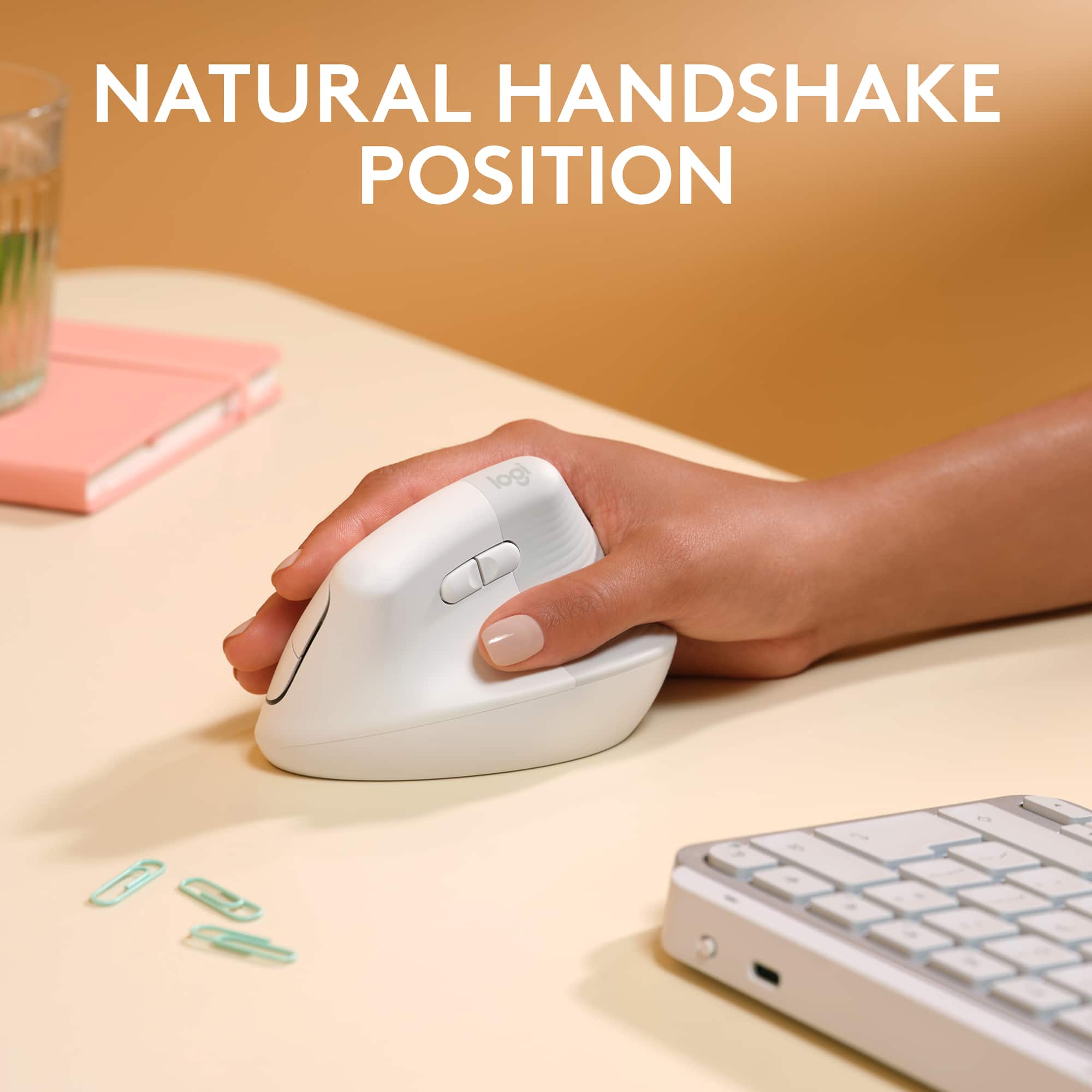
|Posted .This reviewer received promo considerations or sweepstakes entry for writing a review.First Impression: My first impression of the Logitech Lift was about 2 months ago. I went to a client’s site and had to work on his computer. At first, I didn’t like it; it felt odd. My hand was at an awkward angle (for a mouse), and the left/right click buttons felt out of place at that angle. Within 15 minutes, I fell in love with it. Setup: Here’s the cool part. If you are happy with the default settings, then setup is as simple as binding it. I was not, so I added the Options+ software. This mouse is very sensitive, a small move will send the pointer across the screen. As a long-time drafter, I prefer a slower mouse so that I can easily bring my pointer to the exact location I need. I opened the Options+ software, and I found out that the fast speed is only 67%, and the slow speed is 50%. I took fast speed to 50% and slow speed to 40%. That was more to my liking. I changed the scroll direction to standard so that it is the same for all laptops, and I reprogrammed the two buttons on the left side to copy/paste. Performance: I know this says it is the Lift for Mac, but I have it on my MacBook Pro, my Dell XPS Windows 10 laptop, and my Dell Latitude business laptop. I love the fact that it can work with 3 different computers. This isn’t a new feature for the mouse, they had this is their MX series mice, but I still love it. This mouse is very accurate and consistent. It behaves the same with my Macs as it does with my Windows machines. But for me, the best feature of this mouse is how comfortable it is. The angle of the mouse is the natural resting angle of my hand. If I lay my arm on a table with my hand resting, sliding the mouse to my hand requires no movement from my hand. It is ergonomically perfect for my hands. And while I didn’t get his mouse for ergonomic reasons, it is probably one of its best features. I’m an IT engineer, and I am on computers 8 – 12 hours a day. When I am using a mouse a lot, my wrists will start hurting after a while. With this mouse, I did a 14-hour marathon with a network rebuild, using the mouse for most of that time, and my wrists never even got tired, much less hurt. Probably my favorite feature by far is Logi Flow, or simply, Flow. What this does is allow you to put 2 of the machines that are bound to this mouse close to each other, like you are working on both laptops. You can move the pointer from one laptop to the other just by simply dragging the pointer past the edge of the screen. That way, you can use the same mouse for both machines simultaneously without having to select them on the bottom of the mouse. Furthermore, you can drag or copy/paste items from one machine to the other. Flow is awesome! Conclusion: I really like this mouse, and for all my laptops, it has replaced my Logitech MX Master 2S that I have used for a very long time. That one is now going to go into my tool bag to be used for field service, while my Logitech Lift stays at my desk. It is awkward to use at first, but within a small time, it is so natural that it becomes a pleasure to use. I highly recommend this mouse, for both Mac and Windows use.
I would recommend this to a friend Terrible product, worse custerm service
||Posted .This reviewer received promo considerations or sweepstakes entry for writing a review.Not even 6 months in and the buttons are registering every 2-5th click. Logitech brand is severely lacking QC and has deteriorated over the years. Terrible customer support and warranty is non-existent.
No, I would not recommend this to a friendBrand response from Logitech
Posted .We're truly sorry to hear you've had such a frustrating experience with your Logitech Lift for Mac mouse, especially with the buttons failing so soon after purchase. It's really disappointing when a product doesn't perform as expected, and recommend reaching out to our social care team via email at socialcare@logitech.com with your
- Name:
- Email Address:
- Country:
- Product Name:
- Brief description of issue:
- Pros mentioned:Battery life, Ergonomics
An ergonomic mouse good for M1 + Newer Macs
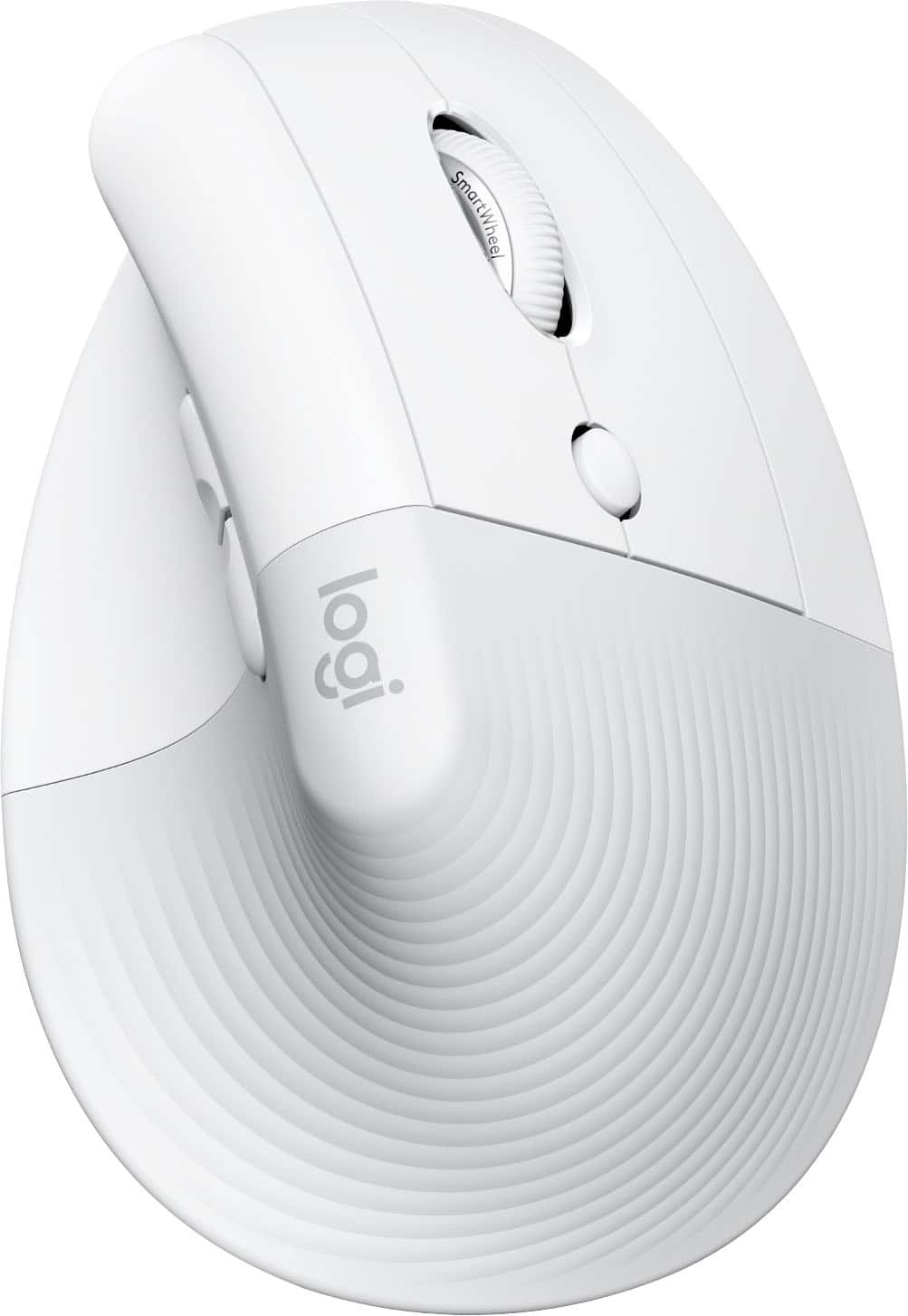
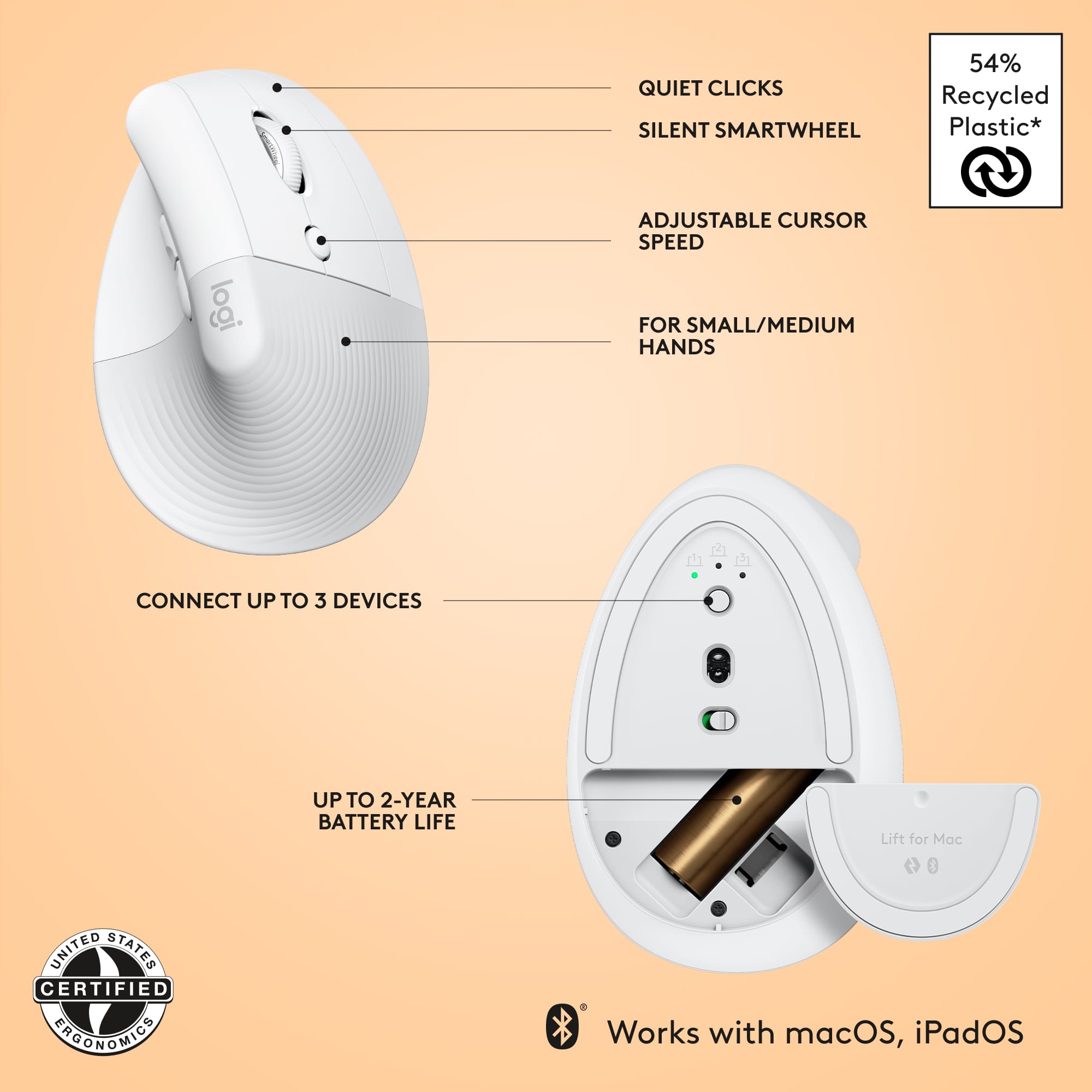
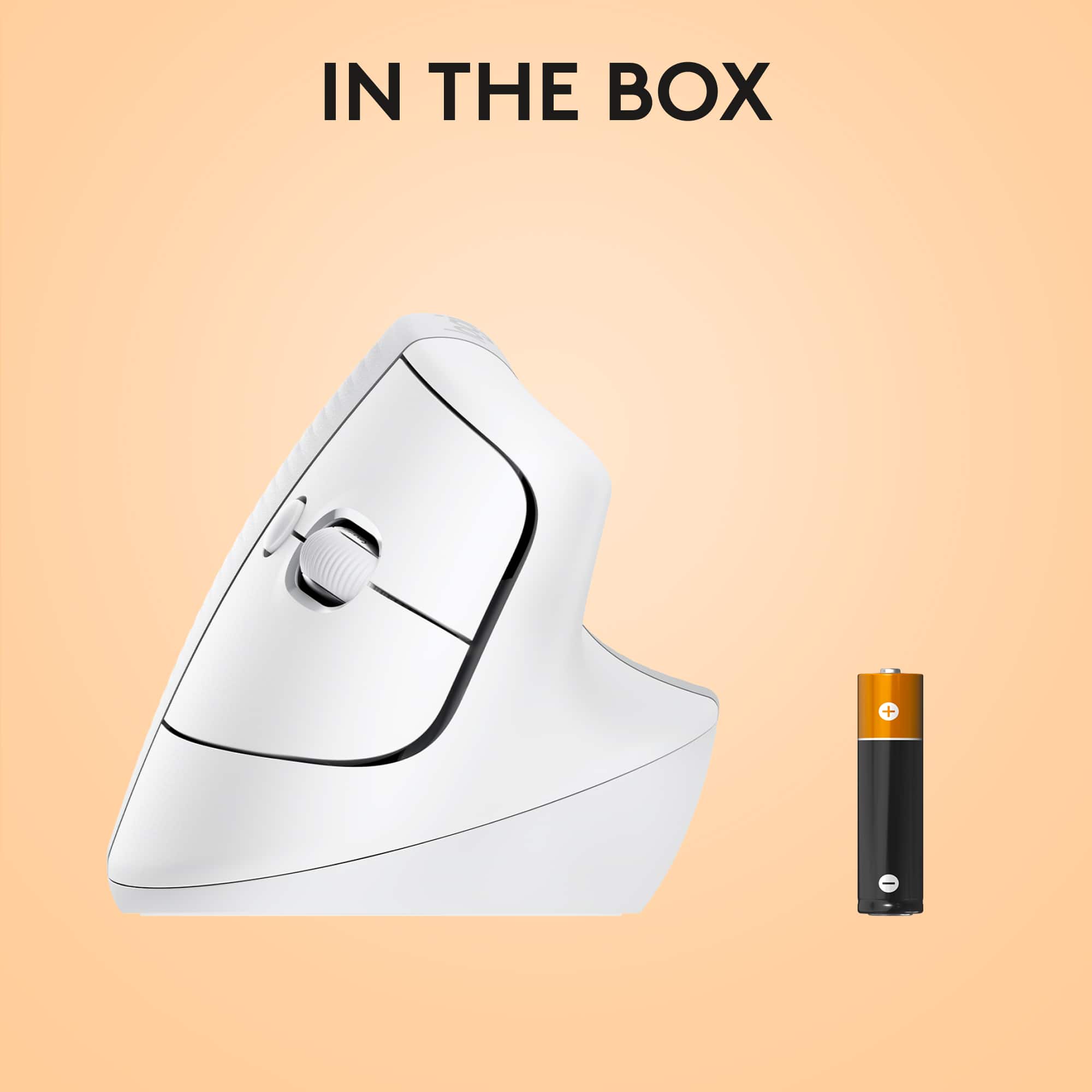
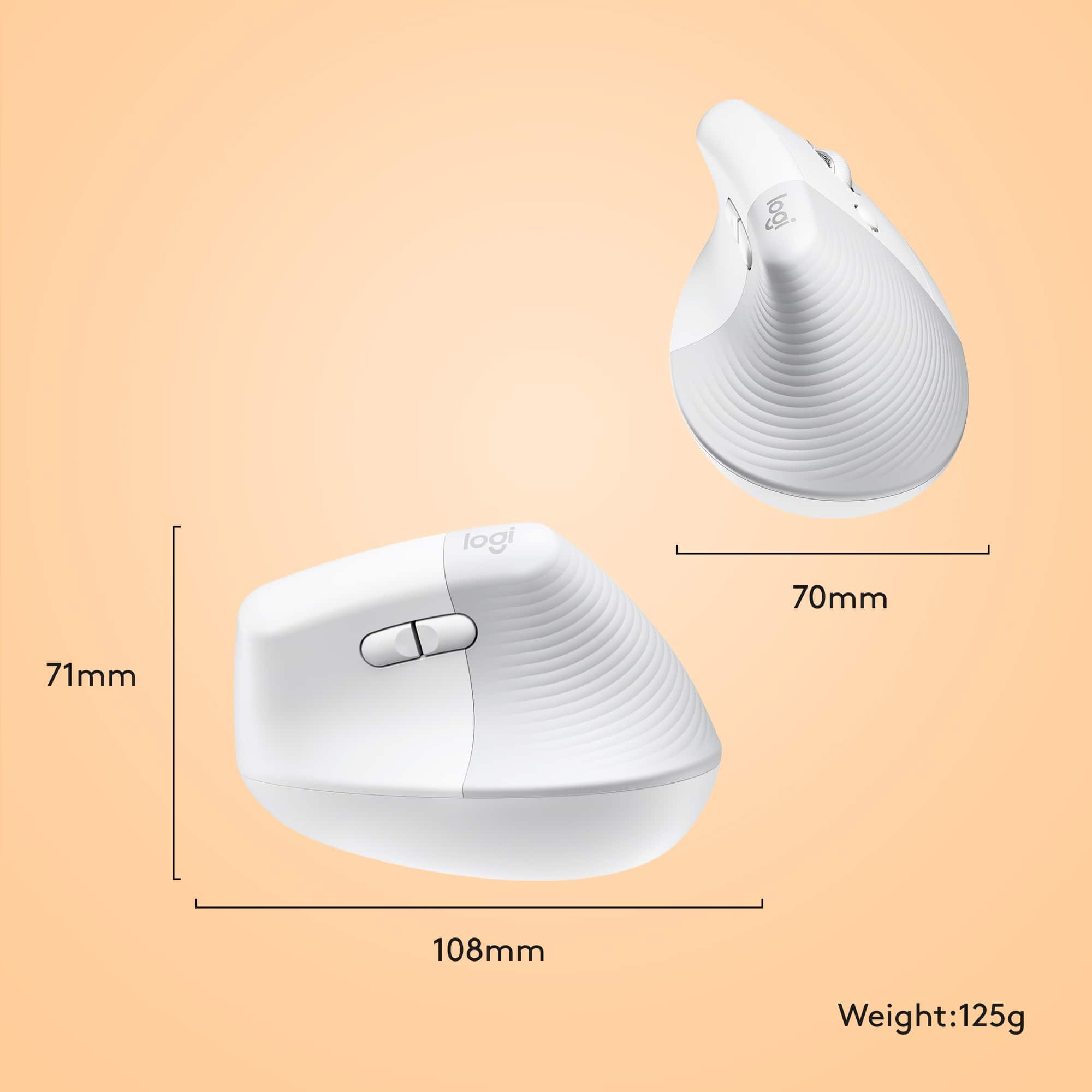
|Posted .This reviewer received promo considerations or sweepstakes entry for writing a review.Review Logitech Lift for Mac The Logitech Lift for Mac is a vertical ergonomic mouse with a form factor you have never seen before. Once you understand that the main mouse controls are essentially turned on their side, instead of on top of the mouse, it makes complete sense. The right and left buttons, scroll wheel, and cursor speed button are on the right side or "finger" side of the mouse (for the right-handed version) and two back and forward buttons for Internet navigation are on the left side or "thumb" side of the mouse. The mouse has an optical sensor on its bottom, two switches, and a battery compartment cover. The switch towards the top of the mouse allows you to connect up to three different devices. In my case, that would be my MacBook and sometimes my iPad. The on-off button is in the middle. The battery compartment opens easily with a press, then slide it off to activate the battery by removing the protective plastic strip. The Logi Bolt receiver stores in a slot next to the battery. This is especially handy if you connect by Bluetooth; you do not need to use the Logi Bolt receiver. What's in the box: the mouse, one AA battery, and a Logitech Bolt receiver. The mouse is made largely of recycled plastic and comes in eco-friendly cardboard packaging. It is heavy enough to have a good feel and glides easily on my desk or on a mouse pad. The Lift is designed as a Bluetooth Low Energy (BLE) device, and a single AA battery should last for two years. I was able to connect the Logitech Lift easily to my MacBook. I opened the Bluetooth window and it "saw" the new mouse. It took an hour or so to get proficient with the mouse buttons—not bad for a totally new design. I adjusted the cursor speed to my liking. The mouse feels good in my hand. The only drawback is its high profile compared to any other mouse I have used—I knocked into it a few times when reaching for other things on my desk. This is a good mouse for Mac computers with the M1 or newer chips, where some of the older, non-Apple mice do not work properly. This mouse is designed for small to medium hands and comes in right-handed and left-handed models.
I would recommend this to a friend - Pros mentioned:Battery life, ErgonomicsCons mentioned:Size
Ergo mouse for Mac, with a few little quirks
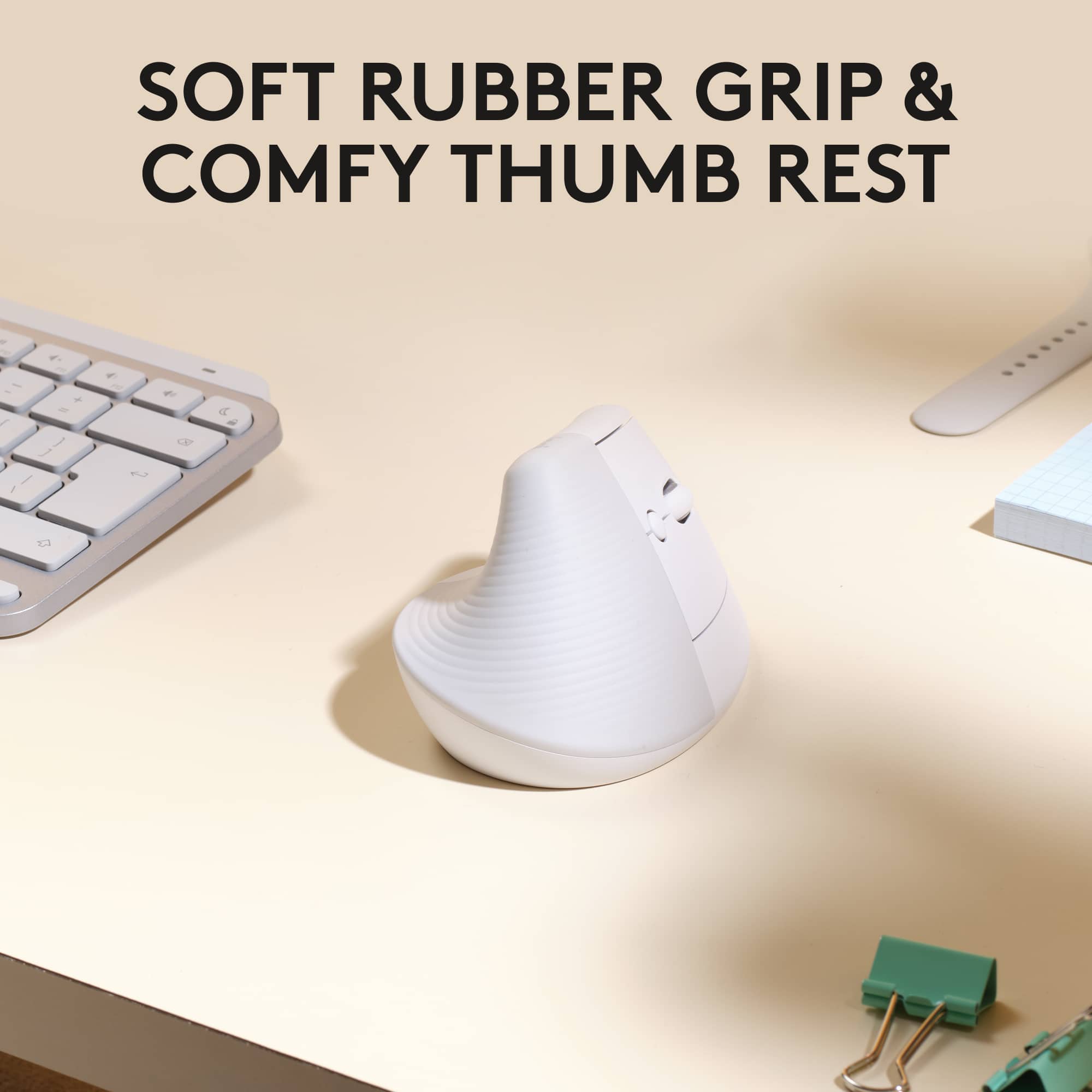
|Posted .This reviewer received promo considerations or sweepstakes entry for writing a review.I'm a big fan of Logitech products. I've used several models of keyboard, mice, speakers, the keyboard case for iPad. I have always liked Logitech for the quality, innovation, and options. The Lift for Mac ergonomic wireless mouse shows the quality and options that I've come to expect. But with innovation, well, it's complicated. Let me explain. The Lift is a solid mouse. It has very complimentary contours to provide that ergonomic feel for your hand. The description on the Logitech website suggests that it's best for medium to small hands, and I would agree with that. Having larger hands, while it's well shaped, I do have to adjust more often than a non-ergo shaped mouse. The main observation about the shape that I would say is a go/no go for someone considering this, is that it's shaped for a right hand only. For people who prefer to use a mouse in the left hand, this will not accommodate. Overall I think it achieves the ergonomic challenge, but will suit some people more than others. I recommend holding a display sample at a store if you can. Lift for Mac fully supports the Logi Options+ application you can download for MacOS and iPadOS. This app when connected allows you to change many features of the Lift, including the side buttons where your thumb rests, which are by default set to forward and back, and will slightly change with some applications, such as Safari, or MS Office products. If you hold down either of these buttons and use the scroll wheel, it will allow you to scroll horizontally. This is the default configuration. Logi Options+ allows you to change these buttons for several types of functions, such as volume control, redo/undo, copy/paste, and even assign keyboard shortcuts. The button behind the scroll wheel has similar options, with additions such as alternating two pointer travel speeds, activating mission control, and showing the desktop. Pressing into the scroll wheel also has many options to choose from. This makes the Lift very customizable. In fact for its price, it makes the Lift a great value. This leaves me with the innovation that I've come to love about Logitech products. There are a couple of things about the Lift that bring slight disappointment for this. The first is that it's not rechargeable. The Lift uses one double A battery, included in the box. While this isn't a total deal breaker for me, it has become common and almost expected to have the ability to recharge rather than having to replace the battery. Mind you, the one double A battery is expected last for about 2 years, but still the ability to recharge, even if it doesn't last as long, would be convenient and more eco friendly. The other thing that didn't feel very innovative is the lack of texture on more of the mouse. Using other Logitech mice has let me experience more grippy materials that helped my hand not slide so much while operating the mouse. The Lift has some grippy texture where your palm rests, but no toward the front where fingers rest, and where more control of the mouse occurs. I will say these two items are minor, but I felt worth mentioning. Overall, I found the Lift for Mac a pleasant experience. The ability to customize was a great surprise for this price point, and the tracking speed is very responsive. It's not perfect, but it's another solid product from Logitech.
I would recommend this to a friend