Customer Ratings & Reviews




- Model:
- 910-006471
- SKU:
- 6516289
Rating by feature
- Value
Rating 4.6 out of 5 stars
- Quality
Rating 4.8 out of 5 stars
- Ease of Use
Rating 4.7 out of 5 stars
Customers are saying
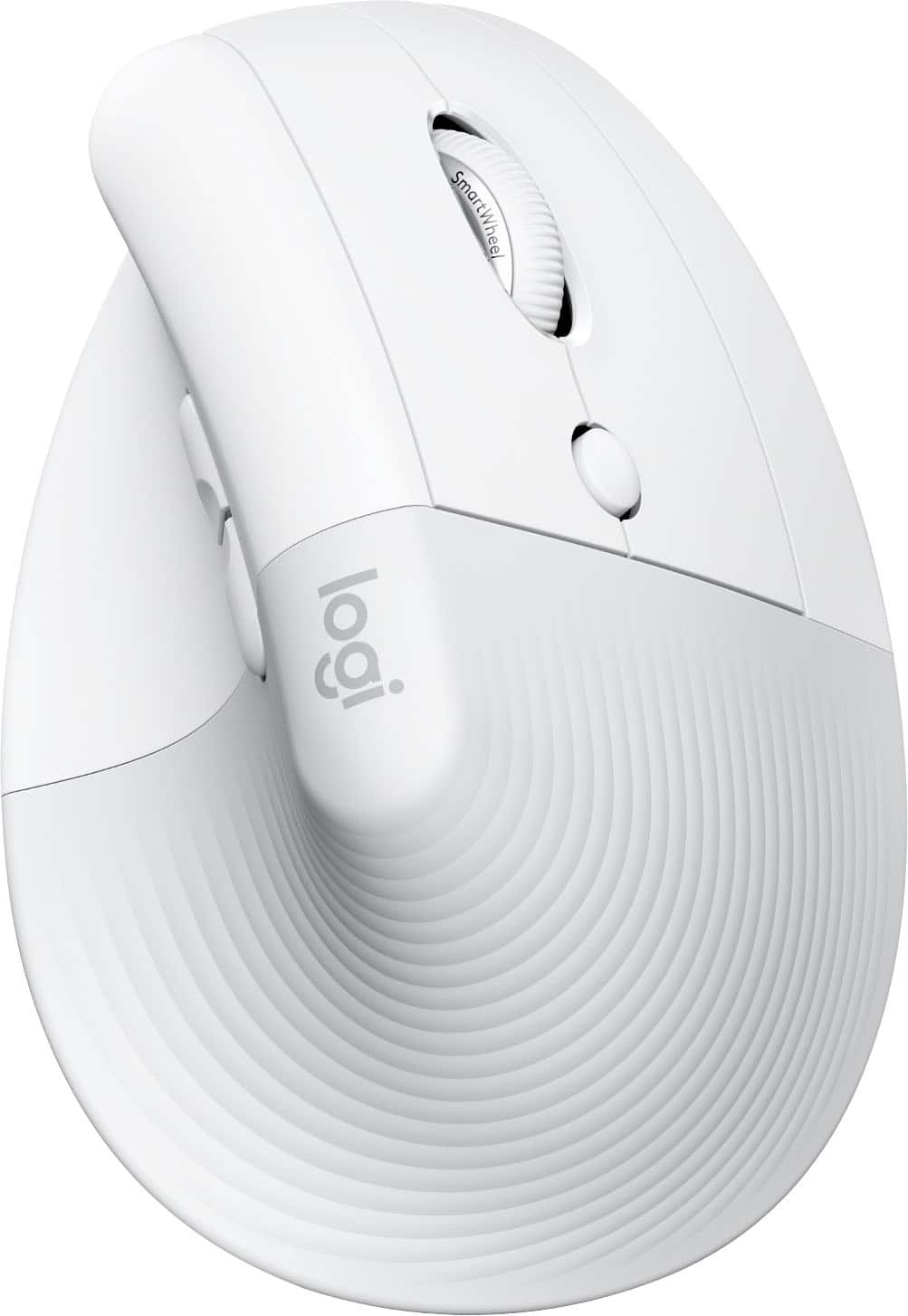
Customers admire the Lift for Mac Bluetooth Optical Ergonomic Mouse for its comfortable ergonomics, ease of use, and reliable Bluetooth connectivity. Many appreciate the good battery life and the quiet, tactile scroll wheel. Some customers find the size to be an issue, while others have found it alleviates wrist pain. A few customers feel the mouse is a little expensive for what it offers.
This summary was generated by AI based on customer reviews.
Lift for Mac
||Posted . Owned for 3 weeks when reviewed.This reviewer received promo considerations or sweepstakes entry for writing a review.Nice feel and comfort. At first it takes a while to get use to, but excellent device
I would recommend this to a friend- Pros mentioned:Ease of use, Scroll wheelCons mentioned:Size

Great addition to Apple set up
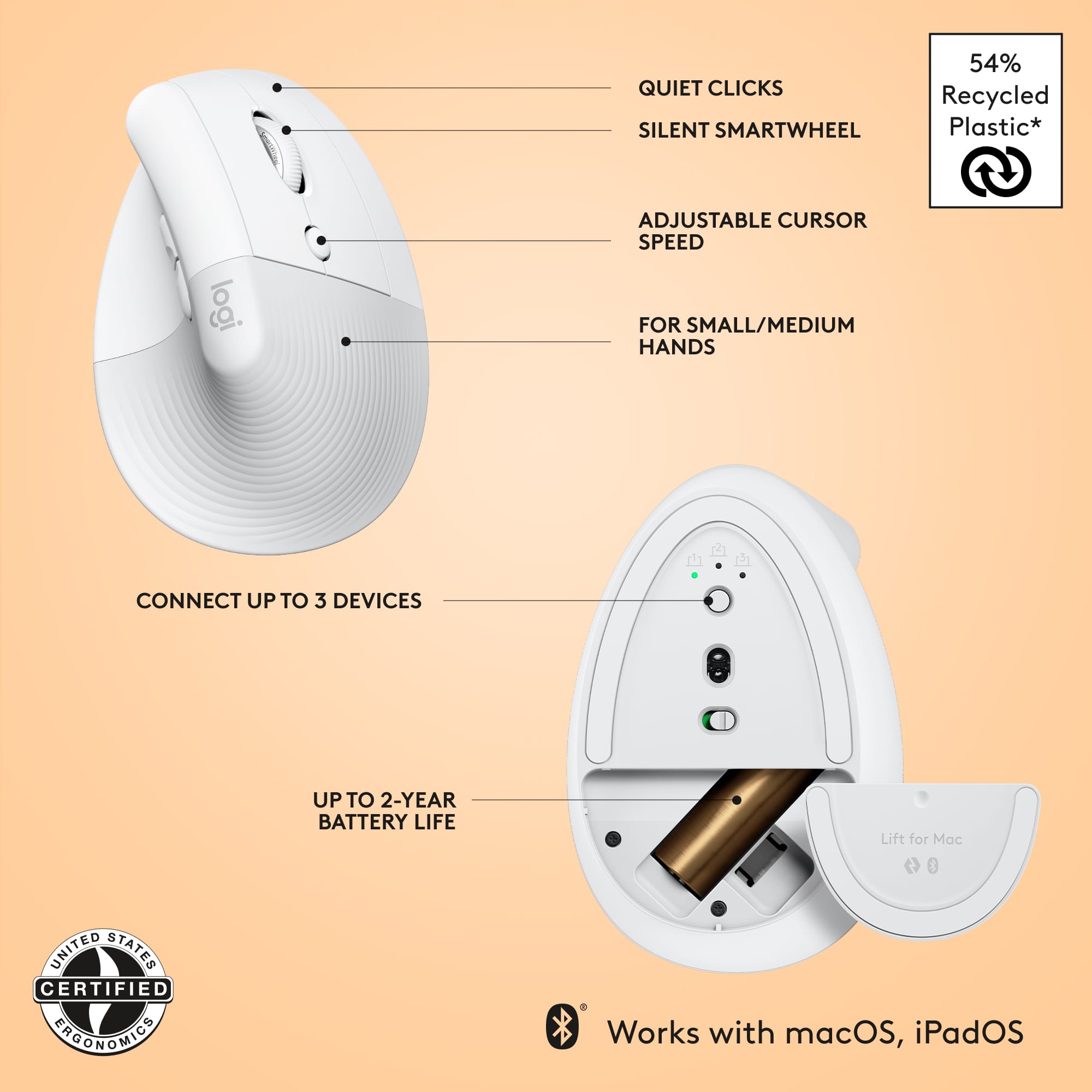
|Posted .This reviewer received promo considerations or sweepstakes entry for writing a review.As someone who spends 8+ hours on the computer daily for work, there are times when I end up getting carpal tunnel and would have to massage my hand and arm a few times. Unfortunately, due to the nature of my work, the mouse ends up being an extension of me. When looking for a more ergonomic mouse to add to my set up I was a little weary of purchasing a vertical mouse since I haven't used it before, and the MX version looked a bit too big for my medium-sized hands. So I ended up giving the Lift a go and couldn't be happier. It takes some time to get used to as you're training your arm to move with the mouse instead of dragging your wrist (which may have been the carpal tunnel culprit). I liked how easy it was for me to switch to different devices (I frequently switch between the Mac and my iPad) and how quiet the clicks were. With my previous mouse my co-worker would complain about how loud it was, but with the Lift, it was more subdued than my keyboard. The SmartWheel was also super smooth. One thing I would love to change is the side buttons on the mouse, and if Logitech replaced the side buttons with another scroll, I would hand down buy it as well. Maybe an unpopular opinion, but I find the side buttons a bit useless. Another selling point for this mouse is that the plastic parts are made up of 54% certified post-consumer recycled plastic and are carbon neutral. Go Logitech for sustainability! Overall a great experience and worth giving a shot if you're looking for your first ergonomic vertical mouse!
I would recommend this to a friend - Pros mentioned:Battery life, Ergonomics, Scroll wheel
Mouse that is amazingly comfortable on wrist
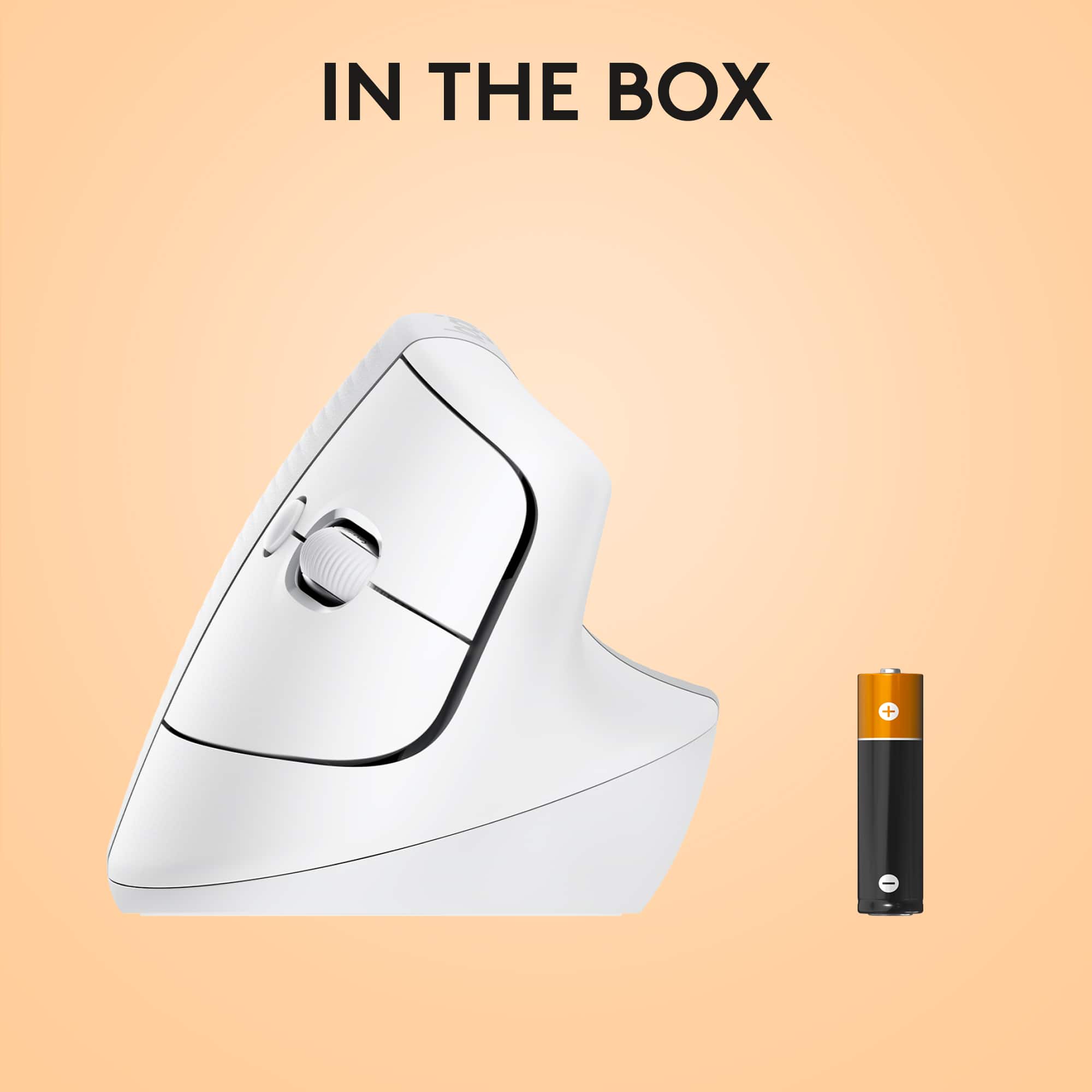
|Posted .This reviewer received promo considerations or sweepstakes entry for writing a review.The Logitech Lift Vertical Mouse is my first experience using a vertical mouse and I was surprised how much more comfortable it is on the wrist compared to a traditional mouse. It works much the same way as a traditional mouse, but the buttons and wrist placement seem much better thought out. When I started using it with my MacBook, I didn't want to stop using it --- that is, I didn't reach for the touchpad at all. The Lift Vertical Mouse uses (and includes) a single double-A battery to power itself, which is much better than rechargeable for a device like this, because when you are out of power you don't want to wait an hour+ before you can use the mouse again, you can just swap batteries and be back to work. When not in use, you can flip a power button on the bottom off to save battery. When I first started using it after pairing, I thought the mouse moved around the screen a little too fast for my preferences, but one button press (below, or in front of, the scroll wheel) and the mouse moved around at a normal speed. Other buttons included are left and right click, the scroll wheel, and two buttons on the opposite side which seem to work like 'back' and 'forward' in a web browser for example. The only difficulty I might have with this mouse, which is not a fault of the mouse, is that my laptop sleeve bag may be too thin to fit the mouse while carrying the MacBook. I could, and might, get a bigger laptop bag with a bigger pocket to deal with this.
I would recommend this to a friend - Cons mentioned:Price
Logitech
||Posted . Owned for 1 month when reviewed.This reviewer received promo considerations or sweepstakes entry for writing a review.very pricy and it not that great with the Macbook.
No, I would not recommend this to a friendBrand response from Logitech
Posted .Apologize about the experience and it's surely not what we expect to deliver. We understand your displeasure and we will forward it along to the right team so they can look into it. Thanks for bringing this to our attention.
Sucked
||Posted . Owned for 1 month when reviewed.This reviewer received promo considerations or sweepstakes entry for writing a review.Didnt like it and the feel wasnt good and clumsy..
No, I would not recommend this to a friendBrand response from Logitech
Posted .That's disappointing to hear and it's surely not what we expect to deliver. We value your input, therefore we will forward it along to the appropriate team so they can look into it. Thanks a lot!
- Pros mentioned:Ergonomics, Scroll wheel
Extremely comfortable ergo mouse
|Posted .This reviewer received promo considerations or sweepstakes entry for writing a review.I absolutely love the angle of this mouse. I think my biggest problem now is that it isn’t optimized for windows and Mac so I’ll end up with another one of these for PC. It does work with PC but the scroll feature doesn’t work and a couple other buttons, this is in no way a bad thing as with works when they don’t say it does at all, on an older Mac (12 years) you may have some connectivity issues. This is fixable with a Bluetooth adapter and then it is good to go. I also am not taking points away from it not working right out of the box with a 12 year old mac as the Bluetooth in that is ancient. You can connect up to three different devices, the iPad, the Mac, and PC once I found it was kind of compatible. The mouse has a soft material on the top and is really comfortable, the clickers are quiet and solid, it is super light weight and if you are one to deal with any type of carpel tunnel issues, the angle on this is absoleutly perfect, at least for me. Pros: - The angle it puts your wrist at - Soft material - Quality scroll wheel - Lightweight - Connects to multiple devices - Quiet Cons: - Not rechargeable (unless you use a rechargeable battery) Really I don’t have anything bad to say about this and I love it so much I am planning on getting a fully compatible windows one for work now.
I would recommend this to a friend Not My Cup Of Tea.
||Posted . Owned for 3 weeks when reviewed.This reviewer received promo considerations or sweepstakes entry for writing a review.It is much too difficult to simply click on the desired area. I ended up getting the Magic Mouse!
No, I would not recommend this to a friendGreat ergonomics
||Posted . Owned for 3 weeks when reviewed.This reviewer received promo considerations or sweepstakes entry for writing a review.Blutooth was a lil slow when useing it but other than that great mouse
No, I would not recommend this to a friend- Pros mentioned:Bluetooth
Great feel, excellent execution
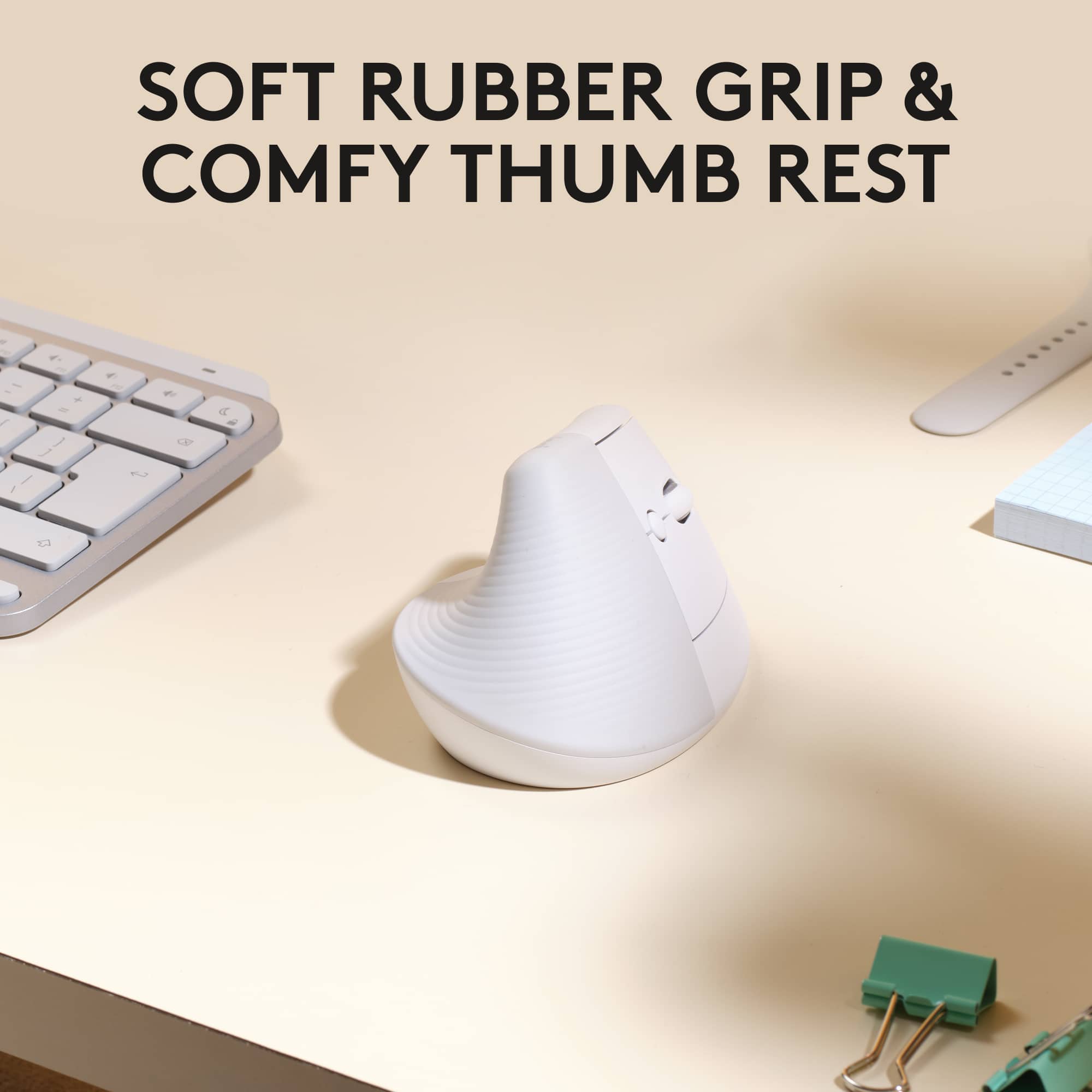
|Posted .This reviewer received promo considerations or sweepstakes entry for writing a review.The Logitech Lift mouse is definitely different from a standard mouse, and I think, a nice upgrade. It’s comfortable, sensitive, and quiet. I’m impressed with the ease I had getting it to talk to my Mac. The low energy Bluetooth works really well, and has some particular advantages. *Compatibility: Installation was extremely simple. I clicked the included battery for the mouse into place, turned on the Bluetooth on my computer, and I paired the device. In my setup, I have a PC and a Mac. I have a wireless keyboard and mouse via one USB receiver that I use with both. This is plugged into a dock, and as I shift computers, the wireless just flows with it. While using the Bluetooth Logitech mouse, I can still use my USB keyboard with the Mac even though it’s running on the same USB receiver as the USB mouse. In fact, I can use both mice at the same time with the Mac. But most importantly, I didn’t have to disconnect the keyboard to use the new mouse. This is great. This made me really happy, as I didn’t have to add more hardware to have a nice mouse that is particularly well suited to work with the Mac, while still having a functional (if not Mac specific) keyboard. *Feel: At first, I was a little uncertain about the orientation of the mouse in my hand. It definitely felt a little odd when I started using it. It wasn’t painful or fatiguing; it just took getting used to, and, once I did, it feels quite nice. The mouse itself is extremely comfortable from a tactile standpoint. The surface where one holds the mouse is slightly grippy, while still comfortable. It has just a little bit of a soft feel. The main buttons end up being pretty intuitive, though I’ve found it is a little strange, but nice, getting used to a two-button mouse when working on a Mac. That said it works beautifully with the Mac and it is a real upgrade. There is a scroll button on the front side. There are also two buttons on the back (thumb) side of the mouse, which I think can be programmed in some way. I honestly haven’t figured them out yet, but they don’t impede anything. The mouse can be fine-tuned in the settings menu, of course, and everyone might have their own desires for those settings. Regardless of choices, I think the operation of the mouse is very smooth. At first, I felt almost like the mouse was a little twitchy, but after using it for a while, I’ve grown to appreciate how sensitive it is. Small movements allow fine tuning, and the mouse does not skip or need to be repositioned. This is what I really noticed comparing it to my conventional, USB wireless mouse. The wireless mouse, while very familiar feeling is not as smooth, much more plastic feeling, and needs a lot of repositioning. The movements made with the conventional mouse are just bigger—more real estate is used, and, as a result, I end up picking up the mouse and repositioning it. I almost didn’t even notice this until I compared the mice side by side, but this is why the Logitech mouse feels so different. It does not need to be repositioned, there is lifting or shifting. *Advantages: It's also extremely quiet. The clicks are quiet—as is my wireless mouse to be honest—but there is no sound of the mouse sliding on my desk, even without a mouse pad. There’s plenty of friction noise for the standard mouse. That’s not just because of the shape of this mouse, but the materials and the quality of the mouse itself. This is a little pricier mouse than the USB one I have, or than others at that level. But it’s not an unreasonable amount for a really nice feeling, working, and integrating tool.
I would recommend this to a friend Wasnt what i expected.
||Posted . Owned for 1 month when reviewed.This reviewer received promo considerations or sweepstakes entry for writing a review.It just doesn't fit well in the hand and moves show, unable to return or i would.
No, I would not recommend this to a friendBrand response from Logitech
Posted .Thank you for sharing your feedback on the Logitech Lift for Mac. We're sorry to hear that it doesn't fit well in your hand and that the cursor movement isn't working as expected. To address this issue, we recommend reaching out to our social care team via email at socialcare@logitech.com with your
- Name:
- Email Address:
- Country:
- Product Name:
- Brief description of issue:
It’s only a mouse in quotations it’s a dud
||Posted . Owned for 1 month when reviewed.This reviewer received promo considerations or sweepstakes entry for writing a review.If I could give it, zero stars I would. I can’t get it to work and it’s not that easy to use it all into it. It makes no sense a mouse should be easy to use.
No, I would not recommend this to a friendBrand response from Logitech
Posted .That's unfortunate! In order to help you effectively, please provide your information to our support team by emailing socialcare@logitech.com. Name – Email address – Country – Product name – Brief description of the issue –
- Cons mentioned:Size
Just not for me.
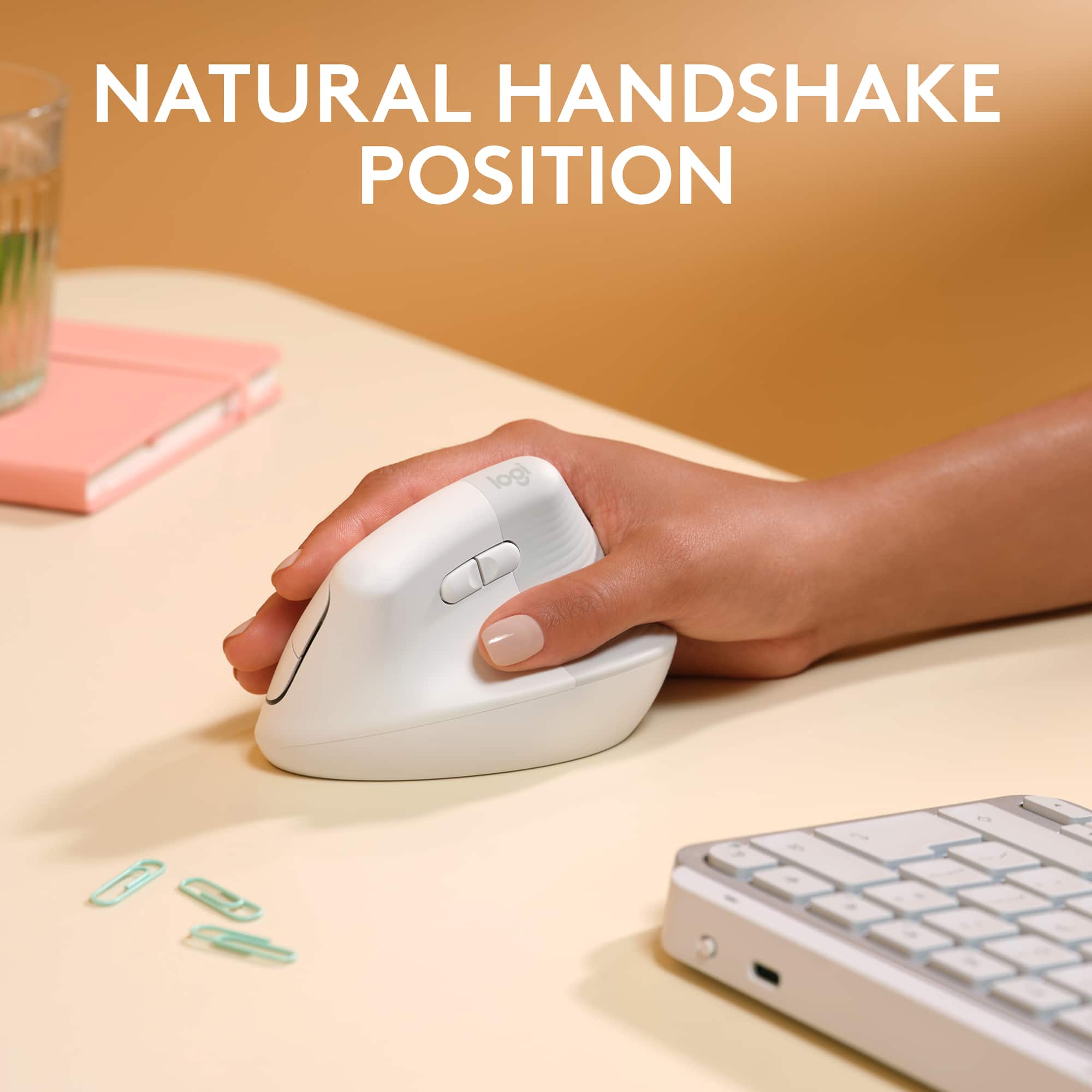
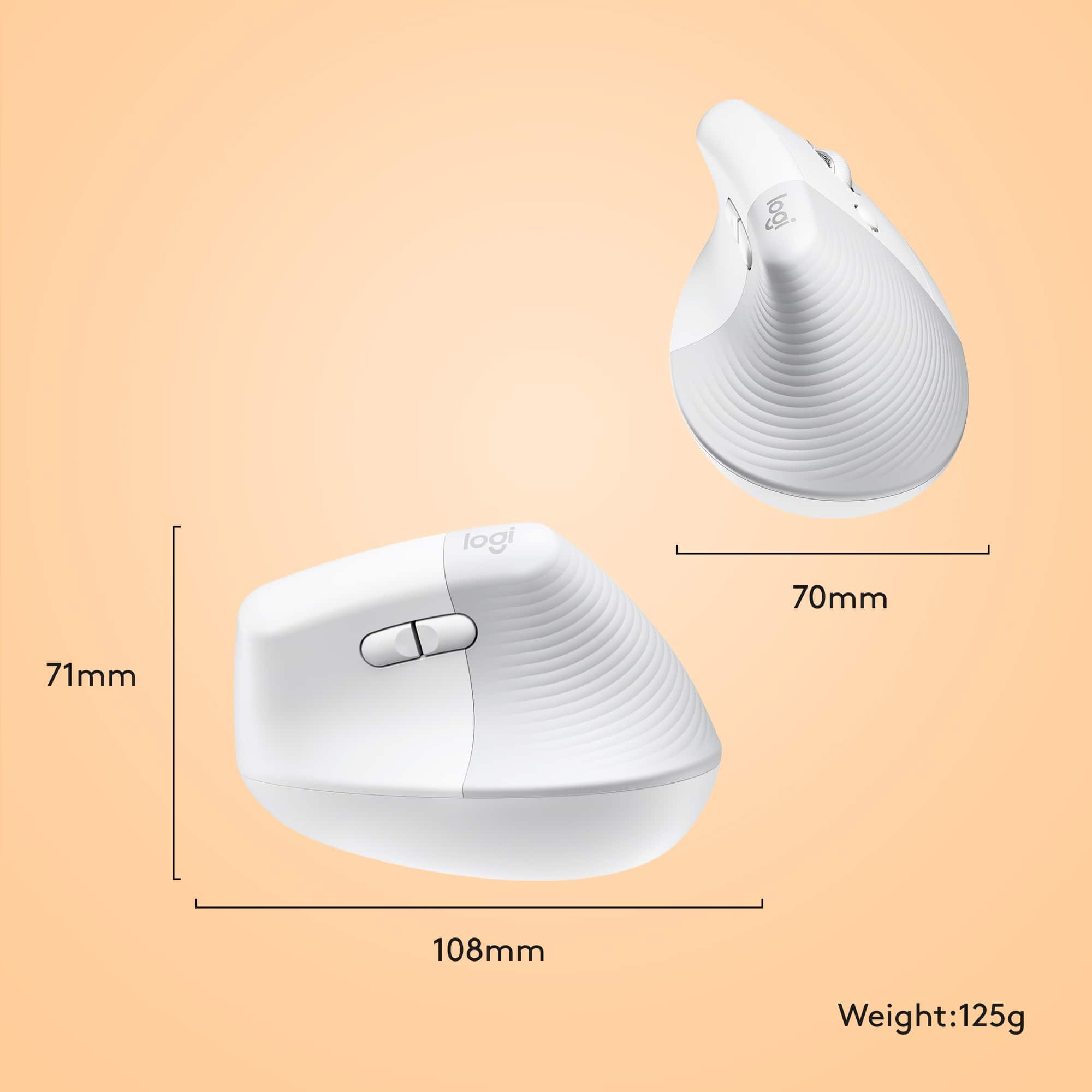
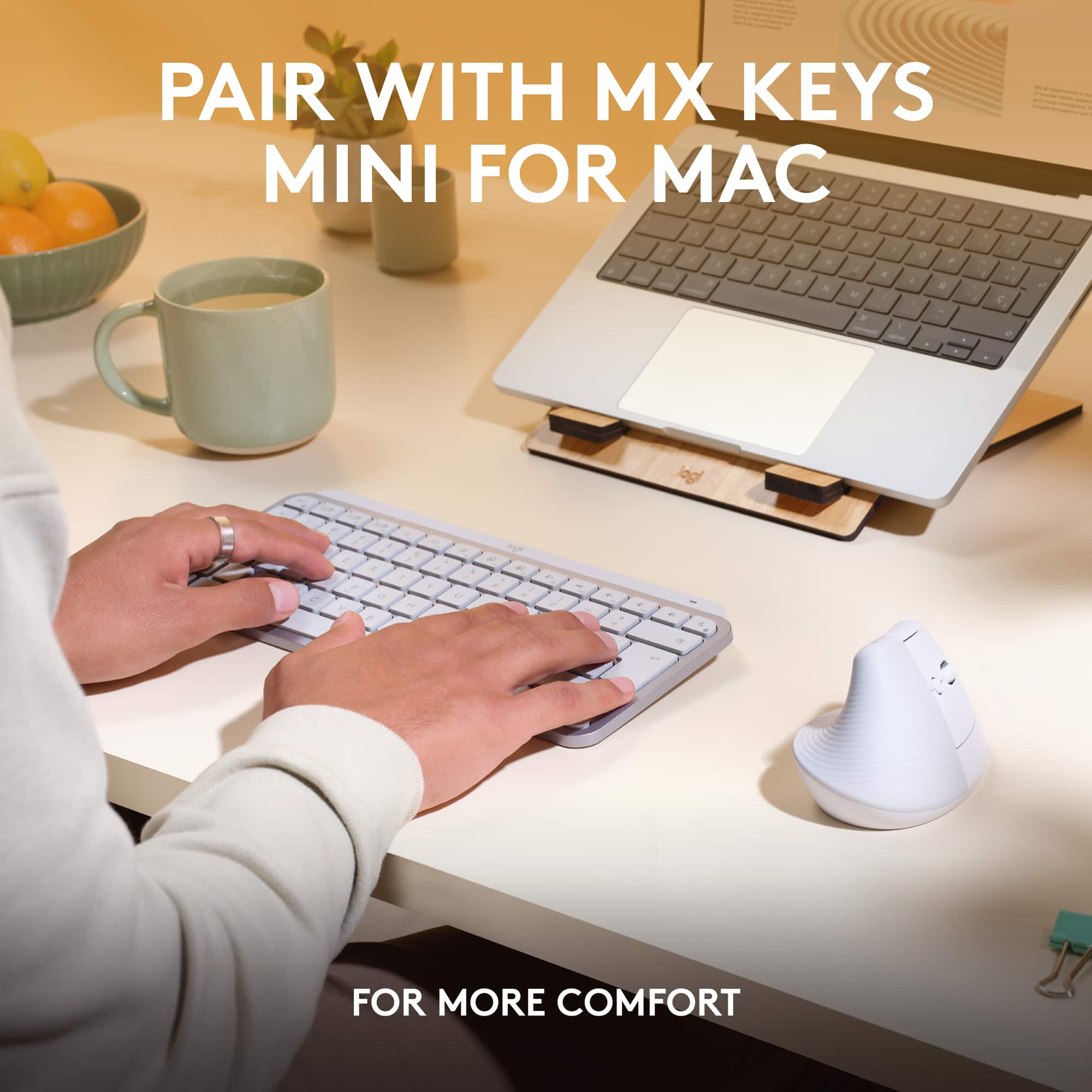
|Posted .This reviewer received promo considerations or sweepstakes entry for writing a review.Logitech made a bold move in trying to reinvent the mouse form factor and I can’t say positively that it paid off. I should begin by mentioning that I have extensive experience with Apple’s input devices - i.e. Apple Magic Keyboard, Magic Mouse and Magic TrackPad and after changing jobs and going into something that required a lot more keyboard and mouse usage, I ended up switching to the Logitech MX keyboard and mouse due to the improved ergonomics that still kept with the Mac premium look and feel. The first thing I thought about as I was unboxing this mouse, is who might this be for? I don’t know if Logitech nailed any sort of particular audience with this one. The mouse is HUGE. Too tall really to fit in my laptop sleeve and although I carry a backpack sometimes, this would take up valuable space in that too. I concluded this is definitely something that you’d use at home or at the office but not with traveling in mind. Interestingly enough, Logitech mentions using this with your iPad but I have a Magic Keyboard for my iPad and I feel like again, somewhat that chose an iPad values portability and this is anything but. The mouse is easy enough to pair and it features the ability to easily switch between devices like my MX keyboard. I have to say, the mouse doesn’t feel as premium as my MX keyboard. It has a weight to it that makes it feel…substantial. And considering this isn’t something I’d travel with, I feel like maybe that was an opportunity. It’s also a stark departure from the space gray/black color scheme that the my other MX Mac accessories are finished in. Using the mouse was an adjustment. The vertical angle does take some getting used to. And sliding it around initially felt a lot like pushing something across a ouija board. It glides just fine but it’s just a weird feeling to be using a mouse at that angle. As weird as it sounds, when you think mouse, you think flat and there is a such thing as too flat (looking at you Magic Mouse). But I don’t know that vertical is the answer either. Logitech calls the angle a “natural handshake” position. But I don’t think about handshaking my mouse. The other thing that came across as interesting to me during usage, was the amount of buttons on the mouse. Apple has taught us Mac users that when it comes to mice, less is more. And to a degree I agree. Having buttons that click and wheels that scroll are more opportunities for particles to get caught or trapped in the mouse (another reason I wouldn’t travel with it) but there’s also something to be said for how seamless gestures are since we use them on all of our touch devices daily and I’d argue that at this point gestures are more natural than handshaking when it comes to Apple products. It also means that many of these buttons will be new to Mac users, but I didn’t find myself wanting to have to setup programming thru the Logitech app on my Mac and I’d say honestly, when it came to the keyboard it made me uninstall the Logitech app because it was annoying (and distracting) to see the keyboard changes popping up on screen constantly — i.e. when you caps lock, etc. Lastly, the improvement I would’ve made to this would’ve been using an embedded [rechargeable] battery. Batteries are one of those things that I don’t usually have what I need on hand when they go out so there’s an understated appreciation for recharge-ables that use standard cables and charges I have laying all around the house (in this case a USB-C to keep in line with my other MX’s would’ve been nice). I do see that they put some thought into this opting to go with LE Bluetooth so the battery only needs to be replaced every 24 months but again, I feel like when this time comes I’m gonna wish it was rechargeable. TLDR summary - it’s an acquired taste that I didn’t quite acquire with some areas for improvement - mainly recharge-able and keeping the understated simplicity in design and usage that Mac users have come to know and love in mind.
No, I would not recommend this to a friend - Pros mentioned:Battery life, Ease of use
Logitech Lift Veritcal Mouse for Mac
|Posted .This reviewer received promo considerations or sweepstakes entry for writing a review.The mouse came with an AA battery included and with links to online instructions as well as some simple pictorial instructions regarding the Easy-Switch, more on the Easy-Switch later. While this device is “for Mac”, I also tested it with a Windows 10 device as well as an iPad Pro. Pairing and connecting was incredibly easy on each device. On the Windows 10 laptop, I first downloaded and installed the Logitech Options+ software. I did not go through the software setup. But when I removed the battery tab, the laptop recognized the mouse immediately and automatically set it up. (The “on” switch was already on…) I didn’t need to go into settings and add the device. I held the Easy-Switch button to switch to device 2. Then, using the “Getting Started” instructions, the mouse paired according to the instructions on a borrowed MacBook Pro running macOS 10.15. (Since the MacBook was borrowed, I did not install the Logitech+ Options software. ) On the iPad Pro, running iPadOS 15.7, I held down the Easy-Switch button and switched to device 3, turned the iPad Bluetooth on and it immediately found LIFT FOR MAC. It connected without any problems. Switching between devices is as simple as pressing the Easy-Switch to select which (already paired) device you want to work on. After setting up the Logitech Options+ software and confirming the mouse settings, I successfully tested the following functions on the mouse on both the MacBook and the Windows laptop. • Left and right click • Scroll up and down • Changing pointer speed with the button • Back and forward buttons • Horizontal scroll • Mouse tracking All worked as expected. The horizontal scroll was a bit awkward at first. But I like it now that I’m used to it. The tracking was smooth and responsive. To be honest, I didn’t find the mouse very useful on the iPad Pro. I don’t have a keyboard connected to it. People using a keyboard with their iPad may find a mouse more useful. After decades of using a horizonal mouse, I adapted to the vertical one surprisingly quickly. Using it for extended periods was comfortable and seemed natural. Overall I really like the mouse and plan to continue using it. It works equally well with the Windows laptop and the MacBook. I’m not sure why it is marketed “for Mac”.
I would recommend this to a friend Unclnfortable
||Posted . Owned for 2 months when reviewed.This reviewer received promo considerations or sweepstakes entry for writing a review.Not good argonomic , very uncomfortable after few minutes of use
No, I would not recommend this to a friendBrand response from Logitech
Posted .That's disappointing to hear and it's surely not what we expect to deliver. We understand your displeasure and apologize for any issues that arise. We value your input, therefore we will forward it along to the appropriate team so they can look into it. Thanks a lot!
- Pros mentioned:Bluetooth, Scroll wheel
Learning Curve but a great mouse.
|Posted .This reviewer received promo considerations or sweepstakes entry for writing a review.I am currently using the Logitech lift mouse for my M2 MacBook Air and I have to say it's quite comfortable and nice to use. With that however, came a steep learning curve for me to get used to it. For perspective I have been using the MX Master range of mice since the 1st one came out and find that to be the most comfortable and easy to use mouse on the market. While the MX Master is a traditional ergonomically developed mouse it is entirely different from the "lift". Imagine shaking someones hand and keeping that grip. This is how the lift is developed to be used. It was quite confusing for me at first, especially going back and forth from a traditional grip of a mouse. I find the lifts left and right clicks to be unbelievably comfortable in the "hand grip" motion and I also like the forward and back buttons next to the thumb placement. It's quite comfortable. I also love the scroll wheel position being that your middle finger is placed perfectly on it when gripping the mouse. The entire product is well thought of and well manufactured and is another brilliant Logitech product. Also to note, Logitech claims this mouse is perfect for people with small to medium hands (of which I fit in this category) and it's absolutely factual. I also enjoy the quiet clicks that the buttons make, while still feeling extremely tactile. Bluetooth is also a dream as set up was instant. I am a big fan of this mouse and really can't recommend it enough for Mac users who dock there Macs. If you don't dock your Mac and still prefer a mouse this is probably the way to go too.
I would recommend this to a friend Broken mouse without usb connector.
||Posted . Owned for 3 weeks when reviewed.This reviewer received promo considerations or sweepstakes entry for writing a review.The mouse is broken and it doesn't have a usb connector.
No, I would not recommend this to a friend- Pros mentioned:Bluetooth, Scroll wheel
Perfect Vertical Mouse
|Posted .This reviewer received promo considerations or sweepstakes entry for writing a review.I’ve tried a few different vertical mice, and this one is perfect for me. The packaging is entirely cardboard and recyclable. I love that there is no plastic in the packaging. The mouse is also made with 54% recycled plastic. Oddly, the mouse didn’t come with a Logitech Bolt receiver, but I happen to have one and use that with an MX Mechanical keyboard. You can also easily use bluetooth to connect the mouse, the receiver isn’t required. Once set up, I used the Logitech Options+ app to configure some settings - remove natural scrolling and set the customizable button to gestures. This allows you to hold the customizable button and move to the right and left to change desktops in Mac OS. The mouse clicks are almost silent, and the scroll wheel is quiet yet tactile. I like the forward and back buttons (they work in Chrome on Mac OS). Switching between devices is easy with the button on the bottom. The size and angle make this very comfortable to use. If you haven’t used a vertical mouse before, give yourself a week or so to get used to it. This is the only type of mouse I’ll use and this one has been perfect for me.
- Pros mentioned:Bluetooth, Ergonomics
Super easy to set up and super comfortable!
|Posted .This reviewer received promo considerations or sweepstakes entry for writing a review.I recommend giving yourself some time to warm up to an “upright” mouse but you do, you will fall in love! I’m an accountant, which means many hours at the computer and I’m always looking for ways to make a sedentary job as comfortable as possible. I used to use an upright mouse with an older PC but when I moved to a Mac I found that I needed the usb real estate back and my old mouse was at the end of it’s lifetime anyway. I was SO excited to find this little beauty that is set up for a Mac and connected with Bluetooth instantly. After just the first day of use I could feel so much tension had been released in my wrist and this is going to make such a big difference! I like to use a standing desk but I’ve found that with a traditional mouse, that posture tends to put a little extra pressure on my wrist as I lean into the computer screens, or just naturally star to slouch, then in no time my fingers either go numb or just get crampy and uncomfortable… no longer though and I am beyond stoked about that!
I would recommend this to a friend - Pros mentioned:Ergonomics
Pretty cool & we are loving it thus far!
|Posted .This reviewer received promo considerations or sweepstakes entry for writing a review.We have been longtime users of Vertical Mice and I was using a no-name brand as was the rest of my household. I have one at work, one at home and then of course my gaming mouse is an actual gaming mouse. I have previously had to have bilateral carpal tunnel surgery and so I am hyper aware of how well or not well a device works on preventing or at least not contributing to repetitive motion injury. I have always liked Logitech mice for business work because they feel premium, they look premium & they last a long time. However, I am usually very hard on mice, keyboards, etc. and so never really wanted to drop the money on a vertical mouse from them because of the price. However, I am extremely happy that we did get this one. My girlfriend & I both have been using the mouse on our various equipment since we received it. It does not work so well with the iPhone (duh) but did with our Mac and with all our Windows machines too. Syncing via Bluetooth is super duper easy & replacing the device with a different device is easy to do as well too. The device looks really nice, is sleek & matches the iOS and OS X equipment it is designed to work with which is a nice touch. I can tell you that my surgically repaired wrists are loving the Logitech Vertical Mouse even with me having used one for years now. It is definitely a more natural feel & I really do love the vertical mouse, it even goes along with my ergonomic keyboard really well too! Get yours now, your wrists will thank you!
I would recommend this to a friend - Pros mentioned:Scroll wheel
Smooth
|Posted .This reviewer received promo considerations or sweepstakes entry for writing a review.This is the first vertical mouse I've owned, but one of many from Logitech. Like all the others I've used, this model is smooth as butter. Connectivity - a really nice touch out of the box is that I didn't even need to put the mouse into pairing mode - I turned it on, my computer recognized it instantly, and within seconds I was off and running. Smooth. Performance - whether on a mousepad or just my desk, the tracking is accurate and responsive. The button clicks are practically silent, yet confident. I've used mice before that were "silent", but the clicks were so mushy that I sometimes had to wonder if the click even happened. The scroll wheel has the perfect amount of tension as well. Smooth. Vertical - it seems like such a minor thing, but my wrist has felt so much better since I switched to this mouse. I'm on the verge of carpal tunnel, and my wrist often cracked and creaked when I twisted it. As someone who works at a desk all 8 hours of my workday, my hand is always on this mouse. The shift to the vertical orientation has done wonders. There's only one downside, and I think this might just be part of every vertical mouse, but sometimes when I push the mouse hard to the left, my finger will accidentally trigger the right click. My muscle memory is improving and it's happening less and less, but it is still an issue. Again, this might just be the "it's not a bug, it's a feature" of the vertical form-factor, but it is there. All in all, this mouse is great.
I would recommend this to a friend