Customer Ratings & Reviews




- Model:
- 910-006471
- SKU:
- 6516289
Rating by feature
- Value
Rating 4.6 out of 5 stars
- Quality
Rating 4.8 out of 5 stars
- Ease of Use
Rating 4.7 out of 5 stars
Customers are saying
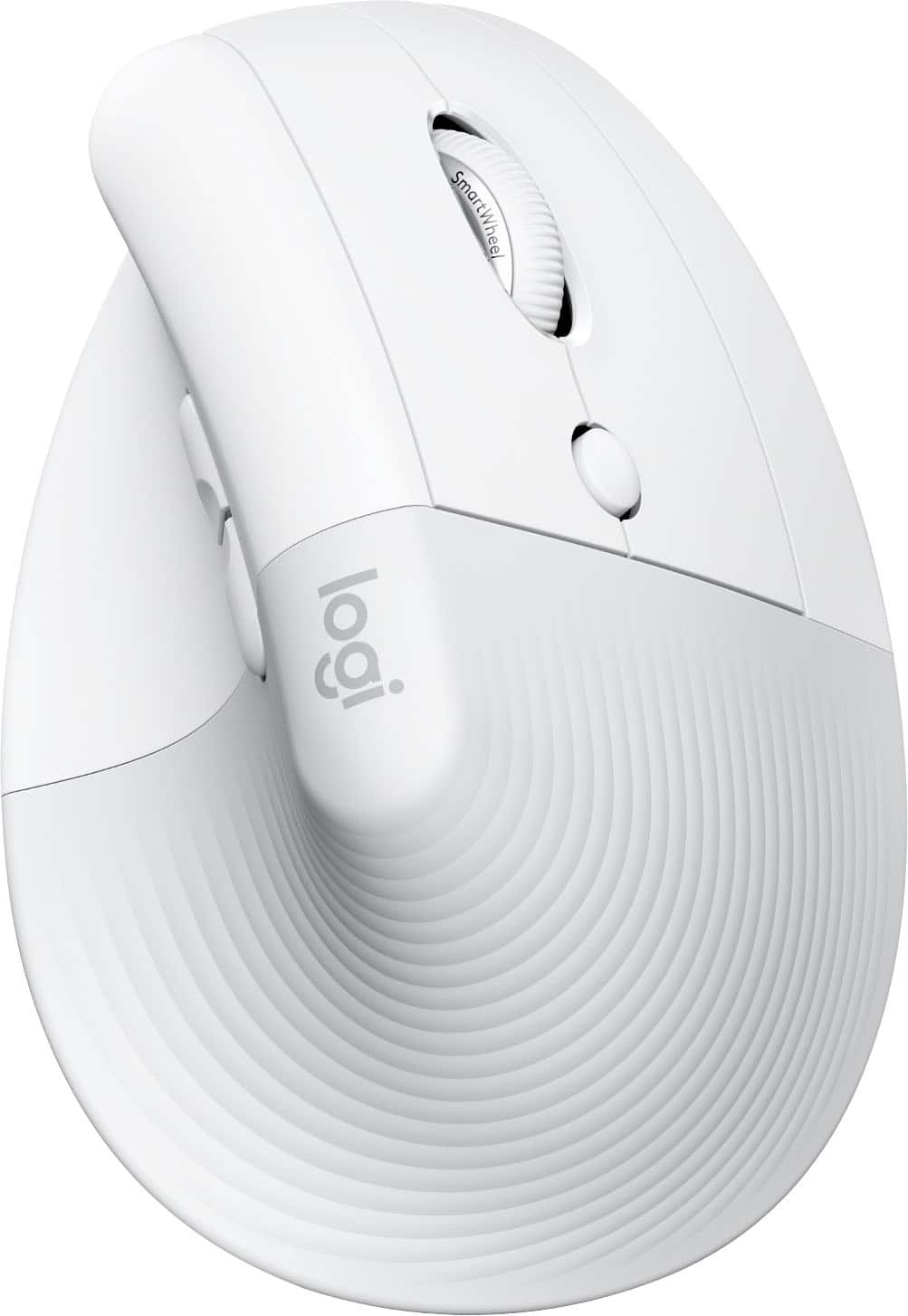
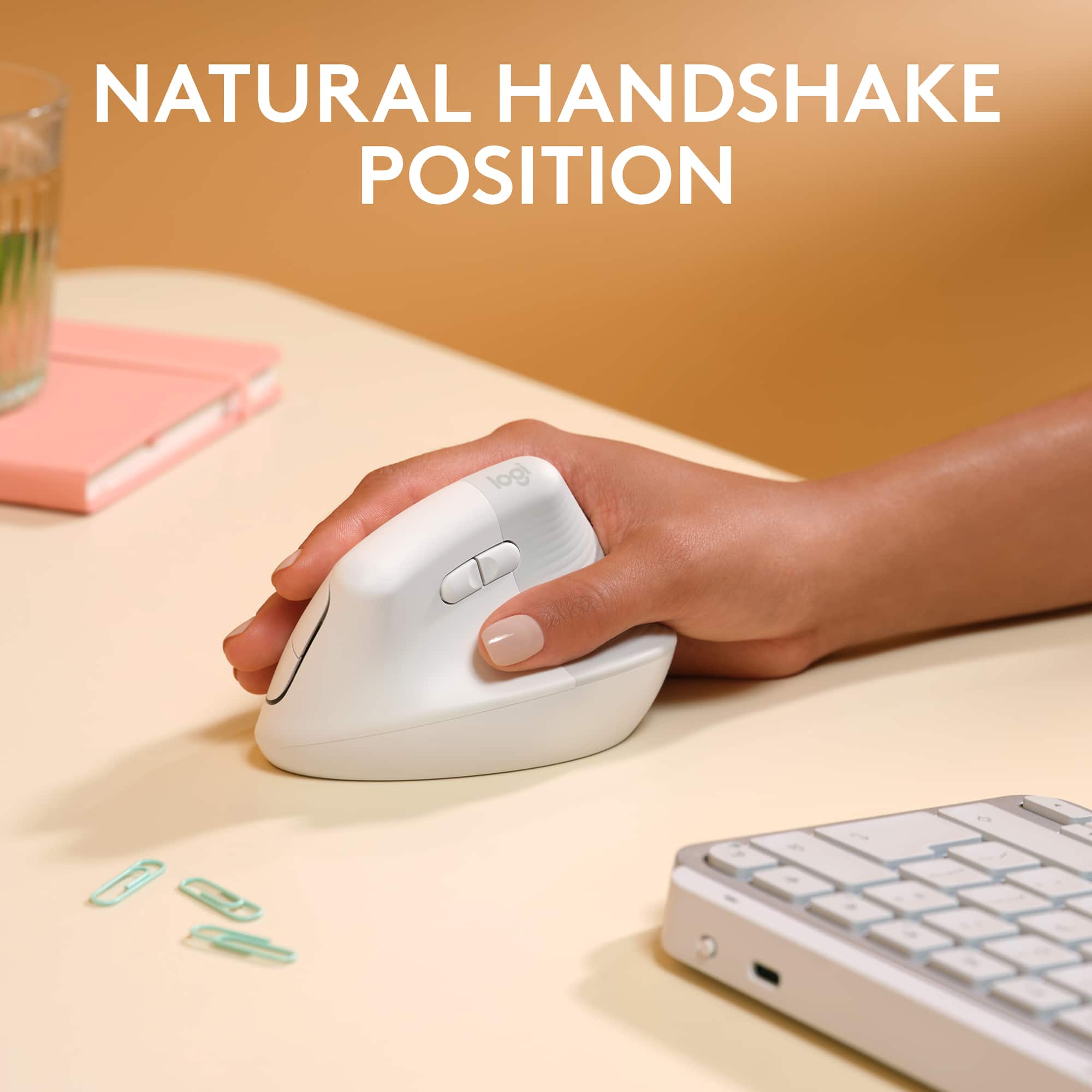
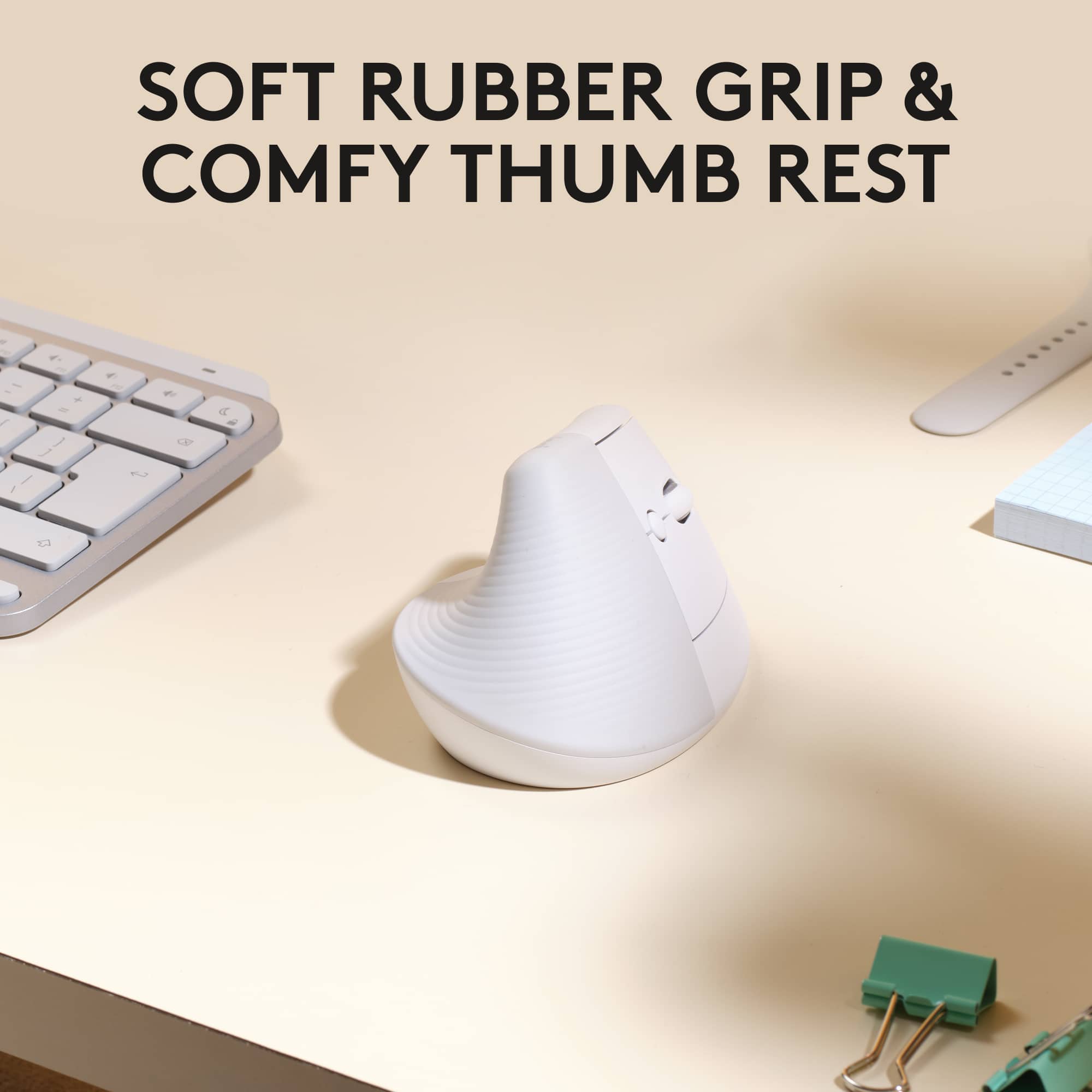
Customers admire the Lift for Mac Bluetooth Optical Ergonomic Mouse for its comfortable ergonomics, ease of use, and reliable Bluetooth connectivity. Many appreciate the good battery life and the quiet, tactile scroll wheel. Some customers find the size to be an issue, while others have found it alleviates wrist pain. A few customers feel the mouse is a little expensive for what it offers.
This summary was generated by AI based on customer reviews.
- Pros mentioned:Battery life, Ergonomics, Scroll wheel

Nice ergonomic mouse for precise cursor control.
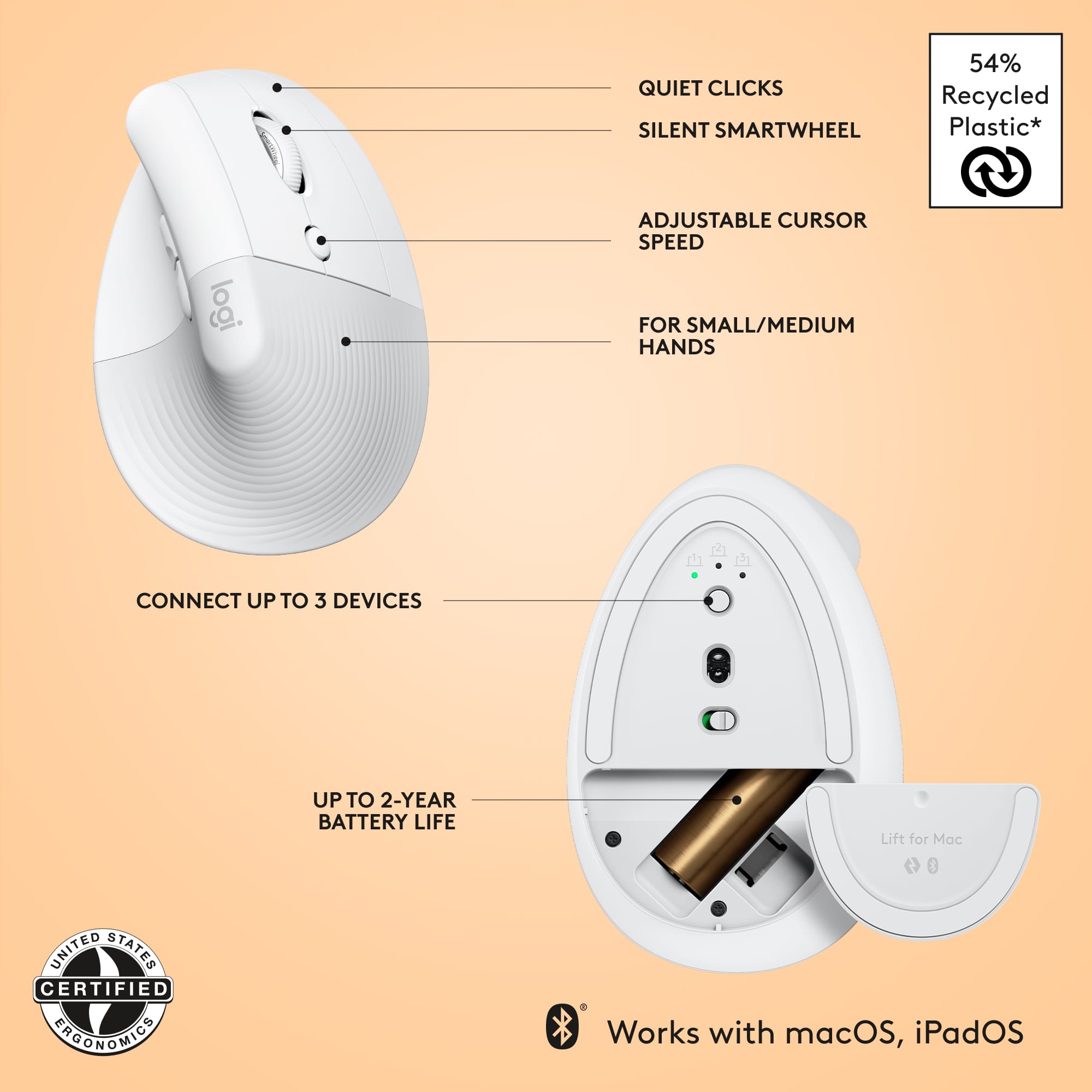
|Posted .This reviewer received promo considerations or sweepstakes entry for writing a review.The Logitech LIFT Vertical Ergonomic Mouse is an excellent addition to my desktop. Setup The setup and configuration of the mouse is a simple process. I removed the battery protection strip, paired it to my iMac via Bluetooth, then downloaded and installed the Logi Options+ software. After granting permissions on the iMac, I used the Options+ software to configure the left buttons for switching between multiple desktops and reversed the scroll wheel direction. Usage The mouse is very comfortable to use and is easy to grip. The left-thumb buttons allow me to switch between my scrolling desktops, and the right-side mouse buttons and scroll wheel are within easy reach. A cursor speed switch button sits below the scroll wheel. It toggles between high-speed and slow-speed cursors, which is great when needing precise cursor positioning. The tracking across my smooth, wood-grained desktop did not present any issues and did not require the use of a mouse pad. The scroll wheel provides tactile feedback for precise line-by-line scrolling. Summary If you’re looking for an ergonomic mouse with precise cursor positioning and customizable buttons, I highly recommend the Logitech LIFT Vertical mouse. Features • Ergonomic positioning for reduced wrist strain • Programmable buttons • Textured rubber grip • Can pair with 3 different devices • Cursor speed switch button 1000 DPI/1600 DPI • High precision laser sensor at 4000 DPI • Left side up/down buttons • Magnetic battery door • Support for Logitech Flow sharing between multiple systems • 24 month battery life
I would recommend this to a friend - Pros mentioned:Bluetooth, Ergonomics
I'm happy with it, could use a few things though!
|Posted .This reviewer received promo considerations or sweepstakes entry for writing a review.Originally got this for my personal MacBook, but ultimately ended up bringing it to work and using it for my work MacBook for the better part of the work day. Considering I work full time, it made more sense, since I'll be spending the most time there using it. Speaking of which, it works with both my Macs (work and home) and Gaming PC. There's an indicator light at the bottom of the mouse that is controlled by a single button that allows up to three BT connections. I used one for my work MacBook, personal MacBook, and Gaming Desktop PC, 1,2, and 3. All work fine and only really use it on my gaming PC when my wireless gaming mouse needs to be charged and really only then when I have it handy and don't have to go too far to get it out of my backpack. But still, nice to have options. The only kind of awkward thing is its label on PC is "Lift for Mac" which isn't that big of a deal. One downside which made me drop it a star is it doesn't come with the Logitech Logi Bolt adapter in the box. I thought I was missing it for awhile, but then on the box itself it says, "Not Included" which makes me feel a little cheaped out on. I feel like for the price, it should have been included for those that could use it. Granted most people using it have BT connections, but still. Nice to lend out the mouse to someone without having to pair it to their computer, or quickly attaching it to something with a USB port would have been a nice option. Overall I can't really complain about it though, considering the whole package; the fit and feel, design, the quiet but tactile clicks, quiet operations and quiet scrolling, etc. It's all great, especially in an office setting. Quiet and works great. I really like being able to quickly switch between my work MacBook and personal MacBook.
I would recommend this to a friend - Pros mentioned:ErgonomicsCons mentioned:Size
Interesting concept, not for me though
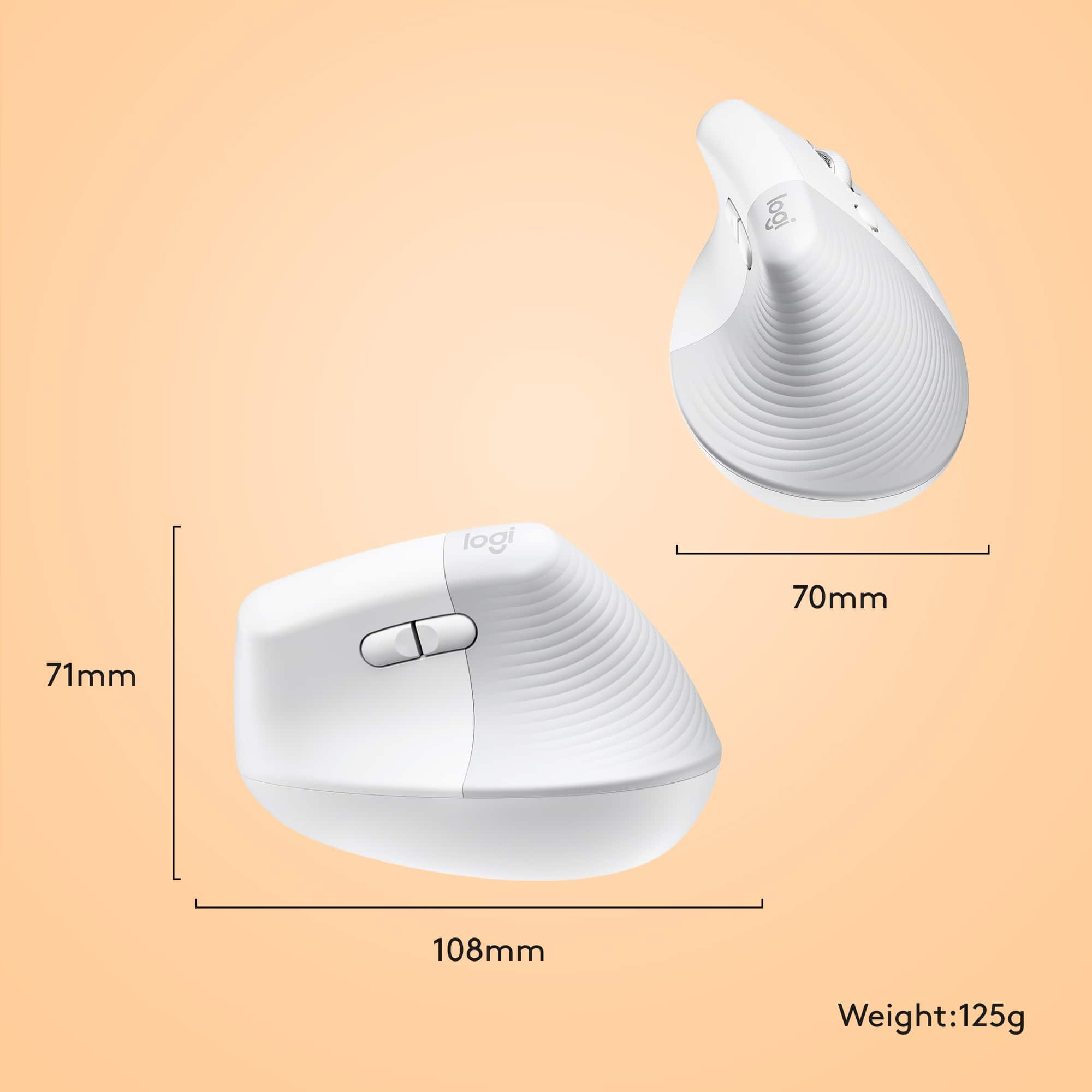
|Posted .This reviewer received promo considerations or sweepstakes entry for writing a review.The Logitech Lift for Mac bluetooth mouse is an interesting take on computer mice. The vertical design is supposed to aid in supporting better ergonomics for users in order to reduce the chances or the pain of carpal tunnel. As a user who often sits in front of the screen for hours on end per day for work and for entertainment, this vertical mouse certainly got my attention. The first thing that you notice when you take it out of the box is the strange design. Even seeing pictures of it online can't fully describe the strange shape it has since most product images are straight on and this thing has curves that were designed to follow the curve of most people's hands. It looks weird, but strangely works. The white and grey color unsurprisingly coordinates well with the Macbook's silver chassis and the white keys. Features: 1. Aside from the ergonomic grip, it the ability for the mouse to be paired to three devices. It worked well with my Macbook and also with my iPad Pro. I will have to say that the use-case for the iPad Pro was somewhat limited. I prefer to use the Apple Pencil for any drawing or note-taking and I'm not trying to game with it, so the mouse isn't necessary. It's just cool that it works. 2. I also really like that the mouse clearly benefits users with a small desk. What most people would have to do if they didn't have a lot of room with the mouse is turn up the sensitivity settings so you wouldn't drag the mouse off the desk. With this mouse, it feels like you don't need as much movement to get the cursor to where it needs to go to. 3. The mouse has an easy to remove cover to access the battery for replacement. I like that I can just pop in a new battery quickly and prefer it over rechargeable ones since I'm on the go often and don't remember to always bother with docking things. I do happen to carry a fully charged rechargeable battery in my backpack just in case. 4. The side buttons are easy to access and easily remappable. Cons: 1. The sensitivity button is too easy to hit. It takes some time getting used to resting your pointer and middle finger around the scroll wheel. Sometimes I'd still hit the sensitivity button as a result. 2. This one is a not really a con as it is really dependent on the user's hand size, but I feel this could be too small. My previous gaming mice are of the "palm grip" style, so I like and prefer bigger mice. I've also used a lot of different types of mice in the past, including the old school mice with the trackballs that you scroll with your thumb. Overall, I like this mouse as it is different, but it's not going to be my main driver. I think for those that are already used to vertical mice, they could appreciate the Logitech Lift more.
No, I would not recommend this to a friend - Pros mentioned:Battery life, Ergonomics
Mostly average but highly comfortable
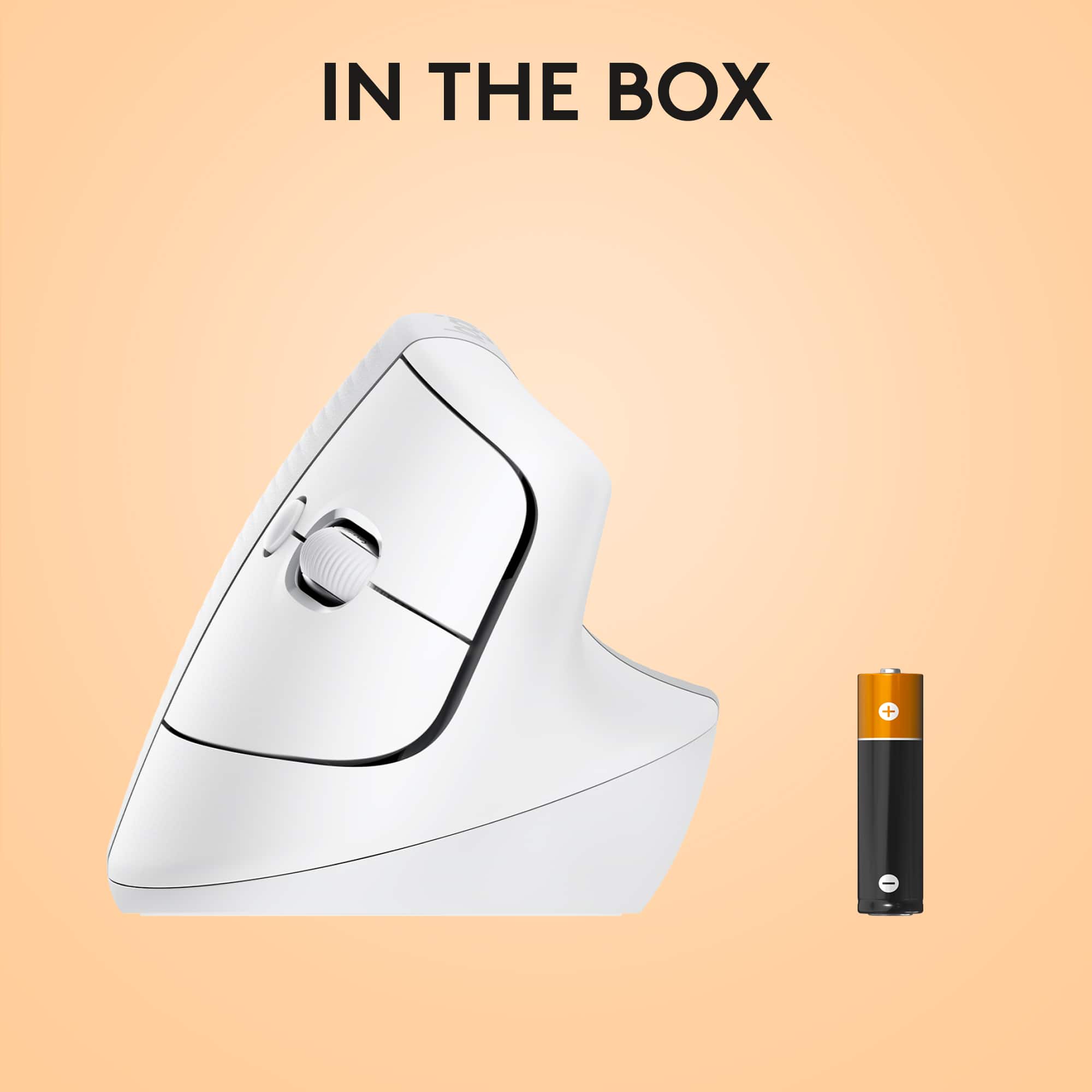
|Posted .This reviewer received promo considerations or sweepstakes entry for writing a review.This mouse is not a bad mouse... but it falls short in some areas. Pros: - Look good! - Comfortable Cons: - Uses a AA battery (not rechargeable) - Plastic feel - Doesn't really add any specific Mac features Unboxing: The unit comes in a small box with the usual documentation, the mouse, a Logi Bolt adaptor and a AA battery. I was surprised it uses a battery since most mice I have used in recent years are rechargeable. Setup: I first trying paring with bluetooth, pairing is easy, there are three computers you can hook up using the button on bottom. Performance is much better when using the Logi Bolt adaptor though. Use: The mouse is indeed comfortable. The size is good for medium sized hands as well. The buttons are very nicely placed for easy reach and can be found without looking. I somewhat expected some sort of horizontal scroll wheel or a button to switch windows, none are present, just the vertical wheel, left and right click and forward and back buttons. Essentially, the only thing that makes it "for Mac" is the white themed color. There appear to be no Mac specific features. The horizontal scroll is substituted by holding a side button while using the vertical wheel. It does indeed horizontal school that way but it is not natural feeling. There is also a DPI switch which does its job and is useful for large displays. I highly recommend downloading the Logitech Options software. It will allow you to customize the buttons on your mouse to your liking. Overall, it is a reliable mouse. It does the job well and looks nice in the process. I wouldn't expect any special features. The website states the one AA battery will provide up to two years of battery, that seems like a bold claim to me but battery life did not seem to be a concern in my time with the mouse.
I would recommend this to a friend - Pros mentioned:Battery life, Bluetooth
Excellent Vertical Mouse!
|Posted .This reviewer received promo considerations or sweepstakes entry for writing a review.I absolutely love this ergonomic mouse. I have had issues the past few years with an achy wrist, which I attribute to long hours on the computer for work (and gaming). After looking around for a solution, I came across the Logitech lift vertical mouse, and I will tell you, I could tell the difference immediately. It does take some getting used to, but nothing that will turn you off from this vertical style. It comes with two AA batteries already installed (which is said to last for roughly 2 years), and a slot of the unifying receiver if that is what you choose to use. You can still utilize Bluetooth for this device, and it works flawlessly. There are four programmable buttons, which can be adjusted in the software from Logitech. The mouse itself is soft to the touch, but well built so you do not have to worry about it randomly breaking in your hand. The mouse glides very well and the left and right clicks are soft and quiet, which is ideal for a work environment (should you be in the office). Overall, I love the size and performance of this vertical mouse. The feel is pleasant in the hands, and the customization of the 4 programmable buttons opens up a world of possibly for your every day applications.
I would recommend this to a friend - Pros mentioned:Battery life
Whisper quiet clicks and 2 year battery life!
|Posted .This reviewer received promo considerations or sweepstakes entry for writing a review.This is my first time using an ergonomic mouse. It really does provide a different level of comfort. I work a nine to five job in an office all day. Unfortunately, we use PC's in the office, so I don’t get to use it for the majority of my day. I use a Macbook at home, and an iPad Pro. I've had a good opportunity now to use this mouse for a few days. This will be my mouse that I use when at home, no question. It works great on both the macbook and ipad. I’ve said it a thousand times, Logitech really cannot be beat when it comes to computer mice. Solid products, to say the least, and well designed everys single time. They last an incredible amount of time. Still do not own a Logitech that has failed. Speaking of time, this mouse boasts a 2-year battery life! It comes with a 1.5v Alkaline battery. I use security cameras that take 1.5v lithium batteries, that also boast a 2 year life span. That has not proved to be true, especially the cameras in high use areas. I expect that is the same for this mouse. I imagine the more you use it, the further away from 2 years you get. I’m sure gonna give it the ole’ college try though! Longest span I’ve used it in one sitting is about 3 hours, and it made a huge difference in the way my wrist felt when I was done. Have been diagnosed with carpal tunnel syndrome for about 1 year now, which is the reason I picked this mouse. Friend at work recommended an ergonomic mouse. This mouse is for small-to-medium hand size. My hands border on being large, but it is still very comfortable. The whisper clicks are my favorite part about this mouse. You hear the smallest noise possible when clicking. I really like the battery cover too, it’s magnetic which is perfect. How many of you have dropped a mouse, only for the plastic battery cover piece to break? You know you raised your hand in your mind. When you pick it up, 9 times out of 10 you have to tape it to the bottom to hold in the battery. RIP to all those TV remote controls over the years with electrical tape holding the battery covers on! (can you also hear taps being played in the background lol). Begs the question, why did it take a company so long to figure it out and make it magnetic. Leave it Logitech to figure it out! Pros: Bluetooth connects with absolutely no issues Great fit for most hands 100% as advertised whisper clicks Switches to up to 3 devices with the push of a button Long battery life Most important, is easier on your wrist and hand Con: Speed of use Only thing I can come up with for a con, and that was trying to find something wrong. Really not a problem once I get to use it more often I’m sure. Had 30 years with a standard mouse and can fly around on multiple screens like nobody’s business. This really slows me down for now, but I know in time that will change. Highly recommend this to any Mac user!
I would recommend this to a friend - Pros mentioned:Bluetooth, Ergonomics
Great mouse confortable for hours
||Posted . Owned for 1 year when reviewed.This reviewer received promo considerations or sweepstakes entry for writing a review.The Logitech Lift for Mac is an excellent ergonomic mouse designed for comfort and productivity. The vertical design is surprisingly comfortable, reducing wrist strain even during long work sessions. It pairs seamlessly with macOS via Bluetooth, and the customizable buttons are great for optimizing workflows. The mouse feels smooth and responsive, with precise tracking on various surfaces. Plus, it's compact and lightweight, making it perfect for travel. If you’re looking to upgrade your setup with an ergonomic, Mac-friendly mouse, the Logitech Lift is a great choice! Yes it works with Windows too!
I would recommend this to a friendBrand response from Logitech
Posted .The Logitech Lift for Mac is a fantastic choice for those seeking an ergonomic and stylish mouse. Its vertical design is indeed a great way to reduce wrist strain, and the seamless macOS integration is a huge plus. Thank you for sharing your positive experience!
- Cons mentioned:Price, Size
great mouse!
||Posted . Owned for 1 week when reviewed.This reviewer received promo considerations or sweepstakes entry for writing a review.Overall it's a pretty nice mouse. i wear a size L in most gloves and i think it fits well, although it's right on the edge of being too small. if you have bigger hands, get the taller version. i use it with a 2019 macbook pro with touchbar and it works great. i love how every app can have a different set of functions. i'm not a gamer, but i spend a lot of time working on my mac and this mouse is great for everything so far! the mouse itself is very comfortable and relieves a lot of pressure off of the wrist. my thumb sits on a sort of shelf and my ring/pinky finger have plenty of room at the bottom for grip. it does take a little bit of adjustment when you first get it. i still find myself knocking it out of the way when i reach for it because i'm not used to a tall mouse. it seems a little expensive for what it is, but the materials feel nice and, if it prevents carpal tunnel, it will be well worth the price.
I would recommend this to a friend Takes some getting used to, missing dongle
|Posted .This reviewer received promo considerations or sweepstakes entry for writing a review.I have a MacBook pro that’s hooked up to an external display, and that I also have a separate keyboard for to use. I have used the Apple Bluetooth touchpad so I’m comparing this mouse to that. Compared to windows PC, Apple uses the touchpad well, so it usually doesn’t make sense to use a mouse for me, especially one that’s sort of odd compared to most mice. After getting use to the way this mouse is shaped, my overall experience was positive, but it does take some time and I still believe the Apple Touchpad is a better experience if you use gestures. If you do like using a mouse though, after you get use to this it is comfortable with the way its tilted. The setup was very easy, as simple as connecting an Apple Bluetooth touchpad, with the additional step of getting the app. The one part that odd is there is a spot of a USB dongle in the mouse, but there wasn’t on included. It works well with just Bluetooth, but odd that they wouldn’t include it with the mouse. I do wish though that the mouse had an rechargeable battery and with it a plug that you could also use on your PC (especially since it doesn’t come with a dongle). While I am going to use it wirelessly most of the time, since its in one spot its nice to plug it in and use it while it chargers. Overall, it’s a decent mouse but personally I feel that the touchpad on the Mac works better then a mouse. I would recommend it if you’re looking for a mouse, especially if already have a Logi device connected.
No, I would not recommend this to a friend- Pros mentioned:Ergonomics
The Best Mouse for iMac and Macbook
||Posted . Owned for 1 year when reviewed.This reviewer received promo considerations or sweepstakes entry for writing a review.This mouse is a great for iMac and Macbook devices. I use it for both my iMac and Macbook pro as you can program it to up to three devices. It works seamlessly with the Apple ecosystem and is much more comfortable than the Magic Mouse. Also my sister purchased the pink lift mouse for her iMac and it works just as well, if you would prefer another color.
I would recommend this to a friendBrand response from Logitech
Posted .Thank you for your positive feedback on the Logitech Lift for Mac! We're delighted to hear that it's been a great fit for your iMac and MacBook Pro devices.
- Pros mentioned:ErgonomicsCons mentioned:Size
All mice are not created equal
||Posted . Owned for 3 weeks when reviewed.This reviewer received promo considerations or sweepstakes entry for writing a review.Logitech products are always innovative, value-added, and never disappointing. The Lift Mouse has many impressive features. For example, the ergonomic, vertical nature of the mouse does indeed provide comfort to your hand and wrist. The buttons are responsive. The Lift feels good and is a pleasure to look out. For added functionality, I strongly recommend downloading the Logi Options+ app from their website. By the way, if you have large / very large hands, the Lift might not best suit you. Finally, horizontal scrolling is a bit unnatural and cumbersome. Overall, the Lift is a viable option as your next trusted Mouse.
I would recommend this to a friend - Pros mentioned:Ergonomics
Seamless Setup Across 3 Computers
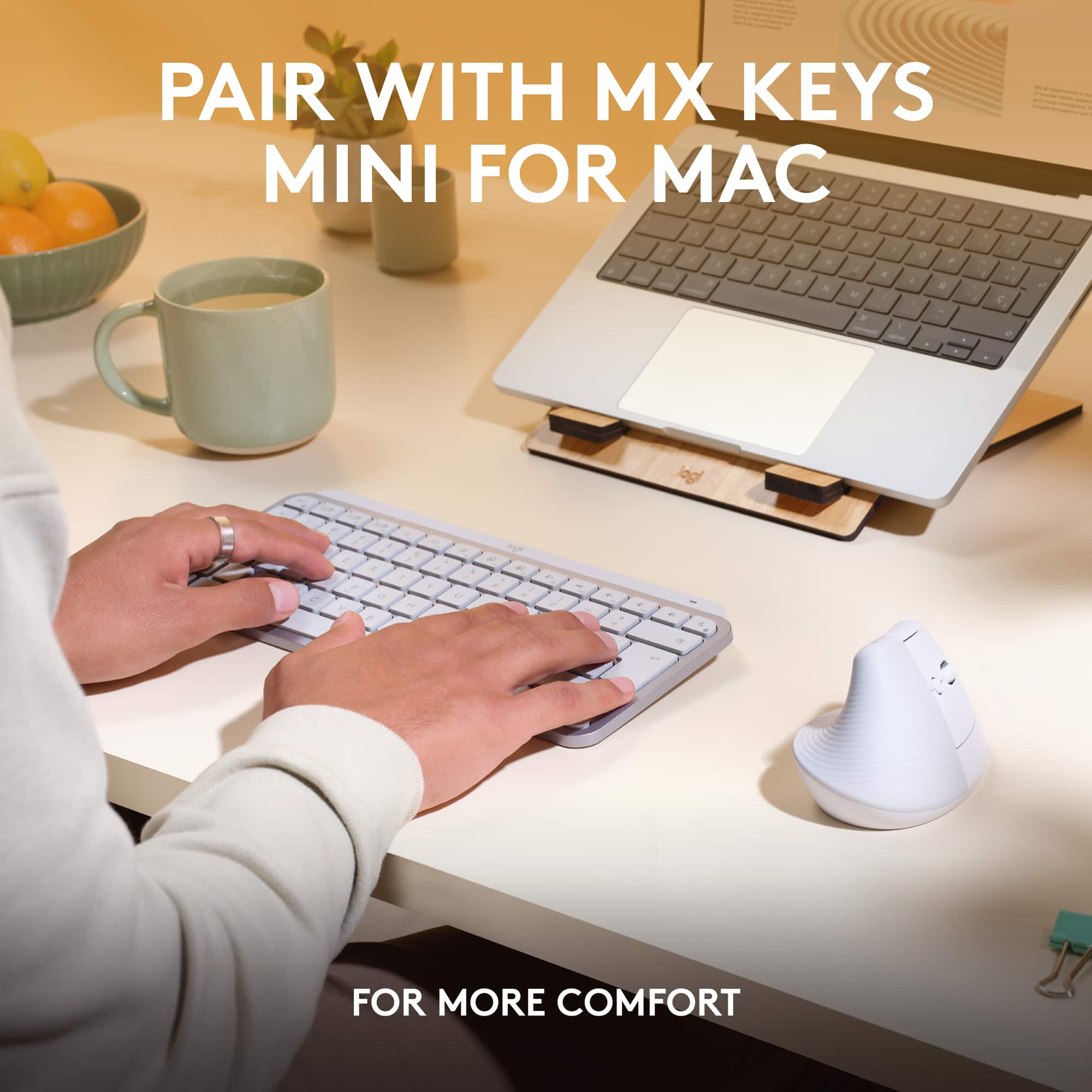
||Posted . Owned for 1 month when reviewed.This reviewer received promo considerations or sweepstakes entry for writing a review.I’ve tried a few cheap vertical mice before, but they never worked out. This one is a total game-changer. My wrists don’t feel stressed anymore, and I can easily switch between my three computers (two Macs and one PC). The Pebble keyboard pairs perfectly—it’s customizable, compact, and I actually love it. Both the mouse and Pebble can be customized through software, and the setup feels seamless.
I would recommend this to a friend It’s not just any mouse! It’s the BEST MOUSE!
||Posted . Owned for 1 week when reviewed.This reviewer received promo considerations or sweepstakes entry for writing a review.This is one Apple purchase I CAN’T see myself ever regretting! I have to admit when I first saw the shelf price for this mouse, I almost didn’t buy it! But then again, it IS an APPLE MOUSE! …. And …. I “DO” do a lot of work with my old mouse. So I said, Let’s try it! And I am beyond impressed! I am so glad I bought this product! It fits my hand perfectly! And it works with my Windows PC just as well; but better than my “normal” mouse! It just functions BETTER!
I would recommend this to a friend- Pros mentioned:Ease of use, ErgonomicsCons mentioned:Price
mouseMac
||Posted . Owned for 1 month when reviewed.This reviewer received promo considerations or sweepstakes entry for writing a review.Works great, easy to install, looks classy, a little pricey
I would recommend this to a friend - Pros mentioned:Ease of use, Ergonomics
Best Mouse EVER
||Posted . Owned for 1.5 years when reviewed.This reviewer received promo considerations or sweepstakes entry for writing a review.I love this mouse. It’s perfect for my gaming laptop. The way it’s shaped really helps my hand not cramp after a while and it’s super easy to set up!
I would recommend this to a friendBrand response from Logitech
Posted .Thank you for your kind words and for sharing your positive experience with the Lift for Mac! We're delighted to hear that you're finding it comfortable and easy to use with your gaming laptop. The ergonomic design is intended to provide a more natural hand position, and we're glad it's helping prevent hand cramps. We strive to create products that are both comfortable and easy to use, and we're pleased that the Lift for Mac is exceeding your expectations. We appreciate you choosing Logitech!

Smooth
||Posted . Owned for 1 month when reviewed.This reviewer received promo considerations or sweepstakes entry for writing a review.So far no issues. Really smooth and keeps my wrist at a good angle. I use it with my PC not with a Mac and it works just fine.
I would recommend this to a friendBrand response from Logitech
Posted .That's great to hear! The Logitech Lift is designed to provide a comfortable and ergonomic typing experience, and we're glad it's working well for you, even with a PC.
- Pros mentioned:Ergonomics
love it
||Posted .This reviewer received promo considerations or sweepstakes entry for writing a review.I love my mouse ! I have a pink one at home and this white one at work, it really does help your wrist, especially if you have to sit hours on the computer. I personally love it and it is easy to use, but other people that use my computer hate it because it can take them time to figure out the mouse.
I would recommend this to a friendBrand response from Logitech
Posted .We're so happy to hear how much you "love" your Logitech Lift for Mac mouse, especially for wrist comfort during long hours! It's great that it's been such a personal win for you, and we appreciate your honest feedback about the learning curve for others.
- Pros mentioned:Ergonomics
Helped my tennis elbow
||Posted . Owned for 1 month when reviewed.This reviewer received promo considerations or sweepstakes entry for writing a review.I'm a graphic designer and I'm on the computer all day. I thought it would be difficult to get used to the style, but it wasn't at all and it's helped my elbow pain. I also like that I can keep it paired it with multiple computers using a switch. Recommend!
I would recommend this to a friendBrand response from Logitech
Posted .Thank you for sharing your experience! We're so glad the Lift for Mac is making a real difference in your comfort and workflow—your recommendation means a lot to us.
- Pros mentioned:Battery life
Great Product
||Posted . Owned for 3 weeks when reviewed.This reviewer received promo considerations or sweepstakes entry for writing a review.This product far surpasses the Apple Mouse. It dod not have to be recharged, and uses one AA battery. It is easy to use. The Bluetooth connection never fails and I use it with my Apple MacBook Pro Laptop. I highly recommend this Logitech product as it is an affordable alternative to others on the market.
I would recommend this to a friendBrand response from Logitech
Posted .That's absolutely fantastic to hear! We're thrilled your Logitech Lift for Mac is such a game-changer for you.
It's wonderful to know you find it easy to use and appreciate the convenience of the AA battery for long-lasting power. And we're especially happy that the Bluetooth connection never fails with your MacBook Pro.
Thanks so much for the strong recommendation and for letting us know it's a superior and affordable alternative for you!
- Pros mentioned:Bluetooth, Ergonomics
Highly Recommended for Work & Personal Use
||Posted . Owned for 1 month when reviewed.This reviewer received promo considerations or sweepstakes entry for writing a review.I love this mouse! It’s wire and USB free and easy to switch between work and personal laptops with! The design also doesn’t irritate pain in my fingers like other mouses out there.
I would recommend this to a friendBrand response from Logitech
Posted .Thank you for your kind words about the Logitech - Lift mouse. We're delighted to hear it meets your needs for comfort, convenience, and productivity. Your feedback is valuable to us.