Last-Minute SavingsLimited quantities.Shop now

Skip to content
Gift Ideas
Main Content

Customer Ratings & Reviews
Your price for this item is $79.99

Customer reviews

Rating 4.7 out of 5 stars with 997 reviews

Rating Filter

Rating by feature

  • Value

    Rating 4.6 out of 5 stars

  • Quality

    Rating 4.8 out of 5 stars

  • Ease of Use

    Rating 4.7 out of 5 stars

Pros mentioned filter

Cons mentioned filter

95%would recommend to a friend

Customers are saying

Customers recognize the Lift Vertical Wireless Optical Ergonomic Mouse for its excellent ergonomics and ease of use. Many appreciate the comfortable size, good battery life, and Bluetooth connectivity. While some find the mouse a bit pricey and mention the click noise, many users find it helps keep their wrist pain free.

This summary was generated by AI based on customer reviews.

The vast majority of our reviews come from verified purchases. Reviews from customers may include My Best Buy members, employees, and Tech Insider Network members (as tagged). Select reviewers may receive discounted products, promotional considerations or entries into drawings for honest, helpful reviews.
Page 47 Showing 921-940 of 997 reviews
  • Rated 4 out of 5 stars

    Good mouse

    |
    |
    Posted . Owned for 2 weeks when reviewed.
    This reviewer received promo considerations or sweepstakes entry for writing a review.

    Works good feels comfortable have to get use to the feel but it is comfortable

    I would recommend this to a friend
  • Pros mentioned:
    Ergonomics

    Rated 4 out of 5 stars

    Good design

    |
    |
    Posted . Owned for 1 month when reviewed.
    This reviewer received promo considerations or sweepstakes entry for writing a review.

    nice design, working well. not much stress on wrist

    I would recommend this to a friend
  • Rated 2 out of 5 stars

    Nope, not for me

    |
    |
    Posted . Owned for 1 week when reviewed.
    This reviewer received promo considerations or sweepstakes entry for writing a review.

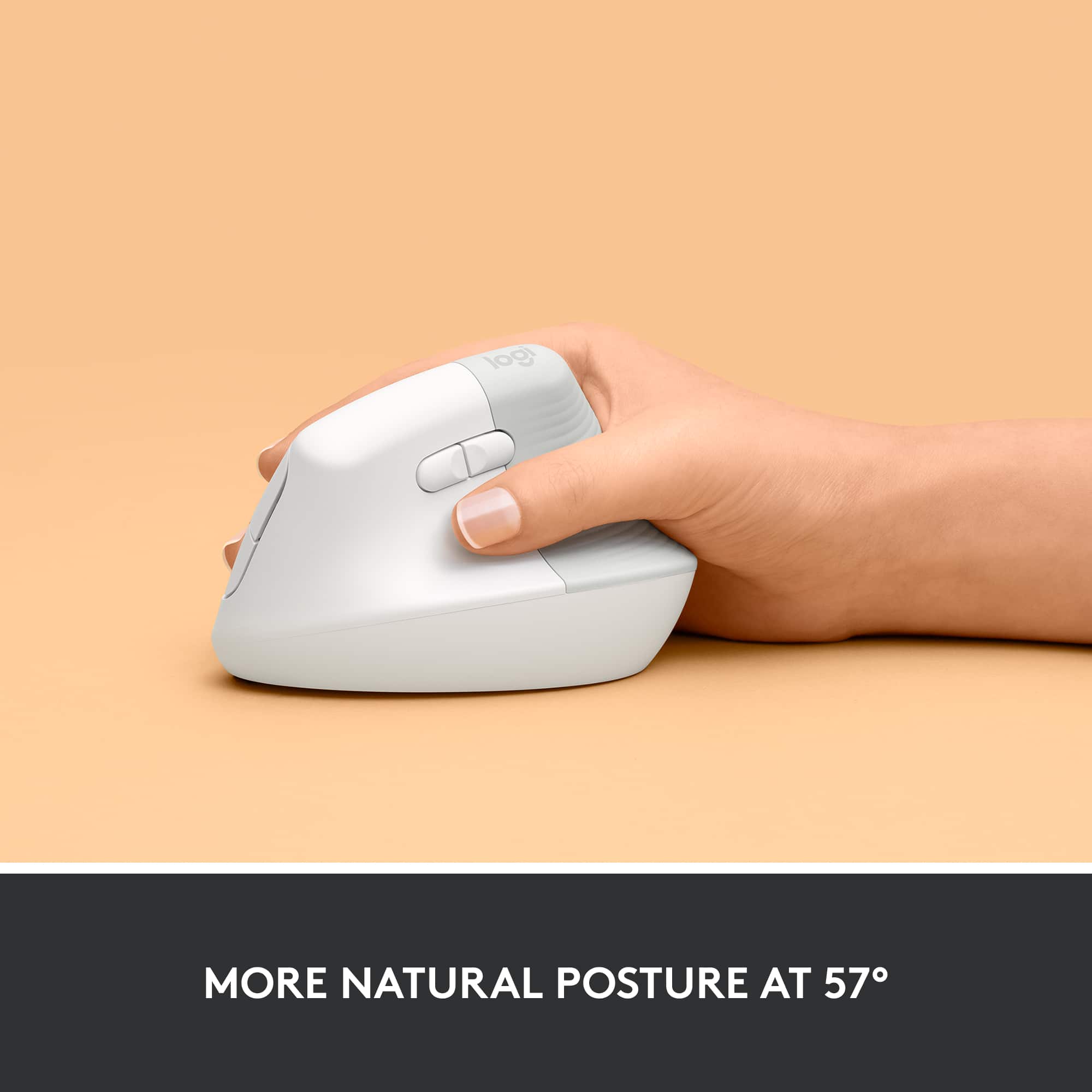
    The heel of my hand dragged along the work surface. I had thought the vertical orientation would be easier on my wrist (maybe it was?). But I returned it due to the dragging.

    No, I would not recommend this to a friend
    • Brand response from Logitech
      Posted .

      Hey! Thanks for your feedback on the Logitech Lift Vertical Wireless Ergonomic Mouse. We apologize that the ergonomic design wasn't a perfect fit for you and caused your hand to drag on the surface. While the vertical design may have helped your wrist, it's important that the mouse feels comfortable overall. We appreciate you letting us know about your experience and apologize for any inconvenience caused.

  • Rated 5 out of 5 stars

    Excellent and comfortable to use

    |
    |
    Posted . Owned for 5 months when reviewed.
    This reviewer received promo considerations or sweepstakes entry for writing a review.

    I bought a few different ones to try and this one surprised me how much I prefer it. I love the hand placement and ability to connect/switch to use with multiple devices with ease.

    I would recommend this to a friend
  • Rated 1 out of 5 stars

    Not impressed

    |
    |
    Posted . Owned for 1 month when reviewed.
    This reviewer received promo considerations or sweepstakes entry for writing a review.

    I don’t like it at all. It doesn’t allow for good ergonomic placement. I have tennis elbow and it increases the pain. And of course, since Best Buy has a ridiculously short return timeline I can’t bring it back.

    No, I would not recommend this to a friend
    • Brand response from Logitech
      Posted .

      We appreciate you sharing your experience with the ergonomic mouse. We're sorry to hear it didn't provide the ergonomic support you needed and that it exacerbated your tennis elbow. We understand your frustration with the return timeline. We value your feedback and will take it into consideration for future product designs and improvements. Logitech

  • Rated 1 out of 5 stars

    Lagging

    |
    |
    Posted . Owned for 1 month when reviewed.
    This reviewer received promo considerations or sweepstakes entry for writing a review.

    Almost immediately this product was lagging. I would move the mouse and it would not respond or would freeze. I’ve tried it on several different surfaces and changed the battery several times. I love the design but the quality is disappointing.

    No, I would not recommend this to a friend
    • Brand response from Logitech
      Posted .

      Hey there, I'm sorry to hear you had some issues with your lifts connectivity. It sounds like there may be something wrong with the USB port you're using, so if possible please try using the device with a different computer or USB port to see if that's the issue. -Weston from Logitech

  • Pros mentioned:
    Bluetooth, Ease of use, Ergonomics
    Tech Insider Network Member

    Rated 4 out of 5 stars

    Great mouse for long use

    |
    Tech Insider Network Member
    Posted .
    This reviewer received promo considerations or sweepstakes entry for writing a review.

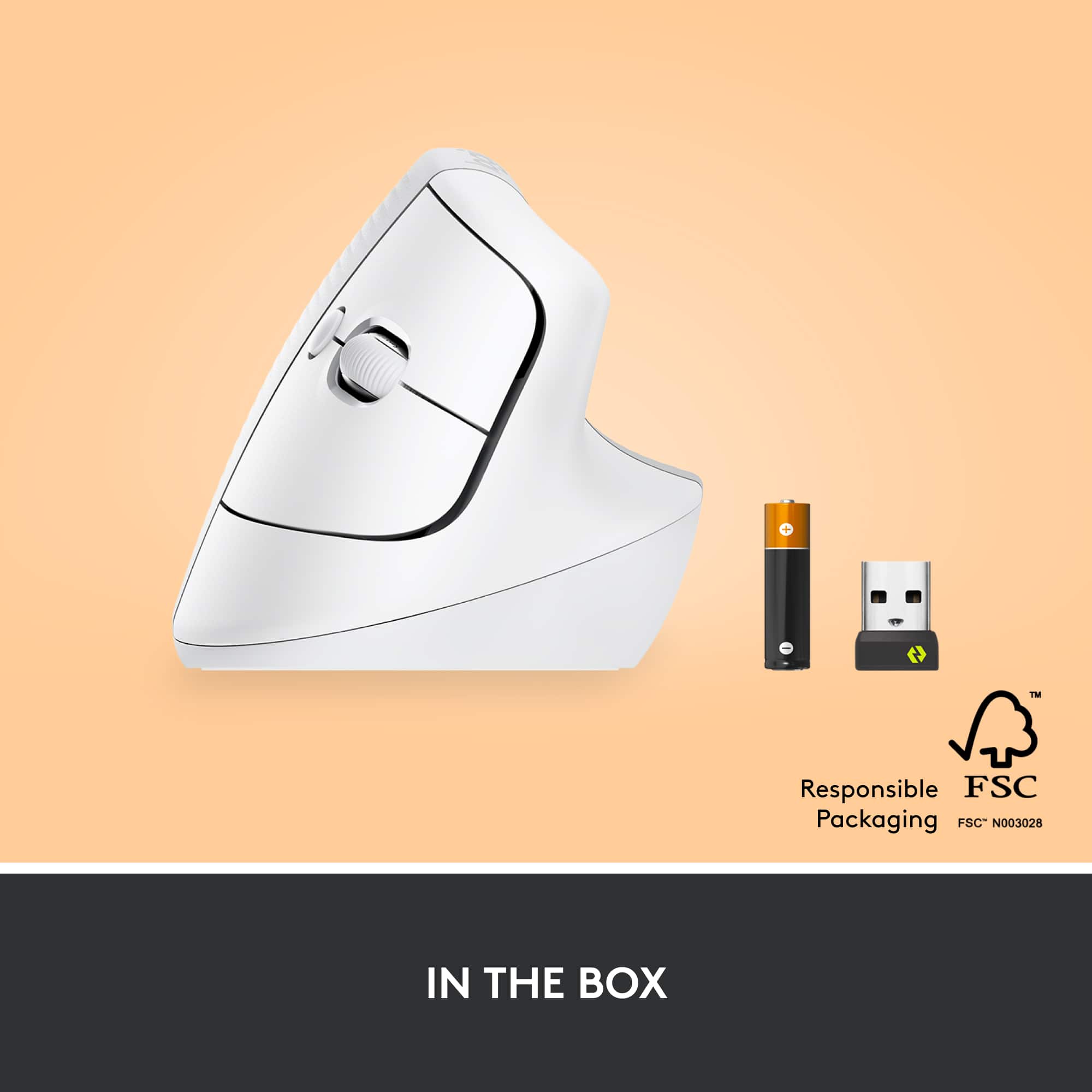
    As a Tech insider I got the opportunity to try this item out and write a review for it. Inside the box you get the mouse and a single double A battery along with a USB type A receiver. The mouse is wireless which uses a USB receiver or Bluetooth low energy I would assume Bluetooth 4.0 since it doesn't say which specification on it. Which is nice if you have a laptop or device with no USB type A port on it . This mouse is for right handed users only because it is built to be ergonomic for right hand people. Logitech also makes a left handed device if you want to buy one. The mouse is very easy to set up using the dongle or Bluetooth and once it's up and running it's easy to use. You have the left and right button as with the scroll wheel. The Logitech software for the mouse you can also have two customizable buttons where you keep your thumb at that you can button map to certain apps like back and forward which is the default on these kind of buttons. The mouse is built for ergonomics and it fits well making it easy to use for hours on end without any fatigue

    I would recommend this to a friend
  • Rated 5 out of 5 stars

    Good buy

    |
    |
    Posted . Owned for 2 weeks when reviewed.
    This reviewer received promo considerations or sweepstakes entry for writing a review.

    Its comfortable and stylish, what more is there to say? Though I do wish it came with a rechargeable battery instead of loose batteries

    I would recommend this to a friend
  • Rated 1 out of 5 stars

    Not a fan

    |
    |
    Posted . Owned for 1 month when reviewed.
    This reviewer received promo considerations or sweepstakes entry for writing a review.

    Not a fan - Mouse works fine, but it is a HORRIBLE design! I tried to use this while traveling on an airplane and the mouse was just not comfortable to use while traveling. Unfortunately, i got back to late to return it.

    No, I would not recommend this to a friend
    • Brand response from Logitech
      Posted .

      We're sorry to hear you didn't enjoy the design of the Logitech Lift Vertical Wireless Ergonomic Mouse, especially for travel use. We appreciate your feedback and apologize for any discomfort or inconvenience it caused. We understand your frustration at missing the return window. Logitech

  • Pros mentioned:
    Battery life, Bluetooth, Ergonomics
    Tech Insider Network Member

    Rated 5 out of 5 stars

    Naturally Satisfying!

    |
    Tech Insider Network Member
    Posted .
    This reviewer received promo considerations or sweepstakes entry for writing a review.

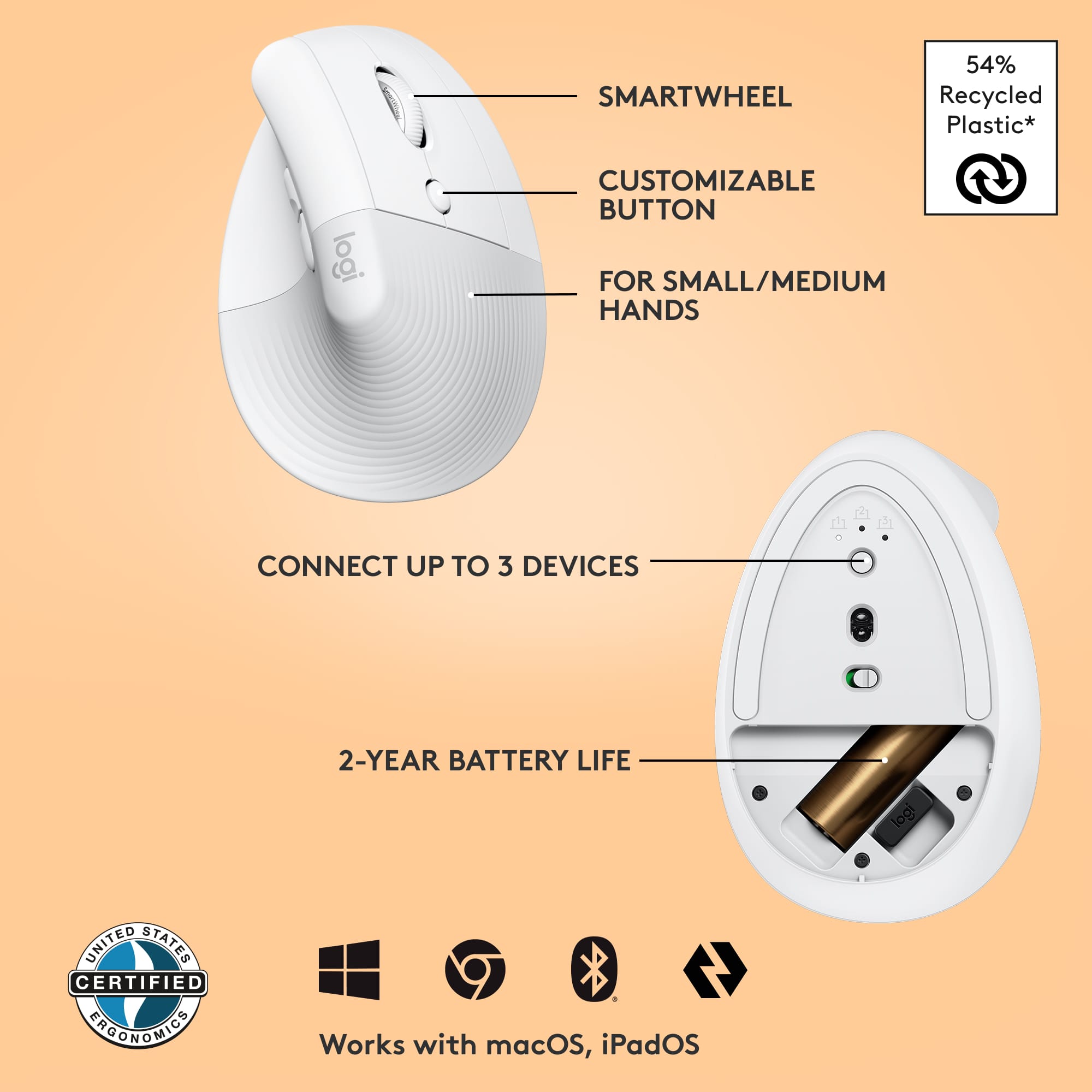
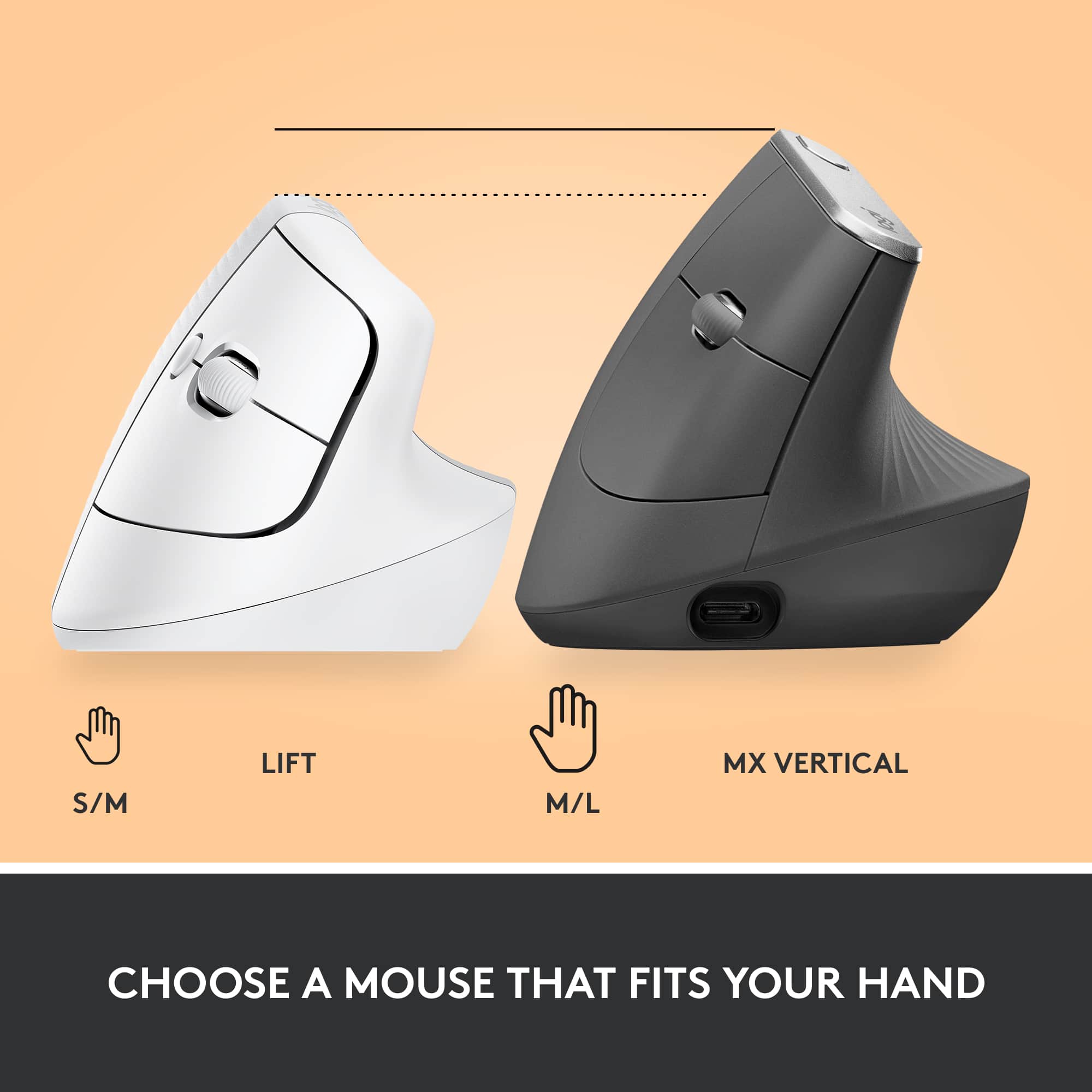
    I’ve been using computers, both personally and more professionally, for a number of years now. The one thing that has always been consistent over the years is the design of the mouse in relation to hand positioning. The hand is designed to hover over the mouse, which forces your wrist against the natural resting position of your wrists when on a table. We’ve all used typical mice like this for many, many years now and our muscle memory tolerates this position. Sure there are variations on the design of the mouse, but nothing like the Logitech Lift, and it is awkwardly a breath of fresh air. I immediately felt the natural resting position of my wrist while holding the Lift in my right hand. It’s quite satisfying, to be honest. Within a few hours, I could feel a difference when switching back to a traditional mouse; it’s like my wrist was saying “Nope, go back to the Lift”. A lot of moving the mouse cursor was done by simply bending my wrist up and down, again a natural motion. Aside from the ergonomics, it is very much like any other mouse from a functional perspective. Right/Left/Middle buttons, scroll wheel, DPI switcher, and thumb forward/backward buttons. Using the Logi Options+ software, I can customize the middle and thumb buttons, as well as the DPI button. Setup connection is very easy. If your Win10 PC has Bluetooth, it will immediately recognize the Lift and ask if you would like to pair. The Lift allows for 3 separate Bluetooth connections so you can transport your mouse around. If Bluetooth is not available, it comes tucked with a USB receiver. Both worked fine during testing. Battery life is about two years for a single AA battery, so I don’t think you’ll need to worry about that. The Lift is a great everyday mouse for productivity and normal web browsing, either at work or at home. I guess it’s possible to use this as a gaming mouse as well, but it’s probably nothing like the mice offerings for gaming today. The Lift to me is more like a cruiser motorcycle, with a natural comfortable seating position, kind of like a recliner chair. A gaming mouse is more like a sportbike motorcycle where you’re always on your toes and having to be nimble. If you’re looking for everyday natural comfort at the computer, then the Lift won’t disappoint. The Lift is designed for small to medium sized hands. For those with larger hands, Logitech has the MX Vertical Mouse.

    I would recommend this to a friend
  • Rated 1 out of 5 stars

    Lasted 3 months, button malfunction

    |
    |
    Posted . Owned for 3 months when reviewed.
    This reviewer received promo considerations or sweepstakes entry for writing a review.

    Only three months in, this mouse is useless because suddenly the left button triggers a right click. (As in, BOTH buttons now individually right-click. It's the mouse, not the settings.) It's clean, nothing obstructing the button, nothing fallen inside. I have loved the mouse, and it helped my wrist pain/tension, but a three-month lifespan before this ruinous malfunction is ridiculous, especially for something at this price-point. What a let-down.

    No, I would not recommend this to a friend
    • Brand response from Logitech
      Posted .

      Hey! We are sorry to hear about the malfunction with your Lift Vertical Wireless Ergonomic Mouse after only three months of use. We understand how frustrating it must be to experience this issue, especially after the mouse helped with your wrist pain. To get that issue resolved, we recommend reaching out to our social care team via email at socialcare@logitech.com with your
      - Name:
      - Email Address:
      - Country:
      - Product Name:
      - Brief description of issue:

  • Rated 1 out of 5 stars

    Stand up mouse

    |
    |
    Posted . Owned for 1 year when reviewed.
    This reviewer received promo considerations or sweepstakes entry for writing a review.

    Strange feel and not my cup of tea returned and bought the Max Master

    No, I would not recommend this to a friend
    • Brand response from Logitech
      Posted .

      We apologize the product didn't provide the comfortable experience you expected and caused inconvenience. We appreciate your feedback. Logitech

  • Rated 1 out of 5 stars

    hard pass

    |
    |
    Posted . Owned for 4 months when reviewed.
    This reviewer received promo considerations or sweepstakes entry for writing a review.

    This is a total fail for me. It’s completely awkward to rest my hand on and clicking the buttons is near impossible.

    No, I would not recommend this to a friend
    • Brand response from Logitech
      Posted .

      We're sorry to hear the Lift Vertical Mouse didn't work out for you. We understand that ergonomic designs can be a matter of personal preference, and we apologize that it felt awkward and difficult to use. We appreciate you sharing your experience. Logitech

  • Rated 5 out of 5 stars

    Ergo comfort

    |
    |
    Posted . Owned for 2 months when reviewed.
    This reviewer received promo considerations or sweepstakes entry for writing a review.

    Verfy comforatable to use. Never will i go back to a regulsr mouse.

    I would recommend this to a friend
  • Rated 5 out of 5 stars

    Mouse of the year

    |
    |
    Posted . Owned for 7 months when reviewed.
    This reviewer received promo considerations or sweepstakes entry for writing a review.

    Daughter decided she wanted it and hasn’t been disappointed.

    I would recommend this to a friend
  • Pros mentioned:
    Battery life, Bluetooth, Ergonomics
    Tech Insider Network Member

    Rated 5 out of 5 stars

    Quality and function you expect from Logitech

    |
    Tech Insider Network Member
    Posted .
    This reviewer received promo considerations or sweepstakes entry for writing a review.

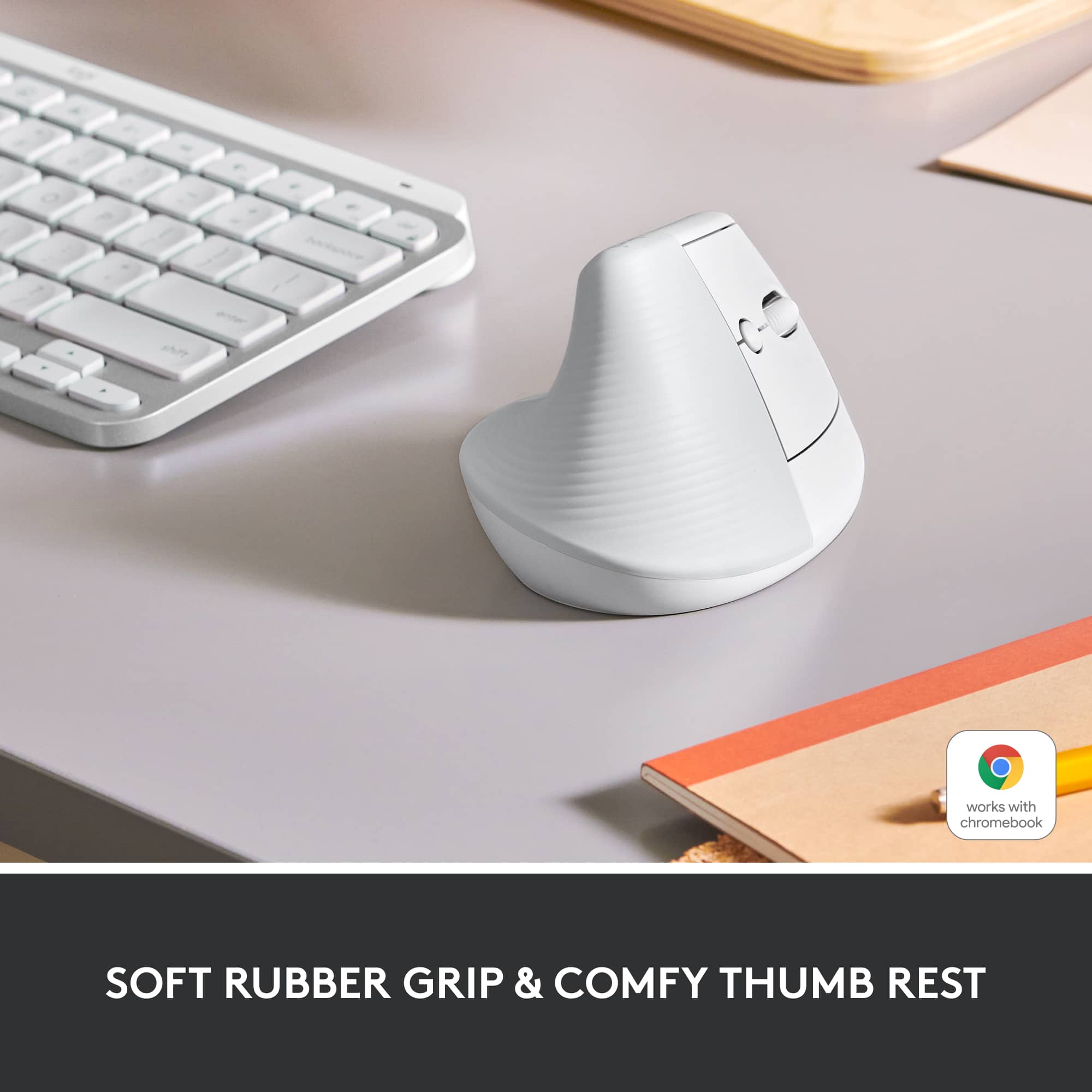
    I'm on the computer about 10-12 hours a day for work and personal use. My hands are getting a little worn and noticed my wrist is at an abnormal position so wanted to get a mouse a little more egronomic than what I've been using. Enter the Logitech Lift, a more ergonomic mouse. I read a lot of good reviews of the previous version so I wanted to give this a try. What's in the Box Along with the mouse, it includes the USB unifier, and a AA battery that the Logitech says will last for 2 years. The mouse itself looks great, the palm portion feel nice and grippy with a soft rubberized coating. Setup With the Lift mouse, you have 2 options in how you connect it to you computer, either use the unifier or bluetooth. I opted to use bluetooth since I wouldn't have to plug anything in. At the bottom of the mouse, there is a switch to pair the mouse up to 3 devices. Feel of the Mouse The Lift vertical mouse feels great, my hand and wrist feels more at a natural position. I wasn't used to the vertical grip position but now that I'm using it feels very comfortable. I think Logitech put in a lot of effort in the getting the angle just right, as mentioned it feels very natural in how I'm holding the mouse. Conclusion The Lift mouse is just as any other mouse except the vertical stance and more comfortable feel. After setup and changing the tracking setting I was pretty happy and impressed on use.

    I would recommend this to a friend
  • Rated 5 out of 5 stars

    Superior mouse

    |
    |
    Posted . Owned for 1 month when reviewed.
    This reviewer received promo considerations or sweepstakes entry for writing a review.

    Excellent product!! Very comfortable ergonomic position!!

    I would recommend this to a friend
  • Pros mentioned:
    Bluetooth, Ergonomics
    Tech Insider Network Member

    Rated 5 out of 5 stars

    Another Logitech Homerun

    |
    Tech Insider Network Member
    Posted .
    This reviewer received promo considerations or sweepstakes entry for writing a review.

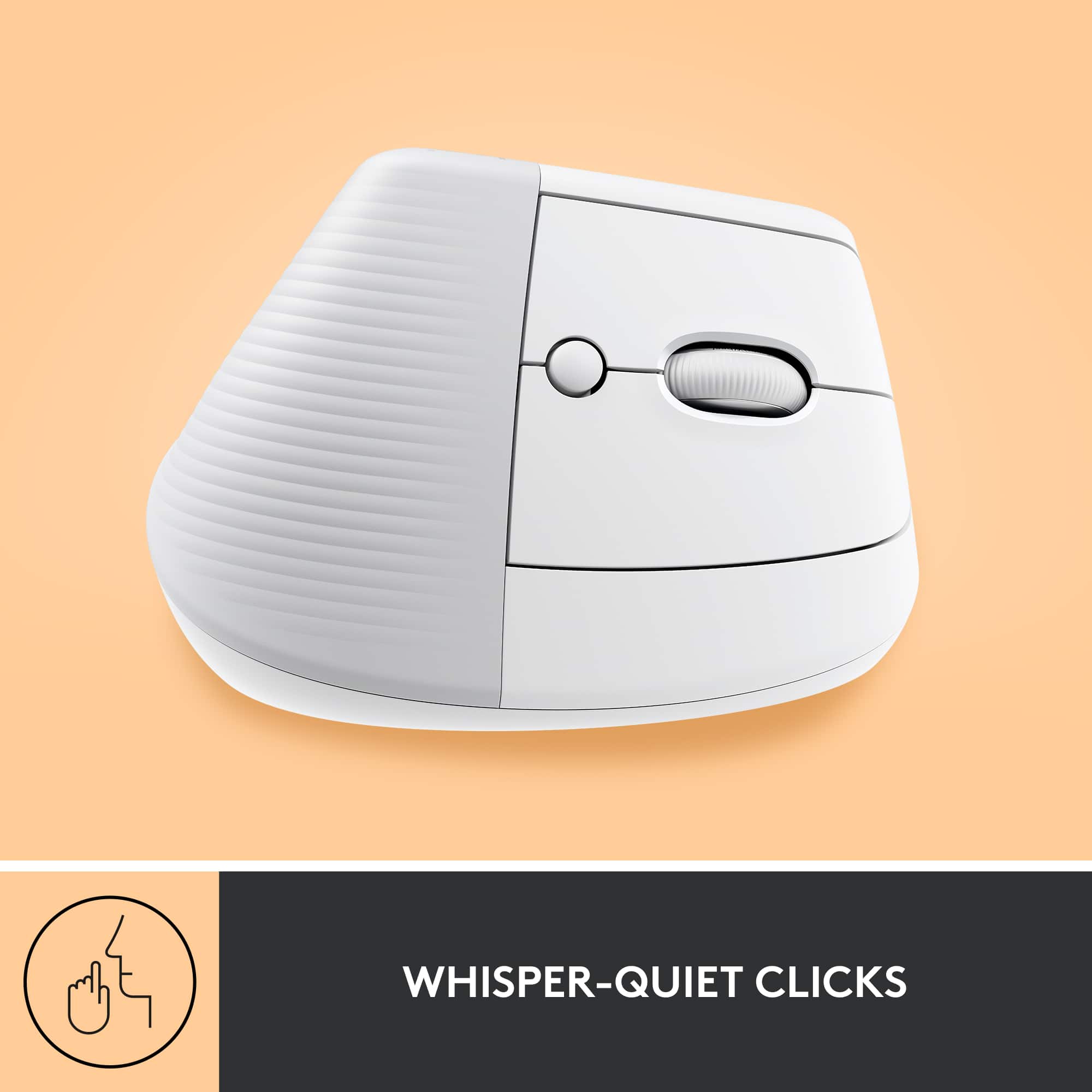
    Just when you think Logitech has done all they can do with a mouse, think again. This is fantastic. Nearly everyone uses a mouse for one reason or another and you never really stop think if there is a better design. Well, glad Logitech has answered that question. I love how my arm and hand rest now in a more natural state when I am using the mouse. This is probably as close as it gets to “thinking” what you want the mouse to do and it does it, with little effort from your arm and hand. The position of the buttons is perfect for me. I also found the scroll wheel to be at the perfect angle as well to reach when I need it. And you get the aux buttons near your thumb so you can program certain actions with those to meet your needs. The clicks are quiet so if others are around you, they will not be distracted by your clicking. Of course you get two ways to connect, bluetooth or with the included usb paired dongle. And like all things Logitech, you are out of the box and connected to your device in only a few minutes at most. Super easy to pair and you will be off and working. Bonus you can connect up to 3 devices at a time, so you can quickly change between them without having to re pair each time. Genius.

    I would recommend this to a friend
  • Rated 2 out of 5 stars

    Awkward

    |
    |
    Posted . Owned for 5 months when reviewed.
    This reviewer received promo considerations or sweepstakes entry for writing a review.

    Just awkward. Had to return. I dont have huge hands.

    No, I would not recommend this to a friend
    • Brand response from Logitech
      Posted .

      We regret to hear that you had to return the mouse. We apologize for any inconvenience caused and thanks for your detailed feedback. We'll certainly pass this along to the right team.

  • Pros mentioned:
    Bluetooth, Ergonomics
    Cons mentioned:
    Click noise
    Tech Insider Network Member

    Rated 5 out of 5 stars

    Feels good in the hands

    |
    Tech Insider Network Member
    Posted .
    This reviewer received promo considerations or sweepstakes entry for writing a review.

    This Logi Lift mouse is not only comfortable but is whisper quiet. Great ergonomics and flexibility. Can connect via Bluetooth or wireless USB dongle. Easily to pair with divorces along with about to easily switch between up to three different paired computers. With the desktop app, you control for customizing buttons and pointer an scrolling speeds. With roughly 40 available actions to choose from, such as gestures, back, forward, copy and paste. This mouse allows you to configure it the any way you want. Best of all, these different customizations can be configured to specific applications. The area where your palm sits has a textured grip and the gliding pads covers the whole bottom versus four small pads that I have seen on other mouses that are very easy to come off. This making this mouse very easy to handle. If you are new to ergo ergonomic mouse, it does take a bit of getting use to after using a standard mouse for a long tie. But once you get use to it, you don’t even notice the different form factor. Just feels natural. If you are like me and are at a computer all day, I would definitely recommend this one.

    I would recommend this to a friend