Customer Ratings & Reviews
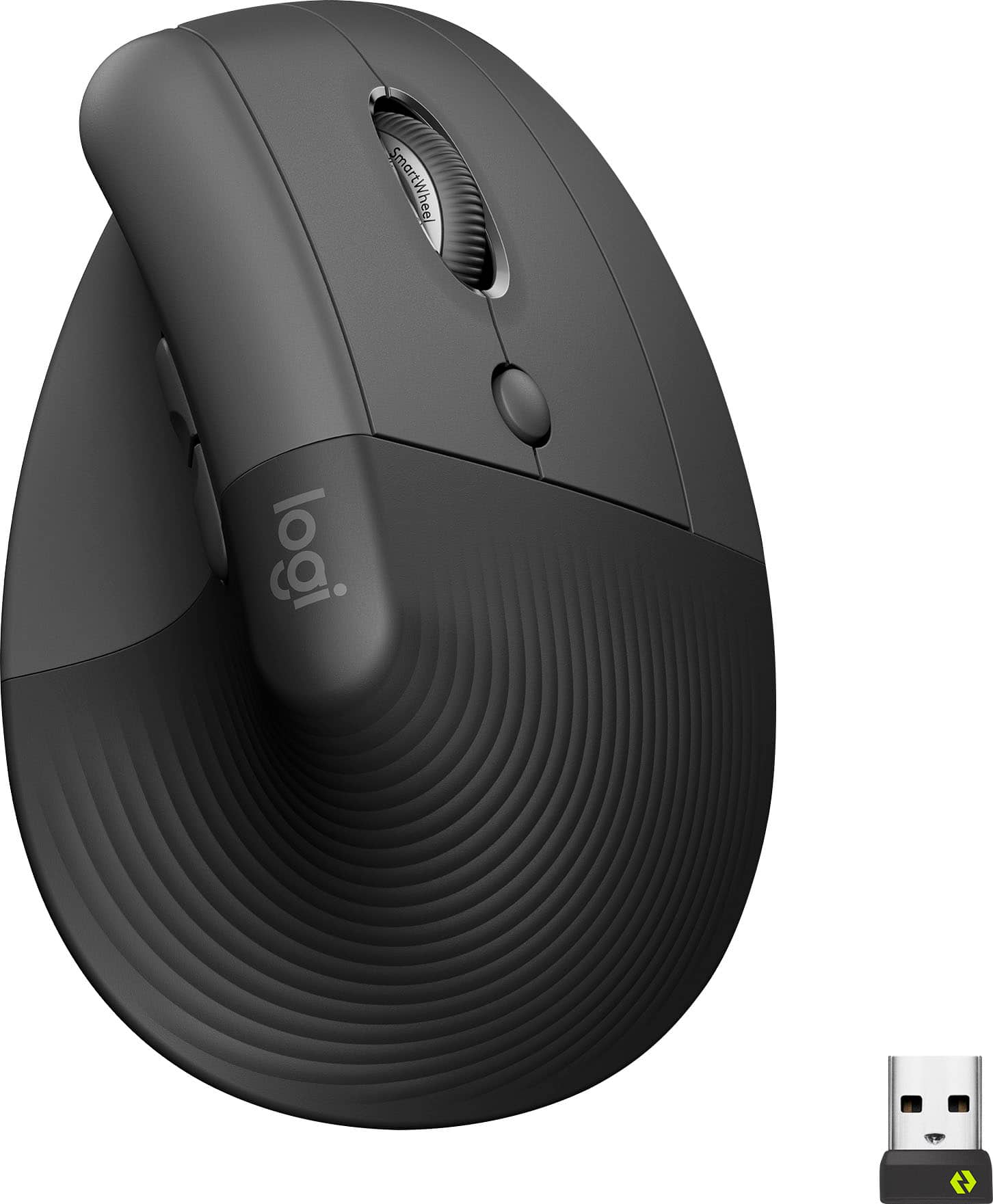
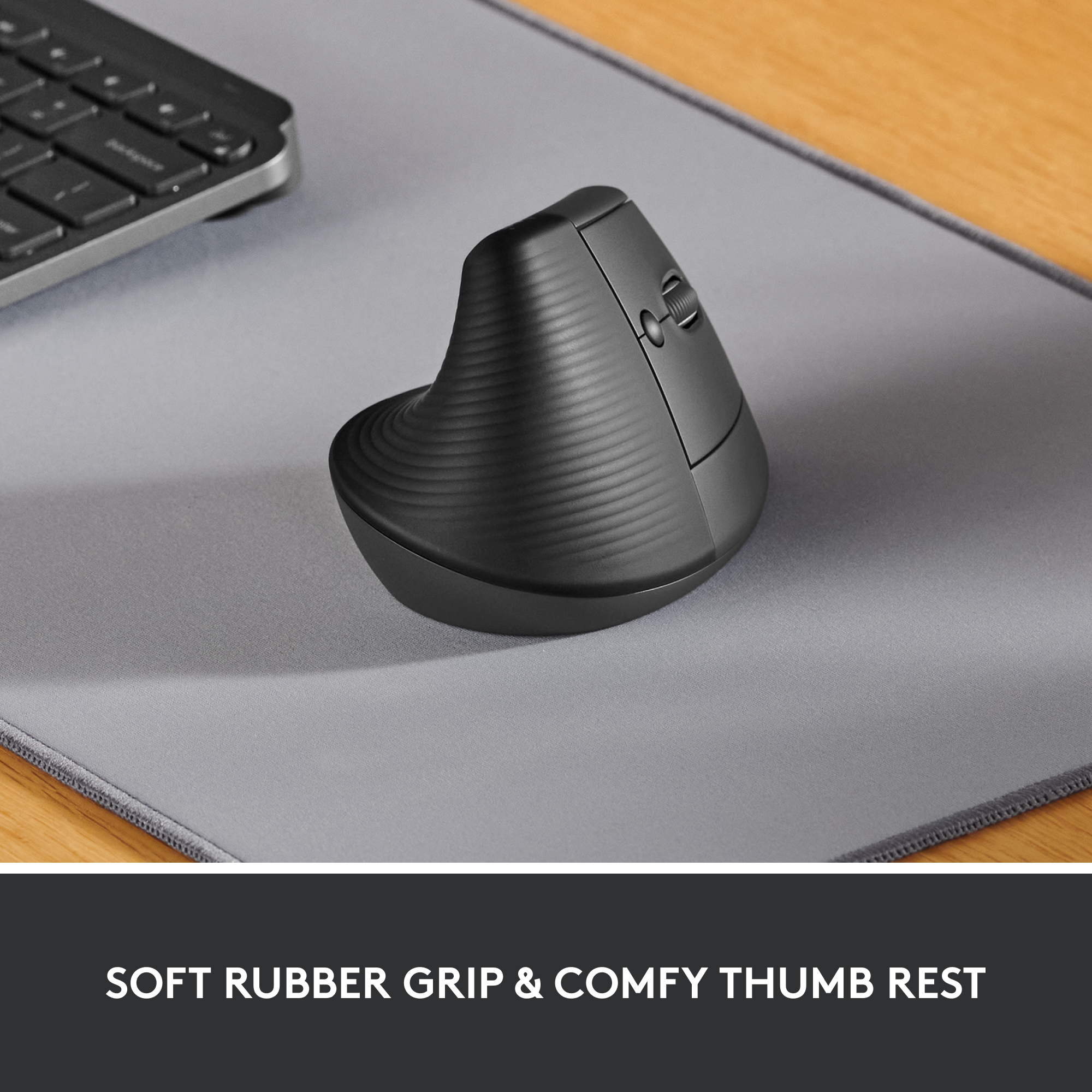
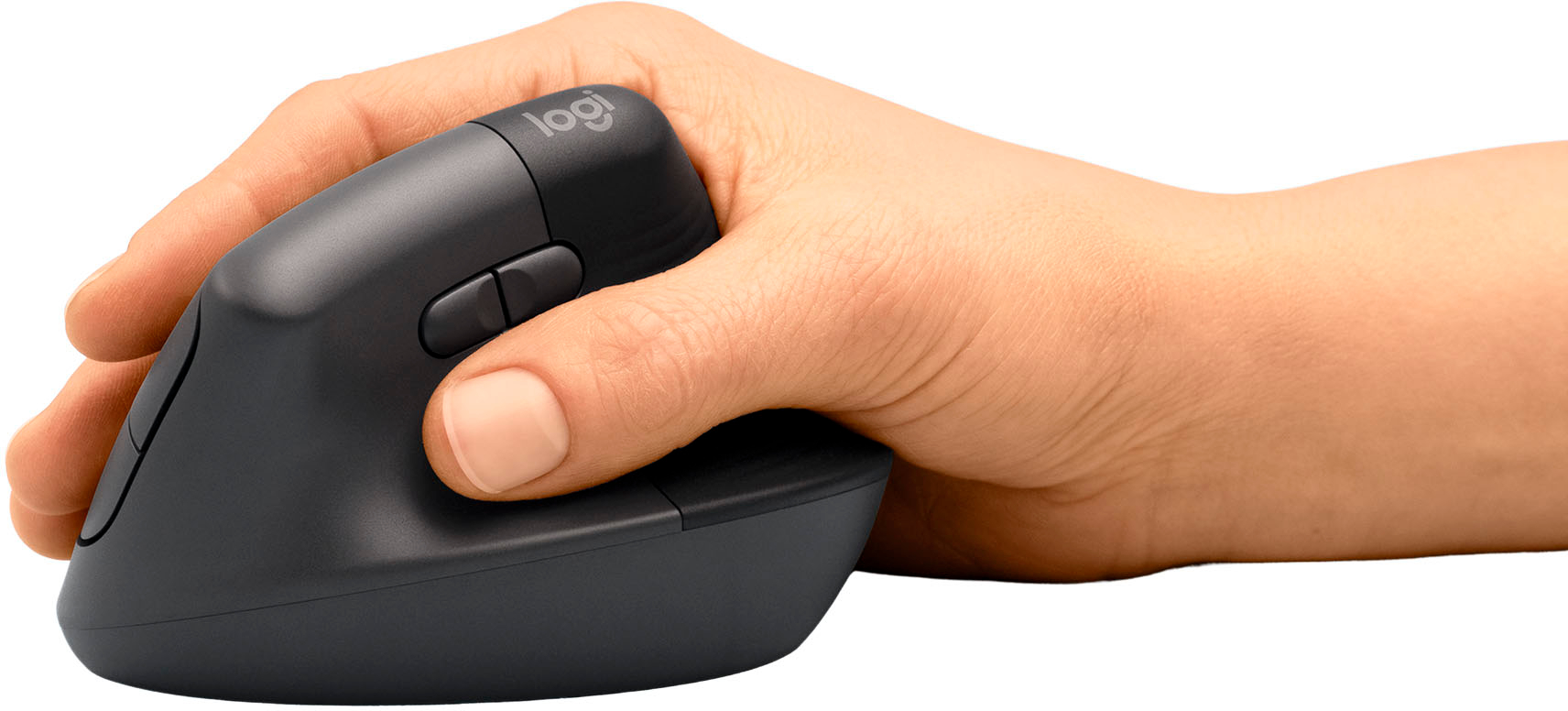




- Model:
- 910-006466
- SKU:
- 10154906
Rating by feature
- Value
Rating 4.6 out of 5 stars
- Quality
Rating 4.8 out of 5 stars
- Ease of Use
Rating 4.7 out of 5 stars
Lagging
||Posted . Owned for 1 month when reviewed.This reviewer received promo considerations or sweepstakes entry for writing a review.Almost immediately this product was lagging. I would move the mouse and it would not respond or would freeze. I’ve tried it on several different surfaces and changed the battery several times. I love the design but the quality is disappointing.
No, I would not recommend this to a friendBrand response from Logitech
Posted .Hey there, I'm sorry to hear you had some issues with your lifts connectivity. It sounds like there may be something wrong with the USB port you're using, so if possible please try using the device with a different computer or USB port to see if that's the issue. -Weston from Logitech
Good buy
||Posted . Owned for 2 weeks when reviewed.This reviewer received promo considerations or sweepstakes entry for writing a review.Its comfortable and stylish, what more is there to say? Though I do wish it came with a rechargeable battery instead of loose batteries
I would recommend this to a friend- Pros mentioned:Battery life, Ergonomics

Naturally Satisfying!
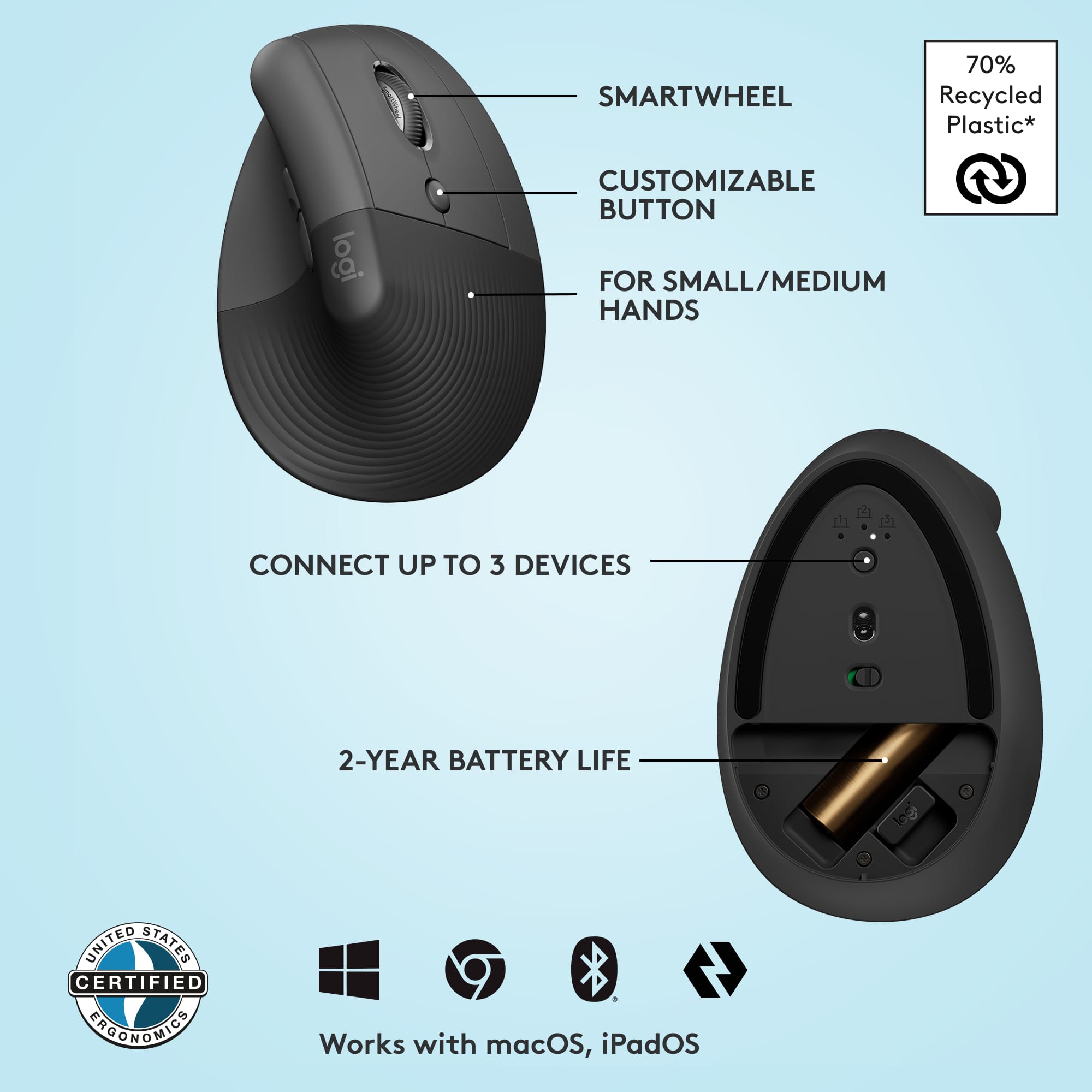
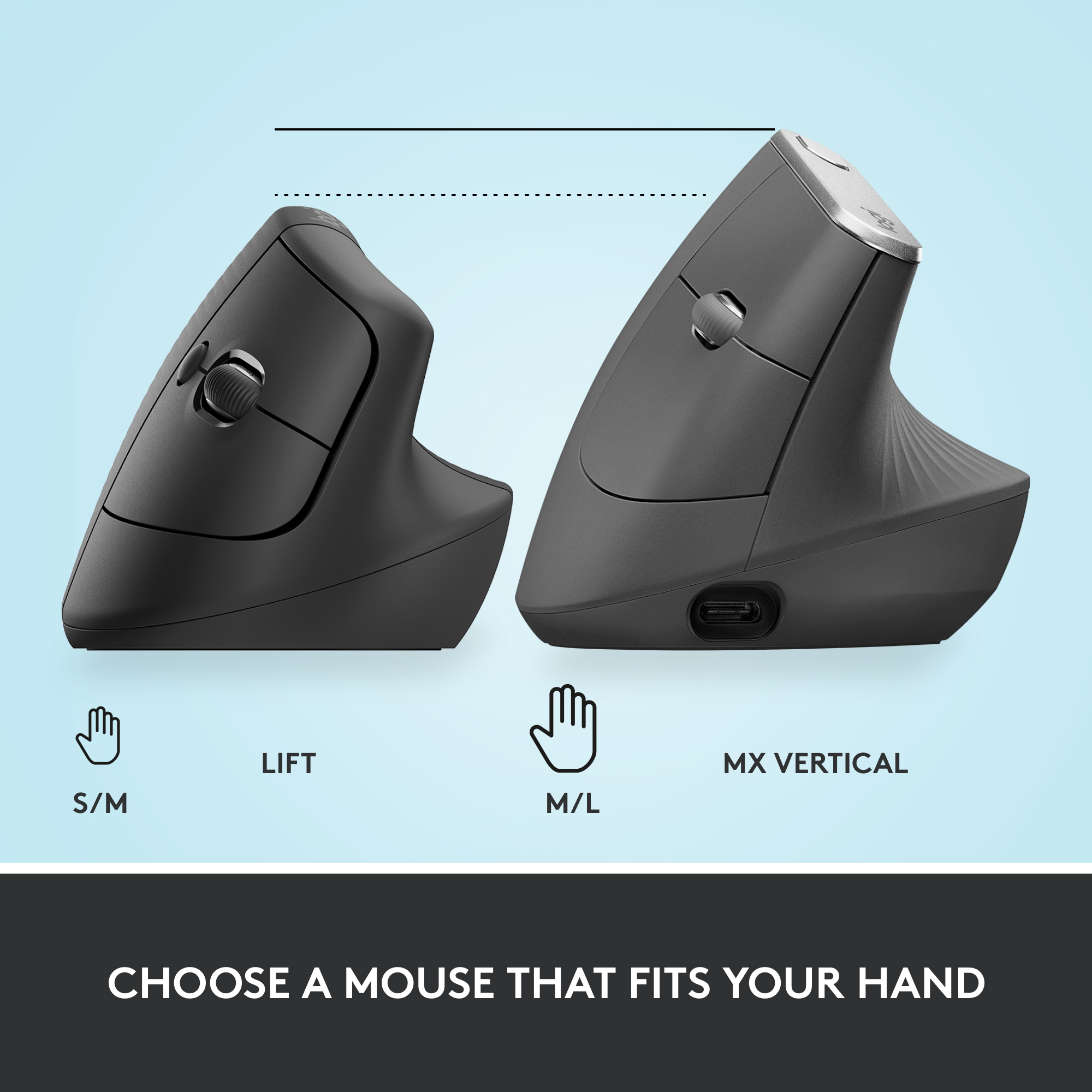
|Posted .This reviewer received promo considerations or sweepstakes entry for writing a review.I’ve been using computers, both personally and more professionally, for a number of years now. The one thing that has always been consistent over the years is the design of the mouse in relation to hand positioning. The hand is designed to hover over the mouse, which forces your wrist against the natural resting position of your wrists when on a table. We’ve all used typical mice like this for many, many years now and our muscle memory tolerates this position. Sure there are variations on the design of the mouse, but nothing like the Logitech Lift, and it is awkwardly a breath of fresh air. I immediately felt the natural resting position of my wrist while holding the Lift in my right hand. It’s quite satisfying, to be honest. Within a few hours, I could feel a difference when switching back to a traditional mouse; it’s like my wrist was saying “Nope, go back to the Lift”. A lot of moving the mouse cursor was done by simply bending my wrist up and down, again a natural motion. Aside from the ergonomics, it is very much like any other mouse from a functional perspective. Right/Left/Middle buttons, scroll wheel, DPI switcher, and thumb forward/backward buttons. Using the Logi Options+ software, I can customize the middle and thumb buttons, as well as the DPI button. Setup connection is very easy. If your Win10 PC has Bluetooth, it will immediately recognize the Lift and ask if you would like to pair. The Lift allows for 3 separate Bluetooth connections so you can transport your mouse around. If Bluetooth is not available, it comes tucked with a USB receiver. Both worked fine during testing. Battery life is about two years for a single AA battery, so I don’t think you’ll need to worry about that. The Lift is a great everyday mouse for productivity and normal web browsing, either at work or at home. I guess it’s possible to use this as a gaming mouse as well, but it’s probably nothing like the mice offerings for gaming today. The Lift to me is more like a cruiser motorcycle, with a natural comfortable seating position, kind of like a recliner chair. A gaming mouse is more like a sportbike motorcycle where you’re always on your toes and having to be nimble. If you’re looking for everyday natural comfort at the computer, then the Lift won’t disappoint. The Lift is designed for small to medium sized hands. For those with larger hands, Logitech has the MX Vertical Mouse.
I would recommend this to a friend Not impressed
||Posted . Owned for 1 month when reviewed.This reviewer received promo considerations or sweepstakes entry for writing a review.I don’t like it at all. It doesn’t allow for good ergonomic placement. I have tennis elbow and it increases the pain. And of course, since Best Buy has a ridiculously short return timeline I can’t bring it back.
No, I would not recommend this to a friendBrand response from Logitech
Posted .We appreciate you sharing your experience with the ergonomic mouse. We're sorry to hear it didn't provide the ergonomic support you needed and that it exacerbated your tennis elbow. We understand your frustration with the return timeline. We value your feedback and will take it into consideration for future product designs and improvements.

Lasted 3 months, button malfunction
||Posted . Owned for 3 months when reviewed.This reviewer received promo considerations or sweepstakes entry for writing a review.Only three months in, this mouse is useless because suddenly the left button triggers a right click. (As in, BOTH buttons now individually right-click. It's the mouse, not the settings.) It's clean, nothing obstructing the button, nothing fallen inside. I have loved the mouse, and it helped my wrist pain/tension, but a three-month lifespan before this ruinous malfunction is ridiculous, especially for something at this price-point. What a let-down.
No, I would not recommend this to a friendBrand response from Logitech
Posted .Hey! We are sorry to hear about the malfunction with your Lift Vertical Wireless Ergonomic Mouse after only three months of use. We understand how frustrating it must be to experience this issue, especially after the mouse helped with your wrist pain. To get that issue resolved, we recommend reaching out to our social care team via email at socialcare@logitech.com with your
- Name:
- Email Address:
- Country:
- Product Name:
- Brief description of issue:
- Pros mentioned:Ergonomics
Good mouse that has a unique design
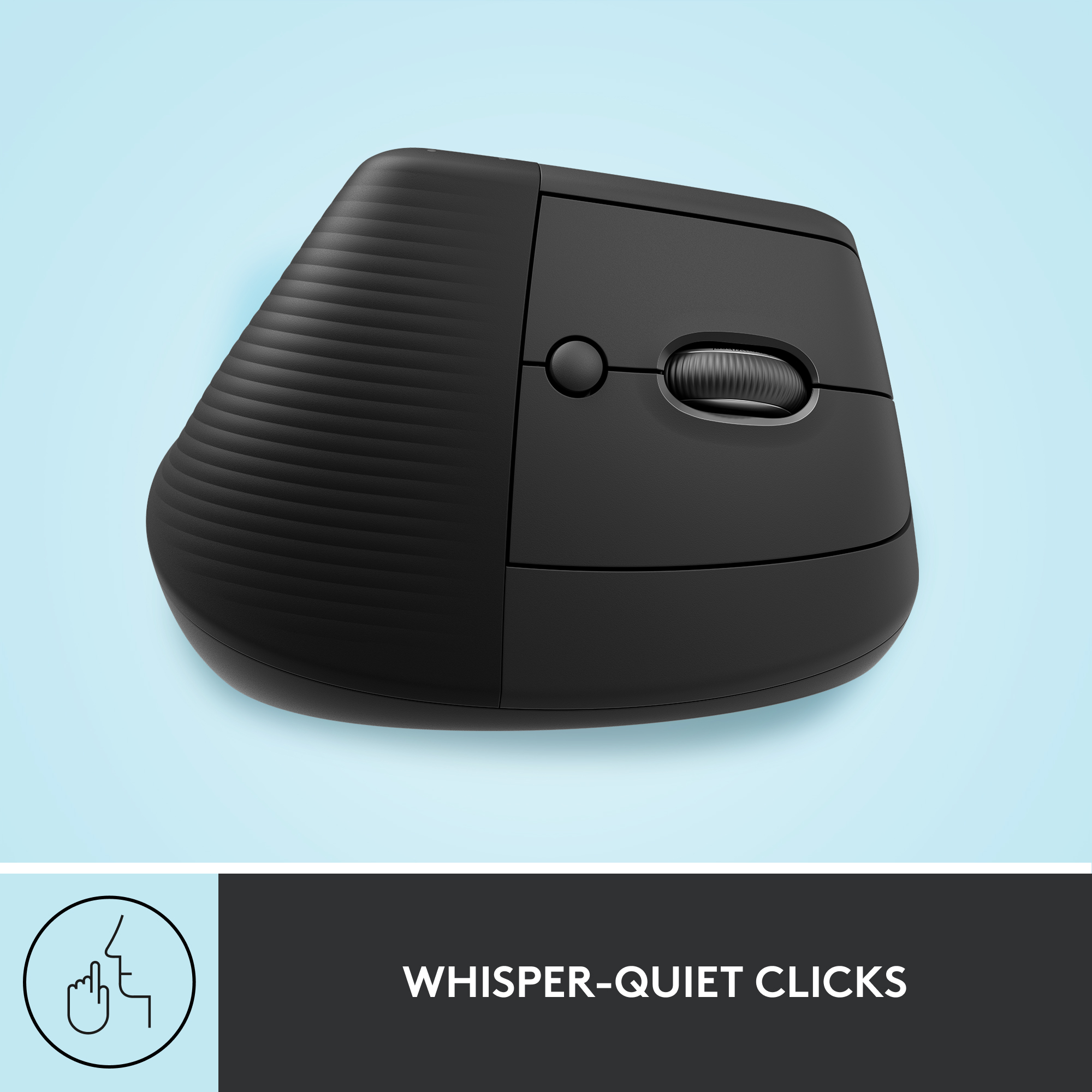
|Posted .This reviewer received promo considerations or sweepstakes entry for writing a review.The Logitech Vertical Mouse has a unique design that’s different than a traditional mouse. It’s supposed to be more ergonomic and more comfortable than a traditional mouse. Setup was easy and straight forward. When you pull the plastic paper tab from the battery contact, the mouse automatically comes on and is ready to pair. I was able to pair it with my MacBook Pro with no issues. The mouse supports up to 3 devices. I was able to press the button on the bottom of the mouse to switch to device 2 and was able to pair my iPad Pro. Then I switched to device 3 and paired another laptop. For computers that have a USB A port you can use the included dongle for that device without having to pair it via Bluetooth. This is good for computers that don’t have a strong Bluetooth connection or no Bluetooth at all. The mouse is made of quality materials. The door that gives you access to the battery and USB dongle is magnetic. No need to slide or use tabs to open the door like other mice. The rubberized coating feels good to the hand. The left and right click buttons on the mouse are very quiet. When I’m in a quiet room with others, they can’t even hear my mouse clicks while using the mouse. The scroll wheel is also very quiet and it supports slow and fast scrolling modes. The secondary buttons aren’t has quiet. The one closest to the back of the mouse is quiet, but the one closest to the front is somewhat loud. I’m not sure if it’s supposed to be this way, or it’s just that way with my particular unit. I have noticed some wrist discomfort depending on how I use it. When my arm and wrist are resting on my desk, my hand is automatically in the position of this mouse, which feels very comfortable. If I’m using it on a smaller desk where I can’t rest my arm on the desk and my arm is suspended in the air, then it’s not as comfortable to me. Overall, it’s a very good mouse that feels comfortable, depending on how you use it.
I would recommend this to a friend Not a fan
||Posted . Owned for 1 month when reviewed.This reviewer received promo considerations or sweepstakes entry for writing a review.Not a fan - Mouse works fine, but it is a HORRIBLE design! I tried to use this while traveling on an airplane and the mouse was just not comfortable to use while traveling. Unfortunately, i got back to late to return it.
No, I would not recommend this to a friendBrand response from Logitech
Posted .We're sorry to hear you didn't enjoy the design of the Logitech Lift Vertical Wireless Ergonomic Mouse, especially for travel use. We appreciate your feedback and apologize for any discomfort or inconvenience it caused. We understand your frustration at missing the return window.
Ergo comfort
||Posted . Owned for 2 months when reviewed.This reviewer received promo considerations or sweepstakes entry for writing a review.Verfy comforatable to use. Never will i go back to a regulsr mouse.
I would recommend this to a friend- Pros mentioned:Battery life, Ergonomics
Quality and function you expect from Logitech
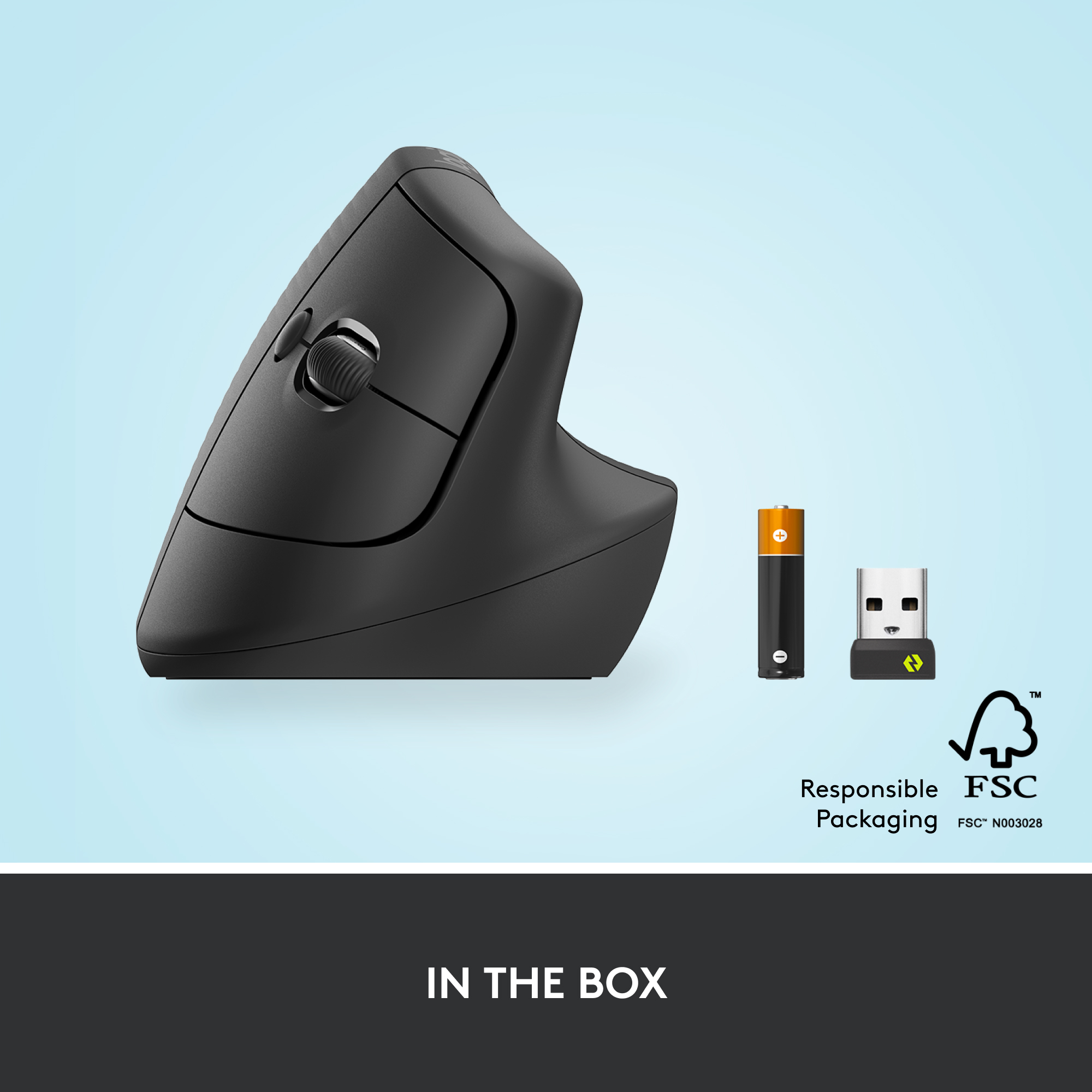
|Posted .This reviewer received promo considerations or sweepstakes entry for writing a review.I'm on the computer about 10-12 hours a day for work and personal use. My hands are getting a little worn and noticed my wrist is at an abnormal position so wanted to get a mouse a little more egronomic than what I've been using. Enter the Logitech Lift, a more ergonomic mouse. I read a lot of good reviews of the previous version so I wanted to give this a try. What's in the Box Along with the mouse, it includes the USB unifier, and a AA battery that the Logitech says will last for 2 years. The mouse itself looks great, the palm portion feel nice and grippy with a soft rubberized coating. Setup With the Lift mouse, you have 2 options in how you connect it to you computer, either use the unifier or bluetooth. I opted to use bluetooth since I wouldn't have to plug anything in. At the bottom of the mouse, there is a switch to pair the mouse up to 3 devices. Feel of the Mouse The Lift vertical mouse feels great, my hand and wrist feels more at a natural position. I wasn't used to the vertical grip position but now that I'm using it feels very comfortable. I think Logitech put in a lot of effort in the getting the angle just right, as mentioned it feels very natural in how I'm holding the mouse. Conclusion The Lift mouse is just as any other mouse except the vertical stance and more comfortable feel. After setup and changing the tracking setting I was pretty happy and impressed on use.
I would recommend this to a friend Superior mouse
||Posted . Owned for 1 month when reviewed.This reviewer received promo considerations or sweepstakes entry for writing a review.Excellent product!! Very comfortable ergonomic position!!
I would recommend this to a friend- Pros mentioned:Ergonomics
Another Logitech Homerun
|Posted .This reviewer received promo considerations or sweepstakes entry for writing a review.Just when you think Logitech has done all they can do with a mouse, think again. This is fantastic. Nearly everyone uses a mouse for one reason or another and you never really stop think if there is a better design. Well, glad Logitech has answered that question. I love how my arm and hand rest now in a more natural state when I am using the mouse. This is probably as close as it gets to “thinking” what you want the mouse to do and it does it, with little effort from your arm and hand. The position of the buttons is perfect for me. I also found the scroll wheel to be at the perfect angle as well to reach when I need it. And you get the aux buttons near your thumb so you can program certain actions with those to meet your needs. The clicks are quiet so if others are around you, they will not be distracted by your clicking. Of course you get two ways to connect, bluetooth or with the included usb paired dongle. And like all things Logitech, you are out of the box and connected to your device in only a few minutes at most. Super easy to pair and you will be off and working. Bonus you can connect up to 3 devices at a time, so you can quickly change between them without having to re pair each time. Genius.
I would recommend this to a friend hard pass
||Posted . Owned for 4 months when reviewed.This reviewer received promo considerations or sweepstakes entry for writing a review.This is a total fail for me. It’s completely awkward to rest my hand on and clicking the buttons is near impossible.
No, I would not recommend this to a friendBrand response from Logitech
Posted .We're sorry to hear the Lift Vertical Mouse didn't work out for you. We understand that ergonomic designs can be a matter of personal preference, and we apologize that it felt awkward and difficult to use. We appreciate you sharing your experience.
Stand up mouse
||Posted . Owned for 1 year when reviewed.This reviewer received promo considerations or sweepstakes entry for writing a review.Strange feel and not my cup of tea returned and bought the Max Master
No, I would not recommend this to a friendBrand response from Logitech
Posted .We apologize the product didn't provide the comfortable experience you expected and caused inconvenience. We appreciate your feedback.
Awkward
||Posted . Owned for 5 months when reviewed.This reviewer received promo considerations or sweepstakes entry for writing a review.Just awkward. Had to return. I dont have huge hands.
No, I would not recommend this to a friendBrand response from Logitech
Posted .We regret to hear that you had to return the mouse. We apologize for any inconvenience caused and thanks for your detailed feedback. We'll certainly pass this along to the right team.
Good upgrade for new ergo mouse
||Posted . Owned for 2 weeks when reviewed.This reviewer received promo considerations or sweepstakes entry for writing a review.Would be 5/5 if the usb connector would've been usb type c. Other than that its a good update from the mx vertical
I would recommend this to a friend- Pros mentioned:Battery life
Effortlessly Ergonomic
|Posted .This reviewer received promo considerations or sweepstakes entry for writing a review.It definitely will take some getting used to, at least for me. This is the first vertical style ergonomic mouse I’ve ever tried, and while I LOVE it, it isn’t as easy a transition as I thought it might be. The mouse comes in all paper packaging, no plastics at all. So much better for the environment, very nice! It uses 1 x AA battery which Logitech says should last 24 mos. Paring is super easy, you can use Bluetooth or the included USB dongle. By using both, you can pair this mouse with up to 3 devices, which is pretty cool. Precision was amazing. Right away the mouse was super accurate and almost too fast. It says it has a sensitivity rating of 4000 DPI, which isn’t crazy high compared to gaming mice, but the speed and accuracy of the Lift mouse was present right away. After dialing back the speed a little bit, you notice how comfortable it is to use right away. The traditional feeling of “using a mouse” goes away almost, and it feels like the tips of your fingers just have buttons you can access. Your hand is in a much more ergonomic and natural position using the Lift. It has a nice soft touch feel, glides effortlessly across the desktop. The buttons have very minimal travel and feel great to click, while making almost no noise at all. The scroll wheel is super quiet with just a slight sense of resistance. You also have mappable buttons above your thumb rest, that using Logitech software will allow you to customize to your liking or workflow. I did notice that sometimes those buttons felt in the way, and pressing those led to accidently left/right clicks since putting pressure on the mappable buttons tended to shift the mouse to the right and my fingers would compensate with pushing back. Nothing too serious, but would have been nice to maybe have the mappable buttons lower on the inside. This mouse is ideal for those that might have plenty of arm support on their desk or table. For me, my arms tend to reach off the desk, with only my wrists and hands supported, and that is where it’s going to take some time for me to adjust. I kept resting the outside of my hand or wrist on the table, so over periods of time, they got sore. With full arm support this mouse is a dream to use. Nothing having to do with the mouse itself, just the posture in which I’m using it. If your arms tend to hang off the desk a bit, using a mouse like this might be hard to adjust to as well. I love using this mouse, it feels so comfortable and effortless. I just need to keep adjusting my desk posture to find my sweet spot.
I would recommend this to a friend - Pros mentioned:Ease of use, Ergonomics
Great mouse for long use
|Posted .This reviewer received promo considerations or sweepstakes entry for writing a review.As a Tech insider I got the opportunity to try this item out and write a review for it. Inside the box you get the mouse and a single double A battery along with a USB type A receiver. The mouse is wireless which uses a USB receiver or Bluetooth low energy I would assume Bluetooth 4.0 since it doesn't say which specification on it. Which is nice if you have a laptop or device with no USB type A port on it . This mouse is for right handed users only because it is built to be ergonomic for right hand people. Logitech also makes a left handed device if you want to buy one. The mouse is very easy to set up using the dongle or Bluetooth and once it's up and running it's easy to use. You have the left and right button as with the scroll wheel. The Logitech software for the mouse you can also have two customizable buttons where you keep your thumb at that you can button map to certain apps like back and forward which is the default on these kind of buttons. The mouse is built for ergonomics and it fits well making it easy to use for hours on end without any fatigue
I would recommend this to a friend - Pros mentioned:Battery life, Ergonomics
Quality all around and comfortable form factor…
|Posted .This reviewer received promo considerations or sweepstakes entry for writing a review.I spend too much time on my computer. This has been the case for many years, but over the last couple, it has been even more…extreme. For as long as I can remember, honestly, I have been using some iteration of Logitech MX mouse…Master, Rev, 1,2…etc… I’ve been nothing but happy with them over the years. That said, my posture, setup, and bad habits mean I have been having some minor issues with hand, arm, and shoulder pain. Having never used anything remotely ergonomic before, I was curious. It is a mostly typical Logitech experience out of the box. You get everything you need to quickly get setup. You can use either bluetooth or the USB dongle to connect (Windows, macOS, iPad OS, Chrome, or Linux). No issues for me. It is their Bolt system now, rather than the typical Unifying one from the past. I don’t really see any difference, but it is supposed to offer better connection and more security. That said, it does not seem to work with older devices. Something to note. Beyond that, power is via 1 AA battery, which is included. The battery is supposed to work for 2 years, which sounds a bit out there, but I have never had any complaints with any of my prior Logitech devices so I think it will probably be fine. Regardless, AA are easy to find, and, frankly, it is nice to have one less thing to charge. As for the device itself. Good weight and build quality, with a “nice feel in the hand” material-wise. There is a lot of plastic here, but given the price point, it makes sense. The buttons are responsive, well-placed, and clicky but not too loud. Design wise, it looks, well, like a Logitech mouse. I like the colors and surface textures used. There is nothing wild going on here, and I like the plain black and grey design. In the hand? Well, it feels good. As this was my first time using something like this, it took a bit of getting used to. That said, I am already adjusting, and it does not feel totally foreign to me at this point. I do have larger hands, and it feels fine, but it could be an issue for some. Anything “regular” to small should not be an issue. My hand and arm do “feel” in a more natural position, but I really am going to have to give it more time to be able to tell if there are real benefits to how I feel. I think this will be a good thing in the long run, but only time will tell. In use, it is a very standard Logitech experience. They provide several useful buttons in useful places, their click-wheel scroll options, and the software to get the most out of the device. Definitely use their Options software. You can map other keys and or functions to the buttons. I have been a firm believer in using the center button for “Enter.” I am sure everyone has their own specific use/need that they prefer, but definitely explore this option, it is worth your time. I should add you can also use this mouse across 3 devices. It is simple, very useful and nice to have. The device switching button IS on the bottom of the mouse, which, well, is what it is. A very minor inconvenience, but something to know. All in all, I like this mouse. Quite a bit. I guess I can’t really say, yet, if in the long term, my hand/arm/shoulder will benefit, but I think they will. It is comfortable. Beyond that, the mouse is very capable, albeit just a tick below the best Logitech has to offer. There is value here, and I think if you have or want to avoid repetitive pain, it is definitely worth a look.
I would recommend this to a friend Causes pain
||Posted . Owned for 1 month when reviewed.This reviewer received promo considerations or sweepstakes entry for writing a review.It worked as intended, but it caused a lot of pain. I had to purchase the MX Master 3S, which has worked a lot better. Unfortunately, I didn't return this one on time.
No, I would not recommend this to a friendBrand response from Logitech
Posted .We're sorry that the product didn't meet your expectations. We will be sure to pass on your feedback to the right team. Please reach out to Logi support and the team will definitely see what best can be done.
- Pros mentioned:SizeCons mentioned:Wrist pain
My wrist thanks you Logitech
|Posted .This reviewer received promo considerations or sweepstakes entry for writing a review.Over the last 2 years or so working heavily on the computer with a standard mouse I began to develop severe wrist and forearm pains from repetitive stress. After some physical therapy and the use of braces I switched up to a vertical mouse. I was using a cheap vertical mouse I found on Amazon for a roughly 8 months but it began to start creaking and the scroll wheel started squealing. I tried the Logitech MX Vertical but it did not fit my hand that well compared to a $20 mouse. A few months down the line Logitech made the lift and I was fed up with my cheapo mouse so I took the opportunity to give this new ergo mouse a go. The angle is similar to my cheap mouse but the grip is better. After dealing with creaky buttons and scroll wheels the quite touch buttons and smooth wheel are a huge welcome relief! I particularly like how the palm portion is a grippy soft touch where but the high wear area of the fingertips are a semi textured harder plastic. This will no doubt smooth down in shiny spots but it is better than when the soft touch breaks down and gets too tacky. There are multiple connections and the ability to use Logitech Flow which and the 3 connections allows me to use several devices, work desktop/surface tablet (via Flow), personal laptop and Samsung Dex. I was able to switch me cheap mouse as it has Bluetooth and 2.4ghz connections but it only allowed me 2 connections. The Lift allowed me to eliminate a mouse from my desktop setup. The Lift is smaller and lighter than the MX Vertical and my old cheap mouse and I use 2 different grips with it. I can either palm the entire mouse and my fingertips over hang the buttons, which I can still click the left and right buttons. Or I can shift my thumb from the thumb rest ledge to the edge of the mouse to lift and readjust without breaking my grip. (don’t know how ergonomic that is but it is working for me and not uncomfortable at the moment). As of now I see this as a perfectly suitable replacement for my cheap Amazon mouse and would recommend it to anyone who deals with repetitive wrist/arm pain from longhours on the computer.
I would recommend this to a friend