Customer Ratings & Reviews




- Model:
- 910-006466
- SKU:
- 11253981
Rating by feature
- Value
Rating 4.6 out of 5 stars
- Quality
Rating 4.8 out of 5 stars
- Ease of Use
Rating 4.7 out of 5 stars
to a friend

Unusual design, but definitely worth trying!
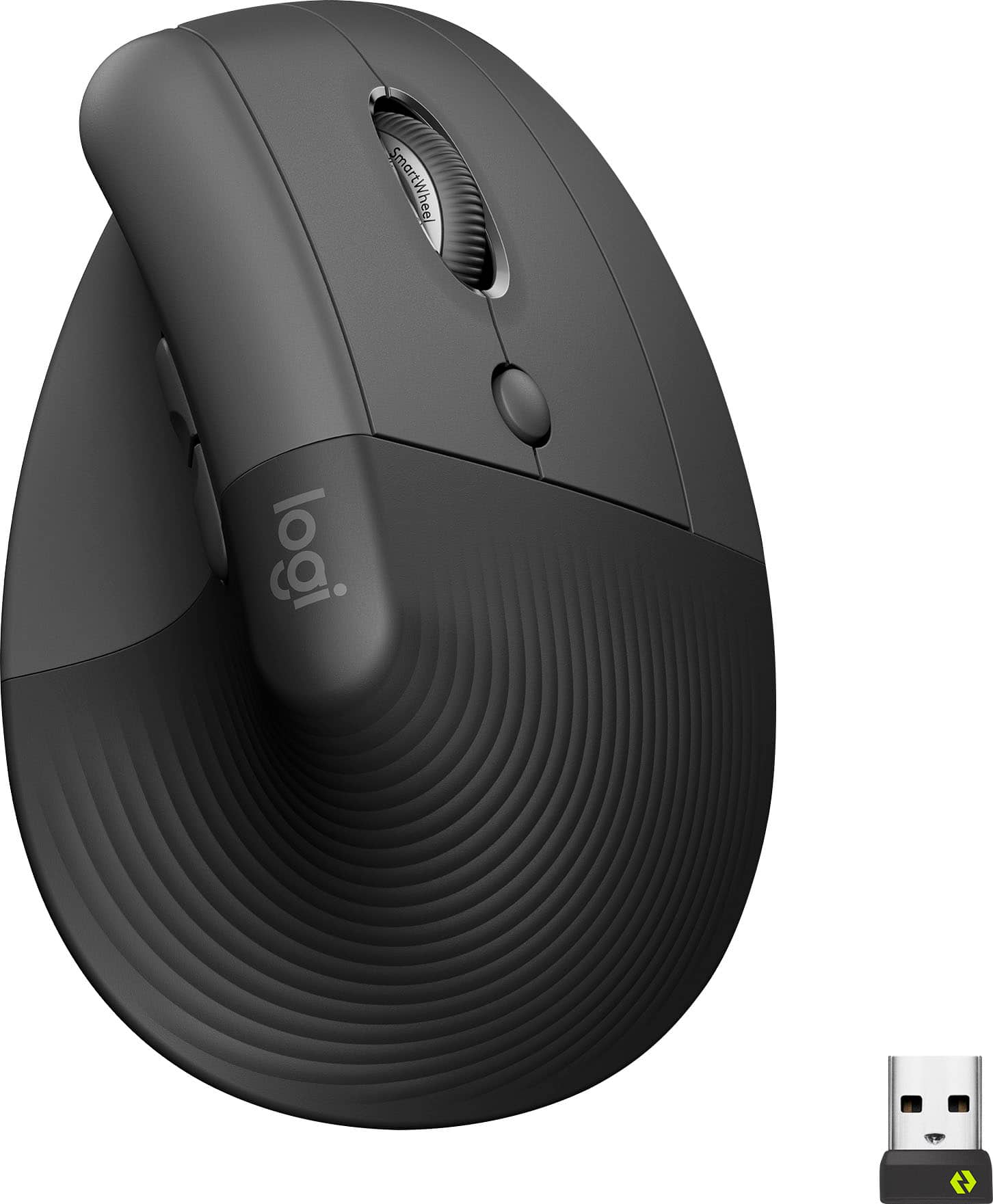
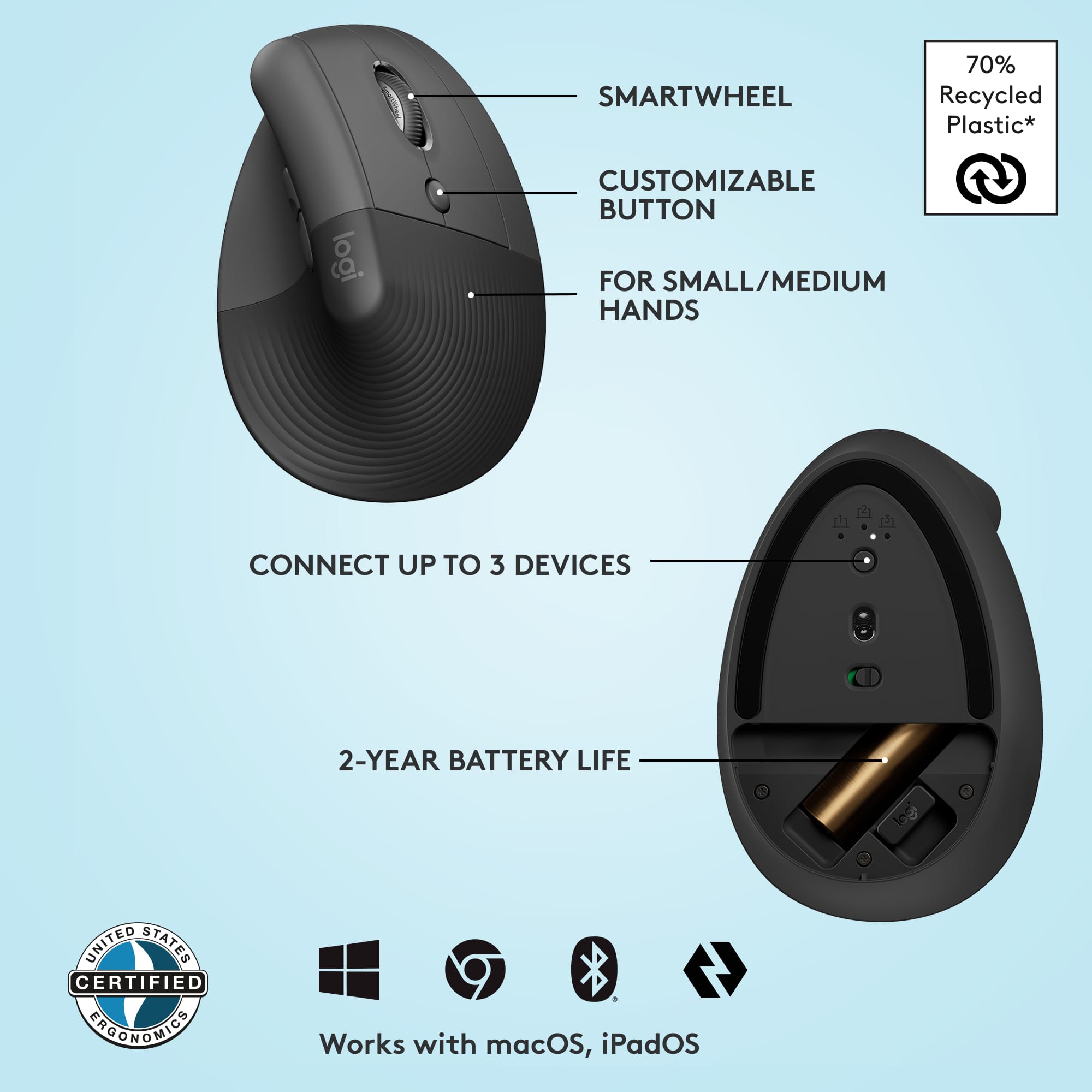
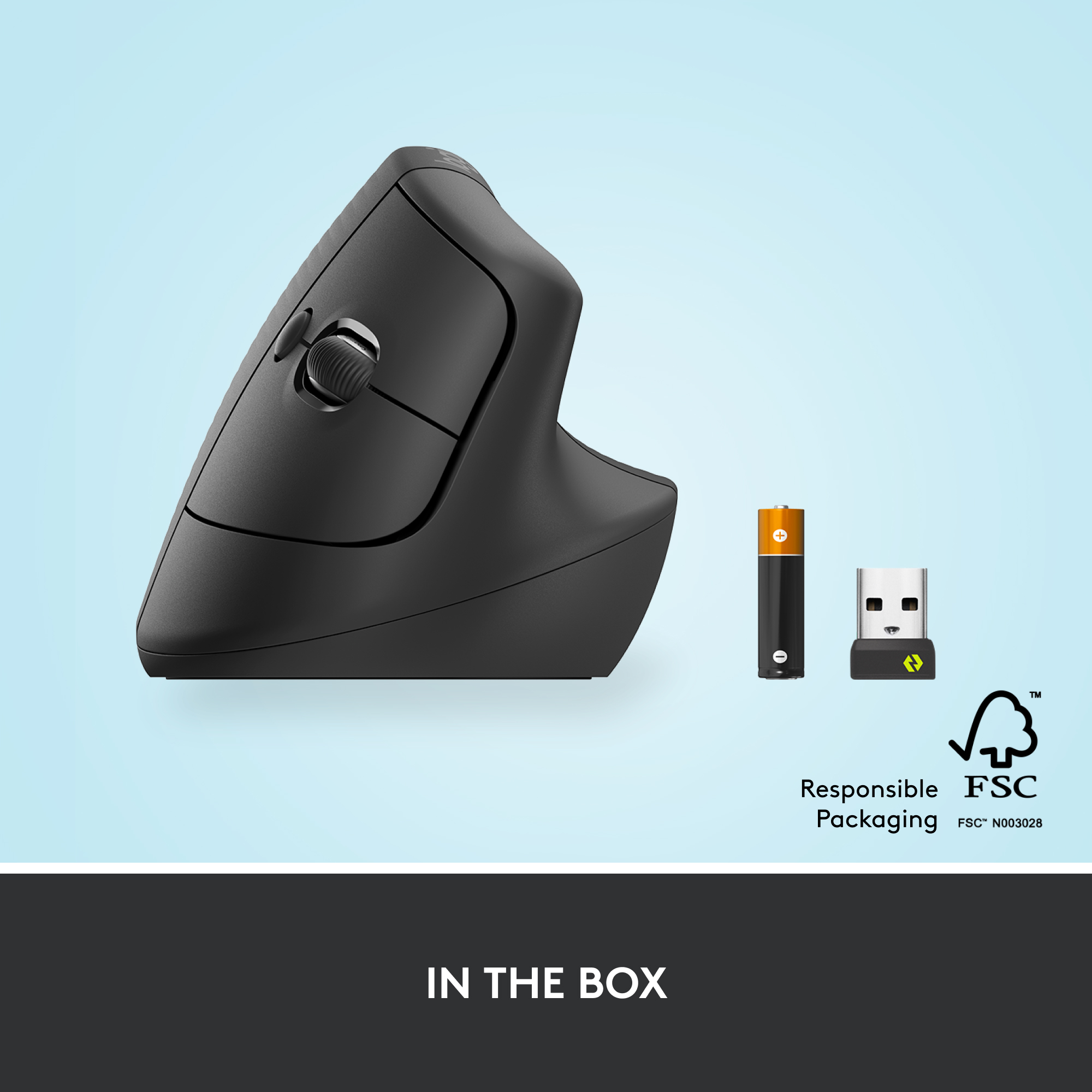
|Posted .This reviewer received promo considerations or sweepstakes entry for writing a review.At first glance, it’s an unusual design, but it’s actually been very comfortable. It took a couple of hours to get used to the ‘non-traditional’ hand positioning, but I don’t know that I’ll ever go back now. It feels much more natural than a traditional mouse. Pairing, via bluetooth anyway, was effortless. I didn’t bother trying the Logi Bolt USB receiver since the bluetooth pairing was so easy. It has a feature that allows you to pair it with up to three devices. There’s a little button, on the underside of the mouse, that you press to cycle between the devices. Personally, I find the location of the button mildly inconvenient. Perhaps that’s because I’m coming from a Logitech MX Ergo, which has the button for that function conveniently on the top of the mouse, and easily facilitates single-handedly switching between devices. Another miss with this feature is that it cycles through all three devices, even if you’re only using two. So, to switch from device A to device B only requires a single button press, but switching from B back to A requires two button presses as you have to cycle through what would be device C. Still not a deal breaker though. Installing the Options+ software (which is technically in Beta release, but you don’t need an invite) gives you the ability to change what the buttons do. You can change them globally, meaning no matter what app you’re in, you can set the front thumb button to ‘Copy’ (or several other functions), the rear thumb button to ‘Paste’, and the middle button to ‘Screen Snip’. You can also create app-specific settings, such as when working in Excel, have the rear thumb button ‘Paste Values’, or ‘Next Sheet’, etc… Pretty cool actually, as I use Screen Snip & Paste Values frequently. It also uses a single ‘AA’ battery, as opposed to an internal rechargeable battery like my MX Ergo. Personally, I prefer the regular ‘AA’ battery, as I can almost always find another one lying around the house in the event the battery dies. With my MX Ergo, I have to plug it in to get it charged back up. Overall, I’m impressed & would definitely recommend the Logitech Lift to others.
I would recommend this to a friendSmooth and easy to use
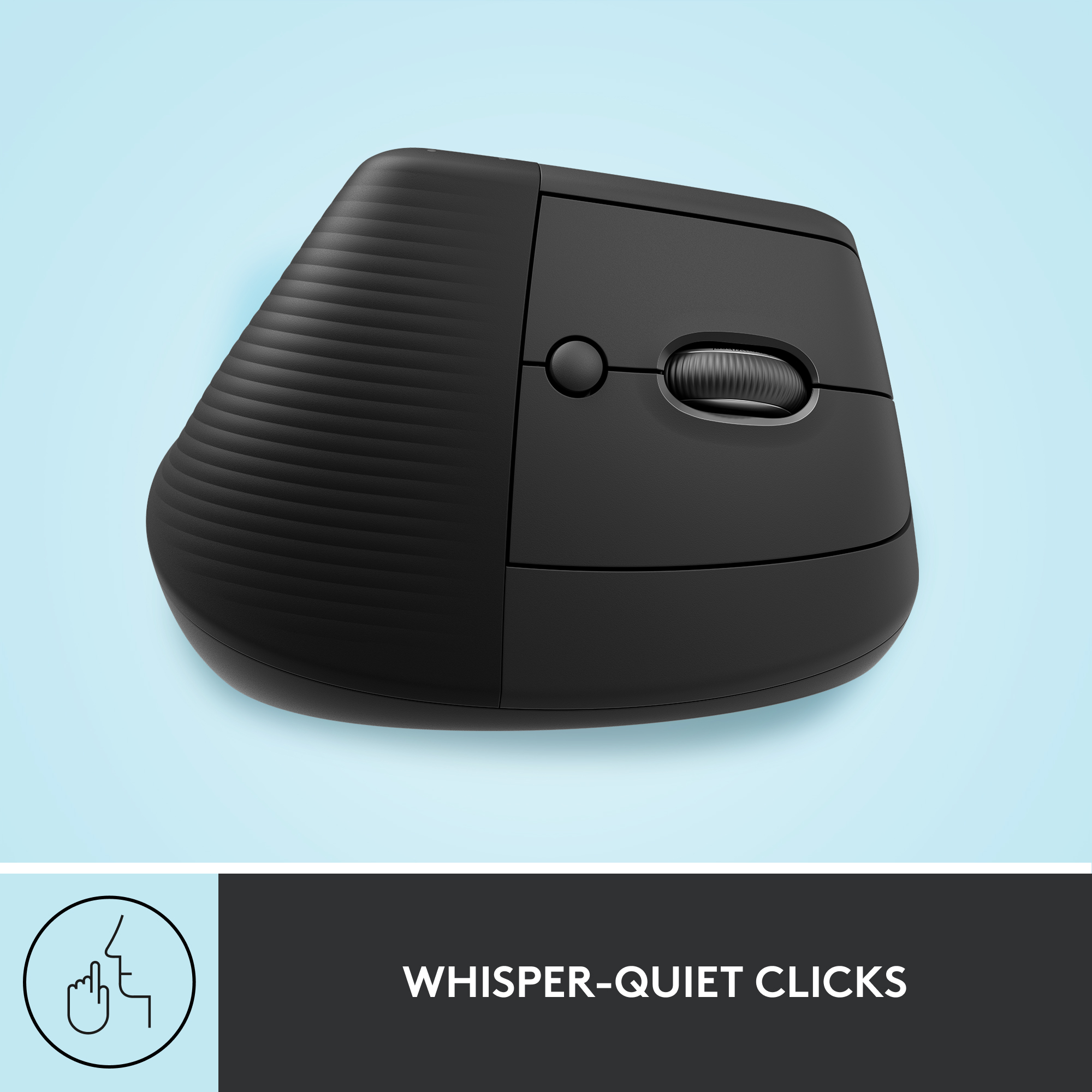
Posted .This reviewer received promo considerations or sweepstakes entry for writing a review.It fits in the palm nicely and is very intuitive to use. I enjoy how quiet and soft the keys are when clicking (tho the forward/back button has an audible sound). It's able to connect to 3 devices, one of which is through the bluetooth usb so there's really more than three devices that can be used interchangeably with this mouse. Very satisfied!
I would recommend this to a friendGAME CHANGER!!!!!!
Posted .This reviewer received promo considerations or sweepstakes entry for writing a review.I have repetitive strain injury from working too many hours on the computer. Logitech Lift Vertical mouse is a Game Changer!!!! NO PAIN anymore! No more ice packs and anti-inflammatory creams! No learning curve. easy to adjust to.
I would recommend this to a friendBrand response from Logitech
Posted .Hey there! So glad to hear the Lift Vertical is helping you out with your RSI - that's exactly what we designed it for! We hear that a lot from folks who've switched to a vertical mouse. Ergonomics can really make a world of difference.
Worth the money
Posted .This reviewer received promo considerations or sweepstakes entry for writing a review.This mouse has been a hand saver. It has greatly reduced the pain from early carpal tunnel. I work at the PC doing graphic design for up to 12 hours a day. It has smooth action and is a natural position for my hand. I'd rather pay fot a more expensive mouse now, than surgery later.
I would recommend this to a friendBrand response from Logitech
Posted .That's wonderful to hear! We're so pleased the Logitech Lift has been a hand saver and provided pain relief during your long workdays. Thank you for sharing your valuable experience—it's fantastic to know it's making a real difference for you.

Great for alleviating carpal tunnel
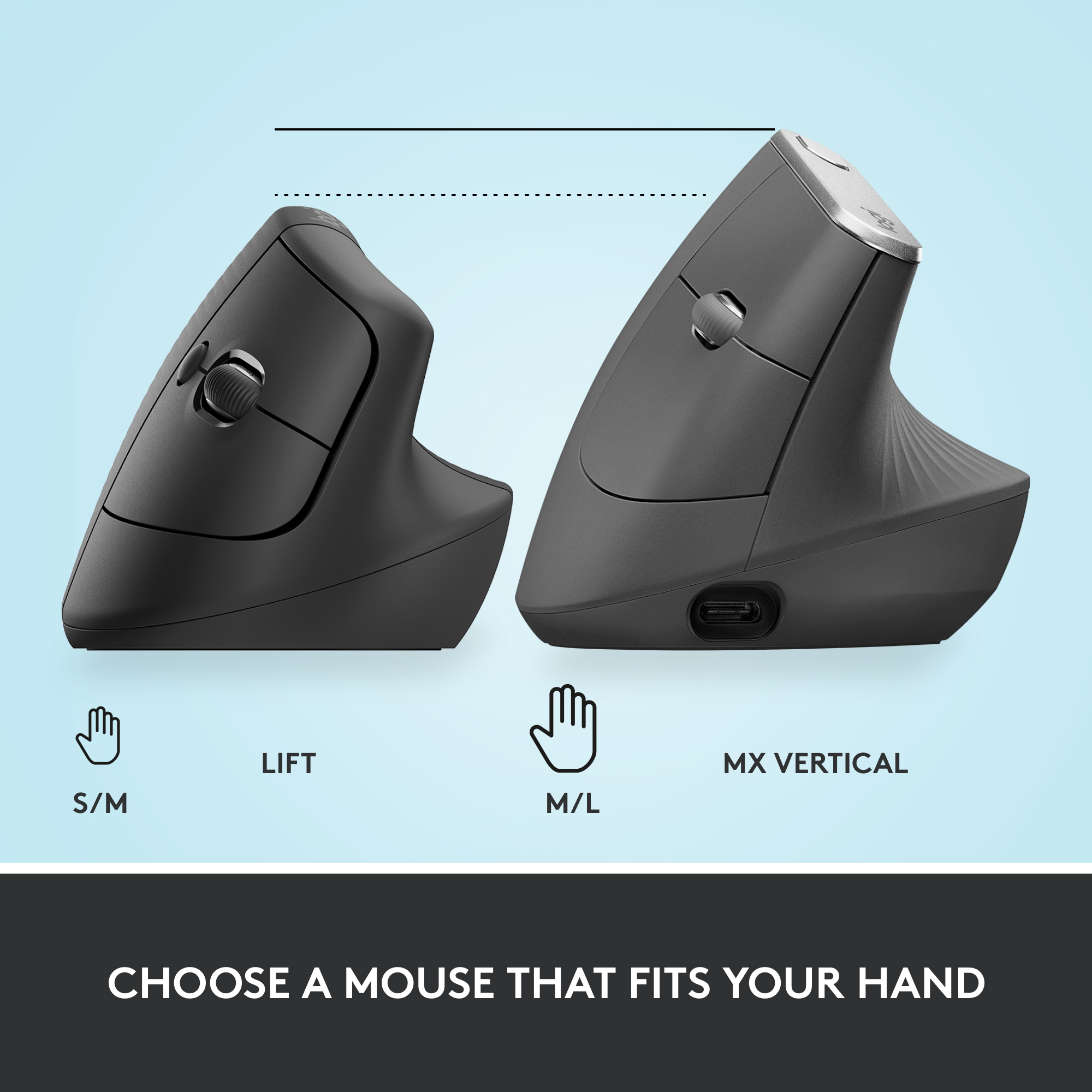
Posted .This reviewer received promo considerations or sweepstakes entry for writing a review.I recently started a remote job that has me using spreadsheets and emails (aka my mouse) for 8 hours a day. I started feeling carpal tunnel symptoms using my standard mouse after about 3 weeks. This mouse has SAVED me! The pain in my fingers, wrist, and forearm faded within a week. Plus, it's very aesthetically pleasing. I tried a knockoff off Amazon first because the Logitech price tag scared me, but Amazon's mouse only made a dent in my pain & Logitech clearly utilizes a better angle. I was worried my hand would be too large for this model (based on Logitech's size guide, I am at the very top of the size range, possibly slightly over the limit), but it's working very well for me. I highly recommend for anybody putting their mouse into high use - your health is worth it!
I would recommend this to a friendA change of pace for your hand for all-day use!
|Posted .This reviewer received promo considerations or sweepstakes entry for writing a review.The Logitech - Lift Vertical Wireless Ergonomic Mouse is a uniquely designed mouse with the intent of reducing or eliminating stress and fatigue in your hand, wrist, and arm as you work at your computer. The non-traditional design keeps your hand in a more natural position and offers all the traditional buttons one would need to maximize their productivity. Offers Bluetooth and USB Dongle connectivity. I found this mouse to be a nice change of pace as someone who basically lives on their computer for work, school, and occasionally gaming. While I would not recommend this mouse for gaming, it is definitely helpful for long days in the office. The accuracy of this mouse takes a bit to get used to as your hand tries to learn a new feel. Not fast or accurate enough for a gaming situation however. My only complaint is that it is so large due to the shape that it is hard to just throw in your laptop bag for on the go. It is best left at one location and would be great for a home office or PC tower rather than a laptop setup for this reason. PROS - Logitect name, brand, and innovation - Great for long days of use - Comfortable - Easy to use once you get used to it - Offers both Bluetooth and USB connections CONS - Takes a little getting used to - Not easy to take with you due to the size and shape
I would recommend this to a friendGreat for Smaller Hands
Posted .This reviewer received promo considerations or sweepstakes entry for writing a review.This mouse has made a huge difference for me. It is perfect for smaller hands, and is much better than other ergonomic mice I've purchased.
I would recommend this to a friendNot very comfortable, slower to use.
||Posted . Owned for 2 weeks when reviewed.This reviewer received promo considerations or sweepstakes entry for writing a review.Personally I found a vertical mouse difficult to get used to. It did not feel natural and my use of the computer was slower as a result
No, I would not recommend this to a friendWorks well
|Posted .This reviewer received promo considerations or sweepstakes entry for writing a review.A bit interesting transitioning over to this style if you have always used a traditional style mouse. It works well once you get comfortable with the concept. Pairs up easily enough. I am not sure if it will have any effect on developing carpal tunnel issues or not in the long run. It allows your hand to be in a more neutral position while using it. Presumably your elbow does need to be rotated as far as it would be with the traditional style mouse. I am not really sure what else there is to say about a mouse. At first it was slow trying to get my brain to wrap around the new design. Once you use it for a while it becomes second nature just like anything else. Just like learning to drive, you have to think constantly at first but then your brain takes over and runs things for you, at least until you over think it. I think a 1000 character limit for this simple of a product is a bit extreme. It could use more colorful, cheerful options. It works as expected with no issues to discuss at this time.
I would recommend this to a friendAwesome device
Posted .This reviewer received promo considerations or sweepstakes entry for writing a review.Perfect. My hands are small! This is so easy to use and comfortable. I love this mouse! I don’t have any more problems with stiff or sore fingers.
I would recommend this to a friendBluetooth not found. Difficult software install.
|Posted .This reviewer received promo considerations or sweepstakes entry for writing a review.First of all, the set up is not nearly as easy as they would have you believe. I have a Bluetooth computer but my computer never recognized the mouse through its Bluetooth, so I ended up having to use the USB Bolt. Secondly, once I used the USB Bolt, the mouse started working immediately, but I could not customize the mouse without installing the software and when I was installing it, the installation window suddenly closed and I could not easily get back to that install again. Here’s what happened. After the window closed, I went through my programs to look for the app and it was not there. So I went to my Dowloads folder to double-click on the exe installation file, but it was also not there. Because the install file was not located in my Downloads folder and because the pop-up to download it never showed up again, I went on the Internet and found the file I needed to install. I downloaded it just fine, but every time I double-clicked on it, nothing happened. I tried this over and over again. All of the troubleshooting suggestions didn’t work at all. I kept looking for the app somewhere on my laptop because I thought that “maybe” it had installed, but it hadn’t. I even went to the Program folders to see if it was there, but it wasn’t. Finally, I noticed that every time I clicked on the exe install file, it gave me a long convoluted path to where it said it was temporarily putting the exe file for the install. I thought that maybe that had already happened but for some reason that file was not running. So I wrote down the path to find the file. (It’s in a hidden folder, so you have to unhide hidden files and folders first.) The path was C:\Users\(my computer name)\AppData\Local\Temp\Iu and the file was the exe file with the green icon. Warning: the path they told me it was in was not there. So once I got into the Temp folder, I opened every folder there looking for the correct one. The folder it was in was called “Iu”, not LogiTech… Once I double-clicked on that green icon exe file, I finally got the app to open and I got a window pop-up that said I needed to restart my computer to go to the next step, so I did that. Then once it restarted, that app opened on its own and finished installing. After that, I finally had access to it. I’m wondering how many people would know how to do that. In that app, the main thing I wanted to do was reassign the customizable buttons on the mouse. I made the circular button below the scroll wheel to be “Speaker On and Off.” Then I made the two buttons on the left side of the mouse to be “Volume Up” and “Volume Down.” I made the center button on the scroll wheel to open the “This PC” folder in File Explorer. I played with all of the other settings but I liked them as they were so those were the only changes I made. Some of the other settings you can change are: your pointer speed, the way your Scroll Wheel scrolls, and more. I thought getting used to the shape of the mouse would be difficult but it was not. It felt natural from the beginning and finding and using all of the buttons on the mouse was intuitive and natural. My complaints about the mouse are: • Installation of the software was VERY difficult. I have no idea why the install window closed on its own prematurely, but you really have to know what you’re doing to get back to the installation again. • I was very disappointed that it didn’t work with my Bluetooth. My Bluetooth was on and working and as soon as I did a scan, all of the other devices in the room were found immediately. I really wanted that to work in order to free up a USB port. • A rechargeable battery should be one of the perks of this device. I prefer to plug my mouse into power to recharge it rather than go through AA batteries. Things I like about the mouse are: • The ergonomic design. • The customizable buttons Would I buy this again? Probably not. I would prefer to get a mouse that recharges and works with my Bluetooth. It’s a good mouse but I really wanted those 2 features as well as the customizable buttons.
No, I would not recommend this to a friendGreat for work
Posted .This reviewer received promo considerations or sweepstakes entry for writing a review.Has worked very well, no issues at all! Great for work where I am using a mouse all day.
I would recommend this to a friendBrand response from Logitech
Posted .Thanks for the great review! We're thrilled the Lift Vertical Mouse is supporting your workday with comfort and reliability your satisfaction means everything to us.
Awesome Logi Product-GET IT!
Posted .This reviewer received promo considerations or sweepstakes entry for writing a review.I've been going back and forth on whether to buy this mouse or not. Today I finally pulled the plug. I am constantly editing PDFs and constantly clicking on a regular mouse leaves my hands/fingers in pain. Let me tell I thought I would need an adjustment period per our reviews but not at all. It was a natural feel right away. It's a match made in heaven. I love the how effortlessly the mouse moves, quiet clicking and it's a great fit for me. Worth the money.
I would recommend this to a friendGreat buy
Posted .This reviewer received promo considerations or sweepstakes entry for writing a review.Easy to use and set up. I liked the color and overall design.
I would recommend this to a friendYou won’t regret this purchase
Posted .This reviewer received promo considerations or sweepstakes entry for writing a review.I got a new job where I was clicking on a mouse for hours and began having wrist issues. I found this on TikTok, thought it was too pricey, and forgot about it. When the wrist pain intensified, I sucked it up and spent the money on this mouse and I’m SO GLAD I did. It has made my job more enjoyable and I plan to use it for school use, too. Great for those who spend all day clicking like me.
I would recommend this to a friendGreat Mouse. Must buy!
Posted .This reviewer received promo considerations or sweepstakes entry for writing a review.I absolutely love this mouse. It works great and so easy to adjust to using. I also love the app that you can download to your desktop to keep up with updates and it also provided information on battery life.
I would recommend this to a friendBrand response from Logitech
Posted .Hey! We are thrilled you absolutely love the Lift Vertical Wireless Ergonomic Mouse! It's fantastic to hear that it works great, is easy to adjust to, and that you find the app helpful for updates and battery life. Thanks for the kind words and letting us know it's a must-buy!
Great product
Posted .This reviewer received promo considerations or sweepstakes entry for writing a review.After 33 years of typing I started to have the beginnings of an ergonomic injury. I ordered this product and started using it and the injury started clearing up immediately. Shape is odd looking, but very comfortable. Took just a little bit to get used.
I would recommend this to a friendMouse extremely easy to use
Posted .This reviewer received promo considerations or sweepstakes entry for writing a review.I was having a lot of problems from hand cramps because I was working long hours with a conventional mouse. Since I purchased this mouse I no longer have hand cramps and I am able to perform better at work. I highly recommend it.
I would recommend this to a friendBrand response from Logitech
Posted .We're glad to hear the Lift mouse has helped alleviate your hand cramps and improved your work experience. It's designed to provide comfort and efficiency. Thank you for sharing your positive experience!
Oh no my mouse died.
Posted .This reviewer received promo considerations or sweepstakes entry for writing a review.Ten min. into my work day and the mouse died. Ordered on bestbuy.com. Works exactly as expected. Did curbside pick-up. One of the easiest transactions of my life.
I would recommend this to a friendBrand response from Logitech
Posted .We're sorry to hear about your previous mouse, but glad the Logitech Lift worked as expected and the curbside pickup at Best Buy was a breeze!
Great Mouse!
Posted .This reviewer received promo considerations or sweepstakes entry for writing a review.This mouse is the perfect size for a small hand. The tower design is a lot easier on my hand, I was surprised that the small change in position made a big difference.
I would recommend this to a friend