Customer Ratings & Reviews
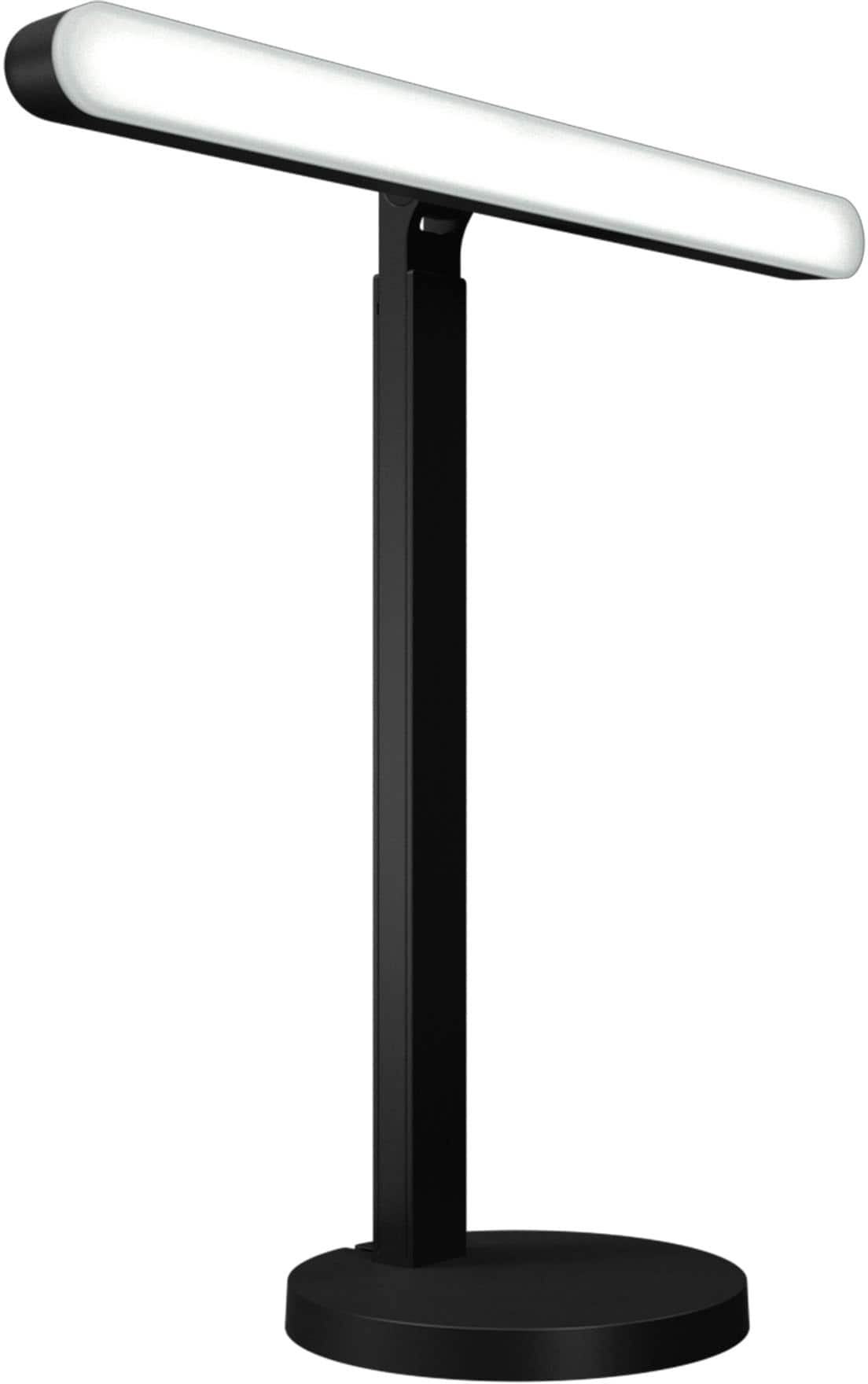

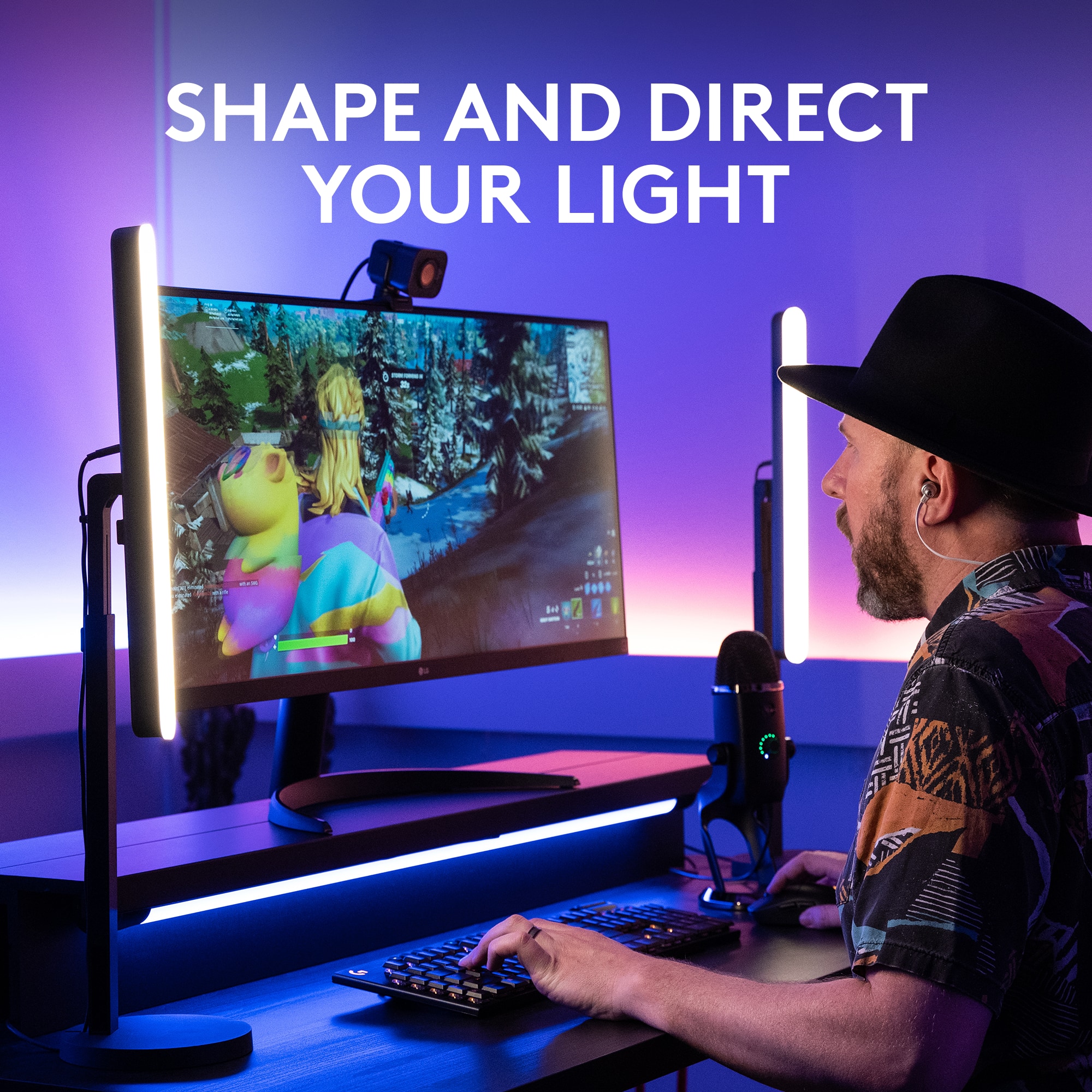
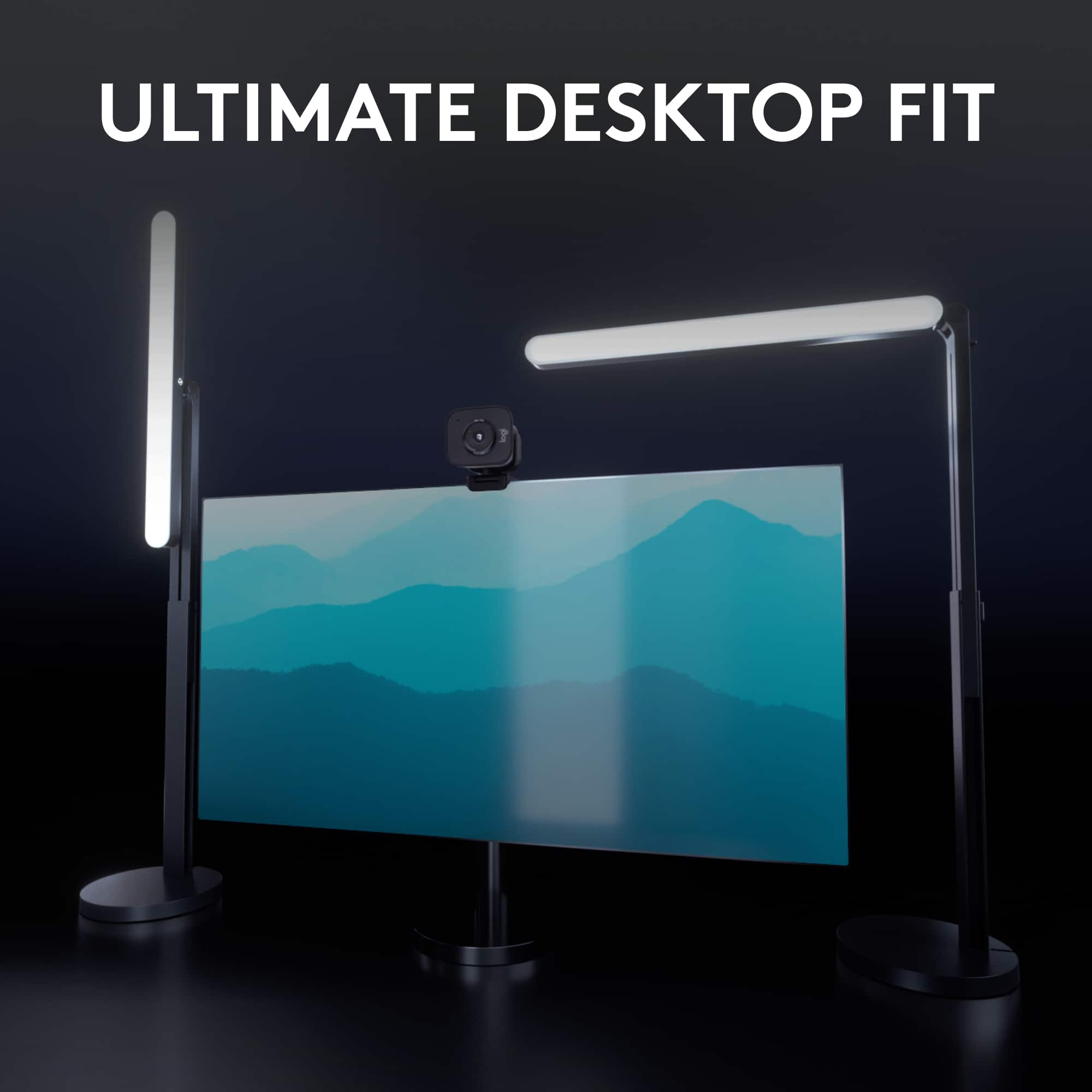
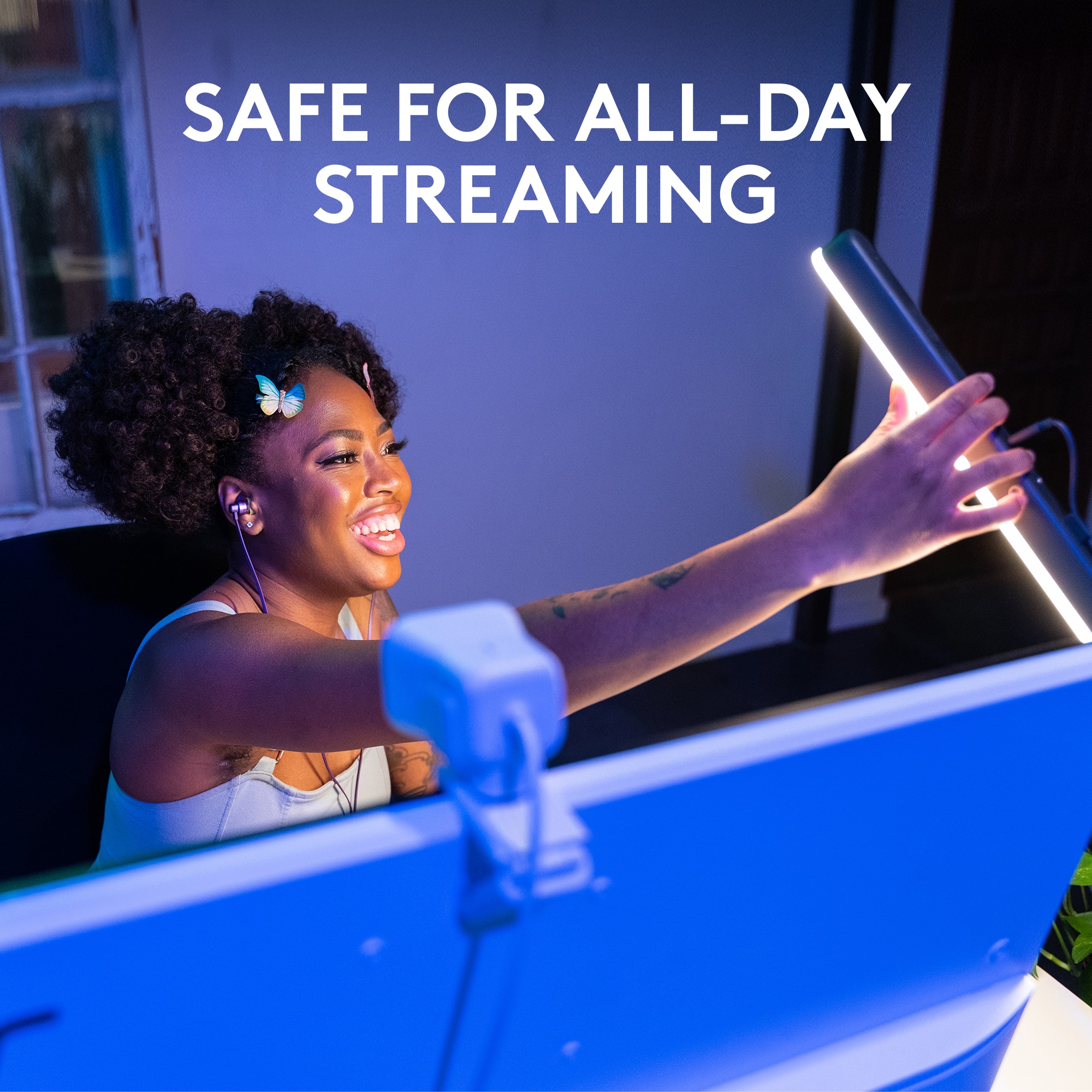

- Model:
- 946-000006
- SKU:
- 6520378
Rating by feature
- Value
Rating 4.4 out of 5 stars
- Quality
Rating 4.7 out of 5 stars
- Ease of Use
Rating 4.8 out of 5 stars
Customers are saying
Customers love the Litra Beam Premium LED Streaming Light for its excellent brightness and ease of use. Many appreciate its intuitive setup, well-thought-out design, and multiple mounting options. Some customers have noted concerns regarding its price and the amount of heat it generates, while others feel the cable design could be improved. However, many are happy with the overall performance and find the software to be a helpful enhancement.
This summary was generated by AI based on customer reviews.
- Pros mentioned:Brightness, Ease of use
Great Stream Light
||Posted . Owned for 1 month when reviewed.This reviewer received promo considerations or sweepstakes entry for writing a review.Easily maneuvered, and easy to adjust. Very bright. Light change features are great during streaming. Wish I bought 2!
I would recommend this to a friend - Pros mentioned:Brightness, Ease of useCons mentioned:Cable

Bright and Versatile
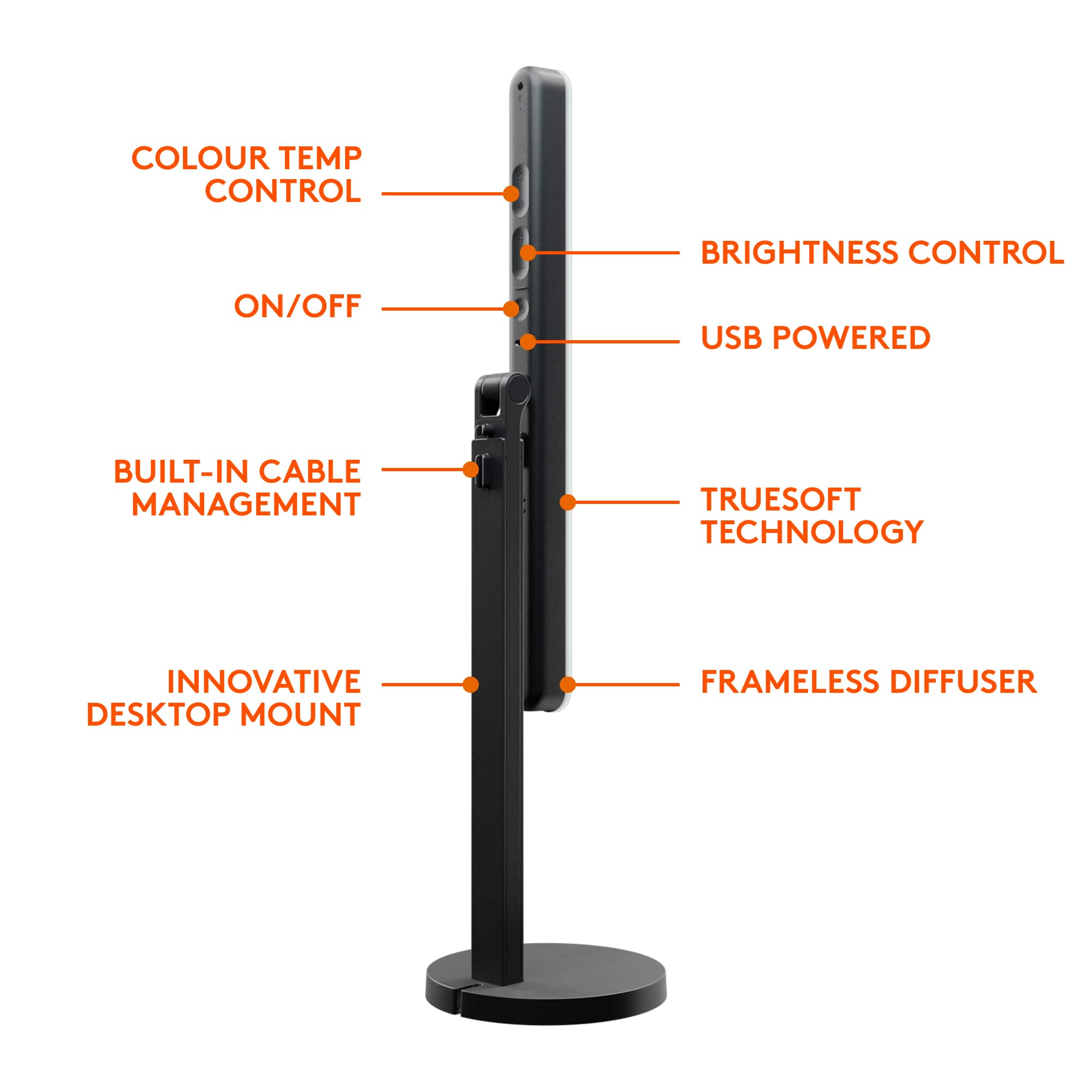
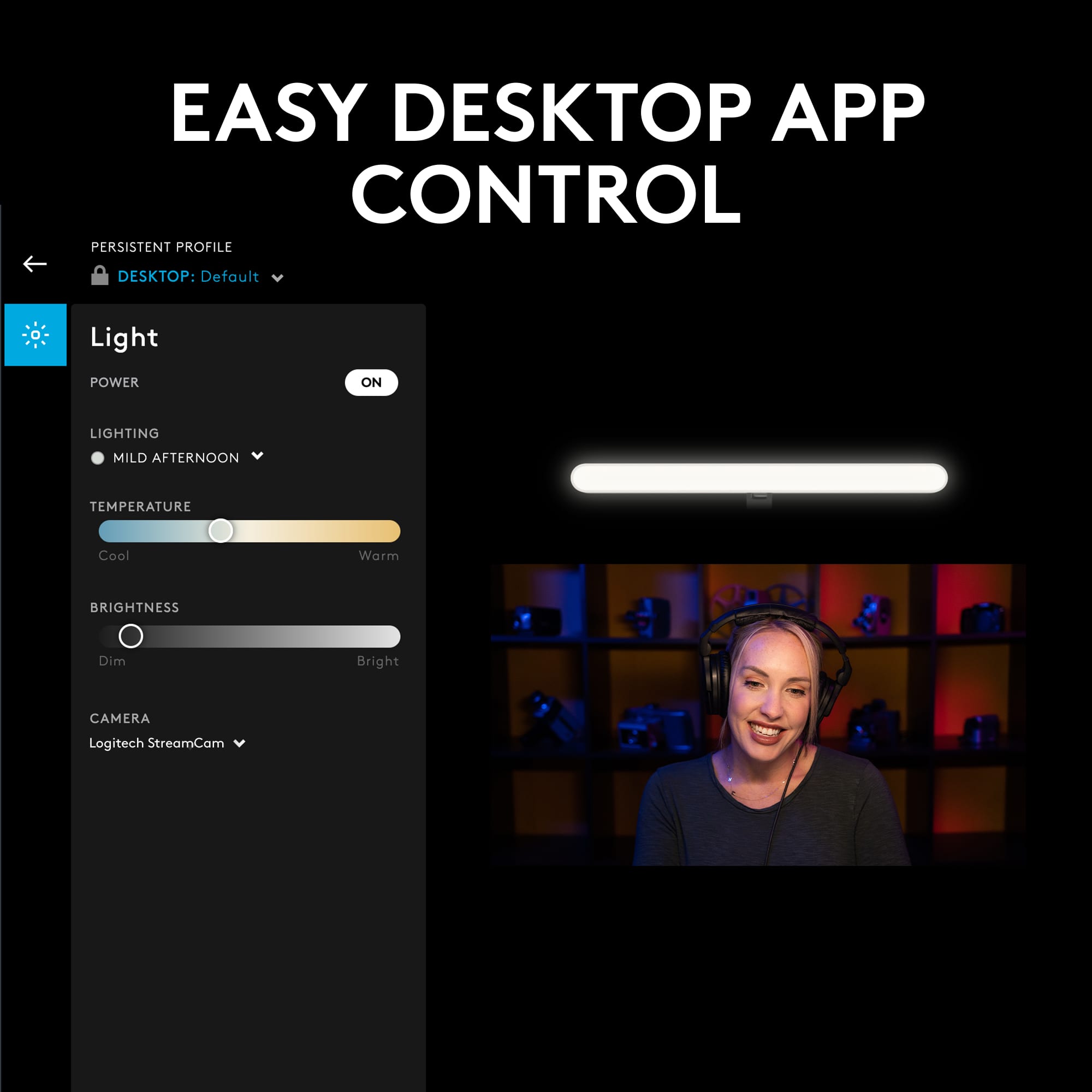
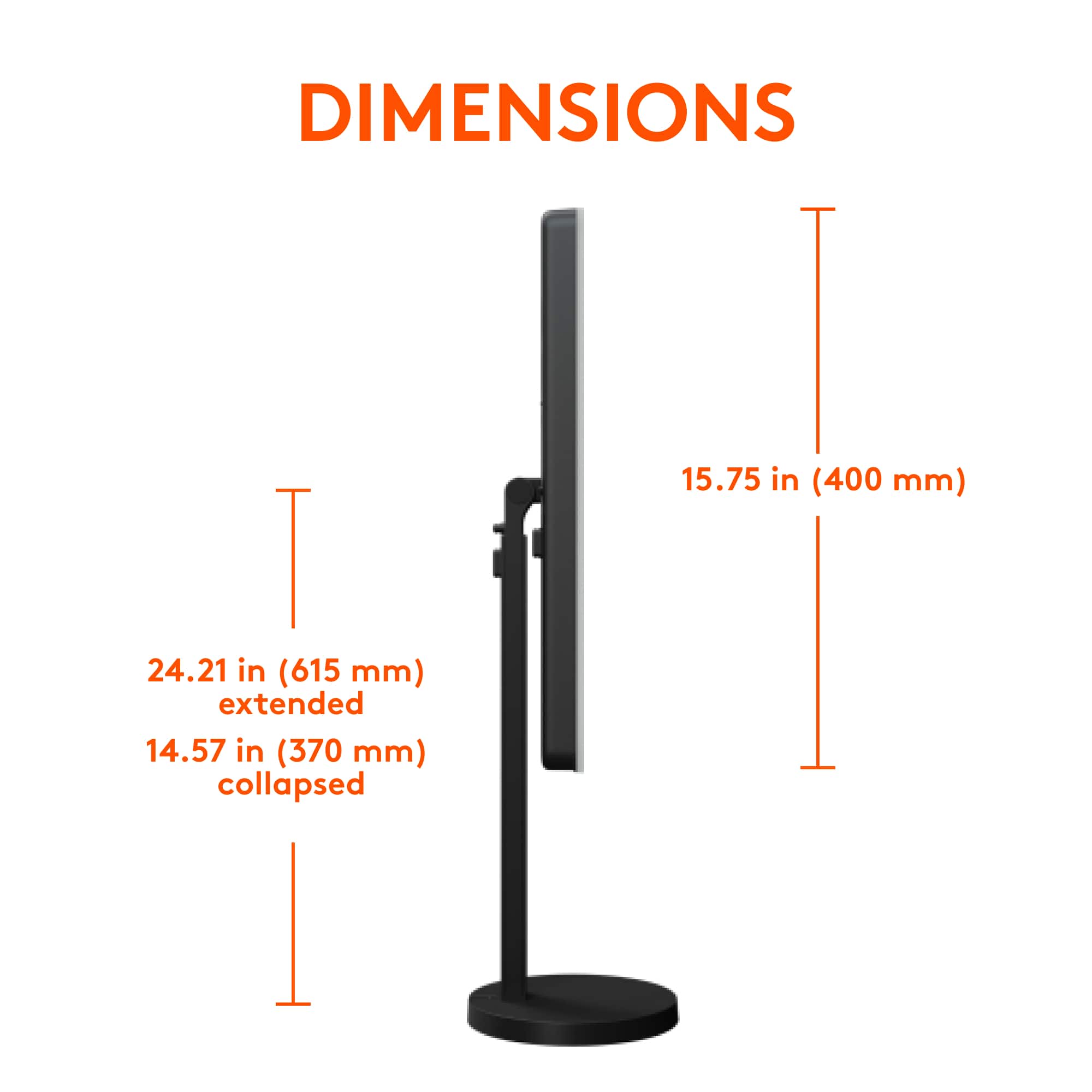
|Posted .This reviewer received promo considerations or sweepstakes entry for writing a review.Great versatile light. You have 3 different locations to attach the light to the stand, paired with several pivot points to direct light pretty much anywhere. That, and a nice build quality on the stand itself. It’s very minimal, and while rigid plastic, looks and feels more like anodized aluminum. It’s sturdy and has some added weight the the base. The light bar itself is also nicely made, buttons fairly easy to feel for and plenty bright. Speaking of bright, Logitech didn’t skimp on the driver. It has no flickering or sync issues when on camera and smoothly moves between cool to warm whites and different brightnesses, just as promised. The entire front diffuser provides good soft light, similar to a soft box. It’s great for quality front lighting during streams or video calls. While the light provides versatility in mounting, it's not without a few small caveats: - First, the cable is directly attached to the light bar, but is routed along the back of the stand through a variety of clipping and bypass points, available for use when needed. While you can easily adjust he light post up and down for height, I found this routing to snag or prevent movement based on how you managed the cable. For instance, I first wrapped the excess cable in the base of the stand, but that fully prevented me from raising the height of the bar. I gave up on using that and just routed the cable directly through the slot/notch at the bottom (without coiling) to get around it. - Second, the screw mount makes for an easy way to mount the light in three orientations, but if you adjust the light often, this can loosen. I found myself occasionally spinning the light bar 360 degrees around to get it securely tightened onto the threading again (you’re working against a pivot that that allows rotation in either direction, but with greater friction.) Without something like a set screw, this makes for some finicky moments. But for the vast majority of time, you probably won’t be re-adjusting this light. I imagine many people will simply set it up in a way that works for them once, and hardly feel the need to change it again. Software: Logitech also provides their G Hub software to let you control the light, color temperatures, and intensity from the desktop app and hot keys on your keyboard. Very nice in day-to-day use, and prevents you from having to feel for the buttons on the back of the device. They also provide a preview from your computer’s camera feed, so you can adjust the lighting and see yourself just as others will - this is both smart, and helpful. Thumb’s up. All in all, this light makes for a good addition to my desk setup. It can hide discretely behind, or to the side of your monitor without feeling in the way, thanks to its minimal design. Go for it!
I would recommend this to a friend - Pros mentioned:Brightness, Ease of use, Setup
The Most Versatile Desk Light
|Posted .This reviewer received promo considerations or sweepstakes entry for writing a review.The Logitech Litra Beam Premium LED Streaming Key Light with TrueSoft is the most versatile desk light I have come across to date. The Litra Beam has a super easy setup and like most Logitech products the instructions are printed right on the box with detailed pictures on how to install and set up the light bar. The versatility is that the light can be mounted 3 different ways: horizontal, Vertical with mounting it in the middle of the beam or vertical from the bottom of the beam allowing it to be higher on the stand to cover more of your desk. My personal favorite thing about the Logitech Litra Beam is how its incorporated with Logitech G Hub software, where since I already have the G915 Keyboard and the G 502X mouse, I’m able to button map the controls for the light right from my keyboard, so I don't have to physically press the buttons on the light or open the software to adjust the lights. I mapped on & off along with brighter and dimmer to my G buttons on my keyboard, which is so convenient especially for all the Zoom calls I have throughout the day. The light beam itself gets pretty bright but it keeps saying in the G hub software that my USB port isn't powerful enough when I have it plugged into my motherboards USB 3.2 port and will only get up to 69% of total brightness, which dont get me wrong is plenty bright for my setup, just kind of confusing when the requirements say it only needs USB 3.0. The Lighting software comes with 6 preset colors on the cool to warm range and you can also adjust the temperature on the light with a slider or on the back of the light with the physical buttons. Overall I think this one of the best desk lights on the market if you're a content creator or working from home, and it's even better when you pair it with other Logitech G-Hub products to utilize its full potential.
I would recommend this to a friend - Pros mentioned:Brightness, Ease of use
Sharp Looking with Great Lighting Control
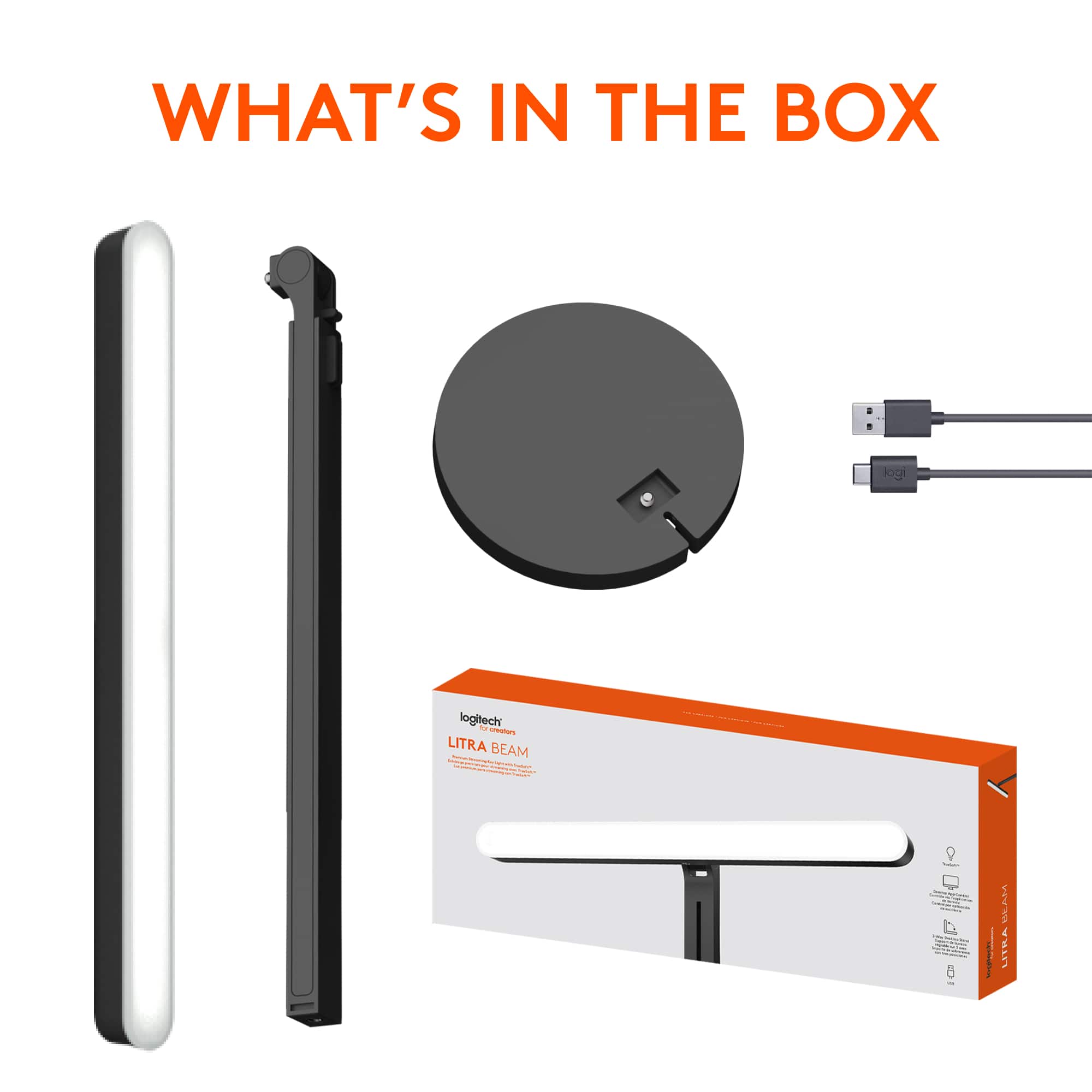
|Posted .This reviewer received promo considerations or sweepstakes entry for writing a review.About the Logitech Litra Beam Logitech describes the Litra Beam as a Premium Streaming Key Light. It’s a professional level light that provides full-spectrum LED lighting. It has controls to adjust the color as well as the light intensity which can be done by buttons on the light or in the GHub app. It’s designed to give you customizable lighting so that you can look your best on video. Packaging and Contents The packaging was nice. The box opens like most keyboard style boxes. Inside is a clean presentation of the light bar and the arm. Underneath is the stand base, which was fairly heavy. There’s a roughly 6 foot long USB-A to USB-C cord to plug it in. The instructions are on the inside lid of the box, and are mostly just pictures. The arm is adjustable, so you can raise the light up and down through the arm extension. At the top of the arm there is a tilt function. The light bar can be mounted three different ways to the arm. I preferred the end mount for my setup. The USB cord plugs into the middle part of the back of the light bar and can be run along the built-in cord management system at the backside of the light bar, arm, and base. Setup The setup was pretty easy. It only took a few minutes to have this assembled. Plug the cord into a USB 3.1 gen 2 USB port or supply your own 5V 1.4 amp USB power adapter to plug into the wall. Either way you can use the light by pressing buttons on the back of the light bar. If you plug into your computer you can use the light through the Logitech GHub app (which I recommend). Also, if you do not want to plug directly into your computer there is a feature to connect to your computer through Bluetooth (assuming that your computer has Bluetooth). I tried the Bluetooth connection, and it took just a couple of minutes to connect. With the Bluetooth connection you can also use the app. The App I already had the Logitech GHub app on my computer since I have a Logitech keyboard and mouse. When I plugged the light in the GHub app automatically recognized the light. It noted that there was a firmware update for the Litra Beam, so I started with the firmware upgrade. The firmware updated in less than a minute, and at that point I was set up for use. The next step was to customize use. In the app you can name the light or add additional lights if you’d like to use more than one. The app will give you full control of the light including color temperature, intensity, and even on/off function. Note that this is not a full RBG light as you are working only in the white light spectrum. Also, if you have a Logitech keyboard with G-Key capability you can assign preset G-keys for your light. Build Quality and Appearance The build quality of the Litra Beam is very nice. The base is heavy, and it doesn’t feel like it would fall over. As for appearance, I think that this thing looks sharp. I kind of want a second one for my desk honestly. And maybe one for my wife’s desk too. I am surprised by how much I like it. The light is setup so you can use it as a video streaming light or even a desk lamp. I really like the versatility, and the fact that it’s not a “one-trick pony”. There’s one appearance thing that I would like to see changed. The USB plug sticks straight out of the back of the light bar drawing attention to the cord. If Logitech could find a cleaner way to plug into the light I think that would look better. Other Impressions The cord is attached to the light bar at the top and runs down the back of the arm. This takes up some of the cord length which reduces how far away you can be from the computer if you are directly plugging into the computer. If you are extending the arm out, it takes even more cord length. When using a wall adapter there are similar cord length issues as most wall outlets are down closer to the ground (usually 18 inches off of the floor). The way I got around this is that I have a USB power block that sits on my desktop. This gives me a few more power options and allows for support of short-corded computer accessories. Overall I am giving the Litra Beam 5 stars. I have to admit that I am surprised by how much I like the Litra Beam. It is truly a product that I didn’t know I needed. It looks sharp on my desktop, seems to be of good quality, and controls light effects nicely. I would recommend this product.
I would recommend this to a friend - Pros mentioned:Brightness, Ease of use
The ultimate camera light
|Posted .This reviewer received promo considerations or sweepstakes entry for writing a review.Verdict. The best streaming light ever. Period. It surpassed all our expectations for what a streaming and web conferencing light could be. Initial impressions. It’s nicely built and well designed. The actually light piece can be mounted from two positions to maximize flexibility in the setup of the light. Setup. Minimal assembly is required. It took me less than two minutes to put the three pieces together. Then, I plugged the USB cable into my computer, pressed the on button, and it worked! The buttons in the back of the light are very convenient and provide full functionality without having to download the Logitech hub app. However, I highly recommend downloading the app because it takes convenience to another level; no need to standup, reach behind the light, and try to remember which button is which every time you want to make an adjustment. You can turn on the light and make all adjustments from the desktop app… Amazing! Usage. We really needed a light for streaming, web conferencing, and for filming short clips with a smartphone. Until now, we were messing around with desk lamps and room lights to get proper lighting. We probably would have been happy with the Litra Beam light if it just turned on and provide decent lighting. But it actually does so much more: flexible hardware setup, light temperature adjustments, light brightness adjustment, control from the app for convenience, and saving our favorite settings. Hardware. We tried a vertical setup in between two monitors. That setup worked well enough, but it looked like it would be best with one light on each side of the center monitor. Right now we just have one of these lights so we decided to try to set up the light horizontally. However, I was concerned that the light would not be able to clear the 27” monitor. To my amazement, the light can actually extend vertically quite high, and it was able to clear the monitor. We were able to setup our light horizontally just above the webcam of the 27” monitor. It’s awesome. The hardware design offers quite a lot possibilities for installation. App. The app for this light is a game-changer. From the taskbar on my desktop, I can open the Logitech Hub, turn on the light, and activate my saved settings. If the settings are not adequate because of the time of day, I can quickly adjust the light temperature and the brightness while looking at a webcam preview. Well done Logitech! Performance. The lighting we get from the Logitech Litra Beam is fantastic. It’s hard to emphasize enough how important good lighting is for streaming. We can angle the light just right and change the light temperature to get a nice bright, natural, and beautiful look. The light is definitely not too bright either… sometimes after a web conference, I forget to turn off the light and I just keep plugging away on my computer, so clearly, the light is not bothersome. I am not sure how this light does it, but it's able to provide sufficient brightness without being hard or tiring on the eyes. Things I like: - Well-designed hardware to accommodate any setup - Desktop app to turn the light on/off, and adjust temperature and brightness - The desktop app also saves favorite settings - The lighting quality enables very nice results on camera - Quality build; it looks like it will last a long time - It's made for all-day use Things I don’t like: - Nothing… it’s perfect! Overall, I absolutely love this streaming light. In addition to providing lighting, it does everything better in terms of lighting quality, convenience, setup flexibility, saving setup time, and improving results. I most highly recommend the Logitech Litra Beam.
I would recommend this to a friend - Pros mentioned:Brightness, Ease of use
Excellent Lighting
|Posted .This reviewer received promo considerations or sweepstakes entry for writing a review.I was excited to get this, as I work 8hr at my computer each day, much of which ends up being meetings. To date, my video quality and image has been subpar, due to the poor lighting in my office. Not anymore! You can tell a lot about a company by how they package their items, Logitech did great here, as it was all well and thoughtfully packaged all. When you grab each piece, you can feel the quality as you put it together. You also get several options for connecting the actual light bar to the stand, which is appreciated, as it adds versatility to be able to adjust on a whim, depending your needs/wants. It can also be run off your PC via USB A connection, and works quite well. If you don't like that, then connecting to an AC adapter is another option. It can work both through the Logitech G Hub app for mobile, or independently via the buttons on the back that control brightness and light temperature. Overall, it is a great addition to my desk, it adds enhanced light to clear my meeting darkness issue, as well as enhancing ambient light for other use.
I would recommend this to a friend - Pros mentioned:Brightness, Ease of use
Take your stream to the next level!
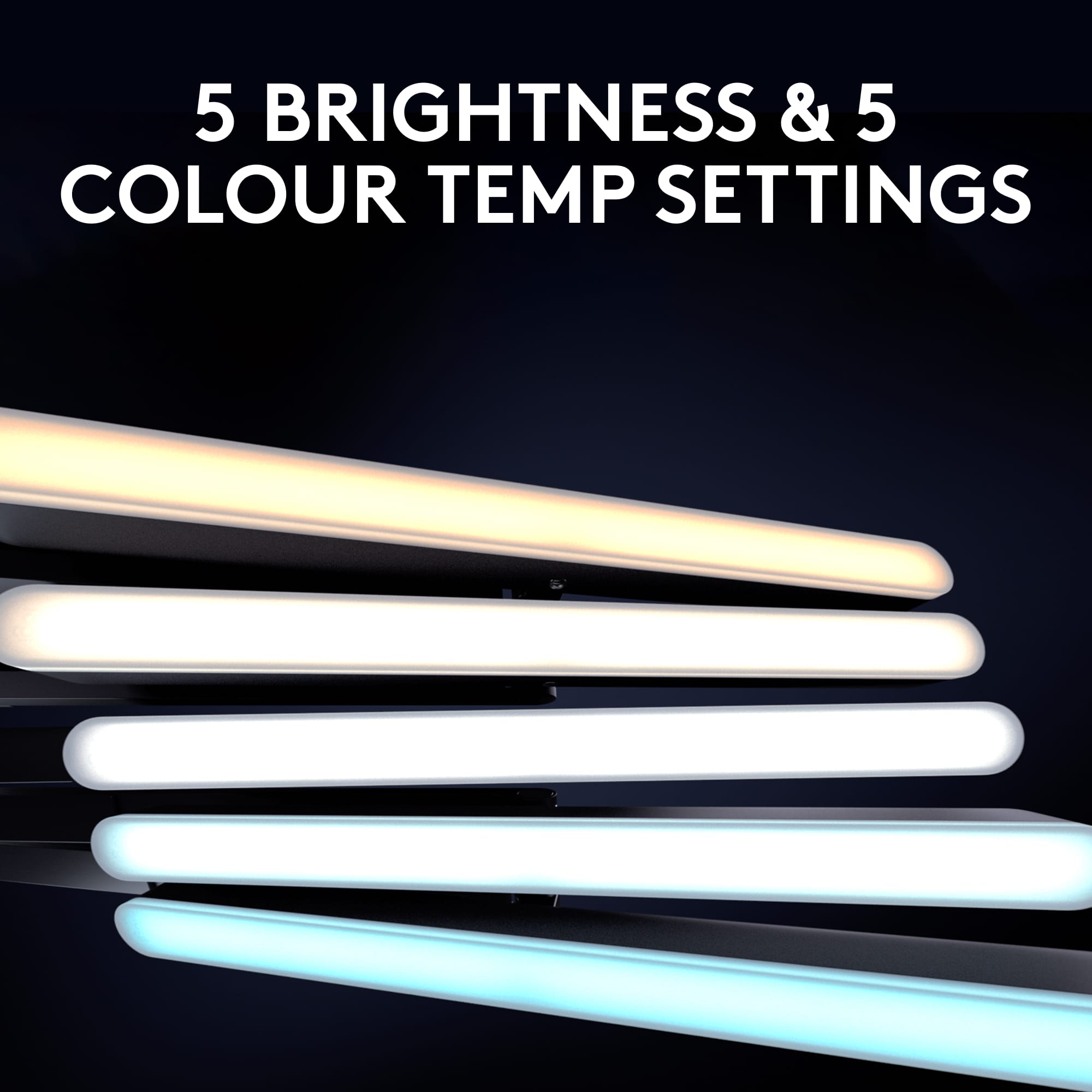
|Posted .This reviewer received promo considerations or sweepstakes entry for writing a review.I've recently started to stream and was looking for something to make my stream a whole lot nicer when I came across the Litra Beam. Out of the box it comes with very simple assembly, it comes in three pieces, the base, stand, and light. The light can be mounted vertically or horizontally which is super convenient for various setups. This light has several different settings to adjust to your setup to allow the perfect set up. Illumination can go from 2700k to 6500k and has 5 different levels of brightness. It goes bright enough that you can even face the light away from you, towards the wall, for a nice soft light. This light is also compatible with the G Hub app which allows to you to swap and adjust settings even easier from the comfort of your home. The light itself is slim enough to fit on larger desks which is great considering the size of most other LED streaming lights. While I didn't get it for remote work, this would also be great for remote workers! TL;DR: The Litra Beam is a fantastic investment for those who want to take their stream to the next level or simply want to light up their desk. It's easy to set up, super adjustable, has various different levels of brightness and color, and is slim enough to fit anywhere.
I would recommend this to a friend - Pros mentioned:Brightness, Ease of use
Excellent light
|Posted .This reviewer received promo considerations or sweepstakes entry for writing a review.Logitech products have worked well for us and this is no exception. Very easy to assemble without tools and use. The cord winds through the base and back out for cord management. Overall, it is an excellent light. A little lightweight and the plastic may not hold up to a tip over. Light quality is excellent and adjustable. The G-Hub app allows more fine tuning. Horizontal worked best for my lighting needs but it is very easy to convert to vertical if that works better. On a conference call I was asked what I did different as everyone could finally see me better. I did toggle through the 5 settings until they said it was the best option. You can find a lot of other uses for this device too. I use it to make mobile bank deposits as my bank never seemed to accept the reverse of the check. With this light on it worked both times I tried it. I also used it to illuminate some objects I was photographing for a better light than the flash – it worked great. I even used it in the kitchen to illuminate written recipe cards that have faded. Very versatile. Highly recommended.
I would recommend this to a friend - Pros mentioned:Brightness, Design, Ease of use
An Upgrade From The Average Desk Lamp
||Posted . Owned for 1 month when reviewed.This reviewer received promo considerations or sweepstakes entry for writing a review.I only bought this light because I needed one right away for a project I was shooting. If I didn't need it right away I would've just gone on Amazon because there are tons of much stronger lights out there for under/around this price point. PROS: - Sturdy design - Easy to use - Can plug it into the wall using an iphone wall plug and the light will last forever without needing to stay plugged into your computer CONS: - Compared to nearly every other light available at this price point, this one is nowhere near as bright as them even at its max brightness, and its bite sized list of customizable settings isn't even in the same ballpark as every other $90+ light. If your only goal is to have a light that you don't have to recharge constantly, that will shine on your face softly while you stream, then yup this does the trick. It's an upgrade from the average desk lamp. But if you're hoping to use it for other things, like video projects and whatnot, then you can get significantly more bang for your buck elsewhere.
No, I would not recommend this to a friend - Pros mentioned:Brightness, Ease of use
Perfect for webcam users
||Posted . Owned for less than 1 week when reviewed.This reviewer received promo considerations or sweepstakes entry for writing a review.My office gets pretty dark and I needed a fill light to keep myself presentable during Zoom meetings. The Litra works surprisingly well. I was worried that it might not be bright enough but it provides more lumens than I'll ever need. I use no more than 1/3 of the max brightness even in a darkened room. I also like the fact that I can use the buttons on the Litra itself to adjust my settings. Those settings are stored even after turning off the unit which is a nice feature. The Logitech software is nice too for those who want a little more control but is not required to use the unit.
I would recommend this to a friend - Pros mentioned:Brightness, Ease of use
Video Calls
||Posted .This reviewer received promo considerations or sweepstakes entry for writing a review.the light is easy to use. i like the features, being able to change the color and brightness. the adjustable height is useful. no more dark zoom calls!
I would recommend this to a friendBrand response from Logitech
Posted .That's excellent feedback! Thanks so much for sharing your experience with the Logitech Litra Beam.
We're thrilled to hear that it's made such a positive impact on your video calls! It's fantastic that you find the light "easy to use" and that you "like the features," especially being able to change the color and brightness. The adjustable height is indeed a very useful feature for optimizing your lighting setup.
And the best part: "no more dark Zoom calls!" That's exactly what the Litra Beam is designed for, ensuring you look your best on camera.
We really appreciate your positive review!
- Pros mentioned:Brightness, Ease of use
Video lite
||Posted . Owned for 3 weeks when reviewed.This reviewer received promo considerations or sweepstakes entry for writing a review.Wonderful lighting for video meetings. I never have to adjust the location of the computer or lamps anymore.this light sits behind the screen, comes on with the camera and shuts off when the camera is off.
I would recommend this to a friend - Pros mentioned:Brightness, Ease of use
Nice and bright
||Posted . Owned for 4 months when reviewed.This reviewer received promo considerations or sweepstakes entry for writing a review.I have been using this light for a few months now and have found it to be exactly what I needed for some softer ambient lighting will working on my computer. It also has ease of use with the Logitech app and the brightness if you need it goes WAY up. It's a great light.
I would recommend this to a friend - Pros mentioned:Brightness, Ease of use
Versatile
||Posted . Owned for 1 month when reviewed.This reviewer received promo considerations or sweepstakes entry for writing a review.Great product for versatility and options. I like the ability to adjust the stand in many ways. I use one for video calls to eliminate shadows and another behind my monitors to push light down on my desk without being in my eyes. It is also nice to adjust the brightness and color settings with ease.
I would recommend this to a friend - Pros mentioned:Brightness, Ease of use
Innovative video conference lighting
||Posted . Owned for 1 week when reviewed.This reviewer received promo considerations or sweepstakes entry for writing a review.Innovative alternative to all those cheap ring lights. Quality, temp and brightness of the light all controllable from your mouse. Easy to set up.
I would recommend this to a friend - Pros mentioned:Brightness, Ease of use
Great white light, bright
||Posted . Owned for 8 months when reviewed.This reviewer received promo considerations or sweepstakes entry for writing a review.Really lights up my desk area, great as a cam-light addon if you are on a video call or streaming. Highly recommend
I would recommend this to a friend - Pros mentioned:Brightness, Ease of use
Logitech Litra Beam!
||Posted . Owned for 8 months when reviewed.This reviewer received promo considerations or sweepstakes entry for writing a review.Provided a good amount of light for face cam streams. It also functioned well as a general desk lamp when needed. Solid product from Logitech.
I would recommend this to a friend - Pros mentioned:Brightness, Ease of use
Lighting
||Posted . Owned for 3 weeks when reviewed.This reviewer received promo considerations or sweepstakes entry for writing a review.It worked great and loved the lighting. Easy to assemble and great for videos.
I would recommend this to a friend - Pros mentioned:Ease of use
Litra Beam
||Posted . Owned for 1 week when reviewed.This reviewer received promo considerations or sweepstakes entry for writing a review.Easy to set up and use, sturdy, feels well made. I love that I can switch settings, use it horizontally or vertically, and it extends quite far vertically, if that is needed. I've only tried a small clip on ring light so far, so I can't compare with others of this type, but the light was far less straining on my eyes, and the range is good for my purposes right now.
I would recommend this to a friend - Pros mentioned:Brightness, Ease of use
Good purchase
||Posted . Owned for 1 week when reviewed.This reviewer received promo considerations or sweepstakes entry for writing a review.Very easy set up, good product, and you can adjust the lighting as needed.
I would recommend this to a friend