Customer Ratings & Reviews


Rating by feature
- Value
Rating 4.4 out of 5 stars
- Quality
Rating 4.7 out of 5 stars
- Ease of Use
Rating 4.8 out of 5 stars
to a friend
Customers are saying
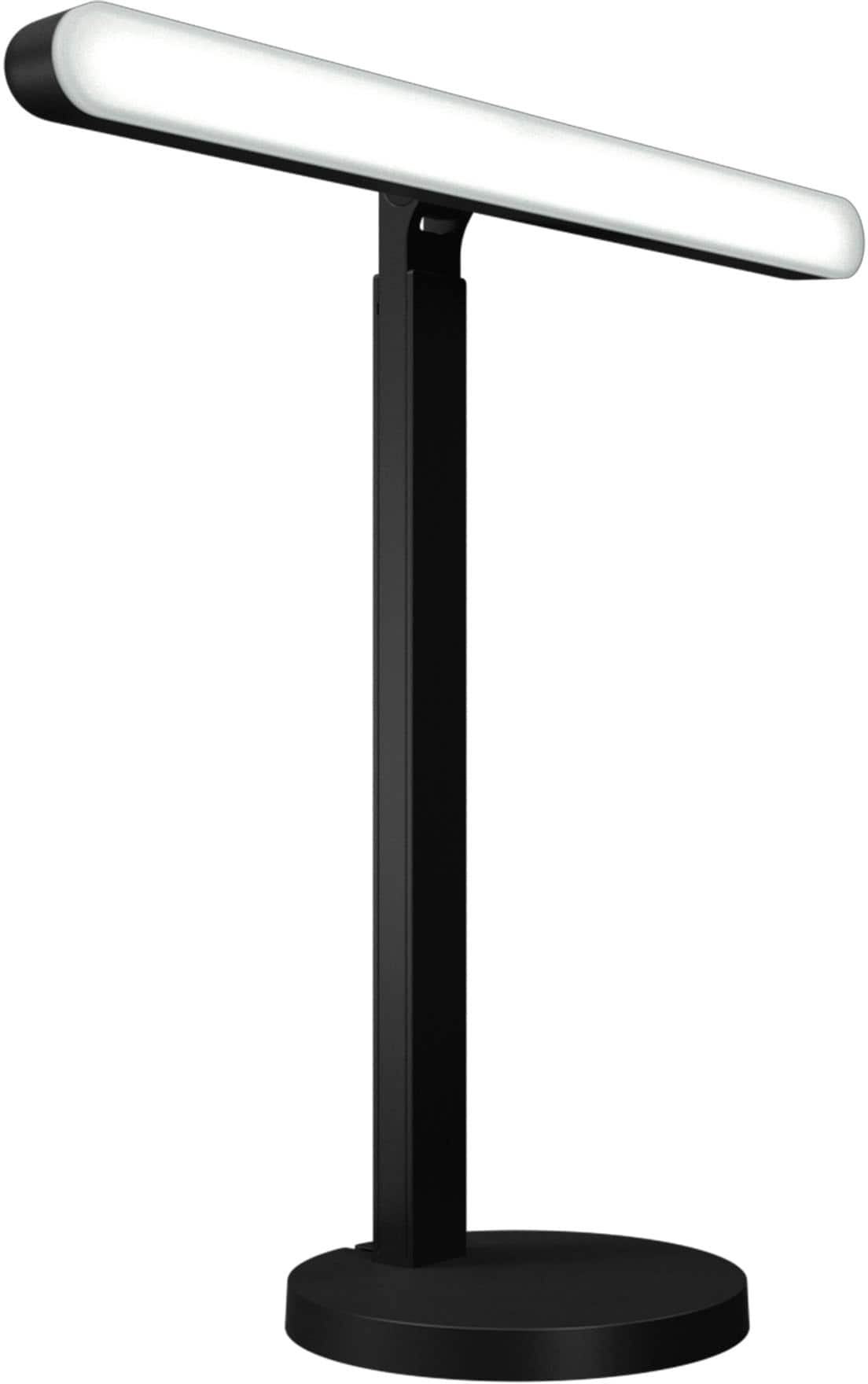
Customers love the Litra Beam Premium LED Streaming Light for its excellent brightness and ease of use. Many appreciate its intuitive setup, well-thought-out design, and multiple mounting options. Some customers have noted concerns regarding its price and the amount of heat it generates, while others feel the cable design could be improved. However, many are happy with the overall performance and find the software to be a helpful enhancement.
This summary was generated by AI based on customer reviews.

Excellent light
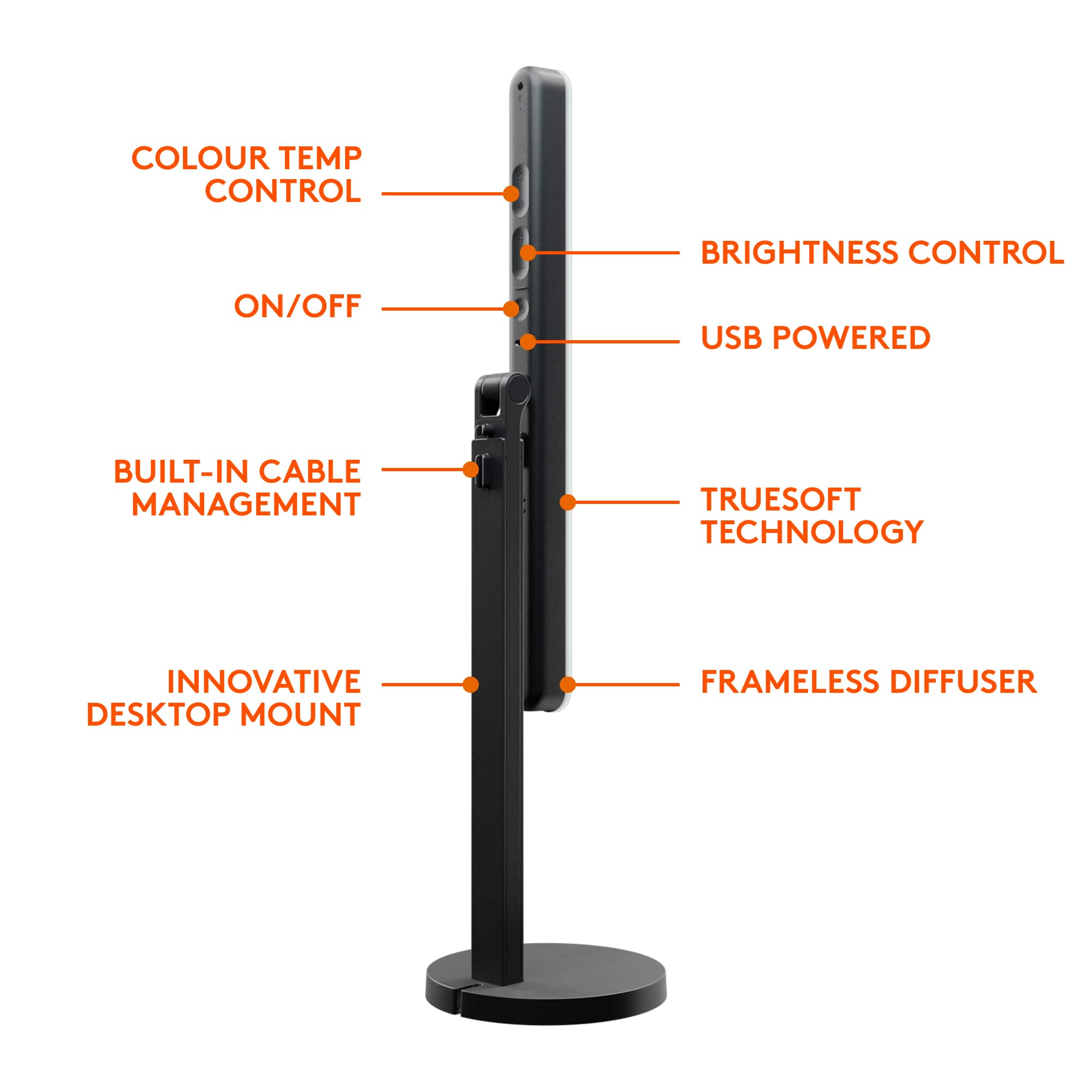
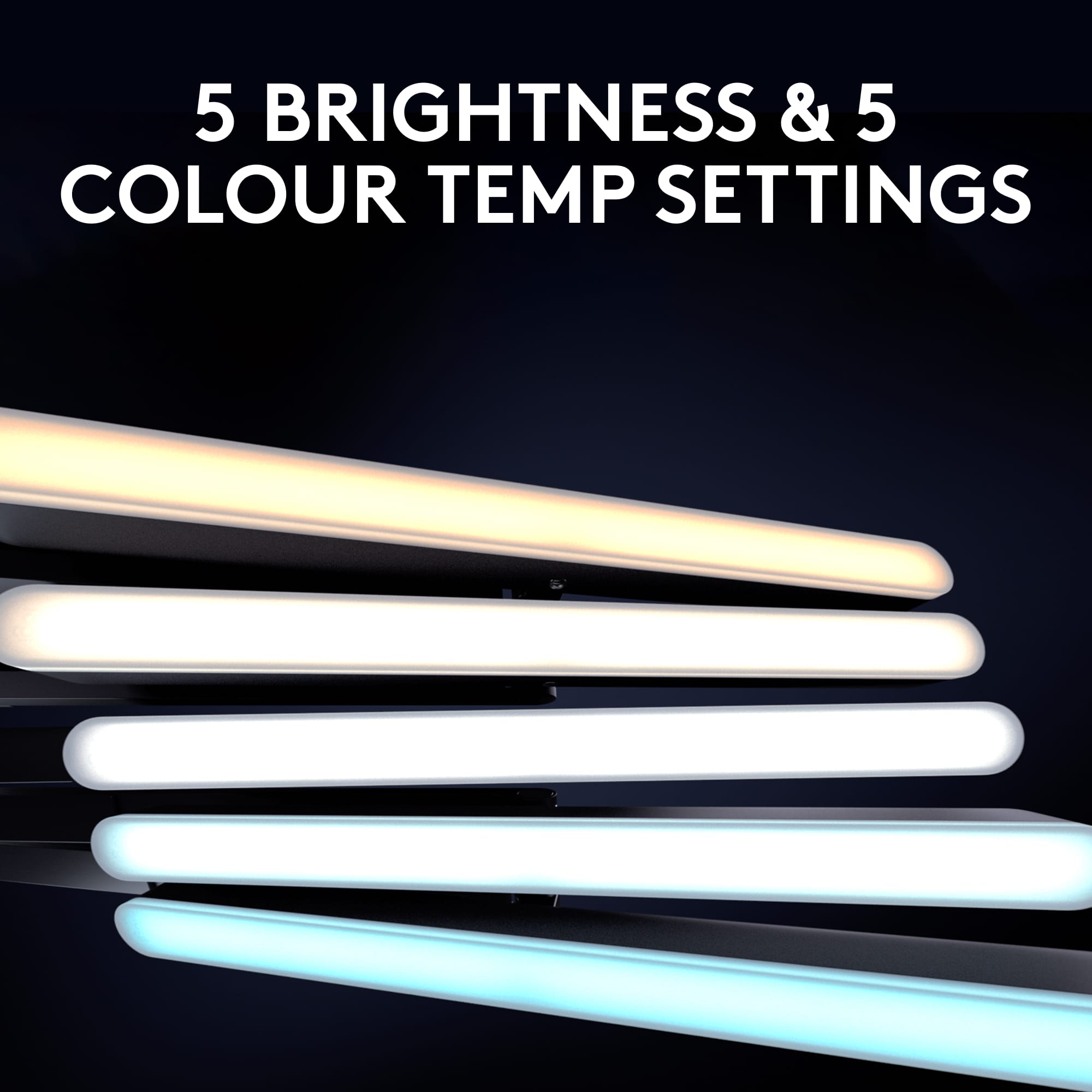
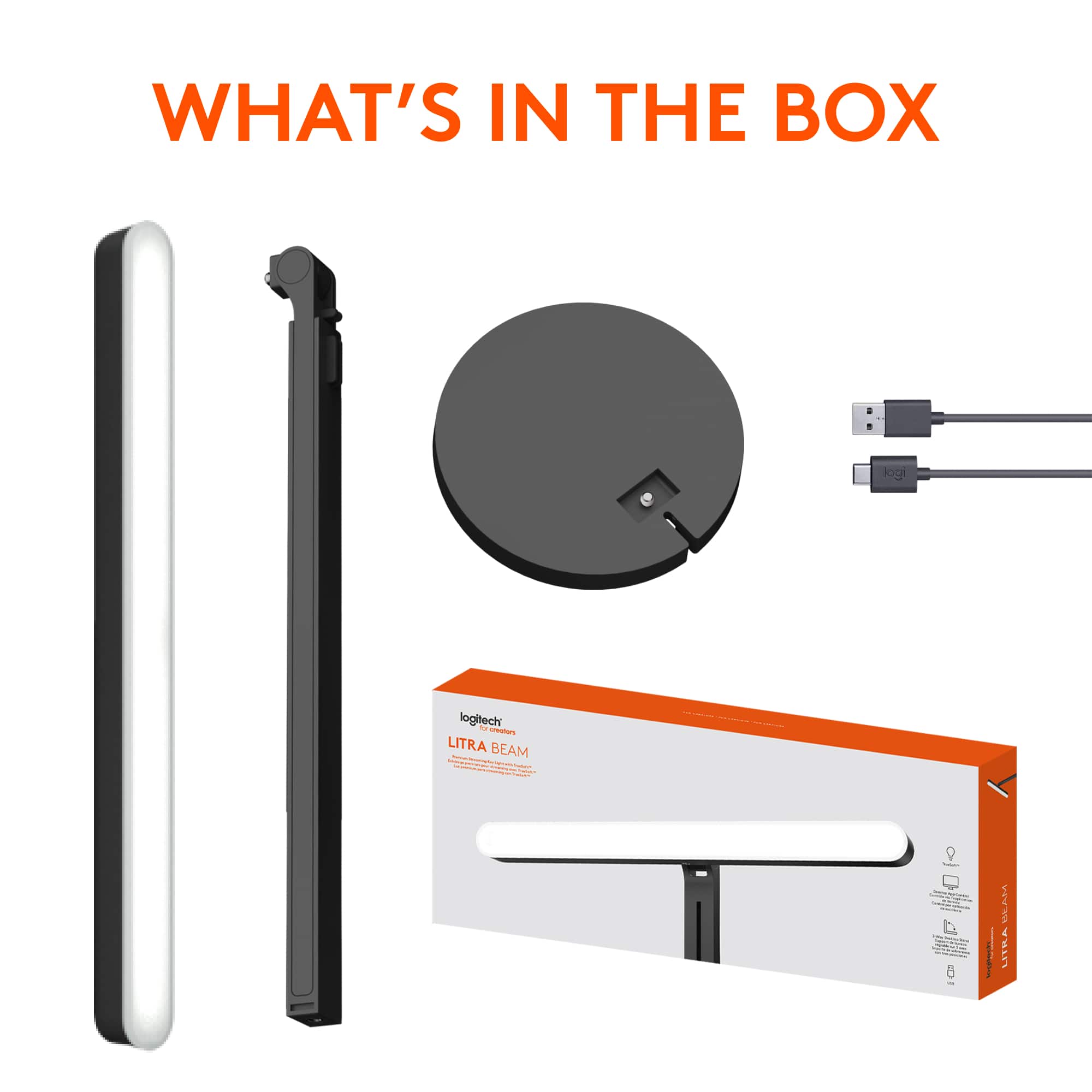
|Posted .This reviewer received promo considerations or sweepstakes entry for writing a review.Logitech products have worked well for us and this is no exception. Very easy to assemble without tools and use. The cord winds through the base and back out for cord management. Overall, it is an excellent light. A little lightweight and the plastic may not hold up to a tip over. Light quality is excellent and adjustable. The G-Hub app allows more fine tuning. Horizontal worked best for my lighting needs but it is very easy to convert to vertical if that works better. On a conference call I was asked what I did different as everyone could finally see me better. I did toggle through the 5 settings until they said it was the best option. You can find a lot of other uses for this device too. I use it to make mobile bank deposits as my bank never seemed to accept the reverse of the check. With this light on it worked both times I tried it. I also used it to illuminate some objects I was photographing for a better light than the flash – it worked great. I even used it in the kitchen to illuminate written recipe cards that have faded. Very versatile. Highly recommended.
I would recommend this to a friendMinor setbacks aren't enough to dim this light
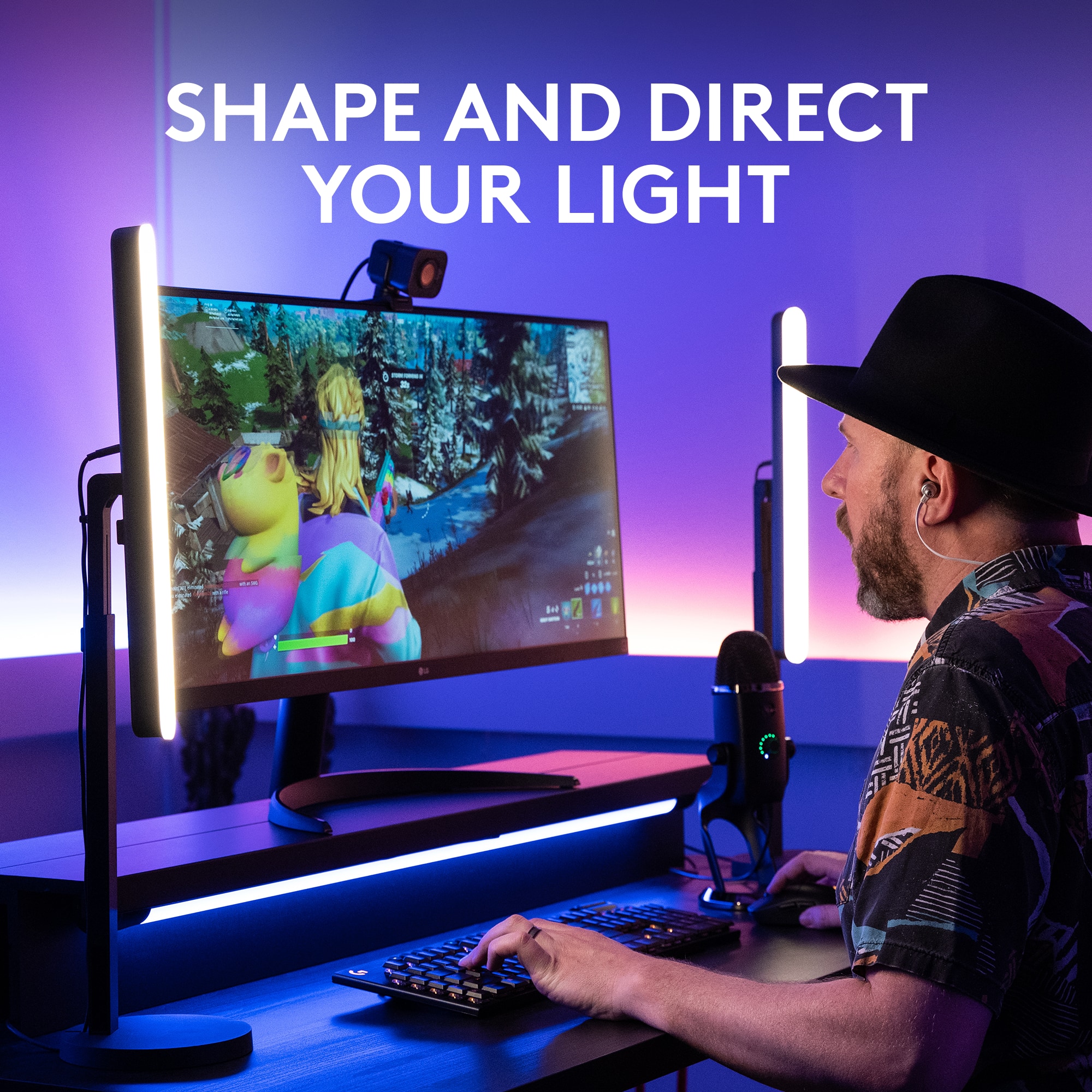
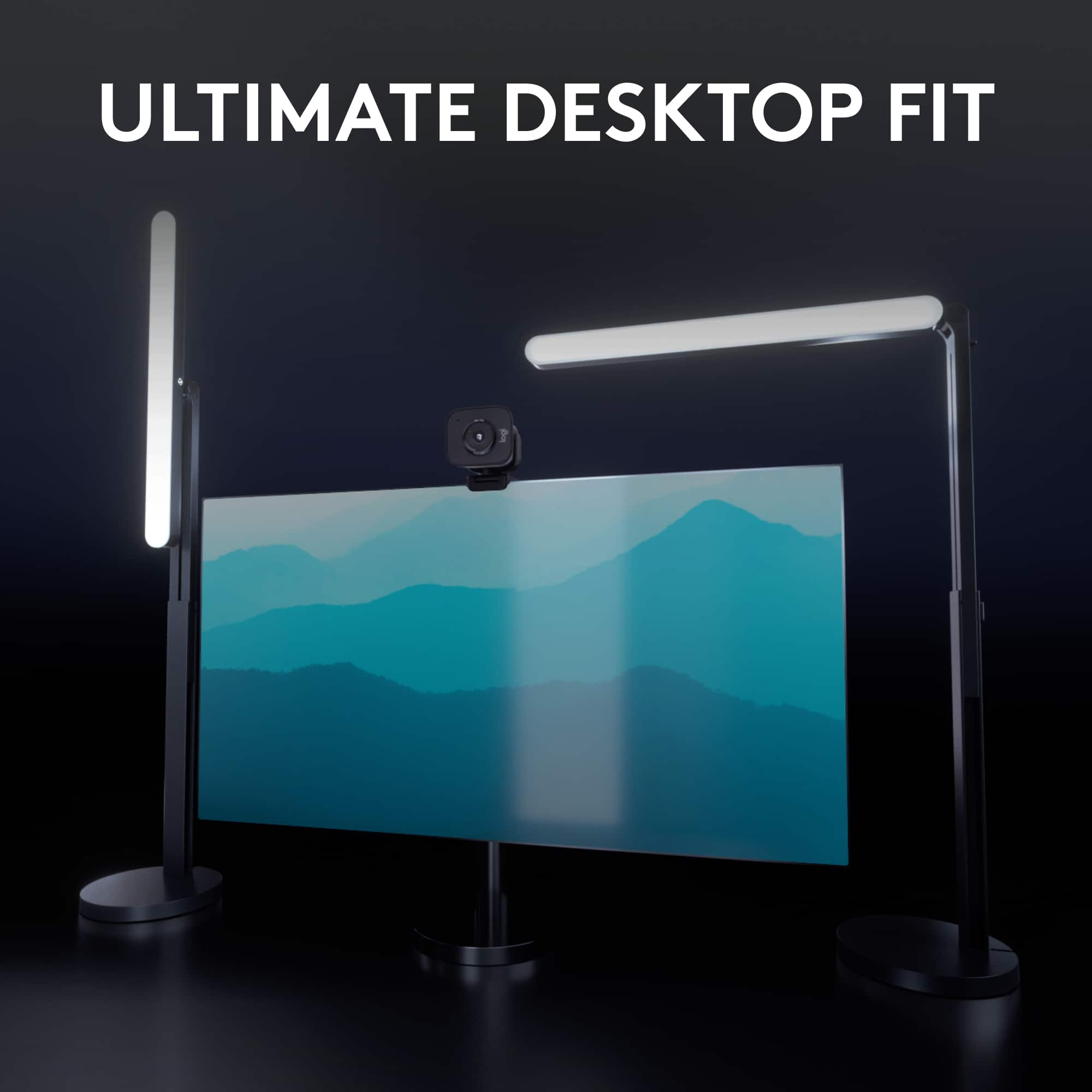
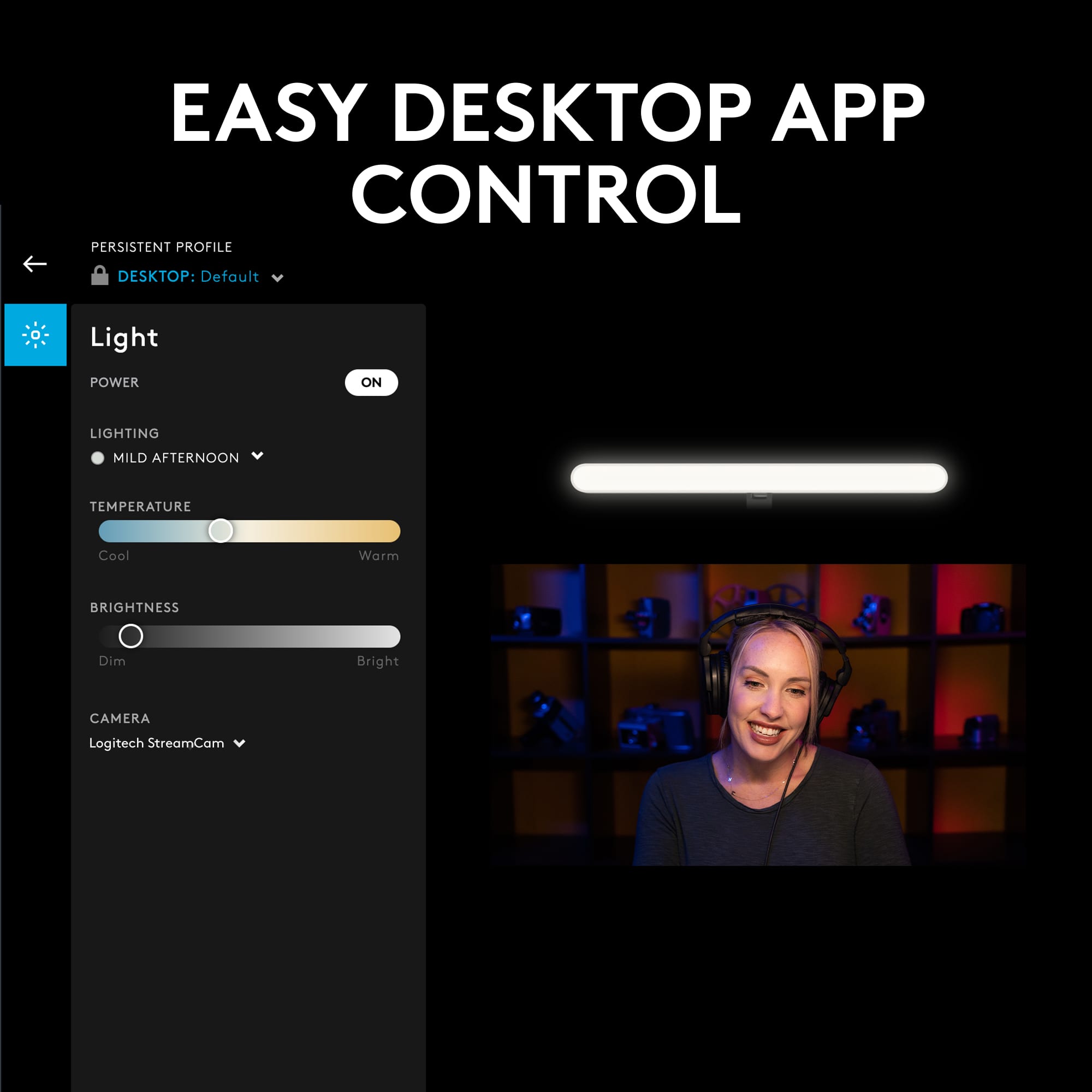
|Posted .This reviewer received promo considerations or sweepstakes entry for writing a review.Overall this light is a great addition to my streaming set up. Like most products, there are a few things I didn't like or wish were different, but not enough to make me wish I had something else. I went from using a pretty basic, standard ring light that is really good but didn't have as much ability to change temperature or brightness like the Logitech light does. So I wanted to get a light that has more control AND would take up less space. This light is idea for space saving since it has a lot of ways to position it and with the very heavy sturdy base, it's not going anywhere even at a full extension. Like most people, I found this was best positioned to the side of my monitor and then extending the arm so that the light is above my monitor and camera position. This gives me a nice key light slightly off center but not too high that it becomes a top light. Luckily the light comes with a lot of movable parts to get it in just the right position, but I wouldn't hate one more elbow point to really be able to move the light around. That said though, there's still a lot of customization available. Set up is a breeze, and the packaging is really nice. About 2 minutes after opening I was able to plug in the light, position it where I wanted and be up and running. I actually received the light the same day I stream and was able to use it that night with no issues. That was however just plugging it into an AC power brick and using the buttons included on the light. That was enough to get the job done but once I plugged it into my PC's USB later, I was able to have even more control with the G HUB app. Now, I'm not the biggest fan of the GHUB experience, I know that's pretty common, but I do have a keyboard that I already use with the app and so adding a light was not difficult. Other's may find this a little bit annoying to set up a whole app just to control a light, but the controls are a lot easier to use and don't require you to reach up and press a button on the light. You can also save presets for whatever situation you need them and dial in a better control over the brightness and color temp. One thing to note though that Logitech is upfront about as well, depending on your USB power, you may not be able to use full brightness off a USB port. I had this problem when plugging into USB 3 Hub and was limited to only 37% brightness. I was initially bummed about that but then saw that I can connect to the light via bluetooth and plug the light into a power brick like I did the first time and get full control still through GHUB. That's really a neat feature you're not going to see with just any ol streaming light. Connecting to the bluetooth wasn't too hard and once I did it once, it connected every time I needed it to. This light is great for a space saving streaming key light, video calls for business or even just a desk lamp if you wanted to while you're not on camera. One thing I wasn't crazy about is the way the light connects to the arm. By having the light a bit higher than my head, I needed to angle it down slightly. However, when using the standard screw mount, if you tighten the light on all the way it points straight out. To get a lower angle you technically have to loosen the connection. Now, for me it's only a small turn but if you were looking for a more dramatic top light or bottom light and needed to rotate it even more, eventually it becomes pretty loose and may move on it's own. Right now, the way I have it at about 45 degree angle down, it's very loose if you touch it, but I haven't seen it move on it's own yet, so for now I'm ok with it. I just would have liked to see a small clutch or separate rotating part that allows you to tighten the light down fully then rotate it to where you would like it. That's a minor issue but worth noting, especially given the way it brags about "point the light anywhere you need". The only other issue I really had was using the buttons on the light. There are buttons for brightness and color temp and if you one tap them, they will cycle through preset standard amounts, but if you press and hold they will give you a fine tuning. Now, the idea here is perfect, I love having the option to fine tune my temp and brightness, that's a major reason I got the light, but unfortunately, the execution is not great. I found myself constantly overshooting the brightness or temp and trying to dial it in back and fourth. This was on my first try with the light before I connected it to the GHUB app, and obviously that's why logitech probably isn't too concerned with the onboard controls because you can easily control them with the app, HOWEVER, if you are planning to not use the app for whatever reason and want to use the controls on the light, it's worth noting they are not the easiest to dial in. You'll get close, and that's probably good enough for most, but if you like to use a specific white balance temp or you are trying to get that brightness just right, you may have to take some time to dial it in. That, or just use the presets they have and adjust your other gear to match. So like I said, not a deal breaker, just something to remember. OVERALL I really do enjoy this light and it's so nice to have more space on my desk and still have a good key light for streams. The added bonus of having more control over the actual light produced and create my own presets on the GHUB app push this light into the top choices for me. The price is a little up there for a light, no doubt you're paying for the Logitech name and some bells and whistles, but if you have other GHUB ready devices like a mouse and keyboard etc, this will slip right into your ecosystem and can be added to your presets so you're always ready to go at a click of a button!
I would recommend this to a friendTake meetings from the couch... In the dark
|Posted .This reviewer received promo considerations or sweepstakes entry for writing a review.***TLDR:*** Though wireless control and a widely adjustable color temperature attract, average build quality and high cost reduce value to the consumer. ***STANDOUT FEATURES:*** The Litra Beam comes with an intelligently compact, telescoping stand. With three 1/4" slots on the light itself, you have multiple options for creative use of both. G Hub software allows for fine tuning of brightness and temperature for optimal webcam quality. ***BUILD QUALITY:*** The base is heavy, which gives an impression of quality, though most of the light and stand are constructed of average-feeling and cheap-looking grey plastic. A finger nail can easily scratch every surface on this product, as the matte finishes aren't tough. The light housing (where the frosted plastic covers the front) flexes and crinkles where the "warmer" color temperature adjustment button is. This, along with same material/color buttons, make the housing feel cheap. The frosted front, where the light comes out, has a quality appearance, though is just as easily scratched as the housing and stand. The stand feels strong enough for purpose, though metal would have given a premium impression. ***LIGHT QUALITY:*** The Litra Beam has a wider color temperature range than found on cheaper, off brand lights. This allows you to adjust it to your preference regarding a desired background look or for reduced eye strain, but only through 5 settings with manual (button) control. It's the same with brightness levels. Using the software to lower brightness, you can see individual cool-white and warm-white sections through the frosted plastic. It shouldn't effect light as delivered to your face or project, though. ***SOFTWARE/CONNECTIVITY:*** The G Hub software installs easily and pairing to the light is quick. You can rename your light, should you have more than one and want to make adjustments easier. Several presets come loaded to switch through, though you can create and save your own for different moods, projects or times of day. Light brightness and temperate can be finely tuned with G Hub software, and it'll tell you if you are brightness limited due to power input. ***STAND QUALITY:*** The telescoping mechanism is unique. It's a sort of ladder type mechanism. It has multiple detents to allow tool-less and knob-less fixing of height. As said, it's plastic, so a bit of flex exists, and I wouldn't trust a kid with it, since the heavy base may break off of the telescoping mechanism. Base attachment is achieved by a 1/4" thumbscrew, so other attachment methods can be used (like a tripod) if desired. ***CONS:*** 1.) Though the light gets very bright, it does not get very dim with manual settings. It's designed for connected use. 2.) As another reviewer said, Bluetooth for control can mean connectivity issues, as wireless cards greatly vary in quality. Unlike another Tech Insider said, you cannot use a mobile app to connect this device. My S21 Ultra recognised and paired with the light after holding the Bluetooth button, but the Logitech G app would not recognize the pairing. 3.) This light has no battery. You're limited with placement to where you can plug it in, and you may not have sufficient power on your computer port or with your chosen charge block. I was only able to use the light at 74% when connected to my PC. ***CONCLUSION:*** Light quality is perfect for purpose and the stand allows for versatile use. Software allows easy fine tuning. Plastic quality disappoints given the price. Overall, I like it enough to keep it, though Logitech should really develop their app to control it through your phone.
I would recommend this to a friendPerfect for streamers and remote workers alike!
|Posted .This reviewer received promo considerations or sweepstakes entry for writing a review.As a person who works remotely from home and is constantly on video call meetings, I can confidently say that the Litra Beam enhances any video shot you might be in, whether it be for streaming or for video calls! The light is in the bar-shaped form factor, and I actually prefer this to other shapes because it distributes light across your face and room a lot better than other traditional light shapes. The light's orientation, height, brightness and hue can all be adjusted to anything you could possibly desire, and it sits atop a stand that is very similar to many adjustable monitor stands with a sturdy weighted round base (like a lamp, which this can actually be easily used as too!). The beam, which is where the light comes from, can be screwed on at two mount points to the base so you can choose how you want the beam to face you. The intensity level of the light, as well as hue can either be controlled with on-board buttons (which are very nice and clicky!), as well as through the logitech G desktop app via USB or bluetooth. The buttons are adequate for control, but if you want more granular control of brightness or hue, the app is very easy to set up and control the light with! The light can fully light up a room on it's own (very bright, more than most desk lamps!), and the hues it supports are drastic enough to change the entire vibe of a room. There is also a power button near all the control buttons which fades the light out when pressed, and cable management is built into the stand to keep your desk setup clean if desired. This light is definitely a must have if you are trying to up the quality of any of your on-camera presences, or even if you just want a sleek looking, bright light for your desk!
I would recommend this to a friendExtremely Bright Tons of Settings High Quality
|Posted .This reviewer received promo considerations or sweepstakes entry for writing a review.The Logitech Litra Beam Premium light is fantastic. I couldn't be more happy with this light. It has tons of features for a light such as different color settings to adjust a different skin tones as well as different brightness settings at the brightest setting. It's extremely bright and also allows me to use it for micro soldering. This light can be positioned vertically or horizontally and has been a big help at my micro solder station. When I'm under the microscope, this light has helped light up small components and make it easier to desolder and solder. I also use this light for an unboxing video of a Microsoft surface pro 9 and I must say the light was perfect for what I was using it for. I filmed the unboxing video with a Google Pixel 6 pro and with the help of this light the video turned out fantastic. All the details of the video were easy to see and did not cause any glare. I highly recommend this light for anyone that is a streamer or a content creator of any sort as well as anyone that just needs some extra light by their computer or study desk. Whatever the case may be, this light will do the job. It's made of high quality materials. The base is good and heavy so that way you can make adjustments to the light without feeling like you're going to tip the light over Logitech hit this one out of the park. I might pick up a second one soon. It's that good!
I would recommend this to a friendExtremely versatile!
|Posted .This reviewer received promo considerations or sweepstakes entry for writing a review.This Litra Beam Light is pretty nice! It has proven to be very useful in many situations. When I'm video conferencing for class or work it has come in handy. I don't have to turn on all the lights or open up windows. I simply turn this on and set it to my preferred brightness. It's so convenient and can actually get pretty bright, in fact it can get brighter than I need it to in most cases. However, if you like taking selfies it works great for that too! It goes from a nice warm tone to a very cool one. You can set this manually or through the G Hub app. You can perfect the shade to what compliments your skin tone best! The build quality also seems top notch. The base is heavy and stable, it doesn't wobble or feel flimsy. It also has an extension piece built into it so you can extend it above your computer monitor or keep it on the side depending on what you prefer and feel suits you best. It doesn't slip when you extend it either, it seems to have some type of locking technology that keeps it locked into place. Overall, I'd say its a great item to have if you're constantly on camera and find yourself needing to be in control of the lighting.
I would recommend this to a friendAn Upgrade From The Average Desk Lamp
||Posted . Owned for 1 month when reviewed.This reviewer received promo considerations or sweepstakes entry for writing a review.I only bought this light because I needed one right away for a project I was shooting. If I didn't need it right away I would've just gone on Amazon because there are tons of much stronger lights out there for under/around this price point. PROS: - Sturdy design - Easy to use - Can plug it into the wall using an iphone wall plug and the light will last forever without needing to stay plugged into your computer CONS: - Compared to nearly every other light available at this price point, this one is nowhere near as bright as them even at its max brightness, and its bite sized list of customizable settings isn't even in the same ballpark as every other $90+ light. If your only goal is to have a light that you don't have to recharge constantly, that will shine on your face softly while you stream, then yup this does the trick. It's an upgrade from the average desk lamp. But if you're hoping to use it for other things, like video projects and whatnot, then you can get significantly more bang for your buck elsewhere.
No, I would not recommend this to a friendCustomizable Light Color & Brightness for Everyone
||Posted . Owned for 3 weeks when reviewed.This reviewer received promo considerations or sweepstakes entry for writing a review.First time upgrading our lighting set up at our home office. These lights are easy to set up and have great options for brightness and color (warm to cool). These options are great as my partner and I can customize the brightness and color options to match our skin tones (medium/dark skin and fair skin). Doesn't make anyone look washed out or too much in shadows. The only complaint is that the rotation of it is a bit tough or too lose. It seems like it is meant to attach and then be able to infinitely rotate/spin but one of them is too tight where it feels like it will break if we rotate it. The other is too lose and feels like it is about to fall off. However, we found a system for them to be set up so that they work for us. They also take up a good bit of desk space (our desk is cramped with 2 monitors, keyboards, mice, and docks for each of us. Nevertheless, I do recommend these!
I would recommend this to a friendGreat light for your workspace
||Posted . Owned for 1 week when reviewed.This reviewer received promo considerations or sweepstakes entry for writing a review.I had the smaller Logitech light prior to this, and while I loved it, its use was limited due to mounting options. For the most part it was only made to sit on top of a monitor. This light is more versatile in that you can position it anywhere and angle it for optimal lighting. It also provides far more lighting. If you are familiar with ghub then using this is simple. Just adjust temp and brightness using the sliders. If you have other Logitech products like mice and keyboards, you can assign functions like turning the light on an off with a keyboard key or mouse button. So far it works great and I have had zero issues. I think it is worth the cost over the original litra light.
I would recommend this to a friendGood, But Expensive.
||Posted . Owned for 1 week when reviewed.This reviewer received promo considerations or sweepstakes entry for writing a review.A really great light with a ton of options. A tad expensive for what you get though. Draws more power than a standard USB3.0 port or powered hub port can provide even in a high end gaming/streaming rig. This can be resolved using a high output wall brick but then you lose out on the software integration provided by G-Hub. That said, I found the 60% brightness cap on USB port power to be plenty bright for my needs. Lots of great mounting and cable management options too. It is expensive thoguh when you consider any $30 ring light can basically do ehat this does. Youre paying for aesthetics and fine thning in the software.
I would recommend this to a friendPerfect for webcam users
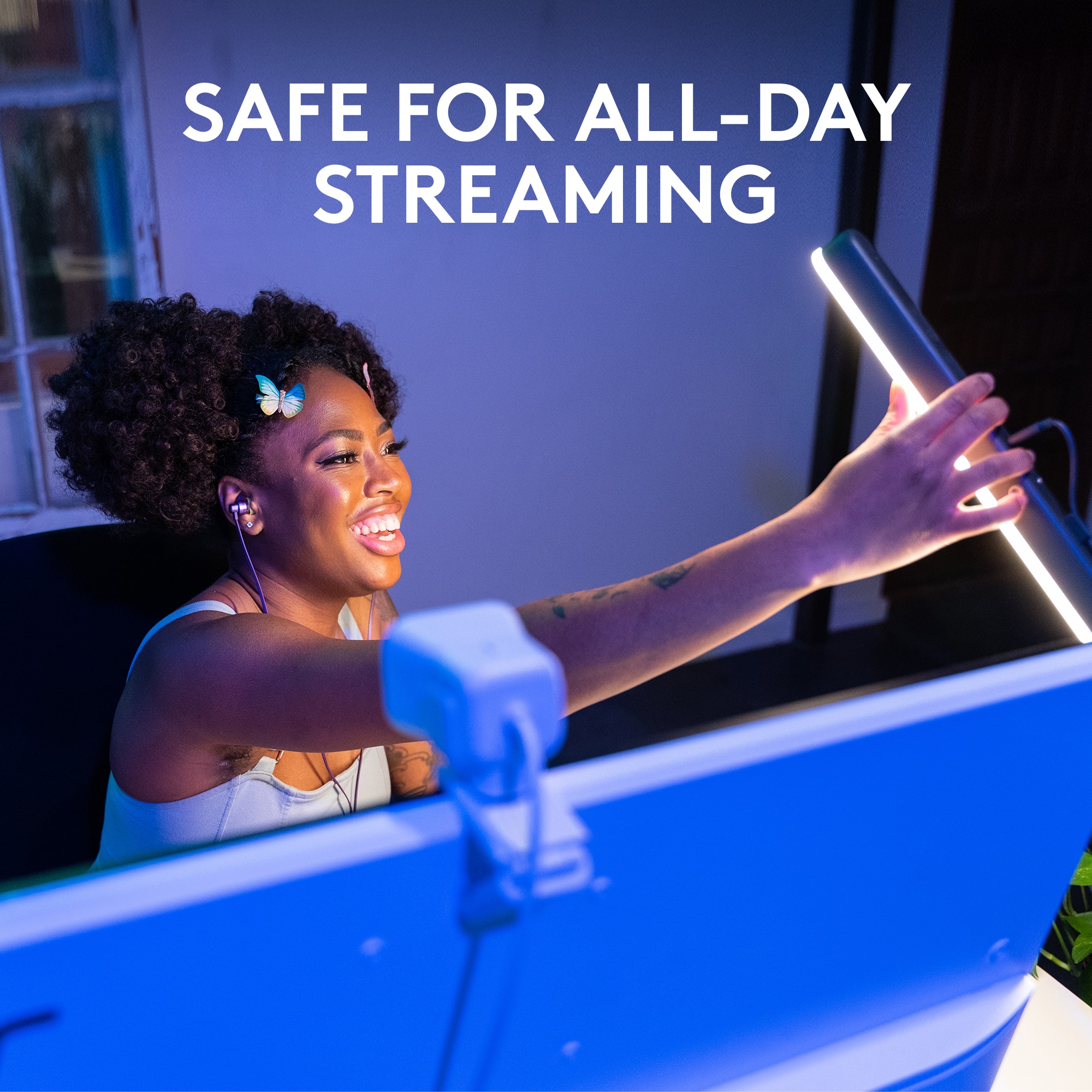
||Posted . Owned for less than 1 week when reviewed.This reviewer received promo considerations or sweepstakes entry for writing a review.My office gets pretty dark and I needed a fill light to keep myself presentable during Zoom meetings. The Litra works surprisingly well. I was worried that it might not be bright enough but it provides more lumens than I'll ever need. I use no more than 1/3 of the max brightness even in a darkened room. I also like the fact that I can use the buttons on the Litra itself to adjust my settings. Those settings are stored even after turning off the unit which is a nice feature. The Logitech software is nice too for those who want a little more control but is not required to use the unit.
I would recommend this to a friendPowerful and small
||Posted . Owned for 2 weeks when reviewed.This reviewer received promo considerations or sweepstakes entry for writing a review.Excellent light option for limited desk space or unique configuration. We have numerous stream lights in our gaming setups, but all the others are very large and cumbersome. This is simple and designed well and provides enough light to get the job done. The light does seem a bit excessively focused in a frontal pattern, so be aware if you have no lighting for your surroundings, the shadows around you will be very harsh even at low settings, at that point you’re going to need additional lights to cover those spots. However, YOU will definitely be the focal point of your video capture with this light!
I would recommend this to a friendBest Light Bar!
||Posted . Owned for 1.5 years when reviewed.This reviewer received promo considerations or sweepstakes entry for writing a review.I stream on twitch and in discord and this light bar is the best one I've tried. The color warmth and coolness is adjustable and the positioning of the light bar is fully adjustable as well. I always get great lighting when I use it and it's a great investment if you're looking for something to use for video calls/streaming/making content.
I would recommend this to a friendGreat light!
||Posted . Owned for 3 weeks when reviewed.This reviewer received promo considerations or sweepstakes entry for writing a review.This light is great for lighting the dark corner where my computer lives, especially for Zoom meetings. Brightness and color are adjustable and that is important because my eyes are especially sensitive to bright lights since cataract surgery. I like that with the included software I have the option to use the light or not each time I start up the computer. Also, there have options for how the light is oriented for your computer setup.
I would recommend this to a friendBrand response from Logitech
Posted .We’re truly honored by your kind words. Knowing that our product is making a difference for you inspires us to continue pushing the boundaries of design and performance. Customer voices like yours guide everything we do, and we couldn’t be more thankful that you chose to share your experience.

Video Calls
||Posted .This reviewer received promo considerations or sweepstakes entry for writing a review.the light is easy to use. i like the features, being able to change the color and brightness. the adjustable height is useful. no more dark zoom calls!
I would recommend this to a friendBrand response from Logitech
Posted .That's excellent feedback! Thanks so much for sharing your experience with the Logitech Litra Beam.
We're thrilled to hear that it's made such a positive impact on your video calls! It's fantastic that you find the light "easy to use" and that you "like the features," especially being able to change the color and brightness. The adjustable height is indeed a very useful feature for optimizing your lighting setup.
And the best part: "no more dark Zoom calls!" That's exactly what the Litra Beam is designed for, ensuring you look your best on camera.
We really appreciate your positive review!
Works great!
||Posted . Owned for 1 month when reviewed.This reviewer received promo considerations or sweepstakes entry for writing a review.Works well, bright enough for zoom calls. Stand base is heavy so it won’t tip over. Not ideal for travel due to the weight, I did bring the mast and light on a trip and leaned it up against a wall rather than bring the heavy base. That was ok but a smaller light would be better for travel.
I would recommend this to a friendVersatile
||Posted . Owned for 1 month when reviewed.This reviewer received promo considerations or sweepstakes entry for writing a review.Great product for versatility and options. I like the ability to adjust the stand in many ways. I use one for video calls to eliminate shadows and another behind my monitors to push light down on my desk without being in my eyes. It is also nice to adjust the brightness and color settings with ease.
I would recommend this to a friendNice and bright
||Posted . Owned for 4 months when reviewed.This reviewer received promo considerations or sweepstakes entry for writing a review.I have been using this light for a few months now and have found it to be exactly what I needed for some softer ambient lighting will working on my computer. It also has ease of use with the Logitech app and the brightness if you need it goes WAY up. It's a great light.
I would recommend this to a friendGreat products
||Posted .This reviewer received promo considerations or sweepstakes entry for writing a review.Great lamp for video calls. There is multiple mounting and color hue settings.
I would recommend this to a friendBrand response from Logitech
Posted .Hey there! Thanks so much for taking the time to share your thoughts on the Litra Beam. We're thrilled to hear you're finding it to be a great lamp for your video calls! It's fantastic to know that the TrueSoft technology and the adjustable brightness and color temperature settings are working well for you. We put a lot of thought into those features to help everyone look their best on camera. And you're right, the multiple mounting options really give you the flexibility to set it up just the way you need it.
Video lite
||Posted . Owned for 3 weeks when reviewed.This reviewer received promo considerations or sweepstakes entry for writing a review.Wonderful lighting for video meetings. I never have to adjust the location of the computer or lamps anymore.this light sits behind the screen, comes on with the camera and shuts off when the camera is off.
I would recommend this to a friend