Deals Worth GiftingShop now

Skip to content
Gift Ideas
Main Content

Customer Ratings & Reviews
Your price for this item is $49.99
The comparable value price is $69.99

Customer reviews

Rating 4.6 out of 5 stars with 386 reviews

Rating Filter

Rating by feature

  • Value

    Rating 4.6 out of 5 stars

  • Quality

    Rating 4.7 out of 5 stars

  • Ease of Use

    Rating 4.8 out of 5 stars

Pros mentioned filter

Cons mentioned filter

94%would recommend to a friend

Customers are saying

Customers regard the Litra Glow Premium LED Streaming Light as a bright and adjustable lighting solution for streaming and other activities. They appreciate its user-friendly design, portability, and reasonable price point. While some users have concerns about the software and compatibility with curved monitors, the overall sentiment is positive.

This summary was generated by AI based on customer reviews.

The vast majority of our reviews come from verified purchases. Reviews from customers may include My Best Buy members, employees, and Tech Insider Network members (as tagged). Select reviewers may receive discounted products, promotional considerations or entries into drawings for honest, helpful reviews.
Page 19 Showing 361-380 of 386 reviews
  • Pros mentioned:
    Brightness, Ease of use
    Tech Insider Network Member

    Rated 5 out of 5 stars

    A quality light and perfect light!

    |
    Tech Insider Network Member
    Posted .
    This reviewer received promo considerations or sweepstakes entry for writing a review.

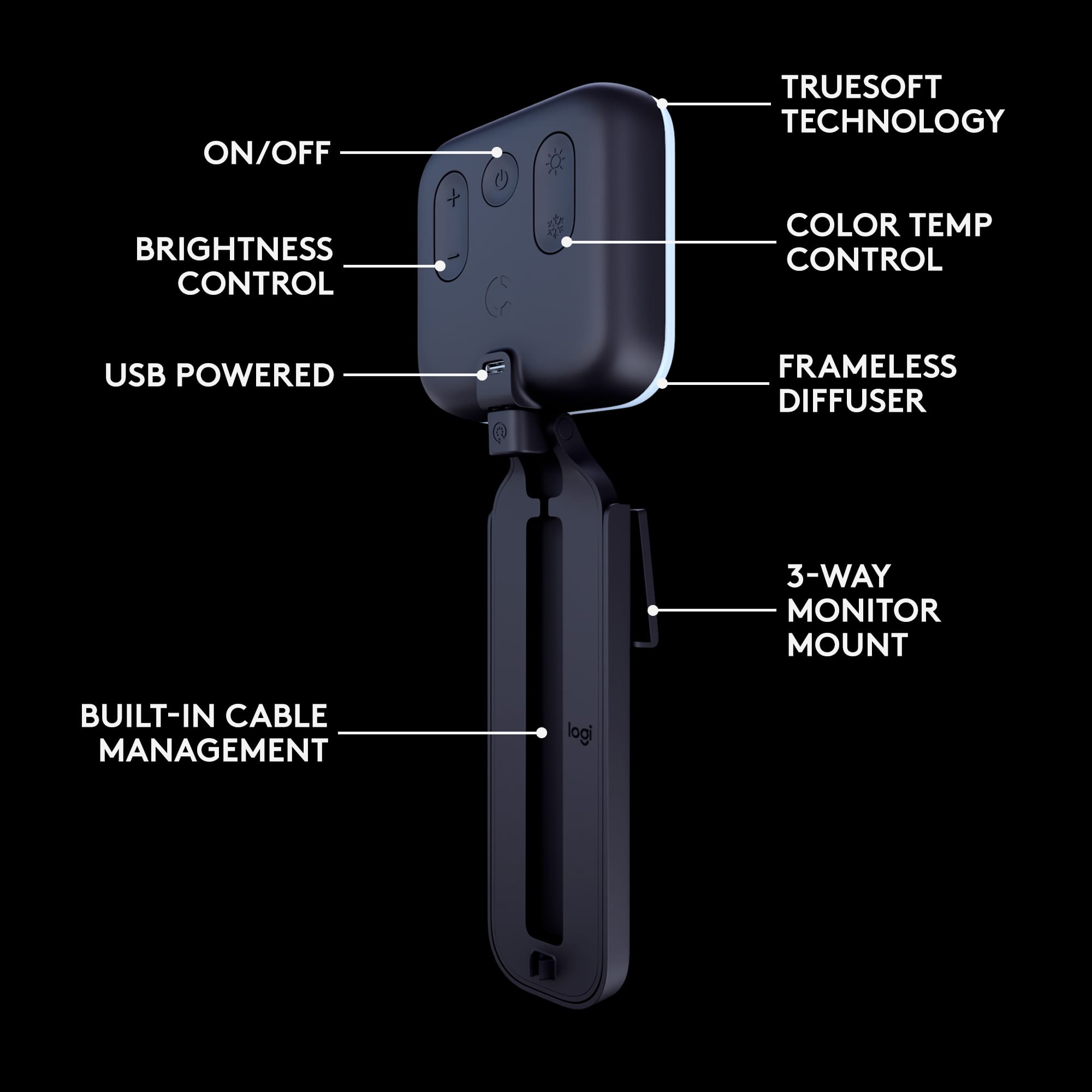
    I didn't think I would really like a streaming light as much as I do. I really like the quality of Logitech products to begin with, however, I was really impressed by this light overall. It is really worth it. Funny to say about a light, but wow, I am blown away on this light. There's even software you can use on you computer, but I'll get into that a little later. The unboxing of this light is impressive and minimal as I expected with Logitech. There is a just no muss and not much waste in this packaging. It goes into my local recycle with ease, which is awesome. What you get is a nice, and pretty long light kit in a sense. The reason for the long is to actually use to wrap the usb cord to minimize slack and lessens the medusa of wires we all have on our workstations at work and at home. This is pretty genius! Of course there is a wire tuck in the appropriate spots to run the wire and you can plug them into your computer, dock or usb in your monitor, if you have those equipped. Now to the installation. It is pretty self explanatory once you put it on your monitor or laptop. You can position this high or as close to eye level as your monitor or laptop allows. I preferred the downward position because of less shadows. Once plugged into a USB 2.0 port of choice, you have the option to download the software to control the light as well. I did not do that because, I am using this on my work machine and my company does not allow any third party downloads unless I get permission to do so. Which is fine, because you can use it without the software. You just have to use the onboard buttons on the light itself, which I prefer doing this way anyway. Once your machine is powered on, you press the center area to turn on the light. On the left is the color and shade you prefer. Meaning a bright 5k pure white look to a natural sunlight look. Don't worry, there's settings to get to the middle or little of both to find your personal hue. On the right side you have rockers that control the brightness of the light. And boy does it get bright! Then you can go ahead and position the light in literally any position. There are so may ways to orient this thing, it was actually fun setting it up. The different angles you can achieve on this is very intuitive and well done. You don't need to be an expert to operate this. Just turn on your camera and adjust. Easy peasy. Did I say I like this light?

    I would recommend this to a friend
  • Pros mentioned:
    Brightness, Mount
    Tech Insider Network Member

    Rated 5 out of 5 stars

    Nice compact light, more useful than expected

    |
    Tech Insider Network Member
    Posted .
    This reviewer received promo considerations or sweepstakes entry for writing a review.

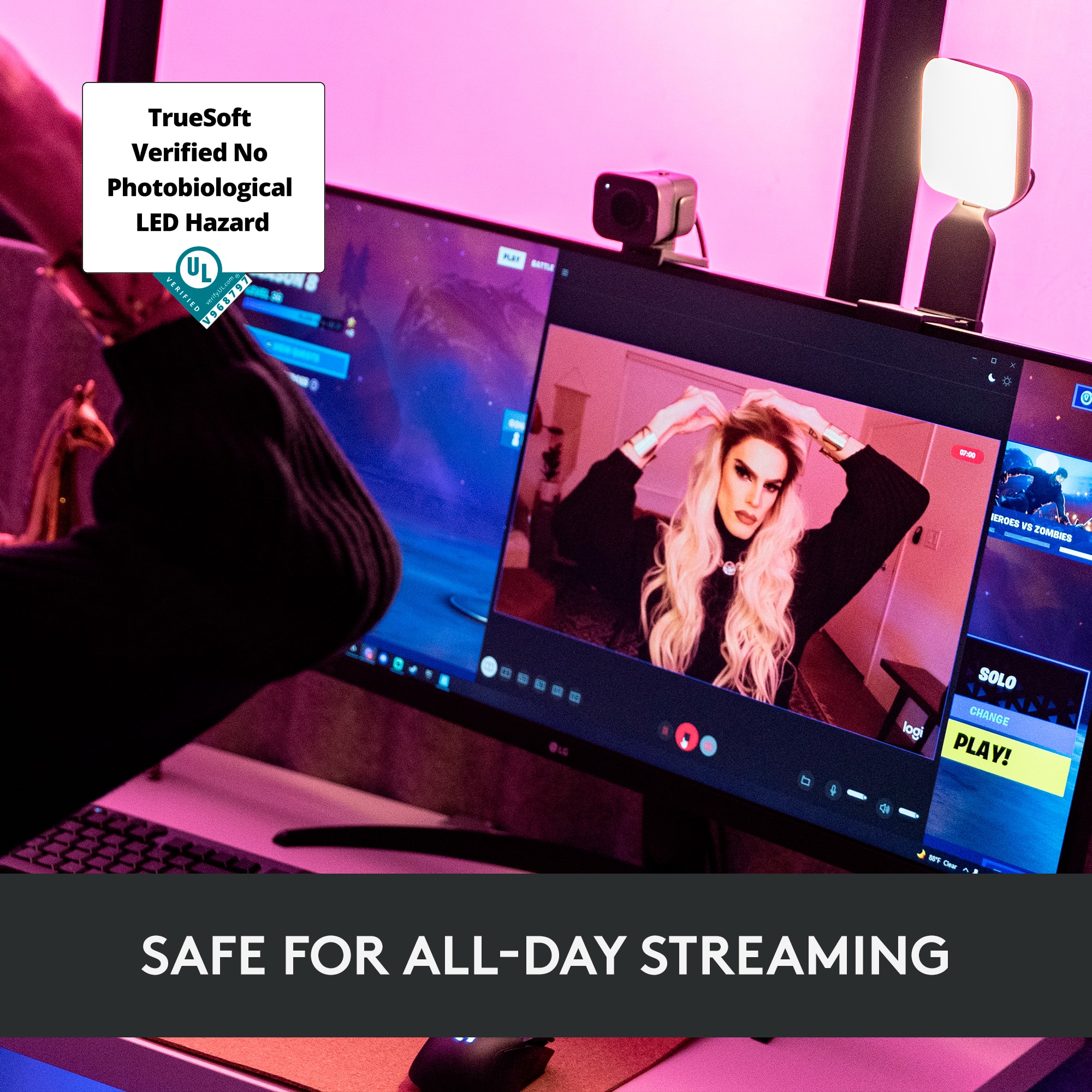
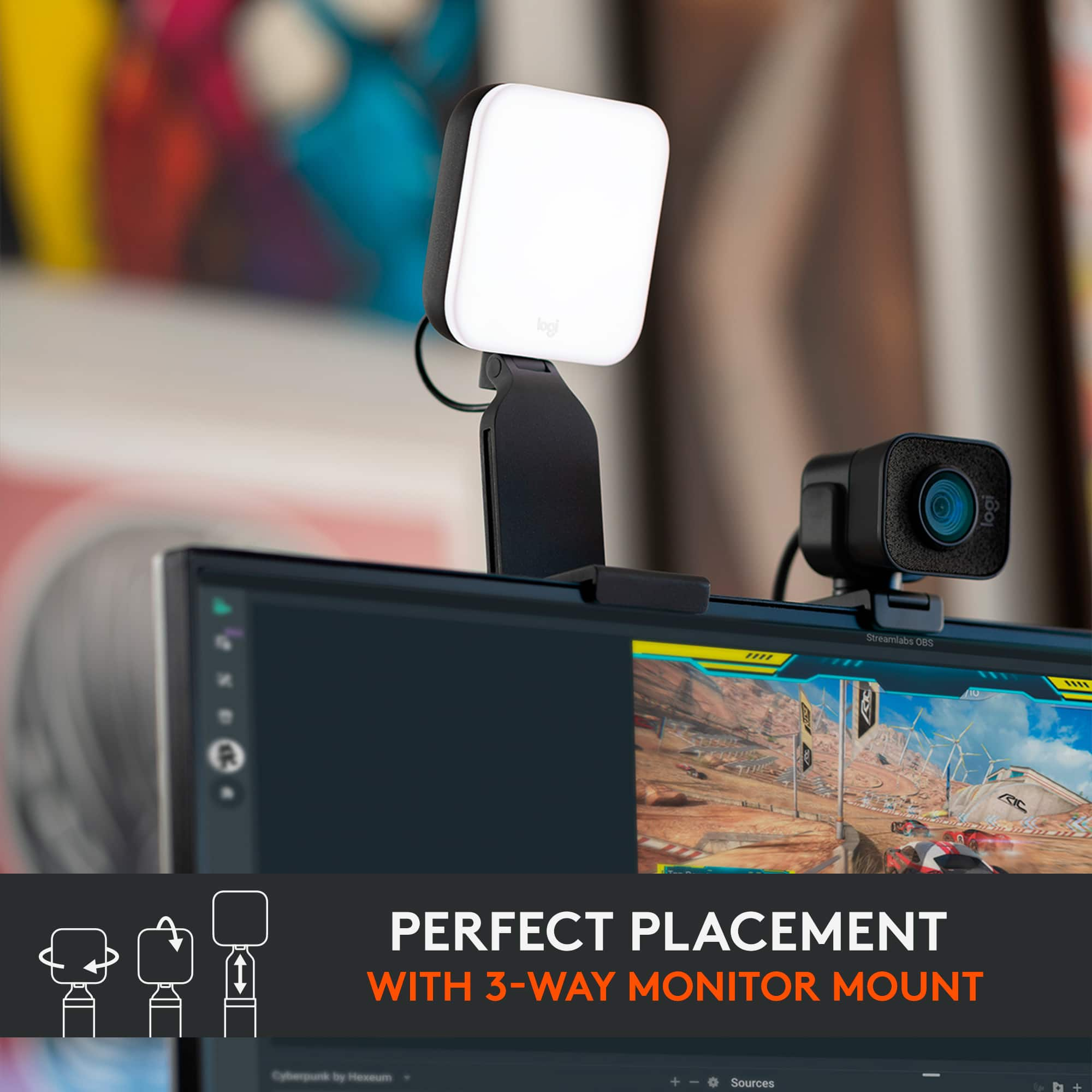
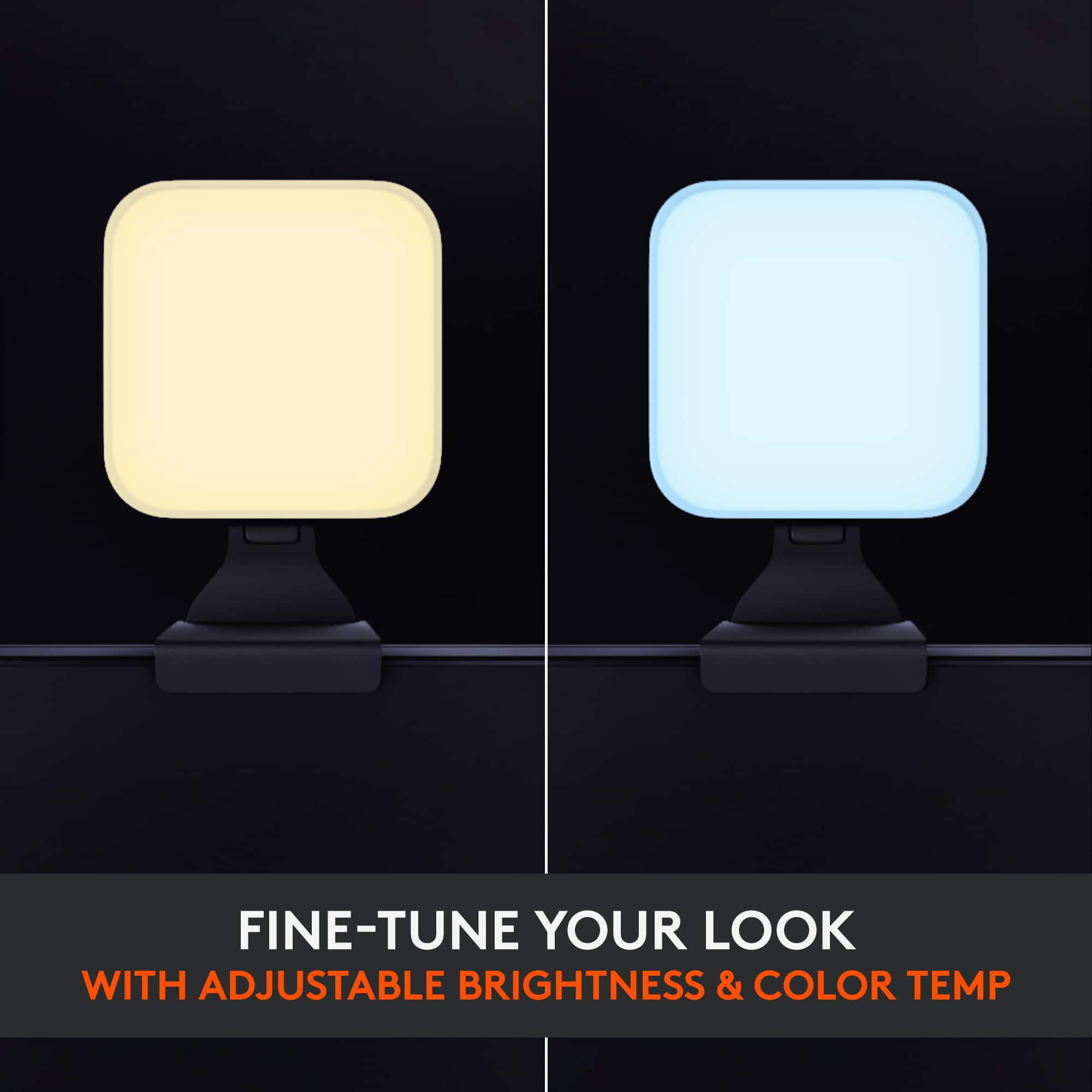
    After getting a high quality mic and hd webcam, I still found my streaming setup incomplete. I was missing a lighting setup. Rather than going with some bulky and cumbersome ring light setup, I found myself with the Logitech Litra. The first thing that stood out to me, aside from the shape of the light being a solid square, was the mount. Like the mount on the webcam, this was designed to clip to the back of any monitor (or laptop screen) while still allowing me to adjust the height and angle that the light was shining at. This is perfect for keeping pesky reflections when I'm using my glasses. What's more is that the mount is completely removable, and you can install the light on any standard tripod base. This opens up way more options than simply being a light accessory for a monitor webcam. There are physical controls on the back of the light, allowing you to turn the power on or off, set the intensity, and set the warmth of the light. You can also adjust the settings by installing Logitech's G Hub software. Included in the software are some preset lighting settings, but the biggest benefit to using it is the ability to set any of the lighting profiles to a custom keyboard button, provided you also have a compatible Logitech keyboard. Since there were on-device controls, and it was attached via a USB A to C cable, I tried plugging it straight into an external power source (a USB charging-only hub not connected to any computer) and it worked fine. It also worked using the portable battery pack I use to charge my phone in emergencies. This plus the tripod mount greatly expands the possible uses, as it does not have to be tied to a computer to use. The light itself has a nice range from cool blue tones to a warm orange. I find at night, during low light situations, and based on my darker complexion, a warm light and 35% brightness works great to illuminate and highlight my face without overexposure. The Logitech Litra may just well replace the bulkier LED box that I had been previously using for photography. Not only is it smaller and lighter with more options of powering on, but the nice diffuse light that it casts is better for preventing shadows. Logitech also claims all day usage without harmful effects, something that I didn't even know was an issue until I started doing research on blue light and LEDs.

    I would recommend this to a friend
    • Brand response from Logitech
      Posted .

      Hello RondonJonsen, Thank you for sharing how much you're loving the Litra Glow with this very comprehensive and insightful 5-star review---your feedback is greatly appreciated. If you should experience any issues, here's a link to the product support page where you'll find troubleshooting FAQs, software downloads, warranty information, live technical chat support, and more:  https://support.logi.com/hc/en-us/articles/4418090897175-Getting-Started-Litra-Glow. Hope that you find this useful and that all continues to go well. Thank you for choosing Logitech. - Richard from Logitech

  • Pros mentioned:
    Brightness, Ease of use
    Tech Insider Network Member

    Rated 5 out of 5 stars

    Excellent Streaming Light

    |
    Tech Insider Network Member
    Posted .
    This reviewer received promo considerations or sweepstakes entry for writing a review.

    I have been playing around with my Logitech Litra Glow Premium LED streaming light for a couple days and I’m very happy with the results. I have been toying with the idea of creating some online video content and this light has made me feel a bit more comfortable with the idea. Why? Well I suppose vanity, I look better with this light! Let’s back up just a bit and get a few things out of the way. Set up is super easy. Plug in the USB cord for power, attach the bracket piece and place it on your monitor. Once attached to the monitor you can easily adjust it. Rotate, tilt, or slide it along the bracket to move the light itself up or down. The bracket has a handy little cord holder which I also appreciate. Overall I found the bracket very effective for directing the light wherever I wanted. Just make sure the monitor is stable. Sitting the light on a laptop that is literally on top of your lap is not the best idea. Now for the part I really appreciate. The quality of the light! The light generated is very soft and diffused. The difference in how I look in a video versus my previous light (A nice desk LED lamp but not intended for streaming) is very noticeable. It really eliminates harsh shadows and with the ability to adjust the warmth and intensity of the light I was able to fine tune things to get it exactly where I wanted. With a company like Logitech I was expecting a solid product, but I was still surprised at just how good the light actually looks! There is an app that allows you more fine tuned control of the light as well as being able to set presets, but I was able to get it exactly how I want with just the controls on the back of the light. All in all I am quite impressed with this light. It’s so good at giving me a wonderfully even, warm appearance I can’t really say anything bad about it. Thank you Logitech, I am very happy with the product and I would absolutely recommend this to a friend looking for a quality streaming light for a reasonable price.

    I would recommend this to a friend
  • Rated 1 out of 5 stars

    Square Light

    |
    |
    Posted . Owned for 8 months when reviewed.
    This reviewer received promo considerations or sweepstakes entry for writing a review.

    Don’t waste your money. I swear that square was the only amount of light one could get. Returned immediately

    No, I would not recommend this to a friend
  • Rated 1 out of 5 stars

    Not Useful, Pain in the Eye

    |
    |
    Posted . Owned for 1 week when reviewed.
    This reviewer received promo considerations or sweepstakes entry for writing a review.

    Not practical or useful, even for a simple WFH setup

    No, I would not recommend this to a friend
  • Pros mentioned:
    Brightness
    Tech Insider Network Member

    Rated 5 out of 5 stars

    Excellent Light, Best Features

    |
    Tech Insider Network Member
    Posted .
    This reviewer received promo considerations or sweepstakes entry for writing a review.

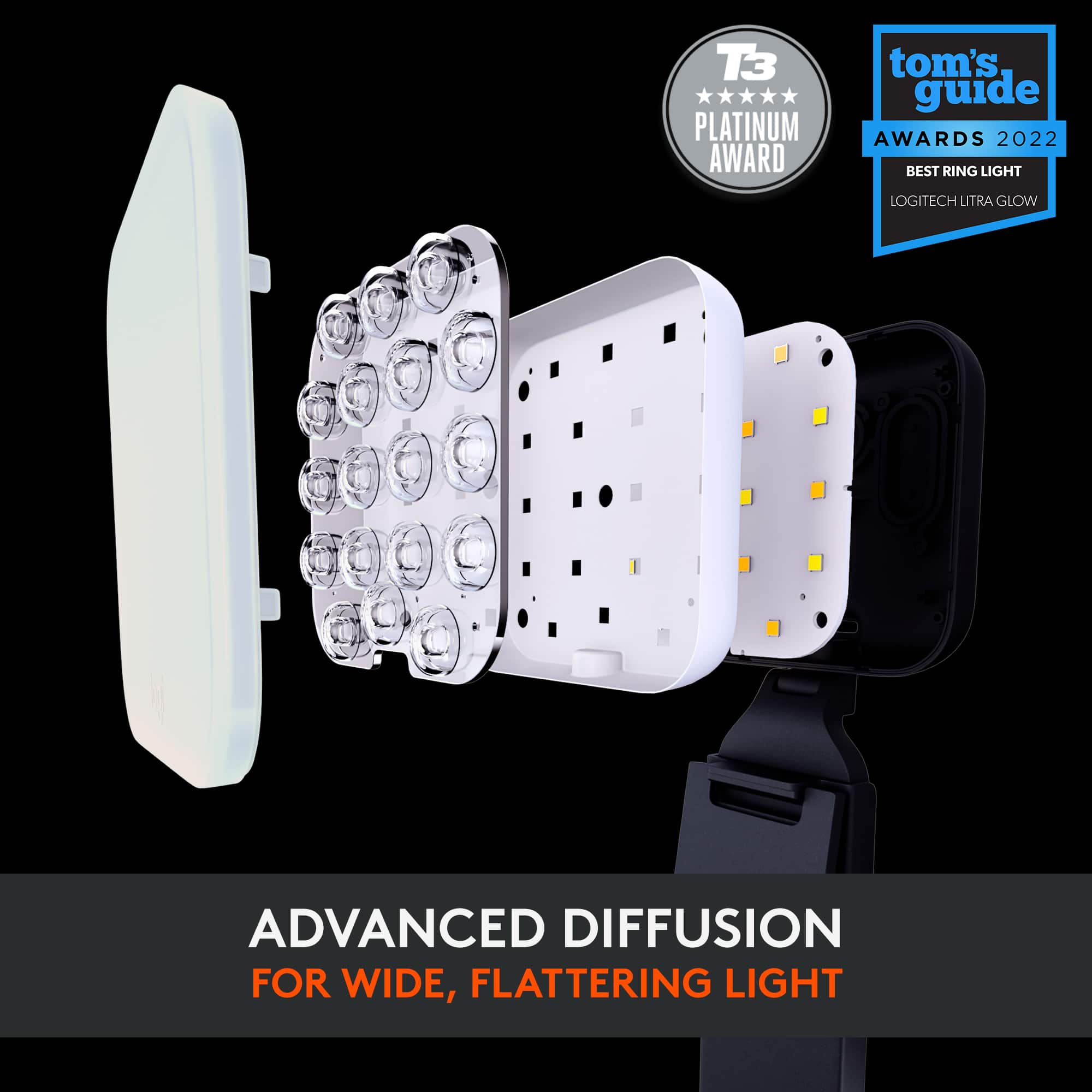
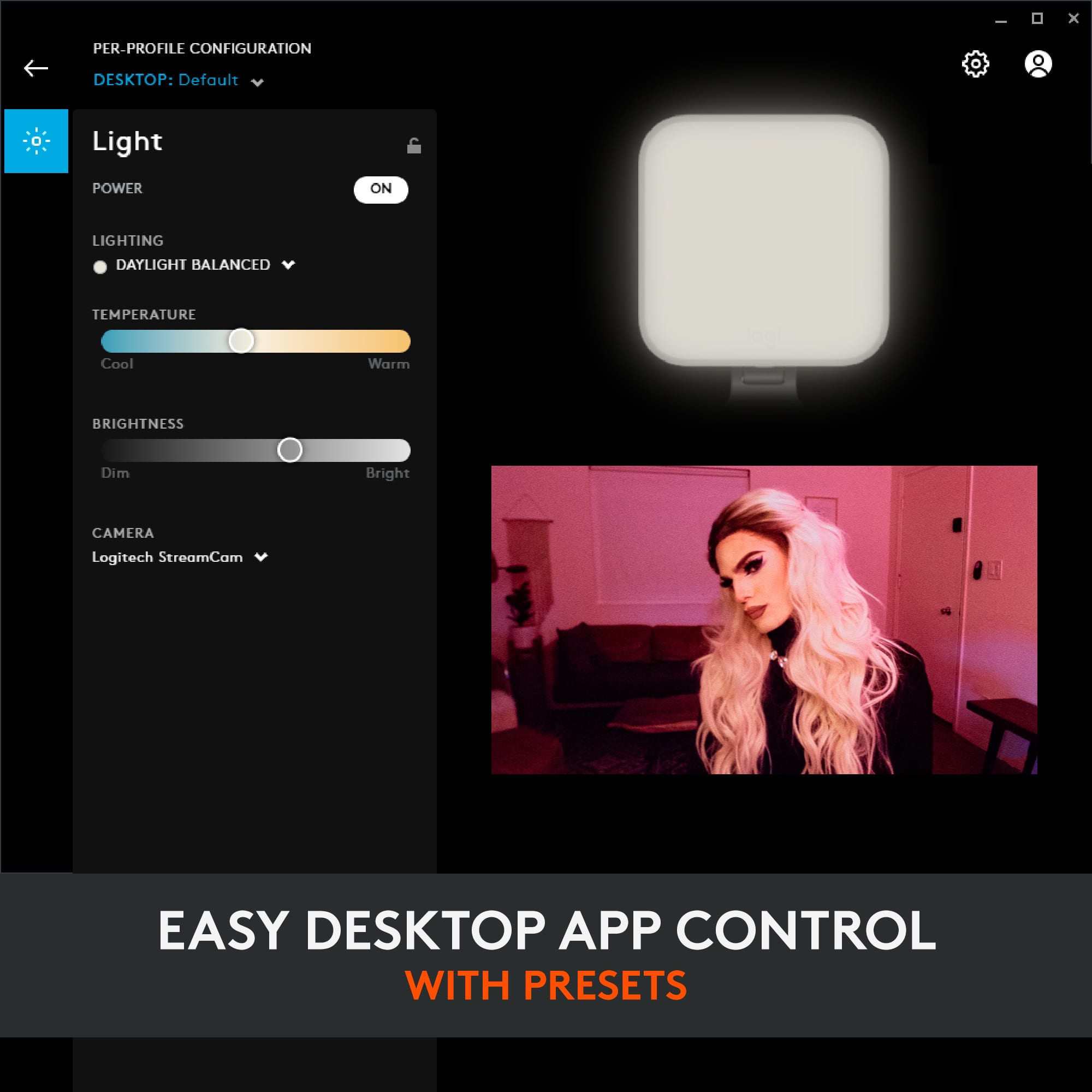
    Let me first just say that I'm a huge fan of Logitech Devices. I learned long ago that I can't trust generic mice nor off brand gaming controllers, they lack fine control and caused pointer jumping that caused me some trouble. That isn't to say that Logitech hasn't had a couple misses from my personal experience, but Logitech produces some solid products and the Litra Glow is another solid product in their lineup. I was looking for a good light for my webcam use, but most of them were too harsh and only had a few (if any) color temperature or brightness controls. In some cases, their array of LEDs didn't have any diffuser so you would see lighting hot spots on your subjects. This caused me to drag my feet a little in choosing a product. Logitech has great timing, because as soon as I saw this product, I had to pick it up. The light panel is a 3.5 inch square and just under 1 inch thick. There are controls on the back of the panel for on/off, 5 brightness settings and 5 color temperature settings. This is mounted on a tilting and rotating joint atop of a 7 inch paddle that helps to brace the flip out stand against your monitor. The paddle telescopes to raise the light 3.75 inches with 7 stops for a total of 8 height positions. What's also nice is that the panel can twist off the joint to reveal a screw so you can mount the light panel to a tripod. Giving you more freedom of placement for this light. The back of the light panel has a USB-C port and in the packaging there is an included 5 foot USB-A to USB-C cable. As a side note, I was able to plug the USB-A end into a portable battery and was able to run the light off it. So this easily adapts for use as a photography light. The LEDs on the light panel sit behind a frosted panel that is effective in diffusing the light. I couldn't discern any bulbs at any brightness or color temperature levels. According to the specs, the color range goes from 2700 to 6500 Kelvin and a maximum output of 250 Lumens. It has a CRI (Color Rendering Index) of 93. To get beyond the 5 brightness and 5 color temperature settings, you need to use Logitech software to give yourself finer control. That's where I come to two nitpicks. First, this is a Logitech product and it's not advertised as part of the Logitech G family of gaming products, yet to control the light via software you must use the Logitech G Hub. Second, at the time of this review, I had 2021.13 version of the Logitech G Hub software installed for my other peripherals and have it set to update automatically. I even set it to check for updates and it wouldn't update. I had to download the 2022.1 which has been available for nearly two weeks. This update introduces support for the Litra Glow. Note: Once I got the update installed, it detected the light but got stuck initializing the profile on the Litra Glow, after closing out of the G Hub and reopening, everything was fine. Within the G Hub app, you have controls for power on/off, 6 lighting presets and the ability to create your own presets, the ability to select your camera, but what I find most useful is the sliding bars that allow the ability to change the color temperature and brightness levels beyond the 5 presets already on the light. This provides you with the ability to tune the light to offset additional light sources and present more natural skin tones in your streams. One of the unexpected features is that if you own a Logitech G keyboard or mouse, you can assign buttons to control the light for quick and easy access without having to open the G Hub app. I'm glad the Logitech expanded their lineup to include a streaming light. I was hard pressed to find a light with this much control and this many features in this price range. Logitech really hit it out of the park with this Litra Glow.

    I would recommend this to a friend
    • Brand response from Logitech
      Posted .

      Hi bzm3j81, we're glad to see you're loving the versatility and bright lights with the Litra Glow Streaming Light! Continue to enjoy! -N from Logitech

  • Pros mentioned:
    Ease of use, Size
    Tech Insider Network Member

    Rated 5 out of 5 stars

    Easy to set up and use, plug and play efficiency!

    |
    Tech Insider Network Member
    Posted .
    This reviewer received promo considerations or sweepstakes entry for writing a review.

    As with all Logitech products, they are downright quality made and the company just seems to know how to build devices that cater to what the consumer needs. This product is no different and is handy when it comes to putting light in front of you while streaming on any of the social portals or podcasts or live streams. IT is easy to set up and as with any Logitech product, its plug and play and quickly syncs with your system, either PC or Mac and is easy to manipulate the setting to your liking. It is the right size as well and mounts easily behind any laptop or monitor screen. I would highly recommend this product.

    I would recommend this to a friend
  • Pros mentioned:
    Brightness, Ease of use
    Tech Insider Network Member

    Rated 4 out of 5 stars

    Great for a beginner/novice like me!

    |
    Tech Insider Network Member
    Posted .
    This reviewer received promo considerations or sweepstakes entry for writing a review.

    As a novice at streaming and creating youtube content, this light made an excellent difference to the quality of my videos. After having used only natural light or the overhead light in my bedroom/office, having a dedicated and diffused light to light up my face during the content I create, or during zoom meetings, has made a big difference in how clear the video is when I'm done making it. I honestly didn't think I would really notice a difference, but it is clear enough now that I'm thinking I should start wearing makeup! Very easy to set up and use and if you're not a profession, maybe even if you are, I would recommend this light.

    I would recommend this to a friend
  • Pros mentioned:
    Brightness
    Tech Insider Network Member

    Rated 5 out of 5 stars

    Let There Be Light!

    |
    Tech Insider Network Member
    Posted .
    This reviewer received promo considerations or sweepstakes entry for writing a review.

    Seriously up your game when creating video content on the fly or an auxiliary light to help rid your shot of shadows! This light is super versatile and convenient. When using on a computer the Logi G HUB software lets you control the light modes via the app and has a few preset lighting configurations. The built-in stand is quickly detachable and the light can be mounted on a tripod. The light is super bright at max setting and can definitely help combat competing lighting. The electric draw is only 5V/1A @4.45watts, your phone USB port can power it (Android tested), a portable battery pack, even that Apple charger from the iPhone 4 days. It is definitely a great tool to have in your arsenal. The build quality is sturdy and there is a bit of cord management. It would have been great if the power cord could fit in the handle, but there is just enough room for maybe a third of the cable to fit. Judging by the quick setup guide, it is really just meant to shorten the slack when in use, not to fully store the cable. Because this light can be controlled by software via computer, having multiple of these could easily help any setup in light control. There are also presets that will allow the light to be programmed when starting a specific app so that the light automatically goes to the preset for that intended use; this is the same for all of their gaming and content creation hardware. Given the price, quality, and capabilities the Litra Glow is a super useful light. Can easily recommend.

    I would recommend this to a friend
    • Brand response from Logitech
      Posted .

      Hi MnstrMike, we're glad to see you're loving the glow you're getting with the Litra Glow Streaming Light! Continue to enjoy! -N from Logitech

  • Pros mentioned:
    Brightness
    Tech Insider Network Member

    Rated 5 out of 5 stars

    Really great light for streaming and video meeting

    |
    Tech Insider Network Member
    Posted .
    This reviewer received promo considerations or sweepstakes entry for writing a review.

    The Logitech - Litra Glow Premium LED Streaming Light is great for streaming, but also for video meetings. This was definitely a great addition to my streaming setup. Prior to using the Logitech - Litra Glow Premium LED Streaming Light I found that my videos were lacking lighting and made things less visually appearing. I came across the Logitech - Litra Glow Premium LED Streaming Light and love how compact and easy to use this light is. There is so much adjustability to it and has a well thought out design. There is even room to store any extra cord to keep things clean around your station. You are able to dim the light or make it brighter, depending on your surrounding natural light. Although my Logitech - Litra Glow Premium LED Streaming Light is primarily used as a streaming light, I have also used it for work meeting. Working within the legal field, it is important to have proper lighting for appearance purposes. This light has been great, and I use it in all of my remote meetings for work. Overall, I am extremely happy with the Logitech - Litra Glow Premium LED Streaming Light. I would highly recommend it to anyone.

    I would recommend this to a friend
    • Brand response from Logitech
      Posted .

      Hello Jordan, Thank you for sharing this very insightful and comprehensive 5-star review of the Litra Glow---your feedback is greatly appreciated. If you haven't done so already, I suggest that you download and use Logitech G Hub software. G Hub desktop app allows you to control brightness, color temperature, on/off and more right from your desktop. And, if you have a Logitech G keyboard or mouse, you can use G Keys to easily turn your light on/off, change brightness or color temperature and more. Here's a link to the download:  https://www.logitechg.com/en-us/innovation/g-hub.html. Hope that you found this helpful and that all continues to go well. Thank you for choosing Logitech. - Richard from Logitech

  • Pros mentioned:
    Brightness
    Tech Insider Network Member

    Rated 5 out of 5 stars

    Light Your Videos at a Great Price

    |
    Tech Insider Network Member
    Posted .
    This reviewer received promo considerations or sweepstakes entry for writing a review.

    My problem with video conferencing is that my computer faces the wall so no direct light will illuminate my face. The Logitech Litra Glow to the rescue! This streaming light has it all--brightness level, color temperature adjustment and angling capability. You can now control what your image will look like to others with this simple device. Depending on your external light levels, the Litra Glow will fill in so your image will look fully-lit. My favorite control is the color temperature. You can look pale or have a warm look depending on where your Litra Glow is set. With many new electronic devices, they choose to provide only a brief starting guide. This is the same as the Litra Glow controls but it is so minimal you won't even need to read the instructions! Just plug in the included USB cable to your PC or Mac and plug the other end to the device. It's just that simple! My only gripe is since this device is mostly plastic, I question how it would work if it ever fell off the monitor. An included stand might help. Logitech has done it again by providing an efficient light source at an extremely nominal price.

  • Pros mentioned:
    Mount

    Rated 4 out of 5 stars

    Mostly fits the bill

    Posted .
    This reviewer received promo considerations or sweepstakes entry for writing a review.

    I needed something that could easily go from laptop (MacBook Air) to desktop, provide good lighting, and wasn't flimsy or complicated. The adjustable mount is simple: hook its vertical piece to the top of your monitor and the horizontal "stand" rests against the back of your monitor. Being able to raise the light and tilt it forward is nice. A little more weight in the stand would be helpful and getting the cord to fit inside of it when not in use can be frustrating. Installing the desktop app allows you to adjust brightness and warmth without having to reach behind the unit to do so.

    I would recommend this to a friend
  • Tech Insider Network Member

    Rated 5 out of 5 stars

    Great Light for Optimal Video Streaming

    |
    Tech Insider Network Member
    Posted .
    This reviewer received promo considerations or sweepstakes entry for writing a review.

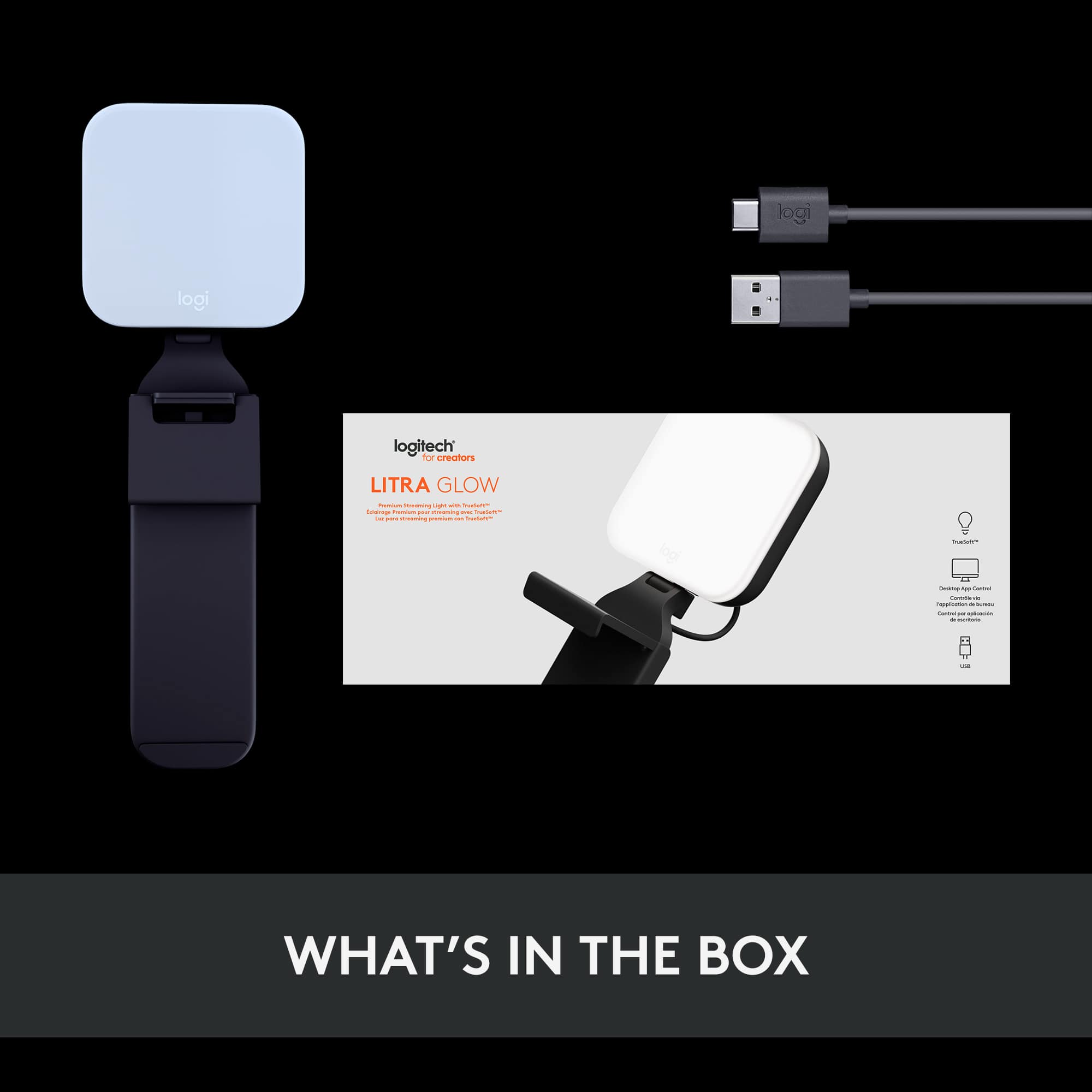
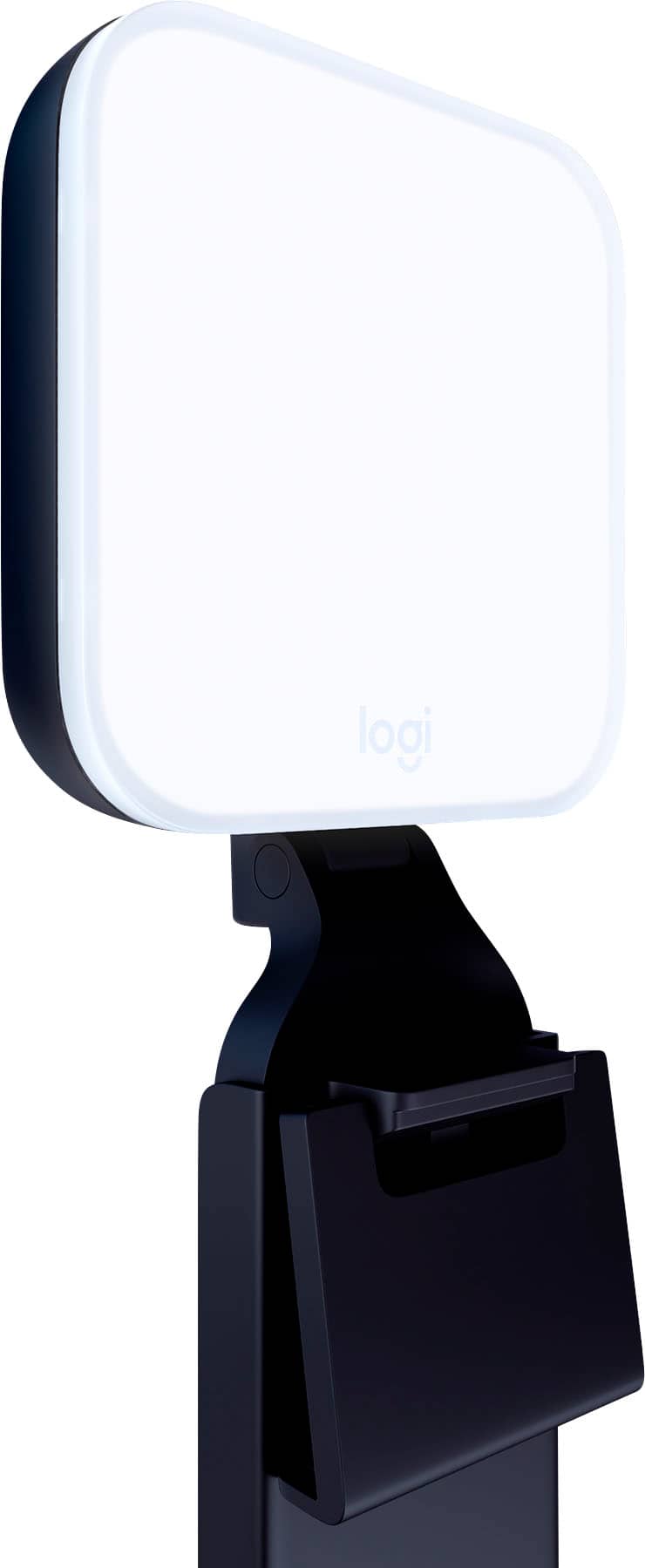
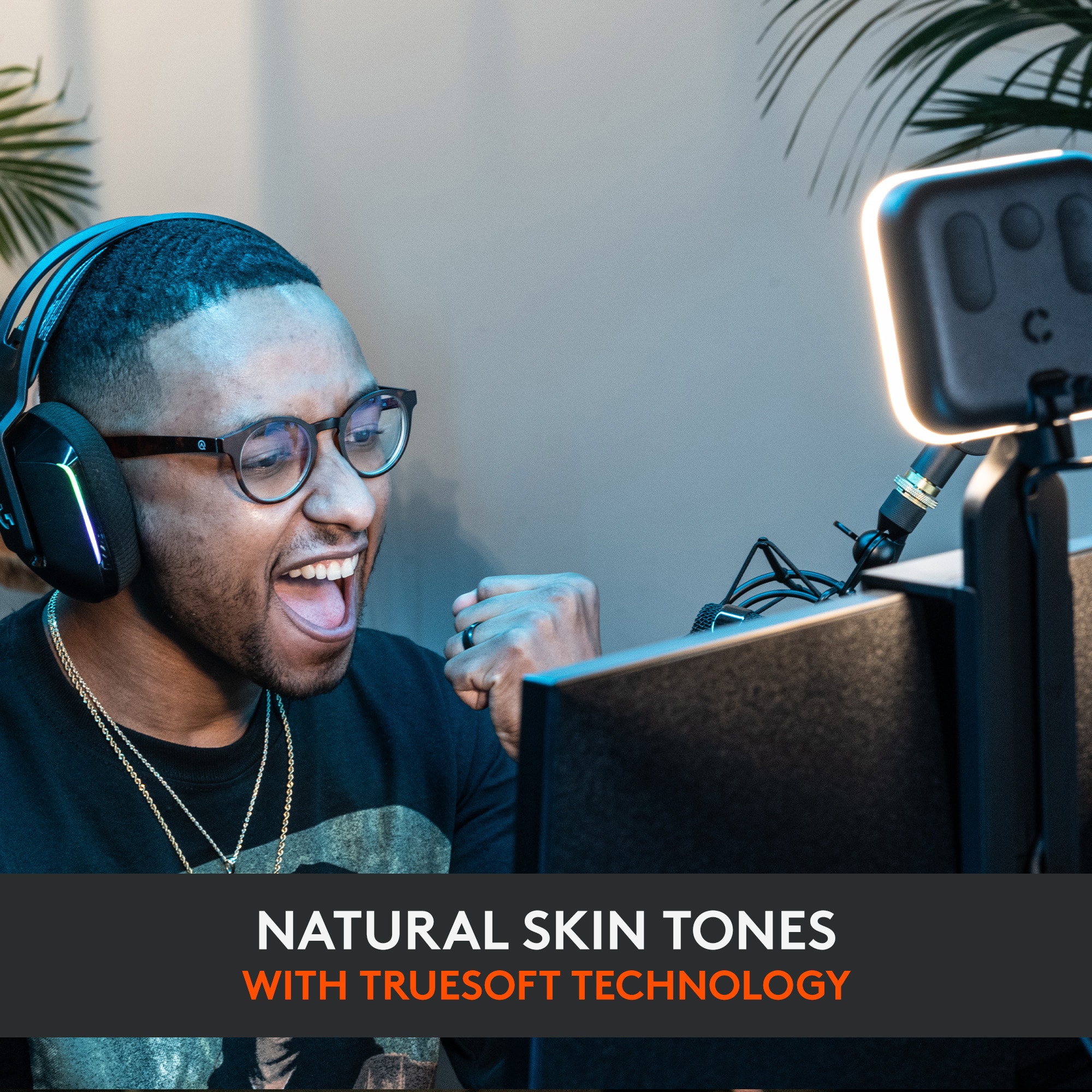
    The Logitech LITRA GLOW Premium Streaming Light with TrueSoft 360 degree rotation has a multi-LED panel that is a little over 3.5" square that can extend to about 14.5 inches high and weights under one-half Pound. It fits on the top of very monitor that I own. It comes with a standard USB-C to USB-A cable for power that is almost 5 feet long. Windows® 10 or later, macOS® 10.14 or later and a USB 3.0 port are required for full functionality. It has variable output up to 250 Lumens with a Color Temperature Range of 2700K (warm cast) - 6500K (daylight) with a CRI of 93. This spread is great for streaming in almost any lighting environment. It uses a Precision Sculpted Optics Lens along with a Proprietary Frameless Diffuser for soft, even contiguous lighting. It works with the Logitech G HUB Software for On/Off, brightness, color temperature, presets and G Key assignments providing easy control. It has a standard ¼-20 thread mount that works with most tripods and many other accessories. This means if you use it with a power bank it makes a great Blogging or Vlogging light source. This is a very well made portable, attractive and durable light source. This is one of those WOW items.

    I would recommend this to a friend
  • Tech Insider Network Member

    Rated 4 out of 5 stars

    De"light"ful!

    |
    Tech Insider Network Member
    Posted .
    This reviewer received promo considerations or sweepstakes entry for writing a review.

    The Litra Glow LED Streaming Light is just one more reason why I am such a fan of Logitech products.Thoughtful design and quality builds go into each item, and the Litra Glow is no exception. In the box you will find everything you need to be up and running in no time. From unboxing to complete setup took less than five minutes, including the G Hub desktop app download. The Litra Glow includes a pretty slick monitor mount that securely holds the light in place without the use of any adhesives. The front-facing clip arches slightly over the top of your monitor and is long enough to prevent slippage and dislodging, yet steals none of your screen real-estate. The back of the mount is much longer and includes a very handy and effective built-in cable management compartment. I've experienced no issues with the mount moving, slipping, or coming off. The mount also allows for liberal height, rotation, and tilt adjustments. The Litra Glow is powered by USB A at the computer with USB C at the light itself. There is a power button on the back of the light, along with brightness and light temperature controls. These are easy to identify by feel, so no need to move around to the back of the light to make adjustments. While not required, Logitech does have a free G HUB desktop app which gives you standard controls along with a few extras. Within the app you can control the power, brightness, and temperature. Additionally, you can save your preset settings as reusable favorites. The app also connects to your webcam so you can actually preview your frame to see how your broadcast or video will appear. I love this feature. A little side note - be sure to turn off the app's webcam access once you have your lighting adjustments made. Failure to do so will keep other apps from being able to utilize the webcam, as Logitech's app does not automatically disconnect or prompt you to disconnect when attempting to use your webcam in another app. I'm not really faulting Logitech for this, more stating this for awareness. Logitech states the Litra Glow is safe for all day use due to the low level of heat production. To test this, claim I left my light powered on for 8 hours. While it does obviously produce some heat, it was in no way hot, or even warm for that matter. I could easily touch both the front and back of the light comfortably. I was really surprised at how well the Litra Glow handles shadows, or should I say the lack of. The diffuser does an amazing job dispersing light to not only decrease shadows, but also those annoying skin "glow spots" that are often produced by other lighting products. I found this to be true in both very low-light conditions and well-lit environments. Logitech has created a really great lighting product that certainly hits the target for most general use cases. You will undoubtedly improve your video-conferencing, recording, and broadcast experiences. I definitely recommend the Logitech Litra Glow!

    I would recommend this to a friend
  • Pros mentioned:
    Brightness
    Tech Insider Network Member

    Rated 5 out of 5 stars

    The Ultimate Stream Light!

    |
    Tech Insider Network Member
    Posted .
    This reviewer received promo considerations or sweepstakes entry for writing a review.

    This Logitech Light in conjunction with a Green screen produces zero shadows and lifelike color on skin tone. In streams I was able to not be blinded by the light with and is simple to setup! I really enjoyed its light glow and hue on my face and didn’t warm up the stream room with heat! It’s minimal design output some powerful lighting to truly capture my onscreen silhouette. If you are a streamer or podcaster or a product photographer pick this up!

    I would recommend this to a friend
  • Pros mentioned:
    Brightness

    Rated 5 out of 5 stars

    Perfect Zoom Light by Rock-Solid Company

    Posted .
    This reviewer received promo considerations or sweepstakes entry for writing a review.

    Not to be confused with budget priced LED zooming lights, this Logitech offers both a white and warm light, each with adjustable intensity. The unique screen mount is perfect to place center of monitor, directly above the camera and gravity-held (easy to move around). The supplied cable plugs into one of the USB slots on the back of the monitor.

    I would recommend this to a friend
  • Tech Insider Network Member

    Rated 4 out of 5 stars

    A Very Cool (or warm) Light

    |
    Tech Insider Network Member
    Posted .
    This reviewer received promo considerations or sweepstakes entry for writing a review.

    The Logitech - Litra Glow Premium LED light is a very cool light or a warm light as you can adjust the color of the light using the switch on the back of the light or use the program on your computer. You can also adjust the brightness of the light to fit the situation. The light is very soft and makes your online presence look very professional. I have been using an LED light that I bought years ago that has 12 bare LEDs, no diffusion and no adjustable color so I have to depend upon the software that I am using for meetings to adjust the color and brightness. No matter what, the lighting never looked good. This light looks wonderful when adjusted properly. The G-Hub app to adjust the light is available for Mac and Windows. Unfortunately my Mac can not be updated to the required 10.15 minimum (I'm running 10.14.6) so I can't run the app on the Mac as I do all my Zooms, Webex and Google Meets on my Mac. Since my Mac is next to my Windows computer, I plugged the Litra Glow into the PC and ran the Windows version of the app and aimed the light toward my Mac so I can still adjust the light. Just to make it clear, there is no internal battery in the light so I don't have to worry about it being out of power whenever I need to join a meeting. I just plug it into the USB jack on the computer and it turns on. The bracket that holds the light can be configured to fit onto any kind of laptop or desktop monitor. My computer monitor is in a cabinet and the shelf above the monitor is only a few inches above the top of the monitor so there's not enough room to mount the light on the back of the monitor. Since the light's mount can adjust in any direction, I placed the mount on the top of the shelf and have it hang over the top of the monitor. My only complaint is that the light is heavier than the mount so I had to put a weighted object on top of the mount to hold it in place or it would fall down. I love the look of my video using this light way better than what I've been using and I'm glad I have it now.

    I would recommend this to a friend
  • Pros mentioned:
    Ease of use
    Tech Insider Network Member

    Rated 5 out of 5 stars

    Really helps if you have back-lighting!

    |
    Tech Insider Network Member
    Posted .
    This reviewer received promo considerations or sweepstakes entry for writing a review.

    I didn't think I needed this, but thought I'd try it out. Great idea and really helps! Easy to set up and mount. Especially for Teams call when I am working from home since my face often appears dark due to a window and room light behind me. This Logitech light isn't annoying to my eyes and worked great!

    I would recommend this to a friend
  • Rated 5 out of 5 stars

    Logitech Litra Glow LED Light

    Posted .
    This reviewer received promo considerations or sweepstakes entry for writing a review.

    Using the Logitech Litra Glow LED Light during online meetings made for a more professional presentation. Easy to set up and priced ideally. Highly recommend.

    I would recommend this to a friend
  • Tech Insider Network Member

    Rated 5 out of 5 stars

    Nice light for your web cam

    |
    Tech Insider Network Member
    Posted .
    This reviewer received promo considerations or sweepstakes entry for writing a review.

    The Logitech Litra Glow is a good light for streaming, adding basic lighting to a video call or recording. The application for the light allows you to set profiles for how you want the light to look. The light has a few different presets you can try out, to set the mood of the light. The app allows you to look at your camera output and adjust the light at the same time, helping you get the light configured exactly the way you want it. The light itself has controls so you can adjust everything manually without having to use the app. The light is powered by a USB-A to USB-C cable. This allows the user to use the light when away from the computer as wells as not using an electrical outlet. The Logitech Ultra Glow is very light weight and has a nice stand that keeps it balanced on your monitor. The light works great and has enough settings and options to make it a cost-effective lighting solution. I can recommend it.

    I would recommend this to a friend