Customer Ratings & Reviews
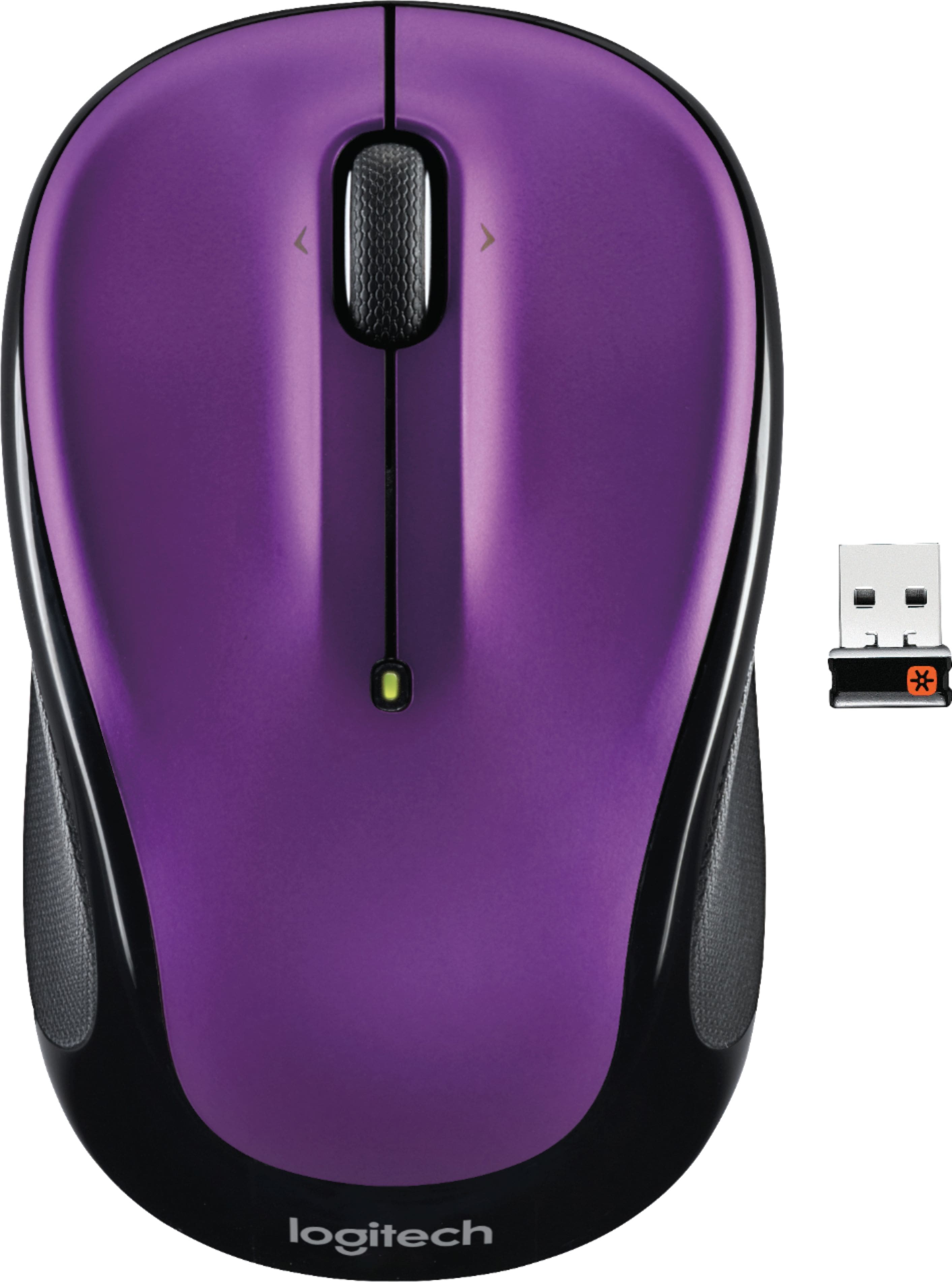
- Model:
- 910-003120
- |
- SKU:
- 5422358
Customer reviews
Rating 4.7 out of 5 stars with 29202 reviews
(29,202 customer reviews)Rating by feature
- Value4.8
Rating 4.8 out of 5 stars
- Quality4.7
Rating 4.7 out of 5 stars
- Ease of Use4.8
Rating 4.8 out of 5 stars
Customers are saying
Customers frequently mention the ease of use, comfortable size, and attractive price of the M325 Wireless Optical Ambidextrous Mouse. Positive feedback also highlights the long battery life, wireless functionality, and responsive performance. While some users reported issues with the scroll wheel, the overall experience is largely considered positive. Many appreciate the mouse's lightweight design and pleasing aesthetics.
This summary was generated by AI based on customer reviews.
- Pros mentioned:Easy to use
Rated 5 out of 5 stars
Inexpensive,simple to put in service,works well
||Posted .This reviewer received promo considerations or sweepstakes entry for writing a review.This item was recommended by a Best Buy associate and it has fulfilled each of the reasons she gave for reasons to buy. Costs about half of some well known brands, takes only seconds to prepare for usage and performs well on every surface I have used.
This review is from Logitech - M325 Wireless Optical Ambidextrous Mouse - Wireless - Silver
I would recommend this to a friend - Pros mentioned:Easy to use
Rated 5 out of 5 stars
Good value for money
||Posted . Owned for 3 weeks when reviewed.This reviewer received promo considerations or sweepstakes entry for writing a review.Fits the hands. Easy to use and auto installed to the laptop
This review is from Logitech - M325 Wireless Optical Ambidextrous Mouse - Wireless - Red
I would recommend this to a friend - Pros mentioned:Easy to use
Rated 5 out of 5 stars
Easy to use & carry around
||Posted .This reviewer received promo considerations or sweepstakes entry for writing a review.Great mouse, light and easy to use with my Lenovo laptop
This review is from Logitech - M325 Wireless Optical Ambidextrous Mouse - Wireless - Red
I would recommend this to a friend - Pros mentioned:Easy to use
Rated 5 out of 5 stars
Great item
||Posted .This reviewer received promo considerations or sweepstakes entry for writing a review.Very good and easy to use. Small enough to handle and works well. Easy to point and click
This review is from Logitech - M325 Wireless Optical Ambidextrous Mouse - Wireless - Silver
I would recommend this to a friend - Pros mentioned:Easy to use
Rated 5 out of 5 stars
Easy to Set-Up / Use
||Posted .This reviewer received promo considerations or sweepstakes entry for writing a review.Plugged the USB in and it immediately started working. Keep in mind the USB is located/stored where the battery is also located. I initially thought it was missing from the package until I opened up that little compartment and found it. Easy to use. Highly recommend.
This review is from Logitech - M325 Wireless Optical Ambidextrous Mouse - Wireless - Red
I would recommend this to a friendBrand response from Logitech
Posted .Hi Katie! Glad to see you were able to find the included Unifying receiver with ease so you can enjoy your M325 mouse! If you still have questions or concerns about the headset, check out the Logitech support page https://support.logi.com/hc/en-us/articles/360024159334 Continue to enjoy!
- Pros mentioned:Easy to use, Long battery life
Rated 4 out of 5 stars
Great mouse for the price
||Posted .This reviewer received promo considerations or sweepstakes entry for writing a review.Affordable, colorful, easy to use, seems to keep a battery charge longer than my previous one, had to get used to the scrolling button because it doesn't click like my old one.
This review is from Logitech - M325 Wireless Optical Ambidextrous Mouse - Wireless - Red
I would recommend this to a friend - Pros mentioned:Easy to use
Rated 5 out of 5 stars
So simple to use
||Posted . Owned for 1 month when reviewed.This reviewer received promo considerations or sweepstakes entry for writing a review.Extremely easy to use and very simple to set up! Opened up the container plug the little doohickey into the side of the computer pull the battery plug out and it worked fine! Fits really well in my hand
This review is from Logitech - M325 Wireless Optical Ambidextrous Mouse - Wireless - Silver
I would recommend this to a friend - Pros mentioned:Easy to use
Rated 5 out of 5 stars
Wireless mouse
||Posted . Owned for 1 month when reviewed.This reviewer received promo considerations or sweepstakes entry for writing a review.What a very good inexpensive wireless mouse. This mouse is by Logitech and for the price you get a pretty color and easy to use while your browsing. If you don’t have a mouse and need one this is a good choice to pick.
This review is from Logitech - M325 Wireless Optical Ambidextrous Mouse - Wireless - Blue
I would recommend this to a friend - Pros mentioned:Easy to use
Rated 5 out of 5 stars
Logitech wireless mouse
||Posted .This reviewer received promo considerations or sweepstakes entry for writing a review.I just got this mouse. It was an easy setup. Works right away. Just take the chip from inside the mouse and plug into your computer and remove the tag to activate the battery and working. Fits my perfectly. I have average hands.
This review is from Logitech - M325 Wireless Optical Ambidextrous Mouse - Wireless - Silver
I would recommend this to a friend - Pros mentioned:Easy to use
Rated 5 out of 5 stars
Best wireless mouse ever!
||Posted .This reviewer received promo considerations or sweepstakes entry for writing a review.I have used several wireless mouses over the years, but I'm so glad one of your sales associates suggested this one: it's quick; it's fast, and it's light to the touch. Very easy to use!
This review is from Logitech - M325 Wireless Optical Ambidextrous Mouse - Wireless - Red
I would recommend this to a friend - Pros mentioned:Easy to use
Rated 5 out of 5 stars
Works great.
||Posted . Owned for 1 month when reviewed.This reviewer received promo considerations or sweepstakes entry for writing a review.Easy, easy to use. Pop in to port, turn on mouse, ready to go. Great purchase.
This review is from Logitech - M325 Wireless Optical Ambidextrous Mouse - Wireless - Light Silver
I would recommend this to a friendBrand response from Logitech
Posted .Hello. Thank you for your kind words and review of the M325 mouse. I'm happy to hear that you're enjoying your new mouse! If you have any questions or issues, please visit our support site: support.logi.com
Thanks for choosing Logitech!
-Charlton at Logitech
- Pros mentioned:Easy to use
Rated 5 out of 5 stars
Amazing
||Posted . Owned for 1 month when reviewed.This reviewer received promo considerations or sweepstakes entry for writing a review.It's easy to use because it does the work faster. I love it.
This review is from Logitech - M325 Wireless Optical Ambidextrous Mouse - Wireless - Red
I would recommend this to a friendBrand response from Logitech
Posted .Hello, Solo! I'm happy to hear that you're enjoying your M325 mouse! Feel free to reach out to our support team here https://support.logi.com/hc/en-us/requests/new?ticket_form_id=360000621393 if you ever need any assistance or if something happens in the 3-year limited hardware warranty. Thank you for the review and for shopping Logitech! - Maggie from Logitech
- Pros mentioned:Easy to use
Rated 5 out of 5 stars
Works easy and great
||Posted . Owned for 3 weeks when reviewed.This reviewer received promo considerations or sweepstakes entry for writing a review.Works great as expected. Easy to plug in quick and start using
This review is from Logitech - M325 Wireless Optical Ambidextrous Mouse - Wireless - Red
I would recommend this to a friend - Pros mentioned:Easy to use
Rated 5 out of 5 stars
Great item for the price
||Posted . Owned for 1 month when reviewed.This reviewer received promo considerations or sweepstakes entry for writing a review.VERY EASY TO USE! You can't go wrong with a Logitech mouse!
This review is from Logitech - M325 Wireless Optical Ambidextrous Mouse - Wireless - Blue
I would recommend this to a friend - Pros mentioned:Easy to use
Rated 5 out of 5 stars
Very Good Mouse
||Posted .This reviewer received promo considerations or sweepstakes entry for writing a review.I have used this mouse, it's beautiful and easy to use!
This review is from Logitech - M325 Wireless Optical Ambidextrous Mouse - Wireless - Red
I would recommend this to a friend - Pros mentioned:Easy to use
Rated 5 out of 5 stars
great quality
||Posted .This reviewer received promo considerations or sweepstakes entry for writing a review.very good mouse, quick, easy to use, perfect design
This review is from Logitech - M325 Wireless Optical Ambidextrous Mouse - Wireless - Silver
I would recommend this to a friend - Pros mentioned:Affordable, Easy to use, Wireless
Rated 5 out of 5 stars
Wireless mouse
||Posted . Owned for 2 weeks when reviewed.This reviewer received promo considerations or sweepstakes entry for writing a review.Great price. No frills wireless mouse. Does the job. No issues. Easy to use.
This review is from Logitech - M325 Wireless Optical Ambidextrous Mouse - Wireless - Silver
I would recommend this to a friend - Pros mentioned:Affordable, Easy to use
Rated 5 out of 5 stars
It just works!
||Posted .This reviewer received promo considerations or sweepstakes entry for writing a review.My old desktop Logitech Mouse became flakey upon right-click. I had a Logitech M325 purchased with a new laptop a couple of years ago that was smaller but worked fine in my large hand. I ran into Best Buy to get a replacement for the desktop and there was a barrel on the floor full of M325's. So I picked out a color I liked and paid $12.99 plus tax for it. It came with the single alkaline AA battery already installed that only needed to have a pull-tab removed to start it up. That's ALMOST the ultimate in simplicity. The only thing difficult was opening the plastic heat-sealed clam-shell package without personal injury to the hands. Make that the next big break-through Logitech!.
This review is from Logitech - M325 Wireless Optical Ambidextrous Mouse - Wireless - Blue
I would recommend this to a friend - Pros mentioned:Affordable, Easy to use
Rated 4 out of 5 stars
Overall great mouse
||Posted .This reviewer received promo considerations or sweepstakes entry for writing a review.This mouse is easy to use and works very well. It connects to my computer very quick. It works on pretty much any surface without any skipping or lagging. It’s also very durable. I’ve dropped mine a couple of times and it still works great!
This review is from Logitech - M325 Wireless Optical Ambidextrous Mouse - Wireless - Red
I would recommend this to a friend - Pros mentioned:Easy to use
Rated 5 out of 5 stars
Great mouse for programer
||Posted .This reviewer received promo considerations or sweepstakes entry for writing a review.The Logitech M325 wireless mouse is both very attractive and functional. You don't need directions to set it up or use it--just plug in the USB receiver, pull the battery protector strip out, and turn it on. It has nice rubber sides and grip on the scrolling wheel. The scrolling and clicking functions are very smooth and accurate. A nice touch is the battery compartment door that opens effortlessly but fastens securely and inside the compartment is a secret slot to store the USB receiver! An alkaline AA is pre-installed. This mouse is very compact. It is really not quite as chubby as it appears in the photos. The shape and texture are very pleasant and I keep catching myself fondling it! The weight is well-balanced and it is designed to be used with either hand. Two very minor complaints: the USB receiver looks very much like the one that came with my Logitech wireless keyboard K360 but it doesn't work with it, and vice versa. Also, the non-recyclable clamshell packaging is wasteful--although it has perforations in the back so opening it was easier than opening a beverage can. I understand that it is important to be able to see the product in brick & mortar stores but for online sales, Logitech should package it in cardboard only. This is definitely a five-star mouse, nice quality, attractive design, very portable. If you are using a wired mouse or have a sore forefinger from using a touchpad, you will really enjoy it. I am using it for reading while still using the touchpad when typing.
This review is from Logitech - M325 Wireless Optical Ambidextrous Mouse - Wireless - Light Silver
I would recommend this to a friend