Customers often highlight the ease of use, attractive design, and convenient size of the M340 Limited Edition Wireless Optical Ambidextrous Mouse. Many appreciate its quiet clicks, lightweight feel, and reliable performance. Positive feedback also mentions the impressive battery life and reasonable price point. The smooth scroll wheel and easy USB connectivity are also frequently praised.
This summary was generated by AI based on customer reviews.
The vast majority of our reviews come from verified purchases. Reviews from customers may include My Best Buy members, employees, and Tech Insider Network members (as tagged). Select reviewers may receive discounted products, promotional considerations or entries into drawings for honest, helpful reviews.
Page 1 Showing 1-20 of 100 reviews
Pros mentioned:
Ease of use
Rated 5 out of 5 stars
Slim mouse
|
|
Posted . Owned for 1 month when reviewed.
This reviewer received promo considerations or sweepstakes entry for writing a review.
Best slim mouse I ever bought! Love the ease of it.
I would recommend this to a friend
Brand response from Logitech
Posted .
Thank you for the wonderful feedback! We're delighted to hear that you love the M340 and find it to be the best slim mouse you've ever purchased. We appreciate you sharing your positive experience with its ease of use.
Pros mentioned:
Size
Rated 5 out of 5 stars
Great product for smaller hands
|
|
Posted . Owned for less than 1 week when reviewed.
This reviewer received promo considerations or sweepstakes entry for writing a review.
Great product for price and quantity is also good. Fits into smaller places and fits hand well.
I would recommend this to a friend
Brand response from Logitech
Posted .
We're glad to hear that the Logitech M340 Limited Edition mouse is a great fit for you! Its compact size, comfortable design, and value make it a fantastic choice. Thank you for your positive feedback.
Pros mentioned:
Design, Size
Rated 5 out of 5 stars
Nice Wireless Mouse
|
Posted .
This reviewer received promo considerations or sweepstakes entry for writing a review.
This is a great looking and well designed wireless mouse that doesn’t come at a premium price point.
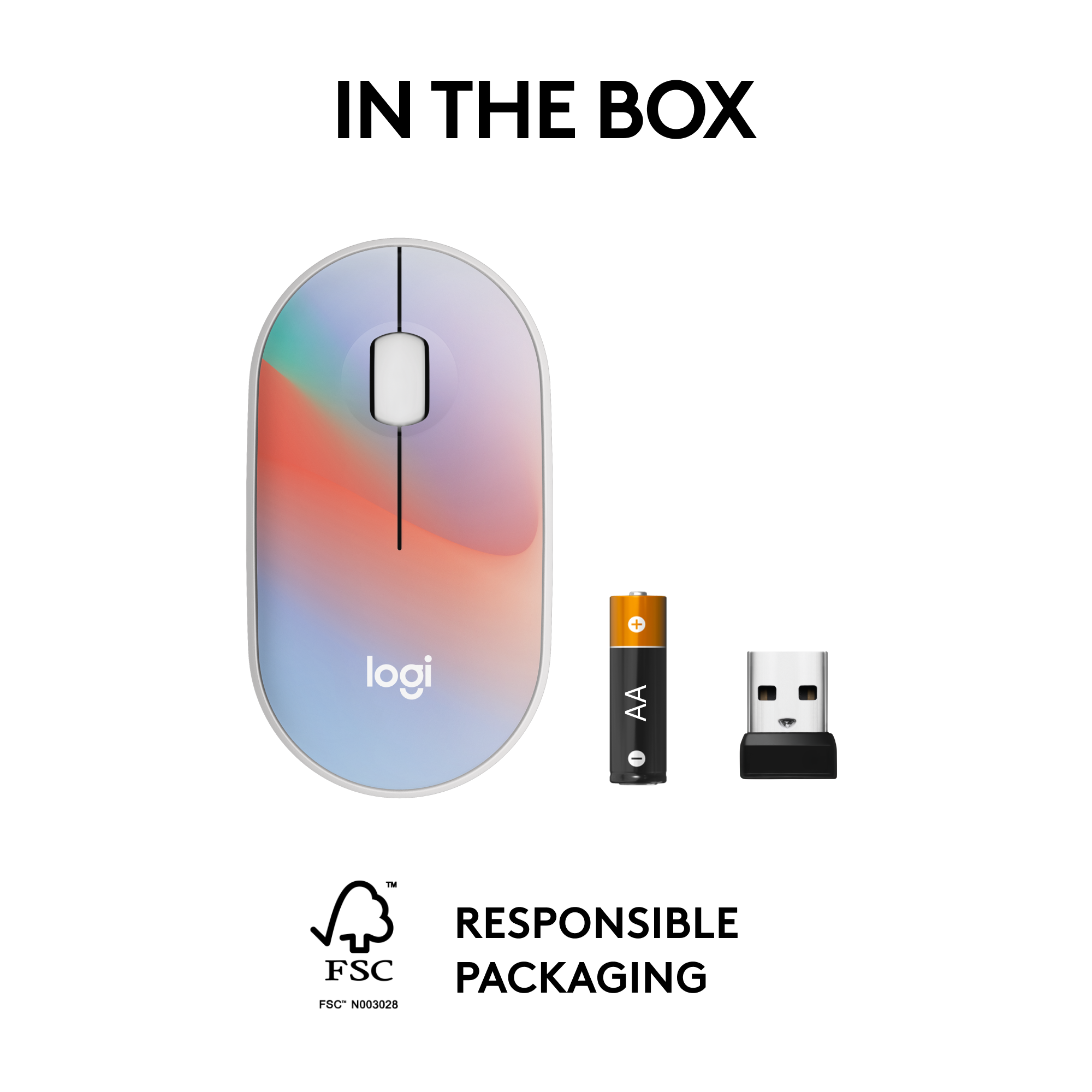
The mouse comes with wireless receiver, battery and user documentation. The heavy plastic packaging has perforations on the back that make it easy to open, no scissors are required.
The mouse is stylish and interesting looking, as are the other skins in the current M340 series. It’s nice to have a mouse that doesn’t generally look like most others, and also nice to read that it is made with recycled plastic.
Using the USB wireless adapter with Windows is plug and play with no special driver required. Operation is smooth and responsive, with no noticeable lag in response to mouse motion, buttons or scroll wheel. The mouse buttons and scroll wheel use Logitech’s silent touch technology and are very quiet.
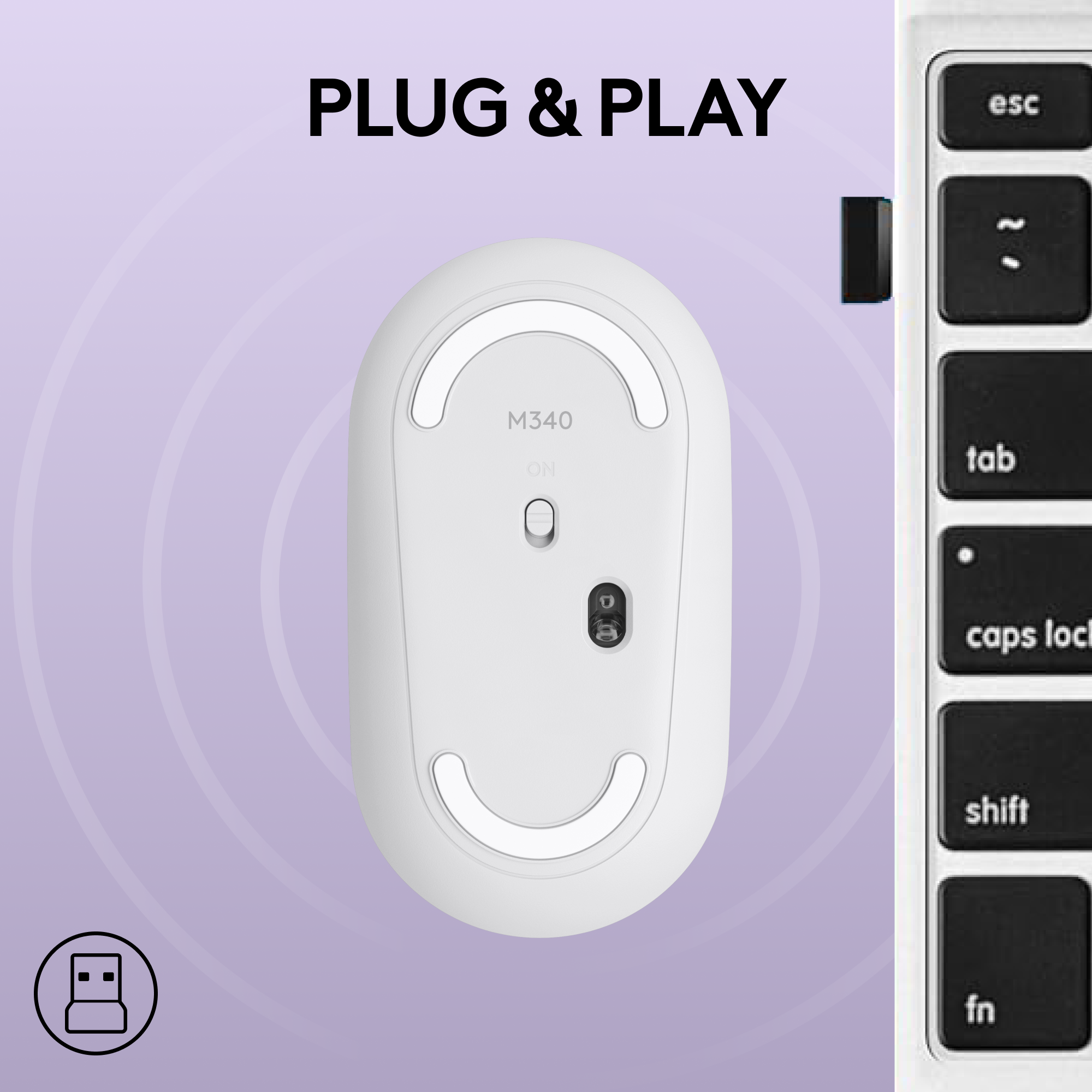
The mechanical design is slick. There is no typical battery compartment panel on the bottom, only a power switch. Instead, the top cover simply lifts off with light force to reveal the battery compartment and storage for the wireless adapter. There are three small metal screws mounted in plastic posts on the bottom of the cover, which is kept in place by magnets in the base that hold onto the screw heads.
The mouse is small, light and feels comfortable in my hand. The low profile design makes it perfect for travel.
I’ve long been a fan of Logitech peripheral devices, finding them to be well designed and reasonably priced, and offering more bang for the buck than similarly priced competing products. The M340 series confirms my opinion, and I highly recommend it if you’re looking for an inexpensive, stylish and quiet USB mouse for home or travel.
I would recommend this to a friend
Brand response from Logitech
Posted .
Hey! Thanks so much for reaching out and sharing your love for the Logitech M340. We're thrilled you're enjoying the device.
Rated 5 out of 5 stars
Click, move and work smoothly
|
Posted . Owned for 1 week when reviewed.
This reviewer received promo considerations or sweepstakes entry for writing a review.
Excellent for working in all spaces, on all surface
I would recommend this to a friend
Brand response from Logitech
Posted .
Thank you for your amazing review of the Logitech M340 Limited Edition Wireless Mouse! We're thrilled to hear that you appreciate its smooth performance and versatility. Your positive feedback means a lot to us as we continue to provide exceptional products that enhance your computing experience.
Pros mentioned:
Click noise, Design, Ease of use
Rated 5 out of 5 stars
Great, simplified mouse with colorful designs!
|
Posted .
This reviewer received promo considerations or sweepstakes entry for writing a review.
This is a nice, no-nonsense portable mouse at a great price. Sharing the same shape as Logitech’s m350, it goes without Bluetooth or multi-device switching in favor of colorful top plate offers (in this case, limited edition) - all at a slightly lower price point. It’s a great mouse if you don’t need Bluetooth and just want a simple plug and play experience.
— Performance & Design —
With the same proven Pebble design that Logitech has sold before, this has a minimal, low profile design that makes it super portable - while still being comfortable to use. The top plate is held on by magnets. It’s easy to remove, which may mean it can come loose during travel - but within a bag pocket, it likely won’t go anywhere.
When it comes to sounds, Logitech touts super-quiet clicks, and I found that to be true. Clicks feel satisfying, but don’t make much noise. The scroll wheel is wide and easy to use (and click as the 3rd mouse button.) Interestingly, I found that sliding the mouse on hard or wood surfaces was a bit louder than other mice I own. This seems to be due to a harder, textured plastic used in the ‘rubbing’ zones on the bottom, rather than the more common waxy, slick plastic. It creates a hollow plastic sound while moved around. When placed on a mouse-pad, that goes away.
As for setup, I had no issues on Windows. I simply plugged in the dongle and it was good to go. True plug and play.
From a sustainability standpoint, the body of the mouse is also made with over 40% post-consumer recycled plastic. That’s slightly less than their more expensive model, but great to see.
— USB only, no Bluetooth —
This means you’ll need to use the included dongle in a classic USB-A port on your machine to use the mouse. If you only have USB-C ports, you’d have to buy an adapter.
— Aesthetic —
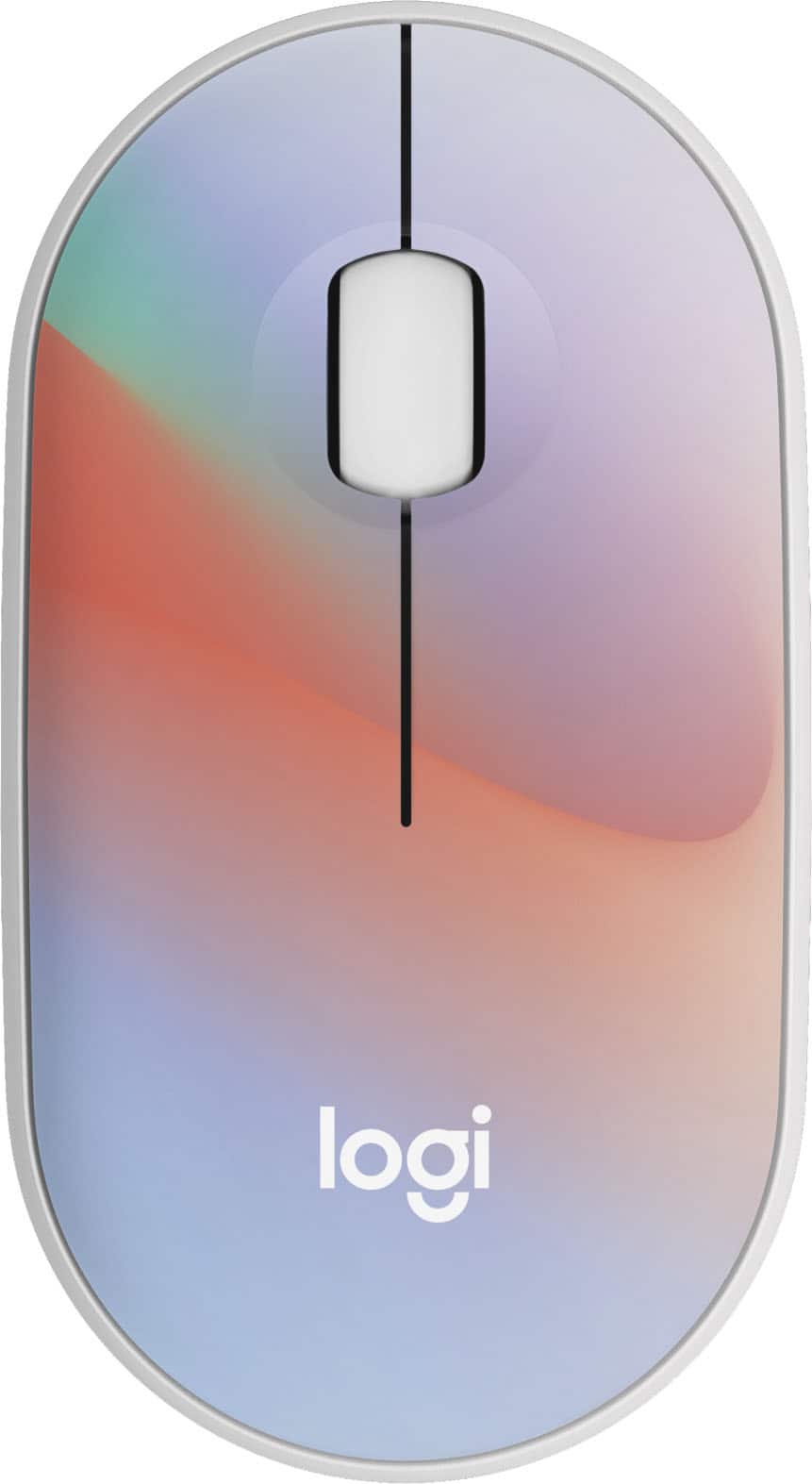
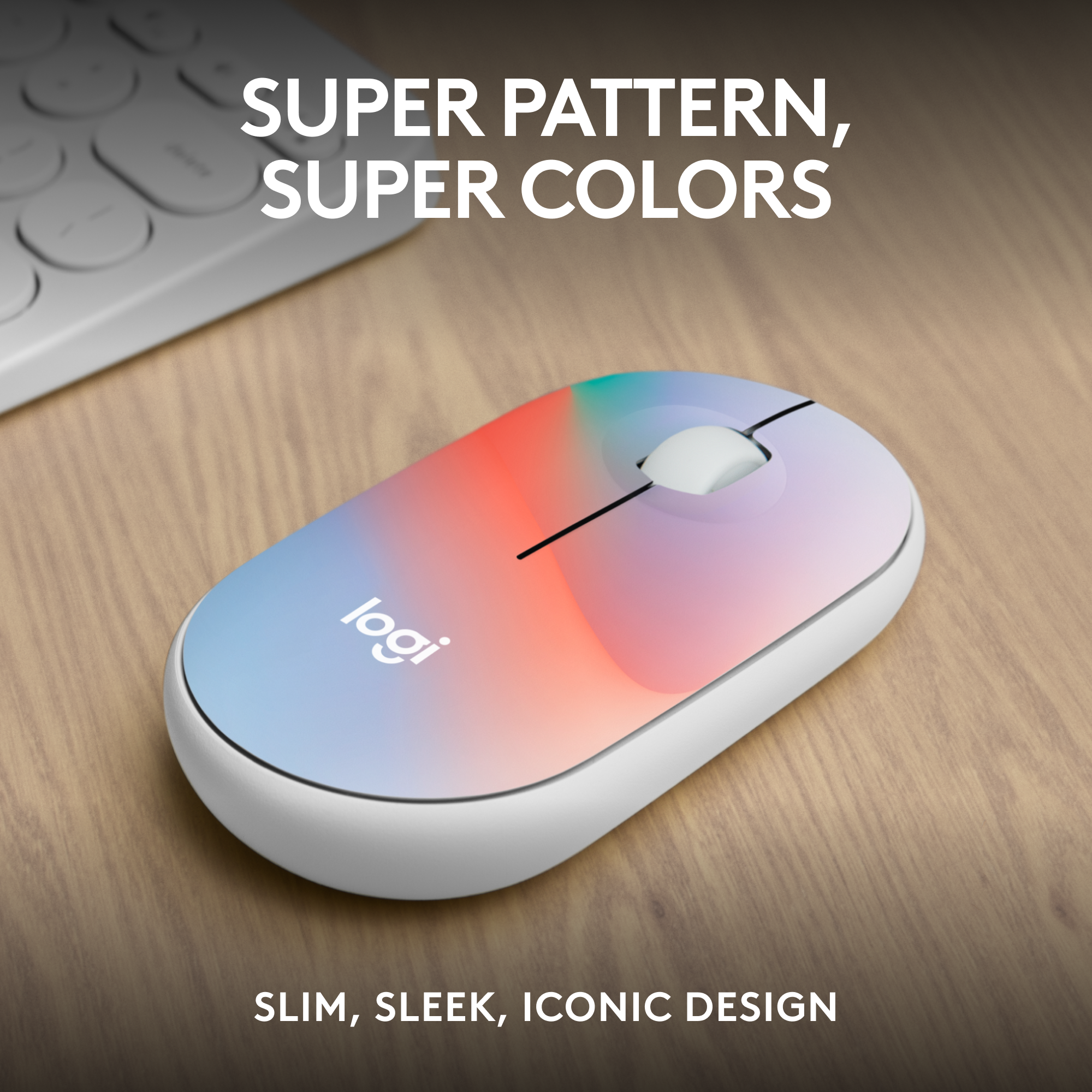
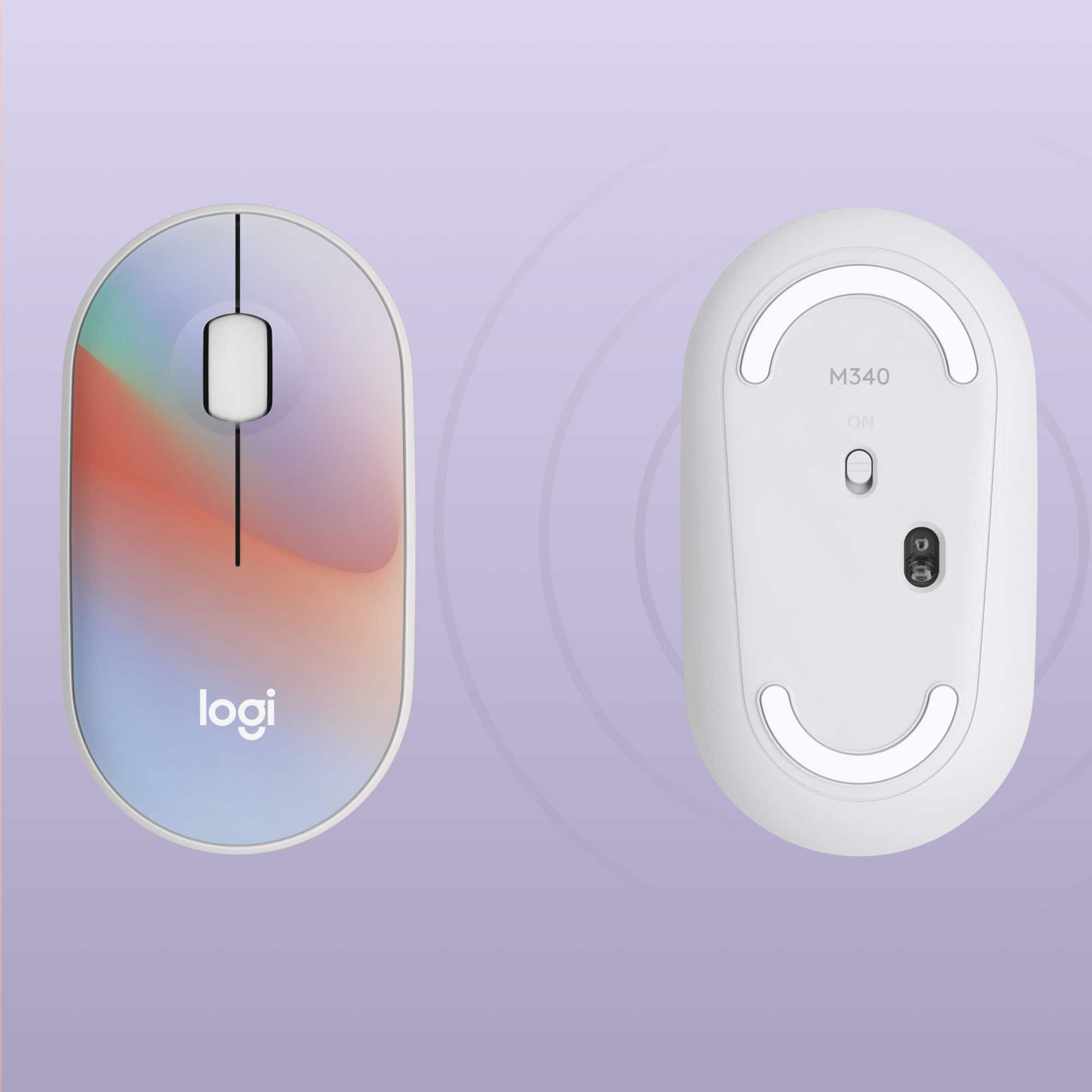
The Sheer Dream design is nice, though it looks a bit more periwinkle/violet than blue in the bottom area when seen in-person. A lot of default wallpapers on current tablets and machines often have similar, colorful gradients that this design seems to be inspired by. Given the coloration, however, I get a more feminine vibe from it, possibly even child-like. Overall, these designs are a nice offering, helping to make your PC setup a little more personalized. Pick the one you like best!
— Summary —
This is nice, capable, compact mouse for low price point. It strips out the bluetooth and multiple device swapping offered in the M350, but provides colorful limited edition designs that might be more your style anyway. If you only care about a simple plug and play experience, and have an open USB-A port on your machine, you’ll likely also save a few bucks by choosing this model.
I would recommend this to a friend
Brand response from Logitech
Posted .
Hey! Thanks for the great review of the Logitech M340 Limited Edition mouse! We appreciate you highlighting the key features - comfortable, portable, colorful design, and quiet clicks - at an affordable price. This is valuable information for potential customers, especially those who prioritize a simple, plug-and-play experience with a touch of personality.
Pros mentioned:
Design, Size
Rated 5 out of 5 stars
Small, light, powerful, useful with strut!
|
Posted .
This reviewer received promo considerations or sweepstakes entry for writing a review.
TLDR version:
This Logitech optical mouse is usable by both right and left hand dominant users; works with Windows 10, 11, ChromeOS & Surface. This particular “Sheer Dream” model is a uniquely pastel “spectrum” rainbow color on a recycled plastic white base. It runs on 1 AA battery, has 2 Windows silent click buttons, and also has the clickable scroll wheel adding more functionality. It is small, lightweight, packs easily in a laptop case and gives precise control in use. It includes the wireless USB-A receiver, is installed with easy Plug & Play, and touts 18 month battery life with auto Sleep function.
In use the mouse worked instantly after plugging in the USB-A “nano” receiver. The battery is pre-installed and changed by simply lifting up the top colorful cover which is held securely with magnets. Note that the receiver is small and has a slot to store in the mouse itself next to the battery. Being that the receiver is so small, one can leave it plugged into the laptop at all times.
The 1000 dots per inch sensitivity of the mouse means that very precise movements and clicks of closely spaced hyperlink is not a problem.
I consistently enjoyed using this mouse and appreciated that it packs into my laptop folio//sleeve cases without increasing the bulk much at all owing to its small and lightweight status. In fact, the AA battery weighs more than the mouse itself.
The M340 series has other color combinations available to suit many other preferences on the Logitech or Best Buy web sites.
Logitech makes available a free software [ Logi Options+ ] on their web site that allows customizing the actions of the mouse including the clickable scroll wheel (as well as many Logitech wireless keyboards) should you choose to explore that additional functionality such as “to do more like sending emojis on Whatsapp, or shuffling your Spotify playlist” per the Logitech website.
This M340 mouse quickly works, and works well for me, and I would eagerly recommend it for anyone who seeks a lightweight mouse with some personality.
It has a 1 year warranty and should be registered on the Logitech web site.
I would recommend this to a friend
Brand response from Logitech
Posted .
Hey! Thanks so much for reaching out and sharing your love for the Logitech M340. We're thrilled you're enjoying the device.
Pros mentioned:
Design
Rated 5 out of 5 stars
A Cute Little Mouse For Any Occasion!
|
Posted .
This reviewer received promo considerations or sweepstakes entry for writing a review.
The Logitech M340 mouse in the Sheer Dream colorway is a stylish and comfortable wireless mouse that is perfect for everyday use. It’s sleek, minimalist design with a beautiful finish that is sure to get some compliments. It’s also very light and easy to pack, for those that travel a lot and value space-saving designs.
Now, please don’t mistake this for a gaming mouse by any means, as it’s a very minimalistic 3 button mouse. What you will be getting is a simple, lightweight mouse, that operates for ages on a single AA battery. It’s also eerily quiet, in both scrolling and clicking. This mouse won’t get heard in meetings or on phone calls, which is a plus for many people. Mouse clicks still feel really tactile, so that’s also a plus.
Setup is a breeze as it’s a matter of flipping off the top cover, pulling the battery tab and inserting the USB dongle into your PC. That’s it. Your mouse is up and running with all the things a mouse does, like scrolling and clicking.
Pros:
Stylish and minimalist design
Comfortable to use
Wireless dongle and connectivity is top-notch
Long battery life
Affordable price
Super quiet
Cons:
No additional buttons.
Not rechargeable
May be too small for some hands.
Key Features:
Wireless connectivity with a range of up to 33 feet
Optical sensor with 1000 DPI resolution
Three-button design with scroll wheel
Powered by a single AA battery
Compatible with Windows, macOS, and Chrome OS
Recommendation:
I would recommend the Logitech M340 Mouse in any of the colors/patterns to anyone looking for a stylish and functional wireless mouse to use at a desk or travel with. It is comfortable to use, has a long battery life, and is affordable.
I would recommend this to a friend
Brand response from Logitech
Posted .
Hello! Thanks for the great review of the Logitech M340! We appreciate you covering its design, comfort, battery life, and value. It sounds like a great choice for anyone looking for a stylish and portable wireless mouse.
Pros mentioned:
Click noise, Size
Rated 5 out of 5 stars
Almost perfect wireless mouse except for 1 thing -
|
Posted .
This reviewer received promo considerations or sweepstakes entry for writing a review.
The Logitech - M340 Limited Edition wireless mouse is a little marvel.
This is another 'pebble' style mouse from Logitech and in its intended role, it is a great little mouse. It is diminutive, unexpectedly ergonomic, sports an interesting top-plate cover tone on this particular LE model & connects with ease.
Upon closer inspection, you'll notice that the packaging displays a USB Type-A transmit/receiver stick not readily apparent to its location in the packaging. But a gentle lifting of the mouse top-plate reveals an internal compartment for both the AAA battery and storage slot for the transceiver. This is handy when traveling and provides a secure way to keep from losing that transceiver if you choose to not leave it 'slotted' in your laptop - for example. Either way works of course. Choices!
The connectivity of this newest Logitech offering is stellar & completely plug-n-play simple. No bluetooth on this one; which I like. I always prefer the dedicated wireless transceiver arrangement.
In terms of overall functionality, I love everything about this particular 'travel mouse' except for one facet - which I will cover in closing. The Silent Touch marketing is completely true. The button clicks are confident and very, very quiet. If anything is noisy on this mouse, it's the scroll wheel but that is totally relative. The scroll wheel does it job & functions nicely, for presses and rolls, and doesn't come off as sloppy.
The only area that I find unsatisfactory on this mouse is the glide feet. They are noisy, in action, across most all surfaces and rough. I kept finding myself turning the mouse over and looking to peel off some kind of protective film to make them smoother underneath... but no. Logitech engineered them to be just the way they are. I was unhappy with an earlier Logitech Pebble design for the exact same reason. It is entirely reasonable that Logi leaned into making these glide feet robust for the long-haul, thereby giving us less than optimal glide performance, but it would have been better IMHO to go with a smoother - PTFE based material. Such is life!
I decided to not deduct a Star for this design shortcoming because for everything else & how it truly performs overall, I think the Logitech - M340 Limited Edition or any of the more traditional looking mice in the M340 Collection - are very nice travel and/or small footprint devices. The speckled one with the black background looks super cool and I will be picking that one up soon.
Pros:
Super quiet left & right buttons
Good size & balance - hitting its intended purpose
Solid scroll wheel
Cool aesthetics
Clever top-plate design to access both the battery & transceiver storage slot
Excellent price-point for it's build quality
Cons:
Pretty meh glide feet but that's just me...
I would recommend this to a friend
Brand response from Logitech
Posted .
Hello! Thanks for the thorough review of the Logitech M340 Limited Edition wireless mouse! We appreciate you highlighting both the pros and cons, especially the details about the quiet clicks, easy connectivity, and storage for the receiver. The feedback about the glide feet is valuable for future iterations - while some users may prefer the durability, others might appreciate a smoother glide.
Pros mentioned:
Click noise, Design
Rated 4 out of 5 stars
Compact and comfortable!
|
Posted .
This reviewer received promo considerations or sweepstakes entry for writing a review.
If you’re looking for a light weight and high quality mouse, look no further. This mouse connects via a USB receiver with about a 30 foot range. It will works with any Windows laptop or Surface devce, as well as ChromeOS. The mouse has silent buttons so there’s no distracting noise, and has an advertised 18-month battery life. The mouse uses one AA battery which is included, and has an internal cavity for storage of the USB dongle. The top is removable for access to the battery and dongle storage, and is held in place by 3 small studs in the top and 3 magnets in the base. While the design is compact, I have large hands and it is very comfortable to use. It is a 3 button mouse with a center button on the scroll wheel and an on/off switch on the bottom. There are 4 limited edition mouse designs available including “Sheer Dream”, “Speckles”, “Blue Galaxy” and “Floral Banquet”. I have used this mouse with both a Windows laptop and a Chromebook, and it was very responsive for all the tasks I performed.
I would recommend this to a friend
Brand response from Logitech
Posted .
Hey! Thanks for the detailed review of the M340 Limited Edition mouse! We appreciate you mentioning its compact size, comfort for large hands, quiet clicks, long battery life, and multiple connection options for Windows, Chromebook, and Surface devices. The variety of color options sounds like a great bonus too!
Pros mentioned:
Click noise, Design
Rated 5 out of 5 stars
Good colorful mouse.
|
Posted .
This reviewer received promo considerations or sweepstakes entry for writing a review.
I picked this up to replace an aging mouse my wife has been using for her computers. It is a reasonably priced mouse that is comparable to the one I'm replacing, but about 15 years newer than what she's using now. The old one works (old logitech) but showing a lot of wear. This is a fair upgrade because it introduces a lot of new colors rather then the blue of her old mouse. It is light weight and works by the same reliable 2.4ghz usb adapter. I have a similar one I am using in one of my laptops with the quiet click, and this is very quiet. I ended up using this mouse over the course of a day for work and the clicks are firm and quiet, but the feel took a minute to get used to. It is much flatter than most mice I have, and I ended up adjusting my desk a bit to use it at a bit further reach so that my fingers, wrist, and hand would be flat. I will include a photo of this mouse and 2 others of mine to compare. The black one is more of the standard mouse in length and curve that I have several of. The middle is a bit shorter, but similar hand curvature to the standard. This mouse is much more flat. The one it's replacing is in use at the moment, but similar to the middle mouse. This works just as well as the old one and even though it's a different shape, and it’s more quiet. I do like the design of the magnetic top and the usb connector tucking in under that with the battery right there. And it has a soft/satin feel to the top. The price point is good, so if you want something that is colorful and a reliable brand, this is perfect. I reccomend this for an everyday mouse. I hope it's still going in 15 years like the old one.
I would recommend this to a friend
Brand response from Logitech
Posted .
Hey! Thanks for the thorough review of the M340! It sounds like a great upgrade for your wife's old mouse, with the fun colors, quiet clicks, and reliable connection. We appreciate the detailed comparison to other mice in terms of size and shape - that will definitely help other users choose the right fit. We're glad you found a comfortable position for using it, and the magnetic top design sounds very convenient. Here's to this M340 lasting another 15 years!
Pros mentioned:
Click noise, Size
Rated 5 out of 5 stars
Very quiet
|
Posted .
This reviewer received promo considerations or sweepstakes entry for writing a review.
Right out of the box, one thing I liked - a very easy open hard plastic shell to get the mouse out. I've been home with an injured foot and ankle for 10 days now, barely able to walk, and I realized I was going to have to walk to get a scissors or something. Then I saw the small arrow and small spot to lift up on the back. Nice touch.
I've been using the Logi Options hardware for about four years now, with an MX Master 3 mouse and MX advanced keyboard for my docking station at work. So I'm familiar with the ecosystem here and didn't have to install any software on my Surface Pro.
Got the USB plugged in and mouse was instantly working. Got the software opened and got the scroll direction inverted, and I was ready to work.
It is small, light, and easy to hold in the hand to use. The thing that got my attention here was that it was supposed to be a quiet device. I don't mind some of the noises when I'm at work, but this I had picked up exclusively for use when I'm home, and the surface is on the dining table. I wanted a mouse that didn't make loud clicks all the time since I'm often working evenings or at night with projects, and it's dead silent other than the noises I make on the keyboard and mouse. So having mice with loud mouse buttons can be a bit of an annoyance.
This one definitely is nearly silent. It's actually pretty startling compared to the other Logitech mice I have, and a few other brand's gaming mice I have for my gaming laptop. They say it's only like 10% of the normal noise level, and I'd say it's that at least to my ears. There is a very quiet sound like softly tapping the table top with the pad of your finger. No click sounds at all. And for what I'm looking for at home, it's ideal.
The colors pop for anyone who is looking for one that has that "fashion statement" with their accessories. The top easily lifts off and is held in place with magnets, so it is easy to get at the USB receiver inside or swap out the battery.
Only thing I really don't like is the on/off switch on the bottom. It's a bit of a pain for guys like me who keep their fingernails trimmed very, very short. It is nothing nearly as easy as the switch on my Logitech MX Master 3 mouse at the office.
But it moves smoothly on any surface I'd use it on, scrolls smoothly, and clicks quietly. Does everything I'd want it to do.
I would recommend this to a friend
Brand response from Logitech
Posted .
Hi! Thanks for the fantastic review of the M340 Limited Edition! It sounds like a lifesaver during your recovery, and we're happy it met your needs for a quiet mouse at home. We appreciate all the details you shared, from the easy-to-open packaging to the silent clicks and comfortable design. The feedback about the on/off switch is helpful for future iterations. We're glad you found the perfect mouse for your home setup!
Pros mentioned:
Click noise
Rated 5 out of 5 stars
Practical Mouse
|
Posted .
This reviewer received promo considerations or sweepstakes entry for writing a review.
I needed a new inexpensive mouse and went with the brand I normally use which is Logitech. I decided to try the new M340 limited edition wireless ambidextrous mouse with silent clicks and was glad I found it. One of the main reasons I like using the brand is because it also has its own Logi Options software application that allows you to customize your device to the preferences you find the most useful.
The new M340 is truly a quieter mouse when it comes to the noises made from clicking the mouse. They advertise the model to have Silent Touch Technology and it really does seem to be remarkably softer compared to regular models.
The mouse does require you to use a USB receiver which comes with the mouse because it does not support Bluetooth technology paring. I always have a USB-A connection available on my laptops, so it did not bother me to have to use the dongle. It does at least help support a 10-meter wireless range per the manufacturer which is more than enough for a typical setup. The nice feature about using the dongle it that it can be stored in the mouse compartment with the battery which I like so I do not have to worry about where I last moved it.
The mouse also comes with an AA size battery and advertises that it can get up to an 18-month battery life with a disclaimer that it depends upon the user and computing conditions. I will be happy if I get even a year out of one battery since it is not equipped with a rechargeable battery.
Overall, I would recommend this inexpensive mouse to others based upon the practical use and good basic features.
I would recommend this to a friend
Brand response from Logitech
Posted .
Hello there! Thanks for the informative review of the Logitech M340 Wireless Mouse! We appreciate you highlighting its affordability, quiet clicks, and long battery life. The details about the USB receiver storage and battery life expectations are valuable for users considering this mouse.
Rated 5 out of 5 stars
Smooth and Quiet Operation
|
Posted .
This reviewer received promo considerations or sweepstakes entry for writing a review.
I have used this mouse for a few days and have found that it is excellent for everyday use. It is comfortable to use and feels natural in my hand. The quality optics make the mouse operation smooth and accurate. The mouse tracking is precise and the scroll wheel works perfectly. The mouse buttons are silent when depressed. If only keyboards can be this silent!
The mouse uses a USB-A port to connect to the computer. The USB receiver fits inside the mouse when not in use. Since most newer PC’s come with USB-C ports, an adapter might be needed. I tested it with a USB-A to USB-C adapter and it worked flawlessly. I was also able to use the receiver with a HUB with no problems.
This mouse is advertised as being compatible with Windows but I was able to use it with the Chrome OS as well.
This mouse uses a single AA battery for power. A battery is included. It is rated to last for up to 18 months. I was obviously not able to test this rating, but I have no reason to doubt the accuracy. AA batteries are plentiful and inexpensive so replacement will not be a problem.
A few different stylish designs are offered to appeal to different tastes. This does what it is supposed to and does it well, making it easy to recommend.
I would recommend this to a friend
Brand response from Logitech
Posted .
Hi there! Thank you for the comprehensive review of the M340! We are thrilled you find it smooth, quiet, and comfortable to use. Your feedback about the precise tracking, silent buttons, and compatibility with various operating systems is valuable for future customers. We appreciate you highlighting the long battery life and stylish design options as well. It sounds like the M340 is a great choice for everyday use!
Pros mentioned:
Size
Rated 5 out of 5 stars
Utility and useful features
|
Posted .
This reviewer received promo considerations or sweepstakes entry for writing a review.
I seem to never have a mouse when I need it these days. In a hybrid office world, my day is spent going from conference room to conference room and I’m only able to dock at my desk. Knowing I would not need anything super fancy, I chose this model from Logitech for utility and then realized some of the small conveniences built in to make it even better. The first one being its size and shape - perfect for my hand, and the quick clicking buttons are just as advertised. It makes multitasking during a meeting a little more stealth! The other great feature is having a storage spot for the USB dongle right under the cover. I’ve broken a number of these over the years leaving them in laptops and then throwing into my bag. This solution will hopefully keep me from breaking it off in the port, as I still have to extract the last one. Overall performance is what you would expect for a value mouse - smooth and does what it’s supposed to do. If you are someone who needs a spare mouse to carry around I’d highly recommend this model to you.
I would recommend this to a friend
Brand response from Logitech
Posted .
Hey! Thanks for the detailed review of the Logitech M340! We appreciate you calling it a utility champion for hybrid workers. The portability features you highlighted, like the compact size, dongle storage, and quiet clicks, are definitely valuable for anyone who carries their mouse around.
Pros mentioned:
Ease of use
Rated 5 out of 5 stars
Simple compact wireless mouse with a nice design.
|
Posted .
This reviewer received promo considerations or sweepstakes entry for writing a review.
So, I have currently a couple of Logitech pebble mice already so I’m familiar with the feel and portability and setup with ease using the Logitech options+ app I believe.
With this specific mouse here, the difference is that it’s wireless via a usb receiver; usb a plug in type and it’s included with the mouse and it’s stored in this little compartment space for it when you lift the top mouse cover… and that this is the only wireless method of connecting the mouse; there’s no additional Bluetooth option here (just the on/off slider switch underneath the mouse) for pairing so the receiver must be kept secure with the mouse at all times or still in the usb port of the computer you’re to use it with. If lost, you’ll have to invest in a replacement usb receiver and configure it most likely with the logi + app. With the adapter using a usb a style plug; if your laptop has just usb c then an adapter or usb c hub/dock with usb a ports would be needed in this case since quite a number of newer laptops may only just have usb c ports.
I would recommend this to a friend
Brand response from Logitech
Posted .
Hi! Thanks for the informative review of the Logitech M340! This is helpful for anyone considering this mouse, especially those who already are familiar with Logitech mice and their Logi Options+ app. It's valuable to know that the M340 connects solely via the USB receiver and doesn't have Bluetooth functionality.
Rated 4 out of 5 stars
Colorful & quiet portable mouse--but too portable?
|
Posted .
This reviewer received promo considerations or sweepstakes entry for writing a review.
The M340 is a compact, portable wireless mouse from Logitech. Available in a variety of color schemes, this one was called Sheer Dream, a series of sunset-like colors in a diagonal gradient across the mouse surface. It's an interesting design, very lightweight without feeling flimsy, but with the top of the mouse, including the button division, being removable to access the battery compartment underneath. It runs on a single AA battery (included thankfully) and the Type A USB wireless dongle can be stored in here, which is very helpful for a mouse on the go. The battery life is rated for 18 months according to Logitech.
In my usage, I found this mouse suitable for portable use, and thus it'll go in my laptop bag for when I need a mouse instead of the trackpad. This mouse features Silent Touch technology, and it is indeed very quiet--you'd have to be very close to it to notice clicking sounds. However, the portability and small size ended up a problem for me in that my hand felt just a little too large to comfortably use it for extended periods of time. I always felt like my hand was too far forward, or too far back, on the mouse to get comfortable. The buttons, which act more like a division in the top casing than two distinct ones, I just never felt like I gripped that well. The large scroll wheel in the middle, however, was very nice to use and had a great feel.
Could this mouse be my "daily driver"? Probably not. But as a portable solution to keep with my laptop, it's perfect for on the go usage. So if you're looking for a colorful, quiet portable mouse, this might very well work for you.
I would recommend this to a friend
Brand response from Logitech
Posted .
Hey! Thanks for the informative review of the M340 mouse! We appreciate you highlighting its portability, quiet clicks, long battery life, and stylish color options. It's valuable to us that you shared your experience about the size and comfort for extended use. This feedback helps us understand user preferences for future designs.
Pros mentioned:
Click noise
Rated 4 out of 5 stars
Nice, But a Different Experience
|
Posted .
This reviewer received promo considerations or sweepstakes entry for writing a review.
The Logitech - M340 Limited Edition wireless ambidextrous mouse with silent clicks in the pattern of - sheer dream is interesting. I really never thought about a computer mouse needing, or me wanting, to have silent clicking before. This is a slightly smaller and much lighter weight version of the mouse. Who knew that engineers are still trying to perfect, improve, or remake the mouse and now with silent technology? Also, I guess that Logitech wants to give your mouse some style and flair.
This model notes that it is constructed of 42% recycled plastic. I imagine that this is to please environmentalists, but from a construction standpoint this may be the reason why it feels quite a bit lighter than others. There are 3 buttons, right, left, and the middle wheel that engages an automatic page down or up. However, what is missing is the back button and that is why I took a star away. I often find myself using that as I go from one to the other tab and that does come in handy for me. So as I continue to use it that it is silent, but it is in an oval shape and since it is smaller and lighter I wonder if the user had larger hands would it be comfortable for them to use? It might actually be too small.
I would recommend this to a friend
Brand response from Logitech
Posted .
Hey! Thanks for the thoughtful review of the M340 Limited Edition! We appreciate you highlighting the silent clicks, recycled plastic, and comfortable design. The missing back button and size for larger hands are valuable points. We offer a variety of mice - let's find the perfect fit for you!
Rated 5 out of 5 stars
Highly Customizable Mouse
|
Posted .
This reviewer received promo considerations or sweepstakes entry for writing a review.
I am a devotee of Logitech products. I have used the M317c as my daily mouse for years. I use them so much I typically keep a stock of them for when I wear them out.
I have noticed, though, that I’m wanting something a little more comfortable in my hand as I get older. So, I thought I would try out the Logitech M340.
The ombre colors are nice. I would even say they are peaceful, which is important when you are working long hours. You don’t need any additional items that could subtly cause stress to your senses.
The mouse is mostly flat, with a slight arch toward the lower palm area of the device. My current mouse has more of a pronounced arch in the middle of the hand. This does provide more comfort as the M340 is not artificially causing your hand to stay arched.
I will note that you will need a USB-A port on your computer to use this mouse. It does not offer Bluetooth connectivity.
The battery compartment is unusual, in that you remove the top of the mouse to access it. I’m used to devices with little battery doors on the underside that allow access to your dongle and battery. The mouse itself is not rechargeable. It uses a standard AA battery.
One of the biggest selling points for Logitech devices (with this mouse being no exception) is the Logitech Options+ software. It allows the user to customize their settings for the mouse.
For example, you can send your pointer response time faster or slower. You can reverse the button functions so that the right button can perform the tasks that the left button would normally do. Your wheel is also a button where you can set it to perform a keyboard shortcut, a task view, or to switch applications, which is what I chose.
There is also a section called Smart Actions which allows you to automate a certain series of tasks with one click. There are pre-set templates you can use, or you can create your own. For example, if you have a certain series of apps that you need to open each day before you start work, you can program a Smart Action to open all of those programs with one click, saving you time.
Lastly, there is another feature called AI Prompt Builder. You can use it to copy text and reformat it for your use. For example, you can take a passage that is quite technical and ask for it to be sent to ChatGPT to reformat it into a more digestible format for your audience.
The Logitech M340 mouse is something that I would recommend. It’s sturdy, lightweight, is silent (no loud “click” noises), and easy to hold. It responds well and is quite customizable.
I would recommend this to a friend
Brand response from Logitech
Posted .
Hello! Thank you for your in-depth review of the Logitech M340! We especially appreciate you sharing your experience as a longtime Logitech user and highlighting the M340's comfort features, customization options (especially Logitech Options+ software), and quiet clicks. This feedback is valuable for future customers considering the M340.
Pros mentioned:
Overall performance, Size
Rated 5 out of 5 stars
Great mouse
|
|
Posted . Owned for 1 month when reviewed.
This reviewer received promo considerations or sweepstakes entry for writing a review.
Nice mouse - my daughter loves it - slim! and it does what it is design to do!
I would recommend this to a friend
Brand response from Logitech
Posted .
So glad your daughter is enjoying it! Your feedback helps us keep improving. Thanks for being part of the Logitech community.
Pros mentioned:
Click noise, Ease of use
Rated 5 out of 5 stars
Computer Mouse
|
|
Posted . Owned for 3 weeks when reviewed.
This reviewer received promo considerations or sweepstakes entry for writing a review.
Logitech - M340, is a very good idem and very quiet. I enjoy how easy to use while it scrolls smoothly.
I would recommend this to a friend
Brand response from Logitech
Posted .
That's wonderful to hear! We're so glad you're finding the Logitech M340 to be a very good and quiet mouse. It's excellent to know you enjoy its ease of use and smooth scrolling! Thanks for the positive feedback.